Tag: Virtual Reality

  • Meta Connect 2026: Enhanced AI Glasses, VR Upgrades, and New Gaming Features Unveiled

    Meta Connect 2026: Enhanced AI Glasses, VR Upgrades, and New Gaming Features Unveiled

    Meta Connect 2026 Unveils New Devices

    Meta Connect 2026 focused heavily on artificial intelligence, smart glasses, and virtual reality. The company announced new wearable devices alongside upgrades to existing Ray-Ban Meta products. Meta also showcased new gaming, entertainment, and AI features designed to expand how users interact with its growing ecosystem of connected devices.

    Meta’s New VR Glasses

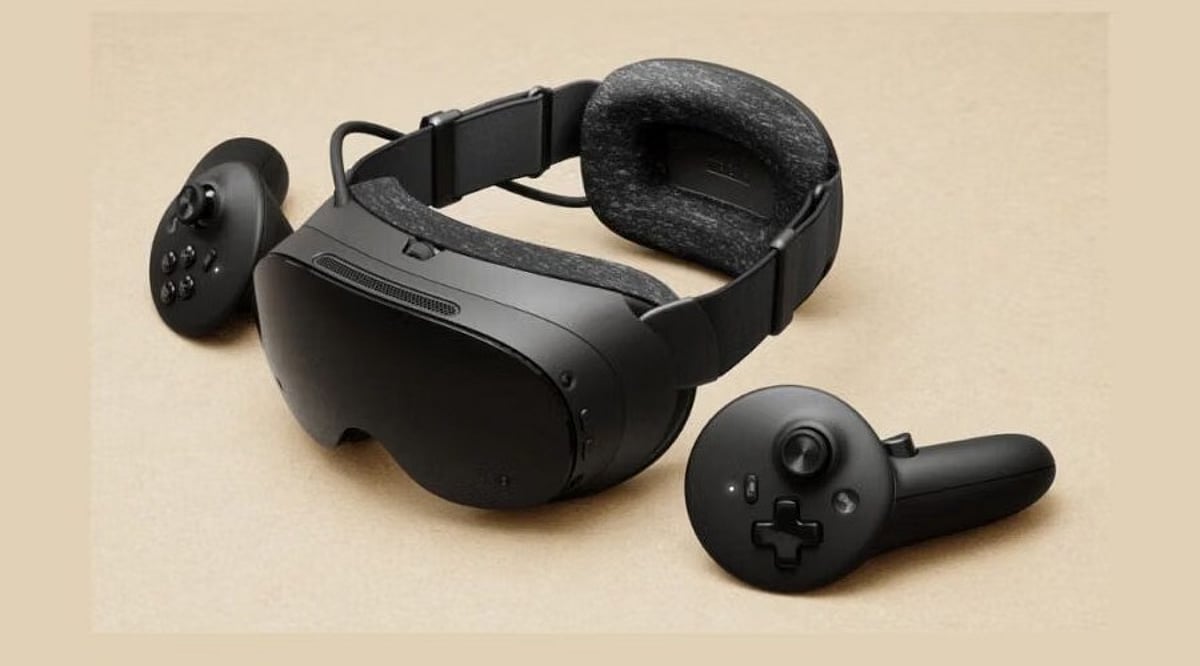
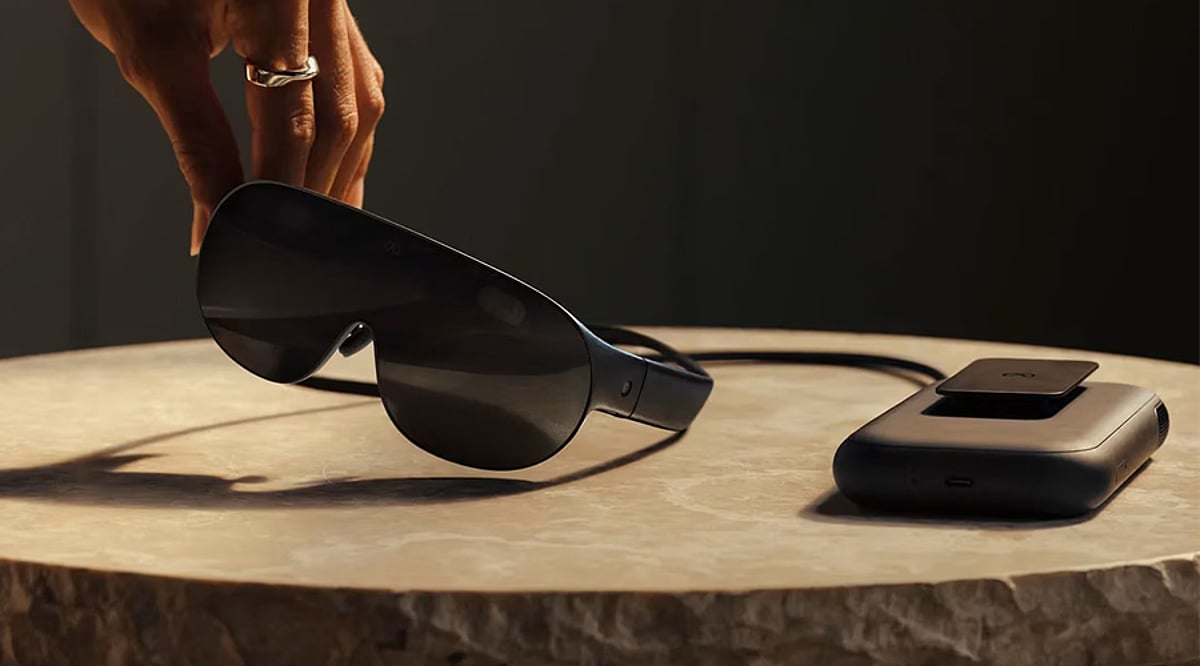
    Meta introduced new VR Glasses priced at $1,300, with availability planned for next spring. The glasses weigh about 100 grams and use magnesium alloy frames. They feature pancake lenses, a 5K display, and full-color passthrough, plus Dolby Vision, Dolby Atmos spatial audio, and IMAX Enhanced certification.

    Ray-Ban Meta Gets New Audio Model

    Meta announced Ray-Ban Meta Audio, a new smart glasses model without a camera. The glasses focus on audio features, including Meta AI, music, podcasts, and voice calls. Meta says the glasses can deliver up to 12 hours of battery life, while the charging case provides up to 48 additional hours.

    Ray-Ban Meta Gen 3 Announced

    The third-generation Ray-Ban Meta smart glasses come with a slimmer design and a dedicated Meta AI button. Battery life has also increased to up to nine hours. The glasses feature a 12MP camera that can record 3K video and a six-microphone system designed to reduce background noise.

    Ray-Ban Meta Display Expands

    Meta is expanding the availability of Ray-Ban Meta Display, with US customers able to order the glasses online for $799. New features include cycling and public-transit directions, landmark-based walking navigation, video-call holograms, photo editing, Dolby Atmos video capture, and mirrored smartphone notifications.

    More Games And Entertainment

    Meta also announced several gaming and entertainment updates. Beat Saber is getting hand tracking and a new Flux mode with 35 songs initially. Supernatural is returning to the Meta Horizon Store, while Payday: Aces High, Tetris Effect and Ace Attorney: Dual Destinies are also coming.

    Meta Expands Its AI Vision

    Meta also previewed Muse Charm, a compact device built around its Muse Agent. The device includes speakers, microphones, a display, and a fingerprint sensor. Meta said more information will follow later this year, while its broader VR platform continues to add immersive movies, sports, streaming and 3D entertainment.

  • PSVR 2 Sells Out on US PlayStation Store Following Price Cut

    PSVR 2 Sells Out on US PlayStation Store Following Price Cut

    Sony’s PlayStation VR2 headset has completely sold out on the official US PlayStation Store, signaling a surge in demand after a recent price reduction. The stock shortage leaves potential buyers scrambling for alternative retailers, with no official timeline for restocking from Sony.

    The price cut, which made the PSVR 2 more affordable for PlayStation 5 owners, appears to have sparked renewed interest in Sony’s virtual reality platform. The headset, originally launched at a premium price point, now offers a more competitive entry into high-end VR gaming.

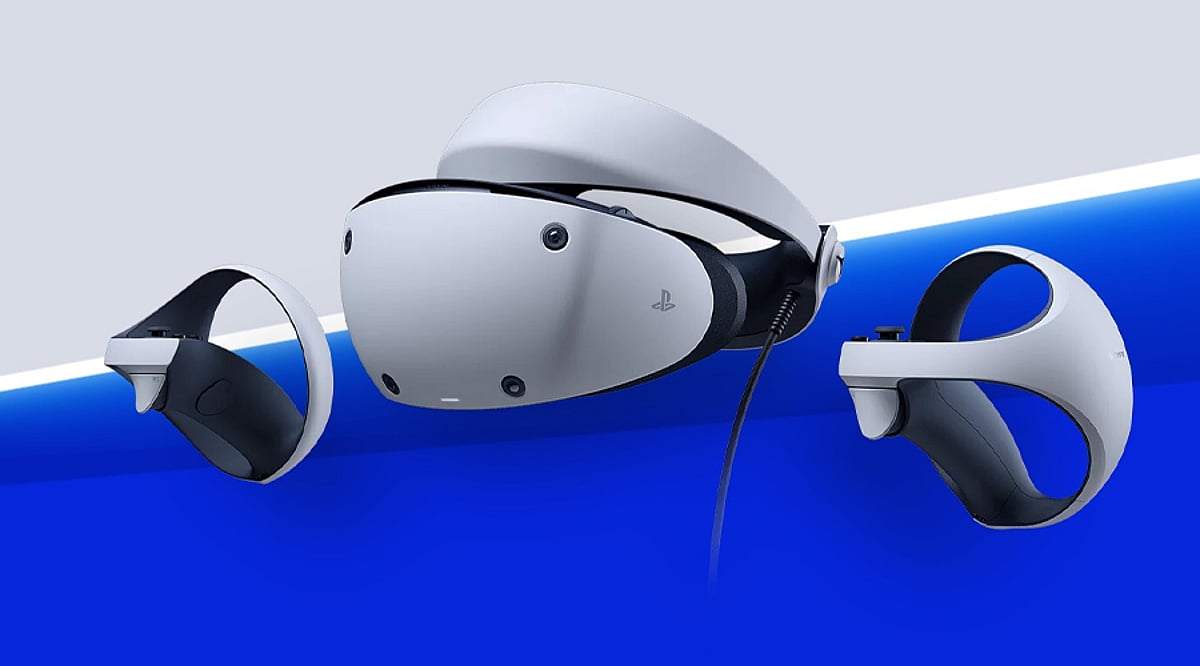
    Designed exclusively for the PlayStation 5 ecosystem, the PSVR 2 features OLED displays, eye tracking, haptic headset feedback, and the innovative Sense controllers. These components work together with the console’s processing power to deliver deeply immersive gaming experiences. The device also supports a growing library of VR titles, spanning genres from action and horror to racing and adventure.

    In addition to its PS5 integration, the PSVR 2 can be connected to compatible PCs via Sony’s official adapter, broadening its utility beyond console gaming. This flexibility has been a key selling point for users who want access to both PlayStation and PC VR content.

    With the US PlayStation Store now out of stock, consumers are advised to check other authorized retailers for availability. The shortage underscores the ongoing demand for VR hardware as manufacturers compete for attention in the gaming and entertainment sectors.

  • Top 5 VR Headsets of 2026: Standalone Gaming, PC Visuals, and Spatial Computing Compared

    Top 5 VR Headsets of 2026: Standalone Gaming, PC Visuals, and Spatial Computing Compared

    The virtual reality market in 2026 offers an unprecedented range of choices, from all-in-one standalone headsets to high-end PC-tethered systems and premium spatial-computing devices. Whether you are a gamer, a simulation enthusiast, or a productivity-focused user, there is a headset tailored to your needs. Below, we break down five standout VR headsets available this year and what makes each one unique.

    1. Meta Quest 3: Versatile All-in-One VR with Mixed Reality

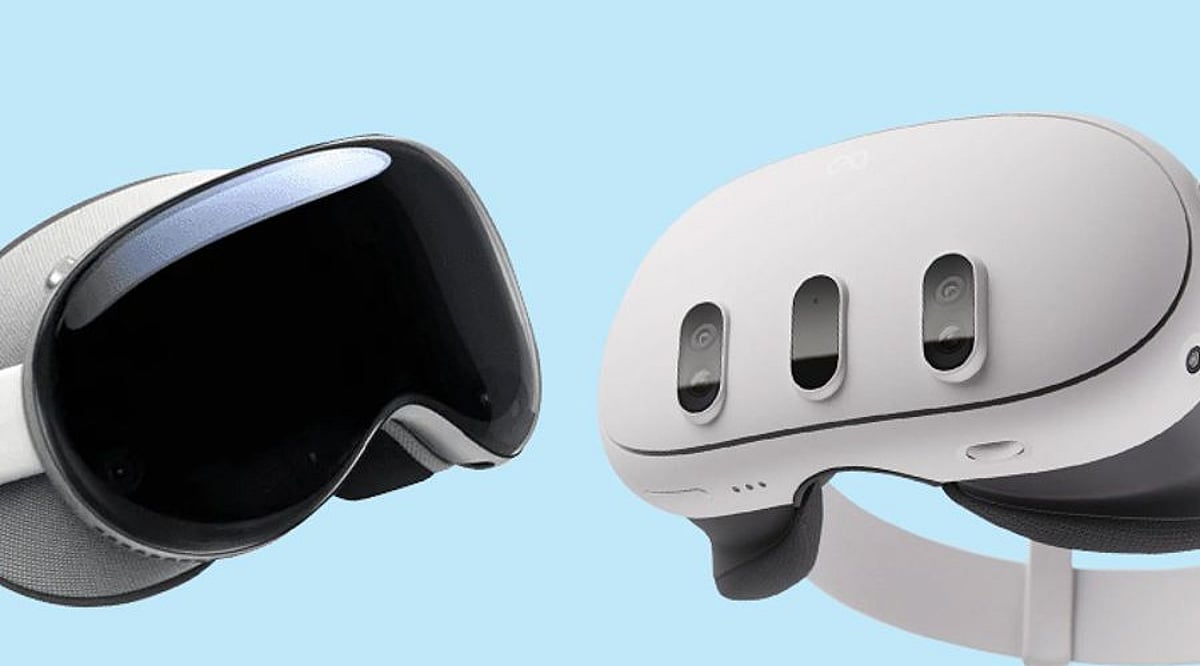
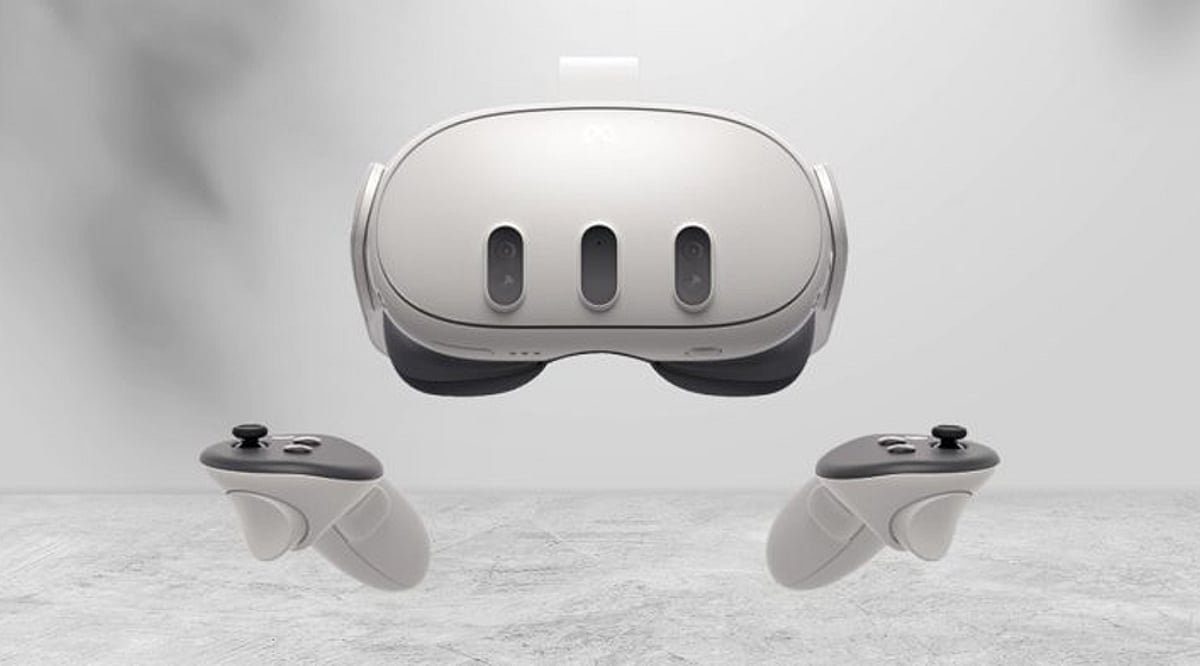
    The Meta Quest 3 continues to dominate the standalone VR segment by combining immersive virtual reality with color passthrough mixed reality. Powered by the Snapdragon XR2 Gen 2 platform and featuring pancake lenses, it requires no PC or console to operate. This headset is ideal for users who want a broad library of games and apps without the hassle of wires, while still offering the option to connect to a PC for more demanding experiences.

    2. PlayStation VR2: Console Gaming at Its Finest

    Designed exclusively for the PlayStation 5, the PS VR2 delivers a console-focused VR experience with stunning OLED displays, integrated eye tracking, and haptic headset feedback. Its advanced Sense controllers provide precise motion tracking and adaptive triggers. This headset is perfect for gamers who already own a PS5 and want access to a curated library of high-quality VR titles.

    3. Valve Steam Frame: Wireless PC VR Freedom

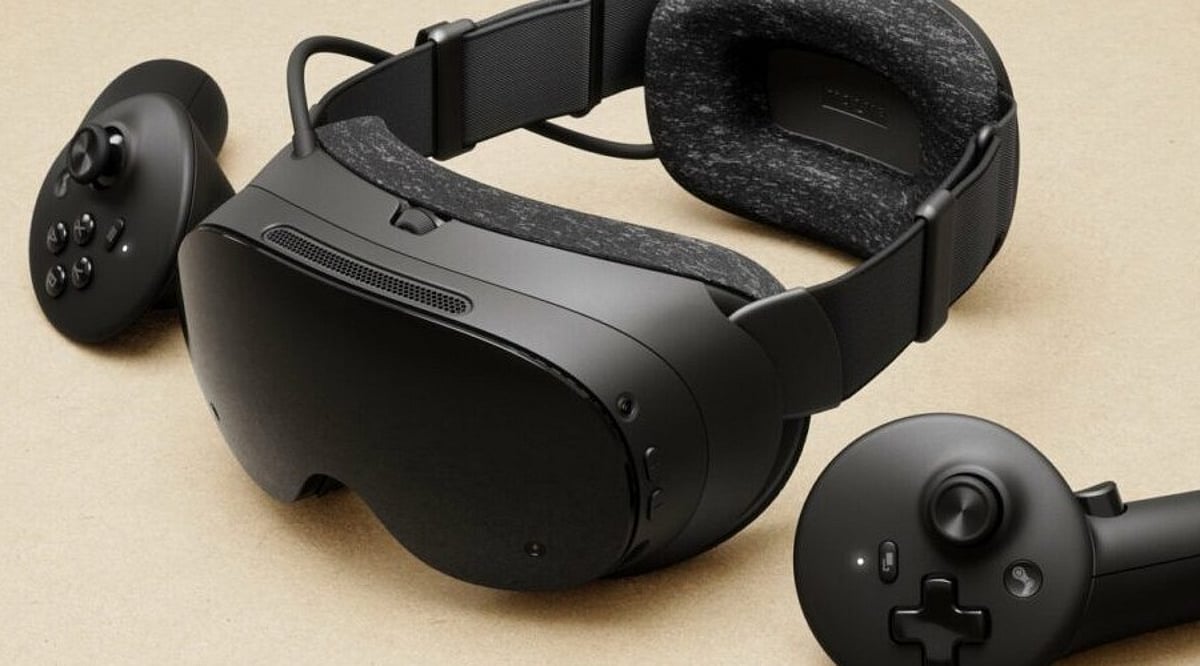
    Valve’s Steam Frame bridges the gap between standalone and PC VR. It runs on a Snapdragon 8 Gen 3 processor with 16GB of RAM and supports wireless connection to a gaming PC. With built-in eye tracking and standalone functionality, it targets users who want the flexibility of untethered play combined with the power of SteamVR’s extensive library. This is a strong choice for those who value both mobility and high-fidelity PC gaming.

    4. Pimax Crystal Light: Visual Fidelity for Simulation Enthusiasts

    The Pimax Crystal Light focuses on delivering exceptional image quality for PC VR. It features high-resolution displays, glass aspheric lenses, and a refresh rate of up to 120Hz. A DisplayPort connection ensures minimal compression and maximum detail, making it a top pick for flight and racing simmers, as well as anyone who prioritizes sharp visuals over standalone convenience.

    5. Apple Vision Pro: Redefining VR as Spatial Computing

    Apple’s Vision Pro takes a different approach by emphasizing spatial computing over gaming. Equipped with dual Micro-OLED displays, Apple silicon, and advanced eye tracking, it enables immersive experiences for productivity, entertainment, and creative work. Spatial video capture and seamless integration with the Apple ecosystem position it as a premium device for users seeking a versatile mixed-reality headset beyond gaming.

    Each of these headsets caters to a distinct audience. The Meta Quest 3 is the jack-of-all-trades; the PS VR2 is for console gamers; the Valve Steam Frame offers wireless PC flexibility; the Pimax Crystal Light delivers uncompromised visuals; and the Apple Vision Pro opens the door to spatial computing. Understanding your primary use case — from gaming and simulations to productivity and media consumption — will guide you to the perfect VR headset in 2026.

  • Valve Steam Frame VR Headset: Price, Specs, and Everything You Need to Know

    Valve Steam Frame VR Headset: Price, Specs, and Everything You Need to Know

    Valve has officially launched the Steam Frame, a versatile VR headset that goes beyond traditional virtual reality. Priced starting at USD 1,059, the device supports standalone VR gaming, wireless PC VR streaming, and even standard Steam titles on a large virtual screen. This makes it a much more flexible option compared to the older Valve Index.

    Pricing and Availability

    The Steam Frame is available in two storage configurations:

    • 256GB model: USD 1,059 (EUR 1,049 / GBP 889)
    • 1TB model: USD 1,299 (EUR 1,279 / GBP 1,089)

    Sales began on September 14, 2026, via a limited reservation system. Registration closes on September 17 at 10:00 AM Pacific Time, with purchase invites rolling out on September 18. Selected buyers have 72 hours to complete their order.

    Standalone VR Meets Wireless PC Power

    Steam Frame runs on a Snapdragon 8 Gen 3 processor with 16GB of LPDDR5X memory and SteamOS. This allows supported games to run directly on the headset without a PC. For graphically demanding titles, the headset can connect wirelessly to a desktop computer, which handles rendering and streams the experience to the headset. The setup eliminates the need for a physical cable while keeping high-end graphics performance.

    Additionally, the headset can display standard (non-VR) Steam games on a large virtual screen, further broadening its use cases.

    Display and Camera System

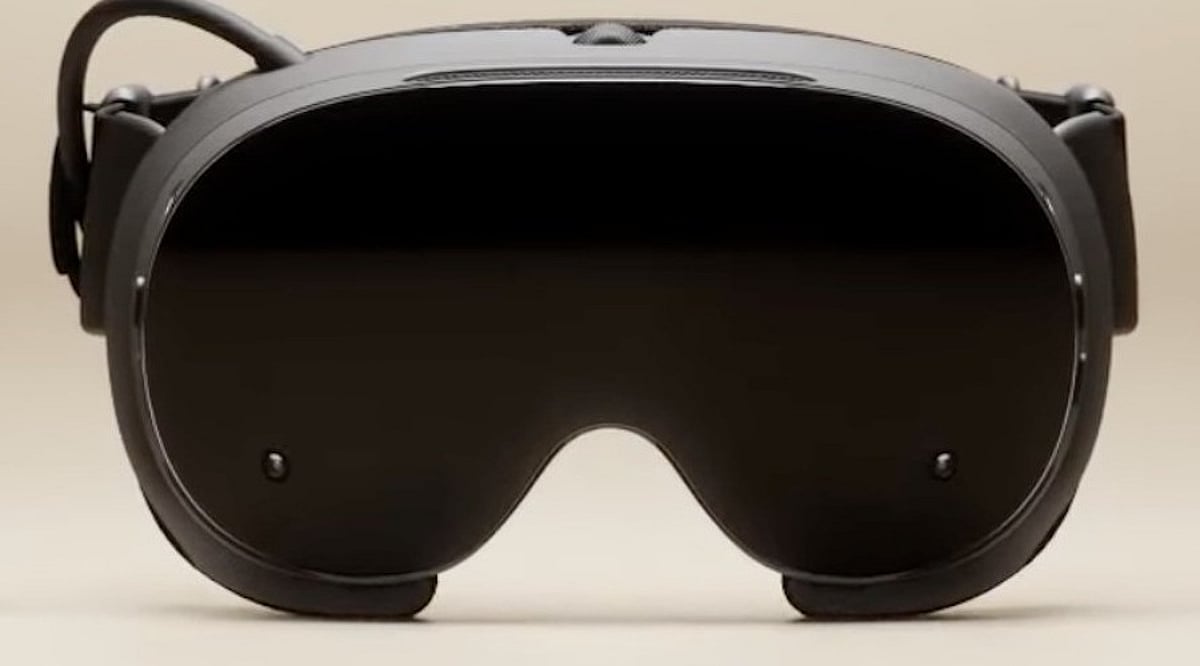
    Each eye gets a 2160 × 2160 LCD panel. The standard refresh rate is 72Hz, with an experimental mode reaching up to 144Hz. The field of view is approximately 110 degrees. Inside-out tracking removes the need for external base stations, using integrated cameras to monitor the headset and controllers within the play space. Eye tracking sensors are also built in.

    The built-in passthrough is monochrome. For full-color passthrough and spatial video capture, users can purchase the optional Arcturus Vision Camera for USD 149. This camera supports 5K/60 video with 10-bit HDR stereo images.

    Storage and Accessories

    The headset comes in 256GB or 1TB versions, with expandable storage via microSD card. Optional accessories include:

    • Ergonomic Accessories Kit (USD 59): Two controller hand straps, a top head strap, and an extended light blocker.
    • Accessory Replacement Kit (USD 49): Face gasket, head cushion, and standard light blocker.
    • Official Power Supply (USD 29): Sold separately.
    • Arcturus Vision Camera (USD 149): Adds color passthrough and spatial video.

    Valve also includes Half-Life: Alyx with every Steam Frame unit, featuring a native version optimized for the headset.

    Future Upgrades

    An upcoming Enthusiast Kit will offer a new head strap, extra battery capacity (magnetic attachment), premium off-ear speakers inspired by the Valve Index, and additional eye-distance options. Pricing and release date for the Enthusiast Kit have not yet been announced.

    Key Takeaways

    • Versatile gaming: Standalone VR, wireless PC VR, and standard Steam games on a virtual display.
    • Premium pricing starts at USD 1,059 (256GB) and USD 1,299 (1TB).
    • Expandable hardware with optional color passthrough, comfort upgrades, extra battery, and better audio.

    The Steam Frame redefines what a VR headset can be by combining four roles into one device. Its Snapdragon chip handles local tasks, while a wireless PC link unlocks higher-end graphics. With a starting price of USD 1,059 and a growing ecosystem of accessories, it positions itself as a premium but versatile gaming tool for both VR and traditional PC gamers.

  • Valve Steam Frame: A New Standalone VR Headset That Bridges PC and Wireless Gaming

    Valve Steam Frame: A New Standalone VR Headset That Bridges PC and Wireless Gaming

    Valve’s Steam Frame headset aims to simplify virtual reality by combining standalone VR, wireless PC VR, and full Steam library access in one device. Priced at USD 1,059 for the 256GB model and USD 1,299 for the 1TB version, the headset targets PC gamers and VR enthusiasts who want a premium experience without being tied to a cable.

    Key Features and Specs

    The Steam Frame is powered by a Qualcomm Snapdragon 8 Gen 3 chip with 16GB of RAM. It offers a 2160×2160 LCD panel per eye, pancake lenses, a 110-degree field of view, and refresh rates from 72Hz to 144Hz. Storage options include 256GB and 1TB, with microSD expansion. The headset weighs about 440 grams and delivers one to four hours of battery life depending on usage.

    Valve includes Wi-Fi 7 support and a Wi-Fi 6E dongle for PC connectivity, enabling wireless PC VR without cables. Eye tracking with foveated streaming reduces data load by focusing detail on the player’s gaze.

    Standalone and PC VR in One

    Unlike most standalone VR headsets that rely on a mobile chip and a dedicated store, Steam Frame puts Steam at the center. Compatible games run directly on the headset, while demanding PC titles stream wirelessly from a computer. This flexibility lets players switch between local and PC VR without a separate headset or cable.

    Software Library and Developer Support

    Valve has verified over 100 games for standalone play on Steam Frame, but the broader Steam PC catalogue remains far larger. Developer support will be critical for the platform’s success. Valve leverages its existing Steam ecosystem—huge game library, large user base, and established payment systems—to reduce the need for a new store.

    Pricing and Availability

    The Steam Frame starts at USD 1,059 (256GB) and USD 1,299 (1TB). Optional accessories include a USD 29 45W power supply and a USD 59 ergonomic kit. Valve uses a randomized reservation queue for initial purchase invitations, with registration open until September 17 at 10 AM Pacific. Selected buyers receive 72 hours to complete a purchase.

    A New Model for VR Gaming

    Steam Frame represents Valve’s attempt to blur the line between standalone and PC VR. A game can run locally when hardware allows, stream from a PC for more demanding titles, or even display flat-screen Steam games through the headset. Future hardware options, like the Arcturus Vision Camera for color passthrough and spatial video, could expand mixed reality capabilities.

    The headset’s success ultimately depends on developer adoption. If more games earn Steam Frame Standalone Verified status, the device could transform into a versatile Steam machine that handles local VR, PC VR, and standard Steam games. For now, Steam Frame marks a significant shift in VR hardware by connecting a major game platform to two forms of play.

  • Valve Steam Frame VR Headset Arrives at $1,059 With Wireless PC Streaming and Eye Tracking

    Valve Steam Frame VR Headset Arrives at $1,059 With Wireless PC Streaming and Eye Tracking

    Valve has officially entered the premium VR space with the launch of the Steam Frame headset. Priced at $1,059 in the United States for the 256GB model, the device debuted on September 14, 2026, with reservations opening before retail purchases begin.

    Steam Frame Price and Storage Options

    Valve is offering two configurations: a 256GB edition at $1,059 and a 1TB edition at $1,299. The higher price point places Steam Frame well above mainstream options such as the Meta Quest 3, reflecting the premium hardware and wireless PC streaming capabilities packed into the device.

    Hardware and Display

    Steam Frame runs on a Snapdragon 8 Gen 3 processor with 16GB of LPDDR5X memory and is powered by SteamOS. The headset features dual LCDs with 2160×2160 resolution per eye and a refresh rate of up to 144Hz.

    Eye tracking enables foveated rendering, which focuses processing power where the player is looking. Inside-out tracking removes the need for external base stations, while pancake lenses contribute to a balanced, lightweight design. The full headset weighs roughly 440 grams with its strap and ships with wireless VR controllers.

    Built for Standalone and PC Gaming

    Unlike typical standalone VR headsets, Steam Frame is designed for both wireless streaming and native play. Gamers can stream demanding PC titles from a gaming PC without cables, or run compatible games directly on the headset. Valve also supports flat-screen gaming through a virtual display with standard gamepads, giving Steam Frame a broader role in the Steam ecosystem.

    Half-Life: Alyx Standalone Version Coming Soon

    The launch includes an unusual twist: Valve has confirmed a standalone version of Half-Life: Alyx for Steam Frame. The game won’t be available on day one but is expected to arrive soon after launch. The native version will use eye tracking and foveated rendering to run directly on the Snapdragon chip.

    Valve will include a Half-Life: Alyx voucher with Steam Frame, although the voucher will be delivered after the game is ready. The headset package includes controllers, while the power supply costs an additional $29. Optional ergonomic and replacement kits add $59 and $49, respectively.

    Reservation and Availability

    Reservations remain open until September 17, with randomized purchase invitations beginning September 18. Valve says the Steam Frame represents a broader push toward a connected Steam gaming ecosystem;

    the strategy could strengthen Valve’s hardware presence, even if the premium entry point makes this more of an enthusiast product than a mainstream VR breakthrough.

  • Best Affordable VR Headsets in India Under ₹25,000 (2026 Guide)

    Best Affordable VR Headsets in India Under ₹25,000 (2026 Guide)

    Virtual reality is becoming more accessible than ever, with several budget-friendly headsets now available in India for under ₹25,000. Whether you’re a casual user, a gaming enthusiast, or a drone pilot looking for immersive FPV experiences, there’s a VR headset to match your needs. Below, we round up the top affordable options you can consider in 2026.

    1. DJI Goggles N3

    Designed for FPV (first-person view) drone pilots, the DJI Goggles N3 offers impressive immersion without breaking the bank. Its 1080p Micro-OLED screens deliver sharp, detailed visuals, making it a standout choice for drone enthusiasts.

    2. JioDive JD-004

    The JioDive JD-004 is an entry-level smartphone VR headset aimed at casual users. It works with compatible smartphones and provides an inexpensive introduction to virtual reality—perfect for trying out simple VR apps and 360-degree videos.

    3. Irusu Monster MN01

    Another budget-friendly smartphone VR headset, the Irusu Monster MN01, is designed for beginners. Its simple construction and lightweight design make it suitable for watching immersive videos and exploring basic VR content.

    4. Samsung HMD Odyssey

    Although an older model, the Samsung HMD Odyssey (a Windows Mixed Reality headset) remains a viable option for PC users. Its AMOLED displays deliver vibrant colors and deep blacks, providing an immersive experience for compatible PC applications and games.

    5. Oculus Quest 2

    Even after newer releases, the Oculus Quest 2 remains a capable standalone VR headset for gaming and entertainment. If you can find used or discounted units, this headset offers advanced, all-in-one VR experiences at a price that fits a budget.

    6. Sony PlayStation VR

    For console gamers, the Sony PlayStation VR brings virtual reality to compatible PlayStation hardware. Older bundles or discounted units can offer an affordable entry into VR gaming—especially if you already own a PlayStation.

    7. Other Budget Options

    Several other smartphone-based VR headsets, such as the Lifemusic MM4, DOMO nHance VRF1, and Qwerty 3D VR, provide even lower-cost ways to experience basic virtual reality without a major investment. These are great for curious newcomers.

    With so many choices under ₹25,000, stepping into VR has never been more affordable. Whether you prioritize gaming, FPV flying, or casual media consumption, there’s a headset waiting for you.

  • Creating Intuitive VR Experiences: A Guide to UX Design in Virtual Reality

    Creating Intuitive VR Experiences: A Guide to UX Design in Virtual Reality

    Virtual reality stopped being an experimental technology a long time ago. Today it’s used in entertainment, education, medicine, architecture, and many other fields. That’s why quality VR game development starts not with graphics or special effects, but with a well-thought-out user experience. Companies working on these projects — Stepico among them — pay close attention to how people interact with digital space, because that’s what determines whether they’ll come back to the product.

    Building a VR environment is different from developing regular games or mobile apps. In virtual space, the user is literally inside the action. Every detail — from camera rotation speed to menu placement — can affect comfort and overall impression. That’s why UX design for VR requires a different approach. It’s not just about showing a beautiful picture; it’s about making interaction feel natural and intuitive.

    Comfort comes first

    Many users encounter VR for the first time through games. If they feel discomfort in the first few minutes, there’s a good chance they’ll never open that product again.

    To avoid this, development should account for a few key things:

    • Stable frame rate
    • Minimal lag between user movement and system response
    • Comfortable movement speed
    • A choice of locomotion methods
    • Simple control setup

    These may seem obvious, but they define the quality of a user’s first impression.

    The interface should be part of the world

    In traditional games, menus often sit on top of the image. In VR, that approach works much worse.

    When information looks like a separate layer floating in front of your eyes, it breaks immersion. It works far better when the interface is naturally embedded in the virtual environment.

    A map, for example, could be a tablet the character holds. Health indicators might appear on a wristband. Objectives could show up on an interactive panel within the game world.

    This keeps users immersed and makes interaction feel more organic.

    Less tutorial, more intuition

    People don’t want to spend half an hour reading instructions. A good VR product introduces mechanics gradually. The first few minutes might cover simple actions — opening doors, picking up objects, pressing buttons, learning gestures. More complex features can unlock from there. This approach prevents information overload.

    Realistic interaction without unnecessary complexity

    Not every object in VR needs to behave exactly like it would in real life. Sometimes too much realism just gets in the way. If opening a simple door requires a series of precise movements, it gets frustrating fast. The goal is finding the right balance between realism and usability:

    • Large interaction zones
    • Clear visual feedback
    • Simple gestures
    • Predictable object behavior
    • Minimal accidental errors

    Users should feel in control, not like they’re fighting the mechanics.

    Space is part of the interaction

    In VR, the user perceives not individual interface elements, but the entire space around them. That is why designers work with more than just buttons, menus, or prompts. They carefully consider every detail of the environment so that users can quickly understand where they are and what to do next.

    Lighting helps draw attention to the right objects. Contrasting colors highlight important objects, and the familiar layout of furniture, walkways, or equipment makes navigation more intuitive. If the space is structured logically, users are less likely to pause while searching for the next action.

    A well-designed environment allows you to do without a large number of text prompts. The room’s architecture, the direction of light, or even the placement of doors can naturally suggest a route. As a result, the interaction feels cohesive and doesn’t overwhelm the user with unnecessary information.

    Sound works in tandem with visuals

    In virtual reality, sound serves many more functions than just background noise. It helps users orient themselves in space, react to changes, and make decisions faster. Spatial audio allows users to determine where a character is approaching from, in which direction a mechanism has been triggered, or where an important event has occurred. This is especially useful in games, training simulators, and collaborative VR environments.

    High-quality sound design helps solve several tasks at once:

    • it simplifies navigation;
    • it creates a clear soundscape of the environment;
    • it signals important events without text prompts;
    • it makes interactions feel more natural;
    • it helps you react more quickly to changes in your surroundings.

    When sound is used correctly, the user doesn’t need to constantly look at prompts or search for messages on the screen. Many actions become intuitive thanks to the combination of visual and auditory cues.

    Testing should begin as early as possible

    Even an experienced team cannot predict all user behavior scenarios. People react differently to the same mechanics, so it’s worth testing solutions even while creating the first prototypes. Test participants who have had almost no experience with VR headsets are particularly valuable. They are the ones who most often reveal which elements cause difficulties, where people get lost, or which actions seem confusing.

    During testing, the team may identify the following issues:

    • awkward movement;
    • difficult object manipulation;
    • an overloaded interface;
    • subtle or hard-to-notice prompts;
    • errors in spatial design.

    The sooner these flaws are identified, the less time and resources will be needed to fix them. Minor changes at an early stage are usually much less expensive than reworking a finished product.

    Conclusion

    Many well considered choices are necessary for a high-quality VR user experience. An unobtrusive interface, well-tuned music, a rationally arranged area, easy navigation, and intuitive object interaction all function as a cohesive system. A user’s level of comfort in the virtual world is influenced by each of these factors.

    Both effective solutions and flaws are immediately apparent to users. They remain in the app longer, learn its features more quickly, and are more inclined to return if the interface is simple from the very beginning. For this reason, effective VR projects are based on both contemporary technology and actual human behavior and expectations.

  • 7 Iconic Films That Predicted Our Tech-Driven Future

    7 Iconic Films That Predicted Our Tech-Driven Future

    From AI assistants to virtual worlds, many cinematic ideas now shape our everyday lives. Here are seven movies that astonishingly got the future right.

    Back to the Future Part II (1989)

    The movie showcased video calling, wearable technology, smart glasses, and biometric devices decades before they became common. It also imagined smart homes and advanced digital payments. While flying cars remain a dream, many everyday technologies from the film are now reality.

    Minority Report (2002)

    Gesture-controlled interfaces, personalized advertising, facial recognition, and predictive policing were central to the story. Today, touchscreen-free controls and AI-powered surveillance have become increasingly common. Many technologies once considered science fiction are now actively used across industries worldwide.

    Her (2013)

    The film introduced emotionally intelligent AI assistants capable of natural conversations. Modern AI chatbots, voice assistants, and generative AI closely resemble Samantha’s abilities. While emotional relationships with AI remain debated, conversational AI has advanced remarkably fast.

    The Truman Show (1998)

    Years before social media exploded, the film imagined a life constantly observed by cameras. Reality television, livestreaming, influencers, and online creators now share many similarities with Truman’s world. Digital privacy has become a growing concern for everyone.

    The Matrix (1999)

    The Matrix popularized immersive virtual worlds controlled by advanced computers. Today, VR headsets, digital avatars, and the metaverse bring parts of that vision closer to reality. It also sparked ongoing discussions about artificial intelligence and simulated experiences.

    WALL-E (2008)

    WALL-E predicted increasing automation, excessive screen dependence, and growing environmental challenges. Modern robotic assistants, online shopping, and AI-powered logistics reflect many of its ideas. The film remains a powerful reminder about sustainability and responsible technology use.

  • Top Metaverse Platforms to Watch in 2026: Key Features and Use Cases

    Top Metaverse Platforms to Watch in 2026: Key Features and Use Cases

    The metaverse has evolved far beyond gaming, now serving as a hub for social interaction, virtual commerce, enterprise collaboration, education, and digital ownership. According to Grand View Research, the metaverse market is projected to grow at a compound annual growth rate (CAGR) of over 37% by 2030, driven by advancements in AI, VR, AR, and blockchain technology. As companies continue to invest in immersive experiences, several platforms are emerging as leaders in the space. Here are the top metaverse platforms to explore in 2026.

    Decentraland: Virtual Real Estate and Community Events

    Decentraland remains one of the largest blockchain-based virtual worlds, allowing users to buy, create, and sell virtual land using MANA tokens. It is a popular destination for creators and businesses exploring Web3 experiences, hosting virtual concerts, conferences, fashion shows, and brand activations. Its decentralized governance model, powered by a Decentralized Autonomous Organization (DAO), enables users to vote on platform upgrades, giving the community a direct say in future developments.

    The Sandbox: Gaming Meets Digital Ownership

    The Sandbox continues to expand its gaming ecosystem through user-generated content and NFT-based digital assets. No-code creation tools allow players to build interactive experiences, while creators can monetize virtual land and in-game objects via the platform’s marketplace. The Sandbox has collaborated with hundreds of world-renowned brands, entertainment providers, and celebrities to create immersive experiences, solidifying its role in blockchain gaming.

    Roblox: Beyond Traditional Gaming

    Roblox has evolved into a multi-purpose platform, enabling developers to create learning content, virtual offices, concerts, and branded experiences. With tens of millions of daily active users globally, it is one of the largest user-generated virtual environments. Its creator economy allows developers to monetize content through virtual items, subscriptions, and premium experiences.

    Horizon Worlds: Meta’s Social Metaverse

    Meta’s Horizon Worlds focuses on social interaction in VR. Using Meta Quest headsets, users can build their own worlds, attend live events, share projects, and participate in interactive games. The platform integrates AI-powered tools that make virtual content creation more accessible and user-friendly for non-technical audiences.

    Spatial: Enterprise and Creative Collaboration

    Spatial positions itself as a collaborative virtual environment for designers, artists, educators, and businesses. It supports 3D meetings, digital exhibitions, product demonstrations, and educational workshops across VR, desktop, and mobile platforms. Its cross-platform compatibility means organizations can host immersive events without requiring everyone to own specific VR equipment.

    Outlook

    Beyond entertainment, digital commerce, remote collaboration, education, and the creator economy are becoming major facets of the metaverse. The integration of AI, blockchain, and immersive technologies continues to drive growth. Despite challenges like interoperability, regulation, and user acceptance, these platforms are shaping how individuals and enterprises interact in the virtual world.

    Frequently Asked Questions

    1. What are the top metaverse platforms to explore in 2026?
    Leading platforms include Decentraland, The Sandbox, Roblox, Horizon Worlds, and Spatial. Each serves different audiences, from blockchain investors and gamers to creators, educators, businesses, and social VR users.

    2. How is Decentraland different from other metaverse platforms?
    Decentraland is a blockchain-based virtual world where users can buy, develop, and sell digital land using MANA tokens. Its DAO allows the community to participate in governance and platform development.

    3. Can users earn money through metaverse platforms?
    Yes, several platforms support creator economies through virtual assets, subscriptions, digital land, premium experiences, and branded content. Earnings depend on user demand, platform rules, asset values, and participation levels.

    4. Are metaverse platforms only designed for gaming?
    No. They increasingly support virtual meetings, education, product demonstrations, concerts, digital exhibitions, commerce, and professional collaboration alongside entertainment.

    5. Is a VR headset necessary to access the metaverse?
    Not always. Platforms like Spatial, Roblox, and Decentraland can be accessed via desktops or mobile devices, while Horizon Worlds primarily focuses on immersive experiences using Meta Quest VR headsets.