Tag: Wi-Fi 7

  • 7 Major Upgrades Expected in the Next Apple TV 4K Revealed by Latest Leaks

    7 Major Upgrades Expected in the Next Apple TV 4K Revealed by Latest Leaks

    Apple’s next Apple TV 4K could be getting its biggest refresh yet, according to recent reports and code discoveries. While the external design may remain familiar, the most significant changes are expected to happen internally. Here are seven reported upgrades to watch for.

    A Faster Chip Could Power It

    Reports point toward an A17 Pro or newer chip for the next Apple TV 4K. A more powerful processor could improve general performance and graphics capabilities. Some reports have also suggested chips as advanced as Apple’s newer generations. Apple has not officially confirmed the processor.

    More RAM Could Unlock AI

    The upcoming model is rumored to receive significantly more memory than the current generation. Reports have pointed to at least 8GB of RAM, compared with 4GB in the current model. More memory could help support demanding features, including reported Apple Intelligence and Siri AI capabilities.

    Siri AI May Finally Reach Apple TV

    One of the most interesting rumors involves AI-powered Siri coming to Apple TV. Reports point to references to Siri in tvOS 27, potentially indicating support for Apple’s newer Siri experience. However, the exact capabilities and availability remain unconfirmed until Apple makes an official announcement.

    Wi-Fi 7 Could Boost Connectivity

    The next Apple TV is rumored to feature Apple’s N1 wireless chip, which supports Wi-Fi 7. That would represent an upgrade from Wi-Fi 6 on the current model. Wi-Fi 7 can provide greater bandwidth and improved wireless performance when paired with compatible networking equipment.

    A New Siri Remote Is Reported

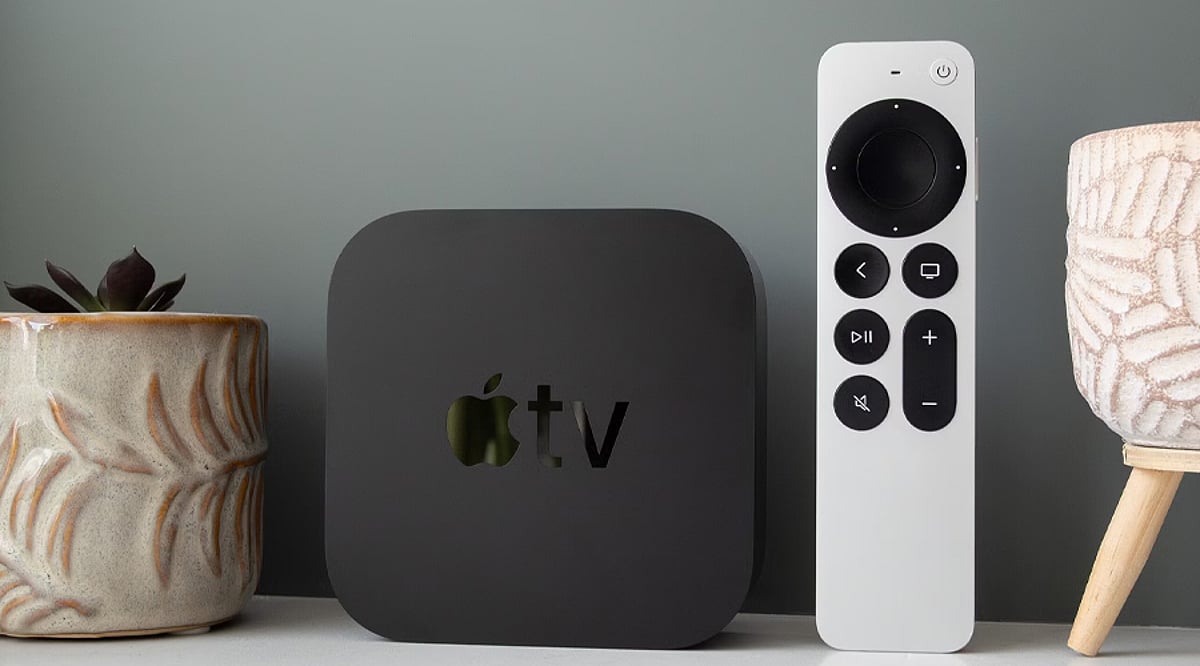
    Apple may also introduce an updated Siri Remote with the refreshed Apple TV. Reports suggest the remote is being redesigned or upgraded, although specific changes have not been revealed. For now, details about its controls, design and additional capabilities remain part of the rumor cycle.

    Familiar Design, New Internals?

    Recent code discoveries reportedly identify the product as Apple TV 4K (4th generation) and suggest an exterior similar to the current model. That would put the focus on internal upgrades rather than a dramatic redesign. Apple has not yet officially announced the device or confirmed its specifications.

  • What to Check in Wi-Fi Mesh Software Support Before You Buy

    What to Check in Wi-Fi Mesh Software Support Before You Buy

    Wi-Fi mesh software support affects security, stability, compatibility, roaming, and long-term value. Firmware records, update policies, Wi-Fi 7 support, and end-of-life terms deserve careful attention before making a purchase.

    Check the Update Record, Not Just the Promise

    A manufacturer’s update history says more than a broad promise of future support. eero, for example, publishes detailed release notes. Its eeroOS 7.17.1 release on September 11, 2026 fixed intermittent disconnects on Wi-Fi 7 networks, addressed a HomeKit Secure Router issue, and added performance and stability improvements. Earlier releases in August also added protection against the NatJack router vulnerability. eero says new software reaches customer networks within a few weeks of public release.

    Google also provides a public record for Nest WiFi software. Its latest listed Nest WiFi Pro release, dated February 23, 2026, added mesh performance and robustness improvements plus stability and security fixes. Google WiFi and Nest WiFi also received security and stability fixes in April 2026. Automatic updates form part of the system, while the Google Home app shows the current software version.

    This history matters more than a claim such as ‘future updates included.’ A product with a clear release archive offers a better view of how a company handles faults, security issues, and network performance after launch.

    Confirm Mesh Compatibility Before Adding Nodes

    Mesh support does not mean universal compatibility. TP-Link offers several separate mesh platforms, including Deco, OneMesh, EasyMesh, and Omada EAP Mesh. These systems do not form one unified mesh network. TP-Link states that Deco, OneMesh, EasyMesh, and Omada use different software and technology, so seamless roaming across those families does not work.

    EasyMesh also requires careful model checks. Some TP-Link products need a firmware update before EasyMesh support becomes available. TP-Link advises buyers to check the exact product page, hardware version, and firmware details before upgrading or expanding a mesh network. That detail can prevent a costly mistake. A router and satellite may share the same brand name yet belong to separate software ecosystems. The result can be separate networks rather than one smooth mesh, with no seamless roaming between them.

    Look Closely at Wi-Fi 7 Software Support

    Wi-Fi 7 adds features such as Multi-Link Operation (MLO), plus access to the 6 GHz band and other improvements that can raise network capacity and reliability. Yet new hardware also brings new software issues.

    NETGEAR’s August 2026 firmware release for the WBE708 fixed a problem that could cause instant mesh to fail in 802.11be mode. The same release listed a known issue where some MLO clients could fail to connect when band steering remained active.

    TP-Link’s Deco BE95 provides another clear example. Its 2026 firmware record lists stability and security improvements, plus a fix for failed satellite firmware updates. Earlier releases addressed MLO client display errors, IPv6 problems, roaming behavior, and other device-specific faults.

    These examples show why Wi-Fi 7 support should involve more than a Wi-Fi 7 logo on the box. Release notes should show active work on MLO, roaming, backhaul, security, and client compatibility.

    Check Security Support and End-of-Life Rules

    Security support deserves the same attention as speed. NETGEAR’s June 2026 security advisory lists fixes for several Orbi and Nighthawk products. The advisory also marks some older models as End-of-Support (EoS). NETGEAR states that EoS products no longer receive security updates and recommends replacement for continued support.

    That policy makes the product’s support life important at the point of purchase. A lower-cost mesh kit may look attractive if the hardware meets current needs, but an older platform with a short support window can create problems later.

    Check the App, Web Controls, and Backhaul Options

    Software support also covers daily network control. A good mesh platform should offer clear setup, device details, network diagnostics, parental controls, guest access, and useful firmware controls. A web interface can add value for users who prefer a larger management screen rather than a phone app.

    Backhaul support also matters. Ethernet backhaul can give satellite nodes a wired path to the main router, while wireless backhaul relies on radio links. TP-Link’s current comparison notes that Deco supports Ethernet backhaul and that Deco Mesh uses 802.11k/v/r roaming, while OneMesh and EasyMesh use 802.11k/v.

    The best software support is not a long feature list. It is a clear record of fixes, security care, exact compatibility, and continued attention to the problems that appear after real homes place dozens of devices on a mesh network.

    Frequently Asked Questions

    1. Why does software support matter for a Wi-Fi mesh system? Software controls important functions such as security, stability, roaming, compatibility, and network performance after purchase.
    2. Is every mesh product from the same brand compatible? No. Brands can offer separate mesh platforms that do not form one unified network.
    3. What should Wi-Fi 7 software support include? Key areas include Multi-Link Operation (MLO), 6 GHz support, roaming, backhaul performance, security fixes, and client compatibility.
    4. Why should firmware release notes be checked before purchase? Release notes show how often a company fixes security problems, connection faults, compatibility issues, and other software defects.
    5. What does End-of-Support mean for a mesh router? End-of-Support means the product may no longer receive security updates, which can make replacement necessary for continued support.

  • Snapdragon X2 AI PCs: Five Capabilities Set to Reshape Everyday Computing

    Snapdragon X2 AI PCs: Five Capabilities Set to Reshape Everyday Computing

    Qualcomm’s Snapdragon X2 generation is pushing AI PCs beyond marketing language. The platform pairs dedicated neural processing with efficient CPUs and GPUs, aiming to make AI-assisted work feel more native on laptops. Here are five areas where the new Snapdragon AI PCs are expected to make a difference.

    1. More capable on-device AI

    The centerpiece is the NPU. Snapdragon X2 Elite processors are listed with up to 85 TOPS of NPU performance in some configurations, while other listings cite 80 TOPS. The NPU works alongside the CPU and GPU, so supported apps can run AI workloads locally instead of sending every request to the cloud. That opens the door to multimodal tasks involving text, images, video, and audio, with faster responses and smoother AI tools when software is optimized.

    2. AI agents that can handle multi-step tasks

    Snapdragon X2 platforms are built to support agentic AI experiences. Rather than only answering a question, supported applications can break a user’s goal into steps and use available tools to carry out parts of the workflow. Qualcomm has demonstrated native agentic apps for document search, content creation, web research, and workflow automation. The caveat: real-world usefulness will depend on developer support and app integration.

    3. Battery life and efficient processing

    Performance matters only if a laptop can sustain it. Snapdragon PCs continue to emphasize power efficiency, and Qualcomm says Snapdragon X Series devices can reach up to 22 hours of battery life. Actual mileage will vary by hardware, software, display, and workload. The architecture spreads tasks across processing units, so AI work can use the NPU instead of overloading the CPU. That can help laptops stay responsive while cutting unnecessary power draw.

    4. Smarter cameras, audio, and connectivity

    AI features are also moving into everyday communication. Snapdragon platforms support AI-enhanced camera and audio processing, which can improve video calls, background effects, voice handling, and related tools. Snapdragon X2 systems include Wi-Fi 7 support and advanced display capabilities, with some configurations able to drive up to three 5K displays at 60Hz. That makes these PCs relevant for mobile productivity and workstation-style setups.

    5. Local processing with more privacy

    On-device AI can offer more than speed. When suitable tasks are processed locally, less sensitive data has to leave the device. Qualcomm also highlights chip-to-cloud security across Snapdragon X2 platforms. This does not remove the cloud from the picture. Demanding workloads can still use cloud services, while the PC follows a hybrid model: local processing for appropriate tasks and cloud capacity when needed.

    What the next Snapdragon AI PCs could mean for users

    The next generation of Snapdragon laptops is becoming more AI-focused. Dedicated NPUs are getting faster, and software is catching up. Agentic AI may be one of the most noticeable shifts, moving AI tools from simple Q&A toward workflow assistance. Battery efficiency remains a major advantage for mobile users, and local processing could make some AI experiences faster and more private. Still, hardware specifications alone do not guarantee a better AI experience. The final result will depend on the device, the applications, and how well developers use the platform.

    FAQ

    What are Snapdragon AI PCs?

    They are computers powered by Qualcomm Snapdragon platforms with dedicated AI processing. Their NPUs can handle supported AI workloads alongside the CPU and GPU, enabling local AI features and AI-assisted applications.

    What is the Snapdragon X2 Elite NPU?

    It is a dedicated neural processing unit for AI workloads. The article cites up to 80 TOPS of NPU performance, with some configurations listed at up to 85 TOPS. Actual capabilities depend on the specific device and software.

    What can on-device AI do on Snapdragon PCs?

    On-device AI can process supported workloads directly on the computer, including tasks involving text, images, audio, and other content. This can reduce dependence on cloud processing for suitable workloads.

    What is agentic AI on a Snapdragon PC?

    Agentic AI goes beyond simple question-and-answer interactions. Supported applications can break a user’s goal into multiple steps and use applications and tools to complete parts of that workflow.

    Do Snapdragon AI PCs have better battery life?

    Snapdragon PCs emphasize power efficiency alongside performance. Qualcomm says Snapdragon X Series devices can deliver up to 22 hours of battery life. Actual battery performance varies by device, software, workload, display, and usage conditions.

  • The Evolution of Wi-Fi: From 802.11b to Wi-Fi 7

    The Evolution of Wi-Fi: From 802.11b to Wi-Fi 7

    Wi-Fi technology has undergone remarkable transformations since its inception, evolving to meet the growing demands for speed, capacity, and reliability. Here is a concise timeline of the major Wi-Fi generations:

    • Wi-Fi 1 (802.11b) – Introduced in 1999, this standard brought wireless networking to homes, offering speeds up to 11 Mbps over the 2.4 GHz band.
    • Wi-Fi 2 (802.11a) – Arriving shortly after, Wi-Fi 2 delivered faster 54 Mbps speeds and operated on the 5 GHz band, reducing interference and improving performance.
    • Wi-Fi 3 (802.11g) – Launched in 2003, it combined 54 Mbps speeds with 2.4 GHz compatibility, making faster wireless connections more accessible to consumers.
    • Wi-Fi 4 (802.11n) – This generation introduced MIMO technology and wider channels, achieving speeds up to 600 Mbps and significantly improving coverage and multi-device performance.
    • Wi-Fi 5 (802.11ac) – Focused on gigabit-class speeds, Wi-Fi 5 enhanced 5 GHz performance, capacity, and reliability, enabling smoother streaming, gaming, and connected device experiences.
    • Wi-Fi 6 (802.11ax) – With technologies like OFDMA and MU-MIMO, Wi-Fi 6 dramatically improved efficiency in crowded networks, delivering faster speeds and stronger connections overall.
    • Wi-Fi 7 (802.11be) – The latest generation pushes boundaries with multi-link operation, wider channels, and extremely high speeds designed for demanding modern applications such as augmented reality, 8K streaming, and industrial IoT.

    Each iteration has built upon its predecessor, making wireless connectivity faster, more reliable, and better suited for an increasingly connected world.

  • Best Weekend Deals on Mesh Wi-Fi Systems: Boost Home Coverage and Eliminate Dead Zones

    Best Weekend Deals on Mesh Wi-Fi Systems: Boost Home Coverage and Eliminate Dead Zones

    Modern households rely on far more than a single laptop and smartphone. Smart TVs, security cameras, gaming consoles, and multiple work-from-home laptops now share the same internet connection across several rooms. A standalone router often struggles to maintain consistent speeds, leading to dead zones in upstairs rooms, frozen video calls, and weak signals on the balcony. Mesh Wi-Fi systems solve this by deploying multiple nodes that work together as one seamless network, automatically handing off devices as you move throughout the home.

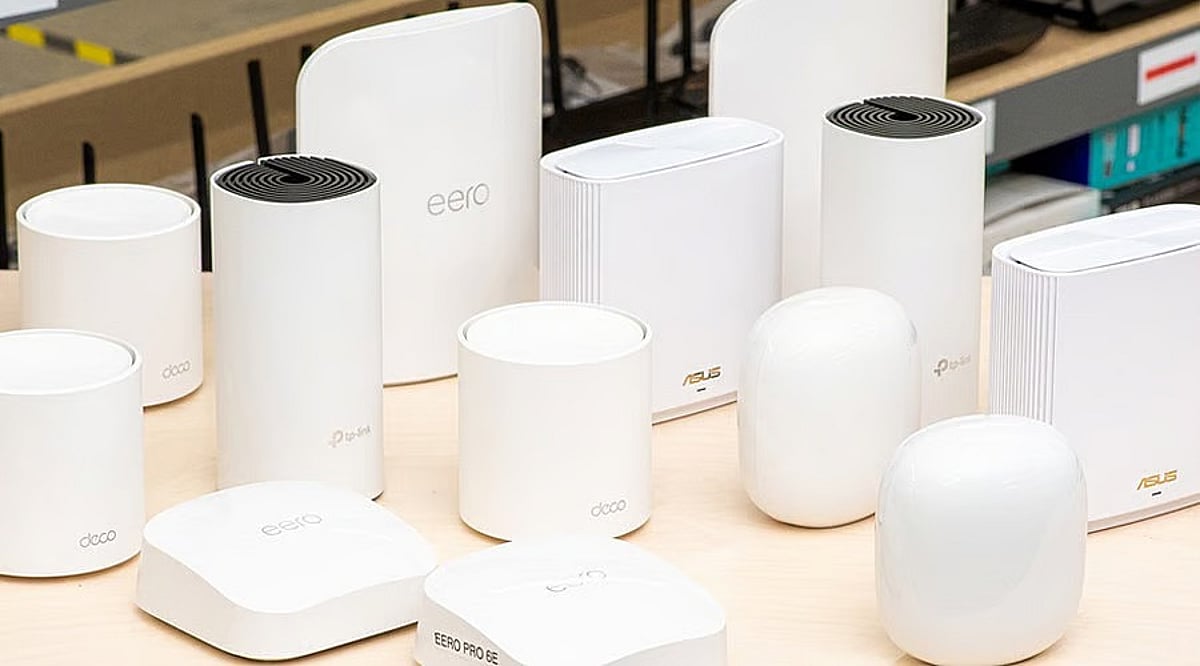
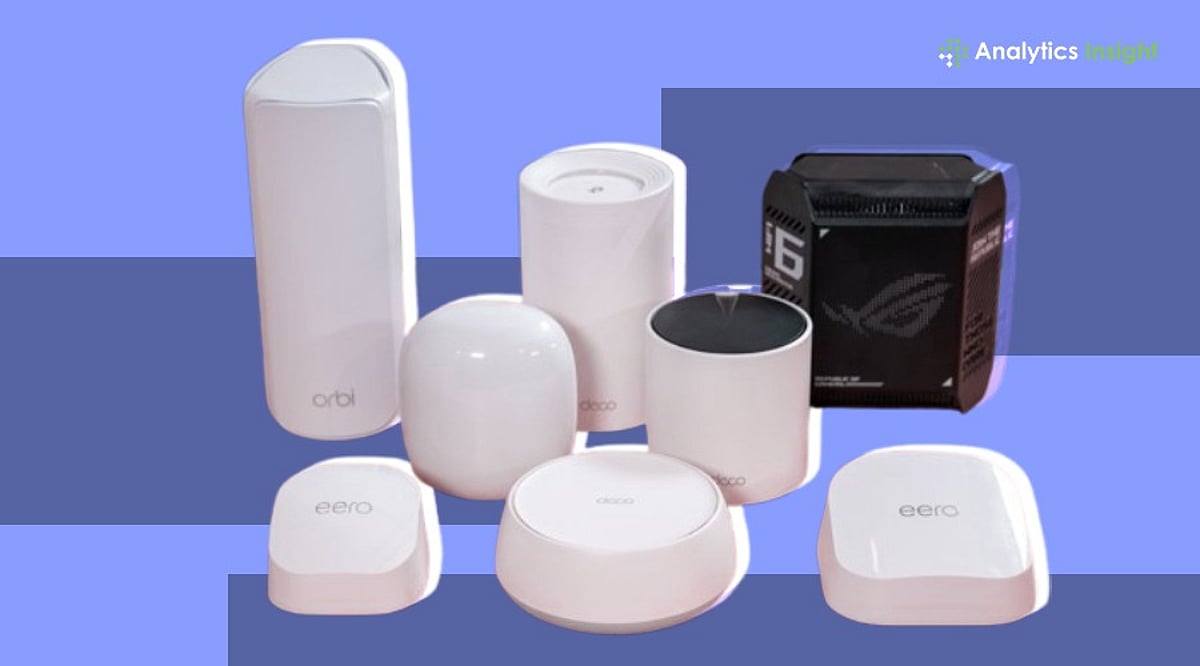
    Amazon India’s Whole Home Mesh Wi-Fi Systems section currently features three leading brands worth comparing: TP-Link Deco, Netgear Orbi, and Amazon Eero. These systems span Wi-Fi 6 and the newer Wi-Fi 7 generations, each catering to different home sizes and budgets.

    Quick Reference: Mesh Wi-Fi Systems on Amazon India

    Coverage figures are manufacturer estimates. Actual range varies with wall thickness, floor layout, and interference from neighboring networks. Prices fluctuate frequently during sales, so always check the live listing before purchasing.

    System Wi-Fi Standard Coverage (sq. ft.) Nodes Best For
    TP-Link Deco M4 Wi-Fi 5 (ac) Up to 5,500 3-pack Budget-friendly large apartments
    TP-Link Deco XE75 Wi-Fi 6E Up to 5,500 3-pack Dense buildings with interference
    TP-Link Deco BE25 Wi-Fi 7 Up to 6,000 3-pack Future-proofing with gigabit fiber
    Netgear Orbi RBK752 Wi-Fi 6 Up to 5,000 2-pack Large homes needing strong range
    Netgear Orbi RBK50 Wi-Fi 5 (ac) Up to 5,000 2-pack Cost-effective wide coverage
    Amazon Eero (latest) Wi-Fi 6 Up to 4,500 3-pack Simple, hands-off setup

    What to Compare Before Buying

    Several factors matter more than the marketing headline on the box:

    • Coverage area and node count: A two-pack usually suffices for homes under 3,000 square feet; larger or multi-story homes benefit from a three-pack.
    • Wi-Fi standard: Wi-Fi 5 for basic browsing, Wi-Fi 6 for most households, Wi-Fi 6E for dense apartments, and Wi-Fi 7 for gigabit connections with many devices.
    • Dual-band vs. tri-band: Tri-band systems dedicate an extra band to node-to-node communication, reducing congestion. Dual-band systems cost less but share bandwidth across all connected devices.
    • Wired backhaul support: Homes with Ethernet cabling can connect nodes directly for more stable long-range speeds.
    • Broadband plan speed: A Wi-Fi 7 system adds little value on a sub-200 Mbps connection, while gigabit fiber benefits from Wi-Fi 6E or 7 hardware.
    • Latency: Lower latency is critical for cloud gaming and video calls, often more noticeable than raw download speed.

    TP-Link Deco Series

    TP-Link’s Deco lineup dominates the budget and mid-range segments. The Deco M4 three-pack provides consistent coverage across large apartments at an affordable price. The Deco XE75 adds Wi-Fi 6E and the less congested 6 GHz band, ideal for dense buildings with overlapping networks. The Deco BE25 brings Wi-Fi 7 to a price point suitable for new buyers. All models include TP-Link’s HomeShield app for basic parental controls (free) with a paid tier for advanced security.

    Pros: Strong value, easy setup, wide coverage per node.
    Cons: Full security features require a subscription on higher models.
    Skip if: You need top-tier Wi-Fi 7 throughput on a gigabit fiber connection.

    Netgear Orbi Series

    Orbi systems use a dedicated wireless channel for node-to-node communication, preserving bandwidth for client devices. The RBK752 covers up to 5,000 square feet and handles 40+ devices, ideal for larger homes or duplexes. The RBK50 offers similar range at a lower cost without the newest standard. Orbi units are bulkier and pricier than Deco or Eero.

    Pros: Strongest performance at range, steady speeds across large homes.
    Cons: Bulkier hardware, higher price.
    Skip if: Price is the main concern; Orbi’s advantage shines in very large homes.

    Amazon Eero

    Eero prioritizes simplicity. The app guides you through setup in minutes, and the system handles firmware updates and self-healing network adjustments automatically. It trades some long-range throughput for that ease of use, making it ideal for apartments and mid-size homes.

    Pros: Fastest setup, reliable self-healing network, minimal maintenance.
    Cons: Fewer manual controls than Deco or Orbi.
    Skip if: You need granular network configuration options.

    Placement and ISP Compatibility

    Poor placement can undermine even the best mesh system. Nodes should sit midway between the main router and weak coverage areas, not in corners where signal is thin. Most mesh systems work with Airtel Xstream Fiber, JioFiber, ACT, BSNL, and other ISPs. Switch the ISP router to bridge mode (or access point mode) to avoid running two competing Wi-Fi networks.

    Before Buying This Weekend

    • Confirm whether the listing includes two or three nodes—base prices often cover only the smaller pack.
    • Check whether the item is sold and shipped by Amazon or a third-party seller, which affects returns and warranty.
    • Look for bank card discounts or exchange offers stacked on the listed price during weekend sales.

    Quick Decision Guide

    Let coverage area and device count drive your decision before the Wi-Fi generation on the box. A typical household of two to four people gets full value from a Wi-Fi 6 system without paying for standards their devices or broadband plan cannot use yet. Homes under 3,000 square feet usually need only a two-pack; larger or multi-story homes benefit from a three-pack or Orbi’s stronger backhaul.

    Final Thought

    Buying a mesh system that matches your home’s layout almost always delivers a bigger improvement than choosing the newest Wi-Fi standard alone. A mismatched system, even at a steep weekend discount, still leaves the same dead zone it was bought to fix.

    Frequently Asked Questions

    1. What is a mesh Wi-Fi system, and how is it different from a regular router?

    A mesh Wi-Fi system uses multiple interconnected units to create a single, seamless wireless network throughout the home. Unlike a traditional router, it eliminates dead zones and maintains a stable connection as devices move between rooms.

    2. Is a mesh Wi-Fi system worth buying for a small apartment?

    Not always. A small one- or two-bedroom apartment often gets sufficient coverage from a quality standalone Wi-Fi 6 router. Mesh systems become more beneficial in larger apartments, multi-story homes, or spaces with thick walls.

    3. Should I choose Wi-Fi 6, Wi-Fi 6E, or Wi-Fi 7?

    Wi-Fi 6 is best for most households. Wi-Fi 6E adds the 6 GHz band for reduced congestion, while Wi-Fi 7 is suited for gigabit internet connections and homes with many high-bandwidth devices.

    4. Can a mesh Wi-Fi system work with Airtel Xstream Fiber, JioFiber, ACT, or BSNL broadband?

    Yes. Most mesh systems are compatible with these ISPs. Connect them to the existing modem or ISP router, often by switching the ISP router to bridge mode.

    5. How many mesh Wi-Fi units do I need for my home?

    A two-pack is generally suitable for homes up to about 3,000 square feet. Larger or multi-story homes typically benefit from a three-pack.

  • Best Optical Fiber Modems for High-Speed Internet in 2026

    Best Optical Fiber Modems for High-Speed Internet in 2026

    As internet demands continue to rise, choosing the right optical fiber modem is essential for a seamless online experience. Here are the top optical fiber modems for high-speed internet in 2026, each offering reliable performance and future-ready features.

    Nokia Beacon 24

    The Nokia Beacon 24 delivers reliable fiber internet with Wi-Fi 7-ready performance, strong coverage, and smooth connectivity for homes. It supports multiple connected devices without slowing down and offers simple app-based management. Its stable signal, low latency, and future-ready features make it a dependable modem for high-speed internet in 2026.

    TP-Link XGZ030 GPON ONT

    The TP-Link XGZ030 GPON ONT is designed for gigabit fiber connections with dependable speed and efficiency. It supports high-bandwidth activities like streaming, gaming, and video conferencing without interruptions. Easy installation, low power consumption, and compatibility with many internet service providers make it a practical choice for modern households.

    Huawei OptiXstar EG8145X6

    Huawei’s OptiXstar EG8145X6 combines GPON technology with fast wireless performance for seamless internet access. It handles multiple users efficiently while delivering strong indoor coverage. Advanced security features, stable signal quality, and support for smart home devices help it remain one of the top optical fiber modem choices in 2026.

    ZTE ZXHN F670L

    The ZTE ZXHN F670L offers excellent fiber connectivity with dual-band Wi-Fi and multiple Gigabit Ethernet ports. It provides consistent speeds for online gaming, 4K streaming, and remote work. Easy configuration, dependable performance, and broad ISP compatibility make this modem suitable for both families and small office environments.

    D-Link DPN-FX3060V

    The D-Link DPN-FX3060V delivers fast optical fiber performance with reliable GPON connectivity and efficient wireless networking. It supports voice services alongside internet access, making it suitable for complete home communication. Strong network stability, secure connections, and user-friendly management ensure smooth everyday internet usage across multiple connected devices.

    Netlink HG323RGW

    The Netlink HG323RGW is a budget-friendly GPON modem that balances affordability with dependable performance. It supports high-speed broadband, dual-band wireless connectivity, and multiple LAN ports for wired devices. Compact design, simple setup, and consistent internet speeds make it a smart option for everyday home networking in 2026.

    Syrotech SY-GPON-1110-WDONT

    The Syrotech SY-GPON-1110-WDONT is widely used with Indian fiber broadband services thanks to its reliable performance and easy deployment. It supports stable Wi-Fi, fast GPON connectivity, and multiple wired connections for home users. Affordable pricing, dependable uptime, and compatibility with several ISPs make it a strong value-for-money fiber modem.

  • Dual-Band vs Tri-Band Mesh Wi-Fi Systems: Best Picks for Home Coverage in 2026

    Dual-Band vs Tri-Band Mesh Wi-Fi Systems: Best Picks for Home Coverage in 2026

    A fast internet connection is only as good as the Wi-Fi network distributing it throughout your home. Whether you’re streaming movies in 4K, attending video meetings, gaming online, or managing dozens of smart devices, weak signals and dead zones can quickly become frustrating. Unlike ordinary routers that form a single network from one unit, mesh routers use several units working in unison to create a single unified network. This delivers much better coverage, fewer connection problems, and an enhanced experience overall. If you’re planning to upgrade your router, understanding the differences between dual-band and tri-band mesh systems is essential.

    Dual-band mesh routers are cheaper and suitable for most families, while tri-band mesh routers add a dedicated wireless band that improves performance in larger homes. Below, we break down the key differences and compare the best systems available in 2026.

    Dual-Band vs Tri-Band: What’s the Difference?

    A dual-band mesh network works well for most people. It supports streaming movies, online learning, video conferencing, and daily browsing while keeping costs low. A tri-band mesh network is designed for tougher environments. The third wireless band provides an extra channel for communication among mesh nodes, allowing them to maintain fast speeds. If you have a multi-story house, many devices connected to your network, or heavy internet usage throughout the day, a tri-band network will deliver better results.

    Best Dual-Band Mesh Wi-Fi Systems

    D-Link M30 AX3000 Wi-Fi 6 Mesh Router

    The D-Link M30 is ideal for cost-conscious consumers. It delivers strong performance at an affordable price. With Wi-Fi 6 capabilities, it offers speeds up to 3,000 Mbps and covers areas as large as 2,800 square feet. It also uses AI-powered automatic optimization for consistent performance. Buy Now!

    TP-Link Deco BE25 Wi-Fi 7 Mesh System

    The TP-Link Deco BE25 is built on cutting-edge Wi-Fi 7 technology, delivering speeds up to 5,013 Mbps with Multi-link Operation (MLO) support. It covers up to 6,000 square feet and includes two 2.5GbE ports on each unit. Buy Now!

    Best Tri-Band Mesh Wi-Fi Systems

    ASUS ZenWiFi XT8 AX6600

    The ASUS ZenWiFi XT8 remains a top-tier premium mesh router. It uses a tri-band design with a wireless backhaul channel, enabling mesh devices to communicate without slowing down device speeds. With up to 6.6 Gbps throughput and coverage of 5,500 square feet, this router is suitable for large homes. Buy Now!

    Netgear Orbi RBK53 AC3000

    Netgear Orbi RBK53 is known for reliable whole-home coverage. It uses a dedicated third band for communication between the router and satellites, ensuring stable performance even with many connected devices. Although it’s based on the Wi-Fi 5 standard, it still provides excellent coverage and fast speeds. Buy Now!

    Final Thoughts

    Choosing the right mesh Wi-Fi system depends on your home’s size and how you use the internet. The D-Link M30 stands out as an affordable, capable option for everyday users. The TP-Link Deco BE25 offers next-generation Wi-Fi 7 performance for those seeking maximum speed and future-proofing. In the tri-band category, the ASUS ZenWiFi XT8 delivers the best mix of speed, features, and security, while the Netgear Orbi RBK53 remains a dependable choice for broad coverage and network stability.

    FAQs

    What is the main difference between dual-band and tri-band mesh Wi-Fi systems?
    Dual-band mesh systems use two wireless bands, while tri-band systems add a third band that often serves as dedicated backhaul. This helps maintain faster speeds and stronger performance across larger homes.

    Which mesh Wi-Fi system is best for a small or medium-sized home?
    For small to medium homes, a dual-band mesh system is sufficient. It provides reliable coverage, supports streaming and video calls, and is more affordable than tri-band alternatives.

    Is a tri-band mesh Wi-Fi system worth the extra cost?
    A tri-band system is worth the investment if you have a large home, many connected devices, or heavy internet usage. The additional band improves network efficiency and overall wireless performance.

    Do mesh Wi-Fi systems work with existing internet service providers?
    Yes, most mesh Wi-Fi systems are compatible with major ISPs. They connect to your modem and create a unified wireless network without requiring changes to your broadband plan.

    Should I choose Wi-Fi 6 or Wi-Fi 7 mesh routers in 2026?
    Wi-Fi 7 mesh routers offer faster speeds, lower latency, and future-ready features. However, Wi-Fi 6 systems remain excellent choices for most households seeking strong performance at a lower price.

  • Samsung Galaxy Z Fold 8 Receives FCC Certification Ahead of July 22 Unpacked Event

    Samsung Galaxy Z Fold 8 Receives FCC Certification Ahead of July 22 Unpacked Event

    Samsung’s next-generation foldable lineup is moving closer to its global debut, as the Galaxy Z Fold 8 has secured certification from the US Federal Communications Commission (FCC). The listing reinforces expectations that Samsung will unveil the device during a Galaxy Unpacked event on July 22.

    The FCC certification is one of the final regulatory steps before a smartphone reaches the market. Alongside the Galaxy Z Fold 8, the Galaxy Z Flip 8 and Galaxy Watch 9 have also received FCC approval, signaling that all three devices are nearing commercial release.

    While the FCC listing does not reveal detailed hardware specifications, it does confirm key connectivity features for the Galaxy Z Fold 8. These include 5G, Wi-Fi 7, Bluetooth, ultra-wideband (UWB), and NFC support.

    Industry rumors suggest that Samsung will introduce significant hardware changes with the Galaxy Z Fold 8. The device is expected to be thinner and lighter than its predecessor, with enhanced display and performance capabilities. There are also reports that Samsung may expand its foldable series with multiple models to cater to different user needs, though the company has not officially confirmed these plans.

    With certification now complete, attention shifts to Samsung’s official announcement next month, where pricing, availability, and full specifications are expected to be revealed. If the July 22 timeline holds, Samsung aims to reinforce its leadership in the premium foldable smartphone market amid increasing competition.