Tag: workflow automation

  • AI Agents Move Beyond Chatbots: 4 Real-World Jobs Where They Act Autonomously

    AI Agents Move Beyond Chatbots: 4 Real-World Jobs Where They Act Autonomously

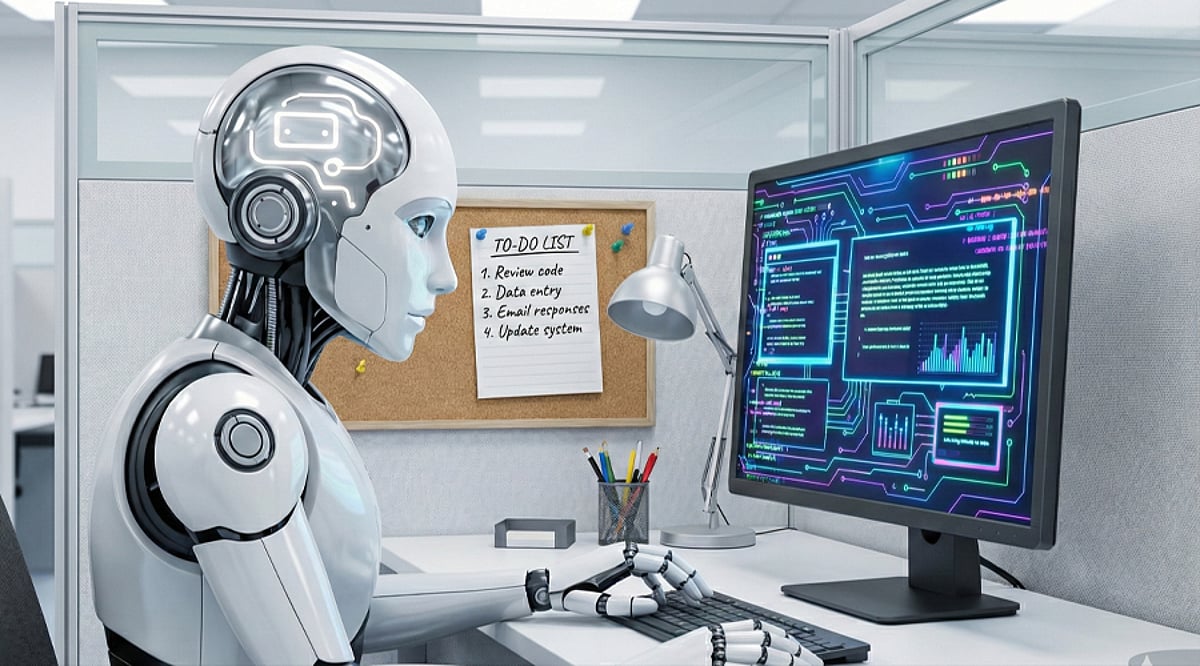
    AI agents are evolving from simple question-answering tools into autonomous operators that can plan tasks, use software, verify results, and execute multi-step workflows with minimal human oversight. This shift from generating answers to completing entire processes is reshaping industries. Here are four key areas where AI agents are taking independent action in 2026.

    Financial Operations

    Financial firms now deploy AI agents for research, portfolio monitoring, risk assessments, and other complex workflows. Some systems rebalance portfolios within approved limits or handle operational exceptions automatically. Human-defined rules, permissions, and oversight remain essential for high-impact financial decisions, but routine tasks are increasingly handled by agents.

    Customer Support

    AI support agents have moved beyond scripted responses. They can classify customer requests, retrieve account data, check policies, process eligible refunds, update CRM records, send responses, and escalate unusual cases. The goal is no longer just answering a question—it’s resolving the entire customer case autonomously.

    Smart Buildings and Infrastructure

    AI agents connect with building systems, sensors, and HVAC equipment to monitor conditions and adjust operations in real time. Research from 2026 demonstrates agent-based systems that continuously optimize cooling and energy usage, showing how AI can take physical-world actions in smart buildings.

    Software and IT Operations

    Coding agents read repositories, identify relevant files, modify code, run tests, inspect failures, and prepare changes for review. IT agents investigate alerts, search logs, and handle routine fixes. While human engineers still review security-sensitive or high-impact changes, agents now manage significant portions of development and maintenance workflows.

    Setting Boundaries for Autonomous Agents

    Independent action introduces new risks: agents may act on incorrect information, receive excessive permissions, follow malicious instructions, or propagate errors across connected systems. Security experts recommend least-privilege access, detailed activity logs, continuous monitoring, rigorous testing, and human approval for high-risk actions. The transition from assistants to operators requires careful governance.

    The takeaway: AI agents are not replacing all workers overnight. Instead, they are owning narrow, repeatable workflows while humans handle exceptions, accountability, and major decisions. Finance, customer operations, software development, and smart infrastructure are leading this transformation in 2026.
  • Context AI: The Enterprise Execution Layer for AI Agents

    Context AI: The Enterprise Execution Layer for AI Agents

    Context AI is an enterprise platform designed to bridge the gap between powerful AI models and the complex, permissioned workflows that real businesses require. Rather than acting as a simple chatbot or copilot, Context provides a structured execution layer that lets companies define tasks as runbooks, grant agents access to approved systems, set review checkpoints, and measure outcomes against internal standards. Each run is fully traceable, preserving sources, tool calls, outputs, and approvals for later audit.

    The Four Pillars of Context AI

    The platform is built around four integrated components:

    • Workspace – A unified environment where people and agents collaborate on tasks.
    • Engine – The control layer that manages agent identity, permissions, tools, and isolated compute. It enforces what an agent can read, modify, or transmit, with an append-only audit trail.
    • Unify – A knowledge store that goes beyond simple vector databases. It organizes company procedures, accepted examples, corrections, and institutional context in a filesystem-like structure that agents can explore and learn from.
    • Evals – A quality assurance system that checks agent outputs against custom rubrics and approved examples. Human corrections can be turned into reusable standards, and the system supports model routing to use cheaper models when quality thresholds are met.

    Why Unify Changes the Game

    Most enterprise AI systems dump documents into a vector database and retrieve text based on similarity. Context takes a different approach with Unify. Its institutional-context layer works like a filesystem that agents can navigate, recording not just what a company knows but how that knowledge is structured across teams, projects, clients, and business functions. This structure helps agents understand relationships between pieces of knowledge, enabling more nuanced decision-making.

    Evals: Custom Quality Standards

    Public AI benchmarks are useless for a specific company’s standards. A consulting firm needs a particular memo format; a finance team requires a precise approval chain; a legal team may reject a correct answer if one rule is missed. Context’s Evals system lets teams define rubrics and accepted examples, then test agent results against those standards. Human corrections feed back into the system, creating reusable quality rules.

    Engine: Secure Agent Execution

    Enterprise agents need access to systems, but broad access creates risk. Context Engine separates agent execution from the control layer, granting only the tools a runbook allows. Different permission levels apply to different actions—read requires less authority than an external message or deletion. Credentials never appear in prompts or runbooks, and every action is logged in an append-only trail.

    Deployment Flexibility

    Context supports four deployment models: managed, customer VPC (running inside AWS, Azure, or Google Cloud), on-premises, and air-gapped. This range accommodates strict data boundaries and regulatory requirements. The company’s June 2026 update emphasized that while many firms have capable models, real deployment still depends on procedures, exceptions, and expert reasoning that often remain locked inside employees’ heads. Context aims to capture that missing operational knowledge.

    Context Desktop: Agents on Your Computer

    Now in private preview for macOS and Windows, Context Desktop lets agents work across local files, browser tabs, and authorized applications. It supports scheduled tasks, browser actions, parallel agents, and shared spreadsheets or documents. Every action keeps a run trace, and access is limited to files, folders, and systems the organization authorizes. Use cases include scheduled operations reviews, invoice reconciliation, vendor checks, and document preparation.

    Why Context AI Matters

    Context’s core thesis is that enterprise value comes not from smarter models alone, but from the layer around the model: company knowledge, workflow rules, permissions, quality standards, and past accepted work. Its platform turns those pieces into a system that agents can use and improve over time. The goal is an agent that follows a company’s method, works across approved systems, shows its work, accepts correction, and produces a result that meets a defined standard. If this model scales, Context could become central to enterprise operations.

    Frequently Asked Questions

    1. What is Context AI?
      Context AI is an enterprise AI platform that helps agents use company knowledge and perform real business tasks with control and traceability.
    2. What are the main parts of Context AI?
      The platform includes Workspace, Engine, Unify, and Evals, each supporting a different stage of agent work.
    3. What does Unify do?
      Unify organizes company knowledge, procedures, examples, and corrections so agents can use that information during tasks.
    4. How does Context AI handle security?
      Context supports permission controls and several deployment options, including managed, customer VPC, on-premises, and air-gapped environments.
    5. What is Context Desktop?
      Context Desktop lets agents work across local files, browser tabs, and authorized applications on macOS and Windows.
  • Canva AI 2.0 Debuts Editable AI Designs, Memory Library, and Six Intelligent Workflows

    Canva AI 2.0 Debuts Editable AI Designs, Memory Library, and Six Intelligent Workflows

    Canva has launched Canva AI 2.0, calling it the company’s most significant product evolution since its 2013 debut. The new AI system transforms Canva into a conversational, agentic platform that allows teams to move from an initial idea to complete, published work in a single environment. With over a quarter of a billion monthly users, Canva AI 2.0 enables users to start with an idea, goal, brief, rough sketch, or even an unfinished thought instead of beginning with a template or blank page.

    Fully Editable AI-Generated Designs

    The new system is powered by the Canva Design Model, described as the world’s first foundation model built to understand design structure, hierarchy, and complexity. Canva AI 2.0 generates fully layered and editable output from a single prompt. Every element—images, headlines, fonts—remains individually adjustable without affecting other parts of the design. The system stays involved throughout the creative process, understanding intent and handling complex requests while allowing users to edit manually as needed.

    Memory Library Learns User Preferences

    Canva AI 2.0 introduces the Memory Library, giving the system persistent memory. This feature lets Canva AI understand how users work, retain project context, and automatically apply their style. According to Canva, the more users create, the better the system understands their workflow, making suggestions increasingly useful over time.

    Four core capabilities power Canva AI 2.0:

    • Conversational design – create through natural interaction
    • Agentic orchestration – AI coordinates the full design engine to achieve requested outcomes
    • Layered object intelligence – outputs consist of individual editable objects
    • Memory Library – learns and retains user preferences and context

    Six New Intelligent Workflows

    Canva AI 2.0 introduces six new workflows that expand the platform’s capabilities:

    • Connectors – link Canva AI with Slack, Gmail, Google Drive, Google Calendar, Notion, Zoom, HubSpot, Microsoft, Atlassian, and Linear to create on-brand visual outputs from conversations and content
    • Scheduling – set tasks to run automatically in the background, including while offline
    • Web research – gather and structure information from across the web directly into designs as editable content
    • Brand Intelligence – apply fonts, colors, and styles from a connected brand template or description
    • Sheets AI – generate structured spreadsheets from descriptions (budget trackers, project timelines, content calendars) populated with real data
    • Canva Code 2.0 – create fully interactive experiences via conversational prompts, with responsive design and HTML importing

    Availability

    Canva AI 2.0 is currently available as a research preview, with general availability rolling out over the coming weeks. Users can access the platform via Canva’s official website on supported devices.

  • Maximize Productivity in 2026: Microsoft 365 AI Automation Tips for Smarter Workflows

    Maximize Productivity in 2026: Microsoft 365 AI Automation Tips for Smarter Workflows

    Artificial intelligence is transforming workplace productivity, and Microsoft 365 is at the forefront of this shift. Businesses can leverage tools like Microsoft 365 Copilot, Power Automate, and AI-driven workflows to streamline repetitive tasks, enhance collaboration, and reduce manual workloads. According to Microsoft, Copilot is already used by over 1 million organizations, and enterprise adoption continues to grow through 2026.

    Automate Email Management with AI

    Email management consumes a significant portion of the workday. With Microsoft 365 Copilot, users can now summarize lengthy email threads, draft replies, prioritize important messages, and identify action items directly within Outlook. Additionally, Teams can integrate Power Automate to sort emails automatically, schedule follow-ups, and trigger notifications—eliminating tedious administrative tasks.

    Build Workflows Using Natural Language

    One of the most significant AI innovations from Microsoft is the ability to create workflows using natural language prompts. For example, a user can say, “Save email attachments to SharePoint and notify my team,” and Copilot will generate the corresponding workflow. These AI-based workflows are embedded across Outlook, Teams, SharePoint, Planner, and Microsoft Lists.

    Automate Meetings and Collaboration

    Microsoft Teams now offers AI-generated meeting summaries, task extraction, and follow-up reminders. Copilot can automatically highlight key decisions, assign tasks, and produce meeting notes, ensuring distributed teams stay aligned while reducing documentation overhead.

    Connect Power Automate with Business Processes

    AI can be integrated with Power Automate to automate approval workflows, HR onboarding, invoice processing, leave requests, and customer support. By leveraging business rules, scheduled events, file uploads, and emails, AI-powered cloud flows eliminate repetitive manual work.

    Monitor AI Adoption and Performance

    The Microsoft 365 Copilot Usage Report provides administrators with a dashboard to track user engagement, retention, and most-used applications. This insight helps organizations understand productivity gains and optimize adoption strategies.

    Best Practices for AI Automation

    Successful automation starts with identifying repetitive, rules-based processes. Organizations should:

    • Start with high-level manual tasks.
    • Verify AI-generated content before use.
    • Implement role-based security and governance policies.
    • Regularly refine processes based on staff feedback and analytics.

    Final Thoughts

    Microsoft 365 AI automation is about more than completing tasks—it’s about building intelligent workflows. When Copilot, Power Automate, and Teams come together, businesses gain a smoother path to improved collaboration, reduced admin load, and higher efficiency. Teams can move faster with less time spent on repetitive work. Organizations that start automating now will be well-positioned for higher productivity as AI continues to evolve within Microsoft 365.

    FAQs

    1. What is Microsoft 365 AI automation?

    It combines tools like Copilot and Power Automate to automate repetitive tasks, generate content, summarize information, and streamline workflows across Outlook, Teams, Word, Excel, and other Microsoft apps.

    2. How does Microsoft 365 Copilot improve productivity?

    Copilot drafts emails, summarizes meetings, generates documents, analyzes spreadsheets, and suggests next steps, reducing manual work and letting employees focus on higher-value tasks.

    3. What business processes can Power Automate handle?

    It can automate approvals, invoice processing, HR onboarding, leave requests, document routing, notifications, and customer support workflows, integrating with hundreds of Microsoft and third-party apps.

    4. Can Microsoft 365 AI create workflows without coding?

    Yes. Copilot lets users build workflows using natural language prompts—no programming knowledge required.

    5. Is Microsoft 365 AI automation suitable for small businesses?

    Absolutely. Small businesses can automate routine tasks, improve collaboration, and boost productivity without complex IT infrastructure.

  • The COO’s Playbook for Autonomous Operations With AI Agents

    The COO’s Playbook for Autonomous Operations With AI Agents

    Chief Operating Officers have long been responsible for keeping enterprise operations efficient. Today, that mandate is shifting. As AI agents—software systems that can process information, make decisions, and execute actions—become more capable, COOs are moving beyond managing workflows and starting to re-engineer them from the ground up.

    Traditional automation tools followed fixed instructions. AI agents, by contrast, analyze data, decide what to do next, and complete tasks across multiple enterprise systems with minimal human involvement. The result is a transition from using AI to assist employees to using AI as an active participant in daily operations.

    From Automation to Autonomous Workflows

    Consider a supply chain process. An AI agent can monitor inventory levels, forecast demand, detect shortages, place orders, and notify managers only when approval is required. Instead of automating isolated steps, AI agents connect different business processes into a single, continuous stream.

    Where Companies Are Deploying AI Agents

    Organizations are already applying AI agents in areas where manual work slows decision-making:

    • Supply chain: AI agents track stock levels, predict demand, flag supplier risks, and recommend purchases, helping teams respond to disruptions faster and avoid inventory shortages.
    • Finance: Finance teams use AI agents for invoice processing, account reconciliation, anomaly detection, and report generation, reducing manual steps while maintaining control.
    • Customer service: AI agents handle routine inquiries, categorize requests, and route complex cases to human agents, freeing teams to focus on higher-value interactions.
    • IT operations: Technology teams use AI agents to monitor networks, identify potential failures, diagnose root causes, and in some cases take preventive action before outages affect customers.

    The COO’s Priorities Are Evolving

    As AI becomes embedded in daily operations, the COO role is expanding beyond efficiency. The new priority is building an operating model where humans and AI work together effectively. That requires investments in high-quality data, governance, cybersecurity, and employee training—not just AI deployment.

    COOs are increasingly asking not which tasks can be automated, but which business processes can run autonomously with sufficient human control. This is as much an organizational change as a technical one. Applying AI to existing processes in isolation often delivers limited value.

    Building Autonomous Operations

    Most organizations are taking a phased approach rather than trying to automate everything at once. The first step is identifying repetitive, high-volume workflows with clear business value. Next, companies improve data quality, develop governance policies, and define where human intervention is required.

    Interoperability is another critical issue. AI agents need to work within enterprise applications, cloud platforms, and corporate databases—not in standalone systems. Companies that treat AI as an enterprise-wide strategy are more likely to succeed than those that deploy it in departmental silos.

    Why This Matters

    Enterprise operations are undergoing a fundamental shift. The question for COOs is no longer whether to use AI, but how. Organizations that combine autonomous processes with strong governance, reliable data, and human oversight will be better positioned to improve efficiency and adapt quickly to changing market demands.

    The Challenges Ahead

    The move toward autonomous operations also brings risks. Many companies still struggle with poor data quality, outdated IT infrastructure, and siloed enterprise architecture, all of which can undermine even the most sophisticated AI agents.

    Governance is a growing concern, especially when AI systems make financial or customer-related decisions. Companies need transparent methods for explaining AI-driven decisions. Without them, AI can add new problems instead of solving existing ones.

    Key Questions COOs Are Asking About AI Agents

    • What are AI agents? AI agents are intelligent software systems that analyze data, make decisions, and execute multi-step tasks with minimal human intervention.
    • How do AI agents help COOs? They automate routine workflows, improve operational efficiency, support faster decision-making, and free COOs to focus on strategic priorities.
    • Which departments benefit most? Supply chain, finance, customer service, procurement, and IT operations are among the earliest and largest adopters.
    • Can AI agents replace employees? No. They handle repetitive tasks while humans oversee critical decisions, governance, compliance, and complex problem-solving.
    • What is the biggest adoption challenge? Ensuring high-quality data, strong governance, cybersecurity, and seamless integration with existing enterprise systems.
  • Tactiq Review: AI-Powered Meeting Transcription, Summaries, and Workflow Automation

    Tactiq Review: AI-Powered Meeting Transcription, Summaries, and Workflow Automation

    Overview

    Tactiq is an AI-powered meeting transcription platform that captures live conversations, generates AI summaries, and organizes meeting notes. It operates as a Chrome extension for Zoom, Google Meet, and Microsoft Teams without requiring meeting bots. The platform offers real-time transcription, speaker identification, AI workflows, integrations, and automated action items. While Tactiq excels at online meeting documentation, it lacks audio/video recording, mobile support, and advanced meeting analytics.

    General Information

    • Founded in: 2020
    • Platform Support: Microsoft Edge, Web, macOS, Linux
    • Download: Click Here

    Main Features of Tactiq

    • Real-time meeting transcription with speaker identification
    • AI-generated meeting summaries, action items, and follow-up notes
    • AI Search for finding discussions across previous meeting transcripts
    • Custom AI prompts and workflow automation for recurring tasks
    • Integrates with Google Meet, Zoom, Microsoft Teams, Notion, Slack, Google Docs, Asana, Jira, HubSpot, and Google Drive

    Benefits of Tactiq

    • Automatically captures meeting conversations without requiring bots
    • Saves time by generating summaries, tasks, and follow-up emails
    • Easy Chrome extension setup with minimal learning curve
    • Supports collaboration through transcript sharing and annotations
    • Strong security with SOC 2 Type II, ISO 27001, and GDPR compliance

    Challenges of Tactiq

    • Does not record meeting audio or video for future playback
    • Works mainly on Chrome and Microsoft Edge browsers
    • Speaker identification may require manual corrections during large meetings
    • Free plan provides limited AI credits for summaries and automation
    • Lacks advanced analytics, sentiment analysis, and long-term meeting intelligence

    Subscription Information

    Tactiq offers both freemium and premium subscription models. The Free plan provides up to 10 meeting transcriptions and 5 AI credits per month. The Pro plan includes unlimited transcriptions and extra AI credits for regular users. Other paid plans such as Team, Business, and Enterprise come with more advanced features including unlimited AI credits, collaboration tools, admin management, and more.

    Support Options

    • Help Center and Learning Resources: Documentation, setup guides, FAQs, workflow tutorials, feature explanations, and security resources
    • Customer Support: Email support, enterprise account management, technical assistance, workflow guidance, and billing support

    Conclusion

    Tactiq is a trustworthy AI meeting assistant offering live transcription, AI summaries, action points, and workflow automation for virtual meetings. It integrates with various collaborative and productivity tools while maintaining privacy and security. Although it lacks audio recording, mobile apps, and advanced meeting analytics, Tactiq remains an effective choice for users aiming to boost productivity during virtual meetings.

  • Microsoft to Launch Unified Copilot Super App Integrating Chat, Coding, and AI Agents by End of Year

    Microsoft to Launch Unified Copilot Super App Integrating Chat, Coding, and AI Agents by End of Year

    Microsoft CEO Satya Nadella confirmed during the company’s July 29, 2026 earnings call that a unified Copilot ‘super app’ will be released by the end of the year. The platform will combine chatbot capabilities, coding tools, and autonomous AI agents into a single interface for both consumers and businesses.

    According to Nadella, the super app is expected to become available in the current quarter, though exact pricing, a launch date, and a complete feature list have not been disclosed. “This quarter, we are bringing these Copilot experiences together, including code, in one super app… This is a major step forward, and I look forward to sharing more soon,” he said.

    The announcement follows earlier reports from Fortune indicating that Microsoft was developing a consolidated application merging Copilot chat, GitHub Copilot, Copilot Cowork, and its Autopilot agent system.

    From Chat to Autonomous Workflows

    Nadella outlined Copilot’s evolution through three stages: chat, Cowork, and Autopilots. The existing chat experience answers questions and generates content; Cowork assists users with collaborative tasks; and Autopilots represent the most advanced layer, enabling AI agents to complete longer, multi-step workflows with minimal human intervention. By placing these capabilities alongside code editing in one interface, Microsoft aims to reduce fragmentation across Windows Copilot, Microsoft 365 Copilot, GitHub Copilot, and Copilot Studio.

    Enterprise Distribution Remains Central

    The super app will target both commercial and consumer users. An integrated app may simplify deployment, licensing, and access for businesses already using Microsoft 365, allowing workers to leverage AI-powered document creation, coding, or workflow automation. This move comes as Microsoft reported $90 billion in quarterly revenue, with cloud computing and AI as strong growth drivers. The company could eventually monetize its vast Microsoft 365 customer base through a single Copilot platform generating subscription-based AI revenue.

    Competition Intensifies

    Microsoft’s strategy also heightens competition with OpenAI and other AI developers offering integrated assistants capable of handling text, coding, research, and agentic tasks. However, key questions remain unanswered, including whether GitHub Copilot will continue as a separate subscription, how existing users will be migrated, and what administrative controls enterprises will receive. The product’s success will ultimately depend on whether Microsoft delivers a genuinely connected experience rather than simply placing several existing tools inside one interface.

    Also Read: Microsoft Introduces MAI-Cyber-1-Flash, Claims to Outperform Gemini, ChatGPT

  • Top Enterprise Automation Software Solutions for 2025

    Top Enterprise Automation Software Solutions for 2025

    Enterprise automation software is transforming how businesses operate by streamlining repetitive tasks, reducing human error, and boosting overall productivity. Here are the leading platforms that leverage AI, robotic process automation (RPA), and intelligent workflow tools to help organizations scale efficiently.

    1. UiPath

    UiPath uses AI-powered robotic process automation to automate repetitive business processes. It helps enterprises improve productivity, reduce costs, and minimize human errors effectively.

    2. Microsoft Power Automate

    Microsoft Power Automate connects apps and services to automate workflows, simplifying approvals, notifications, and other repetitive tasks across organizations with minimal coding required.

    3. Automation Anywhere

    Automation Anywhere delivers intelligent automation by combining RPA, AI, and analytics. It streamlines enterprise operations, enhances customer experiences, and improves workforce efficiency.

    4. Blue Prism

    Blue Prism enables secure and scalable digital workforce deployment, automating rule-based processes while ensuring compliance and operational reliability across large organizations worldwide.

    5. ServiceNow

    ServiceNow automates IT, HR, finance, and customer service workflows through a unified platform that improves collaboration, efficiency, and employee productivity significantly.

    6. Zapier

    Zapier integrates thousands of business applications, allowing organizations to automate routine tasks without coding and improve cross-platform workflow management effortlessly.

    7. Workato

    Workato combines enterprise integration with intelligent automation, enabling businesses to automate complex workflows, synchronize data, and accelerate digital transformation initiatives efficiently.

    8. IBM Business Automation Workflow

    IBM Business Automation Workflow helps enterprises automate document processing, case management, and decision-making while optimizing operational performance using AI-driven capabilities.

    9. Appian

    Appian offers low-code automation tools for building enterprise applications, streamlining workflows, and improving operational agility across departments with faster deployment cycles.

    10. Pega Platform

    Pega Platform combines AI-powered decision-making and workflow automation to help enterprises deliver personalized customer experiences while improving business process efficiency.

    These platforms represent the forefront of enterprise automation, each offering unique strengths for different business needs. Whether you’re looking to reduce manual work, improve accuracy, or accelerate digital transformation, there’s a solution tailored for your organization.

  • Top 10 Kanban Software Solutions to Supercharge Your Project Workflow in 2026

    Top 10 Kanban Software Solutions to Supercharge Your Project Workflow in 2026

    Kanban boards have become a cornerstone of effective project management, helping teams visualize workflows, limit work in progress, and deliver results faster. Whether you are a solo entrepreneur or part of a large enterprise, the right Kanban tool can transform how you organize tasks and collaborate. Here are the 10 best Kanban software options for accelerating project delivery in 2026.

    Jira Software

    The industry standard for Agile teams, Jira offers highly customizable Kanban boards, powerful automation rules, and advanced reporting capabilities to keep development projects on track.

    Trello

    Known for its intuitive drag-and-drop interface, Trello is ideal for individuals, startups, and small teams looking for a simple yet effective way to manage tasks visually.

    ClickUp

    ClickUp combines Kanban boards with docs, goals, and AI-powered project management, making it a versatile all-in-one productivity platform for teams of any size.

    Monday.com

    With visual workflows, robust automations, and customizable dashboards, Monday.com helps teams streamline processes and deliver projects faster.

    Asana

    Asana excels at cross-functional project management, offering timeline views alongside Kanban workflows to keep multiple projects organized and aligned.

    Notion

    Notion’s flexible databases and Kanban board views make it a favorite among content creators and product teams who need a blend of documentation and task management.

    Azure DevOps Boards

    Built for software development teams, Azure DevOps Boards provides enterprise-grade Agile planning, tracking, and Kanban capabilities integrated with the Microsoft ecosystem.

    Zoho Projects

    Zoho Projects offers an affordable solution with Kanban boards, issue tracking, and team collaboration features, making it suitable for small to mid-sized businesses.

    Each of these tools brings unique strengths to the table. The best choice depends on your team size, workflow complexity, and budget. Evaluate the features that matter most to your process and start accelerating your project delivery today.

  • Cresta: AI-Powered Agent and Real-Time Assistance Solutions for Contact Centers

    Cresta: AI-Powered Agent and Real-Time Assistance Solutions for Contact Centers

    Cresta is an AI software company that specializes in developing real-time generative AI solutions designed to enhance contact center operations. Its technology helps organizations improve service delivery, strengthen sales outcomes, and reduce operational workload while delivering better overall customer experiences.

    About the Company

    Cresta creates innovative artificial intelligence systems that enable businesses to manage their customer interaction processes more effectively. The platform offers smart research tools that assist service and sales personnel in making informed decisions during customer interactions through automated workflows and performance monitoring systems.

    The platform provides AI-based agent support, conversation analysis, and service delivery management tools that help organizations optimize their operations and increase efficiency. Cresta empowers businesses to make data-driven judgments about their contact center operations, resulting in stronger customer relationships and measurable business growth.

    Products and Services

    Cresta offers a comprehensive suite of AI-powered contact center solutions, including:

    • AI agents for automated conversations
    • Real-time agent assistance
    • Conversation intelligence
    • Customer interaction analytics
    • Workflow automation
    • Customer experience optimization tools

    These solutions help organizations improve service quality, sales performance, and operational efficiency.

    Revenue Streams

    Cresta generates revenue through enterprise SaaS subscriptions, value-based pricing tied to performance outcomes, licensing of its AI-powered product suite, sales of automation solutions, and corporate partnerships that enable market expansion and joint sales activities.

    Client Segments and Target Markets

    B2B Client Segments: Enterprises seeking AI-powered platforms to improve contact center productivity, automate customer interactions, and enhance service performance.

    Target Companies: Telecom providers, financial services firms, retail brands, and technology companies managing large-scale customer support and sales operations.

    Target Geography: North America, Europe, and other global enterprise markets requiring scalable AI-driven customer experience and contact center solutions.

    Social Media

    Follow Cresta on LinkedIn and visit their official website for more information.