Tag: Writing Tools

  • iOS 27 Hands-On: Apple Intelligence Puts AI at the Core of the iPhone

    iOS 27 Hands-On: Apple Intelligence Puts AI at the Core of the iPhone

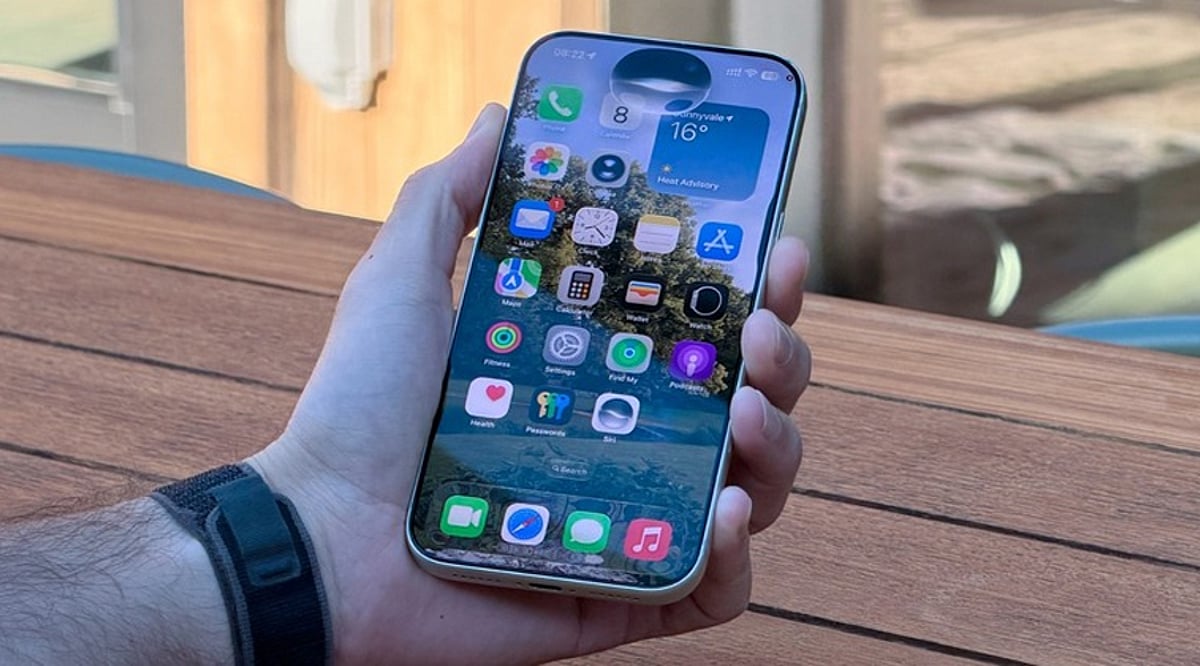
    Apple’s iOS 27 update signals a turning point for the iPhone: artificial intelligence is no longer a side feature but the backbone of the user experience. Powered by Apple Intelligence, the new OS enhances Siri, the Camera, Photos, and writing workflows — making the device more proactive, context-aware, and capable of handling complex tasks across apps.

    Siri AI Takes Center Stage

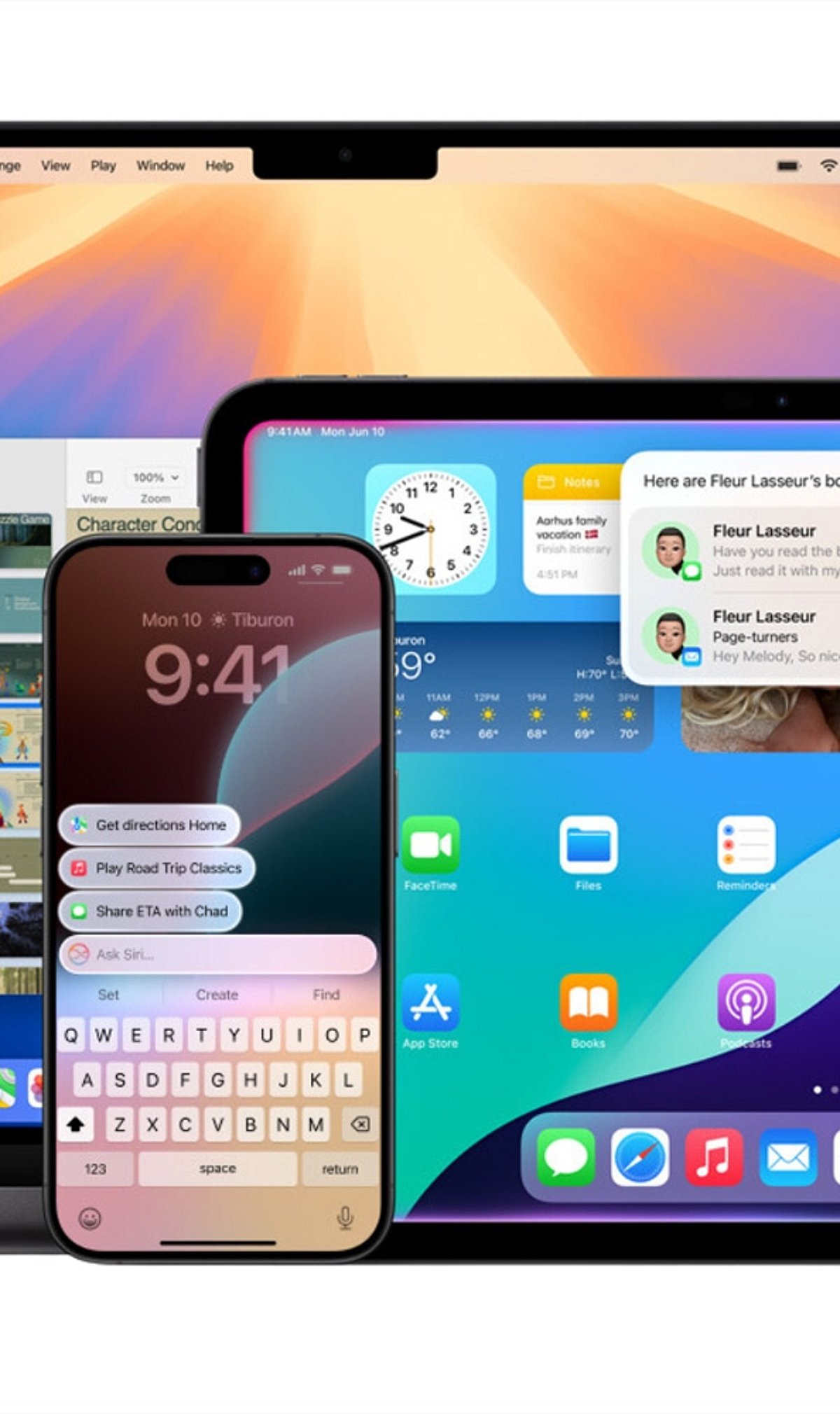
    With iOS 27, Siri becomes far more than a voice assistant. The upgraded Siri AI understands personal context, what’s on the screen, and natural language requests while executing actions across different apps. Users can ask it to find information buried in emails, photos, and notes, draft content, answer questions, and carry on continuous conversations through Siri’s dedicated app.

    Personal Context Gets Smarter

    Siri AI now draws on messages, emails, photos, and saved notes to deliver more relevant answers. Rather than interpreting isolated commands, it can locate specific details and connect information across apps, creating a more integrated assistant that works with data already stored on your iPhone.

    The Camera Becomes a Visual AI Assistant

    Visual Intelligence arrives in the iPhone Camera, letting users ask questions about objects, text, and situations visible in the viewfinder. Siri can then identify what it sees, offer relevant information, and trigger actions based on the scene. This moves AI beyond chat into everyday visual tasks.

    AI-Powered Photos and Creative Tools

    The Photos app receives new AI-driven editing tools that simplify adjustments. Apple is also expanding Image Playground with the ability to generate photorealistic imagery from natural-language prompts. Together, these features let users edit and create visual content without relying solely on traditional controls.

    Writing Assistance Gets an AI Upgrade

    Apple Intelligence brings writing support directly into iOS 27 workflows. Users can generate first drafts, get feedback, and fine-tune style or tone for different audiences. The goal is to make AI writing assistance feel native to the iPhone rather than an add-on chatbot experience.

    Hardware Limits Remain

    Not every iPhone can run the full Apple Intelligence suite. Siri AI requires an Apple Intelligence-enabled device, including iPhone 15 Pro models and iPhone 16 or later. That leaves a clear gap between supported models and older iPhones that continue to run iOS 27 without the advanced capabilities.

    AI Is Becoming the Interface

    iOS 27 shows Apple moving AI from an optional extra to a core layer of the iPhone experience. Siri, Camera, Photos, writing tools, and cross-app actions all depend on behind-the-scenes intelligence. The result is an iPhone where AI quietly powers how everyday tasks get done.

  • Apple Intelligence Explained: A Complete Guide to iPhone AI Features

    Apple Intelligence Explained: A Complete Guide to iPhone AI Features

    Apple Intelligence is Apple’s personal artificial intelligence system that works across iPhone, iPad, Mac, Apple Watch, and Apple Vision Pro. Unlike traditional AI chatbots that exist as separate apps, Apple built this system directly into the operating system, embedding it into everyday apps like Messages, Mail, Photos, Notes, Safari, and Phone. This design creates a seamless experience without the need to switch between different applications.

    Key Takeaways

    • Apple Intelligence integrates AI directly into iPhone apps for a seamless everyday experience.
    • Most AI processing happens on-device, with Private Cloud Compute protecting user privacy.
    • Advanced features are available only on iPhone 15 Pro, iPhone 15 Pro Max, iPhone 16 models, and newer devices.

    Which iPhones Support Apple Intelligence?

    Apple Intelligence only works on iPhones with enough processing power to handle advanced AI models. The supported devices include the iPhone 15 Pro, iPhone 15 Pro Max, every iPhone 16 model, and newer iPhones. Regular iPhone 15 models do not support Apple Intelligence. Apple says the advanced Neural Engine, higher memory, and powerful Apple Silicon inside supported devices make these AI features possible. Older iPhones cannot meet these hardware requirements.

    Writing Tools Make Everyday Work Easier

    The very basic function of Apple Intelligence is offered by the automatic Writing Tools included in the programming. These features are extensively used by most applications of Apple and by many external programs. You can rewrite texts, correct grammar, make short summaries, and change the tone of messages. Safari, Mail, Notes, and Messages all support these capabilities, turning long emails into short summaries and rough drafts into polished texts.

    Siri Understands Conversations Better

    Apple Intelligence gives Siri a major upgrade. Siri now understands natural conversations more accurately and follows context across multiple questions. Instead of repeating the same information, Siri remembers earlier parts of the conversation and provides smoother replies. Apple also added optional ChatGPT integration. Siri asks for permission before sending a request to ChatGPT, balancing advanced functionality with privacy.

    Creative Tools Add Fun to Everyday Tasks

    Apple Intelligence includes Image Playground, a feature that creates images from simple text descriptions. Apple offers styles such as Animation, Illustration, and Sketch. Messages, Notes, and Freeform all support this feature. Genmoji adds another creative option: a simple description like “golden retriever wearing sunglasses” turns into a unique emoji within seconds.

    Visual Intelligence Understands the World Around It

    Visual Intelligence uses the iPhone camera to recognize objects, places, products, signs, and text. After recognition, Apple Intelligence can explain what appears on the screen, translate foreign languages, search for products online, or create calendar events from posters and invitations. Apple continues to improve this feature with every software update.

    Photos, Notifications, and Mail Become Smarter

    The Photos app now includes the Clean Up tool, which removes unwanted objects from pictures while keeping lighting, shadows, and important details as natural as possible. Notifications also become easier to manage with short summaries for long alerts and priority placement. Mail receives email summaries, suggested quick replies, highlighted important messages, and short previews that help readers understand content before opening each email.

    Notes and Phone Receive Helpful AI Features

    The Notes app gains intelligent tools for summarization, writing improvement, grammar correction, and organization. The Phone app supports call transcripts and call summaries in supported regions and languages, helping users review important conversations without relying on memory alone.

    Privacy Stays at the Center of Apple Intelligence

    Privacy remains one of the biggest differences between Apple Intelligence and many other AI systems. Most AI tasks run directly on the iPhone. Only complex requests move to Private Cloud Compute, which Apple says never stores personal data after processing finishes. This balance between local processing and secure cloud support allows Apple Intelligence to deliver advanced AI features while protecting personal information.

    Why This Matters

    Apple Intelligence changes the way people use an iPhone every day. Built-in AI saves time, improves communication, helps with creative tasks, and makes everyday apps more useful. Strong privacy protection also sets Apple apart from many AI platforms, making Apple Intelligence an important feature for anyone planning to buy or upgrade an iPhone.

    FAQs

    1. What is Apple Intelligence? Apple Intelligence is Apple’s built-in AI system that enhances apps like Messages, Mail, Photos, Notes, Safari, and Siri with smart, privacy-focused features.
    2. Which iPhones support Apple Intelligence? It is supported on iPhone 15 Pro, iPhone 15 Pro Max, all iPhone 16 models, and newer compatible iPhones.
    3. Does Apple Intelligence use ChatGPT? Yes. Siri can optionally use ChatGPT for more complex requests, but only after asking for your permission.
    4. Is Apple Intelligence private and secure? Yes. Most AI tasks run directly on your device, while complex requests use Apple’s Private Cloud Compute, which is designed to avoid storing personal data after processing.
    5. What are the main features of Apple Intelligence? Key features include Writing Tools, smarter Siri, Image Playground, Genmoji, Visual Intelligence, Photos Clean Up, notification summaries, Mail enhancements, and call transcripts.

  • 5 Essential Apple Intelligence Features to Master in 2026

    5 Essential Apple Intelligence Features to Master in 2026

    Apple Intelligence has evolved significantly in 2026, bringing smarter writing tools, live translation, AI-powered shortcuts, advanced photo editing, and an upgraded Siri that makes everyday tasks on iPhone, iPad, and Mac faster and easier. Here are the top five features you should start using today.

    1. Writing Tools Help You Finish Faster

    Built into apps like Mail, Notes, and Messages, Apple’s Writing Tools now offer spelling checks, sentence restructuring, tone adjustments, and email summarization. Whether you’re a student or a professional, these tools eliminate the need for third-party editing apps.

    2. Live Translation Works Across Calls and Messages

    Live Translation simplifies communication in multiple languages. It works in text messages, FaceTime calls, and even regular phone calls, translating conversations in real time. This is invaluable for travel, client meetings, or keeping in touch with international friends and family—all while maintaining Apple’s privacy standards.

    3. Shortcuts Get an AI Upgrade

    The Shortcuts app now integrates Apple Intelligence, allowing you to create automations that summarize articles, organize notes, draft messages, and perform multiple actions with a single tap. For example, you can set a shortcut to collect all meeting notes, summarize them, and email them automatically.

    4. Edit Photos Without Third-Party Apps

    The Photos app now includes AI-powered editing features such as removing background distractions, recomposing images, and erasing unwanted objects. These tools are designed for everyday use—perfect for travel photos, family portraits, and social media posts.

    5. Siri Understands Context Better

    Siri’s improved context awareness allows it to answer follow-up questions, understand what’s on your screen, and take actions across multiple apps. You no longer need to repeat yourself; Siri maintains a natural conversation flow.

    Apple Intelligence Features at a Glance

    All these features are designed to enhance everyday tasks without changing how you use your iPhone, iPad, or Mac. They integrate seamlessly into Apple’s existing apps, saving you time and reducing repetitive manual work.

    As Apple continues to expand its AI capabilities in 2026, these five features are the most practical to explore first. Whether you’re writing, translating, editing, or automating, Apple Intelligence makes your devices smarter without demanding a new learning curve.

  • Galaxy AI vs Apple Intelligence: Key Differences in Smartphone AI Approaches

    Galaxy AI vs Apple Intelligence: Key Differences in Smartphone AI Approaches

    Samsung and Apple are pursuing distinct strategies for integrating artificial intelligence into smartphones. Galaxy AI emphasizes practical, user-accessible tools like translation, photo editing, and productivity enhancements. Apple Intelligence, by contrast, takes a more personalized route, embedding AI deeply into the operating system and apps to create a seamless, context-aware experience. Both aim to make smartphones smarter and more useful, but their methods differ significantly.

    Galaxy AI Is Built for Action

    Galaxy AI functions as a broad toolkit of practical features. Users can translate calls in real time, summarize content, edit photos with generative tools, and rewrite text. Samsung also leverages AI to improve search and overall productivity. This approach gives users visible, direct-access features, making Galaxy AI particularly appealing to those who want control and flexibility.

    Apple Intelligence Thinks Contextually

    Apple Intelligence is designed to understand the user’s personal context. Apple integrates AI into Siri, Messages, Mail, and other system-level features. The goal is to make AI feel less like a separate tool and more like an intelligent layer that works across the entire Apple ecosystem.

    AI Assistants Take Different Paths

    Galaxy users benefit from Samsung’s AI features alongside Google’s Gemini ecosystem, giving Android users access to a wide range of AI capabilities. Meanwhile, Apple is upgrading Siri to better understand context and perform more complex tasks. Apple’s long-term vision centers on a more capable assistant deeply integrated with Apple devices.

    Photo and Writing Tools

    Both platforms offer AI-powered writing and image-editing tools. Galaxy AI provides features such as Generative Edit, object removal, summarization, and writing assistance. Apple Intelligence offers tools including Rewrite, proofreading, Clean Up, and AI-generated images. Currently, Samsung feels more feature-heavy, while Apple focuses on seamless system integration.

    Privacy Remains a Key Difference

    Apple has placed privacy at the center of its AI strategy. Apple Intelligence processes many tasks on-device and uses Private Cloud Compute for more complex requests. Galaxy AI also combines on-device and cloud processing, depending on the feature. The key difference lies in how each company positions privacy within its AI ecosystem.

    Which AI Approach Is Better?

    Galaxy AI is better suited to users who want a wide range of practical tools and greater flexibility. Apple Intelligence may appeal more to users invested in Apple’s ecosystem who seek contextual, personalized assistance. The real competition is not simply about features—it is about which company can make AI feel most useful in everyday life.

  • Getting Started with Apple Intelligence on iPhone and Mac: A Step-by-Step Guide

    Getting Started with Apple Intelligence on iPhone and Mac: A Step-by-Step Guide

    Apple Intelligence brings powerful AI capabilities directly to your iPhone and Mac. This guide shows you how to enable it and make the most of its smartest features every day.

    Check Device Compatibility

    Apple Intelligence works on supported iPhone, iPad, and Mac models powered by Apple Silicon or the latest A-series chips. Make sure your device is compatible before proceeding.

    Update to the Latest Software

    Install the most recent version of iOS, iPadOS, or macOS to access all Apple Intelligence features. Updates often include new AI tools and improvements.

    Turn On Apple Intelligence

    Open Settings, go to Apple Intelligence, and enable AI-powered features after completing the setup process. Once activated, the system will start learning your preferences.

    Use Smarter Writing Tools

    Rewrite emails, summarize notes, proofread documents, and generate text directly inside supported apps. These tools help you communicate more effectively and save time.

    Experience the New Siri

    The upgraded Siri offers more natural conversations, deeper app control, and contextual assistance across your devices. Ask complex questions or perform multi-step tasks effortlessly.

    Create Images With Image Playground

    Generate fun illustrations, custom visuals, and creative artwork using Apple’s built-in AI tools. Perfect for adding a personal touch to messages, documents, and projects.

    Organize Notifications

    Apple Intelligence automatically prioritizes important alerts, summarizes messages, and reduces notification clutter. Stay focused on what matters most.

    Boost Productivity

    Summarize webpages, organize notes, create reminders, and speed up daily tasks with AI assistance. Let Apple Intelligence handle routine work so you can focus on what’s important.