Category: Gadgets

  • 10 Multi-Function Kitchen Gadgets That Eliminate Clutter and Replace Single-Use Tools

    10 Multi-Function Kitchen Gadgets That Eliminate Clutter and Replace Single-Use Tools

    Most kitchen drawers are filled with tools that rarely see use. A zester, garlic press, slicer, and grater often sit idle for weeks. The solution isn’t buying fewer gadgets—it’s buying smarter ones that perform multiple tasks. This article ranks ten multitasking kitchen gadgets that replace clusters of single-use tools, cutting clutter and cleanup.

    Why Multitasking Tools Matter More Than Ever

    Kitchens haven’t grown larger, yet the number of specialty gadgets sold each year keeps rising. That mismatch creates cluttered counters and drawers that never close properly. A gadget earns its place only when it replaces something already in regular use. The following ten pass that test.

    The Lineup: What Each Tool Replaces

    Prep Tools That Cut Down on Clutter

    • Box grater with swappable plates: Handles cheese, citrus zest, and julienned carrots without switching tools.
    • Microplane-style zester: Uses fine teeth to remove small particles cleanly from citrus, hard cheese, and whole spices like nutmeg.
    • Mandoline slicer: Produces even, thin cuts for chips or gratins in a fraction of the time a knife takes. Use a hand guard or cut-resistant glove since the blade stays exposed.

    Cutting and Mincing Without Extra Tools

    • Kitchen shears: Handle herbs, trim meat fat, and open stubborn packaging—jobs that usually require a knife or separate opener.
    • Garlic press: Mixes and mashes garlic and ginger in seconds. For larger batches, a knife or food processor is faster.

    Mixing and Measuring, Simplified

    • Immersion blender: Purees soup directly in the pot, whips cream, and with the right attachment chops small batches of vegetables or nuts. A basic model won’t fully replace a food processor but covers most daily needs.
    • Nesting measuring cups: Add value beyond baking—they work as scoops or funnels and their stacked design solves a storage problem. They track volume, not weight, so a kitchen scale is still needed for precise work.
    • Silicone spatula set: Scrapes bowls clean, folds batter, and serves food at the table. A proper whisk still beats it for whipping egg whites.

    Cooking Tools Built for Multiple Jobs

    • Multicooker: Steams, slow-cooks, and sautés in one unit, ideal for households juggling several appliances.
    • Cast iron skillet: Sears, bakes, and fries, moving from stovetop to oven without a pan swap. With basic care, it lasts for decades.

    What to Ask Before Buying Another Gadget

    The strongest gadgets aren’t those with the longest spec sheet. They are the ones that replace a tool already in regular use without adding cleanup or storage hassle. Three questions settle most purchase decisions: What does it replace? How often will it actually get used? Does it save space, time, or cleanup in a real, noticeable way?

    Final Thought

    The next wave of kitchen design isn’t about adding more tools. It’s about consolidation—fewer objects doing more work, freeing up counter space and mental bandwidth for the part that matters: cooking.

    Frequently Asked Questions

    1. What are multitasking kitchen gadgets? They are tools designed to perform several cooking or food-preparation tasks, reducing the need for multiple single-use utensils.
    2. Which kitchen gadget can replace the most tools? A multicooker can handle steaming, slow cooking, rice cooking, and sautéing, depending on the model.
    3. Is an immersion blender better than a regular blender? An immersion blender is more convenient for soups, sauces, and small batches because it blends directly in the pot. A regular blender is better for larger quantities.
    4. Are mandoline slicers safe to use? They have exposed blades, so using the included hand guard or a cut-resistant glove is important.
    5. How do multitasking kitchen gadgets reduce clutter? They combine several functions in one tool, reducing the number of separate graters, slicers, pans, and processors needed.
  • AI vs Smart Speakers: How Generative AI Is Revolutionizing Home Audio

    AI vs Smart Speakers: How Generative AI Is Revolutionizing Home Audio

    Introduction

    Smart speakers have long served as convenient voice-controlled home assistants. They play music, answer questions, set alarms, and control connected devices. But the latest generation is moving beyond those basic commands. Generative AI is transforming how speakers understand conversations and follow instructions. Google’s Gemini for Home and Amazon’s Alexa+ represent this shift, making interactions more natural and capable.

    What Makes an AI Speaker Different

    Traditional smart speakers typically depend on predefined commands. Users often need to phrase requests in specific ways. AI-powered speakers are designed to understand more natural conversations. Google’s Gemini for Home supports follow-up questions and multi-step requests, allowing users to combine several actions within one conversation. The system maintains context, making the speaker feel less like a remote control and more like a conversational partner. However, not every AI-enabled speaker offers the same capabilities, so buyers should check specific features.

    From Voice Commands to Natural Conversations

    The biggest change is conversational interaction. Traditional assistants work best with short, direct instructions. Newer AI assistants handle longer requests and follow-up questions. According to Google, Gemini for Home can understand complex, multi-step commands and combine media controls with smart-home actions. Amazon’s Alexa+ takes a similar direction, described as a more conversational assistant powered by generative AI. It helps with shopping, smart-home control, recommendations, and other activities. For users, the practical benefit is simpler interaction—focus on the task instead of remembering exact commands.

    Smart Home Control Is Becoming More Intelligent

    Smart speakers are increasingly control centers for connected homes. Lights, thermostats, cameras, locks, and entertainment systems can be managed through voice. AI adds another layer to these controls. Gemini for Home can handle multiple smart-home actions within a single request and search camera history using natural language. Google also started rolling out Home MCP in early access, allowing selected external AI agents to interact with Google Home devices. This points toward more flexible AI-powered home automation, but security remains important—users should understand which services can access home devices.

    Audio Quality Still Matters

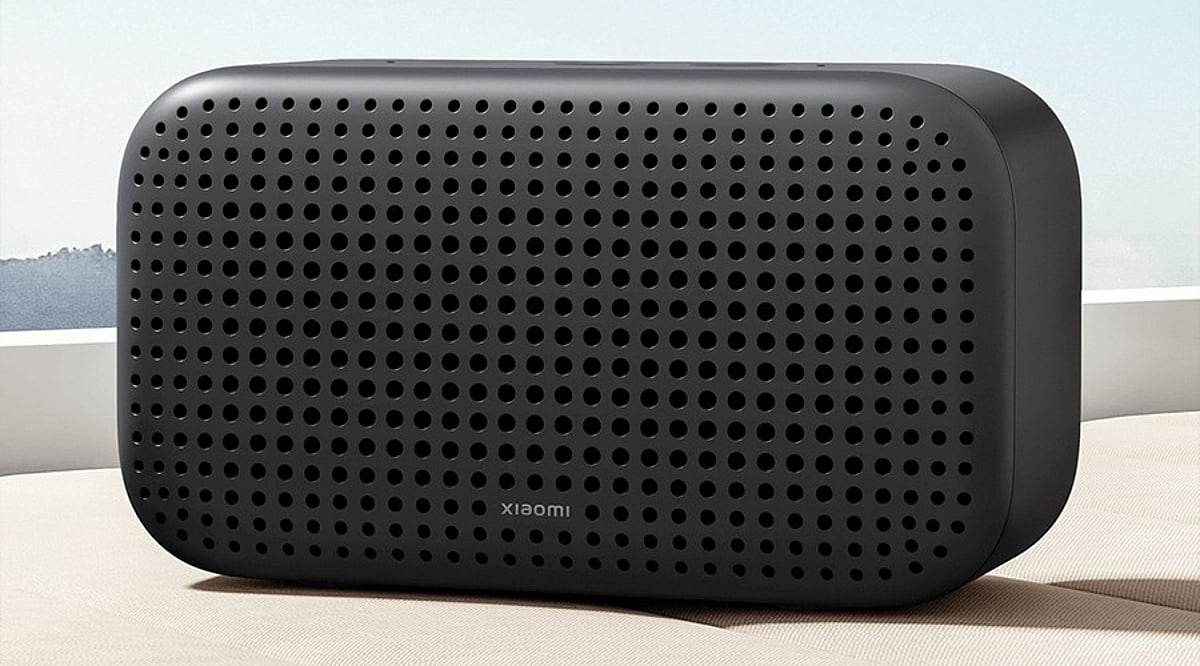
    Smarter software does not automatically produce better sound. A speaker remains an audio product first. Buyers should consider room size, speaker placement, bass response, clarity, and multi-room support. Music listeners may care more about acoustic performance than advanced assistant features. The latest Google Home Speaker combines Gemini features with 360-degree audio, while Amazon’s ecosystem includes models for different room sizes and audio needs. The best choice depends on both sound quality and assistant capabilities.

    Privacy and Subscription Costs Need Attention

    AI-powered speakers process more complex requests, raising questions about recordings, personalization, and data access. Users should review microphone controls and privacy settings before enabling advanced features. They should also check whether important AI functions require a subscription. Google’s Gemini for Home offers additional capabilities through Google Home Premium, and Alexa+ has different access arrangements depending on market and subscription status. These costs can change the value of an otherwise attractive speaker.

    Which Speaker Should You Choose?

    A traditional smart speaker can still handle basic tasks like music playback, timers, weather updates, and simple home controls. An AI speaker makes more sense for users who want richer conversations, multi-step commands, and contextual responses. The decision should also consider your existing ecosystem: Android users may prefer Google Home integration, while Alexa users may already have compatible devices. The smart speaker is not disappearing—it is becoming more capable. The real upgrade is the intelligence behind the microphone, not simply the speaker itself.

    Frequently Asked Questions

    What is the difference between a smart speaker and an AI speaker?

    A traditional smart speaker handles predefined voice commands and basic home tasks. An AI speaker uses more advanced generative AI to understand conversational requests, handle follow-up questions, and process more complex instructions. Exact capabilities vary between products and services.

    What is Gemini for Home?

    Gemini for Home is Google’s AI-powered assistant experience for compatible Google Home devices. It supports follow-up questions, multi-step requests, and certain smart-home actions through natural language.

    What is Alexa+?

    Alexa+ is Amazon’s conversational AI assistant experience using generative AI. It expands what Alexa can understand and accomplish, including smart-home control, shopping, recommendations, and other everyday tasks. Availability varies by market.

    Can AI speakers control multiple smart-home devices?

    Yes, AI-powered speakers can support more complex smart-home requests. Gemini for Home can handle multiple actions within a single request, but compatibility still depends on the devices and ecosystem involved.

    Does an AI speaker provide better sound quality?

    Not necessarily. AI capabilities and audio performance are separate considerations. Buyers should examine room size, speaker placement, bass response, clarity, and multi-room support. Music listeners may prioritize acoustic performance over advanced AI features.

  • Simple Tech for Less Screen Time: Minimalist Gadgets That Support Digital Detox

    Simple Tech for Less Screen Time: Minimalist Gadgets That Support Digital Detox

    Digital detoxes do not always require abandoning technology altogether. A growing category of minimalist gadgets is designed to keep useful functions—calls, messages, maps, music, reading, and note-taking—while removing the endless feeds, alerts, and app loops that make smartphones hard to put down.

    What Makes a Gadget Minimalist?

    Minimalist devices usually do one thing well, or a small set of things, instead of trying to be an all-purpose entertainment hub. The goal is not deprivation. It is fewer interruptions, clearer boundaries, and more intentional use of screens.

    Phones With Fewer Distractions

    The Light Phone III is built around essentials such as calls, texts, directions, and music. It avoids social media, advertising, and infinite scroll, which can make it a useful secondary phone or a step-down device for people who want to stay reachable without staying plugged in.

    The Mudita Kompakt takes a different approach with a 4.3-inch E Ink display and a distraction-free operating system. It includes essential tools and offline maps, aiming for calmer phone use with less visual noise and fewer reasons to keep checking the screen.

    E-Readers for Reading and Notes

    Dedicated e-readers such as Kindle, Kobo, reMarkable, and Kindle Scribe can replace a phone or tablet for reading and note-taking. Because they are not built around notifications and social apps, they reduce the pull to switch tasks. Some current models also support dedicated note-taking, making them useful for focused work as well as books.

    Simple Phones for Basic Communication

    Devices such as the Punkt MP02 and Nokia feature phones focus on calls and messages rather than app-heavy experiences. They can be a practical choice for weekends, vacations, focused work periods, or anyone who wants a reliable way to stay in contact without constant scrolling.

    Analog Tools That Create Screen-Free Time

    Not every digital detox tool needs a battery. A physical alarm clock, paper planner, Pomodoro timer, or notebook can handle everyday tasks without requiring a smartphone. These low-tech options are especially helpful in bedrooms and during deep-work sessions, where even a quick glance at a phone can turn into a long detour.

    Phone Lockboxes Add Friction

    Timed phone lockboxes create a physical barrier between you and your device. They can keep a smartphone out of reach during meals, bedtime, focused work, or family time, making accidental checking harder. The added friction is the point: it turns a mindless habit into a deliberate choice.

    Minimalist Audio Without the Feed

    A basic MP3 player or simple headphones can provide music and podcasts without opening social media, news feeds, or other apps. For people who mainly use their phone for audio, a dedicated player can remove a common gateway to distraction.

    Start Small Before Switching Phones

    A full device switch is not the only way to begin. Try grayscale mode, remove social apps from your home screen, disable non-essential notifications, or set Digital Wellbeing limits. A 7–14 day trial can help you learn which changes actually make focus easier and which ones feel impractical.

    Minimalist gadgets are not a cure-all, but they can support better digital habits by making the useful parts of technology easier to access and the distracting parts easier to avoid.

  • Jury Orders Apple to Pay $5.7 Billion in Taptic Engine Patent Case

    Jury Orders Apple to Pay $5.7 Billion in Taptic Engine Patent Case

    A U.S. jury has ordered Apple to pay more than $5.7 billion to Taction Technology for infringing haptic feedback patents used in its Taptic Engine. The verdict, delivered on Friday, is the largest patent award of its kind in the country to date, according to Reuters.

    What the Case Is About

    The dispute centers on technology that creates tactile feedback through vibrations. Apple’s Taptic Engine provides the tapping sensation users feel on iPhones and Apple Watches. Taction, a San Diego-based company, sued Apple in 2021, alleging that the tech giant copied its patented system without a license.

    Apple’s Defense and the Road to Trial

    Apple denied the allegations from the start. The company maintained that its Taptic Engine works differently from Taction’s technology and argued that Taction’s patents should not hold up. In 2023, a federal judge in San Diego sided with Apple, finding no infringement.

    The case did not end there. Last year, the U.S. Court of Appeals for the Federal Circuit overturned that ruling and sent the case back for trial. This time, the jury ruled in Taction’s favor.

    Apple Plans to Appeal

    Apple has said it will appeal the new verdict. In a statement, the company said it strongly disagrees with the ruling and the damages. Apple also said Taction’s own test results presented in court supported its claim that the two systems are not the same.

    What Happens Next

    Taction called the outcome a win for its patent rights. The company’s attorney, Lance Yang, said the jury recognized the value of its work.

    For now, the ruling stands, but it is not final. Apple’s appeal means the legal fight could continue for months or even years before it is fully resolved.

    The case also highlights a broader trend: haptic feedback has become a key part of how people use smartphones and wearables, and patent disputes over this technology are likely to become more common in the industry.

  • Vivo X Fold 6 India Launch: October 6 Date Leaked, Expected Price and Full Specifications

    Vivo X Fold 6 India Launch: October 6 Date Leaked, Expected Price and Full Specifications

    Vivo is set to bring its new foldable phone, the X Fold 6, to India soon. According to a fresh leak, the device could launch on October 6, the same day the company rolls out the Vivo V80 and Vivo S2 FE in the country.

    Tipster Abhishek Yadav claims the X Fold 6 will go official in India at 12 PM on October 6. Vivo has not confirmed this date yet. The foldable has already launched in China and is set to reach a few other global markets too.

    Expected Price and Colors

    Leaks suggest the X Fold 6 will sit in the premium foldable segment. Reports point to a price range between Rs 1,29,999 and Rs 1,59,999 in India, though these numbers are not final and may shift once Vivo makes an official announcement.

    The phone is tipped to come in two storage options: 12GB RAM with 256GB storage and 12GB RAM with 512GB storage. Buyers may get to choose between Prism Black and Nebula Teal shades.

    Specifications

    The Vivo X Fold 6 is said to pack an 8.02-inch AMOLED inner screen along with a 6.51-inch AMOLED cover display. Both screens are expected to support a smooth 120Hz refresh rate.

    Power will likely come from MediaTek’s Dimensity 9500 Super chip, built on a 3nm process. The battery is tipped at 7,000mAh, with 80W wired charging and 40W wireless charging support.

    On the camera front, the phone may carry a 200MP main camera with optical stabilization, a 50MP ultrawide lens, and a 50MP periscope telephoto camera. Two 20MP selfie cameras, one on each screen, are also expected.

    The device is likely to run OriginOS 7 based on Android 17 and could carry IP58 and IP59 ratings for dust and water protection.

    Conclusion

    Vivo has stayed quiet on official pricing and specs so far, but the growing leaks suggest an announcement is close. If the October 6 date holds, buyers should get full clarity soon on what the X Fold 6 brings to India’s foldable market.

  • Vivo X Fold 6 India Launch Leaked: October 6 Date, Pricing, and Full Specifications

    Vivo X Fold 6 India Launch Leaked: October 6 Date, Pricing, and Full Specifications

    Vivo is preparing to introduce its latest foldable smartphone, the X Fold 6, to the Indian market. According to a recent leak from tipster Abhishek Yadav, the device is expected to launch on October 6 at 12 PM IST, alongside the Vivo V80 and Vivo S2 FE. While Vivo has not officially confirmed the date, the growing number of leaks suggests an imminent announcement.

    Expected Price and Colors

    The X Fold 6 is positioned in the premium foldable segment, with leaked pricing ranging between Rs 1,29,999 and Rs 1,59,999. However, these figures are speculative and may change upon official confirmation. The phone is rumored to be available in two storage configurations: 12GB RAM with 256GB storage, and 12GB RAM with 512GB storage. Color options are expected to include Prism Black and Nebula Teal.

    Display and Performance

    The device is said to feature an 8.02-inch AMOLED inner screen and a 6.51-inch AMOLED cover display, both supporting a 120Hz refresh rate. Under the hood, it is likely powered by MediaTek’s Dimensity 9500 Super chip, built on a 3nm process. The battery is tipped at 7,000mAh, with support for 80W wired and 40W wireless charging.

    Camera System

    Photography enthusiasts may appreciate the camera setup: a 200MP main camera with optical stabilization, a 50MP ultrawide lens, and a 50MP periscope telephoto camera. Additionally, two 20MP selfie cameras are expected, one on each screen.

    Software and Durability

    The X Fold 6 is expected to run OriginOS 7 based on Android 17. It may also carry IP58 and IP59 ratings for dust and water resistance, indicating robust build quality.

    With the October 6 launch date approaching, more details are likely to emerge. Stay tuned for official confirmation from Vivo regarding pricing and availability.

  • Smart Travel Wearables: Smartwatches, Rings, Earbuds, and Glasses Compared

    Smart Travel Wearables: Smartwatches, Rings, Earbuds, and Glasses Compared

    Travel wearables have evolved into compact tools that can handle navigation, fitness tracking, payments, and safety alerts. But not every wearable makes sense on the road. The best choice depends on your itinerary, battery needs, connectivity options, and the features you will actually use.

    Smartwatches: The Most Versatile Travel Companion

    Smartwatches can replace several small gadgets in your travel bag. They put maps, notifications, payments, fitness tracking, and safety tools on your wrist. GPS is especially helpful during city walks and outdoor trips, and offline maps can keep you oriented when mobile coverage disappears. Cellular models offer even more independence from your smartphone, though coverage depends on regional network compatibility.

    Battery life is the trade-off. A watch that needs daily charging can become a hassle on long trips, while outdoor-focused models often run much longer. Before traveling internationally, check cellular and eSIM compatibility, as support varies by country.

    Smart Rings: Low-Profile Health and Sleep Tracking

    Smart rings take up almost no luggage space and offer a quieter alternative to smartwatches. Their main strength is health tracking, including sleep, heart rate, and recovery, which can be valuable when flights and time zone changes disrupt your routine.

    They also avoid the constant notifications of a smartwatch, making them a good fit for travelers who want fewer distractions. However, most smart rings lack built-in GPS and large displays, so they work best alongside a smartphone rather than replacing one.

    Smart Glasses and Earbuds: Niche Uses, Real Benefits

    Smart glasses remain a niche travel accessory. Features like navigation overlays, cameras, voice controls, and translation can be interesting, but privacy, battery life, and regional availability are practical barriers. They make sense only when the model and destination align with your needs.

    Translation earbuds can be more immediately useful. They help with conversations in unfamiliar languages, and they double as earbuds for music, calls, and noise cancellation on flights. Avoid unnecessary duplication: if your phone already handles translation well, a separate device may not add enough value.

    GPS, Offline Maps, and Safety Features Matter

    Travel wearables become more valuable when connectivity is unreliable. Offline maps provide directions without mobile data, and GPS helps hikers and explorers in unfamiliar areas. Safety features also deserve attention: some premium watches offer emergency communication and location sharing, while rugged models handle water, dust, and tough outdoor conditions. For remote adventures, a durable device with dependable navigation beats a flashy but fragile one.

    Battery Life Can Make or Break a Trip

    Battery performance is easy to overlook before departure but becomes critical after multiple flights and hotel changes. Longer battery life means fewer charging interruptions. Outdoor watches can last weeks on a single charge, while premium smartwatches offer richer features but shorter endurance. Smart rings often last several days, making them convenient for overnight health tracking. Whichever device you choose, pack the right charging cable and verify compatibility before you leave.

    Which Wearables Should Make Your Travel Kit?

    There is no single wearable for every traveler. Consider your itinerary first:

    • Smartwatch: best for navigation, payments, notifications, fitness tracking, and active trips.
    • Smart ring: best for sleep, heart-rate, and recovery tracking without screen distractions.
    • Earbuds: useful for flights, music, calls, and language support.
    • Smart glasses: only worth bringing if the model and destination meet your specific needs.

    City travelers may prioritize payments and navigation. Hikers may prioritize GPS, durability, and battery life. Frequent flyers may prefer sleep tracking and noise cancellation. The best travel wearable is the one you will actually use. If a gadget solves no real problem, leave it at home.

    Frequently Asked Questions

    Which wearable is most useful for travel?

    A smartwatch is typically the most versatile travel wearable. It can provide navigation, notifications, fitness tracking, payments, and safety features. Cellular models add independence from a smartphone, depending on network and regional compatibility.

    Are smartwatches useful for international travel?

    Yes, but check connectivity before you leave. Cellular watches depend on supported networks and eSIM availability. GPS and offline maps can still work without mobile coverage in many areas.

    Are smart rings worth carrying while traveling?

    Smart rings are useful if you care about sleep, heart rate, and recovery. They take up minimal luggage space, but they generally lack displays and built-in GPS, so they work best with a smartphone.

    Can a smartwatch replace a smartphone during travel?

    Most travelers will still need a smartphone. Certain smartwatches can handle calls, messages, navigation, payments, and other tasks independently, but the available functions depend on the device and network.

    Are smart glasses useful for travelers?

    Smart glasses can offer voice controls, cameras, navigation, and translation, but their usefulness depends on the model and destination. Consider battery life, privacy, regional availability, and whether your existing devices already provide these features.

  • Lenovo Monitor Deals: Save Up to 44% on Top Models for Gaming and Productivity

    Lenovo Monitor Deals: Save Up to 44% on Top Models for Gaming and Productivity

    Lenovo monitors are seeing significant price cuts on Amazon this weekend, with several models available at more than 20% off. From high-refresh-rate gaming displays to QHD productivity monitors, the lineup covers a wide range of needs and budgets. Prices start at Rs. 8,799, and the steepest discount reaches 44%.

    Key Highlights

    • Discounts from 20% up to 44% on select Lenovo monitors
    • Entry price of Rs. 8,799 for the Lenovo LOQ 24-10
    • Full HD, QHD, and curved display options available
    • Features include IPS panels, AMD FreeSync, and NVIDIA G-Sync

    Lenovo LOQ 24-10: Budget-Friendly 200Hz Gaming Display

    The Lenovo LOQ 24-10 Smartchoice is listed at Rs. 8,799, down from its MRP of Rs. 12,190 — a 28% discount. SBI Bank Card holders can save an additional flat Rs. 1,000. This 23.8-inch monitor packs a Full HD (1,920 x 1,080) IPS panel with a 200Hz refresh rate and a 0.5ms response time, making it a strong entry-level gaming option. It also supports HDR10, AMD FreeSync, and covers 99% of the sRGB color space. Connectivity includes two HDMI 2.1 TMDS ports and one DisplayPort 1.4. The Lunar Grey finish and tilt stand round out the package.

    Lenovo L-Series 27-Inch QHD IPS Monitor: 44% Off

    The Lenovo L-Series 27-inch QHD IPS Monitor is the standout deal of the collection, priced at Rs. 16,829 versus an MRP of Rs. 29,999 — a 44% discount. It features a QHD IPS display with a 100Hz refresh rate and 1ms response time, along with AMD FreeSync support. Color accuracy is impressive with 99% sRGB and 90% DCI-P3 coverage. Built-in 3W x2 speakers handle audio, while two HDMI 2.1 ports and one DisplayPort 1.4 offer flexible connectivity. The stand provides tilt, swivel, pivot, and height adjustments for ergonomic comfort.

    Lenovo Legion R32qc-30: Curved QHD Gaming Monitor

    For gamers seeking an immersive experience, the Lenovo Legion R32qc-30 is available for Rs. 22,982, down from Rs. 32,390 (29% off). This 32-inch curved QHD display delivers a 180Hz refresh rate and a 0.5ms response time. It includes AMD FreeSync support and 99% sRGB coverage. Dual 3W speakers, two HDMI 2.1 TMDS ports, and one DisplayPort 1.4 provide solid connectivity, while the stand supports tilt, swivel, pivot, and height adjustment to suit any setup.

    Lenovo Legion 24-10: 240Hz Competitive Gaming Monitor

    The Lenovo Legion 24-10 is listed at Rs. 10,496, compared with its MRP of Rs. 13,090 — a 20% discount. This 24-inch Full HD IPS monitor is built for competitive esports, offering a blazing 240Hz refresh rate and a 0.5ms response time. It supports both AMD FreeSync Premium and NVIDIA G-Sync, along with 99% sRGB coverage. Dual HDMI ports and a DisplayPort handle video input, and the stand offers full ergonomic adjustments including height and pivot.

    Lenovo ThinkVision S27-4e: Productivity-Focused Display

    The Lenovo ThinkVision S27-4e is available for Rs. 11,999, against an MRP of Rs. 18,000 — a 33% discount. This 27-inch Full HD IPS monitor targets everyday productivity and office use, with a 100Hz refresh rate, 4ms response time, and 99% sRGB coverage. It includes one HDMI 1.4 port and one VGA port, plus a tilt stand. Note that the Amazon listing currently shows limited stock, so interested buyers should act quickly.

    Quick Comparison

    Model Price MRP Discount Key Specs
    Lenovo LOQ 24-10 Rs. 8,799 Rs. 12,190 28% 23.8″ Full HD, 200Hz, 0.5ms
    Lenovo L-Series 27″ Rs. 16,829 Rs. 29,999 44% 27″ QHD, 100Hz, 1ms
    Lenovo Legion R32qc-30 Rs. 22,982 Rs. 32,390 29% 32″ Curved QHD, 180Hz, 0.5ms
    Lenovo Legion 24-10 Rs. 10,496 Rs. 13,090 20% 24″ Full HD, 240Hz, 0.5ms
    Lenovo ThinkVision S27-4e Rs. 11,999 Rs. 18,000 33% 27″ Full HD, 100Hz, 4ms

    Which Lenovo Monitor Should You Choose?

    • Budget gaming: Lenovo LOQ 24-10 offers a 200Hz refresh rate at the lowest price.
    • Competitive esports: Lenovo Legion 24-10 delivers a 240Hz refresh rate with G-Sync and FreeSync Premium.
    • Immersive gaming: Lenovo Legion R32qc-30 provides a large curved QHD display.
    • Creative work: Lenovo L-Series 27-inch offers QHD resolution and wide color coverage.
    • Office productivity: Lenovo ThinkVision S27-4e balances screen size, price, and essential features.

    Prices, stock levels, and additional bank offers on Amazon can change at any time. Before placing an order, verify the final selling price, applicable discounts, delivery dates, and availability.

  • From Code to Your Smartphone: The Complete Process of Mobile OS Updates

    From Code to Your Smartphone: The Complete Process of Mobile OS Updates

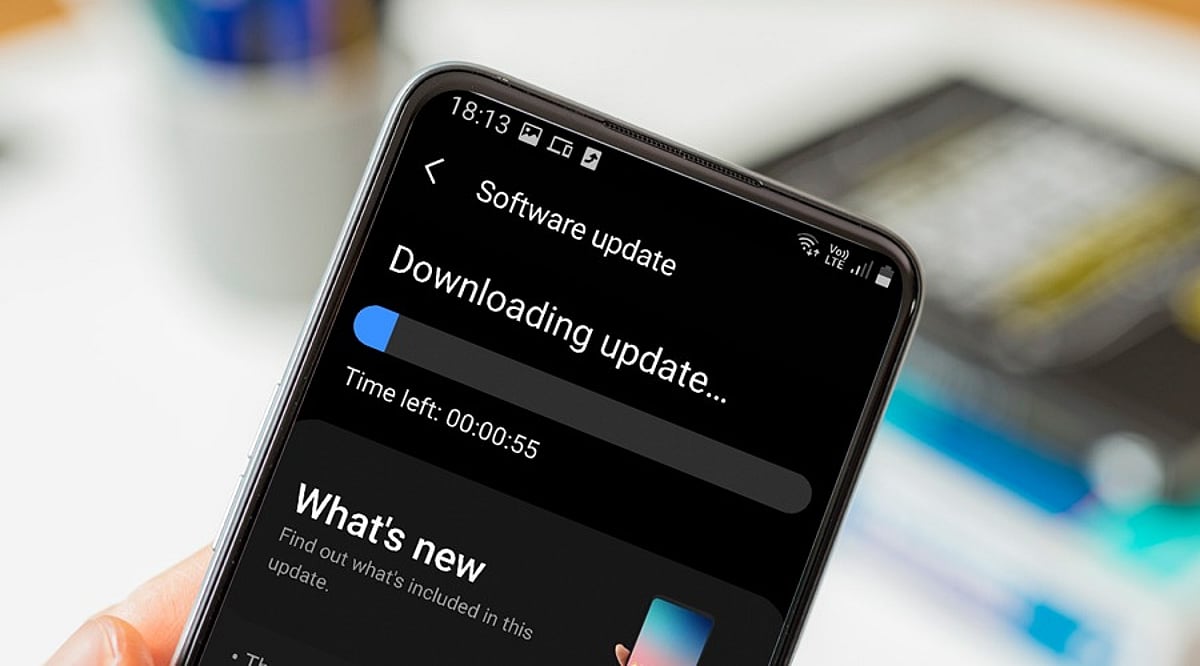
    When you tap ‘Download and Install’ on a mobile OS update, you’re triggering a process that began months earlier with software developers writing code. This article explains the entire journey of a mobile operating system update, from initial development to the moment it lands on your device.

    Development: Where Updates Begin

    Mobile OS updates start with software engineers creating new features, security patches, and system improvements. Individual components are tested before being integrated into larger builds. Major releases may introduce redesigned interfaces, new privacy controls, or updated system applications, while security updates focus on vulnerabilities and stability.

    Hardware Integration: Adapting to the Device

    An operating system cannot work without compatible hardware. Processors, cameras, modems, and displays require drivers and firmware to communicate with the OS. Chipset manufacturers play a key role, which is why Android updates often reach different models at different times. Manufacturers must adapt the OS to their specific hardware configurations, including user interface modifications and device-specific functions.

    Testing: Multiple Stages of Quality Assurance

    Before release, updates undergo extensive testing. Engineers check core functions like calling, messaging, Wi-Fi, Bluetooth, cameras, and battery management. Beta programs provide additional feedback from real users, helping developers catch issues that internal testing might miss.

    Certification and Carrier Approval

    For some devices, mobile operators test updates to ensure network compatibility. This stage can cause variations in update timing between countries and carriers.

    Distribution: OTA and Staged Rollouts

    Once testing is complete, the update is packaged for over-the-air (OTA) delivery. Companies often use staged rollouts, releasing the update to a small percentage of users first. If serious problems are found, distribution can be paused.

    Installation: What Happens on Your Phone

    Your smartphone periodically checks for updates. When available, it verifies the package’s authenticity, then replaces or updates system components. The device may restart several times. Modern recovery mechanisms help prevent bricking if the installation fails.

    Why Updates Arrive at Different Times

    Timing depends on device model, region, manufacturer, chipset, carrier requirements, and testing status. Older devices may follow different schedules. For Android, the many hardware configurations mean additional adaptation stages.

    Post-Installation

    After installation, the phone performs background tasks like app optimization and file reorganization. Users may notice new features, interface changes, or performance differences. Follow-up patches can address bugs discovered after wider deployment.

    Frequently Asked Questions

    • Why do smartphones receive OS updates at different times? Timing varies due to hardware adaptation, testing, carrier requirements, and regional distribution schedules.
    • What does OTA mean? OTA stands for Over-The-Air, allowing updates to be downloaded and installed directly without cables or service center visits.
    • How does hardware affect updates? Components like processors and cameras require compatible drivers, necessitating hardware-specific testing and adaptation.
    • Can a failed update brick my phone? Modern smartphones have recovery mechanisms to protect system integrity and recover from installation failures.
    • Why are staged rollouts used? They allow manufacturers to monitor updates on a small group and pause distribution if serious issues arise.
  • Local vs Cloud CCTV Storage: A Complete Buying Guide for Home Security

    Local vs Cloud CCTV Storage: A Complete Buying Guide for Home Security

    Introduction

    When purchasing a CCTV system, one of the most critical decisions is how to store recorded footage. The two primary options are local storage and cloud storage, each offering distinct advantages. This guide compares both approaches to help you choose based on your priorities, including privacy, cost, internet reliability, and remote access.

    How Local CCTV Storage Works

    Local storage keeps video recordings on physical devices installed at your property, such as microSD cards, DVRs, or NVRs. This method does not rely on an internet connection for recording, making it ideal for areas with unreliable connectivity. It also eliminates recurring subscription fees, though you must manage storage capacity manually. When the storage fills up, older footage is typically overwritten. A key downside is physical vulnerability: if the camera or recording device is stolen, locally stored footage may be lost.

    How Cloud CCTV Storage Works

    Cloud storage uploads footage to remote servers via the internet, allowing you to access recordings from anywhere through a smartphone app or web interface. This provides convenient remote monitoring and ensures that recordings remain safe even if the camera or local equipment is stolen. However, cloud services usually require a monthly or annual subscription, and the cost varies based on the number of cameras, storage capacity, and retention period. A stable internet connection is essential for uploading footage, and you should review the provider’s data security and privacy policies before subscribing.

    Local vs Cloud: Key Considerations

    • Cost: Local storage has higher upfront hardware costs but no recurring fees; cloud storage involves ongoing subscription costs.
    • Privacy: With local storage, footage stays on your equipment; with cloud storage, recordings are transferred to third-party servers.
    • Internet Reliability: Local recording continues without internet; cloud storage requires a consistent connection for uploading.
    • Remote Access: Cloud storage enables easy remote viewing; local storage may require additional networking setup for remote access.
    • Security Against Theft: Cloud storage preserves recordings off-site; local storage risks losing footage if devices are stolen.

    Is Hybrid Storage a Better Option?

    Some CCTV systems support both local and cloud storage simultaneously. This hybrid approach offers the best of both worlds: continuous local recording even during internet outages, plus off-site backups for critical events. It provides an extra layer of protection and flexibility, making it a strong choice for users who want both reliability and remote accessibility.

    Final Word

    There is no one-size-fits-all answer. Local storage suits users who prioritize control and lower long-term costs, while cloud storage appeals to those who value remote access and off-site backup. Before buying a CCTV system, evaluate its storage options, subscription charges, recording retention, internet requirements, and backup features. These factors are as important as camera resolution and night vision capabilities.