Category: Home Electronics

  • tvOS 27 Update Brings Lossless Audio, Video Podcasts, and More to Apple TV 4K

    tvOS 27 Update Brings Lossless Audio, Video Podcasts, and More to Apple TV 4K

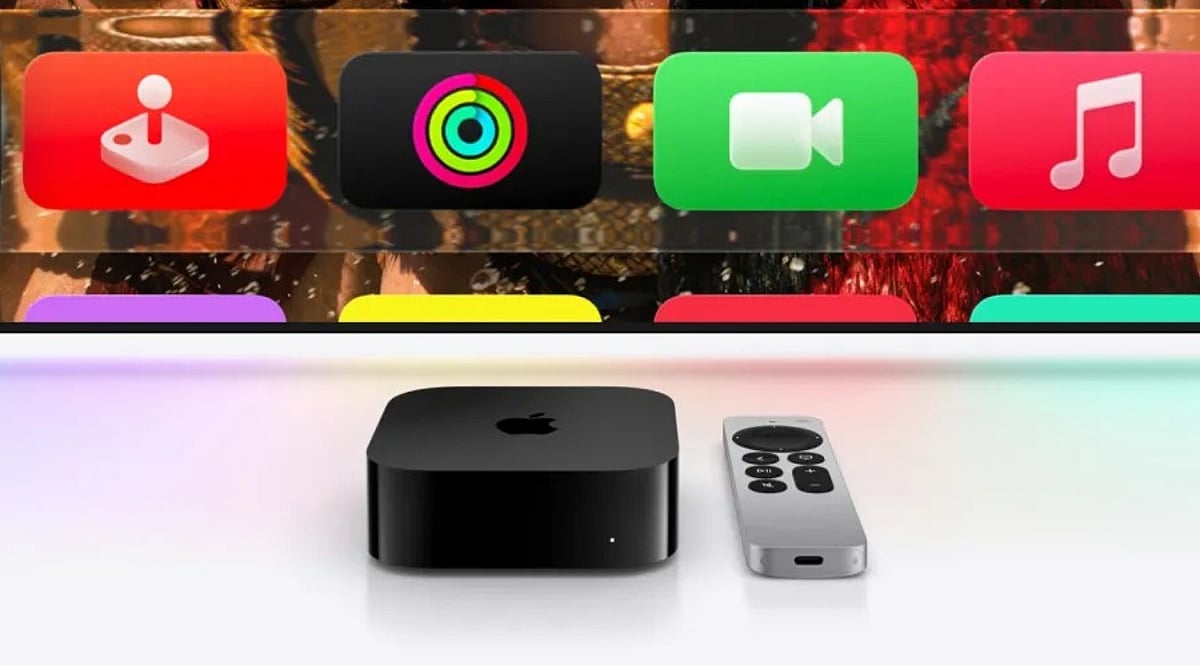
    Apple’s tvOS 27 update, released on September 14, 2026, brings a host of new features to supported Apple TV 4K models. While the update did not receive a major spotlight at Apple’s software event, it includes five significant additions: high-resolution lossless Apple Music, video podcasts, faster performance, improved accessibility options, and new parental controls. Here’s a detailed breakdown of what’s new and which devices are compatible.

    Lossless Apple Music Arrives on Apple TV

    Apple TV 4K can now play lossless music at up to 24-bit and 192 kHz—a feature that has been available on other Apple devices since 2021. This update also introduces AutoMix, which blends songs with tempo matching and crossfading for a seamless listening experience, perfect for parties or extended listening sessions.

    Video Podcasts Come to the TV Screen

    The redesigned Podcasts app now supports video shows with a new sidebar navigation. Video is delivered via HTTP Live Streaming, improving picture quality and enabling ad insertion for creators. Viewers can switch between audio and video, adjust playback speed from 0.5x to 3x, and access content in over 170 countries. Some users have noted that custom feeds like Patreon links may be harder to find in the new app.

    Performance Boost and Faster AirPlay

    Apple claims apps launch up to 30% faster, with smoother animations and a more responsive Control Center. AirPlay connections also start quicker when sharing content from an iPhone, iPad, or Mac. Additionally, software updates can now be initiated from the Home app on iPhone, making it easier to update multiple Apple TV units or HomePods at once.

    Enhanced Accessibility: Bigger Text and Transcribed Audio

    Dynamic Text support allows users to choose a preferred text size across supported apps, aiding those with low vision or who sit far from the screen. Transcribed audio generates text for content without standard captions, improving accessibility for older viewers or shared living spaces.

    Parental Control: App Blocking for Profiles

    Parents can now block specific apps for individual user profiles, closing a gap where children could bypass content restrictions by opening other apps. This feature aligns with Apple’s broader parental control updates in iOS 27.

    Compatibility and Smaller Updates

    tvOS 27 is available on the second- and third-generation Apple TV 4K models. The first-generation Apple TV 4K and Apple TV HD are not supported. Other improvements include smart downloads for media, a redesigned Apple TV Remote app for iPhone, and bug fixes from public beta 5. Notably, the new Siri AI features found on other Apple devices are not included in this release.

    What’s Next for Apple TV?

    Reports suggest a fourth-generation Apple TV 4K with an A17 or newer chip and Apple Intelligence support may launch later this year. The current third-generation model starts at $199 for 64GB. Apple has not confirmed any upcoming hardware.

    FAQ

    What are the main new features in tvOS 27?

    Lossless Apple Music, video podcasts, faster app launches, improved AirPlay, Dynamic Text, transcribed audio, and individual app blocking for parental controls.

    Which Apple TV models support tvOS 27?

    Second- and third-generation Apple TV 4K models. The first-generation Apple TV 4K and Apple TV HD are not supported.

    What audio improvements does tvOS 27 bring?

    Lossless playback up to 24-bit/192 kHz, AutoMix, and Crossfade for smoother music transitions.

    Does tvOS 27 include the new Siri AI?

    No, the new Siri AI features are not part of this update.

    What parental control feature was added?

    Parents can block specific apps for individual user profiles, giving more control over children’s app access.
  • Top 5 Washing Machine Deals on Flipkart With Over 40% Off This Weekend

    Top 5 Washing Machine Deals on Flipkart With Over 40% Off This Weekend

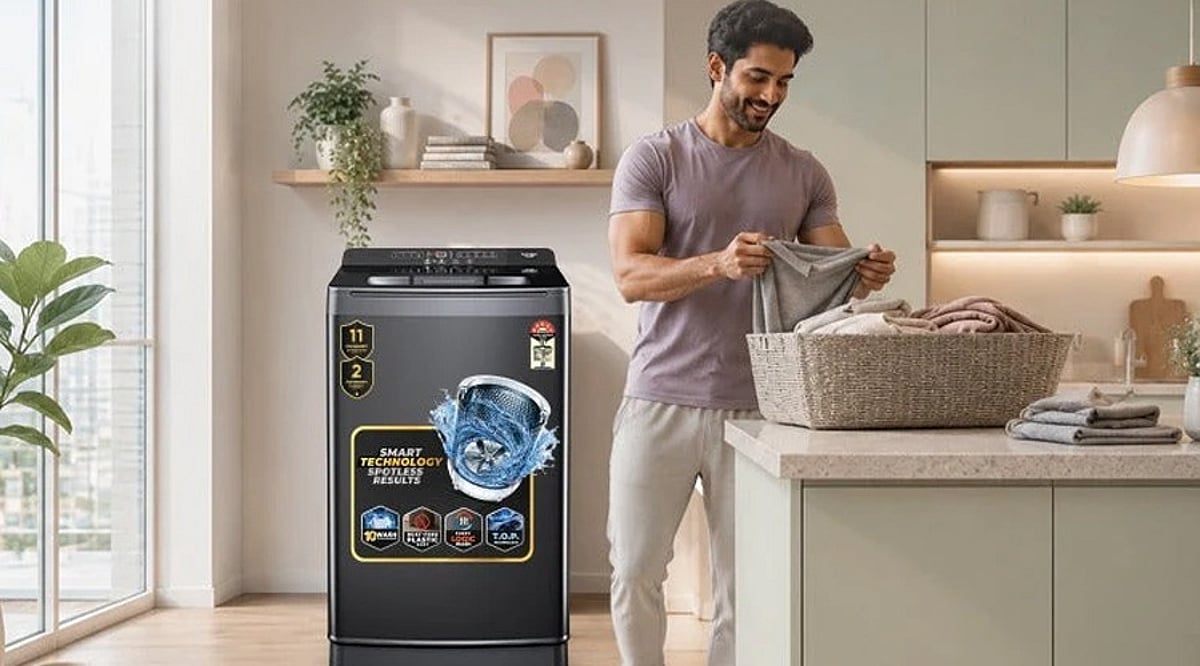
    Looking for a washing machine during the Flipkart weekend sale? These five Samsung, LG, Voltas Beko and Whirlpool models offer different capacities and washing options for households with varied laundry needs.

    Overview

    • Compare five washing machine options across capacities, designs and automatic or semi-automatic washing configurations.
    • Check Samsung, LG, Whirlpool and Voltas Beko models before choosing based on household laundry requirements.
    • Verify final sale prices, bank offers, exchange benefits and installation terms before completing your purchase.

    Buying a washing machine is rarely a small purchase, especially when you are looking for a model that can handle everyday laundry without pushing up electricity or water bills. Weekend sales on Flipkart can make the upgrade easier on the pocket, with discounts available across different capacities and washing-machine types.

    Best Washing Machines Available at Discounts

    For this list, we have picked five models worth checking if you are looking for a washing machine during the weekend sale. The selection includes semi-automatic, fully automatic, top-load and front-load options.

    Note: Do note that prices and discounts can change during the sale, so check the final price on Flipkart before placing an order.

    Samsung 8 kg 5 Star Semi Automatic Washing Machine

    If you have a larger family and prefer a semi-automatic washing machine, Samsung’s 8 kg model is one option to consider. The larger capacity means you can wash more clothes in a single cycle, which can be useful for households with regular heavy laundry loads.

    The 5-star energy rating is another point to consider if electricity consumption is an important factor. As a semi-automatic model, however, it requires some manual involvement during the washing process.

    Key highlights: 8 kg capacity, 5-star energy rating and semi-automatic operation.

    Buy Now!

    LG 6.5 kg Fully Automatic Top Load Washing Machine

    For smaller families, a 6.5 kg washing machine can offer a practical balance between capacity and size. LG’s fully automatic top-load model is designed for users who want to put their clothes in, select a wash cycle and let the machine handle the rest.

    The top-load design also makes it easier to load and remove clothes without bending as much as with a front-load machine.

    Key highlights: 6.5 kg capacity, fully automatic operation and top-load design.

    Buy Now!

    Also Read: Samsung vs LG Washing Machines: Which Brand Delivers Better Cleaning?

    Voltas Beko 6.5 kg Top Load Washing Machine

    Voltas Beko’s 6.5 kg top-load washing machine is another model to keep an eye on during the Flipkart sale. Its capacity should work well for couples and smaller families that do not need a large drum.

    The automatic format also means there is less manual work involved compared with a semi-automatic machine. If the model receives a steep discount during the sale, it could be worth comparing with other machines in the same capacity range.

    Key highlights: 6.5 kg capacity, automatic operation and top-load design.

    Buy Now!

    Whirlpool 6.5 kg Fully Automatic Top Load Washing Machine

    Whirlpool’s 6.5 kg fully automatic top-load washing machine is aimed at households looking for everyday convenience without moving to a larger machine. The capacity is suitable for routine laundry, while the automatic operation takes care of the wash cycle once the programme is selected.

    If you are considering this model, compare the Flipkart sale price with its regular selling price. Also check whether a bank offer or exchange discount is available at checkout.

    Key highlights: 6.5 kg capacity, fully automatic operation and top-load configuration.

    Buy Now!

    LG 7 kg Front Load Washing Machine

    Those looking for a front-load machine can consider LG’s 7 kg model. A 7 kg capacity should be sufficient for many small and medium-sized households, while the front-load design is suited to buyers who prefer this format over top-load machines.

    Front-load washing machines are generally positioned at a higher price point, so a substantial sale discount can make them more appealing. Check the available warranty, installation terms and payment offers before buying.

    Key highlights: 7 kg capacity, front-load design and fully automatic operation.

    Buy Now!

    Also Read: Best Walmart Weekend Deals on Fully Automatic Washing Machines (July 2026)

    Final Word

    A big discount can certainly make a washing machine more tempting, but it should not be the only reason to buy one. Capacity, machine type, energy efficiency, warranty and installation support are equally important.

    Before placing your order on Flipkart, check the current selling price, discount, bank offers and exchange benefits. Prices can change during the weekend sale, so the final checkout price is the one that matters.

    You May Also Like:

    • Bosch vs IFB Washing Machines: Which is Better in 2026?
    • Best LG Washing Machines Under Rs. 40000
    • Top 10 Best Voltage Stabilizers for Washing Machines in India 2026

    FAQs

    1. What should I check before buying a washing machine on Flipkart? Check the final price, capacity, energy rating, washing type, warranty, installation support, delivery charges, bank offers and exchange benefits before placing your order.
    2. Are washing machine discounts on Flipkart available throughout the weekend? Sale prices can change during the weekend. Check the product page and checkout price before purchasing, as discounts, stock availability and payment offers may vary.
    3. Which washing machine capacity is suitable for a small family? A 6 to 6.5 kg washing machine is generally suitable for smaller households, while larger families may prefer models offering 7 kg or higher capacity.
    4. Is a fully automatic washing machine better than a semi-automatic model? Fully automatic machines require less manual intervention, while semi-automatic models typically need clothes transferred between wash and spin tubs during the laundry cycle.
    5. Should I buy a washing machine only because it offers 40% discount? No. Compare capacity, features, energy efficiency, warranty and the actual selling price. A large discount does not necessarily mean the machine suits your requirements.
  • Bose Lifestyle Ultra Soundbar Review: Premium Home Audio with Dolby Atmos and Smart Connectivity

    Bose Lifestyle Ultra Soundbar Review: Premium Home Audio with Dolby Atmos and Smart Connectivity

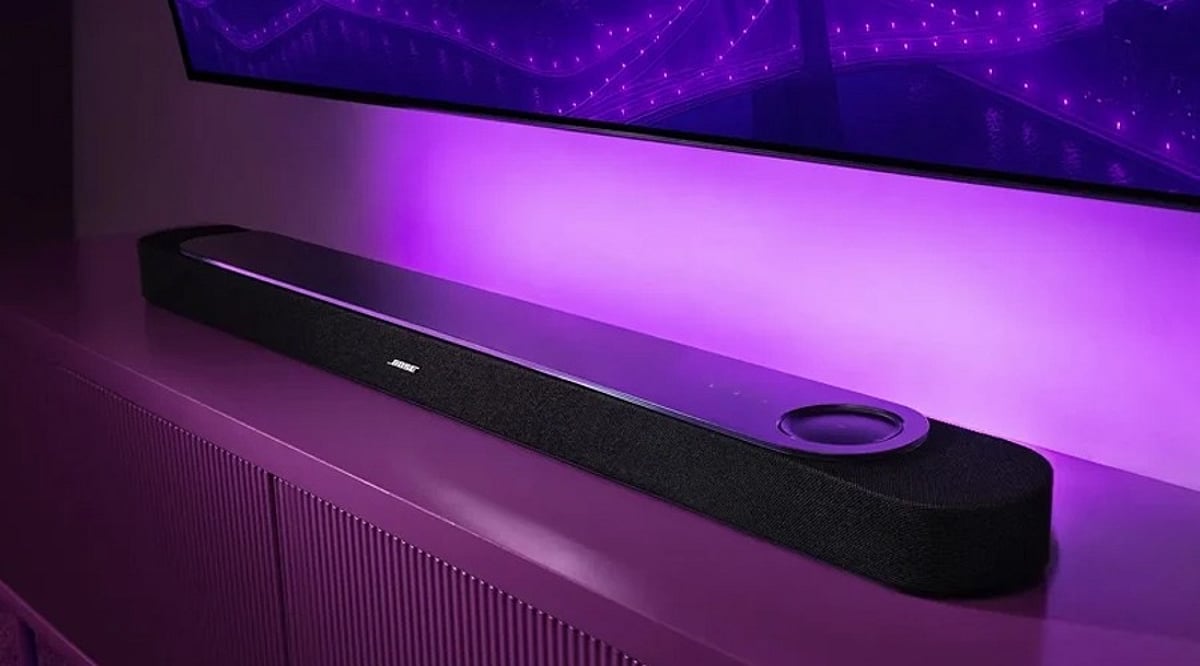
    The Bose Lifestyle Ultra Soundbar is a high-end home audio system designed for users who prioritize clear dialogue, immersive movie soundtracks, and musical performances in an elegant form factor. It features a 5.1.2-channel speaker configuration, Dolby Atmos support, Bose SpeechClarity and TrueSpace technologies, and CustomTune room calibration. Connectivity options include Apple AirPlay 2, Google Cast, Spotify Connect, Bluetooth 5.3, and Wi-Fi. The glass top and touch controls offer a more refined experience than the earlier Smart Ultra. While priced at a premium, its outstanding speech clarity and versatile connectivity make it a strong contender for a single-unit soundbar.

    General Specifications

    • Speaker System: 5.1.2 channels
    • Audio Technologies: Dolby Atmos, SpeechClarity, TrueSpace by Bose, CustomTune room calibration
    • Connectivity: Apple AirPlay 2, Google Cast, Spotify Connect, Bluetooth 5.3, Wi-Fi
    • Design: Glass top with touch controls

    Pros and Cons

    Pros

    • Exceptional dialogue clarity with SpeechClarity
    • Immersive Dolby Atmos with height channels
    • Easy room calibration via CustomTune
    • Wide connectivity options (AirPlay 2, Google Cast, Spotify Connect, Bluetooth, Wi-Fi)
    • Elegant glass-top design with convenient touch controls

    Cons

    • High price point
    • Mobile app and multi-room ecosystem lag behind competitors
    • Subwoofer sold separately, adding to cost

    Final Verdict

    The Bose Lifestyle Ultra Soundbar is an excellent choice for those seeking premium audio with crystal-clear dialogue and rich music playback. Its Dolby Atmos and height channels create an immersive experience, and CustomTune simplifies room calibration. Connectivity is top-notch with AirPlay 2, Google Cast, Spotify Connect, Bluetooth, and Wi-Fi. However, the Bose mobile app and multi-room capabilities are weaker compared to rivals, and the lack of an included subwoofer means additional expense. Overall, it is a superb single-unit soundbar for discerning listeners.

  • Daikin vs Mitsubishi: Choosing the Best Air Conditioner for Small Homes

    Daikin vs Mitsubishi: Choosing the Best Air Conditioner for Small Homes

    Finding the right air conditioner for a small home involves comparing top brands like Daikin and Mitsubishi. Both are known for reliability and performance, but the best choice depends on your specific needs. This article breaks down key factors to consider when deciding between the two.

    Cooling Performance

    Both Daikin and Mitsubishi deliver strong cooling performance in compact rooms. However, selecting the correct capacity based on room size, sunlight exposure, and insulation is more critical than simply picking a brand. A properly sized unit ensures efficient and consistent cooling.

    Energy Efficiency

    Energy efficiency varies across individual models, even within the same brand. Both manufacturers offer inverter air conditioners that adjust compressor output based on cooling demand, which can reduce electricity consumption during extended use. Compare specific Energy Efficiency Ratio (EER) ratings to find the most economical option.

    Noise Levels

    Low noise is especially valuable in bedrooms and small living spaces. Many Daikin and Mitsubishi models include quiet operation modes, but actual sound levels depend on the indoor unit, fan settings, and installation quality. Check decibel ratings for each model.

    Smart Features

    Depending on the model and market, both brands provide features like remote controls, timers, operating modes, and smart connectivity. Buyers should compare individual specifications rather than assuming all units offer the same capabilities.

    Installation and Space

    Small homes benefit from compact indoor units and careful installation planning. Before purchasing, review indoor and outdoor unit dimensions, airflow direction, wall clearance, and drainage needs. Professional installation is recommended to optimize performance and reliability.

    Maintenance Requirements

    Regular filter cleaning and periodic servicing are essential for any AC. Daikin and Mitsubishi systems both require routine maintenance. Consider service availability, replacement parts, and local technician expertise when making your choice.

    Which AC Should Small Homes Choose?

    There is no universal winner. Compare models based on room capacity, energy rating, noise level, dimensions, features, warranty, service availability, and price. The best system is the one that fits your specific requirements and budget.

  • 5 DIY Smart Home Projects You Can Build with a Raspberry Pi

    5 DIY Smart Home Projects You Can Build with a Raspberry Pi

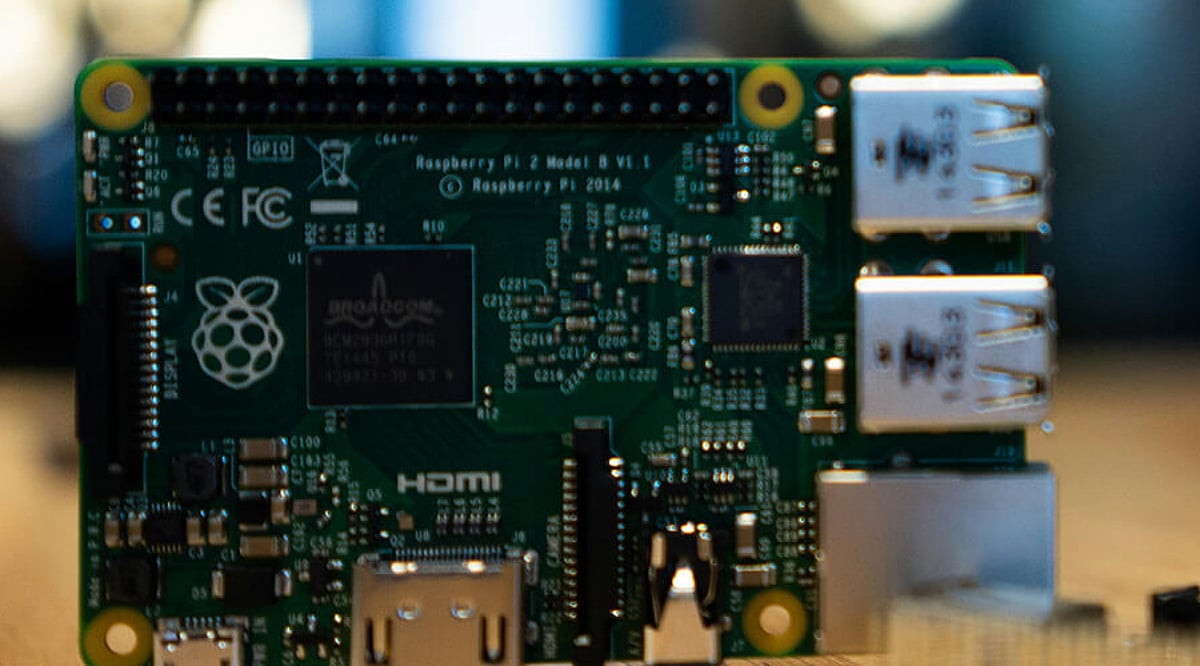
    Raspberry Pi is a compact, affordable computer that can serve as the brain for a wide range of home automation projects. By connecting sensors, switches, cameras, and other devices, you can build systems that monitor conditions and trigger actions automatically. These projects not only make your home smarter but also offer a hands-on way to learn about programming, networking, and the Internet of Things (IoT). Best of all, most can be expanded as you add more devices.

    1. Automated Smart Lighting

    With a Raspberry Pi, you can control lights based on schedules, motion sensors, or voice commands. Motion sensors can turn lights on when someone enters a room, while timers can switch them off automatically. Using appropriate hardware and software, you can create different lighting routines for various rooms. This project provides a practical introduction to automated device control.

    2. Smart Temperature Monitoring

    Connect temperature and humidity sensors to your Raspberry Pi to build a home environment monitoring system. The device can collect readings at regular intervals and display them on a local dashboard. You can also configure alerts when temperatures cross selected thresholds. This project is ideal for monitoring rooms, storage areas, or any space where environmental conditions need regular observation.

    3. DIY Home Security System

    Pair a Raspberry Pi with cameras and motion sensors to create a basic home monitoring system. The setup can capture images or video when movement is detected and store recordings for later review. You can also add notifications to alert you of activity. Remember to implement proper network security and access controls when connecting cameras to the internet.

    4. Smart Doorbell and Alerts

    Build a customized smart doorbell using a button, camera, and speaker connected to a Raspberry Pi. When someone presses the button, the system can capture an image and send an alert to your phone or another device. With the right hardware and software, you can add two-way communication, motion detection, or automated responses to create a more capable setup.

    5. Voice-Controlled Home Devices

    With suitable software and microphones, a Raspberry Pi can become part of a voice-controlled home automation system. You can issue commands to control lights, switches, or other connected devices. This project demonstrates how voice interfaces interact with IoT hardware. Be mindful of privacy settings, especially when using microphones or cloud-based services.

    Bonus: Create a Custom Automation Hub
    Bring multiple projects together by using your Raspberry Pi as a central dashboard or automation platform. Connect sensors, lights, cameras, and switches, then create rules that link different devices. For example, motion detection could trigger lighting automatically. Building a central hub lets you experiment with increasingly complex smart-home routines while retaining full control over your setup.

  • How to Connect Multiple HDMI Devices to One TV: A Complete Guide

    How to Connect Multiple HDMI Devices to One TV: A Complete Guide

    Modern entertainment setups often involve several HDMI devices—gaming consoles, streaming sticks, Blu-ray players, laptops, and set-top boxes—but many TVs come with only a few HDMI ports. This guide walks you through the steps to connect and manage multiple HDMI devices using a single TV, whether you have enough ports or need an external switch.

    Check Your TV’s HDMI Ports

    Before connecting anything, examine the back or side of your TV to see how many HDMI ports are available. Note which ports are already in use by other devices like soundbars or cable boxes. This will help you plan your setup.

    List Your HDMI Devices

    Identify all the devices you want to connect: gaming consoles (PlayStation, Xbox, Nintendo Switch), streaming devices (Roku, Amazon Fire Stick, Apple TV), Blu-ray players, laptops, or set-top boxes. Knowing exactly what you need to connect will determine whether you can use the TV’s built-in ports or need an HDMI switch.

    Use Available HDMI Ports Directly

    If your TV has enough HDMI ports for all your devices, simply connect each device to a separate port. This is the simplest and most reliable method, as it avoids additional hardware and potential signal degradation.

    Get an HDMI Switch

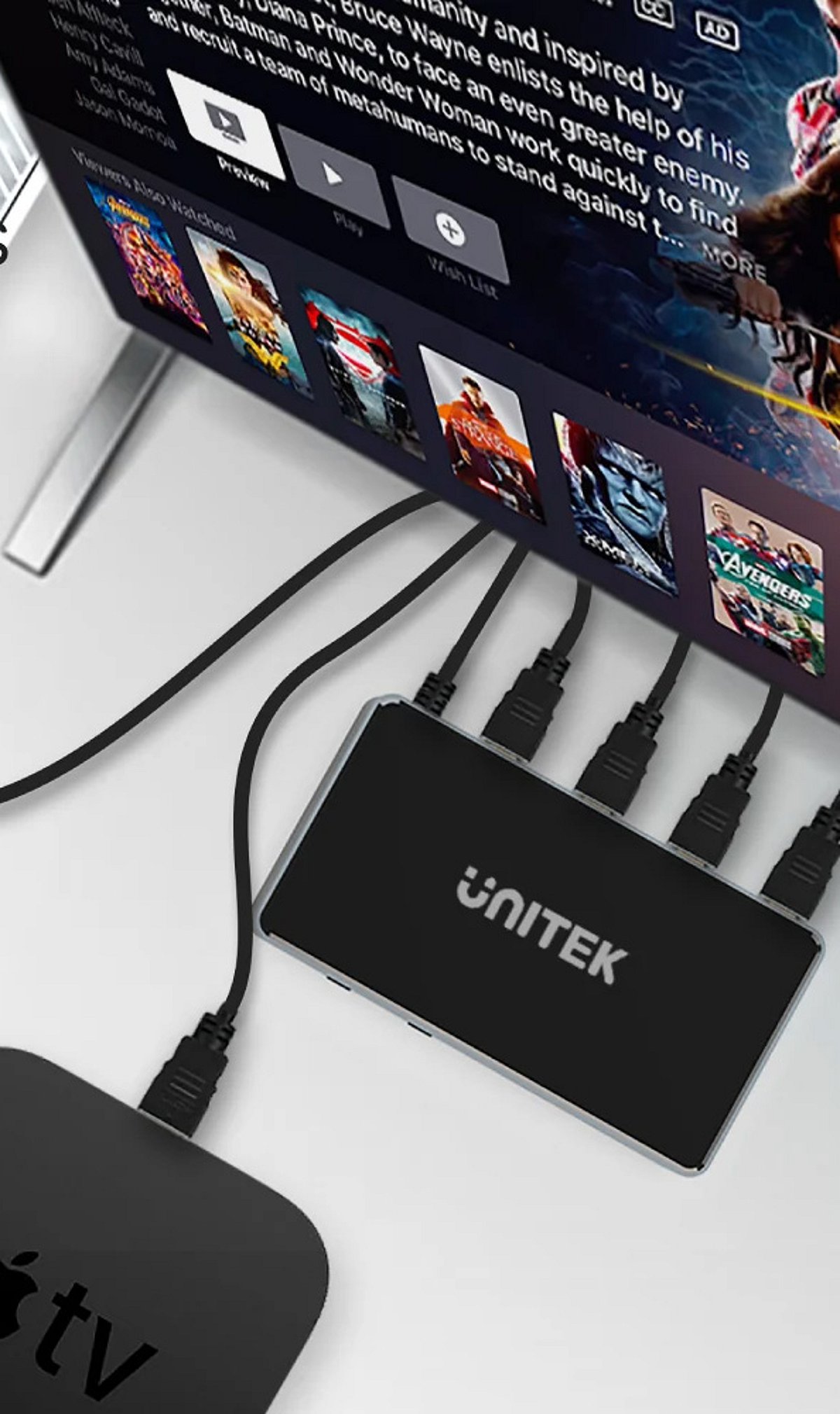
    If your TV lacks sufficient HDMI ports, an HDMI switch is the solution. A switch allows you to connect multiple devices to a single TV port. Switches come in various sizes (e.g., 3-port, 5-port) and support different resolutions and refresh rates.

    Connect the HDMI Switch

    Plug the HDMI switch into one of your TV’s available HDMI ports. Then connect your gaming consoles, streaming devices, and other equipment to the switch’s input ports. Most switches are plug-and-play, requiring no additional software.

    Choose the Right HDMI Switch

    Before purchasing a switch, check the supported resolution (1080p, 4K, 8K), refresh rate (60Hz, 120Hz), HDR compatibility, and HDMI version (2.0, 2.1). Ensure the switch matches your devices’ capabilities to avoid issues like lag or poor picture quality.

    Switch Between Connected Devices

    Most HDMI switches come with a physical button or a remote control to toggle between connected devices. Press the button or use the remote to select the device you want to use, eliminating the need to repeatedly unplug and replug cables.

    Check Audio and Video Settings

    After connecting everything, turn on your TV and select the correct HDMI input (the one connected to the switch, or the direct port). Verify that video, sound, HDR, and refresh rates are working properly. Adjust settings in your TV’s menu if needed.

    Keep Your Setup Organized

    Label your HDMI cables and the ports on the switch to quickly identify which device is which. This makes switching between consoles and other devices much simpler and keeps your entertainment area tidy.

    By following these steps, you can enjoy a clutter-free, efficient multi-device setup without constantly swapping cables. Share this guide with anyone looking to simplify their home entertainment system.

  • Apple’s Smart Home Push: New Apple TV, HomePod Mini, and Siri-Focused Hub on the Horizon

    Apple’s Smart Home Push: New Apple TV, HomePod Mini, and Siri-Focused Hub on the Horizon

    Apple is reportedly planning a major expansion of its smart home product lineup, with an October event expected to introduce new devices including an Apple TV, a HomePod mini, and a dedicated smart home hub that puts Siri at the center of the experience.

    According to reports, the event would follow Apple’s traditional September iPhone launch and is likely to also feature updates to Macs and iPads. Among the products rumored to be in the pipeline are an OLED iPad mini, new MacBook and iMac models, along with the smart home hardware. While Apple has not confirmed the event or any specific products, Bloomberg’s Mark Gurman has indicated that most of these devices are planned for later this year, with an October reveal looking increasingly likely.

    The speculation is not without precedent. Apple has frequently used October events to announce new hardware, often through press releases rather than keynotes. For example, the company unveiled its M1 Pro and M1 Max MacBook Pro models in October 2021, and Macs were also announced during October events in 2024 and 2025.

    Siri Could Take Center Stage

    The reported launch comes at an interesting time for Apple, as the company is reportedly working on a more capable version of Siri. The new home products could give the assistant a larger role in daily life, moving beyond simple queries to controlling smart devices, checking information, and managing tasks. The screen on the rumored Home Hub could make these interactions more visual and intuitive.

    This strategy could allow Apple to connect several products through a single ecosystem. The Apple TV would handle entertainment, the HomePod mini would focus on audio, and the Home Hub would serve as the command center for Siri and device controls. If the reports prove true, Apple’s next step may be less about any single device and more about building a truly connected home—a vision that hinges on how useful Siri becomes across the product range.

    Until Apple makes an official announcement, these remain rumors, but the pattern of October hardware reveals suggests that a smart home push could be imminent.

  • 2026 QLED TV Buying Guide: Top Models for India and Expert Tips

    2026 QLED TV Buying Guide: Top Models for India and Expert Tips

    Introduction

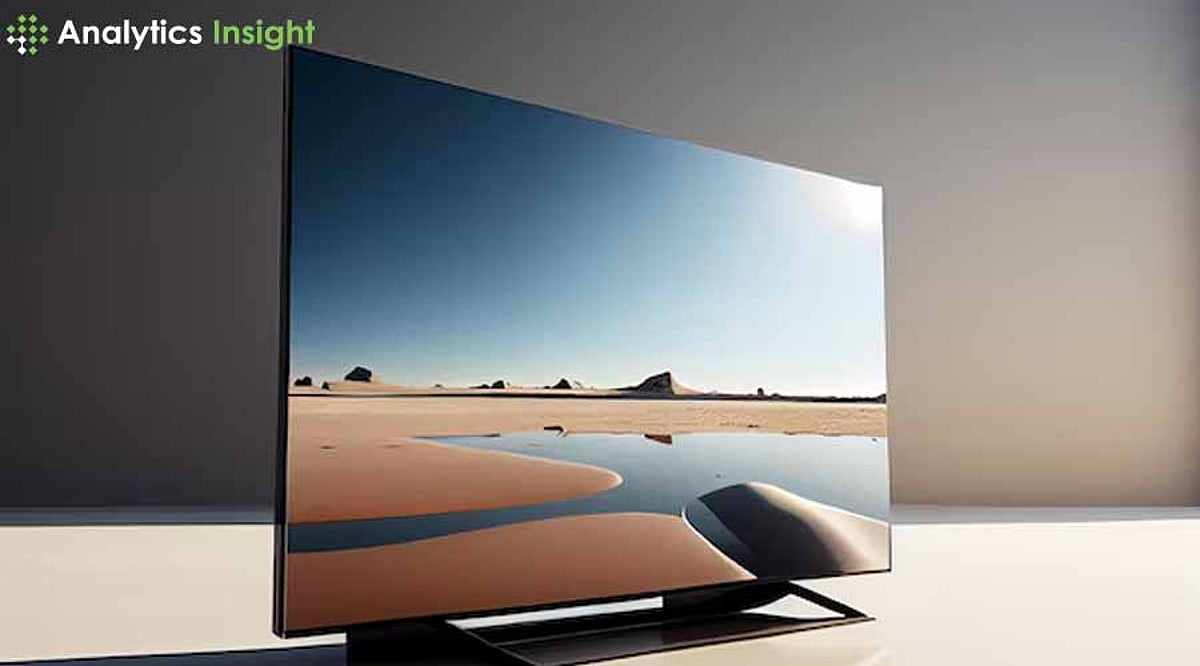
    A QLED TV offers more than just a large screen and high resolution. Its quantum dot technology delivers deeper contrasts, more vibrant colors, and superior brightness, transforming your home entertainment experience. Since early 2025, the Indian QLED market has evolved significantly. Mini-LED backlighting is now standard on mid-range models, and native 144Hz panels are available under ₹60,000. New brands like Lumio have raised the bar for budget QLED performance, making 2026 an exciting year for buyers.

    Key Features to Consider

    • Refresh Rate (Hz): Standard TVs run at 60Hz, but 120Hz is common in mid-range sets, and 144Hz panels are now widely available in India. Higher refresh rates reduce motion blur for sports and gaming.
    • Local Dimming: This feature allows different parts of the screen to adjust brightness independently, boosting contrast by making dark areas blacker and bright areas whiter within the same scene.
    • HDR (High Dynamic Range): HDR displays a wider range of brightness levels, preserving details in both very bright and very dark areas for a more realistic image with greater depth.
    • Gaming Features: Auto Low Latency Mode (ALLM) reduces input lag, while Variable Refresh Rate (VRR) eliminates screen tearing. Premium 2026 models often include sub-6ms input lag and full HDMI 2.1 support.

    Top QLED TVs in India for 2026

    1. Acer 139 cm (55 inches) Super Series 4K Ultra HD Smart QLED Google TV

    The Acer Super Series stands out with its powerful 80W PRO speakers and GIGA Bass, delivering room-filling sound without external audio. MEMC technology reduces motion blur in fast scenes, and AI picture optimization automatically adjusts settings. Dolby Vision enhances contrast and color accuracy, while Google TV provides easy access to streaming services.

    Pros: Exceptional color accuracy; powerful 80W speakers with rich bass. Cons: No Dolby Vision IQ support; limited premium app availability.

    2. TCL 139 cm (55 inches) 4K Ultra HD Smart QLED Google TV 55C61B

    The TCL 55C61B excels in motion handling with a 120Hz refresh rate, making it ideal for sports and action content. The ONKYO 2.1 channel speakers provide balanced sound, often eliminating the need for a soundbar. Dolby Vision and AI-enhanced picture quality ensure optimal viewing across different content types.

    Pros: Excellent motion clarity for sports and gaming; quality ONKYO speakers. Cons: Limited HDMI ports; slightly lower brightness than premium models.

    3. Lumio Vision 9 (2026) [NEW]

    Marketed as a flagship killer, the Lumio Vision 9 brings 144Hz refresh rates to the budget segment across 55-inch and 65-inch sizes. It targets buyers who want high-speed performance without the flagship price tag.

    Pros: 144Hz at a budget price; strong value for gamers. Cons: Newer brand with a shorter service track record.

    4. LG QNED evo QNED85B

    Built for sunlit Indian living rooms, this model holds saturation and clarity against heavy ambient light. Full HDMI 2.1 gaming support pairs with LG’s Magic Remote for easy navigation. It’s a solid choice for bright-room daytime viewing.

    Pros: Excellent bright-room performance; full HDMI 2.1 gaming support. Cons: Colors can look less punchy in dark rooms.

    5. Hisense 139 cm (55 inches) E68N Series 4K Ultra HD Smart Google QLED TV

    The Hisense E68N Series offers vibrant colors and sharp contrast at an affordable price. Quantum Dot display and Dolby Vision support enhance content, while Google TV integration provides voice control and easy access to streaming services.

    Pros: Vibrant colors at an affordable price point; user-friendly interface. Cons: 24W speakers insufficient for larger rooms; standard 60Hz refresh rate.

    6. TOSHIBA 164 cm (65 inches) C450NP Series 4K Ultra HD Smart QLED TV

    The Toshiba C450NP Series provides a large 65-inch screen for an immersive experience. Quantum Dot technology delivers good contrast and rich colors on the large display, and the VIDAA TV platform offers easy navigation and access to streaming apps.

    Pros: Immersive large-screen experience; straightforward user interface. Cons: Basic 24W speakers; 60Hz refresh rate limits gaming performance.

    Finding Your Perfect QLED TV

    When selecting a QLED, consider your room size and viewing distance. For an average living room, a 55-inch screen is ideal; larger rooms benefit from 65 inches or more. Brightness is key for well-lit rooms—look for models with at least 1000 nits for the best daytime viewing. Gamers should prioritize higher refresh rates, ALLM, VRR, and HDMI 2.1 support. Movie lovers should focus on color accuracy and HDR quality. Budget shoppers should rank their must-have features before comparing prices.

    Conclusion

    QLED technology continues to improve picture quality through better color reproduction, contrast, and brightness. The models on this updated list reflect where the Indian market stands in September 2026, with 144Hz panels and HDMI 2.1 support now reaching budget tiers that lacked them a year ago. Each pick suits a different need, from premium gaming to bright-room daytime viewing. These aren’t just better specs on paper—they translate into daily viewing that feels sharper, smoother, and more lifelike than ever before.

  • 5 Common PC Audio Mistakes That Ruin Your Sound Quality (And How to Fix Them)

    5 Common PC Audio Mistakes That Ruin Your Sound Quality (And How to Fix Them)

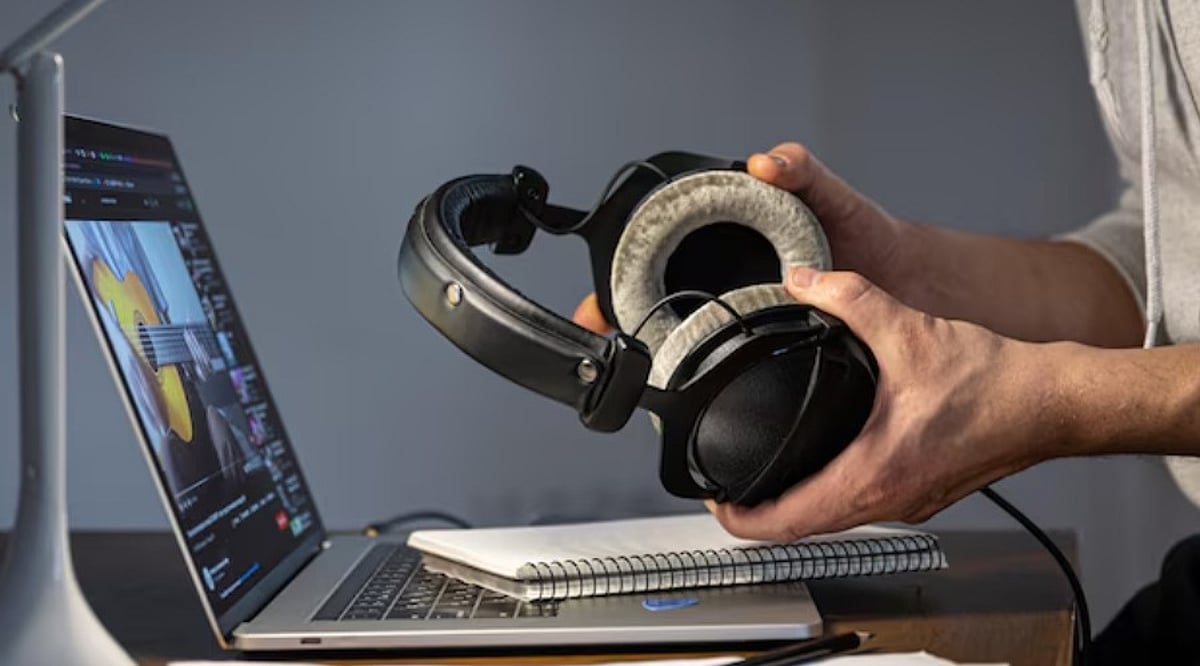
    Is your PC audio distorted, too quiet, or cutting out? These five common mistakes could be responsible, and simple changes to Windows settings and connections may help restore better sound.

    Overview

    • Outdated drivers can cause crackling, distortion, low volume, and unexpected audio interruptions on Windows PCs.
    • Incorrect audio settings may affect playback quality even when your headphones or speakers work properly.
    • Checking connections, output devices, and audio formats can resolve several common PC sound problems.

    When your PC starts sounding worse than usual, it is easy to blame the headphones or speakers. Yet, the hardware may not be the problem at all. A driver issue, an incorrect Windows setting, or even a loose cable can affect sound quality without giving you an obvious clue about what went wrong.

    Fix Simple Mistakes, Improve PC Audio

    Before you spend money on a new headset or speaker, it is worth checking a few simple things. Here are five common PC audio mistakes and what you can do to fix them:

    1. Not Updating Your Audio Drivers

    Audio drivers help Windows communicate with the sound hardware inside your PC. When a driver becomes outdated, corrupted, or incompatible after an update, you may start hearing crackling, distortion, low volume, or audio that cuts out unexpectedly. The problem can be easy to miss because Windows may still show that your headphones or speakers are connected.

    How to Fix It: Open Device Manager and go to Sound, video and game controllers. Find your audio device, right-click it, and select Update driver. If updating does not solve the problem, reinstall the driver or check your PC manufacturer’s website for a newer version.

    2. Leaving Audio Enhancements On

    Audio enhancements sound useful, but they do not always make your audio better. Depending on your PC and headphones, they can make music sound distorted, change the volume, or add effects you may not want. This is particularly noticeable when your headphones or speakers already have their own audio-processing features.

    How to Fix It: Go to Settings > System > Sound, select your audio device, and look for Audio enhancements. Turn them off and play the same song or video again. If the sound improves, you have likely found the culprit.

    3. Picking the Wrong Audio Format

    Windows allows you to choose different audio formats, including different sample rates and bit depths. While there is no single setting that works perfectly for every device, the wrong combination can sometimes result in distortion, dropouts, or inconsistent playback. This can happen after switching to a new pair of headphones or installing new audio software.

    How to Fix It: Open the settings for your audio device and go to its Advanced properties. Under Default format, try another available option and test your audio. If the problem gets worse, simply switch back.

    4. Sending Sound to the Wrong Device

    If you regularly connect Bluetooth headphones, USB speakers, a monitor, or a wired headset to your PC, there can be several audio outputs available at once. Windows may switch to another output when a new device is connected. You might then think your headphones have stopped working when the audio is actually being sent to your monitor or another connected device.

    How to Fix It: Go to Settings > System > Sound and check the Output section. Select the headphones or speakers you want to use and make sure they are the selected playback device.

    5. Overlooking Cables and Connections

    Sometimes, the simplest explanation is the right one. A loose cable, damaged connector, unreliable USB port, or unstable Bluetooth connection can all cause audio problems. The source you are listening to matters as well. If a song, video, or recording has poor quality or is heavily compressed, changing your Windows settings will not bring back the missing detail.

    How to Fix It: Reconnect your device, try another cable or USB port, and test the same headphones or speakers with another device. With Bluetooth, move closer to the PC and check whether other nearby devices could be causing interference.

    Final Thoughts

    Bad PC audio does not always mean your headphones or speakers need replacing. Quite often, the problem is hiding in a setting, driver, or connection that takes only a few minutes to check. So, before buying new audio hardware, start with the basics. Update the drivers, turn off unnecessary enhancements, check the audio format, select the right output, and inspect your connections. These simple checks could be enough to get your PC audio back to normal.

    FAQs

    Why does my PC audio sound distorted or crackly?

    Distorted or crackling audio can be caused by outdated drivers, audio enhancements, incorrect formats, damaged cables, Bluetooth interference, or problems with the connected audio device.

    How can I update my PC’s audio drivers?

    Open Device Manager, select Sound, video and game controllers, right-click your audio device, and choose Update driver. You can also check your manufacturer’s website.

    Should I turn off Windows audio enhancements?

    If your audio sounds unnatural, distorted, or overly processed, turn audio enhancements off and test playback. Some headphones and speakers already use their own audio-processing features.

    Why is my PC sending sound to the wrong device?

    Windows can switch audio output when you connect monitors, Bluetooth headphones, USB speakers, or wired headsets. Check Settings > System > Sound and select your preferred output.

    Can a poor-quality audio source affect sound quality?

    Yes. Heavily compressed music, videos, or recordings may already have lost audio detail. Changing Windows settings cannot restore information that was removed from the original source.

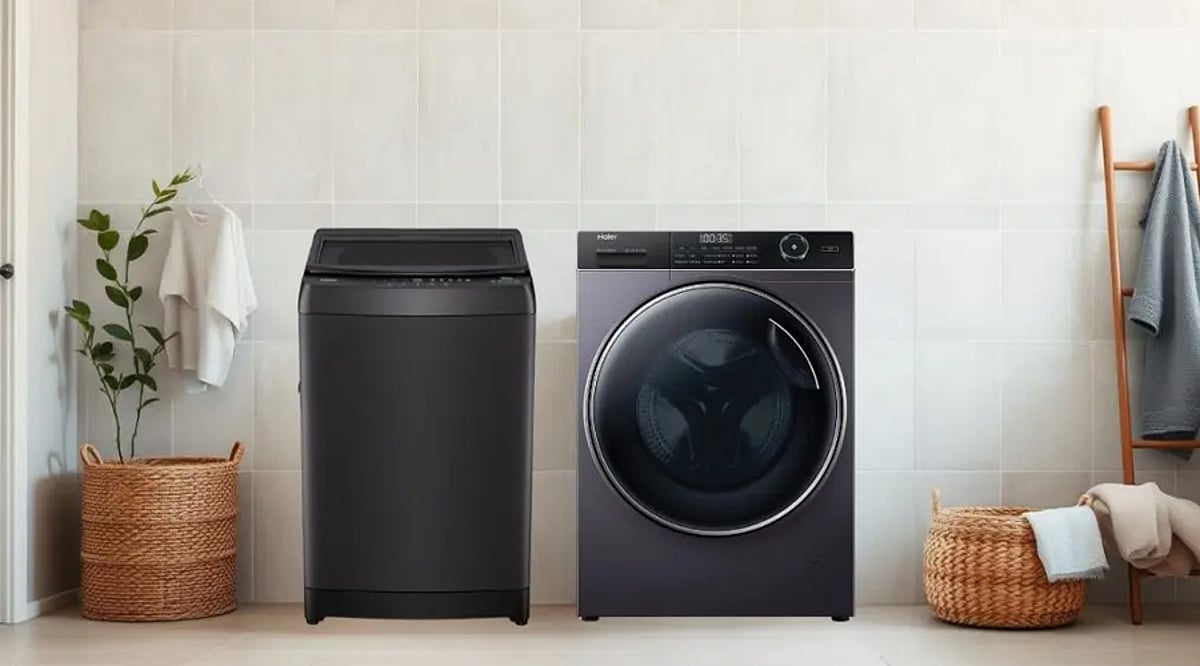
  • Front-Load vs. Top-Load Washers: Which Design Fits Your Home?

    Front-Load vs. Top-Load Washers: Which Design Fits Your Home?

    Choosing between a top-load and front-load washing machine comes down to more than just looks. The two designs handle water, cleaning, maintenance, and installation differently, so the right choice depends on your laundry habits and available space.

    Design and Accessibility

    Top-load washers open from the top, letting you add or remove clothing while standing upright. Front-load washers open from the front, which requires bending down during loading. This difference also affects installation flexibility and whether you can stack a dryer above the machine.

    Water Usage

    Front-load washers generally use less water because the drum tumbles clothes through a smaller pool of water. Traditional top-load models with agitators often use more water, but newer high-efficiency top-load washers can reduce consumption significantly compared with older machines.

    Cleaning Performance

    Front-load washers clean by tumbling clothes through the wash solution, lifting and dropping them repeatedly to deliver thorough cleaning with less mechanical stress. Top-load washers rely on agitators or impellers, and modern versions provide strong cleaning performance across many fabric types and load sizes.

    Energy Efficiency

    Front-load washers are often more energy efficient because they need less water, which cuts the energy required for heating. Their faster spin speeds also remove more moisture, which can shorten drying times. Efficiency still depends on the model, settings, load size, and how you use the machine.

    Convenience and Comfort

    Top-load washers are convenient if you want to avoid bending down, and some models let you add forgotten items mid-cycle. Front-load washers require bending, but pairing one with a pedestal or elevated platform can make loading and unloading much easier.

    Maintenance Needs

    Front-load washers need regular cleaning around the door gasket, since trapped moisture can lead to odors. Top-load washers don’t have that seal, but the drum and dispensers still need periodic cleaning. Following the manufacturer’s maintenance guide helps keep either type running reliably.

    Space and Installation

    Front-load washers can be stacked with a compatible dryer, which is helpful in compact laundry areas. Top-load washers need enough vertical clearance for the lid to open fully. Measure the space carefully before buying, taking into account door swing, ventilation, plumbing connections, and clearance around the unit.

    Which One Should You Choose?

    If you want better efficiency, faster drying, and the option to stack appliances, a front-load washer may be the better fit. If you prefer loading laundry without bending and want a simpler machine at a lower upfront cost, a top-load washer could be the right choice.