Category: Home Electronics

  • Haier M70 Mini LED TV Brings 4K Picture, AI Enhancement, and 120Hz Gaming to Multiple Screen Sizes

    Haier M70 Mini LED TV Brings 4K Picture, AI Enhancement, and 120Hz Gaming to Multiple Screen Sizes

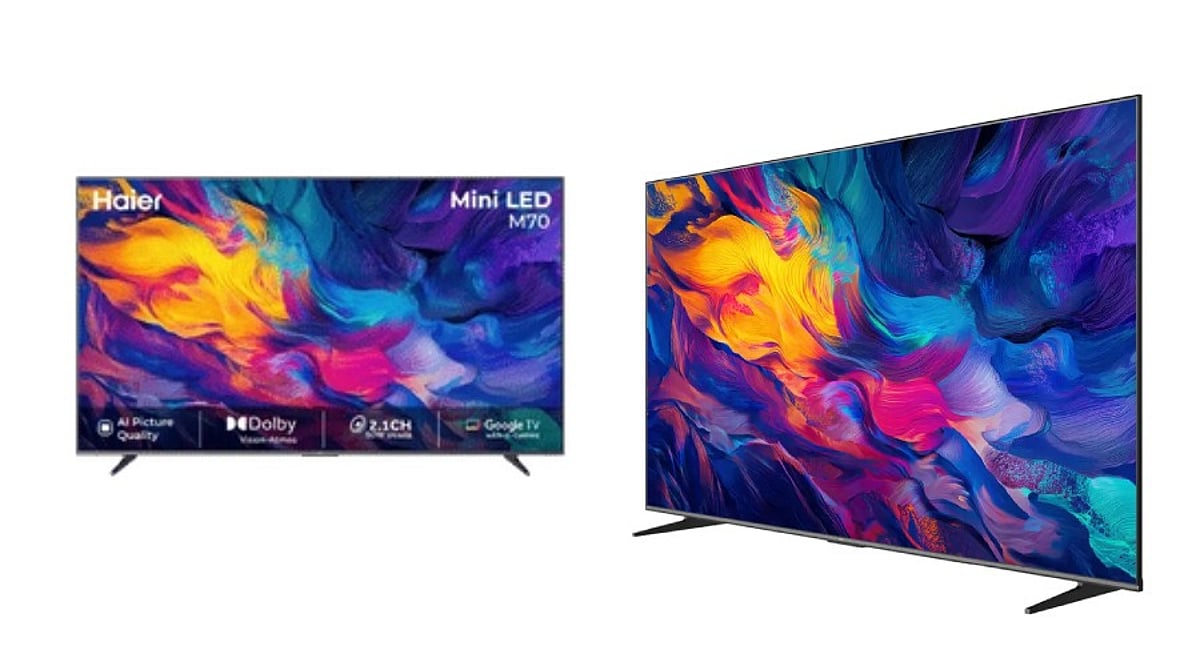
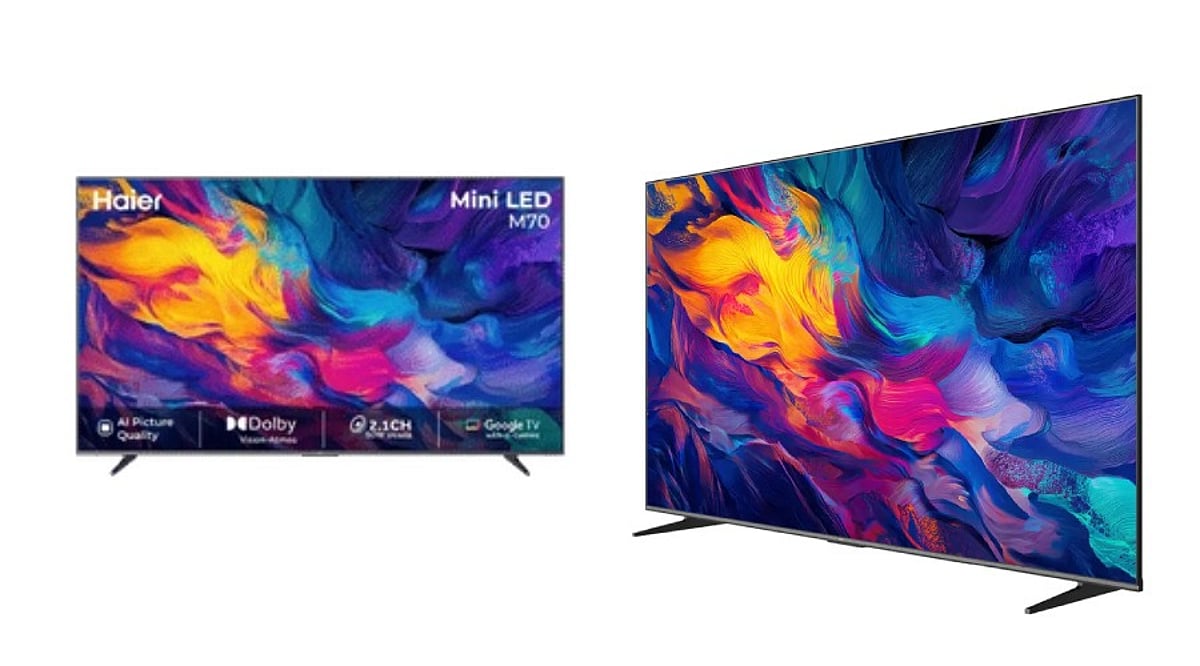
    The Haier M70 Mini LED TV series delivers a well-rounded package of modern television features across five screen sizes. With 4K Mini LED technology, AI-powered picture tools, 120Hz gaming support, Dolby Vision and Atmos, and Google TV integrated with Gemini, the M70 aims to be a versatile choice for movies, sports, and gaming. The 65-inch model further stands out with a 50W 2.1-channel audio system that includes a built-in subwoofer.

    Mini LED Technology Powers the Display

    The M70 series uses Mini LED backlighting, which employs smaller LEDs than conventional LED TVs, enabling finer control over brightness across the screen. This is combined with Micro Dimming technology that adjusts light levels across multiple zones. The 65-inch variant features a 3840 x 2160 4K resolution with a D-LED panel and delivers approximately 93 percent DCI-P3 color gamut coverage, ensuring vibrant and accurate colors.

    High dynamic range is supported through Dolby Vision and HDR10+, while MEMC (Motion Estimation, Motion Compensation) helps keep fast-moving scenes clear. Haier includes several AI-driven enhancements:

    • AI Picture Quality: Real-time adjustment of image details.
    • AI HDR Enhancer: Improved highlight detail and contrast.
    • AI Color Boost: Enhanced color saturation and impact.
    • AI Motion: Smoother rendering of fast sequences.
    • AI Noise Reduction: Reduction of unwanted image noise.

    Brightness Considerations

    It is important to note that Mini LED does not offer the same pixel-level black control as OLED. The 65-inch M70 has a measured peak brightness of approximately 320 nits. While not the brightest in the premium Mini LED segment, the TV focuses on color accuracy, contrast, HDR support, and AI processing to deliver a satisfying viewing experience.

    Gaming Features at 120Hz

    The M70 supports a 120Hz refresh rate along with Variable Refresh Rate (VRR), Auto Low Latency Mode (ALLM), and MEMC. These features reduce input lag and motion blur, making it suitable for fast-paced games. A dedicated Gaming Bar provides quick access to settings such as Shadow Enhancement and Crosshair Assist. The 65-inch model supports 4K at 60Hz and 1080p at 120Hz via DLG (Dual Line Gate) technology.

    Audio Performance

    The 65-inch model comes with a 50W 2.1-channel audio system that includes a built-in subwoofer and supports Dolby Atmos for an immersive soundstage. In tests, the system delivers strong volume and useful bass, potentially reducing the need for an external soundbar. At very high volumes, some harshness may appear, so moderate listening levels are recommended for optimal clarity.

    Smart Platform: Google TV with Gemini

    The M70 runs Google TV on Android 14, complete with Gemini AI assistance and Chromecast Built-in for easy content streaming from compatible devices. The 65-inch model is equipped with 2GB of RAM and 32GB of storage—sufficient for apps and games, though the interface can feel slightly sluggish at times.

    Size Options and Pricing

    Haier offers the M70 in five sizes: 43, 55, 65, 75, and 85 inches. Launch prices ranged from approximately Rs. 39,190 to Rs. 1,69,990 depending on size and configuration. The 43-inch model starts at about Rs. 40,690 on Haier’s official store. Retail prices may vary with promotions and availability.

    Conclusion

    The Haier M70 Mini LED TV series brings together a compelling mix of advanced display technology, smart features, gaming support, and robust audio. While brightness and black levels do not rival OLED or high-end Mini LED competitors, the M70 offers strong value for those seeking a feature-rich television across a range of screen sizes.

    Frequently Asked Questions

    1. What screen sizes does the Haier M70 offer?
    The M70 comes in 43-inch, 55-inch, 65-inch, 75-inch, and 85-inch sizes.

    2. Does the Haier M70 support 120Hz gaming?
    Yes. The TV supports 120Hz, VRR, ALLM, MEMC, Gaming Bar features, and 1080p at 120Hz through DLG support on the 65-inch model.

    3. Which HDR formats does the M70 support?
    The TV supports Dolby Vision and HDR10+ for compatible content.

    4. What audio system does the 65-inch M70 have?
    The 65-inch model has a 50W 2.1-channel audio system with a built-in subwoofer and Dolby Atmos.

    5. Does the Haier M70 have Google TV and Gemini?
    Yes. The M70 runs Google TV on Android 14 and includes Gemini support, along with Chromecast Built-in.

  • Haier M70 Mini LED TV Review: 4K Visuals, AI Tools, and 120Hz Gaming Across Five Sizes

    Haier M70 Mini LED TV Review: 4K Visuals, AI Tools, and 120Hz Gaming Across Five Sizes

    The Haier M70 Mini LED TV series brings a combination of 4K resolution, Mini LED backlighting, AI-powered image tools, and 120Hz gaming support to home entertainment. Available in sizes from 43 to 85 inches, the M70 aims to deliver premium-style features at a competitive price point. Here is a breakdown of what the TV offers.

    Key Takeaways

    • Mini LED display with 4K resolution, Micro Dimming, Dolby Vision, HDR10+, and AI picture tools for detailed, vibrant visuals.
    • 120Hz refresh rate, VRR, ALLM, MEMC, Gaming Bar, and 1080p 120Hz DLG support for smooth gaming.
    • Google TV with Gemini, Chromecast Built-in, 32GB storage, and 50W 2.1-channel audio on the 65-inch model.

    Mini LED Technology Enhances Picture Quality

    The M70 uses Mini LED backlights, which are smaller than traditional LEDs, allowing tighter control over screen lighting. Haier pairs this with Micro Dimming, adjusting light across multiple zones for improved contrast. The 65-inch model features a 3840 x 2160 4K D-LED panel, covering about 93% of the DCI-P3 color gamut. It supports Dolby Vision and HDR10+ for high dynamic range content, and MEMC for smoother motion.

    AI tools further refine the picture: AI Picture Quality adjusts details in real time, AI HDR Enhancer improves highlights and contrast, AI Color Boost adds vibrancy, AI Motion handles fast scenes, and AI Noise Reduction minimizes image noise.

    Brightness Considerations

    Mini LED is not OLED. The M70 uses a backlight with zones, not per-pixel control. While contrast is strong, it cannot match OLED’s black levels. The 65-inch model has a measured peak brightness of about 320 nits, focusing more on color accuracy and HDR support than extreme brightness.

    120Hz Gaming Features

    The M70 supports a 120Hz refresh rate, Variable Refresh Rate (VRR), Auto Low Latency Mode (ALLM), and MEMC. A Gaming Bar provides quick access to settings, while Shadow Enhancement and Crosshair Assist aid different game genres. The 65-inch model handles 4K at 60Hz and 1080p at 120Hz through DLG.

    Built-in Audio Performance

    The 65-inch model includes a 50W 2.1-channel audio system with a built-in subwoofer. Dolby Atmos delivers a wider soundstage. Tests show strong volume and bass, reducing the need for an external soundbar, though high volume can introduce some harshness.

    Smart Platform and Connectivity

    The M70 runs Google TV on Android 14 with Gemini integration and Chromecast Built-in. The 65-inch model has 2GB RAM and 32GB storage, offering ample app space. Interface responsiveness can sometimes lag.

    Size Options and Pricing

    Haier offers the M70 in 43-, 55-, 65-, 75-, and 85-inch sizes. Launch prices range from approximately Rs. 39,190 to Rs. 1,69,990, with the 43-inch starting at about Rs. 40,690. The 65-inch model sits as a sweet spot, combining Mini LED, 120Hz gaming, 50W audio, Google TV, Gemini, Dolby Vision, and HDR10+.

    Conclusion

    The Haier M70 delivers a comprehensive package of picture quality, gaming features, and smart functionality. Its main trade-offs are moderate brightness and zone-based backlighting compared to OLED, but for many users, the wide feature set and multiple size choices make it a compelling home electronics option.

    Frequently Asked Questions

    • What screen sizes does the Haier M70 offer? 43-inch, 55-inch, 65-inch, 75-inch, and 85-inch.
    • Does the Haier M70 support 120Hz gaming? Yes, with 120Hz, VRR, ALLM, MEMC, and 1080p at 120Hz DLG on the 65-inch model.
    • Which HDR formats does the M70 support? Dolby Vision and HDR10+.
    • What audio system does the 65-inch M70 have? A 50W 2.1-channel system with a built-in subwoofer and Dolby Atmos.
    • Does the Haier M70 have Google TV and Gemini? Yes, it runs Google TV on Android 14 with Gemini support and Chromecast Built-in.
  • How IoT and Augmented Reality Will Revolutionize Smart Home Living

    How IoT and Augmented Reality Will Revolutionize Smart Home Living

    The next evolution of smart homes is being shaped by two powerful technologies: the Internet of Things (IoT) and Augmented Reality (AR). Together, they promise to make home environments more connected, intuitive, and responsive than ever before.

    IoT as the Backbone of Connectivity

    IoT acts as the nervous system of a smart home, linking devices such as lights, appliances, cameras, locks, and sensors. This network enables seamless data sharing and automated responses—for example, a motion sensor can trigger lights to turn on, or a smart thermostat can adjust temperature based on occupancy.

    AR Brings Controls into Physical Spaces

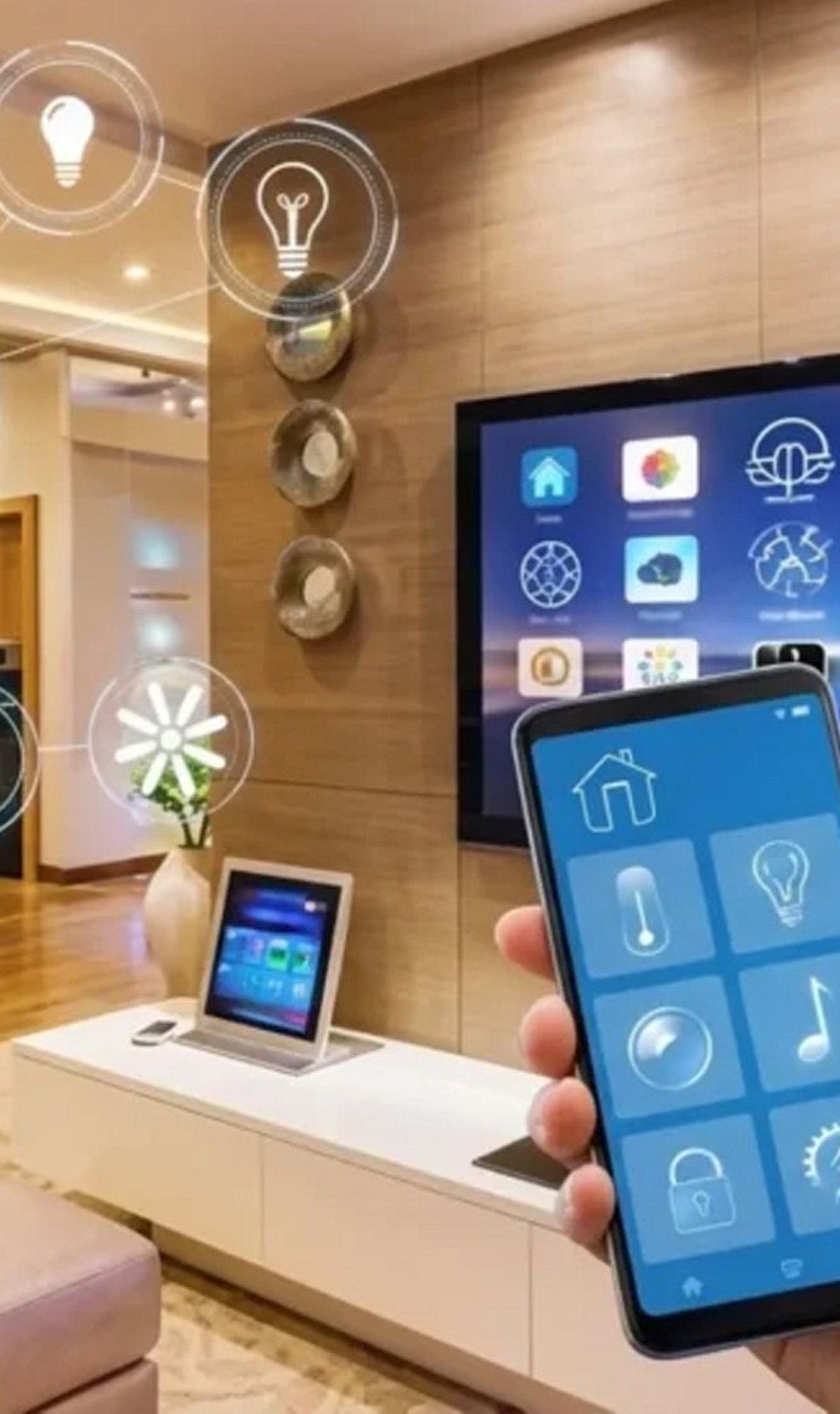
    Augmented Reality overlays virtual controls onto real-world rooms. Homeowners could adjust lighting, temperature, music, and appliances by interacting with visual interfaces that appear naturally within their field of view. This reduces the need for physical switches or separate apps.

    Smarter Automation Through Context Awareness

    Connected sensors learn daily routines and automate tasks without manual input. Lights can dim in the evening, heating can lower when no one is home, and devices can power down during periods of inactivity. This level of intelligence saves energy and increases convenience.

    AR Simplifies Device Setup

    Setting up smart home devices can be intimidating. AR can guide users step by step, superimposing virtual instructions directly onto the physical device. Connection points, configuration steps, and troubleshooting tips appear in real time, making installation accessible to everyone.

    Energy Management Becomes Visual

    IoT sensors monitor energy consumption throughout the home. AR interfaces can then display this data in easy-to-understand visuals, highlight energy-hungry appliances, and suggest improvements. Homeowners can see exactly where savings are possible.

    Interactive Security Monitoring

    Smart cameras and sensors already detect unusual activity. With AR, security alerts can be displayed within the user’s viewing area—for instance, a bright outline of a detected person or a notification overlaid on a smart lock. This makes security more immediate and actionable.

    Personalized Living Spaces Adapt to You

    The combination of IoT and AR can create rooms that automatically adjust lighting, temperature, entertainment, and decor based on individual preferences. Walk into a room and it knows whether you want a bright work space or a cozy movie setting.

    AI Ties Everything Together

    Artificial Intelligence analyzes data from IoT sensors and AR interactions, enabling the smart home to make faster, smarter decisions. AI identifies patterns, predicts needs, and optimizes device behavior without requiring user input.

    The fusion of IoT, AR, and AI is turning smart homes into truly immersive environments where technology feels natural, responsive, and integrated into everyday life. As these technologies mature, the home of the future will be not just connected, but intuitive.

  • Smart Mirror Shopping Guide: 9 Key Features You Must Check Before Buying

    Smart Mirror Shopping Guide: 9 Key Features You Must Check Before Buying

    Smart mirrors are becoming a popular addition to modern bathrooms, combining functionality with technology. However, with so many models on the market, it’s important to know which features matter most. Here are the nine key features to evaluate before making a purchase.

    1. Bluetooth Connectivity

    Bluetooth-enabled mirrors pair with smartphones or tablets, allowing you to stream music, podcasts, and other audio content wirelessly. This feature turns your mirror into a hub for entertainment while you get ready.

    2. Built-In Speakers

    Integrated speakers eliminate the need for separate bathroom audio devices. They keep music and podcasts within easy listening range without cluttering your counter space.

    3. Adjustable LED Lighting

    Many models offer dimmable LED lighting with adjustable color temperatures. This supports different grooming, makeup application, and everyday bathroom needs by providing the right light for any task.

    4. Anti-Fog Function

    Built-in heating pads help prevent condensation after hot showers, keeping the reflective surface clear in humid bathroom conditions. This ensures your mirror is always usable.

    5. Touch Controls

    Touch-sensitive controls allow you to operate lighting, brightness, audio, and other functions directly from the mirror without needing additional devices. This adds convenience and a sleek look.

    6. Smart Information Displays

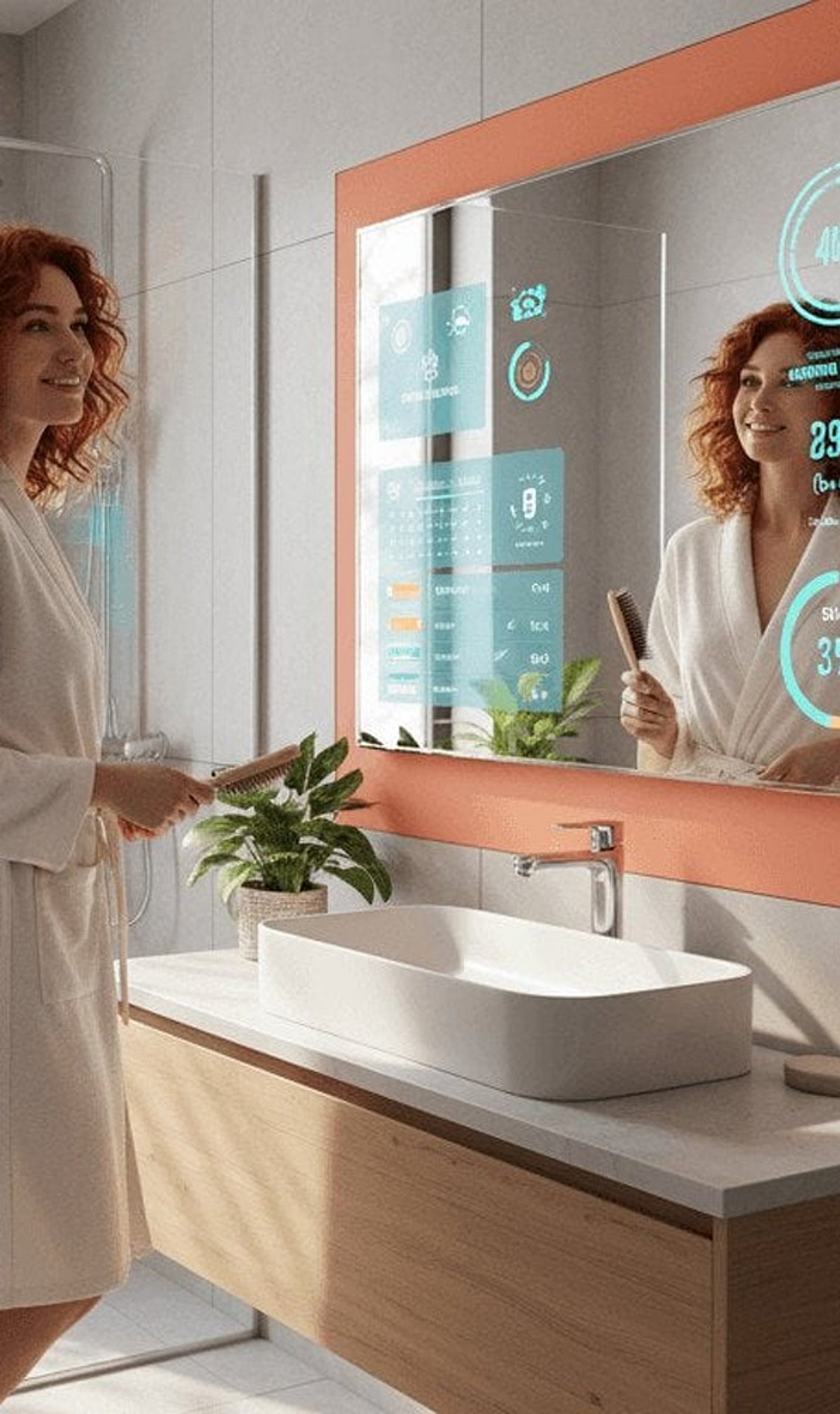
    Advanced mirrors can display useful information such as time, temperature, date, and weather alongside their conventional reflective surface. This keeps you informed at a glance.

    7. Humidity-Ready Design

    Bathroom models should use components and electrical configurations appropriate for humid environments. Check installation requirements to ensure your mirror can handle moisture without issue.

    8. Power and Installation

    Depending on the model, smart mirrors may use plug-in power or direct wiring. Proper electrical planning is important during installation to avoid complications.

    9. Check Extra Features

    Features such as memory settings, voice assistants, Wi-Fi, and display options vary widely. Match extras to your actual needs to get the most value from your purchase.

    By considering these nine features, you’ll be able to select a smart mirror that fits your needs and enhances your daily routine.

  • How to Install Apps on Your Smart TV: A Complete Step-by-Step Guide

    How to Install Apps on Your Smart TV: A Complete Step-by-Step Guide

    Smart TVs offer access to a wide range of streaming services, games, and utility apps. Whether you own a Samsung, LG, Google TV, Fire TV, or Roku device, the process of downloading apps is straightforward. This guide walks you through each step to get your favorite apps up and running.

    Step 1: Connect Your Smart TV to the Internet

    Before you can download any apps, your TV must be connected to the internet. Use Wi-Fi or an Ethernet cable. Navigate to Settings, select Network, and choose your Wi-Fi network. Enter the password if prompted. A stable connection ensures smooth browsing of the app store and seamless downloads.

    Step 2: Open the Built-In App Store

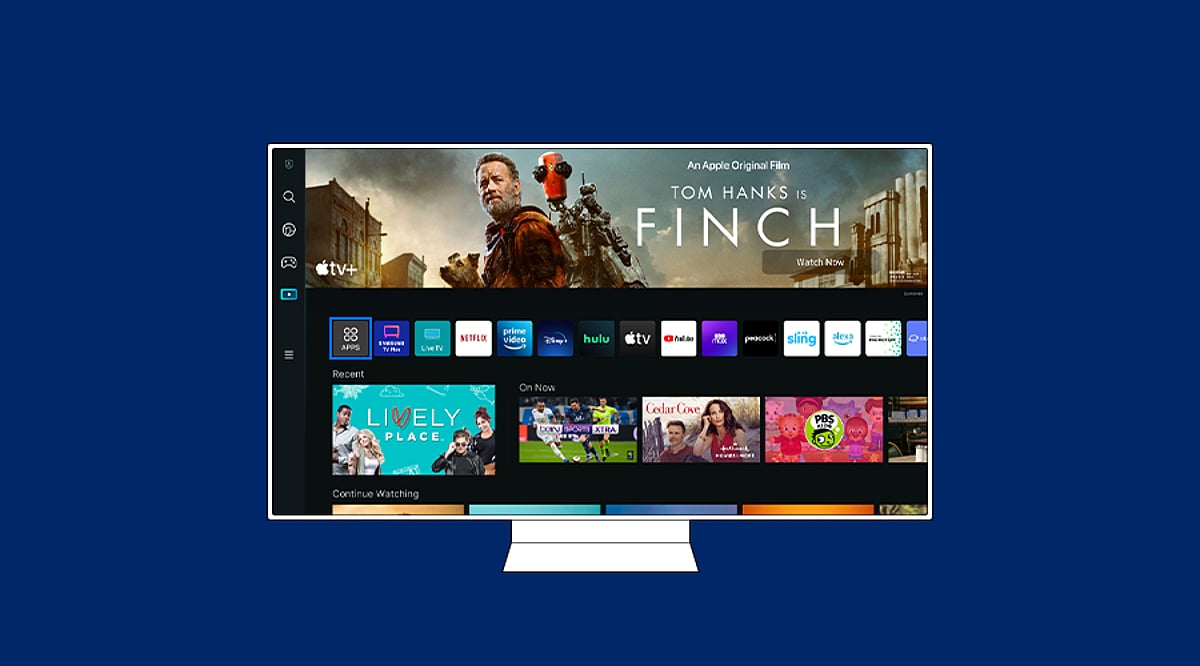
    Press the Home button on your remote and locate the app store. The name varies by brand: Google TV uses the Apps section or Google Play Store, Samsung uses “Apps”, LG uses “LG Content Store”, while Fire TV and Roku have their own dedicated stores. Open the store to browse available applications.

    Step 3: Search for the App You Want

    Use the search function within the app store and type the name of the app you’re looking for. Review the results carefully to select the official version. Check the developer name and app description to ensure it’s the correct app before proceeding.

    Step 4: Install the App

    Select the official app listing and click Install, Get, or Download (the wording depends on your TV platform). Wait for the installation to complete. Google TV and Android TV install apps via Google Play, while Samsung and LG use their proprietary stores.

    Step 5: Open the App and Sign In

    Once installed, you can open the app directly from the store or find it on your Home screen. Launch the app and sign in if required. Some services may need a separate subscription or activation before content becomes available.

    Step 6: Add the App to Your Home Screen (Optional)

    For quick access, you can add frequently used apps to your Home screen. Samsung TVs, for example, allow you to pin apps to the Home bar. Menu options vary by model and software version, so explore your TV’s settings to customize your layout.

    Troubleshooting: App Not Showing Up?

    If an app doesn’t appear or fails to install, try these fixes: restart your TV and router, check for system software updates, free up storage space, and verify your TV’s region and compatibility. Some apps are not available on certain models or operating systems. As a workaround, consider casting from a phone, using AirPlay, or connecting a streaming device like Chromecast or Amazon Fire Stick.

  • 5 Smart Projector Add-Ons to Elevate Your Home Theater Experience

    5 Smart Projector Add-Ons to Elevate Your Home Theater Experience

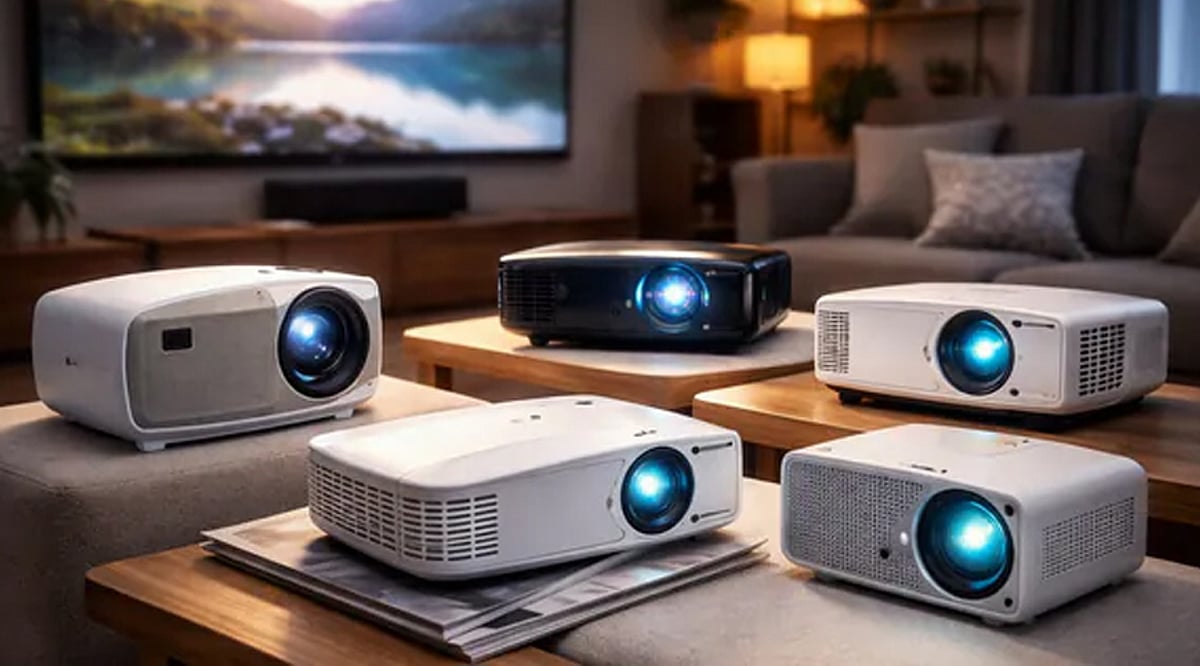
    Projectors can deliver a massive picture, but the right accessories take a home setup from basic to brilliant. The following five additions focus on the areas that matter most: screen quality, connectivity, audio, and mounting. Before you buy, double-check compatibility with your projector and your intended room layout.

    1. Mdbebbron 120-Inch Projector Screen

    The Mdbebbron 120-inch projector screen provides a 16:9 viewing area and is suitable for both indoor and outdoor use. Its lightweight polyester build makes storage and transport easy. BGR noted that the screen held a 4.5-star Amazon rating from more than 39,000 customer reviews at the time of review, although some users mentioned mounting concerns.

    2. Highwings 4K HDMI Cable

    The Highwings 6.6-foot HDMI cable supports up to 4K resolution and uses the HDMI 2.0 standard. It also supports HDR10+, 3D, and backward compatibility with earlier HDMI generations. This cable can connect a projector to gaming consoles, laptops, and other devices, making it a simple connectivity upgrade for an existing setup.

    3. Anker HDMI Switcher

    The Anker 2-in-1 Out HDMI Switcher gives you another way to manage multiple HDMI sources connected to a projector. It supports up to 4K at 60Hz plus HDR, HDCP, 3D, and Dolby formats. Its compact design lets you switch between connected devices without constantly swapping HDMI cables.

    4. Edifier Bookshelf Speakers

    A projector’s built-in audio is rarely enough for a true home cinema feel. The Edifier R1280T bookshelf speakers deliver two audio channels with 4-inch woofers, 13mm tweeters, and adjustable bass and treble controls. BGR noted that users praised the speakers’ setup simplicity and build quality, though opinions about maximum volume were mixed.

    5. Wali Universal Projector Mount

    The Wali Universal 3-in-1 mount supports ceiling and wall installations and can hold projectors weighing up to 44 pounds. Its adjustable design allows tilting and swiveling for flexible positioning. It works with brick, concrete, and wooden surfaces, but BGR notes that it is not designed for regular drywall or vaulted ceilings.

    Build a Better Home Cinema

    These accessories address different parts of a projector setup. A dedicated screen improves the viewing surface, HDMI accessories expand connectivity, speakers upgrade audio, and a mount adds installation flexibility. BGR selected products based partly on customer ratings and reviews, so be sure to check compatibility with your own gear and room before purchasing.

  • How Modern Refrigerators Cut Electricity Use: Inverter Compressors, Better Insulation & Smarter Cooling

    How Modern Refrigerators Cut Electricity Use: Inverter Compressors, Better Insulation & Smarter Cooling

    Modern refrigerators can use significantly less electricity than older models, thanks to a combination of advanced compressors, improved insulation, efficient electronics, and smarter cooling systems. Since refrigerators run year-round, even small efficiency gains translate into noticeable savings on household energy bills.

    Inverter Compressors: Smarter Power Management

    One of the biggest innovations is the inverter compressor, which adjusts its speed based on cooling demand rather than turning fully on and off. This eliminates the frequent high-power startups that waste energy and helps maintain a more stable internal temperature. When less cooling is needed, the compressor runs at a lower speed, reducing unnecessary electricity consumption.

    Better Insulation and Door Seals

    Modern cabinets use advanced insulating materials, while magnetic gaskets create tighter seals around doors. This keeps cold air inside, reducing the workload on the compressor. Less cooling escapes, so the refrigerator doesn’t have to work as hard to maintain the set temperature.

    Smarter Cooling Systems and Electronics

    Today’s refrigerators incorporate sensors that monitor temperature changes, door openings, and cooling conditions. Efficient defrost systems, energy-saving fans, LED lighting, and improved control electronics further cut power use. These components work together seamlessly to optimize performance around the clock.

    Comparing Efficiency with BEE Star Labels

    In India, the Bureau of Energy Efficiency (BEE) star label helps consumers compare refrigerator energy consumption. Ratings range from 1 to 5 stars, with annual energy usage as the key metric. The label also includes model details, compressor type, and annual kWh figures for easy comparison.

    Keep in mind that the most efficient refrigerator isn’t always the largest or most expensive. Capacity affects electricity use, so compare similar-sized models using their annual kWh rating. In hot climates like Hyderabad, good insulation, tight door seals, and a higher-efficiency model become even more valuable.

    Before You Buy: What to Check

    If you’re considering replacing an old refrigerator, evaluate its age, current electricity use, cooling performance, and repair history. Compare the new model’s annual energy consumption against its purchase price and expected long-term savings. A refrigerator that uses less electricity can lower running costs over several years, making energy efficiency a critical factor in your buying decision.

  • Modern Home Entertainment Hardware: Key Consumer Expectations

    Modern Home Entertainment Hardware: Key Consumer Expectations

    Home entertainment hardware has evolved dramatically over the past few years. A television is no longer an isolated screen; it now serves as the center of a broader digital ecosystem that includes streaming services, apps, wireless connectivity, voice controls, and high-resolution video. As a result, modern buyers look beyond a single feature and consider the entire package—performance, connectivity, storage, interface design, software support, and even after-sales service. This article explores what consumers expect from today’s home entertainment hardware and how products like the SuperBox S7 series are designed to meet those expectations.

    Performance Goes Beyond Basic Playback

    Consumers expect connected entertainment devices to respond quickly when opening apps, navigating menus, or switching between functions. A device that technically supports modern content but feels sluggish during everyday use quickly becomes frustrating. Processing power is now a major consideration when comparing consumer electronics.

    However, performance should be matched to actual usage. A casual viewer may not need the same processing muscle as a family that regularly uses multiple applications and connected features. The best choice is one that provides enough capability for current habits without adding unnecessary complexity.

    Better Connectivity Is a Core Requirement

    A modern entertainment device needs a dependable way to communicate with the home network. Wireless connectivity is especially important because many TVs and media players are located away from the main router. Wi-Fi improvements—such as Wi-Fi 6 support—make placement more flexible, while Gigabit Ethernet remains valuable when a wired connection is practical.

    Consumers are also paying more attention to the stability of their home networks. Even capable hardware cannot compensate for an unreliable internet connection or poor router placement. Buyers now evaluate the device and the network as parts of the same system rather than treating hardware specs as the only measure of performance.

    Connectivity also influences where a device can be installed. A living-room setup might have easy access to Ethernet, while a bedroom TV might depend entirely on wireless. Considering these conditions before purchasing helps consumers choose hardware that fits their existing environment without requiring a network redesign.

    Higher Resolution Is Part of the Buying Decision

    Display technology has raised expectations. As TVs become capable of showing increasingly detailed images, consumers naturally want connected devices that can work with modern video standards, including 4K and beyond. Support for higher-resolution content is becoming an important purchase factor, particularly for people upgrading several components at once.

    But resolution should not be viewed in isolation. The TV, content source, connection, and media device all contribute to the final viewing experience. A capable TV box can provide useful support for higher-resolution playback, but the result still depends on compatible content and the rest of the home setup.

    Storage Has Become More Useful

    Storage was once a secondary specification, but today it has a greater practical role. Connected TV hardware may need space for applications, system data, updates, and other functions. More storage reduces the need to constantly remove apps or manage space.

    This doesn’t mean every consumer needs the largest capacity available. A simple setup might be fine with less storage, while a household using many apps may appreciate more. The key is matching storage capacity with expected usage and the device’s lifespan.

    User Interfaces Need to Feel Simple and Responsive

    Consumers are accustomed to interfaces that are easy to understand. Complicated menus and unclear navigation can make even powerful hardware feel inconvenient. A connected TV device should make common actions straightforward, especially when multiple household members use the same equipment.

    Interface design also affects feature discovery. Search functions, organized applications, clear settings, and responsive navigation all contribute to a more comfortable experience. Software presentation is now nearly as noticeable as hardware specifications when consumers compare devices.

    Software Support Influences Long-Term Value

    Hardware specs attract attention at purchase, but software determines how useful a device remains over time. Consumers want access to applications and features that fit their viewing habits, and updates and compatibility can influence how practical the hardware feels later.

    This is especially relevant in the connected TV category because entertainment services and applications continue to evolve. Buyers should consider the software environment alongside processor speed, storage, and display support. Content and application availability can vary by region, so it’s wise to confirm that the services you intend to use are officially supported.

    Software also affects comfort months after installation. If applications are easy to manage and the interface remains familiar, users are more likely to get full value from the hardware.

    Brand Support Adds Confidence After Purchase

    The buying experience doesn’t end when the device arrives. Consumers want clear product information, reasonable return policies, warranty coverage, and access to support when something goes wrong. These factors are particularly important with connected electronics because setup questions and compatibility issues may arise after installation.

    Choosing an established source provides additional confidence. SuperBoxSmart, for example, presents itself as an authorized U.S. SuperBox dealer and offers product support, a one-year hardware warranty, and a 30-day return policy. Consumers should still review current terms before purchasing, but clear after-sales information makes the decision more comfortable.

    Consumers Want Technology That Fits Real Homes

    One of the strongest trends is the movement toward technology that works naturally within existing routines. People don’t want more features for the sake of having them; they want capabilities that solve practical problems—whether that means better connectivity, easier navigation, more storage, or support for modern displays.

    This changes how consumers should compare products. Instead of asking which device has the longest spec sheet, it’s more useful to ask which features will actually improve the household’s experience. A balanced combination of performance, connectivity, software, storage, and usability often provides more practical value than a single impressive specification.

    Different households have different priorities. A small apartment may value compact design and wireless connectivity, while a larger family may care more about storage and flexible application use. Looking at the intended environment first allows consumers to judge specifications in context.

    Future-Proofing Is About Flexibility Rather Than Hype

    No consumer electronic device can remain at the cutting edge forever. New apps, display technologies, network standards, and entertainment habits will continue to develop. Rather than trying to predict every future change, buyers can look for hardware with enough flexibility to support reasonable upgrades and evolving usage.

    This means considering factors like storage capacity, connectivity standards, processing capability, software environment, and available ports. A device with balanced specs may remain useful longer because it can adapt to more situations. Future-proofing is less about buying the most expensive model and more about avoiding obvious limitations that could become inconvenient later.

    Final Thoughts

    Modern home entertainment hardware is increasingly judged by the complete experience it provides. Consumers want responsive performance, dependable connectivity, useful storage, modern video support, straightforward software, and accessories that make everyday control easier. They also pay close attention to build quality, warranty coverage, and after-purchase support.

    The SuperBox S7 series illustrates how these expectations are shaping connected TV devices, offering multiple configurations with different storage capacities, Wi-Fi 6, Gigabit Ethernet, Bluetooth, modern Android software, and high-resolution video decoding. The right model depends on the user’s television, network, applications, storage needs, and viewing habits. By focusing on practical requirements instead of chasing specifications alone, consumers can make a more informed choice and build a home entertainment setup that remains convenient well beyond the initial purchase.

  • Top 5 LG Bluetooth Soundbars to Elevate Your Home Audio in 2026

    Top 5 LG Bluetooth Soundbars to Elevate Your Home Audio in 2026

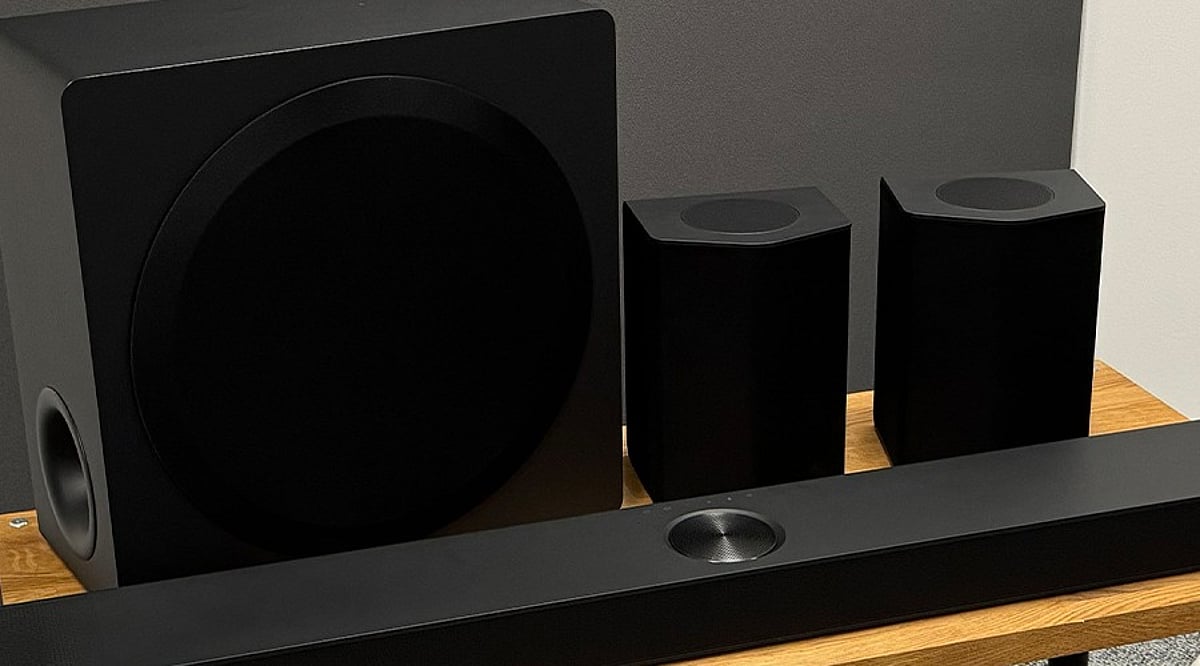
    LG offers a range of Bluetooth soundbars that cater to different budgets and room setups. From the entry-level S40T to the premium S95TR, each model brings distinct channel layouts, power outputs, and features such as Dolby Atmos and wireless subwoofers. Here’s a breakdown of five standout options for upgrading your home audio.

    1. LG S40T: A Simple 2.1-Channel Upgrade

    The LG S40T is a budget-friendly choice for those seeking a basic TV audio boost. It delivers 300 W of power through a 2.1-channel configuration paired with a wireless subwoofer for enhanced bass. Additional features include AI Sound Pro, Dolby Digital, and a three-band equalizer. Prices in India range from approximately Rs. 13,490 to Rs. 15,990, making it ideal for smaller rooms.

    2. LG S70TY: Dolby Atmos on a Budget

    The LG S70TY steps up with a 3.1.1-channel setup and 400 W output. Its center height speaker brings Dolby Atmos effects, creating a sense of overhead sound. The soundbar supports Bluetooth 5.1, HDMI input and output, optical input, USB, and DTS:X. Priced around Rs. 21,990 to Rs. 23,990, it suits those wanting clearer dialogue and immersive audio without rear speakers.

    3. LG SQ70TY: Another 400 W Atmos Option

    Sharing the same 3.1.1-channel layout and 400 W output, the LG SQ70TY also includes Dolby Atmos, a center height channel, WOW Orchestra, and Triple Level Spatial Sound. It comes with a wireless subwoofer and Bluetooth connectivity. Current prices vary from Rs. 23,990 to Rs. 30,990, making it a solid mid-range pick for an LG ecosystem.

    4. LG S90TY: Expanded Soundstage with 5.1.3 Channels

    The LG S90TY offers a 5.1.3-channel design with 570 W output, three height speakers, and support for Dolby Atmos and DTS:X. It includes AI Room Calibration Pro, Spotify Connect, TIDAL Connect, Chromecast, and Apple AirPlay 2. Priced around Rs. 59,990 to Rs. 69,990, this model provides a wide soundstage but lacks wireless rear speakers, which are available on the S95TR.

    5. LG S95TR: Full Home Theater Experience

    The flagship LG S95TR delivers 9.1.5 channels and 810 W power. The package includes three height speakers, a wireless subwoofer, and wireless rear speakers for true surround sound. It supports Dolby Atmos, DTS:X, Bluetooth 5.1, 4K Dolby Vision pass-through, and Alexa. Prices range from around Rs. 65,990 to Rs. 79,990, depending on the retailer, making it the ultimate choice for large home theaters.

    Additional Considerations

    LG’s 2026 Sound Suite range introduces newer systems like the Immersive Quad Suite 7 Pro and Immersive Suite 5 Pro, which feature Dolby Atmos FlexConnect and AI Room Calibration. The S-series models cover a useful price spectrum in India, so consider room size, channel needs, and TV compatibility when choosing.

    FAQs

    1. Which LG soundbar has the lowest price? The LG S40T, starting around Rs. 13,490.
    2. Which models support Dolby Atmos? The S70TY, SQ70TY, S90TY, and S95TR.
    3. Which model offers 810 W output? The LG S95TR with 9.1.5 channels.
    4. Does the S95TR include rear speakers? Yes, wireless rear speakers are included.
    5. Which has a 5.1.3-channel setup? The LG S90TY.
  • Samsung Debuts AI-Powered Family Hub Refrigerator and Bespoke WindFree ACs in India

    Samsung Debuts AI-Powered Family Hub Refrigerator and Bespoke WindFree ACs in India

    Samsung has launched its 2026 Bespoke AI appliance range in India, featuring AI-powered refrigerators and air conditioners. The new lineup was unveiled at ‘The Brief Gurugram’ event, emphasizing artificial intelligence, connectivity, and energy efficiency.

    Gemini AI Comes to Samsung Family Hub Refrigerator

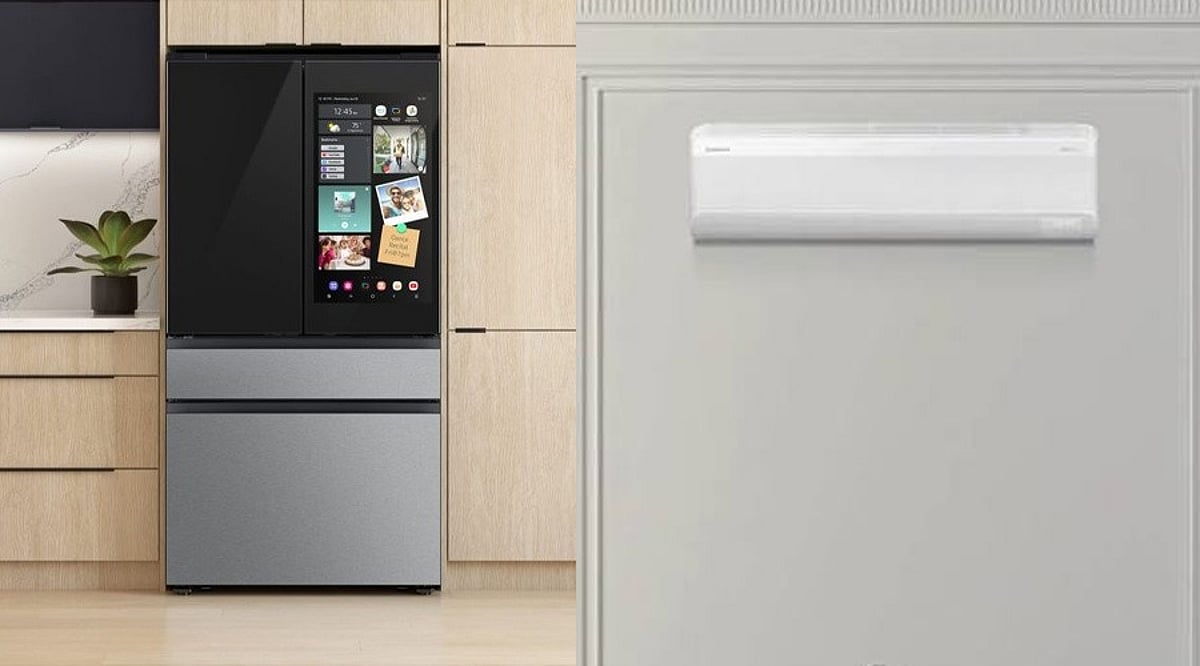
    The Family Hub Refrigerator now integrates Google Gemini AI, equipped with a 32-inch display. It can identify food items, manage use-by dates, recommend recipes based on available ingredients, and offer a Video-to-Recipe experience. Localized Family Care and Pet Care features provide alerts, activity tracking, and reminders through the SmartThings ecosystem.

    SmartThings Central to AI Home Ecosystem

    Samsung positions SmartThings as the central hub for its AI home ecosystem. Select appliances feature an AI Home screen that lets users monitor connected devices, access information, and manage household functions from one interface.

    New WindFree ACs Focus on AI-Powered Cooling

    Samsung also introduced the Bespoke AI WindFree Pro Air Conditioner at Rs. 69,990. This model combines AI-enabled controls with PM1.0 purification and SmartThings connectivity. Its AI Energy Mode can reduce energy consumption by up to 30%. The AC is available in 3.5kW, 5.2kW, and 7.1kW capacities. Additionally, the Infinite 1-Way Cassette AC starts at Rs. 1,60,000.

    Pricing and Availability

    The Family Hub Refrigerator is priced at Rs. 4,00,690, while the Bespoke AI WindFree Pro AC costs Rs. 69,990. The Infinite 1-Way Cassette AC starts at Rs. 1,60,000 and is available through authorized channel partners across India. The new lineup is built around four themes: AI Understands You, AI Adapts to You, AI Connects Your Home, and AI Cares for You.