Category: Home Electronics

  • Top Weekend Action Camera Deals: Save on Waterproof 4K and Dual-Screen Models

    Top Weekend Action Camera Deals: Save on Waterproof 4K and Dual-Screen Models

    Weekend Sale Brings Major Savings on Top Action Cameras

    Action camera prices rarely drop this low across both ends of the market at once. This weekend, flagship models from GoPro and DJI sit on sale alongside budget options that match them on paper, narrowing a gap that used to separate hobbyists from professionals.

    That overlap matters more than the discount itself. A camera that costs less doesn’t automatically perform worse anymore, and a higher price doesn’t guarantee better footage in every condition. Stabilization quality, sensor size, waterproofing, and battery life still decide how a camera performs once it leaves the box, regardless of what the price tag suggests.

    Best Deals at a Glance

    GoPro HERO13 Black

    The HERO13 Black remains the camera most creators measure everything else against. It records 5.3K video and pairs it with HyperSmooth stabilization that holds steady through rough handling. Interchangeable lens accessories add flexibility without the need for a second body, and the waterproof build skips the bulky external housing most competitors still require. The price runs higher than most rivals, but the weekend discount closes that distance enough to make the camera worth a serious look for anyone who shoots professionally.

    BUY NOW

    DJI Osmo Action 5 Pro

    The Osmo Action 5 Pro takes a different route to the top. Its larger sensor handles dim and mixed lighting far better than smaller sensors typically manage, which matters for sunrise shoots, sunset shoots, and anything filmed indoors. Dual OLED screens make framing simple from either side of the camera, and RockSteady stabilization keeps fast motion smooth without extra gear. Battery life is one of its strongest advantages, allowing longer recording sessions than many competing action cameras.

    BUY NOW

    DJI Osmo Action 4

    The Osmo Action 4 fills the gap between premium and budget without compromising much. It shoots detailed 4K at high frame rates, is waterproof without an add-on case, and uses a magnetic mount system that switches between helmet, bike, and tripod setups in seconds. For anyone moving up from an entry-level camera, this model delivers many flagship features at a more accessible price.

    BUY NOW

    AKASO Brave 4 Pro

    The AKASO Brave 4 Pro shows how far affordable cameras have come. It records 4K video, includes electronic stabilization, and adds dual-color displays, all well below premium pricing. The front-facing display is particularly useful for vloggers and solo creators who frequently record themselves, and the bundled waterproof case and accessory kit add real value out of the box. Stabilization falls short of flagship performance, but for a first camera, the trade-off makes sense.

    BUY NOW

    Insta360 X4

    The Insta360 X4 skips the traditional format and shoots immersive 8K 360-degree video instead. That approach allows footage to be reframed after the fact, pulling several usable angles from a single take. FlowState stabilization keeps the footage smooth without a gimbal, and built-in AI editing tools cut down on post-production time. While editing 360-degree footage involves a different workflow than traditional action cameras, the creative flexibility is difficult to match.

    BUY NOW

    Matching the Camera to the Activity

    Underwater work and high-impact sports require strong waterproofing and aggressive stabilization. Travel creators often benefit more from long battery life, dual displays, and lightweight designs than from higher recording resolutions alone. Sensor size decides how clean low-light footage looks, and mount compatibility determines how well a camera fits into gear already on hand. Choosing based on actual use beats chasing the steepest discount almost every time.

    Final Thoughts

    Each camera in this lineup wins on a different front. The HERO13 Black leads in image quality and accessory support. The Osmo Action 5 Pro wins on battery life and low light. The Osmo Action 4 balances price against performance better than most. The Brave 4 Pro opens the category to first-time buyers without major trade-offs. The Insta360 X4 stands apart entirely with 360-degree capture. The best choice depends on intended use, shooting style, and feature requirements rather than the size of the discount.

  • Best Bottom Freezer Refrigerators for Modern Kitchens: Top 7 Models and Buying Guide

    Best Bottom Freezer Refrigerators for Modern Kitchens: Top 7 Models and Buying Guide

    Bottom-freezer refrigerators are an excellent choice for contemporary kitchens. Unlike traditional designs, they place fresh food at eye level while frozen items are stored in spacious pull-out drawers at the bottom. Modern models come with inverter technology, convertible storage, frost-free cooling, and smart connectivity features. In this guide, we review seven top-rated bottom freezer refrigerators and provide a practical buying guide to help you choose the perfect unit for your home.

    Top 7 Bottom Freezer Refrigerators

    1. LG 340L Smart Inverter Bottom Freezer Refrigerator

    The LG 340L model is a balanced option for Indian households. Its Smart Inverter Compressor ensures energy efficiency and quiet operation. Door Cooling+ provides even air circulation, and AI ThinQ Wi-Fi allows remote control. Convertible Storage is useful for parties and family gatherings.

    2. Whirlpool Intellifresh Pro 312L Bottom Mount Refrigerator

    This unit is ideal for medium-sized families. The inverter compressor adjusts cooling based on energy consumption, while adaptive technology keeps food fresh even with frequent door openings. Convertible storage adds extra flexibility.

    3. Haier 237L Twin Inverter Bottom Mount Refrigerator

    Compact and perfect for small families of two or three, this Haier model uses Twin Inverter Technology for consistent cooling, energy savings, and low noise. It features a bottom-freezer design, vegetable compartments, and frost-free cooling.

    4. Samsung Bespoke AI 458L Bottom Mount Refrigerator

    Samsung’s Bespoke AI fridge offers a large 458-liter capacity and AI cooling that adjusts temperatures based on usage. It includes convertible storage, Wi-Fi connectivity, diagnostic services, and a stylish design suitable for fashion-conscious users.

    5. Electrolux 529L Bottom Freezer Refrigerator

    With EvenTemp technology for even cold air distribution and a TasteSeal section that keeps food fresh at -2°C without freezing, this 529-liter model is ideal for larger families. The freezer compartments are well-organized.

    6. Panasonic 450L Prime Convertible Bottom Mount Refrigerator

    Featuring a Smart Inverter Compressor and a six-stage smart cooling system, the Panasonic Prime Convertible range offers multiple convertibility options, a spacious fresh food compartment, and a freezer drawer for versatile cooling.

    7. Hitachi 466L Bottom Freezer Refrigerator

    Hitachi’s 466-liter bottom-freezer refrigerator includes an inverter cooling system, a vegetable compartment with humidity control, and spacious freezer compartments. Its luxurious design fits well in any modern kitchen.

    Bottom Freezer Refrigerator Buying Guide

    When shopping for a bottom freezer refrigerator, consider these factors:

    • Capacity: Choose a size that fits your household. A family of four typically needs 300–400 liters.
    • Inverter Technology: Saves energy and maintains consistent cooling.
    • Convertible Storage: Allows you to switch freezer space to refrigerator space when needed.
    • Frost-Free Cooling: Eliminates manual defrosting.
    • Energy Rating: Look for high star ratings to reduce electricity costs.
    • Warranty and After-Sales Service: Ensure reliable support.

    Final Takeaway

    Bottom-freezer refrigerators offer practical design with fresh food at eye level and organized freezer compartments below. Whether you choose an affordable Haier 237L or a feature-rich LG Smart Inverter, modern bottom-mount fridges deliver the convenience and efficiency needed for today’s kitchens.

  • Robot Vacuum vs Traditional Vacuum: Which One Is Better for Your Home?

    Robot Vacuum vs Traditional Vacuum: Which One Is Better for Your Home?

    Keeping your home dust-free has become easier than ever, thanks to the growing range of vacuum cleaners available today. But a common question continues to puzzle buyers: should you invest in a robot vacuum or stick with a traditional vacuum cleaner? While robot vacuums offer hands-free convenience and smart navigation, traditional vacuum cleaners deliver stronger suction and greater versatility for deep cleaning.

    The right choice depends on factors such as home size, budget, flooring type, cleaning habits, and whether you have pets or children. Understanding the strengths and limitations of both options can help you make a smarter purchase.

    Robot Vacuum Cleaner

    Robot vacuum cleaners are designed for daily cleaning. They use sensors, mapping technology, and mobile app connectivity to clean your home autonomously. High-end models can even mop and feature self-emptying docking stations.

    Advantages

    • Automatically cleans with minimal human effort
    • Smart scheduling via mobile apps
    • Easy access under beds and sofas
    • Excellent for everyday floor maintenance
    • Some models can vacuum and mop simultaneously

    Limitations

    • More expensive than traditional vacuums
    • Can struggle with thick carpets or heavy dirt
    • Requires occasional maintenance like brush and filter cleaning

    Traditional Vacuum Cleaner

    Conventional vacuum cleaners remain the top choice when thorough cleaning is required. They come in various types—handheld, canister, stick, and wet-dry—and typically offer stronger suction.

    Advantages

    • Powerful suction for deep cleaning
    • Suitable for multiple surfaces and upholstery
    • More affordable across different budgets
    • Larger dust capacity for extended sessions

    Limitations

    • Requires manual operation
    • Cleaning large homes takes more time and effort
    • Corded models can limit mobility

    Key Differences Between Robot and Traditional Vacuum Cleaners

    Robot vacuums excel at automated daily cleaning, while traditional vacuums provide superior deep-cleaning power. Budget, floor type, home size, and maintenance preferences should guide your decision.

    Top Picks: Robot & Traditional Vacuums

    Dreame D9 Max Gen 2 Robotic Vacuum Cleaner & Mop

    Smart mapping, powerful suction, app control, and vacuum-mop functionality make this ideal for medium to large homes seeking daily automation.

    Buy Now!

    ILIFE A30 Pro Robotic Vacuum Cleaner & Mop

    Equipped with LiDAR navigation, scheduled cleaning, multiple cleaning modes, and quick dust pickup.

    Buy Now!

    Eureka Forbes Quick Clean DX Vacuum Cleaner

    A compact canister vacuum delivering reliable suction for floors, upholstery, curtains, and furniture. Easy to store and carry.

    Buy Now!

    INALSA Wet and Dry Vacuum Cleaner Micro WD10

    Suitable for both wet and dry cleaning, with high suction and multiple attachments for homes, garages, workshops, and car interiors.

    Buy Now!

    Which One Should You Buy?

    If you value convenience and want floors cleaned daily with minimal effort, a robot vacuum is a perfect choice—especially for homes with hard flooring, pets, or a busy schedule.

    However, if you frequently deal with carpets, heavy dust, upholstery, or require high-performance cleaning, a traditional vacuum is superior. Many households use a combination of both for best results.

    FAQs

    Which vacuum cleaner is better for daily use?
    A robot vacuum is better for daily cleaning as it automates the process without constant supervision.

    Can a robot vacuum replace a traditional vacuum?
    No. Robot vacuums handle routine cleaning well, but traditional vacuums are still better for deep cleaning and upholstery.

    Which option is more budget-friendly?
    Traditional vacuums are generally more affordable and available across a wider price range.

    Are robot vacuums suitable for Indian homes?
    Yes. They work well on tiles, marble, wooden flooring, and other common floor types in India.

    Which vacuum is better for homes with pets?
    A robot vacuum helps control pet hair daily, while a traditional vacuum is more effective for deep cleaning furniture, carpets, and mattresses.

  • Top NAS Devices for Security Camera Systems: 2026 Guide and Key Features

    Top NAS Devices for Security Camera Systems: 2026 Guide and Key Features

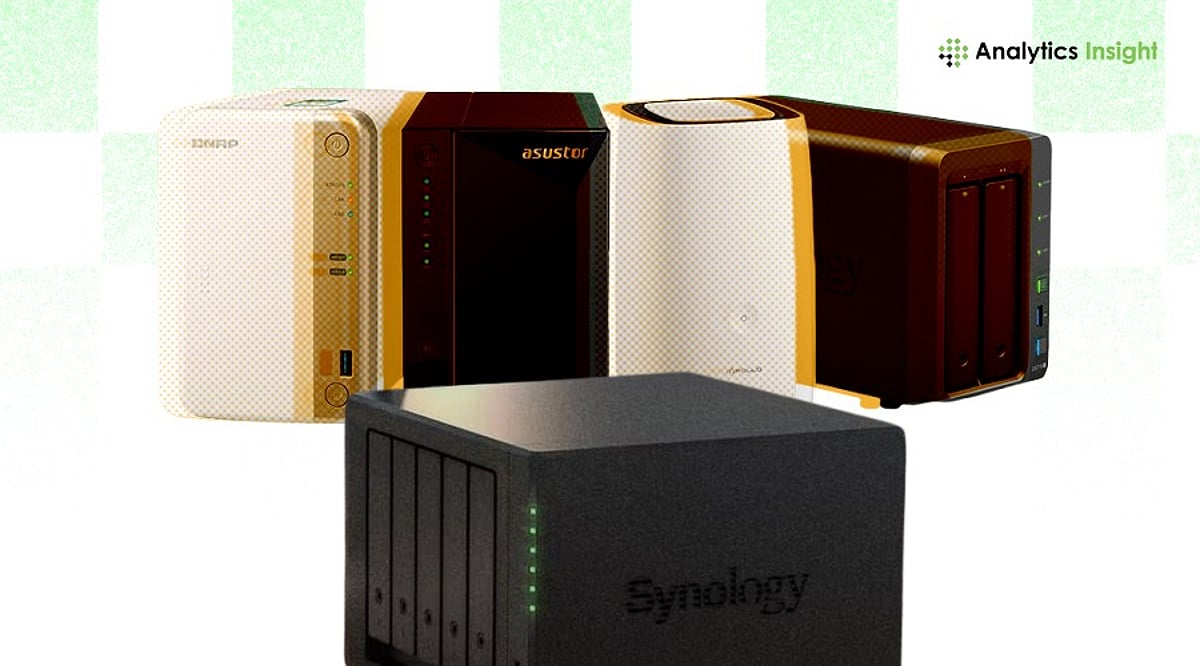
    Network Attached Storage (NAS) has become an essential component for modern security camera systems, enabling centralized storage, remote access, and scalable data management. This guide covers the best NAS devices for surveillance, key features to look for, and how to choose the right system for your needs.

    What is a NAS System?

    NAS stores and retrieves data from a single network location, allowing multiple users to access it simultaneously. For security cameras, NAS records video continuously and makes footage available on demand. Its expandable storage makes it suitable for both small homes and large businesses.

    NAS vs. DVR vs. NVR: Key Differences

    Security camera storage generally falls into three categories: NAS, DVR, and NVR. NAS stands out for its device integration and larger storage expansion capabilities compared to traditional DVR and NVR setups.

    Cloud-Connected NAS and Hybrid Models

    Modern surveillance systems often combine NAS with cloud connectivity. Hybrid NAS offers remote access to live and recorded footage, data redundancy through cloud backup, and reduced risk of hardware failure. This combination supports uninterrupted surveillance and secure long-term storage.

    Key Features to Look For

    • High storage capacity with expansion options
    • Support for multiple camera streams
    • Continuous recording capability
    • RAID support for data protection
    • Remote access and mobile viewing
    • Integration with IP camera systems
    • Encryption and cybersecurity protections

    Best NAS Devices for Security Camera Systems

    Synology DiskStation DS923+

    Ideal for small businesses and professionals, the DS923+ supports multiple IP cameras with strong performance for constant recording. It offers expandable storage and solid surveillance software.

    Synology DiskStation DS224+

    A great choice for home security, the DS224+ is easy to use and handles multiple video streams while maintaining energy efficiency and reliable recording.

    QNAP TS-464

    Designed for small-to-medium businesses, the TS-464 features robust processing and network connectivity, supporting HD and 4K camera streams. RAID storage enhances data security.

    Asustor Lockerstor 4 Gen2 (AS6704T)

    This NAS handles multiple cameras simultaneously with dual network ports, providing stability for continuous HD surveillance.

    TerraMaster F4-425

    A value-oriented option for growing companies, the F4-425 offers good performance at an affordable price, with RAID support for data security.

    Benefits of NAS in Security Camera Systems

    NAS centralizes all camera recordings, making footage easily accessible. As surveillance needs grow, NAS allows storage expansion without replacing the entire system.

    Technical Considerations

    Before choosing a NAS, evaluate the number of cameras, resolution, and network bandwidth. Look for RAID redundancy to prevent data loss, energy efficiency, and compatibility with existing surveillance hardware and software.

    Final Thoughts

    NAS technology continues to evolve to meet increasing surveillance demands. Hybrid and cloud-enabled NAS are shaping the future of video storage by merging local performance with remote access capabilities.

    FAQs

    What is the best NAS for security camera systems?

    Top models include Synology DS923+, QNAP TS-464, and Asustor Lockerstor 4 Gen2, offering multi-camera support, RAID, remote access, and hybrid cloud integration.

    How much storage is required for a security camera NAS?

    Storage depends on camera resolution. A single 4K camera can use 300–500 GB per month. Multi-camera systems need several terabytes, so an expandable NAS with RAID is recommended.

    Can NAS replace NVR for CCTV systems?

    Yes, NAS can replace NVR in IP camera setups, offering more flexibility, scalability, and centralized control, along with hybrid cloud backup.

    Is cloud integration necessary with NAS for security cameras?

    Not mandatory, but hybrid NAS with cloud backup improves safety and accessibility, protecting against hardware failure or on-site damage.

    Which NAS features matter most for surveillance?

    Key features include multi-camera support, RAID, high network speed, 24/7 recording, and strong encryption. Remote mobile access and AI-based video management further enhance performance.

  • Top 7 Waterproof Bluetooth Neckbands for Running, Gym, and Outdoor Workouts in 2026

    Top 7 Waterproof Bluetooth Neckbands for Running, Gym, and Outdoor Workouts in 2026

    Runners, cyclists, and gym-goers know the struggle of finding audio gear that can withstand sweat, rain, and constant movement. Waterproof Bluetooth neckbands are purpose-built for these conditions, offering a secure fit, long battery life, and reliable protection against the elements without the bulk of over-ear headphones.

    We’ve rounded up the best waterproof Bluetooth neckbands available right now, comparing their IP ratings, battery life, comfort, and audio quality to help you find the perfect fitness companion.

    Best Waterproof Bluetooth Neckbands

    1. OnePlus Bullets Wireless Z3

    The OnePlus Bullets Wireless Z3 features an IP55 rating, making it resistant to sweat and light rain during intense workouts or outdoor sessions. Its lightweight design and secure fit ensure it stays in place even during running.

    2. Realme Buds Wireless 5 Lite

    With IP55 certification and up to 35 hours of battery life, the Realme Buds Wireless 5 Lite is a solid choice for fitness enthusiasts. Large dynamic drivers deliver energetic sound, while the soft neckband provides all-day comfort. Fast charging adds extra convenience.

    3. boAt Rockerz 255 Max

    An IPX5 rating protects against sweat and light rain, and the battery lasts an impressive 60 hours. Quick charging gives hours of playback from just a few minutes of charging.

    4. Sony WI-C100

    Sony’s WI-C100 focuses on comfort and reliability with an IPX4 water-resistance rating. Up to 25 hours of battery life, high-fidelity tuning via the Sony companion app, and a balanced sound signature make it ideal for walks, travel, and moderate exercise.

    5. CMF Neckband Pro

    The CMF Neckband Pro stands out with its IP55 rating, active noise cancellation, and up to 37 hours of battery life (with ANC off). An ergonomic design ensures comfort during workouts, and fast charging minimizes downtime.

    6. JBL Tune 215BT

    JBL’s Tune 215BT delivers the signature JBL sound in a lightweight neckband. With an IPX4 splash-proof rating, it works well for moderate exercise and travel. Battery life is around 16 hours, and the ergonomic earbuds provide a comfortable fit.

    7. Noise Airwave Max Neckband

    The Noise Airwave Max offers an IPX5 rating and a massive 50-hour battery life. A low-latency mode keeps audio in sync during gaming and video, while dynamic drivers produce a bass-heavy sound. The lightweight frame and magnetic earbuds add convenience for cycling, hiking, and daily commutes.

    Quick Comparison

    The best waterproof neckbands are designed to keep up with your active lifestyle. When choosing, consider your primary activities, required battery life, and water resistance level.

    How to Choose a Waterproof Bluetooth Neckband

    • IP Rating: IPX5 handles sweat and light rain; IP67 offers dust and deeper water protection.
    • Battery Life: Look for 25 hours or more; fast charging is a valuable bonus.
    • Bluetooth Version: Bluetooth 5.3 or later ensures stable connection and better efficiency.
    • Low Latency: Important for gamers and video streamers.
    • Audio Codecs: Better codecs improve music quality.
    • Comfort & Fit: Lightweight design and soft ear tips are essential for long sessions.
    • Value: Compare features against price – don’t assume the most expensive option is best.

    FAQs

    1. Which IP rating is best for a waterproof Bluetooth neckband?

    For most workouts, IPX5 or IP55 offers reliable protection against sweat and rain. Frequent outdoor users should consider IP67-rated neckbands for improved dust resistance and durability.

    2. Are Bluetooth neckbands suitable for running?

    Yes. Neckbands provide a secure fit, stable Bluetooth connectivity, lightweight comfort, and long battery life, making them ideal for running, jogging, and other outdoor fitness activities.

    3. How much battery life should a sports neckband offer?

    A sports neckband should ideally deliver at least 25 to 30 hours of playback. Longer battery life and fast charging reduce interruptions during workouts and travel.

    4. Is fast charging important in Bluetooth neckbands?

    Yes. Fast charging allows you to gain several hours of playback in just minutes, which is convenient before workouts or commutes.

    5. What should buyers prioritize besides waterproofing?

    Also consider comfort, weight, Bluetooth version, microphone quality, audio tuning, codec support, low-latency performance, battery life, and overall price-to-performance.

  • Top Home Audio Innovations Transforming Entertainment in 2026

    Top Home Audio Innovations Transforming Entertainment in 2026

    The home audio landscape is evolving rapidly, with cutting-edge technologies poised to redefine how we experience movies, music, gaming, and more in 2026. From AI-powered personalization to eco-conscious design, these trends promise to elevate every listening moment.

    AI-Powered Speakers

    Smart speakers are becoming more intuitive, using artificial intelligence to tailor sound profiles to individual preferences and room acoustics. Voice-assisted audio optimization automates controls, making it easier than ever to enjoy a customized entertainment experience.

    Dolby Atmos Systems

    Immersive three-dimensional surround sound continues to gain traction, bringing cinema-quality audio into living rooms. Whether for movies, gaming, music, or live sports, Dolby Atmos delivers a lifelike, enveloping soundstage that heightens emotional impact.

    Wireless Multi-Room Audio

    Connected speaker ecosystems enable seamless music playback across multiple rooms, with synchronized audio and effortless smartphone-based control. This trend allows users to fill their entire home with sound, adapting to different moods and activities.

    High-Resolution Streaming

    Lossless and high-resolution music streaming is becoming mainstream, offering audiophiles superior listening quality. Compatible premium home audio systems now support these formats, ensuring every note and nuance is faithfully reproduced.

    Compact Soundbars

    Slim soundbars with powerful virtual surround capabilities remain a top choice for enhancing TV audio without the need for bulky speaker setups. Their minimalist design and impressive performance make them a staple in modern home theaters.

    Voice-Control Integration

    Home audio systems are increasingly incorporating voice assistants, allowing users to control playback, manage smart home devices, and personalize entertainment through simple voice commands. This hands-free convenience is becoming a standard feature.

    Gaming Audio Enhancement

    Advanced spatial audio technologies are transforming gaming, creating immersive environments where players can pinpoint directional sounds for a competitive edge. Realistic audio cues enhance gameplay and deepen engagement.

    Eco-Friendly Designs

    Manufacturers are prioritizing sustainability by using recycled materials, energy-efficient components, and recyclable packaging—all while maintaining premium sound quality and durability. Eco-conscious consumers can now enjoy high-performance audio without compromising on environmental values.

    Personalized Audio Profiles

    AI-driven calibration automatically adjusts sound settings based on room acoustics, user preferences, and content type. This ensures optimal listening experiences for every scenario, from a quiet podcast to an action-packed blockbuster.

  • Crystal-Clear Video Calls: Best Webcams for Work, Streaming, and Everyday Use

    Crystal-Clear Video Calls: Best Webcams for Work, Streaming, and Everyday Use

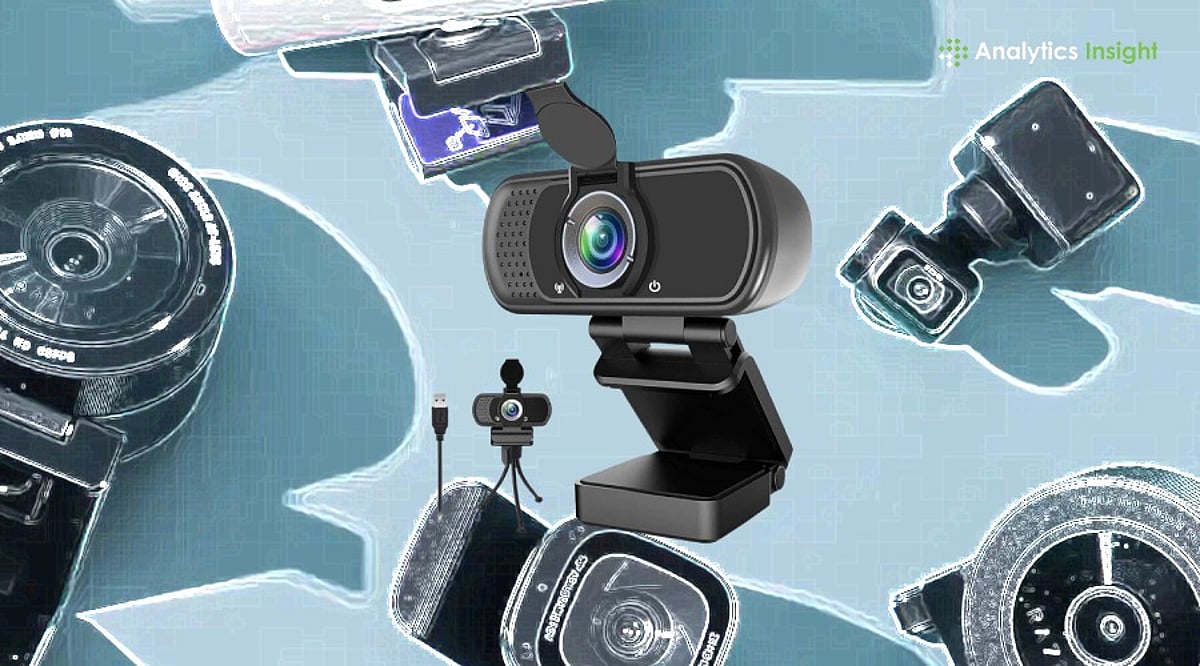
    A quality webcam can make you look more confident on screen. Whether you’re joining a work meeting, attending an online class, talking to family, or streaming live, clear video always leaves a better impression. The right webcam doesn’t just improve picture quality—it also makes conversations feel more natural and helps people see you the way you should be seen.

    Screen time has changed dramatically in recent years. Office meetings, college classes, job interviews, and even family catch-ups now happen through a camera. This shift has made a good webcam far more useful than ever. It keeps your picture clear, holds the video steady, and makes conversations feel natural rather than distant.

    You don’t need expensive gear to get sharp photos or videos anymore. Brands like Logitech, HP, Lenovo, eMeet, Kreo, and Zebronics now offer webcams across almost every budget. Some suit everyday meetings well, while others are built for streamers, content creators, and anyone who records videos regularly.

    Top-Rated Webcams Compared

    Webcams are now a staple of modern office and gaming setups. If the video is blurry, it defeats the purpose. After testing several popular models, our team found that paying more doesn’t always mean getting the best output. For daily meetings or classes, a Full HD webcam is usually enough. Streamers and creators, however, will benefit from investing in a 4K option.

    Ease of use is another crucial factor. Most of these webcams work as soon as you plug them in, with no extra software required for the first call.

    Our Top Picks

    Logitech Brio 100 – Best for Everyday Use

    The Logitech Brio 100 has almost everything you need for daily video calls. The picture is clear, colors are natural, and setup takes only a few minutes. It’s one of the easiest recommendations for work, online meetings, and regular video calls.

    eMeet S600 4K PC Camera – Best for Creators

    If you’re doing YouTube videos or streaming games, the eMeet S600 is an excellent choice. The 4K picture is noticeably sharper than Full HD, and the built-in microphones pick up voices clearly. It costs more but delivers great value for money.

    HP 430 FHD Webcam – Best for Low-Light Conditions

    The HP 430 FHD impressed us with its ability to handle challenging lighting. Even in a dim room, the picture remained clear. This makes it a fantastic option for people who work from home and don’t have perfect lighting setups.

    If you’re on a tight budget, the Zebronics FHD USB Webcam covers the basics well and offers solid value.

    Final Thoughts

    A webcam may seem like a small accessory, but it makes a big difference every time you’re on screen. Better picture quality boosts your confidence whether you’re talking to clients, attending classes, or creating videos.

    Don’t fall into the trap of buying the most expensive model you can afford. Instead, consider how you’ll use it. For regular use, a decent Full HD webcam is more than sufficient. Creators and streamers, however, should consider 4K options. Ultimately, a good webcam combines picture quality, useful features, and dependable performance—regardless of price.

    FAQs

    Which webcam is best for office meetings?

    The Logitech Brio 100 is a top choice. It offers clear Full HD video, natural colors, and quick setup, making it ideal for everyday use.

    Is a 4K webcam necessary for video calls?

    Not really. Full HD is enough for most meetings and classes. 4K is more useful for streamers, creators, and regular video recording.

    What features should I check before buying a webcam?

    Look for Full HD or 4K resolution, autofocus, a built-in microphone, good low-light performance, and a privacy shutter. These features improve video quality and everyday convenience.

    Do I need a separate microphone with a webcam?

    Most webcams have built-in mics that work fine for regular calls. For video creation or frequent streaming, a dedicated microphone will provide better sound.

    Which webcam offers the best value for money?

    The HP 430 FHD and Logitech Brio 100 offer an excellent mix of picture quality, features, and price. Both are suitable for work, study, and regular video calls.

  • 2026 Portable Charger Buying Guide: Expert Tips on Capacity, Wattage, and Airline Rules

    2026 Portable Charger Buying Guide: Expert Tips on Capacity, Wattage, and Airline Rules

    Choosing the best portable charger in 2026 involves more than just looking at battery capacity. Charging speed, safety features, port compatibility, and airline regulations all play a role in selecting a reliable power bank. This expert guide breaks down everything you need to know to pick a portable charger that works for your devices and lifestyle.

    Step 1: Match the Charger to Your Use Case

    Start by identifying how you’ll use the charger. A daily commuter needs a slim, lightweight model. A traveler juggling a phone, earbuds, and a tablet needs higher capacity and multiple ports. Laptop users require high wattage output, not just a big battery. Outdoor enthusiasts need rugged builds. Matching your scenario first eliminates most of the market and prevents overpaying for unnecessary capacity.

    Step 2: Understand Capacity — mAh vs. Wh

    Manufacturers often list capacity in mAh, but watt-hours (Wh) give a truer picture, especially since airlines now calculate limits in Wh. A 20,000mAh power bank at 3.7V equals roughly 74Wh, well within travel limits. A 30,000mAh bank often exceeds 100Wh, requiring airline approval. For everyday phone use, 5,000–10,000mAh is enough. Travelers should look at 10,000–20,000mAh. Laptop charging usually needs 20,000mAh or more. Real-world output is lower due to voltage conversion and heat loss, so buy above your calculated need.

    Step 3: Check Charging Speed and USB-C PD Support

    Wattage determines how fast capacity reaches your device. A large battery with a 10W output will still charge slowly. Modern phones fast-charge between 20W and 30W. Laptops often need 60W to 100W or more via USB-C Power Delivery (PD). For simultaneous charging of a laptop and phone, a power bank with dual USB-C PD outputs and separate wattage ratings is ideal. USB-C PD is now the standard to prioritize over older proprietary formats.

    Step 4: Examine Ports, Cables, and Ecosystem Fit

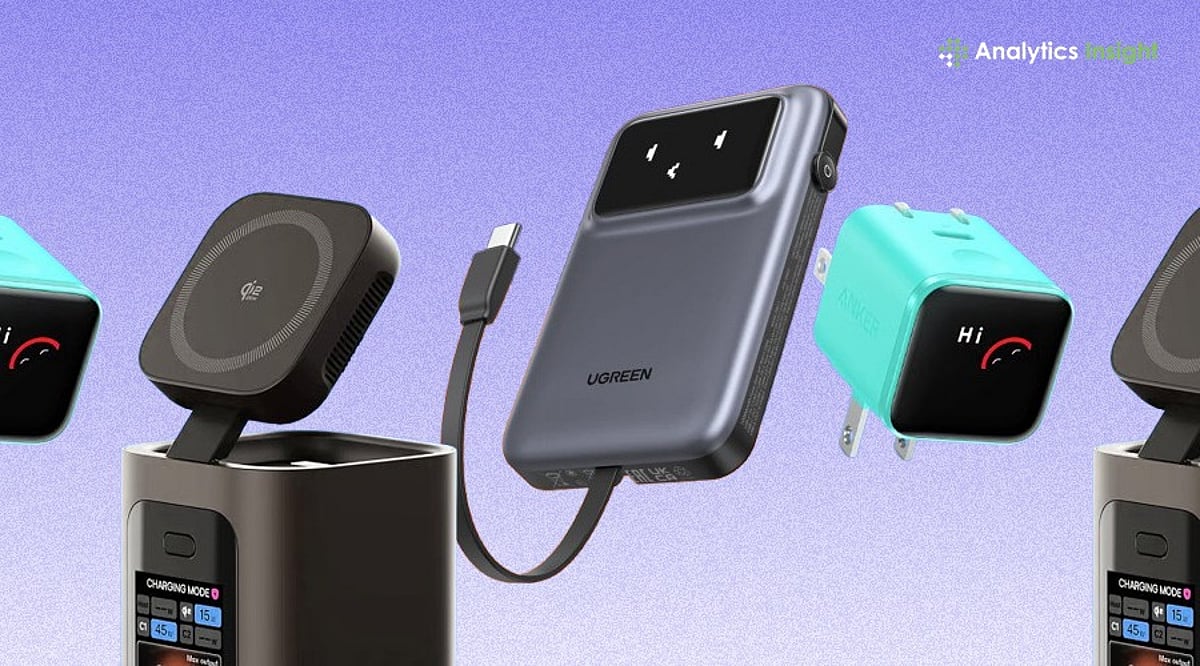
    Look for at least one USB-C PD port and a USB-A port for older devices. Some power banks now include fold-out cables, eliminating the need for separate cords. Wireless options like MagSafe and Qi2 have become genuinely convenient in 2026, especially for iPhone users. If you’re deep in one ecosystem, consider accessories that integrate stands or charging docks for multiple devices.

    Step 5: Know 2026 Safety and Airline Rules

    Safety is where many buyers overlook crucial details. Since early 2026, major carriers including American, Delta, Southwest, and Lufthansa have tightened rules after a power bank fire on a runway in South Korea. New ICAO guidelines limit passengers to two power banks, ban storing them in overhead bins, and prohibit mid-flight recharging. Banks under 100Wh (about 27,000mAh) travel without approval. Those between 100Wh and 160Wh need airline sign-off; anything above 160Wh is banned. India’s aviation authority further restricts in-flight charging entirely. Frequent flyers should buy under 100Wh and keep the battery in the seat pocket. Also look for built-in protections against overheating and overcharging. Higher-quality battery cells maintain performance over more cycles. Replace any swollen or damaged battery immediately.

    Why This Matters

    The wrong charger can get flagged at airport security or fail to power your laptop. Understanding these basics upfront saves money, hassle, and the frustration of buying again.

    Quick Selection Framework

    For Apple users, weigh MagSafe or Qi2 convenience against slightly slower wireless speeds. For others, prioritize USB-C PD and multiple ports. Always check Wh for air travel.

    Final Thoughts

    The best portable charger isn’t the one with the biggest mAh number. It’s the one matched to your real use case, with enough wattage to charge fast and a Wh rating that clears airline limits. Buy for how you travel and charge, not for the spec sheet.

    Frequently Asked Questions

    1. What capacity portable charger should I buy in 2026?

    For everyday smartphone use, 5,000mAh to 10,000mAh is enough. Frequent travelers charging multiple devices should consider 10,000mAh to 20,000mAh. Laptops typically require 20,000mAh or higher with sufficient power output.

    2. Why is wattage as important as battery capacity?

    Battery capacity stores charge; wattage determines how quickly it delivers. A high-capacity charger with low output can still charge modern phones and laptops slowly.

    3. Can I carry a portable charger on a flight?

    Yes, but most airlines require portable chargers in cabin baggage, not checked luggage. Check your airline’s rules regarding Wh limits and the number of power banks allowed.

    4. Is USB-C Power Delivery necessary?

    USB-C PD is the preferred standard for most modern smartphones, tablets, and laptops. It enables faster, more efficient charging and offers broader compatibility than older technologies.

    5. How do I choose the best portable charger for my needs?

    Start by identifying your primary use case (commuting, travel, laptop charging). Then compare capacity, wattage, ports, safety features, and compatibility to select the right model.

  • Top Mechanical Keyboards to Supercharge Your Productivity in 2026

    Top Mechanical Keyboards to Supercharge Your Productivity in 2026

    Mechanical keyboards continue to be the go-to choice for professionals seeking a comfortable typing experience, exceptional durability, and faster, more accurate keystrokes. As we move into 2026, several models stand out for their ability to enhance workflow and daily productivity.

    Keychron K8 Max

    The Keychron K8 Max offers wireless connectivity, hot-swappable switches, and excellent compatibility with both Windows and macOS, making it an ideal choice for office environments.

    Logitech MX Mechanical

    Logitech’s MX Mechanical combines low-profile mechanical switches with premium build quality, multi-device support, and long battery life, delivering a seamless typing experience across platforms.

    NuPhy Air75 V2

    The NuPhy Air75 V2 features a slim design, responsive typing, and wireless flexibility for users who prioritize portability without sacrificing comfort or performance.

    Keychron Q1 HE

    Introducing Hall Effect magnetic switches, the Keychron Q1 HE allows adjustable actuation points, offering a highly customizable typing experience tailored to individual preferences.

    Razer Pro Type Ultra

    Designed for professional environments, the Razer Pro Type Ultra includes quiet switches, ergonomic wrist support, and productivity-focused wireless performance.

    Choosing the Right Switches and Features

    For office use, tactile or silent switches generally provide the best balance between typing feedback and reduced noise levels. Features such as hot-swappable switches, programmable keys, multi-device pairing, and ergonomic layouts can significantly improve daily productivity.

    When selecting a mechanical keyboard for productivity, consider your workflow, preferred switch type, connectivity needs, and long-term typing comfort rather than relying on aesthetics alone.

  • Best Budget Gaming Laptops on Amazon: Top Deals and Buying Guide

    Best Budget Gaming Laptops on Amazon: Top Deals and Buying Guide

    Looking for an affordable gaming laptop that doesn’t compromise on performance? Amazon currently offers attractive discounts on popular models from ASUS, HP, Lenovo, Acer, and MSI, with additional bank offers available. Here’s what you need to know before making a purchase.

    What Makes a Great Budget Gaming Laptop?

    Overall Value: The ideal budget gaming laptop balances performance, display quality, battery life, and pricing, making it suitable for gaming and everyday productivity.

    Powerful Graphics: Choose laptops with dedicated NVIDIA GeForce RTX or GTX graphics cards for smooth gameplay, improved frame rates, and enhanced visual performance.

    Fast Processors: Look for the latest Intel Core or AMD Ryzen processors that deliver responsive multitasking, quick loading times, and reliable gaming performance.

    High Refresh Display: A 120Hz or 144Hz display ensures smoother gameplay, reduced motion blur, and a better competitive gaming experience across popular titles.

    Sufficient RAM and Storage: At least 16GB RAM and a fast SSD provide quicker boot times, faster game loading, and seamless multitasking during gaming sessions.

    Efficient Cooling System: Advanced cooling technologies help maintain stable performance during extended gaming by preventing overheating and reducing thermal throttling under heavy workloads.

    Battery and Portability: Lightweight designs with decent battery backup allow users to enjoy gaming, study, and work without constantly searching for charging outlets.

    Amazon Deal Highlights

    Current Amazon deals feature attractive discounts on popular gaming laptops from ASUS, HP, Lenovo, Acer, and MSI, with additional bank offers available.

    Top Budget Picks

    Models like the Lenovo LOQ, HP Victus, ASUS TUF Gaming A15, Acer Nitro V, and MSI Thin 15 offer excellent gaming value under competitive price points.