Tag: AI features

  • Samsung Galaxy Watch 9 Leaks: Brighter Display, Faster Chip, and Smarter Health Features

    Samsung Galaxy Watch 9 Leaks: Brighter Display, Faster Chip, and Smarter Health Features

    Samsung is reportedly preparing to launch the Galaxy Watch 9 with a host of meaningful upgrades over its predecessor. Leaks and rumors point to a brighter AMOLED display, a more efficient processor, longer battery life, advanced AI integration, and improved health tracking capabilities. Here is a comprehensive look at the most anticipated features.

    Bigger and Brighter Display

    The Galaxy Watch 9 is expected to sport a brighter AMOLED screen with slimmer bezels, giving it a more modern appearance. The improved display should offer better visibility under direct sunlight while maintaining smooth scrolling and vibrant colors for everyday use.

    Faster Processor for Enhanced Performance

    Leaks suggest Samsung will introduce a new Exynos wearable chipset designed for better efficiency. Users can expect faster app launches, smoother multitasking, and quicker navigation, all while consuming less power during routine tasks.

    Longer Battery Life

    Battery life is expected to see a significant improvement thanks to a larger battery and software optimizations. This should make the watch more reliable for workouts, travel, and daily use without frequent charging.

    Smarter Health and Fitness Tracking

    Health features are rumored to include more accurate heart rate monitoring, sleep tracking, stress measurement, and workout detection. AI-powered insights could provide personalized wellness tips, helping users better understand their daily health metrics.

    Premium Design with Improved Durability

    The Galaxy Watch 9 is expected to retain Samsung’s signature circular design while introducing new color options and refined finishes. Enhanced water and dust resistance, along with durable materials, should make it suitable for active lifestyles.

    AI Features and Deeper Galaxy Integration

    Leaks indicate that artificial intelligence will play a larger role, offering smarter notification summaries, improved voice assistance, and tighter integration with Galaxy smartphones for seamless communication and productivity.

    Expected Launch and Availability

    Samsung is widely expected to announce the Galaxy Watch 9 during its next Galaxy Unpacked event. While official pricing and specs remain under wraps, the leaks suggest a meaningful upgrade for both fitness enthusiasts and everyday users.

  • 10 Must-Use Microsoft Copilot Capabilities in Power BI for Faster Data Insights

    10 Must-Use Microsoft Copilot Capabilities in Power BI for Faster Data Insights

    Businesses generate more data than ever before. The real challenge is not collecting information but understanding it quickly. Microsoft Copilot in Power BI makes this process much easier. It uses artificial intelligence to help users build reports, analyze data, write DAX formulas, and find useful insights with simple text commands.

    Instead of spending hours creating dashboards or hunting for critical numbers, users can ask Copilot questions in everyday language. It understands the request and delivers useful answers within seconds. Microsoft continues to enhance Copilot with new features that make Power BI more accessible for beginners and more productive for experienced professionals.

    Here are ten Microsoft Copilot features that can help you get more value from Power BI.

    1. Create Reports with Simple Instructions

    Building a report usually takes time because users need to select charts, arrange visuals, and organize information. Copilot makes this task much easier. You only need to type a request like, “Create a sales report that shows monthly revenue, profit, and regional performance.” Copilot understands the request and creates a report with suitable charts and layouts. This feature saves time and helps users who have little experience with Power BI. It also produces reports with a clean, professional design.

    2. Write DAX Formulas Easily

    Many Power BI users find DAX formulas difficult because they require special syntax and functions. Copilot removes much of this difficulty. Instead of writing formulas from scratch, users can explain what they need in plain English. For example, they can ask Copilot to calculate yearly sales growth or total profit. Copilot creates the DAX formula and also explains what it does. This speeds up report development and helps users learn DAX more easily.

    3. Get Quick Data Summaries

    Large reports often contain many charts and tables. Finding the most important information can take time. Copilot reads the report and creates a simple summary of the main insights. It points out important trends, top-performing products, changes in sales, and unusual results. This helps managers and business leaders understand reports without having to study every chart.

    4. Ask Questions in Everyday Language

    Another key selling point of Copilot is its natural language capability. Instead of drilling down through filters or creating new charts, you can type a request like, “What product has sold the most in the last quarter?” or “Show Europe revenue.” Copilot understands what you need and provides the appropriate data via the best-matched visual. This makes understanding data much easier for those less familiar with technology.

    5. Explain Charts and Business Numbers

    Sometimes a report shows numbers without explaining what they mean. Copilot helps by describing charts, business metrics, and key performance indicators in simple language. It explains why a value changed and what the result may mean for the business. This helps everyone understand reports more clearly and supports better business decisions.

    6. Improve Semantic Models

    A semantic model is the foundation of every Power BI report. A well-organized model makes reports faster and easier to manage. Copilot helps developers improve these models by suggesting better relationships between tables, recommending useful measures, organizing fields, and improving names. These improvements reduce mistakes and make future report development much easier.

    7. Create Measure Descriptions Automatically

    Good documentation helps teams understand reports long after they are created. However, many developers skip this step because it takes extra time. Copilot can automatically create descriptions for measures, calculated columns, and important business metrics. These descriptions explain what each item does in clear language. This makes reports easier to maintain and helps new team members understand the data model more quickly.

    8. Make Existing Reports Better

    Many organizations already have Power BI reports, but not all of them provide the best user experience. Copilot reviews existing reports and suggests useful improvements. It may recommend better chart types, clearer layouts, improved readability, or additional business metrics that can provide more value. Microsoft has also improved Copilot so it first studies the report before checking the data model, providing more accurate recommendations and answers.

    9. Find Business Trends Faster

    Business data often contains important patterns that are easy to miss. Copilot automatically looks for major changes such as sales growth, revenue decline, seasonal trends, customer behavior, and unusual values. It highlights these findings without requiring users to search through every report page. This helps businesses react faster to opportunities and potential problems.

    10. Use AI to Build Better Reports

    Microsoft continues to expand Copilot with AI-powered report authoring. This feature helps users throughout the report creation process. Copilot suggests report structures, recommends suitable visuals, checks report quality, and supports the publishing process. Instead of creating everything manually, users receive intelligent guidance throughout report development. This makes report creation faster, easier, and more consistent for both new and experienced Power BI users.

    Latest Microsoft Copilot Updates for Power BI

    Microsoft continues to add new capabilities to Copilot in Power BI and Microsoft Fabric. Recent updates make Copilot more accurate by allowing it to understand the report before it analyzes the data model. Microsoft has also expanded AI support for semantic model editing, which allows users to create measures, relationships, and model changes through natural language. It is also improving AI-powered report authoring to help users plan, validate, and publish reports more efficiently.

    Final Thoughts

    Copilot reshapes your experience of working in Power BI. It simplifies tasks, accelerates report creation, and makes business data easy to grasp. Whether you’re generating a report, crafting a DAX query, identifying trends, refining a semantic model, or explaining business results to a broader audience — Copilot helps you at every stage. As new capabilities are added, the power of Copilot in the context of data-driven decision-making will only increase. Organizations that invest in these AI capabilities now can boost productivity, produce higher-quality reports, and accelerate better decisions with Power BI.

  • Motorola Edge 70 Max Launches in India: Price, Specs, and AI Features

    Motorola Edge 70 Max Launches in India: Price, Specs, and AI Features

    Motorola has officially launched the Edge 70 Max in India, expanding its flagship Edge 70 series with a device that blends premium performance, artificial intelligence, and exceptional battery life. Priced starting at Rs 54,999, the smartphone is powered by Qualcomm’s Snapdragon 8 Gen 5 processor and runs Android 16 out of the box. It will be available through major retail channels across the country.

    Flagship Hardware Takes Center Stage

    The Motorola Edge 70 Max boasts a 6.82-inch Quad HD+ LTPO AMOLED display with a 144Hz refresh rate, delivering ultra-smooth scrolling, gaming, and video playback. The panel also supports high brightness levels for comfortable outdoor use.

    Under the hood, the Snapdragon 8 Gen 5 chipset is paired with up to 12GB of LPDDR5X RAM and fast storage. Motorola states that the device is engineered to handle demanding workloads, multitasking, and on-device AI processing without sacrificing efficiency.

    Large Battery with Fast Charging

    A standout feature of the Edge 70 Max is its massive 7,100mAh battery, one of the largest in the premium smartphone segment. The device supports 90W wired fast charging and also includes magnetic wireless charging, allowing users to quickly top up the battery while enjoying cable-free convenience.

    AI Features and Camera Upgrades

    Motorola introduces its Qira AI platform with the Edge 70 Max. This suite includes productivity tools such as meeting summaries, contextual suggestions, content creation assistance, and cross-device continuity with supported Lenovo devices.

    For photography, the smartphone features a 50MP Sony LYT-series primary camera with optical image stabilization, accompanied by additional rear sensors for versatile shooting. The front camera is designed for high-resolution selfies and video calls, and the phone supports advanced AI-assisted imaging features.

    Price and Availability

    The Motorola Edge 70 Max is priced from Rs 54,999 in India, placing it firmly in the premium flagship segment. With its flagship Snapdragon chipset, high-refresh-rate AMOLED display, large battery, and AI-focused software experience, Motorola aims to attract users seeking a high-performance Android smartphone without entering the ultra-premium price bracket.

  • Getting Started with Apple Intelligence on iPhone and Mac: A Step-by-Step Guide

    Getting Started with Apple Intelligence on iPhone and Mac: A Step-by-Step Guide

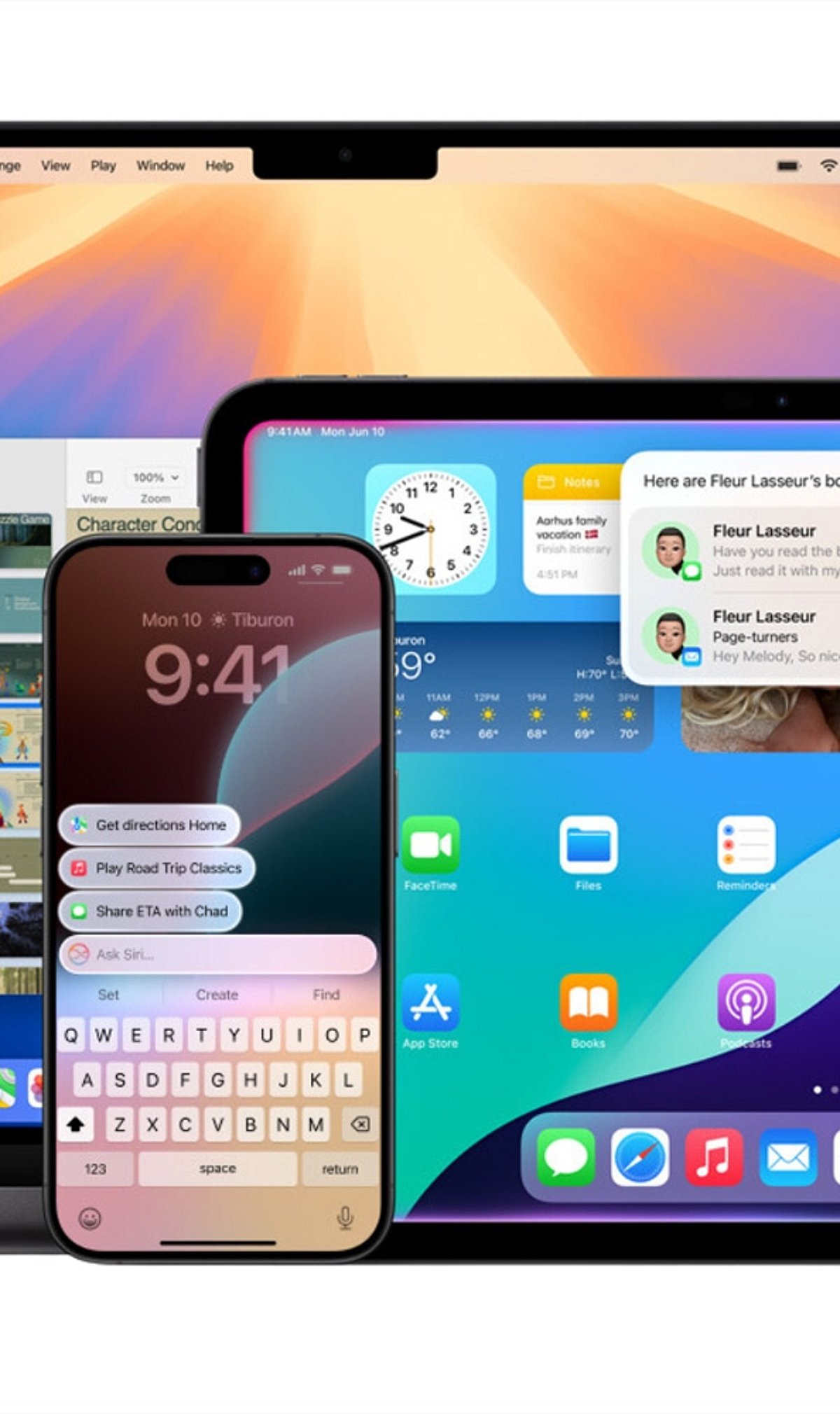
    Apple Intelligence brings powerful AI capabilities directly to your iPhone and Mac. This guide shows you how to enable it and make the most of its smartest features every day.

    Check Device Compatibility

    Apple Intelligence works on supported iPhone, iPad, and Mac models powered by Apple Silicon or the latest A-series chips. Make sure your device is compatible before proceeding.

    Update to the Latest Software

    Install the most recent version of iOS, iPadOS, or macOS to access all Apple Intelligence features. Updates often include new AI tools and improvements.

    Turn On Apple Intelligence

    Open Settings, go to Apple Intelligence, and enable AI-powered features after completing the setup process. Once activated, the system will start learning your preferences.

    Use Smarter Writing Tools

    Rewrite emails, summarize notes, proofread documents, and generate text directly inside supported apps. These tools help you communicate more effectively and save time.

    Experience the New Siri

    The upgraded Siri offers more natural conversations, deeper app control, and contextual assistance across your devices. Ask complex questions or perform multi-step tasks effortlessly.

    Create Images With Image Playground

    Generate fun illustrations, custom visuals, and creative artwork using Apple’s built-in AI tools. Perfect for adding a personal touch to messages, documents, and projects.

    Organize Notifications

    Apple Intelligence automatically prioritizes important alerts, summarizes messages, and reduces notification clutter. Stay focused on what matters most.

    Boost Productivity

    Summarize webpages, organize notes, create reminders, and speed up daily tasks with AI assistance. Let Apple Intelligence handle routine work so you can focus on what’s important.

  • 5 Underused ChatGPT Features That Can Transform Your Workflow

    5 Underused ChatGPT Features That Can Transform Your Workflow

    Memory – Personalized Conversations

    ChatGPT’s Memory feature remembers your preferences across conversations. You can ask it to remember your writing style, favorite topics, or preferred response format. This eliminates the need to repeat instructions every time. You also remain in complete control, with the ability to review, update, or delete saved memories whenever you choose.

    Projects – Stay Organized

    Projects allow you to group related chats, files, and instructions into one workspace. Whether you’re writing a book, managing research, or creating content, Projects maintain context across multiple conversations. This keeps information organized, reduces repetition, and makes long-term work more efficient by preserving continuity throughout your workflow.

    Analyze Files Instantly

    ChatGPT can process uploaded PDFs, Word documents, Excel sheets, CSV files, and presentations. Instead of manually reviewing lengthy documents, you can ask it to summarize reports, identify trends, compare files, extract insights, or explain complex data. This feature makes document analysis faster, easier, and more accurate for professionals and students alike.

    Voice Mode for Natural Conversations

    Voice Mode enables hands-free conversations with ChatGPT, making interactions feel more natural. You can brainstorm ideas, practice interviews, learn languages, or ask questions while multitasking. Speaking instead of typing creates a smoother experience and allows users to engage with AI more conversationally and efficiently.

    Generate and Edit Images

    ChatGPT can create high-quality images from simple text prompts. It also edits existing images by changing styles, removing backgrounds, improving quality, or adding new elements. Whether you’re designing social media graphics, marketing visuals, presentations, or creative artwork, this feature expands ChatGPT beyond text into visual content creation.

    Bonus Tip – Refine Every Response

    The first answer isn’t always the final one. Ask ChatGPT to make responses shorter, more detailed, professional, beginner-friendly, or more creative. Request alternatives, challenge assumptions, or improve clarity through follow-up prompts. Treat ChatGPT as a collaborative assistant, and you’ll consistently receive more useful, polished, and personalized results.

  • Unlock These 10 Under-the-Radar AI Features on Samsung Galaxy Phones

    Unlock These 10 Under-the-Radar AI Features on Samsung Galaxy Phones

    Samsung Galaxy phones are packed with artificial intelligence capabilities that many users never discover. From real-time language translation to intelligent photo editing, these hidden tools can transform how you work, communicate, and capture memories. Here’s a rundown of the most useful AI features you might be missing.

    Circle to Search

    Search for text, products, landmarks, or images directly from your screen by simply circling them. No need to leave the current app — just gesture and get instant results.

    Live Translate

    Translate phone calls in real time, enabling natural conversations across different languages. On-device AI processing keeps your conversations private and secure.

    Interpreter Mode

    Display instant two-way translations on a split screen, making face-to-face conversations seamless during travel, meetings, or interactions with foreign speakers.

    Note Assist

    Automatically summarize lengthy notes, create structured formats, generate titles, and improve readability. Perfect for saving time during study sessions or work.

    Browsing Assist

    Summarize lengthy web pages, translate articles, and simplify complex content directly within Samsung Internet for faster information consumption.

    Transcript Assist

    Convert voice recordings into accurate text transcripts, identify speakers, and generate concise summaries for interviews, lectures, or business meetings.

    Generative Edit

    Remove unwanted objects, reposition subjects, fill missing backgrounds intelligently, and enhance photos using Samsung’s AI-powered editing capabilities.

    Writing Assist

    Rewrite messages, adjust writing tone, correct grammar, and generate polished responses directly from the Samsung Keyboard across supported apps.

    Audio Eraser

    Reduce distracting background noises like wind, traffic, or crowds in recorded videos, making voices clearer without requiring third-party editing software.

  • July 2026 Smartphone Launches in India: AI Flagships, Foldables, and Budget Devices from Top Brands

    July 2026 Smartphone Launches in India: AI Flagships, Foldables, and Budget Devices from Top Brands

    July 2026 is shaping up to be a landmark month for smartphone buyers in India, with major brands unveiling a wave of AI-powered devices across flagship, mid-range, and budget segments. From cutting-edge foldables to performance-oriented gaming phones, here’s what consumers can expect.

    Samsung is anticipated to launch its latest foldable Galaxy Z Fold and Galaxy Z Flip series, featuring enhanced AI capabilities, improved camera systems, and longer battery life.

    OnePlus is preparing new premium smartphones that emphasize flagship performance, ultra-fast charging, and advanced AI-driven photography.

    Xiaomi is likely to expand its premium lineup with devices powered by next-generation processors, Leica-tuned cameras, and AI-assisted imaging for superior photo quality.

    Nothing will introduce its next-generation smartphone, maintaining the signature transparent design and upgrading the Glyph interface alongside smarter AI software.

    Motorola continues to evolve its Edge and Razr series, bringing premium displays, foldable innovation, and AI productivity features to Indian consumers.

    iQOO and vivo are expected to launch performance-focused smartphones aimed at gamers and power users, equipped with the latest chipsets and optimized cooling systems.

    Budget-friendly launches from Redmi, realme, POCO, and OPPO will offer improved cameras, larger batteries, and AI-powered software enhancements that make everyday tasks smoother.

    Across these new devices, AI features such as live translation, intelligent photo editing, voice assistants, and on-device productivity tools are becoming standard, driving a more intuitive user experience.

    Stay tuned for detailed coverage as each launch unfolds. For the latest news and exclusive updates, join our WhatsApp channel.

  • Android vs iPhone 2026: AI, Ecosystem, and Market Leadership Compared

    Android vs iPhone 2026: AI, Ecosystem, and Market Leadership Compared

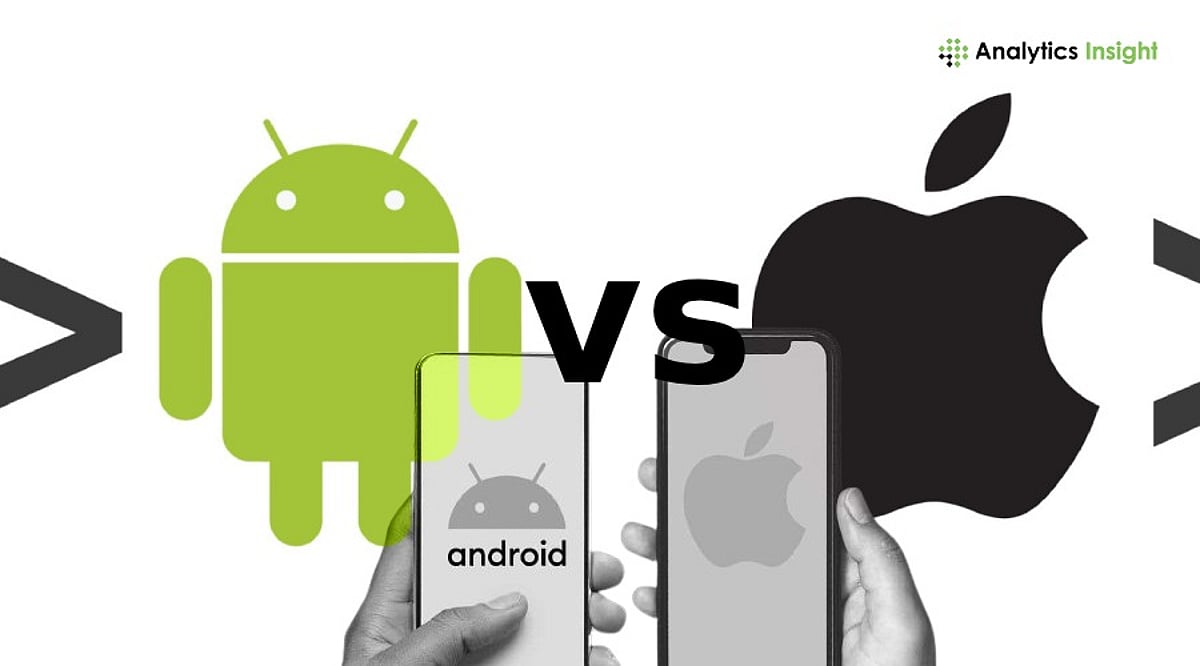
    The rivalry between Android and iPhone has entered a new phase in 2026, where hardware specifications take a back seat to artificial intelligence, ecosystem connectivity, and software longevity. Today, consumers evaluate smartphones not just by processing power or camera specs, but by how well they integrate with other devices, how intelligently they assist daily tasks, and how long they remain secure and up to date.

    Market Share Doesn’t Tell the Full Story

    Android continues to dominate global smartphone shipments, holding more than two-thirds of the market. This broad reach comes from a wide product range—from budget to premium devices offered by Samsung, Google, Xiaomi, Oppo, and Vivo. Meanwhile, Apple carves out a different niche. Although iPhone shipment volumes are lower, Apple leads the premium segment in North America, Japan, and parts of Europe. Customer loyalty is exceptionally high, with strong retention rates and frequent upgrades. Apple’s premium pricing strategy allows it to capture a disproportionate share of industry profits despite selling fewer devices.

    AI Has Become the New Battleground

    Artificial intelligence now serves as a key differentiator. Users judge smartphones by how useful AI features are in everyday life. Apple Intelligence combines on-device and cloud processing to offer writing assistance, image creation, notification summaries, and privacy-focused recommendations. Google integrates Gemini AI into Android for conversational help, document summarization, advanced search, and multimodal interactions. Samsung Galaxy AI adds real-time language translation, intelligent photo editing, and note summarization. Real-time translation, context-aware voice assistants, and AI image generation have moved from premium to standard expectations. On-device AI capabilities also address privacy concerns and deliver faster responses.

    Ecosystem Remains Apple’s Biggest Advantage

    Apple’s strongest competitive advantage extends beyond the iPhone itself. Seamless integration across Mac, iPad, Apple Watch, and AirPods via Continuity, AirDrop, Universal Clipboard, and iCloud synchronization creates a friction-free user experience that fosters loyalty. Android offers diversity: Google’s apps integrate smoothly across devices, while Samsung enhances interoperability among Galaxy devices, wearables, and Windows PCs. Android gives customers more choice and cross-brand flexibility, while Apple benefits from a consistent, vertically integrated strategy.

    Android Wins on Choice and Innovation

    Android’s hardware variety is unmatched. Consumers can choose from entry-level models, mid-range phones, gaming devices, high-end flagships, and foldables across every price point. Manufacturers compete on camera systems, fast charging, advanced cooling, and foldable displays, driving rapid hardware innovation. This variety allows Android to adapt quickly to consumer trends compared to Apple’s single-ecosystem approach.

    Which Platform Is Better for Different Users?

    • Business professionals prefer Apple for seamless ecosystem integration across Mac, iPad, and iPhone, plus strong security and long software support.
    • Gamers often choose Android for gaming phones with high refresh rates, better cooling, and larger batteries; iPhones excel in performance optimization and developer support.
    • Content creators enjoy color consistency and video workflows on Apple, while Android manufacturers innovate in camera hardware and computational photography.
    • Students and budget buyers favor Android for its wide range of affordable options.
    • Privacy-conscious users lean toward Apple for on-device processing and data handling; Android fans value customization and flexibility.

    For more details, read our related coverage on the Samsung Galaxy M47 5G and the iPhone 18 Pro memory upgrade.

    Frequently Asked Questions

    1. Which operating system has the largest market share in 2026?
    Android holds the largest global market share because multiple manufacturers produce devices at every price point, making it accessible worldwide.

    2. Why does Apple dominate the premium smartphone market?
    Apple combines premium hardware, extended software support, strong privacy protections, and seamless ecosystem integration, resulting in high customer loyalty and profitability.

    3. How important is AI in choosing a smartphone in 2026?
    AI significantly influences buying decisions through intelligent assistants, writing tools, live translation, image generation, and on-device processing that enhance daily experiences.

    4. Which platform offers better software support?
    Apple generally delivers longer and more consistent software updates across supported models, while Android update policies vary by manufacturer.

    5. Is Android or iPhone better for different types of users?
    Android suits budget buyers, gamers, and those seeking hardware variety. iPhone appeals to professionals, privacy-focused users, and those invested in Apple’s ecosystem.

  • Motorola Moto Pad 70 Pro Debuts in India: 144Hz 3.5K Display, Snapdragon 8s Gen 4, and 45W Charging

    Motorola Moto Pad 70 Pro Debuts in India: 144Hz 3.5K Display, Snapdragon 8s Gen 4, and 45W Charging

    Motorola has expanded its tablet lineup with the launch of the Moto Pad 70 Pro in India, a high-end Android slate designed for professionals, students, and content creators. The device combines premium hardware, AI-powered productivity tools, and a bundled accessory ecosystem.

    Stunning Display and Performance

    The Moto Pad 70 Pro features a 13-inch 3.5K LCD display with a 144Hz refresh rate, Dolby Vision support, and 800 nits of peak brightness. Audio is handled by a quad-speaker system tuned by JBL with Dolby Atmos. Under the hood, the tablet is powered by the Snapdragon 8s Gen 4 chipset, ensuring smooth multitasking and app performance.

    AI Features and Accessories

    The tablet ships with the Moto Pen Pro stylus for note-taking, sketching, and precise input. A detachable keyboard is available with select variants, offering a desktop-like experience. Key AI features include:

    • AI Reader
    • AI Notes
    • Smart Capture
    • Sketch to Image
    • AI Live Transcript
    • Gemini by Google
    • Circle to Search

    Smart Connect enables seamless integration with other Motorola smartphones.

    Battery, Cameras, and Pricing

    The Moto Pad 70 Pro packs a 10,200mAh battery with 45W fast charging. It sports a 13MP rear camera and an 8MP front-facing camera for video calls and online classes. Pricing starts at Rs. 36,999 for the 8GB + 128GB variant and Rs. 39,999 for the 8GB + 256GB model. The keyboard kit is priced at Rs. 45,999. ICICI Bank cardholders can avail a limited-time discount of Rs. 4,000. Sales begin July 4 via Flipkart, Motorola India, and leading retail stores.

  • Realme 15 Pro Review: Triple 50MP Cameras, 7000mAh Battery & 144Hz Display Tested

    Realme 15 Pro Review: Triple 50MP Cameras, 7000mAh Battery & 144Hz Display Tested

    Realme 15 Pro Enters the Mid-Range Arena with Flagship-Level Features

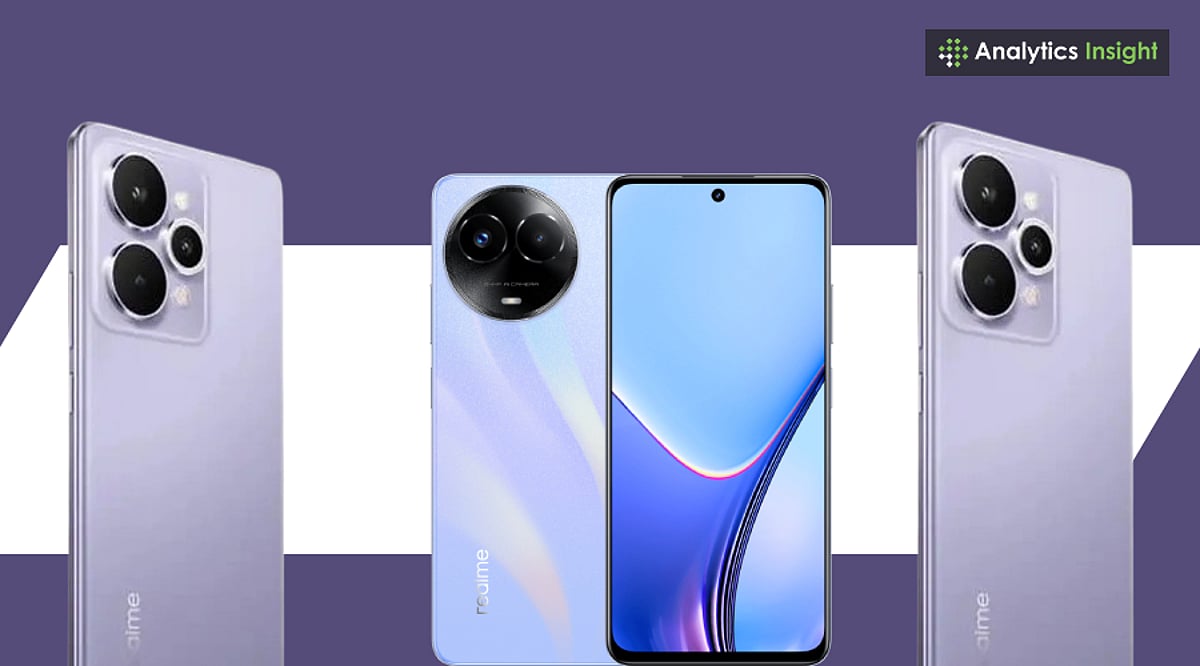
    Announced on July 24, 2025, and available from July 30, the Realme 15 Pro is making waves in the mid-range smartphone segment. Priced between Rs. 31,999 and Rs. 38,999 in India (depending on memory configuration), it offers a compelling mix of ultra-bright display, triple 50MP cameras, and a massive 7,000mAh battery. This review dives into the design, performance, camera, and battery life to help you decide if it’s worth your money.

    Design and Build: Slim, Light, and Premium

    The Realme 15 Pro comes in three colors: Flowing Silver, Velvet Green, and Silk Purple. Despite packing a 7,000mAh battery, it measures just 7.7–7.8mm thick and weighs around 187 grams—impressively slim and light. Curved edges and narrow bezels give it an upscale feel. Realme claims “IP69+ Corning Glass” for durability, though no official third-party certification exists yet, so caution with water exposure is advised.

    Display: 6.8-Inch 144Hz AMOLED with 6,500 Nits Peak Brightness

    The display is a standout. The 6.8-inch curved AMOLED panel boasts 1.5K resolution, a 144Hz refresh rate, and peak brightness up to 6,500 nits. Touch sampling rate reaches 2,500 Hz, making scrolling and gaming exceptionally responsive. Reading in sunlight, watching videos, and navigating social feeds feel premium—well beyond typical mid-range offerings.

    Performance: Snapdragon 7 Gen 4 with Vapor-Chamber Cooling

    Powered by Qualcomm’s Snapdragon 7 Gen 4 (4nm), paired with up to 12GB RAM and UFS 3.1 storage up to 512GB, the Realme 15 Pro handles everyday tasks smoothly. Games like Free Fire run at 120fps and BGMI at 90fps. The vapor-chamber cooling system keeps heat in check. While it doesn’t match last year’s flagship Snapdragon 8-series chips, it delivers commendable performance for its class.

    Cameras: Triple 50MP with 4K60 Video on Both Front and Rear

    The camera setup includes three 50MP sensors: main (Sony IMX896 with OIS), ultrawide, and front-facing selfie camera. Both rear and front cameras can record 4K60 video. Daylight shots are clear and well-colored; low-light performance benefits from stabilization. The selfie camera excels in skin tones and detail. The only drawback is the lack of a dedicated telephoto lens—zooming relies on software cropping.

    Battery Life: 7,000mAh with 80W Fast Charging

    Battery life is a key strength. The 7,000mAh cell easily lasts a full day of heavy use—social media, video, gaming, chatting. The included 80W charger (in the box) tops up the battery quickly. This combination of endurance and fast charging sets it apart from many competitors.

    Software and AI Features: Realme UI 6.0 on Android 15

    Realme UI 6.0 introduces several AI tools: “AI Edit Genie” lets you edit photos via voice commands (remove objects, change backgrounds, reduce glare, adjust exposure). “AI Party Mode” adds creative frames and optimizes low-light shots. The camera app also includes AI Landscape, MagicGlow, and enhanced Night mode. Both rear and front cameras support 4K60 recording—a rare feature at this price.

    Connectivity and Extras

    The phone supports dual SIM 5G, Wi-Fi 6, Bluetooth 5.4, in-display fingerprint sensor, and even an IR blaster. Navigation covers GPS, GLONASS, Galileo, Beidou, QZSS. The box includes a protective case and fast charger, adding value.

    Pricing in India

    • 8GB/128GB: Rs. 31,999
    • 8GB/256GB: Rs. 33,999
    • 12GB/256GB: Rs. 35,999
    • 12GB/512GB: Rs. 38,999

    Bank discounts and exchange offers can reduce the effective price further. A non-Pro Realme 15 starts at Rs. 25,999.

    How It Stacks Up Against Competitors

    Main rivals include Xiaomi 14 Civi (faster Snapdragon 8s Gen 3), OnePlus Nord 5 (fluid software), and Samsung Galaxy S24 FE (better software support and camera polish). Realme differentiates with its ultra-bright 144Hz curved display, dual 4K60 video, and massive battery with bundled fast charging.

    Strengths and Trade-Offs

    Strengths: Striking display, outstanding battery endurance, strong video features, AI tools, slim design, competitive pricing.

    Trade-Offs: Snapdragon 7 Gen 4 may underwhelm hardcore gamers vs. 8-series chips; no optical zoom; IP69+ claims remain unverified.

    Final Verdict: A Well-Rounded Mid-Range Contender

    As of mid-August 2025, the Realme 15 Pro proves to be a strong contender in the Rs. 30,000–Rs. 35,000 zone. It excels at display brightness, battery life, and creative video features, all in an attractive design. While not leading in raw performance or zoom capabilities, it delivers a well-rounded, value-packed experience for everyday users and video-savvy creators.