Tag: Android

  • How Your Smartphone Apps Track You: A Deep Dive into 2026’s Biggest Data Collectors

    How Your Smartphone Apps Track You: A Deep Dive into 2026’s Biggest Data Collectors

    Your smartphone can reveal significant details about your habits—location, purchases, searches, contacts, identifiers, and usage data can create a detailed digital profile. However, data collection is not automatically the same as harmful tracking. Some information is necessary for app functionality, security, personalization, or analytics. Learn what app tracking means and how to reduce your personal data exposure.

    Meta Apps Lead in Data Collection

    A 2026 Surfshark analysis highlighted Meta apps among the biggest data collectors. The study examined 171 iOS apps from major technology companies. Meta apps disclosed an average of 25 data types. This does not mean every user shares every data type; it shows what developers disclose through Apple’s privacy system. Seven of the study’s most data-hungry apps belonged to Meta. Meta AI reportedly listed 33 of 35 possible data types. Meta Horizon, Messenger, Facebook, and other apps followed closely. The categories can include identifiers, location, product interactions, and browsing information. Some Meta apps also declare data linked directly to users. Meta says information from businesses can help personalize content and AI experiences. Its June 2026 update expanded how this activity can influence personalization. The important point is context: data collection does not automatically mean misuse.

    Google Apps Also Gather Broad Data

    Google apps ranked below Meta on average in the same study. However, Google’s enormous app portfolio makes the picture more complicated. The research examined 44 Google apps. Twenty-nine Google apps appeared among those declaring the broadest data collection. Different Google apps can collect different types of data, including search history, purchases, photos, email addresses, and identifiers. Some collection directly supports useful features like search personalization, account synchronization, and security. Users should examine individual app disclosures rather than relying on a company’s overall reputation.

    Amazon and Other Popular Apps

    Amazon’s apps also collect several categories of user information. The study found an average of 12 data types across Amazon’s apps. Amazon apps commonly declared names, email addresses, device identifiers, and product interactions. Some also declared precise location information. Fitness apps deserve separate attention. Health and fitness applications can access particularly sensitive information. The Surfshark analysis found Fitbit, Strava, and Nike Training Club among data-heavy fitness apps. Fitbit declared 24 data types in that analysis. Fitness data can reveal routines, locations, activities, and other personal details, making permission choices especially important.

    What Does ‘Tracking’ Actually Mean?

    Data collection and tracking are not the same thing. Apple’s privacy system separates these concepts. ‘Data linked to you’ means collected information connects with your identity. ‘Data used to track you’ involves linking information with third-party data. That distinction matters when reading privacy labels. An app can collect information without necessarily using it for cross-service tracking. Apple’s App Store labels show declared data categories and their purposes. Developers provide this information themselves, so privacy labels should be treated as a starting point—not a complete technical audit of an application.

    How to Reduce Your Data Exposure

    You do not need to delete every app to improve privacy. Start by reviewing permissions you rarely use. Location access deserves particular attention. Consider whether an app really needs precise location access. Review microphone, camera, contacts, photos, and Bluetooth permissions too. Disable access when those features are unnecessary. On iPhone, the App Privacy Report can show network activity and accessed domains, providing visibility into connections made by apps and websites. Android users can similarly review permissions through system privacy controls. App-store privacy information can provide another useful reference. Users should also review advertising and personalization settings regularly, as these controls can change as platforms update their privacy systems.

    The Goal Is Smarter Privacy, Not Zero Data

    Modern apps need some information to function properly. Navigation apps need location, while shopping apps need account and purchase details. The bigger issue is understanding what information leaves your device and why companies collect it. The data-hungry app rankings offer a useful warning: popular services can collect far more categories than users expect. That does not make every data-heavy app dangerous, but it does make privacy settings worth reviewing. A few minutes spent checking permissions can significantly improve your digital privacy. The best approach is informed use, not fear of every app.

    FAQs

    What are data-hungry apps?
    Data-hungry apps are applications that report collecting many categories of user information. These categories can include location, identifiers, browsing history, purchases, contacts, and usage data. Collection levels vary between apps, and gathering more data does not automatically mean an app is unsafe or malicious.

    Which apps collect the most personal data in 2026?
    Surfshark’s August 2026 analysis found Meta had the highest average data collection among five major technology companies. Meta apps collected an average of 25 out of 35 possible data types. Meta AI ranked highest individually, declaring 33 data types.

    Does data collection mean an app is tracking me?
    Not necessarily. Data collection and tracking have different meanings. Apple defines tracking as linking app or device data with information from other companies for targeted advertising or measurement. An app can collect information without necessarily using it for cross-service tracking.

    What personal information can mobile apps collect?
    Depending on the app, collected information can include location, email addresses, names, device identifiers, purchase history, browsing history, photos, and usage information. Health and fitness apps can also handle sensitive activity-related information. The exact categories depend on the app and its disclosed practices.

    Are Meta apps the most data-hungry apps?
    According to Surfshark’s 2026 study, Meta had the highest average among the five Big Tech companies analyzed. Its apps averaged 25 of 35 possible data types. The study found that Meta’s seven highest-collection apps occupied the top seven positions.


  • Lara Croft and the Temple of Osiris Arrives on iOS and Android: Full Game Details

    Lara Croft and the Temple of Osiris Arrives on iOS and Android: Full Game Details

    Lara Croft is back on mobile. Feral Interactive has released Lara Croft and the Temple of Osiris on iOS and Android. The mobile version offers a free first level so players can try before buying. Download the game and the first level is unlocked by default. If you enjoy it, the full game is available for USD 9.99, EUR 8.99, or GBP 7.49 — and that includes all DLC with no microtransactions or timers.

    The port features customizable touch controls for phones and tablets. You can adjust the layout to match your playing style. For those who prefer a console-like experience, the game supports gamepad controllers. Mouse and keyboard input is also available.

    Lara Croft and the Temple of Osiris supports both single-player and four-player cooperative multiplayer. Players take on the roles of Lara Croft, Carter Bell, Isis, and Horus as they search for the lost Fragments of Osiris and stop the god Set. The gameplay mixes combat, puzzle-solving, and trap avoidance, all from a top-down perspective.

    The touch controls have been designed as a key part of the mobile experience. You can tweak them rather than being stuck with one scheme. Controller support gives another option for people who want a console-style feel.

    Feral released Lara Croft and the Guardian of Light on iOS and Android in 2025, which also offered touch controls and gamepad support, plus online co-op. Temple of Osiris follows that path, giving fans another classic adventure to enjoy on the go.

    Hardware Requirements: The game requires iOS 18 or later, Android 13 or later, and 3.6GB of free space.

  • WhatsApp Officially Drops Support for Android 5.0 and 5.1: What You Need to Know

    WhatsApp Officially Drops Support for Android 5.0 and 5.1: What You Need to Know

    WhatsApp has officially ended support for smartphones running Android 5.0 (Lollipop) and Android 5.1 as of September 8, 2026. This means that users with devices still on these older operating systems can no longer use the messaging app.

    Why Did WhatsApp Make This Change?

    WhatsApp announced this move several months in advance, giving users ample time to prepare. The company aims to focus its development efforts on newer Android versions, allowing it to introduce features that may not be compatible with outdated software and hardware. Maintaining support for very old operating systems can limit the app’s performance and the introduction of new capabilities.

    Is Your Device Affected?

    If your phone is running Android 5.0 or 5.1, WhatsApp support has ended. However, some older devices may still be eligible for an update to Android 6.0 or later. To check if an update is available for your phone:

    • Go to Settings on your device.
    • Navigate to About Phone or Software Update.
    • If an update to Android 6.0 or newer is available, install it to continue using WhatsApp.

    If your device cannot be upgraded beyond Android 5.0 or 5.1, you will need to switch to a newer phone to keep using WhatsApp.

    What Should Affected Users Do?

    First, check whether your phone can receive a newer Android version. If yes, update it immediately. If not, consider upgrading to a new device that supports at least Android 6.0. This will ensure you continue to receive WhatsApp updates and new features.

    While this change may inconvenience a small number of users, it is a necessary step for WhatsApp to evolve and provide a better experience for the vast majority of its users on modern devices.

  • Google Maps Debuts Gemini-Powered ‘Ask Maps’ Feature in India for Conversational Search

    Google Maps Debuts Gemini-Powered ‘Ask Maps’ Feature in India for Conversational Search

    Google has launched an enhanced version of its Ask Maps feature in India, introducing a conversational search experience powered by the company’s Gemini AI models. The update allows users to search for places using natural, everyday language instead of traditional keyword queries.

    With the new feature, users can ask detailed questions such as “Where can I find a family-friendly restaurant?” or “Suggest a café suitable for working.” Google Maps then provides personalized recommendations based on the context of the query. India is among the first markets to receive this upgraded Ask Maps experience.

    Search That Understands Context

    The system is designed to interpret user needs even when expressed in a conversational format. Instead of entering multiple search terms, users can describe their requirements and ask follow-up questions to refine results without starting a new search session. Google states this aims to make location discovery more intuitive.

    Key Features of Ask Maps

    • Natural Language Search: Ask questions in everyday language instead of using keywords.
    • Conversational Search: Continue the conversation with follow-up questions to refine results.
    • Personalized Recommendations: Discover tailored suggestions for restaurants, cafés, and other places based on preferences.
    • Contextual Responses: Understands the context of the query rather than just matching keywords.
    • Gemini AI Integration: Leverages Google’s Gemini AI for generating suggestions.
    • In-App Recommendations: Results appear directly on Google Maps.
    • Itinerary Planning: Create a day’s itinerary with a single search.
    • Available on Android and iOS: For Google Maps users in India.
    • Discovery Within a Chat: Find relevant places through a single conversational thread.

    Part of Google’s Broader Maps Update

    The Ask Maps rollout is part of Google’s larger effort to integrate AI-powered features into Maps. Alongside conversational search, Google has added improved navigation assistance and route context to help users understand and follow directions more easily. The company says these changes aim to make Maps more useful before, during, and after every journey by combining mapping technology with Gemini’s capabilities.

    With this latest release in India, users can navigate cities more simply without needing to perform multiple searches.

  • Google Drive May Delete Inactive WhatsApp Backups After 5 Months — Protect Your Chats Now

    Google Drive May Delete Inactive WhatsApp Backups After 5 Months — Protect Your Chats Now

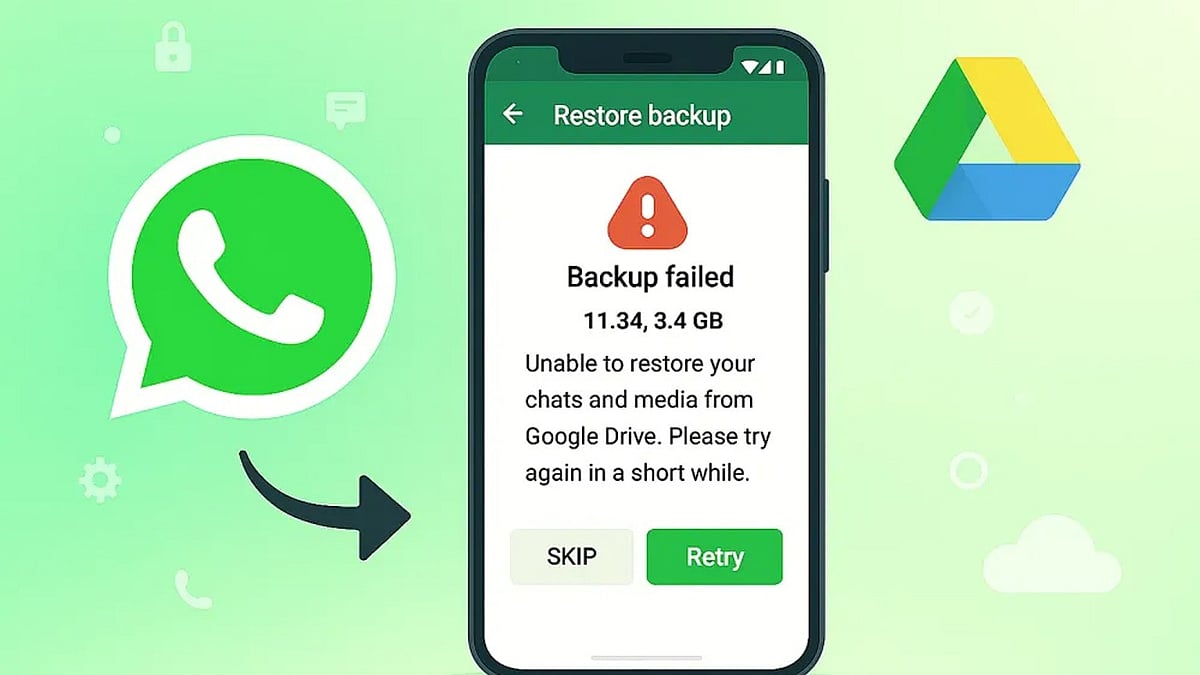
    Android users who rely on Google Drive to back up WhatsApp chats could lose years of conversations if their backup has not been updated in five months. Google may automatically remove inactive WhatsApp backups, and once they are gone, neither Google nor WhatsApp support can restore them.

    What Is Changing?

    According to guidance in the Google Drive Help Community, “WhatsApp backups that haven’t been updated in 5 months may automatically be deleted by Google.” The policy mainly affects Android users who use Google Account backups for WhatsApp and stop refreshing those backups for an extended period.

    The risk becomes more serious during phone upgrades or reinstallations because users often discover the missing backup only after WhatsApp has been installed on a new device. Without a recent backup, restoring old chats can be impossible.

    Why WhatsApp Backups Disappear

    Several factors can trigger the five-month deletion window, including:

    • Google Drive storage filling up and blocking new uploads
    • Changes to backup settings that stop scheduled backups
    • Repeated upload failures that are not checked over time

    Google Drive also keeps only the newest WhatsApp backup. Each successful upload replaces the previous copy, and older versions are not sent to a trash folder. This makes accidental chat loss much harder to reverse later.

    In addition, WhatsApp backups on Google Drive are encrypted. Users cannot browse or restore them through regular Google apps or websites, which means the cloud copy is not a simple backup file you can open independently.

    How to Keep Your WhatsApp Chats Safe

    Taking a few minutes to review your backup setup can prevent an unpleasant surprise. Android users should open WhatsApp Settings > Chats > Chat Backup regularly and follow these steps:

    • Set backup frequency to Daily or Weekly so Google Drive sees recent activity.
    • Confirm you have enough available Google Drive storage for new backups.
    • Make sure the Google Account listed in WhatsApp matches the account you use for regular backups.
    • Check the date of your last backup before switching phones or reinstalling WhatsApp.

    For important conversations, WhatsApp’s Export Chat feature creates a separate copy outside the backup system and can serve as extra protection. Local Android backups may also offer another recovery option if recent chats disappear from Google Drive.

    A Quick Check Can Save Years of Messages

    The risk of losing WhatsApp history is highest when users switch devices, because missing backups are usually discovered after the old phone is no longer available. Checking the last backup date today can reveal potential problems early and prevent a failed restore. With a simple review of your backup schedule and storage, you can protect years of conversations from automatic deletion.

  • Google Assistant to Be Retired Starting September, Gemini Takes Over as Default Assistant

    Google Assistant to Be Retired Starting September, Gemini Takes Over as Default Assistant

    Google has entered the final phase of retiring Google Assistant, with the company confirming that the voice assistant will begin disappearing from Android smartphones starting September 4. The transition will happen gradually over several weeks as Gemini becomes Google’s only supported voice assistant on eligible Android devices.

    Users who have already received notification emails from Google will no longer be able to switch back to Google Assistant after the migration is complete. The change also extends beyond smartphones to include paired Android tablets, Wear OS smartwatches, and compatible headphones and earphones.

    Gemini Becomes Default Assistant

    After the transition, users will continue to activate the assistant by saying ‘Hey Google’ or by long-pressing the power button. However, instead of Google Assistant, Gemini will respond on supported devices. Google stated that setting Gemini as the default assistant on an Android phone will automatically make it the assistant across paired devices, including compatible smartwatches and audio accessories.

    Gemini retains many of the core capabilities offered by Google Assistant, including setting alarms and timers, answering questions, controlling smart home devices, playing music, and performing tasks directly from the lock screen. It also introduces more advanced AI-powered features built around Google’s latest generative AI technology.

    End of a Decade-Long Service

    Google Assistant was introduced in May 2016 and has remained one of the company’s flagship services across Android phones and several connected devices for nearly a decade. Google first announced in 2025 that Gemini would eventually replace Assistant across Android phones, tablets, smartwatches, TVs, cars, and other supported products. The company had initially planned to complete the transition earlier, but the timeline was extended before the final rollout was confirmed this week.

    While Google Assistant is being retired from Android phones and several paired devices, the company has indicated that the change does not currently affect Google Home smart speakers, Google TV devices, or vehicles running Google built-in, where Assistant will remain available for now.

  • Complete Guide to Enable Gmail Dark Mode on Android, iPhone, and Desktop

    Complete Guide to Enable Gmail Dark Mode on Android, iPhone, and Desktop

    How to Enable Gmail Dark Mode on Android

    To switch Gmail to dark mode on your Android device, follow these steps:

    1. Open the Gmail app.
    2. Tap the hamburger menu (☰) in the top-left corner.
    3. Go to Settings > General settings > Theme.
    4. Choose Dark or System default.

    Selecting System default will make Gmail automatically follow your phone’s dark mode schedule, switching between light and dark based on the time of day or your system settings.

    How to Turn On Gmail Dark Mode on iPhone

    1. Open the Gmail app on your iPhone.
    2. Tap the hamburger menu (☰) and go to Settings.
    3. Select Theme and choose Dark.
    4. If the option is not available, enable Dark Mode from your iPhone’s system settings: Settings > Display & Brightness > Dark.

    How to Enable Dark Theme on Desktop

    1. Open Gmail in your web browser.
    2. Click the Settings gear icon (⚙️) in the top-right corner.
    3. Select See all settings.
    4. Go to the Themes tab.
    5. Choose a dark theme from the available options and click Save.

    Note: On the desktop version, Gmail’s interface darkens but many email message bodies may still appear white due to the sender’s original formatting. This is a known limitation.

    Why Use Gmail Dark Mode?

    Dark mode reduces eye strain in low-light environments, saves battery life on OLED displays, and provides a cleaner, more comfortable viewing experience. It also helps you focus on your emails without the harsh glare of a bright screen.

    Troubleshooting: Dark Mode Keeps Turning Off

    If Gmail reverts to light mode unexpectedly, try reapplying the dark theme on your primary device. Theme settings are often synced across your Google account, so changes on one device may affect others. Ensure you have selected the correct theme in the Gmail settings or set it to System default to follow your device’s schedule.

  • OnePlus 12 Review: Impressive Display, Solid Performance, and a Few Trade-Offs

    OnePlus 12 Review: Impressive Display, Solid Performance, and a Few Trade-Offs

    The OnePlus 12 stands as a flagship smartphone that excels in most areas. It offers an outstanding display, smooth OxygenOS performance, reliable battery life, and versatile cameras. However, minor design durability concerns, occasional software limitations, and some camera inconsistencies prevent it from being a completely flawless experience.

    General Specifications

    • Display: 6.82-inch QHD+ AMOLED, 120Hz refresh rate
    • Processor: Snapdragon 8 Gen 3
    • RAM: 12GB / 16GB LPDDR5X
    • Storage: 256GB / 512GB UFS 4.0
    • Rear Camera: 50MP main (f/1.6) + 48MP ultrawide + 64MP telephoto (3x optical)
    • Front Camera: 32MP
    • Battery: 5400mAh with 100W wired charging, 50W wireless
    • OS: OxygenOS 14 based on Android 14
    • Weight: 220g
    • Colors: Flowy Emerald, Silky Black

    Pros and Cons

    Pros

    • Excellent display with vibrant colors and high brightness
    • Fast and fluid OxygenOS performance
    • Reliable all-day battery life with fast charging
    • Versatile camera system with good main sensor

    Cons

    • Design feels slightly less premium than competitors
    • Some software bloatware and minor bugs
    • Camera inconsistencies in low-light and color accuracy

    Pricing

    The OnePlus 12 is priced at around ₹64,999 for the base 12GB/256GB variant. Check availability on leading e-commerce platforms.

    Available on Flipkart and Amazon.

  • iQOO 16T Leak Reveals Flagship Specs: Snapdragon Chip, 144Hz Display, 7,000mAh Battery

    iQOO 16T Leak Reveals Flagship Specs: Snapdragon Chip, 144Hz Display, 7,000mAh Battery

    Recent leaks suggest that the iQOO 16T is shaping up to be a premium performance-focused smartphone, targeting gamers, creators, and power users. The device is expected to bring significant upgrades in processing power, display technology, battery capacity, and AI-powered software features. While iQOO has not officially confirmed the specifications, early reports paint a picture of a flagship competitor.

    Powerful Processor Could Drive Performance

    According to leaks, the iQOO 16T may feature one of Qualcomm’s latest flagship Snapdragon chipsets, delivering faster processing speeds and improved power efficiency. Combined with high-speed LPDDR5X RAM and UFS 4.1 storage, the smartphone is expected to offer smooth multitasking, faster app loading, and enhanced gaming performance for demanding workloads and intensive mobile applications.

    Display May Offer Smooth Visual Experience

    Leaks indicate the iQOO 16T could feature a large AMOLED display with a refresh rate of up to 144Hz, providing smoother scrolling and responsive gaming. The screen is also expected to deliver high brightness, vibrant colors, and excellent HDR support, making it ideal for streaming, gaming, reading, and everyday use under various lighting conditions.

    Bigger Battery and Faster Charging Expected

    Battery performance is expected to be a major highlight. Reports suggest the phone may include a battery exceeding 7,000mAh along with ultra-fast wired charging support. This combination could allow extended gaming sessions, video streaming, and productivity tasks with minimal charging interruptions, even during heavy usage.

    Camera System May Receive AI Enhancements

    Latest leaks indicate iQOO could introduce improved AI-powered camera features on the 16T. Expected upgrades include better night photography, enhanced portrait processing, faster autofocus, and improved video stabilization. AI image optimization may also help users capture sharper photos with natural colors across different lighting conditions without manual adjustments.

    Software Could Focus on AI Productivity

    The iQOO 16T is expected to launch with the latest Android version alongside an updated custom interface featuring new AI capabilities. Leaks mention smarter voice assistance, AI-powered photo editing, real-time translation, intelligent battery optimization, and productivity tools designed to improve everyday smartphone usage while delivering smoother overall system performance.

    Launch Details Still Await Official Confirmation

    Although multiple leaks have revealed expected specifications, iQOO has yet to officially announce the 16T. Final hardware, pricing, regional availability, and launch dates may differ from current reports. If the leaked information proves accurate, the smartphone could become a strong competitor in the flagship Android segment by combining premium hardware, AI features, and fast charging technology.

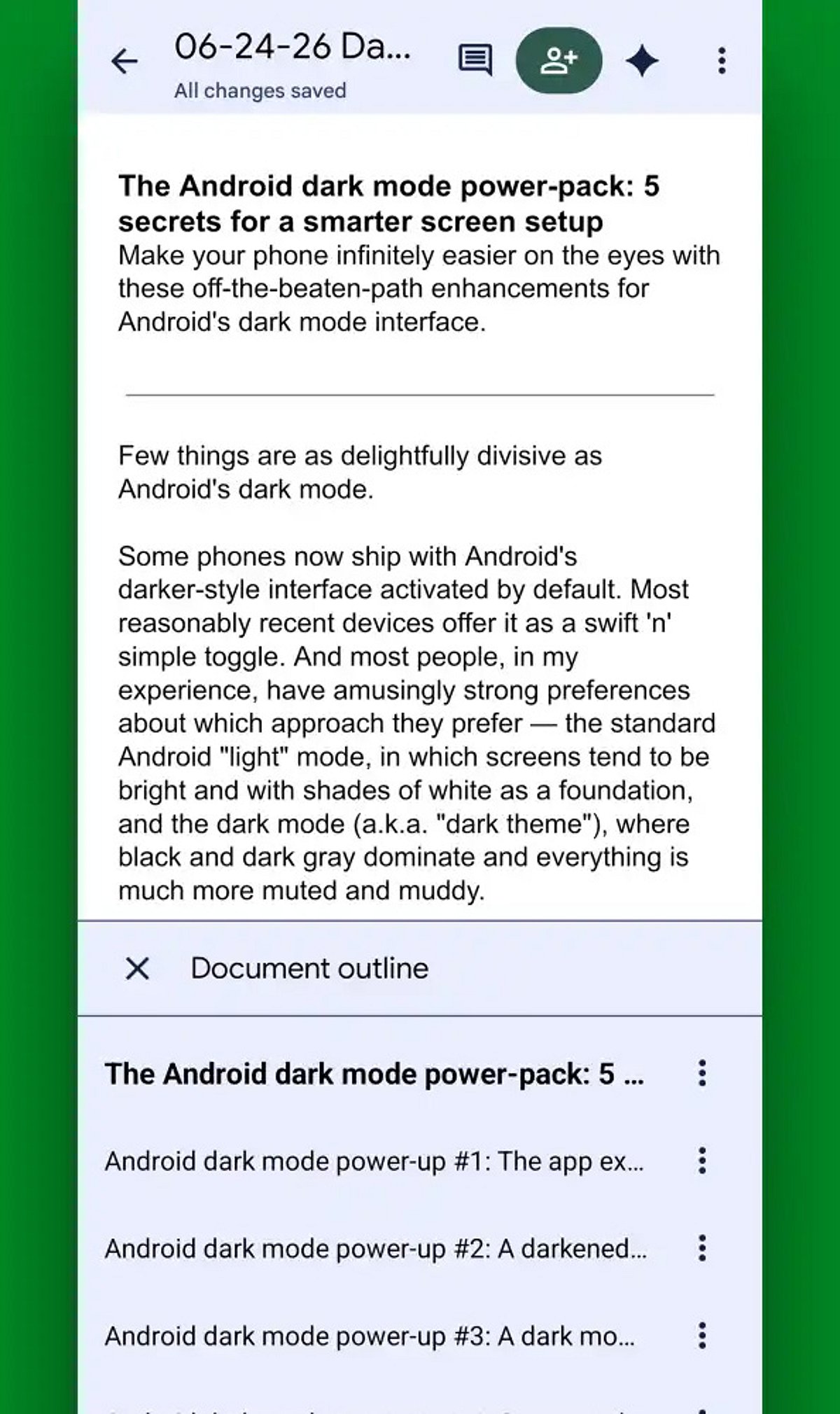
  • 10 Essential Google Docs Tips for Android Users in 2026

    10 Essential Google Docs Tips for Android Users in 2026

    Google Docs on Android continues to evolve, offering powerful tools that make document creation, editing, and sharing easier than ever from your mobile device. Here are the best tips and tricks for maximizing your productivity in 2026.

    AI-Powered Writing Assistance

    Leverage built-in AI features to draft, rewrite, summarize, and polish documents directly within Google Docs. This smart assistance helps you write faster and with greater clarity.

    Enhanced Voice Typing

    Voice typing has become remarkably accurate, allowing you to dictate entire documents quickly while significantly reducing typing time. Perfect for on-the-go note-taking or drafting long content.

    Offline Mode

    Edit your files without an internet connection. Any changes you make will sync automatically once you reconnect, ensuring you never lose productivity due to connectivity issues.

    Smart Chips for Better Organization

    Use smart chips to link people, files, dates, and meetings directly within your document. This feature streamlines collaboration and keeps all relevant information connected.

    Real-Time Collaboration

    Commenting, suggesting edits, and real-time editing make teamwork seamless, even when collaborators are using different devices. Everyone stays on the same page.

    Document Templates

    Save time with ready-made templates for resumes, reports, meeting notes, and project plans. Simply choose a template and customize it to your needs.

    Version History

    Track every edit and restore previous versions of your document with ease. Version history prevents accidental loss of important content and gives you peace of mind.

    Keyboard Shortcuts & Quick Formatting

    Master keyboard shortcuts and quick formatting tools to speed up your workflow. Combined with Google Drive integration, these features help Android users work faster and stay organized.

    Start implementing these tips today to transform your mobile document experience.