Tag: Apple Intelligence

  • Apple Intelligence Explained: A Complete Guide to iPhone AI Features

    Apple Intelligence Explained: A Complete Guide to iPhone AI Features

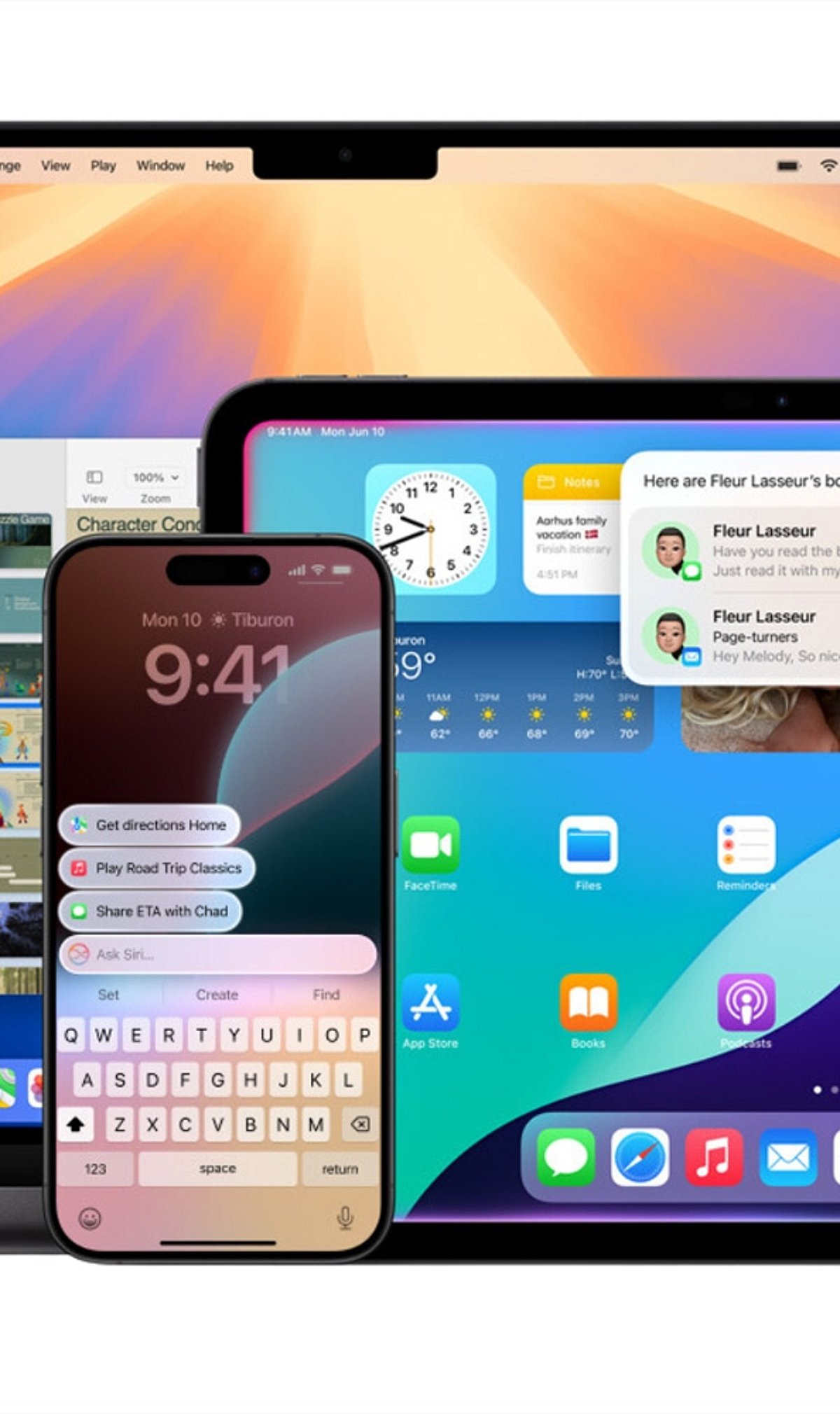
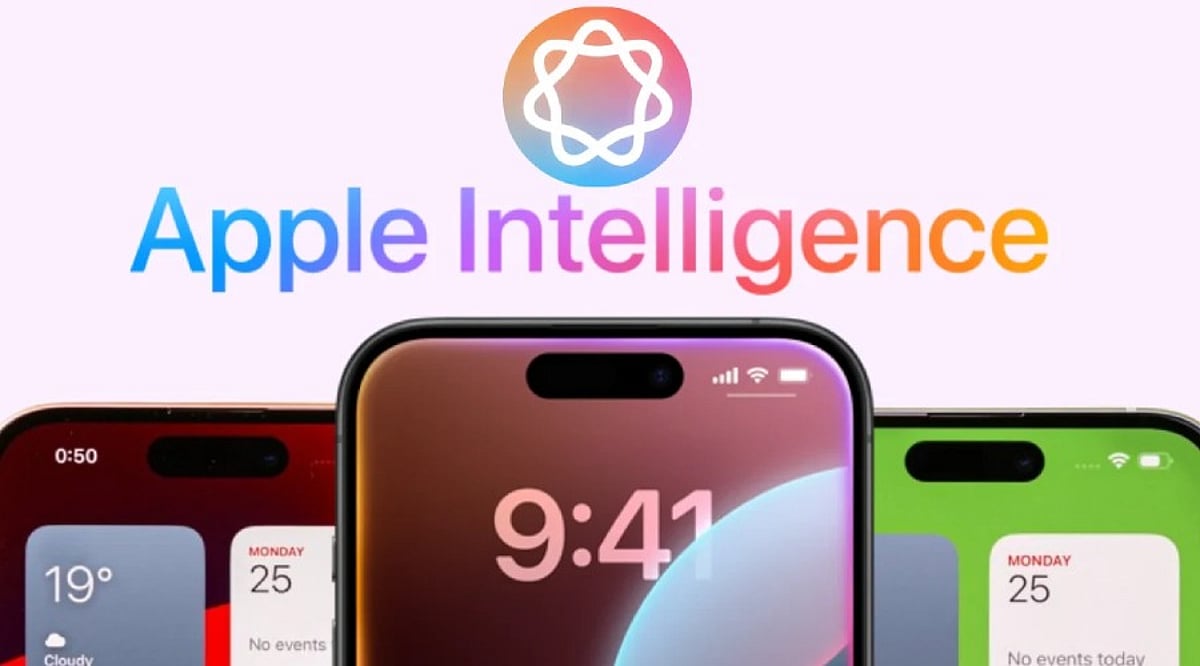
    Apple Intelligence is Apple’s personal artificial intelligence system that works across iPhone, iPad, Mac, Apple Watch, and Apple Vision Pro. Unlike traditional AI chatbots that exist as separate apps, Apple built this system directly into the operating system, embedding it into everyday apps like Messages, Mail, Photos, Notes, Safari, and Phone. This design creates a seamless experience without the need to switch between different applications.

    Key Takeaways

    • Apple Intelligence integrates AI directly into iPhone apps for a seamless everyday experience.
    • Most AI processing happens on-device, with Private Cloud Compute protecting user privacy.
    • Advanced features are available only on iPhone 15 Pro, iPhone 15 Pro Max, iPhone 16 models, and newer devices.

    Which iPhones Support Apple Intelligence?

    Apple Intelligence only works on iPhones with enough processing power to handle advanced AI models. The supported devices include the iPhone 15 Pro, iPhone 15 Pro Max, every iPhone 16 model, and newer iPhones. Regular iPhone 15 models do not support Apple Intelligence. Apple says the advanced Neural Engine, higher memory, and powerful Apple Silicon inside supported devices make these AI features possible. Older iPhones cannot meet these hardware requirements.

    Writing Tools Make Everyday Work Easier

    The very basic function of Apple Intelligence is offered by the automatic Writing Tools included in the programming. These features are extensively used by most applications of Apple and by many external programs. You can rewrite texts, correct grammar, make short summaries, and change the tone of messages. Safari, Mail, Notes, and Messages all support these capabilities, turning long emails into short summaries and rough drafts into polished texts.

    Siri Understands Conversations Better

    Apple Intelligence gives Siri a major upgrade. Siri now understands natural conversations more accurately and follows context across multiple questions. Instead of repeating the same information, Siri remembers earlier parts of the conversation and provides smoother replies. Apple also added optional ChatGPT integration. Siri asks for permission before sending a request to ChatGPT, balancing advanced functionality with privacy.

    Creative Tools Add Fun to Everyday Tasks

    Apple Intelligence includes Image Playground, a feature that creates images from simple text descriptions. Apple offers styles such as Animation, Illustration, and Sketch. Messages, Notes, and Freeform all support this feature. Genmoji adds another creative option: a simple description like “golden retriever wearing sunglasses” turns into a unique emoji within seconds.

    Visual Intelligence Understands the World Around It

    Visual Intelligence uses the iPhone camera to recognize objects, places, products, signs, and text. After recognition, Apple Intelligence can explain what appears on the screen, translate foreign languages, search for products online, or create calendar events from posters and invitations. Apple continues to improve this feature with every software update.

    Photos, Notifications, and Mail Become Smarter

    The Photos app now includes the Clean Up tool, which removes unwanted objects from pictures while keeping lighting, shadows, and important details as natural as possible. Notifications also become easier to manage with short summaries for long alerts and priority placement. Mail receives email summaries, suggested quick replies, highlighted important messages, and short previews that help readers understand content before opening each email.

    Notes and Phone Receive Helpful AI Features

    The Notes app gains intelligent tools for summarization, writing improvement, grammar correction, and organization. The Phone app supports call transcripts and call summaries in supported regions and languages, helping users review important conversations without relying on memory alone.

    Privacy Stays at the Center of Apple Intelligence

    Privacy remains one of the biggest differences between Apple Intelligence and many other AI systems. Most AI tasks run directly on the iPhone. Only complex requests move to Private Cloud Compute, which Apple says never stores personal data after processing finishes. This balance between local processing and secure cloud support allows Apple Intelligence to deliver advanced AI features while protecting personal information.

    Why This Matters

    Apple Intelligence changes the way people use an iPhone every day. Built-in AI saves time, improves communication, helps with creative tasks, and makes everyday apps more useful. Strong privacy protection also sets Apple apart from many AI platforms, making Apple Intelligence an important feature for anyone planning to buy or upgrade an iPhone.

    FAQs

    1. What is Apple Intelligence? Apple Intelligence is Apple’s built-in AI system that enhances apps like Messages, Mail, Photos, Notes, Safari, and Siri with smart, privacy-focused features.
    2. Which iPhones support Apple Intelligence? It is supported on iPhone 15 Pro, iPhone 15 Pro Max, all iPhone 16 models, and newer compatible iPhones.
    3. Does Apple Intelligence use ChatGPT? Yes. Siri can optionally use ChatGPT for more complex requests, but only after asking for your permission.
    4. Is Apple Intelligence private and secure? Yes. Most AI tasks run directly on your device, while complex requests use Apple’s Private Cloud Compute, which is designed to avoid storing personal data after processing.
    5. What are the main features of Apple Intelligence? Key features include Writing Tools, smarter Siri, Image Playground, Genmoji, Visual Intelligence, Photos Clean Up, notification summaries, Mail enhancements, and call transcripts.
  • iPhone 18: Everything We Know So Far About Features, Release Date, and Price

    iPhone 18: Everything We Know So Far About Features, Release Date, and Price

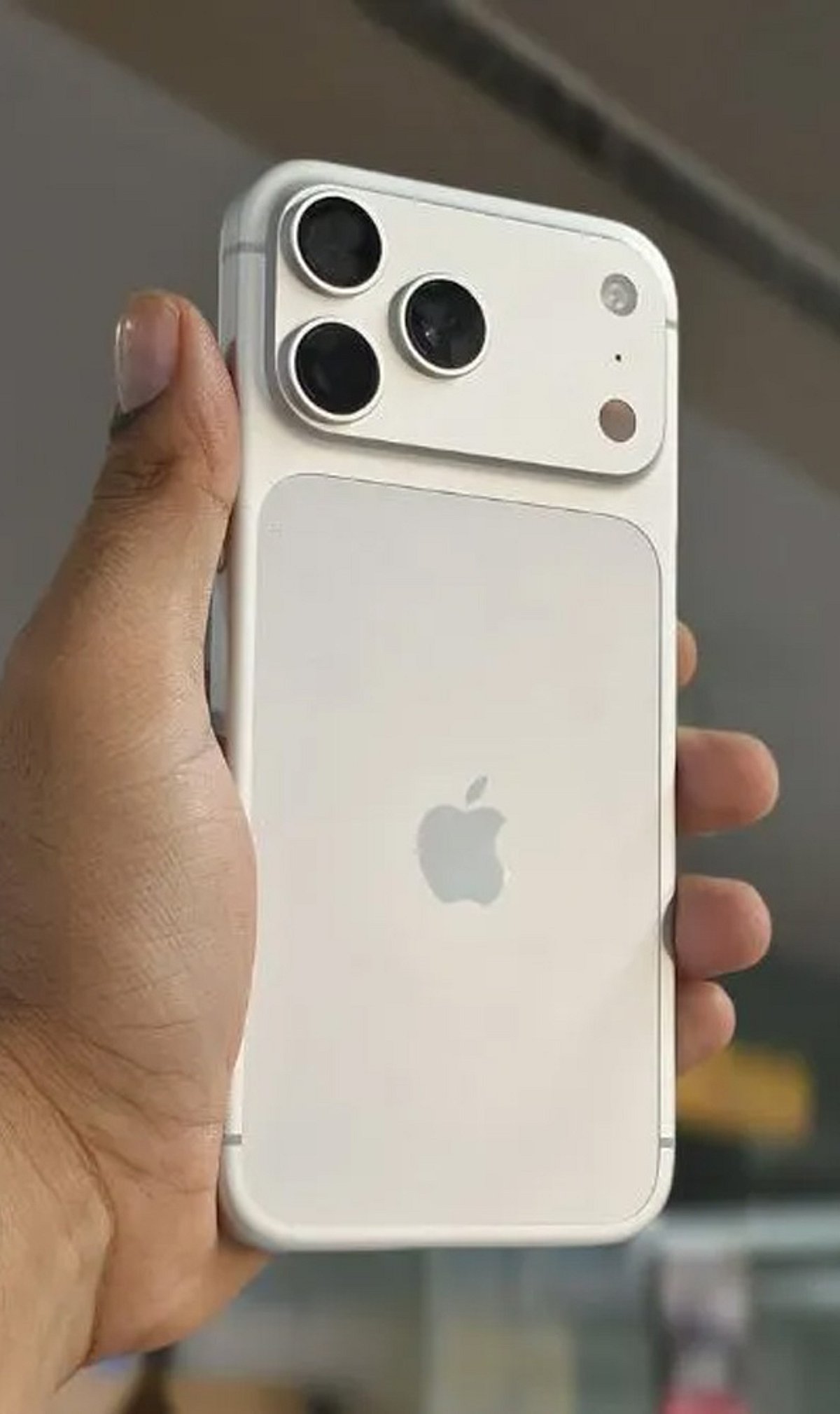
    Apple’s next-generation flagship, the iPhone 18, is already generating buzz with rumors of significant upgrades in performance, AI, cameras, and design. Here’s a comprehensive roundup of expected features, launch timeline, pricing, and the latest whispers from the industry.

    A20 Pro Chip: Faster and More Efficient

    Apple is expected to introduce the A20 Pro chipset, delivering faster processing, enhanced graphics, improved AI capabilities, and better battery optimization. The chip will likely power more demanding applications and enable advanced on-device intelligence.

    Apple Intelligence 2.0: Smarter On-Device AI

    The next generation of Apple’s AI platform, tentatively called Apple Intelligence 2.0, may bring a more conversational Siri, improved writing tools, image generation, and personalized productivity features across apps — all processed locally for privacy.

    Advanced Camera System

    Leaked specs point to improved computational photography, larger sensors, and an enhanced periscope zoom lens. These upgrades should deliver better low-light performance, sharper portraits, and greater optical zoom capabilities.

    Display Technology Upgrades

    The iPhone 18 lineup is rumored to feature brighter OLED panels with thinner bezels, smoother refresh rates (potentially 120Hz on all models), and improved outdoor visibility for a premium viewing experience.

    Battery and Charging Improvements

    Hardware and software optimizations are expected to extend battery life, while faster wired and wireless charging may also be introduced.

    iOS 27: Fresh Features and Privacy

    The iPhone 18 will likely debut with iOS 27, bringing new customization options, enhanced privacy controls, and AI-driven tools that integrate seamlessly with the new hardware.

    Premium Design and Build

    Rumors suggest Apple will use lighter materials, refine the camera housing, and slim down the chassis while maintaining its signature premium feel.

    Expected Pricing

    Flagship pricing is expected to remain in line with previous iPhone launches, though regional variations may occur due to component costs and international market factors.

    Launch Timeline

    Apple is widely expected to unveil the iPhone 18 series at its traditional September launch event in 2027.

  • 5 Essential Apple Intelligence Features to Master in 2026

    5 Essential Apple Intelligence Features to Master in 2026

    Apple Intelligence has evolved significantly in 2026, bringing smarter writing tools, live translation, AI-powered shortcuts, advanced photo editing, and an upgraded Siri that makes everyday tasks on iPhone, iPad, and Mac faster and easier. Here are the top five features you should start using today.

    1. Writing Tools Help You Finish Faster

    Built into apps like Mail, Notes, and Messages, Apple’s Writing Tools now offer spelling checks, sentence restructuring, tone adjustments, and email summarization. Whether you’re a student or a professional, these tools eliminate the need for third-party editing apps.

    2. Live Translation Works Across Calls and Messages

    Live Translation simplifies communication in multiple languages. It works in text messages, FaceTime calls, and even regular phone calls, translating conversations in real time. This is invaluable for travel, client meetings, or keeping in touch with international friends and family—all while maintaining Apple’s privacy standards.

    3. Shortcuts Get an AI Upgrade

    The Shortcuts app now integrates Apple Intelligence, allowing you to create automations that summarize articles, organize notes, draft messages, and perform multiple actions with a single tap. For example, you can set a shortcut to collect all meeting notes, summarize them, and email them automatically.

    4. Edit Photos Without Third-Party Apps

    The Photos app now includes AI-powered editing features such as removing background distractions, recomposing images, and erasing unwanted objects. These tools are designed for everyday use—perfect for travel photos, family portraits, and social media posts.

    5. Siri Understands Context Better

    Siri’s improved context awareness allows it to answer follow-up questions, understand what’s on your screen, and take actions across multiple apps. You no longer need to repeat yourself; Siri maintains a natural conversation flow.

    Apple Intelligence Features at a Glance

    All these features are designed to enhance everyday tasks without changing how you use your iPhone, iPad, or Mac. They integrate seamlessly into Apple’s existing apps, saving you time and reducing repetitive manual work.

    As Apple continues to expand its AI capabilities in 2026, these five features are the most practical to explore first. Whether you’re writing, translating, editing, or automating, Apple Intelligence makes your devices smarter without demanding a new learning curve.

  • Galaxy AI vs Apple Intelligence: Key Differences in Smartphone AI Approaches

    Galaxy AI vs Apple Intelligence: Key Differences in Smartphone AI Approaches

    Samsung and Apple are pursuing distinct strategies for integrating artificial intelligence into smartphones. Galaxy AI emphasizes practical, user-accessible tools like translation, photo editing, and productivity enhancements. Apple Intelligence, by contrast, takes a more personalized route, embedding AI deeply into the operating system and apps to create a seamless, context-aware experience. Both aim to make smartphones smarter and more useful, but their methods differ significantly.

    Galaxy AI Is Built for Action

    Galaxy AI functions as a broad toolkit of practical features. Users can translate calls in real time, summarize content, edit photos with generative tools, and rewrite text. Samsung also leverages AI to improve search and overall productivity. This approach gives users visible, direct-access features, making Galaxy AI particularly appealing to those who want control and flexibility.

    Apple Intelligence Thinks Contextually

    Apple Intelligence is designed to understand the user’s personal context. Apple integrates AI into Siri, Messages, Mail, and other system-level features. The goal is to make AI feel less like a separate tool and more like an intelligent layer that works across the entire Apple ecosystem.

    AI Assistants Take Different Paths

    Galaxy users benefit from Samsung’s AI features alongside Google’s Gemini ecosystem, giving Android users access to a wide range of AI capabilities. Meanwhile, Apple is upgrading Siri to better understand context and perform more complex tasks. Apple’s long-term vision centers on a more capable assistant deeply integrated with Apple devices.

    Photo and Writing Tools

    Both platforms offer AI-powered writing and image-editing tools. Galaxy AI provides features such as Generative Edit, object removal, summarization, and writing assistance. Apple Intelligence offers tools including Rewrite, proofreading, Clean Up, and AI-generated images. Currently, Samsung feels more feature-heavy, while Apple focuses on seamless system integration.

    Privacy Remains a Key Difference

    Apple has placed privacy at the center of its AI strategy. Apple Intelligence processes many tasks on-device and uses Private Cloud Compute for more complex requests. Galaxy AI also combines on-device and cloud processing, depending on the feature. The key difference lies in how each company positions privacy within its AI ecosystem.

    Which AI Approach Is Better?

    Galaxy AI is better suited to users who want a wide range of practical tools and greater flexibility. Apple Intelligence may appeal more to users invested in Apple’s ecosystem who seek contextual, personalized assistance. The real competition is not simply about features—it is about which company can make AI feel most useful in everyday life.

  • Step-by-Step Guide to Unlocking Apple’s Hidden Siri AI Popover

    Step-by-Step Guide to Unlocking Apple’s Hidden Siri AI Popover

    Apple has introduced a hidden Siri AI Popover that transforms how users interact with the digital assistant on compatible devices. This guide walks you through the activation process, from checking device compatibility to exploring the AI-powered interface.

    Check Device Compatibility

    The hidden Siri AI Popover is available only on compatible Apple Intelligence-supported devices, including newer iPhone, iPad, and Mac models. Ensure your device supports Apple Intelligence and is running the latest compatible software version before attempting to access the redesigned Siri interface.

    Update to the Latest Software

    Install the latest version of iOS, iPadOS, or macOS that includes Apple Intelligence features. Software updates often unlock hidden capabilities, improve Siri performance, and ensure compatibility with the AI-powered floating Siri Popover interface designed for eligible Apple devices.

    Enable Apple Intelligence

    Open your device settings and turn on Apple Intelligence if it is available in your region. Some features may require joining the waitlist or downloading additional AI resources before the hidden Siri Popover becomes accessible through supported voice commands or activation methods.

    Turn On Siri Features

    Navigate to Siri settings and enable options like “Listen for Siri” and side button activation. These settings allow the assistant to launch correctly, making it easier to trigger the new floating AI Popover interface instead of relying on traditional full-screen Siri interactions.

    Activate Siri Normally

    Once everything is configured, activate Siri using your voice or the device’s dedicated button. On supported Apple Intelligence devices, Siri appears as a subtle glowing border or compact Popover, allowing you to continue using apps without interrupting your workflow or screen activity.

    Explore AI Capabilities

    The Siri AI Popover supports contextual assistance, writing tools, summaries, and app-aware interactions through Apple Intelligence. Experiment with different prompts, ask follow-up questions, and use productivity-focused requests to experience the upgraded AI assistant beyond standard voice commands and basic information retrieval.

    Know the Availability Limits

    Apple Intelligence features, including the Siri AI Popover, are rolling out gradually across devices, languages, and regions. If you cannot access the feature immediately, keep your software updated, monitor Apple’s announcements, and wait for wider availability as support continues expanding.

  • Apple A20 Pro Chip Leak: 2nm Process and WMCM Packaging Could Power iPhone 18 Pro

    Apple A20 Pro Chip Leak: 2nm Process and WMCM Packaging Could Power iPhone 18 Pro

    Apple’s next-generation A20 Pro chip could be one of the biggest upgrades coming to the iPhone 18 Pro lineup, according to a new report. While Apple has not confirmed any details, early leaks suggest the chipset will introduce two major architectural changes aimed at improving performance, battery life, and on-device AI capabilities.

    2nm Process Could Improve Speed and Efficiency

    The A20 Pro is expected to be built using TSMC’s 2nm manufacturing process. If the report is accurate, it will be the first iPhone chip to move beyond the 3nm process used in Apple’s current-generation processors. A smaller fabrication process allows more transistors to fit within the same chip area, which typically translates into better performance while consuming less power. Users could see faster app launches, smoother gaming, and improved battery life during everyday use.

    WMCM Packaging May Be the Bigger Change

    The second upgrade mentioned is the adoption of Wafer-Level Multi Chip Module (WMCM) packaging technology. Unlike traditional PoP packaging, WMCM brings important elements such as processors, memory, and the Neural Engine into close proximity. This is expected to minimize communication delays, improve memory bandwidth, and better manage heat dissipation.

    Designed for the Next Phase of Apple Intelligence

    Apple has continued to enhance its Apple Intelligence technology, and the A20 Pro is believed to include hardware to support future AI applications. By enabling quicker memory access and better processing efficiency, it would be possible to handle more AI tasks directly on the device without relying on cloud servers.

    Apple Yet to Announce the Chip

    The A20 Pro processor remains a rumor, and Apple has not announced any specifications or confirmed the iPhone 18 Pro series. If the leaks turn out to be true, it would be one of the biggest architectural advancements in Apple’s iPhone processors in recent years. More information can be expected once Apple officially reveals the iPhone 18 Pro series.

  • Today’s Tech Roundup: Apple Intelligence Cleared in China, Google Play Store Opens Up, OpenAI Codex Micro, Apple’s Chip Acquisitions, and OnePlus India’s Hurdles

    Today’s Tech Roundup: Apple Intelligence Cleared in China, Google Play Store Opens Up, OpenAI Codex Micro, Apple’s Chip Acquisitions, and OnePlus India’s Hurdles

    In a packed day of tech news, Apple has received regulatory approval in China for its Apple Intelligence platform, marking a significant milestone for the company’s AI ambitions in the world’s largest smartphone market. Meanwhile, Google is opening its Play Store to rival app stores, signaling a major shift in its distribution policy. OpenAI is entering the hardware space with Codex Micro, Apple is eyeing chip startups for potential acquisitions, and OnePlus faces mounting challenges in India.

    Apple Intelligence Gets Green Light in China

    Apple’s artificial intelligence initiative, Apple Intelligence, has secured approval from Chinese regulators. This move allows Apple to deploy its AI features in the region, potentially boosting iPhone sales and competing with local AI offerings. The approval comes as Apple continues to navigate stringent data and security regulations in China.

    Google Play Store Opens to Rival App Stores

    In a surprising policy change, Google has announced that it will allow third-party app stores to be listed on the Google Play Store. This decision could reshape the Android app ecosystem, giving users more choices and potentially reducing Google’s dominance in app distribution. The move follows increased regulatory pressure and antitrust scrutiny worldwide.

    OpenAI Enters AI Hardware with Codex Micro

    OpenAI is reportedly developing a new hardware product called Codex Micro, aimed at bringing AI capabilities directly to devices. This marks the company’s first foray into physical hardware, expanding beyond software and cloud-based AI services. Details remain scarce, but the project is expected to focus on edge AI and real-time processing.

    Apple Eyes Chip Startups

    Apple is reportedly in talks to acquire several chip startups to bolster its semiconductor capabilities. The company aims to reduce reliance on external suppliers and enhance its custom chip designs for future iPhones, Macs, and other devices. This strategy aligns with Apple’s long-term goal of vertical integration and performance optimization.

    OnePlus Faces Challenges in India

    OnePlus is encountering significant hurdles in the Indian market, including increased competition from rivals like Xiaomi and Samsung, as well as regulatory challenges. The company is reportedly reassessing its strategy to maintain market share and consumer loyalty in one of its key regions.

    Stay tuned for more updates on these developing stories.

  • iOS 27 Public Beta Now Available: Siri AI Leads New Features—Check iPhone Compatibility

    iOS 27 Public Beta Now Available: Siri AI Leads New Features—Check iPhone Compatibility

    Apple has officially released the iOS 27 public beta, giving users an early look at the next-generation operating system ahead of its stable launch later this year. The headline feature is Siri AI, a redesigned, more intelligent assistant that brings deeper on-device processing, improved contextual understanding, and more natural conversations. The update also includes Apple Intelligence enhancements, performance improvements, and several interface upgrades.

    Siri AI: The Core of iOS 27

    The most exciting addition in iOS 27 is the new Siri AI. Unlike previous versions, this assistant can understand context, identify on-screen information, and perform complex multi-step tasks across Apple’s native apps. Users can ask Siri to locate a specific email, find a particular photo, create notes from messages, summarize content, or complete other multi-stage requests without switching apps. Natural language understanding has also been significantly improved. While the feature is available in the beta, compatibility with third-party apps will expand over time.

    This public beta offers the first opportunity for non-developers to experience Apple’s latest AI capabilities. Experts recommend backing up your device before installing the beta software.

    Other Features Coming in iOS 27

    Beyond Siri AI, iOS 27 introduces AI-powered photo editing, faster search in Photos, improvements to Camera and Messages, overall system performance optimizations, and security enhancements. Apple is clearly focused on delivering AI-driven experiences and refining performance.

    How to Download iOS 27 Public Beta

    To install the beta, sign in to Apple’s Beta Software Program with your Apple ID. Then go to Settings > General > Software Update > Beta Updates, select iOS 27 Public Beta, and begin the installation. Apple advises making a full device backup before upgrading, as beta versions may contain bugs and are incomplete.

    iPhone Compatibility

    iOS 27 supports many iPhone models, but Apple Intelligence and Siri AI require newer hardware. Older iPhones that support iOS 27 may not have access to all of Apple Intelligence’s capabilities. Check Apple’s official list to see if your device is eligible for the full experience.

  • Apple’s Biggest AI Upgrade Yet: Smarter Siri Arrives Across 5 Platforms

    Apple’s Biggest AI Upgrade Yet: Smarter Siri Arrives Across 5 Platforms

    Apple Intelligence is getting its most significant update to date, with a smarter Siri now spanning iPhone, iPad, Mac, Apple Watch, and Vision Pro. The upgrade brings enhanced conversational abilities, deeper app integration, and new features like Visual Intelligence, Live Translation, and stronger privacy protections.

    Originally introduced alongside iOS 18 in 2024, Apple Intelligence has evolved to deliver on its promise of an AI-powered personal assistant. The latest software cycle—iOS 27, iPadOS 27, macOS 27, watchOS 27, and visionOS 27—finally rolls out the previously delayed Siri improvements. Apple now positions Siri as a digital companion that understands personal context, moving beyond simple voice commands.

    Siri Gets Smarter

    The redesigned Siri can search across messages, emails, calendars, photos, and supported apps, then perform actions spanning multiple apps simultaneously. For example, it can pull restaurant recommendations from old texts, retrieve hotel confirmations from email, and locate travel photos without manual searching. For broader questions, Siri now pulls current information from the web.

    Apple Intelligence also integrates intelligent tools throughout the operating system. Writing tools offer proofreading, rewriting, summarizing, and content generation, alongside faster dictation. Image Playground generates original artwork in various styles, while Genmoji creates custom emoji from text prompts. The Photos app now includes object removal, natural language search, and AI-assisted memory creation.

    New Features Across Devices

    Visual Intelligence lets users interact with whatever appears on screen—screenshots, photos, and webpages all become searchable through plain-language prompts. Apple is also adding receipt recognition, aimed at simplifying bill-splitting in future updates. Live Translation adds real-time translation to Messages, FaceTime, and Phone calls. Shortcuts now builds automations from plain-English descriptions. Accessibility tools gain richer image descriptions, smarter Voice Control, and instant reading summaries.

    Hardware limitations remain, as the underlying models require significant processing power. Support covers iPhone 15 Pro and newer, iPad models with A17 Pro or M-series chips, and Apple Silicon Macs. Apple’s most capable on-device model is reserved for select premium hardware with higher memory.

    Privacy and Availability

    Rollout timing varies by region. Siri’s upgraded features won’t launch immediately in the European Union, citing privacy considerations, and China remains outside the initial rollout. Apple says it continues expanding language support elsewhere. Privacy remains a central focus: most requests are processed on-device, while heavier tasks route through Private Cloud Compute without retaining personal data.

  • Getting Started with Apple Intelligence on iPhone and Mac: A Step-by-Step Guide

    Getting Started with Apple Intelligence on iPhone and Mac: A Step-by-Step Guide

    Apple Intelligence brings powerful AI capabilities directly to your iPhone and Mac. This guide shows you how to enable it and make the most of its smartest features every day.

    Check Device Compatibility

    Apple Intelligence works on supported iPhone, iPad, and Mac models powered by Apple Silicon or the latest A-series chips. Make sure your device is compatible before proceeding.

    Update to the Latest Software

    Install the most recent version of iOS, iPadOS, or macOS to access all Apple Intelligence features. Updates often include new AI tools and improvements.

    Turn On Apple Intelligence

    Open Settings, go to Apple Intelligence, and enable AI-powered features after completing the setup process. Once activated, the system will start learning your preferences.

    Use Smarter Writing Tools

    Rewrite emails, summarize notes, proofread documents, and generate text directly inside supported apps. These tools help you communicate more effectively and save time.

    Experience the New Siri

    The upgraded Siri offers more natural conversations, deeper app control, and contextual assistance across your devices. Ask complex questions or perform multi-step tasks effortlessly.

    Create Images With Image Playground

    Generate fun illustrations, custom visuals, and creative artwork using Apple’s built-in AI tools. Perfect for adding a personal touch to messages, documents, and projects.

    Organize Notifications

    Apple Intelligence automatically prioritizes important alerts, summarizes messages, and reduces notification clutter. Stay focused on what matters most.

    Boost Productivity

    Summarize webpages, organize notes, create reminders, and speed up daily tasks with AI assistance. Let Apple Intelligence handle routine work so you can focus on what’s important.