Tag: buying guide

  • What to Check in Wi-Fi Mesh Software Support Before You Buy

    What to Check in Wi-Fi Mesh Software Support Before You Buy

    Wi-Fi mesh software support affects security, stability, compatibility, roaming, and long-term value. Firmware records, update policies, Wi-Fi 7 support, and end-of-life terms deserve careful attention before making a purchase.

    Check the Update Record, Not Just the Promise

    A manufacturer’s update history says more than a broad promise of future support. eero, for example, publishes detailed release notes. Its eeroOS 7.17.1 release on September 11, 2026 fixed intermittent disconnects on Wi-Fi 7 networks, addressed a HomeKit Secure Router issue, and added performance and stability improvements. Earlier releases in August also added protection against the NatJack router vulnerability. eero says new software reaches customer networks within a few weeks of public release.

    Google also provides a public record for Nest WiFi software. Its latest listed Nest WiFi Pro release, dated February 23, 2026, added mesh performance and robustness improvements plus stability and security fixes. Google WiFi and Nest WiFi also received security and stability fixes in April 2026. Automatic updates form part of the system, while the Google Home app shows the current software version.

    This history matters more than a claim such as ‘future updates included.’ A product with a clear release archive offers a better view of how a company handles faults, security issues, and network performance after launch.

    Confirm Mesh Compatibility Before Adding Nodes

    Mesh support does not mean universal compatibility. TP-Link offers several separate mesh platforms, including Deco, OneMesh, EasyMesh, and Omada EAP Mesh. These systems do not form one unified mesh network. TP-Link states that Deco, OneMesh, EasyMesh, and Omada use different software and technology, so seamless roaming across those families does not work.

    EasyMesh also requires careful model checks. Some TP-Link products need a firmware update before EasyMesh support becomes available. TP-Link advises buyers to check the exact product page, hardware version, and firmware details before upgrading or expanding a mesh network. That detail can prevent a costly mistake. A router and satellite may share the same brand name yet belong to separate software ecosystems. The result can be separate networks rather than one smooth mesh, with no seamless roaming between them.

    Look Closely at Wi-Fi 7 Software Support

    Wi-Fi 7 adds features such as Multi-Link Operation (MLO), plus access to the 6 GHz band and other improvements that can raise network capacity and reliability. Yet new hardware also brings new software issues.

    NETGEAR’s August 2026 firmware release for the WBE708 fixed a problem that could cause instant mesh to fail in 802.11be mode. The same release listed a known issue where some MLO clients could fail to connect when band steering remained active.

    TP-Link’s Deco BE95 provides another clear example. Its 2026 firmware record lists stability and security improvements, plus a fix for failed satellite firmware updates. Earlier releases addressed MLO client display errors, IPv6 problems, roaming behavior, and other device-specific faults.

    These examples show why Wi-Fi 7 support should involve more than a Wi-Fi 7 logo on the box. Release notes should show active work on MLO, roaming, backhaul, security, and client compatibility.

    Check Security Support and End-of-Life Rules

    Security support deserves the same attention as speed. NETGEAR’s June 2026 security advisory lists fixes for several Orbi and Nighthawk products. The advisory also marks some older models as End-of-Support (EoS). NETGEAR states that EoS products no longer receive security updates and recommends replacement for continued support.

    That policy makes the product’s support life important at the point of purchase. A lower-cost mesh kit may look attractive if the hardware meets current needs, but an older platform with a short support window can create problems later.

    Check the App, Web Controls, and Backhaul Options

    Software support also covers daily network control. A good mesh platform should offer clear setup, device details, network diagnostics, parental controls, guest access, and useful firmware controls. A web interface can add value for users who prefer a larger management screen rather than a phone app.

    Backhaul support also matters. Ethernet backhaul can give satellite nodes a wired path to the main router, while wireless backhaul relies on radio links. TP-Link’s current comparison notes that Deco supports Ethernet backhaul and that Deco Mesh uses 802.11k/v/r roaming, while OneMesh and EasyMesh use 802.11k/v.

    The best software support is not a long feature list. It is a clear record of fixes, security care, exact compatibility, and continued attention to the problems that appear after real homes place dozens of devices on a mesh network.

    Frequently Asked Questions

    1. Why does software support matter for a Wi-Fi mesh system? Software controls important functions such as security, stability, roaming, compatibility, and network performance after purchase.
    2. Is every mesh product from the same brand compatible? No. Brands can offer separate mesh platforms that do not form one unified network.
    3. What should Wi-Fi 7 software support include? Key areas include Multi-Link Operation (MLO), 6 GHz support, roaming, backhaul performance, security fixes, and client compatibility.
    4. Why should firmware release notes be checked before purchase? Release notes show how often a company fixes security problems, connection faults, compatibility issues, and other software defects.
    5. What does End-of-Support mean for a mesh router? End-of-Support means the product may no longer receive security updates, which can make replacement necessary for continued support.
  • Local vs Cloud CCTV Storage: A Complete Buying Guide for Home Security

    Local vs Cloud CCTV Storage: A Complete Buying Guide for Home Security

    Introduction

    When purchasing a CCTV system, one of the most critical decisions is how to store recorded footage. The two primary options are local storage and cloud storage, each offering distinct advantages. This guide compares both approaches to help you choose based on your priorities, including privacy, cost, internet reliability, and remote access.

    How Local CCTV Storage Works

    Local storage keeps video recordings on physical devices installed at your property, such as microSD cards, DVRs, or NVRs. This method does not rely on an internet connection for recording, making it ideal for areas with unreliable connectivity. It also eliminates recurring subscription fees, though you must manage storage capacity manually. When the storage fills up, older footage is typically overwritten. A key downside is physical vulnerability: if the camera or recording device is stolen, locally stored footage may be lost.

    How Cloud CCTV Storage Works

    Cloud storage uploads footage to remote servers via the internet, allowing you to access recordings from anywhere through a smartphone app or web interface. This provides convenient remote monitoring and ensures that recordings remain safe even if the camera or local equipment is stolen. However, cloud services usually require a monthly or annual subscription, and the cost varies based on the number of cameras, storage capacity, and retention period. A stable internet connection is essential for uploading footage, and you should review the provider’s data security and privacy policies before subscribing.

    Local vs Cloud: Key Considerations

    • Cost: Local storage has higher upfront hardware costs but no recurring fees; cloud storage involves ongoing subscription costs.
    • Privacy: With local storage, footage stays on your equipment; with cloud storage, recordings are transferred to third-party servers.
    • Internet Reliability: Local recording continues without internet; cloud storage requires a consistent connection for uploading.
    • Remote Access: Cloud storage enables easy remote viewing; local storage may require additional networking setup for remote access.
    • Security Against Theft: Cloud storage preserves recordings off-site; local storage risks losing footage if devices are stolen.

    Is Hybrid Storage a Better Option?

    Some CCTV systems support both local and cloud storage simultaneously. This hybrid approach offers the best of both worlds: continuous local recording even during internet outages, plus off-site backups for critical events. It provides an extra layer of protection and flexibility, making it a strong choice for users who want both reliability and remote accessibility.

    Final Word

    There is no one-size-fits-all answer. Local storage suits users who prioritize control and lower long-term costs, while cloud storage appeals to those who value remote access and off-site backup. Before buying a CCTV system, evaluate its storage options, subscription charges, recording retention, internet requirements, and backup features. These factors are as important as camera resolution and night vision capabilities.

  • 2026 QLED TV Buying Guide: Top Models for India and Expert Tips

    2026 QLED TV Buying Guide: Top Models for India and Expert Tips

    Introduction

    A QLED TV offers more than just a large screen and high resolution. Its quantum dot technology delivers deeper contrasts, more vibrant colors, and superior brightness, transforming your home entertainment experience. Since early 2025, the Indian QLED market has evolved significantly. Mini-LED backlighting is now standard on mid-range models, and native 144Hz panels are available under ₹60,000. New brands like Lumio have raised the bar for budget QLED performance, making 2026 an exciting year for buyers.

    Key Features to Consider

    • Refresh Rate (Hz): Standard TVs run at 60Hz, but 120Hz is common in mid-range sets, and 144Hz panels are now widely available in India. Higher refresh rates reduce motion blur for sports and gaming.
    • Local Dimming: This feature allows different parts of the screen to adjust brightness independently, boosting contrast by making dark areas blacker and bright areas whiter within the same scene.
    • HDR (High Dynamic Range): HDR displays a wider range of brightness levels, preserving details in both very bright and very dark areas for a more realistic image with greater depth.
    • Gaming Features: Auto Low Latency Mode (ALLM) reduces input lag, while Variable Refresh Rate (VRR) eliminates screen tearing. Premium 2026 models often include sub-6ms input lag and full HDMI 2.1 support.

    Top QLED TVs in India for 2026

    1. Acer 139 cm (55 inches) Super Series 4K Ultra HD Smart QLED Google TV

    The Acer Super Series stands out with its powerful 80W PRO speakers and GIGA Bass, delivering room-filling sound without external audio. MEMC technology reduces motion blur in fast scenes, and AI picture optimization automatically adjusts settings. Dolby Vision enhances contrast and color accuracy, while Google TV provides easy access to streaming services.

    Pros: Exceptional color accuracy; powerful 80W speakers with rich bass. Cons: No Dolby Vision IQ support; limited premium app availability.

    2. TCL 139 cm (55 inches) 4K Ultra HD Smart QLED Google TV 55C61B

    The TCL 55C61B excels in motion handling with a 120Hz refresh rate, making it ideal for sports and action content. The ONKYO 2.1 channel speakers provide balanced sound, often eliminating the need for a soundbar. Dolby Vision and AI-enhanced picture quality ensure optimal viewing across different content types.

    Pros: Excellent motion clarity for sports and gaming; quality ONKYO speakers. Cons: Limited HDMI ports; slightly lower brightness than premium models.

    3. Lumio Vision 9 (2026) [NEW]

    Marketed as a flagship killer, the Lumio Vision 9 brings 144Hz refresh rates to the budget segment across 55-inch and 65-inch sizes. It targets buyers who want high-speed performance without the flagship price tag.

    Pros: 144Hz at a budget price; strong value for gamers. Cons: Newer brand with a shorter service track record.

    4. LG QNED evo QNED85B

    Built for sunlit Indian living rooms, this model holds saturation and clarity against heavy ambient light. Full HDMI 2.1 gaming support pairs with LG’s Magic Remote for easy navigation. It’s a solid choice for bright-room daytime viewing.

    Pros: Excellent bright-room performance; full HDMI 2.1 gaming support. Cons: Colors can look less punchy in dark rooms.

    5. Hisense 139 cm (55 inches) E68N Series 4K Ultra HD Smart Google QLED TV

    The Hisense E68N Series offers vibrant colors and sharp contrast at an affordable price. Quantum Dot display and Dolby Vision support enhance content, while Google TV integration provides voice control and easy access to streaming services.

    Pros: Vibrant colors at an affordable price point; user-friendly interface. Cons: 24W speakers insufficient for larger rooms; standard 60Hz refresh rate.

    6. TOSHIBA 164 cm (65 inches) C450NP Series 4K Ultra HD Smart QLED TV

    The Toshiba C450NP Series provides a large 65-inch screen for an immersive experience. Quantum Dot technology delivers good contrast and rich colors on the large display, and the VIDAA TV platform offers easy navigation and access to streaming apps.

    Pros: Immersive large-screen experience; straightforward user interface. Cons: Basic 24W speakers; 60Hz refresh rate limits gaming performance.

    Finding Your Perfect QLED TV

    When selecting a QLED, consider your room size and viewing distance. For an average living room, a 55-inch screen is ideal; larger rooms benefit from 65 inches or more. Brightness is key for well-lit rooms—look for models with at least 1000 nits for the best daytime viewing. Gamers should prioritize higher refresh rates, ALLM, VRR, and HDMI 2.1 support. Movie lovers should focus on color accuracy and HDR quality. Budget shoppers should rank their must-have features before comparing prices.

    Conclusion

    QLED technology continues to improve picture quality through better color reproduction, contrast, and brightness. The models on this updated list reflect where the Indian market stands in September 2026, with 144Hz panels and HDMI 2.1 support now reaching budget tiers that lacked them a year ago. Each pick suits a different need, from premium gaming to bright-room daytime viewing. These aren’t just better specs on paper—they translate into daily viewing that feels sharper, smoother, and more lifelike than ever before.

  • Front-Load vs. Top-Load Washers: Which Design Fits Your Home?

    Front-Load vs. Top-Load Washers: Which Design Fits Your Home?

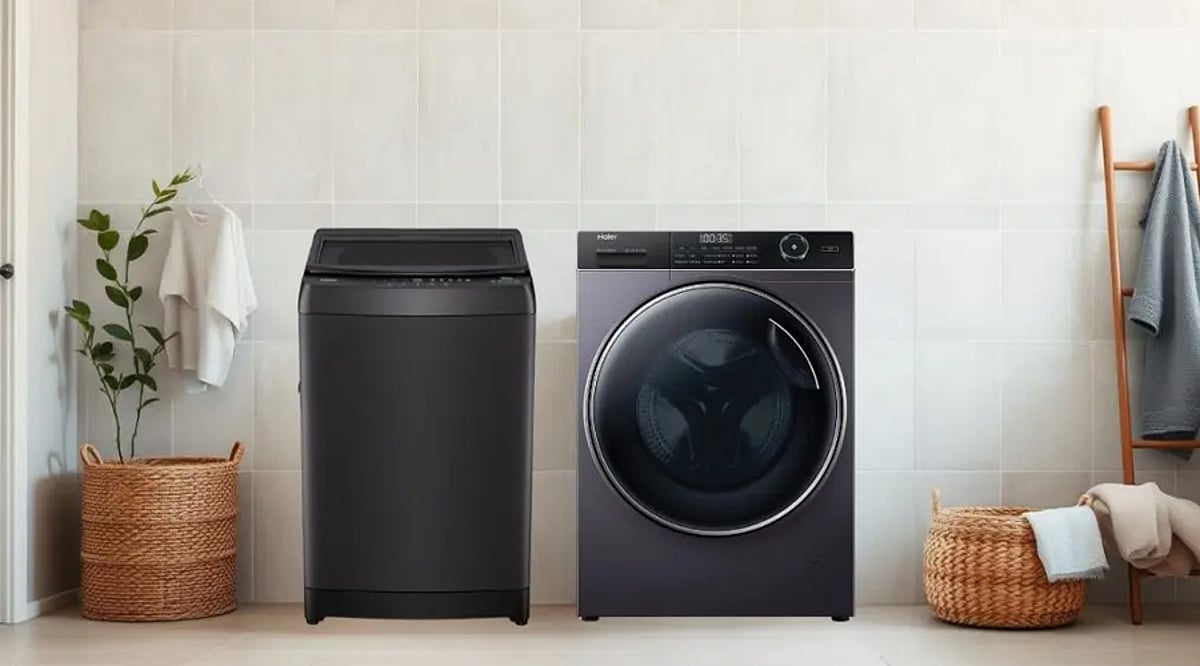
    Choosing between a top-load and front-load washing machine comes down to more than just looks. The two designs handle water, cleaning, maintenance, and installation differently, so the right choice depends on your laundry habits and available space.

    Design and Accessibility

    Top-load washers open from the top, letting you add or remove clothing while standing upright. Front-load washers open from the front, which requires bending down during loading. This difference also affects installation flexibility and whether you can stack a dryer above the machine.

    Water Usage

    Front-load washers generally use less water because the drum tumbles clothes through a smaller pool of water. Traditional top-load models with agitators often use more water, but newer high-efficiency top-load washers can reduce consumption significantly compared with older machines.

    Cleaning Performance

    Front-load washers clean by tumbling clothes through the wash solution, lifting and dropping them repeatedly to deliver thorough cleaning with less mechanical stress. Top-load washers rely on agitators or impellers, and modern versions provide strong cleaning performance across many fabric types and load sizes.

    Energy Efficiency

    Front-load washers are often more energy efficient because they need less water, which cuts the energy required for heating. Their faster spin speeds also remove more moisture, which can shorten drying times. Efficiency still depends on the model, settings, load size, and how you use the machine.

    Convenience and Comfort

    Top-load washers are convenient if you want to avoid bending down, and some models let you add forgotten items mid-cycle. Front-load washers require bending, but pairing one with a pedestal or elevated platform can make loading and unloading much easier.

    Maintenance Needs

    Front-load washers need regular cleaning around the door gasket, since trapped moisture can lead to odors. Top-load washers don’t have that seal, but the drum and dispensers still need periodic cleaning. Following the manufacturer’s maintenance guide helps keep either type running reliably.

    Space and Installation

    Front-load washers can be stacked with a compatible dryer, which is helpful in compact laundry areas. Top-load washers need enough vertical clearance for the lid to open fully. Measure the space carefully before buying, taking into account door swing, ventilation, plumbing connections, and clearance around the unit.

    Which One Should You Choose?

    If you want better efficiency, faster drying, and the option to stack appliances, a front-load washer may be the better fit. If you prefer loading laundry without bending and want a simpler machine at a lower upfront cost, a top-load washer could be the right choice.

  • 2026 Neckband Earphones Buying Guide: Key Features Every Shopper Should Know

    2026 Neckband Earphones Buying Guide: Key Features Every Shopper Should Know

    Overview

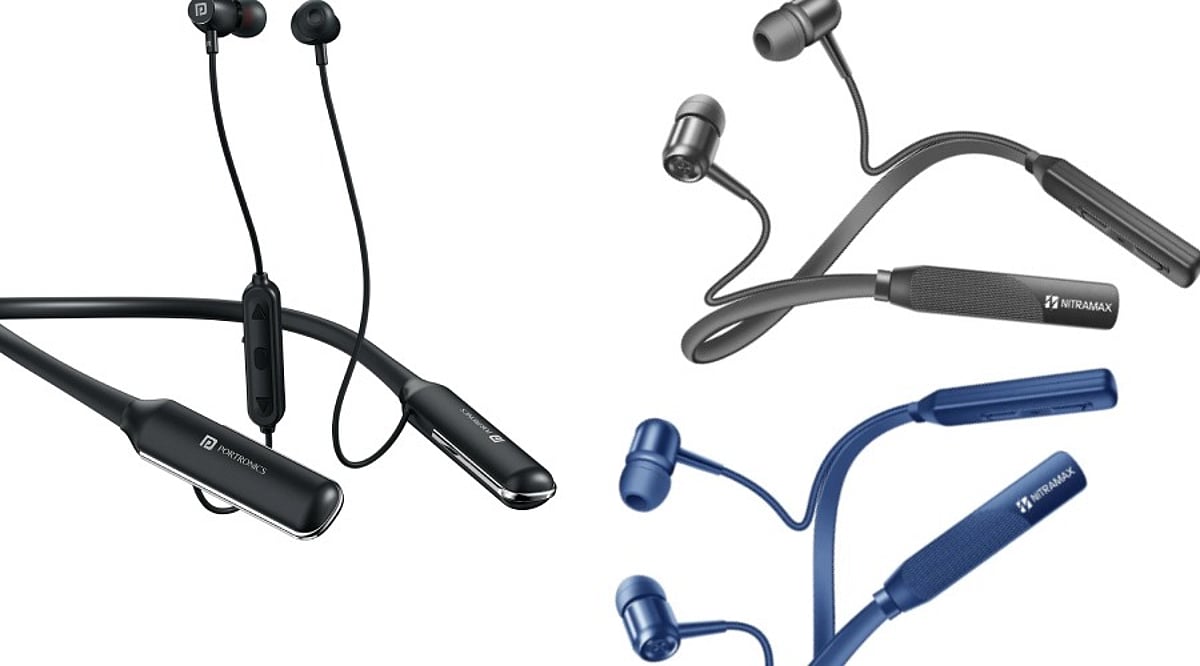
    Neckband earphones remain a practical alternative to true wireless earbuds, combining wireless convenience with a secure, connected design. The battery module rests around your neck, making the earphones harder to misplace. Modern neckbands now offer features once limited to expensive headphones, including active noise cancellation (ANC), fast charging, and multipoint connectivity. However, specifications can be confusing, so here are the key features to evaluate before buying.

    Battery Life and Fast Charging

    Battery life is one of the biggest advantages of neckbands. Many current models deliver several dozen hours of playback, and some budget options advertise even longer runtimes. Keep in mind that advertised figures use specific testing conditions; actual runtime varies with volume and feature usage. ANC can significantly reduce battery life, so check the expected runtime with noise cancellation enabled. Fast charging is equally important—a short charging session can provide several hours of playback. USB-C should be a priority for easy charging across modern devices.

    Sound Quality and Driver Size

    A larger driver doesn’t automatically guarantee better sound. Tuning, hardware quality, and software processing also play crucial roles. Look for a sound profile that matches your listening habits: bass-heavy tuning suits electronic music and action content, while balanced tuning works well for podcasts and vocal-heavy music. Some models offer equalizer controls through companion apps. Codec support matters too—higher-end models may support codecs like LDAC, but both phone and earphones must be compatible.

    Active Noise Cancellation vs. Call Quality

    ANC is increasingly common in affordable neckbands, with some models advertising levels up to 45dB or 50dB. However, these numbers don’t directly reflect real-world performance. ANC works best against steady sounds like air conditioners, engines, and background hum. Call noise reduction serves a different purpose—it helps make your voice clearer during calls. If you frequently take calls outdoors, microphone quality is critical. Multiple microphones can improve voice pickup and background-noise handling.

    Comfort, Fit, and Build Quality

    A neckband should feel comfortable after hours of use. Look for a lightweight design, flexible neckband, and ear tips that fit securely without pressure. Magnetic earbuds make storage easier, and some models pause playback when the buds connect magnetically. Durability matters—check for an appropriate water or sweat resistance rating (IP rating) if you plan to use them during workouts.

    Connectivity and Useful Features

    Bluetooth version is important but not the only factor. Newer standards improve efficiency, stability, and supported features. Multipoint connectivity lets compatible earphones connect with two devices simultaneously, simplifying switching between a laptop and smartphone. Some models offer low-latency modes for gaming and video. Companion apps provide additional controls and equalizer settings; verify app compatibility with your operating system. Magnetic controls and dedicated buttons enhance everyday convenience.

    Choosing Based on Your Daily Routine

    The best neckband depends on how you plan to use it:

    • Commuters: Prioritize ANC, comfort, and battery life.
    • Professionals: Focus on microphones and multipoint connectivity.
    • Frequent travelers: Look for longer battery life and fast charging.
    • Fitness users: Emphasize secure fit and sweat resistance.
    • Music listeners: Concentrate on sound quality and codec support.
    • Budget buyers: Avoid paying for rarely used features; a reliable neckband with good battery life often outperforms a feature-heavy model in daily use.

    Also consider warranty and after-sales support. A slightly more expensive model can provide better long-term value. Neckbands remain relevant because they solve everyday problems—they are hard to lose and often last longer between charges. Choose a model that fits your routine, not just the longest specification list.

    FAQs

    What should I look for when buying neckband earphones?

    Start with battery life, comfort, sound quality, microphone performance, and connectivity. ANC is useful for commuters and travelers. Fitness users should check water resistance. Fast charging and USB-C improve everyday convenience. Finally, consider warranty coverage and after-sales support.

    Are neckband earphones still worth buying in 2026?

    Yes. Neckbands remain useful for people who prefer longer battery life and a connected design. They are harder to lose than separate wireless earbuds. Current models offer ANC, multipoint connectivity, fast charging, and improved microphones.

    How much battery life should a neckband have?

    There is no universal requirement. Around 20 to 30 hours is sufficient for moderate users. Frequent travelers may prefer longer runtimes. Some 2026 neckbands advertise 40, 50, or even 100+ hours. Remember that actual battery life varies with volume, ANC, and usage conditions.

    Is ANC important in neckband earphones?

    ANC can be valuable in noisy environments, reducing steady background sounds from transport, offices, and other locations. Effectiveness depends on implementation and fit. Don’t judge performance solely by the advertised decibel figure; real-world reviews provide better context.

    Are neckband earphones good for phone calls?

    They can be, but microphone quality varies considerably. Models with multiple microphones and effective noise reduction provide clearer voice transmission. If you frequently make outdoor calls, look for reviews that test microphones in noisy environments. Specifications alone cannot fully predict call performance.

  • FEIT Smart Plug Buying Guide: Key Features, Compatibility, and US Pricing

    FEIT Smart Plug Buying Guide: Key Features, Compatibility, and US Pricing

    FEIT smart plugs provide a simple way to bring connected controls to regular household appliances. With smartphone control, scheduling, and voice commands, these plugs are available in indoor and outdoor models to suit different needs. This guide covers the essential features, compatibility options, and pricing considerations for US buyers.

    What is a FEIT Smart Plug?

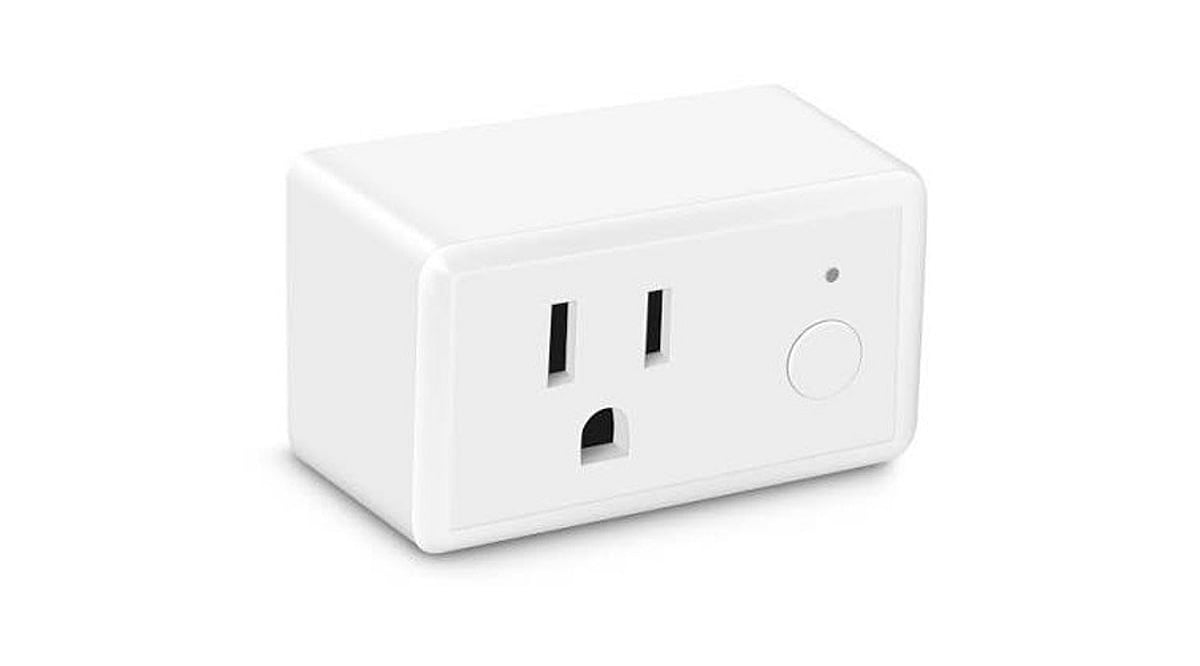
    FEIT smart plugs connect to a home’s 2.4GHz Wi-Fi network, enabling users to remotely switch compatible appliances and lights on or off. The indoor Smart Wi-Fi Wall Plug supports schedules, timers, and device grouping through the FEIT Electric app. Setup does not require a separate hub or bridge—simply download the app, connect the plug to your Wi-Fi, and start controlling devices from your smartphone.

    Features to Check Before Buying

    FEIT’s smart plugs offer core features expected from modern smart home accessories. Users can remotely control devices via the app, set schedules and timers, group multiple devices for simultaneous control, and use voice commands with Amazon Alexa or Google Home. The absence of a dedicated hub simplifies installation, and the app supports routines and automations across compatible smart devices. Some models, like the Smart Wi-Fi Plug with Night Light, add extra functionality and come with a one-year warranty.

    Indoor and Outdoor Smart Plugs

    The standard Indoor Smart Wi-Fi Wall Plug is rated for 120V household use with lamps and appliances, backed by a one-year warranty. For outdoor needs, FEIT offers dedicated outdoor smart plugs suitable for holiday lighting and other outdoor-connected devices. However, buyers should verify each model’s weather resistance and electrical ratings before installation—don’t assume outdoor suitability based on the product line alone.

    Smart Home Compatibility

    FEIT smart plugs work with Amazon Alexa, Google Home, and Apple HomeKit, with Siri Shortcuts also supported. However, compatibility varies by product. Select models support Matter, SmartThings, and IFTTT, but this is not universal across the range. Buyers must check the exact model’s specifications before purchasing, especially if building a smart home around a specific platform.

    FEIT Smart Plug Prices

    Pricing varies by model and retailer. The range includes standard indoor plugs, night-light variants, outdoor models, and multi-outlet products. FEIT directs shoppers to retailers for specific prices. Since retail prices can change, always check the current listing before buying.

    Are FEIT Smart Plugs Worth Buying?

    FEIT smart plugs deliver essential smart home features—smartphone control, scheduling, timers, and voice commands—without requiring a separate hub. For users already using other FEIT products, managing everything through the same app simplifies the setup. The key decision hinges on intended use: indoor users can choose the standard 120V plug, while outdoor applications demand a model with appropriate weather ratings. Compatibility is critical, especially for Apple HomeKit, Matter, SmartThings, or IFTTT users, so always confirm individual product specifications. For US shoppers, FEIT’s combination of 2.4GHz Wi-Fi, app controls, automation, and voice assistant support makes these plugs a strong choice for straightforward home automation.

    Frequently Asked Questions

    What Wi-Fi network do FEIT smart plugs require?
    FEIT smart plugs connect to 2.4GHz Wi-Fi networks, allowing control through the FEIT Electric app.
    Do FEIT smart plugs require a separate hub?
    No, they connect directly to 2.4GHz Wi-Fi, so no hub or bridge is needed.
    Which smart-home platforms support FEIT smart plugs?
    Compatible models support Amazon Alexa, Google Home, and Apple HomeKit; select products support Matter, SmartThings, and IFTTT.
    Can FEIT smart plugs work outdoors?
    Yes, FEIT offers outdoor models, but verify each model’s weather resistance and electrical ratings.
    What should buyers check before purchasing?
    Check model-specific compatibility, electrical ratings, indoor/outdoor suitability, retailer pricing, and supported smart-home platforms.
  • 2026’s Top All-in-One Printers for Home and Small Offices: Expert Picks and Buying Advice

    2026’s Top All-in-One Printers for Home and Small Offices: Expert Picks and Buying Advice

    Overview

    Running cost, consumable availability, and document handling matter more than headline print speed for most buyers. Ink tank printers dominate the Indian market for their lower long-term cost compared with cartridge models. The right printer depends on monthly print volume and the number of devices that need to connect to it.

    The wrong printer can quietly turn into one of the most expensive devices in a home or office. Cheap cartridges, slow output, paper jams, and manual double-sided printing add up fast. A low price today often hides a high cost later. The smarter move is to judge a printer by the work it does, not the number on its box.

    Five models stand out this year for different needs: Epson EcoTank L3252, Canon PIXMA G2012, Brother DCP-T730DW, Canon PIXMA G3730, and HP Smart Tank 750. Each one fits a specific workload, from student assignments to daily office paperwork.

    Quick Comparison Table

    Model Key Features Best For Connectivity
    Epson EcoTank L3252 5760 dpi, refillable ink tank, compact Home users who print occasionally Wi-Fi, Wi-Fi Direct, USB
    Canon PIXMA G2012 Low B&W running cost, simple operation Single-computer households on a budget USB only
    Brother DCP-T730DW 20-sheet ADF, auto duplex, 27 ppm black Small offices with multi-page documents Dual-band Wi-Fi, USB
    Canon PIXMA G3730 4800 dpi, 2-year warranty, wireless Connected families and students Wi-Fi
    HP Smart Tank 750 35-sheet ADF, auto duplex, Ethernet, up to 3 users Shared higher-volume workflows Wi-Fi, Bluetooth LE, LAN, USB

    Note: ipm and ppm figures come from each manufacturer’s own testing. Treat cross-brand comparisons as directional. Check current spec sheets before purchase.

    Detailed Reviews

    Epson EcoTank L3252: The Balanced Home Option

    The L3252 wins the top spot for combining low running costs, Wi-Fi, and a compact body without increasing the price. It prints at up to 5760 dpi and connects over Wi-Fi, Wi-Fi Direct, and USB. The refillable ink tank system cuts down how often ink needs replacing and how much it costs each time.

    The trade-off shows up in document handling. There is no automatic document feeder and no automatic duplex, so anyone scanning a multi-page file or printing on both sides has to feed pages by hand. For a household printing occasional documents and photos, that limitation rarely gets in the way.

    Canon PIXMA G2012: The Simplest Low-Cost Option

    The G2012 strips away features a single-computer household rarely uses, and that is its strength. It handles printing, scanning, and copying from a compact body, and its black-and-white running cost sits well below its color cost, according to Canon’s own figures.

    Connectivity runs through USB only. That makes it a strong fit for one computer, not for a household with several devices needing to print wirelessly. Students and home offices working on a tight budget, with print jobs that lean heavily black-and-white, get the most value here. Warranty terms and included consumables vary by SKU, so check Canon’s current India listing before buying.

    Brother DCP-T730DW: The Document Workflow Option

    Small offices that scan and print multi-page documents need a machine that does not demand manual feeding for every job. The DCP-T730DW solves that directly. Its 20-sheet automatic document feeder and automatic duplex printing matter more here than raw speed, since they remove one of the most repetitive steps in office paperwork.

    Dual-band Wi-Fi and USB round out the connectivity, with rated speeds up to 27 ppm in black and 23 ppm in color. Ink bottles carry high page yields across both black and color, per Brother’s specifications. The trade-offs are a higher price and a larger footprint than single-tray home printers, a fair exchange for offices that print in volume.

    Canon PIXMA G3730: The Connected Family Option

    Homes and students printing occasional color work alongside everyday documents find a well-rounded fit in the G3730. Wireless connectivity matters more here than print speed. A phone, a laptop, and a child’s tablet can all print from the same machine, with nobody needing to sit near a tethered PC.

    A two-year standard warranty adds weight for buyers who value after-sales cover, and print resolution reaches up to 4800 dpi. Running costs stay well below cartridge-based printers, in line with other ink tank models. There is no ADF, so repetitive scanning is not its strength. This is a home and student pick rather than an office one.

    HP Smart Tank 750: The Shared Higher-Volume Option

    The Smart Tank 750 fits users who have moved past occasional home printing and need a machine built for shared document workflows. Its 35-sheet ADF and automatic two-sided printing matter more than resolution for this kind of use, cutting down manual handling during repetitive scanning and double-sided jobs.

    Connectivity includes Wi-Fi, Bluetooth LE, LAN, and USB, so it can easily connect to different devices. HP also says it is designed for teams of up to three users. The combination of Ethernet and automatic duplex lets it sit on a shared network without needing a dedicated computer link. In-box ink carries a high page yield in both black and color, cutting how often a small office reorders consumables. Its higher price than single-user models reflects that added capacity.

    How to Choose the Right Printer

    Start with monthly page volume. Light, occasional printing favors a compact single-user model like the L3252 or G2012. As volume rises, especially with multiple people printing, an ADF-equipped model like the Brother or HP becomes worth the extra cost.

    Connectivity comes next. A USB-only printer works fine for one computer, but a household or office with several devices needs Wi-Fi or LAN. Duplex printing and scanning matter too: anyone handling multi-page or double-sided documents regularly will find automatic duplex and an ADF save enough manual effort to justify a higher price. Running cost deserves attention over the printer’s full expected workload, not just the price of an ink bottle. A machine that costs more upfront but offers automatic duplexing, higher ink yields, or better document handling often delivers more value across regular use. For occasional printing, paying extra for office-grade features rarely makes financial sense.

    Frequently Asked Questions

    1. Which type of all-in-one printer is best for home use?

    An ink-tank all-in-one printer is generally a strong choice for home users who print regularly. It combines printing, scanning, and copying while keeping ink replacement costs lower than many cartridge-based models.

    2. Is an ink-tank printer better than a laser printer for a small office?

    It depends on the workload. Ink-tank printers are better suited to offices that need economical colour printing, while monochrome laser printers are usually preferable for businesses that produce large volumes of text-heavy documents and value higher print speeds.

    3. Is automatic duplex printing important in an all-in-one printer?

    Yes, especially for office use. Automatic duplex printing prints on both sides of a sheet without requiring manual page turning, reducing paper consumption and making longer documents easier to handle.

    4. What should I check before buying an all-in-one printer?

    Look at the expected monthly page volume, ink or toner costs, print speed, duplex support, ADF availability, connectivity options, warranty and replacement consumables. These factors have a greater impact on long-term ownership than print resolution alone.

    5. Are ink-tank printers cheaper to operate than cartridge printers?

    Generally, yes. Ink-tank printers use refillable reservoirs and high-yield bottles, which can reduce the cost per printed page. However, actual savings depend on ink prices, page coverage and how frequently the printer is used.

    Final Thoughts

    The best printer isn’t the one with the most features, but the one that fits how you actually work. It handles your regular print volume, keeps pace with your daily routine, and stays affordable in the long run.

  • How to Choose the Right USB Bluetooth Adapter: A Comprehensive Buying Guide

    How to Choose the Right USB Bluetooth Adapter: A Comprehensive Buying Guide

    Why You Might Need a USB Bluetooth Dongle

    Many desktop computers and laptops lack built-in wireless radios, preventing you from pairing headphones, keyboards, or other peripherals. A USB Bluetooth dongle offers a quick and affordable solution, enabling wireless connectivity for a range of devices.

    Understanding What a Bluetooth Dongle Does

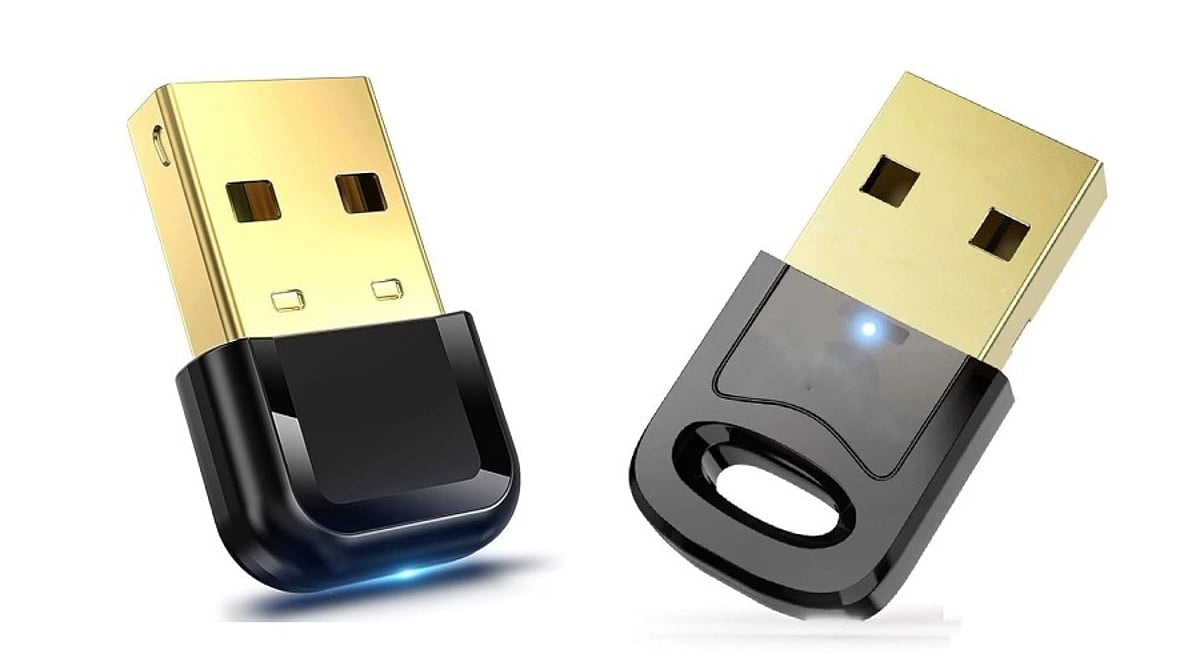
    A Bluetooth dongle is a small hardware device that plugs into a USB port, containing a radio chip (from brands like CSR, Realtek, or Broadcom) and an antenna. It allows your computer to communicate wirelessly with nearby devices, such as:

    • Wireless keyboards, mice, and game controllers
    • Bluetooth headphones and speakers for audio streaming
    • Printers and other peripherals for short-range file transfers
    • Smartphones for quick file sharing

    The quality of the chipset is crucial, as it directly impacts performance and reliability.

    Bluetooth Version: The First Key Decision

    Bluetooth versions determine speed, range, and power efficiency. Bluetooth 4.0 offers basic functionality, while 4.2 adds better security. However, for most users, Bluetooth 5.0 or 5.3 is the recommended choice, providing superior speed, range, and energy efficiency. Bluetooth 6.0 is emerging but not yet essential. Avoid older versions below 4.0, as they lack modern performance and power-saving features.

    Why Older Versions Fall Short

    Adapters below version 4.0 cannot match the range or efficiency of modern devices. Bluetooth 4.0 and above draw less power, which is critical for laptop users on battery. If you only need to connect older peripherals, Bluetooth 4.0 may suffice, but expect shorter range and slower pairing.

    Operating System Compatibility: Don’t Overlook It

    Compatibility issues are a common frustration. Ensure the dongle supports your operating system. Minimum requirements typically include:

    • Windows 10 21H2 or newer (ideally Windows 11 22H2)
    • macOS Monterey or later
    • Ubuntu 22.04 LTS or similar Linux kernel

    Avoid dongles that only support Windows 7. Also, check whether the dongle is plug-and-play or requires a driver download from the manufacturer’s website.

    Range and Antenna Design: Real-World Performance

    Manufacturers often advertise range under ideal lab conditions, but real-world environments—with walls, Wi-Fi interference, and USB 3.0 cables—can significantly reduce performance. The antenna design is a key factor:

    • Nano dongles: These have a hidden antenna, offering a sleek design but limiting range to about 10 meters.
    • External stub antenna: These models maintain a stronger connection and can achieve closer to the advertised range.

    If you need to connect devices across a large room, choose a dongle with an external antenna.

    Multi-Device Support: Be Realistic

    While many dongles claim to support multiple devices, most can only maintain two or three active connections simultaneously. If you switch between five or more peripherals daily, test latency and reliability before relying on marketing claims.

    Latency for Gaming and Real-Time Use

    Bluetooth is not designed for zero-latency performance. In gaming, input lag can range from 40 to 120 milliseconds, which is noticeable in fast-paced games. For competitive gaming, look for adapters specifically built for low-latency audio and controller use, as general-purpose dongles may not meet those requirements.

    Physical Port Requirements

    Most Bluetooth dongles use a USB-A connector, while USB-C versions are less common. If your laptop only has USB-C ports, verify compatibility or use an adapter. Check reviews to ensure a smooth fit with your device.

    Read Verified Reviews: Don’t Trust Star Ratings Alone

    Star ratings can be misleading. Look for verified purchase reviews that mention specific issues like disconnecting after a few hours or pairing failures with certain devices. Unbranded dongles often use outdated chips, skip firmware updates, and may fail certification tests. A lower price rarely compensates for these long-term reliability issues.

    Final Thoughts

    Choosing the right USB Bluetooth adapter involves matching real specifications with your actual needs. Start with Bluetooth 5.0 or higher, verify operating system support, and choose a trusted chipset brand. Pay attention to antenna design and check genuine user feedback. A little research now can save you from years of dropped connections and wasted money.

    Frequently Asked Questions

    Q1. What is the minimum Bluetooth version worth buying today?

    Bluetooth 5.0 or 5.3 is recommended for the best mix of range, speed, and power efficiency. Avoid anything below 4.0, as it lacks modern performance and battery-saving features.

    Q2. Do USB Bluetooth adapters need driver installation?

    Some adapters are plug-and-play on newer systems, while others require manual driver installation from the manufacturer’s website or included disc.

    Q3. How many devices can one dongle connect at once?

    Most dongles can pair with several devices but maintain only two or three active connections. If you switch between many peripherals, test real latency before purchasing.

    Q4. Does antenna design really change Bluetooth range?

    Yes. Nano dongles with hidden antennas typically reach about 10 meters, while external antenna designs maintain closer to the advertised range.

    Q5. Are unbranded Bluetooth dongles worth buying?

    Unbranded dongles often use older chipsets, lack firmware updates, and may fail certification. Established brands provide better reliability, driver support, and fewer connectivity issues.

  • Budget vs. Premium Power Banks: What Your Money Actually Buys

    Budget vs. Premium Power Banks: What Your Money Actually Buys

    When shopping for a portable charger, the price gap between budget and premium power banks can be staggering. But what are you really paying for? Here’s a breakdown of the key differences that separate cheap models from their expensive counterparts.

    Capacity Accuracy

    Cheap power banks often exaggerate their stated capacity, while premium models typically provide more reliable, tested capacity and better efficiency. You may get far less juice than advertised with a low-cost unit.

    Charging Speed

    Expensive models commonly support faster charging standards like Power Delivery or Quick Charge, delivering significantly quicker charging for compatible smartphones, tablets, and other devices. Budget options often stick to slower, standard rates.

    Battery Quality

    Premium power banks generally use higher-quality cells from reputable manufacturers, offering better performance, longevity, and consistency through repeated charging cycles. Cheap cells degrade faster and may deliver inconsistent power.

    Safety Features

    Costlier models usually include stronger protections against overheating, overcharging, short circuits, and excessive current, reducing potential charging risks. Safety circuitry is often minimal or absent in budget alternatives.

    Build Quality

    Cheap options may rely on lightweight plastics that feel flimsy and crack easily, whereas expensive power banks often feature sturdier materials like aluminum or reinforced polycarbonate designed to withstand everyday travel and drops.

    Port Selection

    Premium power banks frequently provide multiple ports, USB-C connectivity, and simultaneous charging, offering greater flexibility for multiple devices. Budget models typically have fewer ports and older USB-A standards.

    Size and Weight

    Expensive models can deliver higher capacity without becoming excessively bulky, thanks to better battery technology and internal engineering. Cheap power banks often trade capacity for bulk or use lower-density cells.

    Warranty

    Premium power banks often include longer warranties and stronger customer support, providing additional reassurance if performance problems emerge later. Budget brands may offer little to no warranty coverage.

    Overall Value

    Paying more can mean better safety, reliability, and longevity, making premium power banks potentially more economical over extended use. A low upfront cost may lead to replacements or safety concerns down the line.