Tag: buying guide

  • Amazon Great Freedom Sale 2026: Predicted Tablet Discounts and Buying Guide

    Amazon Great Freedom Sale 2026: Predicted Tablet Discounts and Buying Guide

    Amazon Great Freedom Sale 2026: Tablet Deals Preview

    Amazon’s Great Freedom Sale 2026 is set to open on August 7, timed with India’s 79th Independence Day. Tablets are confirmed as a major category, alongside smartphones and laptops, though model-specific pricing has not been revealed yet. This guide uses historical Indian festive-sale pricing for each leading tablet line, plus confirmed bank offers, to help you set realistic expectations before the sale begins.

    How tablet discounts usually work during the Freedom Sale

    Amazon typically stacks three layers on top of the base price cut during the Freedom Sale:

    • Bank instant discount on eligible cards
    • Exchange bonus for trading in an old device
    • No-cost EMI on select cards

    The banner percentage only reflects the first layer. Real savings show up at checkout once all offers apply, so two tablets with identical advertised discounts can end up at very different final prices. Some models also receive extra coupons or Lightning Deals later in the sale.

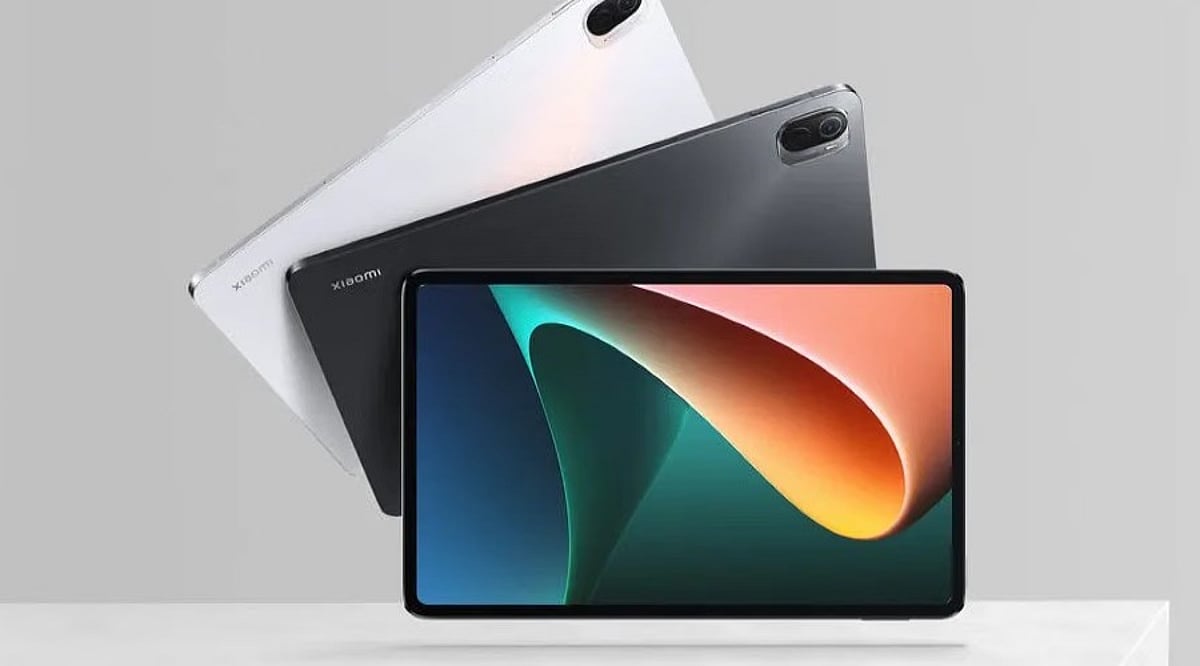
    Samsung Galaxy Tab S10 FE and FE Plus: Best Overall

    Best for: note-taking, college, and office work that needs a stylus without flagship pricing.

    The FE lineup is likely to draw the most attention this sale. The S Pen ships in the box, the display runs at 90Hz, and Samsung promises seven years of software support. During major sales in India, the base 8GB/128GB Tab S10 FE has dropped below ₹40,000 — a useful benchmark for judging whether a Freedom Sale price is genuinely competitive.

    If you are deciding between RAM options, 8GB handles note-taking and streaming easily, while 12GB holds up better under heavy multitasking. The FE Plus, with its larger screen and bigger battery, works well as a laptop replacement.

    Samsung Galaxy Tab A Series: Best Budget

    Best for: students and casual users who need a large screen for reading, video calls, and light schoolwork.

    The Tab A line typically sees the steepest percentage cuts during Indian festive sales because it already sits at an entry-level price. Its processor is slower, so heavy multitasking and gaming buyers should look elsewhere on this list.

    Apple iPad: Best Long-Term Value

    Best for: buyers who want long-term software support and strong resale value over the deepest possible discount.

    Apple rarely discounts heavily, so an iPad deal is not about the size of the cut. iPadOS updates last years longer than most Android tablets, and resale values stay strong. If you already use an iPhone or Mac, features like Handoff, AirDrop, and continuity add value beyond the price tag. Any discount on the current or one-generation-old iPad is worth taking, since a deeper price cut rarely appears later.

    OnePlus Pad 2 and Redmi Pad Pro: Performance Picks

    Best for: buyers who want a faster chip or sharper display without paying the Samsung or Apple premium.

    The OnePlus Pad 2 uses a flagship-class chipset, making it the stronger choice for gaming or video editing. The Redmi Pad Pro focuses on battery life and display quality at a lower price, undercutting comparable Android tablets even before sale discounts. Both brands cut prices aggressively during festive sales, so check software update commitments alongside specs.

    Lenovo Tab Series: Best Entry-Level

    Best for: families, students, and first-time buyers who want a large screen at the lowest entry price.

    Lenovo’s budget lineup, including the entry Lenovo Tab and the larger Idea Tab, sells directly through Amazon India and Lenovo’s own store. The base Lenovo Tab launched at ₹10,999 for the 4GB/64GB Wi-Fi model with a 10.1-inch display, Dolby Atmos speakers, and expandable storage. RAM and processing power are limited, so it is best for light everyday use rather than gaming.

    What Not to Buy on Discount Alone

    A large percentage cut is not proof of a good deal. An older tablet with 3GB or 4GB of RAM, a dated processor, or software support ending within a year or two can carry a steep discount and still be a poor purchase. Storage can be expanded on most Android tablets, but RAM cannot, making memory the bigger long-term factor.

    Reading the Real Price, Not the Headline Discount

    Amazon has confirmed a 10% instant discount on HDFC Bank cards and EMI transactions, along with Amazon Pay UPI cashback and 5% unlimited cashback on the Amazon Pay ICICI card. Exchange bonuses can stack on top where offered.

    Before buying, compare the final checkout price with the model’s lowest recorded price over the past year. Some tablet offers are only modest cuts from an inflated list price. Seller and warranty eligibility also matter, as third-party listings may differ from Amazon-fulfilled ones. For most buyers, 128GB balances price and longevity better than 64GB.

    Quick Comparison

    Model Best For Key Strengths
    Samsung Galaxy Tab S10 FE / FE Plus Overall Bundled S Pen, 90Hz display, 7 years software support
    Samsung Galaxy Tab A series Budget Entry price, large screen, light everyday use
    Apple iPad (current or previous gen) Long-term value Long software support, strong resale value
    OnePlus Pad 2 Performance Flagship-class chipset, great for gaming and editing
    Redmi Pad Pro Budget performance Strong battery, display quality, aggressive pricing
    Lenovo Tab series Entry-level Low entry price, Dolby Atmos, expandable storage

    Final Thought

    Planning around historical pricing and total checkout cost will produce a better purchase than chasing the largest advertised discount. Once Amazon publishes tablet-specific prices closer to August 7, the models above are the most likely to move, based on how each has been priced during past festive sales. Set a target price now, watch the bank offers, and buy against a plan rather than a countdown timer.

    Frequently Asked Questions

    When does the Amazon Great Freedom Sale 2026 start?

    The Amazon Great Freedom Sale 2026 begins on August 7, 2026. Prime members may receive early access to select deals before the sale opens to all customers.

    Which tablets are expected to get the best discounts?

    Samsung Galaxy Tab models, Lenovo tablets, OnePlus Pad 2, Redmi Pad Pro, and select Apple iPads are among the tablets most likely to receive discounts, bank offers, exchange bonuses, or no-cost EMI during the sale.

    Are bank offers available on tablets?

    Yes. Amazon has confirmed a 10% instant discount on eligible HDFC Bank cards and EMI transactions, along with additional benefits such as Amazon Pay cashback on select payment methods.

    How can buyers identify a genuine tablet deal?

    Compare the final checkout price after applying bank discounts and exchange offers with the tablet’s historical sale price. Also check RAM, storage, software support, and warranty rather than relying only on the advertised discount percentage.

    Is it better to buy on the first day or wait?

    Many headline offers are available when the sale begins, but some tablets may receive additional coupons or limited-time promotions later in the event. Monitoring prices throughout the sale can help you secure a better overall deal.
  • Garment Steamer Guide 2026: How to Pick the Best Steamer for Your Home

    Garment Steamer Guide 2026: How to Pick the Best Steamer for Your Home

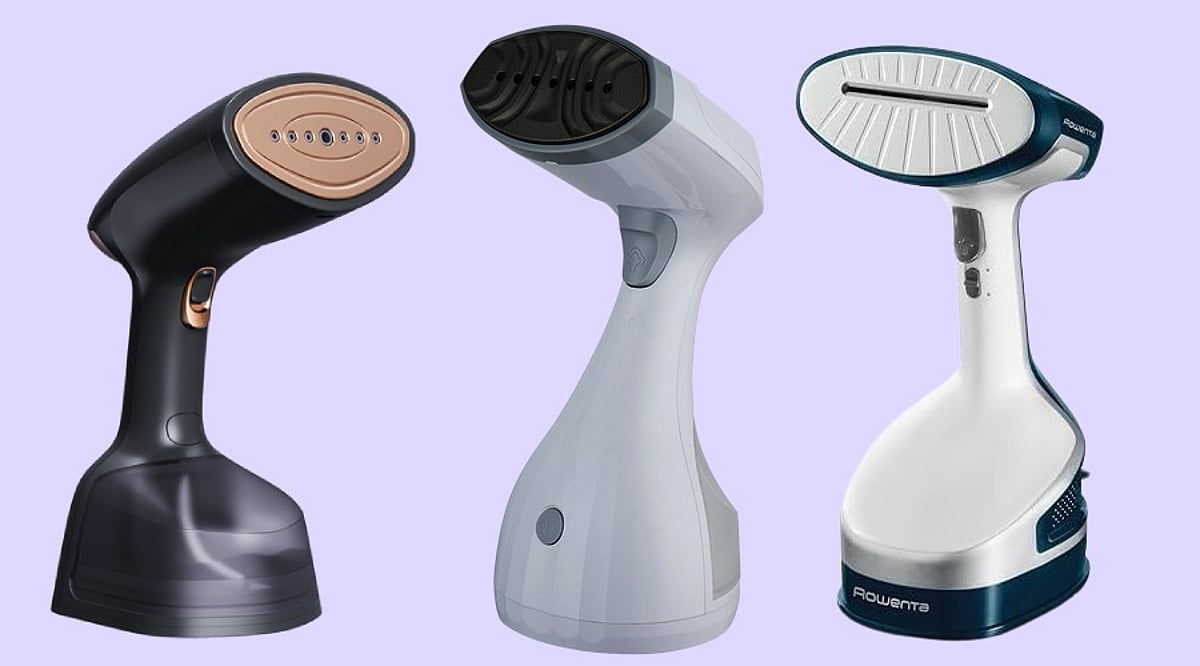
    Garment steamers are increasingly common in modern homes, offering a quick way to remove wrinkles without needing a full ironing board. By sending hot steam into fabric fibers, steamers relax wrinkles in shirts, dresses, jackets, curtains, and delicate materials. In India, prices range from ₹1,500 to over ₹12,000, giving buyers plenty of options.

    Select the Right Type

    Handheld models are ideal for small homes, travel, and quick touch-ups. Standing steamers suit larger families or heavy use: a standing unit can handle 12 or more garments at once, while handheld models are better for daily use with only a few pieces. Standing models also feature larger water tanks and longer steam times.

    Check the Wattage Before Purchase

    Power directly affects performance. Travel steamers range from 700–1,000 watts, home models from 1,000–1,400 watts, and experts recommend at least 1,500 watts for reliable household use. Heavy-duty standing steamers may reach 1,800–2,000 watts, ideal for heavier fabrics.

    Heat-Up Time Saves Valuable Minutes

    Premium handheld steamers heat up in 15–30 seconds; good home models in 30–45 seconds; budget options in 45–60 seconds. Fast heating adds convenience during busy mornings.

    Steam Output Matters More Than Numbers Alone

    Steam output—measured in grams per minute—determines effectiveness. Everyday shirts benefit from 18–20 g/min; dresses from 20–30 g/min; jackets and thick fabrics from 30–36+ g/min. Always check both wattage and steam output.

    Water Tank Size Affects Daily Use

    Small portables (70–100 ml) last 3–5 minutes; 150 ml tanks last 6–8 minutes; 200 ml tanks last 8–10 minutes; 300 ml tanks last 12–15 minutes. Standing models (1.5–2 liters) provide 45–60+ minutes. For home use, a 250–300 ml removable tank is ideal.

    Fabric Compatibility Deserves Attention

    Steam works well on cotton, linen, polyester, rayon, wool, satin, silk, chiffon, velvet, curtains, blazers, and sweaters. Crisp shirt collars and formal wear still benefit from a traditional iron. Steam is gentler on delicate fabrics.

    Useful Features Add Extra Value

    Look for ceramic steam plates (even heat), auto shut-off, detachable tanks, vertical/horizontal steam support, continuous steam lock, fabric brushes, lint brushes, and foldable handles for travel.

    Price Ranges for Every Budget

    Budget handheld steamers: ₹1,500–₹2,500. Mid-tier: ₹2,500–₹4,500. High-end handheld: ₹4,500–₹6,500. Basic standing: from ₹4,500; premium standing: ₹7,000–₹12,000+. Popular models include Philips 1000 Series, Havells Falcon, Xiaomi Handheld, Philips Standing, and Morphy Richards Upright.

    Why This Matters

    A good garment steamer saves time, protects delicate fabrics, and prevents wasted money on unnecessary features.

    Final Thoughts

    Aim for 1,500W+, steam output 20–36 g/min, tank capacity 250–300 ml, and heat-up time 15–45 seconds. Handheld models suit compact spaces; upright models handle large loads.

    FAQs

    1. What wattage works best for a garment steamer? 1,500W or higher delivers faster heating and stronger steam.
    2. Is a garment steamer better than an iron? Yes for wrinkles and delicate fabrics; no for crisp creases on formal wear.
    3. What water tank size is ideal? 250–300 ml provides enough runtime for several garments.
    4. How long does a garment steamer take to heat up? 15–45 seconds for quality models.
    5. Should I choose a handheld or standing model? Handheld for daily touch-ups; standing for larger households.
  • Kindle vs Kobo in 2026: Which eReader Should You Buy?

    Kindle vs Kobo in 2026: Which eReader Should You Buy?

    Choosing between Kindle and Kobo is no longer mainly about display quality or battery life. Both brands now offer capable e-readers across budget, color, and note-taking categories. The bigger difference lies in the ecosystem: Kindle prioritizes Amazon integration, while Kobo offers broader format support and easier library borrowing.

    Kindle: Best for Amazon Users

    Kindle remains the strongest option for readers who buy most of their books from Amazon. Purchased titles appear instantly on the device, the Kindle app works across multiple platforms, and Amazon Household allows eligible books to be shared between two adult accounts. Kindle Unlimited provides access to more than 4 million titles, making it useful for frequent readers of genre fiction and self-published books.

    The Kindle Paperwhite 12th Generation, released in 2024, features a 7-inch, 300ppi display, a higher contrast ratio, and page turns that are 25% faster than the previous generation. Its battery can last up to 12 weeks under suitable usage conditions.

    However, Kindle’s ecosystem is relatively closed. It uses Amazon formats such as KFX and MOBI. EPUB files can be transferred through Send to Kindle, but they must first be converted, which may affect complex formatting. Library borrowing can also require additional steps, particularly outside the US.

    Kobo: Better for EPUBs and Library Books

    Kobo’s biggest advantage is format flexibility. Its devices natively support EPUB, the standard used by many independent bookstores and digital libraries. Users can buy books from different sources, sideload files, or borrow compatible library titles without converting them.

    The Kobo Clara BW is positioned as a lightweight budget model for readers focused mainly on novels. At the mid-range level, the Kobo Libra Colour offers a 7-inch color e-ink display and physical page-turn buttons. Color e-ink is most useful for comics, manga, book covers, and illustrated non-fiction. For regular novels, the difference compared with a black-and-white screen is limited.

    Kobo also supports OverDrive-based borrowing directly on compatible devices. This makes it easier for users who regularly access library services such as Libby or similar platforms.

    Which Device Offers Better Value?

    Below £120 or $130, the Kobo Clara BW offers native EPUB support and warm lighting, while the basic Kindle has a smaller 6-inch screen and no warm light. In the £130–£170 or $140–$180 segment, the Kindle Paperwhite is a strong choice for Amazon users. For color devices, the Kobo Libra Colour costs around £209.99, while the Kindle Colorsoft is priced near £239.

    At the premium end, the 10.2-inch Kindle Scribe is better suited to PDF work and document annotation. The 10.3-inch Kobo Elipsa 2E may appeal more to readers seeking a large-screen book experience with stylus support.

    Conclusion

    You can buy a Kindle when convenience, Amazon purchases, and cross-device syncing matter most. Kobo is a great option when EPUB support, library borrowing, physical page buttons, and long-term control over book files are higher priorities. The right choice depends less on hardware and more on how and where you obtain your books.

    FAQs

    1. Is Kindle or Kobo better in 2026?
    Kindle is generally better for readers who purchase most books from Amazon and value seamless syncing. Kobo is more suitable for users who prefer EPUB files, independent bookstores, and easier library borrowing.

    2. Which eReader is better for borrowing library books?
    Kobo usually provides the more convenient library experience because compatible devices support OverDrive integration and native EPUB files. Kindle library borrowing may involve additional redirects, account logins, or file transfers.

    3. Does Kindle support EPUB files?
    Kindle does not read EPUB files directly in the same way as Kobo. Users can transfer EPUBs through Amazon’s Send to Kindle service, which converts them into a Kindle-compatible format.

    4. Is the Kobo Libra Colour better than the Kindle Colorsoft?
    The Kobo Libra Colour may appeal to readers who want physical page-turn buttons, native EPUB support, and easier library access. Kindle Colorsoft is better suited to users already invested in Amazon’s ecosystem.

    5. Which eReader is best for PDFs and note-taking?
    The Kindle Scribe is a strong option for PDF reading, document workflows, and handwritten annotations. The Kobo Elipsa 2E is better suited to readers wanting a large display with stylus support and broader file compatibility.

  • Essential Factors to Consider When Buying an Air Purifier

    Essential Factors to Consider When Buying an Air Purifier

    Choosing the right air purifier can significantly improve indoor air quality, but with so many options on the market, it’s important to focus on key features that match your needs. Here’s a comprehensive guide to help you make an informed decision.

    HEPA Filter Quality

    A true HEPA filter is non-negotiable for effective air purification. It captures up to 99.97% of airborne particles as small as 0.3 microns, including dust, pollen, pet dander, mold spores, and common allergens. This makes it the most critical component for reducing respiratory irritants and improving overall air quality.

    Room Coverage

    Always match the purifier’s coverage area to your room size. An undersized unit will struggle to clean the air efficiently, while an oversized model may waste energy. Look for the Clean Air Delivery Rate (CADR) rating, which indicates how quickly the purifier can filter air in a given space — essential for bedrooms, living rooms, or offices.

    Filter Replacement Cost

    Air purifiers require ongoing filter changes, so factor in the cost and availability of replacement filters. Some models need new filters every six months, while others last longer. Choosing a purifier with affordable, widely available filters helps keep long-term maintenance costs manageable.

    Noise Levels

    If you plan to run the purifier while sleeping or working, noise level is crucial. Many modern purifiers offer low-noise or sleep modes that operate quietly, ensuring continuous purification without disturbing rest, concentration, or conversations. This is especially important for bedrooms, study rooms, and home offices.

    Energy Efficiency

    Since air purifiers often run for many hours each day, energy-efficient models can reduce electricity bills. Look for energy-saving certifications and low power consumption ratings, which allow you to maintain clean air without excessive utility costs, especially if the appliance runs continuously.

    Smart Features

    Modern air purifiers increasingly include Wi-Fi connectivity, mobile app controls, real-time air quality sensors, and automatic fan speed adjustments. These conveniences let you monitor indoor air quality remotely and optimize performance with minimal manual intervention.

    Maintenance and Build Quality

    Durable construction, easy-to-clean pre-filters, and simple filter replacement mechanisms extend the product’s lifespan. Reliable build quality ensures consistent performance and cleaner indoor air for years, making it a worthwhile long-term investment.

    By evaluating these factors carefully, you can select an air purifier that best fits your home, lifestyle, and budget.

  • 2026 iPhone Buying Guide: How to Select the Perfect Model for Your Needs

    2026 iPhone Buying Guide: How to Select the Perfect Model for Your Needs

    Choosing the right iPhone in 2026 depends on your budget, daily usage, and long-term needs. Comparing camera quality, battery life, performance, and software support helps narrow the options. Understanding Apple’s lineup ensures you invest in a model that offers the best value and longevity.

    Overview

    Apple’s 2026 iPhone lineup spans budget, mainstream, and flagship models, with differences centered on camera systems, battery life, display quality, performance, storage, and Apple Intelligence capabilities. Choosing the right model depends on balancing everyday usage, photography needs, productivity, gaming, and long-term software support rather than simply opting for the newest device. Older and refurbished iPhones continue to offer strong value for many users, while premium models deliver advanced features suited to creators, professionals, and power users.

    Apple sells five iPhone generations right now, new or certified refurbished. Picking the right one is not about buying the newest phone. It is about matching a phone to real habits and a real budget. This guide breaks the decision into three parts: how the phone gets used, how much to spend, and which specs actually matter.

    How to Choose the Right iPhone Based on Needs

    Most buyers fit into four groups. Casual users mostly text, scroll social apps, and watch videos. They rarely push a phone to its limits. Creators and power users shoot video, edit photos, and run heavy apps every day. For them, speed and storage matter as much as the camera. Professionals want a phone that works every time, with strong battery life and steady calls. Budget buyers and first-time buyers want a reliable phone at a fair price, often from the refurbished market. Every pick below fits one of these four groups.

    Apple’s 2026 iPhone Lineup Explained

    The iPhone 17 series sits at the top right now. That includes the iPhone 17, the 17 Pro, the 17 Pro Max, and the new iPhone Air, which took the place of the old Plus model. The iPhone 18 has not launched. Apple is expected to hold an event in September, but pricing is not confirmed yet. So the iPhone 18 has no place in a buying decision made today. Below the flagships, the iPhone 16 and 16e offer current software at a lower price. Older models and certified refurbished devices, including the iPhone 13 through iPhone 15, make up the budget tier. They still run the latest iOS and handle daily tasks well.

    Best iPhone Models by Budget in 2026

    Apple has not confirmed any price hike, but recent dealer reports point to a possible increase for the iPhone 17 lineup, along with stock shortages on the base model. Treat these prices as a snapshot. Check current pricing before buying.

    Key Features to Compare Before Buying an iPhone

    • Camera: Pro models add extra lenses and sharper low-light shots. That matters most for photography and video work, less for someone who mostly shares photos on WhatsApp.
    • Battery and Charging Speed: Newer models last longer and charge faster, which helps heavy users and frequent travelers.
    • Chip: A faster chip runs Apple Intelligence more smoothly, while older phones support fewer AI features.
    • Storage: This gets ignored too often, and it shouldn’t. 128GB works for light users who lean on cloud backup. 256GB fits most people without much thought. 512GB or 1TB suits anyone who shoots a lot of video, plays large games, or keeps offline files without deleting them every week.

    Best iPhone Models to Buy in 2026

    The iPhone 17 is the best all-around pick for most buyers. Fast chip, solid camera, full Apple Intelligence support, at a lower price than the Pro models. For creators, the iPhone 17 Pro Max carries the strongest camera and screen on the market today. The extra cost makes sense for anyone earning money from photos or video. The iPhone 16 offers the best value in the mid-range, with a modern design and a good camera at a lower price. For a new phone on a tight budget, the iPhone 16e is a solid pick without the wear of an older refurbished unit. The iPhone Air suits buyers who want a thin, light phone without giving up the latest chip, a sharp screen, or a full day of battery. A certified refurbished iPhone 13 or 14 works well as a backup phone or a first phone for a teenager, as long as it still carries a warranty. One mistake worth avoiding: buying a Pro model just for the camera name, then never touching the modes that make it worth the extra money.

    How to Choose the Right iPhone Model in 2026

    1. Set a budget first, this narrows things down faster than any spec sheet.
    2. Be honest about cameras and Apple Intelligence. Do these actually matter for daily use, or would they mostly go untouched?
    3. Shortlist two or three models. Weigh storage against real usage, not the number printed on the box.
    4. Check trade-in and festival sale prices before deciding. A discounted last-year flagship often beats a new mid-range phone on value.

    Final Thoughts

    The iPhone 18 will change this picture soon, but that’s still months away and not confirmed. Buyers shopping today already have a strong lineup to pick from, from the iPhone 17 Pro Max down to a well-kept refurbished iPhone 13. The better long-term habit is checking real needs and storage before checking the model number. That habit still works no matter what chip Apple builds next.

    FAQs

    1. Which iPhone is the best to buy in 2026? The best iPhone depends on your budget and usage. Current flagship models suit power users, while last-generation and base models often offer the best balance of features and value.
    2. Is it worth buying an older iPhone in 2026? Yes, if it still receives software updates and meets your performance needs. Older and refurbished iPhones can be excellent choices for everyday tasks at a lower price.
    3. Should I buy a Pro iPhone or a standard model? Choose a Pro model if you need advanced cameras, premium displays, and top-tier performance. Standard models are ideal for most users seeking great everyday performance.
    4. How much storage should I choose for an iPhone? Select storage based on your usage. Casual users can opt for 128GB, while photographers, gamers, and content creators may benefit from 256GB or higher.
    5. What should I consider before buying an iPhone in 2026? Focus on your budget, camera requirements, battery life, storage, software support, and how long you plan to keep the device. Comparing these factors helps you choose the right model.
  • AI Wearables vs. Action Cameras: Key Differences and Buying Guide

    AI Wearables vs. Action Cameras: Key Differences and Buying Guide

    Choosing between an AI wearable and an action camera can be challenging, especially when each device excels in different areas. AI wearables like smartwatches and fitness trackers offer health monitoring, AI assistance, and productivity features, making them ideal for everyday use. Action cameras, on the other hand, are built for rugged environments, delivering ultra-wide, stabilized video for adventurers and content creators. This guide breaks down the key differences to help you decide which one fits your needs.

    Health Monitoring

    AI wearables continuously track heart rate, sleep patterns, stress levels, and fitness metrics, providing insights into daily wellness trends. Action cameras lack such health features entirely.

    Video Recording

    Action cameras capture high-resolution footage with superior stabilization, ensuring smooth videos during biking, diving, hiking, and extreme sports. AI wearables may record video, but quality and stabilization are far inferior.

    Battery Life

    AI wearables typically last one to several days on a single charge, depending on usage. Action cameras require frequent recharging, especially during intensive recording sessions outdoors.

    Durability

    Action cameras are designed to withstand water, dust, shocks, and harsh environments, while most AI wearables prioritize comfort and everyday wearability over extreme ruggedness.

    Portability

    AI wearables can be worn comfortably all day without extra accessories. Action cameras often need mounts, cases, or handheld operation, adding bulk to your gear.

    Best For

    Choose an AI wearable if you value health tracking, productivity, and seamless notifications. Opt for an action camera if you’re an adventure enthusiast focused on immersive, high-quality video creation.

    Buying Decision

    Consider your primary purpose, budget, durability needs, and desired features before investing. Both technologies offer long-term satisfaction when matched to the right lifestyle.

  • The Ultimate Podcast Microphone Buying Guide: Top 10 Mics Compared for Every Budget and Style

    The Ultimate Podcast Microphone Buying Guide: Top 10 Mics Compared for Every Budget and Style

    Whether you’re launching your first podcast or upgrading an existing setup, choosing the right microphone is one of the most important decisions you’ll make. A quality microphone enhances vocal clarity, reduces background noise, and gives your episodes a professional polish. Fortunately, there are excellent options across every price range—from affordable dynamic mics for beginners to studio-grade condensers used by radio hosts.

    Top Podcast Microphones at a Glance

    Below are the top podcast microphones, selected for their performance, best-use scenarios, standout features, and typical price range to help you match them to your recording setup.

    Shure MV7+

    Built on the legendary SM7B platform, the Shure MV7+ offers both USB-C and XLR connectivity, making it ideal for beginners and seasoned podcasters alike. It includes Auto Level Mode, plosive protection, real-time DSP, and a customizable touch LED control panel for a streamlined workflow.

    Best for: Podcasters, streamers, and creators who want studio-grade sound without complexity.

    Rode PodMic

    The Rode PodMic is a dynamic microphone designed specifically for podcasting. It delivers warm, rich vocals while effectively rejecting room noise. Its all-metal construction ensures durability, making it a reliable choice for dedicated studios and long-form interviews.

    Best for: Dedicated podcast studios and long-form interviews.

    Hollyland Lark M2

    The Hollyland Lark M2 is a portable wireless microphone system perfect for on-the-go creators. It supports 48kHz/24-bit audio, AI noise cancellation, and a 300-meter range. With up to 40 hours of battery life via the charging case, it’s excellent for mobile podcasting and outdoor interviews.

    Best for: Mobile podcasts, YouTube content, and outside interviews.

    BOYA BOYALINK 3

    The BOYALINK 3 is a versatile wireless lavalier microphone that pairs with smartphones, cameras, and laptops. Features include AI noise reduction, USB-C and 3.5mm connections, and a wireless range of up to 1,000 feet—ideal for field recording and interview-style podcasts.

    Best for: Interview podcasts and travel videos.

    Sennheiser MK 4

    The MK 4 is a large-diaphragm condenser microphone known for capturing natural, clear vocals. With low self-noise and a wide frequency response, it’s a solid choice for voice-over work and studio podcasts that require crisp, detailed sound.

    Best for: Home studios and voice talents.

    Neumann TLM 102

    If budget is no concern, the Neumann TLM 102 delivers exceptional broadcast-quality sound. This large-diaphragm condenser microphone captures every vocal nuance while maintaining extremely low self-noise. It’s a top-tier choice for professional broadcast stations and serious podcasters.

    Best for: Broadcast stations, podcasts, and voice talent.

    Hollyland Lark MAX 2

    Recording with multiple hosts is easier with the Hollyland Lark MAX 2 wireless kit, which supports up to four transmitters simultaneously. AI noise cancellation keeps audio clean during roundtable discussions or live shows, making it perfect for multi-person podcast recordings.

    Best for: Podcasts with multiple hosts.

    Audio-Technica AT2020USB-X

    The AT2020USB-X is a plug-and-play USB microphone that delivers clear audio via USB-C. It offers headphone monitoring with zero latency, making it a favorite among solo podcasters and voice recorders who want simplicity without sacrificing quality.

    Best for: Solo podcasts and voice recording.

    Blue Yeti

    The Blue Yeti remains a popular USB microphone thanks to its multiple pickup patterns. It can handle solo recordings, interviews, and group discussions without requiring additional equipment, making it a versatile all-in-one solution for beginners.

    Best for: Beginners looking for an all-in-one USB microphone.

    Samson Q2U

    The Samson Q2U offers outstanding value with both USB and XLR connectivity. Beginners can start with a simple USB setup and later upgrade to XLR for professional use. It’s simple enough to use immediately yet flexible enough for future growth.

    Best for: New podcasters.

    Which Podcast Microphone Should You Choose?

    The best microphone depends on your recording environment and style. For indoor recording, the Shure MV7+ and Rode PodMic excel with their vocal clarity and noise rejection. For outdoor or mobile podcasting, the wireless Hollyland Lark M2 and BOYA BOYALINK 3 are excellent choices. If you’re seeking top-tier studio quality, the Neumann TLM 102 and Sennheiser MK 4 deliver unmatched performance. No matter your budget, investing in a good microphone will significantly improve your show’s audio quality.

    Frequently Asked Questions

    Which microphone is best for beginners?

    The Blue Yeti and Samson Q2U are excellent beginner choices, offering simple setup, reliable performance, and impressive sound quality at affordable prices.

    Is a USB microphone good enough for podcasting?

    Yes, modern USB microphones provide excellent audio quality, easy plug-and-play connectivity, and are ideal for solo podcasters and beginners.

    What’s the difference between USB and XLR microphones?

    USB microphones connect directly to computers, while XLR microphones require audio interfaces but offer greater flexibility and professional-grade recording quality.

    Which microphone is best for recording multiple podcast hosts?

    The Hollyland Lark MAX 2 supports four transmitters simultaneously, making it ideal for interviews, panel discussions, and multi-host podcast recordings.

    Is the Shure MV7+ worth buying?

    Yes, the Shure MV7+ combines USB-C and XLR connectivity, smart audio processing, and broadcast-quality sound, making it a versatile long-term investment.

  • Top Wireless Keyboards of 2026 – Expert Buying Guide

    Top Wireless Keyboards of 2026 – Expert Buying Guide

    Selecting a wireless keyboard becomes easier once buyers focus on actual usage rather than marketing terms printed on packaging. This guide outlines the strongest wireless keyboard options available today, along with practical advice on narrowing down your choices.

    Wireless Keyboard Buying Guide

    A wireless keyboard should match a person’s work, rather than how it looks on a retail listing. Connectivity range, battery backup, and key spacing all shape daily comfort.

    Logitech K380

    Logitech offers a compact keyboard that pairs with three devices via Bluetooth and readily switches between them. Its rounded keys reduce finger strain during long hours of usage. Battery life stretches close to two years on two AAA cells, making replacements rare.

    Price: Rs. 2,495 to Rs. 3,223
    Buy Now

    Dell KM3322W

    Dell’s wireless combo pairs a keyboard with a matching mouse through a single 2.4GHz USB receiver. The keyboard includes spill-resistant keys and a numeric pad, suited to office environments with heavy typing loads. Battery backup extends over twelve months comfortably.

    Price: Rs. 1,899
    Buy Now

    Lenovo Wireless Combo 4000

    Lenovo offers a straightforward keyboard and mouse set built for everyday office tasks. Its keys use a low-profile design that feels closer to a laptop keyboard. Connectivity relies on a single USB nano receiver, avoiding pairing delays common with Bluetooth.

    Price: Rs. 8,145
    Buy Now

    Logitech K480

    Built for desktop use, the Logitech K480 includes a cradle that holds a tablet or phone while typing. It connects to three devices through Bluetooth and switches between them using a dial. The keyboard suits users who regularly work across a laptop and a mobile device simultaneously.

    Price: Rs. 1,999 to Rs. 2,995
    Buy Now

    RAPOO E9700M

    RAPOO’s ultra-slim keyboard uses scissor-switch keys for a shallow, quiet typing feel. It supports both 2.4GHz and Bluetooth connections, giving buyers flexibility across devices. The aluminum body adds durability without increasing overall weight.

    Price: Rs. 2,599 to Rs. 2,999
    Buy Now

    How to Choose the Best Wireless Keyboard

    Buyers should weigh these factors before purchasing:

    • Connectivity Type: 2.4GHz receivers generally offer steadier performance than Bluetooth for daily typing tasks.
    • Battery Backup: Keyboards using replaceable AA or AAA batteries often last longer than rechargeable units.
    • Build Quality: Spill-resistant designs protect against accidental office desk mishaps.

    Which is the Best Wireless Keyboard in 2026?

    No single keyboard can suit every buyer, since work habits and budgets vary considerably across users. Professionals managing multiple devices gain the most from the Logitech K380. Office teams handling heavy data entry benefit from the Dell KM3322W, given its numeric pad and spill resistance. Budget-focused buyers find dependable performance in the Portronics Toad 23.

    Final Words

    Choosing a wireless keyboard comes down to daily habits rather than brand reputation alone. A professional switching between a laptop and tablet gains more from Bluetooth multi-pairing, while an office worker handling spreadsheets benefits from a numeric keypad and steady 2.4GHz connectivity. Prices across this segment range from under Rs. 900 to nearly Rs. 2,500, giving most buyers a suitable option without overspending. Matching the keyboard to genuine work patterns, rather than chasing the most popular listing, remains the surest path to long-term satisfaction.

    Note: Price can vary based on availability and region.

    FAQs

    Which is the best wireless keyboard for multi-device use?

    The Logitech K380 supports pairing across three devices through Bluetooth. Users switching between a laptop, tablet, and phone benefit from its quick device-switching dial and long battery backup.

    Is 2.4GHz connectivity better than Bluetooth for keyboards?

    2.4GHz receivers typically offer steadier connections with less input delay. Bluetooth allows pairing with more device types, though it may show occasional lag during heavy multitasking sessions.

    How long does a wireless keyboard battery last?

    Battery life varies significantly by model. Some Bluetooth keyboards last close to two years on standard batteries, while 2.4GHz receiver models often need replacement after ten to fourteen months.

    Are spill-resistant wireless keyboards worth buying?

    Spill-resistant designs protect internal circuitry from accidental liquid exposure. Office environments with shared desks or frequent beverage use benefit noticeably from this added protection over standard keyboard models.

  • 2026 Buyer’s Guide: Best AI Humanizer Tools for Email Marketing & Newsletters

    2026 Buyer’s Guide: Best AI Humanizer Tools for Email Marketing & Newsletters

    Why AI Humanizer Tools Are Now Essential for Email Marketing

    Email marketing has evolved dramatically. Marketers now rely on artificial intelligence to draft cold emails, write newsletters, and produce marketing copy at scale. However, AI-generated content often sounds robotic, and readers quickly detect that tone. A prospect may skip a mechanical-sounding email, subscribers might unsubscribe from generic newsletters, reply rates drop, and email filters can flag robotic copy—harming the sender’s domain reputation. This directly impacts business growth.

    As a result, many teams now treat AI humanizer tools as a standard step in their workflow. A quality humanizer does more than swap a few words; it rewrites entire sentences and paragraphs to create natural variation that passes both human readers and AI detectors. But choosing the right tool isn’t straightforward—many options exist, each with different strengths.

    This guide covers five key areas to consider before deciding on an AI humanizer. Whether you’re a small business owner sending a few emails a week or an agency managing large campaigns, the goal is the same: choose a tool with confidence.

    How These Tools Perform in the Real Market

    Humanizer tools don’t perform equally. Independent tests reveal clear gaps that carry real financial weight for email campaigns. For example, Walter Writes AI scores around 12% on Turnitin’s AI detector, while a common paraphrasing tool like QuillBot scores closer to 62%. For teams that need emails to reliably clear detection, this difference determines campaign success.

    Market data reinforces this: Walter Writes AI, Undetectable AI, and AIHumanizer.so lead the space with consistent results. Some teams report a 20% to 40% increase in reply rates after switching from raw AI text to humanized text.

    Simple tools still have a place—a basic paraphraser works for internal notes or casual social posts. But client-facing emails and major newsletters require a stronger tool built for detection avoidance and meaning retention.

    Price also factors in. A free tool like AIHumanizer.so offers 500 words per day without signup. Paid tools range from $8 to $129 per month. Most teams find that a paid humanizer costs far less than the revenue lost from weak email performance.

    Key Features That Matter Most

    When reviewing humanizer tools, focus on these five features:

    • Detection Strength: A tool that rewrites at the sentence and paragraph level outperforms one that only swaps words. Always test with your own email content before committing.
    • Meaning Retention: The rewritten email must preserve the original offer, names, and key terms. Weak tools can quietly alter details.
    • Speed: A tool should finish a rewrite within two to five minutes—most strong options now complete it in under 30 seconds.
    • Tone Control: Settings for formal, casual, academic, and professional tones let you match your brand voice.
    • Built-in Detector: Tools like Walter Writes AI include their own detector, saving time and building confidence without switching tabs.

    How Well These Tools Fit Into a Workflow

    A strong team doesn’t just pick a humanizer—it integrates the tool into its existing process without friction. A good tool handles multiple content types: cold emails, newsletters, proposals, and blog posts. Existing software matters too—teams using QuillBot can add its humanizer feature easily; those with Suites like Surfer SEO or Ahrefs may already have humanizing capabilities. Standalone options like Walter Writes AI and Undetectable AI offer maximum flexibility for teams without existing tools.

    The smartest setup uses one main tool with a speed backup. Stacking multiple humanizers adds confusion and slows down the process.

    How to Pick the Right Tool for Your Needs

    Different teams need different tools. Here’s a quick guide:

    • Small Business Owners: Walter Writes AI—free 300-word trial, no signup, built-in detector, and tone options.
    • High-Volume Teams: Undetectable AI—batch processing and bulk detection save time.
    • Tight Budget or Testing: AIHumanizer.so—500 words per day free for evaluation.
    • Agencies Managing Multiple Clients: Walter Writes AI or StealthWriter—strong detection protects client reputations.

    Final Thoughts

    AI humanizer tools now play a key role in email marketing. The real question isn’t whether to use one—it’s which tool fits your specific needs. Teams that test these tools report steady gains in reply rate, deliverability, and campaign results. A $10 monthly tool that lifts reply rates by 25% pays for itself many times over.

    Start by reviewing the five areas in this guide: the core problem, real market data, key features, workflow fit, and personal need. Then test free trials of top choices. The right tool becomes clear once you test it against real email content.

    Strong marketing teams treat humanizer tools as a standard part of their process. Skipping this step means missing a clear opportunity to improve results.

    Frequently Asked Questions

    1. What is an AI humanizer tool? It rewrites AI-generated content to sound more natural and conversational while preserving meaning, improving readability and engagement.
    2. Why should email marketers use AI humanizer tools? They help create emails that feel personal, build reader trust, increase reply rates, and reduce robotic tone.
    3. Can AI humanizer tools help with AI detection? Many advanced tools reduce detectable AI patterns by rewriting sentence structure and improving flow. Results vary by tool and detector.
    4. Are free AI humanizer tools good enough for email marketing? Free tools work for testing or small volumes; regular campaigns benefit from paid tools with better accuracy, tone control, and bulk processing.
    5. What should I look for before choosing an AI humanizer tool? Focus on detection performance, meaning retention, rewriting quality, speed, tone customization, pricing, and workflow compatibility.
  • 2026 Noise-Canceling Headphones Buyer’s Guide: Top Models Compared

    2026 Noise-Canceling Headphones Buyer’s Guide: Top Models Compared

    Active noise cancellation (ANC) has evolved significantly, making headphones smarter and more effective than ever. Today’s top models offer improved sound quality, longer battery life, and advanced features like adaptive ANC, multipoint Bluetooth, and high-resolution audio support. Sony and Bose continue to lead the premium segment with industry-leading ANC, while Sennheiser focuses on audio fidelity and JBL delivers feature-rich options at competitive prices. This guide compares the best noise-canceling headphones of 2026 to help you find the perfect pair for your needs.

    Overview of the Best ANC Headphones

    • Sony WH-1000XM6 – Exceptional ANC, premium sound, smart features, and reliable all-day battery life.
    • Bose QuietComfort Ultra – Best for travelers needing class-leading noise cancellation and comfort.
    • JBL and Sony – Offer affordable, feature-packed options without compromising battery life or comfort.

    Top Noise-Canceling Headphones Compared

    Sony WH-1000XM6

    The WH-1000XM6 delivers ANC that effectively blocks aircraft cabin noise, traffic, and office conversations without sacrificing audio quality. It supports LDAC for high-resolution wireless audio, multipoint Bluetooth for seamless device switching, and offers over 30 hours of battery life. Buy Now!

    Bose QuietComfort Ultra

    The QuietComfort Ultra is one of the best ANC headphones for challenging environments like flights, trains, and busy areas. It features a well-balanced sound signature, sturdy build, and exceptional comfort. Although battery runtime is lower than some competitors, overall performance is outstanding. Buy Now!

    Sennheiser Momentum 4 Wireless

    Built for audiophiles, the Momentum 4 delivers clear vocals, excellent instrument separation, and a balanced sound signature suitable for any genre. Battery life reaches up to 60 hours, though ANC isn’t as powerful as Sony or Bose models. Buy Now!

    JBL Live 780NC

    This mid-range model brings flagship features like adaptive ANC, LDAC and LC3 codec support, spatial audio, and over 60 hours of battery life. Noise cancellation is especially effective against low-frequency sounds, making it ideal for office use and commuting. Buy Now!

    Sony WH-CH720N

    Lightweight and comfortable, the WH-CH720N offers noise cancellation and up to 50 hours of battery life. Despite a plastic build, it delivers the best listening experience in its price range. Buy Now!

    JBL Tune 780NC

    An affordable option with adaptive ANC, powerful bass-heavy sound, and a remarkable 76 hours of battery life. Buy Now!

    Which One Should You Buy?

    Your choice depends on your priorities. For overall performance, the Sony WH-1000XM6 is the best all-rounder. If maximum ANC is critical, the Bose QuietComfort Ultra is unmatched. Music lovers will appreciate the Sennheiser Momentum 4’s sound quality, while budget-conscious buyers should consider the Sony WH-CH720N or JBL Tune 780NC.

    Final Verdict

    Active noise cancellation technology continues to evolve, turning headphones into personal sanctuaries you can carry anywhere. Whether for remote work, travel, gaming, or entertainment, today’s best models adapt to your lifestyle. Investing in a pair that complements your daily routine delivers far greater value than focusing on specs alone.

    Frequently Asked Questions

    Which noise-canceling headphones offer the best overall performance in 2026?

    The Sony WH-1000XM6 stands out with industry-leading ANC, excellent sound quality, multipoint Bluetooth, premium comfort, and over 30 hours of battery life.

    Which headphones have the strongest active noise cancellation?

    The Bose QuietComfort Ultra delivers the most effective ANC, ideal for flights, trains, offices, and other noisy environments.

    Which noise-canceling headphones are best for music lovers?

    The Sennheiser Momentum 4 Wireless offers a balanced sound signature, detailed vocals, impressive instrument separation, and up to 60 hours of battery life.

    What is the best budget noise-canceling headphone under Rs. 10,000?

    The Sony WH-CH720N provides dependable ANC, lightweight comfort, impressive battery life, and strong overall performance at an affordable price.

    Are JBL noise-canceling headphones worth buying?

    Yes, JBL’s Live 780NC and Tune 780NC offer excellent value with adaptive ANC, long battery life, rich audio features, and competitive pricing.