Tag: Content Creation

  • Top Canva Pro Template Families for Social Media, Business, and Marketing Success

    Top Canva Pro Template Families for Social Media, Business, and Marketing Success

    Brand consistency often unravels once content production scales across multiple platforms and team members. Canva Pro templates solve this by turning individual designs into reusable systems. Features like Brand Kit, Magic Resize, and locked elements streamline content creation, helping businesses maintain a cohesive look without repetitive manual work.

    Key Features That Make Templates Work at Scale

    Canva’s free plan offers a large template library, but Pro adds the machinery for true reusability. Brand Kit automatically applies your brand colors and fonts. Magic Resize adapts one design into multiple formats instantly. Locked elements prevent accidental layout shifts during team edits. These features don’t replace design judgment—they eliminate the repetitive tasks that slow down production.

    Essential Templates for Social Media, Business, and Marketing

    Social Media

    Instagram Carousel Posts lead in engagement. Metricool’s 2026 study of over 24 million posts found carousels generate nine times more saves than single images. Magic Resize converts one carousel into a Story and a Pin without extra design time. LinkedIn thought-leadership posts benefit from Brand Kit, keeping every post visually traceable to the same person.

    Business

    A Proposal Template with auto-applied brand kit reduces back-and-forth before client sign-off. A locked Brand Guidelines template prevents style drift as more team members create content. These templates ensure professional, on-brand communication every time.

    Marketing

    Lead Magnets with premium layout elements boost opt-in rates compared to plain PDFs. Resized Landing Page and Ad Banner sets keep the click and the page visually matched—a common reason paid traffic underperforms. Presentations, like locked Pitch Decks, keep founders focused on the argument instead of slide alignment.

    Building a Template Library, Not a File Pile

    A few rules separate an effective system from a folder of disconnected files:

    • Match templates to the platform before prioritizing aesthetics—a static post design often breaks as a Story.
    • Favor template families over single graphics; one carousel plus matching Story and Reel covers holds a brand together better than any isolated design.
    • Limit typography to two fonts through Brand Kit rather than choosing five for variety.
    • Treat heavy edits as a signal to pick a different template, not a reason to force one to fit.

    Smaller categories—newsletters, invoices, business cards, thumbnails—still deserve a spot in the same Brand Kit. Start with three template families: one for social, one for client communication, and one for marketing. Everything else becomes easier to standardize once that foundation is set.

    Final Thought

    The templates that earn a place in a real workflow are rarely the most decorative. They are the ones a team reaches for without thinking twice, resized in seconds, locked against accidental damage, and instantly recognizable as belonging to one brand.

  • Canva Pro Review: Features, Pricing, Benefits, and Everything You Need to Know

    Canva Pro Review: Features, Pricing, Benefits, and Everything You Need to Know

    Canva has transformed how people create visual content, making professional-looking designs accessible to everyone. Although the free version has an extensive suite of tools, Canva Pro offers advanced features that will be useful for professionals, businesses, teachers, marketers, and other content creators. If you make presentations, graphics for social media, marketing material, or videos, Canva Pro will make your work easier.

    Here is all you need to know about Canva Pro – features, advantages, price, and whether it’s worth upgrading.

    What is Canva Pro?

    Canva Pro is Canva’s premium subscription service, giving users access to advanced design tools, millions of premium resources, AI technologies, brand management tools, and collaboration features. Unlike the free version, Canva Pro is aimed at regular content creators. Whether you are a freelancer, a small business owner, a social media manager, or a student with multiple projects, Canva Pro can make your work easier and faster while still producing quality designs.

    Features of Canva Pro

    Millions of Premium Templates

    There are millions of professionally made templates that Canva Pro offers you, for categories including: Instagram posts and Reels, YouTube thumbnails, presentations, proposals, flyers, posters, brochures, resumes, invitations, infographics, and more. These templates are editable and always updated.

    Premium Photos, Videos, and Graphics

    Subscribers have access to a wide range of content such as stock photos, videos, audio tracks, icons, illustrations, stickers, and animations. This way, you can avoid purchasing separate stock content from stock websites.

    Magic Studio AI Tools

    Among the most important features offered by Canva Pro are the AI-enabled Magic Studio tools, which include: Magic Write (AI content generator), Magic Design, Magic Edit, Magic Eraser, Magic Expand, Magic Animate, Background Generator, AI Image generation, AI Presentations creation.

    Background Remover

    Background Remover is one of the most used tools in Canva Pro. A user can remove image backgrounds without using any other editing tool simply by clicking once. The feature is very helpful in product photography, profile pictures, marketing materials, and YouTube thumbnails.

    Brand Kit

    Companies can have consistent branding through Brand Kit. Users can save logos, brand colors, font styles, templates, and guidelines in this tool to make sure every design meets the same branding requirements.

    Resize Designs Instantly

    Using Magic Resize, users can instantly convert a design into different formats. For instance, an Instagram post can be converted into Facebook post, LinkedIn graphic, Pinterest pin, story, or presentation slide.

    Content Planner

    The Content Planner tool within Canva Pro enables users to schedule posts on social media channels including Instagram, Facebook, LinkedIn, Pinterest, and X (formerly Twitter). This makes Canva both a design and a publishing platform.

    Cloud Storage

    Canva Pro offers larger storage compared to its free counterpart, where users can store all their pictures, video clips, brand materials, templates, and design files. All stored files are accessible from any device.

    Team Collaboration

    Users can collaborate on projects, comment on them, assign tasks, work on designs collaboratively, and set permissions. It is especially useful for marketing teams and businesses.

    Version History

    With Canva Pro, you can undo your previous design changes to recover from unintentional changes.

    Benefits of Canva Pro

    • Time-Saving – Templates, AI, and one-click editing allow for faster creation of professional graphics.
    • Improved Branding Consistency – With the Brand Kit, it becomes easy for companies to maintain consistency of their visual branding across all channels.
    • Inexpensive – It becomes unnecessary to purchase stock images, graphic design templates, tools for removing backgrounds, or designing software separately, as Canva Pro offers a subscription package of all.
    • Intuitive Interface – No prior experience with graphic design is required. Even beginners can use the drag-and-drop interface to create professional graphics.
    • Best for Business – For a small business, there is a possibility to create marketing strategies, business cards, social media content, presentations, product catalogues, and advertising material without hiring professional graphic designers for every project.

    Canva Free vs Canva Pro

    [Comparison table or detailed points can be included here, but the source text only provides a brief mention. We’ll summarize: Free version has basic templates and limited assets; Pro adds premium templates, AI tools, Brand Kit, background remover, content planner, team collaboration, and larger storage.]

    Who Should Use Canva Pro?

    Canva Pro would be best used by: content creators, YouTubers, bloggers, digital marketers, small business owners, freelancers, teachers, students, startups, social media managers. Anyone producing visual content regularly is likely to benefit from the additional features.

    Should You Get Canva Pro?

    If you rarely create graphics, the free option may suffice. However, Canva Pro is beneficial if you: design content weekly, run multiple social media accounts, need premium stock assets, use AI technology in design, collaborate with a team, develop your brand identity, or make presentations, videos, or marketing content. Time saved through automation, templates, and premium assets could soon compensate for the cost of a subscription.

    Conclusion

    Canva Pro isn’t simply an upgrade of Canva; it’s a complete creative ecosystem offering all the tools you need for graphic design, AI-powered content creation, branding, collaboration, and social media posting. Several templates, premium assets, sophisticated editing tools, and productivity features make Canva Pro valuable for people and businesses that regularly create visual content. If you’re building your personal brand, running a business, or making presentations, Canva Pro will give you everything you need to design quality graphics efficiently.

    FAQs

    1. What is Canva Pro?

    Canva Pro is Canva’s premium subscription offering advanced design tools, AI features, premium assets, and branding capabilities for creators.

    2. Is Canva Pro better than the free version?

    Yes, Canva Pro includes premium templates, AI tools, Brand Kit, background remover, and advanced collaboration unavailable in the free version.

    3. Who should use Canva Pro?

    Content creators, marketers, businesses, students, educators, freelancers, and designers benefit most from Canva Pro’s advanced productivity features and assets.

    4. Does Canva Pro include AI tools?

    Yes, Canva Pro offers AI-powered Magic Studio, including Magic Write, Magic Design, Magic Edit, image generation, and automated design features.

    5. Is Canva Pro worth the subscription cost?

    If you create visual content regularly, Canva Pro saves time, improves quality, and provides valuable premium resources worth the investment.


  • Mondo Robotics Unveils Beni: The AI Camera Robot Revolutionizing Content Creation

    Mondo Robotics Unveils Beni: The AI Camera Robot Revolutionizing Content Creation

    Mondo Robotics has introduced Beni, a new AI-powered camera robot designed to capture smooth, professional-quality footage without the need for a dedicated camera operator. This innovative device is set to transform the way content creators, filmmakers, vloggers, and streamers produce videos.

    AI-Powered Subject Tracking

    Beni leverages advanced artificial intelligence to recognize subjects, follow their movements with precision, and maintain perfect framing throughout every recording session. This ensures that the subject remains the focal point of the video, even in dynamic environments.

    Designed for Creators

    With Beni, content creators can produce high-quality videos with significantly less effort and setup time. The robot is specifically tailored to meet the needs of modern creators, allowing them to focus on their content rather than technical camera operations.

    Smart Camera Movements

    Beni automatically adjusts camera angles, movement speed, and framing, enabling users to capture cinematic footage without requiring advanced filming experience. This smart automation makes professional-grade videography accessible to everyone.

    Hands-Free Operation

    During recording sessions, users can concentrate on presenting, acting, or performing while Beni independently handles camera movement and subject tracking. This hands-free operation enhances productivity and creative freedom.

    Compact and Portable Design

    Beni’s lightweight and compact design makes it easy to transport between studios, homes, outdoor locations, and event spaces. This portability ensures flexible content creation across various settings.

    Versatile Applications

    Beyond traditional content creation, Beni supports a wide range of uses, including live events, interviews, product showcases, educational videos, and business presentations. Its smart automation capabilities make it a valuable tool for professionals in multiple fields.

    Saving Time for Creators

    Automated filming with Beni reduces the need for repeated retakes and minimizes manual adjustments, speeding up the production process. Creators can publish content much faster, increasing their output and efficiency.

    The Future of Filming

    Beni highlights the potential of AI-powered robotics to reshape video production, making professional camera work more accessible and affordable for creators everywhere. As this technology evolves, it promises to democratize filmmaking and open new creative possibilities.

  • How to Write Human-Like Articles Using DeepSeek AI for Free: A Step-by-Step Guide

    How to Write Human-Like Articles Using DeepSeek AI for Free: A Step-by-Step Guide

    Speed used to be the main selling point of AI writing tools, but that alone no longer cuts it. Faster drafts often produce articles that sound alike—same sentence lengths, same safe transitions, and same forgettable phrasing. DeepSeek AI, a free tool, can generate a solid outline or a full draft in minutes, but the real work begins after the draft is done. The difference between a generic AI article and one that feels human lies in how you edit, verify, and add original insights.

    Building a Prompt DeepSeek Can Actually Use

    Prompt quality heavily influences the output. The biggest mistake is asking for a finished article in a single request. A strong prompt defines four elements: the audience, the objective, the format, and any constraints on tone or length. Breaking the request into stages yields more coherent results:

    • First, ask for an outline only.
    • Second, expand each section individually.
    • Third, run a separate pass to adjust the tone.

    A weak prompt: “Write a 1,000-word article about electric cars.” A staged version: “Outline a 1,000-word article for first-time EV buyers in India, with a conversational tone, one practical example per section, and no promotional language.” DeepSeek retains conversational context within a session, so follow-up prompts can refine the same draft without restarting—for example, by shortening a section or simplifying the language.

    Where DeepSeek Helps and Where It Does Not

    DeepSeek excels at structure and summarization. It organizes complex topics into logical sections quickly and compresses source material effectively. However, it is less reliable without human review when producing verified facts, distinctive opinions, and naturally varied sentence rhythm. It can also generate multiple structural approaches to the same topic, making it useful for exploring outlines before committing to a final direction.

    Editing for Rhythm Instead of Just Correctness

    Left unedited, DeepSeek tends to repeat sentence openers across adjacent paragraphs. For example: “Artificial intelligence is transforming content creation. Artificial intelligence also improves productivity. Artificial intelligence helps writers generate articles faster.” Edited for rhythm, the same idea reads: “AI has transformed content creation, though speed is not its main advantage. It handles repetitive drafting well, leaving writers more time to refine ideas and verify facts.” The information stays the same, but the shape changes—and shape is what readers notice first. A quick diagnostic: if two adjacent paragraphs open with a similar structure, rewrite one.

    Verifying Before Publishing

    Every factual claim, number, or named tool must be checked against current, authoritative sources before publication. A confident-sounding statistic from the model is not the same as a verified one. This step separates an editorially responsible article from one that merely reads well.

    Adding What the Model Cannot

    Structure and phrasing can come from the model, but specific examples, workflow observations, or genuine opinions about where the tool falls short cannot. One reliable method: instruct DeepSeek to leave a placeholder, such as “insert practical example here,” during drafting. That way, the exact spot needing original insight never gets lost in the edit.

    The full workflow is simple: build a staged prompt, expand the draft section by section, edit for rhythm and tone, verify every factual claim, and finish by adding original judgment. Skipping the verification step is the fastest way to publish something confident and wrong.

    Final Thought

    AI may keep improving at drafting, but clarity, judgment, and credibility remain editorial decisions. DeepSeek can accelerate the writing process, yet an article earns a reader’s trust only after a human shapes it with evidence, context, and a distinctive voice.

    Frequently Asked Questions

    1. Can DeepSeek AI write complete articles for free?

    Yes. DeepSeek AI can generate outlines, introductions, and full-length article drafts without cost on its free version. However, human editing is still necessary to improve accuracy, readability, tone, and originality before publication.

    2. How can AI-generated articles sound more human?

    Start with detailed prompts, generate content in stages, vary sentence lengths, replace repetitive phrases, add original examples, and fact-check every claim. Human editing is what gives an article a natural voice and credibility.

    3. Is DeepSeek AI suitable for SEO content writing?

    Yes. DeepSeek AI can help create SEO-friendly outlines, incorporate target keywords naturally, and structure content with headings. Final optimization should include manual keyword refinement, internal linking, metadata, and fact verification.

    4. What are the biggest mistakes when using DeepSeek AI for writing?

    The most common mistakes are relying on a single prompt, publishing without verifying facts, leaving repetitive sentence structures unchanged, and failing to add unique insights or real-world examples that distinguish the content.

    5. Can DeepSeek AI replace human writers?

    No. DeepSeek AI is an effective drafting assistant, but it cannot consistently provide editorial judgment, original experiences, nuanced opinions, or reliable fact verification. Human writers remain essential for producing trustworthy and engaging articles.

  • Top Free Digital Marketing Tools for Small Business Growth in 2026

    Top Free Digital Marketing Tools for Small Business Growth in 2026

    Free digital marketing tools help small businesses improve visibility, strengthen customer engagement, and measure marketing performance without significant upfront costs. Choosing one reliable tool for each core function is more effective than managing dozens of apps. Consistently using them as a connected workflow creates sustainable long-term growth.

    What Separates a Useful Tool From a Distraction

    A free tool earns its place only if it clears three tests. It should solve a real bottleneck, not add a nice-to-have feature. Its free tier should stay usable for months, not function as a disguised trial. And it should take under an hour to learn well enough to use daily. Any tool failing these tests adds more mental clutter than value.

    Getting Found: Local Search and Website Visibility

    For local businesses, Google Business Profile carries more weight than almost any other free tool. It places a business on Maps, gathers reviews, and answers “Who is open nearby?” without requiring a website visit. The listing stays free indefinitely, with no hidden tier.

    Google Search Console adds a second layer for businesses running a website. It reveals which search terms already bring visitors in, flags broken pages, and shows current rankings. This tool becomes useful once a website has some traffic to measure.

    Google Trends rounds out this group as a directional signal. It shows whether interest in a topic is rising or falling, making it useful for spotting shifts rather than sizing markets.

    Building Credibility Through Design

    Inconsistent, rough visuals can make a business appear unstable. Canva’s free tier includes enough templates and brand-kit basics to keep social posts and promotional materials visually consistent. Premium features sit behind Canva’s paid tier, so the free version works well as a launch tool.

    For written content, tools like ChatGPT or Claude help draft captions and email copy faster, though every draft still needs a human pass for accuracy and brand voice before it goes out.

    Turning First-Time Buyers Into Repeat Customers

    Social platforms control their own algorithms, and reach can shift overnight. An email list belongs to the business that built it, making email marketing one of the strongest channels for nurturing repeat purchases.

    Mailchimp’s free plan covers a few hundred contacts along with basic automation. Brevo offers a strong alternative for businesses wanting more automation without hitting a contact ceiling as quickly. Businesses juggling leads and past customers across scattered spreadsheets often benefit from adding HubSpot’s free CRM tier to keep contact history organized.

    Staying Visible Without Constant Manual Posting

    Buffer’s free plan allows a handful of social channels to be queued in advance, encouraging content planning in batches for more consistent messaging. The tradeoff comes through account and post limits on the free tier, making it best suited to businesses running two or three platforms.

    Measuring What Actually Works

    Marketing without measurement amounts to a guess dressed up as a decision. Google Analytics 4 tracks where visitors originate, what they do once they arrive, and which channels lead to actual conversions. Many businesses discover that search and email drive more converting traffic than social media, reshaping where future effort goes.

    Connecting the Tools Into One System

    Used separately, these remain just apps. Combined, they form a loop. Google Trends flags what people care about. Canva turns that insight into a graphic or post. Buffer schedules it consistently. Mailchimp follows up with anyone who is engaged. GA4 and Search Console reveal what converted, feeding directly back into the next round of content. Running this loop weekly, even loosely, produces more growth than five disconnected tools ever could.

    Free tools do not replace a marketing strategy. They allow a business to execute one without needing a budget first. The businesses gaining the most from this approach are not the ones running the most software. They are the ones building a simple, repeatable system and improving it steadily over time.

    Final Thought

    The next shift in small business marketing will not come from another new app. It will come from businesses treating their existing free tools as one connected system rather than a scattered toolkit, turning what used to feel like overhead into a genuine competitive edge.

    FAQs

    1. What are the best free digital marketing tools for small businesses? Some of the best include Google Business Profile, Google Analytics 4, Google Search Console, Canva, Buffer, Mailchimp, Brevo, and Google Trends.
    2. Can free digital marketing tools help a small business grow? Yes. They enable businesses to improve online visibility, create content, engage customers, and measure performance without significant upfront costs.
    3. Which free tools are best for improving SEO? Google Search Console, Google Business Profile, Google Trends, and Google Keyword Planner are among the most effective.
    4. What should I consider when choosing free marketing tools? Choose based on business goals, ease of use, free plan features, integration with workflow, and scalability.
    5. How many digital marketing tools does a small business need? Most can start with one tool for SEO, content creation, email marketing, social media scheduling, and analytics.
  • 10 Essential DeepSeek Prompts to Supercharge Your Writing in 2026

    10 Essential DeepSeek Prompts to Supercharge Your Writing in 2026

    AI has become an indispensable tool for modern writers, but the quality of its output hinges on one critical factor: the prompt. Whether you’re a blogger, marketer, copywriter, or technical writer, well-crafted prompts can save hours of editing and produce content that is accurate, engaging, and human-like. Here are ten powerful DeepSeek prompts every writer should have in their toolkit for 2026.

    1. Blog Writing Prompt

    Generate a complete, SEO-friendly article from scratch.
    Act as an experienced content writer. Write a 1,200-word SEO-optimized blog post about [Topic] for [Target Audience]. Use a conversational tone, include an engaging introduction, H2 and H3 headings, practical examples, actionable tips, and a compelling conclusion. Naturally incorporate the primary keyword throughout the article while maintaining readability.

    2. Humanize AI-Generated Content Prompt

    Make robotic text sound natural and engaging.
    Rewrite the following content so it reads like it was written by an experienced human writer. Remove repetitive phrases, improve sentence flow, vary sentence lengths, maintain the original meaning, and use a conversational yet professional tone. Ensure the content passes AI detection while preserving clarity and accuracy.

    3. SEO Optimization Prompt

    Improve existing content without sacrificing readability.
    Optimize the following article for SEO. Improve keyword placement, rewrite headings for better search visibility, enhance readability, suggest internal linking opportunities, and naturally include related keywords without keyword stuffing. Preserve the original meaning and writing style.

    4. Social Media Content Prompt

    Turn one article into multiple platform-specific posts.
    Create engaging social media posts based on the following article. Generate separate versions for LinkedIn, X (Twitter), Facebook, Instagram, and Threads. Each post should include a strong hook, concise messaging, relevant hashtags, and a compelling call to action tailored to the platform.

    5. Email Copywriting Prompt

    Craft professional emails that drive action.
    Write a persuasive marketing email promoting [Product/Service]. Include an attention-grabbing subject line, engaging introduction, key benefits, social proof where appropriate, and a clear call to action. Keep the tone friendly, professional, and customer-focused.

    6. Article Summarization Prompt

    Quickly extract key points from lengthy content.
    Summarize the following article into five key takeaways. Highlight the most important insights, explain them in simple language, and maintain the original context. Present the summary using concise bullet points.

    7. Technical Documentation Prompt

    Create beginner-friendly documentation.
    Act as a technical writer. Create step-by-step documentation explaining how to use [Software/Tool]. Include prerequisites, installation steps, usage instructions, troubleshooting tips, frequently asked questions, and best practices. Use simple language and clear formatting.

    8. Research Assistant Prompt

    Speed up research before writing.
    Act as a research assistant. Gather the latest information on [Topic], summarize current trends, identify key challenges and opportunities, list important statistics, and suggest credible sources for further reading. Organize the findings into clear sections for easy reference.

    9. Creative Storytelling Prompt

    Make content more engaging with narrative.
    Write a compelling story about [Topic] using a relatable character, a realistic challenge, practical solution, and memorable ending. Keep the writing conversational, emotionally engaging, and suitable for an online audience while naturally delivering the intended message.

    10. Proofreading and Editing Prompt

    Give your content a professional polish.
    Act as a professional editor. Review the following content for grammar, spelling, punctuation, readability, consistency, tone, and sentence flow. Correct all errors, improve clarity, eliminate unnecessary words, and preserve the author’s original voice while making the content publication-ready.

    Final Thoughts

    Prompting is the key to unlocking the full value of AI content. These DeepSeek prompts will help you write blogs, marketing copy, social media posts, technical documentation, and summaries faster and more accurately. Instead of staring at a blank page, leverage these templates to get your job done quickly. As AI continues to evolve, mastering prompt engineering will remain one of the most important skills for content creators. Save these prompts and use them to reduce editing time and improve your writing quality.

  • How AI Art and Video Generators Are Reshaping Creative Production in 2026

    How AI Art and Video Generators Are Reshaping Creative Production in 2026

    The creative industry is undergoing a seismic shift. What was once a slow, resource-intensive domain of designers, photographers, and video editors has become a fast, AI-powered ecosystem where anyone can produce professional-quality visuals in minutes. The rise of AI art and video generators is not just changing how content is made—it is redefining who can create, how quickly content reaches audiences, and what businesses expect from creative production.

    In 2026, AI creative tools have moved from novelty to necessity. Industry reports indicate that over 34 million AI-generated images are created daily, and enterprise adoption of these tools has surged by more than 200 percent in the last 18 months. Platforms like ImagineArt have emerged as leaders, offering unified creative suites that combine image, video, ad, film, fashion, drama, and audio generation in one workspace.

    Why AI Art and Video Generators Are Leading the Revolution

    Traditional creative processes required weeks of coordination, thousands of dollars, and multiple experts. AI has compressed that timeline to hours, enabling a single person with the right platform and a prompt to produce what once demanded an entire team. Key drivers include exploding demand for visual content, rising production costs, faster client expectations, the rise of solo creators, enterprise personalization at scale, and the availability of advanced AI models to non-technical users.

    The Rise of Unified Creative Platforms

    Early AI creative tools focused on single-format outputs, leading to fragmentation and subscription overload. In 2026, leading platforms offer full creative suites. ImagineArt, for example, integrates multiple top AI models such as Nano Banana Pro, Imagen, Flux, Recraft, Kling, Seedance, and Runway, giving creators the power to choose the best engine for each task without switching platforms.

    ImagineArt’s Core Studios

    • AI Image Generator – for product visuals, social graphics, and brand imagery
    • AI Video Generator – for cinematic short-form and long-form video
    • AI Ads Studio – for high-converting ad creatives
    • AI Film Studio – for storyboards and short films
    • AI Fashion Studio – for lookbooks and editorial visuals
    • AI Drama Studio – for dialogue scenes and storytelling clips
    • AI Audio Studio – for voice cloning, text-to-speech, and music

    How AI Art Generators Change Visual Design

    AI art generators now serve as the backbone of modern visual design. Marketing teams, small businesses, and creators use them for product photography, social media graphics, ad creatives, brand identity variations, e-commerce banners, concept art, and personalized visuals. The business impact is clear: companies produce 10–20 times more visual content per month at a fraction of the cost.

    How AI Video Generators Transform Motion Content

    Video is the fastest-growing content format in 2026. AI video generators have made creation as fast as writing a prompt. ImagineArt’s AI video generator stands out by offering multi-model support with cinematic camera and lens simulations for ARRI, RED, Sony, Cooke, and Zeiss, enabling studio-grade output without a studio budget. It supports text-to-video and image-to-video generation, aspect ratio presets for all major platforms, and built-in voiceover, music, and captions.

    The Business Impact of AI Creative Tools

    Reported outcomes include 60–80 percent reduction in creative production costs, 3–5 times faster campaign turnaround, higher content variation for testing, reduced dependency on external agencies, increased output without team expansion, and stronger brand consistency. For enterprises, this means faster time-to-market; for solo creators, the ability to compete with larger brands.

    Where the Revolution Is Headed

    The next chapter involves Model Context Protocol (MCP) support, agentic AI workflows, and multi-model orchestration. Platforms like ImagineArt are positioning at the center of this future by combining multi-model access, MCP-ready workflows, and full creative studios. AI agents will soon manage entire pipelines from research to distribution.

    The AI creative revolution is no longer a prediction—it is the reality shaping content creation in 2026. AI art and video generators lead this transformation, and platforms like ImagineArt provide the fastest, smartest way forward for brands, creators, and enterprises alike.

  • Top 10 Fastest PCIe Gen4 and Gen5 SSDs in 2026: Speed, Endurance, and Best Use Cases

    Top 10 Fastest PCIe Gen4 and Gen5 SSDs in 2026: Speed, Endurance, and Best Use Cases

    PCIe Gen4 and Gen5 NVMe SSDs are pushing storage performance well beyond SATA. They deliver faster boot times, quicker game loading, and smoother 4K video editing, while AI workloads benefit from faster dataset and model transfers. Gen4 remains the practical choice for most users, but Gen5 is ideal for creators, professionals, and power users who regularly move huge files.

    Top 10 High-Speed PCIe Gen4 and Gen5 SSDs

    Samsung 9100 Pro

    The Samsung 9100 Pro is a PCIe Gen5 SSD with speeds up to 14,800 MB/s read and 13,400 MB/s write. It features 1TB, 2TB, 4TB, and 8TB capacities, with Samsung V-NAND TLC, an in-house controller, and up to 4,800TBW. A heatsink version is also available. It suits AI workloads, content creation, and demanding workstations.

    WD Black SN8100

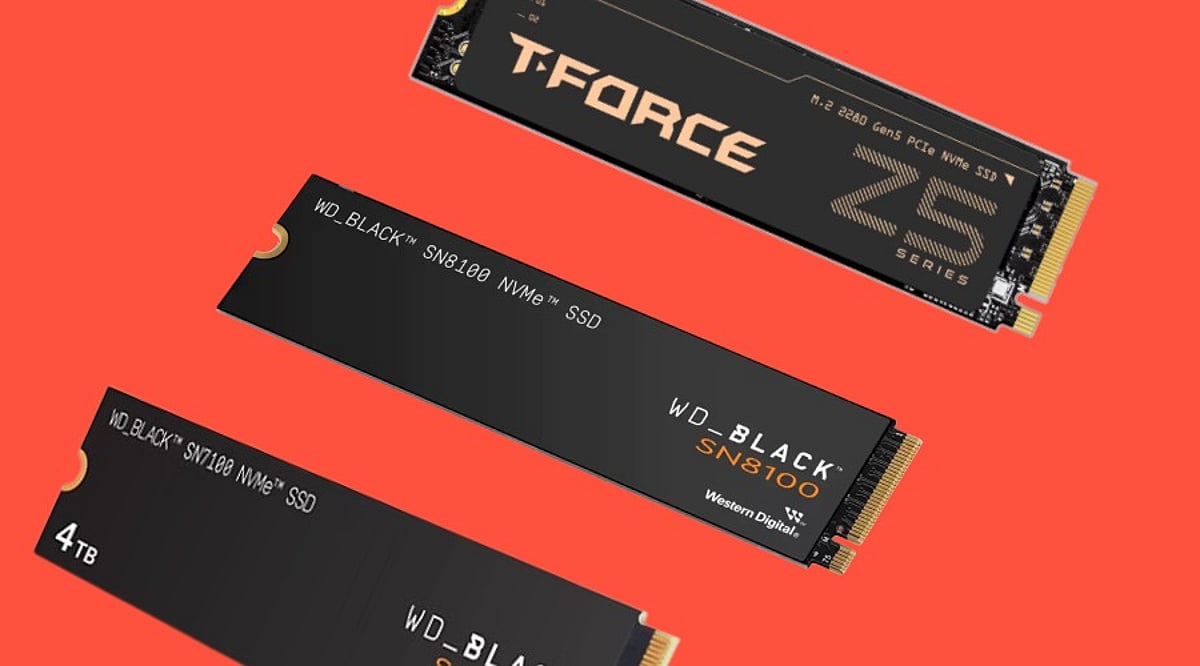
    The read and write speeds of the WD Black SN8100 are up to 14,900 MB/s and 14,000 MB/s, respectively, through a PCIe Gen5 interface. Capacity options include 1TB, 2TB, 4TB, and 8TB. With TLC NAND, it comes with up to 4,800 TBW. The drive is available either with or without a heatsink. It is good for gaming, video editing, AI data workloads, and professional productivity.

    Crucial T710

    Crucial’s T710 is a PCIe Gen5 NVMe SSD offering up to 14,900 MB/s read and 13,800 MB/s write speeds, depending on capacity. Available in 1TB, 2TB, and 4TB versions, it offers up to 2,400 TBW. Heatsink and non-heatsink variants are available, making it a strong option for gaming, creative applications, and large file transfers.

    Kingston Fury Renegade G5

    The Kingston Fury Renegade G5 is a PCIe Gen5 SSD with the Silicon Motion SM2508 controller, 3D TLC NAND flash, and DRAM cache technology. The drive offers speeds of 14,800 MB/s for reading and 14,000 MB/s for writing, with a maximum capacity of 8 TB and up to 8,000 TBW endurance.

    Corsair MP700 Pro SE

    Corsair’s MP700 Pro SE is a Gen5 PCIe SSD that comes in 2TB and 4TB capacities. This device achieves up to 14,000 MB/s read and 12,000 MB/s write speeds with 3,000 TBW endurance. Users also get a bare drive, an active air cooling system, and a Hydro X water block.

    Seagate FireCuda 540

    FireCuda 540 features PCIe Gen5, 3D TLC NAND Flash, and the Phison E26 controller certified by Seagate. The 1TB capacity offers speeds of 9,500/8,500 MB/s. The 2TB capacity delivers read/write speeds of 10,000 MB/s.

    Lexar NM1090 Pro

    The NM1090 Pro by Lexar supports a PCIe Gen5 interface, 232-layer 3D TLC NAND, a 6nm controller, as well as DRAM/SLC caching. For the 2TB and 4TB capacities, read and write speeds are 14,000 MB/s and 13,000 MB/s, respectively. Storage capacities range from 1TB to 4TB.

    TeamGroup T-Force GE Pro

    The T-Force GE Pro is a Gen5 PCIe SSD that features the IG5666 controller from InnoGrit. The 2TB and 4TB versions boast a read speed of 14,000 MB/s and an 11,800 MB/s write speed, with a maximum endurance of 2,400 TBW. Cache memory, a graphene thermal pad, and an active cooler are included.

    Samsung 990 Pro

    Samsung 990 Pro still belongs to the category of the fastest PCIe Gen4 SSDs with 7,450 MB/s read and 6,900 MB/s write speeds. The storage device comes in 1 TB, 2 TB, and 4 TB versions. It uses an internal Samsung controller and TLC NAND and provides 2,400 TBW.

    WD Black SN850X

    The WD Black SN850X is a mature PCIe Gen4 SSD offering up to 7,200 MB/s read and 6,600 MB/s write speeds. Capacities extend to 8TB, with TLC NAND and up to 4,800 TBW. An optional heatsink version is available. It remains a practical choice for gaming PCs, content libraries, and general high-performance storage.

    Buying Guide: An Overview

    Check your motherboard before buying: a Gen5 SSD needs a compatible PCIe 5.0 M.2 slot to reach full speed, while Gen4 drives work on more platforms. DRAM can help with sustained workloads, and TLC NAND generally offers stronger endurance balance than QLC. Check TBW for heavy writing, and plan for a heatsink with Gen5 drives. For most users, 1TB is the minimum; 2TB is the better long-term choice.

    Choose a PCIe Gen4 SSD such as the Samsung 990 Pro or WD Black SN850X for excellent gaming and everyday performance with broad compatibility. Move to Gen5 for large-scale video editing, AI datasets, professional workloads, and frequent transfers of massive files where higher sequential bandwidth can make a measurable difference.

  • DDR4 vs DDR5 RAM: The Definitive Guide for Gamers and PC Builders in 2026

    DDR4 vs DDR5 RAM: The Definitive Guide for Gamers and PC Builders in 2026

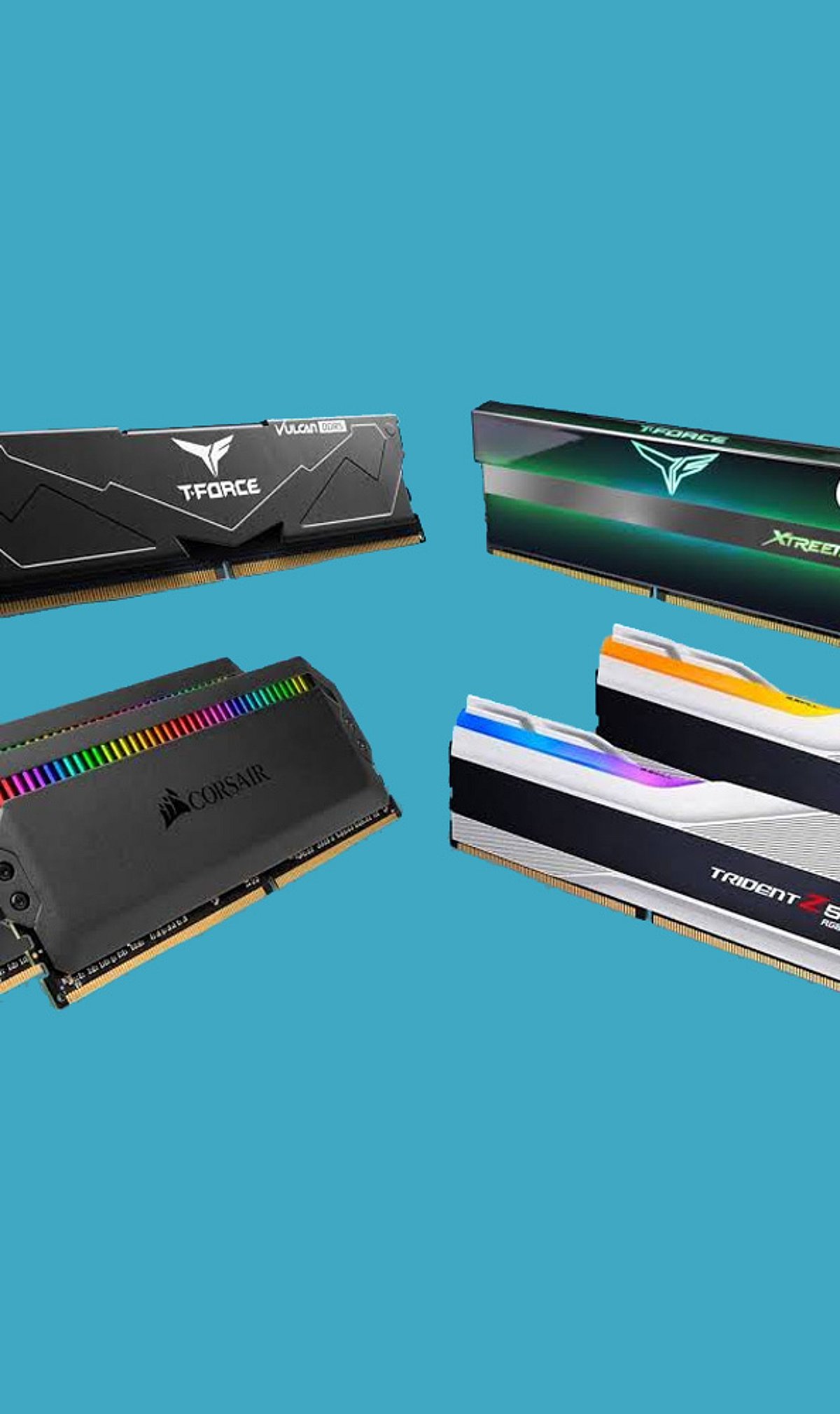
    As we approach 2026, the debate between DDR4 and DDR5 RAM remains a critical decision for PC builders and gamers. Both memory standards offer distinct advantages, but choosing the right one depends on your budget, performance needs, and future‑proofing goals. Here is a comprehensive breakdown to help you decide.

    DDR4: Affordable and Reliable

    DDR4 memory has been the industry standard for years and continues to deliver excellent gaming performance for budget and mid‑range PCs. Its mature ecosystem means lower prices and broad compatibility with existing motherboards and processors. For gamers who prioritize value and are building a system without cutting‑edge demands, DDR4 remains a smart choice.

    DDR5: Higher Bandwidth and Future‑Ready

    DDR5 offers significantly higher bandwidth and faster data transfer rates, which translate to better multitasking and improved performance in modern workloads. It operates at a lower voltage (1.1 V vs. 1.2 V for DDR4) and includes advanced power management for greater efficiency. New Intel and AMD platforms increasingly favor DDR5, making it the forward‑looking option.

    Gaming Performance: Where It Matters

    In most games, the difference in frame rates between DDR4 and DDR5 is modest. However, CPU‑intensive titles—such as open‑world games and real‑time strategy—benefit noticeably from DDR5’s higher bandwidth. Gamers who play demanding simulators or esports titles at high refresh rates may see tangible improvements, while casual players will likely be satisfied with DDR4.

    Content Creation and Productivity

    For video editing, 3D rendering, and AI workloads, DDR5’s increased memory bandwidth provides a clear advantage. Tasks that involve large datasets or frequent memory access run noticeably faster, making DDR5 the preferred choice for creators and professionals who rely on their PC for work.

    Power Efficiency

    DDR5 not only uses less voltage but also incorporates on‑module power management and improved data integrity features. This leads to lower overall power consumption and heat output, which can be beneficial in compact builds or systems where thermal management is a priority.

    Cost and Upgrade Path

    DDR4 systems remain significantly cheaper to build today. The memory itself is less expensive, and compatible motherboards and processors are widely available at lower price points. In contrast, DDR5 requires a newer motherboard and processor, increasing the upfront investment. However, as DDR5 matures, its prices continue to drop.

    Future‑Proofing

    Looking ahead, new Intel and AMD platforms are designed with DDR5 in mind. Choosing DDR5 now ensures your system can take advantage of upcoming CPU architectures and software optimizations. For builders who plan to keep their PC for several years, DDR5 is the smarter long‑term investment.

    Who Should Choose Which?

    Choose DDR4 if: You are building a budget‑focused gaming PC and want the best performance per dollar without needing the latest platform.

    Choose DDR5 if: You are building a high‑end gaming rig, a workstation for content creation, or simply want the most future‑proof memory available.

    Ultimately, both standards are viable in 2026. Your decision should balance current needs, budget, and how long you plan to keep your system before upgrading again.

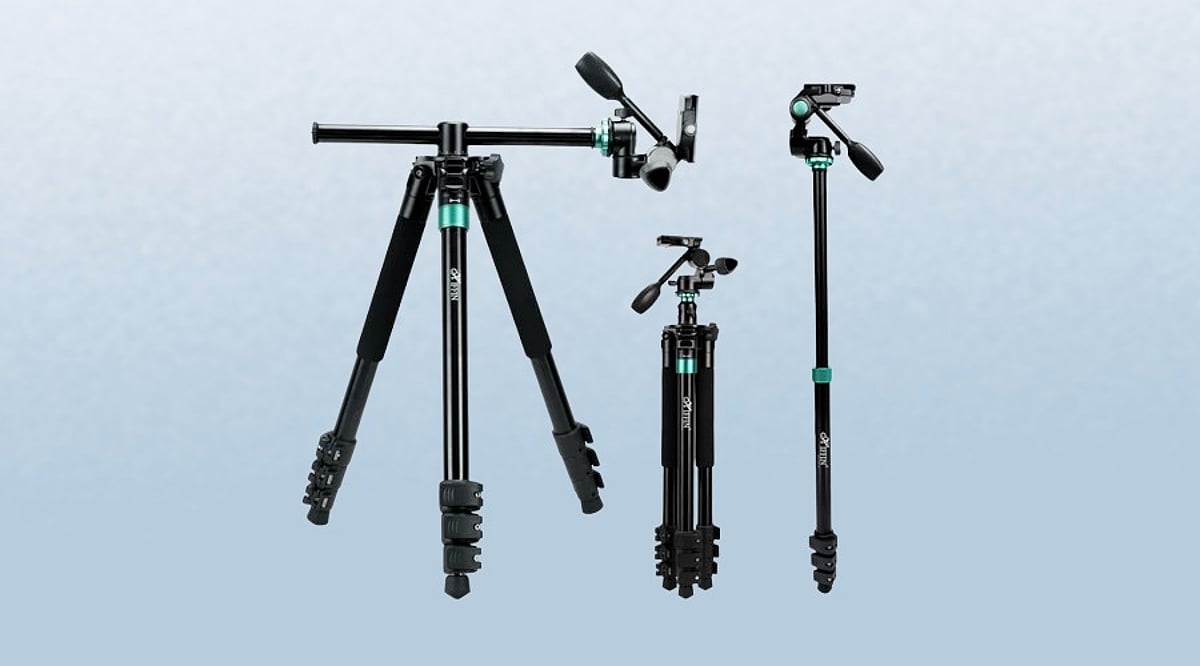
  • Best Professional Tripods and Monopods for Content Creators (2026 Guide)

    Best Professional Tripods and Monopods for Content Creators (2026 Guide)

    Why Camera Support Matters

    A great camera won’t deliver professional results on an unstable tripod. The right support determines how steady your footage looks, how quickly you can set up, and how confident you feel on a shoot. Yet many creators spend heavily on cameras and lenses while overlooking the gear that keeps every frame stable.

    This guide compares five professional tripods, each built for a different style of content creation, to help you make an informed choice.

    How to Choose the Best Professional Tripod

    Tripod choice should follow your shooting style, not your budget. Use these criteria to narrow down the options:

    • Height and stability: For interviews and studio work, prioritize a tripod that reaches eye level and doesn’t wobble.
    • Portability: Frequent travelers need a lightweight model with a compact folded size that fits in a carry-on bag.
    • Material: Aluminum tripods are affordable but heavy. Carbon fiber costs more but reduces weight while maintaining strength—ideal for long shooting days.
    • Head type: Ball heads allow quick reframing for photos and general use. Fluid heads provide smooth pans and tilts for video work.
    • Locking mechanism: Twist locks pack tighter for travel; flip locks open and close faster for quick adjustments.
    • Quick-release plate: An Arca-Swiss compatible system offers more flexibility with third-party accessories as your kit grows.
    • Load capacity: Choose a tripod rated to carry at least 1.5–2 times the combined weight of your camera, lens, and accessories. This ensures stability and room for future upgrades.

    Best Professional Tripods Compared

    Manfrotto Befree Advanced – Best Travel Tripod

    Built for frequent travel, this tripod folds to 15.7 inches and weighs only 1.54 kg (3.4 lb). Despite its compact size, it supports up to 9 kg (20 lb), enough for a mirrorless body with a mid-size lens. The 494 ball head has separate controls for sphere lock, friction, and panning, so framing a shot takes seconds.

    Manfrotto MT055XPRO3 – Best Studio Tripod for Video

    This model trades portability for reach and stability. It extends to 66.9 inches (170 cm) and holds 9 kg at 2.5 kg total weight. The 90-degree horizontal column lets you swing the camera into overhead or macro positions without repositioning the whole rig—a real advantage for product reviews and fixed-camera interviews.

    Vanguard VEO 3+ 263AP – Best Hybrid Tripod and Monopod

    Creators who mix formats will appreciate this pick. One leg detaches to become a full monopod in seconds, and the MACC column pivots nearly 360 degrees for angles a fixed center column cannot reach. At 2.63 kg (5.8 lb) with a 6 kg (13.2 lb) load capacity, it suits anyone switching between static talking-head footage and handheld B-roll in the same session.

    Benro C3780TN – Best Carbon Fiber Tripod for Heavy Setups

    Carbon fiber earns its premium here. At 2.1 kg (4.6 lb), this tripod weighs less than many aluminum models despite an 18 kg (40 lb) load capacity—nearly double what the rest of this list supports. Benro’s QLS anti-rotation leg lock prevents legs from twisting out of position, a crucial detail when mounting a full-frame body and telephoto lens.

    Digitek DTR 540 BH – Best Budget Tripod for New Creators

    A premium tripod isn’t required for stable footage. The DTR 540 BH holds 8 kg (17.6 lb), converts into a monopod, and folds to 21 inches at 2.35 kg (5.2 lb)—all at a fraction of the price of the Manfrotto or Vanguard. It may not survive years of heavy professional use, but as a first serious tripod, it covers the essentials without cutting corners on load capacity.

    Final Thoughts

    The best tripod matches your shooting style, not a price tag. The right support improves every frame, extends the working life of your gear, and turns setup time into shooting time.

    Frequently Asked Questions

    What features should I look for in a professional tripod?

    Look for a stable build, sufficient load capacity, suitable maximum height, a reliable head, and a compact folded size if you travel frequently. These features improve both usability and shooting stability.

    Is a carbon fiber tripod better than an aluminum one?

    Carbon fiber tripods are lighter, absorb vibrations better, and are easier to carry for long shoots. Aluminum tripods are more affordable and offer excellent stability for studio and indoor content creation.

    Should content creators choose a tripod or a monopod?

    Tripods are ideal for interviews, product videos, and long recording sessions where maximum stability is needed. Monopods are better for events, sports, and fast-moving shoots where mobility is more important.

    Can a professional tripod support both smartphones and cameras?

    Yes. Most professional tripods use a standard 1/4-inch mounting screw, allowing them to support cameras as well as smartphones with a compatible phone mount adapter.

    How much load capacity does a content creator need?

    Choose a tripod with a load capacity at least 1.5 to 2 times the combined weight of your camera, lens, and accessories. This provides better stability and allows room for future gear upgrades.