Tag: Content Creation

  • How Small Businesses Leverage AI to Reduce Operational Costs

    How Small Businesses Leverage AI to Reduce Operational Costs

    Small businesses are increasingly turning to artificial intelligence to streamline operations and cut expenses. From customer support to inventory management, AI tools are helping entrepreneurs do more with less. Here’s a look at the key areas where AI is making a difference.

    AI Chatbots

    AI-powered chatbots handle customer queries 24/7, reducing support costs, improving response times, and allowing staff to focus on complex customer needs.

    AI Accounting Tools

    AI automates bookkeeping, invoice processing, expense tracking, and financial reporting, minimizing manual work while reducing accounting errors and operational expenses.

    AI Marketing Platforms

    AI creates personalized campaigns, automates email marketing, optimizes advertisements, and improves customer targeting, helping businesses lower marketing costs significantly.

    AI Inventory Management

    AI predicts product demand, optimizes stock levels, and reduces overstocking and shortages, helping businesses save on storage, procurement, and wastage expenses effectively.

    AI Content Creation

    AI generates blogs, product descriptions, social media posts, and marketing copy, reducing content production costs while maintaining consistent publishing schedules.

    AI Meeting Assistants

    AI records meetings, generates summaries, extracts action items, and automates documentation, saving employees’ time and improving workplace productivity across teams.

    AI Sales Assistants

    AI qualifies leads, recommends follow-ups, predicts customer behavior, and automates repetitive sales tasks, increasing conversions while reducing manual sales effort.

    AI HR and Recruitment

    AI screens resumes, schedules interviews, and automates candidate communication, reducing hiring costs while speeding up recruitment for growing businesses.

    AI Data Analytics

    AI analyzes business performance, customer trends, and operational data, helping owners make faster decisions that reduce unnecessary spending and improve profitability.

  • 10 Innovative ChatGPT Uses in 2026 Beyond Simple Conversations

    10 Innovative ChatGPT Uses in 2026 Beyond Simple Conversations

    ChatGPT has evolved into a powerful AI assistant in 2026, helping users with much more than answering questions. Here are ten amazing ways to leverage ChatGPT beyond its basic chatbot function.

    1. Summarize Long Documents: Turn lengthy reports, PDFs, and meeting notes into concise summaries within seconds to save valuable time.
    2. Brainstorm and Create Content: Use ChatGPT to brainstorm business ideas, create marketing content, and generate social media posts for different platforms.
    3. Personalized Learning: Students can use ChatGPT for personalized learning, exam preparation, language practice, and step-by-step explanations of complex topics.
    4. Assist in Software Development: Developers rely on ChatGPT to write code, debug programs, explain errors, and accelerate software development workflows.
    5. Plan Schedules and Itineraries: Create travel itineraries, meal plans, fitness routines, and personalized schedules tailored to your preferences and goals.
    6. Generate Images and Analyze Data: ChatGPT now supports advanced image generation, document analysis, voice interactions, and workflow automation for eligible users.
    7. Enhance Customer Support: Businesses are using AI assistants to improve customer support, automate repetitive tasks, and increase team productivity.
    8. Automate Workflows: Integrate ChatGPT to streamline repetitive processes and boost efficiency across teams.
    9. Verify Information Carefully: As AI becomes more capable, users should always verify important information and avoid sharing sensitive personal data.
    10. Stay Updated: Join our WhatsApp Channel to get the latest news, exclusives, and videos on WhatsApp.
  • Crystal-Clear Video Calls: Best Webcams for Work, Streaming, and Everyday Use

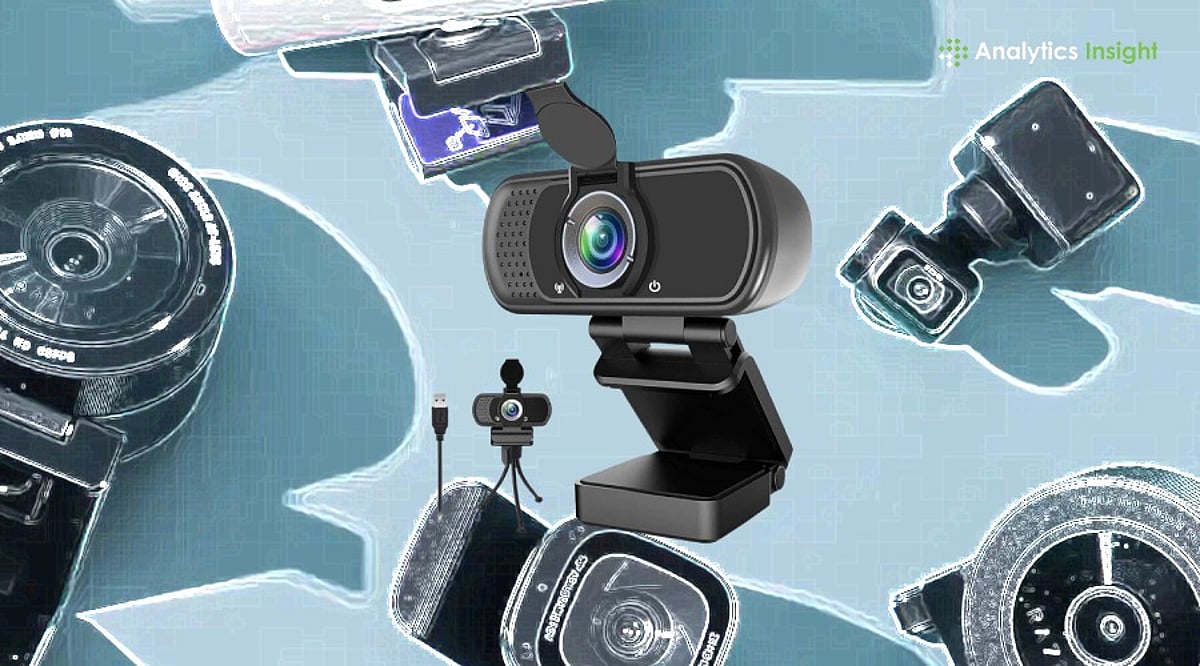
    Crystal-Clear Video Calls: Best Webcams for Work, Streaming, and Everyday Use

    A quality webcam can make you look more confident on screen. Whether you’re joining a work meeting, attending an online class, talking to family, or streaming live, clear video always leaves a better impression. The right webcam doesn’t just improve picture quality—it also makes conversations feel more natural and helps people see you the way you should be seen.

    Screen time has changed dramatically in recent years. Office meetings, college classes, job interviews, and even family catch-ups now happen through a camera. This shift has made a good webcam far more useful than ever. It keeps your picture clear, holds the video steady, and makes conversations feel natural rather than distant.

    You don’t need expensive gear to get sharp photos or videos anymore. Brands like Logitech, HP, Lenovo, eMeet, Kreo, and Zebronics now offer webcams across almost every budget. Some suit everyday meetings well, while others are built for streamers, content creators, and anyone who records videos regularly.

    Top-Rated Webcams Compared

    Webcams are now a staple of modern office and gaming setups. If the video is blurry, it defeats the purpose. After testing several popular models, our team found that paying more doesn’t always mean getting the best output. For daily meetings or classes, a Full HD webcam is usually enough. Streamers and creators, however, will benefit from investing in a 4K option.

    Ease of use is another crucial factor. Most of these webcams work as soon as you plug them in, with no extra software required for the first call.

    Our Top Picks

    Logitech Brio 100 – Best for Everyday Use

    The Logitech Brio 100 has almost everything you need for daily video calls. The picture is clear, colors are natural, and setup takes only a few minutes. It’s one of the easiest recommendations for work, online meetings, and regular video calls.

    eMeet S600 4K PC Camera – Best for Creators

    If you’re doing YouTube videos or streaming games, the eMeet S600 is an excellent choice. The 4K picture is noticeably sharper than Full HD, and the built-in microphones pick up voices clearly. It costs more but delivers great value for money.

    HP 430 FHD Webcam – Best for Low-Light Conditions

    The HP 430 FHD impressed us with its ability to handle challenging lighting. Even in a dim room, the picture remained clear. This makes it a fantastic option for people who work from home and don’t have perfect lighting setups.

    If you’re on a tight budget, the Zebronics FHD USB Webcam covers the basics well and offers solid value.

    Final Thoughts

    A webcam may seem like a small accessory, but it makes a big difference every time you’re on screen. Better picture quality boosts your confidence whether you’re talking to clients, attending classes, or creating videos.

    Don’t fall into the trap of buying the most expensive model you can afford. Instead, consider how you’ll use it. For regular use, a decent Full HD webcam is more than sufficient. Creators and streamers, however, should consider 4K options. Ultimately, a good webcam combines picture quality, useful features, and dependable performance—regardless of price.

    FAQs

    Which webcam is best for office meetings?

    The Logitech Brio 100 is a top choice. It offers clear Full HD video, natural colors, and quick setup, making it ideal for everyday use.

    Is a 4K webcam necessary for video calls?

    Not really. Full HD is enough for most meetings and classes. 4K is more useful for streamers, creators, and regular video recording.

    What features should I check before buying a webcam?

    Look for Full HD or 4K resolution, autofocus, a built-in microphone, good low-light performance, and a privacy shutter. These features improve video quality and everyday convenience.

    Do I need a separate microphone with a webcam?

    Most webcams have built-in mics that work fine for regular calls. For video creation or frequent streaming, a dedicated microphone will provide better sound.

    Which webcam offers the best value for money?

    The HP 430 FHD and Logitech Brio 100 offer an excellent mix of picture quality, features, and price. Both are suitable for work, study, and regular video calls.

  • How I Made AI My Personal Productivity Assistant: A Practical Guide

    How I Made AI My Personal Productivity Assistant: A Practical Guide

    I stopped treating AI as just a chatbot and started using it as a personal work assistant. Now it helps me organize tasks, prioritize deadlines, manage information, and reduce repetitive work. Instead of replacing my decisions, AI supports them, allowing me to focus on creative thinking and high-value responsibilities every day.

    Automating Repetitive Work

    I delegated routine tasks like drafting emails, summarizing meetings, creating to-do lists, scheduling reminders, and organizing notes to AI. Automating these everyday activities saves valuable time, reduces manual effort, and helps me stay productive without feeling overwhelmed by repetitive administrative responsibilities.

    Faster Research and Better Insights

    Instead of opening multiple websites, I ask AI to summarize reports, explain complex concepts, compare products, and identify industry trends. This speeds up research while helping me understand information quickly. I still verify important facts, but AI significantly reduces the time needed for initial research.

    Creating Better Content in Less Time

    AI helps me brainstorm ideas, prepare outlines, write first drafts, improve grammar, and refine tone. Whether creating presentations, reports, blogs, or social media content, it accelerates the writing process while allowing me to focus on adding expertise, creativity, and personal insights before publishing.

    Managing Projects More Effectively

    I use AI to break large projects into manageable tasks, generate timelines, create meeting agendas, and track progress. It helps identify priorities, organize workflows, and ensure nothing important is overlooked. This structured approach keeps projects moving efficiently from planning to completion.

    Smarter Communication Every Day

    Before sending emails or presentations, I use AI to improve clarity, grammar, and professionalism. It adapts messages for different audiences while keeping communication concise and impactful. Better-written communication saves time, strengthens collaboration, and creates a more professional impression.

    AI Is an Assistant, Not a Replacement

    My biggest lesson is that AI works best as a trusted assistant rather than a replacement for human judgment. It handles repetitive tasks, organizes information, and boosts productivity, while I remain responsible for creativity, strategy, decision-making, and final quality. Together, we achieve better results faster.

  • Top Cameras for Content Creators and YouTubers in 2026: Expert Picks and Buying Guide

    Top Cameras for Content Creators and YouTubers in 2026: Expert Picks and Buying Guide

    The creator economy is more competitive than ever, with social media driving demand for high-quality video. The best creator cameras in 2026 offer excellent image quality, reliable autofocus, advanced video recording, and creator-friendly features like flip screens and microphone inputs. Whether you are starting a YouTube channel, filming travel vlogs, hosting livestreams, or producing independent films, choosing the right camera can dramatically improve your content.

    Best Cameras for Content Creators & YouTubers in 2026

    Sony ZV-E10 II

    Approximate Price: Rs. 85,000
    Best For: Beginner YouTubers, vloggers, lifestyle creators

    The Sony ZV-E10 II is a top entry-level mirrorless camera. It features an APS-C sensor that delivers high-quality images and oversampled 4K video with great color. Real-time Eye Autofocus excels when shooting solo, and the lack of IBIS makes it easy to pair with a gimbal.

    Sony ZV-E1

    Approximate Price: Rs. 1,90,000
    Best For: Professional YouTubers and filmmakers

    The Sony ZV-E1 uses a full-frame sensor for excellent low-light performance and cinematic-quality shots. Its AI-powered autofocus detects people, and 5-axis stabilization ensures smooth handheld footage. It records in 4K, though battery life is average for its class.

    Canon EOS R50 V

    Approximate Price: Rs. 78,000
    Best For: Social media creators and vloggers

    Designed specifically for video content, the Canon EOS R50 V offers impressive 4K recording and Dual Pixel CMOS Autofocus. Its lightweight build makes it easy to carry while traveling or shooting on the go. Electronic image stabilization reduces shake, and built-in livestreaming features appeal to online creators.

    Canon EOS R6 Mark II

    Approximate Price: Rs. 1,75,000
    Best For: Hybrid photography and video creators

    With a full-frame sensor, the EOS R6 Mark II delivers excellent image quality and sharp oversampled 4K video. Canon’s autofocus reliably tracks faces, eyes, and moving subjects. Image stabilization works well handheld, but the camera requires expensive RF lenses.

    Fujifilm X-M5

    Approximate Price: Rs. 90,000
    Best For: Travel creators and creative filmmakers

    The Fujifilm X-M5 is a compact camera known for Fujifilm’s color science, producing natural-looking stills and video. Its APS-C sensor handles both photo and video with automatic focusing. Digital image stabilization aids handheld recording but doesn’t replace a full IBIS system.

    DJI Osmo Pocket 4

    Approximate Price: Rs. 70,000
    Best For: Travel vloggers and daily content creators

    The DJI Osmo Pocket 4 emphasizes mobility with a built-in 3-axis gimbal that provides extremely stable video without extra equipment. Fast tracking and high-resolution capture make it perfect for solo creators. The lack of a removable lens limits creativity but suits travel, walk, and social media videos.

    Panasonic Lumix S5 II

    Approximate Price: Rs. 1,70,000
    Best For: Independent filmmakers and advanced creators

    The Panasonic Lumix S5 II remains a favorite among filmmakers for its full-frame sensor, exceptional 6K recording, and advanced phase-detection autofocus. In-body stabilization keeps handheld shots steady, and battery life is extended. The larger body makes it less convenient for traveling light.

    How to Choose the Right Camera

    When buying a camera, consider where and how you will shoot. A larger sensor captures better in low light. Reliable autofocus is essential for solo shooting. Image stabilization improves handheld footage. For beginners, the Sony ZV-E10 II offers the best overall performance. Social media creators will love the Canon EOS R50 V. The Fujifilm X-M5 suits intermediate users, while the Sony ZV-E1 and Canon EOS R6 Mark II deliver professional video quality. Travel creators should consider the DJI Osmo Pocket 4, and filmmakers may prefer the Panasonic Lumix S5 II.

    Frequently Asked Questions

    1. Which is the best camera for YouTube beginners in 2026? The Sony ZV-E10 II remains a top choice for its APS-C sensor, excellent autofocus, interchangeable lenses, and user-friendly video features at a competitive price.
    2. Is a full-frame camera necessary for content creation? No. APS-C cameras produce outstanding 4K video for most creators. Full-frame models offer better low-light performance, dynamic range, and background blur for professional productions.
    3. Which camera is best for travel vloggers? The DJI Osmo Pocket 4 is ideal due to its compact size, built-in three-axis gimbal, reliable stabilization, long battery life, and quick setup.
    4. Should creators prioritize image stabilization or autofocus? Both are important, but reliable autofocus is essential for solo creators. Good stabilization reduces the need for a gimbal during everyday shooting.
    5. What accessories should new content creators buy with a camera? Invest in a quality microphone, fast memory cards, spare batteries, a tripod, an LED light, a protective camera bag, and an external SSD for efficient video storage.
  • How AI Is Revolutionizing Web Stories and Digital Content Creation

    How AI Is Revolutionizing Web Stories and Digital Content Creation

    Artificial intelligence is rapidly changing how web stories are created, allowing writers and creators to generate high-quality content in seconds using advanced generative models.

    Modern AI tools can understand prompts and convert them into structured stories, blog posts, scripts, and social media content with impressive accuracy and creativity.

    With AI-powered writing assistance, creators can now focus more on ideas and storytelling while automation handles formatting, grammar, and structure.

    Generative AI models can adapt tone and style based on audience type, making content more engaging for tech readers, students, or general audiences.

    AI is also improving visual storytelling by generating images, thumbnails, and design layouts that match the written content automatically.

    In journalism and blogging, AI helps speed up research by summarizing complex topics and extracting key insights from large datasets.

    Personalized content delivery is becoming more common, where AI recommends stories based on user interests, reading behavior, and engagement patterns.

    However, challenges remain such as misinformation, bias in generated content, and the need for human fact-checking to ensure accuracy.

    Despite limitations, AI is expected to become a core part of digital publishing, enabling faster workflows and more interactive storytelling experiences.

  • Transform Travel Photos into Engaging Instagram Reels: A Step-by-Step Guide

    Transform Travel Photos into Engaging Instagram Reels: A Step-by-Step Guide

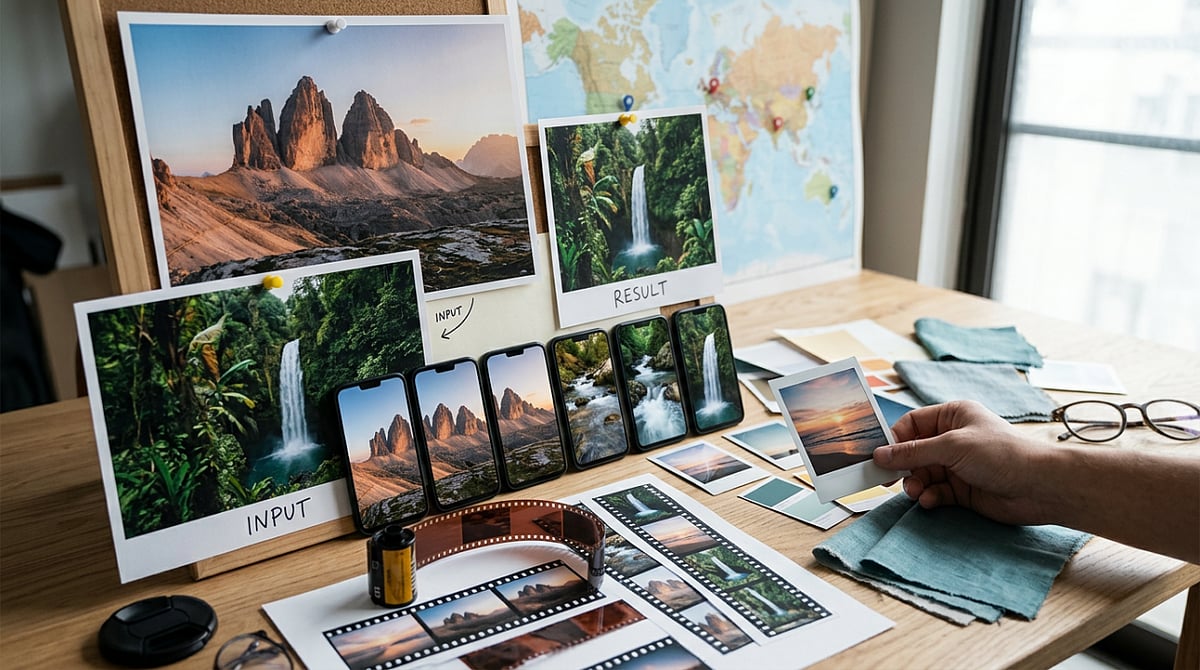
    A strong travel photo can perform well in a carousel, but when you need a quick Instagram Reel teaser, that same image often feels static. It has the view, but lacks the movement and pacing that short-form video requires. For beginners, building a full travel edit from scratch for a single post is rarely worth the time.

    That’s where many people get stuck. Some overwork the photo until it looks unnatural, while others post the image as-is and hope music will do the rest. Neither approach typically yields a useful teaser. A lighter image-to-video workflow is often the better fit, especially when you only need a short preview. If you want to test that kind of setup in a browser, Media.io is a practical place to start.

    The Real Problem Behind Travel Photo Teasers

    The problem isn’t the photo itself—it’s that a still image and a Reel are trying to do different things. A destination photo captures one moment well, but a Reel teaser needs motion, pacing, and a sense of atmosphere, even if the clip runs only a few seconds. A slow push toward a skyline or a soft drift across a beach scene can change how the image lands, making it feel like a native short video instead of a reused still.

    Beginners usually go wrong in one of two ways: they add too much artificial motion, making the result distracting, or they leave the image static and call it finished. Sometimes that works, but it rarely creates anticipation. For this kind of content, the goal is simple: turn one good travel photo into a short Reel-style preview without overcomplicating it. That’s why Media.io’s image-to-video tool is worth trying.

    What a Publishable Result Should Look Like

    For travel teasers, a publishable result is easy to define: subtle motion, one clear subject, and a vertical-friendly clip that feels at home on Reels. It should feel clean and watchable, not busy.

    That usually comes down to a straightforward workflow: upload the image, add a motion prompt, choose from a few video models, and compare the results. Keeping those steps in one place helps, especially if you don’t want to bounce between tools. Media.io also includes 5,000+ templates, free daily credits for testing, and the option to add music or do light editing after generation.

    One thing beginners often miss: longer prompts do not automatically give better results. With travel teasers, clear and simple usually works better. A single image plus one restrained motion idea often produces a better clip than a long prompt trying to force too much into a few seconds.

    How to Complete Travel Photo Teasers with Media.io

    You don’t need a big workflow. If the photo is strong and the motion idea is clear, three steps are usually enough.

    Step 1: Start with One Strong Travel Photo

    Open Media.io and go to the image-to-video workflow. Upload one destination photo with a clear subject, such as a beach path, skyline, street scene, or mountain view. The best starting images already have mood, depth, or a clear visual direction. Avoid busy collages or weak snapshots—a tool can animate a still image, but it cannot fix a cluttered composition.

    Step 2: Add a Motion Prompt and Choose a Style Direction

    Describe the kind of motion you want. Keep it short and visual, for example: “slow zoom toward skyline,” “gentle pan across beach,” “soft cloud drift,” or “subtle push-in on city street.” That’s usually enough. Then choose a model or template direction that suits a travel teaser. Travel content usually looks better with smooth motion and atmosphere than with a promo-style look. Since Media.io puts multiple video models in one workflow, you can try different directions without switching platforms.

    Step 3: Generate, Check the Feeling, and Export

    Generate the clip, then watch it for overall feel rather than just technical movement. Does the motion support the scene, or does it pull attention away? If it feels too busy, simplify the prompt and try again. If it feels flat, test a slightly stronger zoom or pan. Once the motion looks right, add music or light polish if you want a more complete Reel teaser. Then export it and check how it fits into your posting flow.

    Tips and Mistakes to Keep in Mind

    • Keep motion prompts short and tied to the actual scene. “Slow zoom on snowy peak” usually works better than a long prompt with extra actions.
    • Match the motion to the image. A skyline can handle a push-in. A beach scene works with cloud drift or a soft pan. A narrow street often looks better with gentle camera movement.
    • If possible, test more than one output. Results vary based on the image, model, and prompt clarity. Free daily credits make this easier.
    • Avoid starting with a crowded image that has no focal point—movement can look messy when the eye has nowhere to settle.
    • Don’t ask for too much action from a calm scene. A quiet lake photo doesn’t need dramatic movement, just enough to add mood.
    • Check the vertical format early. If the image doesn’t adapt well to a Reel layout, the teaser can feel awkward before animation starts.

    Final Takeaway

    If you already have strong travel photos and need quick social-ready motion, this workflow is a solid fit. It takes less effort than building a full travel video and usually gives you a stronger result than posting a static image with music. What makes it useful for beginners is how connected the process feels: upload a photo, add motion, compare model outputs, and make light refinements in one browser-based workflow. Start with one destination photo, turn it into one short Reel teaser, see what works, adjust the motion, and repeat.

    FAQs

    Do I need editing experience to make Reels from travel photos?

    No. If you can pick a strong image and describe simple motion, you can make a usable teaser. The bigger learning curve is choosing the right photo and giving the tool a clear prompt.

    What kind of travel images work best for image-to-video?

    Photos with a clear subject, visible depth, and a strong sense of place usually work best. Skylines, beaches, mountain views, street scenes, and landmark shots are all good options.

    Can I add music after generating the motion clip?

    Yes. In many cases, that’s the better order. Generate the motion first, check the result, and then add music or light polish before posting.

  • Tad AI: Generate Studio-Quality Songs Instantly Without Any Music Skills

    Tad AI: Generate Studio-Quality Songs Instantly Without Any Music Skills

    The music creation has entered a new era where technical skills and expensive equipment are no longer prerequisites. With the power of artificial intelligence, anyone can now produce complete, studio-quality songs in minutes. Tad AI is at the forefront of this transformation, making the entire music production process effortless and accessible.

    Using advanced AI music technology, Tad AI users can convert a simple concept into a polished song directly from a browser. This eliminates the need for professional studios, instruments, or software expertise.

    Music Production Is Becoming Faster, Simpler, and Smarter

    Traditional music production methods have given way to a more accessible, AI-driven system. Previously, creating music required deep knowledge of instruments, mixing software, and production techniques. Today, AI removes those barriers.

    The growing demand for instant content — on social media, digital ads, and online videos — has accelerated this shift. AI tools now fill the gap by providing immediate, original audio. Tad AI stands out by allowing users to compose music without technical production skills, empowering creators to focus on ideas, emotion, and storytelling rather than complex tools.

    How Tad AI Turns Ideas Into Full Songs in Seconds

    Removing Traditional Music Production Complexity

    Tad AI simplifies the entire music creation process. Instead of navigating complex workflows, users interact with a simple text-based interface. They describe what they want, and the AI constructs the music accordingly.

    AI-Powered Understanding of Creative Input

    At its core, Tad AI uses sophisticated AI models to interpret mood, style, and creative direction. Users input an idea, and the platform converts it into a complete musical piece.

    Turning Ideas Into Complete Musical Compositions

    The system goes beyond random sound generation. It produces structured music with a clear creative arc. Each output is well-organized, emotionally coherent, and ready for use. This is a guided creativity process, not manual production.

    Balancing Simplicity With Professional Quality

    Tad AI strikes a balance between ease of use and high-quality output. Beginners can create songs effortlessly, while advanced users can rapidly test new ideas. It transforms music production into an imaginative dialogue rather than a technical chore.

    Why Anyone Can Now Create Music Without Technical Skills

    This shift is significant because it allows more people to participate in music creation without traditional barriers. Users no longer need years of training; they can concentrate on creativity while the system handles the technical execution.

    No Technical Barriers to Creativity

    One of the biggest changes AI music tools bring is the elimination of technical hurdles. It used to take years to learn music production. Now, anyone can make a song without touching sophisticated equipment. Tad AI lets users think in natural language, and the system transforms those ideas into structured music. Creativity is no longer limited by technical ability — it’s driven by imagination.

    How AI Music Reaches Studio-Level Sound Quality

    Quality is a common concern with AI-generated music. Early systems often produced synthetic or repetitive sounds. Modern platforms like Tad AI have changed that. The system is built to deliver audio that is natural, balanced, and studio-ready.

    Every output maintains high sound quality, including proper flow, rhythm, and perception. Users don’t need to manually tweak tracks — the AI engine handles everything automatically. This makes AI-generated music practical for real-world use, such as videos, podcasts, advertisements, and digital campaigns, without additional editing. Tad AI meets automation with professionalism.

    Why AI Music Is Becoming Essential for Content Creators

    AI music generation is not just for musicians. It’s a vital tool for digital creators, marketing professionals, and developers. Tad AI fits this ecosystem perfectly, enabling users to create custom soundtracks for various content types without licensing concerns. The flexibility of AI music also allows creators to tailor sounds to their brand, whether for short videos, commercials, or app experiences.

    Where AI Music Creation Is Headed Next

    The future of music creation is leaning into full AI adoption. Systems will become more responsive to human emotion, context, and intent. Tad AI exemplifies this direction, evolving from a simple generation tool into an intelligent creative partner. Future systems will not only compose music but also understand intent, mood, and context better. Music creation will become more personalized, producing sound that is automatic, dynamic, and tailored to the user’s style and audience.

    How AI Is Redefining the Future of Music Creation

    AI has fundamentally changed how music is created and experienced. Technical expertise is no longer necessary when simple input and intelligent systems can deliver professional results. Tad AI is a key part of this transformation, making music production simpler, faster, and more accessible.

    Thanks to AI music technology, anyone can produce high-quality music without previous experience. This change is empowering a new generation of creators who can focus on ideas without technical obstacles. Music creation is no longer confined to studios and professionals — it’s open to everyone with creativity. Tad AI is helping build that future, turning mere thoughts into full musical experiences.


  • Meta Relaunches Facebook Creator Studio as AI-Powered App with Smart Insights and Automated Replies

    Meta Relaunches Facebook Creator Studio as AI-Powered App with Smart Insights and Automated Replies

    Meta has relaunched Facebook’s Creator Studio as a standalone AI-powered companion app, marking the return of a platform it discontinued in 2023 when it shifted creators to Meta Business Suite. The revamped app is designed to help creators grow their audiences with AI-driven insights, engagement tools, and personalized recommendations.

    At the heart of the new experience is the AI Creator Assistant, which provides creators with performance insights, answers questions about audience engagement, suggests ways to improve reach, and recommends the best times to post. The assistant can also identify the most important audience comments and draft replies in the creator’s own tone, allowing users to review and publish responses quickly.

    The application will also feature a daily priorities feed that will show top priorities such as following up on recently published post performance and interactions. According to Meta, the application will make it easy for content creators to work without using third-party applications when coming up with ideas.

    The new Creator Studio has been tested by some selected creators while users who are willing to be part of the creators can enroll on the waitlist. Thus far, there is no update about any wider release dates by Meta. Besides the app, Meta has redesigned its creator dashboards on Facebook.

  • MIT Issues New Guidelines for Responsible Use of Generative AI in Communications

    In a move to maintain editorial integrity and public trust, the Massachusetts Institute of Technology (MIT) has released a set of guidelines governing the use of generative artificial intelligence (AI) across its official communications channels. The guidelines, effective December 6, 2023, were developed by the Institute Office of Communications (IOC) with input from internal communicators and MIT faculty members.

    The core principle is that human authorship remains paramount. All articles, newsletters, and video scripts published on IOC-managed platforms—including MIT News, the MIT Daily/Weekly newsletters, the MIT homepage, and Institute-level social media accounts—must be written by humans. The IOC cites the well-documented potential for inaccuracy and bias in AI-generated text as the primary reason for this restriction. While much of MIT’s content undergoes expert vetting before publication, the IOC aims to minimize any risk of disseminating incorrect or biased information.

    However, the guidelines do permit limited use of generative AI tools in a preparatory or assistive capacity. This includes generating ideas, researching background information, creating outlines, analyzing data, copyediting, cutting text, drafting headlines, image captions, alt-text, meta descriptions, and social media posts. These uses are classified as preparation and summarization, and content prepared with such assistance is allowed on IOC channels, provided that all material is thoroughly fact-checked and vetted by human communicators before submission.

    A notable change is the prohibition on publishing AI-generated images in IOC content. Previously accepted for accompanying MIT News articles, such images will no longer be used, aligning with the emphasis on human authorship. Exceptions may be made for AI-generated images used for research purposes that directly illustrate the described research. Brainstorming, planning color palettes, moodboarding, or developing an image concept using generative AI is still acceptable. AI-generated thumbnail images for links to non-IOC websites are also allowed.

    While these guidelines are mandatory for IOC platforms, other MIT departments, labs, and centers are free to adopt them or develop their own approaches. The IOC acknowledges that these guidelines will evolve as AI technology and its societal use continue to develop. Any significant changes will be communicated across the Institute.

    By adopting these principles, MIT aims to preserve the trust, accuracy, and editorial standards that its audiences expect, while responsibly integrating new technologies that can enhance communications.