Tag: Cybersecurity

  • Top Tech Skills to Boost Your Freelance Income in 2026

    Top Tech Skills to Boost Your Freelance Income in 2026

    As the freelance economy continues to expand, certain tech skills are emerging as particularly lucrative in 2026. Professionals who invest in these areas can unlock significant earning potential and secure consistent project work.

    Artificial Intelligence (AI) Skills

    AI expertise is in high demand as businesses seek specialists to build, manage, and optimize AI tools. Key areas include AI automation, prompt engineering, and designing AI-based workflow solutions. These skills open up freelance opportunities across nearly every industry.

    Web Development

    Web development remains a cornerstone of freelance work. Companies need professionals to create and maintain websites, web applications, and customized digital platforms. Proficiency in modern frameworks and responsive design is essential.

    Cybersecurity

    With rising cyber threats, companies are hiring freelancers for security testing, risk assessment, and data protection. Cybersecurity skills are increasingly valuable for short-term and long-term projects.

    Cloud Computing

    Knowledge of cloud platforms like AWS, Azure, and Google Cloud enables freelancers to work on modern IT infrastructure projects. Cloud skills are crucial for deploying scalable applications and managing remote systems.

    Data Analytics

    Freelancers who can transform raw data into actionable insights are in demand. Skills in data visualization, reporting, and business intelligence help companies make informed decisions.

    Mobile App Development

    As businesses invest in digital products and customer-focused applications, mobile app development continues to offer steady freelance opportunities. Expertise in iOS and Android platforms is highly valued.

    UI/UX Design

    User experience and interface design remain critical as companies strive to create seamless digital experiences. Freelancers with strong design portfolios and user research skills can command premium rates.

    Soft Skills Matter Too

    Professionals who combine technical expertise with strong communication and problem-solving abilities often find more freelance opportunities. These soft skills help in client management and project delivery.

    By focusing on these high-demand tech skills, freelancers can position themselves for success in 2026 and beyond.

  • GTA 6 Hacker Arion Kurtaj Transferred to Prison Ahead of New Trial

    GTA 6 Hacker Arion Kurtaj Transferred to Prison Ahead of New Trial

    Arion Kurtaj, the hacker accused of leaking early Grand Theft Auto 6 footage, has been moved from a secure hospital to prison. According to reports, doctors have decided that he no longer needs treatment in the hospital. He will now remain in prison while waiting for a new trial.

    Kurtaj was arrested after the 2022 cyberattack on Rockstar Games. Investigators believe he was part of the hacking group Lapsus$, which has been linked to attacks on several major companies. During the breach, more than 90 videos from an early version of GTA 6 were posted online. The clips spread across the internet within hours and quickly became one of the biggest leaks in gaming history.

    The Leak Left a Big Mark on Rockstar

    The leaked footage gave players a first look at GTA 6 years before Rockstar was ready to show it. Since the videos were taken from an unfinished build, many fans saw work that was never meant to be public. The leaked footage showed open-world gameplay, combat, vehicles, and even NPC interactions. Brands from the GTA universe could also be spotted in background assets, like Redwood Cigarettes and LifeInvader.

    After the incident, Rockstar confirmed that someone had gained access to its internal systems. The company thanked players for their support and said the leak would not affect the game’s development or release plans. The case also showed why leaks can be so damaging. They expose unfinished work, lead to confusion, and create pressure for developers. Many studios spend years making a game, and a leak can change how people judge it before it is finished.

    A Lesson Every Game Studio Will Remember

    The GTA 6 leak has changed the way many studios approach security. Since then, companies have locked down access to game files, refined internal systems, and become more cautious about who can see unfinished projects. Rockstar’s proactive response to the data breach is a lesson for the industry at large. Games have become bigger and take more time to create, and protecting them has become as important as making them. The GTA 6 leak showed that a single cyberattack can ruin years of work, and stronger security is now a top priority for game developers.

  • Essential API Security Best Practices to Protect Your Data

    Essential API Security Best Practices to Protect Your Data

    APIs are the backbone of modern applications, but they also present significant security risks. Implementing robust security measures is crucial to protect sensitive data and maintain system integrity. Below are the top 10 API security best practices every organization should follow.

    1. Use Strong Authentication

    Implement OAuth 2.0, OpenID Connect, or multi-factor authentication to verify user identities and prevent unauthorized API access across all environments.

    2. Enforce Authorization

    Apply role-based access controls (RBAC) to ensure users can only access permitted resources. This reduces privilege abuse and minimizes security vulnerabilities.

    3. Encrypt Data Everywhere

    Secure API traffic using HTTPS and TLS encryption. Protect stored sensitive information with strong encryption standards and robust key management practices.

    4. Validate All Inputs

    Filter and sanitize incoming requests to prevent SQL injection, cross-site scripting (XSS), command injection, and other common API-based attacks.

    5. Limit API Requests

    Use rate limiting and throttling to reduce abuse, block denial-of-service (DoS) attempts, and maintain stable application performance under heavy traffic.

    6. Monitor API Activity

    Continuously track logs, detect suspicious behavior, and respond quickly to anomalies using automated security monitoring and alerting systems.

    7. Rotate API Keys Regularly

    Replace compromised or aging credentials frequently. Securely store keys using secrets management solutions and enforce restricted access policies.

    8. Keep APIs Updated

    Regularly patch vulnerabilities, update dependencies, and retire unsupported versions to minimize exposure to evolving cybersecurity threats and exploits.

    9. Conduct Security Testing

    Perform penetration testing, vulnerability assessments, and automated scans regularly to identify weaknesses before attackers can exploit exposed API endpoints.

    By implementing these best practices, organizations can significantly reduce the risk of API-related security incidents and protect their digital assets.

  • How AI-Driven Matrimony Scams Exploit Trust and Defraud Victims

    How AI-Driven Matrimony Scams Exploit Trust and Defraud Victims

    Finding a partner through a matrimonial platform has long been built on trust. However, that trust is increasingly being exploited by cybercriminals using artificial intelligence to create convincing fake identities that are difficult to detect.

    How AI Makes Scams Harder to Detect

    Cybersecurity experts report that fraudsters are no longer relying solely on stolen photographs or fabricated profiles. AI tools now enable them to generate realistic faces, manipulate voice and video interactions, forge identity documents, and maintain natural conversations for weeks, making fake profiles appear authentic.

    Victims often realize they have been deceived only after being persuaded to transfer money or invest in fraudulent schemes. According to identity verification firm Bureau, India ranks third globally for new romance scam profiles, accounting for 12% of such profiles worldwide.

    Investigations by police in different states suggest that matrimonial platforms are increasingly used to identify financially stable targets before scammers introduce fake investment opportunities or requests for financial assistance.

    Trust Becomes the Biggest Weapon

    Unlike traditional online fraud, these scams are rarely rushed. Fraudsters invest time in building relationships, speaking regularly, sharing stories about work and family, and creating an emotional connection before discussing money. By the time an investment opportunity or emergency request surfaces, many victims have already lowered their guard.

    Experts note that generative AI has significantly reduced the effort required to run such operations. A single network can create multiple believable identities, personalize conversations, and even simulate video interactions, allowing scammers to target several people simultaneously.

    Verification Is the Strongest Defense

    Cybersecurity experts have found that the increasing use of artificial identities has questioned the validity of traditional verification methods. Relying on photos, identity documents, and even video calls to validate a person’s identity is no longer enough.

    Individuals are advised to independently verify information, involve family members before making any decision, and proceed with caution if the other party quickly moves the discussion to a private chat application or talks about investments. Financial requests or demands for gifts and monetary assistance are strong indicators of fraud.

    Experts further suggest that matrimonial sites should use AI for identity verification—employing liveness detection, behavioral analytics, and device intelligence—to help curb the problem.

  • Avoid These Critical Crypto Security Mistakes to Protect Your Digital Assets

    Avoid These Critical Crypto Security Mistakes to Protect Your Digital Assets

    Overview

    Most cryptocurrency losses result from operational security mistakes such as weak passwords, unsafe wallet approvals, poor seed phrase handling, and phishing attacks rather than vulnerabilities in blockchain technology. Modern wallet drainer scams exploit token approvals, malicious smart contracts, and deceptive signature requests, making user awareness a critical layer of crypto wallet safety. A risk-based security approach that prioritizes stronger authentication, secure self-custody, regular approval reviews, and offline recovery planning can significantly reduce the chances of losing digital assets.

    The Approval You Didn’t Read is the New Front Door

    Many DeFi apps ask a wallet to approve a token before a transaction can go through. That approval lets the app move the token later, without asking again. Attackers use this same setup against people. A fake airdrop page, or a cloned DeFi site, asks for a signature that looks routine. Once someone signs it, the malicious contract can pull funds out whenever it wants, sometimes months after that first click. Since the transaction was technically approved, there’s no way to undo it on the blockchain.

    This has turned into a real criminal business. Drainer kits get rented out to attackers who barely know any code, complete with phishing pages and contracts already built and ready to use. Some scams even copy the ‘revoke approvals’ warnings that security teams send out after a hack, aiming at people who are just trying to stay safe. Many wallets now run a quick simulation before signing and flag anything that looks like a suspicious permission request. That warning is worth stopping for. The fix is simple enough: check pending approvals now and then, using the wallet’s own permissions screen or a trusted revocation tool, and cancel anything unused or unlimited.

    Password Reuse Still Opens the First Door

    Reused passwords let credential-stuffing attacks work. When one unrelated website leaks a password, automated tools test that same password against exchange and wallet-service logins elsewhere. A single reused password can compromise several accounts at once. A password manager generating unique credentials per account closes this gap with almost no daily effort.

    SMS Two-Factor Authentication has a Known Weakness

    Two-factor authentication blocks most password-only attacks, but not all 2FA is equal. SMS-based codes are more exposed to SIM-swap attacks, where an attacker convinces a carrier to port a phone number to a new SIM and intercepts the verification code. App-based authenticators or hardware security keys remove that specific weak point.

    Seed Phrases are the Master Key Rather than a Backup Note

    A seed phrase regenerates every private key in a wallet. Storing it in a screenshot, a notes app, or cloud storage puts the entire wallet one data breach away from total loss. Offline, physically secured, redundant storage remains the standard advice for a reason.

    Leaving Long-Term Holdings on an Exchange

    Exchanges are convenient for trading but carry custodial risk. An account can be compromised directly, a platform can go offline during high demand, regulatory action can freeze withdrawals, and insolvency can leave user funds unrecovered. Good crypto wallet safety means treating exchanges as a trading tool, not a vault. Assets meant for long-term holding are safer moved into self-custody, ideally a hardware wallet.

    Fix the Highest-Risk Gaps First

    • Critical Today: Use unique passwords made by a password manager. Turn on app-based or hardware-backed two-factor authentication for email and exchange accounts.
    • Important this Week: Go through token approvals and cancel the ones not needed. Move long-term holdings off exchanges and into a hardware wallet or some other self-custody option.
    • Recommended this Month: Keep seed phrases stored safely offline. Put together a recovery plan in case a device gets lost, stolen, or damaged.

    Crypto security works best with several layers of protection, not just one. Strengthening each layer means one single mistake won’t put an entire portfolio at risk.

    Final Thoughts

    Blockchain itself is built to be secure, but keeping cryptocurrency safe really comes down to the everyday choices people make. Checking wallet permissions, keeping recovery details safe, and sticking to a few basic habits can go a long way toward protecting digital assets from threats that keep changing.

    FAQs

    1. What is the biggest crypto security mistake? The most common crypto security mistake is weak account protection. Reusing passwords, skipping strong two-factor authentication, and poor recovery practices make it easier for attackers to gain access to wallets and exchange accounts.
    2. What is a token approval, and why is it risky? A token approval allows a smart contract to access specific cryptocurrency tokens in your wallet. If the approval is granted to a malicious contract, attackers may be able to move approved assets without requesting another permission.
    3. Is a hardware wallet safer than keeping crypto on an exchange? For long-term storage, a hardware wallet is generally considered safer because it gives users direct control of their private keys and reduces exposure to exchange-related risks such as account compromise or platform failures.
    4. Where should I store my seed phrase? A seed phrase should be stored offline in a secure and redundant location, such as a fireproof safe or another protected physical backup. Avoid saving it in cloud storage, screenshots, email, or note apps.
    5. How can I improve my crypto wallet security? Use unique passwords, enable app-based or hardware-backed two-factor authentication, review wallet permissions regularly, revoke unused token approvals, keep seed phrases offline, and move long-term holdings to a trusted hardware wallet or other self-custody solution.
  • Insignary Introduces Clarity On-Demand: Pay-Per-Project SBOM Generation Without Annual Contracts

    Insignary Introduces Clarity On-Demand: Pay-Per-Project SBOM Generation Without Annual Contracts

    Toronto, Canada – July 15, 2026 – Insignary Inc., a leader in software supply chain security and binary software composition analysis (SCA), today announced the launch of Insignary Clarity On-Demand, a self-service, pay-per-project offering that provides immediate access to patented SCA and Software Bill of Materials (SBOM) generation — with no annual subscription required.

    Most traditional SCA tools rely on what software claims to contain rather than what it actually contains. Clarity On-Demand addresses this gap by analyzing compiled binaries to detect every open-source component, including those from AI-generated code, vendor libraries, and statically linked binaries that bypass package managers.

    Designed for Flexibility and Urgency

    Clarity On-Demand is built for two primary audiences:

    • Teams evaluating Insignary Clarity before committing to a full enterprise deployment.
    • Smaller organizations that need professional-grade SBOM generation and vulnerability visibility for a specific project without an ongoing subscription.

    With regulatory deadlines looming — including Canada’s Bill C-8 (Critical Cyber Systems Protection Act) and the U.S. FDA’s requirement for SBOMs in premarket submissions for connected cyber devices — organizations can no longer wait for annual procurement cycles.

    “You cannot verify an SBOM by reading the manifest that created it. You verify an SBOM by examining the software that was actually built, shipped, and deployed. Clarity On-Demand makes that level of verification accessible to any organization — from a development team preparing for its first compliance audit to an enterprise team evaluating binary SCA for the first time.” — Taek Wan Kim, President & CEO, Insignary

    What Clarity On-Demand Includes

    Each subscription provides two weeks of access for a single user and a single project. Within that window, users can:

    • Generate a complete SBOM from source code and compiled binaries
    • Receive automated license and security risk alerts
    • Identify components associated with known patent licensing risks
    • Receive alerts for known exploits tied to identified components

    Clarity On-Demand is available on a self-service, pay-per-project basis with plans based on scan volume. First-time users receive 50% off their first project. Full pricing details are available at insignary.com/clarity-on-demand.

    Why Binary-Level Analysis Matters

    The U.S. National Security Agency (NSA) specifically recommends that national security system owners “obtain SBOMs and associated vulnerability and code quality information from analysis of software binaries.” Clarity On-Demand extracts fingerprints directly from compiled binary code using Insignary’s patented technology, ensuring no component goes undetected.

    Trusted by Governments and Global Enterprises

    Insignary’s technology is already used by government organizations and global leaders across electronics, defense, financial services, automotive, manufacturing, medical devices, and other sectors. Key partners include BearingPoint (exclusive distributor in Europe), Cybertrust Japan, and TechMatrix.

    About Insignary

    Insignary Inc. is a Toronto-based cybersecurity company specializing in binary software composition analysis and software supply chain security. Its patented technology identifies open-source components, vulnerabilities, and software provenance directly from compiled binaries without requiring access to source code. For more information, visit www.insignary.com.

    Contact

    Principal Solutions Architect
    Jessica Lee
    Insignary
    jessicalee@insignary.com

    This is a paid press release published via CyberNewswire, a PR newswire syndication platform for cybersecurity companies.

  • Top Identity Management Solutions for Enterprise Security and Access Control

    Top Identity Management Solutions for Enterprise Security and Access Control

    Identity management solutions are becoming essential as enterprises strengthen cybersecurity and manage digital access. Modern IAM platforms help organizations control user access while improving security and compliance.

    Single Sign-On (SSO) allows employees to access multiple applications with one secure login. Multi-Factor Authentication (MFA) adds another layer of protection beyond passwords. Role-based access control helps organizations assign permissions according to employee responsibilities.

    Cloud-based identity management platforms offer flexibility for hybrid and remote work environments. AI-powered identity security tools can detect unusual login activity and reduce cyber risks.

    Enterprises should evaluate scalability, integration options, compliance support, and pricing before choosing an IAM solution. The growing adoption of Zero Trust security is making identity management a key part of enterprise cybersecurity strategies.

  • How to Identify Fraudulent Investment Apps Before Losing Your Money

    How to Identify Fraudulent Investment Apps Before Losing Your Money

    Fake investment apps are becoming increasingly sophisticated, luring users with promises of guaranteed returns, instant profits, and exclusive opportunities. Many closely mimic legitimate financial platforms, making them hard to spot at first glance. By taking a few simple precautions before investing, you can protect your finances and personal data.

    Verify the Company Before Downloading Any App

    Always confirm that the company behind the app is legitimate and registered with the relevant financial regulator. Visit the official website, review contact details, and download apps only from trusted sources—avoid clicking ads or unsolicited links shared via social media or messaging platforms.

    Watch for Unrealistic Returns and Urgent Offers

    Promises of fixed high returns with little or no risk are major red flags. Fraudulent apps often create urgency through limited-time offers, bonus rewards, or referral incentives to pressure you into quick decisions without verifying credibility.

    Read Reviews Beyond App Store Ratings

    High ratings alone don’t guarantee trustworthiness. Read detailed user reviews, search for independent reports, and look for complaints about withdrawal issues, blocked accounts, or poor customer support. Consistent negative feedback from multiple sources is a strong warning signal.

    Never Share Sensitive Banking or OTP Details

    Legitimate investment platforms never ask for OTPs, banking PINs, passwords, or full card details via calls, emails, or messages. Sharing such information gives fraudsters direct access to your bank accounts and assets.

    Keep Devices Updated and Use Official App Stores

    Only download investment apps from official app stores, and keep your smartphone updated with the latest security patches. Install trusted security software and enable two-factor authentication for an extra layer of protection.

    Report Suspicious Apps Immediately

    If an investment app seems suspicious or asks for unusual payments, stop using it right away and report it through the appropriate cybercrime reporting channels. Quick action can limit financial damage and help protect others from falling victim to the same scam.

  • Master Gmail Spam Removal in 2026: Essential Tips to Clean Your Inbox

    Master Gmail Spam Removal in 2026: Essential Tips to Clean Your Inbox

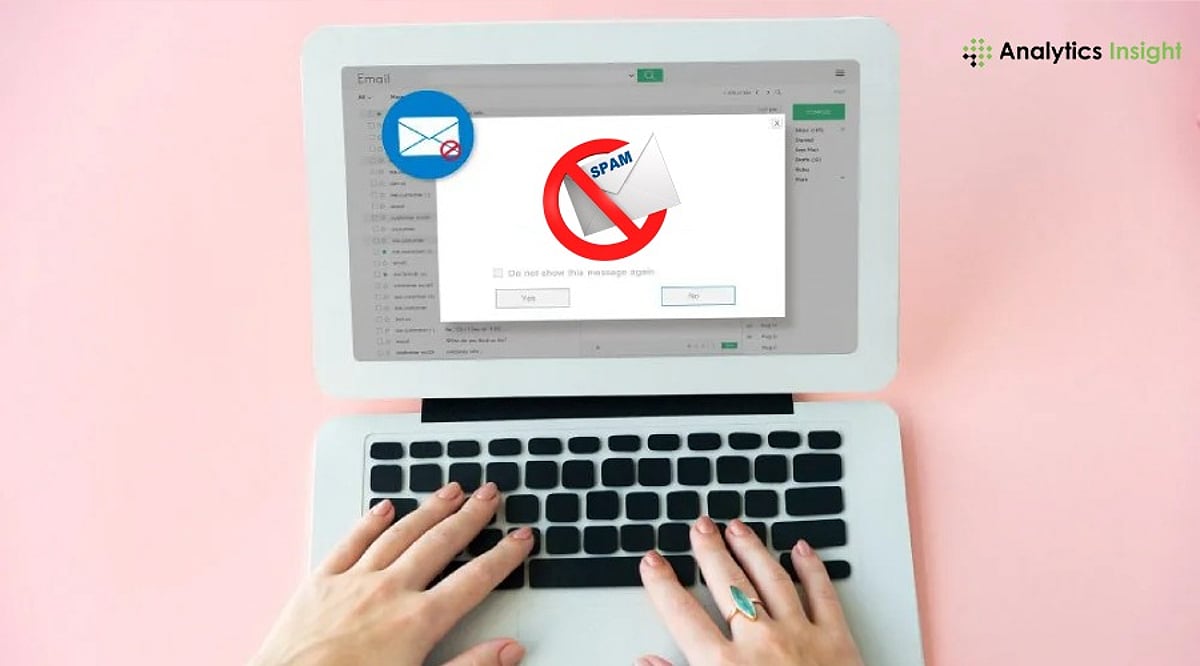
    Spam emails have become more sophisticated, but Gmail offers powerful tools to keep your inbox clean. Learn how to use Manage Subscriptions, spam reporting, filters, sender blocking, and smart security practices to reduce unwanted emails, improve inbox organization, and protect your account from phishing and spam attacks in 2026.

    Use Gmail’s New Manage Subscriptions Feature

    Manage Subscriptions is one of the most significant enhancements to Gmail that is meant to ease the process of unsubscribing from newsletters. Rather than having to sift through several promotional emails, Gmail will display all your subscriptions and show you how often each one sends emails to you.

    To use it:

    • Open Gmail.
    • Navigate to Manage Subscriptions.
    • Review your mailing lists.
    • Remove newsletters and promotions you no longer read.

    This feature is especially useful for legitimate marketing emails that accumulate over time without requiring you to open each message individually.

    Report Spam Instead of Simply Deleting It

    Many users delete junk emails immediately. While that removes them from the inbox, it doesn’t help Gmail improve its spam detection.

    Instead:

    • Select the unwanted email.
    • Click Report Spam.
    • Gmail moves the message to the Spam folder and uses the report to improve future filtering.

    Filing repeated spam reports for similar emails makes it easier for Gmail to detect similar campaigns. Emails in the Spam folder are automatically deleted after 30 days. There is no need to empty your Spam folder manually if you don’t want to save space.

    Block Persistent Senders

    Some unwanted senders continue emailing despite repeated spam reports. For these cases:

    • Open the email.
    • Click the three-dot menu.
    • Select Block Sender.

    Future emails from that address will automatically be directed to the Spam folder. However, remember that blocking works best against individual senders. Professional spammers often change email addresses regularly, so blocking alone won’t eliminate every unwanted message.

    Create Filters for Recurring Spam

    If you notice similar promotional emails arriving from different addresses but sharing common keywords or subjects, Gmail filters can automate cleanup. For example, you can filter emails containing:

    • “Congratulations! You’ve won”
    • “Crypto investment”
    • “Exclusive offer”
    • Certain domains or sender names

    After creating the filter, choose actions such as:

    • Delete automatically
    • Skip Inbox
    • Mark as Spam
    • Archive immediately

    Filters are particularly effective for recurring promotional campaigns that Gmail doesn’t automatically classify as spam.

    Never Click Suspicious Unsubscribe Links

    It should be noted that not all unsubscribe buttons are safe. When dealing with trustworthy companies such as Amazon or LinkedIn, for example, using the unsubscribe button is completely acceptable. In case an email appears to be dubious, poorly formatted, and/or sent by an unknown user, never click on any unsubscribe buttons. As cybersecurity experts suggest, phishing unsubscribe buttons may reveal that your email is real and thus result in receiving even more junk mail.

    Protect Your Email Address Before Spam Starts

    Preventing spam is always easier than managing an already overloaded inbox. There are a few tips to prevent any spam emails from reaching you. It is not advisable to share your Gmail address on any website where you are required to enter it. You can create different email accounts for various activities. You should regularly audit the apps that connect to your Google account and remove any app whose services you are not currently using. It is also wise to activate two-factor authentication (2FA), which adds more security to your email account. Be very careful when registering with any new websites or promotional sites.

    When your inbox fills up with hundreds of emails very fast, it could indicate that you have received a mail bombing. The attackers usually do this as a strategy to hide any security notifications that might require action, such as password changes and unauthorized logins.

    Keep Your Inbox Clean with Small, Regular Actions

    A clutter-free Gmail inbox isn’t achieved by deleting thousands of emails in one sitting. Instead, it comes from consistent habits like reporting spam, unsubscribing from trusted newsletters, creating smart filters, and using Gmail’s built-in subscription management tools. With Gmail consistently improving its AI-based spam prevention measures, the combination of Google’s automatic spam filter and some time spent organizing one’s inbox will ensure that the number of spam emails received becomes minimal. Organization is crucial in protecting one from phishing attacks, scams, and other types of spam.

    Why This Matters

    Email remains one of the most important communication tools for work and personal life, making inbox security more critical than ever. As spam, phishing, and AI-generated scam emails become increasingly sophisticated, knowing how to use Gmail’s built-in security and filtering features helps protect sensitive information, improves productivity, and reduces the risk of cyber threats.

    Frequently Asked Questions

    How can I permanently reduce spam emails in Gmail?

    While it’s impossible to eliminate spam, you can significantly reduce it by reporting unwanted emails, blocking persistent senders, unsubscribing from trusted mailing lists, and creating Gmail filters. Regularly reviewing connected apps and enabling two-factor authentication also helps prevent your email address from being misused, keeping your inbox cleaner over time.

    What is Gmail’s Manage Subscriptions feature, and how does it work?

    Gmail’s Manage Subscriptions feature automatically gathers your newsletter and promotional subscriptions into one place. Instead of opening individual emails to unsubscribe, you can view all active subscriptions, see how frequently each sender emails you, and remove unwanted subscriptions with a single click, making inbox cleanup much faster.

    Is reporting spam better than simply deleting unwanted emails?

    Yes. Deleting spam only removes it from your inbox, while reporting it helps Gmail’s AI-powered spam detection system learn from the message. Over time, this improves Gmail’s ability to identify similar spam campaigns and automatically block them before they reach your inbox or other users’ accounts.

    Should I click the unsubscribe link in every promotional email?

    Not always. If the email is from a trusted company such as Amazon, Google, or LinkedIn, using the unsubscribe option is generally safe. However, avoid clicking unsubscribe links in suspicious or poorly designed emails, as scammers may use them to verify that your email address is active and send even more spam.

    How do Gmail filters help remove recurring spam emails?

    Gmail filters let you automatically sort, archive, delete, or mark emails as spam based on criteria such as sender, subject line, keywords, or specific domains. They are especially useful for recurring promotional emails or newsletters that bypass Gmail’s default spam filter yet remain unwanted in your inbox.