Tag: iOS

  • Apple Intelligence Explained: A Complete Guide to iPhone AI Features

    Apple Intelligence Explained: A Complete Guide to iPhone AI Features

    Apple Intelligence is Apple’s personal artificial intelligence system that works across iPhone, iPad, Mac, Apple Watch, and Apple Vision Pro. Unlike traditional AI chatbots that exist as separate apps, Apple built this system directly into the operating system, embedding it into everyday apps like Messages, Mail, Photos, Notes, Safari, and Phone. This design creates a seamless experience without the need to switch between different applications.

    Key Takeaways

    • Apple Intelligence integrates AI directly into iPhone apps for a seamless everyday experience.
    • Most AI processing happens on-device, with Private Cloud Compute protecting user privacy.
    • Advanced features are available only on iPhone 15 Pro, iPhone 15 Pro Max, iPhone 16 models, and newer devices.

    Which iPhones Support Apple Intelligence?

    Apple Intelligence only works on iPhones with enough processing power to handle advanced AI models. The supported devices include the iPhone 15 Pro, iPhone 15 Pro Max, every iPhone 16 model, and newer iPhones. Regular iPhone 15 models do not support Apple Intelligence. Apple says the advanced Neural Engine, higher memory, and powerful Apple Silicon inside supported devices make these AI features possible. Older iPhones cannot meet these hardware requirements.

    Writing Tools Make Everyday Work Easier

    The very basic function of Apple Intelligence is offered by the automatic Writing Tools included in the programming. These features are extensively used by most applications of Apple and by many external programs. You can rewrite texts, correct grammar, make short summaries, and change the tone of messages. Safari, Mail, Notes, and Messages all support these capabilities, turning long emails into short summaries and rough drafts into polished texts.

    Siri Understands Conversations Better

    Apple Intelligence gives Siri a major upgrade. Siri now understands natural conversations more accurately and follows context across multiple questions. Instead of repeating the same information, Siri remembers earlier parts of the conversation and provides smoother replies. Apple also added optional ChatGPT integration. Siri asks for permission before sending a request to ChatGPT, balancing advanced functionality with privacy.

    Creative Tools Add Fun to Everyday Tasks

    Apple Intelligence includes Image Playground, a feature that creates images from simple text descriptions. Apple offers styles such as Animation, Illustration, and Sketch. Messages, Notes, and Freeform all support this feature. Genmoji adds another creative option: a simple description like “golden retriever wearing sunglasses” turns into a unique emoji within seconds.

    Visual Intelligence Understands the World Around It

    Visual Intelligence uses the iPhone camera to recognize objects, places, products, signs, and text. After recognition, Apple Intelligence can explain what appears on the screen, translate foreign languages, search for products online, or create calendar events from posters and invitations. Apple continues to improve this feature with every software update.

    Photos, Notifications, and Mail Become Smarter

    The Photos app now includes the Clean Up tool, which removes unwanted objects from pictures while keeping lighting, shadows, and important details as natural as possible. Notifications also become easier to manage with short summaries for long alerts and priority placement. Mail receives email summaries, suggested quick replies, highlighted important messages, and short previews that help readers understand content before opening each email.

    Notes and Phone Receive Helpful AI Features

    The Notes app gains intelligent tools for summarization, writing improvement, grammar correction, and organization. The Phone app supports call transcripts and call summaries in supported regions and languages, helping users review important conversations without relying on memory alone.

    Privacy Stays at the Center of Apple Intelligence

    Privacy remains one of the biggest differences between Apple Intelligence and many other AI systems. Most AI tasks run directly on the iPhone. Only complex requests move to Private Cloud Compute, which Apple says never stores personal data after processing finishes. This balance between local processing and secure cloud support allows Apple Intelligence to deliver advanced AI features while protecting personal information.

    Why This Matters

    Apple Intelligence changes the way people use an iPhone every day. Built-in AI saves time, improves communication, helps with creative tasks, and makes everyday apps more useful. Strong privacy protection also sets Apple apart from many AI platforms, making Apple Intelligence an important feature for anyone planning to buy or upgrade an iPhone.

    FAQs

    1. What is Apple Intelligence? Apple Intelligence is Apple’s built-in AI system that enhances apps like Messages, Mail, Photos, Notes, Safari, and Siri with smart, privacy-focused features.
    2. Which iPhones support Apple Intelligence? It is supported on iPhone 15 Pro, iPhone 15 Pro Max, all iPhone 16 models, and newer compatible iPhones.
    3. Does Apple Intelligence use ChatGPT? Yes. Siri can optionally use ChatGPT for more complex requests, but only after asking for your permission.
    4. Is Apple Intelligence private and secure? Yes. Most AI tasks run directly on your device, while complex requests use Apple’s Private Cloud Compute, which is designed to avoid storing personal data after processing.
    5. What are the main features of Apple Intelligence? Key features include Writing Tools, smarter Siri, Image Playground, Genmoji, Visual Intelligence, Photos Clean Up, notification summaries, Mail enhancements, and call transcripts.
  • Apple Briefly Delists Telegram from App Store Over Moderation Violations

    Apple Briefly Delists Telegram from App Store Over Moderation Violations

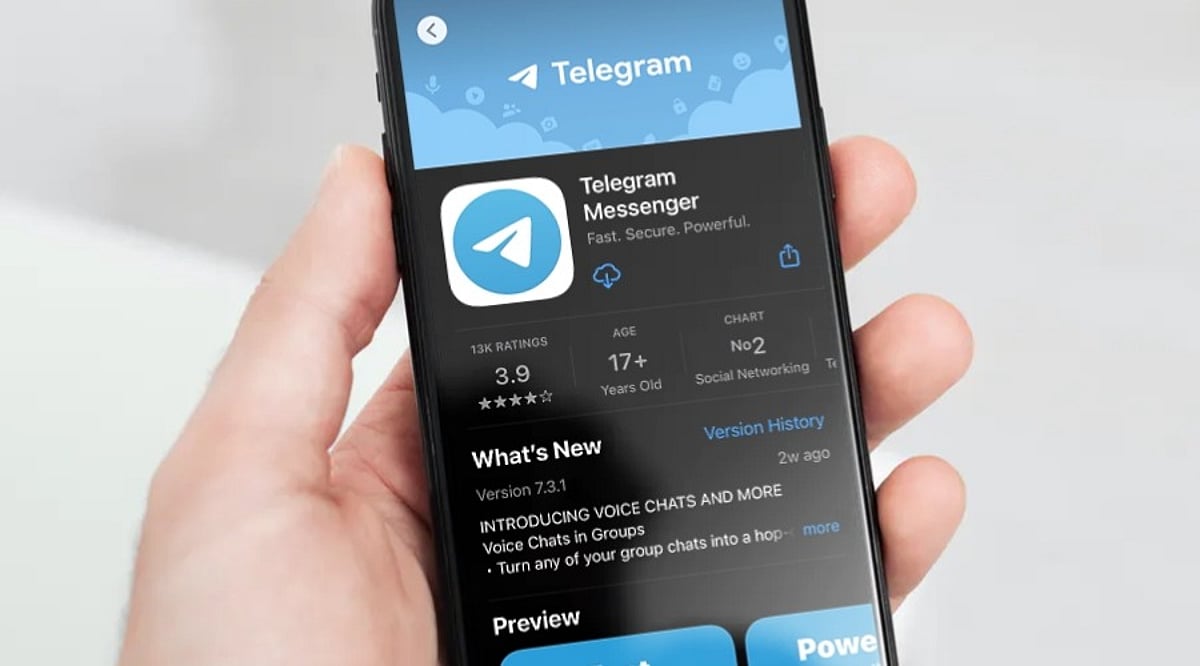
    Apple has temporarily removed Telegram from the App Store in select countries, leaving many users unable to find or download the messaging app on their iPhones and iPads. The action, which took effect on August 3, 2026, was later confirmed by Apple as a response to discovered content violating its strict guidelines on child sexual abuse material.

    According to a statement shared by Bloomberg’s Mark Gurman, Apple said: “We briefly removed Telegram from the App Store after our review found content that violates our strict guidelines prohibiting child sexual abuse material. The app was subsequently restored after the developer promptly removed the content and banned the user who posted it.”

    The removal was not global. Users in India and many other regions still see Telegram normally, and those who already had the app installed were unaffected. The issue only impacted first-time downloads in the affected countries. Google Play, Android’s official store, continues to offer Telegram without interruption.

    This isn’t the first time Telegram has faced such action. In 2018, Apple pulled the app from the App Store globally after inappropriate content was identified. However, this latest incident appears limited to specific markets, likely due to legal requests or regional enforcement.

    Apple’s ability to remove apps stems from its App Store guidelines, which all developers must follow. The company can also act on valid legal requests from governments. Once the offending content is removed and the issue resolved, the app can be reinstated, as happened here.

    For now, Telegram remains available on iOS in most regions, and Android users haven’t experienced any disruption. This incident highlights the ongoing challenge of content moderation on major platforms and the delicate balance between user safety and app availability.

  • Tim Cook’s 2020 Warning on Facebook Tracking Paved the Way for Apple’s App Tracking Transparency

    Tim Cook’s 2020 Warning on Facebook Tracking Paved the Way for Apple’s App Tracking Transparency

    In December 2020, Apple CEO Tim Cook issued a stark warning to iPhone users regarding Facebook’s ability to track their activity across apps and websites. The warning came as Facebook criticized Apple’s upcoming privacy rules, which would require apps to request user permission before collecting data across other companies’ services.

    Cook took to Twitter (now X) to defend Apple’s privacy-first approach, stating: “We believe users should have the choice over the data that is being collected about them and how it’s used. Facebook can continue to track users across apps and websites as before; App Tracking Transparency in iOS 14 will just require that they ask for your permission first.”

    Apple later introduced App Tracking Transparency (ATT) with the release of iOS 14.5 in April 2021. This feature fundamentally changed how apps collect data for advertising and measurement across external services. Apps must now display a tracking permission prompt before accessing the device’s advertising identifier or using other covered tracking methods. Users who select “Ask App Not to Track” prevent the app from accessing the identifier, and they can later adjust their preferences in iPhone privacy settings.

    The policy ignited a major conflict between Apple and Meta, Facebook’s parent company. Meta argued that Apple’s rules could harm businesses relying on personalized advertising, later estimating a roughly $10 billion financial impact from the privacy changes.

    Cook’s 2020 statement became a pivotal moment in Apple’s broader privacy campaign. While Apple framed tracking permission as a matter of user choice, Meta viewed it as a threat to targeted advertising. The debate continues to shape mobile advertising privacy regulations worldwide.

  • How to Enable the Hidden Volume Slider on Your iPhone Lock Screen

    How to Enable the Hidden Volume Slider on Your iPhone Lock Screen

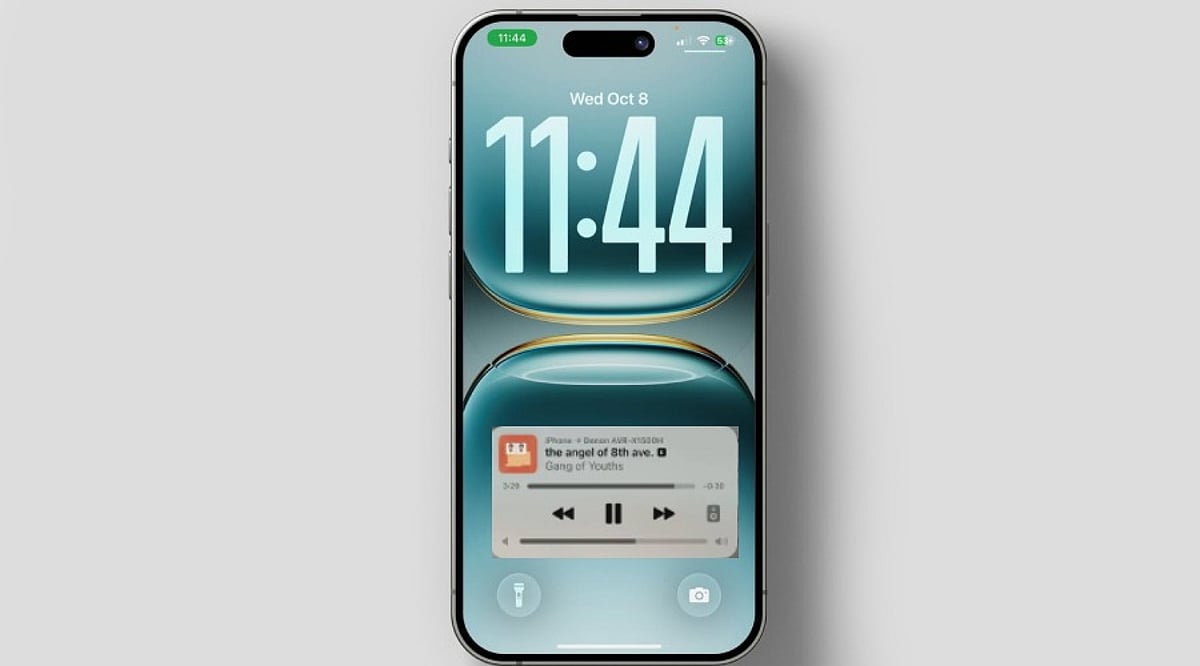
    Many iPhone users are unaware that Apple includes a hidden volume slider on the Lock Screen. The latest iOS update introduces a volume slider that allows users to control audio directly from the lock screen without unlocking the device. This feature is especially useful for adjusting the volume while listening to music, podcasts, or audiobooks. It offers more convenient control than using the physical side buttons and enhances the listening experience.

    Enabling this feature is straightforward. Navigate to Settings → Accessibility → Hearing → Audio & Visual. Scroll down and toggle ‘Always Show Volume Control’ to the ON position. Once set, lock your iPhone and the volume slider should appear on the Lock Screen. Though small, this feature can significantly improve daily usability.

    More Helpful iPhone Features You May Have Missed

    The volume slider is just one of several accessibility tools on the iPhone. Background Sounds can play relaxing audio such as rain, ocean, or white noise to help with focus or relaxation. Live Speech speaks typed words aloud, while Vocal Shortcuts enable actions via custom phrases. Assistive Access simplifies the interface with larger icons and a streamlined layout.

    Better Control for Everyday Listening

    If you listen to audio throughout the day, this hidden volume slider is a valuable addition. Whether using Spotify, Apple Music, Audible, or a podcast app, you can adjust volume without opening the phone or repeatedly pressing side buttons. This quick access means fewer interruptions and a smoother experience, whether working, traveling, or relaxing at home.

  • Step-by-Step Guide to Unlocking Apple’s Hidden Siri AI Popover

    Step-by-Step Guide to Unlocking Apple’s Hidden Siri AI Popover

    Apple has introduced a hidden Siri AI Popover that transforms how users interact with the digital assistant on compatible devices. This guide walks you through the activation process, from checking device compatibility to exploring the AI-powered interface.

    Check Device Compatibility

    The hidden Siri AI Popover is available only on compatible Apple Intelligence-supported devices, including newer iPhone, iPad, and Mac models. Ensure your device supports Apple Intelligence and is running the latest compatible software version before attempting to access the redesigned Siri interface.

    Update to the Latest Software

    Install the latest version of iOS, iPadOS, or macOS that includes Apple Intelligence features. Software updates often unlock hidden capabilities, improve Siri performance, and ensure compatibility with the AI-powered floating Siri Popover interface designed for eligible Apple devices.

    Enable Apple Intelligence

    Open your device settings and turn on Apple Intelligence if it is available in your region. Some features may require joining the waitlist or downloading additional AI resources before the hidden Siri Popover becomes accessible through supported voice commands or activation methods.

    Turn On Siri Features

    Navigate to Siri settings and enable options like “Listen for Siri” and side button activation. These settings allow the assistant to launch correctly, making it easier to trigger the new floating AI Popover interface instead of relying on traditional full-screen Siri interactions.

    Activate Siri Normally

    Once everything is configured, activate Siri using your voice or the device’s dedicated button. On supported Apple Intelligence devices, Siri appears as a subtle glowing border or compact Popover, allowing you to continue using apps without interrupting your workflow or screen activity.

    Explore AI Capabilities

    The Siri AI Popover supports contextual assistance, writing tools, summaries, and app-aware interactions through Apple Intelligence. Experiment with different prompts, ask follow-up questions, and use productivity-focused requests to experience the upgraded AI assistant beyond standard voice commands and basic information retrieval.

    Know the Availability Limits

    Apple Intelligence features, including the Siri AI Popover, are rolling out gradually across devices, languages, and regions. If you cannot access the feature immediately, keep your software updated, monitor Apple’s announcements, and wait for wider availability as support continues expanding.

  • The Quiet Revolution: How AI Is Reshaping Mobile App Development in 2026

    The Quiet Revolution: How AI Is Reshaping Mobile App Development in 2026

    A year ago, adding AI to a mobile app meant bolting on a chat widget and calling it a feature. That era is over. In 2026, AI has moved from a visible add-on to an infrastructure decision, fundamentally changing what “building an app” means for development teams.

    The shift is evident in usage data. According to Sensor Tower’s year-end report, the total U.S. audience for AI assistants surpassed 200 million by the end of 2025, with more than half accessing those assistants exclusively on mobile devices—up from roughly 13 million mobile-only users the year before. This is no longer a niche behavior; it’s the default way most people interact with AI. The app is no longer a wrapper around the model—the app is the product.

    From Cloud Round-Trips to On-Device Inference

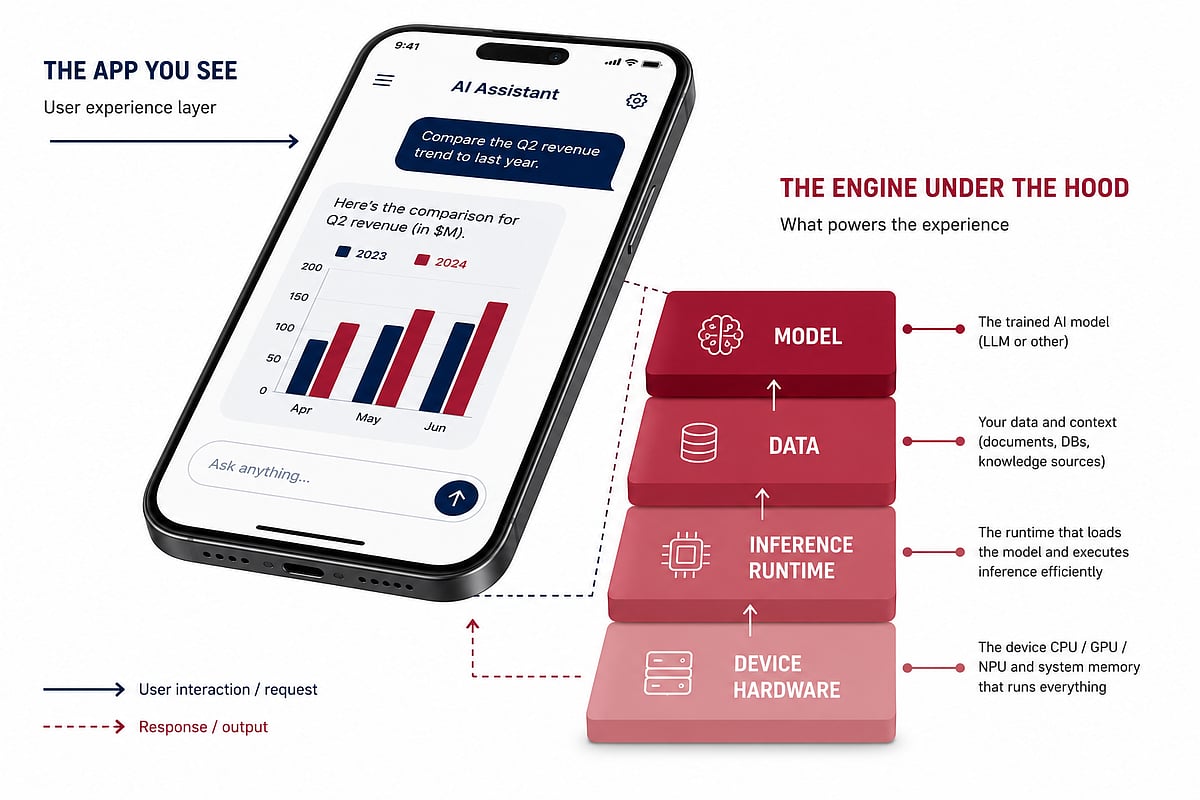
    For years, AI features followed a predictable pattern: capture input, send it to a server, wait for a model response, and render the result. That pattern is breaking down—not because cloud models got worse, but because users now expect AI features to behave like native app features: instant, available offline, and private by default.

    Apple’s Neural Engine, Google’s Tensor chips, and Qualcomm’s on-device AI silicon have matured to the point where running a capable model locally is a realistic option for consumer apps. This changes the engineering conversation from “which API do we call” to “which parts of this feature can run on the device, and which parts genuinely need the cloud.” Getting that split wrong is expensive in ways that don’t surface until the app is already in users’ hands.

    The Unglamorous Engineering Problem Nobody Mentions

    On-device AI is a battery, memory, and fallback-path problem before it’s a model problem. A locally running model that drains a phone’s battery in an afternoon or locks up the UI thread during inference will get uninstalled regardless of output quality. The model is the easy part. The packaging, memory management, graceful fallback for devices without the necessary hardware, and testing across dozens of device and OS combinations are where most AI feature timelines go sideways.

    This pushes product teams toward dedicated mobile app development partners rather than retrofitting AI onto an existing roadmap. Teams that get this right treat AI features as an architecture decision made early, not a plugin added late. Retrofitting almost always costs more because the data flow, caching layer, and offline state all have to be rethought rather than extended.

    Why iOS Has Become Its Own Specialized Lane

    The platform split has also sharpened. Apple’s approach to on-device intelligence—from Apple Intelligence’s privacy-first design to the App Intents framework—is deliberately different from Android’s. A model and pipeline built for one platform’s AI stack rarely transfers cleanly without real rework.

    This has pushed specialized iOS development expertise higher on the priority list for any team shipping AI features on Apple’s platform. Knowing how to call a model API is no longer enough. Teams need to understand Apple’s specific constraints around on-device processing, App Store disclosure requirements for AI-generated content, and the Neural Engine’s actual performance ceiling on the device generations their user base is running. Get that platform-specific layer wrong, and a feature that demoed perfectly in a controlled environment becomes sluggish or inconsistent in the real world.

    What This Means for Decision-Makers

    For product and engineering leaders deciding how to staff an AI-feature build, a few questions separate a smooth rollout from a six-month detour:

    • Does the team have hands-on experience with on-device inference, not just API integration?
    • Is there a clear, tested fallback path for devices that can’t run the model locally?
    • Has the architecture been designed for AI from the outset, rather than adapted after the fact?
    • Does the team understand the platform-specific rules, especially on iOS, where Apple’s review process and hardware constraints are unusually strict?

    A development partner without direct experience answering these questions will end up learning the hard parts on the client’s budget and timeline—an expensive lesson that is avoidable with the right questions asked before a single line of code is written.

    The Bigger Shift

    What’s happening in mobile development right now isn’t really about AI getting smarter. It’s about AI becoming infrastructure—the same way push notifications, offline sync, and biometric auth became infrastructure a decade ago. Once something becomes infrastructure, the teams that win aren’t the ones with the flashiest demo. They’re the ones who treated it as a core architectural decision from day one.

    That’s the quieter story behind every AI feature that feels instant, private, and reliable on a phone in 2026. The visible part is the interface. The real work happened underneath it.

  • Top 8 Document Scanner Apps for iPhone – 2025 Edition

    Top 8 Document Scanner Apps for iPhone – 2025 Edition

    Gone are the days when you needed a bulky scanner to digitize paperwork. With the latest iPhone models, a simple app can turn your device into a powerful document scanner. In this guide, we review eight of the best iPhone document scanner apps, highlighting their key features, from OCR to cloud syncing, to help you stay productive on the go.

    1. Adobe Scan

    Adobe Scan converts physical documents into high-quality PDFs with Optical Character Recognition (OCR), automatic edge detection, and seamless cloud synchronization. It integrates directly with Adobe Acrobat services, making it an excellent choice for professionals who need reliable PDF editing and sharing.

    2. Microsoft Lens

    Formerly known as Office Lens, Microsoft Lens captures documents, whiteboards, receipts, and business cards with ease. It exports directly to Word, Excel, OneNote, PDF, and cloud storage, streamlining the transition from analog to digital in any workflow.

    3. CamScanner

    CamScanner offers intelligent document scanning with OCR text recognition, annotation tools, password protection, and cloud backup. Its multi-platform sharing capabilities make it a favorite for both personal and business users who need secure, accessible document management.

    4. Apple Notes Scanner

    Built directly into the iPhone’s Notes app, the document scanner provides quick scanning with automatic cropping and PDF creation. It syncs seamlessly via iCloud, requiring no extra downloads—ideal for Apple users who want a simple, built-in solution.

    5. SwiftScan

    SwiftScan delivers premium-quality scans with OCR, automatic image enhancement, and cloud integration. It supports PDF editing and uses secure encryption, making it suitable for both personal and business documents that require confidentiality.

    6. Genius Scan

    Genius Scan features smart document capture with perspective correction, batch scanning, PDF generation, and secure cloud backups. Its efficient organizational tools help users keep paperwork tidy directly from their iPhone.

    7. Scanner Pro

    Scanner Pro boasts advanced scanning technology, OCR support, document editing, and automatic uploads. Integration with popular cloud storage services makes it a strong contender for professional workflows that need speed and reliability.

    8. Tiny Scanner

    Tiny Scanner creates crisp PDF scans from documents, receipts, notes, and photos. It includes batch scanning, password protection, and easy sharing via email or cloud services, all in a lightweight package.

    9. iScanner

    iScanner combines document scanning, OCR, PDF editing, e-signatures, and file management into one comprehensive productivity app. It’s designed for everyday personal and business use, offering a wide array of tools in a single interface.

    Whether you need basic scanning or advanced OCR features, these apps can transform your iPhone into a powerful document management tool. Download the one that fits your workflow and say goodbye to paper clutter.

  • 2025 Smartphone Buyer’s Guide: Launches, Reviews, and Price Comparisons

    Get all the latest news and updates on new handset launches, specifications, price analyses, and buying guides across Android and iOS. From flagship releases and mid-range contenders to budget picks worth considering, this section helps buyers understand what separates a strong device from an overpriced one. Coverage spans global launches and India-specific availability, with regular features on camera performance, battery life, processor benchmarks, and the software features that define the modern smartphone experience.

    Featured Articles

    • Best Smartwatches Under Rs 50000 – Shiva Ganesh (22 Jul 2024, 8 min read)
    • Best Xiaomi Phones Under Rs. 50,000 to Buy in 2025 – Samradni (07 Aug 2025, 3 min read)
    • Best Phones for Video Recording in 2025: Capture Every Moment Like a Pro – Samradni (18 Aug 2025, 3 min read)
    • Best Small Phones of 2025 – Saiprasad (16 Aug 2025, 3 min read)
    • Best Smartphones Under $300: 7 Power-Packed Phones You Can’t Miss in 2025 – Somatirtha (05 Sep 2025, 5 min read)
    • Best-Selling Mobile Phone Under Rs 30,000 in 2025 – Samradni (19 Jun 2025, 3 min read)
    • 10 Best AI-Powered Mobile Phones in 2025 – Harpreet Singh Kapula (19 Jun 2025, 5 min read) – Smart mobile technology finally delivers the personal assistant you always dreamed of.
    • Best Mobile Phones with Storage in 2025 – Somatirtha (28 Jun 2025, 2 min read)
    • Best 5G Mobile Phones in 2025 – Samradni (16 Jul 2025, 3 min read) – Top 5G Phones of 2025: Leading the Charge in Speed, Design, and Innovation.
    • Best iQOO Mobile Phones Under Rs. 30,000 in 2025 – Antara (22 Jul 2025, 4 min read) – New Smartphone Doesn’t Require Breaking Pocket; With iQOO Neo 10R One can Enjoy Premium Features at an Affordable Range.
    • Best Mobile Phones for Video Recording in 2025: Capture Like a Pro – Samradni (23 Jul 2025, 3 min read) – Top Smartphones of 2025 That Deliver Pro-Level Video Quality for Creators and Everyday Users Alike.
    • Best Oppo Mobile Phones Under Rs. 20,000 in 2025 – Anurag Reddy (07 Aug 2025, 3 min read) – Top Oppo Smartphones Under Rs. 20,000 to Buy in 2025.

    Whether you’re looking for the latest flagship, a reliable mid-range device, or a budget-friendly option, our curated guides and reviews help you make an informed decision. Stay tuned for more updates as new smartphones hit the market throughout 2025.