Tag: privacy

  • One UI 9 Unveiled: How Android 17 Transforms Samsung Galaxy Phones

    One UI 9 Unveiled: How Android 17 Transforms Samsung Galaxy Phones

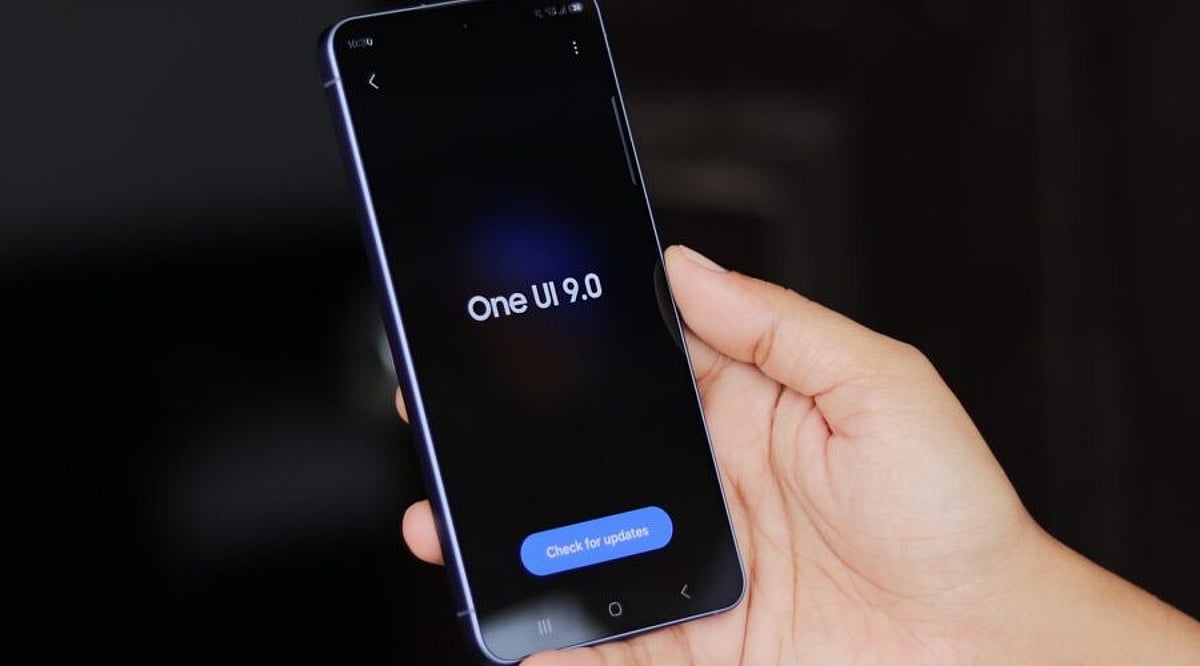
    Samsung’s One UI 9 update, built on Android 17, introduces a suite of Galaxy AI tools, enhanced privacy features, and practical interface improvements. The stable release first arrived on the Galaxy Z Fold8 Ultra, Galaxy Z Fold8, and Galaxy Z Flip8, with a broader rollout to the Galaxy S26 series beginning September 16.

    Galaxy AI Gets Smarter

    One of the standout features is My FanCam, which tracks a selected person in a recorded video, keeping them centered as the scene changes. Ideal for capturing children at events or friends in action, this feature requires a Samsung Account and performance may vary.

    Now Brief now includes Generative and Editable Cards, allowing users to customize daily summaries with health, weather, or video content. The new Now Nudge feature offers context-aware actions—for example, when chatting about a trip, it can surface reservation details or save shared locations without leaving the conversation.

    Creative Studio leverages calendar events to suggest themed images or greetings, such as a birthday card, integrating AI directly into everyday tasks.

    Enhanced Tools for Calls, Documents, and Daily Use

    The Interpreter translation tool gains a Thread View for easier conversation tracking, faster translation in Conversation Mode, and quicker audio playback on compatible Galaxy Buds. Language support varies by region and device.

    Document Scan now handles curved book pages and folded corners more effectively. Large-screen Galaxy devices get optimized scan views, and Finger Eraser receives an upgrade. Voice Recorder can generate summaries with headings and tables, making long recordings easier to navigate.

    A new Warranty and Care section in Settings provides warranty details, self-diagnostics, repair estimates, and access to Samsung Care+ or service appointments, though options vary by country and device.

    Stronger Privacy and Wider Rollout

    Security improvements include Security Brief, which adds malware alerts and permission warnings to Now Brief. Privacy Alerts use on-device AI to flag risks like unnecessary background access, while Scam Detection expands to India, Japan, Canada, and other markets.

    The Quick Panel now offers separate controls for brightness, sound, and media layout. Accessibility enhancements include adjustable Mouse Key speed, a combined TalkBack package, and Text Spotlight, which displays selected text in a larger floating window.

    As of September 29, the stable rollout has expanded beyond the Galaxy S26 series to the Galaxy S25 series in South Korea, with the Galaxy S25 FE and S25 Edge also receiving updates. Availability depends on device, carrier, and region.

    One UI 9 goes beyond a simple Android update, delivering Galaxy-specific AI, privacy tools, camera features, and interface refinements that put useful actions directly into everyday apps.

  • How Google Maps, Amazon, and Instagram Track Your Daily Activities: Privacy Risks and Protections

    How Google Maps, Amazon, and Instagram Track Your Daily Activities: Privacy Risks and Protections

    Your smartphone reveals far more than messages or photos. Recent research shows that ordinary apps collect details about websites visited, searches, purchases, locations, device usage, and app activity. A September 2026 study by Surfshark examined 40 popular Android and iOS apps across social media, e-commerce, messaging, and generative AI categories. The findings highlight how app tracking is widespread and how users can take steps to protect their privacy.

    Key Takeaways

    • App tracking is widespread: 18 of 40 apps (45%) in the study reported collecting browsing history.
    • Data creates detailed profiles: Combining location, searches, purchases, websites, and app activity reveals patterns about everyday behavior.
    • Privacy tools are available: iPhone’s App Privacy Report and Google Play’s Data Safety disclosures help users understand app data practices.

    How Apps Collect Your Data

    Different apps collect different types of information. A single app may gather one kind of data, but when combined, several apps can paint a much broader picture of your habits and interests. Location, search history, purchases, websites visited, contacts, device IDs, and usage details can reveal routines without any single piece telling the full story.

    Google Maps and Location Tracking

    Google Maps can store location data through your Google Account controls. The Timeline feature creates a personal map of places, routes, and trips. When Timeline is active, precise device location is saved regularly on eligible mobile devices—even when Google apps are not open. Google offers automatic deletion options after 3, 18, or 36 months, or you can keep data until manual deletion. Additionally, Search Services History can save activity from Search, Maps, Shopping, Hotels, Flights, Translate, and News.

    Social Media Browsing History

    Instagram, Facebook, TikTok, X (formerly Twitter), YouTube, and Pinterest all reported collecting browsing history on both Android and iOS in the Surfshark study. These platforms use browsing data to refine interest profiles, target ads, and shape feed content based on websites visited outside the app. Reddit, LinkedIn, and Snapchat showed browsing-history collection on Android but not iOS. Discord reported no browsing-history collection on either platform.

    E-Commerce and Shopping Apps

    Amazon Shopping collects more than just product searches. A separate August 2026 Surfshark study of 171 Apple App Store apps found that Amazon apps often collect device IDs, email addresses, names, performance data, product interaction data, and crash data. Amazon Shopper also reported browsing-history collection. A 2025 study found that Amazon collected 25 of 35 examined data types among popular U.S. shopping apps. eBay, Shopee, and Shopify reported browsing-history collection on both platforms; Taobao on iOS; and AliExpress on Android. These apps connect browsing interests with product activity for better recommendations and advertising.

    Messaging and AI Apps

    Rakuten Viber, Messenger, and LINE also reported browsing-history collection. Among generative AI apps in the 40-app study, Google Gemini stood alone with reported browsing-history collection. Poe was included after Surfshark replaced Windsurf, which lacks a mobile app. WhatsApp, Uber, and Spotify were not part of this specific browsing-history study, but they collect other types of data—WhatsApp handles contacts and communication metadata, Uber relies on trip and location data, and Spotify records music and podcast activity.

    Browser Tracking and Privacy Tools

    Chrome, Safari, and Edge reported browsing-history collection in Surfshark’s separate browser analysis, while Firefox, Aloha, and DuckDuckGo did not. Browsers can access a large record of web activity, and other apps can also collect browsing information outside a traditional browser.

    Apple provides iPhone users with the App Privacy Report, which shows access to location, photos, camera, microphone, contacts, and other sensitive resources over the previous seven days, along with network activity and frequently contacted domains. Android offers Google Play Data Safety, requiring developers to describe data collection, sharing, security practices, and other privacy details. Developers must keep disclosures accurate and consistent with their privacy policies.

    Recent Regulatory Developments

    A major 2026 development came from the U.S. Federal Trade Commission (FTC). On June 26, 2026, the FTC announced an order against data broker Kochava that prohibits the sale, licensing, transfer, sharing, or disclosure of sensitive location data without affirmative express consent. The FTC stated that Kochava had faced allegations tied to location data from hundreds of millions of mobile devices.

    The Bigger Picture

    The issue extends beyond any single app. Maps reveal places, social platforms reveal interests, retailers reveal purchases, browsers reveal websites, and AI tools record prompts or account activity. Each category offers a different view of your digital life. The combined picture can become far more detailed than any one app suggests.

    Frequently Asked Questions

    Which popular apps reported collecting browsing history?

    Surfshark’s September 2026 study found browsing-history collection reported by apps including Instagram, Facebook, TikTok, X, YouTube, Pinterest, Amazon Shopping, eBay, Shopee, and Shopify, among others.

    Does Google Maps track my location?

    Google Maps can store location information through Google Account features such as Timeline when location history is enabled. Users can configure automatic deletion periods.

    How can I check what apps access on my iPhone?

    Apple’s App Privacy Report shows access to sensitive resources such as location, photos, camera, microphone, and contacts, along with network activity from the previous seven days.

    How can Android users check app data practices?

    Google Play’s Data Safety section provides developer disclosures about data collection, sharing, security practices, and related privacy information.

    Why is app tracking a privacy concern?

    Information collected by different apps can potentially be combined to create a detailed picture of your interests, routines, purchases, locations, and online behavior.

  • Bitcoin’s Market Share Slips Below 60% as Altcoin Recovery and Privacy Tech Gain Attention

    Bitcoin’s Market Share Slips Below 60% as Altcoin Recovery and Privacy Tech Gain Attention

    Bitcoin’s share of the cryptocurrency market has fallen to 58.5%, slipping below the 60% level that traders often watch as a signal of market leadership. The move comes as altcoins recover from a soft stretch and privacy-focused crypto assets attract fresh attention.

    Glassnode’s Altcoin Cycle Signal has climbed to 81.25, and the total market value of altcoins has risen about 33% since mid-August. Even so, the Altcoin Season Index remains neutral, suggesting that a broad, sustained run of altcoin outperformance has not yet been confirmed.

    Altcoin recovery is visible, but not yet a full season

    Recent price action shows selective strength rather than a market-wide rotation. Filecoin gained 5.88%, Theta Network added 5.55%, and Axie Infinity rose 5.11%, with order activity favoring buyers in those assets. Those gains are notable, but the neutral Altcoin Season Index indicates that most altcoins have not consistently beaten Bitcoin.

    The current market structure may also differ from earlier cycles. Spot Bitcoin exchange-traded funds now give institutional investors a direct way to gain exposure to the largest cryptocurrency. That channel could reduce the amount of capital that moves from Bitcoin into smaller tokens, meaning Bitcoin dominance might decline without producing the same kind of altcoin rotation seen in the past.

    Shielded Bitcoin proposal puts privacy back in focus

    Separately, researchers Clara Shikhelman, Mikhail Komarov, and Aleksei Moskvin from cryptography firm [alloc] init have proposed a privacy system called Shielded Bitcoin. The design borrows the encrypted payment structure used by Zcash and aims to make Bitcoin payments harder to trace without altering Bitcoin’s core network rules.

    Under the proposal, Bitcoin-denominated value would be held in encrypted records called notes. When a user spends a note, the system would publish a marker showing that the record had already been used. A mathematical proof would verify ownership and confirm that no new value was created. The transfer would conceal the payment amount as well as the sender and recipient.

    The key difference from Zcash is enforcement. Bitcoin nodes currently validate every transaction against a shared set of rules, and transactions that fail those rules cannot enter a valid block. Shielded Bitcoin would instead place encrypted transfer information on Bitcoin while separate software checks whether the private payment follows the proposed system’s rules. As a result, Bitcoin could confirm an underlying transaction even if the private payment encoded inside it fails Shielded Bitcoin’s separate checks.

    Zcash shielded activity rises with privacy demand

    The proposal arrives as developers explore privacy for payroll, business payments, and everyday spending. Standard Bitcoin transactions permanently display amounts and addresses on the public ledger. Once an address is linked to a company or individual, related activity can become easier to trace. Shielded Bitcoin seeks to reduce that visibility while preserving Bitcoin’s public transaction record.

    Users could reconstruct accepted private payments with wallet keys because encrypted transfer data would remain on Bitcoin. Separate viewing keys could give accountants or auditors transaction access without spending authority.

    Zcash already supports both transparent and shielded payments. Transparent transactions expose addresses and values, while shielded transactions encrypt those details. According to CoinDesk calculations based on ZecStats data, Zcash shielded pools held about 4.9 million ZEC on Friday, up 14% from July 30. That represented roughly 29% of issued ZEC and had an estimated value of USD 7.8 billion after the cryptocurrency’s rally.

    Zcash also recorded around 63,000 shielded transactions last week, its busiest week for private transactions since 2022 and its fourth-highest total on record. Reported transfer volume across the Zcash network exceeded USD 23 billion, the largest weekly total since 2021 and the second-highest weekly level in the network’s history.

    What to watch next

    For crypto traders, the main question is whether altcoin strength broadens enough to push the Altcoin Season Index out of neutral. For privacy advocates, the focus is whether proposals such as Shielded Bitcoin can advance without compromising Bitcoin’s validation model or creating new audit and compliance challenges.

    Bitcoin dominance has slipped below 60% as altcoins recover, but neutral altcoin-season readings show that broad outperformance remains unconfirmed. At the same time, Shielded Bitcoin and rising Zcash shielded activity show that private cryptocurrency payments are drawing renewed attention.

  • 7 ChatGPT Alternatives to Run Locally on Your Device

    7 ChatGPT Alternatives to Run Locally on Your Device

    If you are looking for ChatGPT alternatives that can run entirely on your own device, you are in luck. A growing number of open-source tools allow you to interact with large language models locally, without relying on cloud services. This setup offers greater privacy, control over your data, and the ability to work offline. Below are seven notable options that can be installed and run on your personal computer.

    Ollama

    Ollama simplifies the process of downloading and running large language models on compatible hardware. It supports a variety of popular open models and provides a command-line interface for direct interaction. Developers can also use its API to integrate local models into their applications. Since all processing happens on your device, Ollama gives you full control over your data and model usage.

    LM Studio

    LM Studio offers a graphical interface for discovering, downloading, and running language models locally. You can chat with supported models without any cloud dependency. It also includes a local server feature, allowing other applications to communicate with models running on the same machine. This makes it a great choice for users who prefer visual tools over command-line operations.

    Jan

    Jan is an open-source AI assistant that provides a ChatGPT-like interface while running models directly on your computer. You can select from compatible local models, and your conversations never leave your device when using local inference. Its open-source nature also gives you full visibility into the software, enhancing trust and customization.

    GPT4All

    GPT4All is a local AI platform designed for private, offline interaction with language models. It supports a range of models and emphasizes local inference, so you do not need constant internet access. This makes it appealing for users who want conversational AI while keeping all processing on their own hardware.

    Msty

    Msty is a desktop application that lets you work with AI models both locally and through supported online providers. Its visual interface makes it easy to manage conversations and experiment with different models without relying solely on command-line tools. Local model support allows you to process data on your own machine, depending on your system’s capabilities.

    AnythingLLM

    AnythingLLM is an AI application focused on documents and knowledge bases. It can be configured to use locally hosted models, enabling you to build private AI workflows around your own files. Its document-centric approach is ideal for tasks like querying internal materials, organizing information, and creating retrieval-based assistants.

    Open WebUI

    Open WebUI provides a self-hosted interface for interacting with locally running language models and compatible AI services. It works with platforms such as Ollama and offers a ChatGPT-like conversational experience. You can deploy it on your own system and customize the setup to suit your needs, making it a flexible option for those who want greater control over their local AI environment.

    These seven tools demonstrate that powerful AI assistance is available without relying on external cloud services. Whether you prioritize privacy, offline access, or customizability, there is likely a local ChatGPT alternative that fits your requirements.

  • Meta Ray-Ban Audio Launches at $349: Camera-Free AI Glasses Prioritize Privacy and Audio

    Meta Ray-Ban Audio Launches at $349: Camera-Free AI Glasses Prioritize Privacy and Audio

    Meta has introduced the Ray-Ban Meta Audio, its first camera-free AI glasses, priced at USD 349. The device was unveiled at Meta Connect 2026 on September 23, addressing growing privacy concerns around wearable cameras. Instead of capturing images, these glasses focus on audio, calls, and Meta AI assistance.

    Developed in partnership with EssilorLuxottica, the Ray-Ban Meta Audio glasses weigh just 43 grams and offer up to 12 hours of battery life on a single charge. The included charging case extends total usage by an additional 48 hours. Users can listen to music, podcasts, make calls, and engage in hands-free conversations with Meta AI.

    Meta also brings its Muse personal AI agent to the new glasses. Muse can answer questions and help with everyday tasks, providing AI assistance without a camera. The glasses come in Clubmaster and Burbank designs, with 23 color and lens combinations. Both styles support a wide range of prescription options, giving the camera-free AI glasses a conventional eyewear appearance.

    Privacy is central to the product’s positioning, as camera-equipped smart glasses face increasing scrutiny. Critics have raised concerns about recording people without clear consent. Meta’s vice president of AI product, Vishal Shah, emphasized the importance of the recording indicator light, which signals when cameras are active. Removing the camera eliminates photo and video capture, though microphones remain, keeping audio recording and consent considerations relevant.

    Meta continues to offer camera-equipped smart glasses. The company also launched the Ray-Ban Meta Gen 3, which features a 12MP camera and 3K Ultra HD video, starting at USD 449 with up to nine hours of battery life. The two models expand Meta’s smart glasses lineup into distinct use cases: Ray-Ban Meta Audio prioritizes audio and AI, while Gen 3 retains photography and video features. The camera-free model offers a privacy-focused direction for wearable AI.

    Pre-orders for the Ray-Ban Meta Audio began September 23, with shipping starting October 13, 2026.

  • Viture Unveils Vonder AI Glasses: Voice-Powered Wearable with ChatGPT, Gemini, and Claude Support

    Viture Unveils Vonder AI Glasses: Voice-Powered Wearable with ChatGPT, Gemini, and Claude Support

    Viture has introduced the Vonder, a new pair of AI-powered smart glasses that prioritize voice interaction and privacy over cameras and displays. Designed to resemble conventional eyewear, the Vonder weighs under 30 grams and relies on microphones, speakers, and onboard processing to deliver a screen-free AI experience.

    Unlike many smart glasses on the market, the Vonder does not include a camera or display. Instead, it focuses on voice-based features such as note-taking, hands-free calling, and memory recall. Audio recording is activated only when the user prompts it, and a physical Meeting Mode switch with an LED indicator provides additional control. After recording, the original audio is deleted and converted into text and memories stored in the companion app.

    At the core of the Vonder is its Personal Memory Graph, an AI system that organizes captured conversations and voice interactions. Users can choose from multiple AI models through the app, including Google Gemini, Anthropic Claude, and OpenAI ChatGPT. This approach allows the glasses to provide useful context from accumulated memories rather than simply storing raw recordings.

    Customization is a key selling point: buyers can select different frame shapes and finishes, and the glasses support prescription, progressive, and transition lenses. In the US, pre-orders begin on September 28 at a starting price of USD 299, with premium acetate frames starting at USD 399. Shipments are expected from November. International customers can register interest now.

    Viture emphasizes data privacy, stating that user data is protected with financial-grade encryption and that the company does not sell advertising or user data. The Vonder aims to offer a discreet, everyday wearable that blends AI assistance with the look and feel of ordinary glasses.

  • WhatsApp Begins Testing Third-Party AI Agents on iPhone—With a Privacy Catch

    WhatsApp Begins Testing Third-Party AI Agents on iPhone—With a Privacy Catch

    WhatsApp expands AI agent testing to iPhone

    WhatsApp is taking another step toward integrating third-party artificial intelligence into its messaging app. The latest beta release for iOS — version 26.37.10.70 — lets select iPhone users in limited countries connect external AI agents directly inside chats. The rollout follows earlier testing on Android, with WABetaInfo reporting the update on September 22. WhatsApp also confirmed that the feature supports independent agents built by outside developers.

    How the new AI agent feature works

    Eligible users can create up to five third-party agents and interact with them through dedicated one-to-one conversations. Setting up an agent begins in the WhatsApp settings menu, where users assign a name and profile photo. WhatsApp then generates an API key that links the agent to its external hosting service, allowing the agent to respond in the chat.

    According to WABetaInfo, the API key connects WhatsApp with the external service running the agent. Users can reset the key if needed, and the key should be kept private. WhatsApp may adjust the five-agent limit in the future.

    What agents can and cannot access

    Third-party agents are deliberately isolated from most WhatsApp data. They can only see information shared directly with them in their designated conversation. Agents cannot access other chats, contacts, or media stored in WhatsApp, and group chats and communities are not included in the current setup.

    Privacy limits: No end-to-end encryption for agent chats

    The most important caveat is privacy. While regular personal chats remain protected by end-to-end encryption, WhatsApp explicitly says communications with third-party agents are not end-to-end encrypted.

    Messages sent to an agent travel through a Meta service that manages the conversation for the provider. That means the agent provider can receive, process, and store messages in unencrypted form. The provider is also responsible for its own data practices, including how it handles requests for access, deletion, correction, or data portability.

    What users should consider before trying AI agents

    This feature adds new functionality without extending WhatsApp’s standard encryption protections. Anyone thinking about connecting a third-party AI agent should review the provider’s privacy terms carefully before sharing sensitive information.

    WhatsApp has not announced a broader release date for the feature. The iOS rollout is still limited, so the final experience could change before it becomes widely available.

  • Beyond Google Chrome: Top 5 Browsers for Privacy, Customization, and Speed

    Beyond Google Chrome: Top 5 Browsers for Privacy, Customization, and Speed

    By Somatirtha | Published: September 22, 2026

    Google Chrome remains one of the most widely used browsers, but it is not the only option. Several competing browsers offer features focused on privacy, customisation, productivity, speed and resource management. Depending on individual requirements, these alternatives can provide a different browsing experience while supporting everyday web activities.

    Mozilla Firefox

    Mozilla Firefox remains a popular alternative for users seeking greater control over privacy and browser settings. It supports extensive customisation, add-ons and privacy-focused features. Firefox also uses its own browser engine rather than Chromium, giving users another option beyond the technology that powers many popular browsers.

    Microsoft Edge

    Microsoft Edge combines Chromium compatibility with Microsoft’s own features and services. It supports extensions from the Chrome Web Store while offering tools such as vertical tabs, Collections and integrated productivity features. Its compatibility with modern websites makes it a practical alternative for users moving away from Chrome.

    Brave

    Brave focuses heavily on privacy and reducing unwanted online tracking. The browser blocks advertisements and trackers by default and includes additional privacy controls. Brave is also based on Chromium, meaning websites and many extensions designed for Chrome can work with it while users get a more privacy-focused browsing experience.

    Opera

    Opera stands out with built-in tools designed to reduce the need for additional extensions. Depending on the version, users can access features such as sidebar applications, workspace management and integrated services. Its interface also offers several customisation options, making it suitable for users who want more controls directly within their browser.

    Vivaldi

    Vivaldi is designed around extensive browser customisation. Users can modify tabs, toolbars, panels, shortcuts and other interface elements according to their preferences. It also provides productivity-oriented features that can help manage multiple websites. For people who want detailed control over their browsing environment, Vivaldi offers numerous configuration options.

    Choosing a Chrome Alternative

    Choosing a browser ultimately depends on what matters most to the user. Privacy-focused users may prioritise tracking protection, while others may prefer customisation, productivity tools or compatibility. Before switching, users should consider extension support, device compatibility, performance and account integration to find a browser matching their requirements.

  • Master Your Android: A Complete Guide to Changing Default Apps for Browser, Messaging, Camera & More

    Master Your Android: A Complete Guide to Changing Default Apps for Browser, Messaging, Camera & More

    Android phones ship with a set of default apps for browsing, messaging, calling, and more. Most people never bother changing them, but customizing these defaults can make your phone feel truly personal. Whether you prefer a different browser, a dedicated gallery app, or a specific messaging service, switching defaults takes only a few taps. This guide explains where to find these settings, how to change them, and why it matters more than most users realize.

    What Default Apps Actually Are

    Every Android phone assigns a default app to handle common actions—opening a web link, sending a text, viewing a photo. When you tap a link in an email, the phone needs to know which browser should open it. That decision comes from the default app setting. Without a default set, Android sometimes asks you to pick an app every single time, which gets tiring fast. Setting a clear default removes that repeated prompt and speeds up everyday tasks like opening links, dialing numbers, or viewing images.

    Where to Find Default App Settings

    The exact path varies slightly by phone brand, but the core steps are the same across most Android devices. Open the Settings app, scroll down, and tap Apps. Inside this menu, look for Default apps—on Samsung and Xiaomi it may be under a submenu called Advanced or App Management. Tapping this opens a full list of categories: browser, phone, SMS, gallery, and digital assistant. Here you can see exactly which app currently handles each task.

    Changing a Default Browser, Messaging, or Camera App

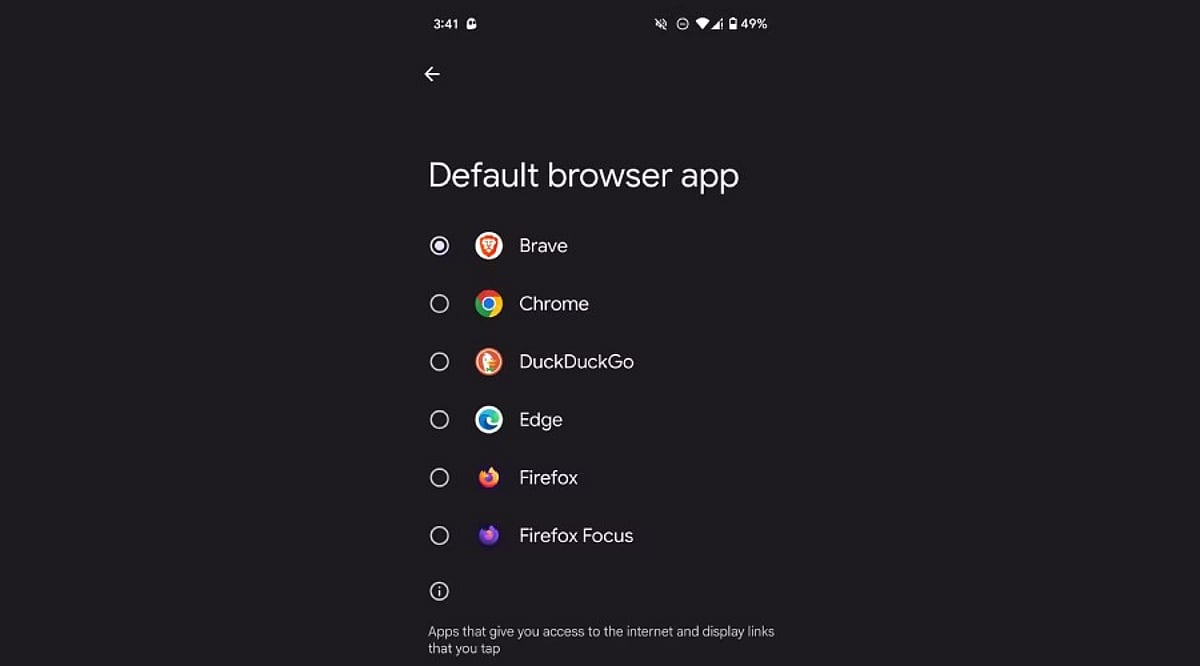
    Switching a default app takes just a few taps. Select the category you want to change, such as Browser app, and a list of every compatible installed app appears. Tap the desired app—like Chrome, Firefox, or Brave—to set it as the new default immediately. The same process works for messaging apps (WhatsApp, Google Messages) and camera or gallery apps. Android applies the change instantly, so the very next link, text, or photo opens through the newly chosen app without needing a restart.

    Handling Default Apps for Specific File Types and Links

    Beyond the main categories, Android lets you control which app opens specific file types or web links—known as “Opening links” settings. This sits inside each app’s settings page rather than the general Default apps menu. For instance, you can choose whether Instagram links always open in the Instagram app or default to a browser instead. This level of control matters if you juggle multiple similar apps, like two PDF readers or note-taking tools, since it avoids constant pop-ups asking which to use.

    Why Setting the Right Defaults Matters

    Choosing the right default apps affects daily convenience far more than people expect. A slow default browser adds unnecessary loading time to every link you tap. A messaging app that isn’t the default might cause missed notifications if messages route through another service. Privacy also plays a role—some apps collect more data than others, and picking a privacy-focused default browser or keyboard reduces exposure. For professionals relying on specific tools for calls, calendars, or file management, correct defaults keep workflows smooth without repeated interruptions.

    A Quick Recap for Everyday Use

    Changing default apps on Android takes only a minute but improves the overall experience noticeably. Open Settings, head to Apps, then Default apps, and pick your preferred option for each category. Beyond the basics, checking individual app link settings adds another layer of control for anyone using multiple apps that serve similar purposes. This small adjustment—across browsers, messaging, camera, and file handling—adds up to a phone that behaves exactly the way you want, cutting down on unnecessary taps and confusing pop-ups. Taking a few minutes to set these preferences correctly makes a real difference in how smooth and personal your Android phone feels every day.

    Frequently Asked Questions

    Where exactly are default app settings located on Android?

    Default app settings live inside the main Settings app. Open Settings, scroll down to Apps, and look for an option called Default apps. On some brands like Samsung or Xiaomi, this option sits inside a submenu named Advanced or App Management. Once inside, a full list shows categories like browser, phone, SMS, gallery, and digital assistant, each showing the app currently handling that task.

    Can users change the default browser without uninstalling the old one?

    Yes. Switching the default browser does not require removing any other browser. Inside the Default apps menu, selecting the Browser app category shows every compatible browser installed. Tapping a different option—such as Firefox or Brave—instantly sets it as the new default, while the old browser stays installed and available whenever needed.

    Why does Android keep asking which app to open a link with?

    This repeated prompt usually appears when no default app has been set for that category, or when multiple apps handle the same file type without a clear preference. Setting a proper default through the Default apps menu removes this pop-up for general categories. For specific links (like Instagram or YouTube URLs), you may also need to check that app’s individual “Opening links” setting to stop the recurring prompt.

    Does changing default apps affect phone performance or battery life?

    Changing default apps mainly affects convenience rather than overall performance or battery life. A faster default browser or messaging app can make everyday tasks feel quicker due to less friction from selection prompts, but the difference in actual battery usage or system performance is minimal. The bigger benefit shows up in daily experience—links, texts, and photos open through your preferred app right away without extra taps or delays.

    Is it possible to reset all default apps back to original settings?

    Most Android phones allow you to reset app preferences through a single option, usually found at the bottom of the Default apps or App Management screen, sometimes labeled “Reset app preferences.” Tapping this clears every custom default you’ve set, and the phone goes back to prompting for a choice the next time an action like opening a link or file happens. This works well for troubleshooting a default app that stopped working correctly or for starting fresh.