Tag: social media

  • Reddit for Beginners: How to Navigate Subreddits, Feeds, and Communities

    Reddit for Beginners: How to Navigate Subreddits, Feeds, and Communities

    Reddit is a vast online platform where people discuss topics, share ideas, ask questions, and exchange content through topic-based communities called subreddits. This guide explains how Reddit works, from finding the right communities to posting, commenting, and staying safe.

    Key Takeaways

    • Reddit connects people through subreddits — communities focused on specific topics.
    • Feeds help users discover posts from selected interests and ongoing discussions.
    • Good habits improve participation, safety, and knowledge sharing on Reddit.

    What Is Reddit?

    Reddit is an online platform where people discuss topics, share ideas, ask questions, and share content. The platform has thousands of separate spaces called subreddits. Each subreddit focuses on a specific subject, such as technology, movies, games, books, fitness, travel, news, or personal interests.

    Reddit works through posts and comments. A person can create a post inside a subreddit, and other members can reply with comments. Members can vote on posts and comments with upvotes or downvotes. Popular posts often appear higher on pages, while less useful posts may move lower.

    A Reddit account gives access to communities, saved posts, personal feeds, and discussions. A profile also helps track activity across the platform. Reddit does not work like a typical social media site that focuses only on friends or personal updates. The main focus stays on topics, discussions, and shared interests.

    Understanding Subreddits

    Subreddits are the fundamental components of Reddit. Each subreddit has its own topic, rules, style, and community. The prefix ‘r/’ is used in the name of a subreddit, such as r/books that discuss books or r/technology that focuses on technology.

    Moderators help define each subreddit by enforcing its rules and managing discussions. In particular, moderators form rules, eliminate inappropriate messages, and control discussions. The set of rules is different for each subreddit. One community may accept casual posts, but another could require very thorough answers.

    Before writing a post or comment, it is a good idea to read the rules of the respective subreddit. Understanding the community’s expectations can prevent mistakes and increase enjoyment of using Reddit.

    Finding the Right Communities

    Reddit offers communities for almost every interest. The search bar helps find subreddits through keywords. A person who likes photography can search for photography groups. Someone who enjoys cooking can find recipe communities, food discussions, and kitchen advice.

    A good way to start involves joining a few communities instead of too many at once. A smaller list makes the home feed more useful and easier to manage. Over time, more subreddits can join the account as new interests appear.

    Popular communities often have large member numbers, while smaller communities may offer more focused discussions. Both types have value. Large groups provide many opinions, while smaller groups often create closer conversations.

    Exploring Reddit Feeds

    Reddit offers different feeds that show posts from selected communities. The home feed displays content from joined subreddits. The popular feed shows posts that receive attention from many Reddit users across different communities.

    The latest feed shows newer posts first. The best feed highlights posts with strong reactions from members. These options help users find different types of content based on personal interests.

    A useful feed depends on the communities selected. If an account joins many unrelated subreddits, the home page may feel confusing. A balanced selection creates a cleaner experience with more relevant posts.

    How Posts, Comments, and Votes Work

    A discussion on Reddit basically starts with a post. The post can either contain text, a question, an image or link, or even something else. Members can then reply to the post with comments and start a conversation around the post.

    Votes are used by the members of Reddit to give importance to the useful content contributions. Upvoting means that the member supports the post/comment, while downvoting means that the member disagrees or does not attach much importance to it. The system, in a way, organizes the content, even though it does not accurately reflect the quality of posts.

    Comments are often the real source of information on Reddit. There are many discussions where you will find information about the topic, the pros and cons, the personal experience of people, advice given by them, etc. Rather than reading the post itself, it is usually better to go through comments.

    Reddit Etiquette and Good Practices

    Reddit features a unique cultural distinctiveness that promotes helpful communication and respect for other people’s views. A good Reddit member needs to read the discussions attentively, to keep the community rules, and to provide useful input.

    Simple replies and comments that are of little value are often neglected. On the contrary, detailed comments supported with facts, examples, and personal experience are much more engaging. Reddit has a karma system. Karma is the total amount of upvotes that the user gets for his or her comments and posts.

    Staying Safe on Reddit

    Reddit offers open discussions, but careful online habits remain important. Personal details such as private addresses, phone numbers, or sensitive information should not appear in public posts.

    Different communities have different levels of trust. Checking sources, reading multiple opinions, and avoiding suspicious links can help create a safer experience. Reddit can provide valuable information, but every post needs careful judgment.

    Building a Better Reddit Experience

    Reddit becomes more useful when members explore topics that match their interests. The platform offers knowledge, entertainment, advice, and conversations from people around the world.

    A beginner can start with a few trusted subreddits, learn community rules, and take part in discussions at a comfortable pace. With time, Reddit becomes a place where people discover new ideas, exchange knowledge, and connect through shared interests.

    Frequently Asked Questions

    What is Reddit used for?

    Reddit is a platform where people discuss topics, share content, ask questions, and exchange ideas through different communities.

    What are subreddits on Reddit?

    Subreddits are individual communities focused on specific topics such as technology, movies, fitness, gaming, or books.

    How do Reddit votes work?

    Users can upvote or downvote posts and comments to show support or disagreement with shared content.

    How can beginners find useful Reddit communities?

    Beginners can search topics of interest, explore recommended communities, and join groups that match their hobbies or goals.

    What is Reddit karma?

    Karma is a score linked to upvotes received from posts and comments. It reflects activity and participation on Reddit.

  • Reddit for Beginners: Understanding Subreddits, Voting, and Karma

    Reddit for Beginners: Understanding Subreddits, Voting, and Karma

    Reddit is one of the world’s largest community-driven platforms, where millions of users gather daily to discuss topics, share knowledge, and discover useful content. Unlike traditional social media, Reddit is not about following friends or influencers—it’s built around topic-specific communities called subreddits. This guide explains how Reddit works, including subreddits, the voting system, karma, and practical tips for new members.

    Key Takeaways

    • Reddit focuses on topic-specific subreddits rather than social followers, letting users connect over shared interests.
    • An upvote and downvote system ranks content based on value, helping quality posts and comments rise to the top.
    • Users build a reputation score called karma through constructive contributions, which helps curb spam and maintain healthy discussions.

    What is Reddit?

    Reddit is a website where people create posts and leave comments. Every discussion happens inside a community called a subreddit. Each subreddit is about one topic—for example, technology, sports, movies, cooking, travel, books, gaming, business, and thousands of other interests. Users join the communities they like and participate in discussions with others who share the same passions.

    What are Subreddits?

    Subreddits are the heart of Reddit. Every subreddit focuses on one subject and has its own rules. Some communities are great for beginners, while others are designed for more experienced members. Volunteer moderators manage each subreddit by removing spam, enforcing rules, and keeping discussions organized. Since there are thousands of subreddits, you can find a community for almost anything.

    Posts and Comments

    People share different kinds of posts on Reddit. A post can be text, an image, a video, or a link to another website. Other members can comment on the post, answer questions, share opinions, or offer advice. Many discussions become very helpful because people share real experiences and practical solutions.

    The Voting System

    Through its voting system, Reddit enables useful content to reach more readers. Members can upvote content they think adds value to the discussion. They can also downvote posts that seem off-topic, incorrect, or less valuable. High-scoring posts and comments are placed higher on the page, while low-scoring content is pushed down. This system helps people find good topics quickly without having to rummage through every post.

    Karma and Member Reputation

    Reddit rewards positive participation through a score called karma. Members receive karma when other people upvote their posts or comments. Karma does not provide financial rewards or special membership benefits, yet many communities use minimum karma requirements before allowing new posts. This system reduces spam and encourages thoughtful participation. Helpful answers, respectful discussions, and useful information often earn more karma over time. Regular contributions gradually build a strong reputation across the platform.

    Finding Communities

    Reddit makes it easy to discover new communities. You can search for any topic, browse popular discussions, get subreddit recommendations, or explore communities for new hobbies, local events, or learning. No matter what you’re interested in, there’s probably a subreddit for it.

    Reddit Feeds

    Reddit has different feeds to help you browse content:

    • Home shows posts from communities you follow.
    • Popular shows trending posts from across Reddit.
    • News focuses on current events.
    • Latest shows recent posts from your joined communities.

    You can switch between these feeds depending on what you want to see.

    Tips for New Members

    New members often enjoy a better experience after reading community rules before joining conversations. A careful review of existing discussions helps members understand the style and expectations of each subreddit. Helpful comments usually receive more upvotes and create better opportunities to earn karma. Respectful communication supports healthy discussions, while honest contributions strengthen trust within the community. Regular participation also helps members discover new topics and connect with knowledgeable people across different interests.

    Why Reddit Remains Popular

    Each day, millions of users come to Reddit for the social aspect of the platform that combines amazing online communities with meaningful discussions. Many people search for useful tips on Reddit, follow the news, seek solutions for everyday questions, and communicate with like-minded individuals. What is notable about Reddit is that it focuses on useful discussions rather than personal fame, making it easier for valuable content to be featured. With a broad variety of active communities, well-structured discussions, and a voting system that makes information easy to find, Reddit has earned a reputation as one of the most reliable websites for online discussions.

    Frequently Asked Questions

    1. What is Reddit and how does it work?

    Reddit is a community-driven discussion platform organized into topic-specific forums called subreddits, where users share content, leave comments, and vote on submissions.

    2. What is a subreddit?

    A subreddit is an individual community dedicated to a specific topic, such as technology or gaming, governed by its own rules and managed by volunteer moderators.

    3. How does Reddit’s voting system function?

    Users upvote valuable content and downvote off-topic submissions. High-scoring posts rise to the top of the feed, while low-scoring posts are pushed lower.

    4. What is Reddit karma?

    Karma is a reputation score earned when others upvote your posts or comments. Many subreddits require a minimum karma score before allowing new members to post.

    5. What are the main feeds available on Reddit?

    Reddit features several feeds: Home shows posts from your joined subreddits, Popular displays trending site-wide content, News focuses on current events, and Latest shows the newest posts.

  • Claim Your WhatsApp Username Early: Step-by-Step Guide to Secure It Before Everyone Else

    Claim Your WhatsApp Username Early: Step-by-Step Guide to Secure It Before Everyone Else

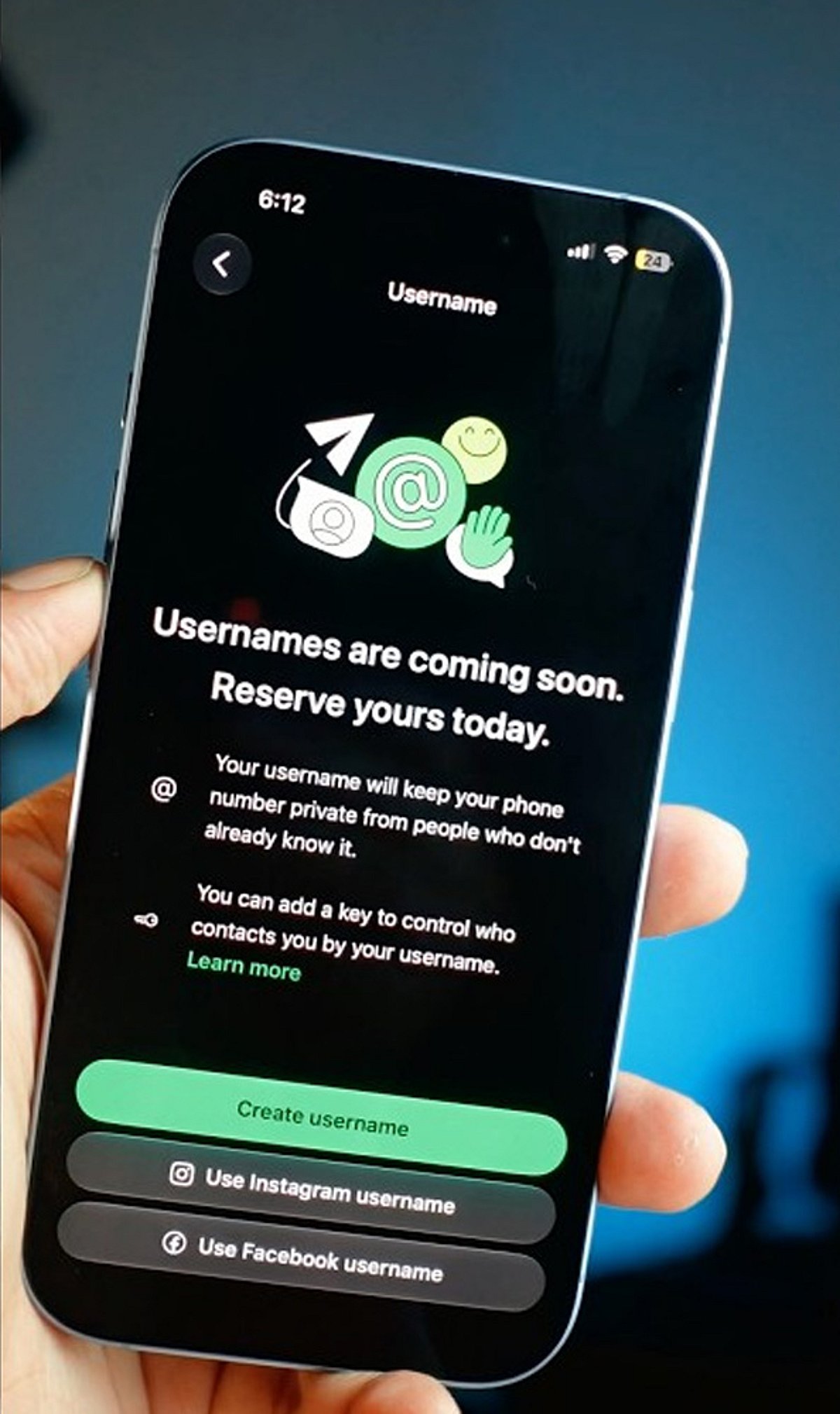
    WhatsApp is rolling out a new feature that allows users to reserve a unique username, giving you a more personalized way to be found on the platform. With demand likely high, acting quickly can help you secure the name you want. Follow these steps to reserve your WhatsApp username before everyone else.

    Update WhatsApp

    Install the latest WhatsApp version from your app store to ensure you have access to new features as soon as username support becomes available.

    Open Settings

    Launch WhatsApp and tap the Settings menu. Once the feature reaches your account, a username option will appear here.

    Find the Username Option

    Look for the Username section below your profile information. It appears only after Meta enables the feature for your account, so keep checking regularly.

    Choose a Unique Name

    Pick a memorable username using letters, numbers, and permitted symbols that reflects your identity without revealing personal information publicly.

    Check Availability

    WhatsApp instantly verifies whether your preferred username is available. If your first choice is already taken, try alternative spellings or variations.

    Follow Username Rules

    Avoid restricted words, special characters, or usernames that violate WhatsApp guidelines to ensure successful registration without unnecessary delays or errors.

    Save Immediately

    Once your preferred username is accepted, save it immediately to prevent someone else from claiming the same username first.

    Join the Beta Program

    Beta users often receive new WhatsApp features before the public release, increasing your chances of securing a preferred username early.

    Keep Checking Updates

    If the feature is unavailable today, regularly update WhatsApp and check Settings because the rollout may happen in phases worldwide.

  • Meta Apologizes After Facebook Glitch Briefly Blocks PM Modi Video in India, Restoration Follows

    Meta Apologizes After Facebook Glitch Briefly Blocks PM Modi Video in India, Restoration Follows

    Meta issued an apology on July 28 after Facebook temporarily blocked a video of Indian Prime Minister Narendra Modi in the country, attributing the removal to a technical glitch. The video, originally posted on July 23, became inaccessible to some Indian users before the company identified the error and restored it.

    Users attempting to view the video encountered a notice stating that Facebook had restricted the content following a legal request, which sparked questions about the unexpected removal. A Meta spokesperson explained, “The content was removed in error and has since been restored.”

    The glitch drew significant attention in India, especially because the video featured the Prime Minister addressing young audiences. In the video, PM Modi discussed plans to introduce tougher laws, fast-track courts, and stricter penalties for those involved in examination paper leaks. He also mentioned that a draft law with stronger measures would be presented to the Union Cabinet.

    Indian government officials have taken the incident seriously and are examining how the video became unavailable. Sources indicate that representatives from Meta may be asked to explain the circumstances behind the removal. According to IANS, the Ministry of Electronics and Information Technology has summoned Meta and Instagram’s global heads over the temporary restriction.

    The video had garnered millions of views before being briefly restricted. Meta has since restored the content and maintains that the removal was a mistake. The incident has raised broader questions about content moderation and how social media platforms handle communications from key government figures.

  • How to Check Who Shared Your Facebook Post: A Step-by-Step Guide

    How to Check Who Shared Your Facebook Post: A Step-by-Step Guide

    Ever wondered who shared your Facebook post? While Facebook doesn’t offer a direct “see all shares” button for every post, there are several ways to find out. Here’s how to check who shared your content while respecting user privacy settings.

    Check Public Shares

    Open your post and tap or click the share count displayed beneath it. Facebook will show you public shares that you can access directly. This is the quickest way to see visible shares.

    Understand Privacy Limits

    Facebook only displays shares you have permission to view. Private posts or shares restricted to specific audiences remain hidden from you. This is by design to protect user privacy.

    Open the Original Post

    Visit the original post on your timeline. The share count and any available public shares are displayed there clearly, making it easy to review.

    Click the Share Count

    Selecting the share number beneath your post opens a list of visible shares. What you see depends on each user’s privacy settings.

    Review Public Profiles

    You can view shares made by public profiles or pages. Personal accounts with private settings will always remain inaccessible.

    Check Facebook Notifications

    Notifications may occasionally show when someone shares your content, especially if the share generates interactions later. Keep an eye on your notification feed.

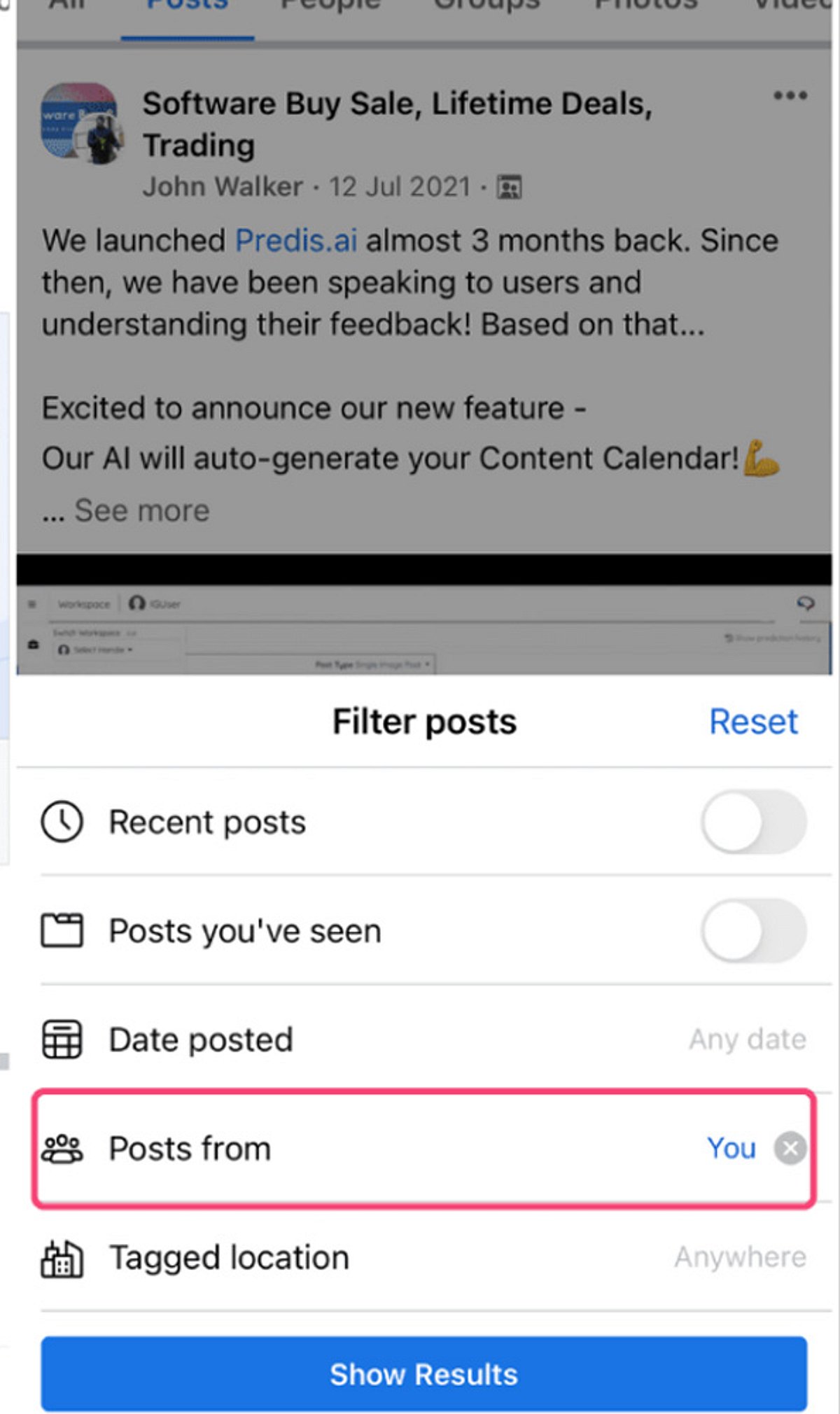
    Search Your Post

    Copy a unique sentence from your post and search Facebook. Public reposts that appear in search results can be found this way.

    View Insights for Pages

    If you manage a Facebook Page, Meta Business tools provide additional sharing insights and engagement statistics for published posts. This is the most powerful option for page owners.

    Respect User Privacy

    Facebook intentionally restricts access to private shares, ensuring users maintain control over who can view their shared content. Always respect these boundaries.

  • How to Disable Sensitive Content Warnings on X (Twitter) – Step-by-Step Guide

    How to Disable Sensitive Content Warnings on X (Twitter) – Step-by-Step Guide

    Enable Sensitive Media on the Web

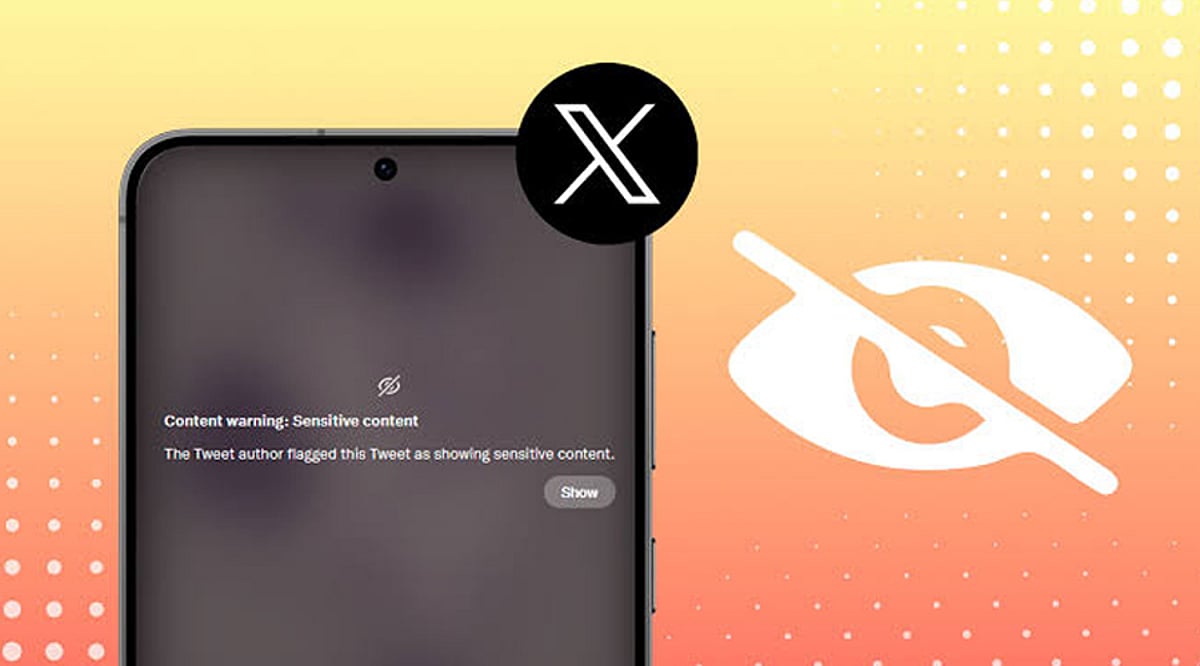
    Log in to your X account from a web browser and navigate to Settings and Privacy. Go to Privacy and Safety, then Content You See. Toggle on the option to display media that may contain sensitive content. Once activated, posts marked as sensitive will appear in your timeline without the usual warning overlay.

    Update Search Settings

    Under Privacy and Safety, open Search Settings and disable the option that hides sensitive content from search results. This allows eligible photos, videos, and posts labeled as sensitive to appear in searches. The change helps you view a wider range of content while still adhering to X’s platform policies.

    Understand Mobile App Limitations

    The availability of sensitive content settings depends on your device. Android users generally have access to these options, while iPhone and iPad users may not due to App Store restrictions. If the setting is unavailable, use the web version of X through your browser instead.

    Refresh Your Account

    After changing your settings, refresh the website or restart the X app to ensure the changes take effect. If sensitive media remains hidden, sign out of your account and log in again. This often synchronizes your updated preferences across different devices and sessions.

    Check Account Eligibility

    Some users cannot access sensitive content due to age restrictions, incomplete profile information, or regional regulations. Verify that your birth date is correct and that your account meets the platform’s eligibility requirements. Certain countries may also impose additional restrictions based on local laws.

    Know What the Setting Changes

    Disabling sensitive content warnings only affects how media is displayed on your account. It does not bypass X’s moderation policies or allow access to illegal or restricted content. Posts removed for policy violations or blocked due to local regulations will remain inaccessible regardless of your settings.

    Troubleshoot Missing Options

    If the sensitive content option is missing, update the X app, clear your browser cache, or try accessing your account from another browser. Some settings are rolled out gradually and may not be available to every user at the same time. Checking X’s Help Center can also provide updated guidance.

  • Everyday Digital Footprints: How Your Online Activities Reveal Personal Data

    Everyday Digital Footprints: How Your Online Activities Reveal Personal Data

    Every time you search, like, shop, or stream, you leave behind a digital footprint that companies and platforms use to build detailed profiles of your behavior. Understanding these traces is the first step toward protecting your privacy.

    Search History

    Each search query helps search engines compile a comprehensive profile of your interests, habits, preferences, and future purchasing intentions.

    Social Media Activity

    Every like, comment, share, and follow reveals personal interests, relationships, opinions, and behavioral patterns to platforms and advertisers.

    Location Services

    Smartphone GPS continuously records your movements, creating location histories used for navigation, targeted advertising, analytics, and personalized recommendations.

    Online Shopping

    Every purchase, wishlist item, and browsing session provides retailers with valuable insights into your spending habits, product preferences, and future buying behavior.

    Streaming Platforms

    The movies you watch, songs you play, and viewing duration help streaming services personalize recommendations while tracking your entertainment preferences over time.

    Fitness Apps

    Health trackers collect information about steps, sleep, workouts, heart rate, and wellness routines, generating highly detailed personal health profiles.

    Smart Home Devices

    Connected speakers, cameras, and appliances gather usage patterns, voice commands, and automation preferences to improve personalized home experiences.

    Email Activity

    Email providers analyze communication patterns, subscriptions, and interactions to filter spam, personalize services, and improve user engagement.

    Public Wi-Fi Usage

    Connecting to public networks may expose your browsing habits and device information, highlighting the importance of secure internet practices.

  • Meta Platforms Hit by Second Outage in Three Days: Thousands Report Facebook and Instagram Issues

    Meta Platforms Hit by Second Outage in Three Days: Thousands Report Facebook and Instagram Issues

    Meta’s social media platforms Facebook and Instagram experienced another significant outage on July 22, marking the second disruption in just 72 hours. Thousands of users worldwide reported problems accessing the apps, with many turning to X (formerly Twitter) to confirm the widespread nature of the issue.

    Thousands Report Problems

    Outage tracking website Downdetector recorded approximately 3,600 reports from users experiencing difficulties with both Facebook and Instagram. Common issues included trouble logging in, loading feeds, and accessing key features. As with most outage trackers, these figures represent only users who actively reported the problem, suggesting the actual number of affected users may have been higher.

    Another Disruption After Sunday’s Outage

    This latest outage comes just three days after Meta’s platforms suffered a similar disruption on Sunday. During that incident, Downdetector logged more than 4,000 reports for Facebook and over 1,500 reports for Instagram at its peak. Many users reported being unable to sign in, refresh feeds, or use parts of the platforms. Some Facebook users also received the message: “Account Temporarily Unavailable. Your account is currently unavailable due to a site issue. We expect this to be resolved shortly. Please try again in a few minutes.”

    Users Turn to X

    As services went down, users flocked to X to report the outage and confirm whether the problem was widespread. Several posts questioned why Meta’s platforms had experienced two outages in such a short period, while others reacted with humor. The repeated disruptions sparked fresh complaints from users who rely on Facebook and Instagram for communication, work, and content sharing.

    Meta Yet to Respond

    At the time of writing, Meta had not issued a statement explaining the latest outage or whether it was linked to Sunday’s disruption. The company also did not provide details on what caused the technical issues. Users and industry observers are awaiting clarification from Meta regarding the root cause and expected resolution timeline.

  • LinkedIn Tops Social Platforms in AI-Generated Content, New Study Reveals

    LinkedIn Tops Social Platforms in AI-Generated Content, New Study Reveals

    A new study by AI detection company Pangram Labs has found that LinkedIn is now the leading social media platform for AI-generated long-form content, with over 40% of posts longer than 250 words being entirely produced by artificial intelligence.

    The research analyzed more than one million posts across LinkedIn, X (formerly Twitter), Reddit, Medium, and Substack. While about a quarter of long-form posts across all platforms were fully AI-generated, LinkedIn emerged as a clear outlier. Although it contributed roughly one-third of the total posts examined, a striking 62% of all AI-generated content identified came from the professional networking site.

    Professionals are increasingly turning to generative AI to craft thought-leadership articles, career advice, and business announcements. X ranked second in fully AI-generated long-form content, and when including AI-assisted writing, nearly half of X’s long posts showed some level of AI involvement.

    The findings arrive ahead of new European Union regulations that will require greater transparency for AI-generated content distributed to EU users. Pangram Labs CEO Max Spero warned, “The unchecked growth of AI-generated content could erode trust across the internet. Transparency and disclosure will become increasingly important as AI writing tools become mainstream.”

    LinkedIn stated it remains committed to authentic conversations on the platform and will take steps to reduce low-quality automated content. The study underscores the mounting pressure on social media platforms to balance the use of AI tools with maintaining authenticity and trust.