Tag: social media

  • From Netflix to Threads: A Timeline of Platforms Reaching 1 Million Users

    From Netflix to Threads: A Timeline of Platforms Reaching 1 Million Users

    How fast can a digital platform reach 1 million users? The answer has changed dramatically over the past two decades. From Netflix’s slow, steady climb to Threads’ record-breaking start, the speed of user acquisition has accelerated beyond imagination.

    Netflix: 3.5 Years

    Netflix took approximately 3.5 years to reach its first 1 million users. Early digital platforms like Netflix had to build audiences from scratch, relying on word-of-mouth and limited internet penetration.

    X (Formerly Twitter): 2 Years

    Twitter, now known as X, reached 1 million users in about two years. Social media growth was much slower in its early days, with fewer people online and less awareness of such platforms.

    Facebook: 10 Months

    Facebook hit 1 million users in just 10 months. Its rapid growth demonstrated how social networks could expand faster as internet access increased and network effects kicked in.

    Instagram: 2.5 Months

    Instagram reached 1 million users in around 2.5 months. Its simple, engaging photo-sharing experience helped it gain traction quickly among smartphone users.

    ChatGPT: 5 Days

    ChatGPT achieved 1 million users in only five days. The generative AI tool’s rapid adoption showed how quickly AI tools could attract a global audience, thanks to viral marketing and immediate utility.

    Threads: Under 2 Hours

    Threads crossed 1 million users in under two hours after its launch. Its direct connection to Instagram allowed it to tap into an existing, massive user base instantly.

    Why Is User Growth So Fast Now?

    New platforms can leverage existing social networks, app stores, smartphones, and widespread internet access to reach millions far faster than early platforms could. Pre-existing user bases and viral loops accelerate adoption exponentially.

    1 Million Users Is Not Everything

    Fast user growth does not always guarantee long-term success. User retention, daily activity, and sustained engagement matter much more after crossing the first million. Platforms must continue to deliver value to keep users coming back.

  • AI-Powered Social Media Firm Hacker Interstellar Upsizes US IPO to $43 Million

    AI-Powered Social Media Firm Hacker Interstellar Upsizes US IPO to $43 Million

    Hong Kong-based Hacker Interstellar, the operator of an AI-driven voice-centric social media app targeting emerging markets, has expanded its proposed US initial public offering (IPO) to $43 million. The company now plans to offer 3.9 million shares at a price range of $10.50 to $11.50 per share, up from the previously planned 2.8 million shares, according to Renaissance Capital.

    At the midpoint of the revised deal size, the expected proceeds have increased by 39% compared to the earlier filing. The IPO would give Hacker Interstellar a fully diluted market value of approximately $336 million.

    Company Focuses on AI-Powered Voice Social Networking

    Founded in 2016, Hacker Interstellar provides an AI-powered voice social media network. Its core business revolves around voice-based social networking that leverages artificial intelligence to enable cross-lingual and cross-dialectal communication. The company’s platform, YoYo, offers a voice chat room experience built on vernacular-language voice models.

    In addition to its consumer app, Hacker Interstellar has been diversifying into voice-based offerings and AI-driven B2B services. The company’s mission is to become an infrastructure platform for voice interaction in vernacular languages and dialects worldwide.

    Revenue and Listing Details

    For the 12 months ending June 30, 2026, Hacker Interstellar reported $107 million in revenue, providing insight into its operational scale ahead of the listing. The proposed listing will take place on either NASDAQ or the NYSE under the ticker symbol SOUD. Kingswood Capital Markets is the sole bookrunner for the issuance.

    The company initially filed for a US IPO in February 2026, intending to list on NASDAQ under the same ticker. The number of shares offered has since changed significantly.

  • LinkedIn Combats Fake Profiles with AI Detection and Identity Verification

    LinkedIn Combats Fake Profiles with AI Detection and Identity Verification

    LinkedIn is deploying a multi-layered strategy combining artificial intelligence, identity verification, and contextual signals to counter the rising threat of fake professional profiles. Between July and December 2024, the platform blocked over 80.6 million fake accounts at registration, yet the challenge persists with AI-generated headshots, cloned executives, and fake recruiters.

    Automated Detection Screens Suspicious Accounts Early

    LinkedIn’s first line of defense is AI-driven detection. In October 2022, the company introduced a deep learning model that analyzes profile photo uploads for signs of AI generation. It detects subtle artifacts without using facial recognition or biometric data.

    A 2023 study with Professor Hany Farid found the model detected 99.6% of StyleGAN-generated faces with only a 1% false-positive rate on real photos. A 2024 update expanded the training set to include StyleGAN 1–3, Stable Diffusion 1 & 2, and DALL·E 2, achieving 98% recall at a 0.5% false-positive target. However, on unseen generators, recall dropped to 84.5%, highlighting the need for continuous model updates.

    Text-based fake profiles remain tricky. A July 2025 arXiv study showed that existing detectors allowed 42% to 52% of GPT-4-Turbo-generated LinkedIn-style profiles to pass. Adversarial training improved this to a 1% to 7% range.

    Verification Provides Evidence for Specific Claims

    LinkedIn offers free identity, workplace, and education verification. Workplace verification uses a company email or Microsoft Entra Verified ID; education checks use a school email. ID verification is handled by CLEAR (U.S., Canada, Mexico), Persona (other listed countries), or DigiLocker (India).

    By December 2025, over 100 million members had added at least one verification. LinkedIn states that Persona collects ID images and selfies, but only shares specified information after member consent—no biometric data, ID numbers, or expiry dates are received by LinkedIn.

    Contextual Signals Help Members Judge Trustworthiness

    A verification badge confirms a single claim, not overall credibility. LinkedIn provides additional context through the About this profile panel, which shows account creation date and whether a phone number or work email is verified. Members are also encouraged to review post history, message content, and account age.

    Job posts can display verified company and recruiter details. In September 2025, LinkedIn said it would require workplace verification when members add or update certain leadership or recruiter-related roles. The Verified Recruiter label appears in InMails and on profiles.

    Where the Limits Lie

    Detection models can flag suspicious photos but cannot confirm a real person behind a clean profile. Unverified members are not automatically fake. For Persona, members must be in a supported country and provide a valid NFC-enabled passport.

    TechCrunch reported that about 60% of verified members confirmed a workplace, while only 27% verified a government ID—two badges with very different weights. LinkedIn also notes that a verification badge on a job post does not increase hiring likelihood.

    The Future: Portable Verification

    Through Verified on LinkedIn, partners like Adobe, G2, UserTesting, TrustRadius, and Zoom can display member verifications on their own platforms. A self-serve API extends this to any organization. A verification earned on LinkedIn can function as a professional trust signal beyond the platform itself.

  • How to Locate Your Saved Reddit Posts on Web, iOS, and Android

    How to Locate Your Saved Reddit Posts on Web, iOS, and Android

    Reddit’s saved posts and comments pile up quickly, making older entries hard to find. This guide walks you through locating your saved content across desktop, iPhone, and Android devices, explains why the native Saved section lacks search tools, and offers practical habits and third-party solutions to keep your list manageable.

    Where Are Saved Posts on Reddit?

    Reddit stores all saved posts and comments in a single Saved section within your profile. The exact navigation path varies slightly by platform and app version, but the destination remains the same.

    On the Website (Desktop)

    1. Click your profile icon at the top right corner.
    2. Select your profile name from the dropdown menu.
    3. On the profile page, look for the Saved tab in the navigation bar. If it’s not visible, click the three horizontal lines (hamburger menu) to reveal additional options.
    4. Click Saved to view your full list.

    On iOS and Android

    1. Tap your profile icon at the bottom of the screen.
    2. Tap the hamburger menu (three lines) near the top right of the profile page.
    3. Select Saved from the menu. Depending on the app version, posts and comments may appear together or in separate tabs.

    Saving a Post or Comment

    The Save feature works identically across platforms:

    • Desktop: Click the three-dot overflow menu on any post or comment and choose Save.
    • Mobile: Tap the three-dot icon at the top right of a post or comment and select Save. To unsave, tap the same menu and choose Unsave.

    Why Older Saves Are Hard to Track

    Reddit’s Saved section behaves like a static archive rather than a searchable database. It currently lacks native search or filtering options. As your list grows into the hundreds, scrolling through an unsorted timeline becomes the only way to find an older item — unless you adopt better habits or use third-party tools.

    Managing a Growing Saved List

    Keep your saved content organized with these strategies:

    • Regular cleanup: Periodically review and unsave items you no longer need.
    • Third-party browser extensions: Some extensions connect to Reddit’s API to add keyword search across saved content. Before using any, verify what data it accesses and whether it is actively maintained.
    • Bookmark external tools: If you frequently save reference material, consider using a dedicated bookmarking service alongside Reddit’s native feature.

    Quick Recap by Platform

    • Desktop: Profile icon → Profile page → Saved
    • Mobile: Profile icon → Hamburger menu → Saved

    Final Thought

    The Saved section works well for occasional savers. Frequent users get more value by pairing it with regular cleanup or a reputable third-party tool that handles data responsibly.

    FAQs

    1. Where can I find my saved posts on Reddit?
    Through your Reddit profile. On desktop, open your profile and select Saved. On mobile, open your profile menu and select Saved.

    2. Can I save Reddit comments as well as posts?
    Yes. Both posts and comments can be saved. Saved comments appear in the Saved section, depending on the interface version.

    3. How do I save a post on Reddit?
    Open the three-dot menu and select Save. To remove it later, open the same menu and select Unsave.

    4. Can I search my saved posts on Reddit?
    Reddit’s native Saved section does not currently offer search or filtering. To find older items, you may need to scroll or use third-party tools.

    5. Why can’t I find a Reddit post I saved?
    Ensure you are signed into the correct account. Check whether you saved the comment instead of the post. If the content was deleted or removed, it may no longer be accessible.

  • 10 OTT Series That Took Over Social Media: Viral Moments, Memes, and Cultural Impact

    10 OTT Series That Took Over Social Media: Viral Moments, Memes, and Cultural Impact

    Some OTT shows are popular while they are streaming. Others manage to stay in conversations long after viewers have finished watching them. From dialogues that become memes to scenes that take over Instagram Reels, certain series have found a life of their own on social media.

    Here are 10 OTT shows that became genuine online talking points:

    Mirzapur

    Few Indian OTT shows have had the internet impact of Mirzapur. Kaleen Bhaiya, Munna Tripathi, and Guddu Pandit quickly became familiar names, while their dialogues found their way into memes, reels, and everyday conversations. Every new season has brought a fresh wave of online reactions, theories, and debates.

    Panchayat

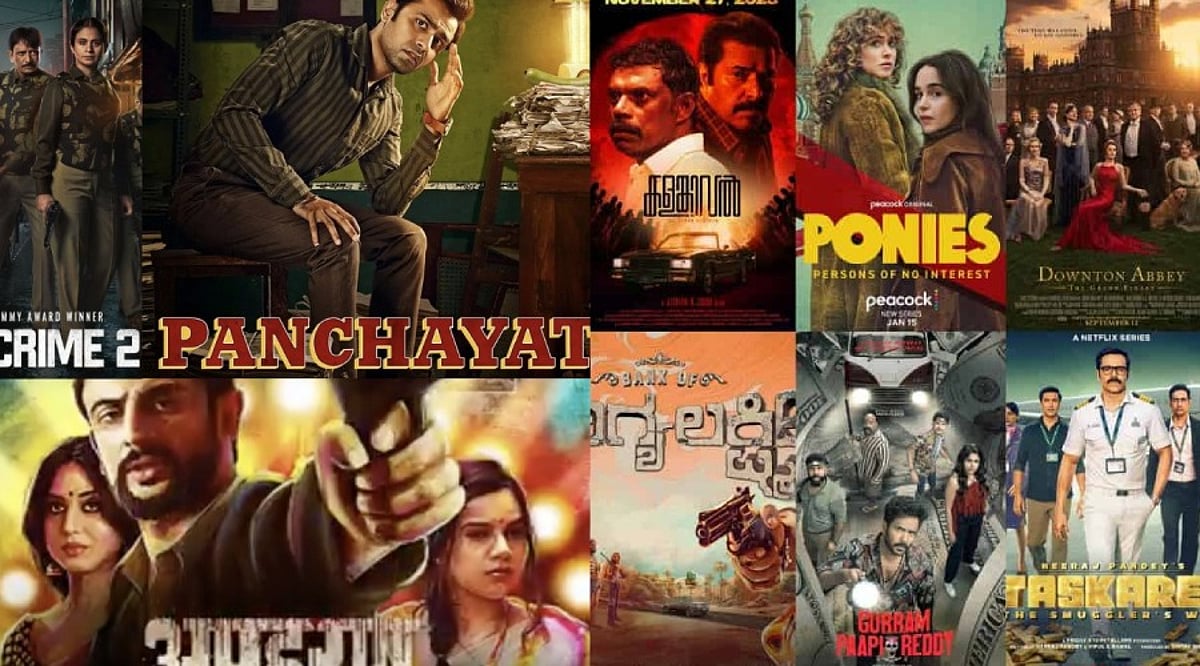
    Panchayat took a very different route to becoming a social-media favorite. Its humor comes from ordinary village life, awkward conversations, and characters who feel remarkably real. Sachiv Ji, Pradhan Ji, and Prahlad Chacha have all become popular meme material, while several emotional scenes have sparked conversations among viewers.

    Heeramandi

    When Heeramandi: The Diamond Bazaar arrived on Netflix, its visuals, performances, and music quickly became topics of discussion online. Sanjay Leela Bhansali’s signature style gave viewers plenty to talk about, while scenes and characters from the period drama appeared across memes, reels, and fan edits.

    Kota Factory

    The pressure of competitive exams is at the heart of Kota Factory, making the show especially relatable to students and young viewers. Jeetu Bhaiya’s advice and motivational lines have been widely shared online. Its black-and-white presentation also gave the series a visual identity that audiences instantly recognized.

    The Family Man

    The Family Man works because it doesn’t take itself too seriously. Manoj Bajpayee’s Srikant Tiwari is caught between dangerous missions and the chaos of family life, creating plenty of funny and relatable moments. Those scenes have repeatedly become memes, while the show’s twists have kept social-media discussions alive between seasons.

    Wednesday

    Wednesday Addams became an internet favorite almost overnight. Jenna Ortega’s performance, particularly the now-famous dance sequence, inspired countless recreations and short-form videos. The show’s dark humor, unusual characters, and distinctive visual style also made it easy for fans to turn moments from the series into shareable content.

    Stranger Things

    Stranger Things has built one of the biggest online fan communities around a streaming series. Every season brings new theories, memes, character debates, and emotional reactions. Season 4 had an especially strong cultural impact, with Kate Bush’s “Running Up That Hill” becoming closely associated with one of the show’s most memorable moments.

    Bridgerton

    Bridgerton proved that a period drama can thrive on social media. Its romances, dramatic confrontations, and stylish costumes have become favorites for fan edits and reels. Whenever a new season arrives, conversations around the show’s couples and characters quickly spill beyond Netflix and into social-media feeds.

    Squid Game

    Squid Game went from a Korean survival drama to a worldwide pop-culture phenomenon. Its games, costumes, and characters became instantly recognizable, while memes, challenges, and recreations spread across social media. The show’s simple but striking imagery made it particularly easy for viewers to recreate and remix its most memorable moments.

    Sacred Games

    Sacred Games arrived when India’s streaming scene was still finding its footing and quickly became one of its defining shows. Ganesh Gaitonde’s dialogues, Sartaj Singh’s investigation, and the show’s darker tone generated plenty of online discussion. Even years after its release, its characters and lines remain familiar to Indian OTT audiences.

    Final Take

    The success of these shows demonstrates that an OTT hit doesn’t necessarily end when the credits roll. A memorable character, an unexpected scene, or a catchy dialogue can keep a series alive through memes, reels, fan theories, and conversations long after viewers have finished watching.

    FAQs

    What makes an OTT series go viral on social media?
    Memorable characters, catchy dialogues, emotional scenes, unexpected twists, and shareable moments can encourage viewers to create memes, reels, edits, and discussions online.

    Which OTT series are known for viral dialogues?
    Mirzapur, Panchayat, Sacred Games, The Family Man, and Kota Factory feature memorable dialogues that have frequently appeared in memes, reels, and everyday social-media conversations.

    Why do some OTT shows remain popular after release?
    Strong characters, memorable storylines, and culturally relevant moments can keep audiences discussing a series through fan theories, memes, edits, and social-media posts long after release.

    Which international OTT series became social media sensations?
    Wednesday, Stranger Things, Bridgerton, and Squid Game became global online sensations, generating viral scenes, fan-created content, memes, challenges, character discussions, and widespread social-media engagement.

    How does social media influence OTT series popularity?
    Social media can amplify memorable moments through short videos, memes, and fan discussions, helping viewers discover shows and keeping popular series visible beyond their streaming platforms.

  • Samsung Mocks Apple’s iPhone 18 Launch with a Series of Social Media Jabs

    Samsung Mocks Apple’s iPhone 18 Launch with a Series of Social Media Jabs

    Samsung turned Apple’s latest iPhone launch into an opportunity for some pointed social media banter, taking several digs at the company during the unveiling of the iPhone 18 Pro, iPhone 18 Pro Max, and its first foldable iPhone, the iPhone Duo.

    The Samsung Mobile US account on X posted a series of reactions during Apple’s September 9 launch, targeting everything from the iPhone 18 Pro design and Apple’s entry into the foldable smartphone segment to the name of its new device.

    One post read, “So far, so same. #ItsTimeToSwitch”, taking a swipe at the similarities between the new iPhone 18 Pro models and their predecessors. Another post targeted the design, saying, “Not the bed side clock. It’s giving groundhog day.”

    The company also used Apple’s long-awaited entry into the foldable smartphone market as another opportunity to promote its own experience in the segment. “Making us wait? Fine. We’ll be over here, folding 3 ways,” Samsung posted, referring to its foldable smartphone lineup.

    Apple’s launch of the iPhone Duo drew another sharp response. Samsung posted, “Let us know when you’re done reheating our leftovers” and followed with another jab: “It’s feeling very familiar. Is this a Sims sequel…”

    The iPhone Duo marks Apple’s first entry into the foldable segment, featuring a 5.4-inch outer display and a 7.6-inch internal display, with a starting price of USD 1,999 in the US.

    The name ‘Duo’ gave Samsung another opening. The company tagged language-learning platform Duolingo and wrote, “I’m so sorry, @DuoLingo. They copied us too #Solidarity”.

    Samsung also took a swipe at Apple’s accessories, posting, “Accessories? It’s giving condiments and no food. #ItsTimeToSwitch”.

    Together, the posts formed Samsung’s running commentary on Apple’s launch, using humor and comparisons to highlight its lead in foldable smartphones and position its devices as an alternative to Apple’s latest offerings.

  • Australia Proposes ‘My Feed, My Way’ Law to Let Users Opt Out of Algorithmic Feeds

    Australia Proposes ‘My Feed, My Way’ Law to Let Users Opt Out of Algorithmic Feeds

    Australia is drafting new social media regulations that would give users aged 16 and older the ability to turn off personalized recommendation algorithms and choose what appears in their feed. The proposal, called ‘My Feed, My Way,’ follows a December crackdown that barred children under 16 from staying on platforms.

    Under the plan, users could switch off recommendation systems entirely. Their feeds would then show only posts from accounts they have deliberately followed—friends, pages, and creators. Random or suggested content from unknown users would not appear.

    Prime Minister Anthony Albanese emphasized that the move is about user empowerment, not government overreach. “This is not about giving government control. It’s about giving people control,” he said. “This is sensible, pragmatic, practical reform. It gives users choice, and it will hold the big tech companies responsible for inaction.”

    The option is meant to be straightforward: users keep the normal algorithmic feed if they prefer, or they can switch to a simpler, follower-only view. The government argues that people deserve a genuine alternative to content selected by the platform. Some apps, like Instagram and TikTok, already offer similar features through tabs such as ‘Friends’ or ‘Favorites,’ but the proposal would make these choices more prominent and accessible.

    If implemented, the rule would change the experience on major platforms. Instagram would likely show fewer suggested Reels and posts, while Facebook would emphasize content from friends, groups, and pages already followed. Discovering new content might require more active searching, but users would gain a more predictable and less cluttered feed.

    Australia’s move could put a new level of control into millions of hands, letting people decide how much influence the platform has over what they see next.

  • Top Canva Pro Template Families for Social Media, Business, and Marketing Success

    Top Canva Pro Template Families for Social Media, Business, and Marketing Success

    Brand consistency often unravels once content production scales across multiple platforms and team members. Canva Pro templates solve this by turning individual designs into reusable systems. Features like Brand Kit, Magic Resize, and locked elements streamline content creation, helping businesses maintain a cohesive look without repetitive manual work.

    Key Features That Make Templates Work at Scale

    Canva’s free plan offers a large template library, but Pro adds the machinery for true reusability. Brand Kit automatically applies your brand colors and fonts. Magic Resize adapts one design into multiple formats instantly. Locked elements prevent accidental layout shifts during team edits. These features don’t replace design judgment—they eliminate the repetitive tasks that slow down production.

    Essential Templates for Social Media, Business, and Marketing

    Social Media

    Instagram Carousel Posts lead in engagement. Metricool’s 2026 study of over 24 million posts found carousels generate nine times more saves than single images. Magic Resize converts one carousel into a Story and a Pin without extra design time. LinkedIn thought-leadership posts benefit from Brand Kit, keeping every post visually traceable to the same person.

    Business

    A Proposal Template with auto-applied brand kit reduces back-and-forth before client sign-off. A locked Brand Guidelines template prevents style drift as more team members create content. These templates ensure professional, on-brand communication every time.

    Marketing

    Lead Magnets with premium layout elements boost opt-in rates compared to plain PDFs. Resized Landing Page and Ad Banner sets keep the click and the page visually matched—a common reason paid traffic underperforms. Presentations, like locked Pitch Decks, keep founders focused on the argument instead of slide alignment.

    Building a Template Library, Not a File Pile

    A few rules separate an effective system from a folder of disconnected files:

    • Match templates to the platform before prioritizing aesthetics—a static post design often breaks as a Story.
    • Favor template families over single graphics; one carousel plus matching Story and Reel covers holds a brand together better than any isolated design.
    • Limit typography to two fonts through Brand Kit rather than choosing five for variety.
    • Treat heavy edits as a signal to pick a different template, not a reason to force one to fit.

    Smaller categories—newsletters, invoices, business cards, thumbnails—still deserve a spot in the same Brand Kit. Start with three template families: one for social, one for client communication, and one for marketing. Everything else becomes easier to standardize once that foundation is set.

    Final Thought

    The templates that earn a place in a real workflow are rarely the most decorative. They are the ones a team reaches for without thinking twice, resized in seconds, locked against accidental damage, and instantly recognizable as belonging to one brand.

  • WhatsApp Adds Poll Deadlines, Anonymous Voting, and @All Mentions to Group Chats

    WhatsApp Adds Poll Deadlines, Anonymous Voting, and @All Mentions to Group Chats

    WhatsApp is rolling out a suite of new group chat features designed to make voting, alerts, and group planning more efficient. The update, announced globally on August 4, includes poll deadlines, anonymous voting, @all mentions, and a faster way to create new groups. The features will be available to users gradually over the coming weeks.

    Anonymous WhatsApp Polls

    Users can now create polls with a fixed voting deadline. Poll creators also have the option to hide voter names for added privacy when needed. Additionally, poll questions can be edited within 15 minutes of posting, allowing users to correct spelling mistakes or clarify questions without creating a new poll. These improvements aim to simplify group decisions and reduce redundant messages.

    Quick Alerts with @all

    The new @all mention feature lets users notify every group member with a single tag. This is particularly useful for urgent updates such as school closures, office changes, event deadlines, or sudden plan changes. For groups with more than 32 members, only admins can use the @all mention. The alert will appear even if the group is muted, though users have the option to mute @all notifications in their settings.

    New Group Chats from Existing Groups

    WhatsApp also allows users to create a new group from an existing group with just one tap. Members can start separate chats for event planning, projects, or private discussions without needing to add everyone again.

    These features are designed to reduce clutter and make large group conversations easier to manage.

  • Adobe Express Review: Features, Pricing, and Benefits for Graphic Design

    Adobe Express Review: Features, Pricing, and Benefits for Graphic Design

    Adobe Express is an online and mobile graphic design platform that enables users to quickly create social media posts, videos, presentations, web pages, marketing content, and other visual media. It combines templates, stock images and videos, editing features, and AI powered by Adobe Firefly.

    General Information

    • Founded: 2016
    • Platform Support: Web, Android, iOS, Windows, macOS, ChromeOS
    • Download: Available via official Adobe website

    Main Features

    • Abundant templates and stock resources for social media, business graphics, presentations, and marketing materials.
    • AI-based generation for images, text, videos, and templates using Adobe Firefly.
    • Image editing tools: brightness, contrast, saturation, shadows, warmth, sharpening, blurring, masking, and filters.
    • Video creation services: AI-based video generation, Clip Maker, animations, captions, and optimization.
    • Brand management, content scheduling, website design, file conversion, collaboration, and integration with ChatGPT and TikTok.

    Benefits

    • Makes graphic design accessible to novices with templates and simple tools.
    • Helps users create visually appealing designs without expertise.
    • AI-powered tools for images, texts, templates, and videos.
    • Assists in planning, scheduling, and publishing on social media.
    • Combines graphic design, photo editing, video making, web publishing, and collaboration in one platform.

    Challenges

    • Certain AI-driven applications may produce inconsistent or poor output.
    • AI credits required for AI content creation, limiting heavy users.
    • Free version has limited access to premium fonts and resources.
    • Charts and graphs cannot use live data, reducing effectiveness for business reporting.
    • Advanced designers may find professional typographic options lacking.

    Subscription Information

    The free version includes standard editing features, templates, Adobe fonts, AI generation, stock content, 5 GB cloud storage, and version history. The premium version adds more fonts, templates, stock content, brand management, 100 GB storage, scheduling, and 250 AI credits monthly. Team plans offer more storage and 24/7 technical support. Adobe Creative Cloud Pro and Adobe Firefly Premium versions provide additional AI credits.

    Support Options

    • Help Center and Learning Resources: Tutorials, demonstrations, guides, and editing resources.
    • Customer Support: Premium and Teams users receive additional support; Teams accounts have 24/7 technical support.

    Conclusion

    Adobe Express is an accessible graphic design platform that combines templates, stock assets, photo editing, video creation, web publishing, social media scheduling, and generative AI. Its integration with Adobe Firefly makes it useful for quickly generating images, text effects, templates, and videos. Although some AI tools can be inconsistent and advanced designers may find certain controls limited, Adobe Express remains a capable solution for beginners, social media creators, marketers, and users who need to produce visual content efficiently.