Tag: software development

  • From Code to Your Smartphone: The Complete Process of Mobile OS Updates

    From Code to Your Smartphone: The Complete Process of Mobile OS Updates

    When you tap ‘Download and Install’ on a mobile OS update, you’re triggering a process that began months earlier with software developers writing code. This article explains the entire journey of a mobile operating system update, from initial development to the moment it lands on your device.

    Development: Where Updates Begin

    Mobile OS updates start with software engineers creating new features, security patches, and system improvements. Individual components are tested before being integrated into larger builds. Major releases may introduce redesigned interfaces, new privacy controls, or updated system applications, while security updates focus on vulnerabilities and stability.

    Hardware Integration: Adapting to the Device

    An operating system cannot work without compatible hardware. Processors, cameras, modems, and displays require drivers and firmware to communicate with the OS. Chipset manufacturers play a key role, which is why Android updates often reach different models at different times. Manufacturers must adapt the OS to their specific hardware configurations, including user interface modifications and device-specific functions.

    Testing: Multiple Stages of Quality Assurance

    Before release, updates undergo extensive testing. Engineers check core functions like calling, messaging, Wi-Fi, Bluetooth, cameras, and battery management. Beta programs provide additional feedback from real users, helping developers catch issues that internal testing might miss.

    Certification and Carrier Approval

    For some devices, mobile operators test updates to ensure network compatibility. This stage can cause variations in update timing between countries and carriers.

    Distribution: OTA and Staged Rollouts

    Once testing is complete, the update is packaged for over-the-air (OTA) delivery. Companies often use staged rollouts, releasing the update to a small percentage of users first. If serious problems are found, distribution can be paused.

    Installation: What Happens on Your Phone

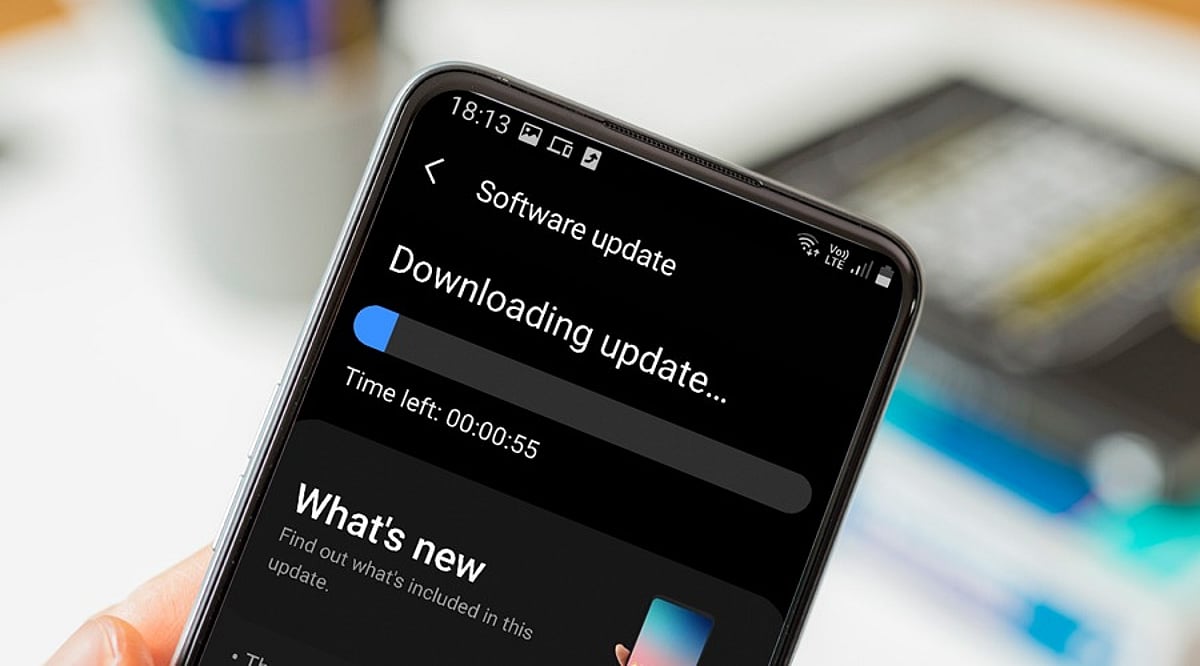
    Your smartphone periodically checks for updates. When available, it verifies the package’s authenticity, then replaces or updates system components. The device may restart several times. Modern recovery mechanisms help prevent bricking if the installation fails.

    Why Updates Arrive at Different Times

    Timing depends on device model, region, manufacturer, chipset, carrier requirements, and testing status. Older devices may follow different schedules. For Android, the many hardware configurations mean additional adaptation stages.

    Post-Installation

    After installation, the phone performs background tasks like app optimization and file reorganization. Users may notice new features, interface changes, or performance differences. Follow-up patches can address bugs discovered after wider deployment.

    Frequently Asked Questions

    • Why do smartphones receive OS updates at different times? Timing varies due to hardware adaptation, testing, carrier requirements, and regional distribution schedules.
    • What does OTA mean? OTA stands for Over-The-Air, allowing updates to be downloaded and installed directly without cables or service center visits.
    • How does hardware affect updates? Components like processors and cameras require compatible drivers, necessitating hardware-specific testing and adaptation.
    • Can a failed update brick my phone? Modern smartphones have recovery mechanisms to protect system integrity and recover from installation failures.
    • Why are staged rollouts used? They allow manufacturers to monitor updates on a small group and pause distribution if serious issues arise.

  • 10 Real-World Machine Learning Use Cases Reshaping Industries

    10 Real-World Machine Learning Use Cases Reshaping Industries

    Machine learning (ML) has evolved from a niche technology into a core enabler across industries. From fraud alerts that block suspicious payments in seconds to medical scans that assist in early disease detection, ML identifies patterns in data and uses them to make predictions, decisions, or take actions. Today’s systems go beyond recommendation engines, embedding AI into real business processes. Here are ten practical ways machine learning is applied in the real world.

    1. Recommendations and Personalization

    Streaming services, online retailers, music apps, and social platforms use ML to predict what users may want next. By analyzing past choices and viewing history, systems leverage deep learning and embeddings to deliver personalized experiences. Personalization is now integrated into larger AI ecosystems.

    2. Fraud Detection and Financial Risk

    Banks, payment processors, and insurers deploy ML to detect unusual activity. Models examine account history, location, device data, and transaction timing. Anomalous patterns can trigger reviews or block transactions. ML also supports credit risk assessment and insurance fraud investigation.

    3. Healthcare and Medical Diagnosis

    ML models analyze medical images, patient records, and lab results. Hospitals use ML for disease risk prediction, patient triage, image analysis, drug discovery, and clinical decision support. For instance, India’s eSanjeevani platform applies AI for retinal checks and differential diagnosis, while PM-JAY uses ML for fraud detection.

    4. Predictive Maintenance in Industry

    Factory sensors capture temperature, vibration, pressure, energy use, and sound. ML learns normal operating patterns and flags potential failures before they occur. This reduces unplanned downtime in aircraft engines, vehicles, power systems, data centers, and robotics.

    5. Computer Vision and Quality Control

    Computer vision enables machines to interpret images and video. Manufacturers use ML to detect product defects on assembly lines. Healthcare systems inspect medical scans. Multimodal AI systems combine visual data with text and other inputs for richer analysis.

    6. Search, Speech, and Language

    Search engines, speech recognition, translation services, email filters, virtual assistants, and chatbots rely on ML. Models classify text, convert speech to text, rank search results, and generate summaries. Large language models now process text, images, audio, and video. Stanford’s 2026 AI Index highlights rapid gains in multimodal capabilities and real-world task performance.

    7. Forecasts and Supply Chains

    Retailers apply ML to estimate demand using historical sales, seasonality, promotions, pricing, weather, and other signals. These forecasts improve inventory management, delivery routing, energy demand planning, and pricing decisions.

    8. Cybersecurity and Threat Detection

    Cybersecurity teams face massive volumes of logs, network events, and device signals. ML identifies patterns that deviate from normal behavior, helping detect malware, phishing emails, suspicious logins, account compromises, and potential data breaches.

    9. Autonomous Systems and Robotics

    ML enables robots, drones, autonomous vehicles, and industrial systems to interpret sensor data and choose actions. Self-driving cars combine computer vision, sensor fusion, prediction, and route planning. Robots navigate large warehouses to move goods. Gartner lists physical AI as a major data and analytics trend.

    10. Software Development and AI Agents

    Software teams use ML for code generation, code review, bug fixing, testing, documentation, and issue analysis. Advanced AI agents connect models with development tools to automate multi-step workflows. Applied’s April 2026 report studied nearly 200 real-world AI use cases across 200+ companies, 25 industries, and 15 business functions—operations accounted for 38.6% and software development for 21.4%.

    The Shift from Prediction to Action

    The most significant change in ML is the move from isolated predictions to integrated actions. Modern systems link predictions with tools, data, and business processes. Gartner notes organizations are adopting AI-first business models. Deloitte reports that worker access to sanctioned AI tools rose 50% in 2025, and the number of companies with at least 40% of AI projects in production is expected to double within six months. This shift demands reliable data, clear controls, and rigorous evaluation. Successful AI initiatives may invest up to four times more in data and analytics foundations than less successful ones. ML now acts as a core layer shaping decisions, operations, software, and physical tasks across numerous industries.

  • Google Gemini 3.8 Flash: A New AI Model for Autonomous Coding and AI Agents

    Google Gemini 3.8 Flash: A New AI Model for Autonomous Coding and AI Agents

    Google has released Gemini 3.8 Flash, its latest AI model designed to power autonomous coding agents and handle complex enterprise tasks with minimal human intervention. Available since September 2, 2026, this model is positioned as Google’s most capable Flash variant yet, targeting long-horizon software development workflows.

    Massive Context for Complex Codebases

    Gemini 3.8 Flash supports a context window of up to 1 million tokens and can generate up to 64,000 output tokens. It accepts text, images, audio, and video inputs. Developers can adjust the model’s effort level to low, medium, or high, allowing teams to balance quality, cost, and speed according to their specific tasks.

    This large context is especially valuable for software agents that need to process entire codebases, including multiple files, tests, logs, and configuration details in a single workflow. The model can handle complex multi-file refactors and deterministic tool tasks effectively.

    Google Antigravity now uses Gemini 3.8 Flash as its default agent model, and its software development kit defaults to it as well. This integration enables agents to plan tasks, make code changes, call tools, and review results within a unified workflow.

    Built-in Tools for Autonomous Action

    The API provides Gemini 3.8 Flash with access to built-in tools such as function calls, code execution, file search, URL context, and structured output. Computer use remains in preview. These tools are essential for agents that need to act on software, gather information, inspect files, and deliver clear results.

    Benchmark Results Highlight Long-Task Strengths

    Google reports a 73.7% score for Gemini 3.8 Flash on DeepSWE v1.1, a benchmark for long-horizon software tasks, compared to 65.3% for Gemini 3.7 Flash. On Terminal-Bench 2.1, an agentic terminal coding benchmark, the model achieved 89.4%, up from 85.8% for its predecessor.

    These results demonstrate the model’s focus on tasks requiring multiple actions rather than single code answers. The model can take extra analysis steps and make repeated tool calls for harder tasks, though this may increase token usage, especially at higher effort levels. Lower effort settings can reduce costs when deep analysis isn’t required.

    Additional benchmarks include 61.4% on the Vals Finance Agent v2 benchmark, a 10% pass rate on the Harvey Legal Agent Benchmark, and 54.9% on HLE-Verified, indicating broader applicability across finance, law, science, and other expert domains.

    Competitive Pricing for Production Workflows

    Gemini 3.8 Flash launched at $0.75 per 1 million input tokens and $3.75 per 1 million output tokens, with these rates guaranteed through December 31, 2026. After that, standard rates will increase to $1.50 per 1 million input tokens and $7.50 per 1 million output tokens.

    This pricing is significant for agent systems that make many model calls per task. The true measure becomes the cost of completing a task, not just the price of a single response. However, lower token costs don’t eliminate the need for robust safeguards, including tests, code review, access limits, sandbox controls, and approval steps for serious software work.

    Expanding the AI Agent Ecosystem

    Google’s broader Gemini 3.8 release includes Gemini 3.8 Flash Cyber, a separate model for trusted defenders that can find software flaws and create patches. The Fairwind Program provides access to selected government groups, critical infrastructure operators, and software maintainers.

    Additionally, two Gemini 3.8 Live models were released on September 15 for real-time voice agents, expanding the family beyond software work into live agent systems with audio input and output.

    Gemini 3.8 Flash represents a shift from simple code assistance toward software agents capable of handling longer tasks, using tools, inspecting results, and continuing work autonomously. With its 1 million-token context, adjustable effort, low price, and strong long-task performance, Google has created a model aimed at the practical side of autonomous AI. The real test now goes beyond benchmark scores: whether these agents can complete real software work with fewer errors, fewer retries, and less human help.

    FAQs

    1. What is Gemini 3.8 Flash?
    Gemini 3.8 Flash is Google’s latest Flash model, designed for complex reasoning, autonomous AI agents, software development, and enterprise workloads.

    2. What is the context window of Gemini 3.8 Flash?
    It supports a context window of up to 1 million tokens, allowing agents to work with large amounts of project and reference information.

    3. Can Gemini 3.8 Flash perform autonomous coding?
    Yes. It can use tools, inspect files, modify code, execute commands, and evaluate results, supporting multi-step software-development workflows.

    4. How much does Gemini 3.8 Flash cost?
    The launch pricing is $0.75 per 1 million input tokens and $3.75 per 1 million output tokens, with standard rates scheduled to increase from January 1, 2027.

    5. What makes Gemini 3.8 Flash different from a basic coding assistant?
    It is designed for longer workflows where an agent can plan, take multiple actions, use external tools, test its work, and continue iterating rather than simply generating code.

  • How Generative AI Is Reshaping Developer Responsibility and Code Ownership

    How Generative AI Is Reshaping Developer Responsibility and Code Ownership

    Generative AI accelerates software development, but it does not absolve developers of accountability. Speed does not transfer responsibility. Developers must still understand, secure, and architecturally validate AI-generated output. Accountability now spans licensing, feature behavior, and disclosure, reinforced by team-level governance.

    Ownership Does Not Transfer to the Tool

    A generative model can suggest a function, but it cannot be held accountable for what that function does in production. When a developer accepts AI-generated code, the responsibility for its correctness, security, and behavior moves with it. Earlier tools like autocomplete carried little independent judgment. Generative systems produce plausible-looking output that can still contain flawed logic or hidden security gaps. Treating AI output as a finished product rather than a draft is where most downstream problems begin.

    Developers Must Understand What They Ship

    Reviewing AI-generated code is not the same as understanding it. Review implies inspection. Understanding implies accountability. A developer who cannot explain why a piece of AI-written logic works should not merge it simply for passing automated checks. This means testing the code against edge cases the model never saw, tracing how it connects to existing systems, and confirming its assumptions match the real environment it runs in. Automated tests catch known failure patterns. They do not catch a gap in a developer’s own understanding.

    Security Review Cannot Be Skipped

    A model can reproduce insecure patterns, misread security requirements, or generate code that looks sound while failing under specific attack conditions. It has no built-in sense of which practices are outdated or unsafe. It can reproduce insecure patterns or generate plausible solutions without understanding the security conditions in which they will operate. Developers who accept AI-written authentication logic or API integrations without a dedicated security pass are handing a security decision to a system never built to make one. Static analysis, manual review, and testing for credential exposure remain necessary steps, not optional extras.

    Developers Must Protect Architectural Integrity

    AI can generate working code quickly, but working code is not always compatible code. A generated solution might pull in another library when an approved one already exists, duplicate logic that lives elsewhere, or apply inconsistent error handling across a codebase. None of this shows up as a bug on the first run. It surfaces months later as technical debt that slows every developer who touches the system after. Protecting architectural integrity means checking whether AI output fits the system’s existing patterns, dependencies, and long-term maintenance needs, not just whether it runs. Otherwise, AI can make individual development faster while making the codebase harder to change.

    Provenance and Licensing Still Matter

    Developers generally cannot inspect the training data behind a foundation model. What they can do is understand the provider’s terms of use, the organization’s policy on AI-assisted contributions, and where licensing exposure could arise if generated code closely resembles protected material. This responsibility sits at the level of policy awareness and documentation, not direct inspection of training data.

    Developers Own the Behavior of AI-Powered Features

    Responsibility extends past the code itself to the features it builds. When generative AI powers a recommendation engine, a chatbot, or a decision-support tool, developers answer for how that system treats the people using it, including whether it produces unfair outcomes for particular groups. Testing against varied and adversarial inputs often reveals more than average accuracy scores, since averages can hide the edge cases most likely to cause harm.

    Transparency Should Match Consequence

    Developers should decide when users need clear disclosure that AI is involved, particularly when generated output shapes a decision that could affect them directly. This is not a blanket rule. It scales with consequence. A drafting assistant and a triage tool carry different obligations, and treating them the same dilutes the cases where disclosure genuinely matters.

    Responsible AI Includes Resource Decisions

    Responsible use is not only about picking the most capable model available. It is about matching model capability to task consequence. The same logic applies to inference frequency, context size, and agent autonomy. Spending computational resources where they create real value beats defaulting to the largest model out of habit.

    Responsibility Must Extend Beyond the Individual Developer

    Individual diligence works best when backed by team practice: clear rules on which tasks can rely on AI output, defined review gates before merging, and a documented path for tracing an error back to its source. Without this structure, accountability spreads thin, and no one person answers for what goes wrong.

    Final Thought

    As AI takes over more of the mechanics of software development, the developer’s role increasingly becomes deciding what a system should do, proving it does so safely, and staying accountable when it does not.

  • Git Developer Tools: Free, Open-Source Version Control & Source Code Management Software

    Git Developer Tools: Free, Open-Source Version Control & Source Code Management Software

    Git is a free, open-source distributed version control system that tracks source code changes. It helps developers create branches, manage versions, collaborate on projects, and maintain detailed development histories. Git supports Windows, macOS, Linux, and other Unix-like platforms.

    Written By: Soham Halder
    Reviewed By: Manisha Sharma
    Published on: 08 Sep 2026, 10:30 pm
    Updated on: 08 Sep 2026, 10:30 pm

    Overview

    • Git is a free and open-source distributed version control system for managing code and project files.
    • Developers can use branches, commits, merges, and repositories to organize software development.
    • Git works across Windows, macOS, Linux, and other Unix-like operating systems.

    Git is a free and open-source distributed version control system designed to track changes in source code and other files. It helps developers manage different versions of a project, work on features independently, and collaborate with other team members.

    The latest Git release is 2.55.0, while the current maintained Git for Windows build is 2.55.0(5). Windows users can download the x64 or ARM64 installer, or choose the portable version if they do not want a traditional installation.

    Quick Information

    • Developer: Git community / Software Freedom Conservancy
    • Category: Developer Tools / Version Control
    • License: GNU General Public License v2.0
    • Platforms: Windows, macOS, Linux and Unix-like systems
    • Version: 2.55.0
    • File Size: Varies by platform and installation package

    Git is maintained as an open-source project, with official releases available for major operating systems. The Git for Windows project provides dedicated installers for x64 and ARM64 systems.

    Download Git for Windows

    About Git

    Git is a distributed version control system used to manage changes throughout the development of a project. Unlike a centralized version control system, Git gives each developer a complete copy of the repository, allowing many operations to be performed locally.

    Developers can create branches, record changes through commits, compare versions, merge work, and restore earlier versions when necessary. Git is designed to work efficiently with both small and very large projects.

    Key Features of Git

    • Distributed Version Control: Git gives every developer a complete copy of the project repository, including its history. This allows users to work locally without depending on a central server for every operation.
    • Branch and Merge Management: Developers can create separate branches to work on new features, fixes, or experiments without affecting the main project. Completed work can then be merged back into the required branch.
    • Fast Local Operations: Most Git commands run directly on the local repository, so tasks such as viewing history, creating branches, and comparing changes are usually quick and do not require an internet connection.
    • Commit and Version History: Git records changes through commits, creating a detailed history of how a project has developed. Developers can review previous commits and identify when specific changes were made.
    • Repository Cloning: The git clone command allows users to create a local copy of an existing repository. This makes it easy to start working on projects hosted on remote Git platforms.
    • Remote Repository Support: Git can connect local repositories with remote repositories, allowing developers to share changes and collaborate with other team members using commands such as push and pull.
    • Change Comparison with Diff: Git’s diff functionality lets developers compare modified files and see exactly what has changed. This is useful for reviewing code before committing or merging updates.
    • Stashing of Unfinished Work: The Git stash feature temporarily stores uncommitted changes without requiring a commit. Developers can then switch branches and return to their unfinished work later.
    • Tagging Important Releases: Git tags can be used to mark specific points in a repository’s history, such as software versions or major releases. This makes important versions easier to identify and access.
    • Support for Submodules: Git submodules allow one repository to include another Git repository as part of a project. This can be useful when an application depends on separately maintained libraries or components.
    • Git Bash on Windows: Git for Windows includes Git Bash, which provides a Unix-style command-line environment. It allows Windows users to work with Git commands in a familiar shell-based interface.
    • Integration with Popular Development Tools: Git works with many code editors, IDEs, and development platforms. This allows developers to perform tasks such as committing changes, creating branches, and reviewing differences without leaving their preferred development environment.

    Git provides commands for common development tasks such as clone, add, commit, branch, merge, pull, push, diff, and log.

    Is Git Free?

    Git is free and open source and is distributed under the GNU General Public License. Developers can install and use Git without paying a subscription or purchasing a commercial license. Git’s open-source model has also helped create a large ecosystem of graphical interfaces, hosting services, and development tools.

    Git Compatibility / System Requirements

    Git supports Windows, macOS, Linux, and other Unix-like platforms. On Windows, users can choose between x64 and ARM64 installers, as well as portable packages. The exact requirements depend on the operating system and package selected. Windows users should choose the installer that matches their system architecture before downloading.

    How to Use Git

    1. Download and install Git for your operating system.
    2. Open Git Bash, Terminal, or Command Prompt.
    3. Configure your name and email address.
    4. Create a new repository with git init or clone an existing one with git clone.
    5. Make changes to your project files.
    6. Use git add to stage changes.
    7. Use git commit to record the changes.
    8. Create branches when working on separate features.
    9. Use git pull to retrieve changes from a remote repository.
    10. Use git push to send your commits to a remote repository.

    Beginners can start with git init, git status, git add, git commit, and git log before moving on to more advanced commands.

    Pros and Cons of Git

    Pros

    • Free and open source
    • Works across major operating systems
    • Fast local operations
    • Powerful branching and merging
    • Suitable for individual developers and teams
    • Large ecosystem and community support
    • Works with popular hosting platforms

    Cons

    • Command-line workflow can be difficult for beginners
    • Advanced Git commands require practice
    • Merge conflicts can be confusing for new users
    • Large repositories may require careful management

    Best Alternatives to Git

    Although Git is one of the most widely used version control systems, other tools may suit particular development environments or team workflows better. The right choice depends on factors such as project size, collaboration requirements, existing infrastructure, and the type of version control system preferred. Here are some alternatives to Git that developers can use:

    • Mercurial: A distributed version control system designed to provide a straightforward workflow for managing source code.
    • Subversion (SVN): A centralized version control system that keeps the main repository on a server and is still used by many established projects.
    • Perforce Helix Core: A version control platform designed for large codebases and teams working with substantial digital assets.
    • Fossil: A distributed version control system that also includes integrated project management and collaboration features.
    • Bazaar: A distributed version control system developed for collaborative software development and source code management.

    Related Software

    Git works alongside a wide range of development and collaboration tools that make source-code management easier. These tools can provide graphical interfaces, repository hosting, code review, project management, and additional features around the core Git workflow.

    • GitHub: A popular platform for hosting Git repositories, reviewing code, and collaborating on software projects.
    • GitLab: A DevOps platform that provides Git repository hosting along with CI/CD and project management features.
    • Bitbucket: A repository hosting service designed for Git-based development and team collaboration.
    • GitKraken: A graphical Git client that provides a visual interface for repositories, branches, commits, and merges.
    • SourceTree: A graphical Git client designed to simplify repository management without relying entirely on command-line commands.
    • GitHub Desktop: A desktop application that provides a simpler graphical workflow for working with GitHub repositories.
    • Visual Studio Code: A popular code editor with built-in Git integration for managing source-code changes directly from the development environment.

    Git is a dependable choice for developers who need to track code changes, manage versions, and collaborate efficiently. Its free, open-source nature, powerful branching system, and support across major platforms make it useful for both individual projects and professional development teams. Whether you’re learning programming or managing a large codebase, Git provides the essential tools needed for organized source code management.

    FAQs

    What is Git?

    Git is a free and open-source distributed version control system. Developers use it to track changes in source code and other files. It allows users to create commits, manage branches, compare changes, merge work, and maintain a detailed history of a project.

    Is Git free to use?

    Yes. Git is free and open source. It is distributed under the GNU General Public License version 2.0. Developers can install Git and use its core version-control features without paying a subscription or purchasing a commercial license.

    What is Git used for?

    Git is primarily used for version control and source code management. Developers can track project changes, experiment with new features, maintain different versions, collaborate with teammates, and restore earlier versions when necessary. It is widely used across individual and professional software projects.

    What is the latest version of Git?

    The latest Git source release is 2.55.0, released on June 29, 2026. Git for Windows has a maintained 2.55.0(5) build for Windows users. The appropriate download depends on the operating system and system architecture.

    Does Git work on Windows?

    Yes. Git provides dedicated Windows downloads for both x64 and ARM64 systems. Users can choose a standard installer or portable package. Git for Windows also includes tools such as Git Bash for working with Git commands from a terminal environment.

  • Cut Software Costs with AI Coding: Strategies for Efficiency Without Sacrificing Quality

    Cut Software Costs with AI Coding: Strategies for Efficiency Without Sacrificing Quality

    AI coding can lower software costs by accelerating development, reducing wasted model usage, improving workflows, and strengthening testing—all while maintaining software quality, reliability, security, and performance. However, faster code generation alone does not guarantee savings. The real goal is to deliver useful software to production with less total effort while keeping quality high. As AI adoption reaches mainstream scale, this question now matters to nearly every software team.

    Key Takeaways

    • Measure total task cost: Faster code generation only creates savings when reviews, testing, fixes, and production checks remain efficient.
    • Optimize AI workflows: Better prompts, context management, and selective output can reduce model usage without sacrificing quality.
    • Match models to tasks: Use affordable models for simple work and stronger reasoning models only when complexity demands them.

    AI Code Has Become a Mainstream Tool

    JetBrains surveyed more than 15,000 professional developers for its 2026 Developer Ecosystem Survey. From May to July 2026, 90% of professional developers used AI coding agents at least once a week, while 68% used them every day. The same study found rapid growth across tools such as Codex, Claude Agent, GitHub Copilot, Cursor, OpenCode, and Google Antigravity.

    DORA found a similar shift. Its 2025 research showed that 90% of technology professionals use AI at work, while more than 80% report higher productivity. Yet the same research shows a clear trade-off. AI can speed up code creation, but teams may spend more time on checks and reviews. Higher AI use can also raise both software delivery speed and delivery instability. That gap explains why AI alone cannot guarantee lower costs.

    The Real Saving Comes From Faster Task Completion

    The cost of AI code should not depend only on token use. GitHub published new research on September 2, 2026, with a clear lesson: a shorter AI response can cost more if missing details force an agent to repeat a command or request more context. The better measure is the full task, from the first request to the final result.

    GitHub also found useful gains from better agent design. Selective output compression cut model inference cost by about 5% in offline tests. A live Copilot CLI test then cut average daily model inference cost per user by about 3%, with no material drop in quality or satisfaction.

    Another prompt change removed about 1,300 tokens per turn, which led to 1.8% fewer prompt tokens per session and 2.9% lower normalized cost per active hour. A separate change to task-result delivery cut token-related use by about 2.3%. These figures show a useful point: smart AI workflow design can cut waste without a weaker result.

    Better Checks Protect Software Quality

    Cost control also needs strong tests and reviews. AI can create code at high speed, but every change still needs proof that it works. DORA describes AI as an amplifier of existing strengths and weaknesses. Strong software practices can help teams gain more value, while weak processes can let defects spread faster.

    Small changes offer a safer path. A clear task, a focused AI change, automated tests, and a human review can limit the cost of a mistake. Strong version control, clear project documents, reliable tests, and good internal tools also give AI better context and reduce wasted work.

    Smart Model Choice Can Lower AI Bills

    Not every software task needs the most costly AI model. Simple work can use a lower-cost model, while complex design, difficult faults, or large codebases may need a stronger reasoning model.

    This approach can matter as AI use grows. McKinsey found that about two in ten organizations now scale software coding agents, with the figure at 31% among large enterprises. More strikingly, 32% of respondents said an organization had rejected at least one software purchase or feature purchase after deciding that an internal team could create the same function with agentic coding tools. That shift can create savings far beyond a smaller developer bill.

    The Next Cost Battle Will Focus on Efficiency

    AI can reduce the cost of software work when companies measure the full result rather than the amount of code an AI tool produces. The strongest measure is the cost of a successful software change after AI use, human review, tests, fixes, and production checks.

    The latest data points to a clear direction. AI already has broad use among developers, while new tools focus on lower model cost, better context, and fewer wasted steps. The real advantage will come from teams that pair AI speed with strong software controls. That combination can raise output, reduce waste, and protect performance at the same time.

    Frequently Asked Questions

    1. How can AI coding reduce software costs?

    AI can reduce development time, automate repetitive tasks, improve developer productivity, and lower the effort needed to deliver software changes.

    2. Can AI-generated code affect software quality?

    Yes. AI can introduce bugs or security issues, so automated testing, human review, version control, and strong development practices remain essential.

    3. Does using a more powerful AI model always provide better value?

    No. Simple coding tasks can often use lower-cost models, while complex architecture, debugging, and large codebases may benefit from stronger reasoning models.

    4. What is the best way to measure AI coding savings?

    Measure the total cost of a successful software change, including AI usage, developer time, reviews, testing, fixes, and production validation.

    5. How can companies get more value from AI coding tools?

    Companies should combine AI with clear tasks, good documentation, reliable tests, efficient workflows, appropriate model selection, and human oversight.

  • Cloud Computing vs Software Development: Which Tech Career Pays More in 2025?

    Cloud Computing vs Software Development: Which Tech Career Pays More in 2025?

    The debate between cloud computing and software development careers has intensified as both fields offer lucrative opportunities. This article breaks down salary potential for key roles in each domain, helping you decide which path aligns with your financial and professional goals.

    Cloud Engineering Roles

    Cloud Engineer: Cloud engineers design, deploy, and maintain scalable infrastructure. As businesses accelerate migration and modernization, these professionals command strong salaries.

    Cloud Architect: Cloud architects craft complex technology environments and migration strategies. This highly specialized role consistently ranks among the best-paid positions in tech.

    Cloud Security Engineer: Cloud security engineers protect infrastructure, applications, and data from cyber threats. Their specialized expertise attracts increasingly competitive compensation packages.

    Software Development Roles

    Software Developer: Software developers build applications, websites, and platforms. Experienced professionals earn competitive salaries across technology companies, startups, and enterprises.

    Full-Stack Developer: Full-stack developers handle both frontend and backend development. Their versatility creates strong earning opportunities across companies and tech-driven businesses.

    Backend Developer: Backend developers create server-side systems, APIs, and databases. Salaries increase significantly with programming expertise, scalability knowledge, and experience.

    Hybrid and Emerging Roles

    DevOps Engineer: DevOps engineers bridge development and operations, automating deployments and infrastructure. They earn premium salaries for specialized technical and automation expertise.

    Machine Learning Engineer: Machine learning engineers combine programming, mathematics, and AI. They often earn premium salaries because specialized AI skills remain highly sought-after globally.

    Career Growth Potential

    Both cloud and coding careers can become lucrative, but specialized skills, certifications, leadership responsibilities, and emerging technologies significantly influence earnings. The key is to choose a niche that matches your interests and invest in continuous learning.

  • Leading AI Software Development Companies in the UK for 2026

    Leading AI Software Development Companies in the UK for 2026

    According to a study by the Office for National Statistics, self-reported AI adoption among UK businesses with 10+ employees reached 35% by June 2026—a new high. Yet many organizations still struggle to integrate AI effectively due to a lack of in-house expertise. Partnering with a specialized third-party AI developer can bridge that gap, offering strategic guidance, custom solutions, or team augmentation. Below are the top 10 AI software development companies in the UK for 2026, curated to help you find the right partner.

    1. Itransition

    A global IT consulting firm with a London office, Itransition delivers end-to-end AI services—from consulting to development and support. With over 5 years in AI and a dedicated AI/ML Center of Excellence, they serve Fortune 500 clients across 20+ industries, including healthcare, retail, and fintech. Key highlights include certified partnerships with Microsoft and AWS, deep UK market knowledge, and expertise in AI agents, generative AI, recommendation engines, and computer vision.

    2. Softblues

    This UK-based company specializes in intelligent automation and agentic AI, particularly with Claude. As a member of the Claude Partner, Microsoft, and Google Cloud Partner networks, Softblues offers a 90-day AI implementation process with a money-back guarantee if the proof of concept fails. Their experience spans healthcare, financial services, logistics, recruitment, and customer support.

    3. Old.St Labs

    A consultancy and development firm based in London, Old.St Labs focuses on bespoke AI-enabled solutions like mobile apps, web apps, and visual dashboards. Their partnership-driven engagement model provides real-time project visibility via a dedicated web portal. They also conduct security audits for apps built with AI coding tools.

    4. Leobit

    An international software consulting company operating in the US, EU, and UK, Leobit builds custom web, mobile, and desktop solutions including workflow automation, agentic AI, and LLM apps. They have 35+ Azure, AWS, and Anthropic AI-certified engineers and deep .NET expertise, serving sectors like healthtech, finance, logistics, and entertainment.

    5. Imobisoft

    UK-based Imobisoft delivers bespoke AI solutions such as LLMs and generative AI agents, with strong experience using Anthropic Claude and OpenAI. They develop multi-agent systems for complex tasks and have a proven track record in healthcare, utilities, energy, financial services, and the public sector.

    6. Infinum

    A global IT company with a London office, Infinum specializes in strategic consulting, cybersecurity, and enterprise-grade web and mobile apps—both AI and non-AI. They offer free AI readiness assessments and have built AI agents, computer vision systems, and deep learning models for sectors like healthcare, financial services, and automotive.

    7. TatvaSoft

    With a regional office in London, TatvaSoft provides strategic AI advisory, AI/ML development, and staff augmentation. Their bespoke AI solutions cover 10+ sectors and include LLMs, multi-agent systems, chatbots, and object recognition tools. They often combine models like Midjourney, OpenAI GPT, AWS Bedrock, and DALL-E in one project.

    8. Tapptitude

    An international mobile and web app development agency with a London office, Tapptitude offers AI consulting, model integration, and monitoring. Their team of data scientists and ML engineers can join client teams or handle full projects. Expertise spans healthcare, retail, entertainment, fintech, and proptech.

    9. 3 Sided Cube

    This UK-based agency is known for building mobile apps that address global issues like disaster warning and deforestation monitoring. They now also deliver custom LLMs and automation workflows using tools like n8n, OpenAI, Gemini, and Claude. Their AI Readiness Toolkit helps organizations launch risk-free pilot projects.

    10. Transparity

    A pure-play Microsoft partner based in the UK, Transparity provides AI strategy consulting and development using Copilot Studio, Azure OpenAI, and Azure Machine Learning. They offer free two-hour AI Readiness Assessments and primarily serve manufacturing, logistics, retail, financial services, professional services, and nonprofit sectors.

    Final Thoughts

    With UK businesses increasingly adopting AI, the right development partner can make or break a transformation initiative. This list of top AI software companies provides a starting point for finding a trusted partner to turn your AI strategy into reality.

  • Claude Code vs. GitHub Copilot: Which AI Coding Assistant Reigns Supreme?

    Claude Code vs. GitHub Copilot: Which AI Coding Assistant Reigns Supreme?

    Two powerful AI coding assistants—Anthropic’s Claude Code and GitHub Copilot—are reshaping how developers write and debug software. Both tools promise to boost productivity, but they cater to different workflows and project types. This comparison breaks down their strengths, programming language support, and ideal use cases to help you choose the right assistant for your needs.

    What Is Claude Code?

    Claude Code, developed by Anthropic, focuses on deep code understanding, debugging, and managing large-scale development projects. Its strength lies in analyzing complex codebases, explaining intricate bugs, and suggesting thorough fixes. With a large context window, Claude Code can handle longer codebases and more extensive project contexts than many competitors.

    What Is GitHub Copilot?

    GitHub Copilot, powered by OpenAI’s Codex model, excels at real-time code suggestions directly inside popular integrated development environments (IDEs) like Visual Studio Code, JetBrains, and Neovim. It delivers fast autocomplete suggestions that significantly speed up everyday coding tasks, making it an ideal tool for rapid prototyping and routine development.

    Key Comparison Points

    Programming Language Support

    Both tools support a wide range of programming languages, including Python, JavaScript, Java, and C++. Developers can use either assistant across multiple stacks without switching tools.

    Context Window

    Claude Code offers a larger context window, allowing it to process and understand longer codebases and more complex project structures. This is beneficial for deep code analysis and large refactoring tasks. GitHub Copilot’s context window is smaller but sufficient for most real-time code completions.

    Debugging Capabilities

    Claude Code shines when it comes to debugging. It can explain complex bugs and suggest detailed, actionable fixes, often providing step-by-step reasoning. GitHub Copilot can assist with debugging too, but its primary strength is generating code rather than diagnosing issues.

    Code Completion

    GitHub Copilot is unmatched in real-time code completion. It offers context-aware suggestions as you type, reducing the time spent writing boilerplate code. Claude Code also provides code suggestions but is less focused on inline autocomplete and more on holistic project understanding.

    Which One Should You Choose?

    Claude Code is best suited for complex engineering tasks, large codebases, and deep debugging sessions. If you’re a senior developer or architect working on intricate systems, Claude Code’s analytical abilities can be a game-changer. GitHub Copilot, on the other hand, is ideal for daily productivity—especially for developers who want to write code faster and with fewer interruptions. It fits seamlessly into existing IDE workflows.

    Ultimately, the best choice depends on your workflow. Many developers use both tools in tandem: Copilot for quick code generation and Claude Code for deep problem-solving. As AI coding assistants continue to evolve, having both in your arsenal can maximize efficiency.

  • Svitla Systems: A Global Partner for Software Development and Digital Transformation

    Svitla Systems: A Global Partner for Software Development and Digital Transformation

    Company Overview

    Svitla Systems is a worldwide provider of custom software development, testing, and consulting services. The company specializes in digital transformation, Big Data, artificial intelligence, and cloud solutions, delivering highly skilled engineering talent to startups and large enterprises. Through flexible engagement models and dedicated teams, Svitla Systems offers scalable, high-quality technology solutions tailored to diverse business needs.

    About the Company

    Svitla Systems serves as a global technology partner, helping clients develop digital solutions that scale and perform at high levels. Its expertise spans cloud technologies, artificial intelligence and machine learning, DevOps, and mobile solutions. The company provides various engagement models, including team extension and managed services, supported by a strong engineering team. By combining advanced technologies with user-centered design and data analysis, Svitla Systems enables customers to achieve digital transformation and sustainable growth.

    Products and Services

    Svitla Systems offers a comprehensive suite of services:

    • Custom software development
    • AI and machine learning solutions
    • Cloud services
    • DevOps
    • Cybersecurity
    • Big Data analytics
    • Quality assurance
    • Internet of Things (IoT)
    • Mobile and web development
    • Consulting and managed teams

    Core Leadership Team

    The company is led by a team of experienced technology and business executives who drive innovation and operational excellence.

    Revenue Streams

    Svitla Systems generates revenue through three primary sources: service engagements, long-term client partnerships, and technology-driven projects. This diversified model supports steady business growth and operational expansion.

    Client Segments and Target Companies

    B2B Client Segments: Custom software, AI/ML, cloud & DevOps, QA, Big Data, IoT, team extension, managed services, digital transformation consulting.

    Target Companies: Startups, mid-sized businesses, and large enterprises in fintech, healthcare, logistics, e-commerce, and technology sectors.

    Global Presence

    Svitla Systems operates across North America, Europe, Asia, and Latin America, supporting innovation, efficiency, and digital growth for clients worldwide.

    Social Media

    LinkedIn | Website