Tag: software development

  • Claude AI Outage: Opus 5 Errors Impact Web, API, and Code Services

    Claude AI Outage: Opus 5 Errors Impact Web, API, and Code Services

    Anthropic is currently investigating a significant outage affecting its flagship Claude Opus 5 model, which has caused elevated error rates across multiple services, including Claude.ai, the Claude API, Claude Code, and Claude Cowork. The incident began on July 27 at 08:16 UTC (1:46 PM IST), and users in India, one of Claude’s largest markets, may experience failed requests, delayed responses, or interrupted sessions.

    Anthropic has classified the event as degraded performance rather than a complete outage, meaning some requests are working while others fail. The company confirmed the investigation on its status page, stating, “We are currently investigating this issue.” Notably, Claude Console and Claude for Government remain operational.

    The disruption primarily affects products powered by Claude Opus 5, Anthropic’s advanced model designed for coding, research, and professional workloads. Chat users may receive incomplete responses, developers may encounter server errors, and coding tasks within Claude Code may stop unexpectedly.

    Anthropic has not identified a single root cause, but its documentation lists possible failures such as timeouts, overloads, and internal server errors. Official SDKs automatically retry temporary errors, and request IDs can help engineers trace failed API calls during investigations.

    This outage follows another Claude Opus 5 disruption resolved less than a day earlier. Anthropic has not confirmed whether both incidents share the same technical cause, though recent status history shows multiple reliability issues with Claude services.

    For users handling urgent tasks, experts recommend temporarily switching to another Claude model, saving work locally, and retrying requests once service conditions improve.

  • Top PHP Development Mistakes Businesses Must Avoid for Secure and Scalable Apps

    Top PHP Development Mistakes Businesses Must Avoid for Secure and Scalable Apps

    PHP continues to power millions of websites and business applications, including some of the world’s most popular content management systems and e-commerce platforms. Its flexibility, large developer community, and mature ecosystem make it a practical choice for startups, SMEs, and enterprises alike. However, the success of a PHP project depends less on the language itself and more on the development practices followed during implementation.

    Many businesses focus on launching applications quickly, only to face performance issues, security vulnerabilities, and expensive maintenance later. Understanding the most common PHP development mistakes can help organizations avoid unnecessary costs, improve application reliability, and ensure long-term scalability.

    Why Avoiding PHP Development Mistakes Matters

    An underdeveloped PHP program may result in various problems including security threats, reduced speed, downtime, and an unhappy user base. In addition to increased maintenance costs, these problems can have a bad effect on business reputation. Using up-to-date PHP development methodologies and adhering to coding standards will enable businesses to develop safe and scalable programs.

    Common PHP Development Mistakes

    1. Using Outdated PHP Versions

    Many companies continue to use old versions of PHP because the software is functional. However, unpatched software poses security risks and may contain exploitable flaws. Upgrading to the latest PHP version improves performance, security, and compatibility with modern frameworks like Laravel and Symfony.

    2. Ignoring Secure Coding Practices

    Security should never be an afterthought. Common mistakes include not validating user input or using outdated database functions. Businesses should use prepared statements, parameterized queries, input sanitization, and output escaping to protect against SQL injection and cross-site scripting (XSS) attacks.

    3. Neglecting Code Structure and Maintainability

    As applications grow, unstructured code becomes increasingly difficult to manage. Poor adherence to coding guidelines and lack of separation between business logic and presentation lead to longer development cycles and more bugs. Following MVC design patterns, using Composer, and adhering to PSR guidelines results in better code organization.

    4. Overlooking Performance Optimization

    Application efficiency directly impacts user satisfaction and search engine rankings. Slow page loading increases bounce rates and reduces conversions, especially for e-commerce sites. Developers should optimize database queries, implement caching (e.g., Redis or Memcached), avoid unnecessary API calls, and profile applications regularly.

    5. Skipping Testing and Quality Assurance

    Testing is often compromised to meet short deadlines, but this leads to higher costs later. Issues found in production can disrupt business operations and erode customer trust. A reliable PHP development process includes unit testing, integration testing, regression testing, and continuous integration.

    Choosing the Right PHP Development Approach

    Mistakes can be avoided by hiring experienced programmers who use modern development methods. Companies should focus not only on development cost but also on secure programming, frequent code reviews, documentation, version control, and ongoing maintenance. Whether building a customer portal, enterprise solution, or e-commerce website, investing in quality during development saves money in the long run.

    Final Thoughts

    PHP remains a solid platform for creating dynamic websites, but success depends on a professional development process. By avoiding outdated software, enhancing security, improving code quality, boosting performance, and applying automated testing, businesses can build reliable and scalable applications.

    For companies planning new PHP applications or upgrading existing ones, avoiding these common mistakes is essential for long-term success.

  • How AI Is Reshaping Engineering Work: From Simple Automation to Deep Collaboration

    How AI Is Reshaping Engineering Work: From Simple Automation to Deep Collaboration

    Artificial intelligence is now part of the daily routine for an engineer. It is no longer used to answer simple questions; it is now used to help developers write code, test software, find bugs, and even suggest better ways to solve problems.

    The first wave of AI in engineering introduced copilots in the form of generative assistants. These systems helped write code, generate scripts, or answer queries based on documentation. Here, the issue was that these assistants could follow prompts, but they never understood the workflow.

    As the engineering complexity increased, the limitations of these models became clear. Engineers work in a connected network where isolated tasks don’t work. A tool that generates code is definitely helpful, but it still can’t resolve bigger issues. This brings the next stage, where AI gets embedded in the entire problem-solving lifecycle.

    This has made many companies change the way their engineering teams work. AI handles repetitive tasks, while engineers focus on planning, design, and decision-making. However, it’s still the people who have the judgment ability that AI lacks. So, AI co-pilots should be embedded in a way that enhances productivity without compromising reliability.

    Almost all the bigger names in the tech industry, including Google, Meta, Anthropic, and everyone, are investing largely in AI. Google, for example, has invested heavily in Gemini, AI chips, and data centers. As AI capabilities expand, the relationship between engineers and AI is shifting from assistance to collaboration.

    Engineers’ roles have now moved from task execution to intent definition. They guide workflows, validate outcomes, and manage trade-offs across complex systems. However, this doesn’t make the expertise less valuable. They are equally crucial.

    So, the future of engineering will not be AI replacing human roles, but more likely human and AI working as co-workers, where engineers combine their judgment with machine intelligence.

  • Android Java to Kotlin Migration: Proven Best Practices for 2026

    Android Java to Kotlin Migration: Proven Best Practices for 2026

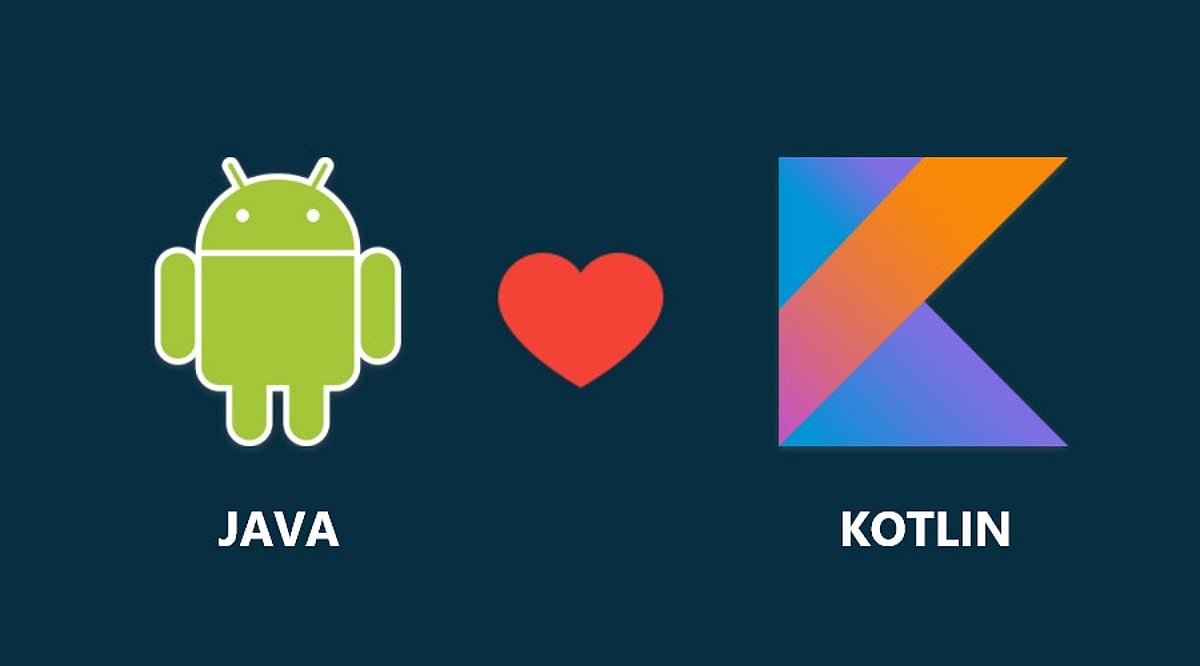
    Migrating Android applications from Java to Kotlin has become a strategic priority for organizations looking to modernize their codebases. This guide outlines the best practices for a successful migration, covering project assessment, phased conversion, Kotlin-first development, architectural modernization, and performance testing to help teams build scalable and maintainable Android apps in 2026.

    Kotlin has been regarded as the best language for Android development since Google made it available in 2017. The modern approach to Android development is currently based on Kotlin, Jetpack Compose, coroutines, Kotlin Multiplatform, and the Android Jetpack library. Even though many companies have their applications written in Java, the switch to Kotlin is widely regarded as a reliable strategy that ensures high-quality code, increased productivity, and improved codebase maintainability.

    However, there is no need to rebuild your application if you want to shift from Java to Kotlin, as both languages are fully compatible. The following recommendations will assist with the transition from Android Java to Kotlin.

    Evaluate Your Existing Codebase Before Migration

    To ensure the migration process is efficient, it is necessary to analyze the application’s architecture. It is important to analyze all project modules before migration to consider dependencies, third-party libraries, Gradle configuration, and Java version compatibility. Additionally, it is recommended that you identify all outdated APIs, Android components, and other legacy code that needs to be updated.

    Follow a Gradual Migration Strategy

    Migrating the whole Android app in one shot is not often suggested. The compatibility of Kotlin with Java means that both languages can be used in the same project, enabling feature-by-feature migration. A practical migration strategy may look like this: configure Kotlin support, migrate utility classes, gradually convert business logic, update Activities and Fragments, and finally refactor legacy Java code while continuously testing each migration stage. This phased approach reduces deployment risks while allowing continuous testing throughout the migration process.

    Take Advantage of Modern Kotlin Features

    Merely converting syntax from Java to Kotlin is not sufficient. Many development teams simply do not understand how much easier it would be for them to develop the applications if they coded in Kotlin using the syntax of Java. To simplify the code and make it more readable, programmers need to use Kotlin features such as nullability, data classes, extensions, sealed classes, higher-order functions, smart casting, and many other capabilities. Moreover, the use of coroutines is preferable to old-school async techniques such as AsyncTask, callbacks, and threads. It has to be applied together with Flow.

    Modernize the Architecture Alongside Migration

    Migration offers a wonderful opportunity to upgrade the application architecture rather than simply translating the code. Actually, it can be reasonable to use the MVVM architecture, which is recommended by Android developers and includes Jetpack libraries such as ViewModel, LiveData, or StateFlow, Room, Navigation, and Hilt as a dependency injector. Jetpack Compose will be a great choice to develop the user interface for Android 2026 applications. Even though XML layouts are available, Jetpack Compose enables more declarative development for Android, which fits well with Kotlin. The described approach works well because refactoring the old code during migration will help avoid future issues.

    Prioritize Testing and Performance Validation

    Code conversion should always be tested. Unit, UI, integration, and regression tests should be done after each migration step to confirm that the two versions of the program have the same functionality. Performance profiling is very critical. There should be measurements of the app’s startup time, memory usage, CPU usage, and APK size before and after the migration. Using static analyzers like Android Lint, Detekt, and Ktlint will enable developers to write code in line with Kotlin coding standards without compromising performance or style. Another method that promotes consistency in Kotlin code is code review.

    Build for the Future with Kotlin-First Development

    The Android development landscape continues to evolve toward a Kotlin-oriented approach. The emergence of Jetpack libraries, Compose, artificial intelligence (AI)-powered tools for developers, and optimizations of Android Studio have led to Kotlin being more widely used than Java. Thus, businesses updating their Android software today can easily benefit from future advances in the platform. Moving from Java to Kotlin involves more than just selecting another programming language because you will have the opportunity to enhance the quality of your code, maintain it, and implement new approaches to develop an Android application. This can be done through gradual migration, idiomatic Kotlin coding, refactoring your application, and performance measurement.

    Why This Matters

    Google continues to position Kotlin at the center of modern Android development, with new Jetpack libraries, Jetpack Compose, Kotlin Multiplatform, and Android Studio enhancements being designed primarily for Kotlin. As a result, organizations that continue maintaining Java-only Android applications may find it increasingly difficult to adopt the latest Android features and development tools.

    Frequently Asked Questions

    Why should developers migrate Android projects from Java to Kotlin?

    Kotlin offers several advantages over Java, including concise syntax, built-in null safety, coroutines for asynchronous programming, extension functions, improved readability, and full interoperability with Java. These features help developers build more maintainable, secure, and modern Android applications while aligning with Google’s recommended development practices.

    Can Java and Kotlin coexist in the same Android project?

    Yes. Kotlin is fully interoperable with Java, allowing both languages to coexist within the same Android project. This compatibility enables teams to migrate applications gradually instead of rewriting the entire codebase, reducing project risks and simplifying long-term modernization.

    What is the best strategy for migrating a Java Android application to Kotlin?

    A phased migration strategy is generally the most effective approach. Developers should first configure Kotlin support, migrate utility classes, gradually convert business logic, update Activities and Fragments, and finally refactor legacy Java code while continuously testing each migration stage.

    Should developers use automated Java-to-Kotlin conversion tools?

    Android Studio provides an excellent Java-to-Kotlin converter that accelerates migration. However, automatically converted code often requires manual refactoring to follow Kotlin best practices, improve readability, eliminate unnecessary boilerplate, and fully utilize Kotlin-specific language features.

    Should Android architecture be updated during migration?

    Yes. Migration provides an excellent opportunity to modernize application architecture by adopting MVVM, Jetpack ViewModel, StateFlow or LiveData, Room, Hilt for dependency injection, and Navigation components. This helps improve scalability, testing, and long-term maintainability.

  • 10 .NET Pitfalls Every Beginner Developer Should Steer Clear Of

    10 .NET Pitfalls Every Beginner Developer Should Steer Clear Of

    Learning .NET goes far beyond writing C# code. To build robust, scalable, and secure applications, developers must adopt modern practices from the start. This guide highlights the ten most frequent mistakes beginners make in .NET development and offers actionable advice to avoid them, covering ASP.NET Core, database management, testing, and security.

    Build a Strong Foundation Before Writing Complex Code

    Many beginners jump into coding without a solid grasp of C# fundamentals. Core concepts such as object-oriented programming, interfaces, inheritance, exception handling, async programming, and dependency injection are the bedrock of .NET. Without them, building enterprise-level ASP.NET Core applications becomes unnecessarily difficult. Invest time in mastering these basics before moving to advanced frameworks.

    Common Coding Mistakes to Avoid

    The following errors frequently appear in novice projects and can compromise performance, security, and maintainability:

    • Ignoring dependency injection – ASP.NET Core has built-in DI support; using it promotes loose coupling and easier testing.
    • Blocking asynchronous calls – Always use async/await for I/O operations to avoid thread pool starvation.
    • Poor exception handling – Catch specific exceptions, log them, and avoid swallowing errors silently.
    • Hardcoding configuration – Use appsettings.json and secret managers instead of embedding connection strings or API keys.

    Embrace Modern ASP.NET Core Practices

    A common mistake is treating ASP.NET Core like the old .NET Framework. Modern development relies on modular architecture, middleware pipelines, minimal APIs, and configuration via appsettings.json. Avoid placing business logic inside controllers — keep controllers lean and move logic to service layers. Also, learn to manage secrets properly without hardcoding sensitive data.

    Database and Performance Pitfalls

    Applications that perform well during development often slow down under real-world data loads. Inefficient Entity Framework Core queries are a primary culprit. Beginners frequently retrieve too much data, make non-asynchronous database calls, or run queries inside loops. To mitigate these issues, adopt caching, pagination, efficient LINQ queries, proper indexing, and monitor performance from day one.

    Testing, Logging, and Security – Don’t Delay

    Many developers postpone unit testing until the end — or skip it entirely. Tests (using xUnit, NUnit, or MSTest) catch bugs early and make refactoring safer. Logging with ASP.NET Core’s built-in provider simplifies troubleshooting in production. Security must be integrated from the start: validate all user input, use HTTPS, implement authentication and authorization, guard against SQL injection and XSS, and store secrets securely.

    Commit to Continuous Learning

    The .NET ecosystem evolves rapidly. Keeping up with official Microsoft documentation, engaging in open-source projects, and experimenting with new architectural patterns ensures your skills stay relevant. Mistakes are part of the learning journey — the key is to recognize them early and adopt practices that lead to maintainable, high-quality code.

    Frequently Asked Questions

    What are the most common beginner mistakes in .NET?

    Common mistakes include skipping C# fundamentals, ignoring dependency injection, putting business logic in controllers, blocking async calls, writing inefficient database queries, poor error handling, hardcoding values, neglecting unit tests, and overlooking security best practices.

    Why is dependency injection important?

    DI promotes loose coupling, making code easier to maintain, test, and extend. ASP.NET Core provides built-in DI, and proper use simplifies dependency management across services.

    How can beginners improve Entity Framework Core performance?

    Select only needed data, use async queries, implement pagination, avoid loops with database calls, optimize LINQ, apply proper indexing, and use eager loading judiciously.

    What security practices should every .NET developer follow?

    Validate all input, use secure authentication/authorization, enforce HTTPS, protect against SQL injection and XSS, store secrets with configuration providers or secret managers, and keep dependencies updated.

    Is unit testing necessary for beginner projects?

    Yes. Unit tests detect bugs early, verify behavior, and enable confident code changes. xUnit, NUnit, and MSTest are popular choices and valuable professional skills.

  • 2026 Cost Guide: Hiring Dedicated Developers in India – Rates, Factors & Value

    2026 Cost Guide: Hiring Dedicated Developers in India – Rates, Factors & Value

    Building software has become a business necessity rather than a competitive advantage. Whether you’re launching a startup, developing a customer-facing mobile app, modernizing legacy systems, or integrating AI into your operations, one challenge remains the same: finding the right development talent without exceeding your budget.

    That’s why more businesses are choosing to hire dedicated developers in India.

    But how much does it actually cost? Are lower rates the only reason companies are building development teams in India? And how can you ensure you’re getting real value rather than simply choosing the cheapest option available?

    If you’re exploring your options, this guide will help you understand the cost to hire dedicated developers in India and the aspects that influence pricing.

    Why Are More Businesses Choosing to Hire Dedicated Developers in India?

    Let us consider for a moment the difficulties of recruiting software developers from the local market. Recruitment can take months, salaries keep increasing, and competition is fierce for qualified developers. Even after selecting the right person, training, onboarding, and retention can be challenging.

    Now imagine being able to tap into a worldwide pool of highly talented engineers who will begin developing the product straight away. This is one of the major reasons why businesses opt for hiring dedicated developers in India.

    India has become one of the leading technology centers globally, catering to startups, SMEs, and large enterprises from the USA, Australia, the UK, Europe, and the Middle East. The growing demand is driven by:

    • Access to highly skilled software engineers
    • Cost-effective development compared to Western markets
    • Flexible team scaling
    • Faster project delivery
    • Expertise across modern technologies
    • Strong English communication skills
    • Experience working with global businesses

    Market Statistics

    • India has over 5.4 million software developers, one of the world’s largest developer communities. (Source: IBEF)
    • India accounts for approximately 17.5% of the global outsourcing market. (Source: IBEF)
    • The Indian technology industry is projected to reach $500 billion by 2030, driven by growing demand for AI and software services. (Source: IBEF)
    • More than 1,700 Global Capability Centers (GCCs) operate in India, with many multinational companies relying on Indian engineering talent. (Source: NASSCOM)

    Cost to Hire Dedicated Developers in India in 2026

    The cost varies based on experience, technology expertise, project requirements, and engagement model. Here are the average hourly rates businesses can expect:

    Note: For long-term engagements, monthly hiring costs are often more relevant. Ranges vary widely because software development projects differ significantly in complexity—a simple internal application requires different expertise than a fintech platform, healthcare solution, or AI-powered product.

    What Factors Affect the Cost of Dedicated Developers in India?

    1. Developer Experience

    Senior developers typically provide better architecture planning, faster issue resolution, stronger coding standards, reduced technical debt, and improved project outcomes. While they command higher rates, they often reduce overall project costs by minimizing errors and rework.

    2. Technology Stack

    The technologies required directly impact costs. Examples include React, Angular, Node.js, Python, Flutter, AI/ML, cloud engineering, and DevOps. Specialized technologies generally require advanced expertise, increasing rates.

    3. Project Complexity

    Complex projects often involve third-party integrations, real-time functionality, advanced security, cloud infrastructure, AI capabilities, and large-scale databases—demanding more experienced teams.

    4. Team Structure

    Some businesses need only one developer; others require a full offshore team including QA engineers, UI/UX designers, business analysts, project managers, and DevOps specialists. Larger teams increase costs but improve quality and delivery efficiency.

    India vs Other Countries: How Do Development Costs Compare?

    Many organizations compare regions before hiring. However, choosing the lowest rate should never be the primary goal. The real objective is finding the best combination of expertise, reliability, communication, and value.

    The Hidden Costs of Hiring In-House Developers

    Beyond salaries, companies must consider recruitment agency fees, employee benefits, insurance, office space, equipment, software licenses, training, and turnover costs. These hidden expenses make the dedicated development team India model attractive, offering skilled professionals without operational overhead.

    Is Hiring the Cheapest Developer Always a Good Idea?

    Selecting developers based solely on the lowest price can lead to poor code quality, missed deadlines, limited communication, security vulnerabilities, scalability issues, and increased maintenance costs. Successful businesses focus on expertise, communication, delivery processes, and long-term value.

    How to Choose the Right Dedicated Development Partner

    1. Review Their Portfolio

    Look for projects similar to yours. Ask about industry experience, technology stack expertise, and measurable results.

    2. Evaluate Communication Practices

    Strong communication reduces misunderstandings. Look for providers offering regular updates, agile processes, dedicated project managers, and transparent reporting.

    3. Assess Team Scalability

    Choose a partner capable of quickly scaling resources as your needs evolve.

    4. Verify Security Standards

    Review NDA agreements, data protection, secure coding standards, and access management.

    Many businesses evaluating dedicated development services consider established companies like Vrinsoft Technology, which offers flexible engagement models, experienced teams, and scalability.

    Final Thoughts

    The sole reason for hiring dedicated developers in India is no longer limited to cost. Companies worldwide choose India for skilled professionals, faster time-to-market, flexible team composition, and strong technological expertise. Although hiring is still more affordable compared to other markets, the biggest benefit comes from the value combination. Whether you are hiring individual developers or creating an offshore team, focus on the value you will receive.

    It is all about building a team to drive your business forward in a digital world.

  • Top 10 AI Agents Transforming the Software Development Lifecycle in 2026

    Top 10 AI Agents Transforming the Software Development Lifecycle in 2026

    Software development AI has evolved far beyond simple code completion. Modern tools now tackle the entire software delivery lifecycle—from triaging issues and planning implementations to reviewing pull requests, fixing vulnerabilities, generating documentation, and coordinating releases across teams. This article evaluates ten leading platforms that bring meaningful automation to engineering organizations, focusing on SDLC coverage, context awareness, workflow automation, and enterprise readiness.

    How We Evaluated These AI Agents

    We assessed each solution based on:

    • SDLC coverage – how much of the development lifecycle it supports
    • Context awareness – ability to understand repositories, issues, and historical decisions
    • Workflow automation – reducing manual overhead in engineering processes
    • Repository integration – seamless connection with GitHub, GitLab, Bitbucket, etc.
    • Enterprise readiness – security, governance, audit trails, and scalability
    • Multi-agent capabilities – coordination among specialized AI agents
    • Governance and security – sandboxing, approval gates, and compliance

    1. Overcut – Best Overall SDLC Orchestration Agent

    Overcut leads the list by acting as an orchestration layer for engineering organizations. Rather than being another coding assistant, it connects autonomous AI agents with everyday developer workflows. It handles ticket triage, requirements analysis, technical design reviews, pull request validation, documentation updates, vulnerability remediation, and release coordination. Key features include contextual orchestration across GitHub, Jira, and Azure DevOps, ephemeral sandboxed environments, model-agnostic architecture, and enterprise governance with audit logs.

    2. Devin – Autonomous Software Engineering Pioneer

    Devin popularized the concept of autonomous software engineering. It independently analyzes problems, writes code, runs tests, and iterates toward solutions without constant prompting. Developers can assign larger implementation tasks and review final outputs. Recent updates expand its capabilities beyond repository reasoning into broader engineering workflows.

    3. GitHub Copilot – Ecosystem-Centric Development Assistant

    GitHub Copilot has grown from code completion to a full assistant supporting repository-aware conversations, pull request assistance, documentation generation, and agentic workflows. Its greatest strength is seamless integration with GitHub, allowing teams to adopt AI without changing their existing workflows. Features include AI code generation, repository reasoning, and GitHub Actions integration.

    4. Claude Code – Analytical Depth for Complex Repositories

    Claude Code from Anthropic excels at reasoning through complex codebases, explaining architectural decisions, debugging intricate problems, and assisting with large-scale refactoring. It maintains context over long sessions, making it ideal for projects spanning multiple services or legacy systems. It acts as an intelligent collaborator rather than a replacement for engineering judgment.

    5. Aider – Terminal-Native AI Collaboration

    Aider operates directly in the terminal, integrating with local Git repositories. Developers can request features, bug fixes, refactoring, or documentation updates while using their preferred editor. Its Git-native design tracks AI-generated changes alongside normal commits, and it supports multiple language models for flexibility.

    6. 8090.ai – Software Factory Orchestration

    8090.ai takes a broader view, orchestrating activities before, during, and after coding—including requirements gathering, architecture planning, documentation, testing, and delivery. It supports multi-role collaboration among product managers, architects, engineers, and QA teams. Structured governance ensures AI-generated artifacts remain visible throughout the development lifecycle.

    7. Factory.ai – Mission-Based Autonomous Agents

    Factory.ai enables multiple AI agents to collaborate on complex initiatives that span hours or days. Its “mission-based” approach lets developers define broad outcomes like service migration or legacy modernization, and agents coordinate planning, implementation, and validation. It supports desktop, command-line, and SDK interfaces.

    8. Opsera.ai – DevOps-Focused AI Automation

    Opsera.ai applies AI to CI/CD pipelines, deployment automation, release orchestration, security validation, and observability. It integrates with existing DevOps toolchains rather than replacing them, extending AI beyond implementation into continuous delivery.

    9. CrewAI – Custom Multi-Agent Workflows

    CrewAI is a framework for building specialized AI agents that collaborate on distinct responsibilities—architecture reviews, documentation, testing, security analysis, and more. It is highly customizable, allowing organizations to design autonomous processes that mirror their engineering team structures.

    10. Clears.ai – Engineering Operations and Workflow Intelligence

    Clears.ai focuses on automating repetitive delivery activities and improving visibility across development workflows. It assists with reviewing engineering work, coordinating tasks, surfacing bottlenecks, and providing analytics. It complements implementation-focused AI by addressing operational coordination challenges.

    Four Approaches Defining the Future of Software Development AI

    These platforms represent different philosophies:

    • SDLC Orchestration Platforms (Overcut, 8090.ai, Factory.ai) – treat the lifecycle as one connected organism, aligning work across planning, implementation, testing, and deployment.
    • Autonomous Engineering Agents (Devin) – give AI independence during implementation with minimal supervision.
    • Repository-Centric AI (GitHub Copilot, Claude Code, Aider) – improve developer productivity by working directly with source code and repositories.
    • AI for Engineering Operations (Opsera.ai, CrewAI, Clears.ai) – emphasize workflow coordination, DevOps automation, and collaboration.

    Choosing the right agent depends on whether your organization prioritizes individual coding speed, autonomous execution, or end-to-end delivery orchestration.

  • Best Backend Frameworks for 2026: FastAPI, Django, NestJS, and More

    Best Backend Frameworks for 2026: FastAPI, Django, NestJS, and More

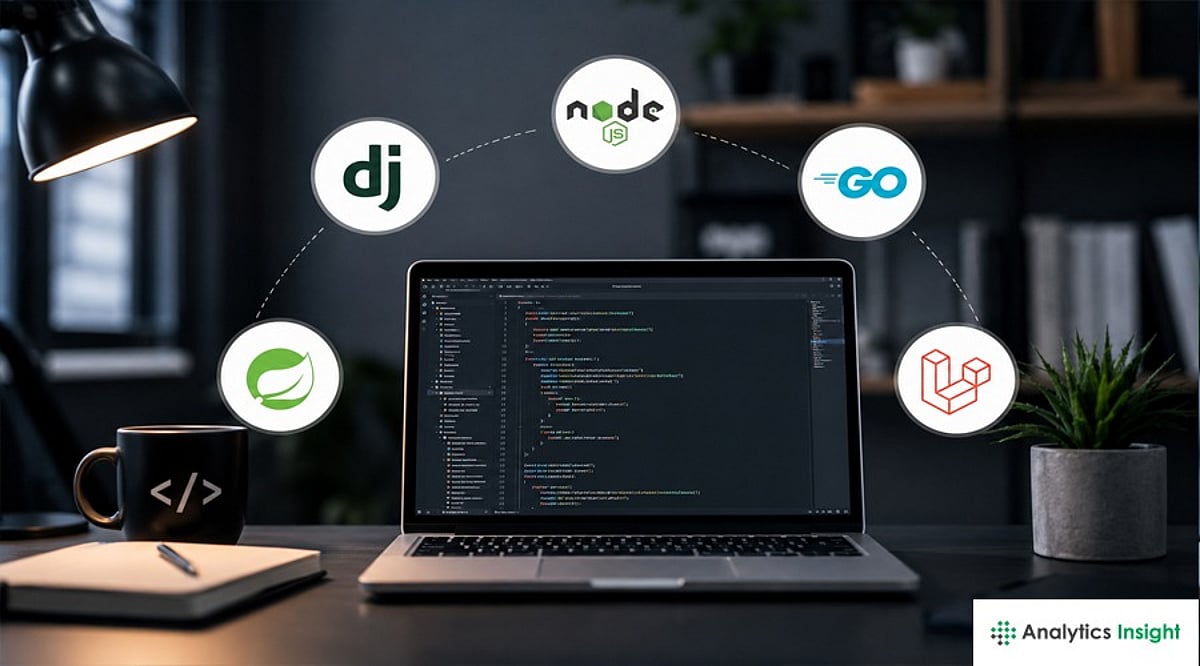
    Backend frameworks continue evolving alongside AI, cloud-native computing, and edge applications. Understanding the strengths of FastAPI, Django, NestJS, Express.js, Spring Boot, Laravel, Go, and ASP.NET Core helps developers choose the right technology for modern, scalable, and enterprise-ready backend systems.

    AI-driven workloads, edge computing, and container-native deployment have pulled backend development in different directions at once. With more than 50 actively maintained backend frameworks in circulation, here’s where developer attention is genuinely concentrated in 2026.

    FastAPI Has Become Python’s Fastest-Growing Framework

    FastAPI has overtaken Django in adoption among Python web developers, now used by an estimated 38-40% of them, driven largely by its performance and native fit for AI-integrated backends. Built on Starlette and Pydantic, FastAPI handles roughly 30,000-40,000 requests per second compared to Django’s 8,000-12,000, and its async-first, ASGI-based architecture processes concurrent I/O-bound requests far more efficiently. For teams building API-first products, inference services, or anything that touches machine learning, FastAPI has become the default starting point.

    Django and Laravel Remain the Fast-Delivery Standard

    Despite FastAPI’s momentum, Django hasn’t lost relevance: its batteries-included philosophy, built-in admin panel, ORM, and mature security defaults still make it the stronger choice for full-stack applications, content-heavy platforms, and anything needing an admin interface out of the box. Laravel occupies a similar role in the PHP ecosystem, prized for its Eloquent ORM and MVC structure that lets small teams ship production applications quickly without excessive boilerplate.

    Node.js Splits Between Minimalism and Structure

    Express.js is still the most popular Node.js framework, loved for building minimalistic backends. On the other hand, NestJS represents an approach based on Angular architecture with modules, decorators, and dependency injection. New players like Hono are gaining popularity for edge computing deployments, growing from approximately 1,000 weekly downloads in 2022 to 20 million in 2026.

    Enterprise and Compliance Still Favor Established Players

    For regulated industries such as banking, insurance, and healthcare, framework choice also serves as a compliance decision. Spring Boot and ASP.NET Core continue to dominate financial services due to mature security tooling and strong vendor support. NestJS is gaining ground here, particularly in open banking implementations where API-first design and faster developer velocity are becoming as important as enterprise pedigree.

    Go Is Becoming the Default for Cloud-Native Microservices

    With businesses investing more in containerized and distributed systems, frameworks built in Go—such as Gin and Echo—offer low memory consumption, high speed, and good concurrency support. These make them ideal choices for microservices, IoT backends, and fast-paced cloud systems. While Go does not directly compete with Django and NestJS in full-stack development, it excels when performance under heavy loads is critical.

    Choosing the right backend framework improves developer productivity, simplifies maintenance, enhances security, and ensures applications remain reliable as business requirements evolve.

  • Top 10 C# Projects to Build in 2026 for Every Developer Level

    Top 10 C# Projects to Build in 2026 for Every Developer Level

    Mastering C# goes beyond learning syntax—it requires hands-on experience building real applications. With the release of C# 14 and .NET 10 (the new LTS version), developers now have access to modern features like extension members, field-backed properties, and performance improvements that transform how apps are built. Below are ten practical C# projects organized by skill level to help you strengthen your fundamentals, architecture skills, API development, and real-world software engineering experience in 2026.

    Beginner Projects: Learning the Fundamentals

    Start with projects that build comfort with syntax, control flow, and object-oriented programming before tackling architectural concerns.

    • Task Manager Application – Read and write tasks to a text or JSON file. This teaches file I/O and data persistence.
    • Console Calculator – Support operator precedence and error handling. Builds parser skills early.
    • Quiz Application – Track scores across different questions. Reinforces classes, collections, and user input handling.

    Intermediate Projects: Applying Core .NET Concepts

    Once fundamentals feel comfortable, work with databases, APIs, and more complex application structure.

    • Personal Finance Tracker – Use Entity Framework Core and SQLite to manage CRUD operations and data persistence patterns.
    • Weather App – Consume a public REST API with async/await and JSON deserialization. Introduces asynchronous programming.
    • URL Shortener Service – Build with ASP.NET Core Minimal APIs, which now support source-generated OpenAPI documentation without extra attributes.

    Advanced Projects: Architecture and Real-World Complexity

    Focus on architectural design decisions rather than just functionality.

    • Multi-Tenant SaaS Application – Use ASP.NET Core, EF Core, and Blazor to enforce authentication, authorization, and separation of concerns.
    • Real-Time Chat App – Implement WebSocket communication with SignalR, handling connections and message broadcasting.
    • E-Commerce Backend with Microservices – Orchestrate services with .NET Aspire to learn inter-service communication and observability.

    Bonus Project: Native AOT Command-Line Tool

    Write a small command-line application using Native AOT, continuously optimized in .NET 10. This exposes you to limitations around reflection, code generation, and dependencies—an excellent learning experience outside typical server/desktop deployment.

    Getting the Most Out of These Projects

    The projects that teach the most are the ones you finish and revisit. Build the same weather app twice: once with basic async calls and once refactored with proper error handling and retry logic. Pick a project slightly outside your comfort zone and push it toward production quality—that’s the real difference between a tutorial exercise and a genuinely useful learning project.

    Why This Matters

    Practical projects help developers apply programming concepts beyond tutorials. Building real-world C# applications develops problem-solving abilities, software design skills, and hands-on experience with modern .NET technologies that employers value in software engineering and backend development roles.

  • Best Python Frameworks for Autonomous AI Agents in 2026: A Comprehensive Guide

    Best Python Frameworks for Autonomous AI Agents in 2026: A Comprehensive Guide

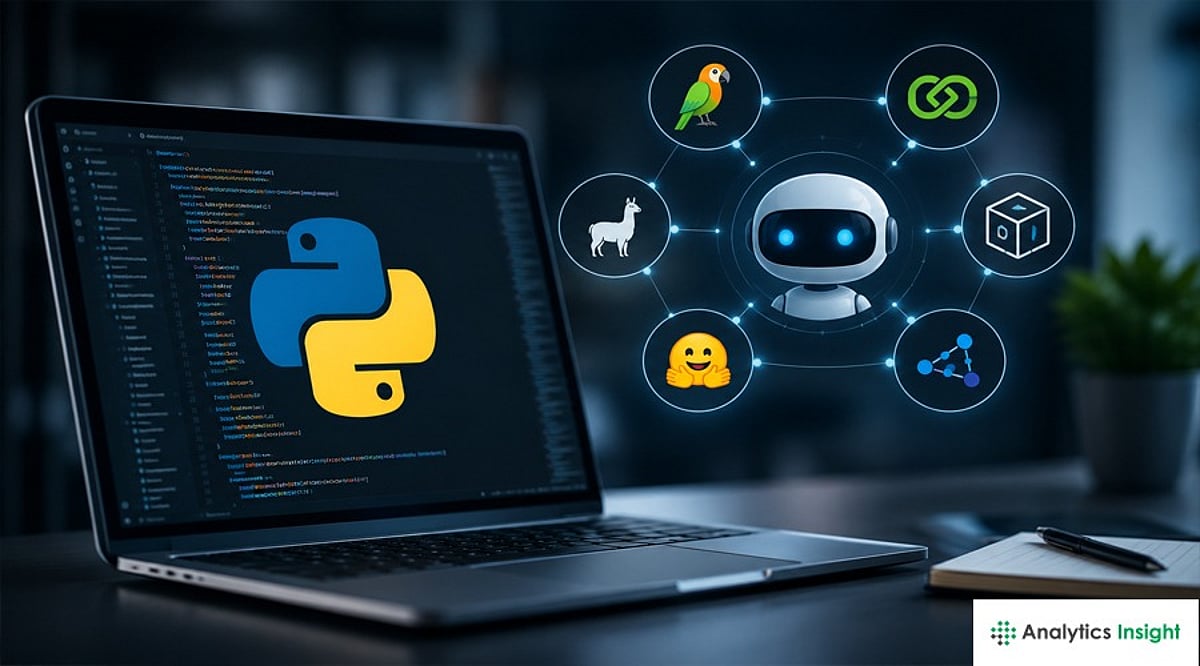
    The Python AI agent framework landscape has evolved rapidly in 2026, offering specialized tools for production orchestration, multi-agent collaboration, enterprise deployment, and retrieval-augmented generation (RAG) workflows. This guide compares the leading frameworks to help developers choose the right platform for scalable autonomous AI applications.

    LangGraph Leads on Production-Grade Control

    LangGraph, developed by LangChain, uses a directed graph model where each node represents an API call to an LLM, tool use, or logic, while edges handle interaction, conditional execution, and looping. It provides complete control over execution, making it popular for complex stateful applications like customer service chatbots with escalation paths. LangGraph gained general availability in October 2025 and saw further improvements in 2026, including per-node timeouts and durable streaming. The main drawback is the steep learning curve compared to more opinionated frameworks.

    CrewAI Remains the Fastest Path to Prototyping

    CrewAI models agents as a crew of specialists with unique purposes, goals, and background stories. Developers can get it operational in under 20 lines of Python code, making it the most straightforward framework. However, it trades off scalability due to less precise error handling and lower accuracy in inter-agent communication. Teams often start with CrewAI and migrate to LangGraph when they need complex state management. The project still attracts millions of monthly downloads and now supports Google’s A2A protocol.

    Microsoft’s Consolidation: AutoGen Gives Way to Agent Framework

    AutoGen, Microsoft Research’s multi-agent conversation platform, introduced agents having discussions to improve output. In April 2026, Microsoft unified AutoGen and Semantic Kernel into the Microsoft Agent Framework, integrating AutoGen’s conversational architecture with Semantic Kernel’s enterprise capabilities like session-based state and telemetry. AutoGen is now in maintenance mode, suitable for research and legacy code, while new Microsoft-stack projects should use Agent Framework.

    Vendor SDKs Are Squeezing Out Frameworks for Simple Agents

    For single agents calling one or two tools, the OpenAI Agents SDK or Anthropic’s Claude Agent SDK offer a faster path with built-in tool use, memory, and tracing, without the abstraction overhead of LangGraph or CrewAI. The Claude Agent SDK reportedly passed AutoGen in production deployment counts during early-to-mid 2026. The general guidance: use a full framework for multi-agent coordination or graph-shaped control flow; use a vendor SDK for a single well-tooled agent.

    Choosing the Right Framework for Your Project

    There is no universal winner. Teams building production systems with complex execution paths gravitate toward LangGraph, while those prototyping role-based workflows find CrewAI faster. Microsoft-stack teams consolidate around Agent Framework, GCP-native teams lean on Google ADK, and document-heavy RAG pipelines favor LlamaIndex Workflows. The safest approach is matching the framework to the specific coordination problem rather than defaulting to the most popular tool.

    As autonomous AI agents become central to enterprise software, selecting the right framework directly affects scalability, maintainability, and development speed. Understanding each framework’s strengths helps developers build more reliable AI applications while avoiding unnecessary complexity and costly migrations.