Tag: time management

  • Mastering Strategic Refusal: How Top Entrepreneurs Use ‘No’ to Drive Business Growth

    Mastering Strategic Refusal: How Top Entrepreneurs Use ‘No’ to Drive Business Growth

    Successful entrepreneurs know that every yes has a cost. A new project, a fresh deal, or a quick request can take time, money, and focus away from the main goal. Great leaders learn that a strong no can protect their vision and help their companies move in the right direction.

    A clear no does not show weakness. It shows control, confidence, and a deep sense of purpose. Many top entrepreneurs refuse ideas that do not match their plans. This choice helps them save resources for tasks that create real value.

    For example, a founder may reject a partnership that looks attractive at first but does not support the company’s long-term goals. This decision may seem hard, yet it keeps the team focused on work that matters most.

    No Protects Time and Focus

    For entrepreneurs time is probably the most precious resource that they have. Skilled business owners understand how important it is to make every hour count, thus they don’t let minor disruptions dominate their everyday work.

    Saying no helps entrepreneurs to maintain their schedule. They avoid pointless meetings and useless deals and tasks that will not bring them much benefit, thus being able to concentrate on important clients, products and decisions.

    Numerous efficient leaders have strict principles connected with time management. They choose only the activities that correspond to their priority tasks and get rid of unimportant activities, thus being able to reach their goals in a quicker way and have more control over their companies.

    No Helps Create Better Products

    Great products often come from strong choices. Entrepreneurs must decide what features, services, or ideas deserve attention. A company cannot support every suggestion that reaches its door.

    A smart no helps a business improve quality. When founders remove extra features or avoid rushed changes, they give their teams space to improve the main product. This focus helps companies deliver better results for their customers.

    For instance, a technology company may refuse to add many new features at once. Instead, the team may focus on making one core feature simple and reliable. This decision can create a stronger product that earns customer trust.

    No Builds Strong Leadership

    Strong leaders understand that approval from everyone is not the goal. A successful entrepreneur must make choices that support the company’s future, even when some people disagree.

    A firm no can show a team that the leader has clear standards. Employees often respect leaders who make thoughtful decisions and protect company values. Clear limits also help teams understand what deserves attention.

    Good leaders do not reject ideas without thought. They listen, study the facts, and make careful choices. A no with a clear reason can teach teams how to think with greater care.

    No Helps Avoid Bad Opportunities

    Every entrepreneur faces chances that look exciting. Some offers promise fast results but create problems later. Successful business owners learn to check every opportunity before they accept it.

    A careful no can prevent financial loss, wasted effort, and poor choices. Many companies fail to reach their goals when they chase too many directions at the same time. Focus creates a stronger path than constant change.

    Entrepreneurs who master the power of no understand that every opportunity does not deserve attention. They choose quality over quantity and protect the future of their brand.

    No Creates Space for Growth

    Growth does not come only from adding more tasks, products, or goals. Sometimes growth comes from removing what does not help the business. A strong no creates room for better ideas and smarter plans.

    Successful entrepreneurs review their actions and remove weak habits. They stop projects that no longer support their mission. They leave old methods behind when new solutions offer better results.

    This mindset allows companies to adapt without losing their main purpose. A focused business can respond to change with confidence and maintain steady progress.

    Why This Matters

    The power of no helps entrepreneurs make smarter choices and protect their business goals. Clear decisions allow leaders to focus on valuable opportunities, avoid unnecessary risks, and build stronger companies. Learning when to refuse can improve productivity, strengthen leadership, and create a better path toward long-term business success.

    The Power of Saying No With Respect

    A negative answer can be communicated politely. A person can turn down a proposition without being disrespectful towards the party making the suggestion. A tactful ‘no’ might do good to the future relations between business partners.

    Successful managers know how to say ‘no’ while being honest and caring. They articulate their reasons behind the refusal and show appreciation for the individual whom they are dealing with. Power of no allows entrepreneurs to make wise decisions. It saves time and helps them make better decisions, improve products and achieve long-term success.

    Frequently Asked Questions

    1. Why is saying no important for entrepreneurs? Saying no helps entrepreneurs focus on important goals and avoid distractions that can reduce business progress.
    2. Does saying no harm business relationships? A respectful no can protect relationships when entrepreneurs explain decisions with honesty and care.
    3. How does saying ‘no’ improve business growth? Saying ‘no’ helps companies save resources, maintain focus, and invest more time and effort in opportunities that deliver greater value.
    4. Should entrepreneurs reject every new opportunity? Entrepreneurs should review each opportunity carefully and accept only those that match their business vision.
    5. How can leaders say no effectively? Leaders can say no clearly, politely, and with a valid reason that shows thoughtful decision-making.
  • 7 AI Habits to Reduce Workplace Stress and Boost Daily Productivity

    7 AI Habits to Reduce Workplace Stress and Boost Daily Productivity

    Artificial intelligence can transform your workday from chaotic to calm. By integrating smart automation into your routine, you can reclaim hours of lost time and lower stress levels. Here are seven practical AI habits to adopt today.

    1. Plan Your Morning with AI

    Begin each day by letting an AI assistant organize your tasks, prioritize deadlines, and build a realistic schedule. Tools like motion or Clara can automatically adjust your calendar, ensuring you focus on the most important work first.

    2. Automate Repetitive Tasks

    Save hours each week by using AI for data entry, file organization, and email sorting. Platforms like Zapier or Microsoft Power Automate can handle these tedious chores, freeing you to concentrate on high-value projects.

    3. Summarize Long Documents Instantly

    AI-powered summarizers like Otter.ai or ChatGPT can condense lengthy reports, meeting notes, and research papers into clear, actionable summaries. This helps you grasp key information in minutes rather than hours.

    4. Write Professional Emails Faster

    Draft clear, polite emails with AI assistance. Tools like Grammarly or Google’s Smart Compose improve tone, grammar, and clarity, reducing the time you spend on routine correspondence.

    5. Take Smarter Meeting Notes

    Use AI note-taking apps such as Fireflies.ai or Otter to capture discussions, highlight action items, and generate organized summaries. This lets you stay fully engaged in meetings without scrambling to write everything down.

    6. Manage Your Calendar Efficiently

    Let AI scheduling assistants like Calendly or x.ai suggest optimal meeting times, avoid conflicts, and send reminders. This streamlines your daily planning and eliminates the stress of back-and-forth coordination.

    7. End Your Day with an AI Review

    Wrap up by using AI to review completed tasks, identify pending priorities, and prepare tomorrow’s schedule. A quick evening check-in with a tool like Todoist or Notion AI helps you wake up to a calm, organized plan.

    By weaving these habits into your daily routine, you can reduce anxiety, improve efficiency, and create a more balanced work life. Ready to try them? Start with one habit and build from there.

  • 10 Smart Google Drive Hacks to Organize Your Files Like a Pro

    10 Smart Google Drive Hacks to Organize Your Files Like a Pro

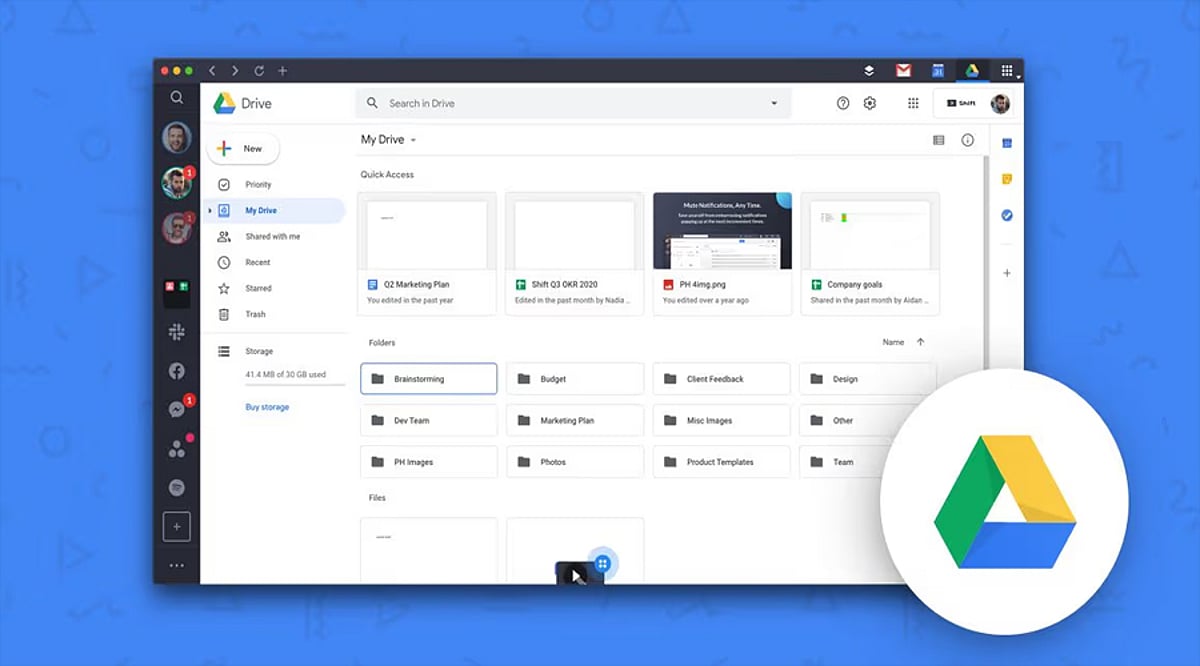
    Google Drive is a powerful cloud storage tool, but without a solid organization system, files can quickly become a mess. Here are proven hacks to keep your Drive tidy, boost productivity, and find any document in seconds.

    1. Create a Clear Folder Structure

    Start by building main folders for work, personal, school, or specific projects. Add subfolders only when necessary to avoid clutter. Use consistent, descriptive names so every file has a logical home. A simple hierarchy speeds up file retrieval and helps maintain order from day one.

    2. Use Color-Coded Folders

    Google Drive allows you to assign colors to folders for instant visual recognition. Give distinct colors to work, personal, finance, or shared folders. This makes important folders stand out and reduces time spent scanning long lists. A splash of color transforms navigation.

    3. Star Frequently Used Files

    Use the Star feature for files you access daily. Starred items appear in a dedicated section for one-click access. Perfect for ongoing projects, key reports, or essential spreadsheets. No more digging through folders—just star and go.

    4. Search Like a Pro

    Google Drive’s search is more powerful than most users realize. Filter by file type, owner, keywords, or last modified date. Combine multiple filters to zero in on any file, even in massive storage libraries. Smart searching beats manual browsing every time.

    5. Clean Up Shared Access

    Regularly review who has access to your shared files and folders. Remove people who no longer need permissions. Update access levels to keep sensitive data secure. This prevents accidental edits and ensures collaboration stays safe and organized.

    6. Delete Unused Files Regularly

    Set aside a few minutes each month to purge duplicates, outdated documents, and unnecessary files. Check for large files consuming storage. Empty the Trash after confirming deletion. Routine cleanup keeps Drive lean, fast, and easy to manage.

    By implementing these hacks, you’ll transform Google Drive from a chaotic storage dump into a streamlined productivity hub. Start today and enjoy a clutter-free digital workspace.

  • Top CEO Productivity Habits: Routines That Drive Peak Performance

    Top CEO Productivity Habits: Routines That Drive Peak Performance

    Highly successful CEOs don’t rely on longer work hours—they rely on smarter habits. Discover the productivity routines of leaders like Tim Cook, Jeff Bezos, Bill Gates, Satya Nadella, and Elon Musk, and learn practical strategies to improve focus, decision-making, energy, and long-term leadership performance.

    Start Before the Day Starts

    The most consistent trait across productive CEOs is protecting their mornings from emails and other people’s agendas. Apple’s Tim Cook is famously up at 3:45 AM, reading customer feedback before the workday begins. Jeff Bezos takes the opposite approach but achieves the same effect: he allows himself unstructured morning time for family, reading, and thinking before any scheduled demands, deliberately avoiding early meetings to preserve peak cognitive energy for high-stakes decisions later. Harvard Business Review research found that 72% of top executives structure their mornings around rituals matching their personal strengths. This distinction matters enormously at scale, where a CEO’s first two hours of clarity can be worth more than the rest of the day combined.

    Guard Time Like Capital

    Successful CEOs guard their time fiercely in a world of endless emails, Slack messages, and meetings. Bill Gates famously carves out “Think Weeks” twice a year—isolating himself completely to read, reflect, and think strategically without interruption. Mark Zuckerberg and Jack Dorsey both schedule no-meeting days specifically to protect deep work time. Elon Musk divides his day into five-minute time blocks rather than hour-based calendar slots, a scheduling approach that eliminates dead time between tasks. The underlying principle is consistent across all of them: time is non-renewable, meetings are expensive, and the ability to think deeply without interruption is increasingly rare and increasingly valuable.

    Make Smarter Decisions, Not More of Them

    Jeff Bezos follows a “two types of decisions” rule: irreversible, high-impact decisions deserve time and deliberation; reversible, low-risk ones should be made fast and moved past. Elon Musk applies first-principles thinking to strip decisions down to fundamental truths rather than convention. Steve Jobs famously reduced his wardrobe to a uniform to eliminate minor decision fatigue, preserving cognitive bandwidth for what mattered. The shared insight is that leaders who try to give every decision equal mental energy exhaust themselves on the small ones before reaching the important ones.

    Treat Physical Health as a Leadership Input

    Richard Branson once said exercise is the secret to doubling his productivity. Jeff Bezos has said improving his fitness directly supports complex decision-making and sustained focus. Satya Nadella commits to cardio four to five times a week as explicit preparation for the mental demands of leadership. The common thread isn’t athleticism; it’s the recognition that cognitive performance, decision stamina, and emotional regulation are all downstream of physical health. Leaders who treat the body as separate from professional performance tend to miss this compounding effect entirely.

    Never Stop Learning

    Warren Buffett spends 80% of his working day reading. Bill Gates reads roughly 50 books a year. Satya Nadella reads across technology, philosophy, and poetry, viewing cross-disciplinary thinking as a core input to Microsoft’s culture. The most productive CEOs treat learning not as something that happens in formal settings but as a daily habit, a consistent investment in the quality of their own thinking rather than a signal of idle time. Knowledge, like compound interest, builds most reliably when the deposits are small and consistent rather than large and occasional.

    Why This Matters

    Today’s business leaders face constant information overload, rapid technological change, and high-stakes decision-making. Strong productivity habits help executives protect their time, improve judgment, reduce burnout, and maintain consistent performance. Whether leading a global enterprise or a growing startup, adopting proven CEO routines can significantly enhance leadership effectiveness and long-term career success.

    Frequently Asked Questions

    What productivity habits do the world’s most successful CEOs have in common?

    Successful CEOs typically follow structured routines that prioritize deep work, strategic thinking, physical health, continuous learning, and disciplined time management. Rather than trying to maximize every minute, they focus on protecting their highest-energy hours, minimizing distractions, and making intentional decisions. These habits help improve productivity while reducing stress and decision fatigue over the long term.

    Why do many CEOs wake up early?

    Early mornings often provide uninterrupted time before meetings, emails, and daily responsibilities begin. CEOs like Tim Cook use this period for planning, reading, or reviewing priorities, while others prefer exercising or spending time with family. The real benefit isn’t simply waking up early but creating a consistent routine that supports focus and better decision-making throughout the day.

    How does time blocking improve executive productivity?

    Time blocking involves dividing the day into dedicated periods for specific activities instead of reacting to constant interruptions. Leaders like Elon Musk use structured schedules to minimize context switching and improve concentration. This method helps executives protect time for strategic work, reduce unnecessary meetings, and accomplish more without extending their working hours.

    How much do successful CEOs read every day?

    Many top executives dedicate significant time to reading books, reports, industry research, and business publications. Warren Buffett famously spends much of his day reading, while Bill Gates and Satya Nadella consistently invest time in learning across multiple disciplines. Regular reading expands knowledge, improves strategic thinking, and helps leaders stay informed about emerging technologies and market trends.

    What is decision fatigue, and how do CEOs reduce it?

    Decision fatigue occurs when the quality of decisions declines after making too many choices throughout the day. CEOs reduce it by automating routine decisions, simplifying daily habits, delegating lower-priority tasks, and reserving their mental energy for strategic business issues. This approach improves judgment while preventing unnecessary cognitive overload during busy workdays.

  • The 7 Productivity Apps That Actually Earned a Spot in My Daily Workflow

    The 7 Productivity Apps That Actually Earned a Spot in My Daily Workflow

    Productivity apps promise better organization, smarter planning, and improved focus. To separate marketing claims from real value, I tested the most popular apps over several months. I evaluated them based on ease of use, reliability, collaboration features, customization, and how well they fit into my daily workflow across work and personal tasks.

    Notion – My All-in-One Workspace

    Notion became the backbone of my productivity system. It combines notes, databases, task tracking, project management, and document creation in one place. Although it requires time to master, its flexibility makes it ideal for managing content calendars, meeting notes, research, and long-term projects without switching between multiple applications.

    Todoist and Google Calendar

    Todoist stood out for its clean interface and efficient task management. Quick task entry, recurring reminders, and priority labels kept my workload organized. Google Calendar complemented it perfectly by managing schedules, meetings, and deadlines. Together, they created a simple yet effective system for planning every day with minimal effort.

    Obsidian for Knowledge Management

    Obsidian proved invaluable for storing research and connecting ideas. Its linking feature creates a network of related notes, making information easier to retrieve. Since it works offline, I always had access to my knowledge base. It became my preferred tool for writing, brainstorming, and building long-term reference material.

    Slack and Forest

    Slack remained my preferred communication platform for team collaboration. Organized channels, direct messaging, and integrations reduced email overload and improved coordination. Forest complemented it by helping me stay focused. The app rewards uninterrupted work sessions by growing virtual trees, making it surprisingly effective at reducing phone distractions.

    OneNote and Lessons Learned

    Microsoft OneNote earned a place for freeform note-taking, handwritten ideas, and brainstorming sessions. During testing, I realized that feature-rich apps are not always the most productive. The best tools simplify workflows instead of adding complexity. Choosing fewer, purpose-driven apps resulted in a more efficient and sustainable productivity system.

    Final Verdict

    After trying nearly every popular productivity app, I kept only those that consistently improved my workflow. Notion, Todoist, Google Calendar, Obsidian, Slack, Forest, and OneNote each solved a specific problem effectively. Together, they formed a balanced productivity stack that helped me stay organized, focused, and productive every day.

  • 10 AI Productivity Hacks to Supercharge Your Office Workflow

    10 AI Productivity Hacks to Supercharge Your Office Workflow

    Artificial intelligence is transforming the modern workplace, offering practical tools that save time, reduce errors, and boost efficiency. Here are ten essential AI productivity hacks every office worker should know.

    Automate Repetitive Tasks

    Use AI to handle routine activities like data entry, scheduling, and document organization. This frees up valuable time for higher-priority work that requires human judgment and creativity.

    Write Emails Faster

    AI writing assistants can draft professional emails, improve grammar, adjust tone, and summarize lengthy conversations. These tools significantly reduce communication time while maintaining clarity and professionalism.

    Summarize Meetings Instantly

    AI meeting tools generate concise summaries, action items, and transcripts automatically. This ensures everyone stays informed without needing to review lengthy recordings, saving hours of follow-up time.

    Speed Up Research

    AI quickly gathers, organizes, and summarizes information from multiple sources. Employees can make informed decisions faster, with less manual effort spent on sifting through data.

    Create Professional Presentations

    AI generates presentation outlines, slide content, visuals, and speaker notes. This makes business presentations faster to prepare and easier to refine, allowing you to focus on delivering your message.

    Enhance Data Analysis

    AI identifies trends, creates reports, and visualizes complex datasets. It enables faster insights and better decision-making across departments, turning raw data into actionable intelligence.

    Improve Team Collaboration

    AI organizes shared documents, tracks project updates, and suggests task priorities. These capabilities help teams collaborate more effectively and stay aligned on goals and deadlines.

    Manage Time Efficiently

    AI-powered scheduling tools optimize calendars, prioritize tasks, and send reminders. This reduces missed deadlines and improves daily productivity by keeping your workflow on track.

    Support Continuous Learning

    AI recommends personalized learning resources, answers work-related questions, and provides real-time guidance. It helps employees develop new skills consistently, adapting to their unique needs.

    By integrating these AI hacks into your daily routine, you can work smarter, not harder—unlocking greater productivity and focus in the office.

  • Maximize Your Daily Productivity with These 9 Free AI Apps

    Maximize Your Daily Productivity with These 9 Free AI Apps

    Artificial intelligence is no longer a futuristic luxury—it’s a practical tool that can save you hours every day. From writing emails to editing videos, free AI apps are transforming how we work, learn, and create. Here are nine powerful, no-cost AI applications that can streamline your routine and boost efficiency.

    ChatGPT

    A versatile AI assistant that writes emails, generates content, answers questions, summarizes documents, and helps with coding, brainstorming, and everyday productivity.

    Google Gemini

    Google’s AI assistant streamlines research, drafts emails, summarizes information, analyzes images, and integrates seamlessly with Google Workspace for faster workflows.

    Microsoft Copilot

    Boosts workplace efficiency by generating documents, summarizing webpages, answering queries, creating presentations, and integrating AI across Microsoft Office applications.

    Perplexity AI

    Delivers accurate, source-backed answers for research, fact-checking, and learning, helping users find reliable information without browsing multiple websites manually.

    Canva

    Uses AI to create presentations, social media posts, graphics, and marketing materials quickly, eliminating hours of manual design work for creators.

    Grammarly

    Improves writing by correcting grammar, refining tone, enhancing clarity, and suggesting better phrasing, making professional communication faster and more effective.

    Notion AI

    Organizes notes, summarizes meetings, generates content, and manages projects efficiently, allowing teams and individuals to stay productive with minimal effort.

    Otter.ai

    Automatically records, transcribes, and summarizes meetings and lectures, ensuring important discussions are captured without manual note-taking or missed details.

    CapCut

    Speeds up video creation with AI-powered captions, background removal, voice enhancement, and editing tools, making content production faster for creators.

  • 10 Essential Skills Freelancers Must Master by 2026

    10 Essential Skills Freelancers Must Master by 2026

    The freelance landscape is evolving rapidly, and staying competitive requires more than just technical expertise. As we approach 2026, freelancers need to cultivate a diverse skill set that blends technology, communication, business acumen, and adaptability. Here are the essential skills every freelancer should focus on to thrive in the coming years.

    AI Literacy

    Learning to use AI tools for research, content creation, automation, and productivity is crucial. However, the key is to deliver original, high-quality work that clients trust consistently, leveraging AI as a powerful assistant rather than a crutch.

    Communication Skills

    Clear writing, active listening, and timely responses build stronger client relationships, reduce misunderstandings, and improve project success and retention rates. Effective communication is the foundation of every successful freelance partnership.

    Personal Branding

    A professional portfolio, consistent online presence, and niche expertise help freelancers attract premium clients without relying solely on job platforms. Your brand is your most valuable asset in a crowded marketplace.

    Time Management

    Prioritizing tasks, meeting deadlines, and balancing multiple projects ensure consistent productivity while maintaining quality and reducing unnecessary stress. Master your schedule to master your freelance career.

    Sales and Negotiation

    Confidently pitching services, discussing project scope, and negotiating fair pricing increase earnings while creating mutually beneficial client relationships over time. These skills directly impact your bottom line.

    Financial Management

    Tracking income, budgeting expenses, managing taxes, and maintaining emergency savings create financial stability despite irregular freelance payment schedules and workloads. Financial literacy is non-negotiable for long-term success.

    Digital Marketing

    Understanding SEO, social media, email marketing, and content promotion helps freelancers generate leads and grow independent client acquisition channels effectively. Marketing yourself is as important as delivering great work.

    Adaptability

    Quickly learning new technologies, industry trends, and client requirements keeps freelancers competitive in rapidly changing markets driven by AI and innovation. Flexibility is a superpower in the freelance world.

    Problem-Solving

    Identifying challenges, proposing practical solutions, and handling unexpected situations professionally increases client confidence and encourages repeat business and referrals. Problem-solvers are always in demand.

    By investing in these skills, freelancers can future-proof their careers, command higher rates, and build lasting client relationships. The future belongs to those who continuously learn and adapt.

  • Digital vs. Printable Calendars: Choosing the Right Tool for Better Organization

    Digital vs. Printable Calendars: Choosing the Right Tool for Better Organization

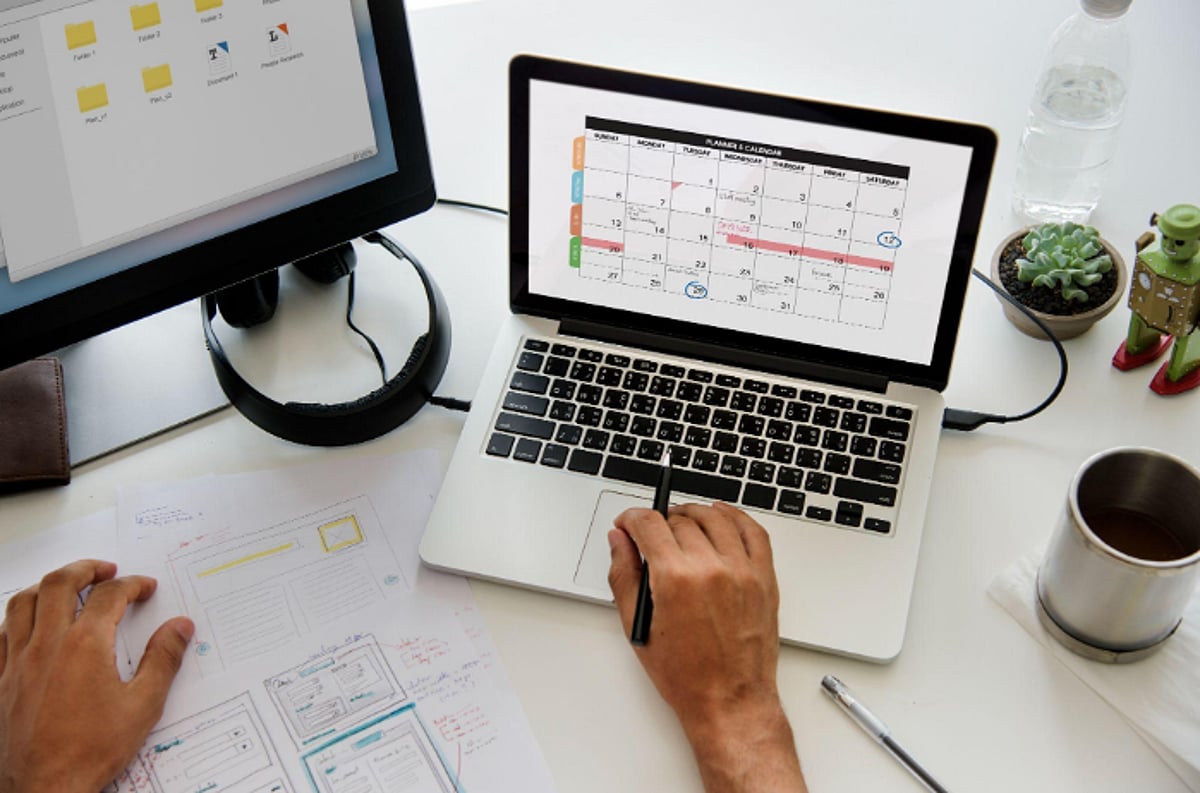
    In an age of constant notifications, apps, and to-do lists, staying organized should be easier than ever. Yet many people still struggle to manage important dates, tasks, and goals. This has sparked an ongoing debate between digital and physical calendars. A traditional calendar offers flexibility for last-minute entries and modifications, while a digital calendar provides instant updates but can introduce distractions when used on devices for other tasks.

    Recording appointments is just one part of a complete organizational strategy. The goal is to build a system that helps you focus, manage time effectively, and meet commitments. Since no single method works for everyone, understanding the pros and cons of each approach will help you find the best fit.

    Where Digital Calendars Excel

    Digital calendars are ideal for managing a disorganized routine. They fit naturally into your lifestyle because your phone is with you most of the day. Adding events, rescheduling, or setting reminders is fast and low-effort.

    Key advantages include:

    • Real-time syncing across all devices without manual effort
    • Shared access so teams, family, or colleagues always know what’s happening
    • Automated reminders that go off exactly when needed
    • Easy rescheduling without erasing or reprinting
    • Integration with email, task apps, and other tools you already use

    If your schedule changes frequently and flexibility is your priority, a digital setup is built for that. It handles fast-moving situations well.

    Where Printable Calendars Win

    Printable calendars have a quiet power that digital tools often can’t replicate. Research shows that handwriting engages deeper cognitive processing than typing. When you write something by hand, you process it more deeply, helping you remember and commit to your plans.

    The comparison must also consider screen fatigue. Many people spend eight or more hours a day staring at screens for work. Adding personal planning to the same screen blurs the line between work and personal time. A printed calendar on your wall creates a physical boundary that helps your brain switch off from digital noise.

    Platforms like CalendarKart continue to appeal to those who want simple, clean planning tools that feel practical rather than overwhelming. A 2025 review published in Life and indexed on NIH PubMed Central found that handwriting activates the motor cortex and visuospatial brain regions simultaneously, engaging significantly more neural circuits than typing, which primarily activates linguistic processing. This deeper cognitive engagement is why writing plans into a printable calendar helps you commit to them rather than just logging them somewhere you’ll scroll past tomorrow.

    The Biggest Advantage of Printable Calendars

    What people love about printable calendars is the ability to see them. Placed on a wall, desk, or near your workstation, they provide an instant overview of your month. Many feel less stressed when they can physically visualize their plans. Templates like the July 2026 calendar printable pages remain in demand because they streamline hectic schedules without adding extra screen time. Sometimes having everything visible in one place makes life feel easier to manage.

    Using a Combination of Both

    Many genuinely organized people use a hybrid system. Digital handles real-time, fast-moving tasks, while printed calendars handle big-picture visual planning. This setup works well for many lifestyles. You’re not choosing between two formats; you’re letting each do what it does best, and your planning system becomes stronger as a result.

    For anyone considering the bigger picture, a calendar for the year 2026 United States provides a full annual overview with federal holidays already included, making long-range planning smoother.

    The Real Difference Comes Down to You

    Organization looks different for everyone. Some prefer apps and notifications for productivity; others prefer printable planners and layouts because they feel calm. Digital calendars excel at automation and reminders. Printable calendars provide better visualization and focus. One keeps you moving; the other helps you slow down and see your priorities.

    There is no one-size-fits-all winner in the digital versus printable calendar debate. The better choice is the one you can easily incorporate into your daily routine and that feels natural.

    So Which One Actually Keeps You More Organized?

    The best calendar is the one you will continue to use long after motivation fades. If you stop using it after two weeks, even the most advanced digital system means nothing. If a digital calendar keeps you organized, it’s a solid option. If printable calendars work better and help you feel less overwhelmed, they are probably the better choice.

    To explore more calendar templates, visit Calendarkart and choose the one that aligns with your goals.