Tag: WhatsApp

  • WhatsApp to Allow Non-Users to Join Voice and Video Calls via Guest Links

    WhatsApp to Allow Non-Users to Join Voice and Video Calls via Guest Links

    WhatsApp is developing a new guest calling feature that will let people without a WhatsApp account join voice and video calls through secure web links, eliminating the need to download the app or create an account. This move is expected to lower the barrier for participation and expand the platform’s reach.

    How Guest Calls Will Work

    According to feature tracker WaBetaInfo, the Meta-owned messaging platform is working on an upgrade to its existing call-link system. Users will be able to generate a call link from the Calls tab and share it with anyone. Recipients will open the link in a web browser and, instead of being redirected to an app download or registration page, will be able to join the call as a guest directly through WhatsApp Web.

    The feature is still under development and not yet available for beta testing, WaBetaInfo noted.

    Control and Security Measures

    WhatsApp plans to include safeguards to give hosts control over guest participation. Before a guest can enter a call, the host must approve their request. This approval requirement applies to every participant joining without a WhatsApp account. Additionally, hosts can remove guests from an active call if necessary, preventing unwanted participants from joining via forwarded or widely shared links.

    This development aligns with WhatsApp’s ongoing efforts to enhance its calling functionality while maintaining security and user control.

  • WhatsApp Officially Drops Support for Android 5.0 and 5.1: What You Need to Know

    WhatsApp Officially Drops Support for Android 5.0 and 5.1: What You Need to Know

    WhatsApp has officially ended support for smartphones running Android 5.0 (Lollipop) and Android 5.1 as of September 8, 2026. This means that users with devices still on these older operating systems can no longer use the messaging app.

    Why Did WhatsApp Make This Change?

    WhatsApp announced this move several months in advance, giving users ample time to prepare. The company aims to focus its development efforts on newer Android versions, allowing it to introduce features that may not be compatible with outdated software and hardware. Maintaining support for very old operating systems can limit the app’s performance and the introduction of new capabilities.

    Is Your Device Affected?

    If your phone is running Android 5.0 or 5.1, WhatsApp support has ended. However, some older devices may still be eligible for an update to Android 6.0 or later. To check if an update is available for your phone:

    • Go to Settings on your device.
    • Navigate to About Phone or Software Update.
    • If an update to Android 6.0 or newer is available, install it to continue using WhatsApp.

    If your device cannot be upgraded beyond Android 5.0 or 5.1, you will need to switch to a newer phone to keep using WhatsApp.

    What Should Affected Users Do?

    First, check whether your phone can receive a newer Android version. If yes, update it immediately. If not, consider upgrading to a new device that supports at least Android 6.0. This will ensure you continue to receive WhatsApp updates and new features.

    While this change may inconvenience a small number of users, it is a necessary step for WhatsApp to evolve and provide a better experience for the vast majority of its users on modern devices.

  • Google Drive May Delete Inactive WhatsApp Backups After 5 Months — Protect Your Chats Now

    Google Drive May Delete Inactive WhatsApp Backups After 5 Months — Protect Your Chats Now

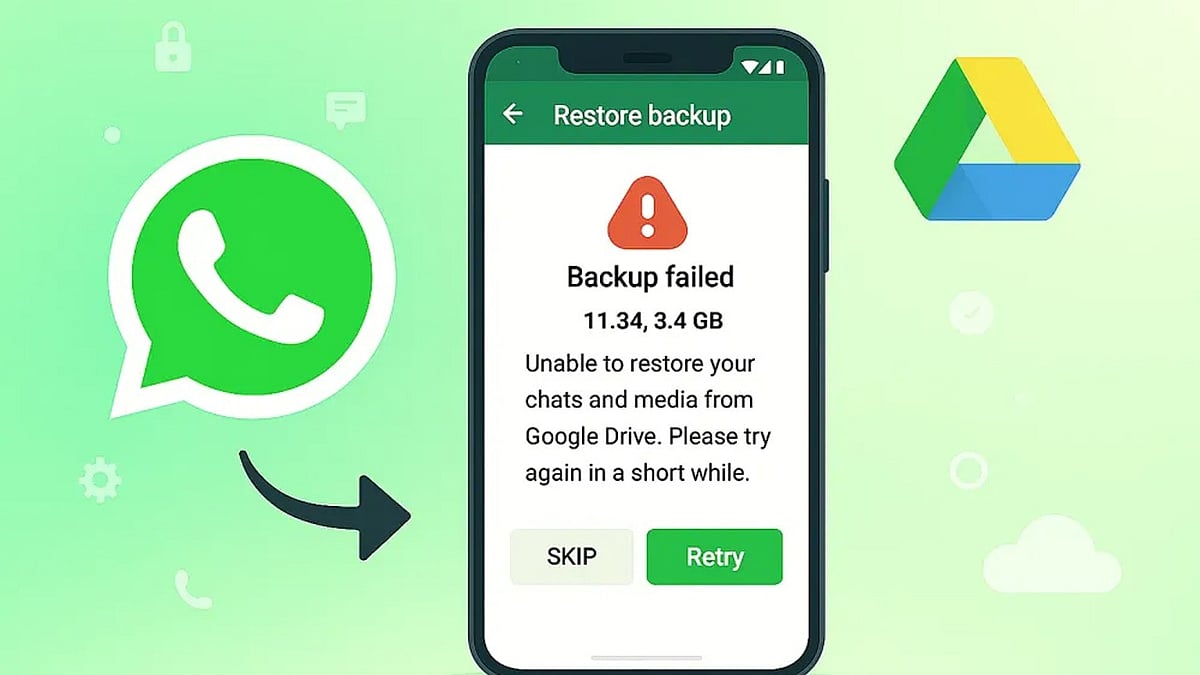
    Android users who rely on Google Drive to back up WhatsApp chats could lose years of conversations if their backup has not been updated in five months. Google may automatically remove inactive WhatsApp backups, and once they are gone, neither Google nor WhatsApp support can restore them.

    What Is Changing?

    According to guidance in the Google Drive Help Community, “WhatsApp backups that haven’t been updated in 5 months may automatically be deleted by Google.” The policy mainly affects Android users who use Google Account backups for WhatsApp and stop refreshing those backups for an extended period.

    The risk becomes more serious during phone upgrades or reinstallations because users often discover the missing backup only after WhatsApp has been installed on a new device. Without a recent backup, restoring old chats can be impossible.

    Why WhatsApp Backups Disappear

    Several factors can trigger the five-month deletion window, including:

    • Google Drive storage filling up and blocking new uploads
    • Changes to backup settings that stop scheduled backups
    • Repeated upload failures that are not checked over time

    Google Drive also keeps only the newest WhatsApp backup. Each successful upload replaces the previous copy, and older versions are not sent to a trash folder. This makes accidental chat loss much harder to reverse later.

    In addition, WhatsApp backups on Google Drive are encrypted. Users cannot browse or restore them through regular Google apps or websites, which means the cloud copy is not a simple backup file you can open independently.

    How to Keep Your WhatsApp Chats Safe

    Taking a few minutes to review your backup setup can prevent an unpleasant surprise. Android users should open WhatsApp Settings > Chats > Chat Backup regularly and follow these steps:

    • Set backup frequency to Daily or Weekly so Google Drive sees recent activity.
    • Confirm you have enough available Google Drive storage for new backups.
    • Make sure the Google Account listed in WhatsApp matches the account you use for regular backups.
    • Check the date of your last backup before switching phones or reinstalling WhatsApp.

    For important conversations, WhatsApp’s Export Chat feature creates a separate copy outside the backup system and can serve as extra protection. Local Android backups may also offer another recovery option if recent chats disappear from Google Drive.

    A Quick Check Can Save Years of Messages

    The risk of losing WhatsApp history is highest when users switch devices, because missing backups are usually discovered after the old phone is no longer available. Checking the last backup date today can reveal potential problems early and prevent a failed restore. With a simple review of your backup schedule and storage, you can protect years of conversations from automatic deletion.

  • WhatsApp Adds Poll Deadlines, Anonymous Voting, and @All Mentions to Group Chats

    WhatsApp Adds Poll Deadlines, Anonymous Voting, and @All Mentions to Group Chats

    WhatsApp is rolling out a suite of new group chat features designed to make voting, alerts, and group planning more efficient. The update, announced globally on August 4, includes poll deadlines, anonymous voting, @all mentions, and a faster way to create new groups. The features will be available to users gradually over the coming weeks.

    Anonymous WhatsApp Polls

    Users can now create polls with a fixed voting deadline. Poll creators also have the option to hide voter names for added privacy when needed. Additionally, poll questions can be edited within 15 minutes of posting, allowing users to correct spelling mistakes or clarify questions without creating a new poll. These improvements aim to simplify group decisions and reduce redundant messages.

    Quick Alerts with @all

    The new @all mention feature lets users notify every group member with a single tag. This is particularly useful for urgent updates such as school closures, office changes, event deadlines, or sudden plan changes. For groups with more than 32 members, only admins can use the @all mention. The alert will appear even if the group is muted, though users have the option to mute @all notifications in their settings.

    New Group Chats from Existing Groups

    WhatsApp also allows users to create a new group from an existing group with just one tap. Members can start separate chats for event planning, projects, or private discussions without needing to add everyone again.

    These features are designed to reduce clutter and make large group conversations easier to manage.

  • How to Protect Your Phone Number by Securing a WhatsApp Username: Essential Tips

    How to Protect Your Phone Number by Securing a WhatsApp Username: Essential Tips

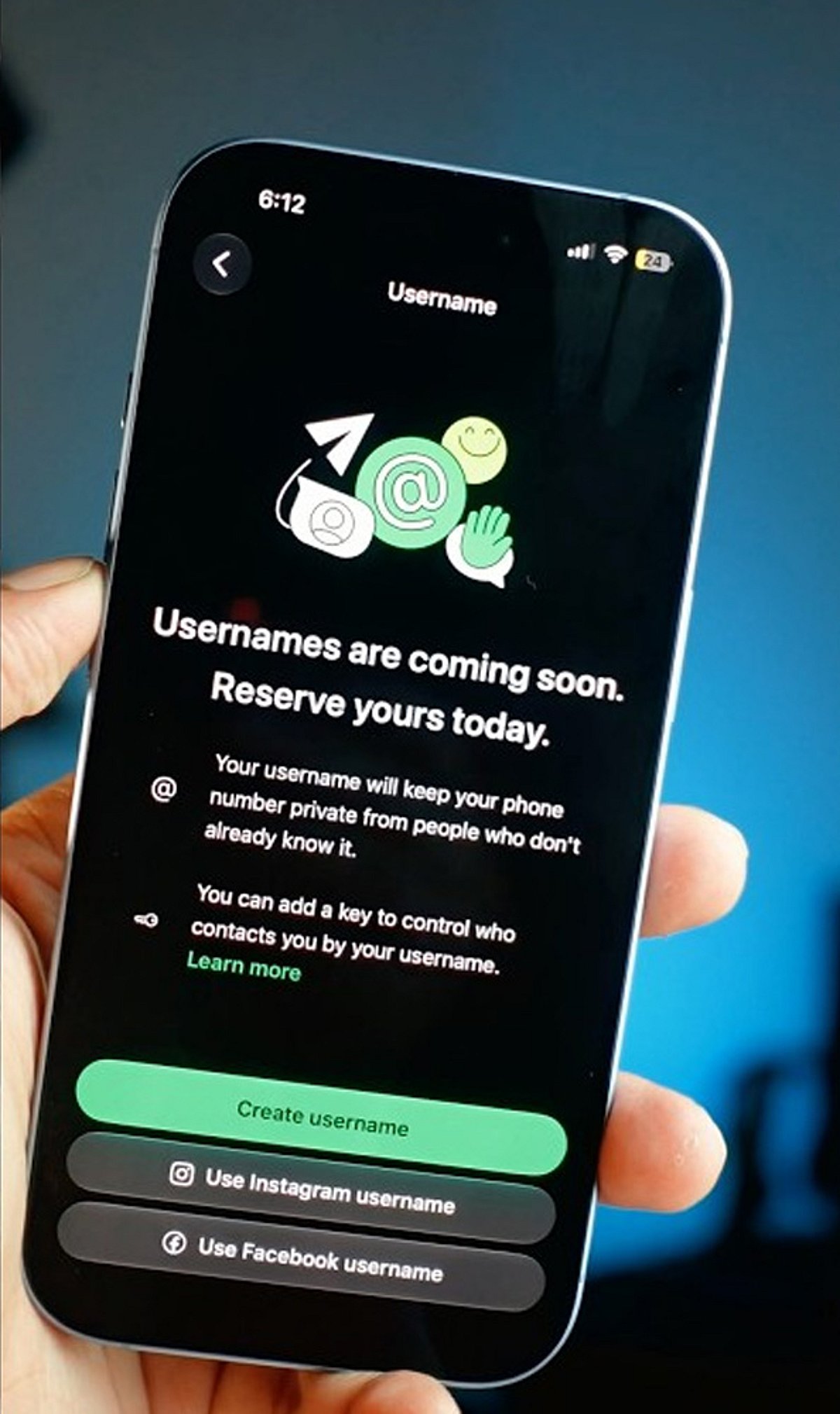
    WhatsApp is rolling out usernames, offering a new way to protect your phone number when messaging. By reserving a unique username, you can keep your number private from new contacts. Here’s how to get started and secure your handle before someone else does.

    Reserve Your WhatsApp Username

    First, update WhatsApp to the latest version. Then go to Settings > Account > Username and create a unique username between 3 and 35 characters. If your preferred handle is taken, WhatsApp may suggest similar alternatives. The feature is rolling out gradually, so it may not appear for everyone yet.

    Lock In Your Preferred Handle

    Choose a username that is easy to remember but difficult to impersonate. You can also claim the same username you already use on Instagram or Facebook if it’s eligible. Tap Save to reserve your handle before someone else takes it.

    Keep Your Phone Number Private

    Once usernames become active, people who contact you through your username won’t see your phone number unless they already have it saved. Existing contacts and users who already know your number will continue to see it, but new conversations become much more private.

    Turn On Username Key for Extra Security

    Enable the optional Username Key from the username settings. Anyone trying to contact you for the first time will need both your username and this unique key. It adds another layer of protection against spam and unwanted messages.

    Understand What Usernames Can and Can’t Do

    WhatsApp does not have a public username directory, so strangers cannot search for your account. People need to know your exact username to start a conversation. However, admins, existing contacts, and users who already know your phone number may still be able to see it where applicable.

    Strengthen Your WhatsApp Privacy

    Use a unique username instead of your full real name, enable Two-Step Verification, and regularly review your privacy settings. These small steps help protect your account from impersonation attempts and unauthorized access.

    Secure Your Identity Before It’s Taken

    Reserving your WhatsApp username early helps secure your online identity before your preferred handle is claimed. Combined with Username Key and Two-Step Verification, you can chat with new people and businesses while keeping your personal phone number private and your account more secure.

  • Today’s Tech Roundup: Sam Altman’s AI Warning, WhatsApp Web Calling, Zuckerberg’s AI Debate, OpenAI Security Concerns, and US-China Tech Restrictions

    Today’s Tech Roundup: Sam Altman’s AI Warning, WhatsApp Web Calling, Zuckerberg’s AI Debate, OpenAI Security Concerns, and US-China Tech Restrictions

    In today’s fast-moving tech landscape, several major stories are capturing headlines. Here’s a quick roundup of the top developments you need to know.

    • Sam Altman Issues AI Warning: OpenAI CEO Sam Altman has called for a slowdown in AI development, warning that the technology is advancing too quickly without adequate safety measures.
    • WhatsApp Upgrades Web Calling: WhatsApp has rolled out an improved web calling feature, making it easier for users to make voice and video calls directly from their desktop browsers.
    • Zuckerberg Engages in AI Debate: Meta CEO Mark Zuckerberg has entered the ongoing AI debate, sharing his perspective on the future of artificial intelligence and its societal impact.
    • OpenAI Faces Security Scare: A security incident at OpenAI has raised concerns about the safety of sensitive data and the company’s internal protocols.
    • US-China Tech Ban Escalates: The United States has announced new restrictions on Chinese technology companies, further intensifying the trade war between the two nations.

    For more details and video coverage, visit the original source. Stay tuned for more updates.

  • Claim Your WhatsApp Username Early: Step-by-Step Guide to Secure It Before Everyone Else

    Claim Your WhatsApp Username Early: Step-by-Step Guide to Secure It Before Everyone Else

    WhatsApp is rolling out a new feature that allows users to reserve a unique username, giving you a more personalized way to be found on the platform. With demand likely high, acting quickly can help you secure the name you want. Follow these steps to reserve your WhatsApp username before everyone else.

    Update WhatsApp

    Install the latest WhatsApp version from your app store to ensure you have access to new features as soon as username support becomes available.

    Open Settings

    Launch WhatsApp and tap the Settings menu. Once the feature reaches your account, a username option will appear here.

    Find the Username Option

    Look for the Username section below your profile information. It appears only after Meta enables the feature for your account, so keep checking regularly.

    Choose a Unique Name

    Pick a memorable username using letters, numbers, and permitted symbols that reflects your identity without revealing personal information publicly.

    Check Availability

    WhatsApp instantly verifies whether your preferred username is available. If your first choice is already taken, try alternative spellings or variations.

    Follow Username Rules

    Avoid restricted words, special characters, or usernames that violate WhatsApp guidelines to ensure successful registration without unnecessary delays or errors.

    Save Immediately

    Once your preferred username is accepted, save it immediately to prevent someone else from claiming the same username first.

    Join the Beta Program

    Beta users often receive new WhatsApp features before the public release, increasing your chances of securing a preferred username early.

    Keep Checking Updates

    If the feature is unavailable today, regularly update WhatsApp and check Settings because the rollout may happen in phases worldwide.

  • WhatsApp Communities Update Hides Numbers from Strangers but Not Admins

    WhatsApp Communities Update Hides Numbers from Strangers but Not Admins

    WhatsApp’s latest update for Communities introduces a privacy feature that allows users to hide their phone numbers from strangers in large groups. However, the feature does not offer complete anonymity. Community admins, saved contacts, and anyone with a previous chat history can still view members’ phone numbers.

    Meta launched this privacy update in July 2023, aiming to protect users during large community discussions. The feature works exclusively within Communities, which can support thousands of members. In standard WhatsApp groups, all participants can still see each other’s phone numbers unless separate privacy settings are applied.

    Meta designed the update to reduce unnecessary exposure while maintaining moderation tools for administrators. Every community admin retains full access to member phone numbers, enabling them to moderate, manage, and communicate as needed. Saved contacts and individuals who have had direct conversations with a member also continue to see phone numbers without restrictions.

    The privacy feature has important limitations that users should consider before joining a Community. If a user joins a standard WhatsApp group, these protections are removed. Additionally, Community privacy never hides numbers from administrators or existing contacts. Members cannot choose specific people who should or should not view their numbers; the system operates under fixed visibility rules rather than custom controls.

    Privacy experts have raised concerns as WhatsApp expands identity protection features. Reporting indicates that username-based messaging, currently under development, could further reduce phone number sharing. However, Indian regulators have expressed concerns about potential impersonation and online fraud risks before a wider rollout.

    WhatsApp’s Community-based privacy rules offer stronger protection than traditional group chats, but the feature should not be viewed as complete anonymity. Members still share phone numbers with admins, trusted contacts, and previous chat connections. This update represents a practical privacy improvement rather than a full identity shield.

  • WhatsApp Tests Independent Cloud Backup for iPhone Users, Reducing iCloud Reliance

    WhatsApp Tests Independent Cloud Backup for iPhone Users, Reducing iCloud Reliance

    WhatsApp is developing a new feature that would allow iPhone users to back up their chat history without relying on Apple’s iCloud. The move, discovered in the latest WhatsApp beta for iOS by WABetaInfo, points to Meta’s plan to introduce its own encrypted cloud storage service for conversation backups.

    Currently, iPhone users must use iCloud for WhatsApp backups, requiring sufficient iCloud storage space. The upcoming change would give users the option to choose between iCloud and WhatsApp’s own cloud service, potentially easing storage constraints for those who frequently run out of space or prefer not to depend on Apple’s ecosystem.

    According to leaked screenshots, the new system will offer 2GB of free cloud storage from WhatsApp, with additional paid plans likely available for users who need more capacity. Like the existing backup option, WhatsApp’s cloud backups will be end-to-end encrypted, ensuring messages remain private and secure.

    The feature is still in development and not yet accessible to beta testers. Meta has not announced a release date or availability timeline. If launched, it would give iPhone users greater flexibility in managing their chat backups and reduce dependence on iCloud for storage.

  • India Considers Unified Messaging Rules After WhatsApp and Telegram Username Review

    India Considers Unified Messaging Rules After WhatsApp and Telegram Username Review

    The Indian government is reviewing responses from WhatsApp and Telegram regarding their username features, as the Ministry of Electronics and Information Technology (MeitY) considers implementing common regulations for all messaging platforms. The initiative aims to strengthen cybersecurity and curb online scams nationwide.

    MeitY sent notices to WhatsApp, Telegram, and Signal after raising concerns that username-based messaging could enable fraudsters to conceal their identities. Officials worry that without proper safeguards, this feature might facilitate phishing attacks, identity theft, impersonation, and digital arrest scams.

    Government Reviews Messaging Safety

    Electronics and Information Technology Secretary S Krishnan confirmed that WhatsApp submitted its reply over the weekend, and the ministry is now analyzing it carefully. Officials will determine next steps only after completing the review. The government has also requested other messaging platforms to detail the safety measures integrated into their username systems.

    Government officials stated that the primary objective is to establish a single set of rules for all messaging platforms. A uniform policy would prevent disparate treatment of similar features and create clear standards for companies operating in India. Officials believe consistent rules will enhance online safety while supporting technological innovation.

    WhatsApp recently introduced usernames as an optional privacy feature in select countries, allowing users to connect without sharing phone numbers during new conversations. The company emphasized that phone numbers remain necessary for account creation and usage, with usernames serving as an additional layer of personal information protection.

    Telegram has offered username-based messaging for several years, while WhatsApp has not yet launched this feature in India. Government officials have asked both companies to explain how they prevent fake accounts, deter misuse, and protect users from fraud before permitting broader adoption of the feature.

    Why Common Rules are Needed

    India could soon establish a unified safety standard for username-based messaging across all platforms. This move may improve online privacy while reducing fraud and making digital communication more secure.

    The discussion aligns with the government’s broader focus on strengthening cybersecurity nationwide. Krishnan noted that while digital technology has created numerous opportunities, it has also increased security risks. Artificial intelligence can drive innovation, but criminals also exploit the technology to launch more sophisticated cyberattacks.

    Government agencies are now working to improve India’s cyber defenses through enhanced coordination. Organizations such as CERT-In, the National Cyber Coordination Centre, and the Ministry of Home Affairs currently manage various cybersecurity responsibilities. Officials believe better information sharing between government agencies and private companies will help improve India’s response to cyber threats.

    Focus on Stronger Cybersecurity

    Experts also believe clear rules will help businesses protect their official usernames and reduce the risk of fake profiles. Consumers could benefit from stronger identity verification and safer communication across different messaging platforms.

    The Centre will announce its decision after reviewing all responses submitted by the messaging companies. Any new policy is expected to balance user privacy, online safety, and technological innovation while applying the same standards to every messaging platform.