Category: Digital Communication

  • TRAI Investigates Airtel and Jio Complaints Over Vodafone Idea’s Porting Incentives

    TRAI Investigates Airtel and Jio Complaints Over Vodafone Idea’s Porting Incentives

    The Telecom Regulatory Authority of India (TRAI) has announced it will review formal complaints filed by Bharti Airtel and Reliance Jio against Vodafone Idea. The complaints allege that Vodafone Idea offered special tariff benefits to customers who port their mobile numbers from rival networks, a practice the complainants argue violates regulatory guidelines.

    TRAI Chairman AK Lahoti confirmed on September 14 that the regulator received representations from the telecom operators and will examine the matter before deciding on further action. The regulator has not yet made any finding of wrongdoing against Vodafone Idea.

    What Airtel and Jio Have Alleged

    The core of the dispute centers on tariff benefits that were allegedly promoted exclusively for customers moving their numbers from Airtel or Jio to Vodafone Idea. Airtel and Jio contend that such offers incentivize switching and are not permitted under current rules. One complaint, sent to TRAI on September 2, explicitly asked the regulator to direct Vodafone Idea to cease promotional communications tied to these offers and to submit a compliance report confirming that all related advertisements, campaigns, and sales practices have been withdrawn.

    The issue revolves around Mobile Number Portability (MNP), which allows users to change operators while keeping their existing numbers, making it easier for operators to target customers already on a rival network. TRAI has previously taken a stance against tariff benefits offered exclusively to porting-in customers, stating in an earlier order that such pricing could amount to discriminatory tariff treatment under Clause 10 of the Telecommunication Tariff Order, 1999.

    Vodafone Idea Responds

    Vodafone Idea has denied any violation of rules. A company spokesperson said, “The company believes in fair competition and the strength of its products and the value delivered to customers, and that it conducts its business in compliance with the law.”

    TRAI did not specify what action it may take next. Lahoti also did not indicate whether the regulator would seek additional information from Vodafone Idea or convene discussions with the three operators. The matter remains at the complaint and review stage, with no final determination made.

  • Neat and Zoho Bring Cliq Video Meetings to Purpose-Built Conference Room Devices

    Neat and Zoho Bring Cliq Video Meetings to Purpose-Built Conference Room Devices

    Neat has entered a new partnership with Zoho to bring Zoho Cliq to Neat Open, making Neat the first hardware vendor to support the unified communications platform on purpose-built video meeting systems. The integration will give businesses a dedicated meeting room experience across Neat’s Generation 2 device portfolio.

    Zoho Cliq Joins the Neat Open Ecosystem

    Neat Open lets organizations run a range of collaboration tools and applications on Neat hardware. The platform already supports bring-your-own-device workflows, business apps, AI Notes, wireless content sharing, and other meeting functions. With the new integration, Zoho Cliq joins that ecosystem and becomes available on Neat’s current Generation 2 devices.

    Organizations that already use Zoho products will be able to launch meetings directly from room devices. The companies said the partnership will focus on businesses in India as well as customers in more than 150 markets where Zoho operates. IT teams will be able to deploy, monitor, and manage Zoho Cliq rooms through Neat Pulse alongside other Neat devices.

    Meeting, Scheduling, and Room Control Features

    Zoho Cliq on Neat devices adds features designed for office meeting rooms. Users can start a meeting with one tap from the room device, schedule a meeting, and reserve the physical conference room at the same time. The integration also includes in-room reactions, gestures, participant spotlighting, and waiting room controls for meeting hosts.

    Zoho Cliq is part of Zoho’s portfolio of more than 60 business products. The platform combines workplace messaging, channels, audio and video meetings, task tools, chatbots, and integrations with Zoho and third-party applications.

    Industry Voices on the Partnership

    Sandeep Mehra, Senior Vice President and General Manager of International at Neat, said the move gives customers more control over the tools they use in conference rooms. “Conference rooms should suit the way our customers work,” Mehra said. Adding Zoho Cliq to Neat Open gives organizations another option for managing meetings across workplace spaces.

    Jeri John, Program Director for Unified Communications at Zoho, said the partnership extends Zoho Cliq’s meeting experience to dedicated video devices. “Our partnership with Neat takes our Android TV experience further, bringing Zoho Cliq to purpose-built video devices,” John said. He added that Zoho customers will continue to have a choice of hardware while meetings and workplace messages remain covered by Zoho’s privacy and data management standards.

    First Look at InfoComm India 2026

    Neat plans to demonstrate the Zoho Cliq integration at InfoComm India 2026, scheduled for September 16–18 at the Jio World Convention Centre in Mumbai. Visitors can see the integration at booth E10, where Neat will show how Zoho Cliq operates on Neat hardware in a dedicated conference room setup, including meeting launch, scheduling, participant controls, and room management.

    Neat builds video meeting devices for workplace collaboration and supports platforms including Google Meet, Microsoft Teams, and Zoom. The company also offers flexible BYOD options for organizations using different communication systems. The Zoho Cliq partnership adds another platform to Neat Open as both companies continue to expand their workplace collaboration products.

  • Reliance Jio September 2026 Prepaid Plans: Full Breakdown of Pricing, Data, and 5G Benefits

    Reliance Jio September 2026 Prepaid Plans: Full Breakdown of Pricing, Data, and 5G Benefits

    Reliance Jio continues to offer a diverse range of prepaid recharge plans in September 2026, catering to everyone from light users to heavy data consumers. The lineup spans short-validity data top-ups starting at ₹11 to a long-term annual plan priced at ₹3,599. Users can recharge through the MyJio app, the Jio.com website, or third-party platforms like Paytm, PhonePe, and Google Pay.

    Since Jio splits its plans into base recharges and data-only add-ons, it’s important to check whether an existing base plan is active before purchasing to avoid overlapping benefits.

    Jio Plans by Price and Data Needs

    At the entry level, the ₹199 plan offers a mid-range option with daily data and unlimited calling, making it a popular choice for regular users. For those needing higher data limits, plans in the ₹299 to ₹349 range typically provide 2GB to 2.5GB of high-speed data per day, along with unlimited voice calls and 100 SMS daily.

    Jio’s flagship annual plan at ₹3,599 covers a full 365 days of validity, offering 2.5GB of daily high-speed data, unlimited 5G access for eligible users, unlimited calls, and SMS. This plan is the most economical for anyone looking to avoid monthly recharges.

    Jio also sells a ₹601 unlimited 5G voucher for users already on an eligible base plan with at least 1.5GB of daily 4G data. Activating it increases the daily data quota to 3GB and unlocks unlimited 5G speeds for the voucher’s validity period. The voucher comes bundled with 12 upgrade vouchers, each valid for up to 30 days, giving users flexibility to activate them anytime across a 12-month window.

    Jio Data Add-Ons and 5G Vouchers

    For users who only need extra data without additional calling minutes, Jio’s data-only add-ons start at ₹11 for a small one-hour boost of 10GB, ideal for quick downloads. The ₹51 pack adds unlimited 5G along with 3GB of 4G data for plans valid up to a month, while the ₹101 and ₹151 packs scale up the 4G allowance to 6GB and 9GB respectively for longer base plan validities.

    These add-ons require a compatible 5G device and network coverage to actually use the unlimited 5G benefit. Select long-validity plans also bundle OTT platform access, such as JioHotstar, giving users added entertainment value on top of their core data and calling benefits.

  • Airtel Prepaid Recharge Plans in September 2026: Data, 5G, OTT & More

    Airtel Prepaid Recharge Plans in September 2026: Data, 5G, OTT & More

    Airtel continues to offer a wide range of prepaid recharge options in September 2026, with prices starting at just ₹19 and going up to ₹3,999. Whether you need a one-day data top-up, a full year of coverage, or a plan packed with OTT subscriptions and Unlimited 5G, there’s likely a plan that fits your usage patterns.

    Airtel September 2026 prepaid plans at a glance

    Airtel’s September portfolio spans daily data packs, voice-focused plans, Unlimited 5G plans, OTT bundles, and long-term yearly plans. Below is a breakdown of the most notable offerings.

    Entry-level and daily plans

    • Plans start at ₹19 and rise to ₹3,999.
    • Validity ranges from one day to a full year.
    • For light users, small data boosters start at ₹22 for 1GB and go up to ₹200 for 30GB.
    • Need data for a day or two? ₹49 provides one day of unlimited data, while ₹99 covers two days. These boosters work with an active plan and do not extend its validity.

    Popular unlimited and OTT plans

    • ₹379 plan: 2GB per day, unlimited voice calls, 100 SMS per day, and Unlimited 5G access for eligible users. Ideal for those who don’t need many OTT subscriptions.
    • ₹449 plan: 4GB data per day, Unlimited 5G, Xstream Play, and Google One. The best pick for heavy data users who want extra perks.
    • 56-day options: ₹649 offers unlimited voice and 2GB/day; ₹838 adds 3GB/day along with OTT access.
    • 84-day plans: Range from ₹469 to ₹1,798, with various combinations of data, voice, and benefits.
    • Annual plans: Available at ₹2,249, ₹3,599, and ₹3,999. Some include Apple Music, Netflix, JioHotstar Mobile, and other services.

    Which Airtel plan should you choose?

    Bigger plans aren’t always a better value. If you use limited data, a 2GB or 4GB daily allowance may be unnecessary. Similarly, paying extra for Netflix, Apple Music, or other OTT services doesn’t make sense if you rarely use them. Consider your data consumption, required validity, and OTT usage before selecting a plan to avoid overpaying for features you don’t need.

  • How to Recover Your WhatsApp Chats from iCloud Backup

    How to Recover Your WhatsApp Chats from iCloud Backup

    Losing WhatsApp chats can be stressful, especially when old messages, photos, documents, or group conversations are important. If you have an iCloud backup, you can restore that chat history on your iPhone, but only if a valid backup exists and account details match. This guide walks you through checking backups, reinstalling WhatsApp, troubleshooting common issues, and protecting future conversations with automatic backups.

    Key Takeaways

    • Verify the latest WhatsApp iCloud backup, phone number, iCloud account, and available storage before reinstalling WhatsApp.
    • Only data included in the latest successful backup can be restored; videos require the video backup option to have been enabled.
    • If iCloud restoration is not possible and your old iPhone still works, use WhatsApp’s direct Chat Transfer feature.

    Check the iCloud Backup Before WhatsApp Restore

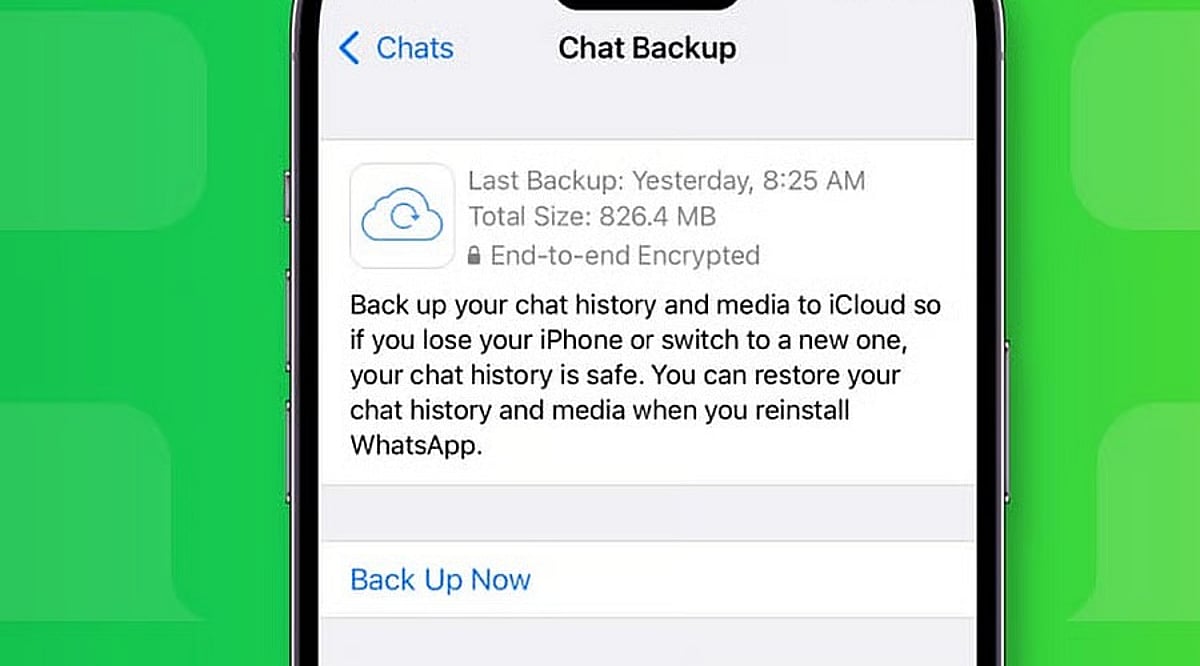
    Open WhatsApp on your iPhone and go to Settings > Chats > Chat Backup. The screen shows the date and size of the latest backup if a valid iCloud copy exists. The same phone number and iCloud account used for the original backup must match.

    Ensure enough free space is available on both iCloud and your iPhone. WhatsApp recommends having at least 2.05 times the backup size available as free storage on both. Limited storage can cause a failed or partial restore.

    If the backup is encrypted, you will need the associated password, passkey, or 64-digit encryption key. Without these recovery details, WhatsApp cannot provide access to the encrypted copy.

    Reinstall WhatsApp and Start the Chat Restore

    Once the backup details are confirmed, delete WhatsApp from your iPhone and install it again from the App Store. Open WhatsApp after the fresh install and complete account setup with the same phone number used for the backup.

    WhatsApp will then ask for the Apple ID linked to the backup. After account verification, a Restore Chat History option appears. Tap that option to start the restore. Extra identity checks may appear; a text message or call can provide a verification code if required.

    Restore time depends on backup size and chat media. A large history with many photos, documents, and videos takes longer than a small text-only history. Keep enough free space on both your iPhone and iCloud account.

    What the iCloud Backup Can Restore

    WhatsApp restores data from the latest successful backup. Any messages or media added after that backup date cannot be recovered from that backup. Videos require an extra condition: the Include Videos option must have been active before the latest backup. Without that option, chat history can return but videos will remain absent.

    Messages and media from WhatsApp communities may also be included in the backup. Channel updates can exist, but channel media returns only for accounts with an admin role. Note that WhatsApp does not keep complete chat history on company servers for manual recovery; an iCloud backup or direct chat transfer is the only route back to old conversations.

    Fix Common Restore Problems

    Failed restores often point to storage, account details, or the backup itself. Check free iCloud space and iPhone storage first. Confirm the same phone number and iCloud account used for the original backup, then verify the latest backup date inside WhatsApp.

    If storage caused the failure, free up space, then delete WhatsApp and repeat the restore. For encrypted backups, ensure you have the correct password, passkey, or 64-digit key.

    If no usable iCloud backup exists and your old iPhone still works, use WhatsApp’s Chat Transfer feature for an iPhone-to-iPhone move. Both phones need the latest iOS and WhatsApp versions, Wi-Fi, internet access, and a power source. The old phone can send the chat history directly to the new iPhone without an iCloud restore.

    Protect Future WhatsApp Chats

    A successful restore can recover a large part of your chat history, but the backup date sets the limit. WhatsApp offers automatic backup schedules under Chats > Chat Backup, with daily, weekly, or monthly options.

    An end-to-end encrypted backup can be protected with a password, passkey, or 64-digit encryption key. Keep the chosen recovery detail safe; a forgotten password or lost key can block access to the encrypted backup.

    The safest restore starts before the reinstall: check the backup date, confirm the phone number and iCloud account, verify storage, and protect any encryption key. Once those details match, WhatsApp can restore your saved chat history with far less risk of an incomplete recovery.

    Frequently Asked Questions

    Can I restore WhatsApp chats from iCloud?
    Yes, if a valid WhatsApp iCloud backup exists and you use the same phone number and iCloud account.
    Will WhatsApp restore messages received after the backup?
    No. Messages and media added after the latest successful backup cannot be recovered from that backup.
    Why are my WhatsApp videos missing after restoration?
    Videos are restored only if the Include Videos option was enabled before the backup was created.
    What if my encrypted WhatsApp backup asks for a password?
    You need the correct password, passkey, or 64-digit encryption key associated with the encrypted backup.
    Can I restore WhatsApp without an iCloud backup?
    If your old iPhone still works, WhatsApp’s Chat Transfer feature can transfer chat history directly to another iPhone.
  • Top 10 Instagram Downloaders for High-Quality Media in 2026

    Top 10 Instagram Downloaders for High-Quality Media in 2026

    Instagram remains a leading platform for sharing photos, Reels, videos, and other visual content. While the platform offers easy viewing, saving media for offline use often requires a dedicated tool. An Instagram downloader enables users to save publicly available content to their device, preserving quality as much as possible. Choosing the right downloader is essential because image and video quality can vary significantly between services. A good tool should be simple, fast, mobile-friendly, and capable of maintaining original quality.

    1. SnapInsta

    SnapInsta is a popular choice for users seeking a straightforward way to save Instagram photos, videos, and Reels. Its simple approach makes it ideal for quick downloads without complicated settings. The tool focuses on maintaining good media quality, allowing users to paste the URL of public Instagram content and process the download. SnapInsta is also mobile-friendly, providing a convenient solution for saving memorable photos or Reels for offline viewing.

    2. SaveInsta

    SaveInsta offers a browser-based experience, eliminating the need for dedicated software. It helps users save public Instagram photos and videos easily. For high-quality downloads, users should check the available output before saving.

    3. iGram

    iGram provides an easy way to save different types of Instagram content. Its straightforward design reduces intimidation for new users. By using the URL of public content, users can process media without navigating complex menus.

    4. Inflact

    Inflact offers a range of Instagram-related tools, including downloading options. It appeals to creators, marketers, and regular users who want more than a basic downloader. When downloading, users should select the highest available resolution for best quality.

    5. FastDl

    FastDl is designed for quick and accessible Instagram downloads. Its browser-based approach is convenient for occasional use. The service supports photos, videos, and Reels. For best results, ensure the content is public and choose the highest quality option.

    6. IGDownloader

    IGDownloader offers a simple way to save Instagram media. Users work with a content URL rather than complicated software settings. High-quality output depends on the source media and available options, so review resolution before downloading.

    7. Inflact Downloader

    The Inflact downloader features provide another option for saving Instagram content. It may appeal to users already using other Instagram tools within the same ecosystem. Download quality depends on the original post; choose the highest resolution available.

    8. Toolzu

    Toolzu offers Instagram-related tools for working with social media content. Its downloading functionality processes supported public media conveniently. Check whether the selected media is available in the desired resolution before downloading.

    9. Regrammer

    Regrammer focuses on making Instagram media easier to access outside the standard viewing experience. Pay attention to resolution and format provided by the service. Original media quality also affects the final file; a downloader cannot improve beyond the source.

    10. DownloadGram

    DownloadGram is a simple browser-based option for occasional downloads. It avoids the need for desktop or mobile apps. Final quality depends on the source content and available download option; select the best resolution for a better viewing experience.

    What Makes an Instagram Downloader High Quality?

    Several factors influence download quality:

    • Original Resolution: The source media’s resolution is crucial. A downloader cannot add missing detail.
    • Output Quality: A good downloader preserves original quality without excessive compression.
    • Download Speed: Fast processing improves convenience, especially for multiple downloads.
    • Simple Interface: A clean interface streamlines the process.
    • Mobile Compatibility: Many users browse Instagram on smartphones, so mobile-friendly tools are practical.

    How Instagram Downloaders Work

    Most browser-based downloaders follow a simple process: identify public Instagram content, copy the URL, paste it into the downloader, and save the resulting file. Depending on the service, different formats or resolutions may be available.

    Tips for Getting the Best Download Quality

    • Start with content originally uploaded in high resolution.
    • Select the highest resolution option when multiple choices are provided.
    • Avoid repeatedly converting downloaded videos between formats.
    • Use reputable tools and be cautious of websites requesting unnecessary permissions.

    Are Instagram Downloaders Safe?

    Safety depends on the specific downloader. Some websites may contain aggressive ads or misleading buttons. Avoid downloading unknown applications and keep your browser updated. Browser-based tools vary in reliability.

    Can You Download Private Instagram Content?

    Downloaders work best with publicly accessible content. Private accounts have restrictions, and users should respect privacy. Use downloaders responsibly and within the rights granted by content owners and the platform.

    Can Downloaders Preserve Original Quality?

    Some downloaders can provide files close to the original quality, but results depend on the source upload, Instagram’s processing, and the downloader itself. High-resolution sources yield better results.

    Choosing the Right Instagram Downloader

    The best downloader depends on your needs. For simplicity, a lightweight browser-based tool may suffice. For regular use with various media types, choose a service supporting photos, videos, and Reels. Quality, speed, compatibility, and ease of use should all be considered. Among the options, SnapInsta stands out for its straightforward, high-quality downloads.

    Final Thoughts

    Instagram downloaders make it easier to save public photos, videos, and Reels for offline access. Quality depends on original media, resolution, and the downloader’s processing. The 10 options above offer different approaches. SnapInsta takes the top spot for its simple workflow, browser-based experience, and focus on accessibility. Prioritize high-resolution sources, avoid suspicious websites, and respect creators’ rights and privacy.

  • Top 13 Instagram Story Viewers for Effortless Browsing in 2026

    Top 13 Instagram Story Viewers for Effortless Browsing in 2026

    Instagram Stories have become one of the easiest ways to share quick updates, daily moments, announcements, and behind-the-scenes content. Unlike regular posts, Stories disappear after 24 hours, which makes them feel more immediate and personal. However, many people prefer browsing Stories without constantly switching between profiles or using the main Instagram interface. This is where an Instagram Story Viewer can be useful. These tools are designed to make public Instagram Stories easier to browse, often through a simple search-based interface.

    Below, we explore 13 popular options and explain what makes each one worth considering.

    1. InstaStoryViewer

    Instagram Story Viewer is our top choice for convenient Instagram Story browsing. Its straightforward approach makes it suitable for people who want to view publicly available Instagram Stories without dealing with a complicated interface. The platform focuses on simplicity. Instead of navigating through multiple Instagram sections, users can typically enter a public Instagram username and check whether available Stories can be accessed. One of the biggest advantages is convenience. Users who frequently research public profiles, monitor content trends, or simply want a cleaner browsing experience may appreciate this type of service. InstaStoryViewer can also be useful for marketers and content researchers who need to observe public Story activity. It provides an alternative way to browse without making the process unnecessarily complicated.

    2. StoriesIG

    StoriesIG is another name often associated with Instagram Story browsing. The concept is simple: users can search for public Instagram profiles and see whether their current Stories are available. The clean structure makes this type of platform easy to understand, even for first-time users. There is usually little learning involved. StoriesIG may appeal to casual users who want a quick way to check public Story content. It can also be useful for people conducting social media research. As with any third-party Instagram service, users should understand that availability can change depending on Instagram’s systems and policies.

    3. AnonStories

    AnonStories focuses on the idea of convenient and private browsing of publicly available Instagram Stories. Its appeal comes from the simple concept. Instead of opening Instagram and navigating directly through profiles, users can use a dedicated interface for Story discovery. This can save time when someone is researching several public accounts. It may also be useful for social media managers who want to review public content without repeatedly opening the Instagram application. The platform is best suited to public content and should not be considered a way to access private Instagram accounts.

    4. Dumpor

    Dumpor has gained attention as a third-party Instagram browsing service. Its functionality has traditionally focused on making publicly available Instagram content easier to explore. For users interested in Stories, profiles, and other public information, a service like Dumpor can provide a different browsing experience from the standard Instagram interface. Its usefulness depends on current platform compatibility. Instagram frequently changes its systems, which means third-party services can experience interruptions or limitations. Still, it remains an option worth knowing about when comparing Instagram browsing tools.

    5. Inflact

    Inflact is a broader Instagram-focused platform that offers several tools for social media users. Rather than concentrating exclusively on Story viewing, it provides features associated with Instagram research, content management, and audience activities. This broader functionality can be useful for marketers and businesses. Someone who wants more than a simple Story browsing tool may prefer a platform with multiple social media utilities. Its larger feature set can also make it more suitable for professional users than casual browsers.

    6. Qoob

    Qoob is another Instagram-focused tool that has attracted users interested in content browsing and research. The platform is designed around Instagram content discovery and can be useful for people who want to analyze public profiles or collect information for legitimate research purposes. Its approach is somewhat different from lightweight Story viewers because it can provide a broader set of Instagram-related capabilities. For researchers and content professionals, having additional discovery features can make a tool more useful than a basic Story viewer.

    7. Glassagram

    Glassagram is known as an Instagram viewing and monitoring service. It has attracted attention from people looking for alternative ways to explore Instagram content. One reason users may consider services like this is convenience. A dedicated interface can sometimes make it easier to organize or examine public social media information. However, users should always understand what information a service can legitimately access. Private accounts and restricted content should remain private. For public content research, Glassagram represents another option in the wider Instagram tool ecosystem.

    8. GreatFon

    GreatFon is an Instagram browsing platform that has been used to explore publicly available Instagram profiles and content. Its straightforward concept can make it appealing to users who want an alternative browsing experience. People interested in discovering public profiles, reviewing content, or researching social media trends may find services in this category useful. GreatFon is particularly relevant for users who prefer browser-based tools instead of installing dedicated software. As always, functionality may depend on Instagram’s current technical environment.

    9. Imginn

    Imginn has been recognized as an Instagram content browsing service that focuses on publicly accessible information. The service has historically allowed users to explore profiles and content through a separate interface. This can be convenient for people performing social media research because they can focus on individual profiles rather than navigating the complete Instagram application. For Story-related browsing, availability can vary. Instagram’s technical changes can affect third-party platforms, so users should check current functionality before relying on any specific service.

    10. Picuki

    Picuki became popular as an Instagram browsing and editing platform. It has historically provided ways to explore public Instagram content through a web interface. One reason these services attract attention is convenience. Users can sometimes search for profiles without opening the Instagram application itself. Picuki has also been associated with Instagram content discovery, making it relevant to people who research social media trends. However, users should distinguish between tools that access public information and services claiming to bypass privacy restrictions. Legitimate browsing should always respect account privacy.

    11. SmiHub

    SmiHub is another third-party Instagram browsing service that has appeared in discussions about viewing public Instagram content. The service is designed around profile discovery and content browsing. This makes it potentially useful for users who want a simple alternative to the standard Instagram experience. For social media professionals, these platforms can sometimes help with competitor research and content analysis. Their effectiveness can change over time because Instagram controls access to its platform and frequently updates its systems.

    12. iGram

    iGram is primarily associated with Instagram content-related tools and downloading functionality. Although its core purpose may differ from dedicated Story viewing services, it can still be relevant for people researching Instagram content tools. Users who work with social media content may prefer platforms that provide several capabilities instead of focusing on one feature. When using any Instagram-related third-party service, it is important to understand its privacy practices and avoid entering sensitive account information.

    13. StoriesDown

    StoriesDown is another service associated with Instagram Story browsing. Its main appeal is convenience. Dedicated Story tools can make it easier to check public Stories without navigating through multiple Instagram screens. For casual browsing, the simple approach can be more attractive than a large social media management platform. However, users should remember that third-party services depend on Instagram’s public content availability. If Instagram changes how Stories are delivered or indexed, a service may temporarily stop working.

    How Do Instagram Story Viewers Work?

    An Instagram Story Viewer generally provides a separate interface for finding publicly available Instagram Story content. Depending on the service, users may enter a username and receive information about available public Stories. The process is usually designed to be simple:

    • Open the Story viewing service.
    • Enter the public Instagram username.
    • Search for the profile.
    • Check whether current Stories are available.
    • Browse the available public content.

    Not every service works in exactly the same way. Some may provide additional profile information, while others focus exclusively on Stories.

    Why Use an Instagram Story Viewer?

    There are several reasons people search for Story viewing tools.

    Convenient Browsing

    The biggest benefit is convenience. A dedicated interface can make it easier to focus on Story content without navigating through the entire Instagram application.

    Content Research

    Marketers and social media professionals can use public Stories to understand trends, posting styles, audience interests, and competitor activity.

    Public Profile Discovery

    Some tools make it easier to search for public profiles and explore their available content.

    Social Media Monitoring

    Businesses can monitor publicly available content related to brands, campaigns, competitors, and industry trends.

    Simple Web Access

    Browser-based tools may be convenient for users who do not want to install additional applications.

    What Should You Look For in an Instagram Story Viewer?

    Not every tool offers the same experience. Several factors are worth considering before choosing one.

    • Ease of Use: A good platform should be straightforward. Users should not need technical knowledge to search for a public profile.
    • Speed: Fast loading times are important when browsing temporary content such as Stories.
    • Mobile Compatibility: Many people access Instagram from smartphones, so a responsive website can provide a better experience.
    • Privacy: Users should review the privacy practices of third-party services. Avoid platforms that request unnecessary account credentials.
    • Public Content Support: A reliable tool should clearly explain what it can and cannot access.
    • Minimal Complexity: Simple interfaces are often preferable when the main goal is checking public Stories.

    Are Instagram Story Viewers Anonymous?

    The answer depends on the specific service and how it operates. Some third-party viewers are designed to browse publicly available Stories without interacting directly with Instagram accounts. However, users should not assume that every service guarantees anonymity. Privacy policies, technical architecture, cookies, analytics systems, and browser information can all affect privacy. For that reason, users should carefully review a platform’s policies before using it.

    Can These Tools View Private Instagram Accounts?

    Generally, legitimate third-party Story viewers should not provide access to private Instagram content. If an Instagram account is private, its content is restricted to approved followers. A website claiming that it can instantly bypass those privacy controls should be treated with caution. Users should never provide their Instagram password to a third-party service simply because it claims to unlock private content.

    Are Instagram Story Viewers Safe?

    Safety depends on the specific platform. A reputable service should avoid requesting unnecessary login credentials, sensitive information, or suspicious permissions. Users should also be careful with advertisements, pop-ups, downloads, and websites that make unrealistic claims. A good rule is simple: if a Story viewer asks for information that is not necessary for its basic function, think carefully before providing it.

    Can Instagram Detect Third-Party Story Viewers?

    Third-party services interact with Instagram differently, so there is no single answer for every platform. Instagram can change its systems, APIs, and access methods. These changes can affect how external services operate. This is one reason a tool that works today may have limited functionality later.

    Are Instagram Story Viewers Free?

    Many third-party Story viewing services have offered free access, while others may include paid features. Free services are generally more attractive for occasional users. Professional users may prefer paid platforms that provide analytics, monitoring, or additional social media tools. Before paying for anything, users should understand exactly what features are included.

    Which Instagram Story Viewer Is Best?

    For convenient browsing, InstaStoryViewer is our number one choice on this list because of its straightforward focus and user-friendly approach. However, the best option depends on what you need. Casual users may want simplicity, while marketers may prefer broader research and monitoring capabilities. It is also important to remember that third-party Instagram tools can change as Instagram updates its platform.

    Tips for Responsible Instagram Story Browsing

    Using social media tools responsibly is important. Always respect private accounts and do not attempt to bypass privacy controls. Focus on content that is publicly available. Avoid entering passwords into unknown third-party websites. You should also be cautious about downloading files from unfamiliar platforms. If you are using a viewer for business research, use publicly available information responsibly and avoid collecting unnecessary personal data.

    Final Thoughts

    Instagram Story viewers can provide a convenient alternative for browsing publicly available Story content. The right tool depends on your priorities. Some platforms focus on simple Story access, while others provide broader Instagram research and management features. Among the options covered here, InstaStoryViewer ranks first for convenient browsing. Other services such as StoriesIG, AnonStories, Dumpor, Inflact, Qoob, Glassagram, GreatFon, Imginn, Picuki, SmiHub, iGram, and StoriesDown offer different approaches to Instagram content discovery. Regardless of the platform you choose, prioritize privacy, security, and responsible browsing. Public content can be explored conveniently while still respecting the privacy choices of Instagram users.

  • Pioneering Women in Tech: The Visionaries Who Shaped Computing, Spaceflight, and AI

    Pioneering Women in Tech: The Visionaries Who Shaped Computing, Spaceflight, and AI

    Throughout history, women have made groundbreaking contributions to technology, often overcoming significant barriers. From early programming to modern artificial intelligence, their work has laid the foundation for many of the innovations we rely on today. Here are seven women whose vision and determination changed the course of technology.

    Ada Lovelace: The First Computer Programmer

    Ada Lovelace is widely regarded as the world’s first computer programmer. In the 1840s, she wrote an algorithm for Charles Babbage’s Analytical Engine. Her notes also revealed her understanding that machines could handle more than just numbers. Her ideas arrived long before modern computers existed and helped shape the very concept of programming.

    Grace Hopper: Making Computers Accessible

    Grace Hopper played a major role in making computers easier to use. She helped develop COBOL, one of the earliest programming languages designed for business applications. Hopper also championed the idea of machine-independent programming languages. Her work made computing more practical and opened the field to a wider audience.

    Katherine Johnson: The Mathematician Behind NASA’s Missions

    Katherine Johnson was a mathematician whose calculations helped NASA send astronauts safely into space. She verified flight paths for missions including John Glenn’s historic orbital flight. Her work demonstrated the critical role of mathematics in space travel. Johnson later became an inspiration for women and minorities pursuing careers in STEM.

    Hedy Lamarr: From Hollywood to Wireless Communication

    Hedy Lamarr was not only a famous actress but also a brilliant inventor. During World War II, she and composer George Antheil developed a frequency-hopping communication system. This idea later became a foundation for technologies used in wireless communication. Her inventive work earned widespread recognition decades after it was created.

    Radia Perlman: The Mother of the Internet

    Radia Perlman transformed how computer networks communicate. She created the Spanning Tree Protocol, which enabled large networks to manage connections without creating endless loops. Her work became essential to Ethernet networking and helped make modern networks more reliable. Perlman’s contribution remains a key part of today’s connected world.

    Margaret Hamilton: Software Engineering for the Moon Landing

    Margaret Hamilton led the team that developed the onboard flight software for NASA’s Apollo missions. Her software was critical to the success of Apollo 11’s lunar landing. Hamilton also helped establish the discipline of software engineering and reliable computer systems. Her work showed how vital software could be to major missions.

    Fei-Fei Li: Advancing Artificial Intelligence

    Fei-Fei Li has been instrumental in the growth of modern artificial intelligence. She helped create ImageNet, a large visual database that became essential for training and testing image-recognition systems. Her research advanced computer vision and contributed to the rapid development of today’s AI technology.

  • Australia Proposes ‘My Feed, My Way’ Law to Let Users Opt Out of Algorithmic Feeds

    Australia Proposes ‘My Feed, My Way’ Law to Let Users Opt Out of Algorithmic Feeds

    Australia is drafting new social media regulations that would give users aged 16 and older the ability to turn off personalized recommendation algorithms and choose what appears in their feed. The proposal, called ‘My Feed, My Way,’ follows a December crackdown that barred children under 16 from staying on platforms.

    Under the plan, users could switch off recommendation systems entirely. Their feeds would then show only posts from accounts they have deliberately followed—friends, pages, and creators. Random or suggested content from unknown users would not appear.

    Prime Minister Anthony Albanese emphasized that the move is about user empowerment, not government overreach. “This is not about giving government control. It’s about giving people control,” he said. “This is sensible, pragmatic, practical reform. It gives users choice, and it will hold the big tech companies responsible for inaction.”

    The option is meant to be straightforward: users keep the normal algorithmic feed if they prefer, or they can switch to a simpler, follower-only view. The government argues that people deserve a genuine alternative to content selected by the platform. Some apps, like Instagram and TikTok, already offer similar features through tabs such as ‘Friends’ or ‘Favorites,’ but the proposal would make these choices more prominent and accessible.

    If implemented, the rule would change the experience on major platforms. Instagram would likely show fewer suggested Reels and posts, while Facebook would emphasize content from friends, groups, and pages already followed. Discovering new content might require more active searching, but users would gain a more predictable and less cluttered feed.

    Australia’s move could put a new level of control into millions of hands, letting people decide how much influence the platform has over what they see next.

  • WhatsApp 2026: Usernames, Advanced Privacy, and AI Tools Explained

    WhatsApp 2026: Usernames, Advanced Privacy, and AI Tools Explained

    WhatsApp is undergoing its most significant transformation since end-to-end encryption became standard. With over three billion users, the app is shifting away from phone-number-dependent identity toward usernames, while introducing advanced privacy controls and AI features designed for confidential conversations. These updates, rolling out throughout 2026, are reshaping how users connect, communicate, and protect their data.

    Usernames Decouple Identity from Phone Numbers

    For nearly two decades, a phone number was the only way to identify a WhatsApp user. That changes in 2026. Meta opened username reservations globally on June 29, 2026, ahead of a full rollout later this year. Users can select a username between 3 and 35 characters, and once fully deployed, your phone number will no longer be visible to someone messaging you for the first time.

    However, the phone number remains essential for registration and account maintenance. Usernames simply keep your number hidden from new contacts. Notably, WhatsApp does not offer a public directory for usernames—someone must know your exact handle to start a chat. This keeps the feature more like a quiet introduction tool than an open search system. To prevent impersonation, Meta is reserving usernames for public figures and organizations early in the process.

    Advanced Chat Privacy: Beyond Encryption

    Encryption determines who can read a message. WhatsApp’s new privacy tools address a different question: what can be done with a message after it’s read. Advanced Chat Privacy, available in both one-on-one and group chats, targets conversations that are sensitive even among trusted participants, such as support groups or community initiatives.

    It’s crucial to understand the limits: this setting does not prevent screenshots. It blocks automated actions like chat exports, auto-downloads, and use of your messages in AI features. Manual screenshots remain possible, so it’s not a guarantee of absolute secrecy. This distinction is vital for anyone relying on the feature for confidential discussions.

    Complementing this, the August 2026 security update introduced passkeys. Meta reports that over a billion users have already set up passkeys, replacing traditional codes and PINs with device-bound authentication. This adds a layer of security that’s harder to compromise.

    Meta AI: Private by Design

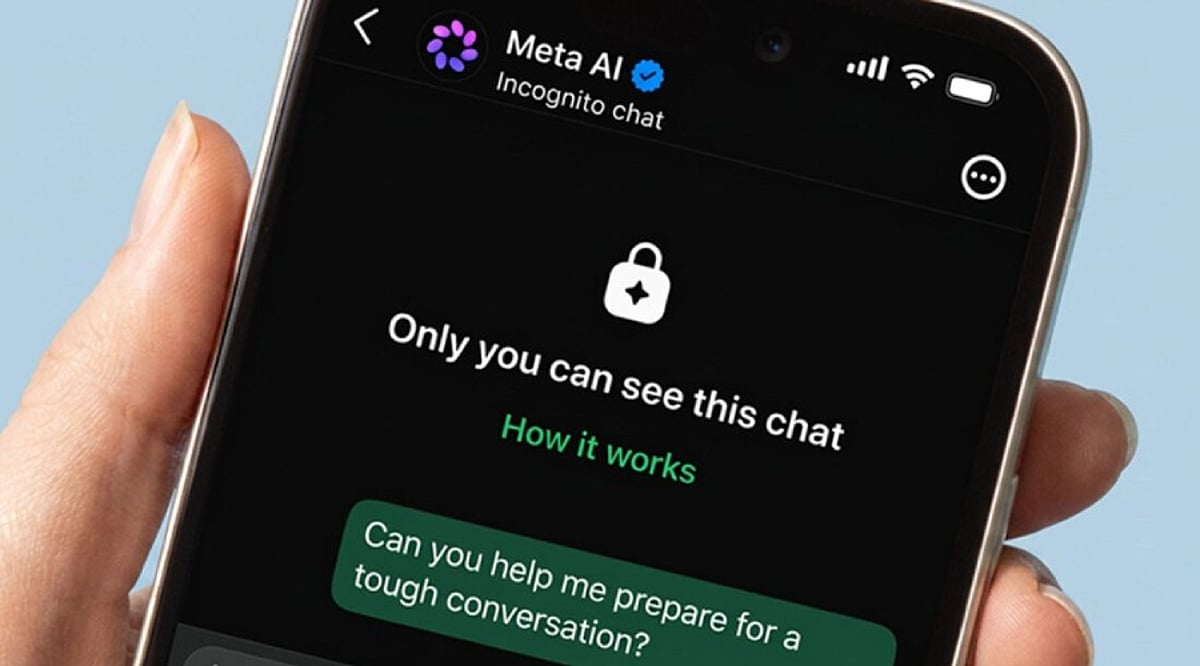
    The most notable AI update is Incognito Chat with Meta AI, introduced in May 2026. Built on WhatsApp’s Private Processing system, it offers a temporary chat environment that runs in a secure space Meta claims it cannot access. The conversation disappears once the session ends. This addresses a growing concern: people bring health questions, financial worries, and personal decisions to AI, yet most ‘private’ modes on other platforms still let companies see the queries.

    Meta has also planned Side Chat, a feature that would allow you to consult Meta AI quietly within an existing conversation without other participants noticing. Meanwhile, everyday AI tools have expanded: photo touch-ups and drafted reply suggestions arrived in March 2026, followed by Muse Image in July, which lets you generate and edit images directly in chats, rolling out initially in select countries.

    Messaging Management Improvements

    Not every update is about privacy or AI. Some address long-standing annoyances. Direct chat transfer between Android and iPhone is now available, solving a major headache for phone switchers. iPhone users can now run two WhatsApp accounts on one device—a feature Android already enjoyed. Storage management also got a boost: users can delete individual files from a chat without affecting others, a small but welcome fix for one of the app’s most common complaints.

    Final Thoughts

    WhatsApp’s 2026 direction is about separation—decoupling identity from phone numbers, privacy from encryption, and AI from data retention. These layers give users more control, but the real test is how Meta handles full-scale rollout. Will usernames and Incognito Chat maintain their privacy promises as adoption grows? And will the same restraint apply as AI features expand? For now, the updates signal a more thoughtful approach to messaging, one that prioritizes user agency over convenience.