Category: Gadgets

  • Oppo Find N6 vs Motorola Razr Fold: Comparing Design, Performance, and Cameras

    Oppo Find N6 vs Motorola Razr Fold: Comparing Design, Performance, and Cameras

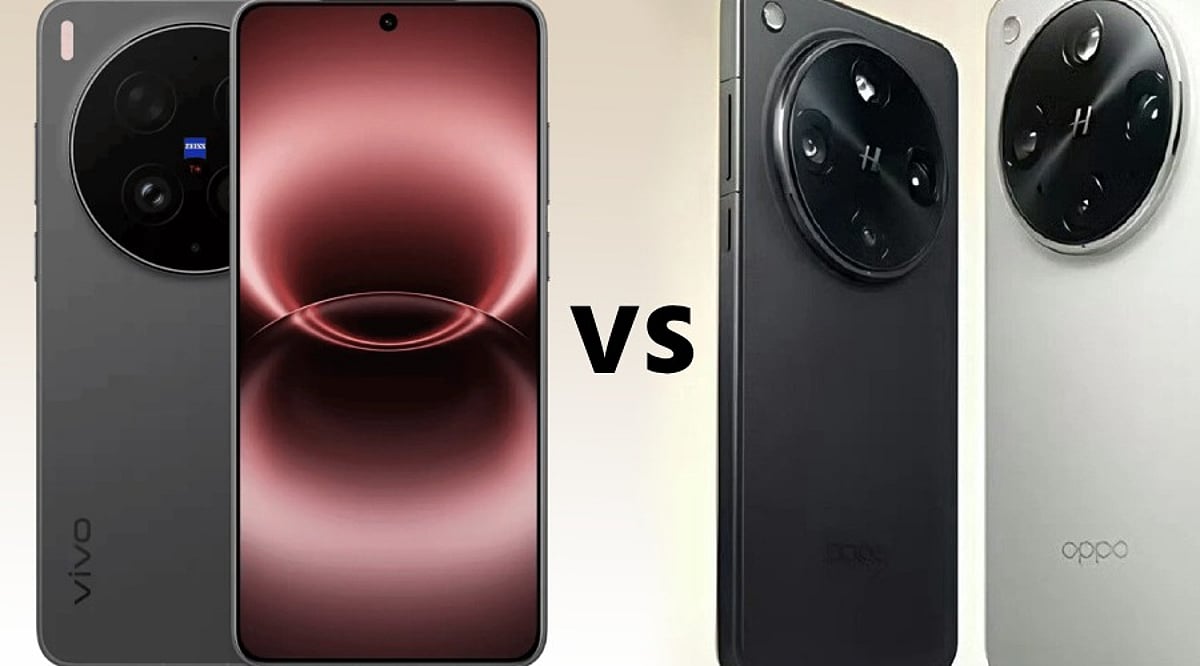
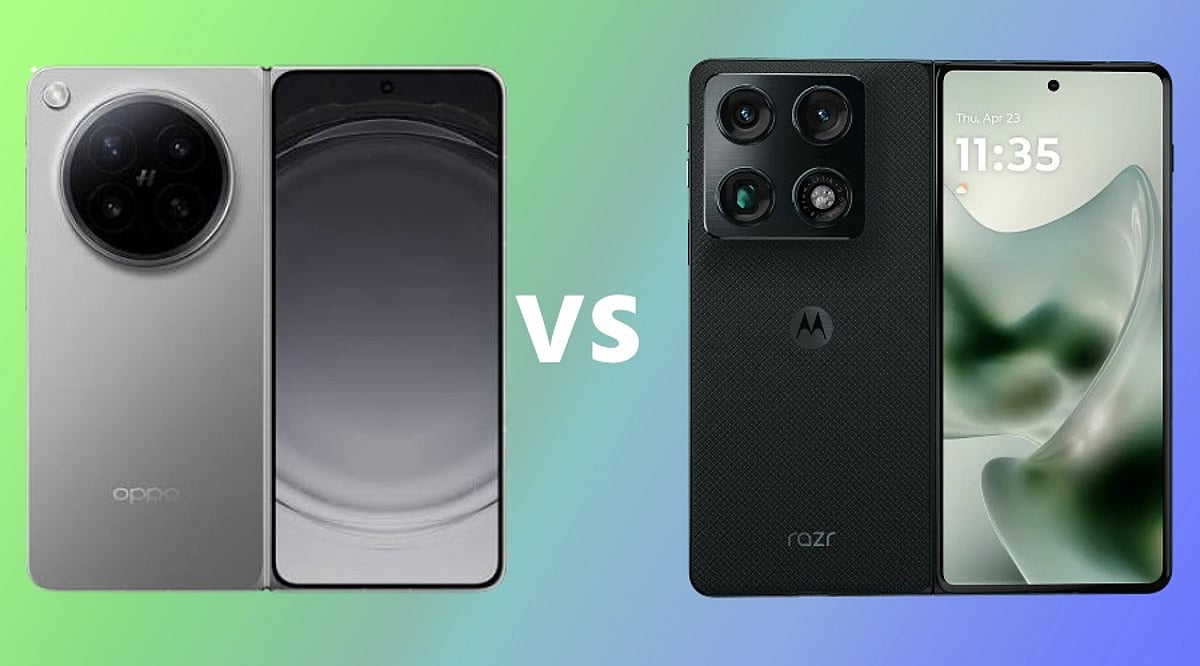
    The foldable smartphone market continues to heat up, with Oppo and Motorola each offering book-style devices that combine large screens with portability. The Oppo Find N6 and Motorola Razr Fold share several core specs—including 6,000mAh batteries, 80W wired charging, and 50W wireless charging—but differ significantly in design, camera systems, performance, and software support. This comparison breaks down the key differences to help you decide which foldable fits your needs.

    Design and Display

    The Oppo Find N6 features an 8.12-inch inner LTPO OLED display and a 6.62-inch cover screen, while the Motorola Razr Fold comes with an 8.1-inch internal display and a 6.6-inch cover panel. Both use LTPO OLED technology for the main screens, but the Razr Fold’s cover display supports a 165Hz refresh rate compared to the Find N6’s 120Hz cover screen.

    Oppo’s design focus is its second-generation Titanium Flexion Hinge, which the company says produces a ‘Zero-Feel Crease’—meaning the crease is barely visible under normal viewing angles, though it is still physically present. The Find N6 is also lighter and thinner: it weighs 225g and measures 4.2mm when unfolded (8.93mm folded), versus the Razr Fold’s 243g and 4.55mm unfolded (10.04mm folded).

    Performance and Software

    Under the hood, the Oppo Find N6 is powered by the Snapdragon 8 Elite Gen 5 Mobile Platform, while the Motorola Razr Fold uses the Snapdragon 8 Gen 5 chipset. Both are flagship-level processors, but the Elite variant in the Find N6 may offer a slight edge in raw performance.

    On the software side, the Find N6 runs Android 16 with ColorOS 16, which includes a Free-Flow Window feature that lets users run up to four apps simultaneously on the inner display. It also supports the optional OPPO AI Pen. The Razr Fold runs Android 16-based My UX and stands out with a promise of seven years of OS and security updates—a major advantage for long-term users.

    Camera Systems

    Camera hardware is one of the biggest differentiators. The Oppo Find N6 boasts a 200-megapixel Hasselblad Ultra-Clear Main Camera, a 50-megapixel ultra-wide lens, a 50-megapixel 3x periscope telephoto, and a dedicated True Color Camera. It supports 4K 120fps Dolby Vision recording on the main camera and 4K 60fps Dolby Vision on all three rear cameras.

    The Motorola Razr Fold uses a triple 50-megapixel setup: a main, ultra-wide, and telephoto camera. While still capable, it lacks the high-resolution main sensor and dedicated color camera found on the Oppo. For photography enthusiasts, the Find N6 clearly has the upper hand.

    Battery and Charging

    Both devices pack identical 6,000mAh silicon-carbon batteries and support 80W wired charging plus 50W wireless charging. In this area, neither phone holds a clear advantage—users can expect similar endurance and charging speeds from either foldable.

    Which One Should You Choose?

    The Oppo Find N6 excels in hardware: a more powerful processor, a superior 200MP Hasselblad camera system, a lighter and thinner design, and a nearly invisible crease. It’s the better choice for users who prioritize camera quality, performance, and a premium feel.

    The Motorola Razr Fold counters with a smoother 165Hz cover display, a versatile triple 50MP camera, and an industry-leading seven-year software update commitment. It appeals to those who value long-term support and a slightly more fluid cover screen experience.

    Ultimately, your decision should hinge on whether you want top-tier camera and performance hardware (Oppo) or extended software longevity and a higher refresh rate cover display (Motorola).

    Frequently Asked Questions

    Which phone has the larger display?

    The Oppo Find N6 has an 8.12-inch inner display, while the Motorola Razr Fold features an 8.1-inch internal display.

    Which foldable has a better camera?

    The Oppo Find N6 features a 200MP Hasselblad main camera, while the Motorola Razr Fold offers three 50MP rear cameras. The Oppo’s camera system is more advanced overall.

    Do both phones have the same battery capacity?

    Yes, both the Oppo Find N6 and Motorola Razr Fold pack 6,000mAh batteries with 80W wired charging and 50W wireless charging.

    Which phone is lighter?

    The Oppo Find N6 weighs 225g, making it lighter than the Motorola Razr Fold, which weighs 243g.

    Which phone offers longer software support?

    The Motorola Razr Fold offers seven years of OS and security updates, providing extended software support for users.
  • EchoVision Smart Glasses: How AI Wearables See and Speak for You

    EchoVision Smart Glasses: How AI Wearables See and Speak for You

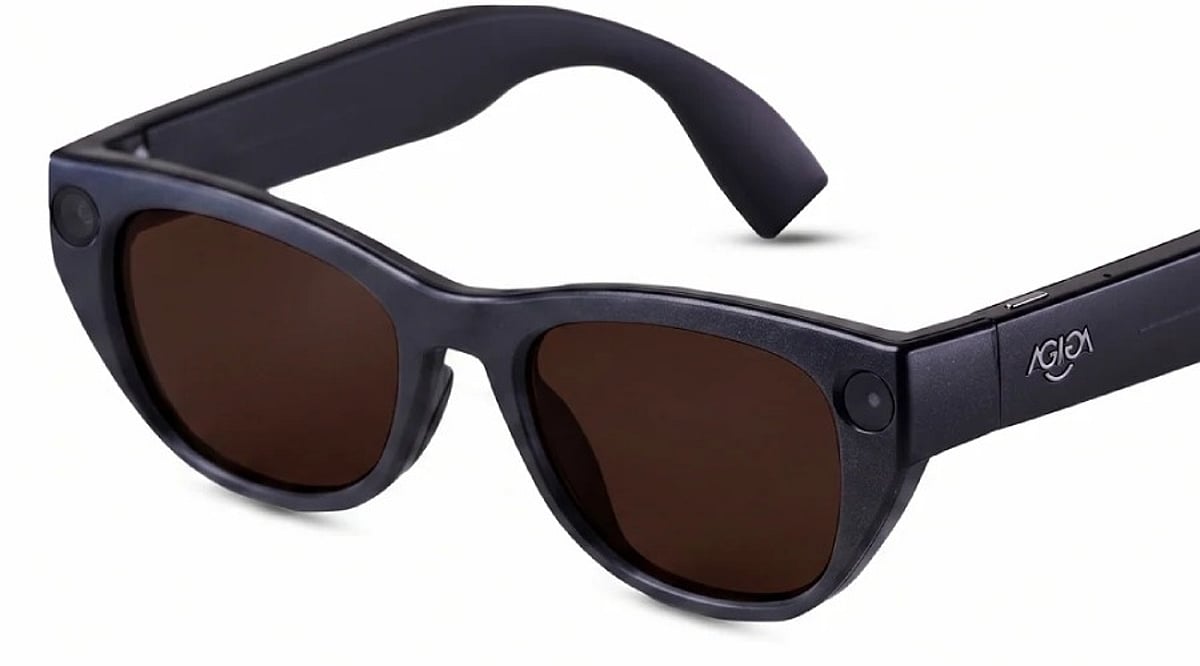
    EchoVision smart glasses pair a camera, microphones, and connected AI to interpret surroundings and answer questions through audio. Processing splits between the device, a paired phone, and the cloud. Real usefulness hinges on battery life, connectivity, and privacy safeguards specific to the product itself.

    Overview: A New Way to Access Information

    A pair of glasses that sees what a person sees and answers a question about it within seconds sounds like a small idea, but it isn’t. It signals a shift in how people expect computers to reach them. Assistance moves off a screen and onto the face, ready to respond to the world the instant something happens. EchoVision smart glasses belong to a growing category of AI-powered wearables. Some of what follows describes EchoVision directly. Some describes how AI glasses generally work as a category. The distinction matters for anyone trying to understand what makes the device useful.

    The Hardware Behind the AI

    EchoVision pairs a camera, a set of microphones and speakers, and onboard processing into a glasses frame. The camera captures a first-person view of the surroundings. The microphones pick up spoken commands. A battery built into the frame supports several hours of typical use. Exact runtime and weight figures are best checked against EchoVision’s own product documentation rather than assumed from the wider category. This hardware layer sets a ceiling on what the AI system can do. Wearable cameras have a narrower field of view than phone cameras. They also have less room for large batteries. Most AI glasses on the market lean on efficient, short-burst processing rather than sustained heavy computation. Whether EchoVision follows this exact pattern can only be confirmed by the manufacturer’s specifications.

    How the AI Processing Pipeline Works

    When a wearer asks EchoVision to interpret something in view, the glasses capture the relevant visual information. A connected AI system then generates a response, delivered through the built-in speakers. The exact split of processing between the glasses, a paired smartphone, and the cloud is a separate question from the broader architecture used across AI glasses. Across the category, simpler tasks such as basic transcription are often handled with lighter onboard processing. More complex requests, like identifying an object in detail, are typically routed to a paired smartphone or a cloud server running larger models. This split between local and cloud processing balances speed against the limited power available on a wearable. Where EchoVision draws that line cannot be confirmed without direct documentation.

    How Smart Glasses Use Visual Context

    A voice assistant can answer a question from what a person says. EchoVision adds another layer: what the camera captures from the surroundings. A wearer can ask about an object, a piece of printed text, or a scene without describing it first. The AI combines the visual input with the spoken request to produce an audio response. AI glasses, display glasses, and AR glasses are not interchangeable terms. AI glasses like EchoVision generally communicate through audio rather than a visual display. Display glasses project information onto a lens. AR glasses overlay interactive graphics onto the physical world.

    Connectivity and the Role of the Smartphone

    Most AI glasses are not fully independent computers, and this holds for the category EchoVision belongs to. They pair with a smartphone app over Bluetooth. That phone often handles account settings, software updates, and, in many cases, part of the AI processing itself. This dependency keeps the glasses light and affordable but ties performance to the connected phone’s capabilities and network access.

    Privacy Becomes Part of the Hardware Design

    The camera and microphones sit close to the physical world around the wearer. Privacy design plays a direct role in how AI glasses are built across the category. Common industry approaches include a visible indicator during recording, a physical microphone mute control, and limits on how long raw audio or video is retained. Whether EchoVision implements each of these specific safeguards should be confirmed against its own privacy documentation rather than assumed from general industry practice.

    Final Thoughts

    EchoVision’s significance lies less in putting AI into a pair of glasses than in changing how people access information day to day. The camera provides environmental context. The AI interprets it. Audio delivers the result without a conventional screen. The remaining challenge is reliability. As more people lean on wearable AI in everyday moments, accuracy, connectivity, privacy, and battery performance become the real measures of whether the product earns daily use.

  • 2026’s Top All-in-One Printers for Home and Small Offices: Expert Picks and Buying Advice

    2026’s Top All-in-One Printers for Home and Small Offices: Expert Picks and Buying Advice

    Overview

    Running cost, consumable availability, and document handling matter more than headline print speed for most buyers. Ink tank printers dominate the Indian market for their lower long-term cost compared with cartridge models. The right printer depends on monthly print volume and the number of devices that need to connect to it.

    The wrong printer can quietly turn into one of the most expensive devices in a home or office. Cheap cartridges, slow output, paper jams, and manual double-sided printing add up fast. A low price today often hides a high cost later. The smarter move is to judge a printer by the work it does, not the number on its box.

    Five models stand out this year for different needs: Epson EcoTank L3252, Canon PIXMA G2012, Brother DCP-T730DW, Canon PIXMA G3730, and HP Smart Tank 750. Each one fits a specific workload, from student assignments to daily office paperwork.

    Quick Comparison Table

    Model Key Features Best For Connectivity
    Epson EcoTank L3252 5760 dpi, refillable ink tank, compact Home users who print occasionally Wi-Fi, Wi-Fi Direct, USB
    Canon PIXMA G2012 Low B&W running cost, simple operation Single-computer households on a budget USB only
    Brother DCP-T730DW 20-sheet ADF, auto duplex, 27 ppm black Small offices with multi-page documents Dual-band Wi-Fi, USB
    Canon PIXMA G3730 4800 dpi, 2-year warranty, wireless Connected families and students Wi-Fi
    HP Smart Tank 750 35-sheet ADF, auto duplex, Ethernet, up to 3 users Shared higher-volume workflows Wi-Fi, Bluetooth LE, LAN, USB

    Note: ipm and ppm figures come from each manufacturer’s own testing. Treat cross-brand comparisons as directional. Check current spec sheets before purchase.

    Detailed Reviews

    Epson EcoTank L3252: The Balanced Home Option

    The L3252 wins the top spot for combining low running costs, Wi-Fi, and a compact body without increasing the price. It prints at up to 5760 dpi and connects over Wi-Fi, Wi-Fi Direct, and USB. The refillable ink tank system cuts down how often ink needs replacing and how much it costs each time.

    The trade-off shows up in document handling. There is no automatic document feeder and no automatic duplex, so anyone scanning a multi-page file or printing on both sides has to feed pages by hand. For a household printing occasional documents and photos, that limitation rarely gets in the way.

    Canon PIXMA G2012: The Simplest Low-Cost Option

    The G2012 strips away features a single-computer household rarely uses, and that is its strength. It handles printing, scanning, and copying from a compact body, and its black-and-white running cost sits well below its color cost, according to Canon’s own figures.

    Connectivity runs through USB only. That makes it a strong fit for one computer, not for a household with several devices needing to print wirelessly. Students and home offices working on a tight budget, with print jobs that lean heavily black-and-white, get the most value here. Warranty terms and included consumables vary by SKU, so check Canon’s current India listing before buying.

    Brother DCP-T730DW: The Document Workflow Option

    Small offices that scan and print multi-page documents need a machine that does not demand manual feeding for every job. The DCP-T730DW solves that directly. Its 20-sheet automatic document feeder and automatic duplex printing matter more here than raw speed, since they remove one of the most repetitive steps in office paperwork.

    Dual-band Wi-Fi and USB round out the connectivity, with rated speeds up to 27 ppm in black and 23 ppm in color. Ink bottles carry high page yields across both black and color, per Brother’s specifications. The trade-offs are a higher price and a larger footprint than single-tray home printers, a fair exchange for offices that print in volume.

    Canon PIXMA G3730: The Connected Family Option

    Homes and students printing occasional color work alongside everyday documents find a well-rounded fit in the G3730. Wireless connectivity matters more here than print speed. A phone, a laptop, and a child’s tablet can all print from the same machine, with nobody needing to sit near a tethered PC.

    A two-year standard warranty adds weight for buyers who value after-sales cover, and print resolution reaches up to 4800 dpi. Running costs stay well below cartridge-based printers, in line with other ink tank models. There is no ADF, so repetitive scanning is not its strength. This is a home and student pick rather than an office one.

    HP Smart Tank 750: The Shared Higher-Volume Option

    The Smart Tank 750 fits users who have moved past occasional home printing and need a machine built for shared document workflows. Its 35-sheet ADF and automatic two-sided printing matter more than resolution for this kind of use, cutting down manual handling during repetitive scanning and double-sided jobs.

    Connectivity includes Wi-Fi, Bluetooth LE, LAN, and USB, so it can easily connect to different devices. HP also says it is designed for teams of up to three users. The combination of Ethernet and automatic duplex lets it sit on a shared network without needing a dedicated computer link. In-box ink carries a high page yield in both black and color, cutting how often a small office reorders consumables. Its higher price than single-user models reflects that added capacity.

    How to Choose the Right Printer

    Start with monthly page volume. Light, occasional printing favors a compact single-user model like the L3252 or G2012. As volume rises, especially with multiple people printing, an ADF-equipped model like the Brother or HP becomes worth the extra cost.

    Connectivity comes next. A USB-only printer works fine for one computer, but a household or office with several devices needs Wi-Fi or LAN. Duplex printing and scanning matter too: anyone handling multi-page or double-sided documents regularly will find automatic duplex and an ADF save enough manual effort to justify a higher price. Running cost deserves attention over the printer’s full expected workload, not just the price of an ink bottle. A machine that costs more upfront but offers automatic duplexing, higher ink yields, or better document handling often delivers more value across regular use. For occasional printing, paying extra for office-grade features rarely makes financial sense.

    Frequently Asked Questions

    1. Which type of all-in-one printer is best for home use?

    An ink-tank all-in-one printer is generally a strong choice for home users who print regularly. It combines printing, scanning, and copying while keeping ink replacement costs lower than many cartridge-based models.

    2. Is an ink-tank printer better than a laser printer for a small office?

    It depends on the workload. Ink-tank printers are better suited to offices that need economical colour printing, while monochrome laser printers are usually preferable for businesses that produce large volumes of text-heavy documents and value higher print speeds.

    3. Is automatic duplex printing important in an all-in-one printer?

    Yes, especially for office use. Automatic duplex printing prints on both sides of a sheet without requiring manual page turning, reducing paper consumption and making longer documents easier to handle.

    4. What should I check before buying an all-in-one printer?

    Look at the expected monthly page volume, ink or toner costs, print speed, duplex support, ADF availability, connectivity options, warranty and replacement consumables. These factors have a greater impact on long-term ownership than print resolution alone.

    5. Are ink-tank printers cheaper to operate than cartridge printers?

    Generally, yes. Ink-tank printers use refillable reservoirs and high-yield bottles, which can reduce the cost per printed page. However, actual savings depend on ink prices, page coverage and how frequently the printer is used.

    Final Thoughts

    The best printer isn’t the one with the most features, but the one that fits how you actually work. It handles your regular print volume, keeps pace with your daily routine, and stays affordable in the long run.

  • Vivo X300 Ultra vs OPPO Find X9 Ultra: Value Flagship vs Zoom King

    Vivo X300 Ultra vs OPPO Find X9 Ultra: Value Flagship vs Zoom King

    The Vivo X300 Ultra and OPPO Find X9 Ultra are two of the most advanced Android flagships of 2026, each with a distinct focus. While both phones share the same Snapdragon 8 Elite Gen 5 processor, they diverge sharply in camera strategy, display brightness, battery capacity, and pricing. Here’s a breakdown of how they compare and which one suits different user priorities.

    Vivo X300 Ultra: Better Value and Brighter Display

    The Vivo X300 Ultra is priced at Rs. 1,59,999 in India for the 16GB RAM and 512GB storage variant. That’s Rs. 10,000 less than the OPPO Find X9 Ultra, which costs Rs. 1,69,999 for its 12GB/512GB model. Vivo also offers 4GB more RAM, making it a stronger choice for multitaskers and power users.

    Vivo’s 6.82-inch 2K AMOLED display reaches a peak brightness of 4,500 nits, significantly higher than OPPO’s 3,600 nits. Both screens feature a 144Hz refresh rate, ensuring smooth scrolling and gaming, but Vivo’s panel is better for outdoor visibility and HDR content.

    OPPO Find X9 Ultra: Superior Zoom and Bigger Battery

    OPPO’s main camera is a 200MP sensor with an f/1.5 aperture, while Vivo uses a similar 200MP sensor with an f/1.85 aperture. The real difference lies in the telephoto cameras. OPPO equips the Find X9 Ultra with a 200MP 3x telephoto and a 50MP 10x optical telephoto lens, offering up to 120x digital zoom. This makes it ideal for wildlife, sports, and distant subjects. Vivo’s 200MP telephoto offers 3.7x optical zoom with a 85mm focal length, which is better suited for portraits and close-up work.

    Battery capacity is another clear win for OPPO: 7,050mAh versus Vivo’s 6,600mAh. Both support 100W wired charging, but OPPO also offers faster 50W wireless charging versus Vivo’s 40W.

    Video and Software Features

    Vivo counters with superior video capabilities: 4K 120fps Dolby Vision, Log video support, and 60fps autofocus tracking. Its ZEISS camera system covers 35mm, 14mm, and 85mm focal lengths, giving creative users more flexibility. OPPO focuses more on still photography and zoom reach.

    Which One Should You Buy?

    If you prioritize value, display brightness, RAM, and video tools, the Vivo X300 Ultra is the better all-rounder. If you need extreme zoom range and longer battery life, the OPPO Find X9 Ultra is the clear winner. Both are flagship devices, but your choice depends on which features matter most.

    FAQs

    Which phone is better overall?

    The Vivo X300 Ultra offers better value with more RAM, a brighter display, and advanced video features at a lower price.

    Which phone has the best camera?

    OPPO wins for long-range zoom with its 10x optical telephoto; Vivo is better for portraits and video recording.

    Which has the bigger battery?

    OPPO Find X9 Ultra has a 7,050mAh battery, versus Vivo’s 6,600mAh.

    Which phone is more affordable?

    Vivo X300 Ultra is priced at Rs. 1,59,999, making it Rs. 10,000 cheaper than OPPO’s model.

  • Top USB-C 60W Charging Cables: Expert Picks for 2026

    Top USB-C 60W Charging Cables: Expert Picks for 2026

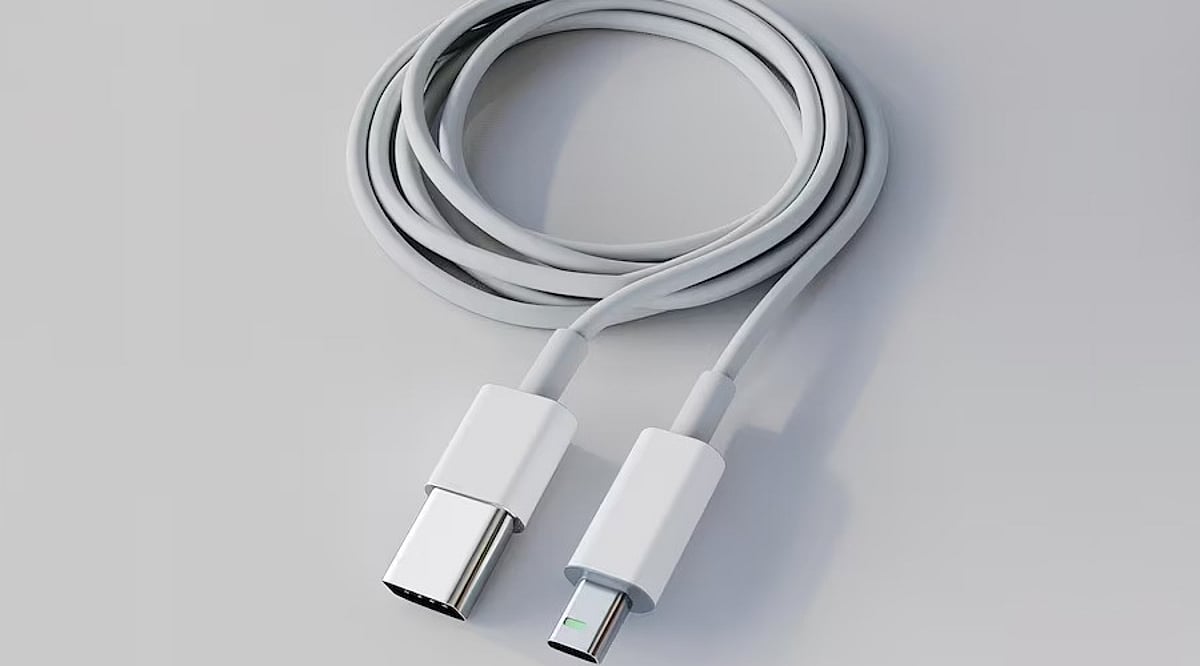
    USB-C has become the universal connector for modern gadgets, powering everything from smartphones and tablets to laptops and power banks. While many cables support fast charging, not all deliver the same performance. For everyday devices, a 60W USB-C cable often provides the perfect balance of power and affordability. Here are five top-rated 60W USB-C cables from leading brands, along with key factors to consider before making a purchase.

    Anker New Nylon USB-C Cable

    Anker is a trusted name in charging accessories, and its New Nylon USB-C cable delivers reliable 60W Power Delivery. The braided nylon exterior enhances durability, with Anker claiming it can withstand up to 12,000 bends. It supports USB 2.0 data transfer speeds up to 480Mbps, sufficient for everyday syncing and file transfers. Available in 3-foot and 6-foot lengths, and in a two-pack, it’s a solid choice for phones and tablets.

    Belkin BoostCharge USB-C Cable

    Belkin’s BoostCharge USB-C to USB-C cable supports 60W charging and features a braided nylon design rated for over 25,000 bends and 10,000 plug-ins. It is USB-IF certified for compatibility and comes with a two-year warranty. This cable works seamlessly with a wide range of USB-C devices, including iPhones, Galaxy phones, iPads, and MacBooks, making it a durable and dependable option.

    UGREEN USB-C Charging Cable

    UGREEN offers a variety of USB-C cables at different power levels. For a 60W setup, verify the exact model specifications before buying, as UGREEN also sells 100W and higher-rated cables. A 60W cable is sufficient for many phones, tablets, power banks, and compatible laptops. UGREEN cables are a great fit for multi-device charging stations, and braided versions are available for extra durability.

    Baseus USB-C 60W Cable

    Baseus is another well-known accessory brand with a broad range of USB-C cables. Their 60W model is ideal for users who primarily charge phones and tablets, and it can also support lightweight laptops that require 60W or less. As with UGREEN, double-check the power rating before purchasing, as Baseus offers higher-wattage cables in similar product lines. Baseus is a strong contender for value-conscious shoppers.

    Spigen USB-C Charging Cable

    Spigen, famous for smartphone cases, also produces USB-C charging cables for everyday devices. Some models support up to 60W charging with compatible USB-C Power Delivery chargers. Spigen cables are a practical choice for users already within the Spigen ecosystem. As always, confirm the exact model’s power and data specifications before buying.

    What to Check Before Buying a 60W Cable

    • Power Delivery Rating: Ensure the cable’s wattage matches your charger and device needs.
    • Data Transfer Speed: Many affordable cables still use USB 2.0 (480Mbps), which may be slow for large files.
    • Cable Length: A 6-foot cable is convenient for desk or bedside use; shorter cables are better for travel.
    • Build Quality: Look for braided nylon and reputable brands to ensure longevity.
    • Certification: USB-IF certification guarantees compatibility and safety.

    Which 60W USB-C Cable Should You Buy?

    The best cable depends on your devices and usage habits. Anker is a reliable everyday choice with proven durability. Belkin appeals to those who prioritize certification and warranty support. UGREEN and Baseus offer extensive accessory ecosystems and multiple cable configurations. Spigen is a practical option for mobile-device users. Remember, 60W is sufficient for most smartphones, tablets, and lightweight laptops. If you own a high-performance laptop, consider a 100W, 140W, or 240W cable instead. The smartest purchase matches your specific device, charger, and daily routine.

    Frequently Asked Questions

    Is a 60W USB-C cable enough for everyday charging?

    Yes, for most users. A 60W cable can charge smartphones, tablets, power banks, and many lightweight laptops. Actual charging speed depends on your device and charger. Check your laptop’s power requirements if you own a high-performance model.

    What is the difference between a 60W and 100W USB-C cable?

    The maximum power rating. A 100W cable can deliver more power when paired with compatible hardware, but it won’t automatically charge your device faster unless the device and charger also support higher power.

    Is Anker a good brand for USB-C charging cables?

    Anker is a well-known and reliable brand for charging accessories. Its New Nylon series includes durable 60W options. Always check the exact model’s specifications for power and data capabilities.

    Do all USB-C cables support fast charging?

    No. USB-C is a connector shape, not a guarantee of speed. Cables have different power ratings, data speeds, and features. Always verify the cable’s specifications before assuming it supports your device’s maximum charging speed.

    Does a 60W cable charge a laptop faster than a phone?

    Not necessarily. Charging speed depends on the device’s power requirements and supported protocols. A laptop may draw more power than a phone, but both will charge within the cable’s 60W limit if compatible.

  • Flipkart Big Billion Days 2026: Maximize Savings with Bank Card Discounts and Stackable Offers

    Flipkart Big Billion Days 2026: Maximize Savings with Bank Card Discounts and Stackable Offers

    Flipkart’s Big Billion Days sale offers shoppers the chance to combine bank card discounts with already reduced product prices. The bank discount is applied after the sale price, allowing customers to lower the final amount even further. However, only one bank offer can be used per purchase, along with SuperCoins or an exchange bonus.

    The order in which offers are applied matters. Customers first get the Big Billion Days sale price, then the eligible bank card discount. SuperCoins or an exchange bonus can further reduce the cost if the product qualifies.

    How Flipkart Bank Card Discounts Work

    Bank card discounts during Big Billion Days are typically offered as instant discounts, commonly up to 10%, when customers pay with an eligible card at checkout. The discount applies separately from the promotional sale price. Customers should check the minimum purchase amount and maximum discount limit before paying. For example, a 10% bank discount with a ₹2,000 limit stops at ₹2,000 even if the purchase value is higher.

    Steps to Stack Offers

    1. Add an eligible product to your cart at the sale price.
    2. Check the product page for an available bank offer.
    3. At checkout, select the participating bank card listed for the offer.
    4. The instant discount should apply automatically after selecting the correct card.
    5. Check the final payable amount, as minimum purchase requirements and discount caps can affect savings.
    6. If eligible, add SuperCoins or an exchange bonus after the bank discount.

    Can Two Bank Offers Be Combined?

    Flipkart generally allows only one bank card discount per purchase. If a shopper owns cards from two participating banks, only the card selected at checkout will receive the applicable discount. Bank discounts can still work with SuperCoins, exchange bonuses, and no-cost EMI, since these offers operate separately.

    Instant Discount vs. No-Cost EMI

    An instant bank discount is deducted immediately and suits shoppers paying the full amount upfront. No-cost EMI splits the payment into installments without added interest but typically doesn’t offer the same instant discount. For shoppers seeking the lowest final price, the instant bank discount generally offers better value.

    SuperCoins and exchange bonuses can also be combined with bank discounts, making a combination of sale price, bank offer, and exchange bonus one of the most effective ways to reduce the final cost during Big Billion Days.

  • Apple Watch Ultra 4 Review: S11 Chip, Enhanced Health Sensors, and Satellite Connectivity

    Apple Watch Ultra 4 Review: S11 Chip, Enhanced Health Sensors, and Satellite Connectivity

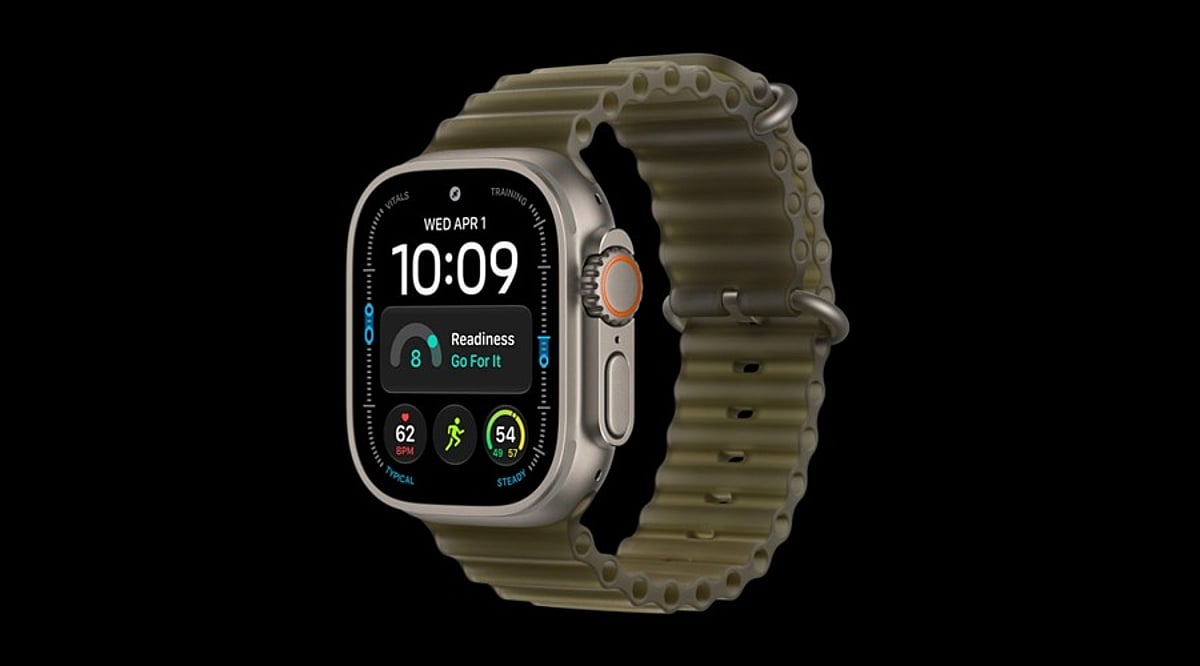
    The Apple Watch Ultra 4 is the latest flagship smartwatch from Apple, designed for fitness enthusiasts, outdoor adventurers, and users who prioritize safety features. Building on the rugged titanium construction of its predecessor, the Ultra 4 introduces the new S11 chip with a four-core Neural Engine, enabling advanced Siri AI and Audio Intelligence technology. Key highlights include an upgraded Health Sensing System, Readiness tracking, high-precision dual-frequency GPS, 5G connectivity, and satellite communication capabilities. With impressive battery life, WR100 water resistance, and recreational dive capability down to 40 meters, the Apple Watch Ultra 4 stands out as one of Apple’s best smartwatches.

    General Specifications

    • Processor: S11 chip with four-core Neural Engine
    • Connectivity: 5G, satellite communication, dual-frequency GPS
    • Water Resistance: WR100 (100 meters), dive-ready to 40 meters
    • Battery Life: Up to 50 hours
    • Health Sensors: Enhanced Health Sensing System, Readiness tracking
    • AI Features: Siri AI, Audio Intelligence

    Pros and Cons

    Pros

    • Powerful S11 chip with advanced AI capabilities
    • Improved health and fitness tracking
    • Excellent battery life (50 hours)
    • Rugged titanium build with 100m water resistance
    • Satellite connectivity for emergency situations
    • Precise GPS for outdoor activities

    Cons

    • High price point
    • Minor visual upgrades over Ultra 3
    • Not a must-upgrade for Ultra 3 owners

    Final Verdict

    The Apple Watch Ultra 4 is a highly sophisticated smartwatch that leverages Apple’s best wearable platform. Its standout features—the S11 chip, Siri AI, Audio Intelligence, upgraded health sensors, Readiness measurement, long battery life, and enhanced outdoor performance—make it ideal for sports enthusiasts and adventurers. The titanium body, 100-meter waterproofing, diving capabilities, satellite communications, and precise GPS positioning further solidify its appeal. However, the high price and subtle design changes mean that Ultra 3 owners may not find it an essential upgrade. For iPhone users seeking a top-tier smartwatch for fitness, health monitoring, safety, and outdoor activities, the Apple Watch Ultra 4 is an excellent choice.

  • Apple Watch Series 12 Review: Smarter Health Tracking, AI Audio Tools, and Faster Charging

    Apple Watch Series 12 Review: Smarter Health Tracking, AI Audio Tools, and Faster Charging

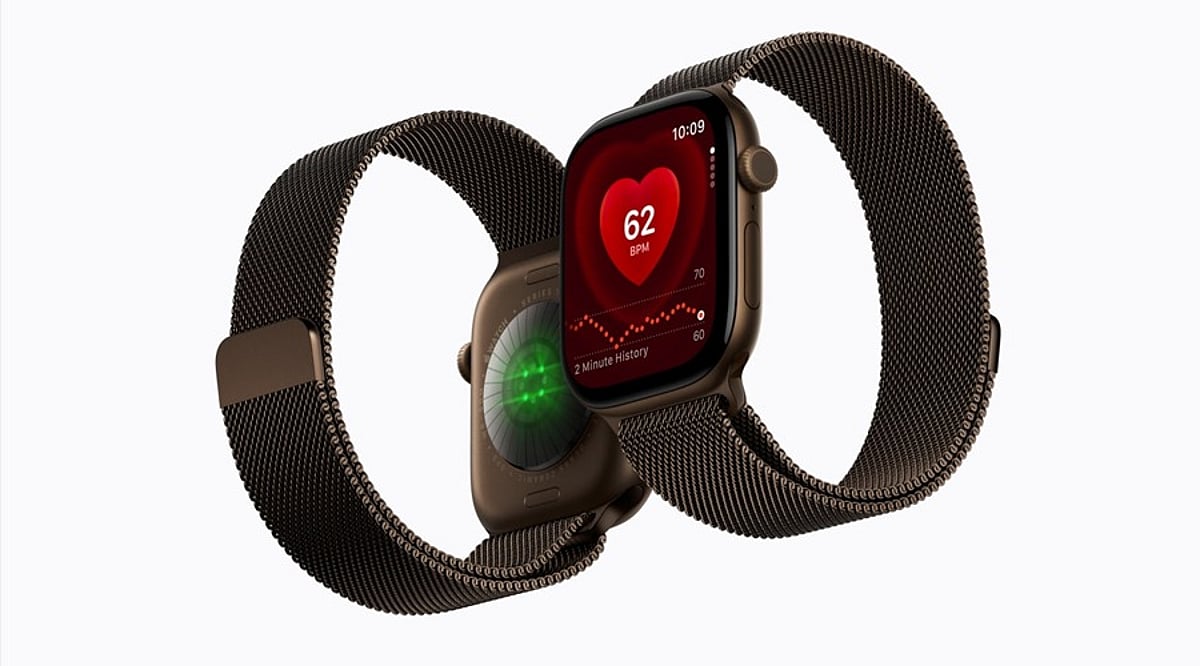
    The Apple Watch Series 12 builds on Apple’s smartwatch lineup with meaningful upgrades in health monitoring, AI-driven audio tools, and charging speed. Powered by the new S11 chip and an enhanced Health Sensing System, the wearable adds a background heart rate sensor, readiness score, and health age indicators to give iPhone users a more complete picture of their well-being.

    Key Features

    Beyond the refreshed internals, the Series 12 keeps the bright always-on display and elegant design users expect. Fitness tracking is more advanced, and the tight integration with the Apple ecosystem remains a major selling point. The watch also introduces several audio intelligence features, including sound recognition, Live Rewind, and Siri Recap.

    Pros and Cons

    Pros:

    • New S11 chip improves performance and efficiency
    • Enhanced Health Sensing System with background heart rate monitoring
    • Readiness score and health age indicators offer deeper wellness insights
    • Faster charging despite the same 24-hour battery life
    • Bright always-on display and premium design
    • Strong fitness tracking and Apple ecosystem integration

    Cons:

    • Battery capacity remains at 24 hours, so daily charging is still needed
    • Not a major upgrade for Apple Watch Series 11 owners

    Final Verdict

    The Apple Watch Series 12 is an excellent choice for iPhone users looking for a capable, polished smartwatch. Its combination of the S11 chip, upgraded health sensing, readiness score, and audio intelligence makes it a meaningful step forward. The faster charging adds convenience, while the display, fitness capabilities, safety features, and seamless iPhone integration remain strong. However, if you already own an Apple Watch Series 11, there may not be enough new features to justify an immediate upgrade.

  • Google Accelerates Chrome Updates to Every Two Weeks Beginning September 2026

    Google Accelerates Chrome Updates to Every Two Weeks Beginning September 2026

    Overview

    Google is overhauling Chrome’s release schedule, moving from a four-week update cycle to a two-week cycle starting with Chrome 153 on September 8, 2026. This change affects desktop, Android, and iOS users, delivering faster security patches, quicker feature rollouts, and simpler bug fixes. Enterprise users and Chromebooks will continue on an eight-week extended stable schedule.

    History Behind Chrome’s Release Schedule

    Chrome hasn’t always updated this fast. Five years ago, Google shifted from a six-week cycle to a four-week cycle, a move that most Chromium-based browsers (including Microsoft Edge) followed. Mozilla Firefox also adopted a similar rhythm. In 2023, Google introduced weekly security updates and an early stable release option, laying the groundwork for this acceleration.

    What Actually Changes from September 2026

    Chrome 153 marks the start of the new schedule. Its stable release lands on September 8, 2026. Key details include:

    • New beta and stable versions ship every two weeks.
    • Chrome Beta versions release three weeks before each stable version.
    • Dev and Canary channels remain unchanged.
    • Extended Stable retains its eight-week cycle for enterprise use.
    • Chromebooks continue receiving updates after separate platform testing.

    Under the old system, Chrome 153’s stable cut was set for October 6. Under the new system, that date moved to September 8 — nearly a month earlier.

    Why Google Made This Decision

    Google’s stated reason: the web platform evolves rapidly, and a four-week wait no longer fits the pace. Developers need faster access to new capabilities, and users need quicker protection against emerging threats.

    Smaller Updates Reduce Complications

    Shorter cycles mean each update carries fewer changes, making them easier to test and fix. Engineers can pinpoint problems faster when fewer changes ship at once. This reflects a common software principle: frequent, smaller releases cause less disruption than large, infrequent ones.

    Faster Security Response

    Security is a major driver. A shorter cycle narrows the window between finding a vulnerability and patching it. Combined with the weekly security updates from 2023, this two-week cycle strengthens Chrome’s overall defense. Hackers often exploit known flaws before users update; cutting the cycle in half reduces that exposure significantly.

    Meeting Developer Demands

    Web developers build for a fast-changing internet. New APIs, performance tools, and browser capabilities emerge constantly. A four-week wait often felt slow. By halving the cycle, Google aligns Chrome more closely with developer expectations and pressures other browser makers to consider similar changes.

    How to Update Chrome Properly

    With updates arriving twice as often, knowing how to update matters more. Automatic updates remain the easiest option. For manual updates:

    1. Open Chrome and click the three-dot menu.
    2. Select Help, then About Google Chrome.
    3. Let Chrome check for and download any update.
    4. Click Relaunch to finish installing.

    Checking manually once in a while helps avoid missing important patches.

    What This Means for Enterprises

    Enterprise administrators still rely on Extended Stable, which keeps its eight-week cycle. Large organizations need time to test updates before wide deployment. Chromebooks follow a similar pattern, receiving updates after dedicated platform testing to protect schools and businesses.

    Final Words

    Google’s decision to shorten the Chrome update cycle reflects a browser built for speed. This is not a small technical tweak — it represents a shift in how Google views its responsibility toward users and developers. The change follows a familiar pattern: from six weeks to four, and now from four to two. Each step aims at faster fixes and quicker access to new features. For regular users, keep automatic updates on. For developers, the shorter beta window means testing schedules need more discipline. As Chrome tightens its release rhythm, Google intends to keep pace with the web, not lag behind it.

    FAQs

    1. When does Chrome’s new two-week update cycle start?

    The new cycle begins with Chrome 153’s stable release on September 8, 2026, replacing the four-week schedule.

    2. Does this update cycle apply to mobile Chrome users as well?

    Yes, the two-week cycle covers desktop, Android, and iOS platforms equally.

    3. Will enterprise users also receive updates every two weeks?

    No, Extended Stable keeps its eight-week cycle for enterprise administrators and Chromium embedders.

    4. What is the easiest way to keep Chrome updated automatically?

    Chrome updates automatically when the browser restarts periodically. You can also check manually via the three-dot menu, Help, About Google Chrome, then Relaunch.

    5. Why did Google choose to shorten the Chrome release schedule?

    Google wants developers and users to access new features, improvements, and security fixes faster, as the evolving web platform made the older four-week cycle feel increasingly slow.

  • Reliance Digital Ganesh Chaturthi Tech Deals: Laptops, TVs, Smartphones & More

    Reliance Digital Ganesh Chaturthi Tech Deals: Laptops, TVs, Smartphones & More

    Ganesh Chaturthi is the perfect time to upgrade your home with useful technology. Reliance Digital’s festive lineup features laptops, televisions, smartphones, audio gear, and smartwatches across various price points.

    The selection ranges from a 32-inch Xiaomi TV at ₹13,999 to premium devices such as the Lenovo LOQ laptop and Samsung Galaxy Watch 8 Classic. Prices and offers below reflect the latest details listed for the products.

    Laptops for Work, Study and Play

    The HP 15 15-fd0682TU costs ₹75,499 (MRP ₹1,24,097) — a 39% discount. It features an Intel Core 5 120U processor, 16GB RAM, 512GB PCIe NVMe SSD, and Intel Iris Xe Graphics. The 15.6-inch Full HD anti-glare display (1920×1080) comes with Windows 11 Home and MS Office Home 2024 preloaded, plus one year of Microsoft 365 Basic. Additional features include a 1080p FHD webcam, backlit keyboard, Wi-Fi 6, Bluetooth 5.4, and up to 7 hours 45 minutes battery life. A one-year warranty and 7.5% discount on Axis cards are also available.

    The Lenovo LOQ 15ARP10E 83S000FYIN is priced at ₹1,07,990 (MRP ₹1,46,790) — a 26% discount. It runs on an AMD Ryzen 5 7535HS processor with 16GB DDR5 RAM, 512GB SSD, and NVIDIA GeForce RTX 3050 6GB GDDR6 graphics (65W TGP). The 15.6-inch FHD anti-glare display (1920×1080) comes with Windows 11 Home Single Language and Office Home & Student 2024. It also includes a backlit keyboard, three USB ports, HDMI, LAN, Bluetooth 5.2, and Nahimic stereo audio.

    TVs for a Festive Home Upgrade

    The Xiaomi F Series 32-inch HD Ready Smart TV L32MB-FIN costs ₹13,999 (MRP ₹24,999) — a 44% discount. This 81.28 cm display offers 1366×768 HD Ready resolution, 60Hz refresh rate, and supports Netflix, JioHotstar, Prime Video, and YouTube via two HDMI and two USB ports. A 20W speaker provides sufficient audio for daily use.

    The iffalcon 65U65 65-inch 4K UHD TV is available at ₹39,990 (MRP ₹1,20,990) — a 67% discount. The 165.1 cm screen delivers 3840×2160 4K resolution at 60Hz, with Google TV for access to Google Play, YouTube, and featured apps. It includes three HDMI ports and one USB port.

    The TCL 55C6K 55-inch QD-Mini LED Google TV costs ₹61,990 (MRP ₹1,07,990) — a 43% discount. This model features 4K 3840×2160 resolution with a 144Hz refresh rate. Google TV powers the software, while four HDMI ports, one USB port, and LAN offer broad connectivity. A two-year manufacturer warranty and up to ₹8,000 off with HDFC or ICICI credit cards are included.

    Smartphones and Personal Tech

    The Redmi A7 4G (64GB, 3GB RAM, Sky Blue) costs ₹12,999 (MRP ₹25,999) — a 50% discount. It features a 6.88-inch HD+ 120Hz display (600 nits brightness), 13MP rear camera, 8MP front camera, 5200mAh battery, HyperOS 3, Bluetooth 5.4, USB Type-C 2.0, and support for up to 2TB expandable storage.

    The POCO C81x (64GB, 3GB RAM, Crystal Black) is priced at ₹11,999 (MRP ₹18,999). It offers a 6.88-inch 120Hz HD+ display, 13MP dual AI rear camera, Unisoc T7250 processor, 64GB internal storage, Android 15 Go, fingerprint scanner, water resistance, and expandable memory slot.

    The Apple AirPods Pro 2nd Gen (USB-C and MagSafe Charging Case) costs ₹18,900 (MRP ₹24,900). These earbuds provide Active Noise Cancellation, Transparency mode, and Personalized Spatial Audio with dynamic head tracking. Both earbuds and case carry IP54 rating, with the case supporting USB-C, Apple Watch, MagSafe, and Qi wireless charging. Total play time is up to 30 hours.

    Smartwatches for a Premium Festive Gift

    The Samsung Galaxy Watch 8 Classic 46mm Bluetooth (Black, L500N) costs ₹27,599 (MRP ₹46,999) — a 41% discount. It features a rotating bezel, Sapphire glass, Armor Aluminum, and Super AMOLED display with up to 3000 nits brightness. The 3nm processor, BioActive Sensor, and Dual GPS support daily fitness and health functions.

    The Samsung Galaxy Watch 8 40mm Bluetooth (Graphite, L320N) is priced at ₹20,399 (MRP ₹32,999) — a 38% discount. Its 8.6 mm slim-fit design uses Sapphire glass and Armor Aluminum, with a Super AMOLED screen reaching up to 3000 nits. The 3nm processor, BioActive Sensor, Dual GPS, and Galaxy AI health features provide a premium experience in a smaller size.

    With options from compact TVs and affordable phones to powerful laptops and premium wearables, this Reliance Digital selection gives Ganesh Chaturthi tech purchases a clear purpose: a useful upgrade that stays relevant beyond the festive season.