Category: Home Electronics

  • 5 Underrated Apple Watch Features That Save You Time Daily

    5 Underrated Apple Watch Features That Save You Time Daily

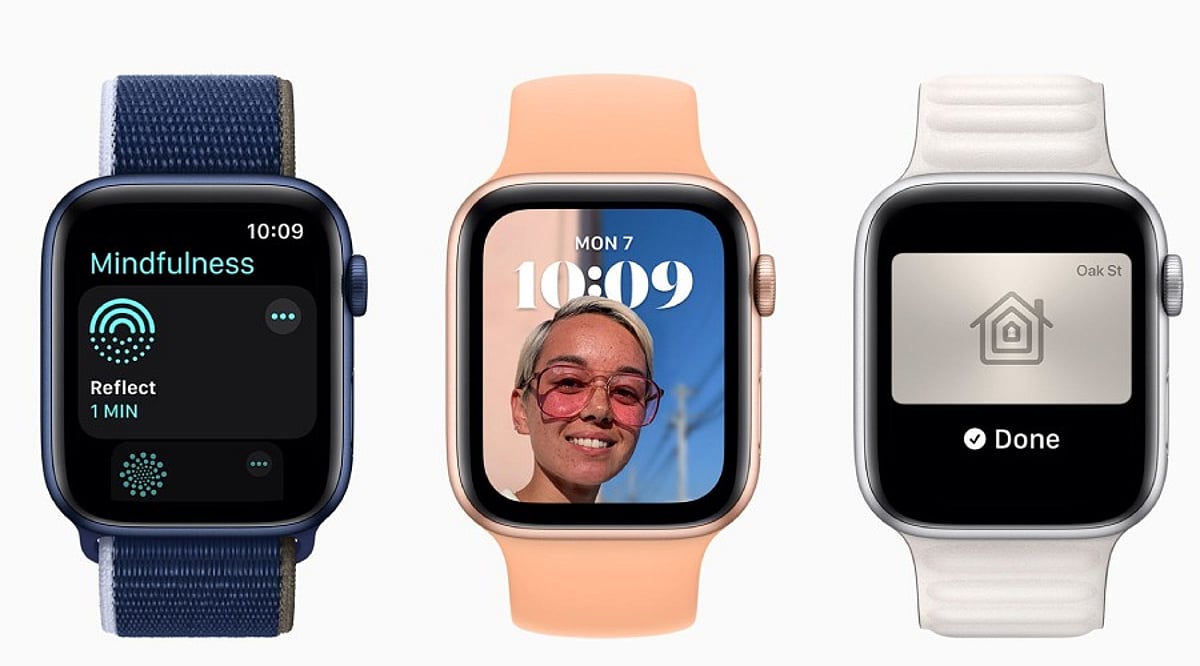
    The Apple Watch is widely known for fitness tracking and notifications, but many users overlook several built-in features that can streamline everyday tasks. These hidden tools are already available on most supported models—you just need to enable them in Settings.

    Walkie-Talkie App

    Few users realize the Apple Watch includes a Walkie-Talkie app, which allows instant voice communication with other Apple Watch users. It’s perfect for quick check-ins without pulling out your phone.

    Cover to Mute

    When an incoming call or alert arrives, simply place your palm over the watch face to instantly silence it. This gesture is faster than tapping buttons and ideal for meetings or quiet environments.

    Wrist Flick to Clear Notifications

    With a quick flick of your wrist, you can dismiss notifications without using the touchscreen. This feature is especially useful when your hands are full or you’re on the move.

    Camera Remote and Double Tap

    The Camera Remote app lets you preview your iPhone camera viewfinder directly on the watch. Use the Double Tap gesture to trigger the shutter without touching your phone—great for group photos or selfies.

    Shazam Integration and Display Flashlight

    Shazam is built into watchOS, so you can identify songs instantly. The Apple Watch also offers a display-based flashlight with three modes: bright white for visibility, flashing white to attract attention, and a red light that preserves night vision.

    These features may not get much attention, but they can save time every day, especially for people who attend meetings, travel frequently, or listen to music and podcasts. Instead of reaching for your phone for every small task, the Apple Watch handles many with just a tap or gesture. Exploring these hidden capabilities helps you get more from your device without installing anything extra.

  • Dual Inverter vs Single Inverter AC: Which Model Delivers Better Energy Savings in 2026?

    Dual Inverter vs Single Inverter AC: Which Model Delivers Better Energy Savings in 2026?

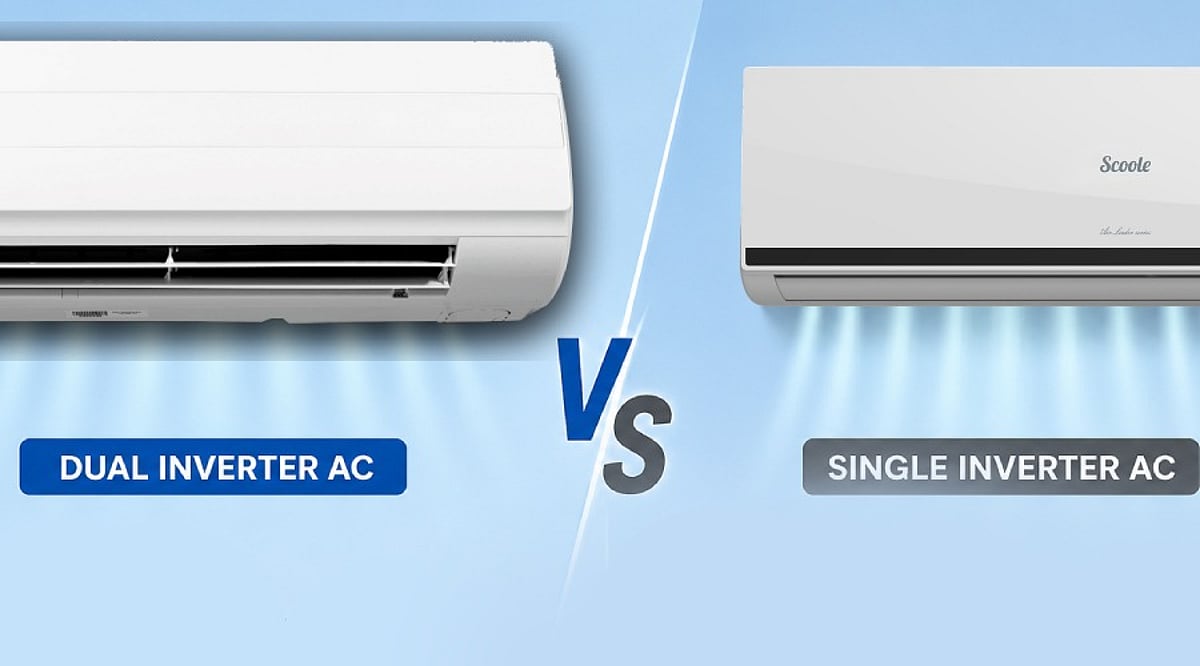
    Choosing a new air conditioner can be challenging, as manufacturers promote several technologies and efficiency features. Two of the most common names you will see are Single Inverter AC and Dual Inverter AC. Many people think a dual inverter AC always uses much less electricity, but that is not completely true. The real answer depends on more than one factor.

    If you compare two ACs with the same cooling capacity, such as 1.5 Ton, a dual inverter model usually uses a little less electricity than a single inverter model. However, the BEE star rating and ISEER value matter even more. A 5-Star single inverter AC with a higher ISEER can use less electricity than a 3-Star dual inverter AC. So, one should never choose an AC only because the product is marketed as a Dual Inverter model.

    What is a Single Inverter AC?

    A single inverter AC has one rotary compressor. This compressor changes its speed based on the room temperature. When the room becomes cool, the compressor slows down instead of stopping completely. When the temperature rises again, it speeds up. This system helps the AC avoid constant on and off cycles. As a result, the AC uses less electricity than a normal fixed-speed AC. It also keeps the room temperature more stable and reduces pressure on the compressor.

    What is a Dual Inverter AC?

    A dual inverter AC comes with a twin rotary compressor instead of a single rotary compressor. Some brands also call it a Dual Rotary compressor. The basic idea stays the same. The compressor changes its speed based on the cooling demand, but the twin rotary design allows smoother operation. The second rotary cylinder helps the compressor work more efficiently across different speeds. It also reduces vibration and noise. Because of this design, the AC cools the room faster and maintains the desired temperature with less effort. The advantages of dual inverter technology become more noticeable during extended daily operation, where smoother compressor performance can improve efficiency, reduce noise, and maintain more consistent cooling.

    Which One Uses Less Electricity?

    If buyers compare the dual inverter vs. single inverter AC based on their tonnage and average BEE star rating, it is observed that the dual inverter AC consumes roughly 5% to 10% less energy than the single inverter variant. The reason behind the energy efficiency of the dual inverter AC is because of the twin rotary compressor, which operates quite efficiently under low working conditions. However, that doesn’t make all the models of dual inverter AC superior to the single inverter AC models. For example, a single inverter AC that has a 5-Star energy rating and ISEER of 5.3 may consume fewer units of energy as compared to a dual inverter AC that has a 3-Star energy rating and an ISEER of 4.2. Thus, this example makes it clear that energy ratings are more significant than the type of compressor.

    Why Does a Dual Inverter Save More Power?

    The twin rotary compressor allows smoother movement inside the AC. It keeps the compressor stable and helps it run at lower speeds without extra effort. This design also reduces vibration and friction. Since the compressor does not need sudden speed changes, it avoids unnecessary power use during long cooling sessions. These small improvements add up over time. They become more noticeable when the AC runs for many hours every day.

    Real Electricity Consumption Example

    Consider two 1.5 Ton ACs with similar cooling capacities operating under identical conditions during one cooling season. If each unit runs for approximately eight hours per day, a typical single inverter AC may consume around 850 kWh of electricity over the season. Under the same conditions, a comparable dual inverter model may consume between 780 and 810 kWh. This translates to an estimated saving of 40–70 kWh, although the actual difference varies depending on the BEE star rating, ISEER value, thermostat setting, room insulation, and outdoor temperature.

    Other Benefits of a Dual Inverter AC

    A dual inverter AC typically delivers faster cooling after startup. The twin rotary compressor is designed for smoother operation, which helps reduce noise and vibration. This results in quieter performance and improved comfort during extended use. Many customers also notice better temperature control because the compressor adjusts its speed more smoothly. These features improve comfort, especially during long summer days and nights.

    Which AC Should One Buy in 2026?

    Daily usage should guide the decision. Households that use an AC for six to ten hours every day or keep it running throughout the night may benefit more from a dual inverter AC. The small reduction in electricity use can add up over several years, while quieter operation and faster cooling make daily use more comfortable. For households that use an AC for only two to four hours each day, a single inverter AC can offer better value for money. Comparing the BEE star rating and ISEER value before compressor technology is recommended, as a high-efficiency single inverter AC often proves to be a smarter purchase than a lower-rated dual inverter model.

    Final Verdict

    A dual inverter air conditioning system is generally more energy-efficient than a single inverter system, as it uses a dual rotary compressor that operates more efficiently during prolonged cooling periods. In most instances, its efficiency gains are not excessively great, as one should only expect savings of about 5% to 10% when all other criteria are the same. Buyers looking for an economical AC in 2026 should begin by comparing the BEE star rating and ISEER value of the models under consideration. The compressor type should be evaluated afterward. When two models have the same energy ratings, a dual inverter AC typically offers advantages such as quieter operation and faster cooling. However, if a single inverter AC has a significantly higher ISEER value, it may be the better choice for overall energy efficiency.

    FAQs

    1. Does a dual inverter AC always consume less electricity?
    No. A higher-rated single inverter AC with a better ISEER can consume less electricity than a lower-rated dual inverter model.

    2. How much electricity can a dual inverter AC save?
    Under similar conditions, it can save around 5% to 10% more electricity than a comparable single inverter AC.

    3. What should I check before buying an AC in 2026?
    First compare the BEE Star Rating and ISEER value, then consider whether it uses a single or dual inverter compressor.

    4. Is a dual inverter AC worth the extra cost?
    Yes, if you use your AC for 6–10 hours daily or overnight. The energy savings, quieter operation, and faster cooling can justify the higher price.

    5. Besides saving electricity, what are the benefits of a dual inverter AC?
    It offers faster cooling, quieter operation, lower vibration, smoother temperature control, and improved comfort during extended use.

  • 2026 Computer Monitor Buying Guide: From Full HD to 8K Resolutions and Beyond

    2026 Computer Monitor Buying Guide: From Full HD to 8K Resolutions and Beyond

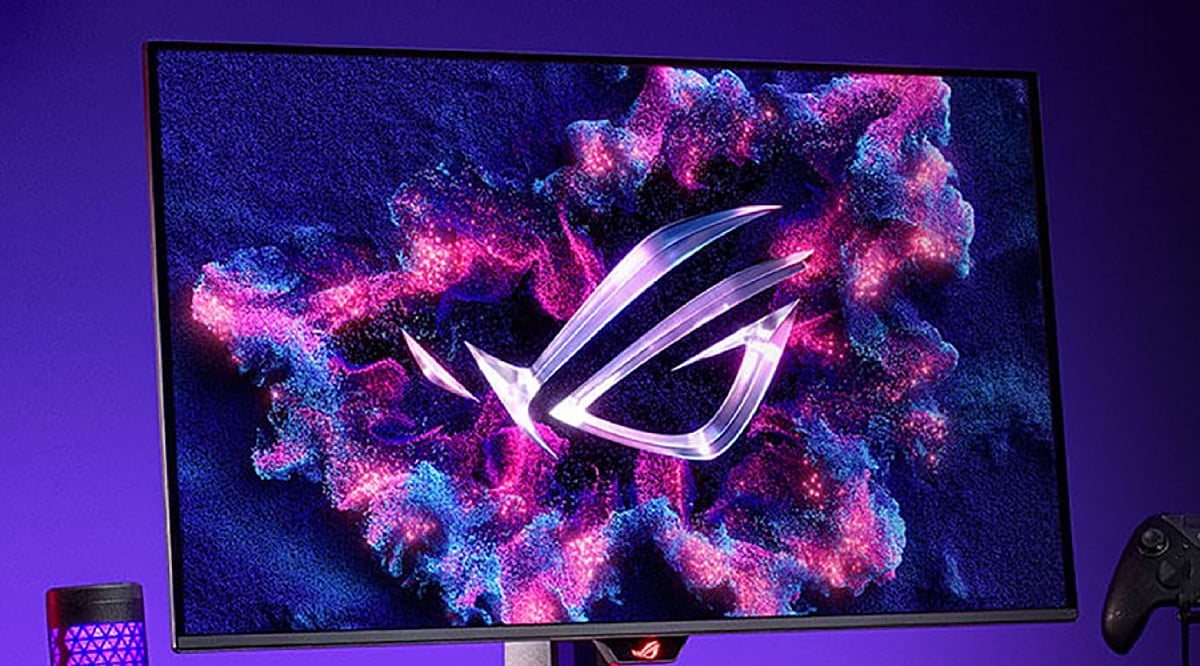
    Choosing the right computer monitor involves more than just picking a high resolution. Factors like display technology, refresh rate, HDR support, color accuracy, and connectivity all play a critical role in determining the best monitor for work, gaming, creative tasks, and entertainment.

    Understanding Screen Resolutions

    Resolution refers to the number of pixels a monitor can display. Higher resolutions deliver sharper images. Here’s a quick breakdown:

    • Full HD (1920 × 1080): 2.07 million pixels – the entry-level standard.
    • QHD / 1440p (2560 × 1440): 3.69 million pixels – about 1.78 times more than Full HD.
    • 4K (3840 × 2160): 8.29 million pixels – exactly four times Full HD.
    • 5K: 14.7 million pixels – roughly seven times Full HD.
    • 8K (7680 × 4320): 33.18 million pixels – 16 times Full HD.

    Beyond Resolution: Key Features Buyers Look For

    Modern buyers evaluate several additional features before making a purchase:

    • Display technology: IPS (color accuracy and wide viewing angles), VA (deep blacks and high contrast), OLED (true blacks, vivid colors, instant response), Mini-LED (excellent HDR brightness with many local dimming zones).
    • HDR certification: Look for DisplayHDR 600, 1000, True Black, or True Black 1400 for superior brightness and contrast.
    • Refresh rate: 60–75 Hz for office work, 100–144 Hz for general use and console gaming, 240–360 Hz for competitive PC gaming, and up to 500 Hz for esports.
    • Color accuracy: 100% sRGB for photography, DCI-P3 for video editing, Adobe RGB for printing. Many monitors now offer factory calibration and built-in calibration tools.
    • Connectivity: HDMI 2.1, DisplayPort 2.1, USB-C with power delivery (65–140W), Thunderbolt 4, USB hubs, and KVM switches. HDMI 2.2 is also emerging for even higher resolutions and refresh rates.
    • Burn-in warranty and ClearMR ratings are also becoming important considerations.

    Choosing the Right Resolution for Your Needs

    • Full HD: Suitable for budget builds and basic office tasks.
    • QHD: The sweet spot for most users – excellent balance of image quality, performance, and price, especially for gamers.
    • 4K: The premium standard for creative professionals and anyone who demands maximum detail.
    • 5K: Ideal for designers, photographers, CAD professionals, and Mac users who work with fine text or graphics.
    • 8K: Best for specialized applications like video production, medical imaging, scientific research, and large-format photography.

    Screen Size Matters

    Match screen size to resolution for the best experience:

    • Full HD: 22–25 inches
    • QHD: 27 inches
    • 4K: 27–32 inches
    • 5K and 8K: 32 inches or larger

    Why Choosing the Right Monitor Matters

    A well-chosen monitor boosts productivity, enhances gaming, and improves entertainment. A poor choice can lead to eye strain, lower efficiency, and wasted money. With rapid advancements in display technology, informed decisions are essential.

    Final Thoughts

    The best monitor is not necessarily the one with the highest resolution. It’s the model that combines the right screen size, display technology, refresh rate, HDR support, color accuracy, and modern connectivity for your specific needs. Full HD remains adequate for basic tasks, QHD is the all-around sweet spot, 4K is the premium mainstream choice, and 5K/8K are best left to professionals with specialized workflows.

    FAQs

    1. Is 4K always better than QHD? Not necessarily. QHD offers an excellent balance of image quality, performance, and affordability, while 4K is ideal for creative professionals and users who want maximum detail.
    2. Which panel type is best in 2026? IPS is great for color accuracy, VA delivers higher contrast, OLED offers the best picture quality, and Mini-LED provides excellent HDR brightness.
    3. What refresh rate should I choose? 60–75Hz is suitable for office work, 100–144Hz is ideal for everyday use and gaming, while competitive gamers benefit from 240Hz or higher.
    4. Why is HDR important? HDR improves brightness, contrast, and color depth, creating a more realistic and immersive viewing experience, especially for movies, games, and HDR content.
    5. Which monitor resolution is best for professionals? Most creative professionals prefer 4K, while photographers, designers, CAD users, and Mac users may benefit from 5K. 8K is best suited for specialized professional workflows.
  • Samsung vs LG Washing Machines: Which Brand Offers Superior Cleaning Performance?

    Samsung vs LG Washing Machines: Which Brand Offers Superior Cleaning Performance?

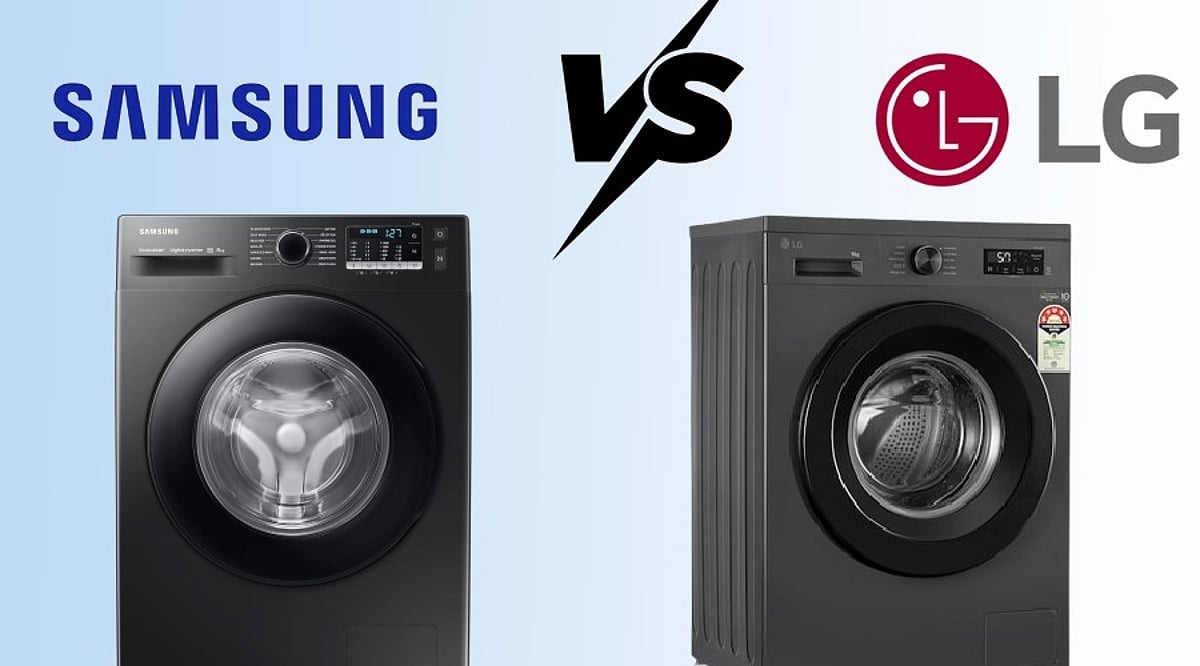
    When shopping for a new washing machine, Samsung and LG are two of the most popular brands. Both offer modern features, solid build quality, and strong performance. But which one cleans better? Our comparison shows that LG holds a slight edge in cleaning performance, fabric care, and quiet operation, while Samsung excels with smart features and faster cycles.

    Overview

    • LG delivers slightly better cleaning and fabric care with AI Direct Drive and 6 Motion technology.
    • Samsung leads in smart features with SmartThings, AI Wash, and EcoBubble technology.
    • Choose LG for wash quality and durability; choose Samsung for smart convenience and connected living.

    LG Offers Better Cleaning Performance

    LG washing machines use AI Direct Drive technology that studies the fabric type and adjusts drum movement for each load. The 6 Motion Direct Drive technology uses multiple drum movements to remove dirt while protecting delicate fabrics. Expert reviews consistently rank LG among the best for stain removal and overall wash quality.

    Samsung Brings Smart Cleaning Technology

    Samsung’s EcoBubble technology mixes detergent with water to create bubbles that clean effectively, even in cold water. Advanced models include AI Wash, which automatically adjusts washing time, water, and detergent based on load size. Hygiene Steam sanitizes clothes and removes allergens.

    Fabric Care Gives LG Another Advantage

    LG’s AI Direct Drive and 6 Motion technology protect fabrics by adjusting drum movements for different clothing types—cotton, delicates, baby clothes, and sportswear. Samsung’s EcoBubble cleans gently without harsh rubbing, but LG’s adaptive drum movements offer slightly better fabric care overall.

    Speed Stays Close Between Both Brands

    LG’s TurboWash and Samsung’s QuickDrive both reduce wash time while maintaining cleaning quality. Neither brand has a clear advantage in speed.

    Smart Features Help Samsung Stand Out

    Samsung’s SmartThings app lets users control cycles, receive notifications, and monitor energy use. Premium models offer AI Energy features to lower electricity consumption. LG’s ThinQ app provides similar controls, but Samsung’s smart home integration is more complete, especially for users with other Samsung devices.

    LG Wins in Reliability and Quiet Operation

    LG uses Direct Drive technology with fewer moving parts than conventional belt-driven systems, resulting in less wear and tear and quieter operation. Samsung uses Digital Inverter motors that reduce noise and improve efficiency, but many specialists still prefer LG for longevity and silent performance.

    Which Brand Should You Choose?

    If deep cleaning is your priority, choose LG for its AI Direct Drive, 6 Motion, TurboWash, and Steam technologies that ensure effective cleaning without fabric damage. If you value smart features and connected living, Samsung’s EcoBubble, AI Wash, Hygiene Steam, and SmartThings offer excellent convenience.

    FAQs

    1. Which brand cleans clothes better, Samsung or LG? LG has a slight advantage thanks to AI Direct Drive, 6 Motion technology, and excellent stain-removal performance.
    2. Is Samsung better for smart home users? Yes. Samsung’s SmartThings app, AI Wash, and AI Energy features provide a more comprehensive smart home experience.
    3. Which washing machine is quieter? LG generally operates more quietly because of its Direct Drive motor, which has fewer moving parts.
    4. Which brand is better for delicate clothes? LG is often the better choice, as its AI Direct Drive adjusts drum movements based on fabric type for improved garment care.
    5. Are Samsung washing machines good for everyday cleaning? Absolutely. Samsung’s EcoBubble, Hygiene Steam, and AI Wash technologies provide excellent cleaning performance, even in cold water.
  • Best Smart Luggage Trackers for 2026 – Expert-Recommended Picks to Keep Your Bags Safe

    Best Smart Luggage Trackers for 2026 – Expert-Recommended Picks to Keep Your Bags Safe

    Never lose your luggage again! Discover the smartest luggage trackers trusted by frequent travelers and travel experts this year.

    • Apple AirTag: The best choice for iPhone users, AirTag offers precise Find My tracking, long battery life, and a compact design perfect for suitcases.
    • Samsung Galaxy SmartTag2: Designed for Galaxy users, it delivers reliable location tracking, SmartThings integration, and improved battery life.
    • Tile Pro: Known for its long Bluetooth range and loud alert sound, Tile Pro is a favorite among travelers using Android and iPhone.
    • Chipolo ONE Point: Google’s Find My Device support makes Chipolo ONE Point an affordable and convenient luggage tracking option.
    • Pebblebee Tag: Rechargeable battery and compatibility with Apple’s Find My network make it an eco-friendly premium tracker.
    • Cube GPS Tracker: Need real-time GPS tracking? Cube offers nationwide location updates beyond Bluetooth limitations.
    • Eufy SmartTrack Link: Works seamlessly with Apple’s Find My network while adding QR code recovery for misplaced luggage.

    Why experts recommend them: Features like GPS, Bluetooth, crowd-sourced tracking, and long battery life can save your luggage and your trip.

    Read more stories on gadgets and smart home devices to stay informed about the latest tech trends.

  • Best Samsung Double Door Refrigerators in India: 256L, 301L & 350L Models Compared for 2026

    Best Samsung Double Door Refrigerators in India: 256L, 301L & 350L Models Compared for 2026

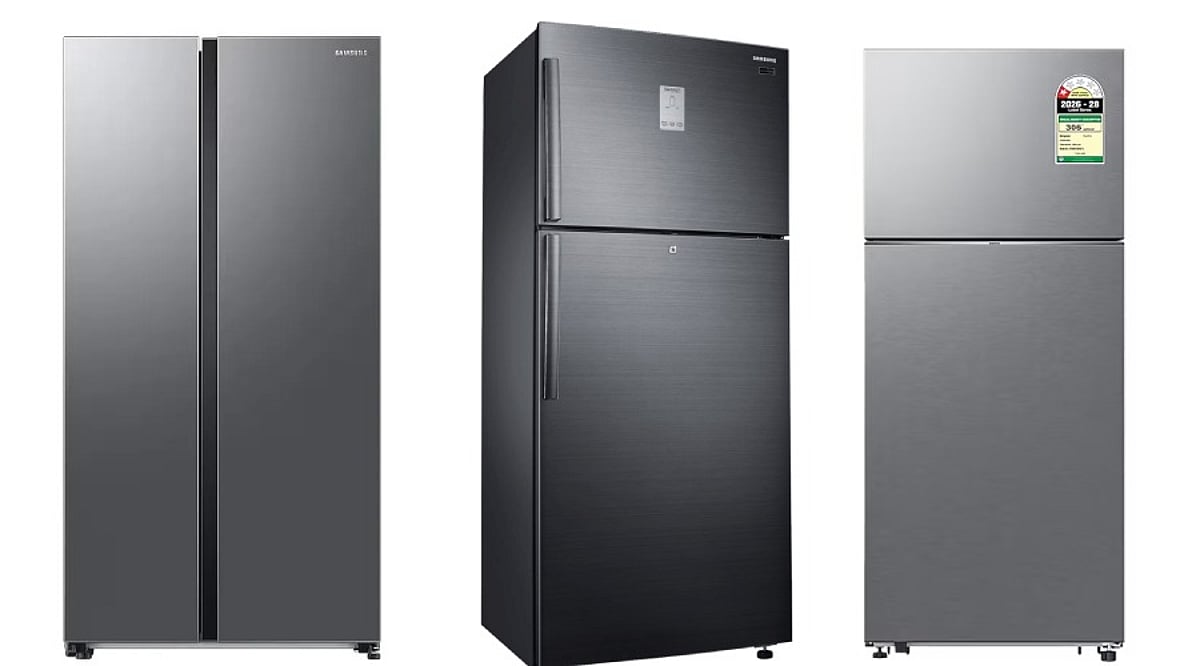
    Samsung’s double-door refrigerator lineup offers options for every household, from compact models to smart, connected units. This comparison covers three popular models: the 256L Convertible, the 301L Convertible, and the 350L Bespoke AI. Prices range from Rs. 32,690 to Rs. 45,990, and all feature frost-free cooling and Digital Inverter compressors. However, they differ significantly in storage capacity, energy efficiency, and smart features.

    Samsung 350 L Bespoke AI (RT38HG5A23S8HL)

    Priced at Rs. 45,990, this 350-liter refrigerator includes a spacious 75-liter freezer, ideal for families of four or five. Its standout feature is energy efficiency: a 3-star BEE rating with annual consumption of 212 kWh. The 5-in-1 convertible system lets you adjust freezer and refrigerator compartments as needed. Wi-Fi connectivity and Samsung SmartThings AI Energy Mode enable remote monitoring and energy management. It operates without a stabilizer (100-300V) and comes with a 10-year warranty on the Digital Inverter compressor. Overall score: 9.3. However, it is the most expensive option, and some reviews mention transit dents.

    Buy Now

    Samsung 256 L Convertible (RT40H30U3FHL) – Best Value for Money

    At around Rs. 32,690, this 256-liter model (53-liter freezer) is the most balanced choice for smaller households of two to four people. It also has a 3-star energy rating (202 kWh/year). Its convertible functionality allows you to turn freezer space into extra refrigerator storage. With over 6,600 ratings, users praise its quiet operation and fast mode switching. Overall score: 9.2. The main limitation is storage capacity for larger families, and it lacks an external control display.

    Buy Now

    Samsung 301 L Convertible (RT31H4522S9/HL) – Best for Flexible Storage

    Priced at Rs. 36,990, this mid-range model offers 301 liters of storage with a generous 72-liter freezer. Its key selling point is the 5-in-1 convertible system with independent compartment controls and an external display, providing flexibility for frozen food, fresh produce, or beverages. However, it has only a 2-star energy rating (237 kWh/year) and lacks AI and Wi-Fi capabilities.

    Buy Now

    Which One Should You Buy?

    For larger families needing extra storage and smart features, the 350-liter Bespoke AI is the best choice. The 256-liter model is the most cost-effective, efficient, and reliable option for smaller households. The 301-liter model appeals to buyers who prioritize convertible versatility and an exterior display.

    Frequently Asked Questions

    1. Which Samsung double door fridge is the best overall?

    The Samsung 350 L Bespoke AI is the strongest overall option, combining large storage, a 75-liter freezer, 3-star efficiency, 5-in-1 convertible modes, Wi-Fi, and SmartThings AI Energy Mode. It suits families of four or five.

    2. Which Samsung refrigerator offers the best value for money?

    The Samsung 256 L Convertible offers the best balance of affordability and performance at around Rs. 32,690. Its 3-star rating, 202 kWh annual consumption, quiet operation, and convertible storage make it ideal for two to four people.

    3. Is the Samsung 301 L refrigerator energy efficient?

    No, it has a 2-star rating and consumes about 237 kWh per year. It is less efficient than the two 3-star models, but it offers a larger 72-liter freezer, flexible compartment controls, and an external display.

    4. What does a 5-in-1 convertible refrigerator do?

    It allows users to adjust how the freezer and fresh-food compartments operate. Depending on the model, the freezer can be converted into extra refrigerator space, or individual compartments can be switched off to match changing storage needs.

    5. Which Samsung fridge is suitable for a large family?

    The 350-liter Samsung Bespoke AI is the best choice for larger or growing families, thanks to its high capacity, spacious freezer, efficient power consumption, tall-bottle storage, and smart monitoring features.

  • How to Share Your Smart Doorbell with Every Household Member

    How to Share Your Smart Doorbell with Every Household Member

    When I first considered installing a smart doorbell, I assumed connecting it to my phone would be enough. However, this became inconvenient whenever I was in a meeting, traveling, or unable to check an alert immediately.

    Other family members could hear someone at the entrance, but they could not view the visitor or respond through their phones. I realized that a video doorbell becomes much more useful when everyone responsible for the home can receive alerts.

    After a bit of research, I figured out the solution. All I had to do was configure the doorbell on one primary phone and share access with other household members. Here is how you can set up a similar arrangement.

    Why I Wanted Everyone to Receive Alerts

    A conventional calling bell only informs people who can physically hear it. A video doorbell can also let authorized household members see who is outside and communicate with visitors through their phones.

    Restricting these functions to one person limits their usefulness. I might miss an alert while working, but another family member could still respond to a delivery. If nobody was home, an authorized person could remotely check who was at the entrance.

    Giving multiple people access therefore made the doorbell part of our broader smart home security setup instead of leaving it under the control of one person.

    I Started with One Primary Phone

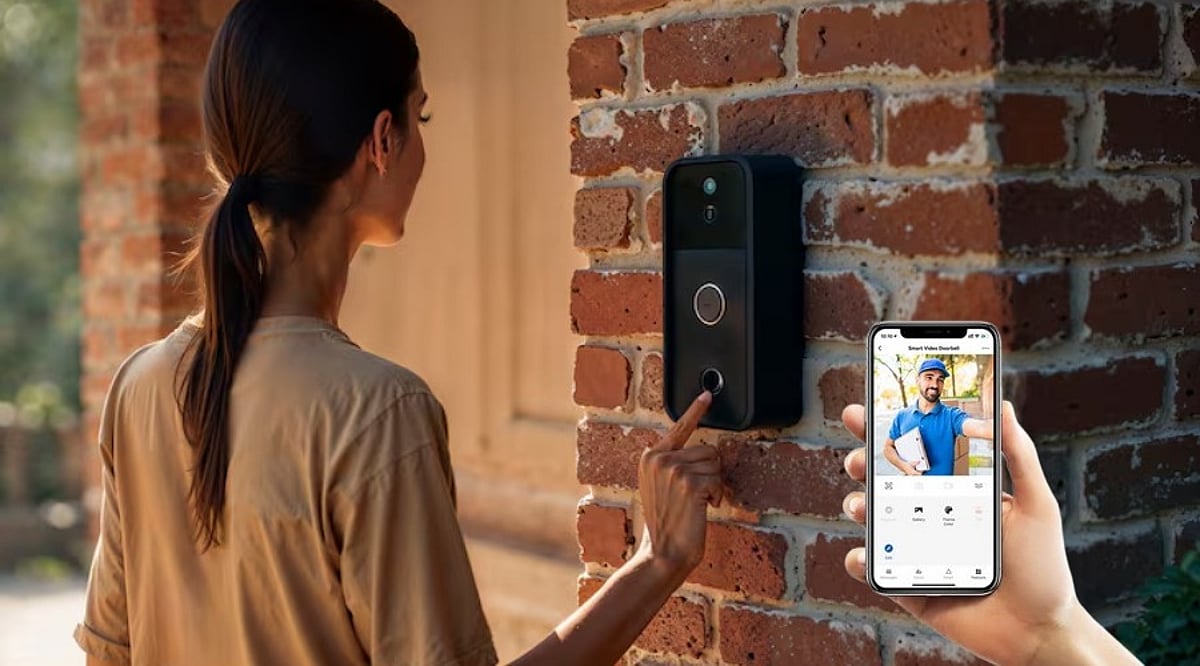
    As more household devices become connected, brands such as Wipro Consumer Lighting are expanding beyond lighting to offer integrated smart-home security solutions. Products such as the Wipro Smart Wi-Fi Video Doorbell Pro are designed to help households monitor and manage their entrances through a connected app.

    The first step was to install the doorbell and connect it to a primary smartphone. This phone served as the main device for creating the account, adding the doorbell, and managing access for other users.

    The Wipro Smart Wi-Fi Video Doorbell Pro can be managed through the Wipro Next Smart Home app. Wipro also states that multiple family members can access the smart doorbell through the app.

    I Shared the Device, Not the Password

    It may appear easier to use the same account and password on every phone. However, sharing the primary login can make access difficult to manage and may create unnecessary security concerns.

    Instead, I used the app’s device-sharing or household-access feature. Depending on the current app version, the exact name and location of this option may differ.

    The process generally involves opening the doorbell in the app, entering its settings, and selecting the available sharing option. The primary user can then invite another household member through the account details requested by the app.

    Using the official sharing function means each person can access the device through an individual account without knowing the password of the primary user.

    Everyone Installed the App

    Each person who needed doorbell access installed the Wipro Next Smart Home app on their phone. They then created an account or signed in and accepted the invitation sent by the primary user.

    Once the shared doorbell appeared in the app, we checked whether each person could:

    • Receive a doorbell alert
    • Open the live video feed
    • View the entrance
    • Use the available communication controls

    The Wipro Smart Wi-Fi Video Doorbell Pro features a 3 MP 1296p Full HD camera and night vision. Its connected functions allow authorized users to see and communicate with visitors through their phones.

    These capabilities are particularly useful in households where different people may be responsible for answering the entrance at different times.

    I Checked Notifications Separately

    Sharing access does not always guarantee that every phone will produce an alert. Notifications must also be enabled through the app and the settings of each phone.

    On every device, I checked that:

    • App notifications were enabled
    • Doorbell alerts were active
    • The app could run in the background
    • Battery-saving settings were not blocking notifications
    • Sound and vibration permissions were allowed
    • The phone had a working internet connection

    We then pressed the doorbell and confirmed which phones received the alert.

    This test helped identify phones that could access the live feed but were suppressing notifications. Checking these permissions during setup reduces the risk of missing a visitor later.

    I Limited Access to Trusted Users

    Connecting the doorbell to everyone did not mean giving access to every person who entered the house. I shared it only with family members who genuinely needed to monitor or answer the entrance.

    I also planned to review access whenever someone changed phones, moved out, or no longer needed control. The primary user should remove accounts that no longer require access.

    A doorbell camera also serves a different purpose from a conventional CCTV camera. While CCTV cameras may monitor broader areas, a video doorbell focuses on the entrance and enables direct interaction with visitors.

    Both can support smart home security, but access to their footage should remain limited to trusted users.

    Shared Access Made the Doorbell More Useful

    Connecting the doorbell to multiple phones prevented responsibility for the entrance from falling on one person. When I could not respond, another authorized household member could still check the visitor.

    The Wipro Smart Wi-Fi Video Doorbell Pro supports connected app access for family members, making it suitable for a shared household setup. The key is to configure one primary account, invite other users through the official sharing feature, enable notifications on every phone, and regularly review access.

    With those steps completed, a video doorbell becomes more than a replacement for a calling bell. It becomes a shared smart home security tool that helps the household respond even when the primary user is unavailable.

  • AC vs. Dehumidifier: Which Appliance Works Best During Monsoon Season?

    AC vs. Dehumidifier: Which Appliance Works Best During Monsoon Season?

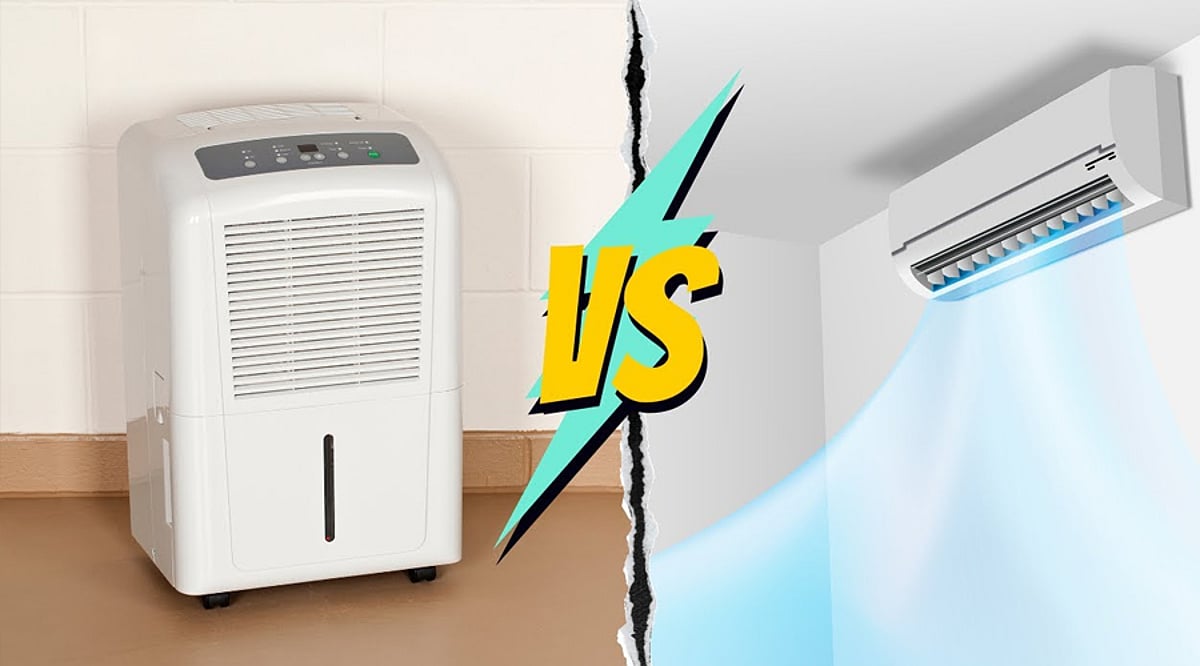
    Monsoon brings cool weather but also sticky air, damp walls, and musty smells. If your home feels humid, choosing the right appliance matters. While both an AC and a dehumidifier reduce moisture, they work differently and suit different situations.

    An air conditioner removes moisture as it cools the room. A dehumidifier does one job—extracting excess water from the air while keeping the room at nearly the same temperature. That’s why it’s more effective for humidity control alone.

    Choose a dehumidifier if your home has damp walls, mold, mildew, musty odors, or clothes that take too long to dry. It keeps indoor humidity in the ideal range without making the room uncomfortably cold and usually uses less electricity than an AC.

    Use your AC, especially Dry Mode, when the weather is both hot and humid. It cools the room while removing some moisture, making it the better option during hot summer or humid monsoon afternoons.

    A dehumidifier is usually cheaper to run because it consumes less power than an air conditioner. It also helps prevent mold growth, reduces damp smells, protects furniture, and speeds up indoor clothes drying during rainy days.

    If your home feels extremely damp, using both appliances together can give the best results. Let the AC cool the room while the dehumidifier removes excess moisture, creating a more comfortable and healthier indoor environment.

    Final verdict: If your home is humid but not hot, buy a dehumidifier. If it’s hot and humid, use an AC with Dry Mode. For severe monsoon dampness, combining both appliances offers the best comfort and moisture control.

  • 3 Crucial Factors to Check Before Buying a Dehumidifier Online

    3 Crucial Factors to Check Before Buying a Dehumidifier Online

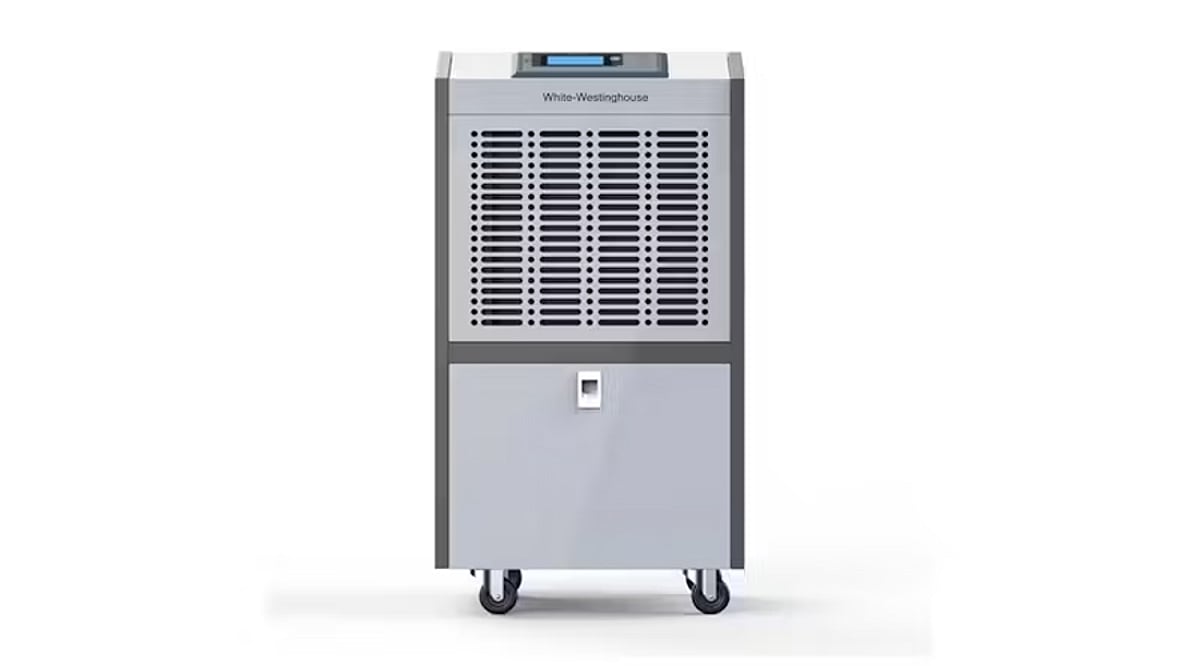
    A dehumidifier is more than a humidity reducer—it helps prevent mold, protects furniture, minimizes musty odors, and fosters a healthier indoor environment. Selecting the right model online can be daunting given the wide range of specifications. By focusing on a few essential factors, you can ensure your purchase delivers efficient performance and suits your home perfectly.

    1. Room Coverage

    The first thing to verify is the recommended room size. A small dehumidifier may struggle in large spaces, while an oversized unit wastes energy. Manufacturers specify coverage in square feet or square meters. Always match the product’s capacity with your room dimensions to achieve effective moisture control and consistent operation.

    2. Moisture Removal Capacity

    Dehumidifiers are rated by daily moisture removal, typically in liters or pints. High-humidity areas like basements require greater capacity than bedrooms or offices. Choosing an insufficient unit leads to slower results, while the right capacity maintains comfortable humidity levels without running nonstop.

    3. Energy Efficiency

    Since a dehumidifier may run for hours daily, energy efficiency is crucial. Look for models with energy-saving technologies or certified efficiency ratings. Lower electricity consumption reduces operating costs while ensuring reliable performance. Efficient units also generate less heat and operate more sustainably year-round.

    Additional Considerations

    • Noise and Convenience: Check sound ratings and reviews, especially for bedrooms or workspaces. Features like automatic shut-off, continuous drainage, humidity sensors, digital displays, and washable filters enhance usability and reduce maintenance.
    • Reviews and Warranty: Customer feedback reveals real-world durability and service quality. Compare warranty periods, service center availability, and return policies. A longer warranty often signals manufacturer confidence and provides peace of mind.

    Before clicking “Buy Now,” compare room coverage, moisture removal capacity, and energy efficiency. Also evaluate noise, convenience features, reviews, and warranty support. Spending a few extra minutes on these details will help you choose a reliable dehumidifier that delivers long-term comfort, healthier air, and better value for money.

  • Essential Factors to Consider When Buying an Air Purifier

    Essential Factors to Consider When Buying an Air Purifier

    Choosing the right air purifier can significantly improve indoor air quality, but with so many options on the market, it’s important to focus on key features that match your needs. Here’s a comprehensive guide to help you make an informed decision.

    HEPA Filter Quality

    A true HEPA filter is non-negotiable for effective air purification. It captures up to 99.97% of airborne particles as small as 0.3 microns, including dust, pollen, pet dander, mold spores, and common allergens. This makes it the most critical component for reducing respiratory irritants and improving overall air quality.

    Room Coverage

    Always match the purifier’s coverage area to your room size. An undersized unit will struggle to clean the air efficiently, while an oversized model may waste energy. Look for the Clean Air Delivery Rate (CADR) rating, which indicates how quickly the purifier can filter air in a given space — essential for bedrooms, living rooms, or offices.

    Filter Replacement Cost

    Air purifiers require ongoing filter changes, so factor in the cost and availability of replacement filters. Some models need new filters every six months, while others last longer. Choosing a purifier with affordable, widely available filters helps keep long-term maintenance costs manageable.

    Noise Levels

    If you plan to run the purifier while sleeping or working, noise level is crucial. Many modern purifiers offer low-noise or sleep modes that operate quietly, ensuring continuous purification without disturbing rest, concentration, or conversations. This is especially important for bedrooms, study rooms, and home offices.

    Energy Efficiency

    Since air purifiers often run for many hours each day, energy-efficient models can reduce electricity bills. Look for energy-saving certifications and low power consumption ratings, which allow you to maintain clean air without excessive utility costs, especially if the appliance runs continuously.

    Smart Features

    Modern air purifiers increasingly include Wi-Fi connectivity, mobile app controls, real-time air quality sensors, and automatic fan speed adjustments. These conveniences let you monitor indoor air quality remotely and optimize performance with minimal manual intervention.

    Maintenance and Build Quality

    Durable construction, easy-to-clean pre-filters, and simple filter replacement mechanisms extend the product’s lifespan. Reliable build quality ensures consistent performance and cleaner indoor air for years, making it a worthwhile long-term investment.

    By evaluating these factors carefully, you can select an air purifier that best fits your home, lifestyle, and budget.