Category: Home Electronics

  • Top Smart Air Fryers with App Control: Wi-Fi, Voice, and AI Features Compared

    Top Smart Air Fryers with App Control: Wi-Fi, Voice, and AI Features Compared

    Smart air fryers are revolutionizing home cooking by combining convenience with connectivity. With Wi-Fi, app control, and voice assistant support, these appliances let you monitor, adjust, and perfect meals from anywhere. Here are the best smart air fryers with app control available today.

    COSORI Dual Blaze Smart Air Fryer

    Offers Wi-Fi connectivity, app-based recipes, remote monitoring, and voice assistant support. Its Dual Blaze technology ensures even heating for consistent cooking results every time.

    Philips Connected Airfryer XXL

    Features the HomeID app with personalized recipes and remote controls. Rapid Air technology delivers crispy, healthy meals for the whole family with a large capacity.

    Ninja Pro Smart Air Fryer

    Combines smart cooking presets, app guidance, and quick crisping technology. Energy-efficient operation and user-friendly digital controls make it a top choice for everyday use.

    Instant Vortex Plus Smart

    Includes Wi-Fi connectivity, customizable cooking programs, and app notifications. EvenCrisp technology ensures even browning, with versatile functions for roasting, baking, and reheating.

    Proscenic T22 Smart Air Fryer

    Supports voice commands, remote scheduling, and online recipes. Customizable presets and efficient air circulation promote healthier everyday cooking.

    Xiaomi Smart Air Fryer 6.5L

    Integrates with the Xiaomi Home app for remote control and recipe suggestions. Voice assistant compatibility and a spacious 6.5L capacity make it ideal for families.

    Breville Joule Oven Air Fryer Pro

    Delivers app-guided cooking with automated temperature adjustments. Multifunction capabilities and premium build quality provide precise performance for enthusiasts.

    Typhur Dome Air Fryer

    Uses advanced app controls and an extra-large cooking space. Rapid airflow technology and intelligent presets help create restaurant-quality meals with minimal effort.

    Dreo ChefMaker Smart Air Fryer

    Features AI-assisted cooking with app connectivity and moisture control. Automatic adjustments and guided recipes ensure consistently flavorful home-cooked dishes.

  • boAt Unveils Nirvana Eutopia 2 ANC: Dual Drivers, 45dB Adaptive Hybrid ANC, and 80-Hour Battery at ₹4,999

    boAt Unveils Nirvana Eutopia 2 ANC: Dual Drivers, 45dB Adaptive Hybrid ANC, and 80-Hour Battery at ₹4,999

    boAt, India’s leading audio and wearables brand, has announced the launch of the Nirvana Eutopia 2 ANC, the latest addition to its premium over-ear headphone lineup. Priced at a special launch price of ₹4,999, the new model brings dual drivers, 45dB Adaptive Hybrid Active Noise Cancellation (ANC), Hi-Res Audio support, 3D Spatial Audio, and an impressive 80-hour playback time.

    The headphones are designed to meet the demands of modern users who switch between music, calls, gaming, travel, and work throughout the day. A 10-minute fast charge delivers up to 12 hours of playback, making the Nirvana Eutopia 2 ANC a practical choice for heavy users.

    Key Features

    • Dual Drivers – Delivers powerful bass, clear vocals, and detailed sound separation.
    • 45dB Adaptive Hybrid ANC – Automatically adjusts noise cancellation to suit environments like commutes, cafés, flights, and shared workspaces.
    • Hi-Res Audio & 3D Spatial Audio – Enhances depth and width for music, movies, and gaming.
    • Up to 80 Hours Playback – Long-lasting battery with quick 10-minute charge for 12 hours of use.
    • Bluetooth 5.4 & Google Fast Pair – Fast, stable connections across compatible devices.
    • AI ENx Calling – Reduces ambient noise during calls for crystal-clear conversations.
    • Adaptive Fit & Memory Foam Cushions – Premium comfort for extended wear.
    • boAt Hearables App Support – Customize EQ, controls, and listening preferences.
    • Foldable & Swivel Design – Portable with a premium hard carrying case.

    Pricing & Availability

    The boAt Nirvana Eutopia 2 ANC is available in Cosmic Black and Utopian White at a special launch price of ₹4,999. It can be purchased from the official boAt website and leading e-commerce platforms.

    About boAt

    boAt, owned by Imagine Marketing Limited, is one of India’s most recognized consumer technology brands. Founded in 2015, it has expanded from personal audio into wearables, charging solutions, and lifestyle technology. The company is committed to the Make in India initiative, with 71% of total units produced locally in FY2025. boAt Labs, its in-house R&D center with over 100 engineers, drives innovation across categories.

  • Best Laptops Under $1,000 in 2026: Top Picks for Every User

    Best Laptops Under $1,000 in 2026: Top Picks for Every User

    Modern laptops under $1,000 now deliver strong everyday performance, long battery life, and capable hardware for work, study, gaming, and browser-based tasks. The featured models include the Apple MacBook Air M4, HP OmniBook 5, Acer Swift Go 14, Acer Chromebook Plus Spin 714, and Lenovo LOQ 15, each suited to a different type of user. Performance, display quality, battery life, pricing, and practical trade-offs distinguish these laptops, showing how different workloads demand different strengths rather than the highest specifications.

    A thousand dollars once meant settling for less. Slower chips, tight RAM, a battery that gave out before the workday ended. That compromise has mostly disappeared. The laptops below were checked against current retailer listings rather than pulled from a spec sheet, and each one earns its place for a specific kind of buyer rather than a vague claim of being great at everything.

    How We Selected the Best Laptops Under $1,000 in 2026

    Every pick came from a live retailer or manufacturer listing. The selection considered each laptop’s processor, RAM, display quality, battery performance, and price, evaluating how well those features matched its intended workload. Each entry also carries one real limitation instead of a wall of praise.

    Best Laptops Under $1,000 in 2026: Quick Comparison

    Prices come from manufacturer and retailer listings and move often. It helps to confirm the current figure before checkout, especially for the Lenovo LOQ, which climbs back above $1,000 outside sale windows.

    Apple MacBook Air 13 (M4): Best Laptop Under $1,000 for Everyday Use

    The M4 Air is now the previous-generation model, since Apple’s M5 version has moved past $1,000, and that shift is exactly what makes it worth a look. It still handles daily multitasking, light photo editing, and video calls without fan noise, and the battery stretches through a full workday without trouble. The limit shows up in graphics: there is no dedicated GPU, so gaming or heavier video export work will hit a ceiling fast. It fits browser-heavy research, office apps, and video calls far better than GPU-dependent creative work.

    BUY NOW

    HP OmniBook 5 14: Best Budget Laptop for Battery Life

    Built around a Snapdragon X chip, the OmniBook 5 gives up some raw processing speed in exchange for battery stamina and a sharp 2K OLED screen. HP claims up to 34 hours under ideal conditions, and real-world use still tends to land well past a full day. The catch is Windows-on-ARM: most mainstream apps run fine through emulation, but some older or specialized Windows software still struggles. It suits commuters and travelers who need a full day of email, browsing, and document work without hunting for an outlet.

    BUY NOW

    Acer Swift Go 14: Best Windows Laptop Under $1,000

    This is the balanced pick for anyone who wants a fast, solidly built Windows laptop without paying extra for features they will not use. The Ryzen 7 8845HS handles spreadsheets, dozens of browser tabs, and light creative work with room to spare, and 1TB of storage is generous at this price. The display caps out at 60Hz and leans matte rather than vivid, so it favors productivity over media viewing. It works well for anyone running office software and heavy multitasking side by side.

    BUY NOW

    Also Read: Best Virtual Reality Gaming Deals on Walmart & Amazon Weekend Sale

    Acer Chromebook Plus Spin 714: Best Chromebook Under $1,000

    For anyone whose work lives mostly in a browser, the Spin 714 punches above its price. The aluminum build, 2-in-1 hinge, and QHD webcam feel closer to a $1,000 Windows laptop than a typical Chromebook. The weak spot is memory: 8GB of RAM works fine for ChromeOS but shows its limit once tabs and Android apps pile up together. Students and note-takers living in Google Docs, Gmail, and a few Android apps will find it more than capable.

    BUY NOW

    Lenovo LOQ 15 RTX 5050: Best Budget Gaming Laptop Under $1,000

    The LOQ 15 is a rare budget laptop that can run modern games at 1080p on medium-to-high settings, helped by the RTX 5050 and DLSS support. Build quality is plastic rather than premium, and the display and webcam are unremarkable, but the gaming performance for the price is hard to beat. This model’s list price sits at $1,129, and it dips below $1,000 during recurring sales at Lenovo and Best Buy, so timing matters. Independent tests of the RTX 5060 sibling in the same chassis recorded 91 fps in Cyberpunk 2077 at 1080p Ultra without ray tracing and 105 fps in Shadow of the Tomb Raider at 1080p, giving a fair sense of what the RTX 5050 tier can deliver at slightly lower settings.

    BUY NOW

    The sub-$1,000 laptop market has quietly turned into the most competitive tier in computing, and matching the laptop to the actual workload beats chasing the longest spec sheet every time.

    Also Read: Weekend Deals: Save Big on HP AI Laptops & Pavilion Series.

    Final Thoughts

    Next year’s models will likely push even more of these compromises out of the picture entirely, narrowing the gap between budget and premium machines further. The real differences between these five show up in daily use, not in a benchmark chart, and that is where the decision should be made.

    FAQs

    What should I look for when buying a laptop under $1,000 in 2026?

    Focus on a recent Intel Core, AMD Ryzen, or Apple Silicon processor, at least 16GB of RAM, a fast SSD, a quality display, and long battery life. Matching the laptop to your primary use case is just as important as comparing specifications.

    Are laptops under $1,000 good enough for students and professionals?

    Yes. Many laptops in this price range offer reliable performance for studying, remote work, web browsing, video conferencing, and productivity tasks while providing good portability and battery life.

    Can I buy a gaming laptop for under $1,000?

    Yes. Several budget gaming laptops under $1,000 include dedicated graphics, making them suitable for smooth 1080p gaming and entry-level creative workloads, though battery life may be shorter than thin-and-light laptops.

    Is a MacBook or a Windows laptop a better choice under $1,000?

    The best choice depends on your needs. MacBooks are known for battery life and ecosystem integration, while Windows laptops offer a wider variety of hardware options, upgrade possibilities, and gaming support.

    How can I choose the right laptop under $1,000?

    Start by identifying your primary use, such as studying, business, gaming, or content creation. Then compare laptops based on performance, memory, storage, display quality, battery life, and overall value rather than price alone.

  • Best AI-Powered Smart Refrigerators for Effortless Food Management in 2025

    Best AI-Powered Smart Refrigerators for Effortless Food Management in 2025

    Modern refrigerators are no longer just cooling appliances—they have evolved into intelligent kitchen hubs that leverage artificial intelligence to simplify food management, reduce waste, and enhance convenience. Here are the top smart refrigerators with AI food management features that are transforming the way we store and use groceries.

    Samsung Family Hub

    Samsung’s Family Hub stands out with AI-powered inventory tracking that identifies stored items, monitors quantities, and sends alerts before expiration. It also offers meal suggestions based on available ingredients and integrates seamlessly with other smart home devices, making household management effortless.

    LG InstaView ThinQ

    The LG InstaView ThinQ combines AI cooling optimization with a transparent door that lets you see inside without opening, saving energy. Smart diagnostics detect issues early, and the system adjusts cooling performance automatically for optimal freshness and efficiency.

    Haier Smart Refrigerator

    Haier’s model delivers intelligent temperature control and app connectivity for remote monitoring. Its food management tools help track expiration dates and suggest recipes, minimizing unnecessary grocery waste while keeping ingredients fresh longer.

    Hisense Smart Fridge

    Hisense integrates AI-assisted cooling and energy optimization with intuitive controls. The refrigerator supports smart home compatibility, allowing users to adjust settings via voice commands or a mobile app for reliable food preservation.

    Panasonic Prime Fresh

    Panasonic’s Prime Fresh uses advanced cooling technologies such as nanoe X and smart management features to preserve ingredients’ freshness and nutritional value. It helps maintain ideal humidity and temperature levels, extending the life of produce and dairy.

    Key AI Features to Look For

    When choosing a smart refrigerator, consider features like inventory tracking that reduces food waste, recipe suggestions that simplify meal planning, and energy-efficient cooling systems that lower electricity bills. Also evaluate storage capacity, connectivity options, energy ratings, and after-sales support before making a purchase.

  • 2026 Mirrorless Camera Buying Guide: How to Pick the Perfect Model for Your Needs

    2026 Mirrorless Camera Buying Guide: How to Pick the Perfect Model for Your Needs

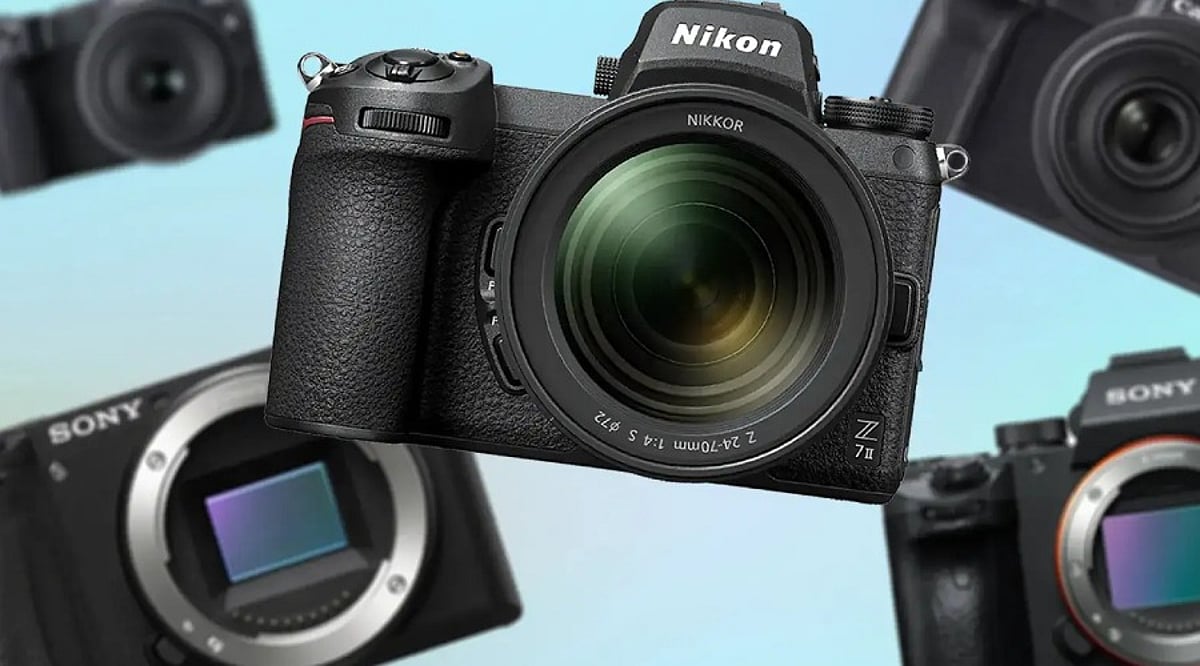
    Mirrorless cameras now dominate the interchangeable-lens market, offering options for every photographer from beginners to professionals. Choosing the right one depends on your budget, shooting style, sensor format, and long-term lens ecosystem. Prioritizing autofocus, stabilization, and practical features helps you invest in a camera system that suits your needs today and grows with you over time.

    Overview

    Mirrorless cameras have become the preferred choice across entry-level, enthusiast, and professional photography, offering systems tailored to different shooting styles and budgets. Sensor size, autofocus performance, in-body stabilization, video capabilities, and lens ecosystem play a greater role in long-term satisfaction than simply choosing the highest resolution. APS-C, full-frame, and Micro Four Thirds systems each offer distinct advantages, making the right choice dependent on portability, performance needs, and future lens investment.

    Choose Your Budget & Use Case

    Entry-level mirrorless camera kits in India typically start around Rs. 40,000 for APS-C kits and climb past Rs. 4 lakh for high-resolution full-frame flagships. Someone upgrading from a phone gains more from reliable autofocus and simple controls than from a high megapixel count. Creators who mix photo and video work usually care more about 4K quality and audio inputs than raw resolution. Working professionals lean toward dual card slots and a rugged build that survives a full day on set. Lens spend adds up fast, often past the cost of the body itself, so the real budget is the system, not the number on the box.

    Select the Right Sensor Format

    Full-frame sensors generally deliver stronger low-light performance and finer control over shallow depth of field, though the trade-off is larger bodies, larger lenses, and higher cost. APS-C brings that down to a size and price that suits beginners and everyday travel. Micro Four Thirds goes further still, trading some low-light headroom for one of the most compact interchangeable-lens systems, built around portability and video. Resolution should match output: large prints or heavy cropping justify higher megapixel counts, while web and social content rarely need more than 24 megapixels.

    Compare Autofocus & IBIS and Speed

    Modern autofocus systems use AI-assisted subject detection to track eyes, faces, animals, and vehicles, which raises keeper rates far more than a small resolution bump ever will. For portrait, wildlife, and sports work, autofocus reliability often decides how many usable frames come out of a session, more than any jump in resolution. Continuous shooting speed matters for sports and wildlife, where mid-range bodies offer 10 to 20 frames per second, and flagships go higher. In-body stabilization helps handheld low-light shots and video, though some entry bodies skip it and rely on stabilized lenses instead.

    Check Video Features

    Occasional video needs little beyond standard 4K recording. Serious content creation calls for higher frame rates, 10-bit recording, and log profiles, since these give editors far more room to grade footage without banding or loss of detail. Full-size HDMI ports, mic and headphone jacks, and an articulating screen matter more in daily use than an extra spec on a sheet.

    Also Read: Top 10 Sustainable Camera Brands Leading the Industry in 2026

    Evaluate the Lens Ecosystem

    A camera mount determines lens choices for years, so it is worth checking how many native and third-party lenses exist for that mount before buying. Strong third-party support tends to lower long-term system costs while widening creative options. Switching systems later means replacing lenses, not just a body, which gets expensive fast. Handling a shortlisted camera in person, where possible, reveals grip comfort and menu logic that specifications alone cannot show.

    Also Read: XR Buying Guide 2026: How to Choose the Right VR and AR Headset

    Final Thoughts

    The best mirrorless camera is rarely the one with the longest specification sheet. It is the one whose sensor, autofocus, handling, and lens ecosystem keep suiting the way a person shoots long after the excitement of launch day has passed.

    FAQs

    1. What is the best mirrorless camera for beginners in 2026? An entry-level APS-C mirrorless camera with reliable autofocus, intuitive controls, and a good kit lens is ideal for beginners. It offers excellent image quality without the higher cost of professional systems.
    2. Should I choose a full-frame or APS-C mirrorless camera? Full-frame cameras provide better low-light performance and shallower depth of field, while APS-C models are more affordable, compact, and suitable for most photography and content creation needs.
    3. Is IBIS important when buying a mirrorless camera? IBIS (In-Body Image Stabilization) helps reduce camera shake during handheld photography and video. While beneficial, it is not essential if your lenses include optical stabilization or you mainly shoot in good lighting.
    4. How much should I budget for a mirrorless camera system? Your budget should cover more than just the camera body. Include lenses, memory cards, extra batteries, a camera bag, and other accessories to build a complete and practical photography kit.
    5. Is it better to buy a new 2026 mirrorless camera or an older model? Previous-generation mirrorless cameras often deliver excellent performance at lower prices. If they meet your photography needs and support the same lens ecosystem, they can offer outstanding value.
  • The Ultimate Podcast Microphone Buying Guide: Top 10 Mics Compared for Every Budget and Style

    The Ultimate Podcast Microphone Buying Guide: Top 10 Mics Compared for Every Budget and Style

    Whether you’re launching your first podcast or upgrading an existing setup, choosing the right microphone is one of the most important decisions you’ll make. A quality microphone enhances vocal clarity, reduces background noise, and gives your episodes a professional polish. Fortunately, there are excellent options across every price range—from affordable dynamic mics for beginners to studio-grade condensers used by radio hosts.

    Top Podcast Microphones at a Glance

    Below are the top podcast microphones, selected for their performance, best-use scenarios, standout features, and typical price range to help you match them to your recording setup.

    Shure MV7+

    Built on the legendary SM7B platform, the Shure MV7+ offers both USB-C and XLR connectivity, making it ideal for beginners and seasoned podcasters alike. It includes Auto Level Mode, plosive protection, real-time DSP, and a customizable touch LED control panel for a streamlined workflow.

    Best for: Podcasters, streamers, and creators who want studio-grade sound without complexity.

    Rode PodMic

    The Rode PodMic is a dynamic microphone designed specifically for podcasting. It delivers warm, rich vocals while effectively rejecting room noise. Its all-metal construction ensures durability, making it a reliable choice for dedicated studios and long-form interviews.

    Best for: Dedicated podcast studios and long-form interviews.

    Hollyland Lark M2

    The Hollyland Lark M2 is a portable wireless microphone system perfect for on-the-go creators. It supports 48kHz/24-bit audio, AI noise cancellation, and a 300-meter range. With up to 40 hours of battery life via the charging case, it’s excellent for mobile podcasting and outdoor interviews.

    Best for: Mobile podcasts, YouTube content, and outside interviews.

    BOYA BOYALINK 3

    The BOYALINK 3 is a versatile wireless lavalier microphone that pairs with smartphones, cameras, and laptops. Features include AI noise reduction, USB-C and 3.5mm connections, and a wireless range of up to 1,000 feet—ideal for field recording and interview-style podcasts.

    Best for: Interview podcasts and travel videos.

    Sennheiser MK 4

    The MK 4 is a large-diaphragm condenser microphone known for capturing natural, clear vocals. With low self-noise and a wide frequency response, it’s a solid choice for voice-over work and studio podcasts that require crisp, detailed sound.

    Best for: Home studios and voice talents.

    Neumann TLM 102

    If budget is no concern, the Neumann TLM 102 delivers exceptional broadcast-quality sound. This large-diaphragm condenser microphone captures every vocal nuance while maintaining extremely low self-noise. It’s a top-tier choice for professional broadcast stations and serious podcasters.

    Best for: Broadcast stations, podcasts, and voice talent.

    Hollyland Lark MAX 2

    Recording with multiple hosts is easier with the Hollyland Lark MAX 2 wireless kit, which supports up to four transmitters simultaneously. AI noise cancellation keeps audio clean during roundtable discussions or live shows, making it perfect for multi-person podcast recordings.

    Best for: Podcasts with multiple hosts.

    Audio-Technica AT2020USB-X

    The AT2020USB-X is a plug-and-play USB microphone that delivers clear audio via USB-C. It offers headphone monitoring with zero latency, making it a favorite among solo podcasters and voice recorders who want simplicity without sacrificing quality.

    Best for: Solo podcasts and voice recording.

    Blue Yeti

    The Blue Yeti remains a popular USB microphone thanks to its multiple pickup patterns. It can handle solo recordings, interviews, and group discussions without requiring additional equipment, making it a versatile all-in-one solution for beginners.

    Best for: Beginners looking for an all-in-one USB microphone.

    Samson Q2U

    The Samson Q2U offers outstanding value with both USB and XLR connectivity. Beginners can start with a simple USB setup and later upgrade to XLR for professional use. It’s simple enough to use immediately yet flexible enough for future growth.

    Best for: New podcasters.

    Which Podcast Microphone Should You Choose?

    The best microphone depends on your recording environment and style. For indoor recording, the Shure MV7+ and Rode PodMic excel with their vocal clarity and noise rejection. For outdoor or mobile podcasting, the wireless Hollyland Lark M2 and BOYA BOYALINK 3 are excellent choices. If you’re seeking top-tier studio quality, the Neumann TLM 102 and Sennheiser MK 4 deliver unmatched performance. No matter your budget, investing in a good microphone will significantly improve your show’s audio quality.

    Frequently Asked Questions

    Which microphone is best for beginners?

    The Blue Yeti and Samson Q2U are excellent beginner choices, offering simple setup, reliable performance, and impressive sound quality at affordable prices.

    Is a USB microphone good enough for podcasting?

    Yes, modern USB microphones provide excellent audio quality, easy plug-and-play connectivity, and are ideal for solo podcasters and beginners.

    What’s the difference between USB and XLR microphones?

    USB microphones connect directly to computers, while XLR microphones require audio interfaces but offer greater flexibility and professional-grade recording quality.

    Which microphone is best for recording multiple podcast hosts?

    The Hollyland Lark MAX 2 supports four transmitters simultaneously, making it ideal for interviews, panel discussions, and multi-host podcast recordings.

    Is the Shure MV7+ worth buying?

    Yes, the Shure MV7+ combines USB-C and XLR connectivity, smart audio processing, and broadcast-quality sound, making it a versatile long-term investment.

  • Best Music-Syncing Smart Lights Compatible with Alexa and Google Assistant

    Best Music-Syncing Smart Lights Compatible with Alexa and Google Assistant

    Transform every beat into a colorful light show with these top smart lights that work seamlessly with Alexa and Google Assistant. Whether you’re hosting a party or just want to enhance your listening experience, these devices bring your music to life.

    Philips Hue Play Light Bars

    Premium ambient lights that sync with music, movies, and games for an immersive entertainment experience. These bars are perfect for creating dynamic lighting behind your TV or monitor.

    Govee RGBIC Smart LED Strip

    Dynamic RGBIC technology displays multiple colors at once while syncing perfectly with your favorite playlists. The strip is flexible and easy to install, making it a great choice for any room.

    Nanoleaf Shapes

    Stylish modular light panels that react to music in real time and double as eye-catching wall décor. Each panel can be customized to create unique patterns and colors that pulse with the rhythm.

    TP-Link Tapo L930-5

    Affordable LED strip with vibrant lighting effects, voice control, and built-in music synchronization. It offers excellent value without compromising on features.

    Wiz Smart Bulb

    Easy-to-use smart bulb offering music sync, millions of colors, and hassle-free setup without a hub. Simply screw it in, connect to your Wi-Fi, and start controlling with voice or app.

    Sengled Smart Wi-Fi Bulb

    Voice-controlled RGB lighting that changes with music while offering energy-efficient performance. It’s a reliable option for those looking to save on electricity bills.

    Yeelight Lightstrip Pro

    Customizable lighting with smooth music synchronization and support for major smart home platforms. The strip is dimmable and can be cut to fit any space.

    LIFX Color A60

    Bright, vivid smart bulb featuring rich colors, music sync, and no need for an additional hub. It delivers consistent performance with deep blacks and vibrant hues.

  • Top WiFi Bulb CCTV Cameras for Effortless Home Security (2026 Guide)

    Top WiFi Bulb CCTV Cameras for Effortless Home Security (2026 Guide)

    A good WiFi bulb CCTV camera helps you keep an eye on your home without complicated installation. Here are the best WiFi bulb CCTV cameras in 2026, compared by specifications, features, price, and overall value.

    Overview

    WiFi bulb CCTV cameras make home security simple without needing extra wiring or a complicated setup. Features like motion alerts, night vision, and mobile access help you keep an eye on your home from anywhere. The best models offer clear video, reliable performance, and easy installation for everyday use.

    Keeping your home safe does not always mean installing expensive security systems. A WiFi bulb CCTV camera is a simple option that works through a normal light socket. Once connected to WiFi, it lets you check your home from your phone, whether you are at work, traveling, or just in another room.

    Many of these cameras now offer clear video, night vision, motion detection, and two-way audio. Some even cover a wider area with dual lenses. With so many choices available, picking the right one can be confusing. To make things easier, we compared some of the best WiFi bulb CCTV cameras you can buy.

    Most Popular WiFi Bulb CCTV Cameras

    Every camera in this list is designed for different needs. Some are budget-friendly, while others offer better picture quality and extra smart features. If you go through the list carefully, you can easily see that every camera has its strengths and weaknesses. For example, you can use some models for basic home monitoring, while others are better suited to users who want better coverage.

    Let’s begin with the Guard Well 4MP WiFi Bulb CCTV Camera. This model is a decent choice for regular use, as it captures crisp video, senses motion, and fits into a standard light socket. The setup process is easy, which makes it a perfect choice for first-time users.

    The next budget-friendly model is the IFITech FTY-HD Smart Wi-Fi CCTV. It offers live viewing and two-way audio. Thus, you can not only see through the camera but also talk to the person on the other side.

    Similarly, the Eyetech Dual Lens 4MP/8MP WiFi Smart Light Bulb Camera covers a larger area with its dual-lens design. It is a good fit for bigger rooms, garages, or entrances where a wider view is helpful.

    Following these, whether it’s the DDLC 4MP/8MP WiFi Smart Light Bulb Camera, the Maizic Smarthome 3MP WiFi Camera, or the Eyetech 4MP WiFi Bulb CCTV Camera, each is built for buyers who want an affordable model with 360-degree rotation, motion detection, night vision, and others.

    Which WiFi Bulb CCTV Cameras Would I Recommend?

    If I had to pick only one, I would go with the Eyetech Dual Lens 4MP/8MP WiFi Smart Light Bulb Camera. I like the wider view that the dual lenses provide. It records clear video and covers more space, leaving fewer blind spots around the house.

    My second choice would be the Guard Well 4MP WiFi Bulb CCTV Camera. It is easy to install, records clear footage, and performs well throughout the day, offering a good balance between price and features.

    The third model I would recommend is the DDLC 4MP/8MP WiFi Smart Light Bulb Camera. I like its clear picture, two-way audio, and quick phone alerts. It gives useful features without making the setup difficult.

    Final Thoughts

    A WiFi bulb CCTV camera is an easy way to enhance home security without spending a lot on installation. It screws into a normal light socket, connects to your Wi-Fi, and lets you check in on your house from your phone anytime you want.

    Before you buy, consider where you want to put the camera and what area you want it to cover. Features that you never use are less useful than clear video, good night vision, and reliable motion alerts. The right camera today can help you feel safer every day.

    Frequently Asked Questions

    Which WiFi bulb CCTV camera is best for home use?

    The Eyetech Dual Lens 4MP/8MP WiFi Smart Light Bulb Camera is one of the best choices for home use. It offers wide coverage, clear video, and useful smart features for everyday security.

    Are WiFi bulb CCTV cameras easy to install?

    Yes. Most models fit into a regular bulb socket and connect to your WiFi through a mobile app. The setup usually takes only a few minutes and does not need professional help.

    Can I watch the camera from my phone?

    Yes. Most WiFi bulb CCTV cameras come with a mobile app that lets you watch live video, receive motion alerts, and manage camera settings from anywhere.

    Do WiFi bulb CCTV cameras record at night?

    Yes. Most models include night vision, allowing them to capture clear video even in dark or low-light conditions, making them useful throughout the day and night.

    What should I check before buying a WiFi bulb CCTV camera?

    Check the video quality, night vision, motion detection, two-way audio, mobile app support, and WiFi compatibility. These features make the biggest difference during everyday use.

  • Top Budget Noise-Cancelling Headphones with Premium Audio Quality

    Top Budget Noise-Cancelling Headphones with Premium Audio Quality

    Finding affordable noise-cancelling headphones that deliver premium sound is easier than ever. We’ve rounded up the best budget-friendly options that combine effective active noise cancellation (ANC), impressive audio performance, and comfortable designs—without breaking the bank.

    Best Overall: Sony WH-CH720N

    The Sony WH-CH720N strikes an excellent balance between effective noise cancellation, balanced sound, comfortable design, and reliable battery life. It’s a top choice for anyone seeking a well-rounded budget headphone.

    Best for Sound Quality: Sennheiser Accentum Wireless

    For music-focused listeners, the Sennheiser Accentum Wireless delivers detailed audio with strong bass, excellent battery life, and effective noise cancellation. It’s a standout for audio fidelity at this price point.

    Best Battery Life: Anker Soundcore Space Q45

    The Anker Soundcore Space Q45 offers powerful ANC, impressive battery endurance, comfortable earcups, and customizable sound through its companion app. Ideal for long listening sessions.

    Best for Everyday Use: JBL Tune 770NC

    With punchy bass, adaptive noise cancellation, lightweight comfort, and long battery life, the JBL Tune 770NC is perfect for daily commutes and travel.

    Best for Premium Comfort: Soundcore Life Q30

    The Soundcore Life Q30 features comfortable memory-foam earcups, hybrid ANC, customizable EQ settings, and impressive audio performance at an affordable price.

    Best for Bass Lovers: Sony WH-CH520 Alternative

    Budget-conscious listeners who crave energetic sound can explore Sony’s affordable wireless range. Note that dedicated ANC models provide stronger isolation and immersion.

    Best for Travel: Anker Soundcore Space One

    The Soundcore Space One provides effective adaptive noise cancellation, comfortable cushioning, strong battery life, and a foldable design—perfect for frequent travelers.

    Best for Calls: JBL Live 770NC

    JBL Live 770NC offers clear voice pickup, adaptive noise cancellation, rich sound, and comfortable long-duration wear for work and entertainment.

    Best Value Pick: Soundcore Q20i

    The Soundcore Q20i delivers hybrid ANC, deep bass, customizable audio, and extended battery life—a compelling affordable headphone option.

    Whether you prioritize sound quality, battery life, comfort, or value, these budget noise-cancelling headphones prove you don’t have to spend a fortune for premium audio experiences.

  • Top Wireless Keyboards of 2026 – Expert Buying Guide

    Top Wireless Keyboards of 2026 – Expert Buying Guide

    Selecting a wireless keyboard becomes easier once buyers focus on actual usage rather than marketing terms printed on packaging. This guide outlines the strongest wireless keyboard options available today, along with practical advice on narrowing down your choices.

    Wireless Keyboard Buying Guide

    A wireless keyboard should match a person’s work, rather than how it looks on a retail listing. Connectivity range, battery backup, and key spacing all shape daily comfort.

    Logitech K380

    Logitech offers a compact keyboard that pairs with three devices via Bluetooth and readily switches between them. Its rounded keys reduce finger strain during long hours of usage. Battery life stretches close to two years on two AAA cells, making replacements rare.

    Price: Rs. 2,495 to Rs. 3,223
    Buy Now

    Dell KM3322W

    Dell’s wireless combo pairs a keyboard with a matching mouse through a single 2.4GHz USB receiver. The keyboard includes spill-resistant keys and a numeric pad, suited to office environments with heavy typing loads. Battery backup extends over twelve months comfortably.

    Price: Rs. 1,899
    Buy Now

    Lenovo Wireless Combo 4000

    Lenovo offers a straightforward keyboard and mouse set built for everyday office tasks. Its keys use a low-profile design that feels closer to a laptop keyboard. Connectivity relies on a single USB nano receiver, avoiding pairing delays common with Bluetooth.

    Price: Rs. 8,145
    Buy Now

    Logitech K480

    Built for desktop use, the Logitech K480 includes a cradle that holds a tablet or phone while typing. It connects to three devices through Bluetooth and switches between them using a dial. The keyboard suits users who regularly work across a laptop and a mobile device simultaneously.

    Price: Rs. 1,999 to Rs. 2,995
    Buy Now

    RAPOO E9700M

    RAPOO’s ultra-slim keyboard uses scissor-switch keys for a shallow, quiet typing feel. It supports both 2.4GHz and Bluetooth connections, giving buyers flexibility across devices. The aluminum body adds durability without increasing overall weight.

    Price: Rs. 2,599 to Rs. 2,999
    Buy Now

    How to Choose the Best Wireless Keyboard

    Buyers should weigh these factors before purchasing:

    • Connectivity Type: 2.4GHz receivers generally offer steadier performance than Bluetooth for daily typing tasks.
    • Battery Backup: Keyboards using replaceable AA or AAA batteries often last longer than rechargeable units.
    • Build Quality: Spill-resistant designs protect against accidental office desk mishaps.

    Which is the Best Wireless Keyboard in 2026?

    No single keyboard can suit every buyer, since work habits and budgets vary considerably across users. Professionals managing multiple devices gain the most from the Logitech K380. Office teams handling heavy data entry benefit from the Dell KM3322W, given its numeric pad and spill resistance. Budget-focused buyers find dependable performance in the Portronics Toad 23.

    Final Words

    Choosing a wireless keyboard comes down to daily habits rather than brand reputation alone. A professional switching between a laptop and tablet gains more from Bluetooth multi-pairing, while an office worker handling spreadsheets benefits from a numeric keypad and steady 2.4GHz connectivity. Prices across this segment range from under Rs. 900 to nearly Rs. 2,500, giving most buyers a suitable option without overspending. Matching the keyboard to genuine work patterns, rather than chasing the most popular listing, remains the surest path to long-term satisfaction.

    Note: Price can vary based on availability and region.

    FAQs

    Which is the best wireless keyboard for multi-device use?

    The Logitech K380 supports pairing across three devices through Bluetooth. Users switching between a laptop, tablet, and phone benefit from its quick device-switching dial and long battery backup.

    Is 2.4GHz connectivity better than Bluetooth for keyboards?

    2.4GHz receivers typically offer steadier connections with less input delay. Bluetooth allows pairing with more device types, though it may show occasional lag during heavy multitasking sessions.

    How long does a wireless keyboard battery last?

    Battery life varies significantly by model. Some Bluetooth keyboards last close to two years on standard batteries, while 2.4GHz receiver models often need replacement after ten to fourteen months.

    Are spill-resistant wireless keyboards worth buying?

    Spill-resistant designs protect internal circuitry from accidental liquid exposure. Office environments with shared desks or frequent beverage use benefit noticeably from this added protection over standard keyboard models.