Category: Home Electronics

  • How to Stream JioHotstar on Your TV: A Complete Setup Guide

    How to Stream JioHotstar on Your TV: A Complete Setup Guide

    Watching movies, TV shows, and live sports on a smartphone is convenient, but a television offers a more comfortable viewing experience. If you want to stream JioHotstar on your TV, you can either install the app directly on a compatible smart TV or use a supported streaming device such as a Chromecast. The setup usually takes only a few minutes, but the exact process can vary depending on the TV brand, operating system, and streaming device. Here is everything you need to know about connecting JioHotstar to your television.

    Check JioHotstar Compatibility

    Before installing the app, check whether your TV or streaming device supports JioHotstar.

    • Check the TV model: Older smart TVs may not support the latest JioHotstar application.
    • Check the operating system: The required software version can determine whether the app appears in the TV’s app store.
    • Look for the app: If JioHotstar doesn’t appear in the store, check the device’s compatibility before trying other methods.

    Connect Your TV to Wi-Fi

    A stable internet connection is required to stream JioHotstar content.

    • Open Settings: Go to the network or Wi-Fi section on your television.
    • Select your network: Choose your home Wi-Fi connection from the available networks.
    • Enter the password: Complete the connection and wait for the TV to connect to the internet.
    • Check the connection: A weak or unstable network can cause buffering, playback interruptions, and login problems.

    Download JioHotstar App

    Once the television connects to the internet, install the streaming application.

    • Open the app store: Launch the application store available on your smart TV.
    • Search for JioHotstar: Enter ‘JioHotstar’ in the search bar.
    • Install the official app: Select the JioHotstar application and download it.
    • Launch the app: Open JioHotstar from the TV’s app menu after installation.
    • Update if required: If you already have an older Hotstar app installed, check whether an update is available.

    Sign in to Your JioHotstar Account

    After installing the app, connect your account.

    • Open JioHotstar: Launch the application and select Login or Sign In.
    • Follow the instructions: The TV will display the login method supported by the device and the app version.
    • Complete verification: Depending on the login process shown, you may need to enter your phone number and verify it using an OTP.
    • Use the correct account: Make sure you sign in with the JioHotstar account linked to your subscription.

    Enter the JioHotstar Activation Code

    Some televisions and streaming devices may show an activation code during login.

    • Look for the code: Keep the JioHotstar login screen open on the TV.
    • Use another device: Open the activation page JioHotstar provides on your smartphone or computer.
    • Sign in to your account: Use the same JioHotstar credentials you use on the TV.
    • Enter the TV code: Type the activation code displayed on your television.
    • Wait for confirmation: After successful authentication, the TV app should connect to your account.

    How to Watch JioHotstar Using Chromecast

    Chromecast offers another option for televisions without the JioHotstar app.

    • Connect Chromecast: Plug the Chromecast device into the television and complete its setup.
    • Connect to Wi-Fi: Make sure the smartphone and Chromecast are connected to the same Wi-Fi network.
    • Open JioHotstar: Launch the app on your smartphone.
    • Choose content: Select the movie, show, or live program you want to stream.
    • Tap Cast: Select the Cast icon when it appears.
    • Choose the TV: Select the Chromecast or compatible television from the list.
    • Start watching: The selected content should appear on the TV screen.

    JioHotstar supports Chromecast Gen 2 and newer devices, along with compatible televisions with Chromecast built-in.

    What to Do If JioHotstar Is Not Working

    Login or playback problems do not always mean the TV is incompatible. Try these basic troubleshooting steps first.

    • Check the internet: Make sure the TV stays connected to Wi-Fi.
    • Restart the TV: Turn off the TV and restart it before opening JioHotstar again.
    • Restart the router: Restarting the router can resolve temporary connectivity problems.
    • Update the app: Install the latest available version of JioHotstar.
    • Update the TV software: Check whether a system update is available.
    • Sign in again: Log out of the JioHotstar account and complete the login process again.
    • Check compatibility: For older televisions, verify whether the TV’s operating system meets JioHotstar’s requirements.

    Bottom Line

    Connecting JioHotstar to a TV is relatively straightforward when the television supports the application. The simplest route is to install JioHotstar directly from the TV’s app store and sign in with your account. If the app isn’t available, Chromecast or another supported streaming device can be an alternative. Before troubleshooting, check the TV’s model and operating system. This can quickly determine whether the issue is device compatibility, the app, the internet connection, or the account.

    FAQs

    Can I watch JioHotstar directly on my smart TV?
    Yes, JioHotstar works directly on several compatible smart TVs, including supported Android TV, Samsung and LG models.
    How do I activate JioHotstar on my TV?
    Open JioHotstar, select Login, follow the displayed instructions, and enter the activation code if your television provides one.
    Can I use Chromecast to watch JioHotstar?
    Yes, connect Chromecast and your smartphone to the same Wi-Fi network, open JioHotstar, tap Cast, and select your TV.
    Why is JioHotstar not appearing on my TV?
    Your television may not meet compatibility requirements. Check its operating system, model year, software updates and supported applications.
    Do I need a JioHotstar subscription to watch content?
    Access depends on the content and account plan. Some titles may require an active subscription, while availability varies across programmes.
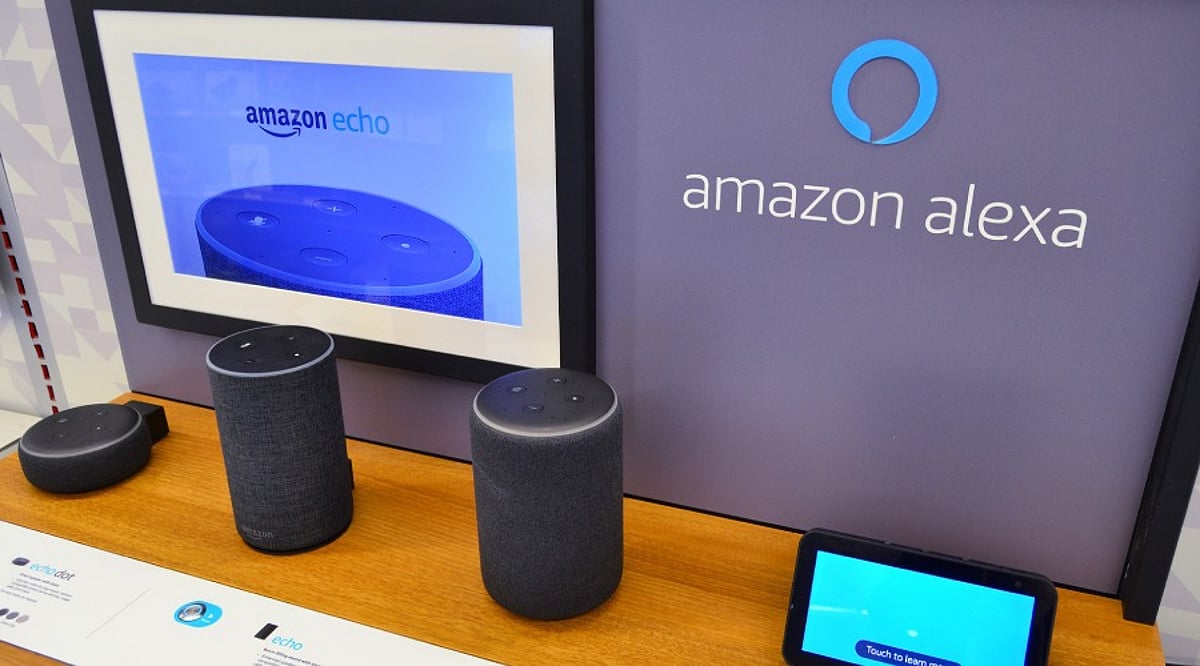
  • Master Alexa Music Commands: 15+ Essential Tricks for Playback, Discovery, and Control

    Master Alexa Music Commands: 15+ Essential Tricks for Playback, Discovery, and Control

    Amazon Alexa can do much more than play a song when you ask for it. Depending on your device, music service, and available features, Alexa supports commands for genres, artists, albums, playlists, shuffle, repeat, music alarms, and much more. With Alexa+, you also gain conversational music recommendations and AI-generated playlists. Whether you’re a casual listener or a power user, these commands make music control effortless.

    Play Music by Genre, Artist, or Playlist

    You don’t need an exact song title to start listening. Alexa can handle requests by track, album, artist, genre, playlist, or station. Try these commands:

    • “Alexa, play pop music.”
    • “Alexa, play songs by [artist].”
    • “Alexa, play [album name].”
    • “Alexa, play my .”
    • “Alexa, play the latest songs.”

    You can also direct playback to a specific room or device: “Alexa, play songs by Lady Gaga in the kitchen.”

    Shuffle, Repeat, and Loop Songs

    Take full control of your queue with these playback commands:

    • “Alexa, shuffle.” – Randomizes the queue order.
    • “Alexa, repeat.” – Repeats the current song.
    • “Alexa, loop.” – Repeats the entire queue.
    • “Alexa, next.”
    • “Alexa, previous.”
    • “Alexa, pause.”
    • “Alexa, resume.”
    • “Alexa, stop.”

    Availability of these controls depends on the music service you’re using.

    Create and Manage Playlists with Alexa+

    Alexa+ introduces conversational playlist creation. Ask for an AI-generated playlist based on a favorite song:

    “Alexa, I love [song] by [artist]. Create a playlist with similar songs.”

    You can also describe a mood or setting:

    “Alexa, create a playlist with music from Parisian cafes.”

    Additional commands allow you to create an empty playlist, save the current queue, or save recent listening history as a new playlist. Each AI playlist can contain up to 50 songs.

    Add Songs to Existing Playlists

    Easily add songs without opening the app:

    • “Alexa, add what’s playing to my .”
    • “Alexa, add [song] by [artist] to my .”

    Alexa may suggest a playlist name and ask for confirmation before saving. Note that only songs can be added to Amazon Music playlists—no stations, audiobooks, or podcasts.

    Find Music Through Natural Requests

    With Alexa+, you can make detailed requests using natural language:

    • “Alexa, play some nineties dance songs produced in [country/city].”
    • “Alexa, play deep cuts from [artist] from the 2000s.”

    You can also continue a conversation—ask about a song, get an answer, then tell Alexa to play it. Alexa+ can recommend artists and let you choose.

    Set a Music Alarm

    Wake up to your favorite tunes:

    “Alexa, set an alarm for weekdays at 7 AM with music by Pearl Jam.”

    Choose recurring patterns like Mondays, weekdays, or weekends.

    Control Music Across Devices

    When you have multiple Alexa devices, specify where you want playback:

    “Alexa, play [song] in the living room.”

    Direct music to a specific area without starting on the device that hears your command.

    Key Commands at a Glance

    Alexa’s music controls go far beyond play and pause. You can search by artist or genre, control queues, create and manage playlists, request recommendations, direct playback to another device, and even wake up to music. Alexa+ expands these options with conversational recommendations and AI-generated playlists. Feature availability varies by device, music service, and region, so some commands may not work in every setup.

    Frequently Asked Questions

    • What music commands can Alexa understand? Alexa understands commands to play songs, artists, genres, playlists, and albums; control playback; set alarms; and direct music between devices.
    • Can Alexa create music playlists? Alexa+ can create AI-generated playlists based on favorite songs, similar tracks, moods, settings, and specific preferences.
    • How many songs can an Alexa+ playlist contain? Up to 50 songs from similar artists based on a user’s favorite track.
    • Can Alexa add songs to existing playlists? Yes, users can ask Alexa to add currently playing songs or specific tracks to a named playlist.
    • Can Alexa set a music alarm? Yes, Alexa can set recurring music alarms using specified artists or songs, with schedules like weekdays.
  • Top Smart Plugs for Home Automation in 2026: Reviews and Buying Guide

    Top Smart Plugs for Home Automation in 2026: Reviews and Buying Guide

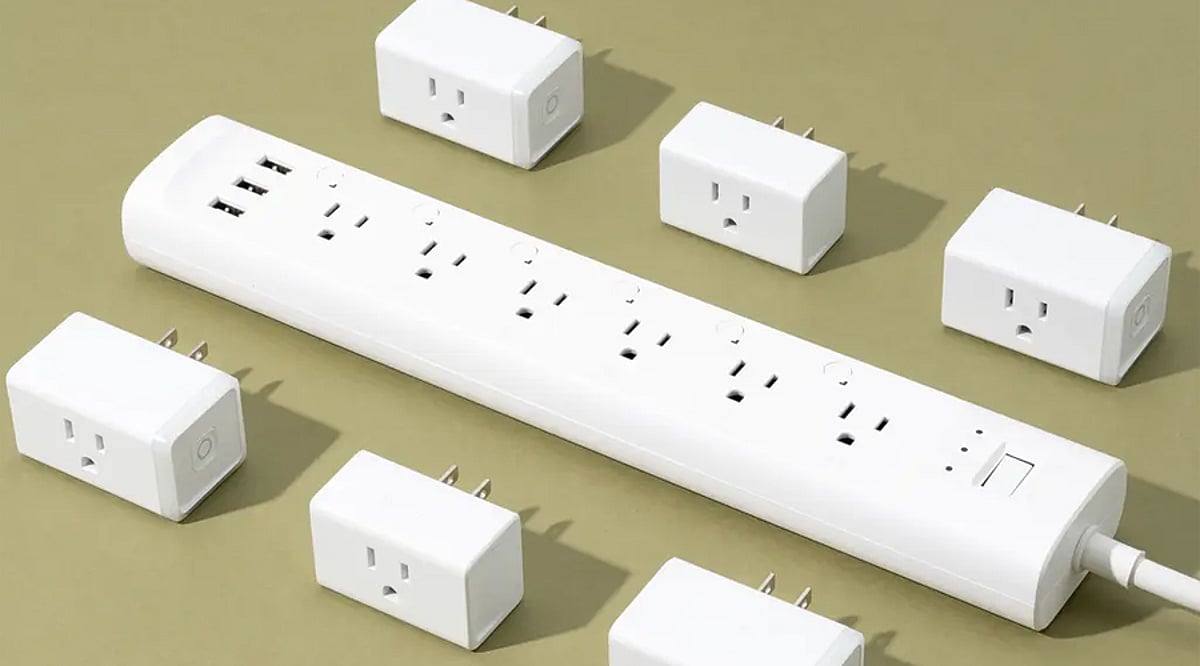
    Smart plugs are one of the easiest and most affordable ways to start automating your home. Whether you want to control lamps, fans, or outdoor lights, the right smart plug can save energy and add convenience. Here are the best smart plugs for 2026, covering a range of ecosystems and budgets.

    TP-Link Kasa KP125M (Matter)

    This Matter-certified plug offers energy monitoring and works with HomeKit, Alexa, and Google. The Kasa app shows live watts, daily/monthly totals, and cost estimates, making it ideal for tracking energy usage.

    Amazon Smart Plug

    The simplest option for Alexa users: plug-and-play pairing, a compact design, and reliable voice response. Perfect for Echo households that want easy scheduling and routines.

    TP-Link Tapo P125M (Matter)

    A beginner-friendly Matter plug that works with Apple Home, Alexa, Google, and SmartThings. Its compact body requires no hub and offers strong reliability across multiple ecosystems.

    Kasa HS103P4 (4-Pack)

    Best value 4-pack with robust Wi-Fi, a polished Kasa app, and support for Alexa and Google. Great for automating lamps, fans, and small appliances room by room.

    Eve Energy (Matter/Thread)

    A premium HomeKit-focused plug with Thread technology. Features include energy monitoring, schedules, and Away mode. Seamless Apple Home integration for iPhone-centric smart homes.

    Govee Smart Plug (4-Pack)

    A budget-friendly 4-pack with Wi-Fi and Bluetooth, Alexa and Google support, and ETL certification. A good entry option for testing automation across multiple outlets.

    Kasa Outdoor Smart Plug EP40

    Weather-resistant dual-outlet plug with independent control, schedules, and voice commands. Perfect for garden lights, pumps, and festive outdoor decorations.

    Whether you’re building a full smart home or just starting out, these smart plugs offer reliable performance, broad compatibility, and useful features for 2026.

  • Can a Bottle Washer Safely Clean Breast Pump Parts? A Detailed Guide to the Momcozy DeepClean D8

    Can a Bottle Washer Safely Clean Breast Pump Parts? A Detailed Guide to the Momcozy DeepClean D8

    Direct Answer: Yes – With the Right Machine and Loading Rules

    Yes, a dedicated bottle washer can clean many breast pump parts, but only if you treat it like a precision load rather than a shortcut. The key steps are: disassemble the kit, place each washable piece in the correct zone, and run a cycle designed for narrow crevices. Never drop in the motorized pump unit, skip the placement guide, or assume every tube and valve is machine-safe without first reading your pump manufacturer’s instructions.

    This answer matters because pumping parents often wash the same flange, valve, and connector set three to six times a day. Hand-scrubbing every round adds up quickly. A bottle washer that effectively reaches pump surfaces can replace repeated sink sessions—provided loading rules are followed.

    Which Pump Parts Can Go in a Bottle Washer?

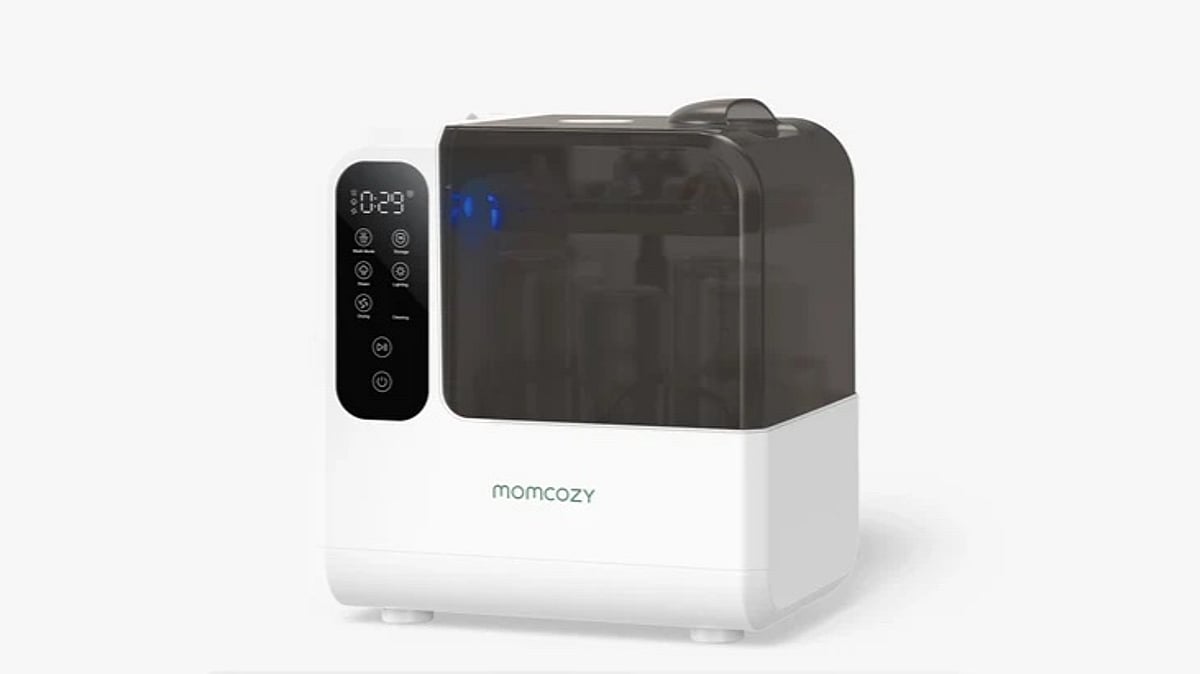
    Always start with the cleaning guide that came with your pump. For example, the Momcozy DeepClean D8 product page states it can clean pump parts and small accessories using TubeWash, Pump360 rotational spray, and an Anti-Flip Lock design. Listed targets include tubing, nipples, valves, and other small, complex parts—but not the electrical pump motor.

    Momcozy also notes the D8 can handle up to two full sets of breast pump parts in one cycle, or up to eight baby bottles. Marketing images show single pump kits for Momcozy Air1, M9, and M5 models loaded alongside dedicated spray assemblies. Pump360 rotary jets are designed to cover pump component surfaces; TargetWash jets address smaller crevice pieces.

    If a part is labeled hand-wash only, not dishwasher-safe, or excluded from your manufacturer’s sterilizing instructions, treat that label as the final word. The bottle washer does not override it.

    Which Parts Should Stay Out of the Machine?

    The D8 is built for disassembled feeding and pumping accessories that contact milk—not for powered electronics. Do not place the pump motor, battery pack, charging base, remote, or any corded component inside the chamber.

    Parts your pump brand marks as non-washable should also stay out. This often includes certain membranes, filters, or tubing types on some kits. When instructions are unclear, contact the pump manufacturer rather than guessing.

    Steam sterilization inside the unit reaches 212°F (100°C) per the product page. Silicone and plastic parts must be rated for that routine. Worn or cracked pieces should be replaced instead of being run through another high-heat cycle.

    How to Wash Pump Parts in a Bottle Washer

    Momcozy’s setup FAQ outlines a straightforward sequence for the DeepClean D8. Adapt it whenever you load pump parts instead of bottles alone.

    1. Disassemble and pre-rinse: Separate flanges, valves, connectors, and tubing according to your pump guide. Rinse off milk soon after pumping so residue does not dry in threads or valve seats.
    2. Place the unit and connect the drain: Set the washer on a flat surface. Connect the drain hose to your sink. Momcozy includes a 0.75 m drain hose and 1.2 m power cord.
    3. Fill the water tank: Add purified water to the marked level. Momcozy recommends purified water for best results and strongly suggests distilled water to limit mineral buildup.
    4. Load parts in the correct zones: Use the included Cleaning Item Placement Guide. Secure small parts so spray reaches interior surfaces. Attach Pump360 rotary spray assemblies where the guide shows pump components. The Anti-Flip Lock design helps keep lightweight pieces from tipping during the cycle.
    5. Add detergent and select a mode: Place one official Momcozy detergent tablet in the washing chamber at the bottom—no separate compartment is required. Choose from 22 mode combinations, such as Normal Wash paired with Steam Sterilize and Dry, or Rapid Wash when you need a faster turn. Rapid Wash completes in as little as 19 minutes.
    6. Unload and verify: When the cycle finishes, check valves and tubing for remaining film before storage. The D8 can hold items in storage mode for up to 72 hours after drying with its H13 medical-grade HEPA filter, but many pumping parents still air-check critical pieces before the next session.

    Hand-Washing, Boiling, or a Bottle Washer for Pump Parts?

    Hand-washing remains the baseline every pumper should know. It works anywhere, respects hand-wash-only labels, and costs nothing beyond a brush and drying space. The downside is time: most people spend roughly 8 to 12 minutes per thorough round when valves and connectors are included.

    Boiling or countertop steam sterilizers add a high-heat step after washing. They help when your clinic or pump brand recommends periodic sterilization. They still require disassembly and often a separate drying rack.

    A dedicated bottle washer combines wash, 212°F steam sterilization, and forced-air drying in one closed unit when you select those modes. Momcozy cites 112,000 Pa spray pressure through 64 nozzles on the HydroJet360 system, with TÜV SÜD S-grade cleaning performance. That approach suits parents who pump multiple times daily and want one loaded cycle instead of three separate chores.

    None of these options replaces reading your pump instructions. They are different workflows for the same goal: clean, dry parts ready for the next session.

    Using the Momcozy DeepClean D8 for Pump Part Loads

    The Momcozy DeepClean Baby Bottle Washer (D8) is one unit that explicitly lists pump parts among its intended loads. Momcozy built its reputation in maternal and baby care through wearable pumps and feeding accessories; the D8 applies the same automation mindset to cleanup. For working parents who pump before commuting or between meetings, batch-washing a full pump kit in one cycle can mean one less sink block at night—not a replacement for checking each part afterward.

    What We Like

    • Named pump-part tools: Pump360 rotary jets, TargetWash, TubeWash, and Anti-Flip Lock are designed for tubing, valves, nipples, and complex small parts.
    • Realistic capacity: Up to two full pump part sets per cycle.
    • Combined modes: 22 combinations cover wash-only, sterilize, dry, storage, and self-clean without needing a separate sterilizer.
    • Documented hygiene claims: TÜV-certified steam sterilization with 99.99% germ reduction associated with milk residue when used as directed.

    Worth Noting

    • Counter footprint: Dimensions are 270 × 350 × 390 mm; you need stable space and a nearby drain.
    • Not every part qualifies: Motor units, chargers, and manufacturer-excluded pieces stay out.
    • Supplies and water: Official detergent tablets and periodic descaling tablets are part of the routine. Distilled or purified water is strongly recommended.
    • Power and voltage: The US model runs on 120V with peak draw around 560W during heat-and-spray cycles.
    • Everyday hygiene, not medical advice: Steam sterilization supports routine cleaning. Follow your lactation consultant or pediatric team for medically fragile infants.

    Frequently Asked Questions

    Can a bottle washer clean pump parts?

    Yes, when the unit is designed for them and you load washable components correctly. The Momcozy DeepClean D8 lists tubing, nipples, valves, and similar small parts among compatible items. Always confirm each piece against your pump brand’s cleaning chart first.

    How do I wash pump parts in a bottle washer?

    Disassemble the kit, rinse milk residue, load parts per the placement guide, add one detergent tablet, fill purified water to the mark, connect the drain hose, and select a wash mode—often with sterilize and dry if you want an all-in-one cycle. Momcozy recommends up to two full pump part sets per load.

    Can I mix pump parts and bottles in one cycle?

    Momcozy states the D8 can clean up to eight bottles and accessories at once, or two full pump part sets. Mixed loads are possible within those capacity limits if everything fits securely and spray reaches each piece. Overloading blocks jets and leaves film behind.

    Do I still need to hand-wash anything?

    Keep hand-washing skills for travel, hand-wash-only labels, and quick rinses between full cycles. A bottle washer handles volume; it does not remove the need to read labels or replace worn valves.

    Is Momcozy a good maternal and baby care brand?

    Momcozy is widely used in wearable pumping and feeding gear, and the DeepClean line publishes verifiable specs—112,000 Pa spray pressure, TÜV SÜD S-grade cleaning performance, and explicit pump-part compatibility on the D8 product page. As with any brand, match the machine to your pump kit and kitchen setup rather than assuming one model covers every accessory you own.

    Bottom line: A bottle washer can clean pump parts when you load disassembled, approved components in the right zones—not the whole pump thrown in closed. If that matches how you pump, the Momcozy DeepClean D8 is built for that workflow with Pump360 and TargetWash spray paths, two full kit loads per cycle, and wash-to-storage modes in one unit.

  • Best Buy Labor Day 2026 Deals Still Active: Top Discounts on TVs, Laptops, and Appliances

    Best Buy Labor Day 2026 Deals Still Active: Top Discounts on TVs, Laptops, and Appliances

    Best Buy’s Labor Day sale may have ended on September 7, but several discounted prices remain on TVs, laptops, and appliances. Shoppers can still find major savings on premium models and budget-friendly products across multiple categories. Prices are subject to change, so always verify the listed price before checkout.

    Key Takeaways

    • Several Best Buy Labor Day prices remain available after the September 7 sale deadline.
    • The LG C6 OLED offers the largest TV discount at $1,200 off.
    • The HP OmniBook X Flip at $699.99 stands out among laptop deals.

    TV Deals

    LG 65-Inch C6 OLED evo 4K (2026)

    Price: $1,499.99 (save $1,200). This premium OLED TV delivers a 65-inch screen with evo technology, making it the standout high-end offer.

    Sony 65-Inch BRAVIA 7 II Mini LED

    Price: $1,699.99 (save $900). A top-tier Mini LED option for buyers seeking superior brightness and contrast.

    Samsung 55-Inch U8000H Crystal UHD 4K (2026)

    Price: $299.99 (save $80). A budget-friendly 55-inch 4K TV that keeps the cost under $300.

    Samsung 50-Inch U8000H Crystal UHD 4K (2026)

    Price: $249.99 (save $100). Ideal for smaller spaces, this 50-inch model offers solid 4K performance at a low price.

    Roku 50-Inch Select Series 4K QLED

    Price: $199.99 (save $100). The best budget TV deal — a 4K QLED for under $200.

    LG 75-Inch NU700B Nano AI 4K (2026)

    Price: $549.99 (save $100). A large 75-inch display at a fraction of the cost of OLED models.

    Insignia 32-Inch FE Series 1080p Fire TV

    Price: $79.99 (save $50). Perfect for bedrooms, kitchens, or guest rooms.

    Laptop Deals

    HP OmniBook X Flip 16-Inch 2K OLED (Ryzen AI 5, 16GB, 512GB)

    Price: $699.99 (save $630). Strongest laptop discount with OLED screen and ample memory.

    Lenovo Yoga 7i 16-Inch 2K Touch (Core Ultra 5, 16GB, 512GB)

    Price: $749.99 (save $450). Versatile 2-in-1 with a large touch display.

    Samsung Galaxy Book6 Pro 14-Inch 3K AMOLED (Ultra 7, 16GB, 512GB)

    Price: $1,299.99 (save $500). Premium ultrabook with stunning AMOLED screen.

    HP OmniBook X Flip 16-Inch 2K OLED (Ultra 5, 16GB, 512GB)

    Price: $999.99 (save $350). Same OLED chassis with a mid-range processor.

    ASUS Zenbook A14 14-Inch OLED (Ultra 9, 32GB, 1TB)

    Price: $1,499.99 (save $400). High-end specs for demanding tasks.

    HP OmniBook 3 14-Inch 2K OLED (Snapdragon X, 8GB, 256GB)

    Price: $449.99 (save $150). Entry-level OLED laptop.

    HP OmniBook X Flip 16-Inch 3K OLED (Ultra 9, 32GB, 1TB)

    Price: $1,699.99 (save $550). Top-tier configuration with highest resolution.

    Gaming Laptop Deals

    Lenovo Legion Pro 5i with RTX 5070

    Price: $1,849.99 (save $800). Powerful gaming machine with RTX 5070 graphics.

    Alienware 16X Aurora with RTX 5070

    Price: $1,999.99 (save $900). Largest gaming laptop discount, under $2,000.

    Appliance Deals

    Insignia 6.7-Cubic-Foot Electric Dryer

    Price: $399.99 (save $200). Budget-friendly dryer.

    Insignia 3.7-Cubic-Foot Top-Load Washer

    Price: $399.99 (save $200). Matched pair with the dryer.

    Insignia 4.1-Cubic-Foot Top-Load Washer

    Price: $449.99 (save $250). Larger capacity washer.

    LG 7.3-Cubic-Foot Electric Dryer

    Price: $549.99 (save $350). Premium LG dryer with good capacity.

    Samsung 7.2-Cubic-Foot Electric Dryer

    Price: $549.99 (save $220). Comparable to LG but lower discount.

    Insignia 18.6-Cubic-Foot Bottom-Freezer Refrigerator

    Price: $599.99 (save $350). Large fridge under $600.

    Whirlpool 31-Cubic-Foot French-Door Refrigerator

    Price: $1,799.99 (save $630). Massive capacity with deep discount.

    Extra Savings on Appliance Packages

    Select appliance packages can get up to an extra $1,000 off. LG and LG Studio packages qualify for up to $800 additional savings. These offers are ideal when replacing multiple major appliances at once.

    The Strongest Deals Still Available

    • Best low-cost TV: Roku 50-inch Select Series 4K QLED at $199.99
    • Best premium TV: LG 65-inch C6 OLED evo 4K at $1,499.99
    • Best laptop value: HP OmniBook X Flip 16-inch 2K OLED at $699.99
    • Best appliance value: Insignia washer and dryer pair at $399.99 each

    Frequently Asked Questions

    Are Best Buy Labor Day deals still available?

    Yes, several discounted prices remain after the Labor Day sale ended on September 7.

    What is the biggest TV discount still listed?

    The LG 65-inch C6 OLED evo 4K has a discount of $1,200.

    What is the best low-cost TV deal?

    The Roku 50-inch Select Series 4K QLED costs $199.99 after a $100 discount.

    Which laptop has the strongest discount?

    The HP OmniBook X Flip 16-inch 2K OLED with Ryzen AI 5 has $630 off and costs $699.99.

    Are appliance discounts still available?

    Yes. Select washers, dryers, refrigerators, and appliance packages still have discounts, with some package offers reaching up to $1,000 off.

  • Top Home Appliance Brands That Dominate the Global Market

    Top Home Appliance Brands That Dominate the Global Market

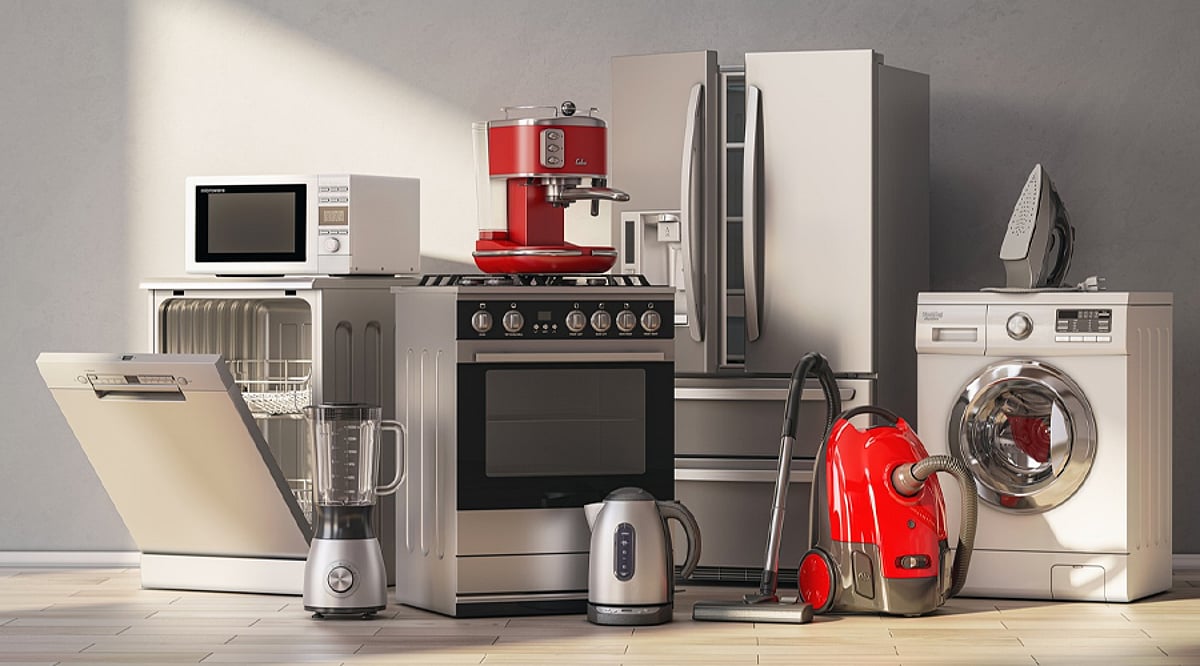
    Home appliances have become an integral part of modern living, and several brands have earned global recognition for their innovation, reliability, and design. Here are the most recognized home appliance brands worldwide:

    Samsung

    Samsung is one of the best-known names in home appliances, offering refrigerators, washing machines, ovens, air conditioners, and more. The brand combines modern designs with smart features across many products. Its connected appliances also work with smart home systems, making Samsung a familiar choice for homes in many countries.

    LG

    LG has built a strong reputation with televisions, refrigerators, washing machines, air conditioners, and kitchen appliances. Its home appliances are known for modern designs and useful features. LG also focuses heavily on connected devices, giving users ways to monitor and control compatible appliances through smartphones and smart home platforms.

    Whirlpool

    Whirlpool has been a major name in household appliances for decades. The company makes refrigerators, washing machines, dryers, dishwashers, ovens, and other products. Its focus on practical designs and everyday convenience has helped the brand maintain a strong presence in homes across several major markets around the world.

    Bosch

    Bosch is widely recognized for its kitchen and home appliances, especially washing machines, dishwashers, refrigerators, ovens, and cooktops. The brand is known for clean designs and a strong focus on performance. Bosch appliances are particularly popular among consumers looking for dependable products with useful features and modern styling.

    Haier

    Haier has grown into a major global appliance brand with products ranging from refrigerators and washing machines to air conditioners and kitchen appliances. Its large international presence has helped make the name familiar to consumers worldwide. The company also offers connected appliances designed for increasingly smart and modern homes.

    Panasonic

    Panasonic is a long-standing electronics and home appliance brand with products sold across many markets. Its range includes refrigerators, washing machines, microwave ovens, air conditioners, and other household products. The company has built recognition through its wide product range, practical features, and decades of experience in consumer electronics.

    Electrolux

    Electrolux is a recognized home appliance brand with a strong presence in Europe and other global markets. Its products include refrigerators, ovens, washing machines, dryers, dishwashers, and vacuum cleaners. The company focuses on combining useful household features with modern designs, giving consumers several options for everyday home needs.

  • Best Dyson Air Purifiers of 2026: Top Picks for Every Room and Budget

    Best Dyson Air Purifiers of 2026: Top Picks for Every Room and Budget

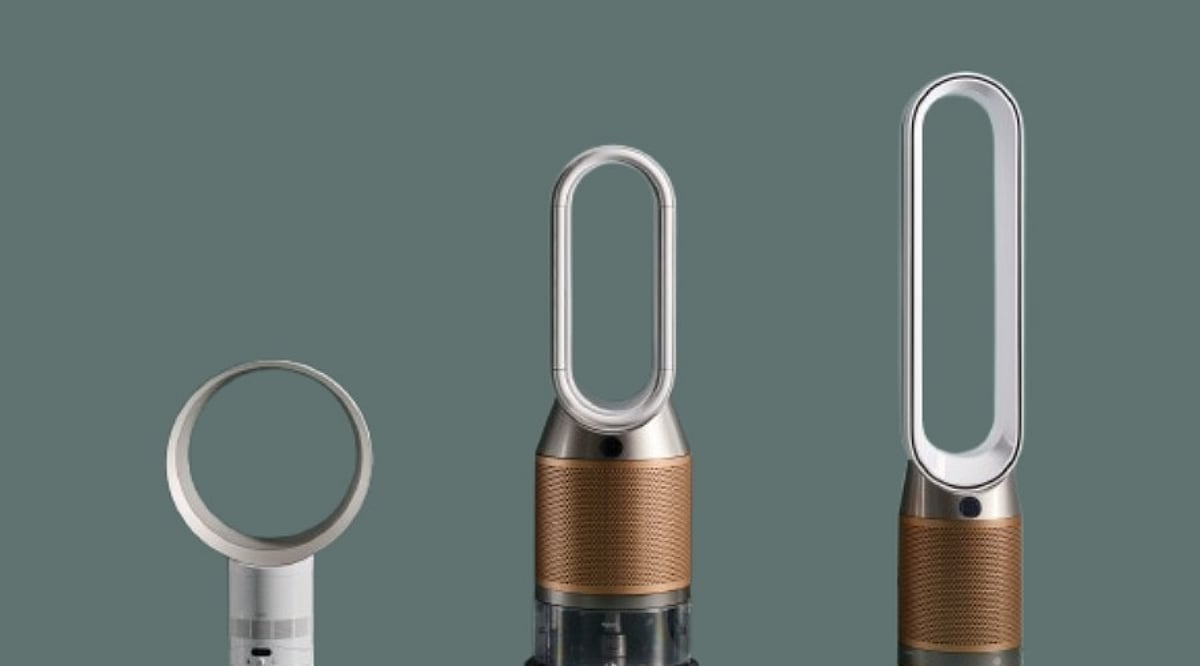
    Choosing a Dyson air purifier in 2026 involves more than just checking the filter. The latest lineup includes models for compact bedrooms, large living areas, heavy city pollution, formaldehyde concerns, and homes that need both heating and cooling in one device. The new HushJet family also introduces quieter operation. Here are the top Dyson air purifiers for 2026, with key specs and prices to help you decide.

    1. Dyson Big+Quiet BP02 – Best for Large Rooms

    The Dyson Big+Quiet BP02 is a powerful option for large living rooms or open-plan spaces, covering up to 1,076 square feet. Its sealed HEPA H13 filter captures fine particles, while activated carbon removes gases and odors. With high airflow designed to circulate purified air across big areas, this model is ideal for whole-home purification. Price: ₹68,900 in India.

    2. Dyson HushJet Compact HJ10 – Best Compact Choice

    The HushJet Compact HJ10 introduces a major design change with its HushJet projection system, delivering strong airflow from a compact body (230 mm wide, 469 mm high). Perfect for bedrooms, studies, or smaller spaces, it covers up to 1,076 square feet and operates as quietly as 24 dB in Sleep mode (max 41 dB). It features an electrostatic filter with up to five years of life and an activated carbon filter for gases and odors. Price: ₹29,900.

    3. Dyson Purifier Cool PC2 De-NOx – Best for Pollution Control

    Designed for homes near busy roads or high-pollution areas, the PC2 De-NOx captures 50% more nitrogen dioxide (NO₂) than earlier models, thanks to its potassium-carbonate-treated K-Carbon filter. It also destroys formaldehyde and uses sealed HEPA H13 filtration. A 350-degree oscillation feature distributes clean air widely. Price: ₹54,900 (currently out of stock on Dyson India).

    4. Dyson Purifier Hot+Cool HP2 De-NOx – Best for Year-Round Use

    Combining purification with heating and cooling, the HP2 De-NOx is perfect for homes that need one device all year. It captures 50% more NO₂, destroys formaldehyde, and removes gases and odors. Heat keeps you warm in winter, while cool airflow refreshes you in summer. Price: ₹68,900.

    5. Dyson Purifier Cool PC1 – Best Value for Most Rooms

    The PC1 offers a simpler entry into Dyson’s newer range. It uses HEPA H13 filtration, capturing 99.95% of pollutants down to 0.1 microns (under Dyson’s test conditions). With MyDyson app support for remote control and air-quality data, it covers 81 cubic meters (POLAR test) – ideal for a typical bedroom or living room. Price: ₹39,900.

    6. Dyson Purifier Hot+Cool HP1 – Best Budget Three-in-One

    The HP1 provides heat, cooling, and purification in one unit at a lower cost than the HP2 De-NOx. It uses HEPA and activated-carbon filtration, plus MyDyson app support. Its main strength is versatility – saving space and money by replacing separate appliances. Price: ₹56,900 (HP1 and HP11).

    7. Dyson Purifier Cool Formaldehyde TP09 – Best for Formaldehyde Control on a Budget

    Though an older model, the TP09 remains relevant for homes concerned about formaldehyde. It’s still supported by Dyson and can be a great value if discounted. The newer PC2 De-NOx offers more advanced features, so the TP09 is best as a lower-cost formaldehyde solution.

    8. Dyson Purifier Cool TP07 – Good for Bargain Hunters

    The TP07 belongs to an earlier generation but still performs well. Marketplace listings range from ₹35,000 to ₹38,000. It’s a solid basic Dyson purifier if you find a significant discount and don’t need the latest features. Dyson continues to support it.

    9. Dyson Purifier Cool Gen1 TP10 – Most Affordable Dyson

    The TP10 is the most budget-friendly option, currently around ₹35,900. It’s for buyers who want a Dyson without paying for advanced features. However, if the price gap is small, the newer PC1 is a stronger choice. The TP10 becomes more appealing with a larger discount.

    10. Dyson Big+Quiet Formaldehyde BP04 – Best Premium for Large Homes

    The BP04 is Dyson’s quietest, most powerful, and most advanced purifier. It includes a K-Carbon filter, carbon dioxide sensing, and targets NO₂ and formaldehyde. Ideal for large open-plan homes with a premium budget. Price: approximately ₹75,000–₹90,000.

    Upcoming: Dyson HushJet Big+Quiet Cool Pure+ Formaldehyde

    Dyson’s most notable 2026 release is the HushJet Big+Quiet Cool Pure+ Formaldehyde, launching in India in late 2026. It can purify connected rooms up to 20 meters away, producing up to 334 liters per second of purified air. Tests show 99.999% particle capture down to 0.01 microns, with Sleep mode at 24 dB. If you can wait, this is a top contender for large homes.

    FAQs

    Which Dyson air purifier is best for a large room?

    The Dyson Big+Quiet BP02 is a strong choice, covering up to 1,076 sq. ft.

    Which Dyson purifier is the quietest?

    The HushJet Compact HJ10 reaches 24 dB in Sleep mode, ideal for bedrooms.

    Which Dyson purifier is best for high pollution and NO₂?

    The Dyson Purifier Cool PC2 De-NOx captures 50% more NO₂ than earlier filters.

    Which Dyson air purifier also provides heating and cooling?

    The Dyson Purifier Hot+Cool HP2 De-NOx combines purification with heating and cooling.

    Should I wait for the Dyson HushJet Big+Quiet?

    If you need a large-room purifier and can delay, the HushJet Big+Quiet Cool Pure+ Formaldehyde is worth waiting for, with a late-2026 launch.

  • Amazon Labor Day 2026: Top Home Office Upgrades Under $50

    Amazon Labor Day 2026: Top Home Office Upgrades Under $50

    Upgrading your home office doesn’t have to break the bank. Amazon’s Labor Day sale features several practical desk tech items priced under $50, covering wireless audio, lighting, video calls, charging, desk mats, and cleaning tools. Here are six standout deals that offer real value for remote workers and desk enthusiasts.

    Sony WH-CH520 Wireless Headphones – $38 (46% off)

    Normally $69.99, the Sony WH-CH520 headphones deliver 46% savings. They’re perfect for video calls, music, and focused work. The built-in microphone eliminates the need for a separate headset, and the wireless design reduces desk clutter.

    Pzloz LED Desk Lamp – $46.48 (33% off)

    Regularly $69.49, this lamp improves desk lighting for late-hour productivity. The 33% discount keeps it just under the $50 threshold. Better lighting reduces eye strain and makes any workspace more comfortable.

    Logitech Brio 101 FHD Webcam – $29.99 (25% off)

    Down from $39.99, this webcam offers a simple upgrade for video calls without stretching your budget. At under $30, it leaves room for another small accessory.

    Anker Zolo 50W USB-C Charger – $24.99 (17% off)

    Regularly $29.99, this compact charger reduces cable chaos and leaves $25.01 for a second purchase. Ideal for powering compatible devices efficiently.

    Nordik By Design Leather Desk Mat – $22.97 (23% off)

    Normally $29.97, this mat protects your desk while providing a clean surface for keyboard and mouse. Budget-friendly at under $23.

    Wolfbox Megaflow Compressed-Air Duster – $32.29 (19% off)

    Regular price $39.99, this duster keeps keyboards, vents, and electronics free of dust. Helps maintain a clean workspace without adding bulky equipment.

    Together, these six items cover essential home-office needs. The Sony headphones offer the steepest discount, while the Logitech webcam and Anker charger give you the most budget leftover. Prices may shift during the sale, so act quickly to lock in these deals.

  • LG Golden Season Sale 2026: Top Deals on Refrigerators, Washing Machines, and More

    LG Golden Season Sale 2026: Top Deals on Refrigerators, Washing Machines, and More

    LG Golden Season Sale: Top Picks for Home Appliances

    LG’s Golden Season Sale is now live, offering significant savings on a range of home appliances. With discounts up to Rs. 58,501, this sale covers refrigerators, washing machines, and more. Prices start at Rs. 20,880, making it an excellent opportunity to upgrade your home essentials. Below, we break down the standout deals and what makes each product worth considering.

    Refrigerator Deals

    LG offers several refrigerator options in this sale, catering to different household sizes and budgets.

    LG 251L 2-Star Convertible Refrigerator

    Price: Approx. Rs. 30,791
    Ideal for small families, this 251-liter model features convertible space, allowing you to adapt storage based on your needs. Its 2-star rating keeps it budget-friendly while offering reliable performance.

    LG 380L 3-Star Convertible Refrigerator

    Price: Approx. Rs. 53,311
    This mid-size option provides 380 liters of space, perfect for larger families. The 3-star rating ensures better energy efficiency, and the convertible design adds flexibility for groceries and frozen items.

    LG 650L Convertible Side-by-Side Refrigerator

    Price: Approx. Rs. 93,731
    For those needing maximum storage, this premium side-by-side model offers a massive 650 liters. Separate compartments for fridge and freezer, along with convertible features, make it ideal for large households.

    Washing Machine Deals

    LG’s washing machine lineup in the sale includes both basic and feature-rich models.

    LG 8kg Top Load Washing Machine

    Price: Approx. Rs. 20,880
    As the most affordable item in the sale, this top-load model is perfect for regular family laundry. Its 8kg capacity handles standard loads efficiently, making it a great entry-level choice.

    LG 8kg 5-Star Direct Drive Washing Machine

    Price: Approx. Rs. 37,990
    This front-load model boasts a 5-star energy rating and LG’s Direct Drive technology, which reduces noise and vibration. It’s a solid investment for those seeking durability and advanced performance.

    LG 7kg 5-Star Steam Inverter Washing Machine

    Price: Approx. Rs. 27,990
    Featuring steam technology and an inverter motor, this 7kg model offers enhanced fabric care and energy savings. It’s a great middle-ground for couples or smaller households.

    Additional Savings: Cashback and EMI Offers

    Beyond the listed prices, LG is offering cashback on select models. You can get up to 26% cashback on selected TVs (capped at Rs. 26,000) and 22.5% on selected refrigerators (capped at Rs. 30,000). No Cost EMI options are also available, making it easier to manage your budget. Participating banks include Axis Bank, HDFC Bank, SBI, Kotak Mahindra Bank, Federal Bank, IDFC First Bank, Yes Bank, and AU Small Finance Bank.

    Which Deal is Right for You?

    The best deal depends on your specific needs and budget. If you’re looking for the lowest entry price, the LG 8kg Top Load Washing Machine at Rs. 20,880 is a steal. For a balance of features and cost, the LG 7kg Steam Inverter model is a strong contender. Families with large storage needs will find the 650L side-by-side refrigerator worth the premium.

    Frequently Asked Questions

    Q: What is the maximum saving in LG’s Golden Season Sale?
    A: LG promotes savings of up to Rs. 58,501 across the sale range.

    Q: What is the cheapest appliance mentioned in the sale?
    A: The LG 8kg Top Load Washing Machine is listed at about Rs. 20,880.

    Q: Which refrigerator offers the largest capacity?
    A: The LG 650L Convertible Side-by-Side Refrigerator has the largest capacity among the six highlighted products.

    Q: Can buyers get cashback during the LG Golden Season Sale?
    A: Yes, selected products qualify for cashback, with rates and caps varying by category.

    Q: Does LG offer No Cost EMI during the sale?
    A: Yes, No Cost EMI is available on selected models, subject to bank and offer conditions.

    Don’t miss out on these deals. Visit LG’s official website or authorized retailers to make the most of the Golden Season Sale before it ends.

  • Smart Home Security: How Video Doorbells Are Revolutionizing Safety and Convenience

    Smart Home Security: How Video Doorbells Are Revolutionizing Safety and Convenience

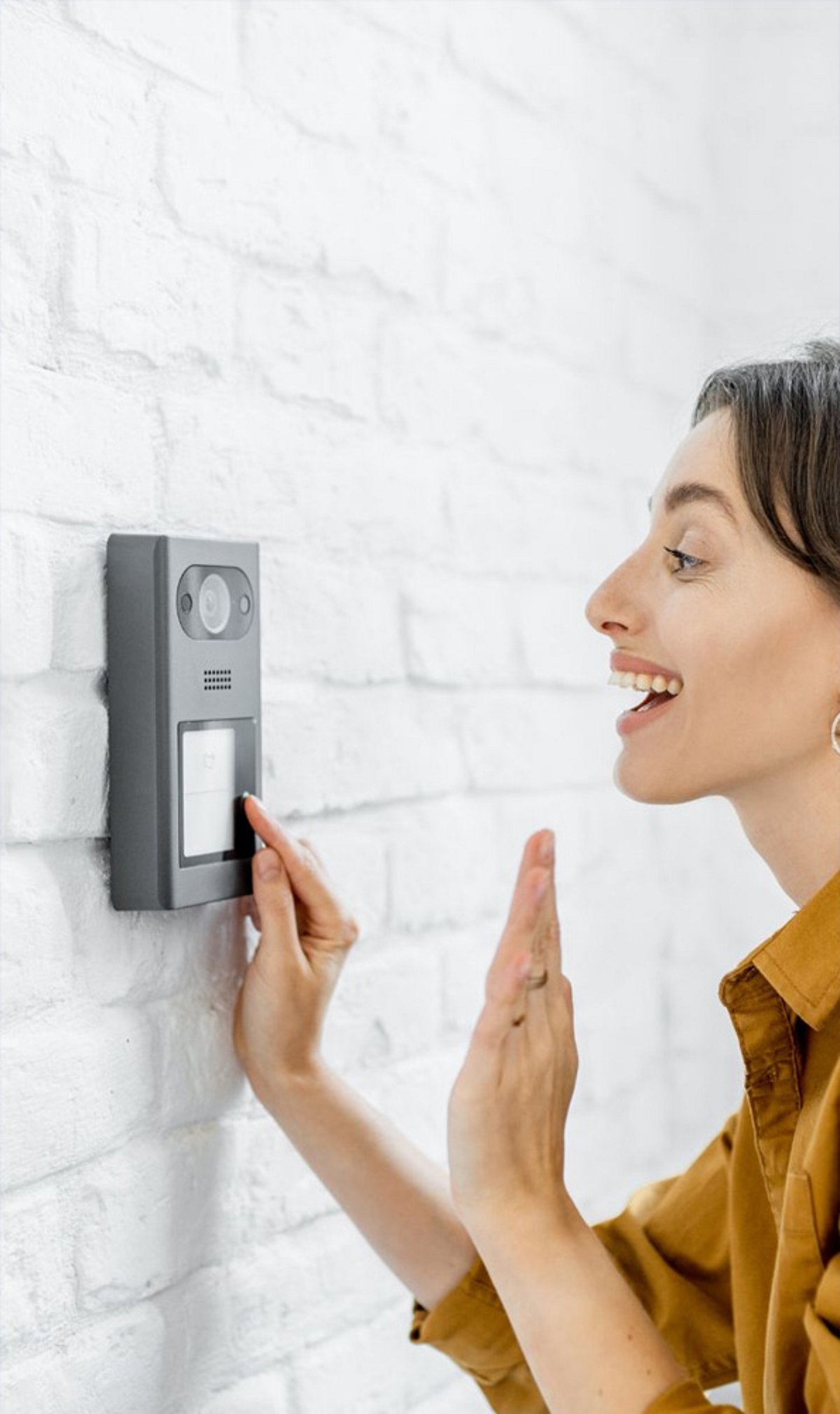
    Video doorbells have transformed the way homeowners monitor their entrances, offering a blend of convenience, awareness, and security. By providing an instant view of your doorstep, these devices let you see who is outside without opening the door, enhancing everyday safety.

    With remote access via smartphone, you can check your home from anywhere, making it easier to stay connected while traveling. Motion detection alerts you to activity near your door, whether it’s a visitor, a delivery, or unexpected movement, keeping you informed in real time.

    Two-way audio allows you to speak with visitors through your phone, even when you’re not at home. Night vision ensures clear footage even in low-light conditions, improving visibility when outdoor lighting is limited. Video doorbells also help track deliveries, providing footage that reduces uncertainty about packages left outside.

    Many models store recorded footage, giving homeowners valuable evidence for investigating suspicious activity. Modern video doorbells can integrate with smart home systems, enabling compatible devices to work together and simplify everyday security tasks. Ultimately, with alerts, live video, audio, and recording features, video doorbells offer a straightforward way to improve home security.