Category: Software Development

  • .NET 8 vs .NET 6: Key Differences, Performance Gains, and Upgrade Considerations

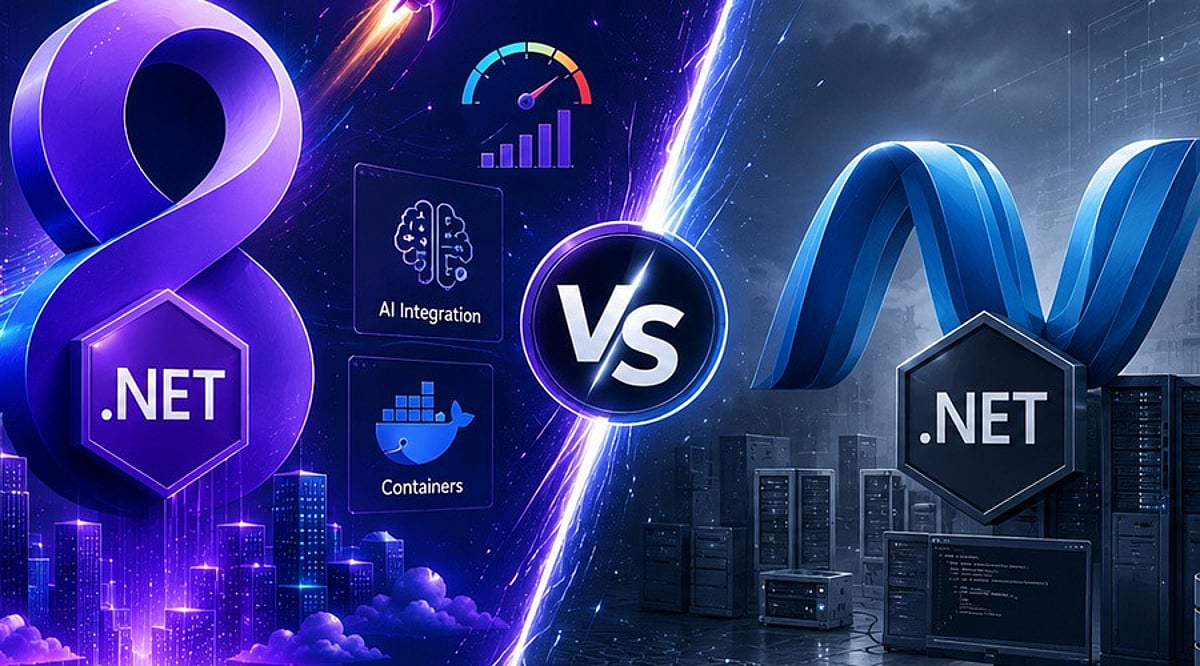
    .NET 8 vs .NET 6: Key Differences, Performance Gains, and Upgrade Considerations

    .NET 8 builds upon the strong foundation of .NET 6 by introducing major improvements in performance, cloud-native development, developer productivity, and security. This comparison guide explores the key differences between the two LTS releases, highlights new features in .NET 8, and outlines important considerations for organizations planning an upgrade.

    Overview

    Both .NET 6 and .NET 8 are Long-Term Support (LTS) releases, but .NET 8 introduces significant improvements in runtime performance, cloud-native development, and developer productivity. From C# 12 and Native AOT to enhanced ASP.NET Core performance and better container support, .NET 8 is designed for modern enterprise application development. This guide compares .NET 6 and .NET 8 across performance, features, and migration considerations to help developers and organizations plan a successful upgrade.

    .NET 6 vs .NET 8: Key Differences at a Glance

    Both versions are production-ready, but .NET 8 delivers meaningful improvements across runtime efficiency, scalability, and modern development workflows.

    Performance Improvements Make .NET 8 a Clear Winner

    The foremost driver of organizational modernization is performance. Microsoft has incorporated thousands of runtime optimizations into .NET 8, including JIT optimizations, Dynamic Profile-Guided Optimizations (Dynamic PGO), Garbage Collection (GC) optimizations, SIMD optimizations, and ARM64 enhancements. These optimizations help minimize startup time, increase throughput, and reduce infrastructure costs for high-traffic applications. .NET 8 offers greater processing capacity for requests in ASP.NET Core, making it more desirable for APIs, microservices, and cloud-native deployments than .NET 6.

    Developer Experience Has Improved Significantly

    Beyond performance, .NET 8 introduces features that make application development easier. C# 12 includes more expressive language features to help developers create clean and manageable code. Native AOT support has reached maturity, enabling faster startup times and smaller footprints. Minimal APIs in ASP.NET Core have been extended to support lightweight services while retaining enterprise-level features.

    What to Consider Before Upgrading

    Although migrating from .NET 6 to .NET 8 is relatively easy, businesses should conduct a compatibility check before upgrading. Steps include:

    • Upgrade the application to the latest target framework and install the .NET SDK.
    • Verify all NuGet packages are compatible with .NET 8, replacing any deprecated packages.
    • Check for breaking changes, verify third-party integrations, and run unit, integration, and performance tests before going live.

    Modern ASP.NET Core applications typically require only minor code modifications when migrating to .NET 8.

    Is Upgrading to .NET 8 Worth It?

    For most enterprises, yes. Applications requiring greater scalability, cloud readiness, security improvements, and maintainability will benefit from upgrading to .NET 8. Enterprises that have adopted containerization, microservices, AI solutions, and fast APIs can maximize the benefits of the latest platform version. However, migration efforts should be undertaken after thorough dependency checks and testing procedures, following Microsoft’s upgrade guidelines. A gradual adoption process reduces risks and allows developers to test the improvements offered by .NET 8.

    In the evolving Microsoft development ecosystem, .NET 8 represents an important milestone over previous versions like .NET 6. Its better performance, new tools, cloud-native characteristics, and productivity gains make it a strong choice for upgrading applications to gain more speed and scalability. Migrating to .NET 8 also simplifies future upgrades to newer .NET versions.

    Why This Matters

    Choosing the right .NET version directly affects application performance, maintainability, security, and long-term support. As organizations modernize their technology stacks and increasingly adopt cloud-native architectures, containerized deployments, and AI-powered applications, newer framework capabilities deliver measurable improvements in scalability and operational efficiency.

    FAQs

    What is the biggest difference between .NET 6 and .NET 8?
    The biggest difference is that .NET 8 introduces substantial improvements in runtime performance, cloud-native development, Native AOT, C# 12 language features, ASP.NET Core enhancements, and developer productivity. Both are LTS releases, but .NET 8 is optimized for modern, high-performance applications.

    Is .NET 8 faster than .NET 6?
    Yes. .NET 8 delivers significant performance improvements through Dynamic PGO, JIT compiler enhancements, garbage collection optimizations, SIMD improvements, and better ARM64 support, reducing startup times and improving throughput.

    Should I upgrade from .NET 6 to .NET 8?
    For most applications, upgrading is recommended. Benefits include better performance, enhanced security, improved developer tools, stronger cloud-native capabilities, and continued LTS support. Compatibility testing and dependency validation should be completed before migrating production workloads.

    Is upgrading from .NET 6 to .NET 8 difficult?
    In most cases, the upgrade process is straightforward. Developers update the target framework, install the latest .NET SDK, upgrade compatible NuGet packages, review breaking changes, and thoroughly test the application. Modern ASP.NET Core applications usually require only minor code modifications.

    What new features does .NET 8 introduce?
    .NET 8 includes C# 12 support, enhanced Native AOT, improved Minimal APIs, better container support, runtime optimizations, enhanced diagnostics, cloud-native improvements, performance enhancements, and expanded tooling that simplifies development and deployment.

  • Android Java to Kotlin Migration: Proven Best Practices for 2026

    Android Java to Kotlin Migration: Proven Best Practices for 2026

    Migrating Android applications from Java to Kotlin has become a strategic priority for organizations looking to modernize their codebases. This guide outlines the best practices for a successful migration, covering project assessment, phased conversion, Kotlin-first development, architectural modernization, and performance testing to help teams build scalable and maintainable Android apps in 2026.

    Kotlin has been regarded as the best language for Android development since Google made it available in 2017. The modern approach to Android development is currently based on Kotlin, Jetpack Compose, coroutines, Kotlin Multiplatform, and the Android Jetpack library. Even though many companies have their applications written in Java, the switch to Kotlin is widely regarded as a reliable strategy that ensures high-quality code, increased productivity, and improved codebase maintainability.

    However, there is no need to rebuild your application if you want to shift from Java to Kotlin, as both languages are fully compatible. The following recommendations will assist with the transition from Android Java to Kotlin.

    Evaluate Your Existing Codebase Before Migration

    To ensure the migration process is efficient, it is necessary to analyze the application’s architecture. It is important to analyze all project modules before migration to consider dependencies, third-party libraries, Gradle configuration, and Java version compatibility. Additionally, it is recommended that you identify all outdated APIs, Android components, and other legacy code that needs to be updated.

    Follow a Gradual Migration Strategy

    Migrating the whole Android app in one shot is not often suggested. The compatibility of Kotlin with Java means that both languages can be used in the same project, enabling feature-by-feature migration. A practical migration strategy may look like this: configure Kotlin support, migrate utility classes, gradually convert business logic, update Activities and Fragments, and finally refactor legacy Java code while continuously testing each migration stage. This phased approach reduces deployment risks while allowing continuous testing throughout the migration process.

    Take Advantage of Modern Kotlin Features

    Merely converting syntax from Java to Kotlin is not sufficient. Many development teams simply do not understand how much easier it would be for them to develop the applications if they coded in Kotlin using the syntax of Java. To simplify the code and make it more readable, programmers need to use Kotlin features such as nullability, data classes, extensions, sealed classes, higher-order functions, smart casting, and many other capabilities. Moreover, the use of coroutines is preferable to old-school async techniques such as AsyncTask, callbacks, and threads. It has to be applied together with Flow.

    Modernize the Architecture Alongside Migration

    Migration offers a wonderful opportunity to upgrade the application architecture rather than simply translating the code. Actually, it can be reasonable to use the MVVM architecture, which is recommended by Android developers and includes Jetpack libraries such as ViewModel, LiveData, or StateFlow, Room, Navigation, and Hilt as a dependency injector. Jetpack Compose will be a great choice to develop the user interface for Android 2026 applications. Even though XML layouts are available, Jetpack Compose enables more declarative development for Android, which fits well with Kotlin. The described approach works well because refactoring the old code during migration will help avoid future issues.

    Prioritize Testing and Performance Validation

    Code conversion should always be tested. Unit, UI, integration, and regression tests should be done after each migration step to confirm that the two versions of the program have the same functionality. Performance profiling is very critical. There should be measurements of the app’s startup time, memory usage, CPU usage, and APK size before and after the migration. Using static analyzers like Android Lint, Detekt, and Ktlint will enable developers to write code in line with Kotlin coding standards without compromising performance or style. Another method that promotes consistency in Kotlin code is code review.

    Build for the Future with Kotlin-First Development

    The Android development landscape continues to evolve toward a Kotlin-oriented approach. The emergence of Jetpack libraries, Compose, artificial intelligence (AI)-powered tools for developers, and optimizations of Android Studio have led to Kotlin being more widely used than Java. Thus, businesses updating their Android software today can easily benefit from future advances in the platform. Moving from Java to Kotlin involves more than just selecting another programming language because you will have the opportunity to enhance the quality of your code, maintain it, and implement new approaches to develop an Android application. This can be done through gradual migration, idiomatic Kotlin coding, refactoring your application, and performance measurement.

    Why This Matters

    Google continues to position Kotlin at the center of modern Android development, with new Jetpack libraries, Jetpack Compose, Kotlin Multiplatform, and Android Studio enhancements being designed primarily for Kotlin. As a result, organizations that continue maintaining Java-only Android applications may find it increasingly difficult to adopt the latest Android features and development tools.

    Frequently Asked Questions

    Why should developers migrate Android projects from Java to Kotlin?

    Kotlin offers several advantages over Java, including concise syntax, built-in null safety, coroutines for asynchronous programming, extension functions, improved readability, and full interoperability with Java. These features help developers build more maintainable, secure, and modern Android applications while aligning with Google’s recommended development practices.

    Can Java and Kotlin coexist in the same Android project?

    Yes. Kotlin is fully interoperable with Java, allowing both languages to coexist within the same Android project. This compatibility enables teams to migrate applications gradually instead of rewriting the entire codebase, reducing project risks and simplifying long-term modernization.

    What is the best strategy for migrating a Java Android application to Kotlin?

    A phased migration strategy is generally the most effective approach. Developers should first configure Kotlin support, migrate utility classes, gradually convert business logic, update Activities and Fragments, and finally refactor legacy Java code while continuously testing each migration stage.

    Should developers use automated Java-to-Kotlin conversion tools?

    Android Studio provides an excellent Java-to-Kotlin converter that accelerates migration. However, automatically converted code often requires manual refactoring to follow Kotlin best practices, improve readability, eliminate unnecessary boilerplate, and fully utilize Kotlin-specific language features.

    Should Android architecture be updated during migration?

    Yes. Migration provides an excellent opportunity to modernize application architecture by adopting MVVM, Jetpack ViewModel, StateFlow or LiveData, Room, Hilt for dependency injection, and Navigation components. This helps improve scalability, testing, and long-term maintainability.

  • 10 .NET Pitfalls Every Beginner Developer Should Steer Clear Of

    10 .NET Pitfalls Every Beginner Developer Should Steer Clear Of

    Learning .NET goes far beyond writing C# code. To build robust, scalable, and secure applications, developers must adopt modern practices from the start. This guide highlights the ten most frequent mistakes beginners make in .NET development and offers actionable advice to avoid them, covering ASP.NET Core, database management, testing, and security.

    Build a Strong Foundation Before Writing Complex Code

    Many beginners jump into coding without a solid grasp of C# fundamentals. Core concepts such as object-oriented programming, interfaces, inheritance, exception handling, async programming, and dependency injection are the bedrock of .NET. Without them, building enterprise-level ASP.NET Core applications becomes unnecessarily difficult. Invest time in mastering these basics before moving to advanced frameworks.

    Common Coding Mistakes to Avoid

    The following errors frequently appear in novice projects and can compromise performance, security, and maintainability:

    • Ignoring dependency injection – ASP.NET Core has built-in DI support; using it promotes loose coupling and easier testing.
    • Blocking asynchronous calls – Always use async/await for I/O operations to avoid thread pool starvation.
    • Poor exception handling – Catch specific exceptions, log them, and avoid swallowing errors silently.
    • Hardcoding configuration – Use appsettings.json and secret managers instead of embedding connection strings or API keys.

    Embrace Modern ASP.NET Core Practices

    A common mistake is treating ASP.NET Core like the old .NET Framework. Modern development relies on modular architecture, middleware pipelines, minimal APIs, and configuration via appsettings.json. Avoid placing business logic inside controllers — keep controllers lean and move logic to service layers. Also, learn to manage secrets properly without hardcoding sensitive data.

    Database and Performance Pitfalls

    Applications that perform well during development often slow down under real-world data loads. Inefficient Entity Framework Core queries are a primary culprit. Beginners frequently retrieve too much data, make non-asynchronous database calls, or run queries inside loops. To mitigate these issues, adopt caching, pagination, efficient LINQ queries, proper indexing, and monitor performance from day one.

    Testing, Logging, and Security – Don’t Delay

    Many developers postpone unit testing until the end — or skip it entirely. Tests (using xUnit, NUnit, or MSTest) catch bugs early and make refactoring safer. Logging with ASP.NET Core’s built-in provider simplifies troubleshooting in production. Security must be integrated from the start: validate all user input, use HTTPS, implement authentication and authorization, guard against SQL injection and XSS, and store secrets securely.

    Commit to Continuous Learning

    The .NET ecosystem evolves rapidly. Keeping up with official Microsoft documentation, engaging in open-source projects, and experimenting with new architectural patterns ensures your skills stay relevant. Mistakes are part of the learning journey — the key is to recognize them early and adopt practices that lead to maintainable, high-quality code.

    Frequently Asked Questions

    What are the most common beginner mistakes in .NET?

    Common mistakes include skipping C# fundamentals, ignoring dependency injection, putting business logic in controllers, blocking async calls, writing inefficient database queries, poor error handling, hardcoding values, neglecting unit tests, and overlooking security best practices.

    Why is dependency injection important?

    DI promotes loose coupling, making code easier to maintain, test, and extend. ASP.NET Core provides built-in DI, and proper use simplifies dependency management across services.

    How can beginners improve Entity Framework Core performance?

    Select only needed data, use async queries, implement pagination, avoid loops with database calls, optimize LINQ, apply proper indexing, and use eager loading judiciously.

    What security practices should every .NET developer follow?

    Validate all input, use secure authentication/authorization, enforce HTTPS, protect against SQL injection and XSS, store secrets with configuration providers or secret managers, and keep dependencies updated.

    Is unit testing necessary for beginner projects?

    Yes. Unit tests detect bugs early, verify behavior, and enable confident code changes. xUnit, NUnit, and MSTest are popular choices and valuable professional skills.

  • Top Quantum Programming Languages and Frameworks Developers Should Learn in 2026

    Top Quantum Programming Languages and Frameworks Developers Should Learn in 2026

    Quantum computing is shifting from laboratory experiments into enterprise pipelines, and the software stack developers pick now will shape their careers for years. The quantum programming language market expanded from $0.43 billion in 2025 to $0.61 billion in 2026, growing at a 39.8% annual rate. Python skills appear in about 70% of quantum job postings, making it the most practical entry point for new developers. Analysts expect the broader market to reach $20.2 billion by 2030, even as a shortage of 5,000-plus quantum-ready developers persists worldwide.

    Quantum computing has moved well past its early reputation as a physics curiosity confined to university basements. Pharmaceutical researchers, financial analysts, and materials scientists now test quantum algorithms against problems classical machines handle poorly. Software tooling has become the practical entry point into this field, ahead of the hardware debates that once dominated industry discussion.

    Developers exploring quantum programming for the first time often expect an unfamiliar syntax to be waiting for them. Instead, they find frameworks built on languages they already know, particularly Python, layered over circuit compilers and cloud simulators. Picking the right framework early shortens the path toward writing working quantum code on genuine hardware, rather than staying stuck in tutorials.

    Best Quantum Programming Languages

    Quantum development today happens mostly through software development kits rather than dedicated languages built entirely from scratch. These kits let developers design circuits, test them through simulation, and send finished jobs to real quantum processors hosted in the cloud. Each kit carries its own strengths, shaped by the hardware provider behind it.

    Qiskit Leads Adoption

    Qiskit holds the largest user base among current quantum frameworks, and its lead has held steady for several years. IBM released it as an open-source Python library, giving developers tools to build circuits and simulate them through Qiskit Aer. Jobs then run directly on IBM’s connected quantum hardware through the cloud.

    Cirq and PennyLane Serve Different Needs

    Google built Cirq for developers who need precise, low-level control over quantum circuits, particularly on processors like Sycamore. Xanadu’s PennyLane instead targets hybrid workflows, blending quantum circuits with machine learning models used across applied research settings. Both frameworks stay close to Python conventions, easing the learning curve for newcomers.

    Q# and CUDA-Q Round Out the Stack

    Microsoft’s Q# connects directly with Azure Quantum and suits developers who prefer a guided, step-by-step introduction to qubits and gates. NVIDIA’s CUDA-Q links quantum circuits with GPU-accelerated classical systems, appealing to teams already working in high-performance computing environments. Both tools reflect a broader trend toward pairing quantum logic with existing infrastructure.

    Quantum Framework Adoption at a Glance

    Amazon Braket Adds Cross-Platform Reach

    Amazon Braket does not tie developers to a single hardware provider, unlike most other frameworks on this list. It routes circuits toward processors from IonQ, Rigetti, and other partners through one unified cloud interface. Teams comparing hardware performance often prefer this flexibility over committing early to one vendor.

    Which Quantum Computing Framework Should Developers Learn First?

    Developers already comfortable with Python gain the quickest start through Qiskit or Cirq. Neither requires learning a new language, so learners can focus directly on circuit logic instead of wrestling with unfamiliar syntax rules.

    Developers without a programming background often find Q# more approachable than the alternatives. Its guided structure introduces qubits, gates, and operations gradually, which suits students and professionals switching careers into quantum development.

    One principle holds true across every framework choice available today. Simulation should come first, with hardware access treated as a validation step rather than an early requirement for meaningful learning.

    • Python coders can begin with Qiskit or Cirq for immediate circuit-building
    • Complete beginners can start with Q# for a paced, structured introduction
    • Run every circuit through simulation first, hardware access second
    • Compare at least two vendor ecosystems before committing long-term

    What are the Best Quantum Programming Languages in 2026

    Python continues to anchor nearly every major quantum framework in some form, and that pattern shows no sign of shifting soon. Roughly seventy percent of quantum job listings now ask for Python proficiency, confirming its role as the practical gateway into the discipline.

    The quantum software stack follows a consistent layered pattern across nearly every provider in the market. A host language connects to an SDK, which then routes instructions through a circuit compiler before reaching a simulator or an actual processor.

    This layered structure explains why quantum programming feels different from classical software work in practice. Circuit outputs depend on repeated measurements rather than fixed execution paths, making probability a central design consideration for developers building anything beyond a tutorial exercise.

    Final Words

    Quantum programming favors developers who build layered fluency rather than betting everything on one dominant language. Python remains the practical foundation across the field, while Qiskit, Cirq, and Q# each offer distinct paths suited to different backgrounds and career goals. Framework choice matters less than consistent, hands-on practice with real circuits.

    The widening talent gap in this field signals genuine opportunity rather than distant speculation about a future market. Developers who start with quantum fundamentals now, moving steadily from simulation toward real hardware, place themselves ahead in a discipline still actively shaping its own direction and standards.

  • 2026 Cost Guide: Hiring Dedicated Developers in India – Rates, Factors & Value

    2026 Cost Guide: Hiring Dedicated Developers in India – Rates, Factors & Value

    Building software has become a business necessity rather than a competitive advantage. Whether you’re launching a startup, developing a customer-facing mobile app, modernizing legacy systems, or integrating AI into your operations, one challenge remains the same: finding the right development talent without exceeding your budget.

    That’s why more businesses are choosing to hire dedicated developers in India.

    But how much does it actually cost? Are lower rates the only reason companies are building development teams in India? And how can you ensure you’re getting real value rather than simply choosing the cheapest option available?

    If you’re exploring your options, this guide will help you understand the cost to hire dedicated developers in India and the aspects that influence pricing.

    Why Are More Businesses Choosing to Hire Dedicated Developers in India?

    Let us consider for a moment the difficulties of recruiting software developers from the local market. Recruitment can take months, salaries keep increasing, and competition is fierce for qualified developers. Even after selecting the right person, training, onboarding, and retention can be challenging.

    Now imagine being able to tap into a worldwide pool of highly talented engineers who will begin developing the product straight away. This is one of the major reasons why businesses opt for hiring dedicated developers in India.

    India has become one of the leading technology centers globally, catering to startups, SMEs, and large enterprises from the USA, Australia, the UK, Europe, and the Middle East. The growing demand is driven by:

    • Access to highly skilled software engineers
    • Cost-effective development compared to Western markets
    • Flexible team scaling
    • Faster project delivery
    • Expertise across modern technologies
    • Strong English communication skills
    • Experience working with global businesses

    Market Statistics

    • India has over 5.4 million software developers, one of the world’s largest developer communities. (Source: IBEF)
    • India accounts for approximately 17.5% of the global outsourcing market. (Source: IBEF)
    • The Indian technology industry is projected to reach $500 billion by 2030, driven by growing demand for AI and software services. (Source: IBEF)
    • More than 1,700 Global Capability Centers (GCCs) operate in India, with many multinational companies relying on Indian engineering talent. (Source: NASSCOM)

    Cost to Hire Dedicated Developers in India in 2026

    The cost varies based on experience, technology expertise, project requirements, and engagement model. Here are the average hourly rates businesses can expect:

    Note: For long-term engagements, monthly hiring costs are often more relevant. Ranges vary widely because software development projects differ significantly in complexity—a simple internal application requires different expertise than a fintech platform, healthcare solution, or AI-powered product.

    What Factors Affect the Cost of Dedicated Developers in India?

    1. Developer Experience

    Senior developers typically provide better architecture planning, faster issue resolution, stronger coding standards, reduced technical debt, and improved project outcomes. While they command higher rates, they often reduce overall project costs by minimizing errors and rework.

    2. Technology Stack

    The technologies required directly impact costs. Examples include React, Angular, Node.js, Python, Flutter, AI/ML, cloud engineering, and DevOps. Specialized technologies generally require advanced expertise, increasing rates.

    3. Project Complexity

    Complex projects often involve third-party integrations, real-time functionality, advanced security, cloud infrastructure, AI capabilities, and large-scale databases—demanding more experienced teams.

    4. Team Structure

    Some businesses need only one developer; others require a full offshore team including QA engineers, UI/UX designers, business analysts, project managers, and DevOps specialists. Larger teams increase costs but improve quality and delivery efficiency.

    India vs Other Countries: How Do Development Costs Compare?

    Many organizations compare regions before hiring. However, choosing the lowest rate should never be the primary goal. The real objective is finding the best combination of expertise, reliability, communication, and value.

    The Hidden Costs of Hiring In-House Developers

    Beyond salaries, companies must consider recruitment agency fees, employee benefits, insurance, office space, equipment, software licenses, training, and turnover costs. These hidden expenses make the dedicated development team India model attractive, offering skilled professionals without operational overhead.

    Is Hiring the Cheapest Developer Always a Good Idea?

    Selecting developers based solely on the lowest price can lead to poor code quality, missed deadlines, limited communication, security vulnerabilities, scalability issues, and increased maintenance costs. Successful businesses focus on expertise, communication, delivery processes, and long-term value.

    How to Choose the Right Dedicated Development Partner

    1. Review Their Portfolio

    Look for projects similar to yours. Ask about industry experience, technology stack expertise, and measurable results.

    2. Evaluate Communication Practices

    Strong communication reduces misunderstandings. Look for providers offering regular updates, agile processes, dedicated project managers, and transparent reporting.

    3. Assess Team Scalability

    Choose a partner capable of quickly scaling resources as your needs evolve.

    4. Verify Security Standards

    Review NDA agreements, data protection, secure coding standards, and access management.

    Many businesses evaluating dedicated development services consider established companies like Vrinsoft Technology, which offers flexible engagement models, experienced teams, and scalability.

    Final Thoughts

    The sole reason for hiring dedicated developers in India is no longer limited to cost. Companies worldwide choose India for skilled professionals, faster time-to-market, flexible team composition, and strong technological expertise. Although hiring is still more affordable compared to other markets, the biggest benefit comes from the value combination. Whether you are hiring individual developers or creating an offshore team, focus on the value you will receive.

    It is all about building a team to drive your business forward in a digital world.

  • Appian Corporation: Transforming Enterprise Automation with Low-Code and AI

    Appian Corporation: Transforming Enterprise Automation with Low-Code and AI

    Overview

    Appian Corporation is a leading enterprise software company that specializes in a low-code automation platform. The platform enables organizations to rapidly develop applications, automate complex workflows, and optimize business processes by integrating artificial intelligence, process mining, robotic process automation (RPA), and data fabric technology.

    About the Company

    Appian’s cloud-based platform allows users to create applications without extensive coding skills, streamlining business operations across industries such as finance, healthcare, and government. By combining low-code development with AI capabilities, Appian helps businesses improve operational efficiency, productivity, and customer service. Key technologies integrated into the platform include low-code development, RPA, intelligent document processing, process mining, and data fabric. Additionally, Appian offers AI Copilot and Agent Studio tools that enable businesses to build custom AI applications.

    Products and Services

    Appian provides a unified platform that includes:

    • Low-code development environment
    • Artificial intelligence and machine learning tools
    • Data fabric for unified data access
    • Process automation and RPA
    • Intelligent document processing
    • Process intelligence and mining

    These tools help organizations design applications, automate workflows, and optimize enterprise operations.

    Core Leadership Team

    Appian is led by a team of experienced executives who drive the company’s vision and growth. (Specific names were not provided in the source material.)

    Revenue Streams

    Appian generates primary revenue through cloud subscription services for its low-code automation platform. Additional revenue comes from on-premises software licenses, maintenance subscriptions, and professional services including consulting, implementation, and training.

    Client Segments

    Target Clients: Enterprises and government organizations seeking low-code platforms to automate workflows and improve operational efficiency.

    Target Industries: Financial services, healthcare, insurance, telecommunications, manufacturing, and public sector organizations managing complex processes.

    Target Geography: North America, Europe, Asia-Pacific, Middle East, and other global markets adopting automation technologies.

    Connect with Appian on LinkedIn or visit their website.

  • OpenAI Unveils Codex Micro: A Programmable Macropad for AI Coding Workflows

    OpenAI Unveils Codex Micro: A Programmable Macropad for AI Coding Workflows

    OpenAI has launched its first branded hardware product, the Codex Micro, a programmable mechanical macropad developed in partnership with Work Louder. This strategic release moves beyond earlier speculation about a Jony Ive-designed AI device, focusing instead on developers who rely on Codex, OpenAI’s AI coding and productivity assistant.

    Priced at $230 and available in limited quantities, the Codex Micro arrives as Codex approaches 9 million users globally. The device is a niche yet targeted accessory designed to streamline AI coding workflows.

    What Is Codex Micro?

    Codex Micro is a compact mechanical macropad that enables users to monitor and control AI agents more efficiently. OpenAI describes the product as a “limited-run collaboration” with Work Louder, built on the hardware foundation of Work Louder’s Creator Micro 2 but customized with Codex-specific controls. While the standard Creator Micro 2 starts at around $144, the OpenAI version commands a higher price due to its dedicated AI-agent features.

    Key Features of Codex Micro

    The most notable addition is a row of six Agent Keys that glow in different colors to indicate the live status of Codex agents:

    • Idle: White light
    • Processing: Blue light
    • Complete: Green light
    • Error: Red light

    Double-tapping activates the agent, while a single tap selects the assigned agent. Users can customize these keys using Work Louder’s Input setting tool to map them to pinned Codex tasks, recent tasks, specific workflows, or individual agents.

    The bottom row features six programmable keys preprogrammed for functions such as accepting or rejecting code changes and branching threads. A larger key enables push-to-talk (PTT) voice control with Codex.

    Joystick, Dial, and Connectivity

    The Codex Micro also includes a joystick for navigating Codex’s composer bar and a rotary dial for selections by default, both of which are remappable. An LED-lit acrylic edge illuminates when Codex is listening and the microphone is active. Users can choose between silent and clicky switches, and the device supports USB-C, Bluetooth, and keycap swapping. Work Louder includes 32 additional keycaps, including playful options like “yolo” and “yeet.”

    Why It Matters

    Codex Micro is not a consumer AI gadget; it is a specialized AI agent management control device designed for developers to rapidly control AI agents during coding. This launch marks OpenAI’s first major step into hardware, prioritizing workflow productivity over consumer-focused AI devices.

  • Top 10 AI Agents Transforming the Software Development Lifecycle in 2026

    Top 10 AI Agents Transforming the Software Development Lifecycle in 2026

    Software development AI has evolved far beyond simple code completion. Modern tools now tackle the entire software delivery lifecycle—from triaging issues and planning implementations to reviewing pull requests, fixing vulnerabilities, generating documentation, and coordinating releases across teams. This article evaluates ten leading platforms that bring meaningful automation to engineering organizations, focusing on SDLC coverage, context awareness, workflow automation, and enterprise readiness.

    How We Evaluated These AI Agents

    We assessed each solution based on:

    • SDLC coverage – how much of the development lifecycle it supports
    • Context awareness – ability to understand repositories, issues, and historical decisions
    • Workflow automation – reducing manual overhead in engineering processes
    • Repository integration – seamless connection with GitHub, GitLab, Bitbucket, etc.
    • Enterprise readiness – security, governance, audit trails, and scalability
    • Multi-agent capabilities – coordination among specialized AI agents
    • Governance and security – sandboxing, approval gates, and compliance

    1. Overcut – Best Overall SDLC Orchestration Agent

    Overcut leads the list by acting as an orchestration layer for engineering organizations. Rather than being another coding assistant, it connects autonomous AI agents with everyday developer workflows. It handles ticket triage, requirements analysis, technical design reviews, pull request validation, documentation updates, vulnerability remediation, and release coordination. Key features include contextual orchestration across GitHub, Jira, and Azure DevOps, ephemeral sandboxed environments, model-agnostic architecture, and enterprise governance with audit logs.

    2. Devin – Autonomous Software Engineering Pioneer

    Devin popularized the concept of autonomous software engineering. It independently analyzes problems, writes code, runs tests, and iterates toward solutions without constant prompting. Developers can assign larger implementation tasks and review final outputs. Recent updates expand its capabilities beyond repository reasoning into broader engineering workflows.

    3. GitHub Copilot – Ecosystem-Centric Development Assistant

    GitHub Copilot has grown from code completion to a full assistant supporting repository-aware conversations, pull request assistance, documentation generation, and agentic workflows. Its greatest strength is seamless integration with GitHub, allowing teams to adopt AI without changing their existing workflows. Features include AI code generation, repository reasoning, and GitHub Actions integration.

    4. Claude Code – Analytical Depth for Complex Repositories

    Claude Code from Anthropic excels at reasoning through complex codebases, explaining architectural decisions, debugging intricate problems, and assisting with large-scale refactoring. It maintains context over long sessions, making it ideal for projects spanning multiple services or legacy systems. It acts as an intelligent collaborator rather than a replacement for engineering judgment.

    5. Aider – Terminal-Native AI Collaboration

    Aider operates directly in the terminal, integrating with local Git repositories. Developers can request features, bug fixes, refactoring, or documentation updates while using their preferred editor. Its Git-native design tracks AI-generated changes alongside normal commits, and it supports multiple language models for flexibility.

    6. 8090.ai – Software Factory Orchestration

    8090.ai takes a broader view, orchestrating activities before, during, and after coding—including requirements gathering, architecture planning, documentation, testing, and delivery. It supports multi-role collaboration among product managers, architects, engineers, and QA teams. Structured governance ensures AI-generated artifacts remain visible throughout the development lifecycle.

    7. Factory.ai – Mission-Based Autonomous Agents

    Factory.ai enables multiple AI agents to collaborate on complex initiatives that span hours or days. Its “mission-based” approach lets developers define broad outcomes like service migration or legacy modernization, and agents coordinate planning, implementation, and validation. It supports desktop, command-line, and SDK interfaces.

    8. Opsera.ai – DevOps-Focused AI Automation

    Opsera.ai applies AI to CI/CD pipelines, deployment automation, release orchestration, security validation, and observability. It integrates with existing DevOps toolchains rather than replacing them, extending AI beyond implementation into continuous delivery.

    9. CrewAI – Custom Multi-Agent Workflows

    CrewAI is a framework for building specialized AI agents that collaborate on distinct responsibilities—architecture reviews, documentation, testing, security analysis, and more. It is highly customizable, allowing organizations to design autonomous processes that mirror their engineering team structures.

    10. Clears.ai – Engineering Operations and Workflow Intelligence

    Clears.ai focuses on automating repetitive delivery activities and improving visibility across development workflows. It assists with reviewing engineering work, coordinating tasks, surfacing bottlenecks, and providing analytics. It complements implementation-focused AI by addressing operational coordination challenges.

    Four Approaches Defining the Future of Software Development AI

    These platforms represent different philosophies:

    • SDLC Orchestration Platforms (Overcut, 8090.ai, Factory.ai) – treat the lifecycle as one connected organism, aligning work across planning, implementation, testing, and deployment.
    • Autonomous Engineering Agents (Devin) – give AI independence during implementation with minimal supervision.
    • Repository-Centric AI (GitHub Copilot, Claude Code, Aider) – improve developer productivity by working directly with source code and repositories.
    • AI for Engineering Operations (Opsera.ai, CrewAI, Clears.ai) – emphasize workflow coordination, DevOps automation, and collaboration.

    Choosing the right agent depends on whether your organization prioritizes individual coding speed, autonomous execution, or end-to-end delivery orchestration.

  • The Architect Behind Enterprise Platforms: A Conversation on Scaling, Quality, and AI in Software Engineering

    The Architect Behind Enterprise Platforms: A Conversation on Scaling, Quality, and AI in Software Engineering

    In this interview, Chandrasekhar, a seasoned software and platform engineering leader with nearly two decades of experience, shares his journey from building telecommunications billing systems to designing the infrastructure that powers one of America’s largest banks. He discusses the principles that have guided his work, the challenges of building platforms at scale, and how he integrates AI into quality engineering while maintaining compliance in regulated environments.

    Q: Could you briefly introduce yourself and share your journey into software engineering and platform engineering?

    A: I started as a Java developer in telecommunications, writing billing systems for British Telecom. That environment is unforgiving—processing errors have direct financial consequences for customers, so correctness at the design stage is not optional.

    What pulled me toward platform engineering was a pattern I kept seeing across every organization I worked in: teams solving the same infrastructure problems in isolation, building their own tooling, making the same avoidable mistakes. The London 2012 Olympics work sharpened this. When systems serve a global audience simultaneously, the shared infrastructure underneath the application matters as much as the application itself. I started building for that layer deliberately. Twenty years on, that is still the core of what I do.

    Q: Over the past two decades, what have been the most significant lessons you’ve learned from building enterprise-scale software systems?

    A: The first is that what works for one team breaks at fifty. Scale does not give you more of the same problems—it surfaces assumptions nobody noticed they had made. Decisions that felt reasonable in year one become liabilities in year five, and the engineers who made them are often long gone.

    The second came from Weight Watchers. The SmartPoints algorithm touched millions of daily decisions about what people ate. A subtle error there was not a software bug; it was a public health issue. I carry that framing into financial services. The downstream consequences of a bad deployment are real and human, and that changes how seriously you take the platform work upstream of every release.

    The third is harder to articulate but matters as much: staying longer than is fashionable. The full lifecycle of a platform—design, adoption, scaling, failure, recovery, evolution—takes years to live through. I have seen that arc on more than one system and it has fundamentally changed how I build.

    Q: You developed an automation framework that became the standard across thousands of projects at a major financial institution. What problem were you trying to solve and what impact has it delivered?

    A: The core problem was that quality had no common language across the organization. Teams were running inconsistent configurations, different frameworks, different data strategies, different reporting formats. You could not compare quality signals across teams because the signals themselves were incompatible. Leadership had no reliable picture of delivery health at the portfolio level.

    I redesigned the framework by embedding it directly into CI/CD pipelines, ensuring that any team capable of executing a build could also execute automation. I also rebuilt the entire test result structure throughout so that logging and failure reporting would be consistent regardless of which team or application was running the tests. The impact is measurable: the framework now operates as the standard across more than 2,500 enterprise projects, quality gates are automated rather than manually enforced, and the duplicated infrastructure investment across teams has been largely eliminated.

    Q: How do you ensure software quality and governance across an organization with tens of thousands of engineers without slowing down innovation?

    A: The honest answer is that speed and governance only conflict when governance is badly designed. I have been on both sides of that. I have watched teams grind to a halt because every release needed a manual sign-off from three people. I have also built systems where compliance happened automatically and nobody had to slow down to think about it.

    What I did was embed the quality checks directly into the pipeline so they run without anyone asking them to. Tests fire automatically. Policy gates trigger automatically. Audit records get created automatically. When doing the right thing is also the fastest thing, engineers just do it. It is a design decision I made deliberately. The governance is still there—it just does not require a human in the loop at every step. In a bank that ships software every day, that is the only way it works in practice.

    Q: Can you tell us about the cloud-native execution platform you’ve built and the challenges of operating it at such a large scale?

    A: When I took on this problem, teams were running tests on static infrastructure and execution time was a significant bottleneck. Test suites had grown to the point where sequential execution was taking hours. By then automated testing stops serving its purpose—the feedback arrives after the team has already moved on and the value is lost.

    I built the platform on Kubernetes so workloads run in parallel across containerized environments. In a regulated bank, though, making execution fast is only part of the problem. It also has to be auditable, and those two requirements pull in opposite directions. I originally built on AKS for orchestration, autoscaling and Azure-native integration. I am now expanding it with OpenShift support, which adds image signing, namespace isolation and role-based access controls that compliance teams require and that can be independently verified across environments.

    The numbers reflect what that shift produced. The platform now executes over 137,000 validation jobs and approximately 875,000 automated tests within a thirty-day period, with an average execution time of around 26 minutes. Jobs that previously took hours now finish in under half an hour. But throughput is not the metric I care most about. It results in trustworthiness. Teams have to be able to act on what the platform tells them and that requires a level of reliability that does not happen by accident.

    Q: What role is AI playing in modern quality engineering and how are financial institutions leveraging it to improve software delivery?

    A: I have applied AI to strengthen the automation systems I built, while preserving the control and audit mechanisms that regulated environments require. I introduced a GenAI-based approach to extend automation coverage to approximately 800 applications that previously had none, generating tests calibrated to each application’s complexity and integrating them automatically into the test execution platform.

    I built predictive models into automation workflows that surfaced failure patterns and dependency behavior under load that manual review would have missed. In one instance, a predictive model I built identified a dependency timing issue across seemingly unrelated failures, which significantly reduced investigation time and helped teams reach the root cause faster. But I did not automate decisions based on those outputs. In a regulated environment the model provides insight—the decisions and audit trails remain under human control. The capability is real; the implementation has to be redesigned around compliance requirements before it can run in production.

    Q: As organizations continue their cloud transformation journeys, what are the biggest mistakes you see teams making when adopting cloud-native technologies?

    A: The biggest one I keep seeing is teams treating migration as a hosting decision when it is actually an architectural redesign. I have watched teams lift applications that were built around shared memory and persistent connections, drop them into containers and then spend the better part of two years debugging failures that their old architecture never produced. The containers did not break anything—they just made visible what was always there.

    The second mistake is skimping on observability—and I ran into this myself. Early in building our cloud-native platform we had a category of failures that looked completely random. Nothing in the logs connected them. I added distributed tracing and it turned out to be a container warm-up timing issue that only showed up under certain cluster loads. Without that instrumentation I would still be guessing. In a regulated environment that kind of unexplained failure is not just an ops problem—it creates a compliance problem. I built observability from the start after that.

    Q: What does effective platform engineering look like in a highly regulated environment such as banking and financial services?

    A: The platform has to answer a regulator’s question before it is asked. What was deployed? When? By whom? What validations ran before it reached production?

    Early in my platform work, I had a release that cleared every quality gate—tests ran, coverage thresholds were met, the pipeline went green. It was stopped anyway because the test execution logs were not stored in a format that satisfied the audit requirement. The capability was there; the evidence trail was not. That incident changed how I design permanently. I now ensure every automation workflow captures logs, inputs, outputs and decision points in a structured, reviewable format. Traceability is a first-class requirement from day one, not something retrofitted after a compliance review.

    Effective platform engineering here also means risk and compliance teams are design partners, not downstream reviewers. The institutions that do this well end up with platforms that are both faster to use and easier to audit, because the compliance path and the delivery path are the same path.

    Q: Your research work has received recognition from global institutions and researchers. How do you bridge the gap between academic research and real-world engineering challenges?

    A: The research grows directly out of production problems. While building the data quality dashboard platform, I kept hitting a question that existing literature did not answer well: how do you make quality signals meaningful to non-engineers at enterprise scale? I worked through it, published the findings and that paper has since been cited by researchers at Delft University of Technology, institutions across China and others across fifteen countries. But the more important outcome was that the design patterns I developed for the paper became the foundation for how I structured quality reporting across the platform itself. The research and the engineering fed each other directly.

    As a practitioner, I am accountable for systems that run in production under load in regulated environments. I cannot theorize around a failure—I have to fix it. The research pushes me to evaluate whether the failures I encounter reflect broader, generalizable patterns. That combination produces reusable solutions with documented reasoning behind them, not one-off fixes and not just theory. I have over 100 citations from researchers across fifteen countries and that reach consistently tells me the problems I am solving inside one institution are problems the global research community recognizes as important.

    Q: Looking ahead, what technology trends do you believe will have the biggest impact on enterprise software development and platform engineering over the next five years?

    A: The thing I am watching most closely is AI moving from something that helps individual developers to something that sits inside the delivery pipeline itself. In the platforms I run I am already working through early versions of this: AI-assisted test generation, predictive failure analysis, automated coverage decisions. It works, but it creates a question I do not think the industry has answered yet: how do you audit a system that is partly generating itself, at enterprise scale, inside a regulated institution? That is something I am actively designing around right now.

    The London 2012 experience comes back to me when I think about where this is heading. Those systems had to be correct before they went live. There was no patching it during the opening ceremony. AI in the pipeline raises the same question at a much larger scale and with far less transparency about why decisions were made. The institutions that work out governance early will have a real advantage. The ones that leave it for later will find out why that was a mistake.

  • From Smart Glass to Finance: The Intelligent Systems Architecture of Surya Teja Meesala

    From Smart Glass to Finance: The Intelligent Systems Architecture of Surya Teja Meesala

    Across industries like manufacturing and financial services, software systems have become essential for managing complex operations and driving efficiency at scale. Yet research from McKinsey and Boston Consulting Group shows that nearly 70% of large-scale technology and digital transformation initiatives fail to achieve their intended outcomes. The limitation is rarely the idea itself—it often lies in the inability of execution systems to scale or perform reliably under real-world complexity.

    In this environment, engineers who build reliable execution systems are increasingly critical. Surya Teja Meesala, a senior member of IEEE with over a decade of experience spanning advanced manufacturing, medical devices, retail logistics, and financial systems, has focused on designing systems that keep operations consistent, traceable, and reliable at scale.

    Smart glass manufacturing, for example, operates in a high-mix environment where multiple product generations—each with distinct electrical and firmware requirements—move through the same factory equipment in constantly changing sequences. At View, Inc., a leading U.S. electrochromic smart window manufacturer with deployments in commercial buildings, airports, and adoption by companies like Uber and Netflix, this challenge was central to scaling operations. The company needed real-time visibility into material consumption, production workflows, and work order completion, integrated with enterprise systems like Oracle ERP, while accommodating rapid plan changes without breaking traceability or auditability.

    Meesala contributed significantly to creating a comprehensive system that replaced outdated, fragmented tools. Instead of passive tracking, the system actively guided operations by determining what could run, in what order, and under which constraints. One key challenge was managing production around highly energy-intensive equipment, where delays or miscalculations reduced efficiency. Previously reliant on manual calculations and operator expertise, Meesala built automated decision-making into the workflow, making it easier for factory teams to adjust production without guesswork. The result was smoother operations, improved product quality, and more efficient use of expensive equipment.

    He also developed an automated smart connector programming system that removed manual decision-making at a critical stage. Each unit was configured correctly based on production requirements, with a clear, versioned record of every setting applied. This reduced long-term failures and improved overall manufacturing reliability. These capabilities formed the backbone that helped View transition from a private company to a publicly listed manufacturer.

    In the financial sector, at Raymond James Financial, one of the largest U.S. financial advisory networks, Meesala has worked on core treasury and back-office systems that support critical operations. His focus has been on ensuring transactions are processed accurately, transparently, and in compliance with evolving regulatory standards. He also contributed to an AI-powered Incident Intelligence Platform designed to reduce response times during system outages and preserve institutional knowledge—an initiative recognized at a firm-wide engineering event.

    Across industries, Meesala’s efforts demonstrate a reality that industry leaders are increasingly acknowledging: in complex, high-stakes settings, a quiet, disciplined, and invisible execution architecture is what determines whether innovation can survive.