Category: Software Development

  • Best API Automation Testing Platforms for Modern DevOps Teams in 2026

    Best API Automation Testing Platforms for Modern DevOps Teams in 2026

    API automation testing enables faster software releases by validating APIs throughout the CI/CD pipeline with minimal manual effort. Different platforms support varying needs, including functional, security, performance, and enterprise-scale API testing. Selecting the right tool depends on workflow, integrations, scalability, collaboration requirements, and project complexity.

    CI/CD pipelines, microservices, and cloud-native setups rely on automated API checks. These tools verify how software functions, performs, and holds up. Using automation this way replaces slow manual code verification.

    Choosing the right platform can streamline testing while ensuring applications remain stable throughout rapid development cycles. There is no single API automation testing platform that fits every development team. The ideal choice depends on project complexity, team expertise, budget, and the existing DevOps ecosystem.

    We have listed the best API Automation Testing Platforms for Modern DevOps Teams:

    Postman

    Postman is one of the most popular solutions when it comes to developing and testing APIs. It provides a simple user interface that helps in designing, arranging, and automating API test sets. The tool is compatible with REST, GraphQL, and WebSocket APIs and integrates with CI/CD through Newman. Other features such as built-in collaboration, automation, mocking, and documentation tools help to make it useful for developers and testers.

    SoapUI

    SoapUI is an established testing tool for API testing, and it has earned its reputation for its capability of supporting both SOAP and REST web services. It supports functional, regression, and security testing through its versatile GUI and extensive scripting abilities. It allows users to verify XML and JSON responses, reuse test cases, and create automated test suites.

    ReadyAPI

    ReadyAPI is built on top of SoapUI and gives a testing suite that integrates functional, security, virtualization, and performance testing under one roof for enterprise-level organizations. In addition to the basic features of testing, it comes with data-driven testing, advanced reporting, and easy integration with DevOps tools like Jenkins and Azure DevOps. This tool is very helpful for organizations that need API testing at scale with complete visibility into test results.

    Karate DSL

    The Karate DSL makes API testing easier through the use of Gherkin syntax, where teams can develop tests following the principles of Behavior-Driven Development (BDD). Tests can be created and maintained with minimal coding. The tool can support REST, GraphQL, and SOAP APIs as well as mock services and performance testing.

    Katalon Studio

    Katalon Studio is an end-to-end testing solution for test automation in all types of testing, including API testing, web testing, desktop testing, and mobile testing. It comes with a low-code UI that enables easy creation of test automation scripts by beginners as well as scripting support for advanced users. The testing tool is capable of integration with Jenkins, Git, Jira, and other similar tools and supports REST and SOAP APIs.

    Tricentis Tosca

    Tricentis Tosca is a testing tool that can be used at an enterprise level, as it utilizes a model-based approach and requires very little scripting. This means that tests can be performed using APIs, user interface, and even full end-to-end processes. This makes the tool useful for any large-scale digital transformation project. Tricentis Tosca also integrates well with common CI/CD tools and enterprise apps.

    Apache JMeter

    Although Apache JMeter is commonly associated with performance and load testing, it actually provides powerful capabilities for API testing as well. It allows for validating REST, SOAP, and other web services along with measuring the performance of applications. The use of plugins, distributed testing, and integration into CI/CD processes helps developers test not only the functionality of their APIs but also their scalability.

    How to Choose the Right API Automation Testing Platform

    Selecting the right API automation testing platform depends on both technical and organizational requirements. Consider the platform’s usability, support for REST, SOAP, GraphQL, and other protocols, along with its CI/CD integration. Other factors to be considered are scripting needs, platform scalability, reporting and analytics capabilities. Cloud support, collaboration features, and integration with development tools should also be considered. An enterprise organization may have different requirements from a startup since the former needs governance and management capabilities, whereas the latter wants flexibility.

    Choosing an appropriate platform will help improve test efficiency, increase application reliability, accelerate software delivery, and ensure quality at all stages of software development.

    FAQs

    1. What is API automation testing?
    API automation testing uses software tools to automatically validate API functionality, reliability, security, and performance, reducing manual testing while supporting continuous integration, continuous delivery, and faster software releases.

    2. Why is API testing important in DevOps?
    API testing identifies issues early in development, improves collaboration between teams, supports automated CI/CD pipelines, enhances software quality, and ensures reliable communication between application components throughout deployment.

    3. Which API automation testing platform is best?
    There is no universal best platform. The right choice depends on project requirements, team expertise, supported protocols, integration needs, scalability, reporting features, and existing DevOps infrastructure.

    4. Can API automation testing be integrated with CI/CD pipelines?
    Yes. Most modern API testing platforms integrate with CI/CD tools like Jenkins, GitHub Actions, GitLab CI, and Azure DevOps, enabling continuous automated validation during development.

    5. Is API automation testing only for enterprise teams?
    No. API automation testing benefits startups, small businesses, and enterprises alike by improving testing efficiency, reducing errors, supporting faster releases, and maintaining application quality as projects scale.
  • Master Jupyter Notebook in 2026: Key Shortcuts, Commands, and Magic Functions

    Master Jupyter Notebook in 2026: Key Shortcuts, Commands, and Magic Functions

    Jupyter Notebook remains a powerhouse for Python, AI, and data science development in 2026. With the latest updates—including Jupyter AI integration and the March 2026 performance boost—knowing essential shortcuts, commands, and magic functions can dramatically accelerate your workflow. This guide covers everything you need to work smarter, not harder.

    Why Jupyter Notebook Still Dominates in 2026

    Despite competition from tools like Deepnote, Jupyter Notebook’s simplicity and flexibility keep it at the forefront. It combines code execution, documentation, visualization, and testing in one unified workspace—ideal for both small experiments and large-scale machine learning projects. Universities, research labs, and AI teams continue to rely on it for its ease of use and powerful ecosystem.

    Understanding the Two Working Modes

    Jupyter operates in two modes: Command Mode (for notebook-level actions like adding, deleting, or moving cells) and Edit Mode (for typing code or markdown inside a cell). Mastering the switch between these modes—using Esc and Enter—saves countless mouse clicks and speeds up navigation.

    How Keyboard Shortcuts Save Time

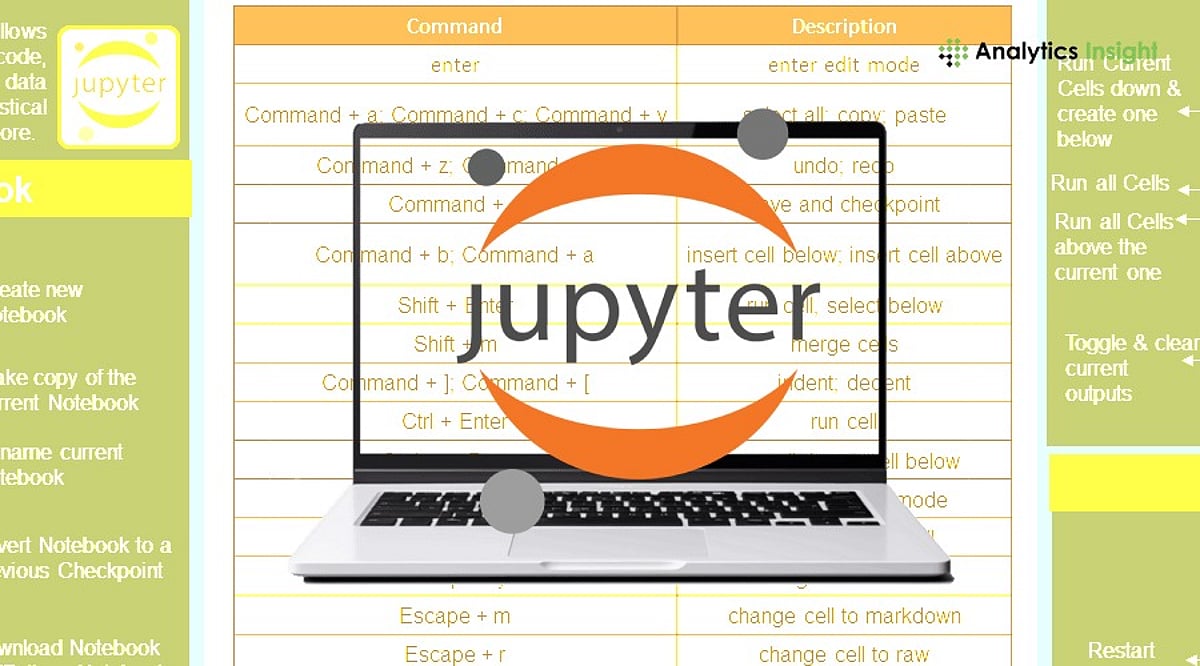
    Shortcuts reduce repetitive manual work. Studies show that efficient shortcut usage can cut coding time by 30–40% during large projects. Essential shortcuts include:

    • Shift + Enter – Run current cell and move to the next
    • Ctrl + Enter – Run current cell without moving
    • Alt + Enter – Run current cell and insert a new one below
    • A (Command Mode) – Insert cell above
    • B (Command Mode) – Insert cell below
    • DD (Command Mode) – Delete selected cell
    • M (Command Mode) – Change cell to Markdown
    • Y (Command Mode) – Change cell to Code

    Important Commands for Environment Control

    Jupyter commands let you manage kernels, check versions, and control the server without leaving the notebook. Use !pip list to see installed packages, %lsmagic to list all magic functions, and %who to display active variables. These commands streamline troubleshooting and environment management.

    Magic Functions That Boost Productivity

    Magic functions are built-in shortcuts that perform complex tasks with a single line. Key ones include:

    • %timeit – Measure execution time of a statement
    • %run – Run an external Python file
    • %load – Load code from an external file
    • %matplotlib inline – Display plots directly in the notebook
    • %pdb – Enable interactive debugging on errors
    • %%writefile – Write cell contents to an external file

    Better Performance for Data Science Work

    Jupyter integrates seamlessly with libraries like pandas, NumPy, and scikit-learn. You can inspect large datasets, generate statistical summaries, and create visualizations—all within one notebook. This eliminates context-switching and improves project organization.

    Improved Debugging Features

    Modern Jupyter includes advanced debugging: set breakpoints, inspect variables, and auto-reload modules with %autoreload. This reduces manual restarts and speeds up iterative development, especially for complex Python applications.

    Major Jupyter Updates in 2026

    The March 2026 update brought speed improvements, better stability, and enhanced extension support. Jupyter AI now offers code generation, debugging assistance, and notebook summarization directly inside the environment. Additionally, research like the JupOtter bug detection system—analyzing over 21,000 notebooks—promises even fewer errors in future releases.

    Final Thoughts

    Jupyter Notebook remains an indispensable tool for developers, data scientists, and AI engineers. By mastering shortcuts, commands, and magic functions, you can reduce manual work and focus on what matters: building innovative solutions. With AI enhancements and ongoing performance improvements, Jupyter is more powerful than ever.

    FAQs

    1. Why is Jupyter Notebook still popular in 2026?
    It combines coding, documentation, visualization, and testing in one simple workspace.

    2. What is the biggest Jupyter update in 2026?
    The March 2026 update improved speed, stability, and extension compatibility.

    3. What is Jupyter AI?
    Jupyter AI adds artificial intelligence features such as code generation, debugging help, and notebook summaries.

    4. How do shortcuts help in Jupyter Notebook?
    Shortcuts reduce repeated manual work and can improve coding speed by nearly 30 to 40 percent.

    5. Is Jupyter Notebook only for data science work?
    No. Jupyter is widely used for Python development, machine learning, research computing, education, and software testing.

  • Claude Code in Your Browser: A Step-by-Step Guide to AI-Powered Coding

    Claude Code in Your Browser: A Step-by-Step Guide to AI-Powered Coding

    Claude Code is transforming AI-powered software development by allowing developers to run coding workflows directly in their browser. This guide explains how to get started and maximize its potential.

    Getting Started with Browser-Based Claude Code

    To use Claude Code in your browser, connect it to a supported repository. Once linked, it analyzes your project structure and assists with a variety of coding tasks—no heavy local setup required. This makes starting a project easy from any device with a modern browser.

    What You Can Do with Claude Code

    • Generate code across multiple programming languages.
    • Explain complex functions to understand legacy or unfamiliar code.
    • Fix bugs and receive suggestions for improvements.
    • Edit files and write comprehensive documentation.
    • Review pull requests and automate repetitive tasks like formatting or testing.
    • Integrate with Git workflows to speed up debugging, code reviews, and feature development.

    Best Practices and Security

    While Claude Code is a powerful assistant, always review its output for security, correctness, and compatibility before deploying to production. Security measures should include limiting repository access, protecting API credentials, and manually verifying sensitive code changes. Many teams use the tool alongside Git to accelerate development without sacrificing quality.

    The Future of AI-Assisted Development

    As we move through 2026, browser-based coding tools like Claude Code are becoming essential in modern software engineering. They lower the barrier to entry and enable rapid iteration, making AI assistance an integral part of everyday development workflows.

  • Top 10 Essential Spring Boot Libraries for Developers in 2026

    Top 10 Essential Spring Boot Libraries for Developers in 2026

    Spring Boot remains one of the most popular frameworks for building Java applications, but creating robust software requires more than the framework alone. Developers rely on libraries to simplify security, testing, API documentation, logging, database access, and monitoring. Choosing the right libraries saves time, reduces effort, and improves application performance. Below are the ten most essential Spring Boot libraries for developers in 2026.

    Why Spring Boot Libraries Matter

    A typical Spring Boot application does more than serve HTTP requests. It connects to databases, secures APIs, validates user input, logs events, monitors performance, and integrates with cloud services. Instead of building these features from scratch, developers use well-tested, actively maintained libraries supported by the Java ecosystem.

    Best Practices for Using Spring Boot Libraries

    Adding more libraries does not always improve an application. Developers should select libraries that solve specific problems and avoid including multiple tools with overlapping functions. Keeping dependencies updated is critical, as newer versions often include security patches, bug fixes, and performance improvements. Reviewing library documentation before integrating new features into production is also recommended. Using trusted, well-maintained libraries reduces compatibility issues and simplifies long-term maintenance. A clean dependency structure makes applications easier to debug, upgrade, and scale as project requirements evolve.

    Trends Shaping the Spring Boot Ecosystem in 2026

    Spring Boot development continues to evolve alongside cloud-native technology and AI. Current trends include microservices architecture, event-based applications, and AI-powered APIs, which demand higher observability, enhanced security, and increased resiliency. Containerization support, cloud monitoring, automatic API generation, and automated testing are critical capabilities for modern application development. Additionally, native compiling and Kubernetes integration have influenced Java application design. As enterprise software becomes more distributed, developers increasingly focus on performance and maintainability when choosing Spring Boot libraries.

    Top Spring Boot Libraries at a Glance

    • Spring Data JPA – Simplifies database access and CRUD operations with ORM support.
    • Spring Security – Provides authentication, authorization, OAuth2, JWT, and protection against common threats.
    • Springdoc OpenAPI – Generates interactive API documentation automatically.
    • Lombok – Reduces boilerplate code with annotations for getters, setters, and constructors.
    • MapStruct – Simplifies object mapping between layers.
    • Logback – A reliable logging framework for production environments.
    • Testcontainers – Enables integration testing with disposable databases and services.
    • Resilience4j – Adds fault tolerance with circuit breakers, retries, and rate limiters.
    • Micrometer – Provides metrics collection for monitoring and observability.
    • Flyway – Manages database schema migrations safely.

    How to Choose the Right Libraries

    Not every project requires every library. The best approach is to select libraries based on application requirements. For example:

    • Database-driven applications benefit from Spring Data JPA and Flyway.
    • REST APIs typically require Spring Security and Springdoc OpenAPI.
    • Microservices often use Resilience4j and Micrometer.
    • Large enterprise projects usually combine MapStruct, Lombok, Logback, and Testcontainers to improve development speed and software quality.

    Choosing actively maintained libraries also ensures compatibility with future Spring Boot releases.

    Final Thoughts

    Spring Boot is an excellent framework for Java development, but libraries are essential for simplifying modern application development. Whether building RESTful APIs, enterprise-grade platforms, or cloud-native microservices, these libraries solve common development problems without adding unnecessary complexity. By selecting the right tools, developers can boost efficiency and productivity. As enterprise Java applications become increasingly cloud-native and distributed, choosing the right Spring Boot libraries is critical for performance, security, and long-term maintainability.

  • Top 10 GitHub Repositories for Mastering Claude Code in 2026

    Top 10 GitHub Repositories for Mastering Claude Code in 2026

    Claude Code has evolved far beyond a terminal novelty. Today, developers use it to read entire codebases, run commands, and manage multi-step engineering workflows. However, out-of-the-box capabilities only scratch the surface. The real power lies in the ecosystem built around it: skills, subagents, hooks, and reusable workflows that transform Claude Code from a helpful assistant into a structured development system. Here are ten GitHub repositories worth exploring if you’re serious about mastering Claude Code in 2026.

    Start with Anthropic’s Official Repositories

    The most reliable starting point is Anthropic’s anthropic/skills repository. It contains ready-made SKILL.md files for common tasks such as working with PDFs, spreadsheets, and presentations. Pair it with claude-code-action, Anthropic’s official GitHub Actions integration for automating Claude Code inside CI/CD pipelines. Another newer addition from Claude Code Skills 2.0 is Skill Creator, which lets you build, evaluate, and benchmark your own custom skills — no more guessing whether they actually work.

    Discover the Wider Ecosystem

    Before installing anything, it helps to know what exists. hesreallyhim/awesome-claude-code is a curated index of slash commands, CLAUDE.md files, hooks, and workflow tools — essentially a table of contents for the entire ecosystem. For a different angle, x1xhlol/system-prompts-and-models-of-ai-tools collects exposed system prompts and tool definitions from Claude Code and comparable agentic tools. This is especially useful for anyone studying how these systems are structured behind the scenes.

    Frameworks That Enforce Better Engineering Habits

    Two repositories stand out for imposing real discipline on how Claude Code writes software. Superpowers encodes a strict development methodology: brainstorm, spec, plan, test-driven development, review, and finalize. Notably, it refuses to keep any code written before tests exist. Everything Claude Code (ECC), built by hackathon-winning developer Affaan Mustafa, takes a broader approach, shipping dozens of specialized subagents, reusable skills, and security scanning tools that work across Claude Code and several other AI coding tools. Both are open source and free. Most experienced users pick a handful of components that fit their workflow rather than use every feature.

    Utilities That Solve Everyday Friction

    Some repositories exist purely to fix common pain points. Repomix packs an entire codebase — folder structure, documentation, and all — into a single AI-readable file, solving the problem of Claude Code losing context on larger projects. Claude Mem addresses a related issue: by default, Claude Code forgets everything between sessions. This tool gives it persistent memory of past decisions and project quirks.

    Advanced Setups for Teams

    For developers curious about running Claude Code as a coordinated team rather than a single assistant, the gstack repository documents Garry Tan’s setup. It assigns opinionated roles — Engineering Manager, Release Manager, QA — through reusable skills and slash commands. This is not a beginner’s starting point, but it’s a useful reference for structuring multi-agent workflows.

    Choosing Where to Start

    With so many options, star count alone isn’t a reliable filter; usefulness depends on what you’re trying to solve. Beginners are better served starting with Anthropic’s official repositories and the awesome-claude-code index before layering in frameworks like Superpowers or utilities like Repomix as specific needs arise. Building a stack gradually, rather than installing everything at once, tends to produce a far more stable and productive Claude Code setup.

    Why This Matters

    Claude Code is rapidly becoming a key AI development platform for software engineers. Understanding its ecosystem of GitHub repositories enables developers to automate workflows, improve coding efficiency, build custom AI skills, and integrate Claude into real-world engineering pipelines — making it an increasingly valuable tool for modern software development.

    Frequently Asked Questions

    What is Claude Code?

    Claude Code is Anthropic’s AI-powered coding assistant that helps developers understand codebases, write code, debug applications, execute terminal commands, automate workflows, and perform complex software engineering tasks. It supports both individual developers and teams working on modern software projects.

    Why should developers use GitHub repositories to learn Claude Code?

    GitHub repositories provide practical examples, reusable skills, automation workflows, documentation, and open-source tools that extend Claude Code’s capabilities. They allow developers to learn from real implementations instead of relying only on official documentation or theoretical tutorials.

    Which GitHub repository is best for beginners learning Claude Code?

    Anthropic’s official anthropic/skills repository is the best starting point for beginners. It contains ready-made skills for common development tasks and helps users understand how Claude Code executes structured workflows before exploring more advanced community-built repositories.

    Can Claude Code be integrated into CI/CD pipelines?

    Yes. Anthropic’s claude-code-action repository enables Claude Code to integrate with GitHub Actions and CI/CD pipelines. Developers can automate reviews, documentation, testing, and other engineering tasks directly within continuous integration and deployment workflows.

    Should developers install every Claude Code repository?

    No. The best approach is to start with official Anthropic repositories and gradually add tools that solve specific problems. Installing too many extensions at once can create unnecessary complexity and make workflows harder to maintain over time.

    Is the Claude Code ecosystem expected to grow in 2026?

    Yes. As Anthropic continues expanding Claude Code and enterprise adoption increases, the open-source ecosystem is expected to grow significantly. Developers can expect more GitHub repositories focused on automation, custom skills, AI agents, testing, memory management, and collaborative development workflows.

  • Understanding HTML, CSS, and JavaScript: A Simple Beginner’s Guide for 2026

    Understanding HTML, CSS, and JavaScript: A Simple Beginner’s Guide for 2026

    Every modern website relies on three core technologies: HTML, CSS, and JavaScript. Whether you’re building a personal blog or a complex web application, mastering these fundamentals is the first step toward becoming a confident web developer. This guide explains each language in plain terms, shows how they work together, and offers practical advice for beginners starting their journey in 2026.

    Why These Three Languages Matter

    Despite the rise of AI coding tools and sophisticated frameworks, HTML, CSS, and JavaScript remain the foundation of the web. HTML provides structure, CSS handles design and layout, and JavaScript adds interactivity. They perform distinct jobs and do not overlap—understanding this mental model clears up most early confusion.

    HTML: Start Here and Build a Strong Foundation

    HTML (HyperText Markup Language) gives a page its structure using tags like headings, paragraphs, lists, images, and links. The key detail beginners often overlook is semantic HTML—using the tag that accurately describes the content (e.g., <article> instead of a generic <div>). Semantic HTML improves accessibility for screen readers and helps search engines understand your page, which directly affects SEO. A page built entirely from generic boxes may look fine technically but fails real users and rankings.

    CSS: The Challenge That Builds Real Design Skills

    CSS (Cascading Style Sheets) controls colors, spacing, fonts, and layout. This is where most beginners hit their first real wall, especially with the box model and responsive design. The good news for 2026 is that browsers now handle more styling natively. For example, fully customizable dropdown menus can be built with plain CSS instead of hundreds of lines of JavaScript.

    One honest piece of advice from experienced developers: learn plain CSS before any utility framework like Tailwind. Frameworks make sense only when you understand what they abstract away. Jumping to a framework too early makes it feel like magic—and not in a helpful way.

    JavaScript: Bringing Pages to Life

    JavaScript is what responds when a user clicks a button, submits a form, or scrolls down a page. It is also where confidence often drops, because JavaScript has genuine depth: variables, functions, the DOM, asynchronous code, and more. The learning curve here is steeper than HTML or CSS for a real reason, not because you’re learning it wrong.

    The fix isn’t a better tutorial—it’s small, finishable projects. Build a counter, a to-do list, or a simple form validator. Write each line yourself without copying code you don’t understand. Consistent practice with bite-sized projects builds real competence.

    Where AI Fits Into Learning Web Development

    AI tools can generate working code fast, but they consistently miss accessibility details—like a form lacking a proper label-input connection—or a responsive component that looks fine in isolation but breaks inside a real layout. AI is a genuine accelerator for someone who already understands fundamentals. For a beginner without that foundation, AI produces code that works today but becomes unfixable the moment something breaks.

    The One Rule to Follow

    Learn HTML for structure, CSS for layout, and JavaScript for behavior—in that order. Complete a small project after each step before touching any framework. Frameworks like React evolve every few years, but HTML, CSS, and JavaScript are the web itself. They’re not going anywhere.

    Frequently Asked Questions

    What is the difference between HTML, CSS, and JavaScript?

    HTML provides the structure of a webpage by defining elements such as headings, paragraphs, images, and links. CSS controls appearance through colors, layouts, and fonts. JavaScript adds interactivity by handling clicks, animations, forms, and dynamic content.

    Which language should beginners learn first?

    Start with HTML because it forms the structure of every webpage. After that, learn CSS for styling, then JavaScript for functionality. This order builds a logical progression from structure to design to interactivity.

    Can I build a website using only HTML?

    Yes, you can create a simple static website with just HTML. However, it will have minimal styling and no interactive features. Most modern websites combine all three languages to create engaging, responsive user experiences.

    Is JavaScript harder to learn than HTML and CSS?

    Generally, yes. JavaScript introduces programming concepts like variables, functions, loops, conditions, and asynchronous operations. Consistent practice with small projects helps build confidence over time.

    Do I need to learn HTML, CSS, and JavaScript before React?

    Absolutely. React is a JavaScript library, not a replacement for the core languages. Understanding these fundamentals makes learning React much easier and helps you grasp how components, styling, and application logic actually work.

  • Top Python Projects for Mastering Real-World Development Skills in 2026

    Top Python Projects for Mastering Real-World Development Skills in 2026

    Python remains the leading programming language, and project-based learning helps developers build practical skills in AI, cloud systems, automation, cybersecurity, and real-world software development. Recent industry reports show that Python holds more than 22% of the global programming market, underscoring its importance in modern software development.

    Learning Python through projects has become far more valuable than studying theory alone. Companies now prioritize developers who understand how real applications work. The best way to build practical knowledge is by creating projects that solve real problems. Below are several Python projects that teach skills aligned with actual industry demands.

    AI Chatbot Application

    Artificial intelligence is one of the biggest areas in software development, and Python plays a major role. Building an AI chatbot helps developers understand how modern intelligent systems work in business environments. This project teaches connecting with external APIs, managing user conversations, handling large datasets, and building systems that respond naturally to human language. Demand for Python in AI has grown rapidly, with AI-related Python usage increasing by nearly 42% compared to previous years.

    Full-Stack SaaS Platform

    Software as a Service (SaaS) is the backbone of modern internet businesses. Building a SaaS project helps developers understand how complete software products work—from user accounts and payment systems to databases and business dashboards. This project mirrors real-world development because most modern companies depend on subscription-based software systems, making SaaS architecture extremely valuable in today’s job market.

    Automated Web Scraping System

    Automation is a major part of software development. A web scraping project teaches how to collect data automatically, clean raw information, store records in databases, and handle errors when websites block requests. Real companies use these systems for competitor research, price tracking, trend analysis, and customer behavior studies. These skills remain highly valuable because automation saves time and money.

    Cloud-Based API Service

    Modern applications are divided into smaller services that communicate through APIs. Building an API service teaches how applications send data between systems, how security protects private information, and how cloud servers manage thousands of requests. Cloud computing continues to grow across every industry, making API development an essential skill for real-world software engineering.

    Cybersecurity Scanner

    Cybersecurity is more important than ever as software attacks increase each year. Python is a popular language for security research. A cybersecurity scanner project teaches how to detect security weaknesses in websites, servers, and applications—including open ports, weak passwords, security certificates, and dangerous vulnerabilities. Recent research found over 212 malicious Python packages in online repositories, highlighting the need for secure development practices.

    Machine Learning Recommendation System

    Digital platforms rely on recommendation systems to guide users. Building such a system teaches how software uses data to study user activity, identify trends, and make predictions. Machine learning engineering remains one of the top 10 most lucrative technical careers because companies benefit from personalized experiences.

    DevOps Automation Tool

    Modern developers manage servers, automate deployment, and maintain cloud infrastructure. A DevOps automation project teaches how software moves from development to production, including automatic deployment, server updates, backup systems, and reliability maintenance. With AI-assisted coding changing how teams operate, DevOps knowledge is highly important for future developers.

    Final Thoughts

    Python has evolved beyond basic programming to power AI, cloud infrastructure, security, machine learning, automation, and enterprise applications. Building projects that approximate real-world corporate environments gives you the best preparation. Experience is valued more than theory, and companies hire developers who understand how production applications work. The fastest route to becoming a Python developer is through project-based learning, focusing on AI chatbots, SaaS, cloud APIs, cybersecurity, machine learning, and DevOps.

    FAQs

    1. Why is Python still popular in 2026? Python remains popular due to strong demand in AI, automation, web development, cloud computing, and data science.
    2. Which Python project is best for beginners? An automated web scraping system is one of the best beginner-friendly projects for practical learning.
    3. Is Python useful for artificial intelligence development? Yes, Python remains the most widely used language for AI and machine learning.
    4. Do companies value project-based learning? Yes, companies now focus more on practical experience and real application development skills.
    5. Which Python skill has highest demand in 2026? AI development, cloud API development, cybersecurity, and automation currently have the strongest demand.
  • Top API Testing Tools: A Comprehensive Comparison of Features and Capabilities

    Top API Testing Tools: A Comprehensive Comparison of Features and Capabilities

    Selecting the right API testing tool is crucial for ensuring robust software quality and seamless integration in modern applications. With numerous options available, evaluating tools based on key criteria helps teams make informed decisions. Below we break down the essential features to consider when comparing API testing solutions.

    Ease of Use

    An intuitive interface reduces the learning curve, allowing developers and testers to create, execute, and manage API tests efficiently. Tools with drag-and-drop builders, clear documentation, and contextual help speed up onboarding and daily workflows.

    Protocol Support

    Top tools support a broad range of protocols including REST, SOAP, GraphQL, gRPC, and WebSockets. This ensures compatibility with diverse APIs across modern application architectures, from microservices to legacy systems.

    Automation Capabilities

    Robust automation features enable repetitive API tests to run seamlessly within CI/CD pipelines. Automated test suites improve software quality while reducing manual effort, allowing teams to catch regressions early and accelerate releases.

    Performance Testing

    Advanced platforms evaluate API speed, scalability, and reliability under varying workloads. Performance testing helps identify bottlenecks before production deployment, preventing negative user impact and ensuring system stability.

    Collaboration Features

    Shared workspaces, version control, and synchronized collections enable development and QA teams to collaborate efficiently. Real-time sharing of test definitions and results fosters alignment and speeds up issue resolution.

    Security Testing

    Built-in security testing capabilities identify authentication flaws, vulnerabilities, and misconfigurations. Strengthening API protection against cyber threats and unauthorized access is vital in today’s threat landscape.

    Reporting and Analytics

    Detailed reports, logs, and visual dashboards simplify debugging and monitor test execution. Actionable insights from analytics support continuous quality improvement and help stakeholders understand test coverage and results.

    Integration Support

    Seamless integration with Git, Jenkins, Docker, Kubernetes, and other DevOps tools streamlines automated testing workflows. Good integration accelerates software delivery cycles and fits into existing toolchains without friction.

    Pricing and Scalability

    Evaluate licensing costs, free-tier availability, and enterprise scalability. The right solution should meet current testing needs and accommodate future growth without unexpected cost overruns.

    By carefully assessing these factors, teams can choose an API testing tool that balances functionality, cost, and ease of use, ultimately driving higher software quality and faster delivery.

  • Best AI Coding Assistants for Developers in 2026: Top 5 Tools Compared

    Best AI Coding Assistants for Developers in 2026: Top 5 Tools Compared

    AI-powered coding assistants are rapidly transforming software development, helping developers write, debug, and understand code faster than ever. Here are the top five AI coding tools set to dominate in 2026:

    1. GitHub Copilot

    GitHub Copilot offers real-time code suggestions, debugging support, code explanations, and intelligent autocompletion across multiple programming languages and frameworks. It boosts productivity by learning from your coding style.

    2. Claude Code

    Claude Code excels at writing, refactoring, debugging, and understanding complex codebases. It supports long-context reasoning, project navigation, and workflow automation, making it ideal for large-scale projects.

    3. OpenAI Codex

    OpenAI Codex converts natural language instructions into functional code, automates repetitive tasks, explains logic, and accelerates development across many languages.

    4. Cursor

    Cursor is an AI-powered code editor that provides intelligent code completion, debugging assistance, project-wide understanding, and natural language editing, all seamlessly integrated into the developer workflow.

    5. Google Gemini Code Assist

    Google Gemini Code Assist offers AI-powered coding support with code generation, reviews, debugging, and documentation. It integrates smoothly with Google Cloud development environments and popular IDEs.

    These tools are shaping the future of software development, reducing manual effort and letting developers focus on creative problem-solving.

  • 2026 AI Image Generation APIs: A Comprehensive Comparison of Free and Paid Options for Developers

    2026 AI Image Generation APIs: A Comprehensive Comparison of Free and Paid Options for Developers

    Introduction

    Every major AI lab now offers its own image generation API, each with distinct models, pricing, prompt conventions, and licensing terms. For developers and teams evaluating which API to integrate, the decision goes beyond which model produces the best output. It involves weighing cost at scale, flexibility to switch providers, and the need for multiple models. This guide breaks down the leading AI image generation APIs available in 2026—from OpenAI and Google to open-weights options and free tiers—across the key factors: model quality, cost, commercial rights, and vendor lock-in.

    How to Choose an AI Image Generation API

    Choosing the right API requires considering several interacting factors:

    • Model quality and prompt adherence: Different models handle prompts differently—some produce photorealistic images, others stylized illustrations. Fine detail rendering (faces, typography, hands) varies significantly.
    • Latency and async capabilities: Some APIs return images synchronously in under two seconds; others use async job queues with webhooks, better for throughput but less interactive.
    • Pricing structure: Billing units vary—tokens (OpenAI), per-image (Google), credits (Stability AI)—making cost comparisons complex.
    • Commercial rights and licensing: Ensure generated images are usable commercially, especially for products. Enterprise indemnification is increasingly a deciding factor.
    • Vendor lock-in: Different prompt conventions and response formats make switching costly. Unified APIs reduce this risk.

    OpenAI Image Generation API (gpt-image-1)

    OpenAI’s latest flagship, gpt-image-2 (launched April 2026), offers multi-turn image generation for iterative refinement. The API uses token-based billing: text input ~$5/1M tokens, image output ~$30/1M tokens. A single 1024×1024 image costs roughly $0.034 at medium quality. Returns images as base64 or URLs, supports PNG/JPEG, up to 10 images per call. C2PA provenance metadata is embedded. Commercial rights are granted, and OpenAI does not train on user input by default. Best for teams already in the OpenAI ecosystem who need editing functionality and can handle token billing complexity.

    Google Gemini / Imagen API (“Nano Banana”)

    Google’s Imagen family (Imagen 3 and 4) offers simple per-image pricing via Vertex AI: Imagen 4 Ultra ~$0.06/image, Standard ~$0.04, Fast ~$0.02. Upscaling is $0.003 per image. This makes cost forecasting easy. Quality is competitive with OpenAI’s best, and enterprise features include SLAs, data locality, and Cloud IAM integration. The three-tier system (Fast/Standard/Ultra) balances cost and quality. No persistent free tier. Best for enterprise teams on Google Cloud who want predictable pricing and robust infrastructure.

    xAI Grok Image Generation API

    xAI’s Grok Imagine offers low-cost image generation: standard 1024×1024 ~$0.02 per image, quality variants up to $0.07. Unique for bundling image and video generation in one API. Combined media generation is a differentiator, but free tier credits were discontinued. Stricter content moderation applies. Best for projects needing both image and video at low per-unit cost, especially with xAI reasoning models.

    FLUX API

    FLUX by Black Forest Labs emphasizes high aesthetic quality and strong prompt adherence, especially for artistic output. Available through providers like Replicate, fal.ai, Freepik, and unified APIs. Pricing ranges $0.01–$0.05 per image. FLUX Pro is commercially licensable through providers; Dev variant has restrictions. Best for developers prioritizing artistic quality and stylistic control.

    Leonardo AI API

    Leonardo.AI combines a visual design UI with API access. Subscription plans start at $12/month (Essential) with token-based usage. Supports multiple models including custom fine-tunes and third-party models. “Unlimited” applies only to first-party models. Ideal for teams needing design tools with API integration and broad model selection.

    Stability AI API

    Stability AI offers both hosted API and open-weights models (Stable Diffusion 3.5 family). Credit-based pricing: SD3.5 Large ~$0.007/image, SD3.5 Large Turbo ~$0.005/image. Upscaling and editing add costs. New accounts get 25 free credits. The open-weights approach allows self-hosting at scale, eliminating per-image costs. Community License covers organizations under $1M revenue. Best for developers familiar with Stable Diffusion who want flexibility to self-host or need comprehensive editing pipelines.

    Kling and Video-Capable APIs

    Kling by Kuaishou excels at image-to-video animation, valuable for marketing and social media. Video generation remains expensive – a 5-second 1080p clip can cost $1.25. Other providers like xAI and Leonardo also offer video capabilities. Best for projects requiring dynamic content from static images.

    Low-Cost and Free Options (Prodia, Pollinations, Freepik)

    For experimentation and prototyping, consider:

    • Freepik: Unified access to multiple models (Flux, GPT) with subscription tiers starting at ~$5.75/month. Includes legal indemnification for commercial use on enterprise plans. Combines stock imagery with AI generation.
    • Pollinations.ai: Community models for image, text, video, and audio. Free-tier quotas unclear. Best for experimentation.
    • Prodia: Decentralized approach with open-source models. Pricing less documented.

    These have limitations: lower resolution, less consistency, reduced priority, tighter rate limits.

    Unified APIs: One Endpoint for Many Models

    Most production applications eventually need multiple models. Unified APIs like Apiframe provide a single integration point across providers, reducing vendor lock-in and simplifying maintenance. They offer access to models such as Midjourney (which lacks an official public API), FLUX, Stable Diffusion, and others through one endpoint. This is especially valuable for teams that want to switch models without rewriting integration code.

    Conclusion

    There is no single best AI image generation API. OpenAI and Google lead on raw quality; Stability AI offers flexibility through open weights; xAI provides low-cost combined image/video; unified platforms maximize reach. Evaluate your priorities—cost, quality, commercial rights, and flexibility—to choose the right combination for your project.