Category: Technology

  • 9 Best Laptop Cooling Pads Under ₹3,000 in India (2026 Guide)

    9 Best Laptop Cooling Pads Under ₹3,000 in India (2026 Guide)

    Laptop overheating can slow down performance and shorten the lifespan of your device. A quality cooling pad is an affordable solution that improves airflow, reduces heat, and enhances both work and gaming sessions. If you’re looking for effective cooling without spending more than ₹3,000, here are the 9 best cooling pads available in India in 2026.

    1. Cosmic Byte Cyclone RGB

    This budget-friendly cooling pad features powerful fans, eye-catching RGB lighting, and an adjustable height design for comfortable typing and gaming.

    2. Klim Wind Laptop Cooler

    Known for its whisper-quiet operation and strong cooling performance, the Klim Wind is ideal for long work hours or extended gaming marathons.

    3. Zinq Technologies Cool Slate

    With multiple cooling fans, an ergonomic design, and wide compatibility for laptops up to 17 inches, this cooler offers reliable and versatile performance.

    4. Deepcool N200

    A lightweight and efficient cooler with a silent fan that keeps your laptop temperatures in check during daily productivity tasks.

    5. Tarkan Windstorm RGB

    Combining stylish RGB lighting with multiple high-speed fans, this cooling pad is geared toward gamers who want both performance and aesthetics.

    6. Lapcare ChillMate

    An affordable, sturdy option with dual fans and solid build quality, making it a great everyday companion for regular laptop users.

    7. Kreo Cooling Pad

    Designed specifically for gamers, this model offers adjustable fan speeds, RGB lighting, and ergonomic viewing angles to reduce strain during long sessions.

    8. Ant Esports NC210

    Featuring large fans that deliver excellent airflow while maintaining low noise levels, this cooling pad is perfect for extended use without distractions.

    Investing in any of these cooling pads will help you beat laptop heat without breaking the bank. Whether you’re a gamer, a professional, or a student, there’s a model on this list that fits your needs and budget.

  • Top 10 Data Visualization Interview Questions for 2026: Expert Answers & Tips

    Top 10 Data Visualization Interview Questions for 2026: Expert Answers & Tips

    Introduction

    Data visualization has evolved beyond simple chart creation. Recruiters now look for candidates who can transform complex data into actionable business insights. Whether you’re a Data Analyst, Business Intelligence professional, or Product Analyst, this guide covers the most common interview questions, sample answers, and preparation tips to help you stand out.

    1. What Is Data Visualization?

    Sample Answer: Data visualization is the graphical representation of information using charts, maps, graphs, and dashboards. It helps users quickly identify patterns, trends, and outliers that might go unnoticed in raw data, enabling faster and more informed decision-making.

    2. Which Data Visualization Tools Have You Used?

    Sample Answer: I have hands-on experience with Microsoft Power BI, Tableau, Excel, Google Looker Studio, and Python libraries such as Matplotlib, Seaborn, and Plotly. My choice of tool depends on project requirements—Power BI for enterprise reporting, Tableau for exploratory analysis, and Python for custom visualizations.

    3. How Do You Choose the Right Chart?

    Sample Answer: The chart type should match the story the data tells. Bar charts compare categories; line charts show trends over time; pie charts display simple proportions; scatter plots reveal relationships between variables; and maps visualize geographic data. I always prioritize clarity and ease of interpretation.

    4. What Makes a Good Dashboard?

    Sample Answer: A good dashboard is simple, organized, and aligned with business objectives. It highlights key performance indicators (KPIs), avoids unnecessary clutter, uses consistent colors, and allows users to find information quickly. Every element should serve a decision-making purpose.

    5. What KPIs Have You Displayed in Dashboards?

    Sample Answer: KPIs vary by industry. Common examples include revenue, sales growth, customer acquisition cost, conversion rate, customer retention, profit margin, inventory levels, and website traffic. The dashboard should always show metrics that directly support stakeholder decisions.

    6. How Do You Handle Large Datasets?

    Sample Answer: I clean data by removing redundant fields, apply data modeling, create summary tables, and use filters. To boost performance, I implement incremental refresh, optimized SQL queries, and efficient calculations. Pre-aggregation and indexing also help maintain speed.

    7. What Are Common Data Visualization Mistakes?

    Sample Answer: Frequent mistakes include using too many colors, choosing the wrong chart type, displaying unnecessary information, poor labeling, overcrowded dashboards, ignoring accessibility, and misleading scales or axes. Keeping visuals simple and purposeful improves readability and trust.

    8. How Do You Ensure Data Accuracy?

    Sample Answer: I cross-check dashboard values against original data sources, validate calculations, and test filters and business logic with stakeholders. Before publishing, I conduct user testing to confirm numbers meet business expectations and that no errors exist.

    9. Can You Explain a Dashboard You Built?

    Sample Answer: I built a sales performance dashboard that integrated data from multiple regions. It displayed revenues, profits, monthly sales trends, and product performance. Filters allowed drill-down by region, product category, and sales representative, enabling regional managers to identify opportunities quickly.

    10. How Do You Present Insights to Non-Technical Stakeholders?

    Sample Answer: I avoid technical jargon and focus on business implications. Instead of explaining how I calculated the numbers, I discuss what the data shows, why it matters, and what actions should be taken. Clear, story-driven communication turns data into decision fuel.

    Tips to Perform Better in Data Visualization Interviews

    • Build two or three dashboard projects for your portfolio.
    • Practice explaining dashboards in simple, non-technical language.
    • Learn when to use different chart types and why.
    • Understand basic data modeling concepts (star schema, measures, dimensions).
    • Review common KPIs for your target industry.
    • Be ready to discuss design decisions, not just technical features.

    Real project experience often makes a stronger impression than theoretical knowledge.

    Final Thoughts

    Data visualization interviews go beyond technical proficiency. Employers want candidates who understand the business context, communicate insights effectively, and empower decision-makers. By preparing these common questions and practicing with real dashboards, you can demonstrate both your technical skills and business mindset.

    FAQs

    What are the most common data visualization interview questions?

    Most interviews cover chart selection, dashboard design, KPI tracking, data storytelling, visualization tools, handling large datasets, ensuring data accuracy, and explaining insights to stakeholders. Both technical knowledge and communication skills are assessed.

    Which tools should I learn before an interview?

    Power BI, Tableau, Excel, Google Looker Studio, and Python libraries (Matplotlib, Seaborn, Plotly) are widely used. Mastering at least one enterprise BI tool and understanding dashboard fundamentals significantly improves readiness.

    How should I answer questions about dashboard design?

    Focus on simplicity, business relevance, and usability. Explain how you prioritize KPIs, maintain consistent formatting, avoid clutter, and design for quick trend identification and informed decision-making.

    How can I explain technical insights to non-technical stakeholders?

    Avoid jargon and emphasize business outcomes. Explain what the data shows, why it matters, and what action to take. Clear communication is as important as technical expertise in analytics roles.

    Do I need a portfolio for a data visualization interview?

    Yes. A portfolio with dashboards, reports, and real-world projects demonstrates practical skills. Recruiters value hands-on experience and problem-solving ability more than certifications alone.

  • PS5 Jailbreak Buzz Rises as Gamers Resist Sony’s Digital-Only Future

    PS5 Jailbreak Buzz Rises as Gamers Resist Sony’s Digital-Only Future

    The PS5 jailbreak conversation is heating up among gamers as Sony pushes forward with a digital-first strategy. Interest in homebrew and console modding has surged following Sony’s announcement that it will stop producing physical game discs for new PlayStation titles starting in 2028. This move has renewed concerns about game ownership, preservation, and long-term access to digital libraries.

    What Is a PS5 Jailbreak?

    A PS5 jailbreak allows compatible consoles to run unofficial software, including homebrew apps and emulators, on supported firmware versions. This capability has drawn attention from players who want to experiment with software, preserve older titles, and keep their game libraries accessible beyond official channels.

    Why Are Gamers Interested?

    Many players see homebrew as a way to safeguard their collections and explore creative possibilities. Homebrew refers to community-created apps and games that operate outside the console’s official ecosystem. However, using emulators to play classic games raises legal questions, depending on how the games and software are obtained.

    There’s a Catch

    Jailbreaking typically works only on specific firmware versions, and it often disables online services or voids warranty protections. These limitations mean that not all PS5 owners can take advantage of jailbreak features without accepting trade-offs in functionality and support.

    Sony’s Digital Shift

    With digital purchases becoming the standard, many gamers worry about ownership and preservation. The shift away from physical media could leave players dependent on online services to access their libraries, sparking debate about consumer rights and long-term access to purchased content.

    The Debate Continues

    Supporters of homebrew praise it for fostering innovation and preserving gaming history. Critics, however, warn about security risks, piracy concerns, and potential violations of Sony’s terms of service. As Sony’s digital-only future approaches, the conversation around jailbreaking and console modding is likely to grow even louder.

  • iOS 27 Beta 2 Leak Suggests Apple Is Developing Camera-Equipped AirPods for Spatial AI

    iOS 27 Beta 2 Leak Suggests Apple Is Developing Camera-Equipped AirPods for Spatial AI

    Apple’s rumored camera-equipped AirPods have received a fresh vote of confidence from code discovered in iOS 27 beta 2. Developer Sam Henri Gold spotted references to an unreleased product codenamed B790, arriving on the same day that a separate leaker claimed the project had been suspended—creating two conflicting signals about the product’s future.

    What the Leaked Code Actually Shows

    The code Gold found is a system prompt template designed to process ‘two images from cameras on either side of the user’s head,’ handling the left image first and the right one second. That description outlines stereo image processing, where two slightly offset views of the same scene provide Apple’s AI with extra spatial context. The template also includes worked examples, asking about the Eiffel Tower or a coffee mug, along with fallback instructions telling the system to request a new image if the original comes out blurry or poorly lit.

    Why This Points to AirPods, Not Smart Glasses

    Gold initially floated smart glasses as the likely target, but the codename tells a different story. Apple’s AirPods Pro 3 carry the internal codename B788, while the company’s rumored smart glasses are tied to the N50 codename instead. B790 fits far more naturally into Apple’s existing audio-hardware numbering than into its glasses lineup, which is why multiple outlets now treat camera-equipped AirPods as the more likely explanation. The camera placement described in the code—positioned on either side of the head—also aligns better with earbuds than with a front-facing glasses design.

    A Timeline Clouded by Conflicting Reports

    The bigger question isn’t whether the hardware exists, but when it might actually ship. Bloomberg’s Mark Gurman has previously reported that both the camera-equipped AirPods and Apple’s smart glasses are now targeting a late 2027 release, a shift from earlier hopes of a 2026 launch. Adding to the confusion, leaker Kosutami posted that the AirPods camera project had been ‘suspended’ the same week the code surfaced—a claim that sits awkwardly next to active development work showing up in a shipping beta. Whether that means a full cancellation, a temporary pause, or simply a slower internal timeline remains unclear.

    What These AirPods Would Actually Do

    If the product does arrive, its core pitch centers on Visual Intelligence, the feature that already lets iPhone users point their camera at an object and ask Siri what it is. Camera-equipped AirPods would extend that same capability to earbuds, letting users ask contextual questions about their surroundings without pulling out their phone. Early pricing chatter places the product above the existing AirPods Pro 3, possibly in the $299–$349 range under a new ‘AirPods Ultra’ branding, though none of these details have been confirmed by Apple.

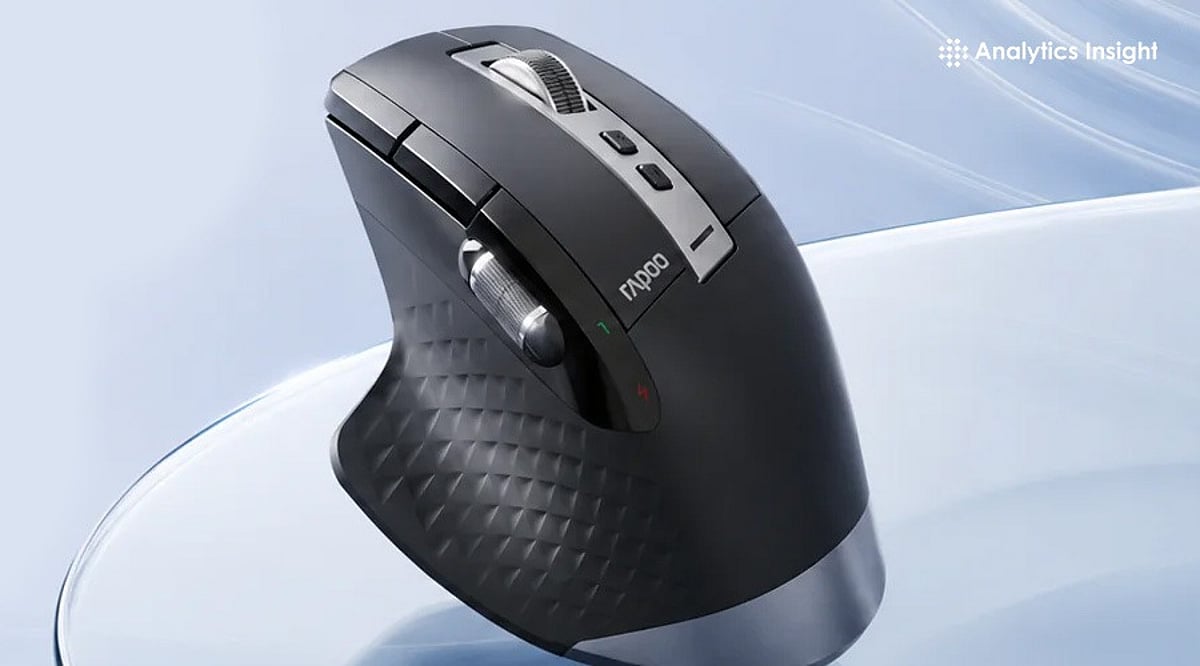
  • Top Computer Mice for Work in 2026: Profession-by-Profession Buying Guide

    Top Computer Mice for Work in 2026: Profession-by-Profession Buying Guide

    Most people spend thousands of hours a year with a hand on a mouse, yet choose one based on price alone. That decision quietly shapes comfort, precision, and how much friction creeps into the workday. The best mouse for work isn’t a single product—it depends on the job. Office workers need all-day comfort. Creatives need precision and shortcuts. Analysts need multi-device efficiency. CAD users need control and reliability. This guide matches mouse type to profession and gives specific picks for each.

    What Makes a Work Mouse Best

    Before picking a product, it helps to know what to evaluate. The criteria that matter most in 2026 are ergonomics, battery life, button layout, connectivity, scroll quality, software support, and hand-size fit. Productivity mice are judged differently from gaming mice. Quiet clicks, programmable buttons, and seamless device switching usually matter more than raw DPI. A great work mouse should reduce friction over eight hours, not just feel good for the first five minutes in a store.

    Best Mouse Types by Profession

    Office managers and executives do best with multi-device wireless ergonomic mice built around the MX Master category. Writers, analysts, and students need lighter silent wireless mice that stay portable and easy on the wrist across long sessions. Designers, editors, and other power users benefit from more buttons, precise scrolling, and deeper customization.

    Anyone with wrist pain or RSI concerns should look at vertical mice and trackballs, as both change wrist posture rather than just softening the impact of a bad one. CAD and technical professionals need high-control mice or specialized ergonomic models built for stable, consistent tracking, since fine, repeated selections matter more than raw speed.

    Best Overall for Work: Logitech MX Master 4

    This is the mouse to beat in 2026. The MagSpeed scroll wheel powers through spreadsheets at up to 1,000 lines a second, and the Actions Ring puts app-specific shortcuts right under the cursor in tools like Excel and Photoshop, reducing time spent hunting through menus. Haptic feedback adds a tactile click when snapping objects into place—a small touch that pays off in design and video work. It also switches cleanly between a laptop and desktop for hybrid setups.

    Best for Wrist Comfort: Logitech Lift, Logitech MX Vertical, or Razer Pro Click V2 Vertical

    All three change hand posture instead of just cushioning it. The Lift is built for small to medium hands at a 57-degree angle and runs up to 24 months on a single AA battery. The MX Vertical suits medium to large hands with a similar 57-degree tilt and a four-month charge cycle. The Razer Pro Click V2 Vertical goes further, at 71.7 degrees to mimic a natural handshake grip, with up to six months of battery life. It takes about a week to adjust, but most users report a real drop in wrist strain once they do.

    Best for All-Day Office Productivity: Logitech M720 Triathlon

    A dependable, budget-friendly pick for anyone juggling multiple machines. It switches between three paired computers at the touch of a button, scrolls fast enough to fly through long documents, and runs for up to 24 months on one AA battery. The contoured shape holds up comfortably across a full workday.

    Best for Portable Professionals: Logitech MX Anywhere 3S

    Built for people who work from wherever the day takes them. Its 8K DPI sensor tracks on almost any surface, including glass, and the compact shape slips easily into a bag. Quiet clicks make it a considerate choice for shared spaces, cafes, or late-night calls, and it still delivers the MagSpeed scroll wheel found on Logitech’s larger productivity mice.

    Best for CAD or Precision Tasks: Trackballs and High-Control Ergonomic Mice

    Stability matters more than speed here. A trackball keeps the hand stationary while still allowing fine, controlled cursor movement, which suits repeated precision selections and detailed model work far better than a standard mouse shape.

    Features That Actually Matter

    Once the product type is clear, a few details separate a good mouse from a great one: shape, click feel, scroll wheel behavior, multi-device pairing, software customization, and battery convenience. Pay attention to whether the mouse supports both Bluetooth and a USB receiver, since switching setups is common in hybrid work. Software support matters more than most buyers expect—a mouse without solid driver or shortcut software loses half its usefulness, no matter how good the hardware feels in hand. Productivity is usually won in small details like button placement and scroll control, not headline sensor specs that rarely matter outside gaming.

    Final Thoughts

    Selecting the right work mouse is about finding the best balance between comfort, control, and functionality. By matching the profession with the right type of mouse, you can create a workspace that supports both productivity and long-term comfort.

    FAQs

    1. What is the best computer mouse for work?
    The best computer mouse for work depends on your profession and daily tasks. Ergonomic wireless productivity mice are ideal for most office users, while designers, programmers, and CAD professionals may benefit from models with extra controls and precision features.

    2. Is an ergonomic mouse better for office work?
    Yes. An ergonomic mouse is designed to support a more natural hand position, helping reduce fatigue and discomfort during long working hours. It is a good choice for professionals who use a computer for extended periods.

    3. Is a vertical mouse good for wrist pain?
    A vertical mouse can help reduce wrist strain by keeping the hand in a more natural handshake position. Many users with repetitive strain concerns find it more comfortable than a traditional mouse, although individual results may vary.

    4. What features should professionals look for in a work mouse?
    Comfort, reliable wireless connectivity, programmable buttons, smooth scrolling, long battery life, and support for multiple devices are among the most important features for a productivity-focused work mouse.

    5. Which type of mouse is best for designers and CAD professionals?
    Designers and CAD professionals generally benefit from mice that offer precise tracking, customizable buttons, and smooth scrolling. These features improve navigation, speed up repetitive tasks, and provide better control during detailed work.

  • Best AI Automation Tools for Enterprise Workflow Optimization in 2026

    Best AI Automation Tools for Enterprise Workflow Optimization in 2026

    AI automation has become a strategic priority for enterprises seeking to improve operational efficiency, reduce manual effort, and streamline complex business processes. As organizations increasingly adopt AI-powered workflow automation, the market has expanded with a wide range of platforms, each designed to address different operational needs. While many vendors position their solutions as comprehensive automation platforms, they often specialize in specific areas such as workflow orchestration, business process automation, IT operations, or customer service. Understanding these distinctions is essential for enterprises looking to select the right AI automation tool. This guide explores the leading AI automation platforms and examines how they help organizations optimize workflows, enhance productivity, and scale business operations more effectively.

    This Isn’t One Market Only

    The phrase ‘AI automation tool’ gets stretched across products solving fundamentally different problems. No-code SaaS connectors, self-hosted developer platforms, Microsoft-native flows, RPA for legacy software with no API, enterprise-grade orchestration with heavy governance, and AI-native agent builders that make decisions rather than just move data: each is a separate buying decision, and picking the wrong category wastes more time than picking the wrong vendor within the right one.

    Where the No-Code Layer Actually Stands

    Zapier remains the fastest path for non-technical teams, with over 7,000 app integrations and a genuinely approachable interface. Zapier Agents now let multi-step actions run on schedules without a human prompting each one. Make plays a similar role with a more visual, branch-heavy builder, adding an AI orchestration ‘Grid’ for enterprise observability. Both share a real limitation: secret and credential management isn’t centralized across workflows, which becomes a genuine governance headache once an enterprise scales past a handful of automations.

    Why n8n Keeps Coming Up in Every Serious Comparison

    n8n’s position has shifted from ‘developer niche tool’ to default recommendation for any organization that cares about data residency. Its self-hosted model means workflows, including AI calls and custom JavaScript logic, run entirely on infrastructure the enterprise controls. That matters concretely for finance and healthcare teams under GDPR or similar regimes. The honest trade-off: self-hosting means the enterprise owns patching, scaling, and uptime too, not just the workflow logic. Automation tools follow defined workflows and triggers. AI agents can make decisions, adapt to inputs, and handle tasks more dynamically. Confusing the two is one of the most common and expensive mistakes enterprises make when scoping a project.

    RPA Still Matters More Than the Hype Cycle Suggests

    It’s tempting to assume API-first tools have made RPA obsolete. They haven’t, specifically because plenty of enterprise-critical software—legacy claims systems, certain healthcare administration tools, and decades-old finance platforms—still have no usable API. UiPath and Automation Anywhere remain the practical answer there, automating by mimicking how a human clicks and types rather than calling an endpoint. One real-world healthcare scheduling deployment using UiPath robots reportedly cut manual data-entry errors by 99%, a genuinely large number, but one that only applies to this specific category of legacy-bound problem, not general workflow automation.

    Where Each Category Actually Fits

    The best AI automation platform depends on your team’s technical expertise and existing infrastructure. Non-technical teams benefit from Zapier, Make, or an AI-native assistant like Lindy. Technical teams with compliance requirements lean toward n8n. Microsoft-heavy organizations rarely benefit from fighting that gravity: Power Automate fits the existing stack rather than replacing it. And if the actual blocker is legacy software with no API, no amount of modern workflow tooling solves that; only RPA does. Map the process first. The vendor comparison is the easy part.

    Why This Matters

    AI automation is transforming how enterprises operate by reducing repetitive work, improving process accuracy, and enabling employees to focus on higher-value tasks. Selecting the right automation platform helps organizations increase productivity, strengthen governance, accelerate digital transformation, and scale operations while maintaining security and compliance.

    FAQs

    What are AI automation tools?

    AI automation tools help organizations automate repetitive tasks, streamline workflows, and improve operational efficiency using artificial intelligence. They can manage business processes, integrate applications, analyze data, and support decision-making, allowing employees to focus on more strategic and value-driven work.

    Which AI automation tool is best for enterprise businesses?

    The best platform depends on business requirements. Zapier and Make suit no-code automation, n8n offers greater developer control, Power Automate integrates well with Microsoft environments, while UiPath and Automation Anywhere remain strong choices for enterprise robotic process automation.

    What is the difference between AI automation and RPA?

    Robotic Process Automation (RPA) automates repetitive, rule-based tasks by mimicking human actions. AI automation extends these capabilities by enabling systems to analyze information, make decisions, adapt to changing inputs, and automate more complex business workflows intelligently.

    Why do enterprises use AI workflow automation?

    Enterprises use AI workflow automation to reduce manual effort, improve productivity, minimize operational errors, accelerate business processes, and ensure consistent execution. Automation also helps organizations scale operations efficiently while maintaining governance, compliance, and process visibility across departments.

    When should businesses choose RPA instead of workflow automation?

    RPA is the preferred solution when organizations rely on legacy software without modern APIs. Platforms like UiPath and Automation Anywhere automate interactions directly through the user interface, making them ideal for finance, healthcare, insurance, and government systems.

  • Top Gaming TWS Earbuds for Ultra-Low Latency and Immersive Audio in 2026

    Top Gaming TWS Earbuds for Ultra-Low Latency and Immersive Audio in 2026

    Whether you are grinding through ranked matches in BGMI, Call of Duty: Mobile, or Valorant Mobile, or enjoying immersive single-player adventures, investing in quality gaming true wireless (TWS) earbuds can dramatically enhance your experience. Low latency is crucial for syncing in-game sound effects with visual cues, while high-quality drivers, spatial sound technology, and long battery life are essential features for any serious gamer.

    Here are some of the best gaming TWS earbuds to consider in 2026, offering ultra-low latency, immersive audio, reliable connectivity, long battery life, and excellent microphone performance for both competitive and casual gamers.

    Razer Hammerhead HyperSpeed

    The Razer Hammerhead HyperSpeed remains a top choice for competitive gaming. It features both Bluetooth and a 2.4 GHz wireless USB-C adapter, delivering minimal latency across PC, console, and mobile devices. Active noise cancellation (ANC), customizable RGB lighting, and THX certification add to its appeal. Dual environmental noise-cancellation microphones ensure clear communication with teammates.

    Best for: Competitions on multiple devices.

    ASUS ROG Cetra True Wireless SpeedNova

    ASUS has upgraded its gaming headphone lineup with the ROG Cetra True Wireless SpeedNova. These earbuds use a hybrid link with both Bluetooth and a built-in 2.4 GHz wireless receiver, designed to reduce audio lag for better in-game timing. AI-powered microphone noise reduction, adaptive ANC, and hi-resolution audio support make them suitable for more than just gaming.

    Best for: PC gamers and esports players.

    Sony INZONE Buds

    The Sony INZONE Buds offer premium audio quality and gaming-specific features. Leveraging Sony’s spatial audio technologies, they deliver precise directional audio to help track opponents’ footsteps and other cues. A low-latency USB-C connection reduces lag, while battery life reaches up to 12 hours on a single charge. These earbuds also support PlayStation 5’s Tempest 3D Audio technology.

    Best for: PlayStation and PC gamers.

    JBL Quantum TWS Air

    The JBL Quantum TWS Air strikes an excellent balance between affordability and quality. JBL Quantum Sound technology provides high-quality audio with good detail. Gaming mode minimizes latency, and dual beamforming microphones ensure crystal-clear voice capture. Their lightweight design makes them suitable for everyday use beyond gaming.

    Best for: Budget-conscious gamers.

    OnePlus Buds 4

    The OnePlus Buds 4 offer an ultra-low-latency gaming mode, dynamic drivers, and adaptive noise cancellation. They work particularly well with OnePlus phones but also support high-resolution audio, dual-device pairing, and solid battery performance.

    Best for: Mobile gamers with Android smartphones.

    Redmi Buds 6 Pro

    The Redmi Buds 6 Pro is feature-rich and easy on the wallet. It includes a gaming mode that reduces audio lag while maintaining a stable wireless connection. Users get solid sound quality thanks to high-resolution audio support, hybrid ANC, and a three-driver audio system. Fast charging is a handy bonus during gaming sessions.

    Best for: Gamers seeking high-end features at an affordable price.

    boAt Nirvana X TWS

    Indian audio brand boAt has launched the Nirvana X TWS gaming earbuds, featuring BEAST Mode to significantly reduce audio latency for better audio-visual synchronization. Dynamic drivers deliver rich bass, while ENx technology enhances microphone clarity during voice and video calls.

    Best for: Casual gamers and everyday users.

    How to Choose Gaming TWS Earbuds

    Consider the following factors when purchasing gaming earbuds:

    • Latency: Look for earbuds with latency below 60 ms in gaming mode.
    • Connection: A dual connection using Bluetooth and 2.4 GHz wireless provides the lowest latency in games.
    • Battery: Aim for 6 to 8 hours of battery life per charge, with 24+ hours from the charging case.
    • Microphone: AI noise-cancellation technology helps teammates understand you clearly.
    • Comfort: Lighter earbuds with multiple ear tip options are preferable.
    • Audio: Look for spatial audio, larger drivers, and equalizer options.

    Final Thoughts

    When choosing gaming TWS earbuds, many models bring features typically reserved for premium gaming headsets. Whether you want a latency-free competitive edge, story-rich immersion, or steady everyday listening, there are great options available even on a budget. For the lowest possible latency, consider the Razer Hammerhead HyperSpeed and the ASUS ROG Cetra True Wireless SpeedNova. For clean sound quality and PlayStation compatibility, the Sony INZONE Buds are a solid pick. Budget-friendly options include the JBL Quantum TWS Air, Redmi Buds 6 Pro, and boAt Nirvana X TWS.

  • Data Engineer vs. Software Engineer 2026: Choose Your Ideal Tech Career Path

    Data Engineer vs. Software Engineer 2026: Choose Your Ideal Tech Career Path

    Artificial intelligence, cloud computing, and big data have reshaped the tech landscape, creating strong demand for skilled engineers across industries. Two of the most appealing career directions are Data Engineer and Software Engineer. While they share some similarities, the roles differ significantly: data engineers focus on making data easily accessible and ensuring smooth data flow, while software engineers concentrate on building products, applications, and the systems that support them. Understanding the differences can help you map out your future career path.

    What Sets Data Engineers and Software Engineers Apart?

    At first glance, both positions involve coding, cloud technologies, and collaboration with technical teams. However, their core responsibilities diverge:

    • Data Engineer: Builds systems that collect, store, process, and deliver data. Key tasks include developing data pipelines, optimizing databases, and ensuring data quality for business intelligence and machine learning.
    • Software Engineer: Develops software products that solve real-world problems—whether for banking, e-commerce, or enterprise solutions. The output is a usable product that people interact with.

    In short, data engineers build the infrastructure for data, while software engineers create the products that use data.

    Side-by-Side Comparison

    Aspect Data Engineer Software Engineer
    Primary focus Data infrastructure, pipelines, and quality Product development, applications, and systems
    Key technologies SQL, Python, ETL, Apache Spark, cloud services, data warehousing Algorithms, system design, frameworks, APIs, version control, cloud deployment
    Typical deliverables Data pipelines, databases, analytics platforms Web apps, mobile apps, enterprise software
    Industry demand High in analytics, cloud, AI-driven firms High across all sectors (fintech, healthcare, games, e-commerce)
    Salary outlook Competitive, often slightly higher in AI-focused companies Strong, with many specialization opportunities

    Technical Skills for Success

    Both roles require programming and problem-solving abilities, but the technical skill sets differ:

    Data Engineer

    • SQL, Python, data modeling, ETL processes
    • Distributed computing (Apache Spark)
    • Cloud platforms (AWS, Azure, GCP)
    • Data warehousing and real-time data processing

    Software Engineer

    • Programming languages (Java, Python, JavaScript)
    • Algorithms, system design, software architecture
    • Front-end and back-end frameworks
    • APIs, version control, CI/CD, DevOps
    • AI-driven development skills (increasingly valuable)

    Career Opportunities and Salary Outlook

    Both careers rank among the best-paid tech jobs. Data engineer demand is rising as companies invest in analytics and cloud systems, needing clean, scalable data. Software engineering remains one of the most versatile tech careers, with roles in fintech, healthcare, gaming, e-commerce, and more. Specialization is common and often leads to higher pay.

    Which Career Matches Your Interests?

    The right choice depends on the type of work you find most rewarding. If you enjoy working with databases, cloud computing, and data management tools, data engineering is a strong fit. If you are passionate about creating applications and solving software problems, software engineering may suit you better.

    Final Verdict

    Both specializations promise good salaries, abundant job opportunities, and exposure to modern technologies. The two paths are increasingly converging due to the importance of AI and cloud technologies. Learning to code, understanding cloud fundamentals, and following AI trends will benefit you regardless of your chosen career in 2026.

    FAQs

    1. Which career pays more: Data Engineer or Software Engineer? Both offer competitive salaries; experienced data engineers often earn slightly more in AI-driven and cloud-focused companies.
    2. Is Data Engineering harder than Software Engineering? Neither is harder; each requires different technical skills and domain expertise.
    3. Can a Software Engineer become a Data Engineer? Yes. Learning SQL, databases, cloud platforms, ETL tools, and big data technologies enables a smooth transition.
    4. Which career has better future prospects in 2026? Both have excellent prospects, fueled by AI, cloud computing, digital transformation, and enterprise software innovation.
    5. Which career is better for beginners? Software Engineering offers broader entry-level opportunities; Data Engineering suits those passionate about databases, analytics, and cloud infrastructure.
  • PlayStation Plus Price Hike Rumors: Is Sony’s Service Losing Its Value?

    PlayStation Plus Price Hike Rumors: Is Sony’s Service Losing Its Value?

    Sony may be planning another price increase for PlayStation Plus, sparking fresh debate among gamers about whether the subscription service still delivers enough value. The company is reportedly evaluating its subscription business as more players gravitate toward the Extra and Premium tiers, but the prospect of higher costs has many questioning their loyalty to Sony’s ecosystem.

    During a recent interview, Sony Interactive Entertainment President Hideaki Nishino, PlayStation Studios Head Herman Hulst, and SVP Finance Lynn Azar shared insights into the company’s strategy. They noted that higher-tier plans now account for 40% of subscribers, reflecting strong demand. “PS Plus remains a key driver of profitability, and we achieved record-high PS Plus profitability in FY2025,” one executive stated. However, just two months after the last price hike, Sony hints that further adjustments may be on the horizon.

    The potential price increase comes amid a series of controversial decisions by Sony. The company has raised PlayStation 5 prices in several markets and plans to eliminate physical discs for all first- and third-party games by 2028. This move toward an all-digital future has drawn sharp criticism from players and even French presidential candidate Jean-Luc Mélenchon, who tweeted, “Tomorrow, you will pay without ever owning anything. No loan, no resale, no guarantee of keeping what we’ve paid for.” Mélenchon vowed to protect players’ rights, stating, “Video games are not mere merchandise; they are cultural assets.”

    Many gamers share these concerns, fearing that a fully digital ecosystem gives them fewer choices and greater dependency on online stores. If PlayStation Plus becomes more expensive, some may explore alternatives like PC gaming, which often doesn’t require a paid subscription. Free-to-play titles such as Fortnite, Call of Duty: Warzone, Marvel Rivals, and Genshin Impact continue to attract millions without demanding annual fees.

    Sony still holds a dominant position in the gaming industry, but each price increase raises the stakes. Ultimately, players will decide whether the service justifies its cost. For now, the question remains: is PlayStation Plus still worth it?

  • Today’s Tech Digest: Sony’s All-Digital PlayStation, Apple AI Lawsuit, iQOO Z11i Launch, India Bans BAT BMS App, Meta Under Fire

    Today’s Tech Digest: Sony’s All-Digital PlayStation, Apple AI Lawsuit, iQOO Z11i Launch, India Bans BAT BMS App, Meta Under Fire

    Here’s your daily roundup of the biggest tech stories making headlines on July 3, 2026. From Sony’s bold move toward an all-digital gaming future to Apple battling a high-stakes AI copyright lawsuit, here’s what you need to know.

    Sony Embraces All-Digital PlayStation

    Sony is accelerating its transition to an all-digital PlayStation ecosystem, signaling a major shift in how gamers will access and purchase titles. While details remain sparse, the move aligns with industry trends away from physical media and toward downloadable and streaming content. This could reshape the console market and affect game retailers worldwide.

    Apple Faces AI Copyright Lawsuit

    Apple is now defending itself against a lawsuit alleging that its AI systems have infringed on copyrighted material. The case underscores growing tensions between technology companies and content creators as generative AI models rely on vast datasets. Apple has not yet publicly responded to the specific claims, but the outcome could set important precedents for AI training practices.

    iQOO Launches Z11i Smartphone

    Chinese smartphone maker iQOO has unveiled the Z11i, a mid-range device packed with performance-focused features. The new model aims to compete aggressively in the budget-to-midrange segment, offering a high-refresh-rate display, capable camera system, and fast charging. It is expected to launch first in India and other key Asian markets.

    India Bans BAT BMS App

    India has banned the BAT BMS (Battery Management System) app, citing security and compliance concerns. The removal affects users who rely on the app for monitoring and managing battery performance. This is part of a broader trend of India tightening oversight on foreign and domestic apps that handle sensitive data.

    Meta Faces Fresh Criticism Over AI Strategy

    Meta is under renewed scrutiny as critics question the company’s approach to artificial intelligence, including transparency, ethical safeguards, and the impact of its open-source models. The backlash comes as Meta pushes deeper into AI-driven features across its social platforms. Industry observers suggest that the company may need to adjust its strategy to maintain trust and comply with evolving regulations.

    Stay tuned for more updates on these stories and other developments shaping the technology landscape.