Blog

  • Why Chip Packages Are the Front Line of AI Hardware’s Thermal Challenge

    Why Chip Packages Are the Front Line of AI Hardware’s Thermal Challenge

    Most discussions about AI hardware focus on the chips themselves: more compute, faster interconnects, and larger models packed onto denser infrastructure. But every one of those gains carries a physical consequence that software alone cannot fix. More compute means more heat, and that heat must escape through an increasingly constrained space.

    AI’s Growing Power Problem Starts Inside the Package

    The International Energy Agency estimates that data centers consumed roughly 415 TWh of electricity in 2024 and could approach 945 TWh by 2030, with AI infrastructure driving much of that growth. Yet the true origin of the thermal challenge is often overlooked. It does not begin at the rack or even at the cold plate. It begins right at the chip package, where dense compute creates intense localized heat.

    As AI accelerators and high-performance processors shrink their footprints, the heat they produce is concentrated into tighter areas. Fans, cold plates, and liquid loops can move heat away from the system, but none of that cooling matters if the heat cannot first leave the chip package cleanly.

    The Critical First Handoff: Small Parts, Big Thermal Impact

    The first stage of the thermal path is easy to miss because it is physically small. Heat spreaders, thin copper or aluminum layers, shims, package lids, shielding pieces, and other precision metal parts bridge the concentrated heat source to the next cooling stage. These are not the large server heat sinks most people picture. They are thin, drawing-defined components sitting closest to the chip, where cramped space, tight interfaces, and high local heat density turn tiny manufacturing details into major performance factors.

    Intel describes the integrated heat spreader as the part attached to the processor package that provides a mating surface for the thermal solution above it. That handoff is decisive. A thermal part may be nothing more than a thin piece of metal, yet it determines how efficiently heat reaches the next layer of the stack. If it does not fit flat or hold a controlled interface, the entire cooling system above it can be capped before heat ever reaches the cold plate.

    Material choice alone does not guarantee performance. Copper offers excellent thermal conductivity, while aluminum provides lower weight and easier fabrication, but neither metal ensures good thermal transfer by itself. Geometry, flatness, surface condition, and assembly quality determine what the material actually delivers.

    Flatness and Precision Are Thermal Performance

    Thermal performance depends on a controlled interface between the spreader, the thermal interface material, and the cooling layer that follows. Flatness and coplanarity keep gaps small, and small gaps keep thermal resistance low. Thermal interface materials can fill minor surface irregularities, but they cannot rescue poor geometry or an oversized gap. Intel’s own guidance notes that the gap between a spreader and a heat-sink base directly drives thermal resistance, and that the flatness of both surfaces sets that gap.

    For compact AI hardware, this translates into a demanding set of simultaneous requirements:

    • The metal must stay flat through fabrication and assembly, resisting warpage even when thin.
    • Its profile must respect keep-out areas around chips, modules, and boards.
    • Edges must be clean enough to avoid fouling mating surfaces or neighboring components.
    • Fine openings, tabs, locating features, or vent structures may be required.
    • The part must repeat dimension for dimension from prototype through qualification into production.

    A component that looks trivial on a drawing becomes difficult once it has to be thin, flat, feature-dense, and identical part after part.

    Manufacturing for Function, Not Arbitrary Tolerances

    Small deviations may be acceptable on ordinary parts as long as the piece fits. In a thermal assembly, the same deviation can change interface pressure, gap thickness, contact consistency, or the position of adjacent parts. The stakes on a dimension are simply higher when heat has to cross it.

    That does not mean over-specifying every feature. Tightening all dimensions drives up cost and slows production without real benefit. The key is identifying which dimensions affect thermal contact, assembly alignment, and finished-device performance, then controlling those tightly while treating less critical features practically. On a small chip-level thermal part, flatness, profile accuracy, edge condition, and a clean finished surface usually matter more than chasing the tightest possible number on every dimension.

    Matching the Manufacturing Process to the Part

    Large, stable, high-volume heat sinks are often best produced by extrusion, casting, or conventional machining, and those methods remain efficient for standard cooling jobs. But they are not always suitable for thin, custom, feature-dense parts living close to a chip. When a thermal component has a changing layout, fine features, thin material, or a design still moving through prototype revisions, the manufacturing route must fit both the geometry and the production stage.

    This is where precision thermal parts earn their place: thin heat spreaders, thermal shims, fine-featured covers, and custom metal layers built around a specific package rather than a generic heat-sink profile. Making precision heat sink parts with controlled interfaces, thin and flat, is a different task from cutting a finned block. It requires a process chosen to produce the part reliably, inspect it meaningfully, and hold up at the required volume. No single process replaces all others; the part simply has to be matched to the method that can actually make it.

    Design for Manufacture Is Essential in AI Hardware

    The strongest thermal designs bring manufacturing considerations in early. Before a drawing is frozen, the team should know which surfaces must stay flat, which features affect assembly, how thin the material can be, and how the finished part will be inspected. This matters more in AI hardware than almost anywhere else because design cycles are fast and package layouts keep shifting. A part that works for one prototype but cannot be produced the same way at volume is a production risk waiting to surface.

    Getting thermal engineers, package designers, and manufacturers into the same conversation early prevents that risk. It helps the team identify which requirements are truly critical, which can be relaxed, and which process fits the part in hand.

    AI’s Thermal Constraint Is a Manufacturing Constraint

    AI hardware will continue to put more pressure on every part of the thermal path. Data-center infrastructure, liquid cooling, and system-level design all matter, but the path still begins at the chip package, where heat must first cross a small, carefully controlled interface. The parts closest to that interface are thin, quiet, and easy to miss. They are also becoming harder to make and more important to get right.

    As AI chips run hotter and cooling space continues to tighten, the precision metal parts that spread, bridge, shield, and steer heat become a genuine factor in hardware performance. The wall in front of AI is a cooling problem, and underneath it, a manufacturing problem.
  • How to Install Apps on Your Smart TV: A Complete Step-by-Step Guide

    How to Install Apps on Your Smart TV: A Complete Step-by-Step Guide

    Smart TVs offer access to a wide range of streaming services, games, and utility apps. Whether you own a Samsung, LG, Google TV, Fire TV, or Roku device, the process of downloading apps is straightforward. This guide walks you through each step to get your favorite apps up and running.

    Step 1: Connect Your Smart TV to the Internet

    Before you can download any apps, your TV must be connected to the internet. Use Wi-Fi or an Ethernet cable. Navigate to Settings, select Network, and choose your Wi-Fi network. Enter the password if prompted. A stable connection ensures smooth browsing of the app store and seamless downloads.

    Step 2: Open the Built-In App Store

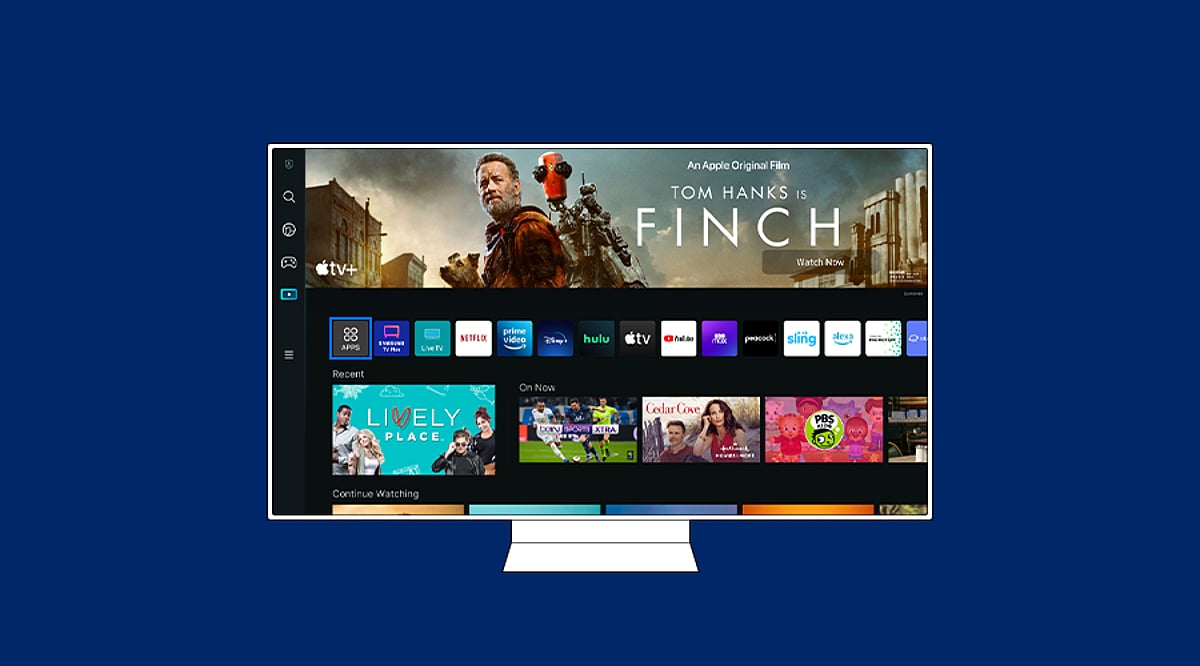
    Press the Home button on your remote and locate the app store. The name varies by brand: Google TV uses the Apps section or Google Play Store, Samsung uses “Apps”, LG uses “LG Content Store”, while Fire TV and Roku have their own dedicated stores. Open the store to browse available applications.

    Step 3: Search for the App You Want

    Use the search function within the app store and type the name of the app you’re looking for. Review the results carefully to select the official version. Check the developer name and app description to ensure it’s the correct app before proceeding.

    Step 4: Install the App

    Select the official app listing and click Install, Get, or Download (the wording depends on your TV platform). Wait for the installation to complete. Google TV and Android TV install apps via Google Play, while Samsung and LG use their proprietary stores.

    Step 5: Open the App and Sign In

    Once installed, you can open the app directly from the store or find it on your Home screen. Launch the app and sign in if required. Some services may need a separate subscription or activation before content becomes available.

    Step 6: Add the App to Your Home Screen (Optional)

    For quick access, you can add frequently used apps to your Home screen. Samsung TVs, for example, allow you to pin apps to the Home bar. Menu options vary by model and software version, so explore your TV’s settings to customize your layout.

    Troubleshooting: App Not Showing Up?

    If an app doesn’t appear or fails to install, try these fixes: restart your TV and router, check for system software updates, free up storage space, and verify your TV’s region and compatibility. Some apps are not available on certain models or operating systems. As a workaround, consider casting from a phone, using AirPlay, or connecting a streaming device like Chromecast or Amazon Fire Stick.

  • Mastering Paper Trading on TradingView: A Complete Guide for Beginners

    Mastering Paper Trading on TradingView: A Complete Guide for Beginners

    Paper trading is one of the most effective ways to test a trading strategy without risking real money. TradingView’s built-in paper trading feature provides a realistic simulation using live market data, allowing both novice and experienced traders to practice entries, exits, position sizing, and risk management. This guide walks through every step, from setting up the virtual account to analyzing performance metrics.

    What Is Paper Trading on TradingView?

    Paper trading involves placing simulated orders with market data but no real capital. TradingView integrates this directly into its charting interface, so you can practice order placement and management just as you would with a live broker. Keep in mind that simulated orders may not perfectly replicate real execution, liquidity, or slippage. A strong paper trading record is a useful indicator, not a guarantee of future results.

    How to Start Paper Trading on TradingView

    Step 1: Open the Trading Panel

    Log into TradingView and open a chart for your chosen asset. Locate the Trading Panel and select Paper Trading.

    Step 2: Connect the Account

    Click Connect to activate the simulated balance and prepare the account for trading.

    Step 3: Set the Virtual Balance

    Match the virtual balance to the amount you plan to trade with in real life. For example, if you intend to trade ₹1,00,000, set the paper balance to ₹1,00,000. Using a mismatched amount can build unrealistic position sizing habits.

    Step 4: Choose the Market and Data Source

    Confirm which exchange feeds the chart before placing orders. Prices can vary slightly across venues, especially for assets like Bitcoin. Stick to one data source throughout your testing period to keep results comparable.

    Step 5: Pick an Order Type

    • Market order: Executes immediately at the best available price.
    • Limit order: Executes at a specified price or better.
    • Stop order: Triggers once the market reaches a set level.
    • Stop-limit order: Combines a stop trigger with a limit price. For a long trade, a buy stop sits above the current price to catch upward momentum, while a sell stop sits below as a protective exit.

    Step 6: Calculate Position Size

    Base your position size on the amount you are willing to lose, not on a convenient round number. Many traders use 1% of their account as a risk reference, but the right level depends on your strategy and risk tolerance.

    Step 7: Set Stop-Loss and Take-Profit

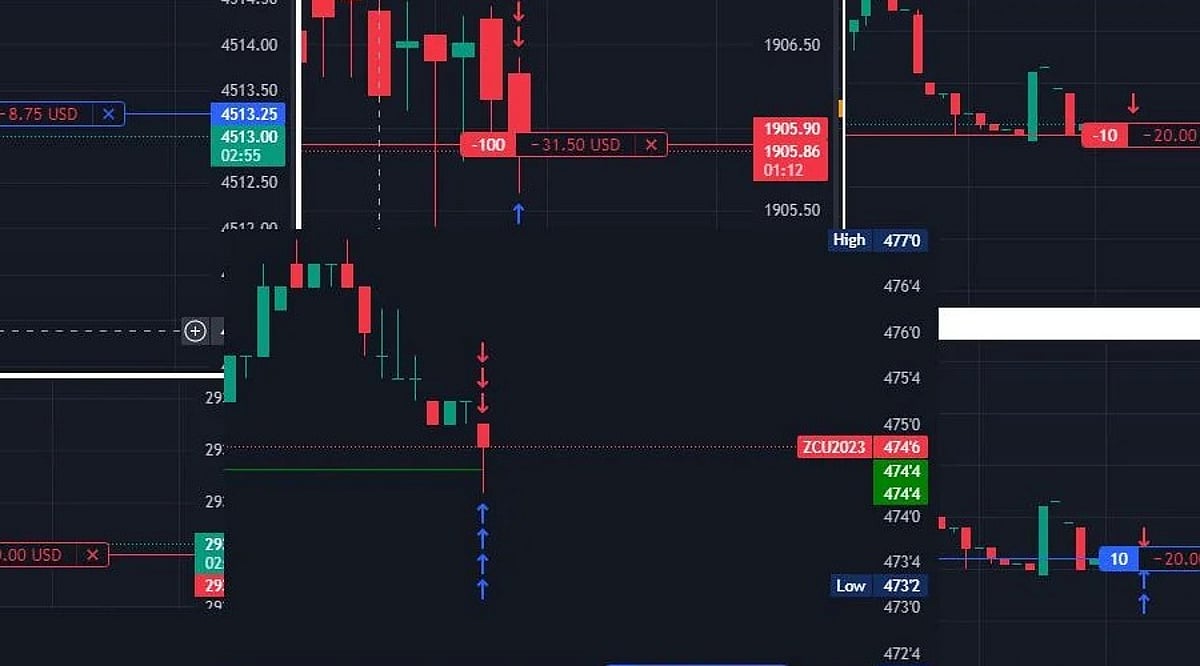
    Define these levels before or immediately after entry. On the chart, hover over the position line to see the take-profit (TP) marker; place the stop-loss the same way.

    Step 8: Monitor and Close

    TradingView updates the open position in real time, showing simulated profit or loss. You can close manually or let the trade run until stop-loss or take-profit is hit.

    A Worked Example: Building a ₹1,00,000 Trade

    Start with an account of ₹1,00,000 and plan to risk 1% (₹1,000). Entry at ₹500, stop-loss at ₹480 gives a risk per share of ₹20. Divide ₹1,000 by ₹20 to get a position size of 50 shares. A target of ₹540 yields a potential gain of ₹2,000 (2% of account). The reward-to-risk ratio is 2:1. Actual results may differ due to execution price variations.

    Measuring Paper Trading Performance

    TradingView records entry price, exit price, size, and profit/loss for each simulated trade. Useful metrics over time include:

    • Win rate
    • Average win and average loss
    • Maximum drawdown
    • Expectancy: (Win rate × Average win) − (Loss rate × Average loss)

    A positive expectancy indicates the strategy produced a positive average outcome per trade in the sample. It does not guarantee future performance.

    Common Mistakes to Avoid

    Because paper trading carries no real loss, it can encourage sloppy habits: oversized positions, ignored stop-losses, and entries without a plan. These habits often lead to poor results when real capital is involved. Treat paper trading with the same discipline you would use in a live account.

    Who Should Use TradingView Paper Trading?

    New traders can learn platform mechanics and trade execution in a low-stakes environment. Experienced traders use it to test new strategies or unfamiliar markets before committing real money.

    Why Paper Trading Matters

    Paper trading builds real risk management skills before capital is on the line. Position sizing, stop placement, and performance tracking practiced here directly shape decision-making once actual money enters the trade.

    Final Thought

    Paper trading rewards process over outcome. Set a plan, size positions by risk, mark exits in advance, log every trade, and review the pattern once enough trades accumulate. The habits formed here will follow you into live trading.

    Frequently Asked Questions

    1. Can beginners use TradingView Paper Trading?

    Yes. It is designed for practice and helps beginners learn order types, position sizing, entries, exits, and risk management without risking real capital.

    2. Is TradingView Paper Trading free?

    TradingView offers Paper Trading as a simulated feature. Availability of specific market data and other features may vary by account and subscription.

    3. Can Paper Trading simulate different order types?

    Yes. It supports market, limit, stop, and stop-limit orders, allowing traders to practice various execution methods.

    4. Can Paper Trading guarantee real trading results?

    No. Paper trading cannot fully replicate live-market conditions such as execution, liquidity, slippage, or emotional pressure. Simulated performance does not guarantee future results.

    5. How long should someone paper trade before using real money?

    There is no fixed period. A useful benchmark is a meaningful sample of trades taken under consistent rules. Review win rate, average gain, average loss, drawdown, and expectancy to assess readiness.

  • 5 Smart Projector Add-Ons to Elevate Your Home Theater Experience

    5 Smart Projector Add-Ons to Elevate Your Home Theater Experience

    Projectors can deliver a massive picture, but the right accessories take a home setup from basic to brilliant. The following five additions focus on the areas that matter most: screen quality, connectivity, audio, and mounting. Before you buy, double-check compatibility with your projector and your intended room layout.

    1. Mdbebbron 120-Inch Projector Screen

    The Mdbebbron 120-inch projector screen provides a 16:9 viewing area and is suitable for both indoor and outdoor use. Its lightweight polyester build makes storage and transport easy. BGR noted that the screen held a 4.5-star Amazon rating from more than 39,000 customer reviews at the time of review, although some users mentioned mounting concerns.

    2. Highwings 4K HDMI Cable

    The Highwings 6.6-foot HDMI cable supports up to 4K resolution and uses the HDMI 2.0 standard. It also supports HDR10+, 3D, and backward compatibility with earlier HDMI generations. This cable can connect a projector to gaming consoles, laptops, and other devices, making it a simple connectivity upgrade for an existing setup.

    3. Anker HDMI Switcher

    The Anker 2-in-1 Out HDMI Switcher gives you another way to manage multiple HDMI sources connected to a projector. It supports up to 4K at 60Hz plus HDR, HDCP, 3D, and Dolby formats. Its compact design lets you switch between connected devices without constantly swapping HDMI cables.

    4. Edifier Bookshelf Speakers

    A projector’s built-in audio is rarely enough for a true home cinema feel. The Edifier R1280T bookshelf speakers deliver two audio channels with 4-inch woofers, 13mm tweeters, and adjustable bass and treble controls. BGR noted that users praised the speakers’ setup simplicity and build quality, though opinions about maximum volume were mixed.

    5. Wali Universal Projector Mount

    The Wali Universal 3-in-1 mount supports ceiling and wall installations and can hold projectors weighing up to 44 pounds. Its adjustable design allows tilting and swiveling for flexible positioning. It works with brick, concrete, and wooden surfaces, but BGR notes that it is not designed for regular drywall or vaulted ceilings.

    Build a Better Home Cinema

    These accessories address different parts of a projector setup. A dedicated screen improves the viewing surface, HDMI accessories expand connectivity, speakers upgrade audio, and a mount adds installation flexibility. BGR selected products based partly on customer ratings and reviews, so be sure to check compatibility with your own gear and room before purchasing.

  • Ripple and XRP in the Age of Agentic AI: Opportunities and Challenges for Autonomous Payments

    Ripple and XRP in the Age of Agentic AI: Opportunities and Challenges for Autonomous Payments

    AI Agents Need Payment Infrastructure

    Autonomous AI agents require payment systems that can handle frequent, small transactions without manual approval. Traditional systems are adapting, with Mastercard launching Agent Connect and partnering with Alchemy for AgentCard.

    Ripple’s Move into Agentic Payments

    Ripple launched the XRPL AI Starter Kit in June, enabling developers to build agents that create wallets, check balances, and make payments. The kit supports x402 for purchasing API calls and AI inference using XRP or RLUSD. The September update added support for Stripe and Tempo’s Machine Payments Protocol and the Open Wallet Standard.

    XRP and RLUSD: Different Roles

    XRP can be used for frequent small payments through XRPL payment channels, while RLUSD offers stable dollar-denominated value for agents that prefer predictable costs. RLUSD has $2.39 billion in circulation as of September 21.

    Does Agentic AI Guarantee Higher XRP Demand?

    Not necessarily. Agents can use RLUSD or other assets on XRPL, so network activity doesn’t directly translate to XRP demand. Ripple’s MPP integration is still in beta with no disclosed customers or volumes.

    Why This Matters

    Agentic commerce could generate millions of automated transactions. XRPL’s fast settlement and support for both XRP and stablecoins position Ripple to compete in the emerging machine-payment standards.

    Final Thoughts

    Agentic AI may create a new class of blockchain users: autonomous software. Ripple is positioning itself, but adoption is early. The impact on XRP will depend on developer usage and transaction volumes.

    Frequently Asked Questions

    1. How could AI agents use the XRP Ledger? AI agents can create wallets, check balances, and pay for APIs and digital services using XRPL’s fast settlement.
    2. What is the XRPL AI Starter Kit? A toolkit from Ripple for connecting AI agents to XRPL payments, supporting x402, Machine Payments Protocol, and Open Wallet Standard.
    3. What role could XRP play in agentic payments? XRP can serve as a native settlement asset, but agents may also use RLUSD or other assets.
    4. Why could RLUSD be useful for AI agents? It provides dollar-denominated value for predictable purchasing power in automated transactions.
    5. Will growth in agentic AI automatically increase XRP demand? Not necessarily; impact depends on adoption, transaction volumes, and asset preferences.

    Disclaimer: This article is for informational purposes only and does not constitute investment advice. Cryptocurrencies carry risk; always conduct your own research before investing.

  • Ride Smarter: Four Android Auto Apps That Enhance Motorcycle Journeys

    Ride Smarter: Four Android Auto Apps That Enhance Motorcycle Journeys

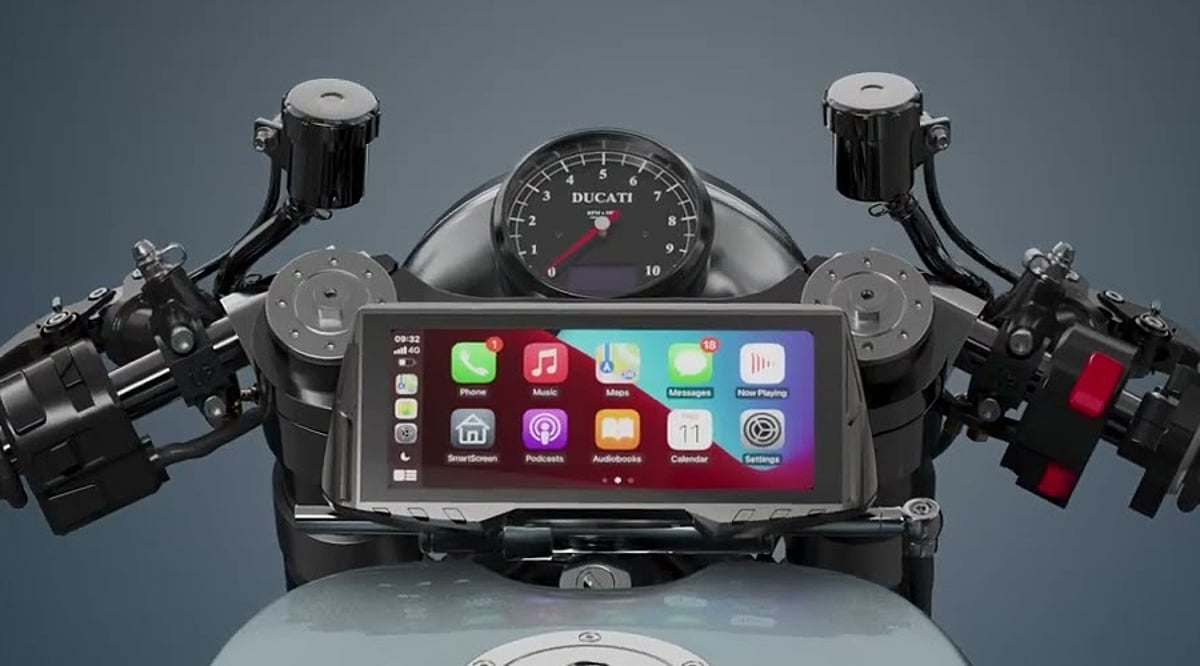
    Android Auto isn’t just for cars. Motorcyclists can also take advantage of compatible apps through supported bike displays, bringing navigation, weather updates, and trip-planning tools directly within reach. Whether you’re commuting, heading out for a weekend ride, or planning a longer expedition, these four Android Auto apps offer motorcycle-friendly features that can make every ride more informed and enjoyable.

    Sygic: Motorcycle-Specific Navigation

    Sygic is a standout choice thanks to its dedicated Motorbike Mode. Instead of simply recommending the fastest route, it can suggest scenic, winding roads that suit two-wheeled travel. The mode also includes motorcycle-focused navigation with real-time lean angles, elevation data, speed limits, and weather information. Motorbike Mode is available through a one-time purchase of $50.

    Calimoto: Scenic Routes and Ride Tracking

    Calimoto was built specifically for motorcyclists, combining navigation with route discovery. It relies on rider-submitted routes and can track details such as speed, altitude, and lean angles. With Android Auto integration, selected routes and navigation cues appear on compatible motorcycle dashboards. That said, some user-submitted routes have drawn criticism over accuracy, so it’s wise to check reviews before following an unfamiliar path.

    AccuWeather: Real-Time Weather Alerts

    Weather can change a ride in an instant, so reliable forecasts are especially valuable for motorcyclists. AccuWeather delivers current conditions, short-range forecasts, and severe weather alerts through Android Auto. Riders can view the latest weather on compatible motorcycle displays and receive warnings when dangerous conditions approach their route.

    Campendium: Campground Discovery for Road Trips

    For riders planning outdoor-focused road trips, Campendium is a practical tool. Its database includes more than 70,000 campgrounds across the U.S. and Canada, with details on tent camping, bathrooms, and running water. It also covers BLM and Forest Service land. Android Auto integration makes it easy to navigate to campgrounds and search for nearby stops along the way.

    Choosing the Right App for Your Ride

    These four apps serve different riding needs rather than competing as simple navigation alternatives. Sygic focuses on motorcycle-specific navigation, while Calimoto centers on route discovery and ride tracking. AccuWeather helps riders stay ahead of changing weather, and Campendium supports those looking for overnight camping options. Riders seeking winding roads may prefer Sygic or Calimoto, while weather-conscious commuters could lean on AccuWeather. For camping-oriented trips, Campendium is clearly the most relevant choice. All four were selected for their useful features and Android Auto integration for motorcyclists.

  • FirstCry Review: A Complete Guide to Baby, Kids, and Maternity Shopping

    FirstCry Review: A Complete Guide to Baby, Kids, and Maternity Shopping

    FirstCry is a popular online shopping platform dedicated to baby, kids, and maternity products. With an extensive catalog spanning clothing, footwear, toys, feeding supplies, nursery equipment, health and safety items, and more, it has become a go-to destination for parents and caregivers. The platform also offers parenting tools and resources, making it more than just a retailer.

    General Information

    Here are some quick facts about FirstCry:

    • Founded: 2010
    • Platform Support: Web, Android, iOS, iPhone, iPad
    • Availability: Official website and app stores

    Key Features of FirstCry

    • Extensive product range: Baby clothes, toys, books, strollers, car seats, feeding essentials, diapering supplies, nursery items, health and safety products, and maternity wear.
    • Parenting services: Useful tools such as immunisation trackers and child development guides to support parents at every stage.
    • Premium boutiques: Curated collections featuring new arrivals, exclusive brands, party wear, nightwear, accessories, and seasonal fashion.
    • Shopping convenience: App and website include promotions, wishlists, shopping carts, order tracking, and access to FirstCry Club membership.

    Benefits of FirstCry

    • One-stop destination for baby, kids, and maternity products, covering everything from clothing and nappies to furniture and baby food.
    • Specialized shopping sections make it easier to find products based on specific needs.
    • Premium boutique sections offer exclusive brands, seasonal collections, and unique kids’ fashion.
    • Members can enjoy discounts, free shipping, rewards, and early access to sales through FirstCry Club.

    Challenges Users May Face

    • The large number of categories and products can feel overwhelming when trying to make a selection.
    • Product availability may vary by category, brand, size, and stock levels.
    • Shoppers may need to compare items across different brands and categories to find the best fit.
    • Some promotions and offers come with conditions related to membership, seasonality, or stock.
    • Making a purchase may require careful research on sizes, product specifications, and available deals.

    FirstCry Club Subscription

    FirstCry Club is a loyalty program that gives members access to extra discounts, free shipping, rewards, Club Cash, coupons, freebies, and exclusive sale events. Members can also enjoy special pricing, early access to sales, and additional discounts on select products through the FirstCry app or official website.

    Support Options

    • Customer Support: FirstCry provides a dedicated support section for assistance with shopping and orders.
    • Help Resources: Users can track orders, manage their shortlist, and access FirstCry Parenting resources through the platform.

    Conclusion

    FirstCry stands out as a comprehensive online store focused on the needs of babies, kids, and expectant mothers. Its wide range of products, integrated parenting tools, premium boutiques, and membership benefits make it a convenient choice for family shopping. While the sheer variety can be a bit daunting, the platform’s features and resources are designed to help parents make informed decisions.

  • Why Regular Contributions to a Stocks and Shares ISA Can Build Wealth Over Time

    Why Regular Contributions to a Stocks and Shares ISA Can Build Wealth Over Time

    If your money is stretched in all directions, finding a large lump sum to invest can feel unrealistic. But smaller, regular investments offer another route. By setting aside an affordable amount each month, you can work towards longer-term goals without waiting for the perfect moment to put your money into the market.

    Why Consistency Matters When Investing

    Investing can be thought of like a routine, a bit like saving. Instead of deciding each month whether you can spare some money, you can arrange an automatic payment shortly after payday. This approach makes investing part of your normal budget, much like saving for a holiday or paying a household bill.

    Consistency can also reduce the temptation to time the market. Even experienced investors can’t reliably predict when prices will reach their lowest or highest points. Investing according to a schedule means you keep working towards your goal rather than waiting on the sidelines for an opportunity that may never arrive.

    How Smaller Amounts Can Build Over Time

    You don’t necessarily need a substantial lump sum to get started. For example, investing £100 each month would mean contributing £1,200 over a year and £12,000 over ten years, before allowing for any investment growth or losses.

    Starting with a manageable figure can make a distant goal feel more practical. You might initially contribute £50 a month towards retirement or another long-term objective, then increase the amount when your income rises or major expenses fall.

    Your returns may also generate further returns over time through compounding. That said, investments can fall as well as rise, so you could get back less than you contribute. Your best bet is investing for the long term.

    Choosing a Suitable Investment Structure

    Where you hold your investments can affect how much of your returns you keep. A stocks and shares ISA lets you invest within a tax-efficient account, meaning you won’t pay UK Income Tax or Capital Gains Tax on investments and returns held inside it.

    You could set up a monthly payment into your account and invest it according to your chosen strategy. The ISA allowance limits how much you can contribute across your ISAs each tax year, so check the current rules before deciding how much to put away.

    Staying Invested When Markets Move

    Markets move up and down. Economic news, company results, global events, and changes in investor confidence can all push prices higher or lower, sometimes sharply.

    Regular investing (specifically a strategy called dollar-cost averaging) means your fixed contribution buys fewer units when prices are high and more when they are lower. This can smooth your purchase price over time, although it does not protect you from losses.

    A longer-term perspective can also help you avoid reacting emotionally to short-term falls. Selling after a sudden decline can turn a temporary paper loss into a permanent one and may mean missing a later recovery.

    Reviewing Your Progress

    A regular plan should still change when your circumstances do. A pay rise might allow you to increase your monthly amount, while higher essential costs could mean reducing it temporarily rather than abandoning your goal altogether.

    Review your contributions, investments, and objectives at least once a year and after significant financial changes. Regular investing works best when the amount remains affordable, and your choices continue to match your goals and attitude to risk.

  • NYT Strands #932 Answers and Hints: ‘It’s Back!’ Theme for September 21, 2026

    NYT Strands #932 Answers and Hints: ‘It’s Back!’ Theme for September 21, 2026

    Overview of NYT Strands #932

    The New York Times Strands puzzle for September 21, 2026 (Puzzle #932) challenges players with the theme “It’s back!” This theme revolves around the resurgence of 1990s fashion and style trends. Players must find words related to the decade’s iconic looks, materials, and accessories.

    How Strands Works

    NYT Strands is a word search game where you connect letters horizontally, vertically, or diagonally to form words. Each puzzle includes a spangram—a phrase that encapsulates the theme—which stretches from one side of the grid to the other. Finding non-theme words earns hints for theme words.

    Hints for September 21, 2026

    Theme Hint: “It’s back!” — Think about 1990s fashion trends making a comeback.

    More Direct Clue: Look for words related to 1990s clothing, colors, fabrics, and accessories.

    Word Initials: The five theme words start with G, L, N, S, and T.

    Spangram Hint and Answer

    Spangram Hint: The spangram has 13 letters and begins with N. It runs vertically across the grid and connects the puzzle to the return of 1990s trends.

    Spangram Answer: NINETIESTREND

    Full List of Answers

    The five theme words and the spangram for September 21, 2026 are:

    • GRUNGE – A popular 1990s fashion style.
    • LYCRA – A stretchy fabric used in 1990s clothing.
    • NEON – Bright colors that were a hallmark of 1990s style.
    • SCRUNCHIES – A hair accessory from the 1990s.
    • TRACKSUITS – Casual sportswear that defined the decade.
    • NINETIESTREND – Spangram linking all answers to the 1990s revival.

    Why This Puzzle Might Be Tricky

    If you focus only on general nostalgia, you might miss the fashion-specific answers. The words point to distinct elements of 1990s visual culture. Once you identify the spangram, the other words become easier to locate.

    Final Thoughts

    NYT Strands continues to offer engaging daily challenges. Puzzle #932 celebrates the return of 1990s trends, making it a fun trip down memory lane for fashion enthusiasts and word game fans alike. Check back tomorrow for a new puzzle.

  • iQOO Z11x 5G Review: 7,200mAh Battery, 120Hz Display & IP68/IP69+ Durability

    iQOO Z11x 5G Review: 7,200mAh Battery, 120Hz Display & IP68/IP69+ Durability

    The iQOO Z11x 5G is designed for users who prioritize practical features and a robust build. It offers a large 6.76-inch 120Hz display, a Dimensity 7400 Turbo chipset, 8GB of RAM, and a massive 7,200mAh battery. The phone also boasts impressive IP68 and IP69+ water and dust resistance. Running Android 16-based OriginOS 6, the iQOO Z11x 5G aims to deliver everything needed for a solid all-rounder experience in entertainment and gaming.

    General Specifications

    • Display: 6.76-inch, 120Hz refresh rate
    • Processor: Dimensity 7400 Turbo
    • RAM: 8GB
    • Battery: 7,200mAh
    • Water/Dust Resistance: IP68 / IP69+
    • OS: Android 16 with OriginOS 6

    Pros and Cons

    Pros

    • Exceptional battery life with 7,200mAh capacity
    • Smooth 120Hz display
    • Powerful Dimensity 7400 Turbo processor
    • High-level IP68/IP69+ water and dust resistance

    Cons

    • LCD panel (not OLED)
    • Noticeable bezels
    • Heavier build due to large battery
    • Secondary camera performance is average

    Final Verdict

    All in all, the iQOO Z11x 5G is a practical mid-range smartphone that focuses on the essentials for everyday users. Its standout features include the 7,200mAh battery, 120Hz display, Dimensity 7400 Turbo chipset, and robust IP68/IP69+ water and dust protection. This device will comfortably handle daily tasks, video streaming, and gaming. However, the LCD display, thick bezels, significant weight, and modest secondary camera may be drawbacks for some buyers.