
Blog

  • Data Analytics Bootcamp: Build Job-Ready Skills and Boost Your Salary in 2026

    Data Analytics Bootcamp: Build Job-Ready Skills and Boost Your Salary in 2026

    Why Data Analytics Bootcamps Are on the Rise

    Data analytics has become one of the fastest-growing career fields, driven by companies across banking, healthcare, retail, and tech that rely on data for decision-making. A data analytics bootcamp offers a fast, structured path to gain skills like Python, SQL, Excel, and Tableau—often in 12 to 24 weeks, compared to years in a traditional degree program. For career changers and recent graduates, these programs have emerged as a practical bridge into a high-demand profession.

    What You Actually Learn in a Bootcamp

    Most bootcamps center their curriculum on core tools: Python for programming, SQL for database queries, Excel for analysis, and Tableau for visualization. Alongside these, students develop skills in data cleaning, trend identification, and clear communication of insights. Programs typically run 12–24 weeks, with 18 weeks being the sweet spot between depth and speed. Hands-on projects and a final capstone assignment build a portfolio that employers can review immediately after graduation. This project-based approach often stands out more than a transcript to hiring managers.

    Job Placement and Salary Outcomes

    Verified bootcamp trackers report an average job placement rate of about 79% within six months, with top programs hitting 85–89%. Career changers frequently see a median salary increase of roughly USD 35,000. Entry-level data analysts typically start in the USD 65,000–85,000 range, varying by location and industry. Common first roles include reporting analyst, insights analyst, and product analyst, while specialized roles like data engineering can surpass USD 100,000 with experience.

    How to Choose the Right Bootcamp

    Not every bootcamp fits every learner. Key factors to compare include program cost (free income-share agreements to USD 15,000+), mentorship availability, job guarantees, and partnerships with hiring companies. Online and hybrid formats now dominate, making it easier for working professionals to enroll without leaving their current job. Look for programs with live mentorship and transparent placement statistics.

    Why This Career Path Matters Right Now

    Unlike some tech roles facing automation pressure, data analysis work continues to grow as organizations collect more data and need skilled interpreters. A bootcamp offers a shorter, more affordable route into a well-paying career that spans industries from healthcare to finance to e-commerce. With strong placement rates and flexible formats, these programs provide a genuine opportunity to pivot without spending years in a classroom.

    Frequently Asked Questions

    What skills does a data analytics bootcamp teach?

    Most bootcamps cover Python, SQL, Excel, and Tableau, along with data cleaning, trend identification, and data communication. Students complete hands-on projects and a capstone for their portfolio.

    How long does a bootcamp take?

    Programs run 12 to 24 weeks, with 18 weeks being the most common length for balancing depth and speed.

    What salary can I expect after completing a bootcamp?

    Entry-level analysts start at USD 65,000–85,000; career changers often see a median increase of USD 35,000.

    What jobs can I get after a bootcamp?

    Common entry points include reporting analyst, insights analyst, and product analyst. With experience, roles like data engineering pay over USD 100,000.

    Are bootcamps worth the cost?

    Costs range from free to over USD 15,000. Given placement rates up to 89% and strong salary growth, many find the investment worthwhile if the program offers solid mentorship and hiring support.


  • Beginner’s Guide to Mecha Anime: From Evangelion to Gundam and Beyond

    Beginner’s Guide to Mecha Anime: From Evangelion to Gundam and Beyond

    Mecha anime combines giant robots with war, politics, technology and psychological storytelling. Evangelion offers newcomers a darker, character-driven approach to the mecha genre. Gundam, Gurren Lagann, and Code Geass provide different entry points for beginners.

    Mecha anime still features prominently in Japanese anime, as some of the most recognizable series and characters originate from the sub-genre. However, for those new to the sub-genre, mecha anime can be hard to understand because of its lengthy history, many franchises, and varied storytelling styles.

    At a basic level, mecha is anime that focuses on robots or mechanical machines controlled by humans. Nonetheless, the mecha subgenre is much broader than robots fighting each other. Some mecha anime series explore war, politics, technology, identity, relationships, and the effects of war on individuals.

    Understanding Two Major Mecha Styles

    Two schools traditionally classify mecha anime: super robot and real robot.

    The first school of mecha anime originated with Mazinger Z, which aired in 1972. Super-robot anime usually depicts powerful robots with great weaponry and skills. Examples of super-robot anime are Getter Robo and Gurren Lagann.

    Real-robot anime originated with Mobile Suit Gundam in 1979. While super-robot anime features robot-on-robot battles, real-robot anime usually concentrates on warfare and politics and depicts machines as weapons. Some examples of real-robot anime include Macross, Patlabor, and Code Geass.

    They might be quite helpful for newcomers, although modern anime often mixes both schools.

    Neon Genesis Evangelion

    Neon Genesis Evangelion is different from any other mecha anime because it was first broadcast in 1995-1996 and has 26 episodes. The story centers on Shinji Ikari, who participates in the NERV project and fights the unknown beings called Angels. But the anime Evangelion is not only the tale of battles between robots and monsters. Most of the plot concerns those people that are within and around the machines. The authors exploit their apocalyptic universe and battles for exploring relations and psychological conflicts. Such an approach played a big part in making the Evangelion a reference point for future mecha anime. In addition, it makes the anime psychologically more profound and complicated than any regular robot story.

    Where Should Beginners Begin?

    There is no definitive path towards mecha. The best place to begin will depend on what one is seeking out through the genre.

    One who would like to understand the basics of the genre and its history should start with Mobile Suit Gundam, which laid down the real robot concept and spawned one of anime’s most prolific franchises.

    Those who seek a simpler introduction into the genre might want to try their hands at Gurren Lagann or Code Geass. The first title follows the super robot concept and delivers with over-the-top action and machines.

    How to Watch Evangelion

    If newcomers are particularly interested in the series titled ‘Evangelion,’ the best way would be for them to see the series. After finishing the series, one can see the film ‘The End of Evangelion,’ which acts as an alternative to the last two episodes of the series. Eventually, the series evolved more through films that were created under the title of Rebuild of Evangelion, and the films are Evangelion: 1.11, Evangelion: 2.22, Evangelion: 3.33, and Evangelion: 3.0+1.0 Thrice Upon a Time.

    Exploring Mecha Beyond Evangelion

    The mecha universe encompasses Evangelion and Gundam as well. Macross combines space-based fighting with music and romance, and Patlabor is an anime that provides a realistic approach to robotics and policing. Code Geass introduces politics to the action of the robots, whereas Gurren Lagann represents all the aspects usually characteristic of a super-robot anime.

    In modern days, people have an opportunity to enjoy one-off or rather easily accessible anime without having to commit themselves to a franchise series. Versatility is what distinguishes mecha from any other genre. Military science fiction, political fiction, psychological fiction, and even the action of robots can go hand in hand in the same wide-ranging genre.

    FAQs

    What is mecha anime?
    Mecha anime focuses on robots or mechanical machines, often exploring war, technology, politics, relationships and human experiences through their stories.

    What are the two main types of mecha anime?
    The two major traditions are super robot and real robot, with different approaches to machines, battles, characters and storytelling.

    Why is Neon Genesis Evangelion important to mecha anime?
    Evangelion combines giant-robot battles with psychological conflict, relationships and isolation, giving the genre a darker, character-focused storytelling approach.

    Which mecha anime should beginners watch first?
    Mobile Suit Gundam, Gurren Lagann and Code Geass offer different introductions, depending on preferences for military drama, action or politics.

    What is the Evangelion watch order?
    Beginners can start with the original 26-episode series, followed by The End of Evangelion and then Rebuild films.

  • Top Walmart Wireless Charger Deals: Save Up to 32% on 3-in-1 Stations and Magnetic Chargers This Weekend

    Top Walmart Wireless Charger Deals: Save Up to 32% on 3-in-1 Stations and Magnetic Chargers This Weekend

    Wireless charging is one of those small conveniences that quickly becomes part of your daily routine. Instead of reaching for a cable every time your phone needs power, you can simply place it on a charging pad or stand and let it do the work. This weekend, Walmart has several wireless chargers and charging stations available at reduced prices, including magnetic models, 3-in-1 stations, and foldable travel options.

    Best Wireless Chargers at Lower Prices

    Here are some of the deals currently worth a look:

    • ETEPEHI Magnetic Wireless Charger – Deal price: $13.49 (was $23.99). A straightforward magnetic charger for compatible iPhone models and AirPods.
    • ETEPEHI 3-in-1 Charging Station – Deal price: $17.98 (was $40.99). Charges phone, earbuds, and Apple Watch from one station to reduce cable clutter.
    • Wireless 15W Charging Station – Deal price: $16.37 (was $29.99). Supports compatible iPhones, Apple Watch, and AirPods.
    • Cshidworld 3-in-1 Wireless Charger – Deal price: $12.77. One of the most affordable options, compatible with iPhones, AirPods, Apple Watch, and some Samsung devices.
    • 15W 3-in-1 Charger With Alarm Clock – Deal price: $32.39 (was $35.99). Combines wireless charging with an alarm clock and night-light, ideal for bedside use.
    • Belkin 3-in-1 Wireless Charging Station – Deal price: $55.24 (was $64.99). A well-known brand with USB-C connection and magnetic charging support.
    • YINIUTECHNO Foldable 3-in-1 Charger – Deal price: $13.99. Foldable design for travel or saving desk space.
    • It’s Just Smart 3-in-1 Magnetic Charging Station – Price: $29.98. Features rotating watch charger and foldable design.

    Final Thoughts

    Walmart’s current wireless charger deals cover a wide range of needs and budgets. A basic magnetic charger works well if you only need to power your phone, while a 3-in-1 station can reduce cables on a desk or bedside table. Prices and availability can change, so check the Walmart listing before buying, especially if a specific discount catches your eye.

  • NYT Strands Hints and Answers for September 20, 2026 – ‘Putting on Airs’ Theme

    NYT Strands Hints and Answers for September 20, 2026 – ‘Putting on Airs’ Theme

    Welcome back to our daily NYT Strands guide. Today’s puzzle centers on the theme “Putting on airs” — a phrase that describes pretending to be more important or impressive than one really is. The Spangram begins near the left side of the grid, winding diagonally to connect the board. Below, we’ve compiled hints, the full answer key, and a breakdown of the theme.

    What Is NYT Strands and How to Play It

    If you’re new to NYT Strands, here’s a quick overview. The game blends elements of the NYT Crossword, Connections, and Spelling Bee. Players receive letters arranged on a 6×8 board, along with a daily theme hint. Your goal is to find all the theme words and the Spangram — a single word or phrase that stretches across the grid and ties the puzzle together. It’s a fun challenge that tests vocabulary and pattern recognition.

    NYT Strands Hints for Today

    Some words can serve as hints to uncover the answers. We have compiled the best hints. Take a look:

    • Taut
    • Diss
    • Burse
    • Salt
    • Brat
    • Sate
    • Gate
    • Rate
    • Boats
    • Stop
    • Tops

    Spangram Reveal and Explanation

    Today’s Spangram is GRANDIOSITY. To find it, start with the G that is the last letter on the top row, then wind across the grid diagonally. Grandiosity is a noun that means the quality of being overly ambitious, pompous, or pretending to be more impressive, important, or capable than is real or deserved.

    Check out the image below to learn how to solve today’s puzzle: (Image placeholder)

    NYT Strands Answers for Today

    We have listed below all the non-Spangram answers for September 20, 2026:

    • Brag
    • Flex
    • Boast
    • Gloat
    • Strut
    • Bluster
    • Posture

    Understanding the Theme for Today

    Today’s theme, “Putting on airs,” means to act as if you are richer, smarter, or more important than other people in order to impress them. According to Merriam-Webster, this idiom describes pretentious or snobbish behavior. Every answer word relates to showing off or exaggerating one’s qualities.

    Tips for Solving NYT Strands

    Here are a few simple tips that can help you solve NYT Strands more quickly:

    • Identify the theme: Start by thinking about words related to today’s theme, such as ‘Putting on airs.’
    • Look for long words: Words stretching across the edges of the grid often form the Spangram.
    • Use the clue words: The hints we provide can help you confirm letters and narrow down possibilities.

    Join our WhatsApp Channel to get the latest news, exclusives, and videos on WhatsApp.

    Also Read: Today’s Wordle #1918 Hints, Clues and Answer for September 19, 2026

  • 7 Everyday Laptop Battery-Saving Tips for Longer Usage

    7 Everyday Laptop Battery-Saving Tips for Longer Usage

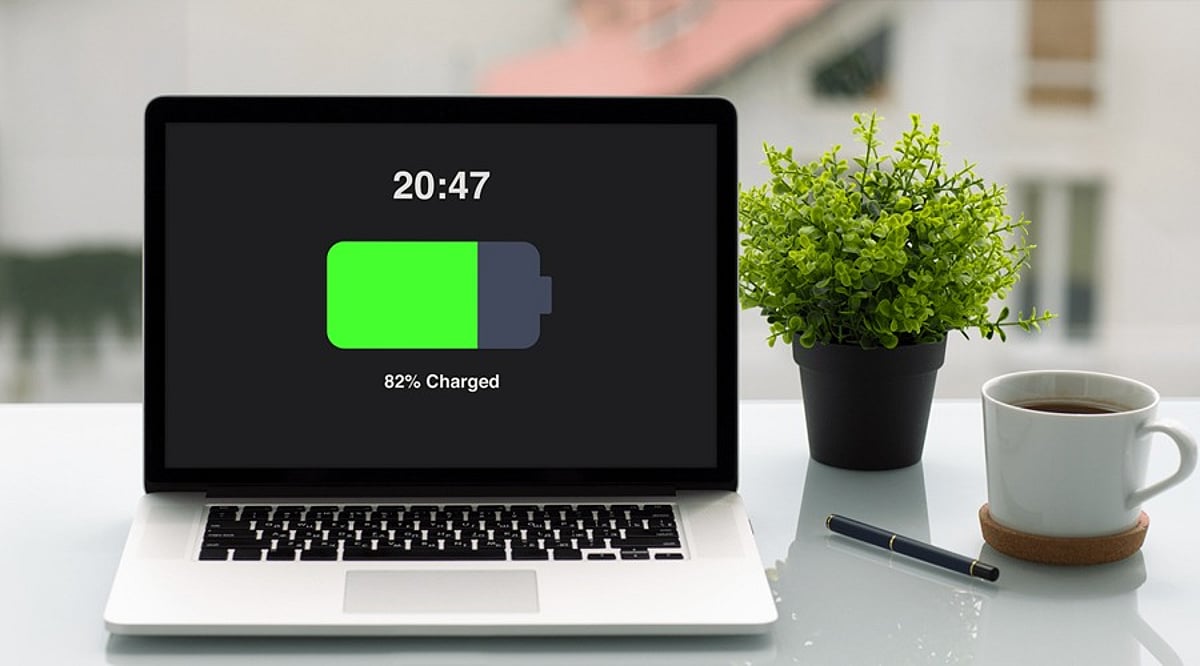
    Running out of battery in the middle of work can be frustrating, especially when you don’t have access to a charger. While modern laptops offer better battery life, your daily habits still play a significant role in how long a charge lasts. By making a few simple adjustments, you can reduce unnecessary power consumption and get more usable hours from your laptop between charges.

    7 Simple Tips to Save Laptop Battery

    1. Lower Screen Brightness

    The display is one of the biggest power consumers. When working indoors, reduce the brightness to a comfortable level. You don’t need maximum brightness all the time, and even a small reduction can help stretch your remaining battery.

    2. Enable Battery Saver Mode

    When your battery gets low, turn on your laptop’s built-in power-saving mode. Windows offers Energy Saver, while MacBooks have Low Power Mode. These settings automatically reduce background activities and other power-hungry processes to keep your laptop running longer.

    3. Close Unused Apps

    Leaving multiple programs open, including browsers with many tabs, editing software, and cloud apps, consumes system resources in the background. Close anything you’re not currently using to reduce battery drain and improve responsiveness.

    4. Reduce Background Activity

    Some apps continue to sync files, check for updates, or perform tasks even when not visible. Check which apps are allowed to run in the background and disable permissions for those you rarely use.

    5. Set Your Laptop to Sleep Sooner

    If you often step away from your laptop, reduce the inactivity time before the display turns off and the laptop enters sleep mode. This prevents battery waste when you’re not using the computer.

    6. Unplug Unnecessary Accessories

    External drives, USB devices, and wireless accessories draw power even when not in use. Disconnect peripherals you don’t need, especially when battery is low.

    7. Use Battery Health Features

    Modern laptops include battery care options like Smart Charging on Windows or Optimized Battery Charging on MacBooks. Enable these features to support long-term battery health and extend overall lifespan.

    Final Thoughts

    You don’t need to obsess over battery usage. Simple changes like lowering brightness, closing apps, and enabling power-saving mode can make a big difference. Also, remember to disconnect extra devices and let your laptop sleep faster. For long-term care, use your laptop’s battery health tools.

    By incorporating these habits, you can enjoy longer battery life and a more efficient laptop experience.

  • IMDb’s Top 10 Most Popular Movies This Week: ‘Mayday,’ ‘The Odyssey,’ ‘Spider-Man,’ and More (Sept 19-20)

    IMDb’s Top 10 Most Popular Movies This Week: ‘Mayday,’ ‘The Odyssey,’ ‘Spider-Man,’ and More (Sept 19-20)

    IMDb has revealed its weekly chart of the most popular movies as of September 19-20, and the list is packed with star-studded blockbusters, returning franchises, and gripping thrillers. From Christopher Nolan’s highly anticipated ‘The Odyssey’ to Tom Holland’s next turn as Spider-Man, here’s what audiences are watching and buzzing about.

    IMDb’s Top 10 Movies This Week

    1. ‘Mayday’ (2026)
      Leading the pack is ‘Mayday,’ starring Ryan Reynolds and Kenneth Branagh. The film follows Lieutenant Troy Brennan after a reconnaissance mission over Soviet territory goes awry, forcing him to crash-land in the Russian wilderness and fight for survival while evading capture.

    2. ‘The Whisper Man’ (2026)
      Robert De Niro and Adam Scott headline this dark thriller about a father and son who move to a new town, only to become entangled in its sinister history and the mystery of a serial killer known as the Whisper Man.

    3. ‘The Odyssey’ (2026)
      Christopher Nolan’s epic adaptation of Homer’s classic features Matt Damon, Tom Holland, and Anne Hathaway. The story follows Odysseus on his perilous journey home after the Trojan War, and it’s already one of the most talked-about films of the year.

    4. ‘Star Wars: The Mandalorian and Grogu’ (2026)
      Din Djarin and Grogu return to the big screen in this continuation of the beloved ‘Star Wars’ saga. The film extends the adventures of one of the franchise’s most popular duos.

    5. ‘The Runner’ (2026)
      Gal Gadot stars in this action thriller as a mother whose son is abducted. She receives mysterious instructions and must race against time to bring him home safely.

    6. ‘Spider-Man: Brand New Day’ (2026)
      Tom Holland reprises his role as Peter Parker in a new chapter that navigates life after earth-shattering events. A new threat forces Spider-Man into another dangerous battle to protect his city.

    7. ‘Coyote vs. Acme’ (2026)
      In a comedic twist, Wile E. Coyote takes the ACME Corporation to court after years of disastrous product failures. An attorney joins him in this Looney Tunes-inspired courtroom showdown.

    8. ‘The Dog Stars’ (2026)
      Set in a post-apocalyptic world ravaged by a virus, this film follows Hig, a pilot, as he navigates a dangerous landscape filled with environmental threats and other survivors.

    9. ‘The Last House’ (2026)
      Adding to the thriller lineup, ‘The Last House’ is drawing significant attention as audiences look ahead to the weekend.

    10. ‘Obsession’ (2025)
      Closing the list is this 2025 thriller about a hopeless romantic whose desire to win over his crush seems to come true—but takes a dark, unexpected turn.

    What This Week’s IMDb List Reveals

    This week’s selection showcases a compelling mix of established franchises, A-list talent, and original stories. Films like ‘The Odyssey,’ ‘Spider-Man: Brand New Day,’ and ‘The Mandalorian and Grogu’ bring massive brand recognition, while darker entries such as ‘The Whisper Man,’ ‘The Runner,’ and ‘The Dog Stars’ add variety and depth. As the September 19-20 weekend approaches, these movies are generating the most excitement among IMDb users.

  • Netflix New Releases September 19-20: Full Lineup of Movies and Episodes

    Netflix New Releases September 19-20: Full Lineup of Movies and Episodes

    Netflix is rolling out a fresh batch of content for the weekend of September 19-20, featuring a mix of anime, family animation, comedy, and international drama. Whether you’re a longtime fan of a series or looking for something new, this weekend’s lineup offers plenty of options.

    What’s New on Netflix This Weekend

    Detective Conan – September 19

    Mystery enthusiasts can dive into a new episode of Detective Conan. The series follows Shinichi Kudo, a teenage detective who is transformed into a child after a mysterious incident. Each episode presents a fresh puzzle for Conan to solve, making it a great pick for fans of crime and twists.

    Welcome to Demon School! Iruma-kun – September 19

    A new episode of this popular anime arrives on September 19. The story follows Iruma Suzuki, a human teenager who unexpectedly enrolls in a school for demons. What begins as an odd situation quickly turns into a chaotic and humorous school adventure filled with friendships and rivalries.

    Masha and the Bear – September 19

    Families can enjoy a new episode of Masha and the Bear on September 19. The animated series follows the curious Masha and her patient bear friend through short, playful stories that are perfect for younger viewers.

    Stop! That! Train! – September 20

    For comedy lovers, Stop! That! Train! arrives on September 20. The movie follows two railway attendants who land jobs on a glamorous train, only to face off against rivals when a massive storm threatens the journey. RuPaul stars as President Gagwell.

    One Piece – September 20

    The Straw Hat crew returns with another episode of One Piece on September 20. The long-running anime follows Monkey D. Luffy and his crew as they search for the legendary One Piece treasure. This new episode continues the ongoing adventure for dedicated fans.

    Klass 95: The Power of Beauty – September 20

    Netflix adds the Spanish-language drama Klass 95: The Power of Beauty on September 20. Set in the world of beauty pageants, the series explores the ambitions and personal challenges of its characters, adding to Netflix’s growing selection of international content.

    What to Watch This Weekend

    This weekend’s Netflix lineup is varied, offering something for every mood. Anime fans can choose between One Piece, Detective Conan, and Welcome to Demon School! Iruma-kun, while families can turn to Masha and the Bear. Those looking for something different can try Stop! That! Train! or Klass 95: The Power of Beauty.

    With new episodes, movies, and international shows arriving, Netflix’s September 19-20 releases provide a little bit of everything. Whether you’re planning a family movie night, catching up on anime, or simply browsing for Saturday night entertainment, there’s plenty to explore.

  • How to Add and Edit Music on Instagram: A Step-by-Step Guide for Photos and Carousels

    How to Add and Edit Music on Instagram: A Step-by-Step Guide for Photos and Carousels

    Instagram has evolved beyond static photos and captions. Now you can add music to photo posts and carousels, letting you pair visuals with songs that match the mood. Whether you’re sharing travel snapshots or celebratory moments, music adds an extra layer of emotion.

    This guide walks you through adding and editing music on Instagram, from choosing a track to adjusting the clip before publishing.

    How to Add Music to an Instagram Photo Post

    1. Open Instagram – Launch the app and log into your account.
    2. Create a new post – Tap the “+” icon, select “Post,” then choose an image (or multiple images for a carousel) from your gallery.
    3. Edit your photo – Tap “Next,” then apply filters or make other adjustments as desired.
    4. Select the music option – On the caption screen, find the “Add Music” button and tap it to access Instagram’s music library.
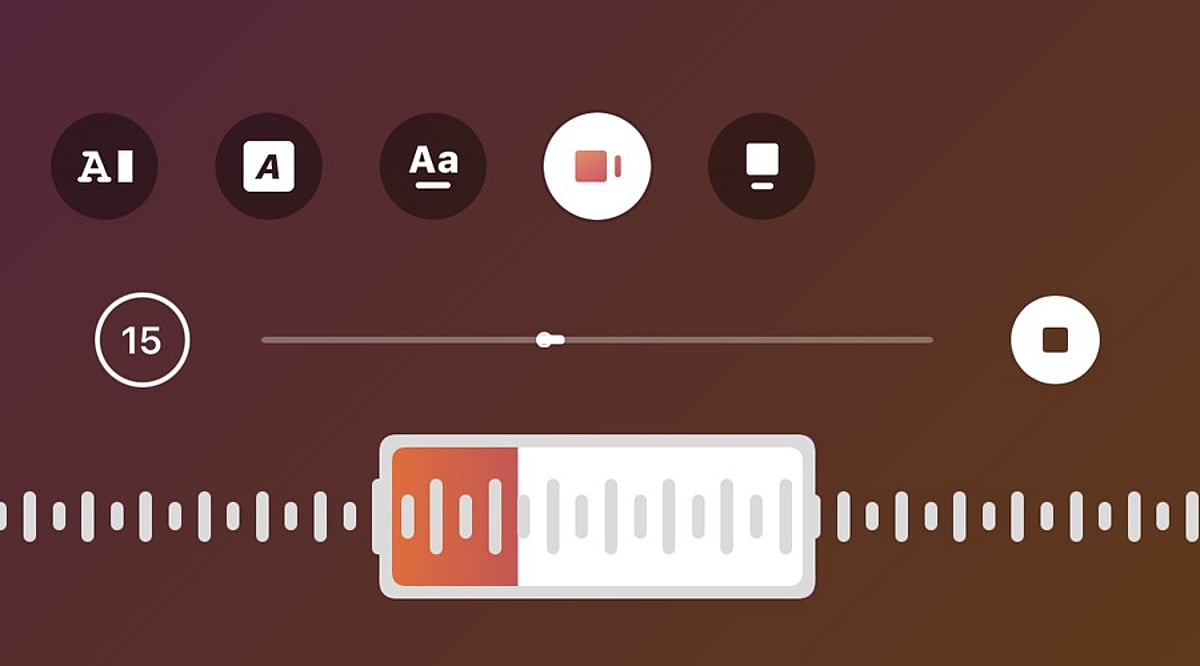
    5. Choose a song – Search for a specific track or browse. Select the song you want. Instagram will let you pick a section of the song to play.
    6. Adjust the music clip – Use the music selector to choose the exact part of the song. Confirm your selection and return to the sharing screen.
    7. Publish the post – Add a caption, tags, or other details, then tap “Share.” The music will play alongside your photo or carousel.

    How to Edit Music Before Posting

    If you change your mind about the song before publishing, go back to the edit or post details page and tap the music icon again. Choose a new track from the library and customize the portion you want. This is especially useful if the first song doesn’t match the mood of your photos.

    Can You Edit Music After Posting?

    Editing options after publishing vary based on your account type, app version, and post type. If the music editing option isn’t available, you may need to delete the post and re-upload it with your chosen song. Before deleting, save a copy of the images and captions to reuse.

    Tips for Choosing Music

    • Select a song that suits the mood of your images. For travel or lifestyle photos, a soothing track works well. For celebrations, choose upbeat music.
    • Test different sections of a song to find the perfect clip that complements your visual story.

    Frequently Asked Questions

    Can you add music to an Instagram photo post?

    Yes, Instagram allows you to add songs to photo posts. Select a track from the music library and choose the section that plays with your photo.

    Can you add music to an Instagram carousel?

    Yes, Instagram supports music on photo carousels. Select multiple images while creating a post, tap Add Music, choose a song, and adjust the desired portion.

    Can you change the music before publishing an Instagram post?

    Yes, you can change the selected song before publishing. Return to the music option, choose another track, and adjust the section you want to include.

    Can you edit Instagram post music after publishing?

    Music editing options after publishing can vary. If editing is unavailable, you may need to recreate the post with different music.

    Why can’t I find the Add Music option on Instagram?

    The Add Music option may depend on your account, region, post type, app version, or music licensing availability. Updating Instagram may help restore missing features.

  • How to Change or Reset Your UPI PIN Securely: Essential Steps and Safety Tips

    How to Change or Reset Your UPI PIN Securely: Essential Steps and Safety Tips

    Learn the safe methods to change or reset your UPI PIN, including debit card verification and Aadhaar face authentication, plus crucial safety tips to protect your account.

    What a UPI PIN Does

    A UPI PIN is a 4-6 digit passcode that authorizes bank transactions through UPI. According to NPCI, it is different from a bank-issued MPIN. Customer support staff will never ask for your UPI PIN. Entering the wrong PIN causes transaction failure, and multiple wrong attempts can temporarily block UPI payments. A PIN reset is for forgotten codes, while a change is for known codes that need replacement, such as after a suspected disclosure.

    How to Change a Known UPI PIN

    Open your UPI app and select the linked bank account. Look for the “Change UPI PIN” option. Enter your current PIN, then create a new 4-6 digit code and confirm it. Avoid using simple patterns, dates, or easily guessable numbers. The app does not store your PIN, and bank support never asks for it.

    How to Reset a Forgotten UPI PIN

    If you forget your PIN, use the “Reset UPI PIN” option. The standard method requires the last six digits of your debit card and its expiry date, followed by an OTP. After verification, you can set a new PIN. Some apps may also offer Aadhaar-based Face Authentication as an alternative.

    Aadhaar Face Authentication Option

    NPCI has introduced UIDAI Face Authentication as an additional method for PIN set and reset. In supported apps, select “Aadhaar-based Face Authentication” after choosing the reset option. Your Aadhaar must be linked to your bank account. You will be directed to the UIDAI Face RD app for a face scan, followed by a bank OTP on your registered mobile number. Then you can set a new PIN.

    Safety Checks Before a PIN Reset

    Never share your UPI PIN with anyone, including bank employees or support agents. Debit card details should only be entered in the trusted UPI or banking app, never via links or forms. A request for your PIN to receive money is a red flag. Always verify recipient details and amounts before approving payments.

    What to Do After Suspected Exposure

    If you suspect your PIN has been compromised, change or reset it immediately through the official app. If your phone is lost, contact your bank and mobile operator right away. NPCI also provides a complaint route for transaction disputes through your UPI app or bank.

    FAQs

    Can a forgotten UPI PIN be reset?
    Yes, using the reset option in your UPI app.
    Is a debit card required for every reset?
    No, supported apps may offer Aadhaar-based face authentication.
    Can I change my PIN without forgetting it?
    Yes, use the “Change UPI PIN” option.
    Should I share my UPI PIN with bank support?
    No, bank staff will never ask for it.
    What should I do after a suspected PIN leak?
    Change or reset your PIN immediately and review recent transactions.
  • The Modern Computer Science Skill Set: What Students Need for a Tech Career

    The Modern Computer Science Skill Set: What Students Need for a Tech Career

    A computer science degree can open many technology career paths, but employers are looking for more than transcripts and basic coding exercises. Today’s tech roles demand strong fundamentals in programming and algorithms, plus practical experience with AI, cloud systems, databases, cybersecurity, and real-world software development. The World Economic Forum ranks AI and big data among the fastest-rising skill areas, followed closely by networks, cybersecurity, and technology literacy.

    Build Strong Programming and Problem-Solving Skills

    A successful developer needs more than syntax knowledge. Languages like Python, TypeScript, Java, C++, Go, and Rust serve different technology areas. Python plays a major role in AI, data science, automation, and back-end development. GitHub reports that TypeScript became its most-used language in August 2025, ahead of Python and JavaScript, while Python remains essential for AI and data science. Developing in-depth skill in one primary language and basic comfort with a second creates a solid foundation.

    Data structures and algorithms still matter. Arrays, trees, graphs, stacks, queues, recursion, dynamic programming, and Big-O analysis are valuable for technical interviews and system design. These skills also support code review, bug fixes, and architecture decisions. Algorithm knowledge should connect to real software work rather than stop at interview puzzles.

    Develop AI Literacy With Human Judgment

    AI now forms a major part of software development. The 2025 Stack Overflow Developer Survey found that 84% of respondents use or plan to use AI tools in development. However, 46% distrust AI output, while only 33% trust it. These numbers show why AI skills must be paired with human judgment.

    Useful AI knowledge includes large language models, AI APIs, embeddings, vector databases, retrieval-augmented generation, tool calling, AI agents, model evaluation, and foundational machine learning concepts. GitHub reports more than 1.1 million public repositories with an LLM software development kit, with more than 693,000 such projects created in the past 12 months. AI skills go beyond prompt writing. Code review, testing, security checks, and clear model limitations remain essential. AI can accelerate tasks, but technical knowledge determines whether the final result actually works.

    Master Software Engineering, Data, Cloud, and Security

    Real technology work requires professional software development skills. Git, GitHub, testing, debugging, APIs, code review, documentation, and continuous integration should all be part of a computer science education.

    Database knowledge also matters. SQL, PostgreSQL or MySQL, indexes, joins, transactions, query design, and data modeling provide a strong base. MongoDB and Redis add useful NoSQL options for specific system requirements.

    Cloud skills add another important layer. AWS, Microsoft Azure, and Google Cloud offer services for compute, storage, databases, networking, identity, serverless systems, and monitoring. Linux, Docker, CI/CD, basic Kubernetes, cloud deployment, and infrastructure tools help turn a local project into a reliable service.

    Cybersecurity needs daily attention. Authentication, authorization, HTTPS, encryption, secure passwords, API security, secrets management, dependency checks, and awareness of common web risks should be part of normal software work. The World Economic Forum places networks and cybersecurity among the fastest-rising skill areas for good reason.

    Understand Systems and Choose a Specialty

    Computer science fundamentals still form the technical foundation. Operating system concepts, computer networks, databases, computer architecture, concurrency, memory management, distributed systems, and system design explain what happens inside a real application. System design can begin with clients, servers, caches, queues, replicas, and databases, then expand to scaling, fault tolerance, and service architecture.

    A strong career path does not require mastery of every technology. Core computer science knowledge should be paired with one clear area of depth:

    • AI and machine learning: Python, statistics, neural networks, LLM systems, and model operations.
    • Software engineering: Data structures and algorithms, back-end or front-end development, databases, cloud, and system design.
    • Cloud and DevOps: Linux, networking, Docker, Kubernetes, CI/CD, and cloud platforms.
    • Cybersecurity: Network security, application security, cryptography, and incident response.

    Current data points to one clear career lesson: technical depth matters, but flexibility matters too. Stack Overflow reports that 69% of developers spent time in the past year learning a new coding technique or software language, while more than 36% studied AI-enabled tools for work or career growth. The World Economic Forum also identifies analytical thinking, creative thinking, resilience, flexibility, curiosity, and continuous learning as high-value skills.

    Why This Matters

    A computer science degree alone may not fully prepare students for modern technology roles. Employers need professionals with strong programming, problem-solving, AI, cloud, data, security, and software engineering skills. Learning these areas early helps students build meaningful projects, understand workplace expectations, adapt to new tools, and create a stronger foundation for long-term career growth.

    Frequently Asked Questions

    1. Which programming languages should computer science students learn?

    Python, TypeScript, Java, C++, Go, and Rust are all useful options across different technology fields.

    2. Does DSA still matter for tech careers?

    Yes. Data structures and algorithms support problem-solving, technical interviews, software design, code quality, and system architecture.

    3. Should every computer science student learn AI?

    Basic AI literacy has become valuable across many technology roles, even for students who do not plan to enter AI research.

    4. Why should students learn cloud computing?

    Cloud knowledge helps students understand how modern applications use computing, storage, databases, networking, and deployment platforms.

    5. Which skill should a student specialize in?

    Students should build core computer science knowledge first, then develop deeper expertise in an area such as AI, software engineering, cybersecurity, cloud, or data engineering.