Tag: AI

  • AI Browser Permissions: 10 Settings to Review for Safer Browsing

    AI Browser Permissions: 10 Settings to Review for Safer Browsing

    Why Browser AI Permissions Matter

    Modern browsers now come with built-in AI tools like Gemini, Copilot, Leo, and Apple Intelligence, often enabled by default. These tools can read pages, summarize content, access files, and even perform tasks on your behalf. While they enhance productivity, they also introduce new privacy and security considerations. Understanding how to manage these permissions is essential for protecting your data.

    The 5-Minute Security Review

    If you’re short on time, start with these quick checks:

    • Open your browser’s AI settings and see what’s enabled by default (page content, location, voice).
    • Audit installed extensions and remove any that have access to all sites.
    • In the AI service’s own settings, look for training or retention opt-outs.
    • Review the list of sites where the AI can sign in or autofill.
    • Use a private window or separate profile for sensitive one-off tasks.

    Essential Browser Permissions to Check

    These settings are managed directly in your browser and form the foundation of your AI privacy.

    Extension Host Permissions

    Extensions that request “all sites” access can read and modify every page you visit. This permission is fixed at installation, so review your extensions regularly and remove any you don’t use.

    Camera, Microphone, and Screen Sharing

    Multimodal AI features may request access to these per site. Set the default to “Ask” to ensure access is granted only for a single session, not indefinitely.

    Clipboard Access

    Some AI features can read your clipboard. If you copy passwords or sensitive codes while an assistant is active, that data could be exposed. Disable clipboard access for AI tools unless absolutely necessary.

    File Uploads and File System Access

    Many AI features can read files you drag in or maintain folder-level access. Check which sites have standing file permissions and revoke any that are unfamiliar.

    AI Service Privacy Settings

    These settings live in the AI vendor’s own configuration, not in your browser.

    Page Content and Tab Access

    Each browser has its own name for this: Edge calls it “Context Clues,” Chrome has it under “AI Innovations.” Disable these to stop the AI from pulling data from your current page or browsing history.

    Model Training Opt-Outs

    Some AI services use your prompts and uploads to improve their models. Brave’s Leo routes queries through a proxy to strip identifying details, while Chrome and Edge offer explicit opt-outs. Check your settings and disable training if you prefer not to participate.

    Agentic Browsing and Autofill Permissions

    Newer AI services can fill forms, sign into sites, and perform multi-step tasks. For example, Chrome’s Gemini can be given permission to sign in via Google Password Manager. Review the list of approved sites and revoke any you don’t recognize.

    Security Habits for Everyday Browsing

    Beyond settings, your habits play a crucial role in limiting data exposure.

    Use Separate Profiles

    Keep work and personal browsing separate. This prevents a personal AI feature from accidentally accessing enterprise files or client data.

    Handle Sensitive Queries in Private Windows

    For legal, financial, or strategic questions, use a private window. This limits local traces, though it doesn’t stop the AI service from processing the data after you submit it.

    Recheck After Major Updates

    Browser AI features often arrive silently with updates. A quarterly review of your AI settings will help you catch new defaults before they become a habit.

    How Permissions Differ Across Browsers

    As of mid-2026, Chrome and Edge offer page-level controls, while Safari manages AI permissions at the app level. This means Safari cannot restrict Apple Intelligence to specific sites, whereas Chrome and Edge can. Brave’s Leo uses a proxy for privacy, and its conversations are not stored.

    Key Takeaways

    Every browser ships with defaults optimized for a smooth first run, not for minimal AI exposure. The key is to understand which mechanism controls each permission: a manifest grant, a settings toggle, or an account-level index. Learning this pattern once will help you evaluate any future AI feature quickly and confidently.

    Final Thought

    Browser AI is still evolving, and settings will continue to change. But the underlying structure—browser permissions, service settings, and user habits—remains constant. By mastering this pattern, you’ll be able to navigate any new AI feature with confidence, without waiting for a headline to tell you what changed.

    Frequently Asked Questions

    Why should I review AI browser permissions?

    AI-powered browsers and extensions may access your tabs, clipboard, camera, or browsing data to deliver features. Reviewing permissions helps you limit unnecessary data exposure and maintain control over your privacy.

    Which permissions are most important?

    Start with extension host permissions, camera/microphone, clipboard, file uploads, and screen sharing. Also check whether AI features can access your browsing history or use your interactions for training.

    How often should I review them?

    Review whenever you install a new AI extension, enable a new feature, or after a major browser update. A quarterly audit is a good practice.

    Are third-party extensions safer than built-in assistants?

    Not necessarily. Both can request broad access. Always review the permissions they require and disable features you don’t use.

    Does Incognito mode protect my data?

    Incognito reduces local traces, but it does not prevent AI providers from processing your prompts or files. For sensitive information, combine private browsing with carefully reviewed AI settings.


  • Orange Business Services: Driving Global Digital Transformation with Cloud, AI, and Cybersecurity Solutions

    Orange Business Services: Driving Global Digital Transformation with Cloud, AI, and Cybersecurity Solutions

    Orange Business Services is a worldwide leader in digital transformation, helping enterprises develop new products with complete assurance. The company provides advanced connectivity, cloud, AI, IoT, and cybersecurity solutions that optimize operations, generate valuable insights, and establish secure digital systems for the future.

    About the Company

    Orange Business Services enables enterprises to create digital ecosystems that combine network resources, cloud services, and security features. Its solutions deliver operational resilience, unrestricted collaboration, and data-driven decision-making across global operations. The company drives innovation through strategic partnerships focused on sustainable technologies, helping organizations modernize infrastructure and achieve greater operational flexibility to meet evolving digital and market demands.

    Products and Services

    Orange Business Services offers a comprehensive portfolio including cloud, cybersecurity, networking, IoT, AI, collaboration, and consulting services. Key offerings include VPN, VoIP, multi-cloud management, automation, customer experience solutions, and digital transformation support for enterprises worldwide.

    Core Leadership Team

    The company is led by a team of experienced executives driving its strategic vision and operational excellence.

    Revenue Streams

    Orange Business Services generates revenue through cybersecurity services, cloud services, IT integration services, SD-WAN connectivity, IoT solutions, AI-driven data solutions, and industry-specific digital services. The company is shifting from legacy voice and data services toward more profitable, modern offerings.

    Client Segments and Target Geography

    B2B Client Segments: The company serves enterprises, governments, and public sector organizations. Target companies include large enterprises in financial services, healthcare, manufacturing, telecommunications, and global corporations.
    Target Geography: Orange Business Services operates worldwide, with primary operations in Europe, the Middle East, Africa, and the Americas.

    Social Media

    LinkedIn: Orange Business Services
    Website: https://www.orange-business.com

  • Augmental’s MouthPad: A Tongue-Controlled Cursor for Hands-Free Computing

    Augmental’s MouthPad: A Tongue-Controlled Cursor for Hands-Free Computing

    Augmental has unveiled the MouthPad, a groundbreaking assistive device that enables users to control a computer cursor through tongue movements. Resembling a custom dental retainer, the MouthPad fits discreetly inside the mouth and offers hands-free navigation, significantly improving digital accessibility for individuals with limited hand mobility.

    The device incorporates miniature sensors that detect tongue movements with high precision. These movements are translated into cursor actions such as moving, clicking, scrolling, and selecting items. Users can interact with computers without relying on traditional mice, touchpads, or external adaptive hardware, making everyday computing tasks more accessible.

    Unlike bulky assistive devices, the MouthPad is entirely internal and wireless, providing a natural and portable solution. This design helps users maintain independence while working, studying, communicating, or accessing digital services throughout the day.

    Artificial intelligence enhances the MouthPad by learning individual tongue movement patterns over time. This improves cursor accuracy, reduces unintended actions, and creates a more personalized experience. AI-driven calibration also shortens the learning curve, allowing users to become comfortable with the technology more quickly.

    The device primarily targets people living with spinal cord injuries, paralysis, muscular disorders, or other mobility challenges. By enabling independent computer access, it supports education, employment, communication, entertainment, and everyday digital activities without depending on caregivers or specialized workstations.

    Beyond accessibility, the MouthPad demonstrates how human-computer interaction is evolving. It showcases the growing role of wearable technology, AI, and advanced sensors in creating intuitive interfaces. Innovations like this could inspire future hands-free control systems for computers, smart homes, and connected devices across industries.

    Augmental’s MouthPad represents a significant step toward inclusive technology by making computers easier to operate for users with physical disabilities. As assistive innovations continue advancing, intelligent, wearable input devices may redefine how people interact with digital systems, creating more accessible and empowering computing experiences for everyone.

  • Moneyview Review: All-in-One Financial App for Loans, UPI, Credit Tracking & Investments

    Moneyview Review: All-in-One Financial App for Loans, UPI, Credit Tracking & Investments

    Overview

    Moneyview is a comprehensive financial services portal that allows users to manage loans, track credit scores, make UPI payments, open fixed deposits, invest in gold, and obtain insurance — all from a single mobile application. By leveraging AI-powered credit scoring, quick loan approvals, secure digital payments, and investment tools, it simplifies personal finance management.

    General Information

    • Founded: 2014
    • Platform Support: Web, Android, iOS
    • Download: Available on official app stores

    Key Features

    • Instant digital loans for individuals, businesses, and domestic needs.
    • AI-driven credit tracker providing free credit score reports.
    • Moneyview UPI with 256-bit encryption and ISO 27001:2022 certification.
    • All-in-one platform for gold investments, fixed deposits, insurance, and credit cards.

    Benefits

    • Integrated financial management for better control over money.
    • Quick loan approvals with minimal documentation.
    • Free credit score monitoring to aid financial planning.
    • Secure digital payments and investments through reliable instruments.
    • Savings, insurance, and loans accessible within a single app.

    Challenges

    • Loan eligibility depends on creditworthiness and partner lender policies.
    • Interest rates and terms vary based on customer profile.
    • Some financial products are limited to specific geographic regions.
    • Special bank accounts require additional verification.
    • Investment returns and insurance benefits are subject to partner terms.

    Subscription Information

    Moneyview is free to download and use for basic services like credit management, UPI payments, and EMI calculators. Financial products such as personal loans, home loans, business loans, credit cards, fixed deposits, car insurance, and gold investments come with varying eligibility criteria, partner terms, interest rates, and charges.

    Support Options

    • Help Center & Learning Resources: FAQs, loan guides, EMI calculators, security resources, product information, grievance redressal, and financial education materials.
    • Customer Support: Email, phone assistance, customer care, grievance redressal, and partner support for financial products.

    Conclusion

    Moneyview is a versatile digital banking platform that combines lending, savings, investments, insurance, and credit monitoring. Its AI-powered convenience, robust security, and diverse product range make it a strong choice for managing personal finances. Users seeking highly specialized banking services or global banking may want to explore alternative platforms.

  • Apple Intelligence Explained: A Complete Guide to iPhone AI Features

    Apple Intelligence Explained: A Complete Guide to iPhone AI Features

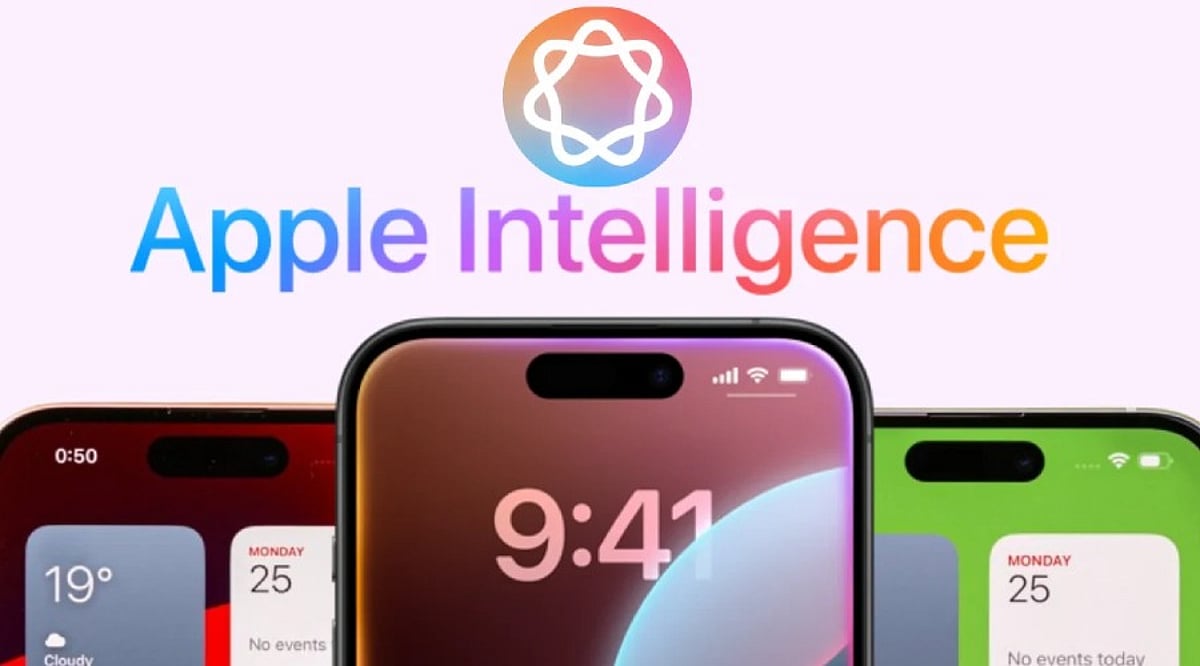
    Apple Intelligence is Apple’s personal artificial intelligence system that works across iPhone, iPad, Mac, Apple Watch, and Apple Vision Pro. Unlike traditional AI chatbots that exist as separate apps, Apple built this system directly into the operating system, embedding it into everyday apps like Messages, Mail, Photos, Notes, Safari, and Phone. This design creates a seamless experience without the need to switch between different applications.

    Key Takeaways

    • Apple Intelligence integrates AI directly into iPhone apps for a seamless everyday experience.
    • Most AI processing happens on-device, with Private Cloud Compute protecting user privacy.
    • Advanced features are available only on iPhone 15 Pro, iPhone 15 Pro Max, iPhone 16 models, and newer devices.

    Which iPhones Support Apple Intelligence?

    Apple Intelligence only works on iPhones with enough processing power to handle advanced AI models. The supported devices include the iPhone 15 Pro, iPhone 15 Pro Max, every iPhone 16 model, and newer iPhones. Regular iPhone 15 models do not support Apple Intelligence. Apple says the advanced Neural Engine, higher memory, and powerful Apple Silicon inside supported devices make these AI features possible. Older iPhones cannot meet these hardware requirements.

    Writing Tools Make Everyday Work Easier

    The very basic function of Apple Intelligence is offered by the automatic Writing Tools included in the programming. These features are extensively used by most applications of Apple and by many external programs. You can rewrite texts, correct grammar, make short summaries, and change the tone of messages. Safari, Mail, Notes, and Messages all support these capabilities, turning long emails into short summaries and rough drafts into polished texts.

    Siri Understands Conversations Better

    Apple Intelligence gives Siri a major upgrade. Siri now understands natural conversations more accurately and follows context across multiple questions. Instead of repeating the same information, Siri remembers earlier parts of the conversation and provides smoother replies. Apple also added optional ChatGPT integration. Siri asks for permission before sending a request to ChatGPT, balancing advanced functionality with privacy.

    Creative Tools Add Fun to Everyday Tasks

    Apple Intelligence includes Image Playground, a feature that creates images from simple text descriptions. Apple offers styles such as Animation, Illustration, and Sketch. Messages, Notes, and Freeform all support this feature. Genmoji adds another creative option: a simple description like “golden retriever wearing sunglasses” turns into a unique emoji within seconds.

    Visual Intelligence Understands the World Around It

    Visual Intelligence uses the iPhone camera to recognize objects, places, products, signs, and text. After recognition, Apple Intelligence can explain what appears on the screen, translate foreign languages, search for products online, or create calendar events from posters and invitations. Apple continues to improve this feature with every software update.

    Photos, Notifications, and Mail Become Smarter

    The Photos app now includes the Clean Up tool, which removes unwanted objects from pictures while keeping lighting, shadows, and important details as natural as possible. Notifications also become easier to manage with short summaries for long alerts and priority placement. Mail receives email summaries, suggested quick replies, highlighted important messages, and short previews that help readers understand content before opening each email.

    Notes and Phone Receive Helpful AI Features

    The Notes app gains intelligent tools for summarization, writing improvement, grammar correction, and organization. The Phone app supports call transcripts and call summaries in supported regions and languages, helping users review important conversations without relying on memory alone.

    Privacy Stays at the Center of Apple Intelligence

    Privacy remains one of the biggest differences between Apple Intelligence and many other AI systems. Most AI tasks run directly on the iPhone. Only complex requests move to Private Cloud Compute, which Apple says never stores personal data after processing finishes. This balance between local processing and secure cloud support allows Apple Intelligence to deliver advanced AI features while protecting personal information.

    Why This Matters

    Apple Intelligence changes the way people use an iPhone every day. Built-in AI saves time, improves communication, helps with creative tasks, and makes everyday apps more useful. Strong privacy protection also sets Apple apart from many AI platforms, making Apple Intelligence an important feature for anyone planning to buy or upgrade an iPhone.

    FAQs

    1. What is Apple Intelligence? Apple Intelligence is Apple’s built-in AI system that enhances apps like Messages, Mail, Photos, Notes, Safari, and Siri with smart, privacy-focused features.
    2. Which iPhones support Apple Intelligence? It is supported on iPhone 15 Pro, iPhone 15 Pro Max, all iPhone 16 models, and newer compatible iPhones.
    3. Does Apple Intelligence use ChatGPT? Yes. Siri can optionally use ChatGPT for more complex requests, but only after asking for your permission.
    4. Is Apple Intelligence private and secure? Yes. Most AI tasks run directly on your device, while complex requests use Apple’s Private Cloud Compute, which is designed to avoid storing personal data after processing.
    5. What are the main features of Apple Intelligence? Key features include Writing Tools, smarter Siri, Image Playground, Genmoji, Visual Intelligence, Photos Clean Up, notification summaries, Mail enhancements, and call transcripts.
  • AI Smart Umbrella: Voice Navigation, Display, and Weather Alerts in One Device

    AI Smart Umbrella: Voice Navigation, Display, and Weather Alerts in One Device

    Imagine an umbrella that not only keeps you dry but also talks to you, shows notifications, and guides you through the rain. This AI-powered smart umbrella is designed to make your rainy commute hands-free and more convenient. Here are its standout features:

    Voice Navigation

    The umbrella uses AI to provide turn-by-turn voice directions, helping you navigate unfamiliar streets without pulling out your phone. Just listen and walk.

    Built-In Display

    An integrated screen shows navigation cues, weather updates, incoming calls, and messages. No more fumbling for your smartphone in the rain.

    GPS Guidance

    Real-time GPS navigation ensures you never lose your way, whether you’re exploring a new city or walking home from work.

    Smart Notifications

    Receive alerts for calls, texts, emails, and calendar reminders directly on the umbrella’s display, so you stay connected while on the move.

    Weather Intelligence

    Live weather updates and rainfall alerts help you prepare for sudden downpours, keeping you one step ahead of the storm.

    Safety Features

    Integrated LED lights and reflective materials improve visibility during nighttime walks, making rainy commutes safer for pedestrians.

    Long Battery Life

    A rechargeable battery powers all smart features throughout the day. USB-C charging makes it easy to top up.

    Bluetooth Connectivity

    Pair the umbrella with your smartphone via Bluetooth for seamless syncing of navigation, notifications, and personalized settings.

    This smart umbrella is a glimpse into the future of everyday accessories—where AI and connectivity turn ordinary objects into intelligent companions.

  • DoorDash Air Launches: The Rise of Drone Food Delivery

    DoorDash Air Launches: The Rise of Drone Food Delivery

    DoorDash has introduced DoorDash Air, its in-house drone delivery service designed to make food deliveries faster and more efficient than traditional methods. Using advanced autonomous drones, the service transports food orders directly from restaurants to customers via GPS-guided flight, bypassing road traffic.

    Key features of DoorDash Air include:

    • Lightning-Fast Delivery: Drones fly above traffic, enabling customers to receive meals much quicker, especially during peak hours.
    • Live Order Tracking: Customers can monitor drone flights in real time and receive accurate estimated delivery updates through the DoorDash app.
    • Safety Systems: Every drone is equipped with intelligent navigation, obstacle avoidance, and automated flight controls to ensure safe operations.
    • Restaurant Advantage: Businesses benefit from faster deliveries, reduced dependence on drivers, and improved customer satisfaction during busy periods.
    • Eco-Friendly Operations: Electric drones reduce carbon emissions and support cleaner, more sustainable last-mile delivery solutions.

    DoorDash plans to expand drone deliveries into more cities as approvals and infrastructure develop. DoorDash Air represents the next phase of food logistics, combining AI, automation, and aviation technology to transform how we receive food.

  • Tau Robotics Launches Humanoid Robot Cleaning Service in San Francisco – $30/Hour with Remote Human Control

    Tau Robotics Launches Humanoid Robot Cleaning Service in San Francisco – $30/Hour with Remote Human Control

    Tau Robotics has launched an invite-only home cleaning service in San Francisco using humanoid robots that cost $30 (approximately ₹3,000) per hour. These robots are not fully autonomous — a remote human operator controls every move while AI assists with balance, navigation, and simple actions.

    The robots can vacuum floors, wipe counters, wash dishes, tidy rooms, and take out the trash during routine home cleaning sessions. Tau offers different robot models for different jobs: Chelsea cleans kitchens and bathrooms, Elon handles weekly tidying, and Tony tackles deep cleaning.

    Every cleaning session helps Tau collect valuable real-world household data, allowing its AI to learn how homes differ from controlled lab environments. For safety, an adult resident must stay at home while the robot works, and human supervision remains essential during every visit.

    The service is currently a paid beta test available only through an invite-only waitlist as Tau improves reliability before expanding. The biggest concern is privacy — since humans remotely operate the robots using cameras, users may worry about data security inside their homes.

    Experts believe fully autonomous home robots are still years away. Today’s human-assisted cleaners are an important step toward smarter household AI.

  • AI Smart Albums: How Artificial Intelligence Organizes Your Photos Automatically

    AI Smart Albums: How Artificial Intelligence Organizes Your Photos Automatically

    Sorting through thousands of photos is one of the most time-consuming parts of managing a personal library. AI-powered smart albums take the hassle out of the process by automatically grouping images into clean, meaningful collections. With intelligent recognition and organization, you can spend less time sorting and more time reliving your favorite memories.

    What Can AI Smart Albums Do?

    • Automatic Grouping — Photos are grouped by people, events, locations, and occasions, so there is no need for manual sorting or tagging.
    • Facial Recognition — Familiar faces are identified and grouped together, making it easy to organize family and friends and search through thousands of stored images in seconds.
    • Event Detection — Birthdays, vacations, celebrations, and special occasions are recognized automatically, creating albums that reflect important life moments.
    • Location Grouping — GPS metadata is used to sort travel photos by destination, so vacation memories are simple to browse and revisit.
    • Duplicate Removal — Duplicate and similar images are detected to reduce clutter while keeping the highest-quality version of every important photo.
    • Smart Search — Search your library instantly using keywords like pets, beaches, birthdays, sunsets, or food, without needing manual tags.
    • Memory Highlights — AI-generated highlight collections surface anniversaries, holidays, and favorite moments, making it effortless to share them with friends and family.
    • Cloud Synchronization — Organized albums stay in sync across smartphones, tablets, and computers, so your photo library is always up to date.
    • Privacy Controls — Secure storage, customizable permissions, and adjustable sharing settings give you full control over who sees your personal memories.

    AI smart albums turn photo management into a hands-free experience. By combining facial recognition, event detection, location grouping, and smart search, these tools help you keep every meaningful memory organized, accessible, and ready to share.

  • From Wired to Wireless to AI: The Complete Evolution of Headphones

    From Wired to Wireless to AI: The Complete Evolution of Headphones

    Headphones have come a long way since their early days as bulky, cable-bound devices. Today, they are intelligent wearables that adapt to our hearing, environment, and even our health. This article traces the key milestones in headphone technology, from the first wired models to the AI-driven smart headphones of the future.

    Wired Beginnings

    Early headphones delivered reliable stereo sound through cables, becoming essential for music, broadcasting, gaming, and professional audio applications worldwide.

    Portable Music Revolution

    Walkman and MP3 players popularized lightweight headphones, making personal music listening convenient, affordable, and accessible for millions everywhere daily.

    Bluetooth Connectivity

    Wireless technology removed cables, offering greater mobility, seamless device pairing, improved battery efficiency, and freedom during workouts, commuting, and travel.

    True Wireless Earbuds

    Compact earbuds eliminated connecting wires entirely, combining portability, charging cases, touch controls, and premium sound into everyday listening experiences effortlessly.

    Active Noise Cancellation

    Advanced microphones reduce surrounding noise, creating immersive listening environments that improve focus, travel comfort, productivity, and entertainment in busy locations.

    Spatial Audio Technology

    Three-dimensional sound positioning enhances movies, games, and music by creating realistic audio depth and immersive surround listening experiences naturally.

    Voice Assistant Integration

    Built-in AI assistants enable hands-free calls, reminders, navigation, music control, and smart home management using simple voice commands efficiently.

    Personalized AI Audio

    Artificial intelligence adapts sound profiles based on hearing preferences, environment, and listening habits, delivering customized audio experiences for every user.

    Future Smart Headphones

    Next-generation devices combine AI translation, health monitoring, adaptive noise control, and contextual awareness for intelligent, personalized, and connected listening experiences.