Tag: Apple

  • 7 Major Upgrades Expected in the Next Apple TV 4K Revealed by Latest Leaks

    7 Major Upgrades Expected in the Next Apple TV 4K Revealed by Latest Leaks

    Apple’s next Apple TV 4K could be getting its biggest refresh yet, according to recent reports and code discoveries. While the external design may remain familiar, the most significant changes are expected to happen internally. Here are seven reported upgrades to watch for.

    A Faster Chip Could Power It

    Reports point toward an A17 Pro or newer chip for the next Apple TV 4K. A more powerful processor could improve general performance and graphics capabilities. Some reports have also suggested chips as advanced as Apple’s newer generations. Apple has not officially confirmed the processor.

    More RAM Could Unlock AI

    The upcoming model is rumored to receive significantly more memory than the current generation. Reports have pointed to at least 8GB of RAM, compared with 4GB in the current model. More memory could help support demanding features, including reported Apple Intelligence and Siri AI capabilities.

    Siri AI May Finally Reach Apple TV

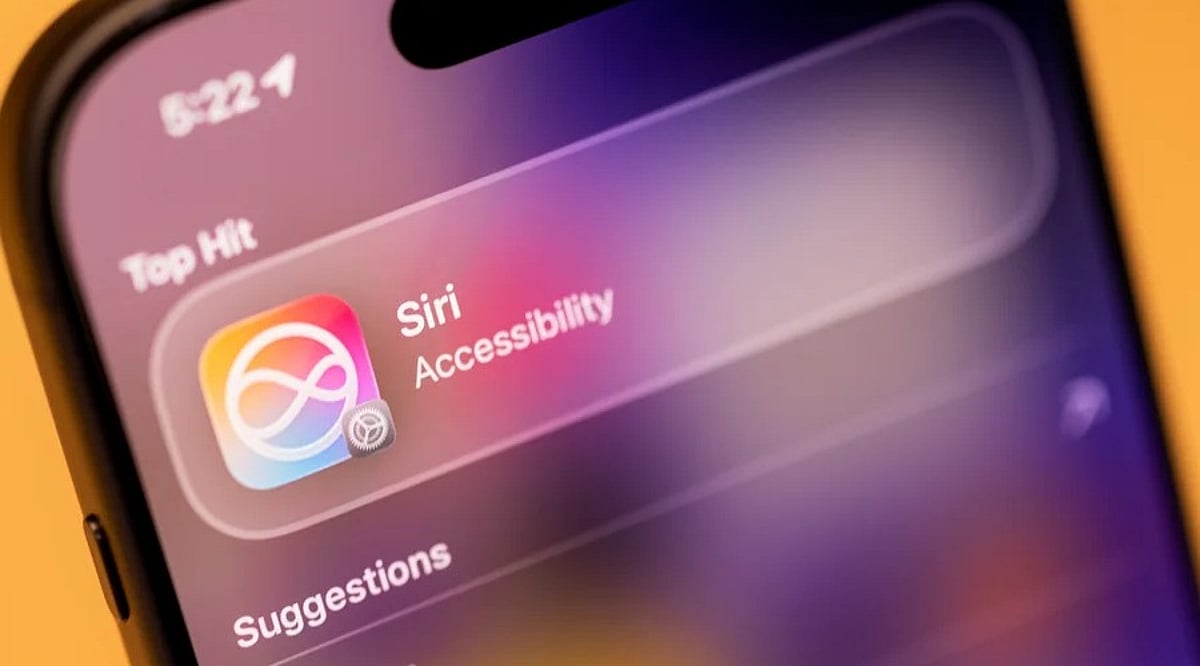
    One of the most interesting rumors involves AI-powered Siri coming to Apple TV. Reports point to references to Siri in tvOS 27, potentially indicating support for Apple’s newer Siri experience. However, the exact capabilities and availability remain unconfirmed until Apple makes an official announcement.

    Wi-Fi 7 Could Boost Connectivity

    The next Apple TV is rumored to feature Apple’s N1 wireless chip, which supports Wi-Fi 7. That would represent an upgrade from Wi-Fi 6 on the current model. Wi-Fi 7 can provide greater bandwidth and improved wireless performance when paired with compatible networking equipment.

    A New Siri Remote Is Reported

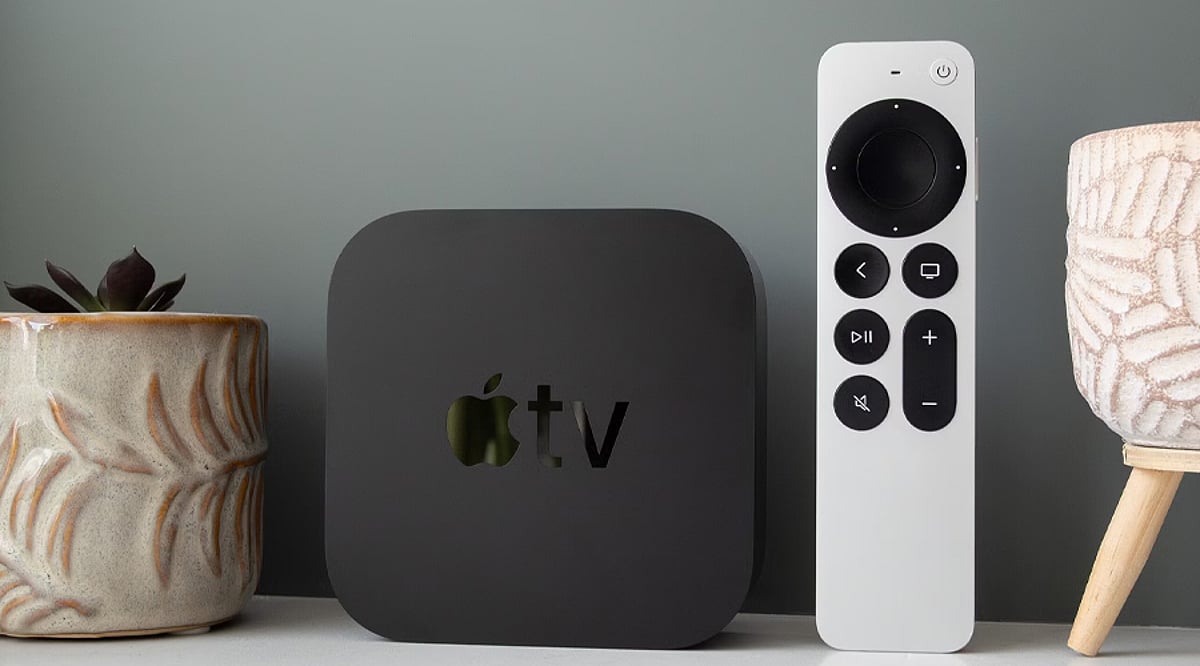
    Apple may also introduce an updated Siri Remote with the refreshed Apple TV. Reports suggest the remote is being redesigned or upgraded, although specific changes have not been revealed. For now, details about its controls, design and additional capabilities remain part of the rumor cycle.

    Familiar Design, New Internals?

    Recent code discoveries reportedly identify the product as Apple TV 4K (4th generation) and suggest an exterior similar to the current model. That would put the focus on internal upgrades rather than a dramatic redesign. Apple has not yet officially announced the device or confirmed its specifications.
  • iPhone 18 India Launch: Leaked Specs, Display, Cameras, and Pricing for 2027

    iPhone 18 India Launch: Leaked Specs, Display, Cameras, and Pricing for 2027

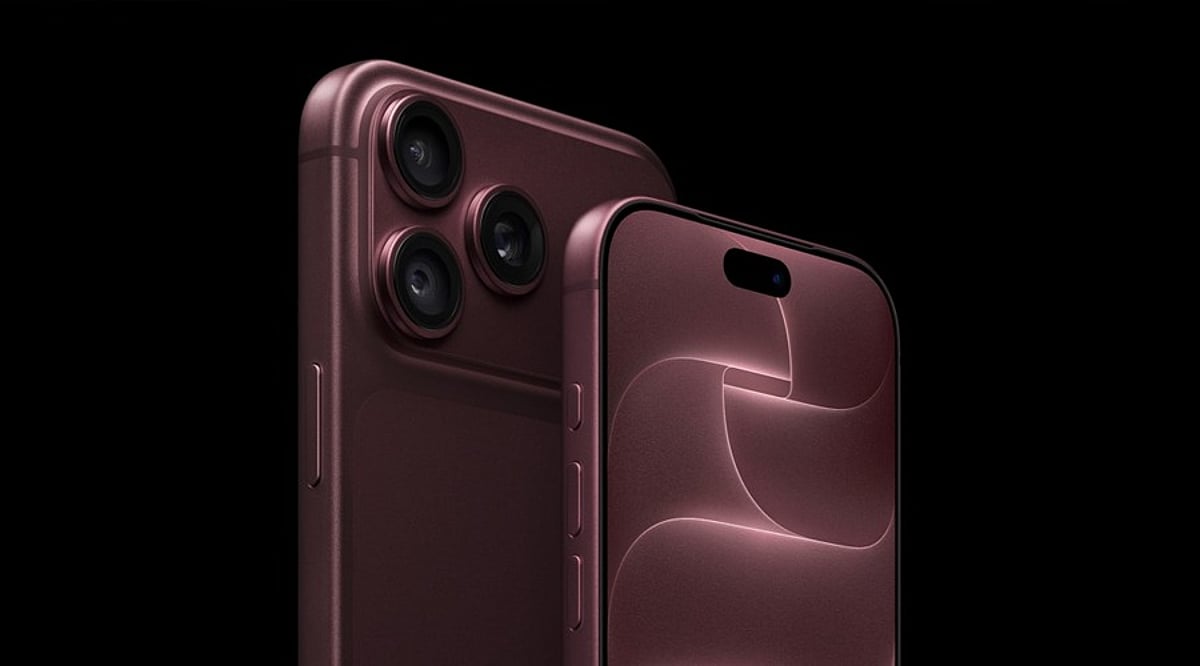
    Apple’s standard iPhone 18 is expected to launch in India during spring 2027, likely in March or April, according to recent leaks and analyst reports. The device was notably absent from Apple’s September 2026 event, which instead introduced the iPhone 18 Pro and Pro Max models alongside the iPhone Duo. This two-phase release strategy suggests Apple will spread its flagship lineup across separate launch windows.

    Display and Design

    The iPhone 18 is rumored to feature a 6.3-inch LTPO Super Retina XDR OLED panel with 120Hz ProMotion technology for smoother scrolling and better responsiveness. Peak brightness could reach up to 3,000 nits, enhancing outdoor visibility. Reports also indicate a smaller Dynamic Island, though these details remain speculative.

    Performance and Storage

    Under the hood, the iPhone 18 is expected to be powered by Apple’s next-generation A20 chip, fabricated on a 2nm process for improved efficiency and performance. The base configuration may include 8GB of RAM and 256GB of internal storage, with some leaks even suggesting 9GB or 12GB RAM to handle advanced AI workloads.

    Camera System

    Apple is likely to emphasize computational photography with a dual 48MP rear camera setup, comprising a main sensor and an ultra-wide lens. The front-facing camera may be upgraded to 24MP with Center Stage support, enabling better video calls and selfies. Enhanced low-light performance and cropping capabilities are also anticipated.

    Battery and Charging

    Battery capacity is estimated at around 4,000mAh, with support for 25W wired charging. The device will likely ship with iOS 27 out of the box, integrating Apple’s latest AI features.

    India Pricing and Availability

    Pricing remains uncertain, but current leaks place the base model between Rs. 85,900 and Rs. 88,990. Higher storage variants could exceed Rs. 1 lakh. Apple has not officially confirmed launch dates, pricing, or specifications, so all details are subject to change until an official announcement.

    For context, Apple’s September 2026 launch included the iPhone 18 Pro and Pro Max, starting at $1,199 and $1,299 in the US, respectively. Their India availability reinforces the reported two-phase strategy.

    Disclaimer: This article is based on unofficial leaks and rumors. Official details will be confirmed by Apple closer to the expected spring 2027 release.

  • iPhone Duo Leak Reveals Five New StandBy Faces and Apple Watch-Style Customization

    iPhone Duo Leak Reveals Five New StandBy Faces and Apple Watch-Style Customization

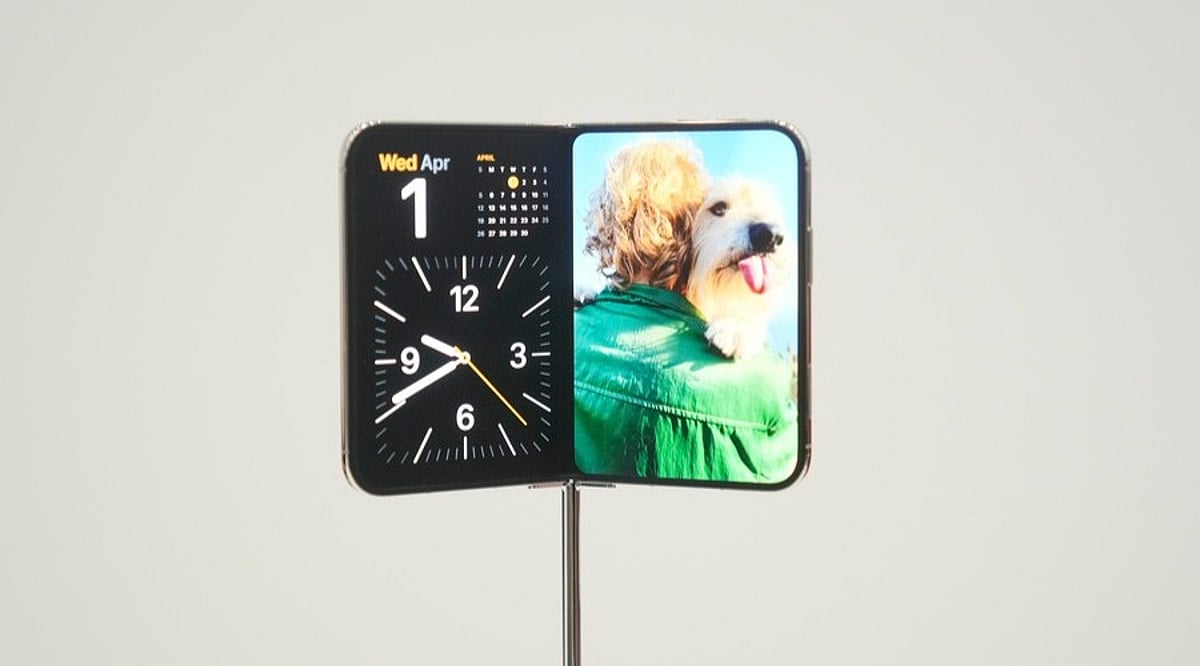
    A new leak suggests Apple’s upcoming foldable iPhone, the iPhone Duo, will introduce five previously unreported StandBy faces and offer customization options similar to the Apple Watch. The details were shared by leaker @pdfu on X, who discovered strings in iOS 27.1 and tested them via the iPhone Duo simulator.

    Five New StandBy Faces

    According to the leak, the following StandBy faces are in development:

    • Home Camera: Likely designed for smart home monitoring, it could display a single camera feed or a grid of up to nine feeds, potentially turning the iPhone Duo into a smart home display in StandBy mode.
    • Home Modular: This face may provide quick access to Home accessories and controls, though its exact interface remains unclear.
    • Flow: Described in the code as “ResponsiveArt,” it could feature animated or responsive artwork.
    • Fade: Little information is available about this face so far.
    • Snoopy: Could use Apple’s popular cartoon character in a design similar to the Snoopy experience found elsewhere in Apple’s ecosystem.

    Apple Watch-Like Customization

    The leak also reveals that existing StandBy faces—including Analog, Digital, Classic Calendar, Weather, Photos, Memories, and Shared Albums—may receive a customization interface similar to the Apple Watch face editor. Users could swipe between settings and scroll through options.

    Specifically, the Analog Clock is expected to support style, color, and two widget slots, with numeral styles including Arabic, Western/Arabic, Eastern, and Devanagari. The Digital Clock would offer font, color, and three widget slots, with five layouts: StandBy, Stacked, Top, Middle, and Bottom. The Classic Calendar face may support style, font, and color options, with one widget slot for its Date style.

    The leaker noted that the iPhone Duo simulator currently lacks a widget registry, so the full range of widget options could not be explored. Additionally, the Rushmore app—reportedly intended to host the redesigned faces—was missing from the iOS 27.1 simulator during testing.

    Apple launched the iPhone Duo earlier this month alongside the iPhone 18 Pro and iPhone 18 Pro Max. While the non-foldable models are already available, the foldable iPhone is scheduled to go on sale next month.

  • Apple iOS 27.0.1 Update Fixes Face ID Restarts, Camera Artifacts, and Touchscreen Glitches on iPhone 18 Pro

    Apple iOS 27.0.1 Update Fixes Face ID Restarts, Camera Artifacts, and Touchscreen Glitches on iPhone 18 Pro

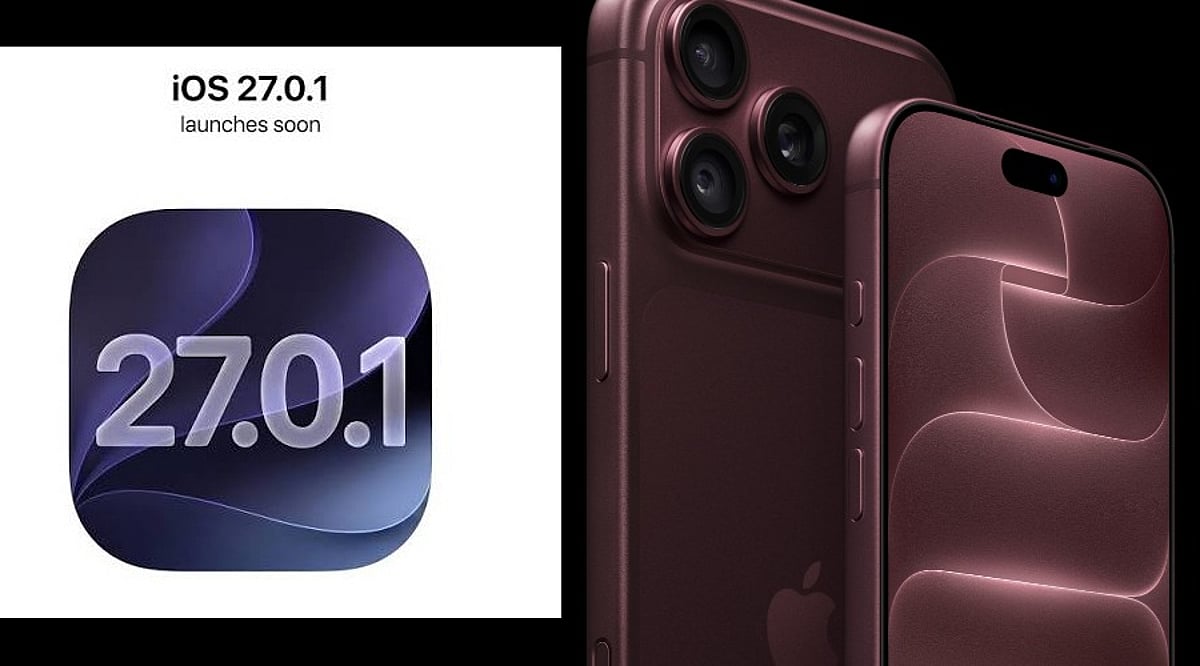
    Apple has released iOS 27.0.1, a minor but important update for iPhone users, particularly those with the iPhone 18 Pro and iPhone 18 Pro Max. Rolling out on Monday, September 28, the update addresses three significant issues that emerged after the iOS 27 launch. Users can install the patch by navigating to Settings > General > Software Update, and Apple recommends connecting to Wi-Fi and powering the device during installation.

    Key Fixes in iOS 27.0.1

    The first fix targets a Face ID-related problem that could cause unexpected restarts. According to Apple, the iPhone 18 Pro models “may unexpectedly restart when Face ID fails to authenticate.” This issue left devices frozen before returning users to the lock screen, particularly after failed biometric checks within protected apps and secure areas. The redesigned Face ID system on the iPhone 18 Pro, which places the infrared camera behind the display to enable a shorter Dynamic Island, may have contributed to the glitch.

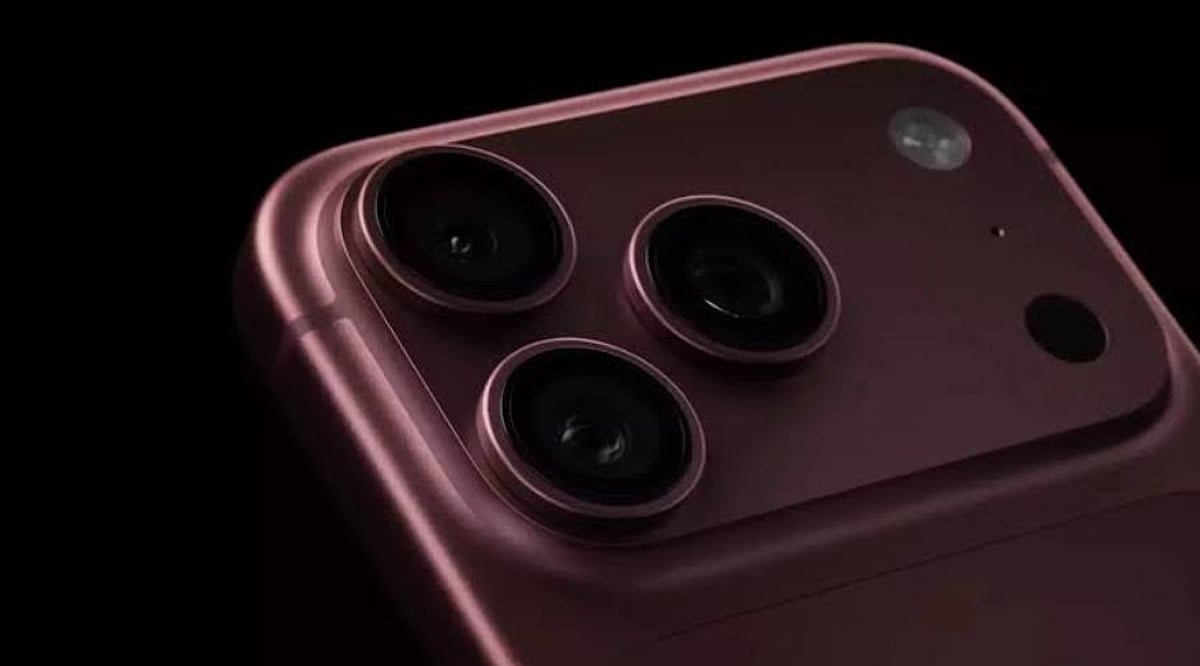
    The second correction addresses a camera bug that produced color artifacts in 2x photos under specific lighting conditions. Apple notes that a small number of iPhone 18 Pro and Pro Max devices could show unwanted color shifts when capturing at 2x zoom with an f/1.48 aperture. The update resolves this artifact, improving photo quality for users who rely on the telephoto lens.

    The third fix resolves a touchscreen failure that occurred when Notification Center and Control Center were opened simultaneously. This interaction glitch made touch input unresponsive, disrupting normal device use. iOS 27.0.1 corrects this behavior without introducing major new features.

    Additional Improvements

    While Apple’s release notes focus on these three issues, older iPhone models may also benefit from smaller bug fixes and background performance enhancements. The company often includes undocumented improvements in incremental updates, so users across compatible devices are encouraged to install the update.

    How to Install

    To download iOS 27.0.1, go to Settings > General > Software Update on your iPhone. Ensure you are connected to Wi-Fi and have a power source available to avoid interruptions. The update is free and available for all compatible models.

    For more tech news and updates, follow our coverage of the latest Apple releases and industry developments.

  • Apple iPhone 18 Pro Camera: Manual Controls for Aperture, Shutter Speed, and Zoom

    Apple iPhone 18 Pro Camera: Manual Controls for Aperture, Shutter Speed, and Zoom

    Introduction

    Apple’s iPhone 18 Pro puts the power of professional photography in your hands. Instead of relying solely on auto mode, you can now manually adjust aperture, shutter speed, and zoom to capture exactly the shot you envision.

    Aperture Control for Perfect Lighting

    Aperture determines how much light enters the camera. In low-light situations, a wider aperture brightens the image, while a narrower aperture keeps more of the scene in focus—ideal for group shots or expansive landscapes.

    Shutter Speed for Creative Motion Effects

    Slowing down the shutter speed allows you to capture motion creatively. Car light trails, silky waterfalls, or blurred movement become possible. For best results, use a tripod or rest the phone on a stable surface.

    4x Telephoto Zoom for Closer Shots

    The telephoto lens offers up to 4x optical zoom, letting you get closer to your subject without moving. This is particularly useful for portraits or distant scenes where you want to maintain a natural perspective.

    Night Photography and Starburst Effects

    At night, bright lights like streetlamps can be transformed into sharp, spiky bursts. With the right settings, your night photos gain a dramatic flair that elevates them above typical smartphone snaps.

    Additional Professional Features

    The iPhone 18 Pro also includes optical image stabilization, ProRAW support, and up to 16x optical zoom. These features give you the flexibility to shoot in challenging conditions without sacrificing image quality.

    Conclusion: A Creative Tool, Not Just a Camera

    The iPhone 18 Pro moves beyond simple point-and-shoot functionality. It offers real creative control, allowing you to decide how light, motion, and distance shape your photos. Whether you’re a casual shooter or an enthusiast, these tools help you achieve the image you have in mind.

  • Jury Orders Apple to Pay $5.7 Billion in Taptic Engine Patent Case

    Jury Orders Apple to Pay $5.7 Billion in Taptic Engine Patent Case

    A U.S. jury has ordered Apple to pay more than $5.7 billion to Taction Technology for infringing haptic feedback patents used in its Taptic Engine. The verdict, delivered on Friday, is the largest patent award of its kind in the country to date, according to Reuters.

    What the Case Is About

    The dispute centers on technology that creates tactile feedback through vibrations. Apple’s Taptic Engine provides the tapping sensation users feel on iPhones and Apple Watches. Taction, a San Diego-based company, sued Apple in 2021, alleging that the tech giant copied its patented system without a license.

    Apple’s Defense and the Road to Trial

    Apple denied the allegations from the start. The company maintained that its Taptic Engine works differently from Taction’s technology and argued that Taction’s patents should not hold up. In 2023, a federal judge in San Diego sided with Apple, finding no infringement.

    The case did not end there. Last year, the U.S. Court of Appeals for the Federal Circuit overturned that ruling and sent the case back for trial. This time, the jury ruled in Taction’s favor.

    Apple Plans to Appeal

    Apple has said it will appeal the new verdict. In a statement, the company said it strongly disagrees with the ruling and the damages. Apple also said Taction’s own test results presented in court supported its claim that the two systems are not the same.

    What Happens Next

    Taction called the outcome a win for its patent rights. The company’s attorney, Lance Yang, said the jury recognized the value of its work.

    For now, the ruling stands, but it is not final. Apple’s appeal means the legal fight could continue for months or even years before it is fully resolved.

    The case also highlights a broader trend: haptic feedback has become a key part of how people use smartphones and wearables, and patent disputes over this technology are likely to become more common in the industry.

  • Amazon Great Indian Festival 2026: Early Deals on Phones, Laptops, and TVs

    Amazon Great Indian Festival 2026: Early Deals on Phones, Laptops, and TVs

    Amazon has officially begun rolling out early bird deals for its Great Indian Festival 2026 sale. Shoppers can already find discounts across smartphones, laptops, televisions, wearables, and speakers, with the main sale event scheduled to start on October 8.

    Smartphone Discounts Lead the Early Sale

    Mobile buyers can take advantage of several price cuts before the main festival sale begins. The OnePlus N6x, originally priced at Rs. 19,999, is now available at Rs. 18,499 after applying bank offers. The iQOO Z10 Lite 5G has been reduced from Rs. 18,999 to Rs. 15,999, while the premium iQOO Neo 10 is listed at Rs. 41,999 with bank benefits.

    For budget-conscious shoppers, the Lava Bold N2 has dropped significantly from Rs. 12,999 to Rs. 8,729. Note that these prices include bank discounts, so the final amount may vary depending on the payment method used.

    More Tech Deals Beyond Phones

    The early sale is not limited to smartphones. The OnePlus Watch 2R is available for Rs. 9,999, while Apple’s 2026 MacBook Neo 13, powered by the A18 Pro chip, is priced at Rs. 71,990. Audiophiles can also pick up the Marshall Acton III speaker for Rs. 27,999.

    Television shoppers have strong options as well. The Samsung 55-inch Mini LED 4K Vision AI TV is priced at Rs. 53,900, and the TCL 55-inch QD-Mini LED Google TV costs Rs. 62,990. For laptop buyers, the Asus Vivobook 15 with an Intel Core 3 100U processor, 8GB RAM, and a 512GB SSD is available for Rs. 59,990.

    Extra Savings With Bank Offers and Membership Perks

    Amazon is also offering additional savings through select SBI credit and debit cards. Shoppers can get an instant 10% discount, and the offer applies to EMI purchases as well. Prime members and Amazon Pay users have access to extra benefits, making the early deals even more attractive.

    With the main sale just weeks away, these early offers give shoppers a head start. Amazon is expected to announce more deals on October 8, so it may be wise to compare options before making a final purchase.

  • How to Use Your iPad as a Second Monitor: A Step-by-Step Guide

    How to Use Your iPad as a Second Monitor: A Step-by-Step Guide

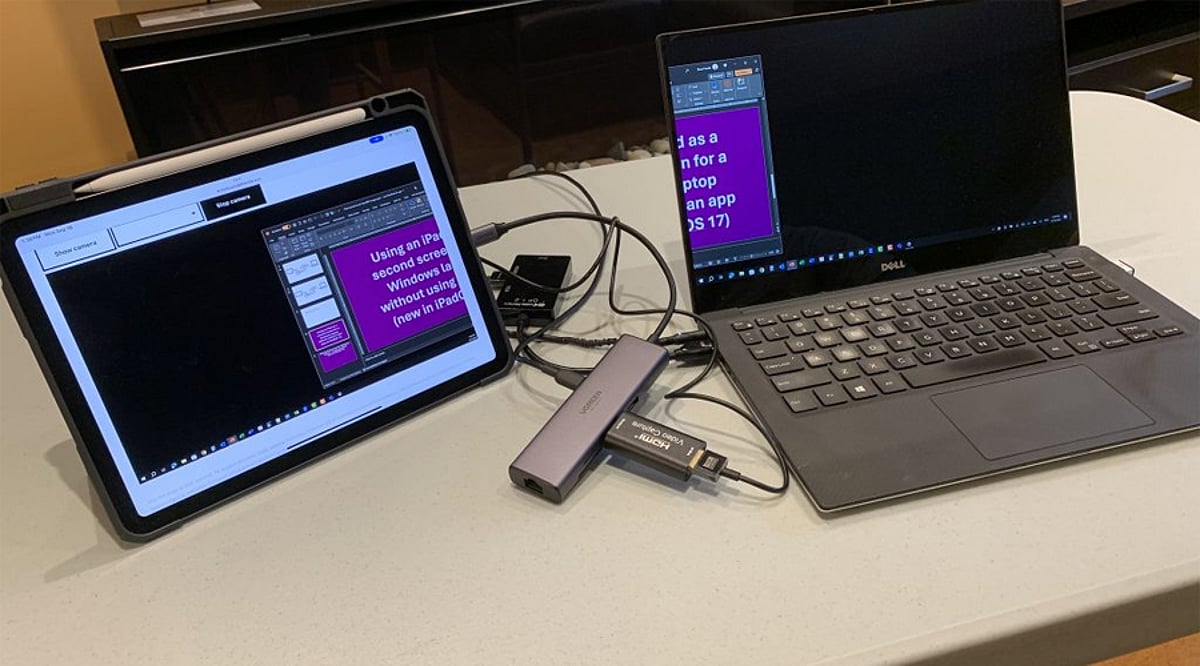
    Your iPad can do much more than serve as a standalone tablet. When paired with a compatible Mac, Apple’s Sidecar feature transforms your iPad into a second screen, expanding your workspace for documents, creative applications, research, and multitasking. This guide walks you through the entire process, from compatibility checks to advanced tips.

    Check Compatibility First

    Before diving in, ensure your Mac and iPad support Sidecar and are signed in to the same Apple Account. Both devices must run compatible operating systems, and you’ll need to have two-factor authentication enabled for that account. This requirement ensures a secure and seamless connection.

    Connect Your Devices

    Sidecar works both wirelessly and over a wired USB connection. For wireless setup, turn on Wi-Fi, Bluetooth, and Handoff on both devices, and keep them near each other. A USB connection is ideal for long sessions, as it keeps your iPad charged while working.

    Enable Sidecar

    On your Mac, open Control Center and select Screen Mirroring, then choose your iPad from the list. Alternatively, go to System Settings, click Displays, and add the iPad from there. Once connected, your iPad will act as an extension of your Mac desktop.

    Extend or Mirror the Screen

    Sidecar offers two primary modes: Extend and Mirror. In Extend mode, you can place different windows on each screen, effectively doubling your workspace. In Mirror mode, both displays show the same content—ideal for presentations or teaching. You can also rearrange display positions so moving the cursor between screens feels natural.

    Use Apple Pencil Too

    For creative professionals, Sidecar becomes even more powerful with an Apple Pencil. You can draw, edit photos, annotate documents, and interact with supported Mac applications directly on your iPad. The iPad’s sidebar gives quick access to common modifiers like Command, Option, and Shift, making it a natural extension of your workflow.

    Build a Bigger Workspace

    Once Sidecar is running, drag research materials, reference pages, or tool palettes onto the iPad while keeping your main project on the Mac. This setup eliminates cramped multitasking and boosts productivity. When you’re done, simply disconnect your iPad via the Screen Mirroring menu or Sidecar controls to return to normal operation.

    Join our WhatsApp Channel for the latest news, exclusives, and videos on technology.

  • Apple’s $250 Million Siri Settlement: iPhone Owners Could Claim Up to $95 – Eligibility & How to File

    Apple’s $250 Million Siri Settlement: iPhone Owners Could Claim Up to $95 – Eligibility & How to File

    Apple Launches Claims for $250 Million Siri Settlement

    Apple’s $250 million class-action settlement over Siri delays is now accepting claims. Eligible iPhone owners in the U.S. can file for payments estimated at $25 to $95 per device.

    Why the Settlement?

    The lawsuit alleged that Apple promoted advanced Siri features with Apple Intelligence but failed to deliver them as advertised.

    Which iPhone Models Qualify?

    The settlement covers specific iPhone models sold in the U.S. between June 10, 2024, and March 29, 2025:

    • iPhone 15 Pro
    • iPhone 15 Pro Max
    • iPhone 16e
    • iPhone 16 Plus
    • iPhone 16 Pro
    • iPhone 16 Pro Max

    Note: The purchase must meet settlement requirements, and only U.S. purchases qualify.

    How to File a Claim

    Eligible customers can submit claims via the official settlement website. You’ll need your device’s serial number (found in Settings > General > About) or alternative information like your Apple Account email and phone number. Some users may receive a claim ID and PIN by email, but it’s not required to start.

    Payment Amounts and Options

    The total settlement fund is $250 million. Expected payout is about $25 per device, but could increase to $95 if fewer claims are filed. Each eligible device requires a separate claim. Payment can be made via PayPal, Venmo, direct deposit, or paper check.

    Deadline

    Claims must be submitted by December 21, 2026. A final approval hearing is on February 24, 2027, so payments may be delayed if appealed.

  • Apple’s 2027 Anniversary iPhone to Feature Curved OLED Display Despite Delays in Advanced Screen Tech

    Apple’s 2027 Anniversary iPhone to Feature Curved OLED Display Despite Delays in Advanced Screen Tech

    Apple is reportedly scaling back some of the advanced display technologies originally planned for its 20th-anniversary iPhone in 2027, but the company is still moving forward with a significant visual redesign. According to industry reports, the upcoming model will feature a four-sided curved OLED display that creates a near-borderless appearance.

    Apple Delays Advanced Display Technologies

    Color Filter on Encapsulation (COE) and LTPO+ were among the technologies expected to debut in the 2027 iPhone. COE integrates the color filter into the display structure, reducing panel thickness and improving light efficiency. LTPO+ is designed to enhance power efficiency through improved transistor technology. However, Apple has reportedly postponed the introduction of both technologies, with no revised timeline confirmed.

    Industry sources suggest the delays may be due to technology maturity and rising production costs. Adding new display components could increase manufacturing expenses at a time when memory prices are already pressuring smartphone costs.

    Four-Sided Curved Display Remains

    Despite the delays, Apple is expected to pursue a four-sided curved OLED display. The panel will curve subtly around all four edges, giving the impression of a larger screen and significantly reducing the visual presence of the frame. Earlier reports described Apple’s approach as a ‘micro-curved’ design, which is less extreme than the waterfall-style displays used by some Android manufacturers. This shallow curvature helps reduce image distortion and makes edge gestures more comfortable.

    Apple may also use optical engineering alongside the physical curve to make the display appear almost bezel-free. Reports have also suggested an all-glass design as part of the company’s broader redesign plans.