Tag: Productivity

  • Apple MacBook Neo Review: Budget Laptop with A18 Pro Chip and 13-Inch Liquid Retina Display

    Apple MacBook Neo Review: Budget Laptop with A18 Pro Chip and 13-Inch Liquid Retina Display

    MacBook Neo: Affordable Power for Everyday Use

    The MacBook Neo is Apple’s latest budget-friendly laptop, designed for portability and everyday productivity. It features a compact 13-inch Liquid Retina display, a lightweight build, and the Apple A18 Pro chip, delivering efficient performance and long battery life. Aimed at students, professionals, and everyday users, the MacBook Neo offers a reliable Mac experience at an accessible price point.

    General Specifications

    • Display: 13-inch Liquid Retina
    • Processor: Apple A18 Pro chip
    • Design: Lightweight and travel-friendly
    • Battery: Long-lasting battery life
    • Target Audience: Students, professionals, and everyday users

    Pros and Cons

    Pros

    • Affordable price point
    • Portable and lightweight design
    • Powerful A18 Pro chip
    • Excellent battery life
    • High-quality Liquid Retina display

    Cons

    • Limited to 13-inch screen (no larger option)
    • No dedicated graphics card

    Pricing and Availability

    The MacBook Neo is competitively priced for the budget segment. Check the latest prices and availability:

  • Best QR Scanner Apps for Android: Top Picks for Fast, Secure Scanning

    Best QR Scanner Apps for Android: Top Picks for Fast, Secure Scanning

    QR codes are everywhere, from restaurant menus to event tickets. Having a reliable QR scanner app on your Android device can save time and keep your data safe. Here are the best options available, each offering unique features beyond basic scanning.

    Google Lens

    Google Lens is a versatile tool that scans QR codes, translates text, identifies objects, and opens links instantly. It eliminates the need for a separate QR scanner app on Android devices, making it a convenient all-in-one solution.

    QR & Barcode Scanner by Gamma Play

    This app delivers fast scanning with automatic recognition, flashlight support, and direct access to scanned websites or contacts. It is lightweight and reliable for everyday use.

    Microsoft Lens

    Microsoft Lens combines QR code scanning with powerful document digitization. Users can capture, organize, and share files efficiently from their Android smartphones, making it ideal for productivity.

    Kaspersky QR Scanner

    Security-focused users will appreciate Kaspersky QR Scanner, which checks QR codes for malicious links before opening them. It helps avoid phishing websites and other online threats.

    QRbot

    QRbot supports QR codes and multiple barcode formats while also enabling users to create, save, and share custom QR codes directly from the app. It is a well-rounded tool for both scanning and generation.

    NeoReader QR & Barcode Scanner

    NeoReader reads various barcode and QR code formats accurately, making it suitable for shopping, product information, and website access. Its quick performance is a plus.

    Barcode Scanner by ZXing Team

    This open-source scanning app quickly reads QR codes and barcodes while remaining lightweight, reliable, and free. It is a trusted choice among Android users.

    QR Scanner by Simple Design

    With features like quick scanning, scan history, flashlight support, and automatic recognition for websites, Wi-Fi credentials, contacts, and payment codes, this app covers all the bases.

    QR Code Reader by TeaCapps

    TeaCapps’ QR Code Reader provides fast and accurate scanning with support for URLs, Wi-Fi access, contact details, emails, and product barcodes. It’s simple and efficient.

  • Why Small Businesses Are Poised to Win Big with AI

    Why Small Businesses Are Poised to Win Big with AI

    For the better part of two years, the national conversation about artificial intelligence has been dominated by the largest technology companies, the researchers building the underlying models, and the policymakers trying to write the rules for them. But what is largely missing from the discussion is the segment of the American economy where the day-to-day impact of these tools will be felt first and most directly: small businesses.

    Small businesses, the roughly 33 million firms that account for nearly half of private sector employment, are the place where AI will either become a unifying force for economic prosperity or create a widening gap in equality. This outcome will be shaped by the choices made over the next several years about access, training, and support.

    Rhett Buttle, founder and CEO of Public Private Strategies and president of the Public Private Strategies Institute, has spent his career at the intersection of policy and the private sector. He argues that small businesses are not bystanders in the AI story, but some of its most promising potential beneficiaries.

    The Numbers Behind the Argument

    The early data is encouraging. Roughly a third of American small businesses report that they are already experimenting with AI in some form, whether through customer service tools, marketing automation, bookkeeping software, or content generation. Their experience also seems to be largely positive. Owners describe saved time, faster customer responses, marketing that is easier to sustain, and the ability to take on work that previously required hiring help they could not afford.

    However, two-thirds of small businesses have not yet engaged with these tools in a meaningful way. Some owners lack the time, others lack the technical confidence, and many have not yet found a tool that fits well with their business. Yet a common theme in all of these reasons is the need for a trusted source to point them toward the tools that would actually be useful for what they do.

    This is the part of the story Buttle keeps coming back to. The risk is not that small businesses will be displaced by AI, but that the businesses already using AI will pull further ahead of the businesses that have not yet started.

    Why Small Businesses Are Well-Positioned

    In some ways, small businesses are better positioned to benefit from AI than larger firms because it is easier for them to implement the technology. Large companies have to integrate AI through a complex process that involves many systems, teams, and compliance considerations. In many cases, the time from deciding to adopt new AI software to deploying it can be measured in quarters or years. Small businesses, by contrast, can adopt a new tool in an afternoon. An owner who decides on Monday that an AI-powered scheduling tool would help her bakery can be using it by Tuesday. The barrier is simply awareness and confidence.

    That structural advantage means small businesses can adapt faster, abandon what does not work, and double down on what does. The firms that figure this out early tend to do so by trial rather than by strategic plan, which is how small businesses have always adopted new tools.

    We saw this play out with e-commerce. When small businesses began adopting websites in the late 1990s and early 2000s, the firms that engaged early found themselves with a meaningful advantage over the firms that waited. The same pattern played out with social media in the 2010s, with mobile payments shortly after. Each wave produced a gap between adopters and non-adopters, and each wave eventually closed as the technology became standard. AI is on a similar trajectory, with one important difference: the productivity gains compound faster.

    The Coordination Problem

    From Buttle’s perspective, the challenge is not the technology itself. It is the coordination required to make sure the tools actually reach the businesses that would benefit from them. This is where the public and private sectors have a meaningful role to play.

    There are already federal and state small business support programs that are well positioned to help on the awareness side. The Small Business Administration’s network of resource partners, including Small Business Development Centers and SCORE chapters, reaches millions of business owners every year. Adding clear, vendor-neutral AI guidance to that work is feasible and will benefit countless small businesses.

    In the private sector, technology companies that build for small businesses have an interest in making their tools genuinely accessible, not just available. That means pricing that works for a five-person firm, onboarding that does not assume a technical background, and support that respects the time constraints of an owner who is also the person opening the store in the morning. The companies that get this right will likely have long-term customers in a part of the economy that, as a whole, is larger than most enterprise markets.

    Philanthropy and civil society have a third role. Industry associations, chambers of commerce, and community-based organizations are often the most trusted source of practical guidance for small business owners. There is an opportunity to equip those organizations with the resources to offer real AI literacy programs to their members.

    Public Private Strategies has been organized, in part, around exactly this kind of coordinated work. The Small Business Roundtable, which Buttle helped build, brings together organizations representing small business owners across industries, regions, and backgrounds. In addition, the Next Gen Chamber of Commerce, which he founded, is built around the priorities of a new generation of business leaders who are often the first in their networks to experiment with new tools. The bottom line is that the infrastructure to move quickly on AI literacy exists. The question is whether it gets used.

    A Realistic Read on the Risks

    AI adoption at the small business level also brings real questions about data privacy, about reliability, and about the quality of the outputs these tools produce. Owners who deploy AI in customer-facing contexts need to understand what the technology can and cannot do, along with clear guidance on how to use it responsibly.

    Buttle’s argument is that these challenges are manageable when they are addressed deliberately. The country has navigated technology transitions in the small business segment before. The pattern that tends to work is a combination of clear policy frameworks, accessible private sector products, and trusted community-level guidance. These pieces are available. They just need to be put together.

    An Opportunity Worth Building Toward

    If the country gets this right, the next several years could produce one of the most significant productivity gains the small business community has seen in a generation. Owners who once spent their evenings on bookkeeping will get those hours back. Firms that could not previously afford marketing will have access to it. Customer service that used to drop off at 5 p.m. will be available around the clock. None of this is hypothetical. It is already happening at the firms that have started using AI.

    The question is how widely the benefit gets distributed. Rhett Buttle’s argument, consistent across his work, is that broad-based participation in this kind of transition does not happen by default. It happens when the public and private sectors are willing to design for it together.

    "Entrepreneurship is the basis for everything we do," Buttle has said of his own organization. Applied to the AI moment, the line points toward a specific responsibility: making sure the tools of the next economy reach the entrepreneurs who will use them best. That is the goal, and it is one of the more promising opportunities of the decade.


  • AI Search Versus Google Search: Choosing the Right Tool for Your Needs

    AI Search Versus Google Search: Choosing the Right Tool for Your Needs

    AI-powered search tools summarize information into direct, conversational answers instead of presenting long lists of websites. They can explain complex topics, compare products, generate ideas, and answer follow-up questions naturally. This approach saves time for users seeking quick understanding rather than browsing through multiple search results.

    Google Search: Best for Fresh and Verified Information

    Google Search remains the strongest option for finding the latest news, official announcements, local businesses, research papers, and government resources. Its vast index and ranking system make it ideal when users need original sources, multiple viewpoints, or up-to-the-minute information instead of AI-generated summaries.

    Research and Learning Experience

    AI search excels at simplifying difficult concepts, creating structured explanations, and providing personalized responses based on follow-up questions. Google, however, allows users to verify facts by exploring multiple trusted sources. Combining AI explanations with original references often delivers the most complete and reliable research experience.

    Shopping and Product Comparisons

    AI tools help compare products, explain specifications, and recommend options based on individual needs. Google Search still offers broader access to retailer listings, reviews, prices, official product pages, and shopping results. For purchasing decisions, many users benefit from using AI for guidance and Google for final verification.

    Coding, Writing, and Productivity

    Developers, students, and professionals increasingly rely on AI search for writing assistance, debugging code, brainstorming ideas, and summarizing lengthy documents. Google remains valuable for accessing official documentation, community forums, and technical references. Together, they create a productive workflow that balances speed with trustworthy source material.

    Accuracy, Limitations, and Trust

    AI-generated answers can occasionally contain mistakes or outdated information, especially for rapidly changing topics. Google Search provides direct access to primary sources that users can independently verify. Checking important facts through official websites remains the safest approach for health, finance, legal, and breaking-news information.

    Which One Should You Choose?

    There is no single winner because both serve different purposes. AI search is ideal for fast explanations, creative tasks, and conversational problem-solving, while Google Search remains essential for discovering authoritative sources and current information. Using both together offers the most efficient and reliable search experience in 2026.

  • OpenAI Launches ChatGPT Work: Autonomous AI Agent Powered by GPT-5.6 and Codex

    OpenAI Launches ChatGPT Work: Autonomous AI Agent Powered by GPT-5.6 and Codex

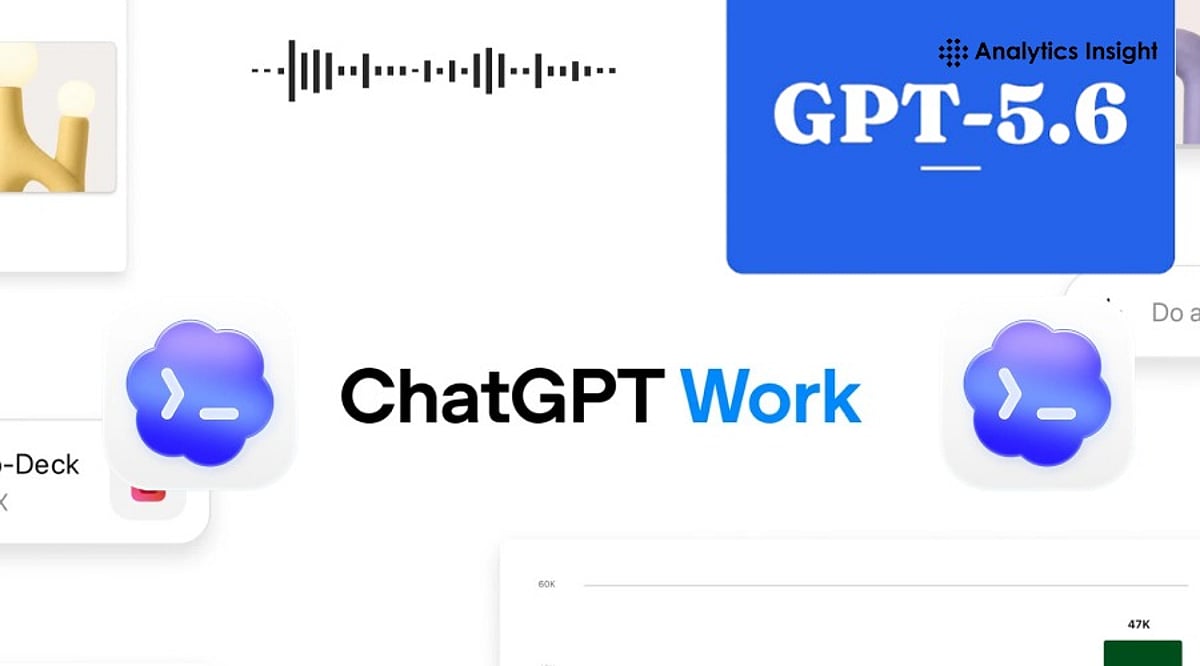
    OpenAI has introduced ChatGPT Work, a new AI agent designed to go beyond simple question-answering. Powered by the newly released GPT-5.6 model family and integrated with Codex, ChatGPT Work can autonomously research, analyze data, write code, create presentations, generate reports, and automate workflows across connected applications. This marks a significant shift from conversational AI to autonomous workplace productivity.

    What ChatGPT Work Can Do

    ChatGPT Work is built for extended, multi-step assignments rather than one-off prompts. It can pull information from connected apps, generate spreadsheets, presentations, documents, and web apps, and continue working for hours by breaking larger projects into smaller steps. A new Unified Plugins Directory bundles third-party integrations including Google Drive, SharePoint, Slack, Microsoft Teams, Gmail, Outlook, Salesforce, Adobe, Zoom, LinkedIn, GitHub, and Dropbox. Users can invoke a specific plugin using an “@” mention or let ChatGPT decide which data source is relevant. A Scheduled Tasks feature allows the agent to keep projects moving even when a user is away, such as converting new Slack or Microsoft Teams messages into updated documents and flagging important changes automatically.

    GPT-5.6 and the Sol, Terra, Luna Naming System

    Powering the new agent is GPT-5.6, introduced under a naming scheme where the number marks the model generation while Sol, Terra, and Luna represent separate capability tiers. Sol is OpenAI’s new flagship model, achieving state-of-the-art results in coding, knowledge work, cybersecurity, and science while using fewer tokens than prior frontier models. Terra matches GPT-5.5’s performance at roughly half the cost, and Luna is the fastest, most affordable tier. API pricing runs $5/$30 per million input/output tokens for Sol, $2.50/$15 for Terra, and $1/$6 for Luna.

    Codex Merges into the ChatGPT Desktop App

    OpenAI is also merging its standalone Codex coding app into a single updated ChatGPT desktop app for Mac and Windows, with the previous app renamed ChatGPT Classic. Existing Codex users keep their projects and settings after updating. OpenAI reports that more than 5 million people already use Codex weekly, with over 1 million using it for tasks outside software development, a trend the company is leaning into as it pushes AI agents into sales, finance, and marketing workflows.

    Rollout, Security, and Enterprise Controls

    ChatGPT Work started rolling out on July 9 for Pro, Enterprise, and Edu users on web and mobile, with Plus and Business access arriving in the next few days. The updated desktop app is available globally across all plans, including Free. On security, OpenAI has built in an auto-review system that checks sensitive actions before they run, which it says blocked all attempts to extract protected data during internal adversarial testing, though this hasn’t been independently verified. Enterprise and Edu admins get centralized controls over connected tools and sensitive actions, plus a Compliance API for visibility into ChatGPT Work’s activity.

    ChatGPT Work reflects the next stage of enterprise AI, shifting from answering questions to completing real tasks. Its long-term success will depend not only on advanced capabilities but also on trust, accuracy, and how effectively organizations integrate AI agents into everyday workflows.

  • Today’s Tech Roundup: Meta AI Chip Production, ONGC Recruitment, European M&A Surge, Claude AI Insights, and Ethereum Rally

    Today’s Tech Roundup: Meta AI Chip Production, ONGC Recruitment, European M&A Surge, Claude AI Insights, and Ethereum Rally

    Good morning!

    Here’s your rapid rundown of some of the most important news from today on artificial intelligence, recruitment, business M&A, productivity tools, and the cryptocurrency market.

    Meta to Start Producing Next-Generation AI Chip in September

    Meta plans to roll out its next-gen AI chip in September to keep up with the organization’s increasing requirements, as AI workloads grow heavier. The company aims to increase its computational capacity and reduce reliance on other chip providers. In parallel, Meta wants to sharpen its AI capabilities while industry competition is getting increasingly intense. Read More…

    Graduate Trainee Positions Opened by ONGC for 2026

    Oil and Natural Gas Corporation (ONGC) has begun accepting online applications for Graduate Trainee positions across various engineering and geoscience streams. The recruitment process will give freshers a chance to join one of India’s largest public sector companies. Read More…

    European B2B M&A Activity at an All-Time High of $129 Billion

    Europe saw a record $129 billion in business-to-business mergers and acquisitions in the second quarter of 2026, driven by private equity transactions and strong demand for enterprise technology and industrial firms amid global economic uncertainty. Read More…

    Claude AI Review: Features, Prompts, Tips for Increased Productivity

    The Claude AI language model by Anthropic has become popular for writing, coding, research, and other professional activities. Learn about its features, prompt-writing tips, how to save tokens, and how to use the language model effectively. Read More…

    Ethereum Gains 1.58% on Improved Crypto Sentiment

    Ethereum edged up by about 1.58%, trading around $1,779, while crypto market sentiment looked a bit better. In the Ethereum price analysis, you can see hopeful investor sentiment as traders keep an eye on macroeconomic shifts, stronger institutional participation, and evolving blockchain activity for possible hints about what comes next. Read More…

  • How AI Is Transforming Phone Calls: Real-Time Transcription, Translation, and Beyond

    How AI Is Transforming Phone Calls: Real-Time Transcription, Translation, and Beyond

    Artificial intelligence is rapidly changing the way we communicate over the phone. From live transcription to instant summaries and real-time language translation, AI is making phone calls more efficient, accessible, and secure. Here’s an overview of the key capabilities and what they mean for users and businesses.

    Live Call Transcription

    AI converts spoken conversations into real-time text, making it easier to review discussions, capture details, and improve accessibility for everyone.

    Instant Call Summaries

    AI automatically creates concise summaries after conversations, highlighting key decisions, action items, and important points without manual note-taking effort.

    Real-Time Language Translation

    AI translates conversations instantly between different languages, helping people communicate naturally without requiring professional interpreters during phone calls.

    Spam Call Detection

    AI identifies suspicious callers using behavioral patterns and known databases, reducing unwanted interruptions and protecting users from scam attempts effectively.

    Smart Voice Assistance

    AI assistants answer questions, retrieve information, schedule appointments, and complete simple tasks without interrupting the natural flow of conversations.

    Sentiment Analysis

    AI analyzes tone, emotion, and speech patterns to identify customer satisfaction, frustration, or urgency, helping businesses improve communication quality consistently.

    Automatic Action Items

    AI recognizes commitments made during calls and generates reminders, follow-up tasks, and calendar events, improving productivity after every conversation.

    Privacy and Security Challenges

    AI processing requires sensitive voice data, making strong encryption, transparent consent, and responsible data handling essential for user trust.

    The Future of AI-Powered Calling

    AI-powered conversations will become more personalized, context-aware, and proactive, offering seamless assistance while balancing convenience with responsible privacy practices.

  • 7 AI Tools for Writing, Coding, and Research That Go Beyond ChatGPT and Gemini

    7 AI Tools for Writing, Coding, and Research That Go Beyond ChatGPT and Gemini

    Looking for more AI tools beyond ChatGPT and Gemini? These powerful platforms help with writing, coding, research, and productivity across different industries. Whether you need long-form content, accurate research, or efficient code development, these AI tools offer specialized capabilities to enhance your workflow.

    • Claude – Excels at long-form writing, document analysis, and thoughtful conversations with strong reasoning capabilities.
    • Perplexity AI – Delivers AI-powered answers with web citations, making research faster and more reliable.
    • Cursor AI – Helps developers write, edit, debug, and understand code using AI directly inside the editor.
    • GitHub Copilot – Speeds up coding by suggesting functions, code snippets, and complete solutions.
    • NotebookLM – Google’s AI tool that helps users summarize documents, generate insights, and organize research.
    • Grok – Built by xAI, Grok combines real-time information with conversational AI for news and research.
    • You.com AI – Combines AI chat with search, coding, writing, and productivity tools in one platform.

    Different AI tools excel at different tasks. Pick the right one based on your workflow and daily needs to maximize your productivity.

  • Master Gemini Spark on macOS: A Guide to AI-Powered Productivity

    Master Gemini Spark on macOS: A Guide to AI-Powered Productivity

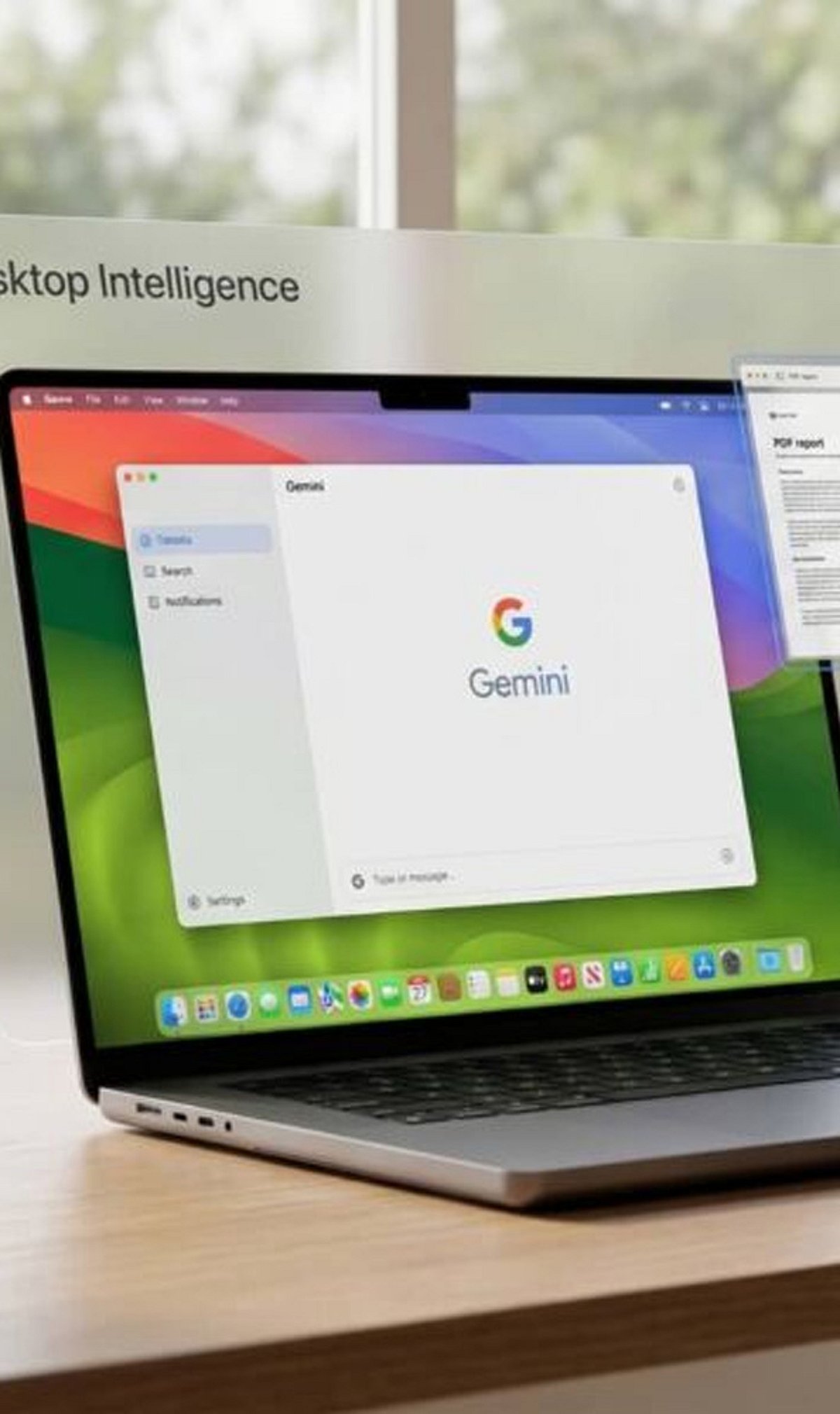
    Google has expanded the Gemini experience across devices, and Gemini Spark on macOS helps users quickly access AI-powered assistance for writing, coding, brainstorming, and research.

    Getting Started with Gemini Spark

    Download and install the latest Gemini app for macOS, then sign in with your Google account to access Gemini Spark features. The setup process is straightforward and takes only a few minutes.

    Core Capabilities

    Gemini Spark lets you summarize long documents, draft emails, generate ideas, and answer complex questions without switching between multiple apps. Its versatility makes it an essential tool for professionals and creatives alike.

    For Developers

    Developers can use Gemini Spark for code generation, debugging, explaining code snippets, and creating scripts in multiple programming languages. This streamlines development workflows and boosts efficiency.

    Integration with Google Workspace

    The app integrates with Google Workspace services, making it easier to work with Docs, Gmail, Drive, and Calendar where supported. You can leverage AI assistance directly within your everyday tools.

    File Analysis

    Users can upload PDFs, images, and other supported files, allowing Gemini Spark to analyze content and provide summaries or insights. This feature is particularly useful for research and data review.

    Voice and Conversational Features

    Voice input and conversational interactions make it easy to ask follow-up questions and refine responses naturally. The AI understands context and maintains coherent dialogues.

    Best Practices

    For the best experience, keep the app updated, verify AI-generated information, and review privacy settings before sharing sensitive data. As Google continues to enhance Gemini with new AI models and productivity tools, Gemini Spark is becoming a valuable assistant for Mac users.

    Stay tuned for more updates and features as Google expands its AI ecosystem on macOS.

  • 7 Must-Read AI Newsletters for Business Leaders in 2026

    7 Must-Read AI Newsletters for Business Leaders in 2026

    As artificial intelligence reshapes industries at an unprecedented pace, executives need curated, reliable sources to separate signal from noise. The right AI newsletter delivers actionable insights, strategic analysis, and practical use cases—without overwhelming your inbox. Here are seven top newsletters every business leader should consider adding to their morning routine.

    Top AI Newsletters at a Glance

    The Rundown AI

    Perfect for those with only five minutes a day, The Rundown AI covers AI breakthroughs, product launches, and regulatory news in a concise format. It also includes productivity tips and tutorials, making it valuable for both engineers and executives seeking actionable insights.

    The Batch

    Created by DeepLearning.AI, The Batch translates complex AI research into digestible explanations for business leaders. It focuses on why a development matters and how companies can apply it, helping executives bridge the gap between technical teams and corporate strategy.

    Exponential View

    Written by technology analyst Azeem Azhar, Exponential View offers deep analysis of the intersection of AI, geopolitics, economics, and innovation. It’s ideal for long-term strategic thinking rather than daily news consumption.

    Superhuman AI

    Designed for professionals who want to leverage AI for productivity, Superhuman AI delivers practical tips on new tools, automation, and prompts. Busy executives will appreciate its focus on actionable suggestions without heavy technical jargon.

    The Neuron

    The Neuron presents the latest AI news in a conversational, easy-to-read tone. It covers major company updates, new products, enterprise software, and productivity—all in short articles perfect for morning reading.

    TLDR AI

    For executives working closely with engineering or product teams, TLDR AI summarizes research papers, product updates, and machine learning news in a few minutes. It’s a quick way to stay informed on technical developments.

    Ben’s Bites

    Founded by entrepreneur Ben Tossell, Ben’s Bites offers a founder’s perspective on the AI ecosystem, tracking startups, investments, product announcements, and real-world case studies. It’s a valuable source for executives scouting innovations, partnerships, and acquisition opportunities.

    Why This Matters

    Regularly reading a trusted AI newsletter sharpens strategic thinking, provides fresh ideas, and supports informed decision-making in an increasingly AI-driven world. A balanced mix of daily briefings and weekly deep-dives keeps leaders ahead without information overload.

    Conclusion

    No single newsletter covers everything. Combine a daily briefing like The Rundown AI for news, The Batch for knowledge, and Exponential View for long-term strategy. This trio ensures you stay informed, educated, and strategically prepared.

    Frequently Asked Questions

    Which AI newsletter is best for busy executives?

    The Rundown AI offers concise daily updates, helping executives stay informed about major AI developments, business trends, and useful productivity tools.

    Are AI newsletters free to subscribe to?

    Many leading AI newsletters offer free editions, while some provide premium subscriptions with deeper analysis, exclusive content, and additional resources.

    How often should executives read AI newsletters?

    Reading one daily newsletter and one weekly strategic publication is usually enough to stay updated without feeling overwhelmed by information.

    Which AI newsletter focuses on long-term business strategy?

    Exponential View examines AI, innovation, economics, and technology trends, helping leaders understand long-term business opportunities and emerging market shifts.

    Can AI newsletters help with business decision-making?

    Yes. They provide curated insights, practical use cases, and industry trends that support informed decisions on AI adoption and digital transformation.