Tag: smart home

  • Essential Home Security Tips to Keep Your Property Safe While You Travel

    Essential Home Security Tips to Keep Your Property Safe While You Travel

    Heading out on vacation? Don’t let a break-in ruin your peace of mind. With the right precautions, you can keep your home secure while you’re away. Here are expert-backed strategies to protect your property, from smart tech upgrades to simple neighborly favors.

    Lock Every Entry Point

    Before you leave, double-check all doors, windows, garage entrances, and balconies. A quick walk-through ensures no entry point is left vulnerable, making it harder for intruders to gain access.

    Install Smart Security Cameras

    Smart cameras with motion alerts let you monitor your property remotely via your smartphone. Place them at key spots like the front door, driveway, and backyard to keep an eye on things from anywhere.

    Use Smart Lights on Timers

    Automated lights that turn on and off at preset times create the illusion that someone is home. This simple trick can deter burglars who target empty houses.

    Pause Deliveries

    Stop newspaper and package deliveries temporarily. A pile of mail or boxes on the doorstep is a clear signal that no one is around.

    Ask a Trusted Neighbor for Help

    Request a reliable neighbor to collect mail, water plants, and check your property regularly. They can also report any suspicious activity while you’re gone.

    Avoid Posting Travel Updates on Social Media

    Resist the urge to share live vacation photos or location updates. Wait until you return home to post about your trip—this keeps your empty house off the radar.

    Secure Valuables Properly

    Store jewelry, cash, passports, and important documents in a home safe or a hidden, locked location. This adds an extra layer of protection for your most prized possessions.

    Test Your Alarm System

    Check that your security alarm is working properly. Replace weak batteries and ensure emergency contacts receive alerts if the system is triggered.

    Unplug Unnecessary Electronics

    Disconnect unused appliances and electronics to reduce fire risks, save energy, and protect devices from power surges while you’re away.

    By following these simple steps, you can enjoy your travels knowing your home is well-protected.

  • 10 Smart Amazon Gadgets That Simplify Your Daily Routine

    10 Smart Amazon Gadgets That Simplify Your Daily Routine

    Amazon offers a wide range of clever gadgets designed to make everyday tasks easier and more enjoyable. Here are ten standout products that can save time, reduce clutter, and add convenience to your home.

    Morning Made Easy

    The GreenLife 3-in-1 Breakfast Maker lets you toast bread, fry eggs, and cook bacon simultaneously, saving precious minutes for busy households. For dessert lovers, the Ninja CREAMi Scoop & Swirl transforms frozen ingredients into creamy ice cream, sorbet, milkshakes, and soft serve with multiple preset functions.

    Cleaning and Kitchen Helpers

    A paper towel holder with a hidden spray bottle and an automatic sensor trash can make cleaning effortless. The holder allows one-handed tearing, while the can opens with a simple wave. The multi-size jar opener loosens stubborn lids with minimal effort, ideal for seniors or anyone with weak grip strength. A double-layer egg drawer stores up to 32 eggs neatly, and a double-sided pot organizer keeps cookware stacked without cabinet clutter.

    Comfort and Organization

    Keep your coffee hot with a smart mug warmer, organize messy wires using cable management raceways, and create cozy lighting with a rechargeable wireless bottle lamp. A waterproof shower phone holder protects your smartphone while you shower, and a motion-sensing toothbrush holder keeps brushes dry and clean.

    Fun and Photography

    Capture group photos with the CamKix Bluetooth remote, enjoy retro photography with the Kodak Charmera Mini Camera, or brighten your workspace with a Hamster Bluetooth Mouse.

    Smart Shopping Tips

    Before buying, compare durability, available space, compatibility, and value for money. The best Amazon gadgets solve real problems instead of becoming unused purchases.

  • Top Smart Home Security Systems That Operate During Internet Outages

    Top Smart Home Security Systems That Operate During Internet Outages

    Stay protected even without internet: smart home security systems with offline support continue monitoring your property, ensuring protection even when internet connections suddenly fail completely.

    Local Storage Saves Footage

    Systems with local storage record security footage directly onto memory cards or hard drives, preventing important recordings from being lost.

    Cellular Backup Connectivity

    Some advanced security systems automatically switch to cellular networks during broadband failures, keeping alerts and remote monitoring fully active.

    Battery Backup Matters

    Built-in battery backups keep cameras, sensors, and alarm hubs running for several hours during power outages and internet disruptions alike.

    Smart Alarms Still Work

    Offline-compatible alarm systems continue detecting motion, door openings, and glass breaks, triggering loud sirens without requiring internet connectivity whatsoever.

    AI Detection On Device

    Modern security cameras process motion and person detection locally, delivering accurate alerts without relying entirely on cloud-based AI services.

    Mesh Network Support

    Security devices using mesh networking communicate with each other locally, maintaining reliable coverage when internet service becomes temporarily unavailable unexpectedly.

    Essential Features to Check

    Choose systems offering local recording, battery backup, cellular failover, offline alerts, and encrypted storage for dependable home security every day.

    Peace of Mind Always

    Reliable offline-ready security systems protect homes around the clock, giving homeowners confidence regardless of internet outages or network-related technical problems.

  • How to Share Your Smart Doorbell with Every Household Member

    How to Share Your Smart Doorbell with Every Household Member

    When I first considered installing a smart doorbell, I assumed connecting it to my phone would be enough. However, this became inconvenient whenever I was in a meeting, traveling, or unable to check an alert immediately.

    Other family members could hear someone at the entrance, but they could not view the visitor or respond through their phones. I realized that a video doorbell becomes much more useful when everyone responsible for the home can receive alerts.

    After a bit of research, I figured out the solution. All I had to do was configure the doorbell on one primary phone and share access with other household members. Here is how you can set up a similar arrangement.

    Why I Wanted Everyone to Receive Alerts

    A conventional calling bell only informs people who can physically hear it. A video doorbell can also let authorized household members see who is outside and communicate with visitors through their phones.

    Restricting these functions to one person limits their usefulness. I might miss an alert while working, but another family member could still respond to a delivery. If nobody was home, an authorized person could remotely check who was at the entrance.

    Giving multiple people access therefore made the doorbell part of our broader smart home security setup instead of leaving it under the control of one person.

    I Started with One Primary Phone

    As more household devices become connected, brands such as Wipro Consumer Lighting are expanding beyond lighting to offer integrated smart-home security solutions. Products such as the Wipro Smart Wi-Fi Video Doorbell Pro are designed to help households monitor and manage their entrances through a connected app.

    The first step was to install the doorbell and connect it to a primary smartphone. This phone served as the main device for creating the account, adding the doorbell, and managing access for other users.

    The Wipro Smart Wi-Fi Video Doorbell Pro can be managed through the Wipro Next Smart Home app. Wipro also states that multiple family members can access the smart doorbell through the app.

    I Shared the Device, Not the Password

    It may appear easier to use the same account and password on every phone. However, sharing the primary login can make access difficult to manage and may create unnecessary security concerns.

    Instead, I used the app’s device-sharing or household-access feature. Depending on the current app version, the exact name and location of this option may differ.

    The process generally involves opening the doorbell in the app, entering its settings, and selecting the available sharing option. The primary user can then invite another household member through the account details requested by the app.

    Using the official sharing function means each person can access the device through an individual account without knowing the password of the primary user.

    Everyone Installed the App

    Each person who needed doorbell access installed the Wipro Next Smart Home app on their phone. They then created an account or signed in and accepted the invitation sent by the primary user.

    Once the shared doorbell appeared in the app, we checked whether each person could:

    • Receive a doorbell alert
    • Open the live video feed
    • View the entrance
    • Use the available communication controls

    The Wipro Smart Wi-Fi Video Doorbell Pro features a 3 MP 1296p Full HD camera and night vision. Its connected functions allow authorized users to see and communicate with visitors through their phones.

    These capabilities are particularly useful in households where different people may be responsible for answering the entrance at different times.

    I Checked Notifications Separately

    Sharing access does not always guarantee that every phone will produce an alert. Notifications must also be enabled through the app and the settings of each phone.

    On every device, I checked that:

    • App notifications were enabled
    • Doorbell alerts were active
    • The app could run in the background
    • Battery-saving settings were not blocking notifications
    • Sound and vibration permissions were allowed
    • The phone had a working internet connection

    We then pressed the doorbell and confirmed which phones received the alert.

    This test helped identify phones that could access the live feed but were suppressing notifications. Checking these permissions during setup reduces the risk of missing a visitor later.

    I Limited Access to Trusted Users

    Connecting the doorbell to everyone did not mean giving access to every person who entered the house. I shared it only with family members who genuinely needed to monitor or answer the entrance.

    I also planned to review access whenever someone changed phones, moved out, or no longer needed control. The primary user should remove accounts that no longer require access.

    A doorbell camera also serves a different purpose from a conventional CCTV camera. While CCTV cameras may monitor broader areas, a video doorbell focuses on the entrance and enables direct interaction with visitors.

    Both can support smart home security, but access to their footage should remain limited to trusted users.

    Shared Access Made the Doorbell More Useful

    Connecting the doorbell to multiple phones prevented responsibility for the entrance from falling on one person. When I could not respond, another authorized household member could still check the visitor.

    The Wipro Smart Wi-Fi Video Doorbell Pro supports connected app access for family members, making it suitable for a shared household setup. The key is to configure one primary account, invite other users through the official sharing feature, enable notifications on every phone, and regularly review access.

    With those steps completed, a video doorbell becomes more than a replacement for a calling bell. It becomes a shared smart home security tool that helps the household respond even when the primary user is unavailable.

  • Bluetooth vs Smart Speakers in 2026: Choosing the Right Audio Companion for Portability or Smart Home Integration

    Bluetooth vs Smart Speakers in 2026: Choosing the Right Audio Companion for Portability or Smart Home Integration

    Bluetooth speakers and smart speakers have evolved well beyond their original roles. A Bluetooth speaker is no longer just a portable music device, while a smart speaker has become much more than a voice assistant. Both now offer impressive sound quality, wireless connectivity, and smart features, but they cater to different needs. If portability tops your list, a Bluetooth speaker is the obvious choice. If you’re building a connected home, a smart speaker offers much more than music. Here’s how the two compare in real-world use.

    Sound, Features, Everyday Experience Compared

    Bluetooth Speakers

    Bluetooth speakers come with portability in mind. Connect them to your phone or computer, and you’re good to go almost anywhere without relying on Wi-Fi. They’ve become quite powerful in terms of sound quality, with high-end models producing more bass and better stereo than previous generations. Portable speakers are generally designed for outdoor use with water and dust resistance. Several newer models include fast charging, multi-speaker pairing, and app-based sound customization, making them far more versatile than simple wireless speakers.

    • Wireless Bluetooth 5.3/5.4 connectivity
    • Up to 24–30 hours of battery life
    • IP67/IP68 water and dust resistance
    • Portable and travel-friendly design
    • Multi-speaker pairing support
    • USB-C fast charging

    Smart Speakers

    Smart speakers are designed for homes where convenience matters as much as entertainment. Besides streaming music, they respond to voice commands, answer questions, set reminders, and control compatible smart home devices. Most models support Wi-Fi and Bluetooth, giving users flexibility while keeping cloud-based features available. Modern smart speakers offer significantly improved indoor sound thanks to room calibration and multi-room audio. Speech recognition has become more conversational.

    • Built-in Alexa or Google Assistant
    • Wi-Fi and Bluetooth connectivity
    • Smart home automation support
    • Multi-room audio playback
    • Voice-controlled reminders and routines
    • Music streaming integration

    Bluetooth Speaker vs Smart Speaker: Quick Comparison

    A side-by-side comparison shows that Bluetooth speakers excel in portability, battery life, and outdoor durability, while smart speakers win on voice control, smart home integration, and room-filling sound for indoor use.

    Top Bluetooth and Smart Speakers to Consider

    JBL Charge 6

    The JBL Charge 6 is one of the most powerful portable Bluetooth speakers of 2026. It features Bluetooth 5.4 connectivity, AI Sound Boost technology, a durable IP68 housing, and up to 28 hours of battery life.

    Sony ULT Field 3

    This Sony speaker focuses on deep bass with a dedicated ULT button that increases low frequencies instantly. It offers a durable IP67 housing and long battery life, making it perfect for both indoor and outdoor use.

    Amazon Echo (4th Generation)

    The Amazon Echo (4th Gen) is a versatile smart speaker for households. With Alexa inside, it controls Matter-compatible smart home devices and plays multi-room music via Wi-Fi and Bluetooth. A 3-inch woofer and dual tweeters deliver balanced sound.

    Google Nest Audio

    Google Nest Audio is designed for users invested in Google’s ecosystem. It delivers clear vocals, balanced bass, and seamless Google Assistant integration. Voice Match support, Chromecast built-in, and stereo pairing make it an excellent everyday smart speaker.

    Final Analysis

    A Bluetooth speaker remains the better choice for users who value portability, battery life, and offline listening. Whether you are traveling, hosting an outdoor event, or just listening to music without needing the internet, it is convenient in all respects. However, a smart speaker not only provides sound but also becomes part of your smart home, helping you control appliances and giving you information using simple voice commands. Both products work efficiently in different settings. If your speaker is going wherever you go, choose Bluetooth. If it’s staying in your living room and becoming part of your daily routine, a smart speaker is the more capable investment.

    Frequently Asked Questions

    Which is better for outdoor use: Bluetooth speaker or smart speaker?

    Bluetooth speakers are better suited for outdoor use because they offer rechargeable batteries, portable designs, water-resistant builds, and do not require a Wi-Fi connection to stream music from your devices.

    Do smart speakers work without an internet connection?

    Most smart speakers can play audio through Bluetooth without Wi-Fi, but features like voice assistants, music streaming, smart home controls, and online information require an active internet connection.

    Are Bluetooth speakers louder than smart speakers?

    Bluetooth speakers are often designed for higher outdoor volume and stronger bass, while smart speakers focus on delivering balanced, room-filling sound and clearer vocals for indoor listening experiences.

    Can Bluetooth speakers connect to multiple devices?

    Many modern Bluetooth speakers support multi-device pairing, allowing users to switch between connected devices easily. Some models also support stereo pairing or multi-speaker connectivity for enhanced audio performance.

    Which speaker should I buy in 2026?

    Choose a Bluetooth speaker if portability and battery life matter most. Pick a smart speaker if you want voice control, smart home integration, and a connected audio experience at home.

  • Everyday Digital Footprints: How Your Online Activities Reveal Personal Data

    Everyday Digital Footprints: How Your Online Activities Reveal Personal Data

    Every time you search, like, shop, or stream, you leave behind a digital footprint that companies and platforms use to build detailed profiles of your behavior. Understanding these traces is the first step toward protecting your privacy.

    Search History

    Each search query helps search engines compile a comprehensive profile of your interests, habits, preferences, and future purchasing intentions.

    Social Media Activity

    Every like, comment, share, and follow reveals personal interests, relationships, opinions, and behavioral patterns to platforms and advertisers.

    Location Services

    Smartphone GPS continuously records your movements, creating location histories used for navigation, targeted advertising, analytics, and personalized recommendations.

    Online Shopping

    Every purchase, wishlist item, and browsing session provides retailers with valuable insights into your spending habits, product preferences, and future buying behavior.

    Streaming Platforms

    The movies you watch, songs you play, and viewing duration help streaming services personalize recommendations while tracking your entertainment preferences over time.

    Fitness Apps

    Health trackers collect information about steps, sleep, workouts, heart rate, and wellness routines, generating highly detailed personal health profiles.

    Smart Home Devices

    Connected speakers, cameras, and appliances gather usage patterns, voice commands, and automation preferences to improve personalized home experiences.

    Email Activity

    Email providers analyze communication patterns, subscriptions, and interactions to filter spam, personalize services, and improve user engagement.

    Public Wi-Fi Usage

    Connecting to public networks may expose your browsing habits and device information, highlighting the importance of secure internet practices.

  • Top Smart Door Locks for Home Security in 2026: Key Features and Buying Tips

    Top Smart Door Locks for Home Security in 2026: Key Features and Buying Tips

    Smart door locks have become an essential component of modern home security, offering convenience, remote access, and enhanced protection. As we move into 2026, these devices are more advanced than ever, integrating seamlessly with popular smart home ecosystems like Apple Home, Google Home, Amazon Alexa, and Samsung SmartThings.

    Key Features of 2026 Smart Door Locks

    • Fingerprint Recognition: Quick, keyless entry that eliminates the risk of lost or duplicated keys.
    • Wi-Fi Connectivity: Lock, unlock, and monitor your door from anywhere using a smartphone app.
    • Smart Home Integration: Compatible with major platforms for voice control and automation.
    • Virtual Access Codes: Create temporary digital codes for family members, guests, or service professionals.
    • AI-Powered Alerts: Real-time notifications and activity logs that flag unusual access attempts.
    • Long Battery Life: Many models now last up to a year on a single set of batteries, reducing maintenance hassles.

    What to Consider Before Buying

    Before investing in a smart lock, evaluate compatibility with your existing door, security certifications, emergency backup options (e.g., physical key or external battery port), and installation requirements. As smart homes continue to evolve, upgrading to a reliable smart door lock remains one of the most valuable improvements for both convenience and peace of mind.

  • 10 Sustainable Gadgets to Embrace in 2026 for a Greener Lifestyle

    10 Sustainable Gadgets to Embrace in 2026 for a Greener Lifestyle

    As environmental consciousness grows, innovative gadgets are making it easier to adopt eco-friendly habits without sacrificing convenience. From solar-powered chargers to intelligent home monitors, these ten devices help reduce energy consumption, cut waste, and shrink your carbon footprint. Here are the top sustainable gadgets worth trying in 2026.

    Solar Power Banks

    Harness the sun to recharge your smartphones and other portable devices. Solar power banks reduce reliance on grid electricity while offering reliable backup power during travel, camping, or outdoor adventures. They are a practical step toward renewable energy use in daily life.

    Smart Energy Monitors

    Track your household electricity usage in real time with smart energy monitors. These devices help identify energy waste, allowing families to adjust habits and lower monthly utility bills. They provide actionable insights to make your home more efficient.

    Solar Outdoor Lights

    Illuminate gardens, pathways, and patios using renewable solar energy. Solar outdoor lights eliminate electricity costs and provide dependable nighttime lighting year-round. They are easy to install and require no wiring, making them a simple eco-friendly upgrade.

    Rechargeable Batteries

    Replace disposable batteries with rechargeable alternatives. These batteries reduce landfill waste and save money over time by being reusable hundreds of times. They are ideal for powering remote controls, toys, flashlights, and other household gadgets.

    Water-Saving Smart Showers

    Intelligent shower systems monitor water consumption and encourage shorter showers without compromising comfort. By tracking usage and providing feedback, they help conserve water—a critical resource—while still delivering a satisfying experience.

    Energy-Efficient Air Purifiers

    Modern air purifiers consume less electricity while improving indoor air quality through advanced filtration technologies. Look for models with high CADR ratings and low wattage to ensure sustainable living without sacrificing clean air.

    Smart Thermostats

    Automatically adjust home temperatures based on your schedule and preferences. Smart thermostats optimize heating and cooling, reducing unnecessary energy consumption and lowering utility bills. They learn your routines and adapt to save energy effortlessly.

    Portable Wind Chargers

    Compact wind-powered chargers generate renewable electricity during outdoor activities like hiking, camping, or cycling. They offer an eco-friendly alternative to conventional charging methods, allowing you to stay powered without relying on fossil fuels.

    Eco-Friendly Wireless Keyboards

    Keyboards made from recycled materials and featuring solar charging reduce electronic waste while delivering reliable everyday productivity. They combine sustainability with performance, making them a smart choice for eco-conscious professionals.

    These gadgets represent the intersection of innovation and environmental responsibility. By integrating them into your daily life, you can reduce your ecological impact while enjoying modern conveniences. Stay tuned for more updates on sustainable technology.

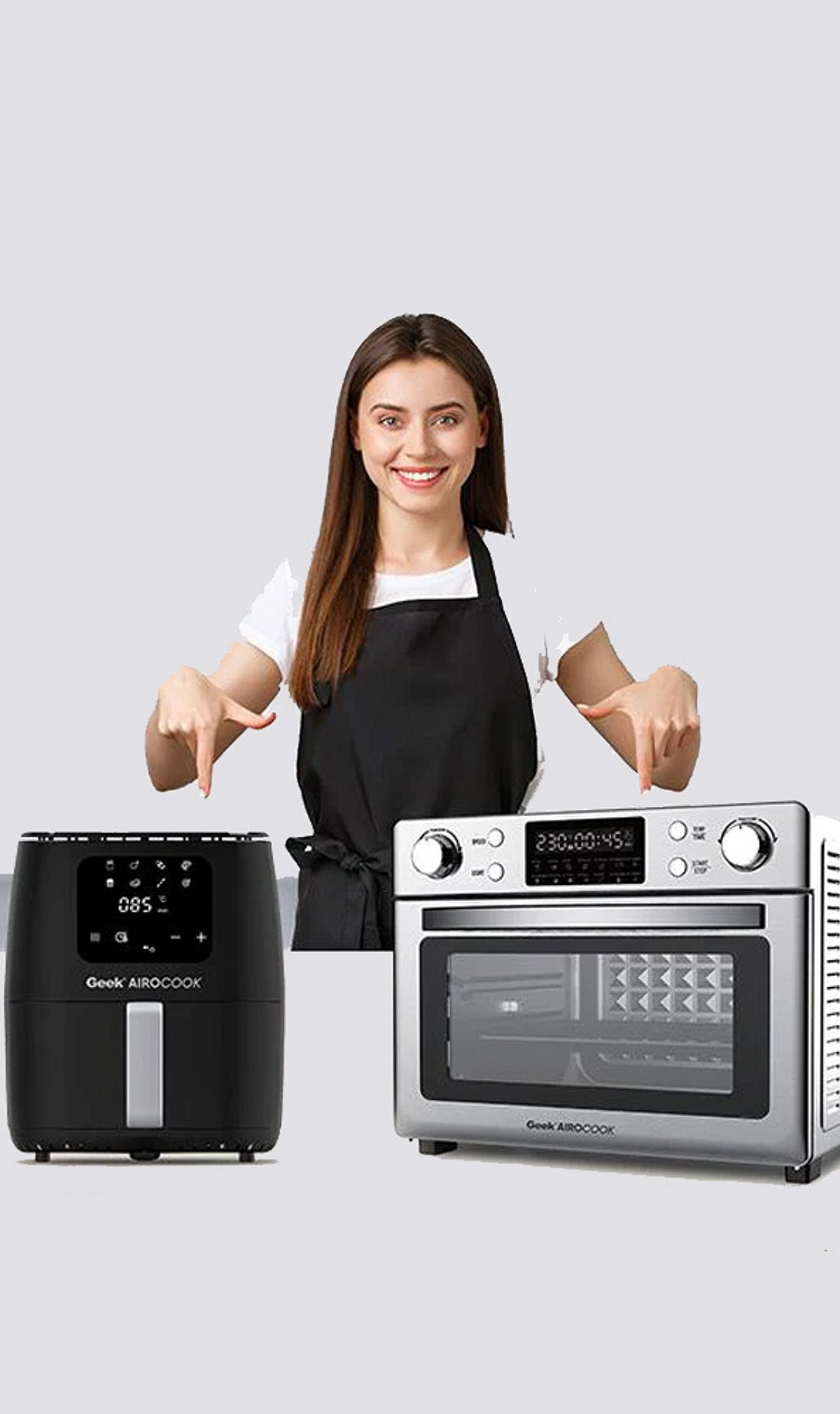
  • Smart Air Fryer vs. Traditional Air Fryer: Key Differences and Which One to Choose

    Smart Air Fryer vs. Traditional Air Fryer: Key Differences and Which One to Choose

    When choosing between a smart air fryer and a traditional air fryer, the decision often comes down to your preference for convenience versus simplicity. Smart air fryers offer app controls, automation, and remote cooking capabilities, while traditional models provide straightforward manual operation without connectivity.

    Smart Features vs. Simplicity

    Smart air fryers come with app controls and automation, allowing you to monitor and adjust cooking from your smartphone. Traditional air fryers, on the other hand, rely on manual dials or buttons — no setup, pairing, or software updates required.

    Ease of Use

    Traditional air fryers are simple to operate: just set the time and temperature. Smart models require initial app setup, Bluetooth or Wi-Fi pairing, and occasional firmware updates, which may be a hurdle for less tech-savvy users.

    Remote Cooking Control

    Smart models let you remotely start, pause, or adjust cooking via an app. This is a major convenience for busy households or multitaskers who want to check on dinner without being in the kitchen.

    Cooking Performance

    Both types use hot-air circulation technology, so cooking results are similar when temperature, timing, and capacity are comparable. The core cooking method is the same.

    Automation and Presets

    Smart air fryers include automated programs and guided recipes, reducing guesswork for beginners and simplifying meal prep. Traditional models typically have fewer presets or none at all.

    Price and Value

    Traditional air fryers generally cost less, offering better value for users who only need basic cooking functions. Smart models command a premium for their advanced features.

    Smart Home Integration

    Connected air fryers may support voice assistants like Alexa or Google Assistant and integrate with smart-home ecosystems. This adds convenience for users already invested in connected devices.

    Maintenance and Reliability

    Traditional models have fewer electronic components, making them potentially easier to maintain and less dependent on software or connectivity. Smart models may face issues like app bugs or connectivity drops.

    Which One Should You Choose?

    Choose a smart air fryer if you value automation, remote control, and smart home integration. Opt for a traditional model if you prioritize affordability, simplicity, and dependable operation without extra electronics.

  • Best Electric Fireplace Deals This Weekend: Save on Top-Rated Heaters

    Best Electric Fireplace Deals This Weekend: Save on Top-Rated Heaters

    Electric fireplaces are designed to deliver comfortable heat and the visual appeal of a real fire using only a standard electrical outlet. Buyers can choose between portable stoves, built-in designs, and smart-enabled models depending on their space. Limited-time weekend offers make premium features more accessible at lower prices.

    Overview

    Electric fireplaces provide supplemental heat with realistic flame effects and are available as freestanding, wall-mounted, and recessed models to suit different room sizes and home layouts.

    Heating capacity, room coverage, installation requirements, and safety features such as overheat protection are the key factors that determine everyday performance and long-term usability.

    Budget stoves, infrared heaters for larger spaces, built-in fireplace designs, and smart-enabled models each serve different heating needs, features, and price ranges.

    The biggest mistake buyers make is chasing the biggest discount instead of the right heater. A traditional fireplace needs a chimney, venting, and costly installation. An electric fireplace just needs a normal outlet, and it’s ready in minutes.

    That ease is why weekend Amazon sales keep pushing top-rated models to their lowest prices. But the real win isn’t the discount. It’s picking a fireplace that fits the room, not just the one with the biggest price cut. Get the size right for the space, and warmth will last all season without the hassle of a renovation.

    What Actually Separates a Good Electric Fireplace From a Weak One

    Heat Output

    Heat output decides how much room a unit can actually warm. Most models have two settings: 750W for light ambient warmth and 1500W for real heat that makes a difference. That 1500W setting usually covers about 400 square feet. Infrared models go further, with some rated for spaces up to 1,000 square feet. That matters more for open living rooms than for bedrooms or home offices.

    Installation Type

    Installation changes both cost and effort. Freestanding stoves need no setup at all. Just plug them in and place them anywhere. Wall-mounted units attach with brackets and sit flush against the wall. Recessed models look the cleanest, but they require cutting into drywall and checking depth clearance first, since most need 3.5 to 5.5 inches of space behind the wall.

    Safety Certification

    Safety certification is worth checking before anything else. ETL or CSA certification means the unit has been tested for overheating and electrical safety. Auto shut-off is close to standard now on quality models. Tip-over protection matters most for freestanding stoves, since not every budget model includes it.

    Top Electric Fireplace Deals This Weekend

    Prices reflect recent verified sale listings and can shift with active Amazon deals. Confirm final pricing on the product page before purchase.

    1. ZAFRO Electric Fireplace Stove — Best Budget Pick

    At $72, marked down from $80, this is one of the most affordable ways into the category. It runs on a 1000W and 1500W thermostat setting with 5100 BTU output and adjustable flame brightness, enough to add real warmth to a bedroom or small living room. It lacks tip-over protection, so it suits a spot where it will not get bumped or knocked.

    2. Duraflame Freestanding Electric Fireplace Stove Heater — Best for Larger Rooms

    This is the pick for anyone heating an open living room rather than a single small space. Its infrared quartz heater is rated to cover up to 1,000 square feet, well beyond what most competing stoves manage, and its metal body construction with a beveled glass door resists tipping better than lighter models. At $230, it recently hit its lowest price in nearly six months, making this a genuinely strong window to buy.

    3. Electactic 42″ Recessed Wall-Mounted Fireplace — Best for a Built-In Look

    Marked down to $139 from $200, this recessed unit gives a wall-mounted, built-in appearance without the depth requirements of larger models. It runs dual heat settings at 750W and 1500W with remote control and adjustable flame color, and its slimmer profile suits homes that want the fireplace to read as part of the wall rather than as an added appliance.

    4. Rovsun 1500W Electric Fireplace Stove — Best Value Stove

    At $80, down from $120, the Rovsun delivers a full 1500W heating element with a freestanding stove design and thermostat control. It sits between the ZAFRO and the Duraflame on price and output, making it a solid middle option for a bedroom or home office that needs more consistent heat than the cheapest stoves provide.

    5. Westinghouse 50″ Electric Fireplace Heater — Best for Smart Home Integration

    This is the premium pick, built for buyers who want the fireplace to double as a design feature. It supports Alexa and Google Home control, offers a 24-hour timer, and runs 750W and 1500W heat settings with color-changing flames across a wide range of combinations. It can be wall-mounted or recessed, giving more installation flexibility than most units at this tier. Pricing runs higher than the stoves on this list, so check the current listing before buying.

    Matching the Pick to the Room

    A bedroom or small home office does not need an infrared range or smart home features, and the ZAFRO or Rovsun covers those needs without waste. A larger, open living room benefits most from the Duraflame’s wider heating radius. Anyone wanting a built-in look without a full renovation should look at the Electactic’s recessed design. Buyers who already run an Alexa or Google Home setup and want the fireplace to fit into that ecosystem get the most value from the Westinghouse despite its higher price point.

    Final Thoughts

    Electric fireplace prices swing hard around seasonal sales, but the fundamentals that decide whether a unit is worth owning stay fixed: enough heat output for the actual room size, an installation type that fits the space without extra work, and safety certification that holds up over years of daily use. A buyer who checks those three things first gets more genuine value from a mid-range stove bought at a real discount than from a premium model bought for the color options that looked impressive on the listing page.

    FAQ

    1. Do electric fireplaces actually heat a room?

    Yes. Most electric fireplaces use a 1,500W heating element that can comfortably provide supplemental heat for rooms up to around 400 square feet. Infrared models may be rated to warm larger spaces.

    2. What is the difference between a freestanding and a recessed electric fireplace?

    A freestanding electric fireplace plugs into a standard outlet and can be moved as needed, while a recessed model is installed inside a wall to create a built-in appearance.

    3. Can the flame effect work without the heater?

    Most modern electric fireplaces allow the flame effect to operate independently of the heating function, so they can be used year-round for ambience.

    4. How much electricity does a 1,500W electric fireplace use?

    A 1,500W electric fireplace uses approximately 1.5 kilowatt-hours (kWh) of electricity when running at full heat for one hour. Actual operating costs depend on local electricity rates.

    5. Are electric fireplaces safe to leave running?

    Most quality electric fireplaces include safety features such as overheat protection and automatic shut-off. However, they should be used according to the manufacturer’s instructions and should not be left unattended for extended periods.