Category: Artificial Intelligence

  • Maximize Productivity in 2026: Microsoft 365 AI Automation Tips for Smarter Workflows

    Maximize Productivity in 2026: Microsoft 365 AI Automation Tips for Smarter Workflows

    Artificial intelligence is transforming workplace productivity, and Microsoft 365 is at the forefront of this shift. Businesses can leverage tools like Microsoft 365 Copilot, Power Automate, and AI-driven workflows to streamline repetitive tasks, enhance collaboration, and reduce manual workloads. According to Microsoft, Copilot is already used by over 1 million organizations, and enterprise adoption continues to grow through 2026.

    Automate Email Management with AI

    Email management consumes a significant portion of the workday. With Microsoft 365 Copilot, users can now summarize lengthy email threads, draft replies, prioritize important messages, and identify action items directly within Outlook. Additionally, Teams can integrate Power Automate to sort emails automatically, schedule follow-ups, and trigger notifications—eliminating tedious administrative tasks.

    Build Workflows Using Natural Language

    One of the most significant AI innovations from Microsoft is the ability to create workflows using natural language prompts. For example, a user can say, “Save email attachments to SharePoint and notify my team,” and Copilot will generate the corresponding workflow. These AI-based workflows are embedded across Outlook, Teams, SharePoint, Planner, and Microsoft Lists.

    Automate Meetings and Collaboration

    Microsoft Teams now offers AI-generated meeting summaries, task extraction, and follow-up reminders. Copilot can automatically highlight key decisions, assign tasks, and produce meeting notes, ensuring distributed teams stay aligned while reducing documentation overhead.

    Connect Power Automate with Business Processes

    AI can be integrated with Power Automate to automate approval workflows, HR onboarding, invoice processing, leave requests, and customer support. By leveraging business rules, scheduled events, file uploads, and emails, AI-powered cloud flows eliminate repetitive manual work.

    Monitor AI Adoption and Performance

    The Microsoft 365 Copilot Usage Report provides administrators with a dashboard to track user engagement, retention, and most-used applications. This insight helps organizations understand productivity gains and optimize adoption strategies.

    Best Practices for AI Automation

    Successful automation starts with identifying repetitive, rules-based processes. Organizations should:

    • Start with high-level manual tasks.
    • Verify AI-generated content before use.
    • Implement role-based security and governance policies.
    • Regularly refine processes based on staff feedback and analytics.

    Final Thoughts

    Microsoft 365 AI automation is about more than completing tasks—it’s about building intelligent workflows. When Copilot, Power Automate, and Teams come together, businesses gain a smoother path to improved collaboration, reduced admin load, and higher efficiency. Teams can move faster with less time spent on repetitive work. Organizations that start automating now will be well-positioned for higher productivity as AI continues to evolve within Microsoft 365.

    FAQs

    1. What is Microsoft 365 AI automation?

    It combines tools like Copilot and Power Automate to automate repetitive tasks, generate content, summarize information, and streamline workflows across Outlook, Teams, Word, Excel, and other Microsoft apps.

    2. How does Microsoft 365 Copilot improve productivity?

    Copilot drafts emails, summarizes meetings, generates documents, analyzes spreadsheets, and suggests next steps, reducing manual work and letting employees focus on higher-value tasks.

    3. What business processes can Power Automate handle?

    It can automate approvals, invoice processing, HR onboarding, leave requests, document routing, notifications, and customer support workflows, integrating with hundreds of Microsoft and third-party apps.

    4. Can Microsoft 365 AI create workflows without coding?

    Yes. Copilot lets users build workflows using natural language prompts—no programming knowledge required.

    5. Is Microsoft 365 AI automation suitable for small businesses?

    Absolutely. Small businesses can automate routine tasks, improve collaboration, and boost productivity without complex IT infrastructure.
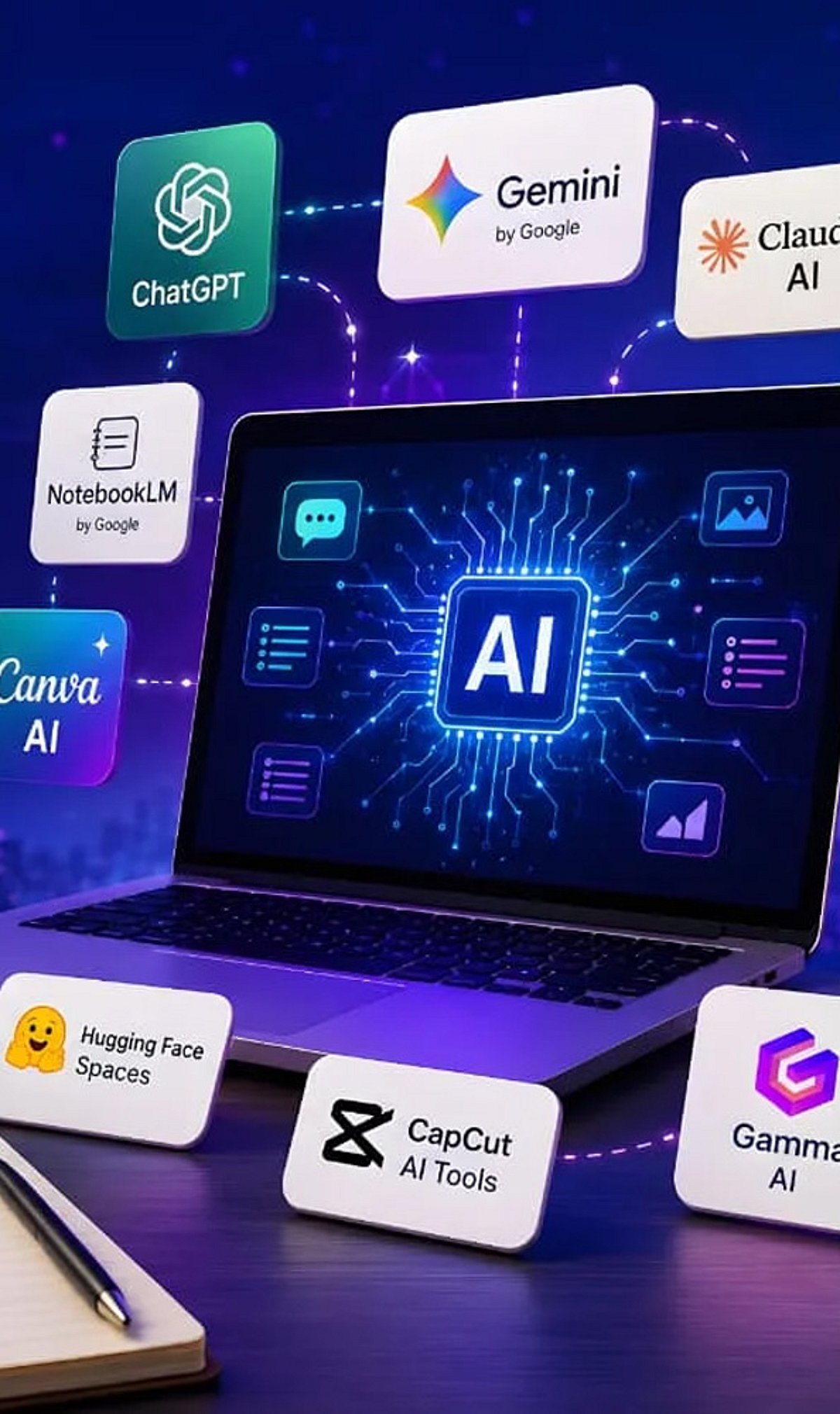

  • 10 Free AI Tools That Can Save You Hours Every Week

    10 Free AI Tools That Can Save You Hours Every Week

    Artificial intelligence tools have become indispensable for boosting productivity and streamlining workflows. Whether you need to generate content, research a topic, organize documents, or automate meeting notes, there is a free AI tool that can help. Here is a curated list of 10 powerful free AI tools that can save you hours every week.

    1. ChatGPT

    ChatGPT is one of the most versatile AI assistants available. Use it to generate content, brainstorm ideas, summarize documents, answer questions, and automate everyday writing tasks. Its conversational interface makes it easy to get started.

    2. Google Gemini

    Google Gemini integrates seamlessly with Google Workspace to help you research topics, summarize lengthy files, analyze images, and streamline both personal and professional workflows. It’s a great choice for anyone already using Google’s ecosystem.

    3. Microsoft Copilot

    Microsoft Copilot works directly inside Microsoft 365 applications and Windows. Draft emails, create presentations, analyze spreadsheets, and even get assistance with coding—all without leaving your workflow.

    4. Perplexity AI

    Perplexity AI provides accurate, source-backed answers instantly with real-time web search. It makes research, fact-checking, and learning significantly faster than traditional search engines.

    5. Canva AI

    Canva’s AI-powered design tools let you create social media graphics, presentations, videos, and marketing visuals without needing professional design experience. It’s a time-saver for content creators and marketers.

    6. Grammarly

    Grammarly helps improve grammar, clarity, tone, and writing quality across emails, documents, and websites. Its instant suggestions make writing more efficient and polished.

    7. NotebookLM

    NotebookLM by Google is an AI-powered research assistant that helps you organize research materials, summarize documents, generate study guides, and ask questions using your uploaded sources. It’s ideal for students and professionals.

    8. Claude

    Claude is an AI assistant capable of summarizing long reports, writing polished content, analyzing documents, and handling complex reasoning tasks. Its natural, conversational responses make it easy to work with.

    9. Otter.ai

    Otter.ai automatically records meetings, transcribes conversations, generates summaries, and captures action items. It reduces manual note-taking and improves collaboration efficiency for teams.

    10. Additional Bonus Tools

    While the list includes nine core tools, many other free AI applications can further boost your productivity. Experiment with different tools to find the ones that best fit your needs.

    Start using these free AI tools today to reclaim hours of your week and focus on what matters most.

  • How Spotify Uses AI to Personalize Your Playlists: What Users Need to Know

    How Spotify Uses AI to Personalize Your Playlists: What Users Need to Know

    Artificial intelligence is reshaping the way music streaming platforms operate, and Spotify is at the forefront of this transformation. Here’s a breakdown of how AI is influencing your listening experience and what it means for you as a user.

    AI-Powered Playlist Recommendations

    Spotify leverages AI to analyze your listening habits—everything from the genres you favor to the times of day you listen—and uses that data to recommend songs and artists tailored specifically to you. This continuous learning process ensures that your playlists evolve with your tastes.

    Smarter Music Discovery

    Beyond simple recommendations, AI helps you discover new music that aligns with your preferences. By examining patterns across millions of users, Spotify can introduce you to emerging artists, hidden gems, and genres you might not have explored otherwise.

    The AI DJ Feature

    One of Spotify’s most notable innovations is the AI DJ, which delivers personalized music selections along with voice-guided commentary. This feature mimics the experience of a human DJ, providing context and recommendations that feel curated just for you.

    Continuous Playlist Personalization

    Algorithms constantly update your playlists based on changes in your listening behavior. If you suddenly develop a taste for indie rock or classical music, your playlists will adapt to reflect your new interests.

    Privacy Concerns Around Data Collection

    With the benefits of personalization comes scrutiny. Some users question how Spotify collects, stores, and processes their listening data to fuel these AI-driven recommendations. Transparency and user control remain hot topics in the conversation around AI and privacy.

    The Continued Role of Human Editors

    Despite the rise of AI, human-curated editorial playlists still hold significant value. Spotify relies on human editors to craft playlists that capture cultural moments, seasonal moods, and niche communities—something algorithms alone cannot replicate.

    AI and Emerging Artists

    AI doesn’t just benefit listeners; it also helps emerging artists get discovered. By analyzing listening patterns, Spotify can recommend up-and-coming musicians to users who are likely to appreciate their sound, leveling the playing field in a crowded industry.

    Balancing Benefits and Concerns

    While AI dramatically improves personalization, it also raises important discussions around transparency, data control, and the balance between algorithmic curation and human touch. As Spotify continues to innovate, users should stay informed about how their data is used and what choices they have.

    For the latest updates on AI and technology, join our community on WhatsApp.

  • OpenAI Removes Text Chat Limits for Free Users, Introduces GPT-5.6 Luna and Think Button

    OpenAI Removes Text Chat Limits for Free Users, Introduces GPT-5.6 Luna and Think Button

    OpenAI has announced a significant update for ChatGPT, removing text chat limits for free users and introducing a new default model, GPT-5.6 Luna, along with a Think button for complex questions. The changes also include an upgraded GPT-5.6 Sol for Plus and Pro subscribers, rolling out next week.

    Unlimited Text Chats for Free and Go Users

    The most notable change is the removal of message caps for text conversations on the free tier. Users can now chat without interruption throughout the day. However, this unlimited access applies only to text chats; file uploads, image uploads, voice conversations, and AI image generation still have separate usage limits. This is especially beneficial for users who rely on ChatGPT for writing, brainstorming, learning, or asking questions.

    GPT-5.6 Luna: Default Model for Free and Go

    Free and Go users will automatically get GPT-5.6 Luna as the default AI model, replacing GPT-5.5. According to OpenAI, GPT-5.6 Luna produces 62% fewer factual errors than its predecessor while maintaining a natural and fast conversational experience. It handles routine tasks like answering straightforward questions, explaining concepts, and helping with writing.

    Think Button for Deeper Reasoning

    A new Think button will be available for free and Go users. When selected, ChatGPT takes additional time to reason through multi-step problems, complex concepts, or questions requiring detailed analysis before providing an answer. Users can activate it whenever they need more thoughtful responses.

    Upgraded GPT-5.6 Sol for Plus and Pro Subscribers

    Plus and Pro users receive an upgraded version of GPT-5.6 Sol, which improves performance for daily productivity tasks like answering questions, web research, project planning, content writing, advice, and decision-making. The model aims to produce more concise and unambiguous responses without sacrificing accuracy. OpenAI reports that GPT-5.6 Sol makes 68% fewer factual mistakes than GPT-5.5 Instant. These subscribers also gain a thinking slider to control the level of reasoning before responses—lower for simple queries, higher for complex requests.

    Rollout Timeline

    GPT-5.6 Sol is already available to Plus and Pro users. The remaining updates for free and Go users will begin rolling out next week.

  • Daily Briefing: China’s AI Chip Push, DeepMind’s Revealing Pitch Deck, Workplace Culture Debate, Crypto Derivatives Surge, and AI in Sports

    Daily Briefing: China’s AI Chip Push, DeepMind’s Revealing Pitch Deck, Workplace Culture Debate, Crypto Derivatives Surge, and AI in Sports

    Good morning! Here’s your quick scan of the latest developments in artificial intelligence, workplace culture, technology, cryptocurrency markets, and sports innovation.

    What’s New Today

    China is ramping up support for its homegrown AI chipmakers, as Beijing keeps pushing for more technological independence. Meanwhile, a dress code policy from a Noida-based firm has sparked quite a bit of chatter about workplace culture, mostly after an IIM alumnus posted a viral recount of their work experience. And then, the pitch deck that Demis Hassabis of DeepMind used back in 2019 during his transition reportedly sheds some fresh light on how the company thinks about AI. At the same time, traditional finance seems to be shifting at speed into crypto derivatives, while AI-driven sports analytics tools are quietly changing how teams are evaluated and how performance gets interpreted.

    Fast-Track Insights

    • China is feeding its semiconductor ambitions with new rounds of funding going toward domestic AI chipmakers.
    • Workplace rules are now being rechecked, after a viral post brought the conversation about toxic office culture back into the public eye.
    • Documents that describe DeepMind’s AI approach during its growth phase have surfaced.
    • On the crypto side, TradFi participants are seeing traction in perpetual futures trading.
    • AI is increasingly influencing how team sports performances are measured and understood.

    China Accelerates Support for Domestic AI Chip Manufacturers

    Chinese manufacturers of chips used in AI applications should see gains from Beijing’s efforts to achieve technological independence. Increased government support, rising internal demand, and limitations on access to external chips create room for local semiconductor manufacturers to enter the AI hardware space. The step taken by the Chinese authorities represents their strategy of minimizing reliance on technology from other countries.

    Workplace Culture Debate Reignited After Noida Firm’s Denim Policy Sparks Outcry

    An IIM alumnus’s post on LinkedIn has brought up the issue of corporate culture once again after his allegation that workers were scolded at their office in Noida for wearing jeans to work. The post has received widespread attention on social media, with many people raising questions about the strictness of corporate policies.

    DeepMind’s 2019 Pitch Deck Reveals Early AI Strategy and Vision

    A newly discovered 2019 pitch deck belonging to Demis Hassabis has come to light, providing an insight into how DeepMind marketed itself during its crucial phase of transition. The deck explains the company’s long-term vision, research focus areas, and business goals in detail.

    Traditional Finance Giants Drive 10x Surge in Crypto Perpetual Futures Trading

    The “proper” finance world is making quick, noticeable gains in crypto perpetual futures trading, and people say volumes have gone up by about ten times in 2026. This now makes up a big portion of the total crypto derivatives scene, mostly because more regulated players from traditional finance are jumping in and staying involved.

    UK-Based AI Systems Transform Sports Analytics Across Multiple Disciplines

    Sports analytics is being reshaped by AI systems built in the UK. These systems let teams boost player output, lower injury risk, refine game plans, and decide with speed in real time. Football, cricket, rugby, and other sports are frankly kind of unable to do without AI-based analysis today, so it has become a key ingredient in sports strategy.

  • How AI Video Localization Helps Brands Expand Into Global Markets in 2026

    How AI Video Localization Helps Brands Expand Into Global Markets in 2026

    AI video localization is transforming how brands reach international audiences. Instead of re-filming or hiring voice actors for every market, companies can now use artificial intelligence to translate voiceovers, sync lip movements, and adapt on-screen text automatically. This technology turns a single video into dozens of language versions, making global expansion faster, cheaper, and more accessible than ever before.

    What Is AI Video Localization and Why Does It Matter Now?

    AI video localization uses machine learning to adapt video content for different languages and cultures. Rather than manually re-producing a video for each region, the system generates a translated audio track, matches the speaker’s lip movements, and updates captions and on-screen text. This approach significantly reduces the time and cost traditionally associated with localization, opening the door for startups and mid-sized companies to compete globally.

    The Language Factor: How Much Does It Affect Reach?

    Consumer behavior clearly favors localized content. Research from CSA Research shows that around 75% of consumers prefer to buy products when information is presented in their own language, and a majority are more likely to purchase from a brand that communicates in their native tongue. With most high-performing video content still produced in English first, the fastest-growing audiences are often non-English-speaking. Localization bridges this gap, allowing brands to tap into markets they would otherwise miss.

    From Translation to Growth Strategy

    Translation answers the question “what did they say?” Localization answers a bigger one: “will this land with this audience?” This shift in perspective turns localized video into a growth lever. Producing one strong video and adapting it into ten languages multiplies the return on a single creative investment. Instead of ten separate shoots, a team gets ten market-ready assets from one, keeping costs fixed while expanding the addressable audience several times over.

    Markets Driving Demand for Localized AI Video

    The strongest demand comes from fast-growing digital regions. Asia-Pacific, led by markets such as Japan, China, and South Korea, is expanding its use of AI video at a pace well above the global average, with growth rates frequently cited above 40% annually. Europe and Latin America also contribute significant demand, each fragmented across many languages where a single English asset cannot serve the whole region. Tools like VlogMe AI, which supports multilingual voices and avatars across languages including English, Russian, Japanese, and Chinese, are built around this multi-market reality.

    How Brands Are Using AI Video Localization in Practice

    The use cases are broad because video is everywhere. Marketing teams localize product launches and ads so a single campaign runs across regions. Training and HR teams adapt onboarding and compliance videos for global staff. Educators and course creators reach students in their own language. Customer-facing teams localize explainers and support content so help feels native, not translated. The common thread is repurposing: a company records once and generates market-specific versions from that base, keeping brand voice consistent across every region.

    Risks and Challenges to Watch

    Localization at scale is powerful but not risk-free. Quality and nuance remain concerns: a literal translation can miss idiom, tone, or cultural context, so human review of high-stakes content still matters. Authenticity and disclosure are also important, as regulators and audiences increasingly expect clear labeling of AI-generated video. Finally, governance is key: when one asset becomes twenty, weak oversight multiplies mistakes just as quickly as output. Treat localization like any other data-driven process, with review steps, brand guardrails, and clear accountability.

    How to Approach AI Video Localization in 2026

    Start with the markets that matter most, not every market at once. Pick two or three high-potential languages, localize a single proven video, and measure the response before expanding. Build a repeatable workflow: one strong source video, a reliable localization tool, a human review step for tone, and clear labeling of AI-generated content. The goal is not to produce the most content but to reach the right audiences, in their language, with quality that holds up.

    The Bottom Line

    AI video localization has quietly shifted from a technical capability into a business strategy. It lets brands turn one creative investment into many market-ready assets, reach the fastest-growing regions in their own languages, and do it at a cost that no longer requires an enterprise budget. The winners in 2026 will not simply be the companies that make more video — they will be the ones that make their video understood everywhere it travels, and that publish it responsibly.

  • Leading AI Software Development Companies in the UK for 2026

    Leading AI Software Development Companies in the UK for 2026

    According to a study by the Office for National Statistics, self-reported AI adoption among UK businesses with 10+ employees reached 35% by June 2026—a new high. Yet many organizations still struggle to integrate AI effectively due to a lack of in-house expertise. Partnering with a specialized third-party AI developer can bridge that gap, offering strategic guidance, custom solutions, or team augmentation. Below are the top 10 AI software development companies in the UK for 2026, curated to help you find the right partner.

    1. Itransition

    A global IT consulting firm with a London office, Itransition delivers end-to-end AI services—from consulting to development and support. With over 5 years in AI and a dedicated AI/ML Center of Excellence, they serve Fortune 500 clients across 20+ industries, including healthcare, retail, and fintech. Key highlights include certified partnerships with Microsoft and AWS, deep UK market knowledge, and expertise in AI agents, generative AI, recommendation engines, and computer vision.

    2. Softblues

    This UK-based company specializes in intelligent automation and agentic AI, particularly with Claude. As a member of the Claude Partner, Microsoft, and Google Cloud Partner networks, Softblues offers a 90-day AI implementation process with a money-back guarantee if the proof of concept fails. Their experience spans healthcare, financial services, logistics, recruitment, and customer support.

    3. Old.St Labs

    A consultancy and development firm based in London, Old.St Labs focuses on bespoke AI-enabled solutions like mobile apps, web apps, and visual dashboards. Their partnership-driven engagement model provides real-time project visibility via a dedicated web portal. They also conduct security audits for apps built with AI coding tools.

    4. Leobit

    An international software consulting company operating in the US, EU, and UK, Leobit builds custom web, mobile, and desktop solutions including workflow automation, agentic AI, and LLM apps. They have 35+ Azure, AWS, and Anthropic AI-certified engineers and deep .NET expertise, serving sectors like healthtech, finance, logistics, and entertainment.

    5. Imobisoft

    UK-based Imobisoft delivers bespoke AI solutions such as LLMs and generative AI agents, with strong experience using Anthropic Claude and OpenAI. They develop multi-agent systems for complex tasks and have a proven track record in healthcare, utilities, energy, financial services, and the public sector.

    6. Infinum

    A global IT company with a London office, Infinum specializes in strategic consulting, cybersecurity, and enterprise-grade web and mobile apps—both AI and non-AI. They offer free AI readiness assessments and have built AI agents, computer vision systems, and deep learning models for sectors like healthcare, financial services, and automotive.

    7. TatvaSoft

    With a regional office in London, TatvaSoft provides strategic AI advisory, AI/ML development, and staff augmentation. Their bespoke AI solutions cover 10+ sectors and include LLMs, multi-agent systems, chatbots, and object recognition tools. They often combine models like Midjourney, OpenAI GPT, AWS Bedrock, and DALL-E in one project.

    8. Tapptitude

    An international mobile and web app development agency with a London office, Tapptitude offers AI consulting, model integration, and monitoring. Their team of data scientists and ML engineers can join client teams or handle full projects. Expertise spans healthcare, retail, entertainment, fintech, and proptech.

    9. 3 Sided Cube

    This UK-based agency is known for building mobile apps that address global issues like disaster warning and deforestation monitoring. They now also deliver custom LLMs and automation workflows using tools like n8n, OpenAI, Gemini, and Claude. Their AI Readiness Toolkit helps organizations launch risk-free pilot projects.

    10. Transparity

    A pure-play Microsoft partner based in the UK, Transparity provides AI strategy consulting and development using Copilot Studio, Azure OpenAI, and Azure Machine Learning. They offer free two-hour AI Readiness Assessments and primarily serve manufacturing, logistics, retail, financial services, professional services, and nonprofit sectors.

    Final Thoughts

    With UK businesses increasingly adopting AI, the right development partner can make or break a transformation initiative. This list of top AI software companies provides a starting point for finding a trusted partner to turn your AI strategy into reality.

  • 7 Profitable AI Digital Product Ideas for Creators and Entrepreneurs in 2026

    7 Profitable AI Digital Product Ideas for Creators and Entrepreneurs in 2026

    Artificial intelligence is creating exciting income opportunities for creators and entrepreneurs. Digital products require low upfront investment and can generate recurring revenue. From templates to AI tools, demand is growing rapidly. Here are seven profitable AI product ideas to explore.

    AI Prompt Packs

    Well-crafted prompt collections help users generate better results from AI tools. Businesses, marketers, students, and developers all need specialized prompts. You can create industry-specific prompt libraries for different audiences. These products are easy to update and sell repeatedly.

    AI Resume & Career Templates

    AI-powered resume templates and job application kits remain in high demand. Include optimized prompts, cover letter formats, interview guides, and portfolio templates. Professionals appreciate ready-to-use resources that save time. This niche continues growing alongside AI adoption.

    AI Business Templates

    Entrepreneurs need AI-assisted business plans, marketing calendars, SOPs, and financial templates. These products help startups launch faster with minimal effort. Customizable templates appeal to freelancers and small businesses alike. They offer excellent long-term earning potential.

    AI Design Assets

    Create editable social media templates, presentation slides, icons, illustrations, and branding kits using AI. Designers and marketers constantly seek fresh creative assets. Sell them through marketplaces or your own website. High-quality visuals attract repeat customers.

    AI Learning Courses

    Develop beginner-friendly AI courses covering prompting, automation, content creation, or productivity. Video lessons, worksheets, and downloadable resources increase perceived value. Continuous AI innovation keeps demand strong. Educational digital products remain highly scalable.

    AI Automation Workflows

    Businesses increasingly purchase ready-made AI automation systems for content creation, customer support, and operations. Bundle workflows with guides and implementation templates. These practical solutions save companies valuable time. Automation products are expected to remain among the fastest-growing digital offerings in 2026.

  • OpenAI Playground Guide: Key Features, Real-World Uses, and Prompt Engineering Tips

    OpenAI Playground Guide: Key Features, Real-World Uses, and Prompt Engineering Tips

    As generative AI becomes an essential part of software development and business processes, developers need a space to experiment with prompts, test models, and fine-tune outputs. OpenAI Playground was built for exactly this purpose. It offers a web-based graphical interface where you can interact with AI models, adjust parameters, and evaluate results without writing code.

    This versatile tool is widely used for fast prototyping, prompt crafting, and API trials, making it a valuable resource for developers, researchers, and businesses building AI-powered applications.

    Key Features of OpenAI Playground

    OpenAI Playground is a web-based application that enables real-time interaction with various AI models. Users can perform text generation, programming assistance, reasoning, summarization, translation, and structured outputs. One major benefit is parameter customization: you can modify settings such as temperature, max output tokens, and other generation controls to see how they affect responses. This flexibility helps developers fine-tune prompts before integrating them into apps. The Playground also supports system instructions and multi-turn conversations, allowing users to simulate authentic chatbot interactions and AI assistants.

    Common Use Cases

    Developers frequently use the Playground to test AI applications at the prototype stage before writing production code. It enables rapid testing of prompts for customer support bots, content generation, coding help, document summarization, and workflow automation. Businesses leverage it to evaluate AI responses for internal knowledge bots, email creation, report generation, and data analysis. Researchers use it to compare prompts and study how different instructions affect model behavior. The low-friction setup allows teams to quickly try out ideas without building a full application.

    Tips for Better Results

    • Write clear, specific prompts: provide background, describe the desired output format, and state any constraints.
    • Break complex tasks into smaller prompts to improve consistency and reduce ambiguity.
    • Experiment with parameter settings to find the right balance between creativity and factual accuracy.
    • For structured tasks, request output in JSON, tables, or bullet points for easier post-processing.
    • Test multiple prompt variations to determine the most effective approach before deploying AI into production.

    Conclusion

    OpenAI Playground is an excellent testing ground for anyone developing AI-powered applications. Its interactive interface, configurable parameters, and support for advanced prompts make it useful for both beginners and seasoned developers. As organizations increasingly invest in AI, tools like the Playground help cut development time, improve prompt quality, and accelerate experimentation. Thoughtful prompt design combined with systematic testing enables more reliable, scalable, and effective AI applications.

    Frequently Asked Questions

    1. What is OpenAI Playground used for?

    OpenAI Playground is a web-based interface that lets users interact with AI models without coding. It is commonly used for prompt testing, prototyping applications, and experimenting with different model settings before deployment.

    2. Is OpenAI Playground free to use?

    OpenAI Playground typically requires an OpenAI account with available API credits or a paid plan. Usage is billed based on the selected model and the number of input and output tokens processed.

    3. How is OpenAI Playground different from ChatGPT?

    Unlike ChatGPT, OpenAI Playground provides advanced controls such as temperature, max output tokens, system instructions, and structured output settings. It is designed for developers and researchers who need greater flexibility.

    4. Can businesses use OpenAI Playground for application development?

    Yes. Businesses use OpenAI Playground to test customer support bots, automate workflows, generate content, summarize documents, and refine prompts before integrating AI models into production applications.

    5. What are the best practices for getting accurate responses in OpenAI Playground?

    Use clear and specific prompts, provide relevant context, define the desired output format, and experiment with model parameters. Testing multiple prompt variations also helps improve response quality and consistency.

  • How GeoAI and GIS Are Transforming India’s Smart Governance and Sustainability Efforts

    How GeoAI and GIS Are Transforming India’s Smart Governance and Sustainability Efforts

    Geographic Information Systems (GIS) are evolving rapidly with the integration of Artificial Intelligence. GeoAI enables organizations to analyze complex geospatial data faster, generate predictive insights, and improve decision-making across sustainability, infrastructure, disaster management, and governance. As governments and enterprises increasingly rely on location intelligence, GeoAI is becoming a critical technology for solving environmental and societal challenges.

    In a recent episode of the Analytics Insight Podcast, Priya Diyalani spoke with Agendra Kumar, Managing Director of ESRI India Technologies, about the growing role of GeoAI in sustainability, renewable energy, public services, and India’s digital transformation. Here are the key excerpts from that conversation.

    Driving GIS Adoption Across India

    ESRI India has been a leader in GIS software, location intelligence, and mapping solutions since 1996. Today, their technology is used by more than 6,500 organizations across government, private enterprises, academia, and the non-profit sector. Nearly 1.5 million individuals use applications built on ESRI’s technology, supported by a team of around 800 professionals across ten offices.

    Beyond software, the company focuses on customer success and experience, helping organizations maximize the value of GIS through continuous education, deployment support, and adoption programs. ESRI also created the Indo ArcGIS Living Atlas, a cloud-based repository of more than 800 geospatial datasets hosted in India. By converting publicly available government data into ready-to-use spatial layers, they have significantly reduced the challenges organizations face in adopting GIS.

    GeoAI for Renewable Energy and Sustainability

    Climate change, resource scarcity, and environmental degradation require faster and more informed decision-making. GeoAI strengthens GIS by combining multiple datasets and generating insights much more efficiently than traditional approaches. For renewable energy projects, GeoAI analyzes terrain, soil conditions, sunlight availability, wind patterns, and other environmental factors to identify optimal locations for solar and wind installations. Whether it is water conservation, forest management, or renewable energy planning, GeoAI enables more accurate and data-driven decisions at scale.

    Water Resource Management and Environmental Monitoring

    Water is becoming one of the country’s most critical resources, and GIS combined with GeoAI offers powerful tools to address this challenge. Satellite imagery, drone mapping, IoT sensors, and geospatial analytics work together to monitor water availability, rainfall, catchment areas, and water quality. GeoAI also supports forest monitoring by detecting changes in forest cover and predicting the spread of forest fires using satellite imagery, vegetation data, and wind patterns. Faster analysis enables authorities to respond more effectively to environmental risks before they escalate.

    Government Use of AI-Powered GIS in National Programs

    Government adoption of GIS has expanded significantly over the past two decades through programs such as Digital India, PM GatiShakti, Smart Cities Mission, Swamitva, and Jal Jeevan Mission. AI has strengthened these initiatives by enabling large-scale analysis of geospatial data. In the Swamitva program, GeoAI helped identify land parcels for issuing property cards across more than six lakh villages. PM GatiShakti integrates geospatial information from multiple ministries to improve infrastructure planning, while GIS continues to support better governance through direct benefit transfer programs and data-driven policymaking.

    Improving Governance and Urban Planning

    GeoAI is transforming governance by enabling proactive monitoring and faster policy implementation. Governments are increasingly using drone imagery and AI-powered GIS to detect encroachments on public land, identify unauthorized construction, and monitor violations of building regulations. Urban planning has also become more efficient through GIS-based analysis of transportation, drainage systems, road expansion, and public infrastructure. Combined with census data and other spatial datasets, governments can now predict issues and act much earlier instead of reacting to problems after they occur.

    The Future of India’s GeoAI Ecosystem

    India’s geospatial ecosystem is expanding rapidly as government policies encourage wider access to mapping technologies and geospatial data. The 2022 geospatial policy has made data collection, map creation, and data sharing much more accessible, accelerating GIS adoption across sectors. As AI capabilities continue to mature, GeoAI will make geospatial analysis faster, more accurate, and more scalable. GeoAI aims to become an essential part of digital governance and enterprise decision-making. The future of India’s geospatial economy lies in combining GIS, AI, satellite imagery, drones, IoT, and real-time analytics into an integrated intelligence platform.

    Listen to the full discussion on the Analytics Insight Podcast.