Category: Artificial Intelligence

  • 10 AI-Enabled ERP Vendors Reshaping Business Operations in 2026

    10 AI-Enabled ERP Vendors Reshaping Business Operations in 2026

    Enterprise resource planning (ERP) platforms are increasingly integrating artificial intelligence to automate workflows, deliver predictive insights, and enhance decision-making across finance, supply chain, manufacturing, and field service. Here are ten AI-enabled ERP vendors to watch as they leverage advanced AI capabilities to transform enterprise operations in 2026.

    SAP S/4HANA – AI-powered automation, predictive analytics, and intelligent enterprise planning enable organizations to streamline processes and forecast outcomes with greater accuracy.

    Oracle Fusion Cloud ERP – Combines generative AI with finance, procurement, and supply chain automation to drive efficiency and innovation across the enterprise.

    Microsoft Dynamics 365 – Copilot AI boosts productivity across finance, sales, and operations by providing real-time insights and automating routine tasks.

    Infor CloudSuite – Industry-specific AI delivers smarter manufacturing and supply chain insights, helping businesses make data-driven decisions faster.

    IFS Cloud – Uses AI to optimize asset management, field service, and enterprise operations, improving uptime and service delivery.

    Epicor Kinetic – A manufacturing-focused ERP with embedded AI for operational efficiency, enabling smarter production scheduling and quality control.

    Acumatica Cloud ERP – Cloud-native ERP that helps businesses automate workflows using AI insights, resulting in improved agility and cost savings.

    NetSuite ERP – Oracle NetSuite integrates AI for finance automation and business intelligence, providing real-time visibility into financial health and performance.

  • Anthropic Rolls Out India-Specific Pricing for Claude AI: Pro, Max, and Team Plans Revealed

    Anthropic Rolls Out India-Specific Pricing for Claude AI: Pro, Max, and Team Plans Revealed

    Anthropic has officially introduced localized pricing for its Claude AI subscription plans in India, eliminating foreign exchange fees and international payment hassles for Indian users. The company has announced rupee-denominated rates for Claude Pro, Claude Max, and Claude Team plans, with the entry-level Pro plan starting at Rs 1,999 per month. All prices include GST, and the free tier remains available.

    Annual and Monthly Pricing for Claude Pro

    The Claude Pro plan is available at Rs 1,999 per month when billed annually, totaling Rs 24,000 per year. Monthly billing is priced at Rs 2,399 per month. Pro subscribers gain access to Anthropic’s Sonnet 5, Opus, and Fable 5 models, along with higher usage limits, research mode, unlimited projects, memory, online search, voice mode, file uploads, Claude Code, Claude Design, Microsoft 365 integration, and Excel and PowerPoint functionality.

    Claude Max for Power Users

    Anthropic introduced two Claude Max tiers for users needing more intensive AI usage. The Claude Max 5x plan costs Rs 11,999 per month, while the Claude Max 20x plan is priced at Rs 23,999 per month. Max subscribers receive all Pro benefits plus extended Claude Code sessions, priority access during peak demand, larger usage limits, and early access to new models and features.

    Claude Team Plans for Businesses

    For enterprises, Anthropic unveiled two Team plans. The Team Standard plan costs Rs 2,399 per user per month (annual billing) or Rs 2,999 per user per month (monthly). The Team Premium plan is priced at Rs 11,999 per user per month (annual) or Rs 14,999 per user per month (monthly). Team plans include a 200K context window, Claude Code, Claude Cowork, API usage credits, centralized billing, admin tools, single sign-on, domain capture, and admin controls. Anthropic confirmed that client content from Team accounts is not used to train its AI models.

    Plan Summary

    • Claude Pro: Rs 1,999/month (annual) or Rs 2,399/month (monthly).
    • Claude Max 5x: Rs 11,999/month.
    • Claude Max 20x: Rs 23,999/month.
    • Claude Team Standard: Rs 2,399/user/month (annual) or Rs 2,999/user/month (monthly).
    • Claude Team Premium: Rs 11,999/user/month (annual) or Rs 14,999/user/month (monthly).

    This India-specific pricing aims to reduce barriers for individuals and businesses seeking access to Claude AI, offering local billing and eliminating the need for international transactions.

  • Proven Strategies to Build Smarter, Faster, and More Reliable AI Agents

    Proven Strategies to Build Smarter, Faster, and More Reliable AI Agents

    AI agents are getting better fast, but most of them still fail in small ways that matter a lot. They miss details, forget context, pick the wrong tool, or sound confident when they are wrong. The good news is that agent performance can be improved with clear design choices, better prompts, stronger memory handling, and careful testing. Recent 2026 guidance on agent evaluation shows that teams now look at task completion, latency, hallucination rate, and cost together instead of relying on one score alone.

    What is an AI Agent? How Autonomous AI Agents Work

    An AI agent is a system that can take a goal, break it into steps, and act on its own with some level of control. Unlike a simple chatbot that only replies to a question, an agent may plan, use tools, read files, search the web, or call APIs before answering. It can also revise its next step based on what it learns along the way. This is what makes it more than a text generator. It is a task-doer.

    At the core, most agents follow a loop. First, they receive a goal from a user. Next, they think about what to do, choose a tool if needed, observe the result, and then decide the next step. This cycle can repeat many times until the job is done. In stronger systems, the agent also keeps short-term memory, tracks state, and checks whether the result matches the goal. That makes the agent feel more autonomous.

    Autonomous agents work well when the task is clear and the steps can be broken down. For example, an agent can gather market data, compare sources, draft a summary, and flag risks. But if the task is vague or the rules are weak, the agent can drift off course. This is why good agent design is not just about model size. It is also about structure, control, and guardrails.

    The best agents are built with a clear purpose. They do not try to do everything at once. They are given the right tools, a simple flow, and limits on what they can change. When that happens, the agent becomes more useful, more stable, and much easier to trust in real work.

    How to Improve AI Agent Accuracy and Response Quality

    Accuracy improves when the agent has better input, better tools, and better checks. A weak response is often not the model’s fault alone. The prompt may be unclear, the context may be too large, or the agent may not have the right data source. If the input is messy, the output will usually be messy too. So the first step is to make the task clear and narrow.

    One strong method is to give the agent a specific role, a goal, and a format. This reduces confusion and helps it focus on what matters. It also helps to provide examples of good answers. When the agent sees the shape of the output, it is more likely to match it. For fact-heavy tasks, you should also connect the agent to trusted sources instead of asking it to guess.

    Another way to improve quality is to add a review step. The agent can draft an answer, then check it for missing points, bad logic, or weak evidence. This second pass often catches errors that a single run misses. For multi-step work, it helps to make the agent verify each step before moving on. This is slower, but the quality is better.

    Response quality also improves when the agent is not overloaded. Too many instructions can make it lose focus. Too much context can hide the useful parts. Keep the task tight, use clean prompts, and remove anything that does not help the job. A simpler setup often gives better results than a complex one.

    Best Prompt Engineering Techniques for AI Agents

    Prompting for agents is different from prompting for a single reply. The prompt must guide action, not just language. A strong agent prompt should state the goal, available tools, limits, and expected output. If the agent is expected to plan, act, and report, each part should be stated clearly. This reduces random behavior.

    One useful method is to split instructions into stages. Start with the goal, then add rules, then add the output format. This makes the prompt easier to follow. It also helps to ask for one step at a time when the task is complex. If the agent tries to do everything in one go, it may miss important details. Stepwise prompting keeps the process steady.

    Examples are also powerful. A short sample of the kind of answer you want often does more than a long paragraph of rules. The agent can more easily match style, length, and structure. This is especially useful when you want a certain tone, such as plain language, business style, or technical writing. Good examples save time and reduce guesswork.

    Another smart technique is to use constraints. Tell the agent what to avoid, such as unsupported claims, extra filler, or overly long replies. Constraints help the model stay inside the lane. You can also use checklists in which the agent must confirm that each key point has been covered. This improves consistency and makes the result easier to trust.

    How to Reduce AI Agent Hallucinations and Improve Reliability

    Hallucinations occur when an agent states something that sounds true but is not. This is one of the biggest problems in AI systems. The agent may invent facts, misread a source, or fill in missing parts with a guess. The more open-ended the task, the higher the risk. That is why reliability has to be designed in, not hoped for.

    The best fix is to reduce free guessing. If the agent needs facts, give it access to verified data and tell it to use those sources first. If it cannot find proof, it should say so instead of making up an answer. This simple rule cuts down on many errors. It is also useful to ask the agent to quote or reference the source of a claim when possible.

    Another strong method is to separate generation from verification. First, the agent creates a draft. Then a second step checks whether each claim is supported. This can be done by the same model or by a different review model. The key is to force a pause before the final answer. This makes it harder for false statements to slip through.

    Reliability also improves when prompts are precise. A vague prompt invites a vague answer. A narrow prompt tells the agent exactly what kind of response is safe. For high-stakes use, it helps to add refusal behavior. If the agent is unsure, it should ask for more context or say the answer is incomplete. This is better than sounding certain while being wrong.

    How to Optimize AI Agent Memory and Context Management

    Memory helps an agent stay on track throughout a conversation or task. Without memory, the agent may forget the user’s goal, repeat work, or contradict itself. However, memory is tricky. If you store too much, the context gets noisy. If you store too little, the agent loses the thread. Good memory design is about balance.

    A useful pattern is to split memory into short-term and long-term parts. Short-term memory holds the current task, recent steps, and active facts. Long-term memory stores stable details like user preferences, project goals, or past decisions. This keeps the working context lighter and more useful. It also lowers the chance of the agent pulling in old, irrelevant details.

    Context management is just as important as memory itself. The agent should not see every past message if only a few lines matter. Instead, summarize the key points and pass forward only what is needed. This keeps prompts shorter and cheaper to run. It also helps the model focus on the right thing. A clean context usually gives a cleaner answer.

    Another good practice is to refresh memory at the right time. If the task changes, old context may no longer help. The agent should drop stale details and keep only what still matters. This is especially useful in long workflows, where the goal can shift. Strong memory is not about remembering everything. It is about remembering the right things at the right time.

    Best AI Agent Frameworks for Building High-Performance Agents

    A framework gives structure to agent building. It helps with tool calls, state, memory, planning, and multi-step logic. The best framework depends on the kind of agent you want to build. Some are better for simple tool use. Others are better for complex workflows, chains, or multi-agent setups. The right choice can save weeks of trial and error.

    Teams usually prefer frameworks that are easy to test and easy to observe. If you cannot see what the agent is doing, it is hard to improve it. A good framework should show the flow of steps, the tool used, and the output at each stage. This makes debugging much easier. It also helps teams compare versions and spot where performance drops.

    Speed matters too. A high-performance agent should not waste time on extra steps. Some frameworks are lighter and better for direct work. Others support deeper planning and better control. The best one is not always the biggest one. It is the one that fits your task, your tools, and your budget. A simple system that works well is often better than a heavy one that is hard to maintain.

    When choosing a framework, consider memory support, retry logic, tool handling, and monitoring. These are the parts that affect day-to-day quality. A framework should help the agent stay stable under pressure. It should also make it easier to update prompts, swap models, and add checks. This kind of flexibility matters when the agent grows.

    How Retrieval-Augmented Generation (RAG) Improves AI Agent Performance

    RAG helps an agent answer using current or trusted information instead of relying only on what the model remembers. In simple terms, the agent first looks up useful content, then uses it to build the answer. This is helpful because model memory can be stale or incomplete. RAG makes the system more grounded in real data.

    For agents, RAG is especially useful in tasks that need facts, company data, policies, manuals, or product details. Instead of guessing, the agent can search a document set or knowledge base. This makes answers more accurate and more useful. It also lowers hallucinations because the model has something concrete to work with. The answer becomes tied to sources, not just pattern matching.

    RAG also helps with updates. If a document changes, the agent can use the new version without retraining the whole model. This saves time and cost. It is also easier to control what the agent sees. You can limit it to approved sources and reduce the chance of bad data. This gives teams more confidence in the output.

    This said, RAG works best when the retrieval step is good. If the wrong text is fetched, the answer may still be weak. So the search method, chunk size, and ranking rules matter a lot. Good retrieval is not just a support step. It is a big part of the final result.

    How to Evaluate AI Agent Performance Using Benchmarks and Metrics

    You cannot improve what you do not measure. Agent evaluation should cover more than one score. Recent 2026 benchmark guidance shows that teams now track task success, speed, cost, and hallucination rate collectively rather than relying on a single metric. This gives a better view of real performance. A model that is accurate but slow may still be a poor fit for production.

    Benchmarks help compare agents in a repeatable way. They test how well an agent handles tasks such as tool use, browsing, coding, and long-horizon work. Different workloads require different tests, so a single benchmark is rarely enough. A broad evaluation mix is better for real systems. It shows where the agent is strong and where it breaks.

    Useful metrics include task completion rate, response time, error rate, and cost per task. You can also track whether the agent needed help, how often it failed, and how often it gave unsupported claims. These numbers tell you more than a simple pass or fail. They show the trade-offs between quality, speed, and cost. This is critical for production planning.

    The best evaluation also includes real user tasks. Benchmarks are useful, but your own workflow matters most. Test the agent with your data, tools, and business rules. That way, the score reflects real work, not just a lab setting. A good evaluation plan combines public benchmarks with private tests.

    How Multi-Agent Systems Improve AI Agent Performance

    A multi-agent system uses more than one agent to solve a task. One agent may plan, another may research, and a third may check the work. This split can improve quality because each agent has a narrower scope of work. Narrow jobs are usually easier to do well. They also make errors easier to spot.

    Multi-agent setups are useful when the task has several parts. For example, one agent can gather facts, another can write the draft, and another can review for mistakes. This creates a kind of teamwork inside the system. It also reduces the load on a single model, which can reduce confusion. When well designed, the result is more stable and complete.

    The main benefit is specialization. A reviewer agent can focus on safety, a planner on logic, and a writer on style. This can improve both speed and quality. It also makes debugging easier because you can see which step caused the issue. Instead of one black box, you get a set of smaller boxes with clearer roles.

    Still, multi-agent systems can become slow or noisy if overbuilt. Too many agents can lead to endless debate or repetitive work. So the design should stay simple. Only add agents when they solve a real problem. A small, well-tuned team of agents is often better than a large one that talks too much.

    Best Tools for Monitoring, Testing, and Optimizing AI Agents

    Monitoring tools help you see what the agent is doing in real time. They can show tool calls, prompt changes, response times, and failure points. This is important because many agent bugs are hidden inside long chains of steps. If you cannot trace the path, you cannot fix it well. Good visibility is the first step to better performance.

    Testing tools are just as useful. They let you run the same task many times and compare results. This helps you catch weak prompts, bad tool usage, and unstable behavior. It also makes version control easier. When you change the prompt or model, you can see whether the update helped or hurt. This saves a lot of guesswork.

    Optimization tools can help with prompt tuning, cost control, and latency reduction. Some tools focus on logs and traces, while others help with test sets and scoring. The best choice depends on where your agent most often fails. If the issue is speed, focus on latency. If the issue is trust, focus on accuracy and support checks. If the issue is cost, look at token use and tool calls.

    A good practice is to monitor both technical and user-facing results. The agent may look fine in logs but still frustrate users. So track answer quality, user satisfaction, and task success together. This gives a fuller view of performance. A solid tool stack should help you find problems early and fix them fast.

    Common AI Agent Performance Problems and How to Fix Them

    One common problem is poor planning. The agent may jump into action too fast or miss an important step. The fix is to add a clearer plan stage and require the agent to outline the task before acting. Another problem is a bad tool choice. The agent may call the wrong source or use a tool in the wrong order. Better tool rules and examples can help here.

    Another issue is context overload. When the prompt becomes too long, the agent may lose focus. The fix is to shorten the input, summarize old details, and keep only what matters. Many failures come from noise, not from the model itself. Cleaner context usually means cleaner output. This is one of the easiest improvements to make.

    Hallucination is another major issue. The agent may make up facts or exaggerate certainty. To fix this, connect it to trusted sources, add a verification step, and tell it to say “I do not know” when needed. This makes the system safer and more honest. It may feel slower, but it is far more useful in real use.

    Latency and cost are also common pain points. Some agents take too long because they do too many steps. Others burn tokens with long prompts or repeated calls. To fix this, reduce unnecessary loops, tighten instructions, and choose the simplest model that still meets the task. Performance is not only about accuracy; it is about balance.


  • How Artificial Intelligence Is Transforming Online Search: 7 Key Trends

    How Artificial Intelligence Is Transforming Online Search: 7 Key Trends

    Artificial intelligence is fundamentally reshaping how people find information online. Instead of typing short keywords, users now engage in natural conversations, search with images, and receive personalized, AI-generated answers. Here are seven major ways AI is changing online search.

    1. Conversational Search

    Users now ask complete questions instead of typing fragmented keywords. AI-powered search engines understand context, deliver direct answers, and engage in follow-up conversations. This reduces the need to open multiple websites, making information discovery faster and more natural for everyday users.

    2. Personalized Results

    AI analyzes search history, preferences, location, and behavior to deliver more relevant results. This personalization improves user experience by surfacing content that matches individual interests, helping people find useful information, products, or services with greater speed and accuracy than traditional search methods.

    3. Visual Search

    Users can now search using images instead of text. AI recognizes objects, products, landmarks, and even plants through computer vision, allowing shoppers, travelers, and students to instantly identify and learn about what they see using smartphones or other connected devices.

    4. Voice Search Growth

    AI-powered voice assistants have made spoken searches increasingly common. People can ask questions naturally while driving, cooking, or multitasking, with AI interpreting intent, understanding accents, and delivering accurate responses that feel more like conversations than traditional keyword-based searches.

    5. Generative AI Answers

    Search platforms increasingly generate summaries instead of simply listing links. AI combines information from multiple sources into concise responses, helping users understand topics quickly while changing how publishers, businesses, and content creators approach search engine optimization and online visibility.

    6. Smarter Shopping Searches

    AI simplifies online shopping by comparing products, summarizing reviews, recommending alternatives, and answering detailed buying questions. Consumers spend less time researching and more time making informed purchasing decisions based on personalized recommendations and real-time product information.

    7. Search Beyond Text

    AI is expanding search across videos, audio, documents, and multimedia content. Advanced models understand context within different formats, enabling users to find precise moments in videos, relevant podcast discussions, or specific document sections without manually browsing extensive content.

  • AI Search Versus Google Search: Choosing the Right Tool for Your Needs

    AI Search Versus Google Search: Choosing the Right Tool for Your Needs

    AI-powered search tools summarize information into direct, conversational answers instead of presenting long lists of websites. They can explain complex topics, compare products, generate ideas, and answer follow-up questions naturally. This approach saves time for users seeking quick understanding rather than browsing through multiple search results.

    Google Search: Best for Fresh and Verified Information

    Google Search remains the strongest option for finding the latest news, official announcements, local businesses, research papers, and government resources. Its vast index and ranking system make it ideal when users need original sources, multiple viewpoints, or up-to-the-minute information instead of AI-generated summaries.

    Research and Learning Experience

    AI search excels at simplifying difficult concepts, creating structured explanations, and providing personalized responses based on follow-up questions. Google, however, allows users to verify facts by exploring multiple trusted sources. Combining AI explanations with original references often delivers the most complete and reliable research experience.

    Shopping and Product Comparisons

    AI tools help compare products, explain specifications, and recommend options based on individual needs. Google Search still offers broader access to retailer listings, reviews, prices, official product pages, and shopping results. For purchasing decisions, many users benefit from using AI for guidance and Google for final verification.

    Coding, Writing, and Productivity

    Developers, students, and professionals increasingly rely on AI search for writing assistance, debugging code, brainstorming ideas, and summarizing lengthy documents. Google remains valuable for accessing official documentation, community forums, and technical references. Together, they create a productive workflow that balances speed with trustworthy source material.

    Accuracy, Limitations, and Trust

    AI-generated answers can occasionally contain mistakes or outdated information, especially for rapidly changing topics. Google Search provides direct access to primary sources that users can independently verify. Checking important facts through official websites remains the safest approach for health, finance, legal, and breaking-news information.

    Which One Should You Choose?

    There is no single winner because both serve different purposes. AI search is ideal for fast explanations, creative tasks, and conversational problem-solving, while Google Search remains essential for discovering authoritative sources and current information. Using both together offers the most efficient and reliable search experience in 2026.

  • AI Tutors Revolutionize Language Learning Apps: What Changed and What Didn’t

    AI Tutors Revolutionize Language Learning Apps: What Changed and What Didn’t

    For a decade, learning a language on a phone meant one loop: tap the matching word, keep the streak alive, climb a leaderboard of strangers. Then, large language models learned to hold a conversation, and the loop looked small. A tutor that chats, corrects, and roleplays in forty languages at any hour changes what an app can promise, and the incumbents knew it immediately. The result is the category’s fastest reinvention, worth understanding for what improved and what merely got new paint.

    From Flashcards to Conversation Partners

    The pivot has dates attached. Duolingo launched its Max tier in March 2023, built on GPT-4, with two features the old loop never offered: explanations of why an answer was wrong and open-ended roleplay with the app’s characters. A video-call feature followed, holding short spoken conversations in nine languages by early 2026. In April 2025, the chief executive declared the operation AI-first in a memo that leaked within hours, and AI-assisted generation roughly doubled the course catalog in a year. Conversational practice became the headline feature everywhere.

    The Engagement Machine Under the Lessons

    What did not change is the machinery that keeps people opening the app. Streaks and leagues run on the same variable-reward psychology tuned across online casino entertainment. Language apps borrowed that psychology to make grammar sticky. The borrowing was honest, since vocabulary survives only through repetition, and a streak manufactures repetition cheaply. But the mechanics answer to retention metrics, not fluency, and a tutor bolted onto the same loop inherits the incentive: keep the user returning, learning or not.

    When the Streak Becomes the Product

    Every long-term user knows the night the priority flips: the lesson gets chosen for speed rather than difficulty, because the streak matters more than the skill. That flip is the engagement machine working as designed, worth noticing without moralizing. A streak that drags you into the language on tired days does real pedagogical work, and turns hollow when preserving the number replaces practicing the skill. The difference lies in the five minutes, not the counter.

    What the Tutor Actually Changes

    Set the marketing aside, and the genuine differences between the classic app loop and an AI tutor turn out to be specific and measurable, which makes the upgrade decision easier than the hype suggests. Some of the old gaps the new tools close completely, others they barely touch at all, and one column of the comparison they actively complicate. The comparison below separates the categories honestly, including the part that the advertising skips.

    The last row is the honest asterisk on the whole revolution, and it deserves more attention than it gets. A model that converses fluently in any language can also explain its grammar wrongly while sounding completely certain of itself, which is why the serious products keep human-reviewed curricula underneath the chat layer, and why learners should treat any surprising correction as a claim to verify rather than a verdict to absorb.

    Using the Hybrid Without Fooling Yourself

    The practical playbook for the new era is short, and none of it requires a subscription decision first, because the daily habits matter far more than the subscription tier does. The new tools reward a very particular kind of user, the one who treats the app as a gym rather than a game, and the difference between those two kinds of users is built entirely from four behaviors that cost nothing at all:

    • Speak out loud daily — conversation features only build fluency when your mouth participates.
    • Spot-check surprising AI explanations against a course before adopting them.
    • Keep human contact in the diet — a tutor with infinite patience never supplies real stakes.
    • Use the streak as a doorman, not a goal — judge weeks by conversations held.

    Learners who follow these four consistently get the best of both machines: the familiar reward loop supplies the daily discipline, and the new tutor supplies the conversational practice that the loop never could. Skip them, however, and the shiny new tutor quietly becomes just one more way to feel productive for five minutes a day, which is precisely the same outcome the old flashcard loop was always criticized for producing.

    Fluency Still Charges the Same Price

    The arrival of AI tutors removed language learning’s best excuse — the lack of anyone to talk to — and none of the cost that was always the real obstacle: hundreds of hours of attention, most unglamorous. The apps are better than ever, the conversation practice is real, and the price of fluency has not dropped a cent. Open the app tonight, but order deliberately: pick the hard lesson, speak it out loud, and let the streak take care of itself.

  • AI Agents vs. Chatbots: Key Differences and When to Use Each

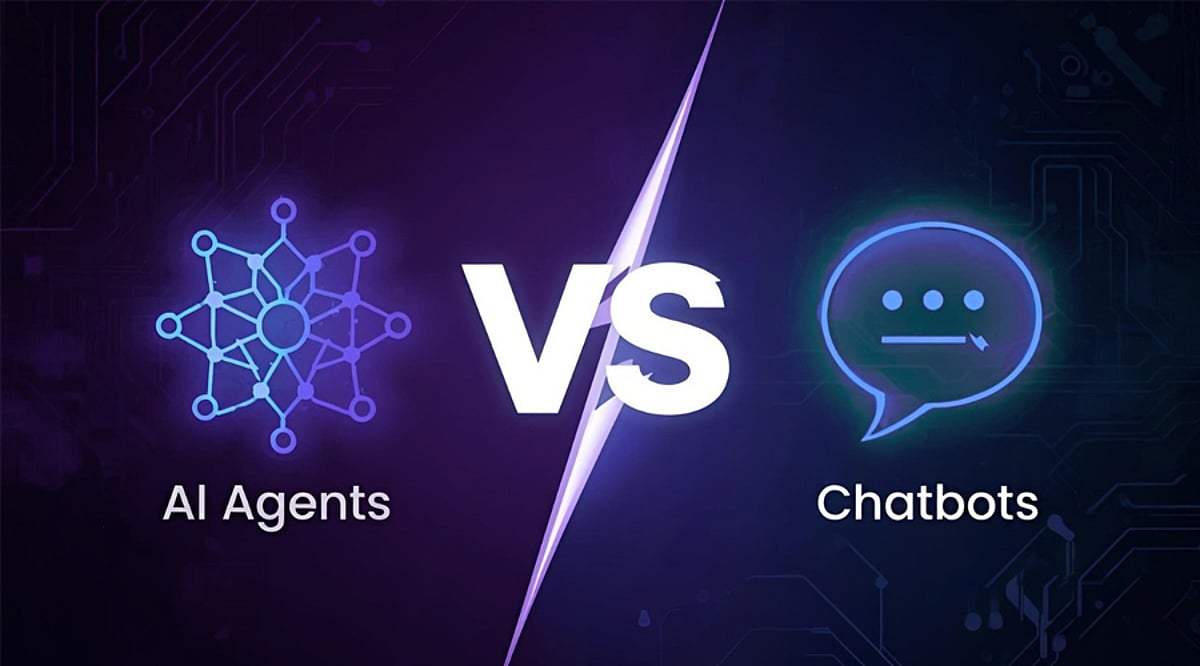
    AI Agents vs. Chatbots: Key Differences and When to Use Each

    AI chatbots and AI agents are often mentioned together, but they serve very different purposes. Chatbots excel at conversations and answering questions, while AI agents can plan, make decisions, and complete complex tasks. Understanding the distinction helps businesses and individuals choose the right tool for their needs.

    AI Chatbots Focus on Conversations

    AI chatbots are designed to interact with users through text or voice. They answer questions, explain topics, assist with writing emails, and provide customer support. Chatbots work by responding to prompts and generating relevant replies. Most require a new user instruction before taking any further action. They are ideal for quick assistance, FAQs, and everyday conversational tasks.

    AI Agents Can Take Action

    AI agents go beyond simple chatting. They understand a goal, create a plan, use connected software, and execute multiple steps to achieve a desired outcome. Instead of merely answering questions, they solve problems. For example, an AI agent can organize meetings, gather data, prepare reports, or manage workflows with minimal human involvement.

    They Handle Decisions Differently

    A chatbot reacts to what the user asks at that moment. It provides information but rarely makes independent decisions. Every new action typically requires another prompt. An AI agent, on the other hand, evaluates options, adjusts its plan if circumstances change, and continues working until the assigned task is completed successfully.

    Real-World Applications

    AI chatbots are widely used in customer service, education, e-commerce, and content creation. They help users get instant answers and improve communication between businesses and customers. AI agents are becoming popular in finance, healthcare, software development, and business operations, where they automate repetitive tasks and boost productivity.

    Which One Is Right for You?

    If you need quick answers, writing support, or customer assistance, an AI chatbot is usually the better choice. It is easy to use and effective for everyday tasks. If your work involves automation, project management, or multi-step processes, an AI agent offers more advanced capabilities and can save significant time.

    The Future of AI

    The next generation of AI will likely combine chatbots and agents into a seamless experience. Users will interact through natural conversations while AI agents handle complex work behind the scenes. This integration could make workplaces more productive by reducing repetitive work and allowing people to focus on creative and strategic tasks.

  • 9 Breakthrough Technologies Set to Transform Our World by 2026

    9 Breakthrough Technologies Set to Transform Our World by 2026

    From artificial general intelligence to fusion energy, the next few years will witness the real-world deployment of technologies that were once confined to science fiction. Here are nine groundbreaking innovations becoming reality in 2026.

    Artificial General Intelligence

    AI systems are evolving to perform increasingly complex reasoning, automate professional workflows, and assist industries with faster, smarter, and more reliable decision-making capabilities.

    Quantum Computing

    Quantum processors are now tackling specialized computational problems beyond the reach of traditional computers, accelerating scientific research, cryptography, logistics, and pharmaceutical discoveries worldwide.

    Humanoid Robots

    Human-like robots are entering workplaces, assisting in manufacturing, healthcare, hospitality, and logistics with improved mobility, intelligence, adaptability, and collaborative automation capabilities.

    6G Connectivity

    Next-generation wireless networks promise ultra-fast communication, minimal latency, immersive experiences, and seamless connections supporting billions of smart devices globally.

    Fusion Energy

    Experimental fusion reactors are achieving significant milestones, bringing cleaner, sustainable electricity generation closer while reducing dependence on fossil fuels worldwide.

    Brain-Computer Interfaces

    Advanced neural interfaces improve communication, rehabilitation, accessibility, and medical treatments by enabling direct interaction between human brains and digital devices.

    Autonomous Transportation

    Self-driving vehicles, delivery robots, and autonomous drones are expanding commercial deployment, improving logistics efficiency, urban mobility, and transportation safety significantly.

    Spatial Computing

    Mixed reality technologies merge physical and virtual environments, transforming education, entertainment, engineering, healthcare, and collaborative workplace experiences across industries.

    AI Drug Discovery

    Artificial intelligence accelerates pharmaceutical research by identifying promising compounds, reducing development timelines, improving precision, and supporting personalized medicine innovations.

  • Pioneers of Progress: How Tech Billionaires Shaped the Rise of Artificial Intelligence

    Pioneers of Progress: How Tech Billionaires Shaped the Rise of Artificial Intelligence

    The journey from the dawn of personal computing to today’s artificial intelligence revolution has been defined by a handful of visionary billionaires. These innovators didn’t just build companies; they reshaped industries, changed how we live and work, and laid the groundwork for the AI-driven future we now inhabit. Here’s a look at the key figures who turned technology into a global force for transformation.

    Bill Gates: Making Computing Personal

    As co-founder of Microsoft, Bill Gates transformed personal computing from a niche hobby into an essential tool accessible to millions. His vision made software affordable and ubiquitous, forever altering education, healthcare, and global business. Through the Bill & Melinda Gates Foundation, he also redefined how billionaire wealth can drive philanthropy and social progress.

    Steve Jobs: The Architect of the Digital Lifestyle

    Apple’s co-founder Steve Jobs revolutionized not just technology, but how people interact with it. From the Macintosh to the iPhone and iPad, his relentless focus on design and user experience set new standards for consumer electronics. Jobs turned smartphones into indispensable companions and transformed digital entertainment, music, and communication.

    Jeff Bezos: From Online Bookseller to Space Explorer

    Jeff Bezos founded Amazon as an online bookstore and built it into a global e-commerce and cloud computing behemoth. Under his leadership, Amazon redefined retail logistics, made cloud computing mainstream with Amazon Web Services (AWS), and pushed the boundaries of space exploration with Blue Origin. His long-term, innovation-first mindset created templates for modern digital business.

    Elon Musk: Accelerating the Future

    Elon Musk is a serial entrepreneur who has driven breakthroughs across multiple sectors. Tesla made electric vehicles desirable and mainstream. SpaceX lowered the cost of space travel and revived private spaceflight. Through Tesla and companies like Neuralink and xAI, Musk is also pushing artificial intelligence into energy, transportation, and brain-computer interfaces.

    Mark Zuckerberg: Connecting the World

    Mark Zuckerberg founded Facebook (now Meta) and turned social networking into a global phenomenon. The platform connected billions of people and redefined digital communication. Today, Zuckerberg is betting heavily on virtual reality, augmented reality, and AI as the next frontiers, shaping how we will interact, work, and play in the metaverse.

    Larry Page & Sergey Brin: Organizing the World’s Information

    The Google co-founders created the world’s most powerful search engine and built an empire around information access. Larry Page and Sergey Brin’s innovations in search algorithms, artificial intelligence, and digital advertising set the stage for modern data-driven technology. Their investments in autonomous vehicles, life sciences, and AI research continue to influence many fields.

    Jensen Huang: Powering the AI Revolution

    As CEO of NVIDIA, Jensen Huang turned a graphics chip company into the engine of the artificial intelligence era. NVIDIA’s GPUs are the backbone of modern AI data centers, powering everything from deep learning research to autonomous vehicles and gaming. Huang’s foresight in betting on parallel processing made him a pivotal figure in the AI boom.

    Sam Altman: Democratizing Generative AI

    Sam Altman, CEO of OpenAI, brought generative AI to the mainstream with tools like ChatGPT and DALL·E. His leadership has accelerated AI adoption across industries, sparked debates about responsible development, and pushed the conversation around artificial general intelligence. Altman’s work is changing how we think about productivity, creativity, and the future of work.

    These billionaires each played a unique role in the transition from tech to AI. Their legacies are not just fortunes, but the technologies and ideas that continue to shape our world.

  • Airtel Perplexity Pro Subscription Shows ‘Paused’ Status: What It Means and How to Respond

    Airtel Perplexity Pro Subscription Shows ‘Paused’ Status: What It Means and How to Respond

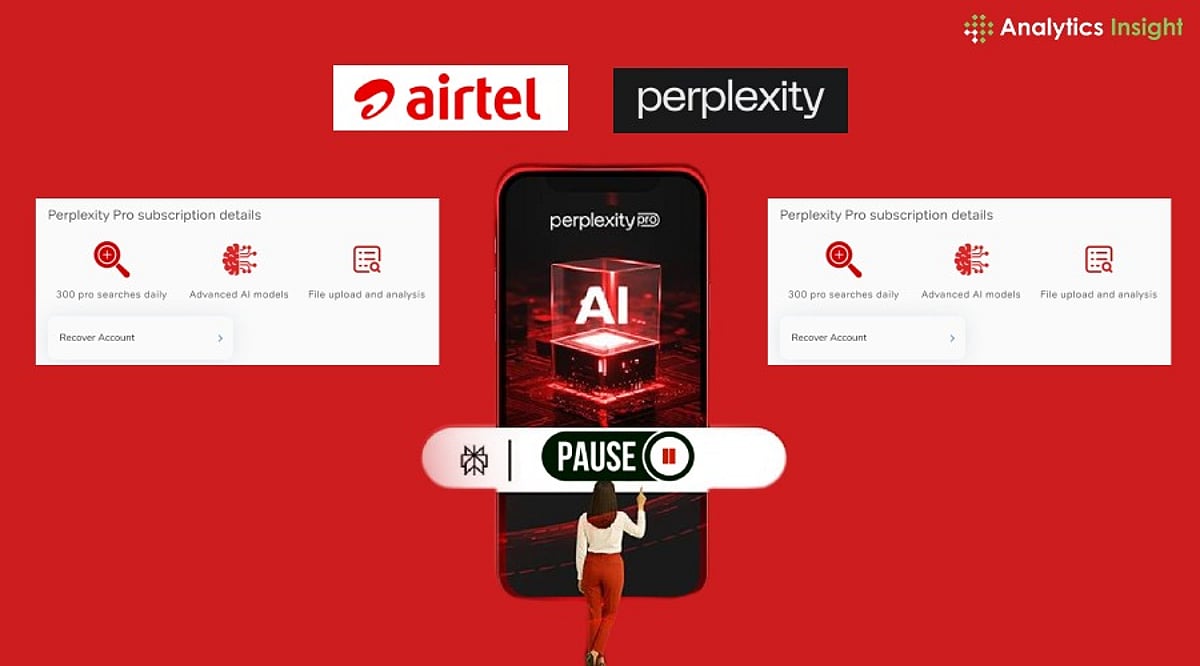
    Thousands of Airtel customers who took advantage of the operator’s complimentary one-year Perplexity Pro subscription are now seeing a ‘paused’ status on their accounts. While this may cause concern, it does not mean the subscription has been canceled. Instead, it indicates that the promotional period has ended, and users need to decide whether to upgrade to a paid plan.

    Why the Subscription Appears Paused

    Airtel’s limited-time offer, launched in partnership with Perplexity in July 2025, provided eligible prepaid, postpaid, broadband, and DTH customers with a free one-year Perplexity Pro subscription valued at approximately Rs. 17,000. The offer is now closed to new users. Those who activated it before the deadline retain access until their 12-month subscription expires.

    A paused subscription signals that the promotional period has ended. To continue using premium AI services, users must provide a valid payment method and pay for a monthly or yearly plan. The account remains intact; subscribing again will restore access to the Pro version.

    How to Avoid Unwanted Renewal Charges

    Users who do not intend to upgrade should check their account settings before the trial ends. If a payment method was added, they must cancel automatic renewal via the Billing or Subscriptions section. This prevents any charges after the trial period concludes.

    According to Airtel’s FAQs, subscriptions may automatically renew depending on the billing cycle selected after the trial period, unless the user cancels automatic renewal beforehand. The promotion for new activations has stopped, but existing users retain access until their 12-month validity expires.

    What to Do Next

    • If you want to continue using Perplexity Pro, choose a paid subscription plan and add a payment method.
    • If you do not wish to continue, cancel automatic renewal immediately to avoid charges.
    • Be aware that your account and data are not deleted; you can resubscribe later if needed.

    Stay informed about your subscription status to make the best decision for your needs.