Category: Home Electronics

  • Smart Air Fryer vs. Traditional Air Fryer: Key Differences and Which One to Choose

    Smart Air Fryer vs. Traditional Air Fryer: Key Differences and Which One to Choose

    When choosing between a smart air fryer and a traditional air fryer, the decision often comes down to your preference for convenience versus simplicity. Smart air fryers offer app controls, automation, and remote cooking capabilities, while traditional models provide straightforward manual operation without connectivity.

    Smart Features vs. Simplicity

    Smart air fryers come with app controls and automation, allowing you to monitor and adjust cooking from your smartphone. Traditional air fryers, on the other hand, rely on manual dials or buttons — no setup, pairing, or software updates required.

    Ease of Use

    Traditional air fryers are simple to operate: just set the time and temperature. Smart models require initial app setup, Bluetooth or Wi-Fi pairing, and occasional firmware updates, which may be a hurdle for less tech-savvy users.

    Remote Cooking Control

    Smart models let you remotely start, pause, or adjust cooking via an app. This is a major convenience for busy households or multitaskers who want to check on dinner without being in the kitchen.

    Cooking Performance

    Both types use hot-air circulation technology, so cooking results are similar when temperature, timing, and capacity are comparable. The core cooking method is the same.

    Automation and Presets

    Smart air fryers include automated programs and guided recipes, reducing guesswork for beginners and simplifying meal prep. Traditional models typically have fewer presets or none at all.

    Price and Value

    Traditional air fryers generally cost less, offering better value for users who only need basic cooking functions. Smart models command a premium for their advanced features.

    Smart Home Integration

    Connected air fryers may support voice assistants like Alexa or Google Assistant and integrate with smart-home ecosystems. This adds convenience for users already invested in connected devices.

    Maintenance and Reliability

    Traditional models have fewer electronic components, making them potentially easier to maintain and less dependent on software or connectivity. Smart models may face issues like app bugs or connectivity drops.

    Which One Should You Choose?

    Choose a smart air fryer if you value automation, remote control, and smart home integration. Opt for a traditional model if you prioritize affordability, simplicity, and dependable operation without extra electronics.

  • Top Smartwatches Under Rs. 25,000: Style, Performance, and Battery Life Compared

    Top Smartwatches Under Rs. 25,000: Style, Performance, and Battery Life Compared

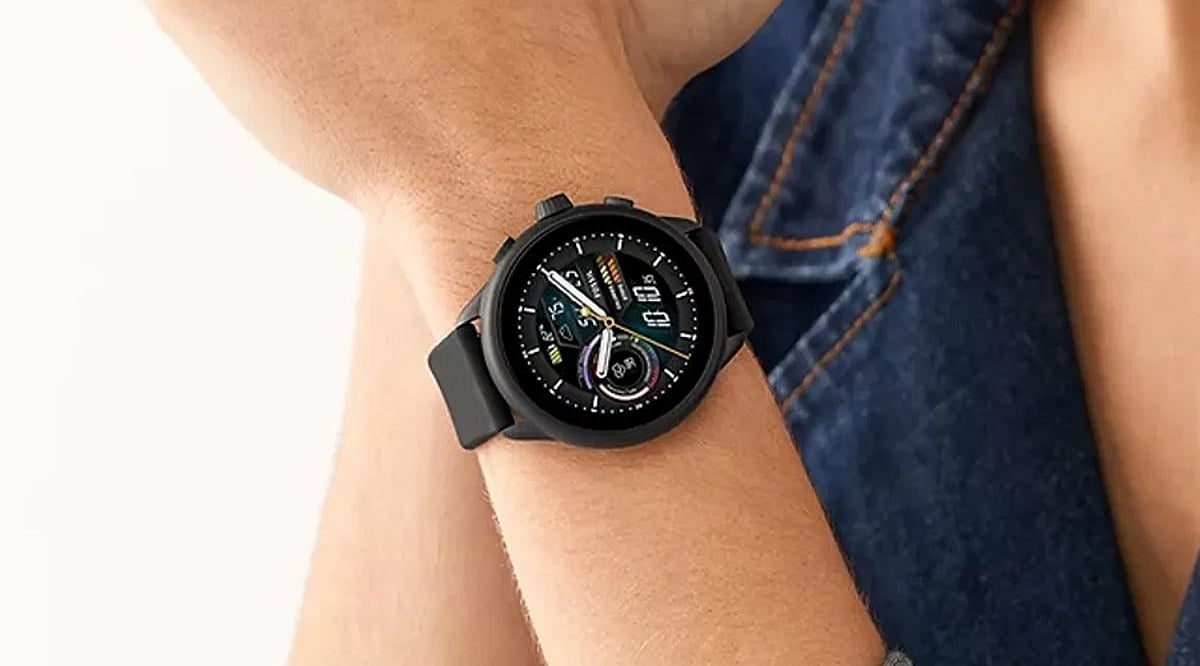
    Finding a good smartwatch under Rs. 25,000 is easier than ever. Whether you want Google apps, advanced fitness tracking, or long battery life, this price range has strong options across multiple platforms. Here are the models that stand out for different types of users.

    Smartwatches under Rs. 25,000 now offer a wide range of choices, from full Wear OS devices with Google apps to fitness-focused platforms that prioritize battery life and health tracking. Buyers can choose between productivity features, advanced sports tracking, premium AMOLED displays, long battery life, or stylish everyday designs based on their needs instead of settling for one-size-fits-all devices. Models from Samsung, OnePlus, Garmin, Amazfit, Titan, and Noise each balance software, performance, battery life, and design differently, making the platform and intended use more important than specifications alone.

    Before You Buy

    Start with what matters most. Anyone who wants Google apps, Play Store access, and full notifications should go with Wear OS, though it means charging more often. Garmin and Zepp OS trade a smaller app selection for longer battery life and stronger fitness tracking. Titan and Noise keep prices low by skipping built-in GPS and app stores, which makes them a better fit for everyday use than for serious training. iPhone owners should note that most Wear OS watches work best on Android, and some features may not work as well on iOS.

    Samsung Galaxy Watch FE

    The Galaxy Watch FE is the easiest way into Wear OS at this price. It runs the full platform with a 1.2-inch Super AMOLED screen, NFC for tap-to-pay, and regular Wi-Fi and Bluetooth. The catch is battery life — expect about a day of use, not the multi-day numbers that cheaper watches claim. It sells for around Rs. 12,999, roughly half its launch price.

    Best for: Samsung phone owners who want the full software experience without paying flagship prices.

    OnePlus Watch 2R

    The Watch 2R addresses Wear OS’s battery issue with smarter hardware. A Snapdragon W5 chip runs the main system, while a second, smaller chip handles step counts and heart rate in the background, only waking the full system when needed. This is how it reaches up to 100 hours in Smart Mode and 12 days in Power Saver Mode. It has a 1.43-inch AMOLED display, GPS built for sharper outdoor tracking, and fast charging that fills the battery in about an hour. It’s priced near Rs. 17,999, often lower during sales.

    Best for: Android users who want Wear OS without charging it every single night.

    Garmin Vivoactive 5

    The Vivoactive 5 skips Wear OS altogether, and that’s exactly why it lasts 11 days on a charge while still having a decent AMOLED screen. Its sensor feeds Garmin’s health tools: energy tracking, sleep stages, stress scores, and over 30 sports apps with real GPS, not phone guesswork. It also supports Garmin Pay, though not many Indian banks are on board yet. Price ranges from Rs. 18,999 to Rs. 24,990 depending on the color.

    Best for: Runners and swimmers who want real training data and don’t need a big app store.

    Amazfit Balance 2

    The Balance 2 skips Wear OS too, running its own software built for the outdoors. It has a bright sapphire display, water resistance rated for diving down to 45 meters, and offline maps for over 40,000 golf courses. Battery life reaches 21 days. Next to the Vivoactive 5, it leans more into outdoor and adventure use, while Garmin still wins on training detail. Price sits close to Rs. 24,999.

    Best for: Divers, golfers, and anyone who wants a rugged outdoor watch, not just a notification screen.

    Titan Smart 3

    The Smart 3 drops GPS and app support to keep the price low, and it still feels solid. It has an always-on AMOLED screen, calling support, over 110 sports modes tracked through your phone, and fast charging that adds a day of battery in ten minutes. The price runs from Rs. 5,000 to Rs. 12,000.

    Best for: First-time buyers who want AMOLED and calling without the Wear OS price tag.

    NoiseFit Halo 3

    The Halo 3 goes for looks over specs, shaped like a classic dress watch with metal, leather, and silicone strap options. Its best feature is Noise AI Pro, which handles voice notes, daily briefings, and QR tickets. Like the Titan, it skips GPS and apps. Price ranges from Rs. 4,499 to Rs. 7,999.

    Best for: Buyers who want a watch that looks traditional first, smart second.

    How They Compare

    Matching the Watch to the Buyer: Anyone on Android who wants Google apps and full notifications gets the most out of Samsung. If daily charging is a dealbreaker but Wear OS still matters, OnePlus is the better pick. Runners and swimmers who care about training data more than apps will find Garmin’s battery and sensor accuracy hard to beat. Divers, golfers, and anyone who spends time outdoors get more from Amazfit’s offline maps and dive certification. Budget-conscious first-time buyers get AMOLED and calling from Titan without paying Wear OS prices, and anyone who cares about looks over specs will find Noise’s dress watch design and AI features a rare combination at this price.

    Software support tends to follow the same lines. Samsung and OnePlus, running Wear OS, usually get clearer update commitments over time. Titan and Noise, on the other hand, typically ship with a fixed set of features and get maintenance updates rather than real upgrades. This gap matters more the longer someone plans to keep the watch.

    Final Thought

    Three years ago, a smartwatch under Rs. 25,000 meant picking one flaw to live with: bad battery, weak software, or a design that looked like every other watch on the shelf. Now it means choosing which trade-off works for you. This shift says more about how far this market has come than any single watch on this list.

    FAQs

    1. Which is the best smartwatch under Rs. 25,000 in India? The best smartwatch depends on your needs. Samsung Galaxy Watch FE is ideal for Wear OS users. OnePlus Watch 2R offers excellent battery life with Wear OS, while the Garmin Vivoactive 5 is better for fitness tracking.
    2. Is Wear OS better than Garmin OS or Zepp OS? Wear OS offers Google apps, Play Store access, and richer smartwatch features. Garmin OS and Zepp OS focus more on battery life, health tracking, and sports performance than third-party apps.
    3. Which smartwatch under Rs. 25,000 offers the longest battery life? Among these options, the Amazfit Balance 2 offers up to 21 days of battery life. The Garmin Vivoactive 5 lasts up to 11 days, while the OnePlus Watch 2R can deliver up to 12 days in Power Saver Mode.
    4. Are smartwatches under Rs. 25,000 compatible with iPhones? Most smartwatches support iPhones, but Wear OS models typically provide the best experience with Android devices. Some features, such as replies to notifications and certain apps, may be limited on iOS.
    5. What should I consider before buying a smartwatch under Rs. 25,000? Choose based on your priorities. Wear OS is best for productivity and Google apps. Garmin and Amazfit suit fitness enthusiasts with longer battery life, while Titan and Noise are ideal for everyday use with essential smartwatch features at lower prices.
  • Double-Door vs. Side-by-Side Refrigerators: Which Layout Suits Your Home Best?

    Double-Door vs. Side-by-Side Refrigerators: Which Layout Suits Your Home Best?

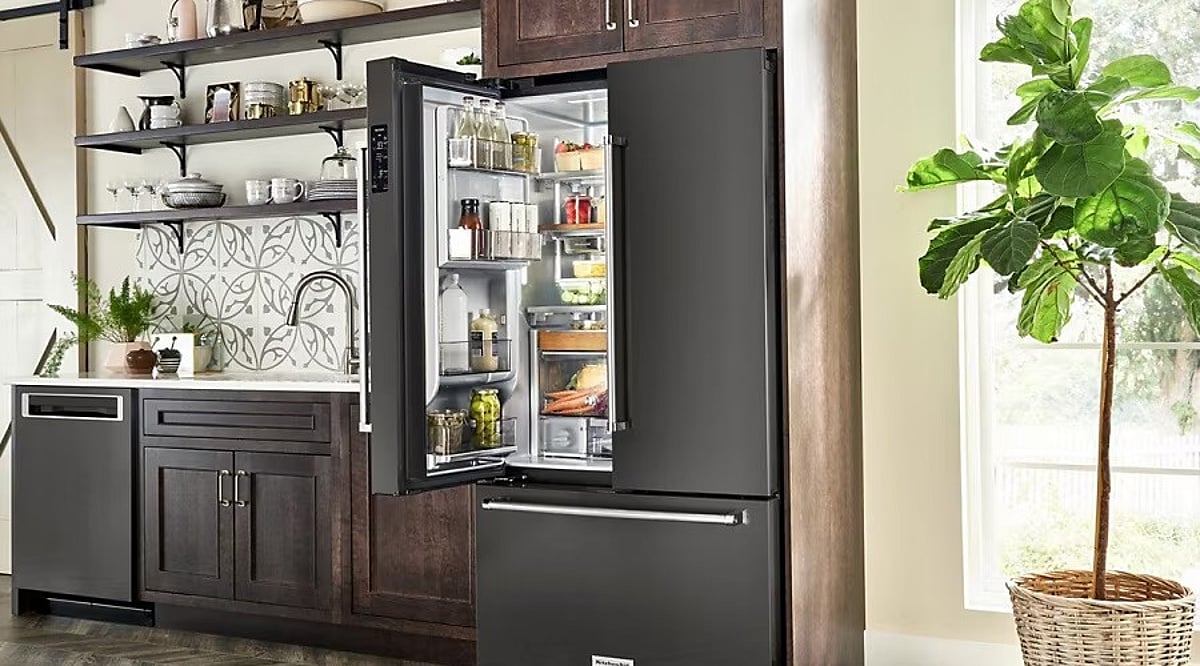
    Double-door and side-by-side refrigerators may look similar, but they are built for different priorities. From storage flexibility to energy use and convenience, each has distinct strengths. Comparing them side by side helps identify the better choice for your household.

    What Each Layout Actually Offers

    A double-door refrigerator puts most of its space toward fresh food, with the freezer sitting above or in its own section. A side-by-side splits the interior vertically instead, giving the fridge and freezer sections of approximately equal width. This layout makes both frozen and chilled items easier to reach, but it also hands over a bigger share of total space to the freezer. Therefore, a 500 to 550 liter side-by-side can end up with fresh food space no bigger than a smaller double-door model. For households that cook fresh food every day, the double-door often turns out to be the more practical pick.

    The Energy Question Most Articles Get Wrong

    Most comparison articles claim double-door models simply use less power. This claim does not hold up. Energy consumption depends on the BEE star rating and whether the compressor is inverter-based, not on the number of doors. A 5-star inverter refrigerator can use less than half the electricity of a 1-star model, regardless of layout.

    Side-by-side units do tend to land in lower star-rating bands on average. This pattern comes from their larger typical capacity and added features like water and ice dispensers, both of which draw extra power. The honest takeaway is not that double-door beats side-by-side on electricity. It is that the star label decides the outcome, not the door style.

    Making the Right Call

    A compact kitchen, daily fresh cooking, and a lower running cost point toward double doors. Ample clearance, heavy frozen storage, and eye-level access for both sections point toward side-by-side.

    Family size offers a useful shortcut too. Two to four member households usually manage well with a double-door model. Larger households of five or more, especially those that rely on frozen storage, tend to get more practical value from a side-by-side.

    Five Details that Decide the Purchase

    1. Fresh to frozen ratio: Frequent fresh shopping favors a double door even with a smaller total capacity.
    2. Kitchen clearance: Side-by-side doors need real swing room on both sides, along with sufficient cabinet width and ventilation space. Measuring the aisle before the showroom visit avoids a costly mismatch.
    3. Star rating settles energy: Comparing door types for efficiency misses the point. The kWh per year figure on the BEE label gives a direct, model-to-model answer.
    4. Wide items need wide shelves: Pizza boxes, large tiffins, and party trays sit more easily on a double door’s broader shelving than on a side-by-side’s narrower columns.
    5. Dispensers add convenience and cost: Built-in water and ice dispensers raise both the purchase price and the power draw. Filter replacements and dispenser upkeep add further ownership cost over time.

    Final Thoughts

    Refrigerator shopping in India still leans on showroom instinct more than spec sheets. The layout that looks more premium is not always the one that fits a kitchen’s real routine. As BEE ratings tighten and inverter compressors become standard across price bands, the gap between double-door and side-by-side will likely come down to usable space and household habits rather than badge value on the door.

  • 5 Best LG Washing Machines Under Rs. 40000: Front-Load vs Top-Load Guide (2026)

    5 Best LG Washing Machines Under Rs. 40000: Front-Load vs Top-Load Guide (2026)

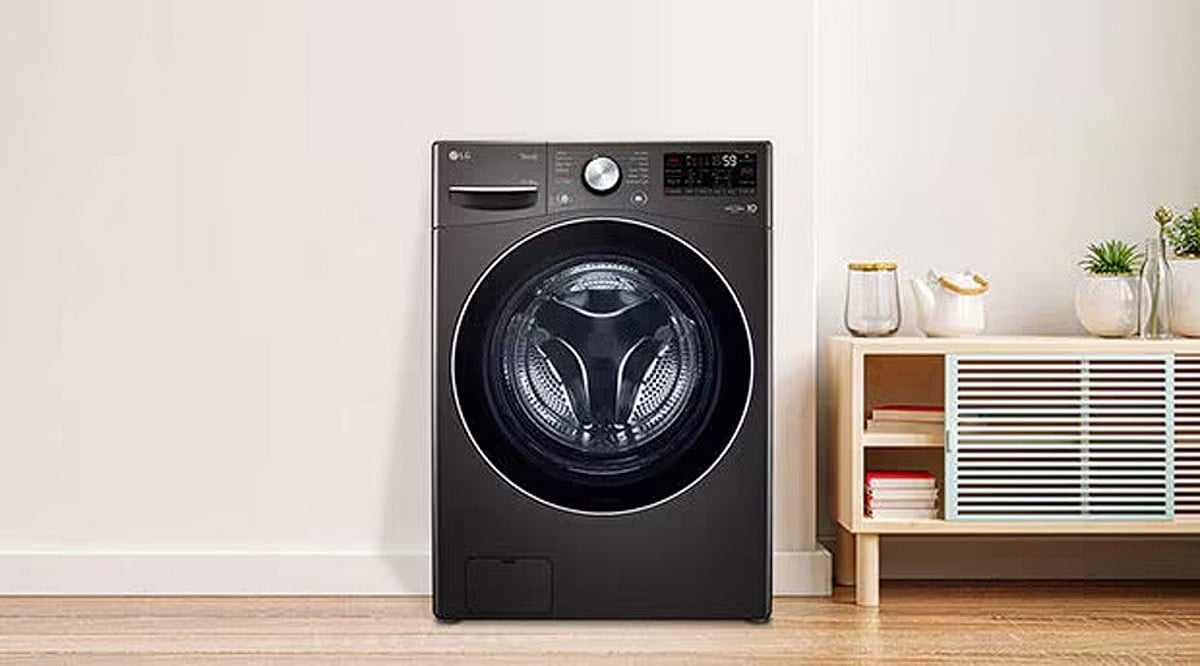
    Finding the best LG washing machine under Rs. 40,000 is easier when you focus on capacity, wash quality, and long-term efficiency instead of specifications alone. LG offers reliable front-load and top-load models across this price range. Comparing their strengths helps you choose the right machine for your home.

    LG’s sub-Rs. 40,000 lineup now includes both steam-enabled front-load models and high-capacity top-load machines, giving buyers more practical choices within the same budget. Front-load models emphasize fabric care, water efficiency, and higher spin speeds, while top-load models prioritize larger capacities and easier handling of bulky laundry. Each recommended model stands out for a distinct strength, whether it is everyday washing, large-family capacity, value for money, or advanced smart washing technology.

    A 12 kg top-load machine and a steam-enabled front-loader now sit in the same price band under Rs 40,000, which changes how the choice should be made. Specifications alone rarely settle the question. What matters more is matching a machine to the laundry a household actually generates each week. LG holds a strong position in this bracket through its Direct Drive motor line, a wide service network across India, and steady software support through the ThinQ app. Five models stand out here, each for a distinct reason, checked against live Amazon India listings before inclusion.

    Front-Load vs Top-Load: The Real Difference

    Front-load machines tumble clothes through a shallow pool of water instead of agitating them in a full tub. This motion is gentler on fabric and uses less water per cycle, which is why LG’s front-load lineup in this range leans on steam and allergen-care features. These machines also spin at up to 1200 RPM, well above most top-load models, so clothes come out drier and need less time to hang.

    Top-load machines fill the drum fully and move clothes with a pulsator. This handles bulky loads like blankets more efficiently but places more mechanical stress on delicate fabric across repeated washes.

    Quick Comparison of the Top LG Washing Machines Under Rs. 40000

    LG FHB1209Z4W: Best Overall Front-Load

    This 9 kg front-loader pairs an inverter direct-drive motor with a 6 Motion wash system, varying drum rotation patterns through a cycle instead of running one fixed motion. That reduces fabric friction while still clearing ground-in dirt. It spins at up to 1200 RPM and adds Wi-Fi control through ThinQ, along with a steam function aimed at allergen removal. Warranty covers 2 years on the product and 10 years on the motor. This is the strongest all-round front-load pick available at this budget.

    BUY NOW

    LG FHB1208Z4M: Best 8 kg Front-Load for Smaller Households

    The wash technology here nearly matches the FHB1209Z4W, scaled down to 8 kg, with the same 1200 RPM spin and warranty terms. The in-built heater and steam wash carry over, but the smaller drum runs faster cycles on regular loads. Three- to four-member households gain the same fabric care without paying for capacity that goes unused.

    BUY NOW

    LG T12SJMB1Z: Best for Large or Joint Families

    At 12 kg, this is the highest capacity available under Rs 40,000 across either load type. The TurboDrum and Punch+3 pulsator combination clears large, heavy loads without a repeat cycle. Eight wash programs cover everything from wool to tub cleaning. Bedding, curtains, and households of six or more are where this model earns its price.

    BUY NOW

    LG T90AJMB1Z: Best Value Top-Load

    Priced well under budget at Rs 25,990, this 9 kg top-load model leaves room to spend elsewhere on installation or accessories. It still carries a 5-star rating and a Smart Inverter motor running at 740 RPM, with Auto Tub Clean running after every wash. Stock has run low on Amazon at points, so availability is worth checking before purchase.

    BUY NOW

    LG THD10SWM: Best Smart Top-Load

    A 10 kg top-load model carrying genuine AI Direct Drive and an in-built heater, built for buyers who want top-load convenience without giving up steam wash or app control. The 6 Motion Direct Drive tech here is normally reserved for front-load machines and brought into a top-load body to cut vibration and noise.

    BUY NOW

    Matching the Machine to the Household

    • Daily Wear and Mixed Fabrics: FHB1209Z4W and FHB1208Z4M both deliver strong fabric care and cleaning performance. The choice between them comes down to household size rather than wash quality.
    • Bulk Laundry and Large Families: T12SJMB1Z offers the highest capacity in this price range, well suited for bedding, curtains, and frequent heavy loads.
    • Best Value Under Budget: T90AJMB1Z holds a 9 kg capacity and the essential features most households need, while staying well below Rs 30,000.
    • Best Smart Top-Load Option: THD10SWM pairs top-load convenience with wash technology and connected features usually reserved for front-load machines.
    • For Frequent Laundry Schedules: Lower electricity draw and quieter motor operation matter more over time than one extra kilogram of drum capacity.

    Final Thoughts

    Washing machine shopping under Rs 40,000 used to mean choosing between a decent front-load and an oversized top-load with no middle ground. This gap has narrowed. LG’s current range under this price point now offers steam hygiene, app control, and higher spin speeds across both formats. So the deciding factor has shifted from load type to actual laundry habits. As inverter tech and drum engineering keep converging across categories, the next real differentiator in this segment will likely be energy consumption per cycle rather than capacity or price.

    FAQs

    Which LG washing machine under Rs. 40000 is best for a family of four?

    An 8 kg or 9 kg LG washing machine is generally the best choice for a family of four. Front-load models offer better fabric care and stain removal, while top-load models provide greater convenience and faster wash cycles.

    Are LG front-load washing machines better than top-load models?

    LG front-load washing machines typically deliver better cleaning performance, use less water, and are gentler on fabrics. Top-load models, however, are easier to load, complete wash cycles faster, and often provide larger capacities within the same budget.

    Is an inverter motor worth paying extra for in an LG washing machine?

    Yes. LG’s inverter motors consume less electricity, operate more quietly, and reduce vibration compared to conventional motors. They also contribute to better long-term reliability and lower operating costs.

    What features should I prioritize in an LG washing machine under Rs. 40000?

    Focus on the right capacity, load type, inverter technology, energy rating, and essential wash programs first. Features like Steam Wash, AI Direct Drive, Smart Diagnosis, and Wi-Fi connectivity are valuable additions if they fit your budget.

    How much washing machine capacity do I need for my home?

    A 6–7 kg machine is suitable for couples or small families, 8–9 kg works well for most families of three to five members, while 10–12 kg models are ideal for large or joint families with frequent laundry loads.

  • 7 Best HEPA Air Purifiers in India for 2026: Expert Picks & Buying Guide

    7 Best HEPA Air Purifiers in India for 2026: Expert Picks & Buying Guide

    The biggest air quality problem in Indian homes rarely gets noticed. Windows stay shut for hours, sometimes days, yet PM2.5 and fine dust keep floating around the room, settling on shelves, drifting back into the air with every fan turn. Ventilation alone cannot fix this. Filtration has to do the real work, and among filtration types, True HEPA H13 remains the one that actually removes particles this small consistently and without gaps.

    Why HEPA H13 Sets the Standard

    A true HEPA H13 filter traps at least 99.95% of particles down to 0.3 microns, tested under EN1822 and ISO 29463. That covers most of the PM2.5, dust, and pollen floating around Indian homes. Watch out for anything labelled HEPA-type. It sounds similar but has no real filtration standard behind it, so performance can vary a lot.

    Two numbers matter more than the rest: CADR and room coverage. CADR, or Clean Air Delivery Rate, shows how fast a purifier actually cleans the air. A high CADR only helps when it suits the room size. Buy too big, and the extra power goes to waste. Buy too small, and the air takes longer to clear.

    The cost doesn’t end at the purchase. Filters often turn into a real expense over time. Before buying, it’s worth checking how often they need replacing, what they cost, and whether they’re easy to find.

    Seven HEPA Purifiers Worth Considering

    Dyson Purifier Cool TP07

    Dyson does not publish AHAM CADR ratings. Instead, purification gets tested through its own POLAR methodology across an 81-cubic-meter room, a method the brand argues reflects better airflow than a chamber test. The TP07 uses a fully sealed HEPA H13 filter, classified under EN1822 and ISO 29463, so pollutants captured inside stay inside rather than leaking through gaps elsewhere in the machine. It also cools the room and connects to the MyDyson app for scheduling and live air quality data. This unit fits buyers who want sensors, build quality, and design polish alongside filtration.

    Coway Airmega 150

    Coway trades smart features for filter longevity. The True HEPA H13 filter lasts up to 8,500 hours, close to two years under typical use, well past the 6- to 12-month cycle most competitors need. Coverage runs to 355 sq ft, suited to a medium bedroom or study, and the unit needs almost no ongoing attention once installed. Reliability wins out over app control here.

    Honeywell Air Touch V3

    The V3 covers 465 sq ft through a 3-stage True HEPA H13 system, backed by wide India-based service support, a factor that carries real weight once something goes wrong with an imported brand. It sits mid-range within Honeywell’s lineup, ahead of the V1 and V2 on coverage but without the WiFi and voice control found on the V5. Dependable filtration without smart-home extras sums up its appeal.

    Qubo R700

    A CADR of 460 m³/h and coverage up to 700 sq ft make the R700 suited to large living rooms and open-plan spaces. Its 4-layer filtration includes True HEPA H13 and a nano-silver coating, paired with an app running QSensAI mode, which adjusts fan speed automatically as pollution levels change. Against the Dyson, it delivers a far higher CADR for roughly half the price, though it skips the sealed-filter design and cooling function.

    Philips AC0920

    Built for bedroom use, this compact unit runs a CADR of 250 m³/h across 300 sq ft, with a real-time AQI display and a 20.5 dB sleep mode quieter than most fans. The filter costs Rs. 2,370 and lasts about a year. Philips positions this as a personal purifier rather than a whole-room solution, and that focus shows in its quiet, compact build.

    Eureka Forbes Air Purifier 355

    The strongest India-specific pick on this list, backed by a wide service network from a brand operating in the country for over four decades. Its CADR of 355 m³/h carries AHAM testing, and 480 sq ft coverage suits most Indian living rooms and larger bedrooms. Where Qubo leans on smart features, Eureka Forbes leans on local after-sales support, a real advantage when filters need replacing during peak pollution season.

    Levoit Core Mini

    At 183 sq ft coverage, this functions as a desk or personal-space unit rather than a full-room purifier and works well as an air purifier for allergies in tight settings like a study or hostel room. A 7W motor keeps it running as quietly as 25 dB, and an aroma pad for essential oils sets it apart from every other unit on this list. It fills a gap none of the larger purifiers can: a small, quiet, affordable option for a desk, dorm, or child’s corner.

    Matching the Purifier to the Room

    The room decides the purifier, not the brand name. A 700 sq ft living room calls for the Qubo R700 or Eureka Forbes 355, not the Levoit Core Mini. A bedroom under 300 sq ft suits the Philips AC0920 or Coway Airmega 150 well.

    Filter cost concerns point toward the Coway, whose 8,500-hour filter life outlasts everything else on this list by a wide margin. After-sales support concerns point toward Eureka Forbes and Honeywell, both running India-based service networks that imported brands cannot easily match.

    Common Buying Mistakes

    • Choosing by price alone, without checking CADR against room size
    • Ignoring filter replacement cost until the first change comes due
    • Picking ‘HEPA-type’ over certified True HEPA H13
    • Oversizing or undersizing the purifier for its intended room
    • Skipping pre-filter cleaning: a wash or vacuum every two to four weeks protects airflow and extends HEPA filter life
    • Expecting one purifier to clean an entire home instead of the single room it is rated for

    Final Thoughts

    Air purifier shopping in India is shifting from a luxury decision to a routine one, as pollution seasons stretch longer each year and city air quality data becomes harder to ignore. The purifiers that will matter most going forward are not the ones with the flashiest displays but the ones with transparent CADR figures, honest filter costs, and service networks built for Indian conditions. That shift already favors brands willing to publish real numbers over marketing claims.

    FAQs

    1. What is the best air purifier with a HEPA filter in India?

    The best air purifier depends on your room size, budget, and air quality needs. Look for a model with a True HEPA or HEPA H13 filter, suitable CADR, and coverage that matches your room.

    2. Is a True HEPA filter better than a HEPA-type filter?

    Yes. A True HEPA filter is designed to capture at least 99.97% of particles measuring 0.3 microns, making it more effective against PM2.5, dust, pollen, and allergens than HEPA-type filters.

    3. How do I choose the right air purifier for my room?

    Match the purifier’s recommended coverage area and CADR to your room size. A unit with adequate airflow cleans the air more efficiently and maintains better indoor air quality.

    4. How often should HEPA filters be replaced in India?

    Most HEPA filters last between 6 and 12 months, depending on usage and local pollution levels. Homes in cities with higher PM2.5 and dust may require more frequent filter replacements.

    5. Can an air purifier help with allergies and asthma?

    Yes. A True HEPA air purifier can reduce airborne allergens such as dust, pollen, and pet dander, helping improve indoor air quality. It should complement, not replace, medical advice or prescribed treatment for allergies or asthma.


  • Top 10 Premium Soundbars of 2026: Expert-Tested Dolby Atmos Models for Every Budget

    Top 10 Premium Soundbars of 2026: Expert-Tested Dolby Atmos Models for Every Budget

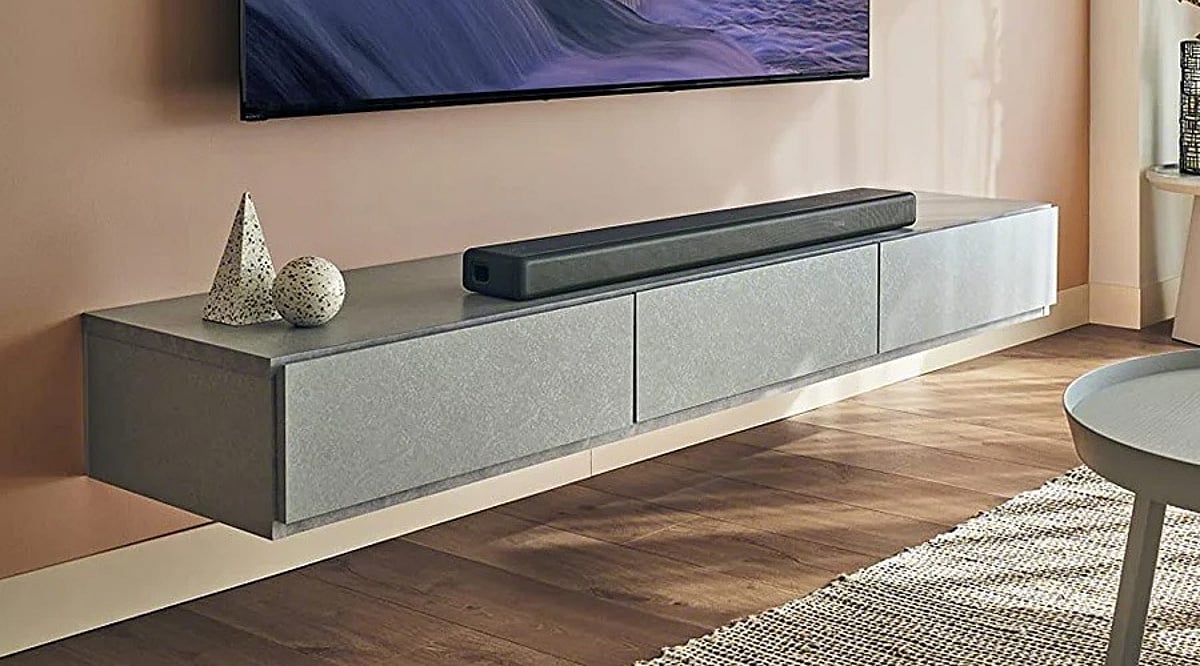
    A great picture deserves equally great sound. Premium soundbars now deliver cinematic Dolby Atmos audio without the complexity of a traditional home theater system. This guide compares the 10 best premium soundbars based on sound quality, features, and overall value.

    Channel count alone does not decide sound quality. A 5.1.2 soundbar with real up-firing drivers can outperform an 11.1.4 system that relies on virtual processing. Complete packages like the Samsung HW-Q990F include rear speakers and a subwoofer in one box, while standalone bars like the Sonos Arc Ultra use Sound Motion and virtualization to create the same effect. Ecosystem fit matters as much as specs. A soundbar built for Samsung TVs or Sonos multi-room audio unlocks extra features that vanish the moment it pairs with a different brand.

    A soundbar’s spec sheet promises immersion. What actually delivers it comes down to something spec sheets rarely explain: whether the height and surround effects come from real drivers placed around a room or from processing that fakes the same illusion from a single box. This guide ranks ten premium Dolby Atmos soundbars using verified specs, published pricing, and findings from established test labs, including RTINGS, What Hi-Fi, and Audio Advice.

    How This Ranking Works

    • Driver Setup: Physical drivers vs virtualization for height and surround
    • Value: Price weighed against what ships in the box
    • Reviews: Consensus across independent labs
    • Samsung Ranks First: Bundles subwoofer, rear speakers, Atmos, DTS:X, and calibration in one purchase
    • KEF Ranks Third: Driver quality outweighs channel count for music fans

    Real Drivers vs Virtual Surround

    Dolby Atmos on a soundbar can mean two different things. Some bars, like the Samsung HW-Q990F, ship with physical rear speakers and up-firing drivers that bounce sound off the ceiling, creating genuine directional audio. Others, like the Sonos Arc Ultra, pack angled drivers and processing into a single bar to simulate that same spatial effect. Sonos leans more on virtualization than Samsung’s physical rear speakers. It builds a convincing soundstage but does not match the same behind-the-listener precision during dense action scenes, a distinction reviewers, including What Hi-Fi, have noted when comparing the two directly. Physical rear channels tend to win for movies with genuine 360-degree sound design, while single-bar virtualization wins on simplicity, since there is nothing to place behind the couch.

    Premium Soundbars Compared

    Quick Picks

    • Best Overall: Samsung HW-Q990F
    • Best for Music: KEF XIO
    • Best Single Bar: Sonos Arc Ultra
    • Best Value: JBL Bar 1000MK2
    • Best for Samsung TVs: Samsung HW-Q990F
    • Best for Sony TVs: Sony BRAVIA Theater Bar 9
    • Best for LG TVs: LG S95TR

    Samsung HW-Q990F

    This soundbar delivers true Dolby Atmos, complete with wireless rear speakers and a subwoofer in the box. AI dialogue enhancement and automatic room calibration make it the strongest all-in-one premium home theater package for movies, gaming, and everyday TV. Buy Now

    Sonos Arc Ultra

    The Sonos Arc Ultra packs immersive Dolby Atmos into a single sleek bar, using Sound Motion technology to fill a room without extra units. It fits well in apartments and modern living rooms and works best for anyone already tied into the Sonos multi-room system. Buy Now

    KEF XIO

    The KEF XIO brings real hi-fi engineering into a Dolby Atmos soundbar, pairing a detailed soundstage with deep, controlled bass. It suits listeners who want strong music performance alongside movie sound, all from one premium unit. Buy Now

    Sony BRAVIA Theater Bar 9

    Sony’s BRAVIA Theater Bar 9 builds immersive sound through 360 Spatial Sound Mapping and supports both Dolby Atmos and DTS:X. It pairs naturally with Sony BRAVIA TVs, making it a strong pick for a cinematic setup at home. Buy Now

    JBL Bar 1000MK2

    This model comes with detachable wireless rear speakers and a powerful 10-inch subwoofer, all with full Dolby Atmos support. It offers strong surround performance at a price well below that of many flagship competitors. Buy Now

    Sennheiser AMBEO Soundbar Max

    The Sennheiser AMBEO Soundbar Max creates wide, room-filling sound from a single premium enclosure, with no rear speakers needed. It stands out as a clean, powerful option for anyone who wants big sound without extra hardware. Buy Now

    Bose Smart Ultra Soundbar

    This soundbar blends Dolby Atmos, TrueSpace processing, and ADAPTiQ room calibration for clear dialogue and balanced sound throughout a room. It works well for anyone who wants easy setup along with room to expand later. Buy Now

    Harman Kardon Enchant 1100

    The Harman Kardon Enchant 1100 packs premium Dolby Atmos sound into a compact design built for smaller spaces. Rich, balanced audio across movies and music makes it a solid upgrade for small to medium living rooms. Buy Now

    Bluesound Pulse Cinema

    This soundbar pairs immersive Dolby Atmos with high-resolution music streaming through the BluOS platform. Flexible connections and refined sound quality make it a strong fit for anyone building a premium home entertainment setup. Buy Now

    LG S95TR

    The LG S95TR runs a full 9.1.5-channel Dolby Atmos system with wireless rear speakers and WOW Orchestra support for matching LG TVs. It stands out as a strong option for immersive movie nights and next-gen gaming setups. Buy Now

    What to Check Before Buying

    • Room Size: Samsung suits larger rooms; Sonos or Sennheiser fits small apartments
    • Ceiling: Flat, 7 to 12 feet high, works best for up-firing drivers
    • TV Brand Match: Unlocks extras like Q-Symphony or WOW Orchestra
    • HDMI: Look for 2.1 with eARC for gaming
    • Streaming: Confirm the subscription tier actually supports Atmos

    Final Thoughts

    The premium soundbar category is splitting into two clear camps: complete physical surround systems and increasingly convincing single-bar virtualization. As processing keeps improving, the gap between the two will keep narrowing. For now, the choice still comes down to how much true directional sound matters, how well a bar fits an existing TV ecosystem, and whether room layout favors immersion over a cleaner, wire-free setup.

    Also Read: Best AirPlay-Compatible Soundbars in 2026 for Premium Audio

    You May Also Like: How to Choose the Best Home Theatre System for Your Home in 2026, Best Home Theater Systems to Buy This Weekend, Most Recommended Home Theater Systems for Cinephiles in 2026

    FAQs

    1. Which is the best premium soundbar to buy in 2026? The best premium soundbar depends on your needs. The Samsung HW-Q990F is ideal for a complete Dolby Atmos home theater setup, while the Sonos Arc Ultra and KEF XIO are excellent choices for premium audio and music performance.
    2. Are premium soundbars worth the extra cost? Yes. Premium soundbars offer better audio quality, Dolby Atmos support, improved dialogue clarity, deeper bass, and advanced features like room calibration and wireless surround speakers compared to budget models.
    3. Do I need rear speakers for Dolby Atmos? No, but they improve the experience. Soundbars with dedicated rear speakers deliver more accurate surround effects, while standalone Dolby Atmos soundbars use virtualization to create immersive audio without additional speakers.
    4. Can a premium soundbar replace a traditional home theater system? For most users, yes. High-end soundbars with Dolby Atmos, wireless subwoofers, and rear speakers provide cinematic sound while taking up less space and requiring much simpler installation than an AV receiver setup.
    5. What should I consider before buying a premium soundbar? Look for Dolby Atmos support, channel configuration, HDMI eARC connectivity, room size compatibility, wireless subwoofer availability, streaming features, and compatibility with your TV ecosystem to get the best performance.
  • Samsung Slashes Nearly 840 US Jobs as Consumer Electronics Headquarters Relocates to Texas

    Samsung Slashes Nearly 840 US Jobs as Consumer Electronics Headquarters Relocates to Texas

    Samsung Electronics has significantly reduced its US workforce, cutting hundreds of jobs as the company relocates the headquarters of its consumer electronics business from New Jersey to Texas. The restructuring has affected employees across display, smartphone, and other consumer electronics divisions.

    The largest impact has been in New Jersey, where 739 roles at the Englewood Cliffs office have been eliminated. Additionally, around 100 employees in Plano, Texas, including members of the mobile division, have been laid off. Samsung stated that a majority of affected workers were offered relocation opportunities, but did not disclose how many accepted.

    Documents reviewed by Reuters show employees were informed on June 30 about an ‘enterprise-wide reduction-in-force’ with a ‘significant number of impacts.’ More than 30 senior sales and marketing executives from Texas, New Jersey, and other US locations have recently left the company.

    The layoffs come as Samsung’s consumer electronics business faces slowing growth, higher costs, and increased competition. While its semiconductor division benefits from strong AI chip demand, the consumer side is under pressure. The mobile division is expected to report its first-ever loss, and Apple continues to dominate the premium smartphone market. Chinese brands TCL and Hisense are expanding in TV and home appliances, and higher chip costs are squeezing margins.

    The headquarters relocation occurs less than a year after Samsung opened its new office in Englewood Cliffs. The company stated the move aims to ‘foster stronger collaboration and optimize the organization by bringing more teams together within a growing technology and AI ecosystem.’ Samsung joins other tech giants like Tesla and Oracle in expanding operations in Texas. Samsung also clarified that there is no broad global restructuring underway within its consumer products business.

  • Best Electric Fireplace Deals This Weekend: Save on Top-Rated Heaters

    Best Electric Fireplace Deals This Weekend: Save on Top-Rated Heaters

    Electric fireplaces are designed to deliver comfortable heat and the visual appeal of a real fire using only a standard electrical outlet. Buyers can choose between portable stoves, built-in designs, and smart-enabled models depending on their space. Limited-time weekend offers make premium features more accessible at lower prices.

    Overview

    Electric fireplaces provide supplemental heat with realistic flame effects and are available as freestanding, wall-mounted, and recessed models to suit different room sizes and home layouts.

    Heating capacity, room coverage, installation requirements, and safety features such as overheat protection are the key factors that determine everyday performance and long-term usability.

    Budget stoves, infrared heaters for larger spaces, built-in fireplace designs, and smart-enabled models each serve different heating needs, features, and price ranges.

    The biggest mistake buyers make is chasing the biggest discount instead of the right heater. A traditional fireplace needs a chimney, venting, and costly installation. An electric fireplace just needs a normal outlet, and it’s ready in minutes.

    That ease is why weekend Amazon sales keep pushing top-rated models to their lowest prices. But the real win isn’t the discount. It’s picking a fireplace that fits the room, not just the one with the biggest price cut. Get the size right for the space, and warmth will last all season without the hassle of a renovation.

    What Actually Separates a Good Electric Fireplace From a Weak One

    Heat Output

    Heat output decides how much room a unit can actually warm. Most models have two settings: 750W for light ambient warmth and 1500W for real heat that makes a difference. That 1500W setting usually covers about 400 square feet. Infrared models go further, with some rated for spaces up to 1,000 square feet. That matters more for open living rooms than for bedrooms or home offices.

    Installation Type

    Installation changes both cost and effort. Freestanding stoves need no setup at all. Just plug them in and place them anywhere. Wall-mounted units attach with brackets and sit flush against the wall. Recessed models look the cleanest, but they require cutting into drywall and checking depth clearance first, since most need 3.5 to 5.5 inches of space behind the wall.

    Safety Certification

    Safety certification is worth checking before anything else. ETL or CSA certification means the unit has been tested for overheating and electrical safety. Auto shut-off is close to standard now on quality models. Tip-over protection matters most for freestanding stoves, since not every budget model includes it.

    Top Electric Fireplace Deals This Weekend

    Prices reflect recent verified sale listings and can shift with active Amazon deals. Confirm final pricing on the product page before purchase.

    1. ZAFRO Electric Fireplace Stove — Best Budget Pick

    At $72, marked down from $80, this is one of the most affordable ways into the category. It runs on a 1000W and 1500W thermostat setting with 5100 BTU output and adjustable flame brightness, enough to add real warmth to a bedroom or small living room. It lacks tip-over protection, so it suits a spot where it will not get bumped or knocked.

    2. Duraflame Freestanding Electric Fireplace Stove Heater — Best for Larger Rooms

    This is the pick for anyone heating an open living room rather than a single small space. Its infrared quartz heater is rated to cover up to 1,000 square feet, well beyond what most competing stoves manage, and its metal body construction with a beveled glass door resists tipping better than lighter models. At $230, it recently hit its lowest price in nearly six months, making this a genuinely strong window to buy.

    3. Electactic 42″ Recessed Wall-Mounted Fireplace — Best for a Built-In Look

    Marked down to $139 from $200, this recessed unit gives a wall-mounted, built-in appearance without the depth requirements of larger models. It runs dual heat settings at 750W and 1500W with remote control and adjustable flame color, and its slimmer profile suits homes that want the fireplace to read as part of the wall rather than as an added appliance.

    4. Rovsun 1500W Electric Fireplace Stove — Best Value Stove

    At $80, down from $120, the Rovsun delivers a full 1500W heating element with a freestanding stove design and thermostat control. It sits between the ZAFRO and the Duraflame on price and output, making it a solid middle option for a bedroom or home office that needs more consistent heat than the cheapest stoves provide.

    5. Westinghouse 50″ Electric Fireplace Heater — Best for Smart Home Integration

    This is the premium pick, built for buyers who want the fireplace to double as a design feature. It supports Alexa and Google Home control, offers a 24-hour timer, and runs 750W and 1500W heat settings with color-changing flames across a wide range of combinations. It can be wall-mounted or recessed, giving more installation flexibility than most units at this tier. Pricing runs higher than the stoves on this list, so check the current listing before buying.

    Matching the Pick to the Room

    A bedroom or small home office does not need an infrared range or smart home features, and the ZAFRO or Rovsun covers those needs without waste. A larger, open living room benefits most from the Duraflame’s wider heating radius. Anyone wanting a built-in look without a full renovation should look at the Electactic’s recessed design. Buyers who already run an Alexa or Google Home setup and want the fireplace to fit into that ecosystem get the most value from the Westinghouse despite its higher price point.

    Final Thoughts

    Electric fireplace prices swing hard around seasonal sales, but the fundamentals that decide whether a unit is worth owning stay fixed: enough heat output for the actual room size, an installation type that fits the space without extra work, and safety certification that holds up over years of daily use. A buyer who checks those three things first gets more genuine value from a mid-range stove bought at a real discount than from a premium model bought for the color options that looked impressive on the listing page.

    FAQ

    1. Do electric fireplaces actually heat a room?

    Yes. Most electric fireplaces use a 1,500W heating element that can comfortably provide supplemental heat for rooms up to around 400 square feet. Infrared models may be rated to warm larger spaces.

    2. What is the difference between a freestanding and a recessed electric fireplace?

    A freestanding electric fireplace plugs into a standard outlet and can be moved as needed, while a recessed model is installed inside a wall to create a built-in appearance.

    3. Can the flame effect work without the heater?

    Most modern electric fireplaces allow the flame effect to operate independently of the heating function, so they can be used year-round for ambience.

    4. How much electricity does a 1,500W electric fireplace use?

    A 1,500W electric fireplace uses approximately 1.5 kilowatt-hours (kWh) of electricity when running at full heat for one hour. Actual operating costs depend on local electricity rates.

    5. Are electric fireplaces safe to leave running?

    Most quality electric fireplaces include safety features such as overheat protection and automatic shut-off. However, they should be used according to the manufacturer’s instructions and should not be left unattended for extended periods.

  • Weekend HP Laptop Deals 2026: Pavilion, Envy & OmniBook Compared for Best Value

    Weekend HP Laptop Deals 2026: Pavilion, Envy & OmniBook Compared for Best Value

    Weekend laptop deals can be misleading. The biggest discount rarely means the best long-term value. A cheaper laptop with older hardware can end up costing more in the long run, through slower performance and a shorter useful life, than a newer model with a smaller price cut. HP’s current Amazon India lineup makes this easy to see, with budget-friendly Pavilion laptops, premium Envy convertibles, and AI-ready OmniBook models all sitting side by side. That range makes careful comparison worth the extra few minutes.

    These four HP laptops each suit a different kind of use, and picking the right one comes down to performance, features, and everyday comfort rather than the size of the discount.

    HP Pavilion x360 (13th Gen Core i5-1355U, model ek1148TU)

    Students and everyday multitaskers get the most out of this one. It runs a 13th Gen Intel Core i5-1355U with 16GB DDR4 RAM and a 512GB SSD, paired with a 14-inch FHD IPS touchscreen and Iris Xe integrated graphics. The touch-and-flip form factor works well for note-taking in class or sketching over PDFs, and the i5 chip handles browser-heavy multitasking and office apps without lag. Battery life varies by unit based on user reviews, so check current buyer feedback before purchase rather than relying on the spec sheet alone. Treat it as a dependable everyday productivity laptop, not a machine for heavy editing.

    Buy Now on Amazon India

    HP Pavilion Plus (13th Gen Core i5-1335U, model ew0107TU)

    The display is one of the biggest factors that separates this model from the standard Pavilion. It pairs the same generation i5-1335U processor with faster 16GB LPDDR5x memory and a 512GB SSD but adds a 14-inch 2K IPS panel at 300 nits. That higher resolution gives noticeably sharper text and more workspace for spreadsheets, coding, and document-heavy tasks, while core performance stays close to the standard Pavilion. It works well for professionals who want a sharper screen without paying OLED prices.

    Buy Now on Amazon India

    HP Envy x360 AI laptop (Intel Core Ultra 5 125U, 12 TOPS NPU)

    A dedicated NPU is what sets this laptop apart from the rest of the lineup. The Core Ultra 5 125U includes a neural processing unit rated at 12 TOPS, which offloads supported tasks like background blur and noise suppression from the CPU, improving speed and battery efficiency during those workloads. NPUs currently accelerate a limited set of tasks, and that set will grow as more Windows apps add on-device AI support. It comes with 16GB LPDDR5 RAM, a 512GB SSD, and a 14-inch OLED touchscreen in 2K or 3K, depending on the variant. For professionals who want a machine that stays relevant as more apps add local AI features, this is the more future-ready pick over a standard Core i5 model, even at a higher price point.

    Buy Now on Amazon India

    HP OmniBook 5 Flip (13th Gen Core i5-1334U)

    Portability and screen comfort are the selling points here. The OmniBook 5 Flip is HP’s newer branding for its mid-range 2-in-1 line, replacing older Pavilion x360 naming in parts of the catalog, and it runs a 13th Gen Core i5-1334U with 16GB LPDDR5 RAM and a 512GB SSD on a 14-inch 2K WUXGA anti-glare touchscreen rated at 300 nits. The anti-glare coating is the standout feature, useful for anyone working near windows or under harsh office lighting. Performance sits in the same bracket as the Pavilion x360, so pick this one for the better display and hinge flexibility, and skip it if screen glare isn’t a concern for you.

    Buy Now on Amazon India

    Comparison Table

    Model Processor RAM Storage Display Best For
    Pavilion x360 i5-1355U 16GB DDR4 512GB SSD 14″ FHD Touch Students, multitasking
    Pavilion Plus i5-1335U 16GB LPDDR5x 512GB SSD 14″ 2K IPS Professionals, sharp display
    Envy x360 AI Core Ultra 5 125U 16GB LPDDR5 512GB SSD 14″ OLED 2K/3K AI features, future-proof
    OmniBook 5 Flip i5-1334U 16GB LPDDR5 512GB SSD 14″ 2K Anti-glare Hybrid workers, glare reduction

    Weight and battery-life figures vary by unit and seller listing on Amazon India, so confirm both on the live product page before checkout rather than relying on spec sheets alone.

    Which HP Laptop Should You Buy?

    Students on a budget do well with the Pavilion x360. Office workers who spend hours in spreadsheets or code editors get more value from the Pavilion Plus display. Creators and professionals who want AI-assisted features should look at the Envy x360. Hybrid workers who move between meeting rooms and desks benefit from the OmniBook 5 Flip’s lighter build and anti-glare screen.

    A note on buying this weekend: prices and stock on Amazon India shift daily during sale periods. Each link above takes you to the live search results for that exact model so you can confirm the current price, seller, and delivery date before checkout. Favor listings marked Amazon Fulfilled, check the seller rating, and confirm the listing carries HP’s official India warranty before you buy.

    Final Thoughts

    The best weekend laptop deal is rarely the one with the biggest discount. It is the one that still performs well long after the sale ends. The right choice depends on how the laptop actually gets used, whether that means an affordable everyday machine, a sharper screen for work, AI-ready features, or the flexibility of a 2-in-1. Comparing specs closely, checking the seller and warranty, and choosing lasting value over the lowest price tag will matter far more once the discount banner disappears.

    FAQs

    1. Are HP AI laptops worth buying in 2026?

    Yes. HP AI laptops powered by Intel Core Ultra or AMD Ryzen AI processors offer improved multitasking, AI-assisted features, and better long-term performance for work, study, and creative tasks.

    2. Is the HP Pavilion series still a good choice?

    Yes. The HP Pavilion series remains a reliable option for students, families, and everyday users who need solid performance for productivity, web browsing, streaming, and light content creation.

    3. What should I look for in an HP laptop deal?

    Focus on the processor, RAM, SSD storage, battery life, display quality, and warranty rather than the discount percentage alone. A well-balanced configuration usually offers better long-term value.

    4. Which HP laptop is better for students: AI laptops or Pavilion models?

    Pavilion laptops are ideal for most students since they provide excellent value for everyday coursework. Students with heavier workloads or AI-based applications may benefit from an HP AI laptop with 16GB RAM.

    5. How can I tell if a weekend laptop deal is genuinely good?

    Compare the final price with the laptop’s specifications, recent pricing, warranty, and included features. A worthwhile deal should match your workload and provide lasting value beyond the sale period.

  • Weekend Robot Vacuum Deals: Save Up to 72% on Top Smart Home Cleaners

    Weekend Robot Vacuum Deals: Save Up to 72% on Top Smart Home Cleaners

    Robot vacuum cleaners have become smarter, quieter, and more capable than ever before. This weekend’s deals offer substantial savings on models designed for apartments, family homes, and pet owners. Picking the right combination of navigation, suction, and automation is the key to a worthwhile purchase.

    Robot vacuum discounts this weekend are more than marketing noise. Several models have genuine, verifiable price cuts, some slashing the sticker price by more than half. But suction numbers alone don’t tell a buyer much. Around 3,000 Pa handles everyday dust and crumbs on hard floors reasonably well, while 6,000 Pa and above start to matter on carpets and against pet hair.

    AGARO Alpha Robot Vacuum Cleaner

    First-time buyers with smaller apartments get the most value here. It has no self-emptying dock, so the dustbin needs manual clearing after each run. In return, it uses SLAM LiDAR navigation for room mapping, delivers 3,000 Pa of suction, and combines sweeping and mopping in one pass. It connects to the Smart Life app along with Alexa and Google Assistant. Currently listed at Rs. 16,999, down from Rs. 44,990 — a cut of over 60 percent.

    Eureka Forbes SmartClean Auto Bin Turbo

    Buyers who value a recognized Indian brand with an established local service network should look here first. The standout feature is a self-emptying bin holding up to 40 days of debris, paired with LiDAR 3.0 navigation. Suction goes up to 7,000 Pa in Max mode. Priced at Rs. 23,999, down from Rs. 32,500.

    Dreame D10 Plus Gen 2

    Anyone tired of pulling tangled hair out of a brush roller should consider this one. Its tangle-resistant rubber brush is a genuine fix. The self-emptying station stores dust for up to 90 days. LiDAR Pathfinder navigation handles multi-floor mapping, suction adjusts up to 6,000 Pa. Available at Rs. 25,013, cut from Rs. 49,998 — roughly a 50 percent reduction.

    ILIFE T20s Pro

    Multi-floor homes on a mid-range budget suit this model well. It runs 6,500 Pa suction with LiDAR navigation, stores up to five floor maps, and has a 5,200 mAh battery rated for roughly 260 minutes of runtime. The Y-shaped mopping path mimics manual scrubbing. Priced at Rs. 26,899 on ILIFE’s own store, down from an MRP of Rs. 99,990.

    ILIFE T20s Ultra

    Larger homes needing longer stretches between manual emptying are the target here. It steps up to 10,000 Pa suction and a 3.5L self-emptying dustbin rated for up to 70 days of hands-free use. LiDAR navigation handles multi-floor mapping. Priced at Rs. 30,900 on ILIFE’s official store, down from an MRP of Rs. 1,10,000.

    Before Buying a Robot Vacuum

    • Clear loose cables off the floor before the first run; they’re the most common cause of a stuck robot.
    • Thick high-pile rugs can trap wheels or overwhelm entry-level suction, so check a model’s carpet rating.
    • Empty and rinse the water tank after mopping sessions to avoid stagnant water and odour buildup.
    • Check spare part and consumable availability for the specific brand before buying.

    Which One Should You Buy?

    Apartments under 1,200 sq ft: AGARO Alpha. Homes with pets or preference for local service: Eureka Forbes SmartClean. Hair tangle frustration: Dreame D10 Plus Gen 2. Larger multi-floor homes: ILIFE T20s Pro or T20s Ultra.

    Final Thoughts

    The best robot vacuum deal is rarely the one with the biggest discount. It is the one that keeps your floors clean with minimal effort long after the sale has ended. Suction power, navigation, self-emptying features, spare part availability, and reliable after-sales support all matter more than a temporary price cut.