Category: Home Electronics

  • Best Smart Air Purifiers Under ₹10,000 to Buy in 2026

    Best Smart Air Purifiers Under ₹10,000 to Buy in 2026

    If you’re looking for a smart air purifier that won’t break the bank, you’re in luck. The market now offers several feature-rich models under ₹10,000 that combine effective filtration with app control, voice assistant support, and quiet operation. Here are the top picks for 2026.

    Xiaomi Smart Air Purifier 4 Lite

    The Xiaomi Smart Air Purifier 4 Lite is a standout choice under ₹10,000. It features a three-layer filtration system with a True HEPA filter that removes dust, pollen, smoke, and allergens. Smart app control, voice assistant support, and quiet operation make it an excellent option for modern homes.

    Philips AC0920 Smart Air Purifier

    Philips AC0920 delivers reliable air cleaning with its NanoProtect HEPA filter. It captures fine particles, allergens, and harmful pollutants effectively. The purifier includes real-time air quality monitoring and automatic mode, adjusting performance based on indoor air conditions while consuming minimal power.

    Qubo Smart Air Purifier Q500

    The Qubo Smart Air Purifier Q500 comes with a True HEPA H13 filter and an activated carbon layer for improved purification. Users can monitor air quality through the companion app and control the purifier remotely. Its compact design and smart features make it ideal for bedrooms and small offices.

    Honeywell Air Touch V1

    Honeywell Air Touch V1 combines efficient filtration with user-friendly controls. It removes PM2.5 particles, dust, smoke, and allergens using a high-quality HEPA filter. The purifier offers multiple fan speeds, low noise levels, and energy-efficient performance, making it a dependable option for everyday indoor air purification.

    AGARO Imperial Air Purifier

    AGARO Imperial is designed for medium-sized rooms and includes a multi-stage filtration system featuring a True HEPA filter and activated carbon filter. It effectively reduces airborne pollutants, unpleasant odors, and pet dander. Simple touch controls and quiet operation make it suitable for daily home use.

    Eureka Forbes Smart Air Purifier 150

    Eureka Forbes Smart Air Purifier 150 offers strong purification performance at an affordable price. Its HEPA filtration system captures fine particles, while the activated carbon filter helps reduce odors. The purifier also features multiple speed settings, sleep mode, and air quality indicators for convenient everyday operation.

    Sharp FP-J30M Air Purifier

    The Sharp FP-J30M is a compact air purifier suitable for small rooms and apartments. It uses Sharp’s trusted filtration technology to reduce dust, allergens, and airborne particles. Low power consumption, quiet operation, and easy maintenance make it a practical choice for buyers seeking value under ₹10,000.

  • Technologies That Disappeared: From Floppy Disks to Google Glass

    Technologies That Disappeared: From Floppy Disks to Google Glass

    Floppy Disks

    Once the standard for data storage, floppy disks vanished as USB drives, cloud storage, and SSDs offered larger capacity and faster access.

    CRT Televisions

    Bulky picture tube televisions disappeared after flat-screen LCD and OLED displays delivered better quality, slimmer designs, and energy efficiency.

    MP3 Players

    Dedicated music players faded because smartphones combined music streaming, storage, cameras, and communication into one convenient device.

    BlackBerry Phones

    The iconic business smartphone lost relevance as Android and iPhone introduced touchscreens, robust app ecosystems, and superior user experiences.

    DVD Rentals

    Rental stores declined rapidly after streaming platforms made movies and television instantly accessible without physical discs or late fees.

    Internet Explorer

    Microsoft’s once-dominant browser lost popularity due to security issues, slower performance, and competition from Chrome, Firefox, and Edge.

    3D Televisions

    Consumer interest faded because expensive hardware, limited content, and uncomfortable glasses prevented widespread adoption in homes worldwide.

    Google Glass (Consumer Edition)

    The futuristic smart glasses failed commercially because of privacy concerns, high pricing, limited functionality, and public acceptance challenges.

    Fax Machines

    Email, cloud services, and digital signatures replaced traditional fax communication across businesses, reducing reliance on outdated hardware systems.

  • Complete Bookshelf Speakers Buying Guide: Size, Type, and Placement Tips

    Complete Bookshelf Speakers Buying Guide: Size, Type, and Placement Tips

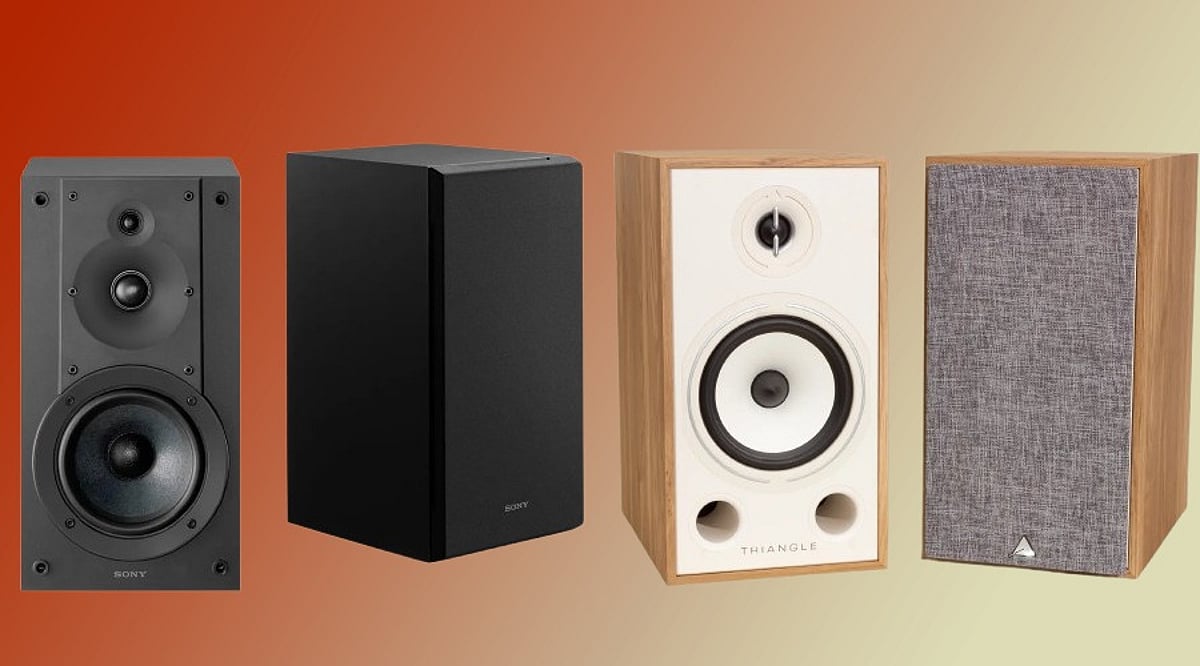
    Bookshelf speakers deliver high-quality sound in a compact form, making them a popular choice for music lovers who lack space for floor-standing systems. Selecting the right pair depends on several factors, including room dimensions, speaker type, amplifier compatibility, and listening habits. This guide covers everything you need to know before making a purchase.

    Choose Speaker Size Based on Your Room

    Larger speakers typically produce deeper bass and fill bigger rooms with sound, while smaller models excel in tighter spaces by delivering clear vocals and crisp highs without overwhelming the area. For rooms under 150 square feet, speakers with 4–5 inch drivers work well. Larger rooms of 200 square feet or more benefit from 6–8 inch drivers or the addition of a subwoofer.

    Active vs. Passive Speakers: Which Is Right for You?

    Active bookshelf speakers have a built-in amplifier, making setup quick and simple with minimal wiring. They are ideal for users who want convenience and an all-in-one solution. Passive speakers require an external amplifier or receiver, offering more flexibility for customization and future upgrades. Audiophiles often prefer passive setups, while casual listeners may favor active models for ease of use.

    Key Amplifier Features to Consider

    Modern amplifiers often include Bluetooth or Wi-Fi for wireless streaming from smartphones and computers. Bass boost, app control for volume and EQ adjustments, and compatibility with streaming services such as Spotify, Apple Music, and Tidal are valuable features that enhance the listening experience. Ensure the amplifier matches the power handling and impedance of your speakers for optimal performance.

    Top Bookshelf Speaker Brands

    Reliable brands known for high-performing bookshelf speakers include ELAC, KEF, Bowers & Wilkins, DALI, Polk Audio, and Definitive Technology. Each offers models suited to different budgets and room sizes, with consistent sound quality and durable build.

    Placement Tips for Best Sound

    Position speakers at ear level, equidistant from your listening spot, and angle them slightly inward (toe-in). Avoid placing them flush against walls to reduce unwanted reflections. Soft furnishings like carpets and curtains help tame echoes, while hard surfaces can brighten the sound. Use lossless or high-resolution audio sources to get the most from your speakers.

    Frequently Asked Questions

    1. How do I choose the right bookshelf speaker size for my room?
    Smaller rooms perform well with 4–5 inch speakers; larger spaces benefit from 6–8 inch models or a subwoofer. Matching driver size to room dimensions improves clarity and bass response.

    2. Are active or passive bookshelf speakers better?
    Active models simplify setup and reduce equipment needs. Passive speakers offer greater customization and upgrade potential, making them popular among audio enthusiasts.

    3. Do bookshelf speakers need an amplifier?
    Passive speakers always require an external amplifier. Active speakers have a built-in amplifier and can connect directly to audio sources.

    4. Where should bookshelf speakers be placed for the best sound?
    Place them at ear level, angled slightly inward, and away from walls. Keep equal distance from the listening position for a balanced soundstage.

    5. Which bookshelf speaker brands are worth considering?
    ELAC, KEF, Bowers & Wilkins, DALI, Polk Audio, and Definitive Technology are consistently recommended for their quality and performance across various budgets.

  • Why a 65-Inch TV in 2026 Needs AI Upscaling, Dolby Atmos, and 120Hz for the Ultimate Experience

    Why a 65-Inch TV in 2026 Needs AI Upscaling, Dolby Atmos, and 120Hz for the Ultimate Experience

    Most Indian households have one primary TV in the living room that handles everything — morning news, afternoon cricket, evening OTT, weekend films, and occasional gaming sessions. A 65-inch TV in 2026 is built for exactly this usage pattern, but what separates a genuinely good model from one that merely looks big comes down to five specific technologies.

    AI upscaling improves older and non-4K content, QLED and OLED panels deliver a more premium picture experience, and 120Hz with VRR makes sports and gaming look significantly smoother. Getting these features right matters far more than the brand name on the bezel.

    Five Technologies That Make a 65-Inch TV Worth the Upgrade in 2026

    1. Does AI Upscaling Make Older Content Look Better on a Large Screen?

    Yes. Most cricket broadcasts, Hindi films, and regional content are not natively 4K. AI upscaling analyzes each frame and improves lower-resolution content by:

    • Rebuilding texture detail
    • Reducing compression noise from streaming and broadcasts
    • Sharpening edges and minimizing motion blur
    • Adjusting picture settings for sports, films, or regular TV automatically

    On a 65-inch screen, the difference is noticeable across everyday content.

    2. What Is the Difference Between QLED and OLED at 65 Inches?

    The right panel depends on your room and viewing habits.

    For most Indian living rooms, QLED is the more practical premium choice. OLED delivers a better cinematic experience in darker rooms.

    3. How Does 120Hz Improve Gaming and Sport on a 65-Inch TV?

    A 120Hz panel refreshes twice as often as a standard 60Hz panel.

    • 120Hz refresh rate: Smoother movement in fast-paced games.
    • Variable Refresh Rate (VRR): Prevents screen tearing by matching the TV’s refresh rate to the console output.
    • Auto Low Latency Mode (ALLM): Automatically switches to Game Mode and reduces input lag.

    For cricket and football, 120Hz and AI motion processing make fast action and camera pans look cleaner.

    4. Does Spatial Audio on a 65-Inch TV Replace a Soundbar?

    Not entirely. Dolby Atmos processing creates a wider, more immersive sound experience, making crowds and movie effects feel more realistic. However, a dedicated Dolby Atmos soundbar still delivers superior audio performance.

    5. What Smart Features Matter Most on a 65-Inch TV in 2026?

    Google TV and Tizen remain the most well-supported platforms in India. They support major streaming apps, regular updates, and voice control. AI recommendations and universal search also make it easier for households to find content across multiple subscriptions.

    Price List of Best-Selling 65-Inch TVs in India in July 2026

    From budget 4K models to premium smart TVs, here are the best-selling 65-inch TVs in India:

    Disclaimer: EMIs and prices may vary by partner store, offer period, location, and variant. Please check the latest information at the partner store before purchase.

    How to Buy a 65-Inch TV from Bajaj Finance Partner Stores

    Bajaj Finance makes it straightforward to bring home the right 65-inch TV. Follow these steps to get started:

    1. Browse and compare online: Explore 65-inch TV models on Bajaj Mall and compare panel type, smart features, and audio before visiting a store.
    2. Visit partner stores: Check shortlisted models at Bajaj Finance partner stores and get expert guidance from in-store representatives.
    3. Opt for Easy EMI Loan: Finance up to Rs. 5 lakh with tenures of 3 to 60 months. Zero down payment available on select models.
    4. Check eligibility online: Verify your pre-approved limit using your mobile number and OTP.
    5. Use the Insta EMI Network Card: Existing cardholders can convert purchases into EMIs instantly through a paperless process.

    Whether you are comparing QLED vs OLED 65-inch TVs in India in 2026, looking for the best 65-inch TV under Rs. 1,00,000, or searching for 65-inch TVs with 120Hz and Dolby Atmos in India, Bajaj Finance makes the upgrade affordable.

  • Top Raspberry Pi Alternatives in 2026: Best Boards for AI, Networking, and DIY Projects

    Top Raspberry Pi Alternatives in 2026: Best Boards for AI, Networking, and DIY Projects

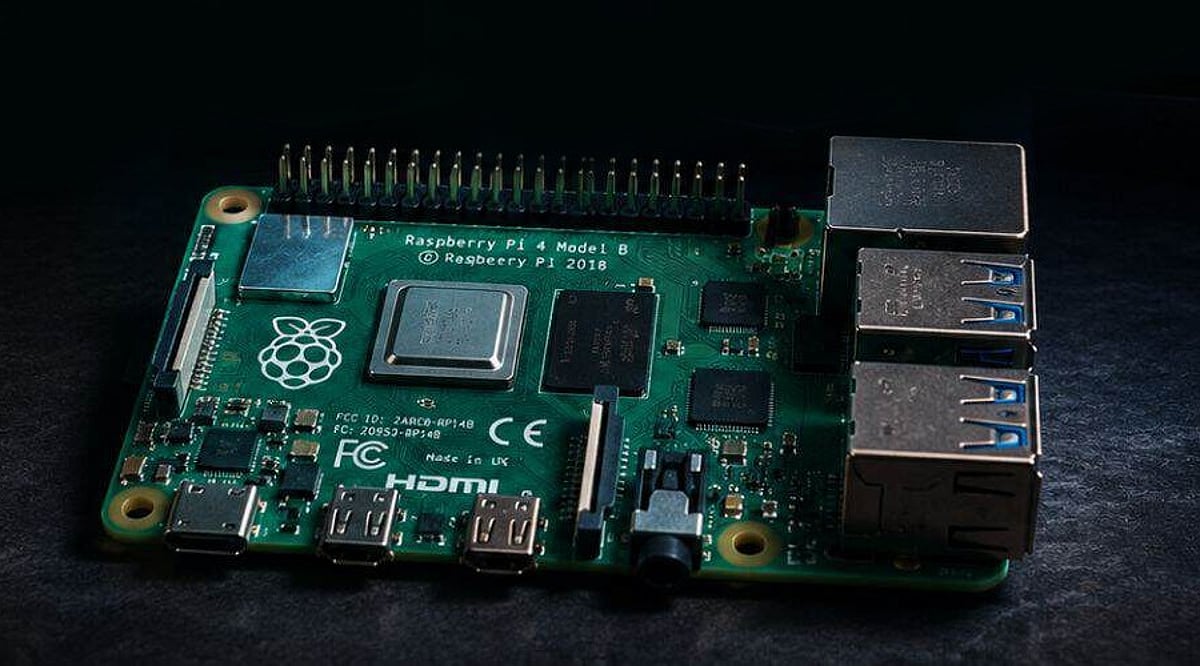
    The Raspberry Pi revolutionized single-board computing when it launched in 2012, but today’s market offers a wide range of alternatives that often outperform the Pi for specific use cases. Whether you’re building a media server, an AI inference engine, a home automation hub, or a network router, choosing the right board means matching hardware strengths to your project’s demands.

    ARM-Powered Performance Busters

    The Radxa ROCK 5B+ stands out as one of the most powerful alternatives available. It features an RK3588 processor with eight cores—four high-performance cores running at 2.2–2.4 GHz and four efficiency cores for background tasks. Compiling code and running multiple applications feels noticeably faster than on a Raspberry Pi 5. Memory options go up to 32 GB of fast RAM, compared to the Pi 5’s 8 GB limit. Storage is also superior: the ROCK 5B+ supports high-speed NVMe drives, while the Pi 5 relies on slower microSD cards or external adapters. Networking gets a boost with 2.5 Gb Ethernet, doubling the Pi’s speed and making file transfers much quicker. The board also includes features for video capture that the Pi lacks, such as easier camera connection and smoother video processing.

    The Orange Pi 5 Ultra offers similar processing power in a compact form factor, plus an HDMI input that lets you capture video directly from screens or devices—something the Pi would need extra hardware to achieve. Real-world tests show faster rendering, smoother multitasking, and respectable video encoding speeds, all at a price comparable to the Pi 5.

    Intel-Based Boards for Serious Workloads

    Intel-based single-board computers take a different approach. The Radxa X4, smaller than a paperback book, runs Windows 11 and standard Linux distributions without compromise. Drivers work out of the box, and building a file server or running virtualization software like Proxmox requires no special configuration. Its Intel N100 processor delivers far more power than the Raspberry Pi in the same 85 mm × 56 mm footprint.

    The ZimaBoard 2 targets networking and storage projects. It includes dual SATA connectors for storage drives and two 2.5 Gb Ethernet ports. With an Intel N150 processor and a starting price around $179, it can run open-source firewall software, handle multiple network connections, and serve as a reliable VPN gateway—tasks where the Pi often falls short.

    Specialized AI Hardware

    For AI and machine learning workloads, dedicated hardware makes a significant difference. The NVIDIA Jetson Orin Nano Super delivers 67 INT8 TOPS of processing power, enabling local model training and real-time inference without sending data to the cloud. The BeagleY-AI focuses on computer vision, with processors optimized for real-time response. It can handle multiple camera feeds simultaneously—up to four video streams without dropped frames—and instantly process object recognition. For robotics, surveillance, and industrial applications, these specialized boards provide the low latency that the Raspberry Pi cannot match.

    The Toradex Luna SL1680 targets professional edge AI deployments, with an HDMI input and software support built for long-term reliability in factory automation and industrial monitoring.

    Networking-Focused Boards

    The FriendlyElec NanoPi R6S is designed specifically for networking tasks. It features three Ethernet ports: one gigabit and two 2.5 GbE, all powered by a processor efficient enough to handle high traffic. Firewall software, open-source routing systems, and VPN gateways run smoothly, making this board ideal for users who need network performance beyond what the Pi can deliver.

    Microcontrollers for Simple Automation

    For simple home automation and IoT projects, the ESP32 microcontroller costs around $9 and includes built-in Wi-Fi and Bluetooth. It eliminates the overhead of a full operating system, allowing sensors to trigger actions instantly. Smart home devices benefit from the fast response times and straightforward firmware loading.

    How to Choose the Right Board

    The Raspberry Pi remains an excellent learning tool with a vast community and countless tutorials. However, once your project requirements are clear, alternatives often offer better performance, specialized features, or lower cost. Network infrastructure projects benefit from x86 boards like the Radxa X4 or ZimaBoard 2. Camera and AI workloads shine on NVIDIA Jetson or BeagleY-AI. Simple automation is best served by microcontrollers like the ESP32. The single-board computer market is now rich with options—choose the board that fits your application, and you’ll get better results.

  • Top 5 Budget Wi-Fi 6 Routers Under $100 in 2026

    Top 5 Budget Wi-Fi 6 Routers Under $100 in 2026

    In 2026, budget-friendly Wi-Fi 6 routers have become significantly more powerful, offering faster wireless speeds, improved efficiency, and reliable home networking for under $100. Whether you’re streaming, gaming, or working remotely, these affordable options deliver excellent performance without breaking the bank.

    Top Picks for 2026

    • TP-Link Archer AX21 – A top budget choice known for dependable performance, easy setup, and strong coverage ideal for medium-sized homes.
    • ASUS RT-AX1800S – Offers stable gaming performance, advanced security features, and efficient handling of multiple connected devices.
    • NETGEAR RAX10 – Provides Wi-Fi 6 performance with improved network stability, better streaming quality, and simple management through its mobile app.
    • Linksys Hydra 6 – Continues to attract buyers with reliable speeds, modern security features, and straightforward installation for everyday users.

    Key Features to Expect

    Many affordable Wi-Fi 6 routers now include WPA3 security, parental controls, guest networks, and automatic firmware updates. Dual-band connectivity helps reduce network congestion, making video streaming, online gaming, and remote work smoother across multiple devices. Modern router companion apps simplify setup, let you monitor connected devices, prioritize traffic, and troubleshoot network issues in minutes.

    With competitive pricing and improved hardware, Wi-Fi 6 routers under $100 offer excellent value for families, students, and home offices in 2026.

  • 5 Essential SSD Upgrade Tips to Revitalize Your Laptop’s Speed

    5 Essential SSD Upgrade Tips to Revitalize Your Laptop’s Speed

    Why Upgrade to an SSD?

    Upgrading to a solid-state drive (SSD) is one of the most impactful enhancements you can make to your laptop. Unlike traditional hard disk drives (HDDs), SSDs use flash memory, delivering faster boot times, quicker application launches, improved multitasking, and overall snappier responsiveness. Even an older laptop can feel like new with this simple upgrade.

    1. Check SSD Compatibility

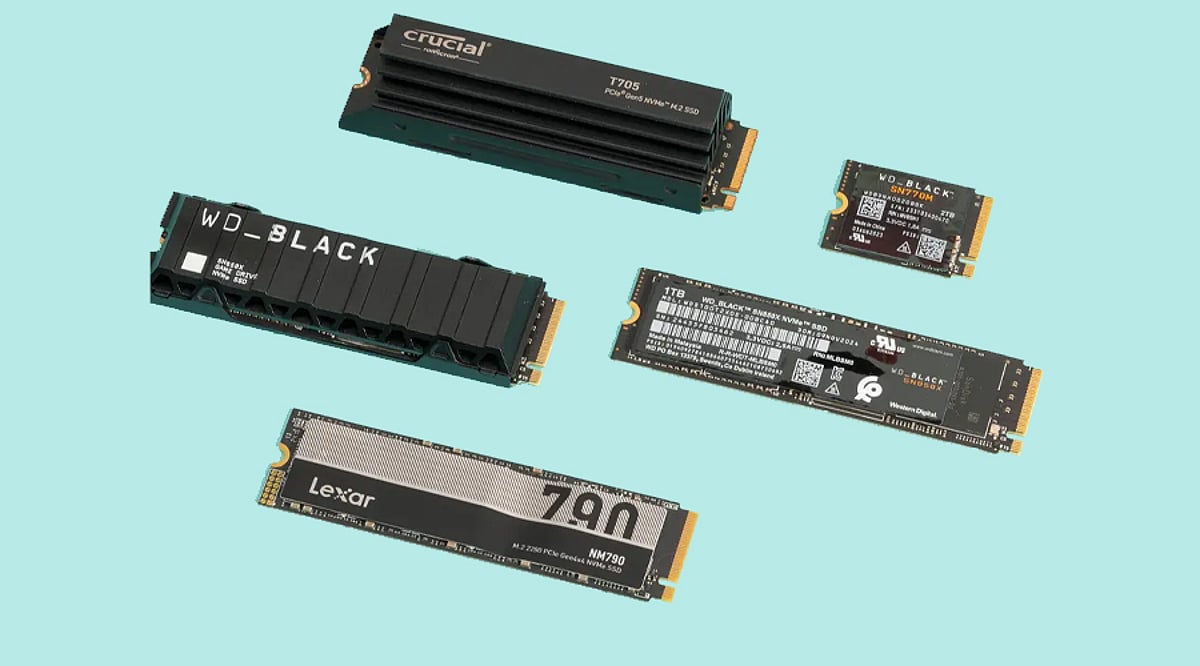
    Before purchasing an SSD, ensure your laptop supports the correct interface and form factor. Older laptops typically require 2.5-inch SATA SSDs, while modern models often accommodate M.2 NVMe drives. Consult your laptop’s specifications or service manual to confirm the maximum storage capacity supported.

    2. Choose the Right SSD Type

    Selecting the appropriate SSD depends on your device and performance needs. SATA SSDs offer excellent value for older systems, while NVMe SSDs provide significantly higher read and write speeds for current laptops. If your laptop supports NVMe, opt for it to enjoy faster boot times, smoother multitasking, and quicker file transfers.

    3. Clone Your Existing Drive

    Rather than reinstalling Windows and all applications, clone your current hard drive to the new SSD. Cloning preserves your operating system, software, settings, and personal files, making the upgrade seamless and time-efficient. Use reliable cloning software and a compatible USB adapter or external enclosure for a safe migration.

    4. Optimize SSD Performance

    After installation, optimize your SSD for long-term performance. Enable TRIM support, update the SSD firmware, and keep at least 10–20% of storage free. These practices help maintain high read/write speeds, improve reliability, reduce performance degradation, and extend the drive’s lifespan.

    5. Buy a Trusted SSD Brand

    Invest in SSDs from reputable manufacturers such as Samsung, Western Digital, Crucial, Kingston, or SK hynix. Reliable brands offer consistent performance, higher endurance ratings, better firmware support, and longer warranties. Choosing a quality SSD ensures dependable operation, especially for users handling large files or intensive workloads.

    Key Takeaways

    An SSD upgrade is a cost-effective way to make your laptop faster and more efficient. Check compatibility, choose the right SSD type, clone your existing drive, optimize system settings, and invest in a trusted brand. Following these five practical tips ensures a smooth upgrade and delivers lasting improvements in speed and productivity.

  • Apple MacBook Neo Review: Budget Laptop with A18 Pro Chip and 13-Inch Liquid Retina Display

    Apple MacBook Neo Review: Budget Laptop with A18 Pro Chip and 13-Inch Liquid Retina Display

    MacBook Neo: Affordable Power for Everyday Use

    The MacBook Neo is Apple’s latest budget-friendly laptop, designed for portability and everyday productivity. It features a compact 13-inch Liquid Retina display, a lightweight build, and the Apple A18 Pro chip, delivering efficient performance and long battery life. Aimed at students, professionals, and everyday users, the MacBook Neo offers a reliable Mac experience at an accessible price point.

    General Specifications

    • Display: 13-inch Liquid Retina
    • Processor: Apple A18 Pro chip
    • Design: Lightweight and travel-friendly
    • Battery: Long-lasting battery life
    • Target Audience: Students, professionals, and everyday users

    Pros and Cons

    Pros

    • Affordable price point
    • Portable and lightweight design
    • Powerful A18 Pro chip
    • Excellent battery life
    • High-quality Liquid Retina display

    Cons

    • Limited to 13-inch screen (no larger option)
    • No dedicated graphics card

    Pricing and Availability

    The MacBook Neo is competitively priced for the budget segment. Check the latest prices and availability:

  • Top Digital Voice Recorders of 2026: Audio Quality, Features, and Value Compared

    Top Digital Voice Recorders of 2026: Audio Quality, Features, and Value Compared

    Missing an important point during a meeting or an interview can be frustrating. A good digital voice recorder helps ensure every word is captured clearly, so there is no need to rely solely on memory or handwritten notes. It is a useful device for students, journalists, office workers, and anyone who regularly records conversations.

    Many voice recorders today offer much more than basic recording. Some include noise reduction for clearer sound, while others offer large storage capacity, voice activation, USB support, and longer battery life. With so many models available, finding the right one is not always easy. To help you decide, we compared some of the best digital voice recorders.

    Best Digital Voice Recorders Compared

    Each recorder below is designed for different needs. Some focus on affordability, while others offer better sound quality and extra features. Here are the standout models:

    • TECHNOVIEW 360 High Definition HD USB Voice Recorder – A compact, dependable choice for everyday use.
    • Arvox 32GB Voice Recorder – Offers a balanced price-to-performance ratio with good sound quality and ample storage.
    • Remi8 AI Voice Recorder 64GB – Features AI noise reduction for clear audio even in noisy environments, plus large storage.
    • MSTECH Digital Voice MP3 Recorder – A versatile option with good audio playback capabilities.

    Each recorder provides different audio quality to make voices easier to hear, even in locations with high background noise. Some models even allow you to play back audio files in useful ways.

    Which Digital Voice Recorders Would I Recommend?

    After testing all the models mentioned, if I had to choose one, I would definitely go with the Remi8 AI Voice Recorder 64GB. I like the way it records sound, even with background noise. The large storage is another reason for my choice.

    My second choice would be the Arvox 32GB Voice Recorder Device. What impressed me most about this device is its balanced price-to-performance ratio. The sound quality is good, the storage is enough for most users, and the recorder is easy to carry. For daily use, it is a solid option.

    The third recorder I recommend is the TECHNOVIEW 360 High-Definition HD USB Voice Recorder. It is simple, compact, and easy to use. I like products that do their job without adding extra steps, and this recorder does exactly that.

    Final Thoughts

    A digital voice recorder can be useful in many everyday situations. It helps save important conversations, lectures, interviews, and voice notes without missing key details. A clear recording also makes it much easier to listen again whenever needed.

    Before buying one, think about how often you will use it and what features matter most to you. Some people need more storage, while others may prefer better sound quality or longer battery life. Choosing the right recorder based on your needs will give you better value and a much better recording experience.

    Frequently Asked Questions

    Which digital voice recorder has the best audio quality?

    The Remi8 AI Voice Recorder 64GB is one of the best options for clear audio. Its AI noise reduction helps reduce background noise, making voices easier to hear during playback.

    How much storage is enough for a digital voice recorder?

    A 16GB recorder is enough for casual use. If you record meetings, lectures, or interviews often, choosing a 32GB or 64GB model gives you more recording time.

    Is a digital voice recorder better than recording on a phone?

    In many situations, yes. A dedicated voice recorder usually offers clearer sound, longer battery life, and useful features like noise reduction and voice-activated recording.

    Can recordings be transferred to a computer?

    Yes. Most digital voice recorders come with USB support, making it easy to copy recordings to a computer for editing, sharing, or keeping a backup.

    Who should buy a digital voice recorder?

    Students, teachers, journalists, office workers, and content creators can all benefit from a digital voice recorder. It is useful for recording meetings, lectures, interviews, and personal voice notes.

  • Top Smart Hotels You Can Book Today: From Robot Staff to Voice-Controlled Rooms

    Top Smart Hotels You Can Book Today: From Robot Staff to Voice-Controlled Rooms

    The hospitality industry is rapidly embracing technology, and a growing number of hotels now offer guests a truly connected, automated experience. From mobile check-ins and robotic luggage storage to voice-controlled lighting and blockchain-powered rooms, these smart hotels are redefining what it means to stay away from home. Here are some of the most innovative smart hotels you can actually book today.

    CitizenM

    CitizenM hotels offer app-based check-in, smart room controls, and modern automation, delivering seamless stays with stylish spaces and efficient digital convenience. Guests can adjust the room’s mood lighting, temperature, and entertainment from their smartphone or an in-room tablet.

    YOTEL

    YOTEL is known for its technology-driven hospitality, featuring robotic luggage storage, self-service kiosks, and adjustable smart beds. The hotel is designed for modern business and leisure travelers who value efficiency and comfort.

    Henn na Hotel (Japan)

    Henn na Hotel, located in Japan, is famous for its robot staff, facial recognition check-in, and automated services. This futuristic property redefines traditional hotel hospitality with a completely automated experience.

    Hilton Connected Room

    Hilton’s Connected Room allows guests to control lighting, temperature, the television, and curtains through a smartphone. This personalized comfort system ensures every stay is tailored to individual preferences.

    Marriott Smart Rooms

    Marriott’s smart rooms integrate voice assistants, mobile room access, and customized preferences, ensuring convenience and enhancing the overall guest accommodation experience.

    Wynn Las Vegas

    Wynn Las Vegas is equipped with smart voice controls that operate lighting, entertainment, and room settings, delivering premium comfort with advanced automation technology.

    Eccleston Square Hotel (London)

    Eccleston Square Hotel features tablet-controlled lighting, curtains, and entertainment systems, combining luxury accommodation with cutting-edge in-room technology for travelers.

    The Sinclair Hotel (Fort Worth, Texas)

    The Sinclair Hotel uses blockchain technology and IoT-enabled smart rooms to deliver energy-efficient operations alongside enhanced guest convenience and security features.

    Hotel EMC2 (Chicago)

    Hotel EMC2 combines artistic design with smart room technologies, interactive digital experiences, and personalized guest services for a memorable modern hospitality experience.