Category: Home Electronics

  • Decoding Common Symbols on Home Appliances: A Handy Guide

    Decoding Common Symbols on Home Appliances: A Handy Guide

    Home appliances come with a variety of symbols that can be confusing. Understanding these icons helps you use your devices more effectively and safely. Here is a breakdown of the most common symbols found on modern home electronics.

    Power Symbol

    The universal standby icon, typically a circle with a vertical line, indicates turning an appliance on or off. It is recognized across all modern electronic devices worldwide.

    Snowflake Symbol

    This symbol represents cooling or freezing functions. It is commonly found on refrigerators, air conditioners, and freezers for temperature control operations.

    Water Droplet Symbol

    Depending on the appliance, the water droplet can indicate wash, rinse, humidity, or water-related functions. It is often seen on washing machines, dishwashers, and humidifiers.

    Fan Symbol

    The fan icon shows airflow or ventilation settings. You will find it on air conditioners, ovens, microwaves, and air purifiers for better performance and circulation.

    Lock Symbol

    This symbol indicates a child lock or safety lock activation. It prevents accidental operation and protects children from potentially hazardous appliance functions.

    Clock Symbol

    Representing timer settings, delayed starts, scheduled operations, or countdown features, this symbol is common on washing machines, ovens, and microwaves.

    Eco Mode Symbol

    Eco mode activates energy-saving operation, reducing electricity and water consumption while maintaining efficient appliance performance during everyday use.

    Steam Symbol

    This symbol signifies steam cleaning, sanitizing, wrinkle reduction, or moisture-assisted cooking depending on the appliance and selected operating mode.

    Warning Triangle

    The warning triangle alerts users to faults, overheating, maintenance requirements, or operational issues requiring immediate attention for safe appliance performance.

    Understanding these symbols can help you get the most out of your home appliances and ensure they operate safely and efficiently.

  • Top 8 Intel 14th Gen Motherboards for Gaming and Productivity in 2026

    Top 8 Intel 14th Gen Motherboards for Gaming and Productivity in 2026

    Building a high-performance PC in 2026 requires pairing your Intel 14th Gen processor with a motherboard that delivers stability, connectivity, and power. Whether you’re a gamer, content creator, or professional, choosing the right board can make all the difference. Here are the best motherboards for Intel 14th Gen CPUs, ranked from premium flagships to budget-friendly options.

    1. ASUS ROG Maximus Z790 Dark Hero

    The ultimate flagship motherboard, the ASUS ROG Maximus Z790 Dark Hero, offers exceptional overclocking capabilities, full PCIe 5.0 support, and robust VRMs. It’s designed for enthusiasts who demand the highest performance and reliability for extreme workloads and gaming.

    2. MSI MEG Z790 ACE MAX

    Built for enthusiasts, the MSI MEG Z790 ACE MAX features DDR5 memory support, Thunderbolt connectivity, and outstanding thermal performance. It’s an excellent choice for users who need fast data transfer and stable operation under load.

    3. Gigabyte Z790 AORUS Master X

    The Gigabyte Z790 AORUS Master X strikes a balanced chord between high-end gaming performance and advanced features like Wi-Fi 7 support and advanced cooling solutions. It is ideal for gamers and power users seeking versatility.

    4. ASUS TUF Gaming Z790-Pro WiFi

    For gamers who value durability and value, the ASUS TUF Gaming Z790-Pro WiFi delivers reliable power delivery, excellent connectivity, and a rugged design at a competitive price point.

    5. MSI MAG Z790 Tomahawk MAX WiFi

    This mid-range board from MSI offers dependable gaming performance with solid connectivity options. The MSI MAG Z790 Tomahawk MAX WiFi is a great choice for budget-conscious builders who don’t want to compromise on core features.

    6. Gigabyte B760 AORUS Elite AX

    The Gigabyte B760 AORUS Elite AX is an excellent budget option that supports Intel 14th Gen processors without sacrificing key features. It provides solid performance for everyday computing and light gaming at an affordable price.

    7. ASRock Z790 Taichi Lite

    The ASRock Z790 Taichi Lite packs premium specifications, including robust VRMs and extensive expansion options, at a competitive price. It’s ideal for builders who want high-end features without breaking the bank.

    8. ASUS Prime Z790-A WiFi

    Designed for creators and professionals, the ASUS Prime Z790-A WiFi emphasizes stability and modern connectivity. It supports the latest standards and provides a reliable foundation for productivity tasks.

    Editor’s Note: This article was originally published on Analytics Insight and has been adapted for WordPress. For more tech news and updates, join our community channel.

  • Best Smart TVs for Gamers Awaiting GTA 6: Top Picks Under ₹50,000

    Best Smart TVs for Gamers Awaiting GTA 6: Top Picks Under ₹50,000

    With GTA 6 on the horizon, gamers are upgrading their setups for the ultimate open-world experience. A great TV can make all the difference, offering vibrant colors, smooth motion, and low input lag. Here are the best smart TVs under ₹50,000 that deliver premium features for gaming and entertainment.

    Sony Bravia 2 II

    Sony Bravia 2 II delivers excellent picture quality with its 4K HDR display and Sony’s powerful image processing. Google TV offers access to popular streaming apps, while Dolby Audio enhances movies and shows. Smooth performance, reliable upscaling, and premium build quality make it a strong choice under Rs. 50,000.

    Samsung Crystal Vision 4K

    Samsung Crystal Vision 4K combines vibrant colors with sharp 4K resolution for an enjoyable viewing experience. The Crystal Processor improves picture clarity, while Tizen OS provides quick access to streaming platforms. Its slim design, voice assistant support, and dependable performance make it an attractive, budget-friendly smart TV option.

    LG UHD AI

    LG UHD AI Smart TV offers crisp 4K visuals powered by the α5 AI Processor, improving brightness and image quality. webOS delivers a smooth interface with plenty of entertainment apps. AI Sound enhances audio output, making this TV a great pick for movies, sports, and everyday streaming.

    TCL C7K QLED

    TCL C7K QLED stands out for its QLED display, which delivers richer colors and higher brightness than standard LED televisions. Google TV keeps navigation simple, while Dolby Vision and Dolby Atmos improve entertainment. Gamers also benefit from smooth motion and low input lag during fast-paced gameplay sessions.

    Hisense U7N

    Hisense U7N offers premium features at a competitive price, including a bright 4K display with Mini LED technology and excellent contrast. Dolby Vision IQ and Dolby Atmos create an immersive experience. Its gaming-friendly refresh rate and responsive interface make it suitable for both entertainment and gaming enthusiasts.

    Xiaomi X Pro QLED

    Xiaomi X Pro QLED delivers excellent value with vibrant QLED colors, Dolby Vision support, and a smooth Google TV experience. PatchWall adds personalized content recommendations, while powerful speakers enhance movie nights. Its modern design and balanced performance make it one of the best affordable premium televisions on the market.

    Acer Super Series Mini LED

    Acer Super Series Mini LED packs premium display technology into an affordable package. The Mini LED panel offers deeper blacks, better brightness, and improved contrast for movies and sports. Google TV, Dolby Vision, and Dolby Atmos complete the package, making it a feature-rich smart TV below Rs. 50,000.

    Whether you’re exploring Los Santos or diving into the next GTA adventure, these TVs offer the performance and visual quality to elevate your gaming sessions. Choose the one that fits your budget and enjoy every detail of the open world.

  • Top Inkjet Printers for Home and Office: Expert Reviews and Buying Guide (2026)

    Top Inkjet Printers for Home and Office: Expert Reviews and Buying Guide (2026)

    Buying a printer can be tricky. You need to check durability, features, and compatibility before making a purchase. With countless models on the shelves, each claiming to be the best, it’s easy to get confused. That’s why printing experts test these machines for months before ranking them. Their reviews save buyers from all the guesswork. Here are five expert-tested inkjet printers for home and office use, along with a quick guide to help you choose the right one for your needs and budget.

    Why Inkjet Printers Still Hold Up

    Laser printers do a fine job with plain text, but inkjets are a great choice for color printing. Parents helping with school projects, small business owners making flyers, and anyone printing photos usually reach for an inkjet. Newer models are quieter and take up less desk space than older variants. Replacement ink cartridges were a major concern, but tank-style printers have addressed that problem to a great extent.

    Top 5 Inkjet Printers Reviewed

    1. Epson EcoTank Pro ET-5850

    Best for: Small offices and busy homes

    RTINGS places this printer at the top of its inkjet list. Refillable ink tanks replace cartridges, helping owners avoid constant store runs. The cost per page drops significantly over time. It features high-capacity ink tanks with replaceable 7,500 black pages and 6,000 color pages. The ET-5850 handles copying, scanning, printing, and faxing. It boasts high paper capacity and has a 4.3-inch color touchscreen. Supports Wi-Fi, Ethernet, and USB. Print quality stays steady across regular documents and color pages. Testers say setup is simple, even for first-time tank printer buyers.

    2. Epson EcoTank ET-2800

    Best for: Home offices and small classroom setups

    Consumer Reports claims that ink for a tank printer can cost as low as $5 a year, compared to nearly $100 for a cartridge printer. This model comes with Micro Piezo Heat Free technology that delivers sharp text and vibrant colors. It performs printing, scanning, and copying. The 1.4-inch LCD color display and mobile/voice-activated features make it a smart pick for steady everyday use.

    3. HP DeskJet 2855e

    Best for: Light, occasional users

    Light users don’t need a large tank printer. The HP DeskJet 2855e offers simple and affordable usage. It prints at a fair speed for casual use and connects to Wi-Fi without trouble. Setup runs through a phone app. It prints, scans, and copies in color. Supports Apple AirPrint, Wi-Fi, and Mopria Print services. Integrates the HP Smart app. Made with 60% post-consumer recycled plastics, it’s eco-friendly. Since it uses standard cartridges, the cost per page runs higher than tank models. Occasional printing is where this machine works best.

    4. Canon PIXMA TR4720

    Best for: Home users with limited desk space

    This compact printer handles printing and scanning. Reviewers note that photo print quality is better than most machines in its price range. It has a printing speed of 8.8 pages per minute and uses a hybrid ink system. Features a 100-sheet front paper cassette and an Auto Document Feeder (ADF). Supports voice commands through Amazon Alexa and Google Home. Ink costs are on the higher end since it relies on cartridges. Good for users who seldom print and scan often.

    5. Canon PIXMA G3270

    Best for: Heavy users looking for long-term savings

    This tank system printer keeps ink costs low even with frequent use. It handles scanning and copying, adding value for small office setups. The upfront price is higher than budget cartridge printers, but savings on ink make up for it within the first year. Uses squeeze-free GI-21 ink bottles for mess-free refilling. Allows wireless mobile printing via Apple AirPrint, Mopria Print services, and the Canon Print App. Ideal for small businesses that print in bulk.

    Which Printer Is Best for Whom?

    • Light users (few pages a week): Consider HP DeskJet 2855e or Canon PIXMA TR4720. Both keep upfront costs low. For frequent scanning, the TR4720 excels.
    • Daily printers (school, work, small business): Choose a tank printer. Epson EcoTank ET-2800 offers a good middle ground. Larger offices or bulk printers will get more value from Canon PIXMA G3270 or Epson EcoTank Pro ET-5850.
    • Photo lovers and all-around needs: The ET-5850 handles text, graphics, and photos with low running costs.

    Final Thoughts

    The right printer depends on usage. Light, occasional use calls for a budget pick like the HP DeskJet 2855e or Canon PIXMA TR4720. Frequent or bulk printing calls for a tank printer like the Epson EcoTank ET-2800, Canon PIXMA G3270, or Epson EcoTank Pro ET-5850. Every model on this list earned its spot through real testing, not marketing claims. Each one is a safe choice as long as it matches your actual printing habits.

    Frequently Asked Questions

    1. Which is the best inkjet printer for home use in 2026?

    The Epson EcoTank ET-2800 and Canon PIXMA TR4720 are among the best choices for home use, offering reliable performance, good print quality, and affordable running costs.

    2. Are ink tank printers better than cartridge printers?

    Yes, if you print frequently. Ink tank printers have a higher upfront cost but significantly lower ink costs over time, making them more economical for regular use.

    3. Which printer is best for a small business?

    The Epson EcoTank Pro ET-5850 and Canon PIXMA G3270 are excellent for small businesses because they offer low printing costs, high paper capacity, and all-in-one functionality.

    4. Is the HP DeskJet 2855e suitable for occasional printing?

    Yes. The HP DeskJet 2855e is designed for light home use and is a good option for users who print only a few pages each week.

    5. What should I consider before buying an inkjet printer?

    Consider your monthly print volume, ink costs, print quality, scanning and copying needs, wireless connectivity, paper capacity, and whether a tank or cartridge printer better suits your budget.

  • How to Choose the Right Geyser in 2026: Expert Buying Guide

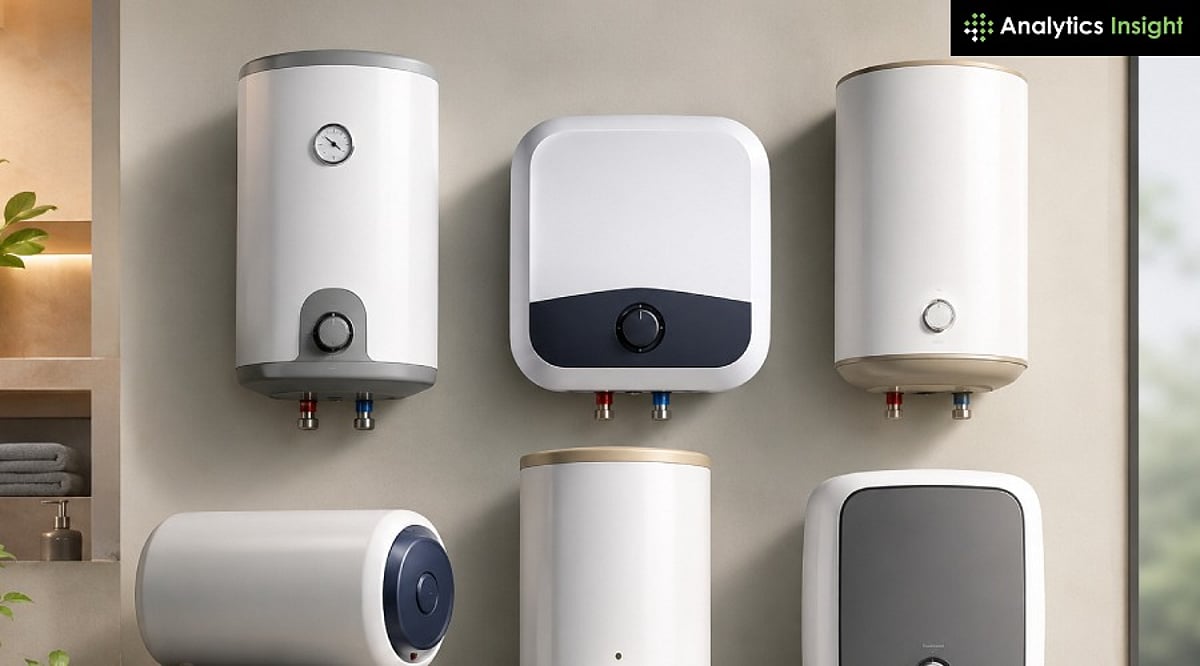
    How to Choose the Right Geyser in 2026: Expert Buying Guide

    A well-chosen water heater provides consistent hot water while keeping electricity consumption under control. With several geyser options available in 2026, understanding their differences is more important than ever. The right choice depends on your home, usage, and budget.

    Step 1: Pick the Type First

    Every other decision comes back to this one. An instant heater has no tank; it heats water as it flows through. That’s enough for one or two people who want a quick shower and don’t have space to spare. A storage geyser keeps a tank of hot water sitting ready, which matters when two bathrooms are running at once. Gas geysers heat cheaply but need ventilation and a gas line, so most apartments are out. Heat pump water heaters cost more initially but move heat instead of generating it from scratch—busy households will feel that difference on the electricity bill. For one or two people with modest needs, go for an instant heater. For households with more than three people, storage is usually the smarter call.

    Step 2: Size for Recovery Time, Not Just Family Size

    Capacity gets treated like a headcount problem, but the number that matters is recovery time: how fast the tank reheats once emptied. Two people showering back-to-back need a bigger tank or faster recovery, even in a small household. A 15L tank with slow recovery can leave the second person waiting fifteen minutes for warm water. A 10L model with a higher heating capacity may recover much faster. As a rough starting point, one or two people need 6 to 15 L, three or four need 15 to 25 L, and five or more should look at 25 to 35 L or a heat pump system. Push that number up if mornings are rushed.

    Step 3: Understand What Actually Drives the Electricity Bill

    BEE rates geysers on a 1 to 5-star scale based on standing loss—the energy lost keeping stored water hot while nobody’s using it. A 5-star tank loses less heat overnight than a 3-star tank of the same size. BEE published revised star-rating norms in the Gazette of India in December 2025, with new thresholds taking effect from July 1, 2026. A 5-star label bought this year is actually a stricter standard than one bought two years ago, even though the sticker looks the same.

    Wattage tells a different part of the story. Instant heaters pull more power, 3 to 4.5 kW, but only while water’s running. Storage heaters draw less, around 2kW, but stay on longer. For one person, instant usually costs less over a month. For a family running the geyser all evening, a well-insulated storage tank tends to win: it just reheats less often.

    Step 4: Match the Geyser to Your Water and Your Building

    Hard water shortens a geyser’s life faster than almost anything else. A glass-lined or enamel-coated tank resists corrosion, a magnesium anode rod helps protect the tank from rust, and an Incoloy heating element withstands hard-water conditions better than a standard copper element. Together, they improve durability and help extend the geyser’s service life.

    Pressure rating matters just as much, and it’s the one buyers skip most often. A 6.5 bar-rated unit is usually plenty for an independent house or low-rise building. High-rise apartments with running pressure pumps generally need 8 bar or higher. A standard-pressure geyser in a high-rise risks leaks or early failure, and most warranties won’t cover damage from exceeding the rated pressure. Worth checking before you buy, not after something leaks.

    Step 5: Don’t Skip Safety and Installation

    A geyser should carry BIS certification (ISI mark), along with a pressure relief valve and a thermostat with thermal cutoff. It should run on dedicated earthing with its own MCB rather than sharing a circuit. Instant geysers pulling 3kW or more need wiring rated for that load, so older homes should get this checked first. A mid-range geyser installed correctly is safer than a premium model installed carelessly, so budget for installation as part of the purchase.

    Quick Checklist Before Buying

    • Pick the type that fits the household size and daily hot water usage.
    • Choose capacity based on recovery time, not just the liters on the box.
    • Check the BEE star rating and make sure it meets the 2026 norms.
    • Confirm the geyser is compatible with your water quality and the pressure rating matches the building.
    • Look for ISI certification, a pressure relief valve, dedicated earthing, and proper installation.
    • Compare the tank warranty and the heating element warranty separately—they’re often not the same.

    Final Thoughts

    There’s no single geyser that’s right for every home. It comes down to family size, water quality, and the building itself, not whichever brand has the longest feature list. Get that part right, and everything else follows: lower bills, safer operation, fewer headaches years down the line.

    FAQs

    1. Which type of water heater is better: instant or storage?

    Instant water heaters are ideal for small households and quick hot water needs, while storage geysers are better for families requiring a steady supply of hot water for multiple users.

    2. What geyser capacity is suitable for a family of four?

    A 15L to 25L storage water heater is generally suitable for a family of four. The ideal capacity depends on bathing habits, the number of bathrooms, and simultaneous usage.

    3. How important is the BEE star rating when buying a water heater?

    The BEE star rating indicates a water heater’s energy efficiency. Higher-rated models consume less electricity over time, helping reduce energy bills without compromising performance.

    4. Can I use a regular geyser in areas with hard water?

    Yes, but choosing a model with a glass-lined tank, corrosion-resistant heating element, and magnesium anode rod helps improve durability and reduces damage caused by hard water.

    5. What safety features should I look for in a water heater?

    Choose a water heater with an ISI certification, thermostat, thermal cut-out, pressure relief valve (PRV), and proper earthing compatibility to ensure safe and reliable everyday operation.

  • French Door vs. Side-by-Side Refrigerators: A Detailed Comparison for Smart Buyers

    French Door vs. Side-by-Side Refrigerators: A Detailed Comparison for Smart Buyers

    Overview

    Choosing between a French door and a side-by-side refrigerator is about more than door style. It affects how you store food, access your freezer, and even how much food you waste. Research shows that drawer-style freezers can hide items more easily than shelf-style ones, influencing shopping and cooking habits. In one matched retail comparison, a French door model cost $600 more than a similar side-by-side, despite offering less capacity. The right choice depends less on kitchen size and more on how often frozen food gets forgotten and wasted.

    Why Freezer Drawers Hide Food

    Side-by-side freezers use vertical shelves, viewed straight on, like a pantry shelf. French door freezers are pull-out drawers, viewed from above, making depth a visibility challenge. A peer-reviewed study on refrigeration and food waste found that drawer storage, meant to protect food, often conceals it instead. Owners of French door models frequently report digging through a drawer, unsure what lies beneath stacked vegetables and old meal-prep containers. Side-by-side owners rarely mention this problem because the freezer is at eye level and doesn’t require excavation.

    This is a documented tendency, not proof that French door households waste more food overall. However, it has real consequences for anyone who freezes meals in batches or buys frozen staples in bulk.

    When the Price Gap Isn’t About Features

    While French doors often come with added features like humidity control and in-door dispensers, a same-brand, same-width, same-finish comparison reveals a different story. One retailer listed a 36-inch Whirlpool side-by-side in black stainless steel, 28 cubic feet, at $2,199. The French door version, same brand, same width, same finish, offered only 25 cubic feet and cost $2,799. The only real difference was the door and drawer configuration. This pattern is common across the market, showing that the premium is often driven by the door style itself, not by extra storage capacity.

    Where Each Style Actually Wins

    French doors shine in fresh-food storage: full-width shelves accommodate platters, sheet pans, and bulky produce that side-by-side’s narrower columns cannot. Fresh food is at eye level, a real advantage for households that cook in volume or host often.

    Side-by-side refrigerators offer not only a lower price tag but also better freezer organization. The full-height, shelf-based structure solves the visibility problem that French doors struggle with. Narrower compartments are a limitation for wide items, but they come with an organizational upside: nothing sits more than one shelf-depth from view.

    The decision ultimately comes down to habit: how often food goes into the freezer and gets forgotten. Households that batch-cook or buy frozen staples in bulk should weigh the drawer-visibility research seriously. Households that entertain often or need wide-shelf capacity have a legitimate case for French doors, price gap and all.

    Final Thoughts

    The real difference between these two layouts is not measured in cubic feet. It shows up in daily decisions: how easily ingredients are found and how often frozen food actually gets eaten instead of forgotten at the bottom of a drawer. Once that connection between layout and daily habit is clear, the right choice stops feeling like a coin flip and starts feeling obvious.

    FAQs

    1. Which is better, a French door or a side-by-side refrigerator? Neither is universally better. French door models offer wider fresh-food storage and a modern design, while side-by-side models provide easier freezer access, better organization, and are often more affordable.
    2. Are French door refrigerators more energy efficient than side-by-side models? Energy efficiency depends on the model and rating. Compare energy labels before buying.
    3. Which refrigerator is better for a small kitchen? French door models typically require less door swing space, but the best choice depends on your kitchen layout and clearance.
    4. Is a side-by-side refrigerator better for storing frozen food? Yes, side-by-side models make it easier to organize and access frozen foods with full-height shelves.
    5. What should I consider before choosing? Consider your food storage habits, kitchen space, budget, energy efficiency, freezer usage, and preferred layout.

    For more insights, check out related articles: Bottom Freezer vs Top Freezer Refrigerators and Best Samsung Refrigerators with Digital Inverter Technology.

  • 9 Smart Home Gadgets That Actually Reduce Your Utility Bills

    9 Smart Home Gadgets That Actually Reduce Your Utility Bills

    Smart home technology isn’t just about convenience—it can also lead to significant savings on your monthly bills. From thermostats that learn your schedule to irrigation controllers that adjust to the weather, these nine devices help cut electricity, water, and heating costs over time.

    • Google Nest Thermostat: Automatically adjusts temperatures to reduce energy consumption when you’re away or asleep.
    • Smart LED Lighting: Lights turn off automatically when rooms are empty, eliminating wasted electricity.
    • Smart Power Strips: Cut standby power usage by shutting off electronics that aren’t in use.
    • Smart Water Leak Detectors: Detect leaks early to prevent expensive water damage and wasted water.
    • Smart Irrigation Controllers: Optimize garden watering schedules based on local weather forecasts, reducing water usage.
    • Smart Energy Monitors: Track your home’s electricity consumption in real time, helping you identify energy hogs.
    • Smart Blinds: Automatically open and close to manage solar heat gain, lowering cooling and heating costs year-round.

    While each device offers modest savings on its own, the combined effect can add up to hundreds of dollars annually. Investing in these smart home upgrades pays for itself over time—while making your home more efficient and comfortable.

  • Weekend Dishwasher Deals: Save Big on Top Brands Like Bosch, LG, and IFB

    Weekend Dishwasher Deals: Save Big on Top Brands Like Bosch, LG, and IFB

    Weekend sales offer a practical opportunity to save on dishwashers from leading brands without compromising on features. Many deals include bank discounts, no-cost EMI, or bundled installation, making premium models more affordable. This guide rounds up the best offers and explains which dishwasher suits your budget and household needs.

    Overview of the Best Weekend Offers

    Five in-stock dishwashers from Bosch, IFB, LG, Faber, and Midea are discounted this weekend, each suited to a different household size and budget. Instead of chasing the biggest percentage off, compare the features and long-term value that matter most for your home.

    1. Bosch SMS6IKW01I

    For a kitchen that runs a dishwasher every single day, this model earns its keep. With a 14-place setting capacity and an intensive Kadhai program designed specifically for oily Indian cookware, it tackles tough stains. The Home Connect feature lets you check or start a load from your phone. Perfect for daily use.

    2. IFB Neptune FX14

    The 70°C DeepClean wash pairs with hygienic steam drying. A built-in water softener gives a real advantage in cities with hard tap water, preventing residue on glassware. At 12 liters per cycle, it handles a full day’s dishes for larger households in one load.

    3. LG DFB424FP

    Noise is often a concern with dishwashers, and this LG model answers it well. Four spray arms replace the usual two, and an inverter direct-drive motor eliminates belts and pulleys, cutting sound noticeably. Smart Diagnosis through the LG ThinQ app helps pinpoint faults, making service visits more efficient.

    4. Faber FFSD 6PR 12S

    Built for first-time buyers who want simplicity, this unit offers 12 place settings, six wash programs, and a half-load option for smaller daily loads. Water use stays around 11 liters per cycle—among the lowest here. A 2-year comprehensive warranty with 5-year rust cover adds peace of mind.

    5. Midea MDWPF1301F(B)

    The lowest price on this list doesn’t mean fewest features. It includes 13 place settings, 7 wash programs, a dedicated glass care mode, and WiFi control through the Midea SmartHome app—typically found only on pricier machines. A self-cleaning function reduces manual filter maintenance.

    How to Maximize Your Savings

    Listed prices are rarely final. Checking a few things at checkout can save another ₹1,000 to ₹4,000 on top of the sale price. Bank card tie-ins change between sale events, so confirm the current offer rather than assuming last month’s deal still applies. Amazon and Flipkart often price the same model differently during overlapping sales—compare both platforms. No-cost EMI terms vary by card and tenure; weigh it against paying upfront. Exchange bonuses for old appliances are often hidden until checkout. Installation charges (₹500–₹1,500) are usually separate.

    Matching the Model to Your Household

    Smaller kitchens on a tighter budget are well served by the Faber or Midea models. Larger families running the machine daily gain the most from IFB’s capacity and steam drying. Buyers prioritizing build quality and smart features have strong options in Bosch and LG, with LG holding a slight edge on noise levels for open-plan kitchens. Weekend discounts narrow the price gap between budget and premium dishwashers, making this a better moment to weigh long-term running costs and service support rather than chase the largest percentage off the tag.

    Final Thoughts

    Dishwasher pricing compresses hardest during multi-brand sale events. The next real test for buyers won’t be finding a discount but reading water and energy consumption figures with the same attention usually reserved for the price tag—since that number determines running cost long after the sale ends.

  • Best Home Theater Systems to Buy This Weekend: 2026 Weekend Deal Guide

    Best Home Theater Systems to Buy This Weekend: 2026 Weekend Deal Guide

    Weekend discounts make it a practical time to invest in a quality home theater system. From compact soundbar-based setups to immersive 5.1 surround systems, this guide compares the best home theater systems to help you make an informed purchase.

    Home Theater Buying Guide: What to Look for Before You Buy

    Wattage numbers on packaging tend to dominate marketing copy, but they rarely predict how a system will actually sound in a living room. Channel count matters more. A 5.1 setup with a dedicated center speaker will carry dialogue more clearly than a louder two-speaker setup, since the center channel is designed to separate voices from music and sound effects.

    Room size narrows the choice further. A 2.1 or 3.1 configuration suits a bedroom or small apartment, while a 5.1 system fills a full living room with genuine surround separation. Connectivity also plays an important role. HDMI ARC or eARC, an optical input, and Bluetooth pairing make setup painless and keep cable clutter to a minimum.

    Best Home Theater Systems Compared

    Supersonic SC-37HT

    A gentle way to step into real 5.1 sound. It comes with a few welcome extras built in: a DVD and CD player, FM radio, and a USB port. A natural match for an older TV that could use a boost.

    Rockville HTS45

    Built for anyone who wants bass with real weight behind it. With 800 watts of power and its own subwoofer, movies and music both land harder. Strong performance for a modest price.

    Sony HT-S40R

    The clear favorite on this list. Running at 600 watts with full 5.1 surround, it fills a room with ease. The center speaker keeps voices sharp even during noisy scenes, and a night mode softens the bass for quieter evenings. Rear speakers connect wirelessly, and the whole setup comes together in about thirty minutes.

    LG 4.1 Channel Soundbar System

    Designed to pair naturally with LG OLED and QNED TVs. It supports Dolby Digital and delivers immersive surround sound.

    Yamaha YHT-4950U

    A step into serious home theater territory. As a full receiver, it supports 4K Ultra HD passthrough and Bluetooth streaming, making it well suited to frequent movie nights.

    Yamaha YHT-5960U

    Built to last well beyond the next TV upgrade. It handles 8K HDMI passthrough and connects through Yamaha’s MusicCast for audio across multiple rooms. A solid long-term pick for a serious setup.

    How to Choose the Right Home Theater System for Your Budget

    None of these systems is really better than the others on paper. It just depends on the room and how it gets used. A tiny apartment isn’t going to get much extra value out of a $749 flagship, and anyone setting up a proper home cinema will probably outgrow a $119 starter kit within a year anyway.

    Matching the tier to the space tends to work out better than simply reaching for the most expensive option, and honestly, every system on this list is a big step up from whatever speakers came built into the TV.

    Final Thoughts

    TVs keep getting thinner, and that gap between screen and sound just keeps growing along with them. At some point, a separate audio system stops being an upgrade and starts feeling like the baseline, especially for anyone who watches movies or shows on a regular basis.

    Frequently Asked Questions

    1. What is the best home theater system for most people?
    A 5.1 home theater system offers the best balance of immersive surround sound, clear dialogue, and value for most households. It is well suited for movies, gaming, and everyday TV viewing.

    2. Is a soundbar better than a home theater system?
    A soundbar is ideal for smaller rooms and simple setups, while a full home theater system with dedicated speakers delivers a more immersive surround sound experience for larger spaces.

    3. What should I look for before buying a home theater system?
    Consider your room size, channel configuration, RMS output, connectivity options like HDMI ARC or eARC, Bluetooth support, and compatibility with your TV before making a purchase.

    4. Is a 5.1 home theater system worth buying?
    Yes. A 5.1 system provides dedicated front, center, rear speakers, and a subwoofer, creating a more realistic surround sound experience than standard TV speakers or basic stereo systems.

    5. Can I connect a home theater system to a smart TV?
    Most modern home theater systems support HDMI ARC/eARC, optical audio, and Bluetooth, making them compatible with the majority of smart TVs for quick and easy setup.

  • Top Blue Light Screen Protectors of 2026: Protect Your Eyes from Digital Strain

    Top Blue Light Screen Protectors of 2026: Protect Your Eyes from Digital Strain

    Overview

    With work, gaming, and streaming pushing daily screen time to record highs, blue-light screen protectors are among the most sought-after accessories in 2026. While eye specialists note that digital eye strain is caused more by prolonged screen use, glare, and reduced blinking than by blue light alone, a quality anti-glare screen protector can still improve viewing comfort. Combined with healthy screen habits like the 20-20-20 rule, these accessories can make long hours in front of a display easier on the eyes.

    Discover seven reliable blue-light screen protectors designed for smartphones, laptops, and desktop monitors. Compare features, durability, glare-reduction capabilities, and overall value before making your purchase decision.

    Top Blue Light Screen Protectors in 2026

    Ocushield Anti Blue Light Screen Protector

    Ocushield is well known for blue-light shielding on smartphones, tablets, and monitors. It uses tempered glass for scratch resistance and filters blue light while reducing reflections. Color accuracy and touch sensitivity remain high, making it a premium pick for professionals and students.

    ZAGG InvisibleShield Glass+ VisionGuard

    Ideal for flagship phones, ZAGG’s VisionGuard combines impact-resistant glass with blue-light-filtering technology while keeping display clarity sharp. A fingerprint-resistant coating and edge-to-edge coverage offer durability and comfort without complication.

    TELTREK AntiBlue Light Matte Screen Guard

    An affordable matte screen protector that reduces glare on laptops. The anti-reflective surface improves readability under office lights and cuts down on fingerprints. Perfect for students and remote workers on a budget.

    Saco Magnetic Anti Blue Light Screen Protector

    Designed for MacBook users, this magnetic protector attaches without adhesive and can be removed when color accuracy is needed. The matte finish reduces reflections and visual fatigue during long sessions. Reusable design adds value.

    iCare Anti-Blue Light Screen Protector

    Blends HD clarity with anti-glare performance for MacBook models. Keeps the display crisp while reducing glare from indoor lighting. Easy installation and minimal color distortion make it ideal for long work sessions.

    FORITO Blue Light Filter Screen Protector

    Focuses on larger laptop and desktop displays, perfect for multi-monitor setups. Filters blue light and reduces glare in brightly lit offices. Useful for programmers, designers, and video editors who spend hours on screens.

    Kensington Eyesafe Blue Light Privacy Filter

    Combines blue light reduction with privacy protection by narrowing the viewing angle. Ideal for office workers handling sensitive information. Also reduces glare, and the added privacy layer benefits travelers and hybrid workers.

    How to Pick the Right Screen Protector

    Not every blue light screen protector performs the same. Before buying, check compatibility with your exact device model and display size. A matte finish reduces glare more effectively; tempered glass provides stronger impact protection for smartphones. For laptop users, removable magnetic filters are convenient when color fidelity is important for creative tasks.

    The Bottom Line

    Blue light screen protectors can make screen time feel more comfortable by lowering glare and distracting reflections, yet they are not a full fix for digital eye strain. Current studies indicate that routine breaks, good room lighting, sensible screen brightness, and maintaining a healthy viewing distance are still the real heavy lifters for reducing eye fatigue. A well-made protector works best alongside a broader screen wellness routine.

    Frequently Asked Questions

    Do blue light screen protectors really protect your eyes?

    They reduce glare and filter some blue light, improving viewing comfort during prolonged screen use for many users.

    Are blue light screen protectors worth buying?

    Yes, they help reduce reflections, protect displays from scratches, and enhance screen comfort, especially during extended work or gaming sessions.

    Can I use a blue light screen protector on any device?

    Models are available for smartphones, tablets, laptops, and desktop monitors. Always choose one matching your device’s screen size.

    Do blue light screen protectors affect display quality?

    Most premium protectors maintain excellent clarity, touch sensitivity, and color accuracy while reducing glare and filtering out some blue light.

    What should I consider before buying a blue light screen protector?

    Check compatibility, material quality, anti-glare coating, installation method, durability, and whether you prefer tempered glass or removable film.