Category: Home Electronics

  • Top Sandwich Makers in India for Quick and Healthy Breakfasts (2026)

    Top Sandwich Makers in India for Quick and Healthy Breakfasts (2026)

    Start your mornings with crispy, delicious sandwiches in minutes. Here are the best sandwich makers to buy in 2026, carefully selected for their performance, durability, and ease of use.

    Philips HD2288

    Fast heating, non-stick plates, and compact design make it perfect for daily breakfast preparation.

    Prestige PGMFB

    Budget-friendly sandwich maker with durable plates and even heating for crispy sandwiches.

    Bajaj Majesty New SWX 4

    Powerful heating element and cool-touch body ensure safe and quick cooking.

    Havells Big Fill

    Extra-large grilling plates let you prepare thick sandwiches with ease.

    Morphy Richards SM3007

    Elegant design paired with non-stick coating for hassle-free cooking and cleaning.

    Pigeon by Stovekraft

    Affordable option featuring indicator lights and quick heating for busy mornings.

    Kent Sandwich Grill

    Versatile appliance suitable for grilling sandwiches with healthy oil-free cooking.

    Usha Grill Master

    Compact yet powerful, delivering evenly toasted sandwiches every time.

  • Top Wireless Doorbells for Every Home in 2026: From Basic Chimes to Smart Security

    Top Wireless Doorbells for Every Home in 2026: From Basic Chimes to Smart Security

    Whether you live in an apartment, a large house, or a rental property, a wireless doorbell offers quick installation and reliable performance. Modern models also include smart security features for added peace of mind. Discover the best wireless doorbells for every home in 2026.

    What Actually Separates Wireless Doorbells

    Price is not really where these products differ most. Signal range decides whether the doorbell still works properly in a bigger home, and the power source affects how easy it is to install and how much upkeep it needs later. Storage matters too, since it changes what ownership costs over time. Cloud storage usually means a monthly fee. Local storage is more of a one-time cost. Smart integration can be small, just a notification when the bell rings, or bigger, tying into home automation and even electric locks. Wi-Fi signal near the door and a stable internet connection matter just as much as any of this, since most doorbells rely on that connection to send alerts and let someone check in remotely.

    Quick Comparison

    Every entry above solves a different problem: Some lean on cameras and smart alerts. Others exist purely to announce a visitor. The right pick depends on a home’s layout more than on price.

    TP-Link Tapo D230S1

    This model focuses on picture quality. It’s a 2K 5MP camera with a 160-degree field of view that captures visitors head to toe, and color night vision holds up well after dark. The IP64 rating handles monsoon exposure. Local SD card storage avoids any subscription, while an optional Tapo Care plan adds extended cloud history. The removable battery lasts up to 180 days per charge but still needs periodic recharging.

    Qubo Smart WiFi Video Doorbell Pro 2K

    Built for larger homes where Wi-Fi range is a real concern. AC power removes battery charging entirely, and dual-band Wi-Fi with an Ethernet port gives it a steadier connection than most battery-powered rivals. Its IP66 rating handles harsher outdoor exposure than IP64, and local storage scales up to 1TB without a subscription. The AC wiring that makes it reliable also makes it a poor fit for renters, who cannot run a permanent power line to the door.

    Qubo Smart WiFi Video Doorbell Essential

    The budget entry point into video doorbells. Dropping to 1080p resolution and single-band Wi-Fi brings the price under Rs 6,500, while still delivering a built-in intruder alarm and a plug-and-play chime with 36 tunes. Footage shows less detail than the 2K models above, and extended cloud storage depends on a paid plan.

    Godrej SeeThru NeX Touch

    Built for homes that want doorbell and lock control combined. A 7-inch indoor touch display shows a live 1080p feed with a 120-degree view, and the standout feature is direct control of a single electric lock, allowing a resident to verify a visitor and open the door without walking to it. Storage stays local with no recurring fee, but the feed cannot be checked from outside the home network, and some users find the companion app less polished than dedicated doorbell apps.

    Anchor by Panasonic Wireless Doorbell

    The strongest no-camera pick here. Panasonic’s backing brings genuine service support, a rarity among unbranded alternatives in this price band. A 120-meter range covers most apartments and houses, and setup takes minutes with no drilling. Forty-five melodies let one household’s doorbell sound distinct from a neighbor’s. What it lacks is any camera or way to see a visitor before opening the door.

    Goldmedal Wireless Door Chime

    Well suited to elderly residents or hearing-impaired households, and a solid choice for apartments where alerts matter more than cameras. A bright LED flash accompanies the chime, cutting through kitchen noise or catching attention when sound alone gets missed. Fully plug-in and battery-powered, it moves easily between rentals without leaving marks on a wall. Like the Anchor pick, it carries no smart features: a plug-in receiver built for one job.

    Final Thoughts

    A wireless doorbell doesn’t have to be the expensive option to be the right one. It just has to suit the home it’s going into. Most apartments do fine with a basic wireless chime. Bigger homes get more mileage out of video monitoring, stronger connectivity, and smart integrations. Think about what the space actually calls for, not how many features are on the box, and the purchase tends to age a lot better.

    FAQs

    What should I look for when buying a wireless doorbell in 2026?

    Look for reliable wireless range, battery life, weather resistance, chime volume, easy installation, and smart features such as video monitoring, motion detection, and two-way audio if security is a priority.

    Are wireless doorbells better than wired doorbells?

    Wireless doorbells are easier to install and ideal for renters or homes without existing wiring. Wired models provide continuous power, while battery-powered wireless options offer greater flexibility.

    Do all wireless doorbells require a Wi-Fi connection?

    No. Basic wireless doorbells use radio frequency (RF) to connect the button and receiver without Wi-Fi. Smart video doorbells, however, require Wi-Fi for app access, notifications, and remote monitoring.

    How long does the battery last on a wireless doorbell?

    Battery life varies by model and usage. Standard wireless doorbells can last several months to over a year, while smart video doorbells typically require recharging every few months.

    Is a smart video doorbell worth buying?

    If you want added security, a smart video doorbell is a worthwhile investment. Features like live video, motion alerts, two-way communication, and visitor recording help monitor your home’s entrance from anywhere.

  • Top Voltage Stabilizers for Washing Machines in India 2026: Expert Picks & Buying Guide

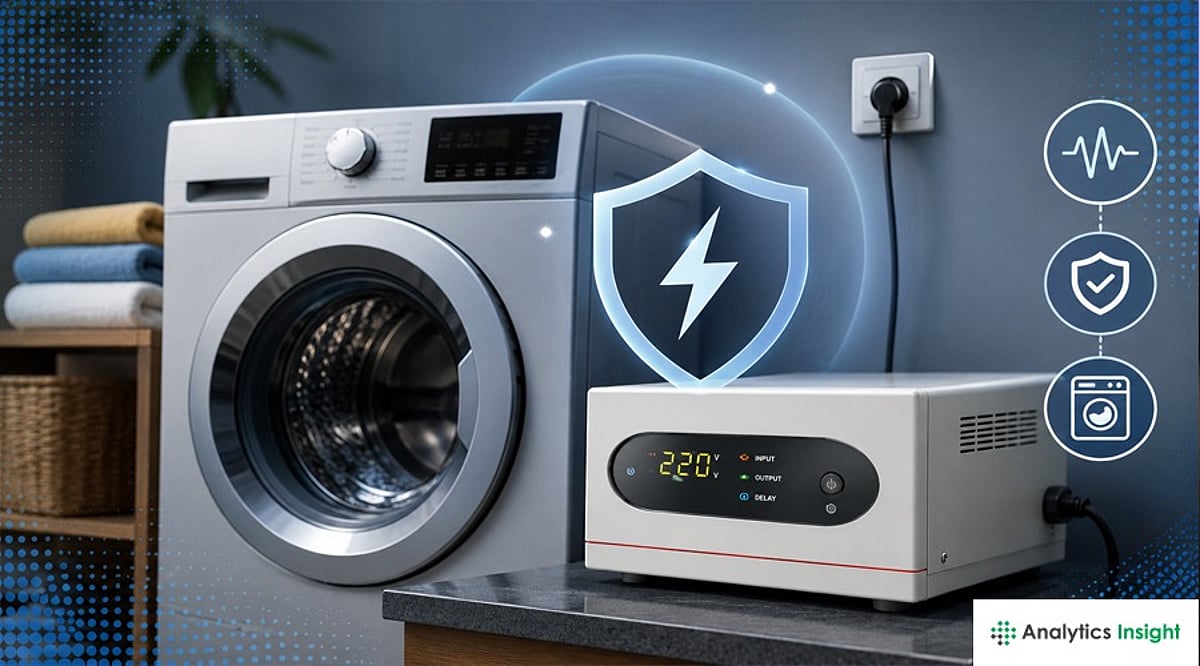
    Top Voltage Stabilizers for Washing Machines in India 2026: Expert Picks & Buying Guide

    Choosing a washing machine stabilizer involves more than comparing prices or brand names. The right unit should match the appliance’s power requirements and handle local voltage variations effectively. A balanced combination of capacity, working range, and protection features delivers dependable performance over time.

    Washing machines with digital control boards and inverter motors are increasingly damaged by unstable voltage in Indian homes, often gradually rather than in one dramatic surge, making a stabilizer a practical protective purchase rather than a luxury add-on. The right stabilizer isn’t about brand recognition. It comes down to three factors: whether the working voltage range actually covers local fluctuation severity, whether the capacity (kVA/amperage) matches the machine’s real load, and whether it uses relay or digital correction and copper or aluminum winding.

    Ten specific models across price points (roughly Rs. 1,600–5,000) are compared on these factors, from budget aluminum-wound units for stable-grid homes to wide-range digital models built for rural or older-grid areas with deep voltage drops.

    Do You Actually Need One?

    Not every home does. Stable 220–240V power with no dimming when appliances start up means a stabilizer sits low on the priority list. It matters more if the area sees frequent brownouts or if the machine is a newer inverter model with a digital control board. Some manufacturer warranties exclude damage caused by unstable voltage, so checking the machine’s own warranty card is worth the five minutes.

    How to Choose

    • Mild Voltage Fluctuations: Go for a 200–240 V or 150–280 V stabilizer. Good options are the Everest EW-2KVA or V-Guard VM 500.
    • Moderate Voltage Fluctuations: Pick a 130–280 V model, like Bluebird or Servokon SKW 213C.
    • Severe Rural Voltage Fluctuations: Areas with big power swings need a wide-range stabilizer. The Servokon SKW 290C works well here, since it starts as low as 90 V.
    • Check the Appliance Wattage: Before you buy, look at the nameplate on your washing machine. It will tell you the exact wattage you need to match.
    • Choose Extra Capacity: Don’t buy a stabilizer that just matches the wattage. Get one rated 25–30% higher. Washing machines draw extra power when they start up, and this buffer keeps the stabilizer safe.

    Relay vs Digital, Copper vs Aluminum

    Relay stabilizers correct voltage in steps and cost less. A washing machine motor tolerates that fine, unlike a TV panel. Digital units correct faster and more precisely, which helps the most where dips are short and frequent. The price gap is usually small, so digital is the safer default. Copper-wound transformers also run cooler and last longer under sustained load than aluminum, at a modest premium. Aluminum is not a safety compromise, just a durability one, and it is the first place to check if a listing seems cheap for its stated range.

    Best Picks Comparison Table

    Model Operating Range Capacity Winding Type Approx. Price
    V-Guard VM 500 150V–280V 15A Copper Digital Rs. 2,500
    Microtek Pearl EM4160+ 160V–285V 2kVA Copper Digital Rs. 3,200
    Bluebird BW 213A 130V–280V 2kVA Aluminum Relay Rs. 2,000
    Bluebird BR 113C 130V–280V 1kVA Copper Relay Rs. 1,800
    Servokon SKW 213C 130V–270V 2kVA Copper Digital Rs. 2,800
    Servokon SKW 290C 90V–270V 2kVA Copper Digital Rs. 4,500
    Rahul V-444 C1 100V–280V 1kVA Copper Relay Rs. 1,600
    Everest EW-2KVA 200V–240V 2kVA Aluminum Relay Rs. 1,200
    Aulten AD019 160V–280V 5000VA Copper Digital Rs. 5,000
    Giomex GMX1KV-AL 150V–280V 1kVA Aluminum Relay Rs. 1,400

    Short on Time? The V-Guard VM 500 covers most homes, the Servokon SKW 290C is the better call for severe rural voltage swings, and the Giomex GMX1KV-AL is the pick when budget matters most.

    Detailed Reviews

    V-Guard VM 500

    The V-Guard VM 500 is a popular choice for washing machines, supporting loads up to 15A with a 150V–280V operating range. It includes a three-year warranty, time-delay protection, and digital monitoring, making it suitable for homes experiencing regular voltage fluctuations.

    Pros: Wide brand support and service network, 150–280V range covers most urban conditions, 3-year warranty
    Cons: Reviews are genuinely mixed, with some buyers reporting weak correction or a cracked casing over time

    Microtek Pearl EM4160+

    Designed primarily for air conditioners, the Microtek Pearl EM4160+ is also widely used with washing machines thanks to its 160V–285V working range. Its digital display and on-site service support make it a practical option for household appliance protection.

    Pros: Digital display, on-site service claim within 24–48 hours, wide 160–285V range
    Cons: Built as an AC stabilizer first, and some reviewers report weak correction, so buy from a seller with easy returns

    Bluebird BW 213A

    The Bluebird BW 213A is a 2kVA aluminum-wound stabilizer with a 130V–280V input range. It offers dependable voltage protection for washing machines while keeping costs affordable, making it a practical mid-range choice for everyday household use.

    Pros: Solid 130–280V range, 2kVA capacity, affordable mid-range price
    Cons: Aluminum winding runs warmer than copper under sustained load

    Bluebird BR 113C

    Featuring copper winding and a 1kVA capacity, the Bluebird BR 113C provides better heat dissipation than aluminum alternatives. Its 130V–280V operating range makes it well suited for washing machines in areas with moderate voltage fluctuations.

    Pros: Copper winding at a near-budget price, moderate-range coverage
    Cons: 1kVA capacity is on the lower side for a heavily loaded appliance

    Servokon SKW 213C

    The Servokon SKW 213C combines digital voltage correction with copper winding and a 2kVA capacity. Operating between 130V and 270V, it responds quickly to short voltage dips, helping protect modern washing machines from unstable power conditions.

    Pros: Digital correction plus copper winding, 2kVA capacity
    Cons: Less established brand recognition and service network than V-Guard or Microtek

    Servokon SKW 290C

    With an extra-wide 90V–270V operating range, the Servokon SKW 290C is ideal for regions experiencing severe voltage drops. Its digital circuitry and copper winding provide reliable protection for washing machines in rural and low-voltage areas.

    Pros: Widest working range on this list, digital plus copper build
    Cons: Priced above narrower-range models for the capacity most urban homes won’t use

    Rahul V-444 C1

    The Rahul V-444 C1 is a 1kVA copper-wound relay stabilizer featuring a 100V–280V working range. Its five-step voltage correction offers dependable protection for washing machines while remaining an affordable option for everyday household requirements.

    Pros: Copper winding, wide 100–280V range, affordable
    Cons: Step-based correction is coarser than fully digital models

    Everest EW-2KVA

    The Everest EW-2KVA is a basic relay stabilizer designed for homes with relatively stable electricity. Its 200V–240V operating range suits areas with only minor voltage fluctuations, offering reliable protection at an entry-level price.

    Pros: Lowest price point on this list, simple and reliable for mild swings
    Cons: Narrowest range here, so it cuts off during deeper voltage drops

    Aulten AD019

    The Aulten AD019 is a 5000VA digital stabilizer designed for households that want one unit to support multiple appliances. Its 160V–280V operating range and high capacity make it suitable for demanding home electrical setups.

    Pros: High 5000VA capacity covers washing machine plus microwave or treadmill on one unit
    Cons: Oversized and priced accordingly if only used for a washing machine alone

    Giomex GMX1KV-AL

    The Giomex GMX1KV-AL is a budget-friendly 1kVA aluminum-wound stabilizer operating between 150V and 280V. It delivers dependable voltage protection for washing machines and other small appliances while offering good value for cost-conscious buyers.

    Pros: Low price, decent 150–280V range for the cost
    Cons: Aluminum winding and 1kVA capacity make it better suited to a second machine than a primary appliance guard

    FAQs

    1. Does a washing machine need a voltage stabilizer? A voltage stabilizer is recommended in areas where power fluctuations are common. It helps protect the washing machine’s electronic components and motor from sudden voltage spikes and drops.
    2. Which capacity stabilizer is suitable for a washing machine? Most household washing machines work well with a 1kVA to 2kVA stabilizer. Always check the appliance’s power rating and the manufacturer’s recommendations before choosing one.
    3. Can one stabilizer be used for multiple appliances? Some high-capacity stabilizers are designed to support multiple appliances, but a washing machine performs best with a stabilizer that matches its specific power requirements and load.
    4. What features should be considered when buying a washing machine stabilizer? Look for a wide input voltage range, adequate capacity, overload protection, auto cut-off, time-delay function, and reliable build quality. These features provide better protection during unstable power conditions.
    5. Which is better for a washing machine: a relay stabilizer or a digital stabilizer? Relay stabilizers are affordable and suitable for normal household use. In contrast, digital stabilizers offer faster voltage correction and more precise protection, making them a better choice in areas with frequent voltage fluctuations.

    Final Thoughts

    Choosing a stabilizer is less about buying another appliance and more about protecting the one already in the laundry room. Most failures blamed on the washing machine actually start at the wall socket, in swings small enough to go unnoticed for months. Matching the stabilizer to actual local voltage conditions, rather than defaulting to the most popular listing online, is what decides whether that protection pays off years down the line.

  • Top Affordable Smartwatches Under ₹10,000: Expert Picks for 2025

    Top Affordable Smartwatches Under ₹10,000: Expert Picks for 2025

    Finding a feature-packed smartwatch on a budget is easier than ever. Here are the best options under ₹10,000 that offer AMOLED displays, GPS, health tracking, and long battery life without breaking the bank.

    1. Amazfit Bip 6

    Offers an AMOLED display, built-in GPS, accurate health tracking, and up to 14 days of battery life — making it one of the best value-for-money smartwatches available.

    2. NoiseFit Endeavour Pro

    Combines an AMOLED display, GPS, Bluetooth calling, a premium design, and comprehensive fitness tracking for users seeking advanced features on a budget.

    3. CMF Watch 3 Pro

    Delivers reliable health monitoring, a stylish metal design, long battery life, and accurate activity tracking for everyday use.

    4. Titan Celestor

    Features a premium aluminum build, vibrant AMOLED display, comfortable straps, and dependable battery performance backed by Titan’s trusted quality.

    5. Lava Prowatch X

    Includes an AMOLED display, advanced fitness tracking, Bluetooth connectivity, and impressive battery life, making it a strong budget-friendly option.

    6. boAt Valour Watch 1 GPS

    Offers built-in GPS, multiple sports modes, Bluetooth calling, and essential health monitoring features at an affordable price.

    7. Noise ColorFit Pro 6 Max

    Provides an AMOLED display, Bluetooth calling, health monitoring, customizable watch faces, and smooth everyday performance.

    8. Realme Watch S5

    Combines a sleek design, AMOLED screen, smart notifications, comprehensive fitness tracking, and dependable battery backup for daily use.

    9. Xiaomi Mi Watch Revolve Active

    Delivers an AMOLED display, built-in GPS, multiple workout modes, comprehensive health tracking, and excellent battery life within the ₹10,000 budget.

    Whether you prioritize fitness tracking, display quality, or battery life, these smartwatches prove that you don’t need to spend a fortune to get premium features.

  • 2026 Printer Buying Guide: How to Select the Perfect Model for Your Needs

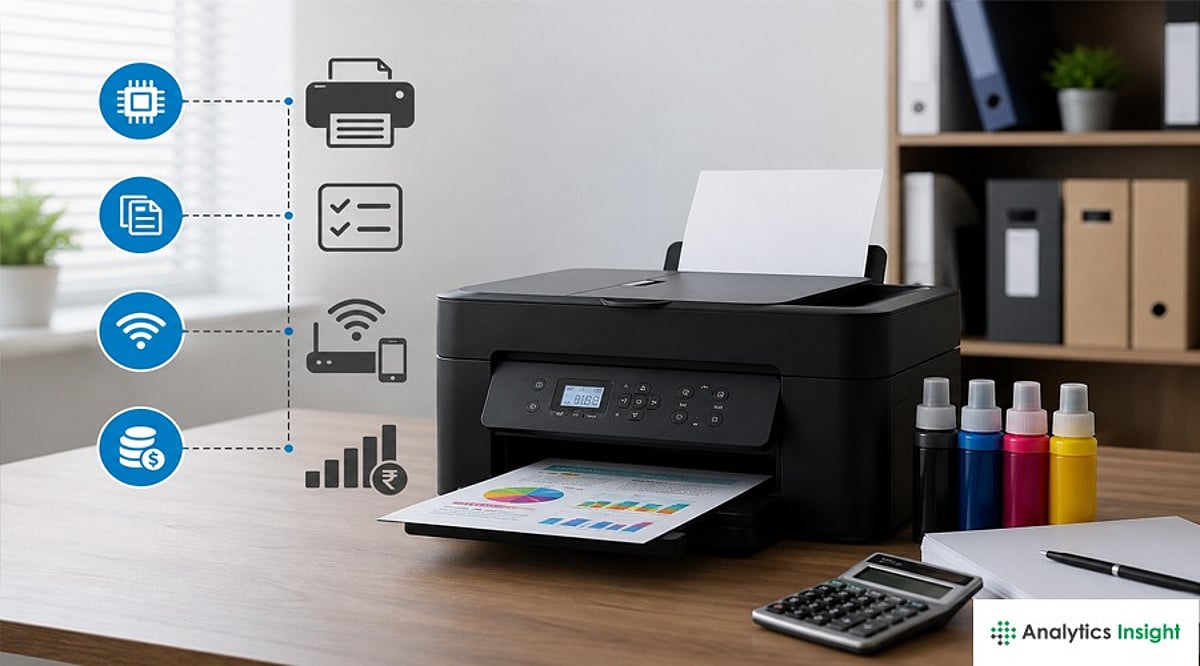
    2026 Printer Buying Guide: How to Select the Perfect Model for Your Needs

    Overview

    Compare ink tank, laser, and all-in-one printers before making the smartest buying decision today. Learn which printer suits home, office, student, business, and professional photo printing requirements. Understand printing costs, features, connectivity, and performance before investing in your next printer.

    Buying a Printer in 2026: What You Need to Know

    Buying a printer can be tricky. Technical features, compatibility, durability, and other complicated information are essential to consider before buying one. Picking the costliest or cheapest model from the shelf can prove to be a regressive approach. Printers today do a lot more, and a wrong pick can cost you extra money in ink or toner down the line. Ink tank printers cost less to run than the old cartridge models. Laser printers have gotten smaller and quieter over the years. Wi-Fi printing has now become a default feature in most models. The real question isn’t which printer ranks as ‘the best.’ It’s which printer fits what you actually print. Maybe printing photos is a higher priority. Maybe it’s office papers or schoolwork. This guide covers five best printers and looks at how each one performs, what it offers, and who it suits.

    Top Printers Reviewed

    Epson EcoTank Photo ET-8500

    Epson printer is made for people who print a lot of photos. It uses six ink colors instead of the usual four, so photo prints come out smoother with more detail. It uses ink bottles instead of cartridges, which is the EcoTank part. The refills are easier for the average user to affect, and each refill covers a large number of pages, so the cost per photo drops over time. It costs more upfront than a basic printer. The ET-5850 model boasts high paper capacity and has a 4.3-inch color touchscreen. It is a multitasker useful for copying, scanning, printing, and faxing. It supports Wi-Fi, Ethernet, and USB. Print quality stays steady across regular documents and color pages. Families who print photos often say it pays off in the long run. It can scan and copy too, so it works as a full home office setup. This printer fits well into a home where photos are the main use.

    Canon Color imageCLASS MF665Cdw

    Canon’s laser printer is built with small offices in mind. It prints in color and handles scanning, copying, and faxing as well. Laser printers are known for speed, and this one holds up well when printing a stack of pages at once. It connects over Wi-Fi easily, so a few people in one office can share it without any wires. Canon Color imageClass has an exceptional printing speed of 26 pages per minute in both color and black/white options. The print resolution is 1200×1200 dpi and functions well in Print, Scan, Copy, and Fax. This printer sits well against other office models since it keeps the price fair while doing the job right. It works better for text documents than photos, so keep that in mind if photo printing matters to you.

    Brother HL-L2460DW

    Brother printer does one job, and it does that job well: black and white text printing. There’s no color option here, and no extra fuss either. Brother has built a good name over the years for machines that last a long time without trouble, and this model fits that pattern. It connects to Wi-Fi and works with printing apps on a phone, so setup stays easy. Brother HL-L2460DW has a speed of 34 ppm (pages per minute) for A4 and 36 ppm for letter. The printing resolution is about 1200×1200 dpi, with built-in automatic two-sided printing. Students, small offices, and home users pick this printer often since it comes at a low price. It won’t print photos or color pages, so it isn’t for everyone. People who mostly print papers and forms will find it a solid, no-nonsense choice.

    Epson EcoTank ET-2980

    Epson 2980 ranks among the more popular home models, and it’s easy to see why. It covers most day-to-day printing needs without a big price tag. It prints, scans, and copies, and like other EcoTank models, it runs on ink bottles instead of cartridges. This setup keeps running costs low, which matters for a family that prints often. It works with Wi-Fi, so printing from a phone or tablet stays simple. The machine is powered by PrecisionCore Heat-Free technology. It boasts a print resolution up to 4800×1200 dpi and a 1.44-inch color display. This printer stands out among budget ink tank models since it doesn’t force a choice between low cost and decent print quality. It handles everything from homework pages to an occasional photo print.

    HP OfficeJet Pro 9125e

    HP OfficeJet suits people who print a lot, whether at home or in a small office. It prints fast, handles double-sided pages on its own, and scans well. HP built in a smart feature that reorders ink automatically, so users run a lower risk of running out mid-print. HP has stayed a trusted name for reliable printers for years, and this model keeps that reputation going. The model can print, copy, scan, and fax. Its paper capacity includes a 250-page input tray and 60 pages output tray. This printer is also equipped with smart capabilities such as AI-powered adaptation to workflow and advanced scanning capabilities. Households or offices that print daily and value speed over ink savings will find this printer worth a look.

    Which Printer Is Best for Whom?

    • Photo lovers – Epson EcoTank Photo ET-8500. Six-color ink and low cost per print make the higher price worth it.
    • Small office owners who print color documents often – Canon Color imageCLASS MF665Cdw. Fast and handles daily use well.
    • Users who need clean black and white prints on a tight budget – Brother HL-L2460DW. Suits students and small home offices.
    • Families who want one printer for most household needs – Epson EcoTank ET-2980. Keeps ink costs low while covering everyday tasks.
    • Speed-focused users who print often – HP OfficeJet Pro 9125e. Doesn’t let printing slow you down.

    Final Thoughts

    The right printer depends on what a person prints, not on which brand sounds the biggest. Photo lovers should look at an EcoTank photo model. Offices that print a lot of documents will get more value from a laser printer like the Canon or Brother option covered here. Buyers who want one printer for most home needs should consider the Epson ET-2980. Speed-focused users who care less about ink savings should look at HP’s OfficeJet Pro line. No single printer works for everyone. Once a buyer knows what they actually need, picking one gets a lot easier.

    Frequently Asked Questions

    1. Which type of printer is best for home use in 2026? For most homes, an ink tank printer is the best choice because it offers low printing costs, good print quality, and can handle everyday tasks like schoolwork, documents, and occasional photo printing.
    2. Are laser printers better than ink tank printers? It depends on your needs. Laser printers are faster and better for printing large volumes of text documents, while ink tank printers are more affordable to run and perform better for color documents and photos.
    3. Which printer is best for photo printing? The Epson EcoTank Photo ET-8500 is one of the best options for photo printing. Its six-color ink system produces vibrant colors, smoother gradients, and detailed photo prints.
    4. What features should I look for when buying a printer in 2026? Consider print quality, printing speed, running costs, connectivity options like Wi-Fi, automatic duplex printing, paper capacity, and whether you need scanning, copying, or faxing features.
    5. Is a Wi-Fi printer worth buying? Yes. A Wi-Fi printer lets you print wirelessly from laptops, smartphones, and tablets, making it more convenient for homes and offices with multiple users.
  • Best Philips Headphones in 2026: Wireless and Wired Picks for Every Listener

    Best Philips Headphones in 2026: Wireless and Wired Picks for Every Listener

    Looking for premium audio? These Philips headphones deliver excellent value for 2026, whether you prefer the freedom of wireless or the fidelity of wired.

    Philips Fidelio L4

    Premium wireless headphones with outstanding ANC and rich sound quality.

    Philips TAH8506

    Great balance of comfort, battery life, and active noise cancellation.

    Philips SHP9600

    Audiophile-approved wired headphones with an open-back design.

    Philips TAT8506 Earbuds

    Compact wireless earbuds offering immersive sound and effective ANC.

    Philips H9505

    Perfect for frequent travelers needing long battery life and comfort.

    Philips SHP9500

    Affordable wired headphones known for exceptional sound performance.

    Philips TAH5209

    Budget-friendly Bluetooth headphones for everyday listening.

    Philips Fidelio X3

    Premium wired headphones designed for detailed high-resolution audio.

  • Top 10 Powerline Networking Adapters for 2026: Reliable Wired Internet Without Extra Cables

    Top 10 Powerline Networking Adapters for 2026: Reliable Wired Internet Without Extra Cables

    Weak Wi-Fi can disrupt work, streaming, and online gaming. Powerline networking adapters offer a simple way to deliver stable internet through existing electrical wiring, eliminating the need for new Ethernet cables. These are the top powerline networking adapters for 2026, covering both HomePlug AV2 and G.hn standards.

    Two Standards, One Decision

    Before buying a powerline adapter, you must choose between two competing standards: HomePlug AV2 and G.hn. HomePlug AV2 is the older, more widely compatible standard, while G.hn offers higher theoretical speeds up to 2,400 Mbps. The catch is that devices from the two standards do not work together. Speed ratings on the box are optimistic; real-world performance depends on wiring age, circuit layout, and electrical noise. Always plug adapters directly into a wall outlet, not a power strip or surge protector.

    The Top 10 Powerline Adapters for 2026

    1. NETGEAR PLP2000 – AV2000 HomePlug AV2, dual Gigabit ports, pass-through outlet. Ideal for gaming, 4K streaming, and busy home offices.
    2. TP-Link TL-PA9020P Kit – Same AV2000 specs as NETGEAR with a reputation for consistent performance across different homes.
    3. Zyxel PLA6456 – G.hn standard, up to 2400 Mbps. Starts a new network; won’t pair with existing HomePlug AV2 adapters.
    4. TRENDnet TPL-407E2K v2 – Compact AV500 adapter for tight spaces. Suitable for HD streaming and smart TVs.
    5. NexusLink GPL-1200 – G.hn adapter at a lower price, up to 1200 Mbps, with a Gigabit port. Good for small offices.
    6. TP-Link TL-PA7017P Kit – AV1000 speed, single Gigabit port, pass-through design. A reliable, affordable choice for streaming and video calls.
    7. TP-Link TL-WPA8631P Kit – Combines AV1300 powerline with AC1200 Wi-Fi extender and three Gigabit ports. Covers both wired and wireless needs.
    8. Devolo Magic 2 Wi-Fi 6 – Premium G.hn adapter with up to 2400 Mbps, Wi-Fi 6, and mesh networking. Manages heavy loads across multiple floors.
    9. TP-Link TL-PA4010 Kit – Entry-level AV500 kit. Simple plug-and-play for browsing and HD video in dead zones.
    10. TP-Link TL-WPA7817 Kit – AV1000 powerline with built-in Wi-Fi 6 access point. Designed for detached spaces like garages or workshops.

    What This Means for Buyers

    Powerline adapters have become a practical solution for homes and small offices. The most important decision is which standard to commit to: HomePlug AV2 for broad compatibility, or G.hn for higher speeds if starting fresh. Get the standard right, and future upgrades remain simple.

    Final Thoughts

    Speed isn’t everything—reliability across every room matters more. Powerline adapters use existing wiring to extend a wired connection without drilling. For many in 2026, the best upgrade isn’t a new router, but a stronger wired backbone built on what’s already there.

    Frequently Asked Questions

    1. What is a powerline networking adapter, and how does it work? It uses your home’s electrical wiring to transmit network data, creating a wired connection where Wi-Fi is weak.
    2. Are powerline adapters better than Wi-Fi extenders? Powerline provides a more stable wired connection for gaming and streaming; Wi-Fi extenders improve wireless coverage.
    3. Do they work in every home? Performance depends on wiring quality, distance between outlets, and being on the same electrical circuit.
    4. What features should I look for? Choose HomePlug AV2 or G.hn, Gigabit Ethernet ports, pass-through sockets, and speed ratings that match your needs.
    5. Can I use them in an office? Yes, they provide reliable connectivity for desktops, VoIP phones, printers, and video conferencing where Ethernet cabling is impractical.
  • Top-Rated Smoke Detectors and Dual Alarms for Every Home in 2026

    Top-Rated Smoke Detectors and Dual Alarms for Every Home in 2026

    A smoke detector is one of the most important safety devices you can have at home. It gives you an early warning if smoke is detected, helping you act before a fire becomes dangerous. Many new models can also detect carbon monoxide, a gas you cannot see or smell. Some even send alerts to your phone when you are away.

    Today, there are many options to choose from. Some are simple battery-powered units, while others come with Wi-Fi and smart features. To help you pick the right one, we compared some of the best smoke detectors and dual alarms available.

    Best Smoke Detectors and Dual Alarms Compared

    The models below offer different features for different homes and budgets. Looking at the list, it is easy to see that every model is made for a different need. If you want a simple smoke detector, there are affordable choices. If you want more safety features, smart dual alarms are worth considering.

    • NOTOFIRE® Smoke Detector: A good option for small homes and apartments. It is easy to install and gives a loud warning when smoke is detected. It is also one of the most affordable models on this list.
    • HIKVISION HF-S2E Photoelectric Smoke Detector: Prioritizes rapid smoke detection. It is suitable for both homes and offices and is built for reliable everyday use.
    • ROCKTECH Smart Smoke Detector: A good choice if you want smart home features. It connects to Wi-Fi and sends alerts to your phone. This can be useful if you travel often or spend long hours away from home.

    Which Smoke Detectors Would I Recommend?

    If I had to choose only one, I would go with the First Alert Smoke and Carbon Monoxide Detector Battery Powered. It provides two types of protection in a single device and is easy to install. I think it offers the best mix of safety, price, and ease of use for most homes.

    The next choice will be the Kidde Hardwired Smart Smoke and Carbon Monoxide Detector. The first reason that I liked the smoke detector is its features and a hardwired power supply. The voice alerts and phone notifications add extra peace of mind. It is a great choice for bigger homes.

    Aside from these two, if I have to pick another, my third pick will be the ROCKTECH Smart Smoke Detector. This one is easy to install and sends alerts to your phone. I feel it offers good value for buyers who want smart features without spending too much.

    Final Thoughts

    A smoke detector is a small device that can make a big difference during an emergency. It gives you more time to react and helps protect your family. A dual alarm adds even more safety by detecting carbon monoxide.

    For most people, the First Alert Smoke and Carbon Monoxide Detector Battery Powered is the best overall choice. It is simple and reliable, and it offers two important safety features. If you want smart features and a hardwired setup, the Kidde model is worth buying. Buyers looking for an affordable smart detector should also consider the ROCKTECH Smart Smoke Detector.

    Take a little time to compare the features before buying. The right smoke detector can help keep your home and your loved ones safe for years.

    FAQs

    Which smoke detector is the best for most homes?

    The First Alert Smoke and Carbon Monoxide Detector Battery Powered is a great choice for most homes. It detects both smoke and carbon monoxide, is easy to install, and offers dependable everyday protection.

    Should I buy a smoke detector or a dual alarm?

    A dual alarm is usually the better option because it detects both smoke and carbon monoxide. It provides wider protection and removes the need to install two separate safety devices.

    Are smart smoke detectors worth the extra cost?

    Yes. Smart smoke detectors send alerts directly to your phone, so you can be notified about smoke or fire even when you are away from home. This adds extra peace of mind.

    How often should I replace a smoke detector?

    Most manufacturers recommend replacing a smoke detector every 10 years. You should also test the alarm regularly and replace the batteries whenever the low-battery warning sounds.

    Can I install a smoke detector by myself?

    Yes. Most battery-powered and Wi-Fi smoke detectors are easy to install with the included hardware. Hardwired models are best installed by a qualified electrician for safe and proper setup.

  • Top Affordable Power Banks with Fast Charging in 2026

    Top Affordable Power Banks with Fast Charging in 2026

    Power banks have become everyday essentials as smartphones, tablets, and wearables demand more battery life. A fast-charging power bank reduces charging time while keeping your devices powered during travel, work, or emergencies. In 2026, affordable models offer USB-C Power Delivery, higher wattage, and reliable safety features without stretching your budget.

    Xiaomi 4i 20000mAh 33W – Best Overall

    The Xiaomi 4i stands out as the best budget choice thanks to its 20,000mAh capacity and 33W fast charging. It supports USB-C Power Delivery for Android phones, iPhones, and tablets. The sturdy metal body, multiple safety protections, and ability to recharge devices several times make it an excellent value-for-money option.

    URBN and Ambrane Deliver Great Value

    The URBN 20,000mAh 35W Turbo Power Bank offers one of the fastest charging speeds in its price range. Meanwhile, the Ambrane MiniCharge 20 provides dependable 22.5W charging, a compact design, and multiple output ports. Both models are ideal for users seeking reliable performance at an affordable price.

    boAt and Xiaomi Pocket Pro for Everyday Use

    The boAt EnergyShroom PB401 combines a large 20,000mAh battery with 22.5W fast charging, making it suitable for daily commuters. Those who prioritize portability should consider the Xiaomi Pocket Power Bank Pro, which delivers 33W charging in a compact 10,000mAh design that easily fits into pockets or bags.

    Features That Matter Most

    When buying a budget power bank, prioritize USB-C input and output, Power Delivery support, and fast charging of at least 22.5W. Choose trusted brands that include overcharge, overheating, and short-circuit protection. Multiple charging ports and LED battery indicators also improve convenience for everyday users.

    Which Capacity Should You Choose?

    A 10,000mAh power bank is lightweight and ideal for one or two phone charges, making it perfect for daily commuting. A 20,000mAh model offers multiple recharges for smartphones and can also power tablets or accessories, making it better suited for travel, remote work, and extended outdoor use.

    Final Verdict

    Budget power banks in 2026 deliver impressive fast-charging performance without premium pricing. The Xiaomi 4i remains the best overall choice, while URBN excels in charging speed and Ambrane offers dependable everyday value. Select a model based on your charging needs, portability preferences, and the number of devices you carry.

  • Iconic Gadgets That Shaped Their Era: From CRT TVs to Floppy Disks

    Iconic Gadgets That Shaped Their Era: From CRT TVs to Floppy Disks

    Before the age of flat screens, streaming, and smartphones, a generation of pioneering electronics defined how people entertained themselves, communicated, and worked. These devices may seem primitive today, but each played a pivotal role in shaping modern technology. Here’s a look at the old-school electronics that defined an era.

    CRT Television

    With their bulky cathode-ray tubes, CRT televisions were the heart of family entertainment for decades. They brought news, shows, and movies into living rooms worldwide, serving as a communal hub until slim flat-screen displays revolutionized home viewing.

    Cassette Player

    The cassette player made portable music affordable and accessible. Users could record mixtapes, replay favorite songs, and share music with friends—a precursor to today’s streaming services.

    Walkman

    Sony’s Walkman transformed personal listening. Its compact size allowed people to enjoy private music during commutes, workouts, and travel, fundamentally changing how we consume audio on the go.

    VHS Player

    VHS players brought the cinema experience home. They enabled movie rentals, TV show recordings, and family video preservation, becoming a staple in millions of households around the globe.

    Pager

    Before mobile phones dominated, pagers provided instant text and numeric alerts. They were essential for professionals in healthcare, business, and emergency services, keeping people connected in real-time.

    Rotary Telephone

    With its distinctive circular dial, the rotary telephone was the standard for household communication for generations. It connected families and businesses before touch-tone landlines and smartphones took over.

    Floppy Disk

    The floppy disk was the primary portable storage medium for computer files and software. Despite limited capacity by today’s standards, it was indispensable for data transfer and backup in the early computing era.

    Dot Matrix Printer

    Using impact technology to print characters, dot matrix printers were workhorses for invoices, reports, and continuous stationery. They remained popular in business environments for decades due to their durability and multi-part printing.

    Portable Radio

    Portable radios kept people connected to live news, music, and sports wherever they went. Before digital streaming, these battery-powered devices were everyday companions for news updates and entertainment.

    These gadgets may be obsolete, but their influence lingers in the devices we use today. They laid the groundwork for the connected, on-demand world we now take for granted.