Tag: ChatGPT

  • ChatGPT Plans Compared: Free, Plus, Pro, or Team – Which Subscription Is Right for You in 2026?

    ChatGPT Plans Compared: Free, Plus, Pro, or Team – Which Subscription Is Right for You in 2026?

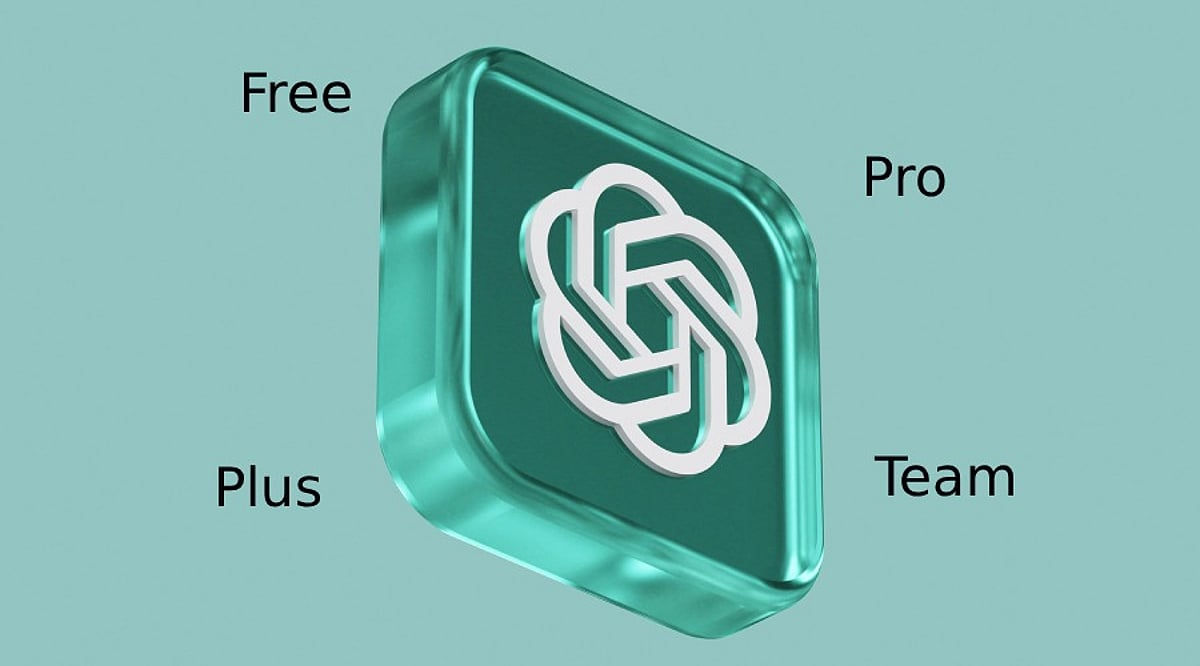
    ChatGPT offers four main plans in 2026, each tailored to a different type of user and budget. The Free plan provides a basic ChatGPT experience at no cost. Plus adds higher limits and extra features for daily users. Pro targets professionals who need maximum performance and larger usage limits. Team, part of OpenAI’s business offering, focuses on companies needing collaboration tools, shared workspaces, and admin controls.

    Every plan includes access to ChatGPT, but the experience varies by usage, available tools, and priority access. The right choice depends on your work style, daily usage, and collaboration needs.

    ChatGPT Free vs Plus vs Pro vs Team Comparison

    ChatGPT Free

    The Free plan works well for anyone who wants to explore ChatGPT without a subscription. It includes access to GPT models, web search, voice conversations, file uploads, image generation, memory, Canvas, and basic Deep Research. This plan handles everyday tasks such as writing, learning, quick research, and simple coding.

    The main limitation is strict usage caps. Heavy usage may lead to slower access during peak hours, and advanced reasoning tools are available in smaller amounts. New features also arrive later than on paid plans. Even with these limits, the Free plan offers strong value for students, beginners, and casual users.

    ChatGPT Plus

    ChatGPT Plus costs $20 per month and remains the most popular paid option. This plan offers much higher usage limits, faster response times, and priority access during peak traffic. It also unlocks advanced reasoning models, larger context windows, better memory, higher image generation limits, advanced voice features, and a larger Deep Research allowance.

    Daily work becomes smoother with fewer interruptions. Writers, developers, designers, researchers, freelancers, and office professionals often find enough power in this plan without a large monthly expense. OpenAI also releases many new features to Plus subscribers before they reach Free users, adding extra value throughout the year.

    ChatGPT Pro

    ChatGPT Pro costs $200 per month and targets people who depend on AI for demanding tasks. This plan offers the highest usage limits across ChatGPT. It provides top priority access to OpenAI’s most capable models, the largest Deep Research quota, advanced reasoning capacity, and support for long and complex tasks.

    Heavy research, detailed analysis, software development, large document reviews, and advanced workflows benefit from the extra computing resources. Startup founders, AI engineers, consultants, and research professionals gain the most value from this plan. Regular users may not notice enough difference to justify the higher price.

    ChatGPT Team (Business)

    ChatGPT Team focuses on companies that need collaboration tools, shared workspaces, and administrative controls. Pricing starts at around $25 per user per month with monthly billing, or around $20 per user per month with annual billing.

    This plan includes shared workspaces, shared GPTs, member management, central billing, organization memory, admin controls, and business privacy features. Company data stays outside model training by default. These features help teams manage projects, share knowledge, and keep work organized across departments.

    Which Plan Offers the Best Value?

    Every plan fits a different need. The Free plan gives excellent value for light usage and everyday tasks. Plus stands out as the best balance between price and features, delivering faster performance, generous limits, and access to advanced tools without a premium tag.

    Pro serves professionals who run demanding workloads daily and need the highest limits available. Team works best for businesses that need secure collaboration, centralized management, and shared access across multiple employees.

    Final Verdict

    ChatGPT offers a clear upgrade path in 2026. The Free plan covers everyday needs at no cost. Plus delivers the strongest overall value with faster performance, better tools, larger limits, and early feature access for only $20 per month. Pro targets advanced professionals who require maximum computing power and the highest usage limits. Team adds business-focused features that support collaboration, administration, and organizational security.

    The final decision depends on your daily workload, feature requirements, and budget. Most individual users receive the best balance of cost and capability from ChatGPT Plus. Professionals with intensive AI workflows benefit from Pro, while businesses gain the greatest advantage from Team through shared workspaces and centralized management.

    Frequently Asked Questions

    1. Which ChatGPT plan is best for most users?

    ChatGPT Plus is the best choice for most users as it combines advanced features, faster performance, and generous usage limits at an affordable monthly price.

    2. Is ChatGPT Free enough for everyday use?

    Yes. The Free plan is suitable for writing, learning, coding, web search, file uploads, and occasional AI assistance, though it has lower usage limits.

    3. Who should choose ChatGPT Pro?

    Pro is ideal for researchers, developers, consultants, founders, and power users who rely on ChatGPT daily and need the highest limits and priority access.

    4. What makes ChatGPT Team different?

    Team includes shared workspaces, centralized billing, admin controls, organization memory, and collaboration features designed for businesses and small teams.

    5. Is ChatGPT Plus worth $20 per month?

    For regular users, yes. It provides faster responses, higher usage limits, access to advanced models, better voice and image features, and early access to new capabilities.
  • Master the ChatGPT Escape Prompt to Transform Your Job Search

    Master the ChatGPT Escape Prompt to Transform Your Job Search

    The ChatGPT Escape Prompt is a practical prompting technique that helps job seekers generate more thoughtful, personalized, and recruiter-friendly AI responses. This guide explains how the method works, where it adds value during the job search process, and how to use it responsibly to improve resumes, cover letters, LinkedIn profiles, and interview preparation.

    What Is the ChatGPT Escape Prompt?

    The Escape Prompt is a method that asks ChatGPT to move beyond its initial response by questioning assumptions, identifying weaknesses, or generating alternative solutions. Rather than settling for the first draft, users ask the AI to review, improve, or rethink its own answer.

    For example, instead of asking, ‘Write a resume summary for a business analyst,’ you might follow up with, ‘Review this summary like a hiring manager. Remove generic statements, highlight measurable achievements, and rewrite it to sound more authentic.’ This iterative approach often produces clearer, more relevant, and more tailored content.

    Ways the Escape Prompt Can Strengthen Your Job Search

    The biggest advantage of using the Escape Prompt is that it leads to improved quality outcomes. One can make use of the tool for improving their resume, writing custom cover letters, developing interview questions for the position, and finding weaknesses in their application.

    In addition, it is useful when it comes to the analysis of job postings. Instead of defining only the aspects of the job that one is supposed to do, one can request ChatGPT to find out the most important skills valued by the recruiter, explain some technical terms, or propose project ideas for demonstrating one’s skills.

    Best Practices for Using the Escape Prompt

    To get the best outcome from the AI program, give it plenty of context. Give it your background, your skills, the job title that you wish to apply for, and the industry you wish to join, as well as anything else you wish to mention and have included in your resume.

    It also helps to ask ChatGPT to critique its own writing. Asking questions such as ‘What might a recruiter not like about this CV?’ or ‘Can you rephrase this answer in a business-oriented manner?’ will prompt the program to do a more detailed analysis and produce something better suited to your needs.

    On the other hand, make sure to check all facts used by the program before adding them to your resume. Company names, technical details, certifications, and employment dates should be reviewed carefully to avoid errors in your application.

    Common Mistakes to Avoid

    Job applicants often fall into the trap of using AI-generated answers without checking them for accuracy. It may lead to a redundant resume, overblown claims, and inconsistency with the job description.

    A common mistake is vague prompt formulation. Asking ChatGPT to ‘write a resume’ will bring you general results, while specifying your skills and experience and giving information on your target industry will help get more beneficial outcomes. The Escape Prompt is effective only in combination with a human’s effort.

    Final Thoughts

    ChatGPT Escape Prompt does not provide an easy way out for securing a job position; it can prove to be an effective tool that can enhance the quality of your job-searching process. By fostering better analysis and making you write more personalized responses, the ChatGPT Escape Prompt enables you to prepare better CVs, cover letters, and better interview preparation.

    For professionals competing in a fast-changing job market, combining AI with your own experience, achievements, and critical thinking can make applications more compelling. Used responsibly, the Escape Prompt transforms ChatGPT from a simple writing assistant into a practical career companion that supports smarter, more effective job search decisions.

  • How to Seamlessly Transfer Your ChatGPT Data to Claude AI

    How to Seamlessly Transfer Your ChatGPT Data to Claude AI

    Switching between AI assistants becomes effortless when your past conversations move with you. Transferring ChatGPT data to Claude helps preserve context, project details, writing drafts, research notes, and ongoing discussions. This reduces repetition and allows Claude to deliver more relevant responses based on your previous interactions with ChatGPT.

    Export Your ChatGPT Data

    Log in to ChatGPT and open Settings. Navigate to Data Controls and choose Export Data. OpenAI will prepare an archive containing your chat history and send a download link to your registered email address. Download and extract the ZIP file before moving to the next step.

    Open Claude and Start Import

    Sign in to your Claude account through the web interface. Start a new chat or use the available import option if your version supports chat uploads. Claude can process exported conversation files, allowing it to understand previous discussions and continue projects with minimal manual effort.

    Upload the Exported Files

    Locate the extracted ChatGPT export folder and upload the relevant conversation files to Claude. Depending on the supported format, Claude will analyze the content and use it as context. For large archives, consider importing only the conversations that are most important for your work.

    Organize and Verify Your Data

    After the upload, review the imported conversations to ensure everything appears correctly. Rename chats, group related projects, and check that important prompts, notes, and documents have been transferred. A quick review helps avoid missing information before continuing your work in Claude.

    Protect Your Privacy

    Before transferring any AI conversations, remove passwords, financial records, personal identification details, or confidential business information. Exported chat files may contain sensitive content, so review them carefully before uploading. Following basic privacy practices helps keep your information secure across different AI platforms.

    Continue Working Seamlessly

    Once your chats are available in Claude, you can continue writing, coding, brainstorming, or researching without starting from scratch. Keeping previous conversations accessible saves time, improves workflow, and makes switching between AI assistants much smoother for both personal and professional projects.

  • OpenAI vs ChatGPT: Understanding the Key Differences in 2026

    OpenAI vs ChatGPT: Understanding the Key Differences in 2026

    Many people use the terms OpenAI and ChatGPT interchangeably, but they refer to two different things. OpenAI is the research and deployment company that builds advanced AI models, while ChatGPT is a consumer-facing chatbot product built on top of those models. The distinction matters for pricing, product development, and choosing the right tool for your needs.

    What Is OpenAI?

    OpenAI is an artificial intelligence research organization founded in 2015. Originally a nonprofit, it later shifted to a capped-profit model to fund large-scale model training. The company develops several AI products beyond ChatGPT, including the GPT language model family, DALL-E for image generation, Whisper for speech recognition, and Codex for coding. These models are available to developers through OpenAI’s API, enabling third-party applications.

    What Is ChatGPT?

    ChatGPT is OpenAI’s flagship consumer and business product—a chat interface that sits on top of the underlying AI models. Launched in November 2022, it has evolved far beyond a simple chatbot. As of July 2026, ChatGPT supports multimodal input, deep research tasks, image generation, voice conversations, and custom GPTs. The service runs on the GPT-5.6 model family, which OpenAI has divided into three capability tiers:

    • Sol – flagship tier for hard reasoning and long agentic tasks
    • Terra – everyday workhorse
    • Luna – lighter and faster for quick responses

    Are OpenAI and ChatGPT the Same Thing?

    No. OpenAI is the company; ChatGPT is one product it makes. Think of it like Toyota and the Camry: Toyota builds engines and platforms used across many models, and the Camry is just one specific car. Similarly, OpenAI’s technology powers tools that aren’t ChatGPT—customer service bots, AI writing assistants, coding tools built by other companies through the API.

    Practical Differences You Need to Know

    Pricing

    ChatGPT subscriptions and API usage are billed separately. A ChatGPT Plus subscription does not grant API access. ChatGPT offers a seven-tier pricing structure:

    • Free ($0, ad-supported in the US, uses an older Instant-tier model)
    • Go ($8/month)
    • Plus ($20/month – most popular, unlocks GPT-5.6 flagship, Deep Research, Sora)
    • Pro ($100 or $200/month – 5x or 20x Plus usage)
    • Business (~$20-30 per seat)
    • Enterprise (custom pricing)

    The OpenAI API charges per million tokens processed. For GPT-5.6 Sol, rates are roughly $5 input / $30 output per million tokens; the lighter Luna tier costs about $1 / $6 per million tokens.

    Who Should Use Each

    Use ChatGPT if you need a ready-made assistant for writing, research, brainstorming, or daily tasks—no setup required.

    Use the OpenAI API if you are building a product for others, embedding a chatbot in your app, or creating an automated support tool that requires programmatic control over prompts and responses.

    Pro Tip for Businesses

    Teams that scrape or aggregate public data to feed into an AI pipeline—for research, price monitoring, or training data—often pair API access with proxy infrastructure. A single IP gets rate-limited quickly on high-volume collection, so reliable residential, mobile, or datacenter proxies with rotating IPs and sticky sessions can help maintain consistent data flow. Tools like CyberYozh provide such infrastructure, compatible with Selenium, Playwright, Puppeteer, and Scrapy, along with IP reputation checking and SMS verification.

    Frequently Asked Questions

    Is OpenAI the same as ChatGPT?

    No. OpenAI is the company; ChatGPT is one product. OpenAI also offers a developer API and other tools like DALL-E and Whisper.

    What’s the difference between ChatGPT and the OpenAI API?

    ChatGPT is a ready-to-use chat interface with flat monthly pricing. The OpenAI API is a developer tool billed per token, used to build custom applications.

    Which is cheaper: ChatGPT Plus or the API?

    It depends on usage. Light, occasional use often costs less via the API’s per-token billing. Frequent daily use typically favors ChatGPT Plus’s $20/month flat rate.

    Do I need the OpenAI API if I have ChatGPT Plus?

    Only if you are building something for others to use. A ChatGPT subscription does not include API access; they are billed and used separately.

    What model does ChatGPT run in 2026?

    As of July 2026, ChatGPT runs on the GPT-5.6 family, split into Sol (flagship reasoning), Terra (everyday use), and Luna (lightweight, faster) tiers.

  • Morning Tech Digest: IBM’s 0.7nm Chip, Revspot Funding, Graduate Hiring Gap, Coinkite Alert, and OpenAI vs ChatGPT

    Morning Tech Digest: IBM’s 0.7nm Chip, Revspot Funding, Graduate Hiring Gap, Coinkite Alert, and OpenAI vs ChatGPT

    Good morning! Here’s your quick roundup of today’s biggest developments across semiconductors, startup funding, graduate hiring, cryptocurrency security, and artificial intelligence.

    What’s New Today

    IBM has introduced the world’s first 0.7nm chip technology with its new 3D Nanostack architecture, marking a major leap for AI computing and energy-efficient processors. Startup Revspot has secured fresh funding to accelerate growth and expand its technology offerings. A HirePro report shows that only 9% of employers consider fresh graduates job-ready despite 68% of students believing they are. Crypto hardware wallet maker Coinkite has warned Coldcard Mk3 users about a potential security flaw affecting wallet seed generation. Meanwhile, a new explainer outlines the difference between OpenAI, the AI company, and ChatGPT, its popular conversational AI assistant.

    Fast-Track Insights

    • IBM unveils the world’s first 0.7nm chip with 3D Nanostack architecture.
    • Revspot secures fresh funding to support expansion and product development.
    • HirePro report reveals only 9% of graduates are job-ready on day one.
    • Coinkite urges Coldcard Mk3 users to secure funds after wallet warning.
    • OpenAI vs ChatGPT: Understanding the company behind the AI chatbot.

    IBM Debuts World’s First Sub-1nm Chip

    IBM unveiled the world’s first 0.7nm chip technology powered by its new 3D Nanostack architecture. The breakthrough packs nearly 100 billion transistors, promising faster performance, improved energy efficiency, and stronger capabilities for AI, cloud computing, and next-generation data centers.

    Revspot Raises Funding

    Tech startup Revspot has secured fresh funding to accelerate growth and expand its technology offerings. The investment will support hiring, product development, and market expansion.

    Only 9% of Graduates Are Job-Ready: HirePro Report

    A HirePro report reveals that only 9% of employers believe fresh graduates are job-ready on their first day at work, while 68% of students think they are. The findings underline a significant gap between academic education and industry expectations.

    Coinkite Warns Coldcard Mk3 Users

    Coinkite has issued a security advisory for users of its Coldcard Mk3 hardware wallet, warning that a potential flaw may have affected wallet seed generation. The company advises impacted users to move their funds immediately and create a new wallet with a secure seed.

    OpenAI vs ChatGPT Explained

    The article explains the difference between OpenAI and ChatGPT, clarifying that OpenAI is the artificial intelligence company responsible for developing AI models, while ChatGPT is its AI-powered chatbot designed to help users with writing, coding, research, learning, and everyday tasks.

  • Supercharge Your YouTube Channel with ChatGPT: A Step-by-Step Guide

    Supercharge Your YouTube Channel with ChatGPT: A Step-by-Step Guide

    Want to grow your YouTube channel faster without burning out on content creation? ChatGPT can handle the heavy lifting from brainstorming to publishing. Here’s how to use this AI tool to streamline every stage of your video workflow.

    1. Generate Video Ideas

    Ask ChatGPT to brainstorm trending topics tailored to your niche and audience interests. Simply describe your channel’s focus, and it will produce a list of fresh, relevant ideas that resonate with viewers.

    2. Create Catchy Titles

    SEO-friendly titles are crucial for discoverability. Provide ChatGPT with your video topic, and it will generate click-worthy headlines that balance search optimization with the curiosity gap.

    3. Write Video Scripts

    Use ChatGPT to craft structured, engaging scripts with smooth transitions. You can specify tone, length, and key points to get a draft that’s easy to personalize and record.

    4. Craft Better Hooks

    The first few seconds determine whether viewers stay. Ask ChatGPT for compelling opening lines that immediately capture attention and set the stage for your content.

    5. Optimize Descriptions

    A keyword-rich description boosts your video’s ranking in YouTube search. ChatGPT can generate detailed descriptions that include relevant terms, timestamps, and calls to action.

    6. Create Shorts Content

    Repurpose your long-form videos into engaging YouTube Shorts. ChatGPT can suggest bite-sized clips, captions, and hooks tailored to the short-form format.

    7. Generate Thumbnail Text

    Thumbnails drive click-through rates. Use ChatGPT to come up with short, attention-grabbing text overlays that complement your visuals and entice clicks.

    8. Plan a Content Calendar

    Stay consistent with an AI-generated content calendar. Provide your upload frequency and themes, and ChatGPT will organize weekly or monthly publishing schedules that keep your audience engaged.

    By integrating ChatGPT into your workflow, you can save hours of planning and writing time—freeing you to focus on filming, editing, and connecting with your community.

  • Top 10 AI Tools Entrepreneurs Need to Scale Their Business in 2026

    Top 10 AI Tools Entrepreneurs Need to Scale Their Business in 2026

    Running a business in 2026 means juggling countless tasks—from customer replies and social media posts to sales reports and team meetings. For entrepreneurs with small teams, the workload can quickly become overwhelming. That’s why many are turning to artificial intelligence to handle routine work, freeing up time for strategic thinking, product improvement, and customer relationships. The best part? You don’t need a massive budget to get started. Many AI tools offer free or affordable plans and are designed for beginners.

    Below, we’ve split the top tools into two categories: those that make everyday tasks smoother and those that help your business grow faster.

    AI Tools for Everyday Business Tasks

    ChatGPT

    ChatGPT has become a morning staple for countless business owners. It helps draft emails, social media posts, product descriptions, and blog articles in minutes. Beyond writing, it’s great for brainstorming ideas, summarizing reports, and answering quick questions. If you produce content daily, this tool is a lifesaver.

    Canva AI

    You don’t need to be a professional designer to create stunning visuals. Canva AI lets you generate posters, presentations, social media graphics, logos, and marketing materials with just a few clicks. It suggests layouts, edits images, and speeds up the entire design process, so even beginners can produce polished results.

    Notion AI

    As your business grows, keeping track of notes, tasks, and projects becomes chaotic. Notion AI organizes everything in one place—meeting summaries, project plans, daily workflows—and helps you write better and create quick summaries. It’s ideal for teams managing multiple projects simultaneously.

    Jasper AI

    Jasper AI is tailored for companies that publish content regularly. It excels at writing blog posts, website copy, advertisements, product descriptions, and email campaigns. You can adjust the tone to match your brand voice, saving time without sacrificing quality.

    Fireflies.ai

    Ever missed key points during an online meeting? Fireflies.ai automatically records, transcribes, and summarizes meetings. Afterward, you can review main points and action items without scribbling notes. It’s a simple way to stay organized.

    AI Tools to Accelerate Business Growth

    Zapier AI

    Zapier AI connects your business apps and automates repetitive tasks. It can send emails, update spreadsheets, move customer data, and handle many routine jobs without manual effort. This reduces errors and frees up your team for higher-value work.

    Tidio

    Customers expect quick answers, even after hours. Tidio combines AI chatbots with live chat to instantly answer common questions, recommend products, and collect customer information. When needed, it hands off to a human agent. This lets you deliver excellent service without a large support team.

    HubSpot AI

    HubSpot AI unifies marketing and customer management. It helps write emails, organize leads, and understand customer behavior through easy-to-digest insights. Business owners can track marketing efforts and build stronger relationships over time.

    Salesforce

    A long-time favorite for enterprises, Salesforce’s AI capabilities empower sales teams to understand customer needs, track opportunities, and make smarter decisions. It centralizes all customer information, eliminating the need to switch between multiple tools throughout the day.

    Synthesia

    Video content is increasingly important, but production can be expensive. Synthesia simplifies video creation: just enter a script, and the platform generates a professional video with an AI presenter. It’s perfect for training videos, product demos, and internal updates.

    Which AI Tool Should You Try First?

    The best starting point depends on your biggest challenge. If writing consumes your time, begin with ChatGPT or Jasper AI. If marketing and social media are priorities, Canva AI is a solid choice. For customer support, look at Tidio. If you’re constantly moving data between apps, Zapier AI can automate those workflows. As your needs evolve, you can add Notion AI, Fireflies.ai, HubSpot AI, Salesforce, and Synthesia.

    Final Thoughts

    There’s no one-size-fits-all AI tool. What works for one entrepreneur may not suit another. The good news is that most platforms offer free trials, so you can experiment without long-term commitment. Start with one tool that addresses your biggest pain point, then gradually add others as you grow comfortable. Remember, the goal isn’t to let AI run your business—it’s to spend less time on routine tasks and more time building your brand, serving customers, and uncovering new opportunities.

    Frequently Asked Questions

    Which AI tool is best for entrepreneurs?

    ChatGPT is a versatile all-rounder, helping with writing, planning, research, and many everyday tasks.

    Can AI tools help small businesses?

    Absolutely. They save time, improve customer service, automate routine work, and keep you organized.

    Which AI tool is best for marketing?

    Canva AI, Jasper AI, and HubSpot AI are excellent for creating marketing content and managing campaigns.

    Do I need technical knowledge to use these tools?

    No. Most are designed for beginners with simple, intuitive interfaces.

    Should I use more than one AI tool?

    Yes, if your business needs it. Many entrepreneurs combine tools for writing, design, customer support, and automation.

  • Microsoft Unveils MAI-Cyber-1-Flash AI Model for Cybersecurity, Claims Superiority Over Gemini and ChatGPT

    Microsoft Unveils MAI-Cyber-1-Flash AI Model for Cybersecurity, Claims Superiority Over Gemini and ChatGPT

    Microsoft has announced two new AI-powered cybersecurity offerings: Project Perception, an agent-based security platform, and MAI-Cyber-1-Flash, its first dedicated AI model for security. The company claims that the new system outperforms competing models from Google and OpenAI on vulnerability detection benchmarks while cutting operating costs by nearly 50%.

    Project Perception: A Multi-Agent Security Framework

    At the core of the announcement is Project Perception, an agent-based platform that orchestrates multiple specialized AI agents to identify risks, prioritize threats, and automate remediation. Rather than relying on a single large model, the platform uses three categories of agents:

    • Red Team agents proactively search for vulnerabilities before attackers can exploit them.
    • Blue Team agents analyze alerts and determine which risks require immediate attention.
    • Green Team agents recommend or implement fixes after customer approval.

    This collaborative approach is designed to provide continuous protection across applications, cloud services, endpoints, and AI systems.

    MAI-Cyber-1-Flash: Specialized for Software Vulnerabilities

    Alongside the platform, Microsoft introduced MAI-Cyber-1-Flash, its first in-house AI model built specifically for cybersecurity. Unlike general-purpose language models, this system has been trained to identify software vulnerabilities, analyze complex codebases, and assist with remediation. Microsoft stated that the combined system outperformed Gemini and GPT-based cybersecurity solutions on industry benchmarks while reducing infrastructure costs by nearly half through its specialized, multi-model design.

    Availability and Future Plans

    Project Perception is scheduled to enter public preview on August 3, while MAI-Cyber-1-Flash will be available through Azure AI Foundry. Initially, the platform will focus on software vulnerability management before expanding to additional cybersecurity workflows. According to Microsoft, “As part of this multi-model strategy, we are committed to bringing customers the best models for each security task, including innovating with our own specialized models. The first scenario is software vulnerability management, bringing MAI-Cyber-1-Flash inside MDASH, our software vulnerability multi-model team of agents. MDASH with MAI-Cyber-1-Flash delivers 96% on CyberGym, an industry leading benchmark, +12 points above Mythos. And this same configuration delivers almost 50% of cost savings vs. the current MDASH configuration in market today.”

    With these launches, Microsoft is positioning itself to compete more aggressively in the growing AI cybersecurity market, where efficiency, automation, and lower operating costs are becoming as important as raw model capability.

  • ChatGPT Suffers Global Outage: OpenAI Investigates Widespread Service Disruption

    ChatGPT Suffers Global Outage: OpenAI Investigates Widespread Service Disruption

    ChatGPT is experiencing a widespread outage, with users across the US, Europe, India, Japan, Australia, and other regions reporting access problems for over an hour. OpenAI has acknowledged the disruption and is actively investigating the issue.

    OpenAI Acknowledges the Disruption

    According to the company’s status page, OpenAI says it is looking into problems affecting listed services. Users have reported being unable to open chats, send prompts, or load responses, while some have also described login failures and slow performance. Outage trackers are showing elevated complaint volumes across multiple countries, suggesting the problem is not limited to a single region.

    Based on the reported impact, the outage appears to have affected an extensive user base worldwide, including users from North America, Europe, and the Asia Pacific region. This suggests the cause is more likely on the provider’s end, not users’ local internet connections.

    Outage Hits Multiple Regions Simultaneously

    Some users impacted by the outage reported that ChatGPT failed to load, while others experienced generation time-outs and error messages. A few users even observed that the app or web page loaded intermittently, which happens during a partial outage.

    This is not the first time OpenAI has faced such issues. In May, services beyond ChatGPT were affected by an outage, leaving thousands of users unable to access their saved chats.

    For now, the company has confirmed it is investigating the issue, while outage-monitoring services continue to log user reports from several regions. The status may change quickly as OpenAI rolls out a fix. However, the incident highlights users’ increasing dependency on ChatGPT for work, study, and everyday tasks.

  • OpenAI Launches ChatGPT Health in the US — Here’s Why Global Users Are Still Waiting

    OpenAI Launches ChatGPT Health in the US — Here’s Why Global Users Are Still Waiting

    OpenAI has begun rolling out its dedicated Health experience within ChatGPT to eligible users in the United States. However, the end of the waitlist does not mean the feature is available worldwide. Users in India and many other regions still cannot access the health-focused tool, regardless of their subscription plan.

    Who Can Access ChatGPT Health?

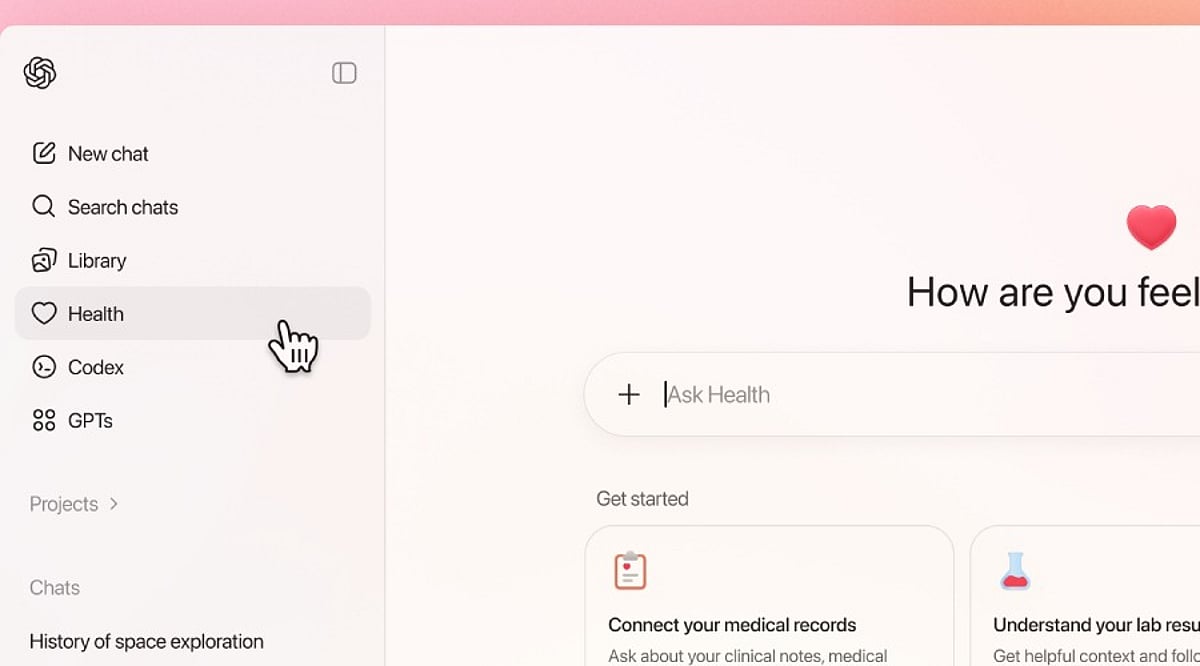
    The feature is currently limited to users who are 18 years or older and based in the US. It is accessible across ChatGPT Free, Go, Plus, and Pro plans on both the web and iOS platforms. Android support has not yet been introduced. This regional restriction means that even users who previously joined the waitlist outside the US will not see the Health option in their ChatGPT sidebar.

    Why the Delay for Other Regions?

    OpenAI has not announced a timeline for expanding ChatGPT Health to other countries. The phased rollout is a deliberate strategy, and the company has not indicated when users in India, Europe, or other regions can expect access. According to OpenAI’s Help Center, “Health is available on a phased basis, while Android support is yet to come.”

    What Does ChatGPT Health Do?

    ChatGPT Health is designed to integrate health-related information into a single platform. Users can link supported medical records and Apple Health data, then access lab results, medication details, sleep patterns, activity data, and ask questions based on their personal health information. The tool can help users understand medical information, prepare questions for appointments, track wellness trends, and identify changes over time.

    Privacy and Safety

    OpenAI has emphasized that ChatGPT Health is meant to support medical care, not replace doctors or professional treatment. The company also stated that health data and conversations using the feature are not used to train the underlying foundational model or for targeted advertising.

    As the rollout continues, users outside the US will have to wait for further announcements from OpenAI. The company has not provided a specific date for global availability.