Tag: ChatGPT

  • ChatGPT vs Gemini vs Claude: Which AI Tool Is Best for Research in 2026?

    ChatGPT vs Gemini vs Claude: Which AI Tool Is Best for Research in 2026?

    AI tools have transformed how people research, analyze information, and create reports. ChatGPT, Gemini, and Claude are among the most capable options available today. However, each platform has different strengths. The best choice depends on whether you prioritize current web information, structured analysis, long documents, or an all-round research workflow.

    ChatGPT for Structured Research

    ChatGPT is a strong all-rounder for complex research. It can help users define questions, build research plans, analyze sources, and produce structured reports. Its research workflow is particularly useful for multi-step investigations involving web sources, uploaded documents, and connected tools. It suits professionals, students, and researchers seeking an organized end-to-end process.

    Gemini for Current Information

    Gemini has a strong advantage when research depends on recent information. Its deep research capabilities are closely connected to Google Search and can work with files and Google Workspace content. This makes Gemini particularly useful for market research, current affairs, industry developments, and other topics where fresh web information plays a central role.

    Claude for Long Documents

    Claude is especially effective when researchers already have substantial material to analyze. It can process lengthy reports, academic papers, and other documents while identifying themes and synthesizing complex information. Its strength lies in nuanced reasoning and clear writing, making it a compelling option for qualitative research and document-heavy analytical work.

    Comparing Their Strengths

    Each AI tool performs best in different research situations. Gemini is well suited to current web research, ChatGPT offers a balanced research workflow, and Claude excels at long-document analysis. For academic and technical work, ChatGPT and Claude can both be valuable. The right choice ultimately depends on the researcher’s specific workflow.

    Which AI Should You Choose?

    • Choose Gemini when your research requires the latest online information.
    • Choose Claude when you need to understand lengthy or complex documents.
    • Choose ChatGPT when you want a versatile tool that combines research, reasoning, analysis, and writing.

    For many users, ChatGPT offers the most balanced experience across different research requirements.

    The Final Verdict

    There is no single AI winner for every research task. ChatGPT is the strongest all-rounder, Gemini leads in web-first research, and Claude stands out for long-form analysis. The most effective workflow may combine all three: discover with Gemini, analyze with Claude, and structure the final research with ChatGPT.

  • How Entrepreneur Ankur Warikoo Leverages ChatGPT to Enhance Daily Productivity and Deep Work

    How Entrepreneur Ankur Warikoo Leverages ChatGPT to Enhance Daily Productivity and Deep Work

    Entrepreneur and author Ankur Warikoo has openly shared how he integrates ChatGPT into his daily workflow to boost productivity, sharpen his thinking, and accelerate learning. Rather than using AI as a crutch to complete tasks for him, Warikoo treats it as a collaborative partner that helps him brainstorm ideas, simplify complex topics, and structure his thoughts before taking action. His approach offers a practical blueprint for professionals who want to harness AI without sacrificing critical thinking or creativity.

    Why This Matters

    As artificial intelligence becomes more embedded in professional environments, the conversation has shifted from whether to adopt AI to how to use it effectively. Warikoo’s methodology demonstrates that AI tools can enhance productivity while preserving human judgment and independent decision-making.

    Overcoming the Blank-Page Challenge

    Starting a new task—whether it’s a presentation, newsletter, or business plan—is often the hardest part. Many professionals spend more time figuring out how to begin than actually completing the work. Warikoo uses ChatGPT to break through this initial barrier. He starts with a simple request, explores different angles, and lets the AI inspire him rather than copying its output verbatim. This approach cuts down the time spent staring at a blank page while keeping creative decisions firmly in human hands.

    Simplifying Complex Information

    In fast-moving fields like finance and business, staying informed is essential—but the challenge is often organizing information, not accessing it. Warikoo uses ChatGPT to clarify complicated concepts, make comparisons, and generate concise summaries. This helps him grasp new topics quickly before diving into deeper research, a strategy that is especially valuable for busy professionals juggling multiple responsibilities.

    Building Better Daily Habits

    Warikoo also applies ChatGPT beyond work tasks. For instance, he asked the chatbot which habits could help someone become more successful than most people. The response emphasized practical, everyday routines such as maintaining a steady schedule, exercising regularly, carving out time for deep work, continuous learning, eating well, saving money, reducing distractions, and nurturing personal relationships. While none of these points are revolutionary, turning them into a structured checklist makes them easier to follow. This exercise highlights how AI can organize proven principles into a manageable daily routine.

    The Importance of Deep Work

    One of Warikoo’s key takeaways from using ChatGPT is the emphasis on uninterrupted, focused work. He recommends dedicating two to four hours each day to deep work—free from notifications, meetings, or social media distractions. This aligns with the growing productivity trend that prioritizes concentrated effort over multitasking. For Warikoo, AI serves as a habit reminder for well-known productivity techniques rather than a source of novel methods.

    Accelerated Learning Without Cutting Corners

    Warikoo also leverages ChatGPT for faster learning. Instead of spending hours searching for articles, videos, and reports, he asks the chatbot for a general overview of an unfamiliar topic. Once he has the basics, he continues with in-depth research—but in a more efficient order. This approach saves time while maintaining research quality.

    AI as a Thought Partner, Not a Replacement

    Perhaps the most important aspect of Warikoo’s strategy is viewing AI as a thinking partner rather than a substitute for expertise. ChatGPT can help structure information, generate ideas, and automate repetitive tasks, but judgment, creativity, and decision-making remain human responsibilities. The quality of the output depends heavily on the quality of the questions asked. Warikoo’s core takeaway is that AI delivers the most value when it augments human thought rather than replacing it.

    Frequently Asked Questions

    1. How does Ankur Warikoo use ChatGPT every day? He uses it to brainstorm ideas, simplify complex topics, plan tasks, accelerate learning, and organize his daily workflow.
    2. Does Ankur use ChatGPT to write all his content? No. He uses it for idea generation and structure, but relies on his own knowledge and judgment for final content.
    3. What productivity habit does Ankur highlight the most? He emphasizes deep work, recommending two to four hours of uninterrupted focus daily for high-impact tasks.
    4. Can ChatGPT help professionals improve productivity? Yes, by organizing information, generating ideas, summarizing topics, and reducing repetitive work, it allows professionals to focus on important decisions.
    5. What is Ankur’s biggest takeaway about using AI? He believes AI works best as a thinking partner that supports human creativity and decision-making, not as a replacement for them.
  • Streamline Your Workflow: AI Tools That Eliminate Repetitive Office Work

    Streamline Your Workflow: AI Tools That Eliminate Repetitive Office Work

    Repetitive office tasks—like drafting emails, scheduling meetings, entering data, and summarizing documents—consume valuable time that could be spent on higher-level strategic work. Fortunately, a wave of artificial intelligence tools now automates these mundane activities, freeing teams to focus on creativity and decision-making. Below is a curated list of the most effective AI solutions for eliminating repetitive office tasks, each with a specific use case.

    ChatGPT

    OpenAI’s ChatGPT automates writing, summarizing, brainstorming, email drafting, meeting notes, and document creation. It reduces repetitive communication tasks across teams efficiently by generating coherent text based on simple prompts, making it a versatile assistant for any office environment.

    Microsoft Copilot

    Deeply integrated into Microsoft 365, Copilot automates spreadsheet formulas, presentation design, email replies, meeting summaries, and document editing. It leverages data from your organization to provide contextually relevant suggestions, boosting everyday office productivity without requiring manual formatting.

    Google Gemini

    Google’s Gemini assists with Gmail, Docs, Sheets, and other Workspace tasks. It generates content, organizes information, summarizes long files, and answers workplace queries. Its seamless integration with Google’s ecosystem makes it ideal for teams already using Google Workspace.

    Zapier

    Zapier connects thousands of apps to automate repetitive workflows, data transfers, notifications, approvals, and administrative processes—all without coding. By setting up “Zaps,” users can trigger actions across platforms, eliminating manual handoffs and reducing errors.

    Notion AI

    Notion AI speeds up note-taking, document drafting, meeting summaries, project updates, and knowledge management. It keeps workplace information organized automatically, surfacing relevant content and generating action items from meeting notes, which saves hours of manual documentation.

    Grammarly

    Grammarly improves workplace communication by correcting grammar, refining tone, rewriting sentences, and ensuring professional writing across emails, reports, and documents. Its AI-powered suggestions help maintain consistency and clarity, reducing the need for back-and-forth edits.

    Otter.ai

    Otter.ai automatically records meetings, transcribes conversations, creates searchable notes, and highlights action items. It saves employees from manual note-taking and ensures that no important detail is lost, making post-meeting documentation effortless.

    Trello with Butler Automation

    Trello’s built-in Butler feature automates task assignments, due date reminders, workflow rules, card movements, and repetitive project management activities. It allows teams to set up automation without any coding, keeping boards updated and deadlines tracked automatically.

    UiPath

    UiPath uses robotic process automation (RPA) to handle repetitive data entry, invoice processing, report generation, and enterprise workflows with minimal human involvement. It is ideal for large organizations that need to automate complex, rule-based processes across multiple systems.

    By integrating these AI tools into daily operations, businesses can significantly reduce the time spent on repetitive tasks, increase accuracy, and allow employees to focus on innovation and growth. Whether you’re a solo entrepreneur or part of a large enterprise, there is an AI solution ready to streamline your workflow.

  • OpenAI Reportedly Developing Screen-Free AI Smart Speaker as First Consumer Hardware

    OpenAI Reportedly Developing Screen-Free AI Smart Speaker as First Consumer Hardware

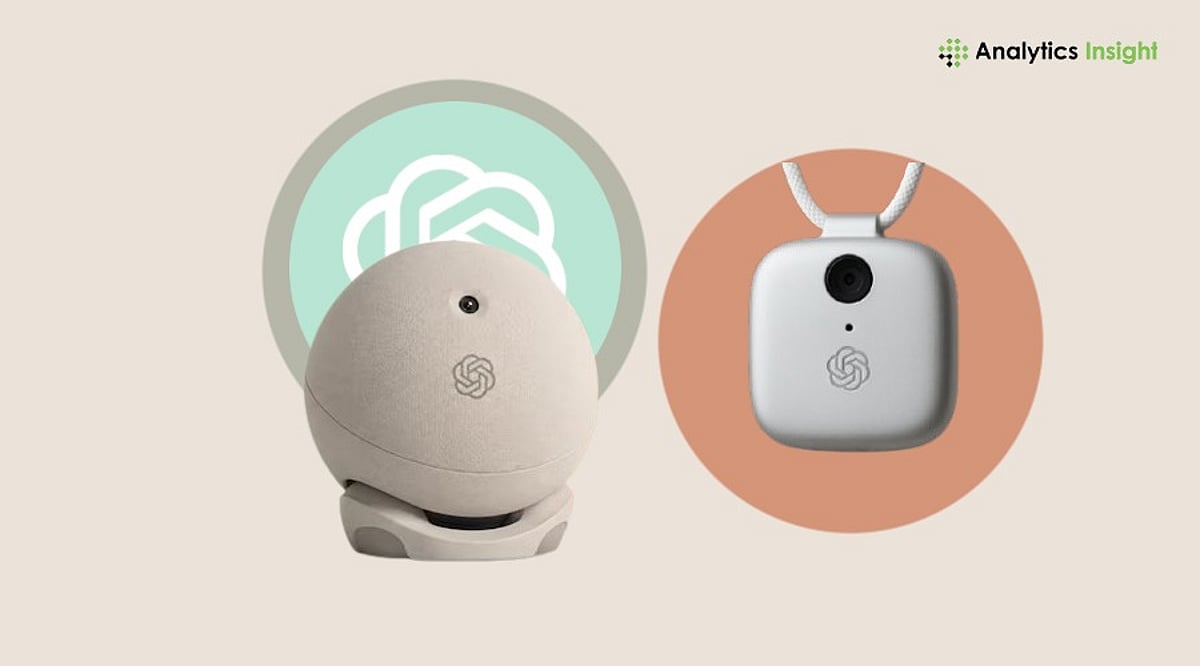
    OpenAI is reportedly making its first foray into consumer hardware with a portable, screen-free smart speaker powered by ChatGPT. According to a recent report, the device is designed as an AI companion for the home, emphasizing natural voice interaction over a traditional display.

    Unlike conventional smart speakers, this new device is expected to feature a self-recharging battery, allowing users to carry it from room to room. It will also include a camera and various sensors to understand its environment and respond contextually. The speaker will manage smart home devices, play music, answer questions, handle messages, and provide access to ChatGPT, likely leveraging the advanced GPT-Live voice technology.

    One of its standout features is a mechanism that enables physical movement, adding a new dimension to home AI interaction.

    Design Team Led by Jony Ive

    The project reportedly involves Jony Ive, the former Apple design chief, and his firm LoveFrom, along with former Apple employees. This comes after OpenAI’s $6.5 billion acquisition of the AI hardware startup founded by Ive. Notably, Apple has filed a lawsuit against OpenAI, accusing the company and former Apple employees of misusing trade secrets in the development of consumer hardware. OpenAI has denied the allegations and declined to comment on the latest reports.

    Potential Launch Timeline

    While OpenAI has not officially announced the product, rumors suggest the smart speaker could be unveiled later this year and hit the market in 2027. The company is also working on other AI hardware projects beyond ChatGPT.

  • Best AI Story Writers for Sci-Fi Worldbuilding and Long-Form Novels in 2026

    Best AI Story Writers for Sci-Fi Worldbuilding and Long-Form Novels in 2026

    Science fiction writers face unique challenges: dozens of characters, multiple planets, fictional technologies, political systems, timelines, and invented languages. Maintaining consistency across hundreds of pages is often the hardest part. AI writing assistants have evolved rapidly to address these demands, offering tools for worldbuilding, long-context memory, and story planning.

    This comparison explores the leading AI story-writing platforms—DreamGen, Sudowrite, NovelAI, NovelCrafter, ChatGPT Plus, and Claude—to help you choose the right tool for your creative projects.

    Comparison of Leading AI Story Writers

    DreamGen: Best for Complex Fictional Worlds

    DreamGen excels at creating expansive sci-fi universes. Its Scenario Codex acts as a knowledge base where writers can store characters, planets, factions, technology, and history. The platform supports interactive storytelling and role-playing, allowing multiple distinct characters to interact in the same conversation—ideal for dialogue-heavy narratives. A large context window ensures continuity across lengthy manuscripts.

    Sudowrite: Creative Guidance and Story Planning

    Sudowrite functions as a creative assistant rather than a pure text generator. Its Story Engine transforms rough ideas into structured chapter outlines, while the Story Bible stores key details about characters, locations, and timelines. Additional tools help with description, dialogue, plot twists, and scene expansion—especially useful for overcoming writer’s block without losing creative control.

    NovelAI: Privacy and Long-Form Writing Support

    NovelAI has a dedicated following among writers who value privacy and creative freedom. Its Lorebook feature lets you input repeated information about characters, groups, and worldbuilding. The AI references these entries when crafting scenes, boosting consistency in long books. Strong privacy protections make it appealing for unpublished manuscripts.

    NovelCrafter: Maximum Flexibility

    NovelCrafter takes a modular approach, allowing writers to connect different AI providers (OpenAI, Anthropic, etc.) based on preference. Its planning interface includes chapter organization, scene management, and a Codex for worldbuilding information. This flexibility suits experienced authors who want to customize every stage of their workflow.

    ChatGPT Plus: Versatile Writing Companion

    While designed for general-purpose conversations, ChatGPT Plus remains valuable for fiction writers. It excels at brainstorming story concepts, explaining scientific ideas, generating dialogue, refining prose, and editing. Writers can research astronomy, physics, space exploration, and speculative technologies. For long novels, keeping prompts and story notes organized is essential for consistency.

    Claude: Manuscript Review Specialist

    Claude stands out for processing exceptionally large documents in a single session. Writers can upload significant portions of a manuscript for analysis. Rather than generating new scenes, Claude works as an editorial assistant—identifying inconsistencies, character conflicts, pacing issues, and missing plot connections across long drafts. This broader perspective is invaluable during revision.

    Why Worldbuilding Matters in AI-Assisted Fiction

    Sci-fi readers expect consistency. A capable AI assistant should support:

    • Long-context memory for extended manuscripts
    • Character and relationship tracking
    • Worldbuilding databases or story bibles
    • Consistent writing style
    • Flexible editing and brainstorming
    • Fast scene generation without losing continuity

    These features help writers spend less time correcting inconsistencies and more time developing compelling stories.

    Key Factors Before Choosing an AI Writing Assistant

    Selecting an AI story writer involves more than comparing memory limits. Evaluate:

    • Story planning capabilities
    • Character management
    • Worldbuilding databases
    • Editing assistance
    • Pricing
    • Collaboration features
    • Export options
    • Privacy controls
    • Integration with existing writing software

    Each writer’s workflow differs, making these factors just as important as raw technical specifications.

    AI Supports Creativity, Not Replaces It

    Modern AI tools organize complex information, suggest plot ideas, generate dialogue, and maintain fictional continuity. Human creativity still shapes the story, characters, and emotional depth. The strongest results come from collaboration: writers establish the vision, define the world, and guide every major narrative decision. AI contributes speed, organization, and fresh creative possibilities.

    The Outlook for AI-Powered Storytelling

    AI capabilities for story generation are strengthening each year. Future updates will offer more memory, better worldbuilding help, and improved editing assistance. This is especially helpful for sci-fi writers managing multiple planets, timelines, characters, and invented technologies.

    Final Thoughts

    AI is becoming an indispensable partner for science fiction writing—helping create complex worlds, ensuring consistency, and generating new ideas. But the best stories will always come from the writer’s mind, with AI complementing the creative process.

    FAQ

    1. Which AI story writer is best for worldbuilding in science fiction?
    DreamGen is widely recognized for advanced worldbuilding through its Scenario Codex, allowing writers to organize characters, planets, technologies, factions, and timelines while maintaining consistency.

    2. Can AI writing assistants write an entire sci-fi novel?
    AI can generate scenes, dialogue, outlines, and editing suggestions, but successful novels still rely on the author’s creativity, storytelling decisions, emotional depth, and careful revision.

    3. Which AI tool offers the best long-context memory for fiction writing?
    Several platforms support extended context, including DreamGen, Claude, and ChatGPT Plus. The ideal choice depends on whether your priority is drafting, reviewing manuscripts, or maintaining detailed fictional continuity.

    4. Are AI writing tools suitable for beginner authors?
    Yes. AI assistants help beginners brainstorm ideas, create outlines, improve descriptions, develop believable characters, and overcome writer’s block while encouraging them to build their own storytelling skills.

    5. How do I choose the right AI story writing tool?
    Evaluate factors such as memory capacity, worldbuilding features, story planning tools, editing support, privacy, pricing, workflow compatibility, and export options before selecting the platform that best matches your writing goals.

  • 7 Best AI Browser Extensions to Reclaim Hours Every Week

    7 Best AI Browser Extensions to Reclaim Hours Every Week

    AI browser extensions are transforming how people work online. From drafting emails to summarizing articles and automating research, these tools eliminate repetitive tasks. Whether you’re a student, professional, marketer, or developer, the right extension can significantly improve productivity and save several hours every week with minimal effort.

    ChatGPT Extension – Your AI Productivity Partner

    The ChatGPT browser extension offers instant AI assistance while you browse. It helps generate content, answer questions, summarize webpages, write emails, and assist with coding. Instead of switching between tabs, users can complete tasks directly in their browser, making daily workflows faster, smoother, and more efficient.

    Perplexity AI – Smarter Research in Seconds

    Perplexity AI combines conversational AI with web search to deliver accurate, source-backed answers. It quickly summarizes articles, explains complex topics, and provides reliable references for further reading. Researchers, students, and professionals can spend less time searching and more time understanding important information with confidence.

    Grammarly – Write with Confidence

    Grammarly enhances writing by correcting grammar, improving clarity, refining tone, and suggesting better word choices. Its AI-powered assistant helps users draft emails, reports, and presentations with confidence. Whether writing professionally or academically, Grammarly ensures polished communication while reducing editing time and improving overall writing quality.

    Merlin AI – AI Across Every Website

    Merlin AI integrates seamlessly with websites like Google Search, Gmail, LinkedIn, YouTube, and X. It summarizes content, drafts replies, creates social media posts, and answers questions without opening another application. Its versatility makes it a valuable productivity companion for professionals working across multiple online platforms daily.

    Sider & LanguageTool – Read, Translate, and Edit Better

    Sider offers AI-powered PDF analysis, webpage summarization, translation, and coding support through a convenient browser sidebar. LanguageTool complements it by checking grammar, spelling, punctuation, and style in multiple languages. Together, they improve reading, editing, translation, and communication for users working with diverse content.

    Choose the Right AI Extension for Your Workflow

    Every AI browser extension serves a different purpose. ChatGPT excels at general assistance, Perplexity simplifies research, Grammarly perfects writing, Merlin boosts productivity across websites, while Sider and LanguageTool enhance reading and editing. Selecting the right combination can automate repetitive work and save valuable hours every week.

  • OpenAI Shifts Focus to Family: ChatGPT Developing Features for Parents, Caregivers, and Seniors

    OpenAI Shifts Focus to Family: ChatGPT Developing Features for Parents, Caregivers, and Seniors

    OpenAI is making a strategic move to expand ChatGPT’s reach beyond individual users into the family household. The company has posted a job listing for a role based in San Francisco focused on developing products for parents, families, and trust-sensitive consumer experiences. This signals a major shift in how the AI firm envisions its popular chatbot being used.

    According to recent data from Sensor Tower, the demographic of ChatGPT users is changing. The share of older adult users rose to 31% in Q2 from 26% a year earlier, while the younger user base dropped to 29% from 34%. This aging user base suggests a growing need for features tailored to different life stages and family roles.

    While OpenAI has not officially announced a family version of ChatGPT, the hiring indicates potential future features such as shared reminders, family schedules, learning assistance, and personalized support for each household member. The move aligns with a broader trend in Silicon Valley where tech companies are increasingly targeting families as a key growth opportunity.

    Companies like Netflix, Spotify, and Google One have successfully grown by offering family plans. AI companies are now following a similar path, seeing families as a chance to reach millions of new users who can use the same service in different ways across multiple profiles.

    If OpenAI eventually launches a family plan, it could become an important revenue stream. One person could pay the bill while each family member gets a separate profile with extra features, better safety tools, memory options, and personal assistants. This subscription model has proven successful for streaming and cloud services.

    For now, the company is keeping its plans under wraps, but the hiring move strongly suggests that ChatGPT is evolving from a personal assistant into a service designed for the entire home.

  • Apple Files Lawsuit Against OpenAI, Alleging Theft of AI Hardware Trade Secrets

    Apple Files Lawsuit Against OpenAI, Alleging Theft of AI Hardware Trade Secrets

    Apple has initiated legal proceedings against OpenAI, accusing the ChatGPT developer of misusing confidential information to accelerate its artificial intelligence hardware initiatives. This lawsuit marks a significant shift in the previously collaborative relationship between the two tech giants, who had partnered on AI features in 2024. The dispute could reshape competitive dynamics in the rapidly evolving AI sector.

    Filed in the U.S. District Court for the Northern District of California, Apple’s complaint alleges that OpenAI and two former Apple employees improperly accessed and used proprietary information. The confidential data reportedly includes product designs, manufacturing processes, supplier details, and internal business strategies related to future hardware projects.

    Apple specifically names Tang Tan, former Vice President of Product Design, and Chang Liu, former Senior System Electrical Engineer, as defendants. The lawsuit also targets OpenAI entities and io Products, a hardware startup acquired by OpenAI. Apple asserts that these actions enabled OpenAI to expedite hardware development without investing equivalent resources in research and development.

    According to the complaint, Liu retained an Apple-issued laptop after leaving the company and later exploited a security vulnerability to access Apple’s internal network, downloading confidential hardware files. Apple also claims Tan forwarded supplier information and internal reports to himself before departing and encouraged job candidates to bring Apple components to interviews at OpenAI.

    Apple contends these activities were part of a broader effort to acquire trade secrets. The company also alleges that some OpenAI employees contacted Apple’s suppliers for proprietary production details. In one instance, a supplier reportedly shared a confidential metal finishing process under the mistaken belief that OpenAI had authorization.

    OpenAI has denied the allegations, stating it has no interest in using another company’s trade secrets and intends to defend itself vigorously. The court has not yet ruled on the case, and all claims remain unproven at this stage.

    The relationship between Apple and OpenAI had previously been cooperative, with Apple integrating ChatGPT into its devices via Apple Intelligence in 2024. Since then, both companies have advanced their respective AI strategies, intensifying competition in the fast-growing AI market.

    Industry experts suggest the lawsuit could influence how technology firms protect confidential information when hiring experienced personnel. A court decision may clarify the boundaries between professional expertise and corporate trade secrets, particularly as AI competition heats up.

    Apple also noted that over 400 former employees now work at OpenAI, acknowledging that employee movement is common in the tech industry. However, Apple argues that confidential company information should not follow employees when they change jobs.

    The legal action comes as OpenAI expands its focus on consumer hardware. The company’s acquisition of io Products, founded by former Apple designer Jony Ive, signals ambitions to develop a new AI device offering a different interaction paradigm. Analysts believe the lawsuit could affect OpenAI’s hardware plans and set precedents for hiring practices across the tech sector.

    Apple maintains that the lawsuit is intended to protect its intellectual property amid the intensifying AI race.

  • OpenAI Launches ChatGPT Work: Autonomous AI Agent Powered by GPT-5.6 and Codex

    OpenAI Launches ChatGPT Work: Autonomous AI Agent Powered by GPT-5.6 and Codex

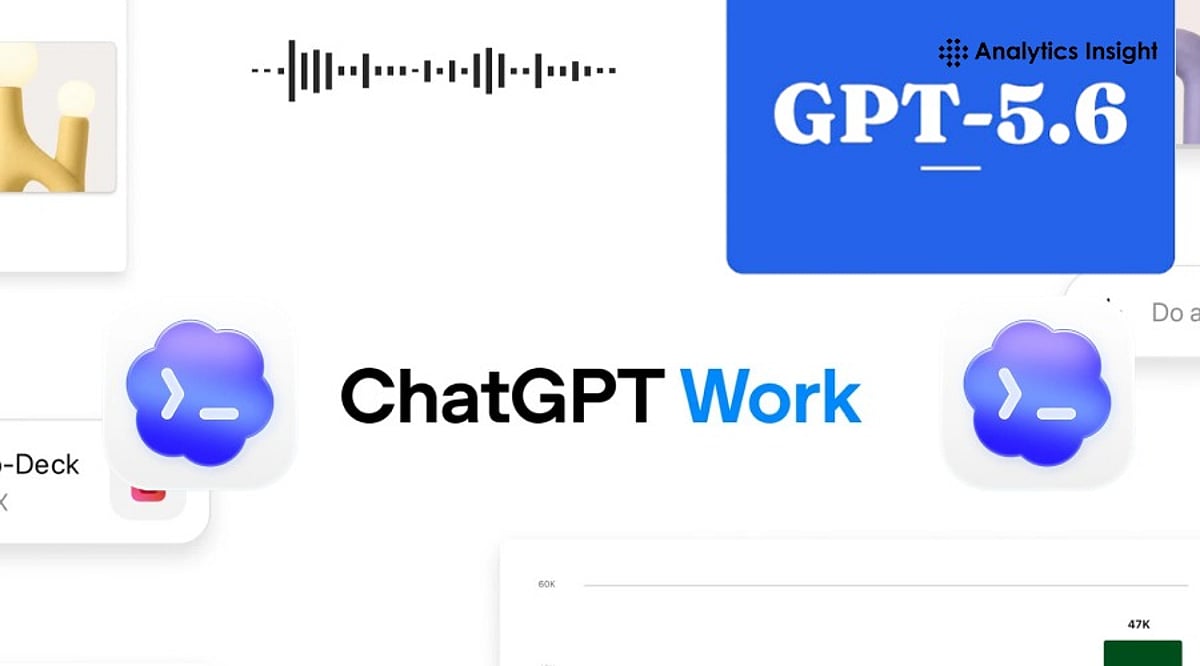
    OpenAI has introduced ChatGPT Work, a new AI agent designed to go beyond simple question-answering. Powered by the newly released GPT-5.6 model family and integrated with Codex, ChatGPT Work can autonomously research, analyze data, write code, create presentations, generate reports, and automate workflows across connected applications. This marks a significant shift from conversational AI to autonomous workplace productivity.

    What ChatGPT Work Can Do

    ChatGPT Work is built for extended, multi-step assignments rather than one-off prompts. It can pull information from connected apps, generate spreadsheets, presentations, documents, and web apps, and continue working for hours by breaking larger projects into smaller steps. A new Unified Plugins Directory bundles third-party integrations including Google Drive, SharePoint, Slack, Microsoft Teams, Gmail, Outlook, Salesforce, Adobe, Zoom, LinkedIn, GitHub, and Dropbox. Users can invoke a specific plugin using an “@” mention or let ChatGPT decide which data source is relevant. A Scheduled Tasks feature allows the agent to keep projects moving even when a user is away, such as converting new Slack or Microsoft Teams messages into updated documents and flagging important changes automatically.

    GPT-5.6 and the Sol, Terra, Luna Naming System

    Powering the new agent is GPT-5.6, introduced under a naming scheme where the number marks the model generation while Sol, Terra, and Luna represent separate capability tiers. Sol is OpenAI’s new flagship model, achieving state-of-the-art results in coding, knowledge work, cybersecurity, and science while using fewer tokens than prior frontier models. Terra matches GPT-5.5’s performance at roughly half the cost, and Luna is the fastest, most affordable tier. API pricing runs $5/$30 per million input/output tokens for Sol, $2.50/$15 for Terra, and $1/$6 for Luna.

    Codex Merges into the ChatGPT Desktop App

    OpenAI is also merging its standalone Codex coding app into a single updated ChatGPT desktop app for Mac and Windows, with the previous app renamed ChatGPT Classic. Existing Codex users keep their projects and settings after updating. OpenAI reports that more than 5 million people already use Codex weekly, with over 1 million using it for tasks outside software development, a trend the company is leaning into as it pushes AI agents into sales, finance, and marketing workflows.

    Rollout, Security, and Enterprise Controls

    ChatGPT Work started rolling out on July 9 for Pro, Enterprise, and Edu users on web and mobile, with Plus and Business access arriving in the next few days. The updated desktop app is available globally across all plans, including Free. On security, OpenAI has built in an auto-review system that checks sensitive actions before they run, which it says blocked all attempts to extract protected data during internal adversarial testing, though this hasn’t been independently verified. Enterprise and Edu admins get centralized controls over connected tools and sensitive actions, plus a Compliance API for visibility into ChatGPT Work’s activity.

    ChatGPT Work reflects the next stage of enterprise AI, shifting from answering questions to completing real tasks. Its long-term success will depend not only on advanced capabilities but also on trust, accuracy, and how effectively organizations integrate AI agents into everyday workflows.

  • OpenAI Shuts Down Atlas, Integrates AI Browsing into ChatGPT with New Chrome Extension and Desktop Upgrade

    OpenAI Shuts Down Atlas, Integrates AI Browsing into ChatGPT with New Chrome Extension and Desktop Upgrade

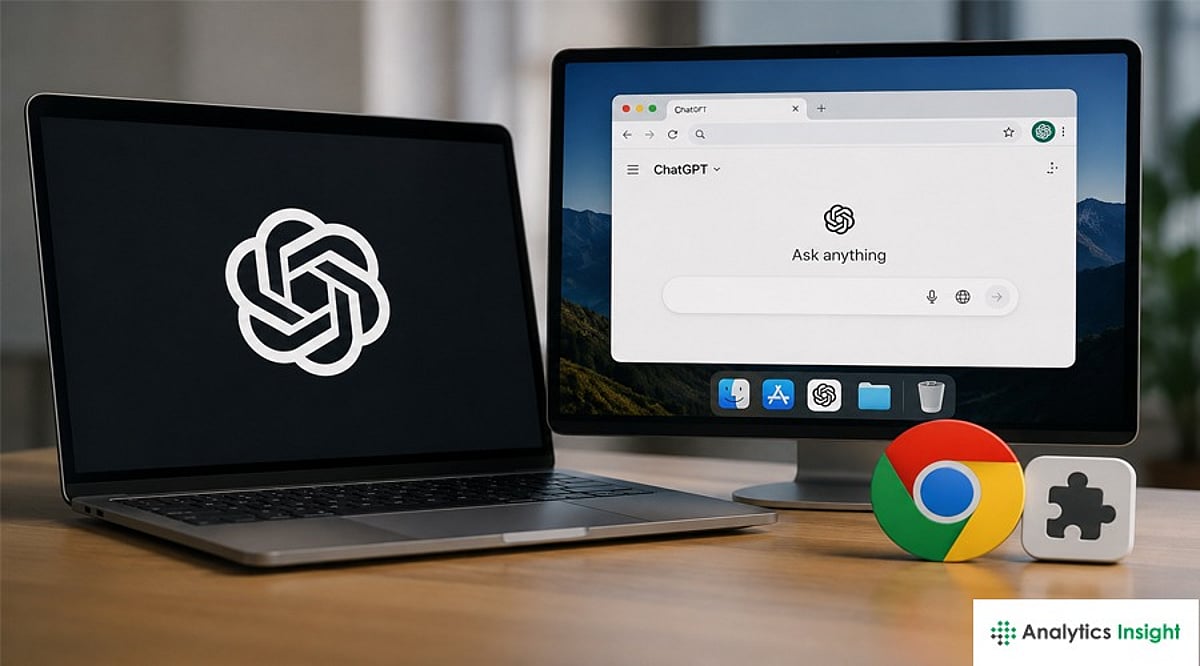
    OpenAI is retiring its standalone browser product, Atlas, and folding its core browsing, summarization, and automation features directly into ChatGPT. The company is also launching a new Chrome extension and upgrading the ChatGPT desktop app to provide a unified AI-powered browsing experience.

    According to OpenAI, the decision to discontinue Atlas—introduced last year as a separate browser—stems from a strategic shift to make browsing a first-class feature within ChatGPT. Users will now be able to research, summarize, and complete online tasks without switching between apps.

    Chrome Extension Brings Context-Aware AI Browsing Assistance

    To support this transition, OpenAI is releasing a ChatGPT extension for Google Chrome that grants the assistant contextual access to the active webpage. When enabled, the extension allows users to:

    • Ask questions about page content
    • Generate concise or custom-format summaries
    • Extract table data and contact details
    • Run contextual tasks such as rewriting text
    • Compare product specifications
    • Draft replies based on what’s on-screen

    The goal is to provide seamless, page-aware assistance within users’ existing browser workflows and to compete with other browser assistants already available in Chrome and Edge.

    ChatGPT Desktop Gains Powerful Integrated Browsing and Automation

    OpenAI is enhancing the ChatGPT desktop app with full browsing features, parallel to the extension. The updated desktop experience will allow users to open websites, sign into online accounts, download files, and interact with webpages directly within ChatGPT. A notable addition is a cloud-based remote browser hosted on OpenAI’s servers.

    This environment enables ChatGPT agents to perform web actions on behalf of users—filling forms, navigating multi-step workflows, fetching files, and returning results or downloaded files without the user leaving the ChatGPT interface. OpenAI positions this as a way to enable powerful automation while isolating credentialed sessions from local devices.

    The move follows months of internal consolidation at OpenAI, where several experimental projects were scaled back. Industry observers see the decision as a pragmatic pivot: rather than take on established browsers with a separate product, OpenAI is embedding browsing into ChatGPT to create a unified AI workspace compatible with existing browsing ecosystems.

    What Changes Should ChatGPT Users Expect Next?

    For users and organizations, the change brings practical questions. Atlas customers will need migration guidance for bookmarks and settings. Security-conscious users will look for clarity on how page data, session credentials, and automated actions are handled in the cloud-based browser, along with enterprise controls such as admin settings and audit logs.

    What to watch next are the rollout timelines for the Chrome extension and desktop updates, how closely the new integrations match or exceed Atlas’s original capabilities, and how competitors respond as AI-assisted browsing becomes a standard feature rather than a standalone product.