Tag: iPhone

  • Apple iOS 27: September 2026 Release, AI-Powered Features, and Compatible iPhone Models

    Apple iOS 27: September 2026 Release, AI-Powered Features, and Compatible iPhone Models

    Apple is set to release iOS 27 in September 2026, bringing a wave of artificial intelligence enhancements, a smarter Siri, upgraded Photos capabilities, and new child safety tools. The update was first previewed at WWDC 2026 on June 8 and has since undergone developer and public beta testing. Here’s everything you need to know about the release timeline, standout features, and which iPhones will support the new operating system.

    When Will iOS 27 Be Released?

    Apple plans to roll out iOS 27 sometime in September 2026, following its traditional release schedule alongside new iPhone launches. While an exact date hasn’t been confirmed, the company is expected to unveil the iPhone 18 Pro, iPhone 18 Pro Max, and its first foldable smartphone at a September 9 event. The iOS 27 update will likely become available to the public shortly after that event.

    Key Features in iOS 27

    Artificial intelligence is the centerpiece of iOS 27. The update introduces a more capable Siri that understands natural language better and delivers more helpful assistance. AI-powered tools are also coming to the Photos app, allowing users to edit and manipulate images with ease. Additionally, Siri will integrate with the Camera app to recognize objects and provide real-time information about what the iPhone is viewing.

    Apple is also adding new child safety features, alongside broader improvements to performance, Search, design, and the Liquid Glass interface.

    Which iPhones Are Compatible with iOS 27?

    iOS 27 will support iPhone models starting from the iPhone 11 and iPhone SE (2nd generation) onward. However, Apple has noted that not all supported devices will receive every AI feature. The full list of compatible models includes:

    • iPhone 17 series
    • iPhone 16 series
    • iPhone 15 series
    • iPhone 14 series
    • iPhone 13 series
    • iPhone 12 series
    • iPhone 11 series
    • iPhone SE (2nd generation and later)

    What to Expect

    As September approaches, iOS 27 promises to deliver a range of AI-based features, security enhancements, and system-level changes that will redefine the iPhone experience. Stay tuned for more details as the official launch draws near.
  • Essential iPhone Accessibility Features Everyone Should Know

    Essential iPhone Accessibility Features Everyone Should Know

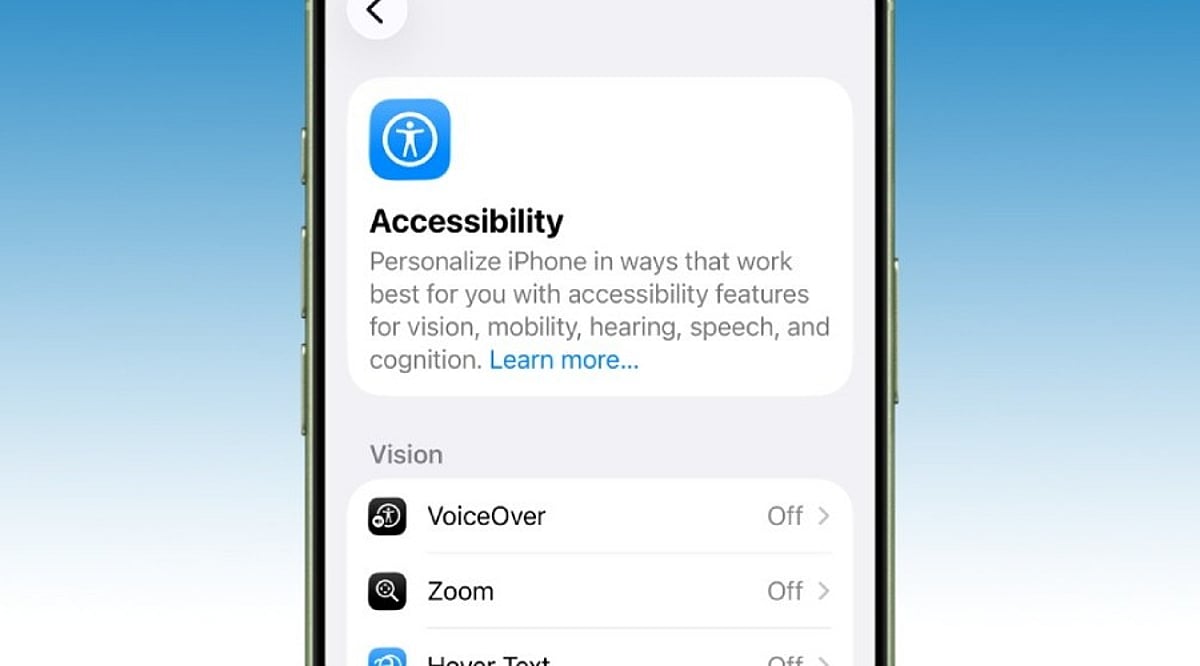
    Many iPhone users only explore the Accessibility menu when a specific need arises, leaving several powerful tools unnoticed. Apple designs these features for people with different abilities, but many also simplify everyday tasks for everyone. Recent updates in iOS 26, powered by Apple Intelligence, have made these tools even more capable. Here are 10 iPhone accessibility features that can save time, reduce effort, and enhance your overall experience without extra apps or accessories.

    Back Tap Adds Instant Shortcuts

    Back Tap turns the back of your iPhone into a hidden button. A double or triple tap can trigger actions like taking a screenshot, opening the camera, toggling the flashlight, or launching a favorite shortcut. It can also open Control Center or Notification Center. Many users find it indispensable after setup, as it eliminates extra steps and works through most phone cases.

    Live Captions Make Audio Easy to Follow

    Live Captions display spoken words as text on screen during calls, videos, and other audio content. This is invaluable in noisy environments, quiet spaces, or when hearing is difficult. iOS 26 expands caption support and Apple Intelligence improves subtitle quality, ensuring you never miss important details.

    Voice Control Handles Everyday Tasks

    Voice Control lets you operate your iPhone with spoken commands. Open apps, scroll, return to the Home Screen, or tap buttons without touching the display. Recent updates enhance natural language understanding, making commands feel more intuitive. Ideal for cooking, exercising, or any situation where your hands are busy.

    AssistiveTouch Simplifies Navigation

    AssistiveTouch places a floating button on screen that opens a menu of useful controls: lock screen, adjust volume, activate Siri, take screenshots, and more. You can create custom gestures for repetitive tasks. It’s a lifesaver when physical buttons wear out and enables one-handed use by keeping controls within reach.

    Background Sounds Create a Calm Space

    Background Sounds play soothing audio like rain, ocean waves, or white noise to improve focus and relaxation. Built directly into iOS, you can access it from Control Center without installing another app. Perfect for work, study, or rest.

    Sound Recognition Listens for Important Alerts

    Sound Recognition detects sounds like doorbells, smoke alarms, baby cries, or sirens and sends notifications. It keeps you aware of your environment even when wearing headphones or focusing elsewhere. Apple continues to improve accuracy through software updates.

    Magnifier Turns the Camera Into a Helpful Tool

    The Magnifier app transforms your iPhone camera into a digital magnifier. Read small text on medicine labels, menus, or documents with brightness, color filters, and contrast adjustments. iOS 26 adds Apple Intelligence for richer object and scene descriptions.

    Personal Voice and Live Speech Support Communication

    Personal Voice lets you create a digital version of your own voice for future use. Live Speech speaks typed words during calls, FaceTime, or in-person conversations. Recent updates improve voice quality and expand language support, helping preserve your unique communication style.

    Reduce Motion and Assistive Access Improve Comfort

    Reduce Motion minimizes screen animations for a calmer, more readable interface. Assistive Access simplifies the home screen with larger icons and essential apps only, designed for cognitive accessibility but also great for seniors, children, or anyone wanting a distraction-free experience.

    iOS 26 Brings Major Accessibility Improvements

    iOS 26 introduces Accessibility Reader for adjustable text, Braille Access for note-taking, and deeper Apple Intelligence integration. VoiceOver, Magnifier, Voice Control, and Accessibility Reader gain smarter image descriptions and language understanding. New features like Vehicle Motion Cues reduce travel discomfort. Apple continues to treat accessibility as a core part of the iPhone experience.

    These features prove that accessibility tools benefit everyone, not just those with specific needs. Try them out and see how they can streamline your daily iPhone use.

  • Apple Upgrade Leasing Program Arrives in the US: Flexible Payments for iPhones, Macs, and More

    Apple Upgrade Leasing Program Arrives in the US: Flexible Payments for iPhones, Macs, and More

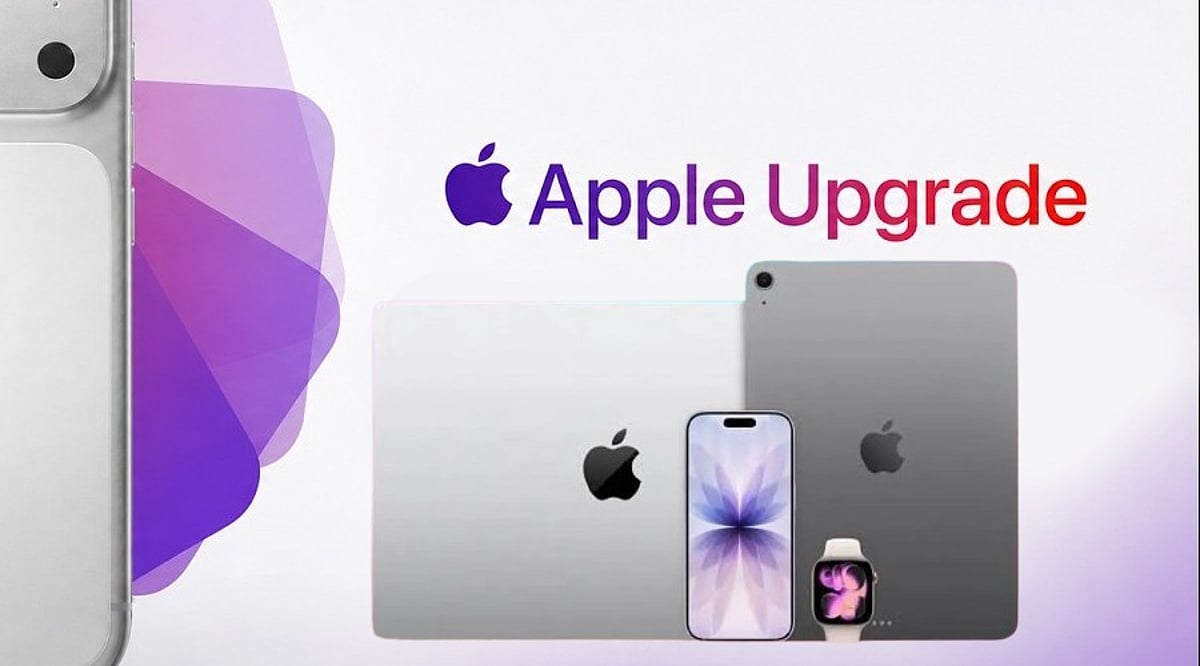
    Apple has officially launched a new device leasing program called Apple Upgrade in the United States, offering customers a flexible way to access iPhones, Apple Watches, Macs, and iPads through monthly payments. The program is powered by Klarna and is available through the Apple online store, Apple Store app, and retail Apple Stores nationwide.

    The move comes as rising component and memory costs put upward pressure on device prices, prompting Apple to provide a lower monthly entry point rather than relying solely on upfront purchases.

    Monthly Leases Starting at $11.99

    Apple Upgrade offers two lease durations for most devices:

    • Apple Watch and iPhone: 12-month or 24-month options
    • Mac and iPad: 24-month or 36-month options

    Monthly payments start at:

    • iPhone: $17.99
    • Apple Watch: $11.99
    • Mac: $24.99
    • iPad: $11.99

    Exact charges depend on the specific model and lease duration. For example, an unlocked iPhone 17 Pro is reportedly $31.99 per month for 24 months, or $45.99 per month for a 12-month lease.

    Customers can also save by trading in their previous device through the Apple Trade In program. In addition, lease payments made with an Apple Card earn 3% daily cash rewards.

    “At Apple, we put the customer at the center of everything we do,” said Karen Rasmussen, Vice President of the online Apple Store. “We’re thrilled that Apple Upgrade offers our customers, both online and in-store, a more flexible way to pay for the products they love.”

    How Apple Upgrade Works

    Customers can apply online or in-store. Klarna performs a soft credit inquiry that does not affect credit scores. Once approved, users can receive their devices via delivery, store pickup, or immediate in-store collection.

    At the end of the lease, customers have three options:

    • Return the device
    • Upgrade to a newer model
    • Purchase the device outright with a one-time payment

    Lease details, including billing schedules and outstanding payments, are managed through the Klarna app. According to program terms, no security deposit is required, and Klarna will not charge late fees—though leases may be terminated after three consecutive missed payments.

    Existing iPhone Programs Replaced

    With the launch of Apple Upgrade, Apple is discontinuing the older iPhone Upgrade Program and iPhone Payments in the US. Existing customers may switch to Apple Upgrade, Apple Card Monthly Installments, carrier financing, or outright purchases.

    The move could also shorten Apple’s device replacement cycle. According to Bernstein estimates, the average iPhone upgrade period has stretched to nearly four years.

    Apple is now competing more directly with carriers like AT&T, Verizon, and T-Mobile, which use installment plans and trade-in incentives to retain customers. The leasing model may help Apple mitigate the impact of potential price increases while creating more predictable upgrade demand across its product ecosystem.

  • Apple Intelligence Explained: A Complete Guide to iPhone AI Features

    Apple Intelligence Explained: A Complete Guide to iPhone AI Features

    Apple Intelligence is Apple’s personal artificial intelligence system that works across iPhone, iPad, Mac, Apple Watch, and Apple Vision Pro. Unlike traditional AI chatbots that exist as separate apps, Apple built this system directly into the operating system, embedding it into everyday apps like Messages, Mail, Photos, Notes, Safari, and Phone. This design creates a seamless experience without the need to switch between different applications.

    Key Takeaways

    • Apple Intelligence integrates AI directly into iPhone apps for a seamless everyday experience.
    • Most AI processing happens on-device, with Private Cloud Compute protecting user privacy.
    • Advanced features are available only on iPhone 15 Pro, iPhone 15 Pro Max, iPhone 16 models, and newer devices.

    Which iPhones Support Apple Intelligence?

    Apple Intelligence only works on iPhones with enough processing power to handle advanced AI models. The supported devices include the iPhone 15 Pro, iPhone 15 Pro Max, every iPhone 16 model, and newer iPhones. Regular iPhone 15 models do not support Apple Intelligence. Apple says the advanced Neural Engine, higher memory, and powerful Apple Silicon inside supported devices make these AI features possible. Older iPhones cannot meet these hardware requirements.

    Writing Tools Make Everyday Work Easier

    The very basic function of Apple Intelligence is offered by the automatic Writing Tools included in the programming. These features are extensively used by most applications of Apple and by many external programs. You can rewrite texts, correct grammar, make short summaries, and change the tone of messages. Safari, Mail, Notes, and Messages all support these capabilities, turning long emails into short summaries and rough drafts into polished texts.

    Siri Understands Conversations Better

    Apple Intelligence gives Siri a major upgrade. Siri now understands natural conversations more accurately and follows context across multiple questions. Instead of repeating the same information, Siri remembers earlier parts of the conversation and provides smoother replies. Apple also added optional ChatGPT integration. Siri asks for permission before sending a request to ChatGPT, balancing advanced functionality with privacy.

    Creative Tools Add Fun to Everyday Tasks

    Apple Intelligence includes Image Playground, a feature that creates images from simple text descriptions. Apple offers styles such as Animation, Illustration, and Sketch. Messages, Notes, and Freeform all support this feature. Genmoji adds another creative option: a simple description like “golden retriever wearing sunglasses” turns into a unique emoji within seconds.

    Visual Intelligence Understands the World Around It

    Visual Intelligence uses the iPhone camera to recognize objects, places, products, signs, and text. After recognition, Apple Intelligence can explain what appears on the screen, translate foreign languages, search for products online, or create calendar events from posters and invitations. Apple continues to improve this feature with every software update.

    Photos, Notifications, and Mail Become Smarter

    The Photos app now includes the Clean Up tool, which removes unwanted objects from pictures while keeping lighting, shadows, and important details as natural as possible. Notifications also become easier to manage with short summaries for long alerts and priority placement. Mail receives email summaries, suggested quick replies, highlighted important messages, and short previews that help readers understand content before opening each email.

    Notes and Phone Receive Helpful AI Features

    The Notes app gains intelligent tools for summarization, writing improvement, grammar correction, and organization. The Phone app supports call transcripts and call summaries in supported regions and languages, helping users review important conversations without relying on memory alone.

    Privacy Stays at the Center of Apple Intelligence

    Privacy remains one of the biggest differences between Apple Intelligence and many other AI systems. Most AI tasks run directly on the iPhone. Only complex requests move to Private Cloud Compute, which Apple says never stores personal data after processing finishes. This balance between local processing and secure cloud support allows Apple Intelligence to deliver advanced AI features while protecting personal information.

    Why This Matters

    Apple Intelligence changes the way people use an iPhone every day. Built-in AI saves time, improves communication, helps with creative tasks, and makes everyday apps more useful. Strong privacy protection also sets Apple apart from many AI platforms, making Apple Intelligence an important feature for anyone planning to buy or upgrade an iPhone.

    FAQs

    1. What is Apple Intelligence? Apple Intelligence is Apple’s built-in AI system that enhances apps like Messages, Mail, Photos, Notes, Safari, and Siri with smart, privacy-focused features.
    2. Which iPhones support Apple Intelligence? It is supported on iPhone 15 Pro, iPhone 15 Pro Max, all iPhone 16 models, and newer compatible iPhones.
    3. Does Apple Intelligence use ChatGPT? Yes. Siri can optionally use ChatGPT for more complex requests, but only after asking for your permission.
    4. Is Apple Intelligence private and secure? Yes. Most AI tasks run directly on your device, while complex requests use Apple’s Private Cloud Compute, which is designed to avoid storing personal data after processing.
    5. What are the main features of Apple Intelligence? Key features include Writing Tools, smarter Siri, Image Playground, Genmoji, Visual Intelligence, Photos Clean Up, notification summaries, Mail enhancements, and call transcripts.
  • Top 10 Apple Devices to Transform Your Home into a Smart Haven

    Top 10 Apple Devices to Transform Your Home into a Smart Haven

    Building a smarter, more connected home doesn’t have to be complicated, especially if you’re already in the Apple ecosystem. From the powerful HomePod 2 to the compact AirTag, Apple offers a range of devices that seamlessly integrate to automate your living space. Here are 10 essential Apple gadgets that can help you create a truly intelligent home.

    1. HomePod 2 – Apple’s flagship smart speaker delivers room-filling audio, Siri voice control, and acts as a central smart home hub.
    2. HomePod Mini – A compact speaker offering smart automation, intercom functionality, music playback, and seamless integration with Apple Home accessories.
    3. Apple TV 4K – Serves as both an entertainment device and a HomeKit hub, allowing you to control compatible smart home products remotely.
    4. iPhone – The primary controller for Apple Home, enabling you to automate, monitor, and manage connected devices from anywhere.
    5. iPad – Offers a larger interface for managing HomeKit accessories, viewing security cameras, and controlling automation routines effortlessly.
    6. Apple Watch – Lets you unlock doors, control lights, adjust thermostats, and receive smart home alerts directly from your wrist.
    7. AirTag – Helps locate frequently misplaced belongings and integrates with Apple’s Find My network for accurate item tracking.
    8. HomeKit Secure Video Cameras – Compatible cameras provide encrypted video storage, facial recognition, and secure monitoring through Apple Home.
    9. Smart Door Locks – HomeKit-enabled locks allow secure keyless entry, remote access, and automation with other Apple smart home devices.

    By combining these devices, you can create a cohesive smart home experience that’s both powerful and easy to use. Whether you’re just starting out or looking to expand your setup, Apple’s ecosystem has everything you need for a more connected lifestyle.

  • India Offers Apple Up to 15 Years of Tax Stability to Boost Manufacturing

    India Offers Apple Up to 15 Years of Tax Stability to Boost Manufacturing

    India is planning to provide Apple with up to 15 years of tax certainty for its manufacturing operations, a move designed to encourage the iPhone maker to expand production, invest in new facilities, and deepen its manufacturing footprint in the country.

    Under the proposed plan, the tax certainty would extend until March 31, 2041, up from the current deadline of 2031. The existing framework was introduced in February 2026 as part of the Union Budget for 2026–27 and was registered as Clause 109 of the Finance Bill, which amended Schedule IV of the Income-tax Act 2025.

    The proposal is linked to India’s business connection rules, which determine how foreign companies are taxed when operating in the country. A predictable tax environment helps companies plan long-term investments without fear of sudden policy changes. For a business investing billions in factories and supply chains, such stability is critical.

    In India, Apple funds the high-precision machinery used by Foxconn and Tata Electronics to assemble iPhones. Building new factories is a long-term commitment that requires years to set up production, hire workers, and develop supplier networks. Stable tax rules reduce business risks and make these decisions easier.

    The initiative builds on a 2016 agreement between Apple CEO Tim Cook and Indian Prime Minister Narendra Modi to establish a production base in India that goes beyond simple assembly. If approved, the extended tax certainty could help India attract more global manufacturers, strengthen its role in Apple’s worldwide supply chain, and bring additional jobs, investment, and exports to the country.

  • Tim Cook’s 2020 Warning on Facebook Tracking Paved the Way for Apple’s App Tracking Transparency

    Tim Cook’s 2020 Warning on Facebook Tracking Paved the Way for Apple’s App Tracking Transparency

    In December 2020, Apple CEO Tim Cook issued a stark warning to iPhone users regarding Facebook’s ability to track their activity across apps and websites. The warning came as Facebook criticized Apple’s upcoming privacy rules, which would require apps to request user permission before collecting data across other companies’ services.

    Cook took to Twitter (now X) to defend Apple’s privacy-first approach, stating: “We believe users should have the choice over the data that is being collected about them and how it’s used. Facebook can continue to track users across apps and websites as before; App Tracking Transparency in iOS 14 will just require that they ask for your permission first.”

    Apple later introduced App Tracking Transparency (ATT) with the release of iOS 14.5 in April 2021. This feature fundamentally changed how apps collect data for advertising and measurement across external services. Apps must now display a tracking permission prompt before accessing the device’s advertising identifier or using other covered tracking methods. Users who select “Ask App Not to Track” prevent the app from accessing the identifier, and they can later adjust their preferences in iPhone privacy settings.

    The policy ignited a major conflict between Apple and Meta, Facebook’s parent company. Meta argued that Apple’s rules could harm businesses relying on personalized advertising, later estimating a roughly $10 billion financial impact from the privacy changes.

    Cook’s 2020 statement became a pivotal moment in Apple’s broader privacy campaign. While Apple framed tracking permission as a matter of user choice, Meta viewed it as a threat to targeted advertising. The debate continues to shape mobile advertising privacy regulations worldwide.

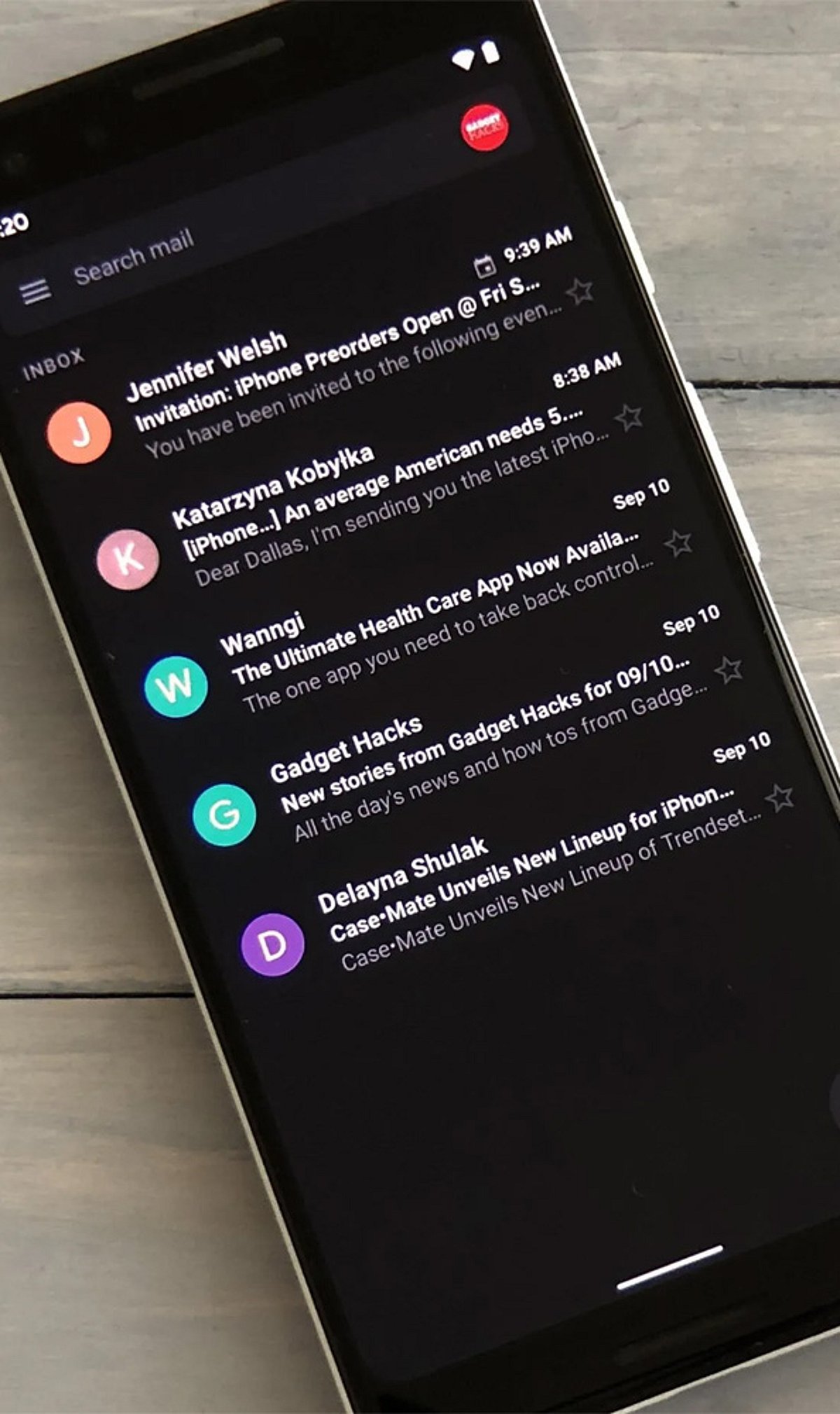
  • Complete Guide to Enable Gmail Dark Mode on Android, iPhone, and Desktop

    Complete Guide to Enable Gmail Dark Mode on Android, iPhone, and Desktop

    How to Enable Gmail Dark Mode on Android

    To switch Gmail to dark mode on your Android device, follow these steps:

    1. Open the Gmail app.
    2. Tap the hamburger menu (☰) in the top-left corner.
    3. Go to Settings > General settings > Theme.
    4. Choose Dark or System default.

    Selecting System default will make Gmail automatically follow your phone’s dark mode schedule, switching between light and dark based on the time of day or your system settings.

    How to Turn On Gmail Dark Mode on iPhone

    1. Open the Gmail app on your iPhone.
    2. Tap the hamburger menu (☰) and go to Settings.
    3. Select Theme and choose Dark.
    4. If the option is not available, enable Dark Mode from your iPhone’s system settings: Settings > Display & Brightness > Dark.

    How to Enable Dark Theme on Desktop

    1. Open Gmail in your web browser.
    2. Click the Settings gear icon (⚙️) in the top-right corner.
    3. Select See all settings.
    4. Go to the Themes tab.
    5. Choose a dark theme from the available options and click Save.

    Note: On the desktop version, Gmail’s interface darkens but many email message bodies may still appear white due to the sender’s original formatting. This is a known limitation.

    Why Use Gmail Dark Mode?

    Dark mode reduces eye strain in low-light environments, saves battery life on OLED displays, and provides a cleaner, more comfortable viewing experience. It also helps you focus on your emails without the harsh glare of a bright screen.

    Troubleshooting: Dark Mode Keeps Turning Off

    If Gmail reverts to light mode unexpectedly, try reapplying the dark theme on your primary device. Theme settings are often synced across your Google account, so changes on one device may affect others. Ensure you have selected the correct theme in the Gmail settings or set it to System default to follow your device’s schedule.

  • Apple’s Q3 Earnings Beat Estimates: Tim Cook Highlights AI Investments and iPhone Growth Amid Supply Concerns

    Apple’s Q3 Earnings Beat Estimates: Tim Cook Highlights AI Investments and iPhone Growth Amid Supply Concerns

    Apple reported stronger-than-expected fiscal third-quarter earnings, driven by record iPhone sales and robust Mac demand. The company posted revenue of $109.42 billion, up 16% year-over-year, and net profit of $29.79 billion. However, a cautious outlook for the upcoming quarter and ongoing supply constraints tempered investor enthusiasm, sparking discussions about Apple’s AI strategy and future growth trajectory.

    Record Quarter Powered by iPhone Demand

    iPhone sales reached an all-time high of $54.25 billion, reflecting strong global demand despite a competitive smartphone market. Mac sales surged nearly 29% as consumers responded positively to the latest product lineup. Apple described the June quarter as its best ever, with double-digit growth across most product lines and geographic regions, beating analysts’ projections by a wide margin.

    Supply Constraints Temper Growth Outlook

    Despite the strong quarter, Apple projected revenue growth of 9% to 11% for the September quarter, below market expectations. CEO Tim Cook attributed the conservative outlook to ongoing shortages of advanced memory components used in Apple-designed chips. The company is working to diversify suppliers, but executives cautioned that component availability could remain a challenge in the near term, leading to a dip in Apple’s share price after the earnings release.

    Services Slow, AI Strategy Under Scrutiny

    Apple’s services division underperformed relative to analyst expectations, generating $30.74 billion in revenue. Weakness in the App Store and growing competition in digital services weighed on the segment. The earnings report also reignited debate about Apple’s artificial intelligence strategy, with investors comparing the company’s pace of AI development to that of competitors who have made significant strides in generative AI. While Apple has rolled out AI-based features across its ecosystem, shareholders want clearer evidence of revenue potential from these investments.

    Cook Highlights Long-Term Confidence

    In what was likely one of his final earnings calls as CEO, Tim Cook reiterated that Apple’s long-term fundamentals remain strong. An expanding user base, consistent customer demand, and a robust innovation pipeline are expected to sustain the company’s competitive advantage. However, the market reaction suggests investors are increasingly focused on Apple’s ability to navigate supply disruptions while keeping pace in the rapidly evolving AI landscape. Balancing hardware growth with emerging technologies will be a central challenge as the company transitions to new leadership.

  • Tech News Roundup: Redmi K100 Teaser, Apple India Slowdown, Claude AI Privacy, Open Secure AI Alliance, Amazon Great Freedom Sale

    Tech News Roundup: Redmi K100 Teaser, Apple India Slowdown, Claude AI Privacy, Open Secure AI Alliance, Amazon Great Freedom Sale

    Here’s a quick roundup of today’s top tech stories.

    Redmi K100 Teaser

    Xiaomi’s Redmi brand has released a teaser for the upcoming K100 series, hinting at a flagship device with advanced features. The teaser has generated significant buzz among smartphone enthusiasts.

    Apple iPhone Shipment Decline in India

    Apple is facing a slowdown in iPhone shipments in India, a key growth market. The decline is attributed to increased competition from local brands and changing consumer preferences.

    Claude AI Privacy Concerns

    Anthropic’s Claude AI is under scrutiny over privacy issues, as users raise concerns about data handling and transparency. The company has yet to issue a detailed response.

    Open Secure AI Alliance Launches

    A new industry consortium, the Open Secure AI Alliance, has been formed to promote secure and transparent AI development. The alliance aims to establish best practices for AI safety and privacy.

    Amazon Great Freedom Sale Announced

    Amazon has announced its Great Freedom Sale in India, offering significant discounts on electronics, smartphones, and other products. The sale is expected to start soon.