Tag: iPhone

  • How Apple’s Price Hikes Are Driving Refurbished iPhone Demand in India

    How Apple’s Price Hikes Are Driving Refurbished iPhone Demand in India

    Apple’s latest iPhone price increases in India are pushing more consumers toward refurbished models, as the widening gap between new and pre-owned devices makes older iPhones a more attractive entry point into the Apple ecosystem. With the iPhone 17 starting at ₹99,900 — a 21% jump — and the 1TB iPhone Air soaring 41% to ₹2,24,900, buyers are increasingly looking for certified second-hand options.

    Higher iPhone Prices Could Lift Refurbished Demand

    Refurbished marketplace Cashify expects the latest iPhone launch to significantly boost trade-ins and demand for older devices. The company forecasts a sharp rise in buybacks during the first 30 days after launch, accelerating over 60 to 90 days as more used units enter the resale channel. Festive-season discounts, exchange offers, and broader availability could further sweeten the deal for consumers unwilling to spend nearly ₹1 lakh on a base-model iPhone. Certified refurbished phones, which come with testing, grading, and warranty support, are likely to gain particular traction.

    Counterpoint Research data underscores the trend: refurbished smartphone sales in India grew 13% year-on-year in the first half of 2026, while new smartphone sales declined about 11%. Analyst Prachir Singh noted that “rising memory costs are changing the value equation for consumers,” making refurbished devices a cheaper route to high-end features.

    iPhone 13, 14, 15, 16 May Draw More Buyers

    Cashify anticipates strong growth in buybacks for the iPhone 15 and iPhone 16 series as owners upgrade, increasing the supply of these models in the refurbished market. Older models remain key: the iPhone 13 accounted for 6.93% of smartphone buybacks on Cashify but made up 15.5% of refurbished demand, ranking as the platform’s best-selling refurbished iPhone and most frequently traded-in model. Counterpoint also highlights the iPhone 13 as a preferred refurbished choice in India.

    The iPhone 16 may initially command a higher price in the refurbished segment due to its resale value, but as more units reach the second-hand market, buyers will see a wider price range across generations.

    Certification, Battery Health May Shape Buying Decisions

    Higher demand for refurbished iPhones puts a premium on device quality. Buyers are likely to scrutinize battery health, warranty terms, repair history, physical condition, and testing records before purchasing. Organized refurbishers that test, repair, and certify devices stand to benefit, though local second-hand sellers still dominate — Counterpoint data shows specialized platforms handle only about 20% of second-hand phone sales.

    As new iPhones become more expensive, previous-generation devices offer a lower entry price for consumers who still want an iPhone. The ultimate trajectory of refurbished iPhone demand in India will hinge on availability, resale pricing, festive offers, and buyer confidence in certified devices.
  • India’s Consumer Regulator Investigates Apple Over iOS 18 iPhone Failures and Repair Costs

    India’s Consumer Regulator Investigates Apple Over iOS 18 iPhone Failures and Repair Costs

    India’s Central Consumer Protection Authority (CCPA) has escalated its probe into Apple over alleged iPhone problems linked to iOS 18. The regulator ordered a detailed investigation on July 29 after receiving complaints about display and microphone failures, and it will now examine whether Apple unfairly shifted repair costs onto consumers.

    What triggered the CCPA investigation?

    The case began after users reported green, pink, and white lines appearing on iPhone screens following the iOS 18 update. Some affected owners said they had to pay for display replacements and other repairs. The CCPA noted that an iPhone 15 screen repair could cost around Rs. 27,900 — more than one-third of the handset’s retail price.

    Warranty terms under scrutiny

    Apple’s limited warranty covers hardware, while its software license excludes software defects. The investigation will assess whether that exclusion remains fair if Apple’s own update allegedly triggers device problems. The CCPA has said the complaints may involve consumer rights violations.

    Apple defends iOS 18 and its warranty approach

    Apple disputed the allegations, saying iOS 18 has no systemic problems in India and that it found no safety concerns linked to the update. In an August response, Apple noted that the case involved only 75 complaints and that about 11% of iPhones still ran iOS 18 by June 2026. The company also said users received information about software terms before installing the update.

    Apple also cautioned against treating every software fault as a warranty breach, arguing that such rules could turn software providers into insurers against technological risks.

    Potential outcomes

    The investigation could lead to document requests, hearings, and a final regulatory report. If violations are established, Apple could face financial penalties, refunds, or changes to its business practices. Any changes to warranty terms could also set a significant consumer protection precedent.

    Why it matters for India

    The case comes as Apple expands its manufacturing footprint and market presence in India. The company’s iPhone share in India reached 9% last year, compared with 4% in 2022. The outcome could influence how software-related device failures receive warranty protection across India’s smartphone market.

  • Apple iOS 27: Smarter Siri, AI Features, and a Fresh iPhone Experience

    Apple iOS 27: Smarter Siri, AI Features, and a Fresh iPhone Experience

    Apple has begun rolling out iOS 27 to supported iPhones, starting September 14, 2026. The Cupertino-based tech giant warns that not all eligible devices will receive the update simultaneously, so users should first confirm their iPhone is supported and the update is available in their region.

    iOS 27 introduces a redesigned look, a stronger emphasis on artificial intelligence, and several practical enhancements. Key updates include a smarter Siri capable of handling more natural conversations and understanding context across apps, new Apple Intelligence features, improved call tools, and updates to Messages, Photos, Maps, and the Phone app.

    Apple Maps now offers the Flyover experience, using aerial imagery and Visual Intelligence to deliver detailed route views. Siri can also work across supported apps, making it a more integrated assistant.

    Eligible devices range from iPhone SE (2nd Generation) to iPhone 17 Pro Max, with iPhone 18 Pro, iPhone 18 Pro Max, and iPhone Duo also included. Rollout timing may vary by region.

    To install iOS 27, go to Settings > General > Software Update, select iOS 27, and follow on-screen instructions. Apple recommends backing up your device, using a stable Wi-Fi connection, and ensuring sufficient free storage.

    The real test will be daily use. If Siri can understand on-screen content and help across apps, AI may shift from an extra feature to a natural part of the iPhone experience. Apple demonstrates that a major phone upgrade doesn’t always require new hardware. For supported iPhone users, iOS 27 offers a fresh experience without purchasing a new device.

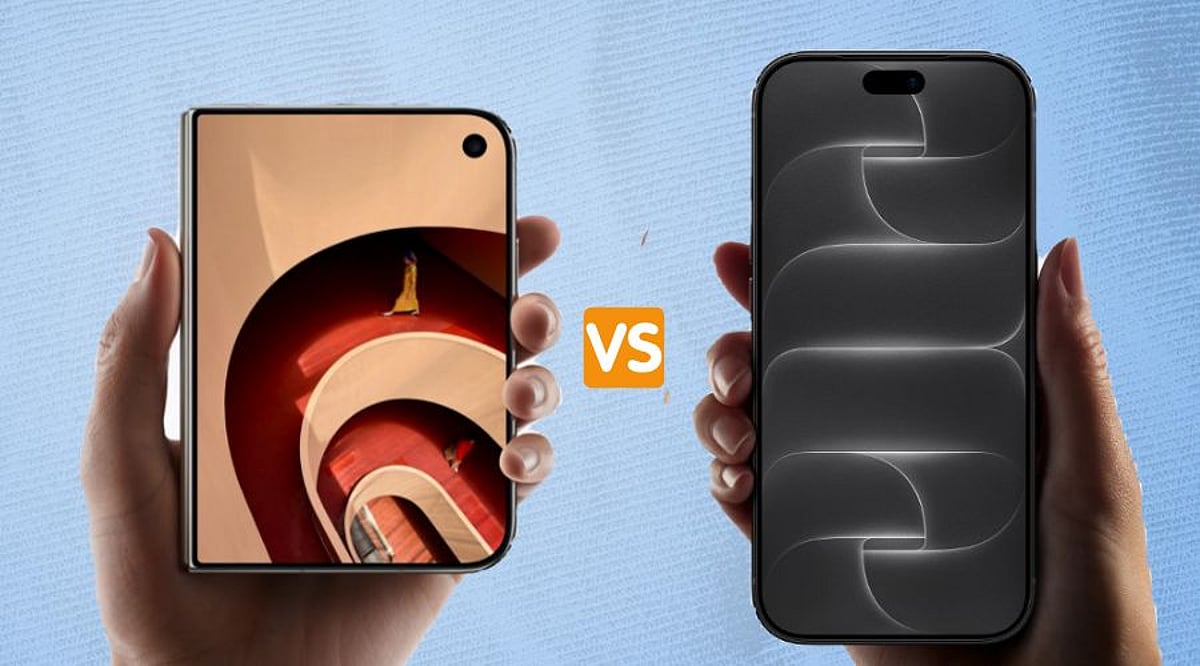
  • Apple’s Foldable iPhone Duo vs iPhone 18 Pro Max: A Flagship Showdown

    Apple’s Foldable iPhone Duo vs iPhone 18 Pro Max: A Flagship Showdown

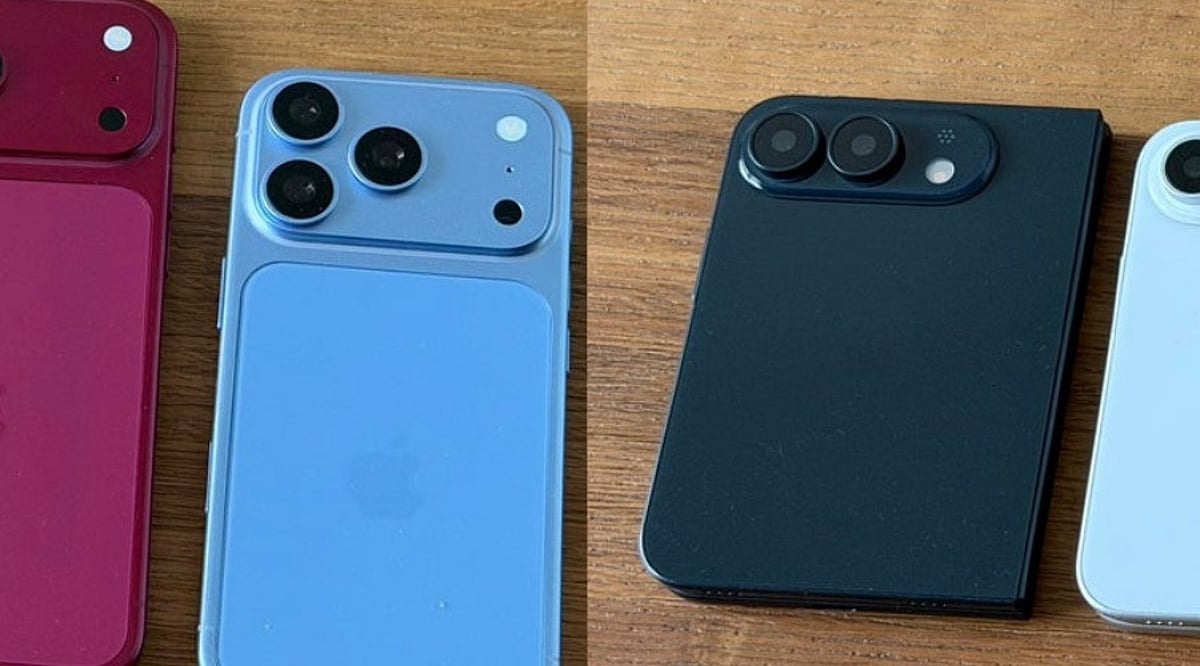
    Apple now offers two distinctly different flagship phones: the iPhone 18 Pro Max and the all-new foldable iPhone Duo. Each targets a different type of user, and the choice ultimately depends on what you value most in a smartphone.

    Design and Display

    The iPhone Duo is Apple’s first foldable device. It opens to reveal a 7.6-inch inner screen—nearly 50% larger than the iPhone 18 Pro Max’s 6.9-inch display—and features a 5.4-inch external screen for quick tasks without unfolding. In contrast, the iPhone 18 Pro Max retains a traditional slab design with a familiar 6.9-inch display.

    Performance and Storage

    Both phones are powered by Apple’s A20 Pro chip and offer up to 2TB of storage, ensuring top-tier performance for demanding apps, games, and multitasking.

    Camera Systems

    The iPhone 18 Pro Max boasts a triple 48MP Pro Fusion camera system with Main, Ultra Wide, and Telephoto lenses. The iPhone Duo shares the same 48MP Main lens (without variable aperture) but lacks a telephoto lens. Instead, it includes a 12MP Center Stage selfie camera. For photography enthusiasts, the Pro Max provides greater versatility.

    Pricing and Availability

    Price is a major differentiator. The iPhone 18 Pro Max starts at $1,299 (₹1,79,900 in India), while the iPhone Duo starts at $1,999 (₹2,99,900). The Pro Max goes on sale September 18; the Duo follows on October 23.

    Which iPhone Should You Choose?

    For most buyers seeking strong cameras, a large display, and better value, the iPhone 18 Pro Max is the smarter choice. The iPhone Duo is for early adopters willing to pay a premium for Apple’s first foldable experience—offering a huge screen in a compact, pocketable form factor. If you already own a recent Pro Max, the Duo may not feel like a spec upgrade, but it delivers a unique, flexible experience.

  • Master Siri on iPhone: Create Calendar Events with Voice Commands

    Master Siri on iPhone: Create Calendar Events with Voice Commands

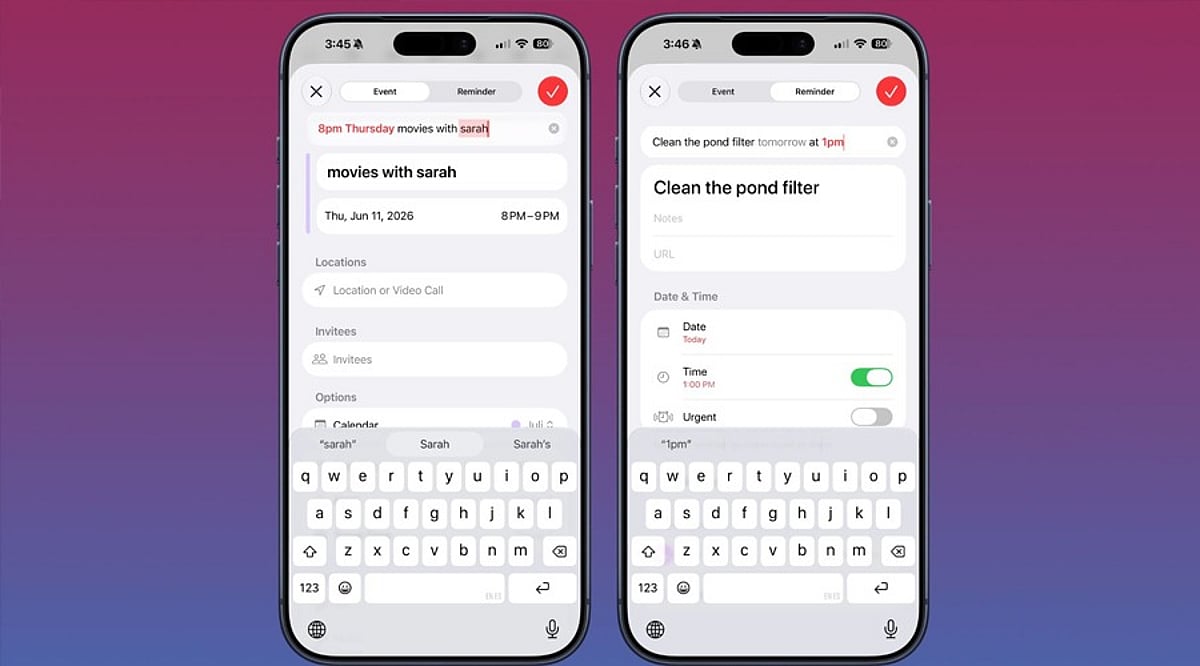
    Apple’s Siri makes it easy to create and manage calendar events on your iPhone without ever opening the Calendar app. Whether you’re driving, cooking, or juggling multiple tasks, voice commands let you schedule meetings, set recurring appointments, and check your availability hands-free.

    Granting Siri Access to Your Calendar

    Before Siri can create events, you need to give it permission to access the Calendar app. Follow these steps:

    1. Open Settings and tap Siri & Search.
    2. Scroll to the Before Asking section and ensure Learn from this App is enabled for Calendar.
    3. Return to the main Settings menu, tap Calendar, then Siri & Search.
    4. Turn on Use Siri with this App and Show App in Search.

    If you use third-party calendars like Google Calendar or Outlook, repeat the same process for those apps.

    What to Say to Siri

    Activate Siri by saying “Hey Siri” or holding the side button. The wording matters—phrases like “Remind me to call John” create a reminder, not a calendar event. To add a calendar entry, use keywords such as event or meeting.

    Try these examples:

    • “Create a calendar event for a dentist appointment tomorrow at 10 AM.”
    • “Schedule a meeting with Sarah on Friday at 2 PM.”
    • “Set a team sync every weekday at 9 AM.” (recurring event)
    • “Create a flight event with a reminder two hours before departure.”
    • “Check tomorrow’s calendar.”

    Fixing Common Siri Mistakes

    If Siri checks the wrong calendar, go to Settings > Calendar > Default Calendar and select the one you use most often.

    When Siri creates a reminder instead of a calendar event, simply say “Actually, put that in my calendar.” Siri will move it to Calendar.

    Using Siri with Google Calendar and Outlook

    Siri works with Google Calendar when you add your Google account to the iOS Calendar app and grant the necessary permissions. Similarly, Outlook calendars sync with the native iOS Calendar app to enable Siri voice commands.

  • Apple iPhone Duo AppleCare+ Plan Costs ₹51,900 in India: Coverage Details and Service Fees Explained

    Apple iPhone Duo AppleCare+ Plan Costs ₹51,900 in India: Coverage Details and Service Fees Explained

    Apple’s first foldable iPhone, the iPhone Duo, launched in India at a starting price of ₹2,99,900. For those seeking extra protection, AppleCare+ is available—but at a hefty ₹51,900, nearly the cost of an entire iPhone 16e. The plan covers accidental damage, hardware repairs, and priority technical support, though customers still pay service fees for eligible repairs.

    AppleCare+ Costs Nearly 17% of the iPhone Duo’s Price

    The base iPhone Duo (256GB) retails at ₹2,99,900, making the ₹51,900 AppleCare+ plan roughly 17% of the device’s price. Adding the protection plan brings the total for the 256GB model to ₹3,51,800, excluding accessories. AppleCare+ includes hardware coverage, priority support, and accidental damage protection, subject to Apple’s terms and applicable service fees.

    Service Fees Still Apply

    AppleCare+ does not make accidental repairs free. Customers must pay a service fee based on the damage type:

    • Screen-only damage: ₹2,500
    • Back-glass-only damage: ₹2,500
    • Other accidental damage: ₹8,900

    Given the iPhone Duo’s folding inner display, outer display, and hinge mechanism, these fees can still add up. AppleCare+ reduces financial exposure but does not eliminate repair costs.

    iPhone Duo Pricing Across Storage Options

    The iPhone Duo is available in four storage configurations:

    • 256GB: ₹2,99,900
    • 512GB: ₹3,24,900
    • 1TB: ₹3,74,900
    • 2TB: ₹4,49,900

    Adding AppleCare+ to the 2TB model pushes the total above ₹5 lakh.

    Is AppleCare+ Worth It?

    If you want protection against damage or high maintenance costs on Apple’s first-gen foldable, AppleCare+ is an option. However, if you frequently upgrade phones and don’t mind accidental damage, the ₹51,900 premium may be hard to justify.

  • How to Recover Your WhatsApp Chats from iCloud Backup

    How to Recover Your WhatsApp Chats from iCloud Backup

    Losing WhatsApp chats can be stressful, especially when old messages, photos, documents, or group conversations are important. If you have an iCloud backup, you can restore that chat history on your iPhone, but only if a valid backup exists and account details match. This guide walks you through checking backups, reinstalling WhatsApp, troubleshooting common issues, and protecting future conversations with automatic backups.

    Key Takeaways

    • Verify the latest WhatsApp iCloud backup, phone number, iCloud account, and available storage before reinstalling WhatsApp.
    • Only data included in the latest successful backup can be restored; videos require the video backup option to have been enabled.
    • If iCloud restoration is not possible and your old iPhone still works, use WhatsApp’s direct Chat Transfer feature.

    Check the iCloud Backup Before WhatsApp Restore

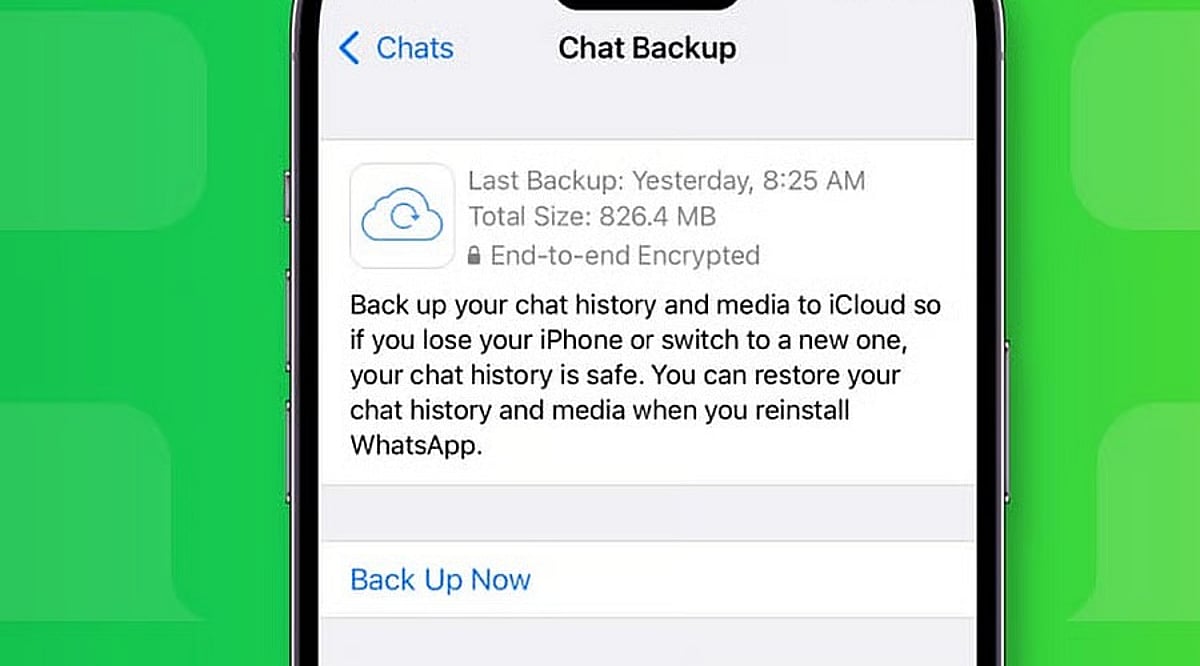
    Open WhatsApp on your iPhone and go to Settings > Chats > Chat Backup. The screen shows the date and size of the latest backup if a valid iCloud copy exists. The same phone number and iCloud account used for the original backup must match.

    Ensure enough free space is available on both iCloud and your iPhone. WhatsApp recommends having at least 2.05 times the backup size available as free storage on both. Limited storage can cause a failed or partial restore.

    If the backup is encrypted, you will need the associated password, passkey, or 64-digit encryption key. Without these recovery details, WhatsApp cannot provide access to the encrypted copy.

    Reinstall WhatsApp and Start the Chat Restore

    Once the backup details are confirmed, delete WhatsApp from your iPhone and install it again from the App Store. Open WhatsApp after the fresh install and complete account setup with the same phone number used for the backup.

    WhatsApp will then ask for the Apple ID linked to the backup. After account verification, a Restore Chat History option appears. Tap that option to start the restore. Extra identity checks may appear; a text message or call can provide a verification code if required.

    Restore time depends on backup size and chat media. A large history with many photos, documents, and videos takes longer than a small text-only history. Keep enough free space on both your iPhone and iCloud account.

    What the iCloud Backup Can Restore

    WhatsApp restores data from the latest successful backup. Any messages or media added after that backup date cannot be recovered from that backup. Videos require an extra condition: the Include Videos option must have been active before the latest backup. Without that option, chat history can return but videos will remain absent.

    Messages and media from WhatsApp communities may also be included in the backup. Channel updates can exist, but channel media returns only for accounts with an admin role. Note that WhatsApp does not keep complete chat history on company servers for manual recovery; an iCloud backup or direct chat transfer is the only route back to old conversations.

    Fix Common Restore Problems

    Failed restores often point to storage, account details, or the backup itself. Check free iCloud space and iPhone storage first. Confirm the same phone number and iCloud account used for the original backup, then verify the latest backup date inside WhatsApp.

    If storage caused the failure, free up space, then delete WhatsApp and repeat the restore. For encrypted backups, ensure you have the correct password, passkey, or 64-digit key.

    If no usable iCloud backup exists and your old iPhone still works, use WhatsApp’s Chat Transfer feature for an iPhone-to-iPhone move. Both phones need the latest iOS and WhatsApp versions, Wi-Fi, internet access, and a power source. The old phone can send the chat history directly to the new iPhone without an iCloud restore.

    Protect Future WhatsApp Chats

    A successful restore can recover a large part of your chat history, but the backup date sets the limit. WhatsApp offers automatic backup schedules under Chats > Chat Backup, with daily, weekly, or monthly options.

    An end-to-end encrypted backup can be protected with a password, passkey, or 64-digit encryption key. Keep the chosen recovery detail safe; a forgotten password or lost key can block access to the encrypted backup.

    The safest restore starts before the reinstall: check the backup date, confirm the phone number and iCloud account, verify storage, and protect any encryption key. Once those details match, WhatsApp can restore your saved chat history with far less risk of an incomplete recovery.

    Frequently Asked Questions

    Can I restore WhatsApp chats from iCloud?
    Yes, if a valid WhatsApp iCloud backup exists and you use the same phone number and iCloud account.
    Will WhatsApp restore messages received after the backup?
    No. Messages and media added after the latest successful backup cannot be recovered from that backup.
    Why are my WhatsApp videos missing after restoration?
    Videos are restored only if the Include Videos option was enabled before the backup was created.
    What if my encrypted WhatsApp backup asks for a password?
    You need the correct password, passkey, or 64-digit encryption key associated with the encrypted backup.
    Can I restore WhatsApp without an iCloud backup?
    If your old iPhone still works, WhatsApp’s Chat Transfer feature can transfer chat history directly to another iPhone.
  • iOS 27: Release Date, New Features, and Compatible iPhone Models

    iOS 27: Release Date, New Features, and Compatible iPhone Models

    Apple’s iOS 27 update is set to arrive on September 14, bringing a redesigned Liquid Glass interface, a revamped Siri AI, performance boosts, and new features across core apps. The update supports iPhone 11 and newer models, including the iPhone SE (2nd generation and later).

    iOS 27 Release Date and Installation

    iOS 27 will be publicly available on September 14. Users can install it over the air by going to Settings > General > Software Update on compatible iPhones. The update was previewed at WWDC 2026 and introduces several improvements to enhance everyday iPhone use.

    Siri AI Gets a Major Upgrade

    One of the biggest additions is the next-generation Apple Intelligence and revamped Siri AI. The new assistant understands natural requests better, maintains context across interactions, and can perform tasks across supported apps. Siri AI also arrives as a standalone app, letting users access previous conversations. It combines Apple’s Foundation Models with Google’s Gemini AI models.

    Apple also introduced new parental controls, including Time Allowances and Schedules, plus an Ask to Browser feature that lets children request access to new websites.

    Faster Performance and Liquid Glass Changes

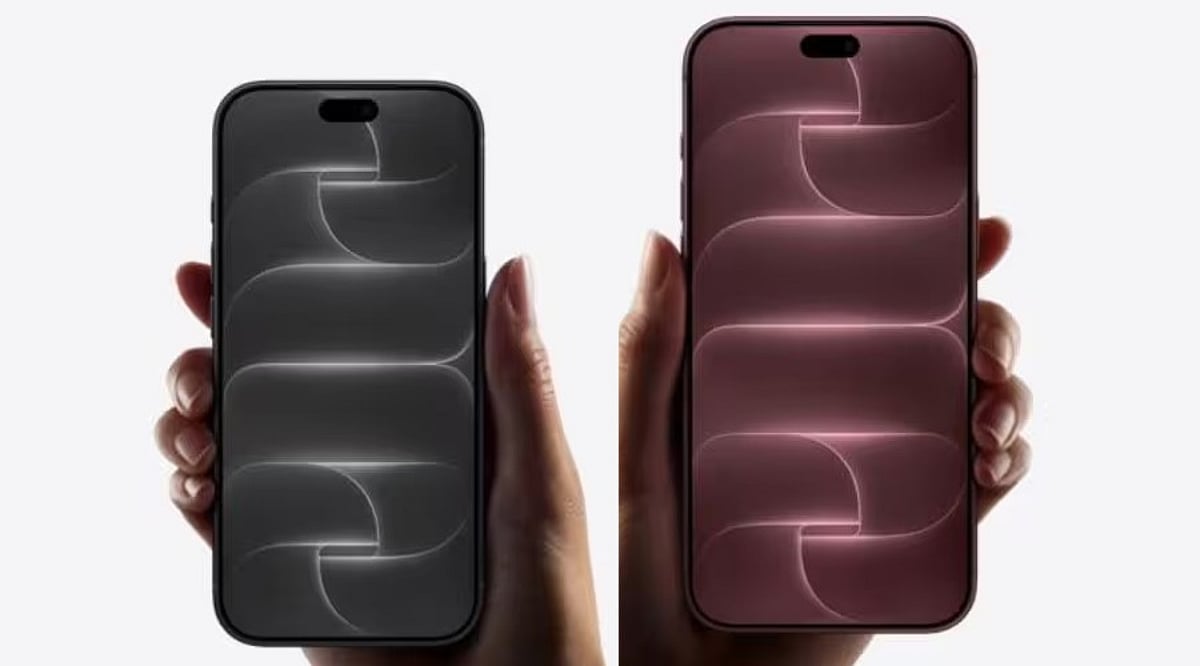
    iOS 27 refines Apple’s Liquid Glass design language, adding a slider to control opacity. Performance sees notable gains: apps launch up to 30% faster, photos load up to 70% faster, and AirDrop transfers complete up to 80% faster. The update includes an optimized CPU scheduler to improve performance across supported devices.

    More Changes Across iPhone Apps

    The Phone app gets a redesign and can display important information from Mail. Messages and Mail offer suggestions under certain messages. Safari can group tabs by topic and notify users when websites update, including price or product availability changes.

    iOS 27 Compatible iPhones

    iOS 27 supports iPhone 11 and newer models, along with iPhone SE (2nd generation and later). The lineup includes:

    • iPhone 11 series
    • iPhone 12 series
    • iPhone 13 series
    • iPhone 14 series
    • iPhone 15 series
    • iPhone 16 series
    • iPhone 17 series
    • iPhone Air
    • iPhone 17e
    • iPhone SE (2nd gen and later)

    Apple Intelligence features remain limited to iPhone 15 Pro models and later devices.

  • iPhone 18 Pro vs Foldable iPhone Ultra: Which Apple Phone Should You Choose in 2026?

    iPhone 18 Pro vs Foldable iPhone Ultra: Which Apple Phone Should You Choose in 2026?

    Apple is gearing up for a pivotal September 9, 2026, event, where the company is expected to unveil its next-generation iPhone 18 Pro lineup alongside its first-ever foldable device, often referred to as the iPhone Ultra. This marks a rare moment for Apple, offering consumers a choice between a familiar, refined flagship and a bold, experimental new form factor. Both phones promise cutting-edge technology, but they cater to different priorities. Here’s a detailed comparison to help you decide which one is worth your money.

    iPhone 18 Pro: The Safe, Refined Choice

    The iPhone 18 Pro continues Apple’s tradition of incremental but meaningful upgrades. According to current reports, the Pro model will sport a 6.3-inch display (with a 6.9-inch Pro Max variant), keeping the familiar design while introducing subtle enhancements. The Dynamic Island is expected to shrink, with some Face ID components possibly moving under the display for a cleaner front aesthetic.

    Under the hood, the A20 Pro chip, built on TSMC’s 2-nanometer process, promises up to 18% faster performance and 30% better efficiency compared to the A19 generation. This could significantly improve battery life and app responsiveness. Additionally, Apple may introduce its own C2 modem, though some US models might still rely on Qualcomm hardware for mmWave 5G support.

    Camera enthusiasts will appreciate the rumored variable-aperture main lens, which would enhance low-light photography and offer better control in bright conditions. The telephoto lens may also gain a larger aperture, and the front camera could see a bump to 24 megapixels (though pixel-binning might keep final output lower). Color options reportedly include Dark Cherry, Light Blue, Dark Gray, and Silver.

    Foldable iPhone Ultra: A New Era of Design

    The foldable iPhone Ultra (also speculated to be called iPhone Fold) represents Apple’s most radical hardware leap in years. When closed, it’s a compact 5.5-inch device; when opened, it reveals a spacious 7.8-inch inner display with a 4:3 aspect ratio, resembling a tablet. The book-style hinge is designed to minimize the crease, and the overall thickness is an incredible 4.5 mm when unfolded.

    To accommodate the thin profile, Apple reportedly swaps Face ID for Touch ID embedded in the power button. The device is expected to feature a titanium and aluminum frame, support MagSafe, and pack 12 GB of RAM with a battery ranging from 5,400 to 5,800 mAh. Performance-wise, it’s likely to use the same A20 Pro chip, ensuring flagship-level speed despite the compact chassis.

    However, camera specs may take a step back. Reports suggest a dual-camera setup (wide and ultra-wide) with no dedicated telephoto lens, which could disappoint photography purists who rely on optical zoom. The trade-off is a larger, more immersive display for media consumption and multitasking.

    Price: The Deciding Factor

    Price will likely be the biggest differentiator. The foldable iPhone Ultra is expected to start above $2,000, possibly reaching $2,500, making it significantly more expensive than the iPhone 18 Pro. Even if Apple increases Pro pricing due to rising component costs, the foldable will remain a premium luxury item.

    There’s also the inherent risk of a first-generation product. A new hinge mechanism, flexible display, and ultra-thin body introduce potential durability concerns that Apple will need to address. While the company has had years to refine the concept, early adopters may face unforeseen issues.

    Which One Should You Wait For?

    If you value camera quality, software maturity, and a lower price point, the iPhone 18 Pro is the pragmatic choice. It delivers proven performance with incremental upgrades that won’t break the bank. On the other hand, if you crave innovation, crave a larger screen, and are willing to pay a premium for Apple’s boldest experiment, the foldable iPhone Ultra is an exciting prospect.

    With the September 9 event just days away, the wise move is to wait for official announcements. The event will clarify pricing, exact specs, availability, and the final name. Until then, consider your priorities: do you need a reliable workhorse or a glimpse into the future of smartphones?

    FAQs

    When will Apple launch the iPhone 18 Pro and foldable iPhone?

    Current reports point to a September 9, 2026, announcement, with actual launch dates likely to follow shortly after.

    Will the foldable iPhone have better performance than the iPhone 18 Pro?

    Both models are expected to use the A20 Pro chip, so performance should be on par, though the foldable’s thinner design may affect thermal management.

    What are the display sizes for the foldable iPhone?

    Reports suggest a 5.5-inch outer display and a 7.8-inch inner display when unfolded.

    Will the foldable iPhone have a better camera than the iPhone 18 Pro?

    No. The foldable is expected to feature a dual-camera setup without a telephoto lens, while the Pro retains a more versatile camera system.

    Which phone is more suitable for everyday use?

    The iPhone 18 Pro offers a familiar design, reliable performance, and superior camera capabilities, making it the safer choice for daily use.

  • iOS 27 Set for September 2026 Launch: Key Features and Improvements

    iOS 27 Set for September 2026 Launch: Key Features and Improvements

    Apple is expected to unveil iOS 27 alongside its new iPhone lineup in September 2026, following the company’s annual release cycle. While the exact rollout date will be confirmed during Apple’s official announcement, users can anticipate the update to be made available for compatible iPhone models shortly after the event.

    Updated Interface

    iOS updates typically bring visual refinements, and iOS 27 is no exception. Users can expect changes to system apps, menus, and navigation, all designed to create a more cohesive and user-friendly experience without overhauling the familiar iPhone look.

    Apple Intelligence and AI Advancements

    Artificial intelligence remains a core focus for Apple. iOS 27 is likely to expand Apple Intelligence with smarter automation and improved on-device capabilities. Availability of specific AI features may depend on the iPhone model, processing power, language support, and regional rollout.

    Enhanced Siri

    Siri is undergoing significant upgrades as part of Apple’s broader AI strategy. iOS 27 could bring better contextual understanding, deeper app integration, and the ability to handle more complex requests, making voice interactions more practical for everyday tasks.

    Privacy and Security

    Privacy continues to be a cornerstone of iOS. iOS 27 is expected to introduce stronger protections against emerging digital threats, along with more granular controls over app permissions and personal data. Users are advised to install the update promptly once available.

    Health and Accessibility

    Apple regularly enhances health, wellness, and accessibility features with each iOS iteration. iOS 27 may include updates to existing tools and new capabilities aimed at making iPhones more useful for tracking personal health and supporting users with diverse accessibility needs.

    Compatible iPhones

    Not every iPhone will support all iOS 27 features. Hardware constraints—especially those tied to AI processing and newer chips—may restrict advanced functions. Before upgrading, users should consult Apple’s official compatibility list to see which features work on their specific device.

    Stay tuned for official announcements from Apple regarding the exact release date, supported models, and regional availability.