Tag: iPhone

  • Apple iPhone Shipments in India See First Quarterly Decline in Over Four Years Amid Chip Shortage

    Apple iPhone Shipments in India See First Quarterly Decline in Over Four Years Amid Chip Shortage

    Apple has recorded its first decline in iPhone shipments in India in more than four years, according to a new market report. Shipments fell by 3% year-on-year in the April to June quarter of 2026, a sharp reversal from the 12% growth seen at the start of the year.

    The drop is primarily attributed to a shortage of memory chips, which has constrained Apple’s ability to supply new devices. CEO Tim Cook described the supply disruption as a “hundred-year flood,” calling it one of the biggest challenges he has faced during his decades at Apple. Analysts note that customer demand remains steady, but the company has not been able to ship enough phones to meet it.

    India’s overall smartphone market contracted 10% year-on-year in the second quarter, one of the steepest declines in the last six years. In that context, Apple’s 3% decline appears relatively mild.

    Other Smartphone Brands’ Performance in Q2 2026

    Not all brands faced similar headwinds. Samsung’s shipments grew by 2% in the same quarter, while the fastest-growing smartphone brand in India was Nothing, which posted a remarkable 105% growth. Xiaomi, however, struggled with continuously rising prices in the Indian market. Its wider range of devices helped it gain popularity, but higher prices made competition more challenging.

    What Comes Next for Apple?

    The latest shipment drop does not indicate waning demand for iPhones. Rather, it highlights that higher component costs and supply issues are making it harder for Apple to maintain adequate stock in the market. If memory chip prices remain elevated, Apple may adjust its inventory management strategy in India and could review its pricing for future models. Even so, India remains one of Apple’s key markets, and the company is expected to continue investing in the country as demand grows.

  • How to Enable the Hidden Volume Slider on Your iPhone Lock Screen

    How to Enable the Hidden Volume Slider on Your iPhone Lock Screen

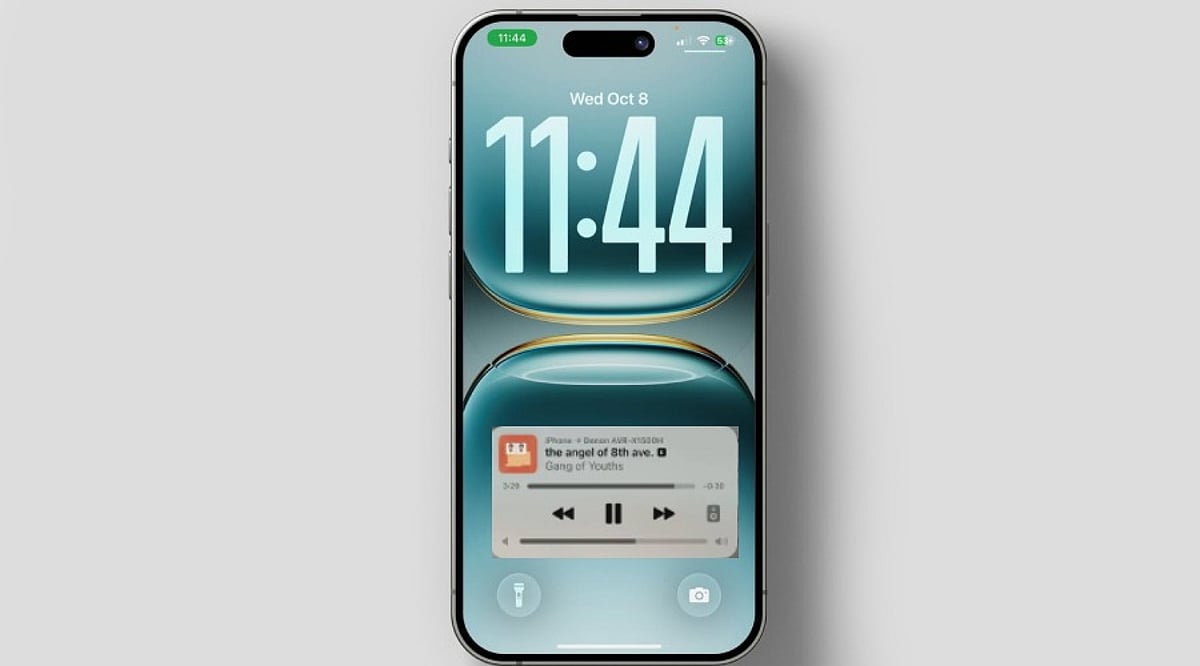
    Many iPhone users are unaware that Apple includes a hidden volume slider on the Lock Screen. The latest iOS update introduces a volume slider that allows users to control audio directly from the lock screen without unlocking the device. This feature is especially useful for adjusting the volume while listening to music, podcasts, or audiobooks. It offers more convenient control than using the physical side buttons and enhances the listening experience.

    Enabling this feature is straightforward. Navigate to Settings → Accessibility → Hearing → Audio & Visual. Scroll down and toggle ‘Always Show Volume Control’ to the ON position. Once set, lock your iPhone and the volume slider should appear on the Lock Screen. Though small, this feature can significantly improve daily usability.

    More Helpful iPhone Features You May Have Missed

    The volume slider is just one of several accessibility tools on the iPhone. Background Sounds can play relaxing audio such as rain, ocean, or white noise to help with focus or relaxation. Live Speech speaks typed words aloud, while Vocal Shortcuts enable actions via custom phrases. Assistive Access simplifies the interface with larger icons and a streamlined layout.

    Better Control for Everyday Listening

    If you listen to audio throughout the day, this hidden volume slider is a valuable addition. Whether using Spotify, Apple Music, Audible, or a podcast app, you can adjust volume without opening the phone or repeatedly pressing side buttons. This quick access means fewer interruptions and a smoother experience, whether working, traveling, or relaxing at home.

  • Apple 20th Anniversary iPhone Reportedly Testing Nearly 7-Inch Display, Major Redesign Expected in 2027

    Apple 20th Anniversary iPhone Reportedly Testing Nearly 7-Inch Display, Major Redesign Expected in 2027

    Apple is reportedly laying the groundwork for one of the most significant iPhone overhauls in history to celebrate the smartphone’s 20th anniversary in 2027. Fresh leaks suggest the company is internally testing a nearly 7-inch display, which would make it the largest screen ever fitted to an iPhone. While Apple has not officially confirmed these plans, the latest reports point to a comprehensive design and hardware refresh for the anniversary model.

    Nearly 7-Inch Display Under Testing

    According to tipster Digital Chat Station, Apple is testing a 6.96-inch display for its 20th anniversary iPhone. The panel is said to retain a similar aspect ratio to current Pro Max models while offering a noticeably larger viewing area. If it reaches production, this model could be considered a 7-inch iPhone, marking the largest screen size available across any iPhone lineup. However, specifications may shift depending on Apple’s testing of multiple hardware builds.

    A Major Design Overhaul

    The new display is just one element of what is expected to be a major design overhaul. Rumors indicate Apple is experimenting with a near-bezel-less, quad-curved glass display that delivers a fully immersive experience in a thin form factor. The device would feature an edge-to-edge display with no visible borders, representing one of the most prominent aesthetic updates since the iPhone X launched.

    More Than Just a Bigger Screen

    Beyond the display, the anniversary iPhone is rumored to include several premium hardware improvements: under-display Face ID, an under-screen front-facing camera, the upcoming 2nm A21 chipset, solid-state haptic buttons, upgraded Ceramic Shield, and a larger battery capacity that could reach 6,000mAh. There are also whispers that Apple wants to simplify its premium lineup by introducing two new flagship versions to replace the Pro and Pro Max. The company has not confirmed any of these speculations.

    Launch Date Still Over a Year Away

    According to reports, the anniversary iPhone is scheduled for release in 2027, marking 20 years since the original iPhone disrupted the smartphone market. Since development is still underway, Apple may alter or drop some of the features mentioned before the device reaches mass production. Currently, the 7-inch display rumor stands as the strongest evidence of Apple preparing a groundbreaking release for its flagship smartphone’s anniversary.

  • 5 Essential Apple Intelligence Features to Master in 2026

    5 Essential Apple Intelligence Features to Master in 2026

    Apple Intelligence has evolved significantly in 2026, bringing smarter writing tools, live translation, AI-powered shortcuts, advanced photo editing, and an upgraded Siri that makes everyday tasks on iPhone, iPad, and Mac faster and easier. Here are the top five features you should start using today.

    1. Writing Tools Help You Finish Faster

    Built into apps like Mail, Notes, and Messages, Apple’s Writing Tools now offer spelling checks, sentence restructuring, tone adjustments, and email summarization. Whether you’re a student or a professional, these tools eliminate the need for third-party editing apps.

    2. Live Translation Works Across Calls and Messages

    Live Translation simplifies communication in multiple languages. It works in text messages, FaceTime calls, and even regular phone calls, translating conversations in real time. This is invaluable for travel, client meetings, or keeping in touch with international friends and family—all while maintaining Apple’s privacy standards.

    3. Shortcuts Get an AI Upgrade

    The Shortcuts app now integrates Apple Intelligence, allowing you to create automations that summarize articles, organize notes, draft messages, and perform multiple actions with a single tap. For example, you can set a shortcut to collect all meeting notes, summarize them, and email them automatically.

    4. Edit Photos Without Third-Party Apps

    The Photos app now includes AI-powered editing features such as removing background distractions, recomposing images, and erasing unwanted objects. These tools are designed for everyday use—perfect for travel photos, family portraits, and social media posts.

    5. Siri Understands Context Better

    Siri’s improved context awareness allows it to answer follow-up questions, understand what’s on your screen, and take actions across multiple apps. You no longer need to repeat yourself; Siri maintains a natural conversation flow.

    Apple Intelligence Features at a Glance

    All these features are designed to enhance everyday tasks without changing how you use your iPhone, iPad, or Mac. They integrate seamlessly into Apple’s existing apps, saving you time and reducing repetitive manual work.

    As Apple continues to expand its AI capabilities in 2026, these five features are the most practical to explore first. Whether you’re writing, translating, editing, or automating, Apple Intelligence makes your devices smarter without demanding a new learning curve.

  • 2026 iPhone Buying Guide: How to Select the Perfect Model for Your Needs

    2026 iPhone Buying Guide: How to Select the Perfect Model for Your Needs

    Choosing the right iPhone in 2026 depends on your budget, daily usage, and long-term needs. Comparing camera quality, battery life, performance, and software support helps narrow the options. Understanding Apple’s lineup ensures you invest in a model that offers the best value and longevity.

    Overview

    Apple’s 2026 iPhone lineup spans budget, mainstream, and flagship models, with differences centered on camera systems, battery life, display quality, performance, storage, and Apple Intelligence capabilities. Choosing the right model depends on balancing everyday usage, photography needs, productivity, gaming, and long-term software support rather than simply opting for the newest device. Older and refurbished iPhones continue to offer strong value for many users, while premium models deliver advanced features suited to creators, professionals, and power users.

    Apple sells five iPhone generations right now, new or certified refurbished. Picking the right one is not about buying the newest phone. It is about matching a phone to real habits and a real budget. This guide breaks the decision into three parts: how the phone gets used, how much to spend, and which specs actually matter.

    How to Choose the Right iPhone Based on Needs

    Most buyers fit into four groups. Casual users mostly text, scroll social apps, and watch videos. They rarely push a phone to its limits. Creators and power users shoot video, edit photos, and run heavy apps every day. For them, speed and storage matter as much as the camera. Professionals want a phone that works every time, with strong battery life and steady calls. Budget buyers and first-time buyers want a reliable phone at a fair price, often from the refurbished market. Every pick below fits one of these four groups.

    Apple’s 2026 iPhone Lineup Explained

    The iPhone 17 series sits at the top right now. That includes the iPhone 17, the 17 Pro, the 17 Pro Max, and the new iPhone Air, which took the place of the old Plus model. The iPhone 18 has not launched. Apple is expected to hold an event in September, but pricing is not confirmed yet. So the iPhone 18 has no place in a buying decision made today. Below the flagships, the iPhone 16 and 16e offer current software at a lower price. Older models and certified refurbished devices, including the iPhone 13 through iPhone 15, make up the budget tier. They still run the latest iOS and handle daily tasks well.

    Best iPhone Models by Budget in 2026

    Apple has not confirmed any price hike, but recent dealer reports point to a possible increase for the iPhone 17 lineup, along with stock shortages on the base model. Treat these prices as a snapshot. Check current pricing before buying.

    Key Features to Compare Before Buying an iPhone

    • Camera: Pro models add extra lenses and sharper low-light shots. That matters most for photography and video work, less for someone who mostly shares photos on WhatsApp.
    • Battery and Charging Speed: Newer models last longer and charge faster, which helps heavy users and frequent travelers.
    • Chip: A faster chip runs Apple Intelligence more smoothly, while older phones support fewer AI features.
    • Storage: This gets ignored too often, and it shouldn’t. 128GB works for light users who lean on cloud backup. 256GB fits most people without much thought. 512GB or 1TB suits anyone who shoots a lot of video, plays large games, or keeps offline files without deleting them every week.

    Best iPhone Models to Buy in 2026

    The iPhone 17 is the best all-around pick for most buyers. Fast chip, solid camera, full Apple Intelligence support, at a lower price than the Pro models. For creators, the iPhone 17 Pro Max carries the strongest camera and screen on the market today. The extra cost makes sense for anyone earning money from photos or video. The iPhone 16 offers the best value in the mid-range, with a modern design and a good camera at a lower price. For a new phone on a tight budget, the iPhone 16e is a solid pick without the wear of an older refurbished unit. The iPhone Air suits buyers who want a thin, light phone without giving up the latest chip, a sharp screen, or a full day of battery. A certified refurbished iPhone 13 or 14 works well as a backup phone or a first phone for a teenager, as long as it still carries a warranty. One mistake worth avoiding: buying a Pro model just for the camera name, then never touching the modes that make it worth the extra money.

    How to Choose the Right iPhone Model in 2026

    1. Set a budget first, this narrows things down faster than any spec sheet.
    2. Be honest about cameras and Apple Intelligence. Do these actually matter for daily use, or would they mostly go untouched?
    3. Shortlist two or three models. Weigh storage against real usage, not the number printed on the box.
    4. Check trade-in and festival sale prices before deciding. A discounted last-year flagship often beats a new mid-range phone on value.

    Final Thoughts

    The iPhone 18 will change this picture soon, but that’s still months away and not confirmed. Buyers shopping today already have a strong lineup to pick from, from the iPhone 17 Pro Max down to a well-kept refurbished iPhone 13. The better long-term habit is checking real needs and storage before checking the model number. That habit still works no matter what chip Apple builds next.

    FAQs

    1. Which iPhone is the best to buy in 2026? The best iPhone depends on your budget and usage. Current flagship models suit power users, while last-generation and base models often offer the best balance of features and value.
    2. Is it worth buying an older iPhone in 2026? Yes, if it still receives software updates and meets your performance needs. Older and refurbished iPhones can be excellent choices for everyday tasks at a lower price.
    3. Should I buy a Pro iPhone or a standard model? Choose a Pro model if you need advanced cameras, premium displays, and top-tier performance. Standard models are ideal for most users seeking great everyday performance.
    4. How much storage should I choose for an iPhone? Select storage based on your usage. Casual users can opt for 128GB, while photographers, gamers, and content creators may benefit from 256GB or higher.
    5. What should I consider before buying an iPhone in 2026? Focus on your budget, camera requirements, battery life, storage, software support, and how long you plan to keep the device. Comparing these factors helps you choose the right model.

  • Apple Might Turn to Chinese Supplier CXMT for iPhone Memory Chips

    Apple Might Turn to Chinese Supplier CXMT for iPhone Memory Chips

    Apple is reportedly considering a major shift in its supply chain by exploring an agreement with Chinese memory chip manufacturer CXMT (ChangXin Memory Technologies). If finalized, this move could see future iPhones equipped with memory chips sourced from a Chinese supplier for the first time, potentially reducing costs and altering the dynamics of global semiconductor politics.

    Industry insiders suggest that Apple is evaluating CXMT as a partner for DRAM or NAND flash memory, categories historically dominated by South Korean giants like Samsung and SK Hynix, as well as U.S.-based Micron. The motivation appears to be twofold: first, to diversify the supply chain and reduce dependency on a few key players; second, to lower component costs, which could enhance profit margins or allow for competitive pricing.

    However, the prospective partnership is not without controversy. CXMT, despite being a relatively young player in the memory market, has faced scrutiny over intellectual property disputes and allegations of technology theft. Additionally, geopolitical tensions between the U.S. and China have made any technology collaboration between American and Chinese firms a sensitive subject. Apple would need to navigate potential security concerns, quality assurance issues, and the risk of supply chain disruptions due to trade restrictions.

    For consumers, the biggest question is whether CXMT’s memory chips can match the performance and reliability of established suppliers. Early reports indicate that CXMT’s products have improved significantly, but they are still perceived as trailing behind industry leaders. If Apple can integrate these chips without compromising iPhone performance, it could signal a new era of cost-efficient manufacturing.

    This bold strategy, if implemented, would redefine Apple’s sourcing relationships and could have ripple effects across the entire electronics industry. Competitors may follow suit, further reshaping the global memory market. Whether this move will ultimately benefit or backfire on Apple remains to be seen, but it is a development worth watching closely.

  • Troubleshooting Google Maps: What to Do When the Start Button Is Missing

    Troubleshooting Google Maps: What to Do When the Start Button Is Missing

    If you’ve ever opened Google Maps ready for turn-by-turn directions only to find the Start button missing, you’re not alone. This common glitch can stem from outdated apps, location permission issues, or misconfigured navigation settings. Fortunately, most causes are easy to fix. Follow these steps to get back on track.

    Update Your Apps and Operating System

    First, ensure both the Google Maps app and your phone’s operating system are up to date. Outdated software can cause compatibility issues that hide the Start button. Check your device’s app store for updates and install any pending system updates.

    Enable Precise Location and GPS

    Google Maps relies on accurate location data. Go to your device settings and confirm that location services are turned on, GPS is active, and Google Maps has permission to access your precise location. Weak or denied location signals can prevent navigation from starting.

    Select a Valid Destination and Travel Mode

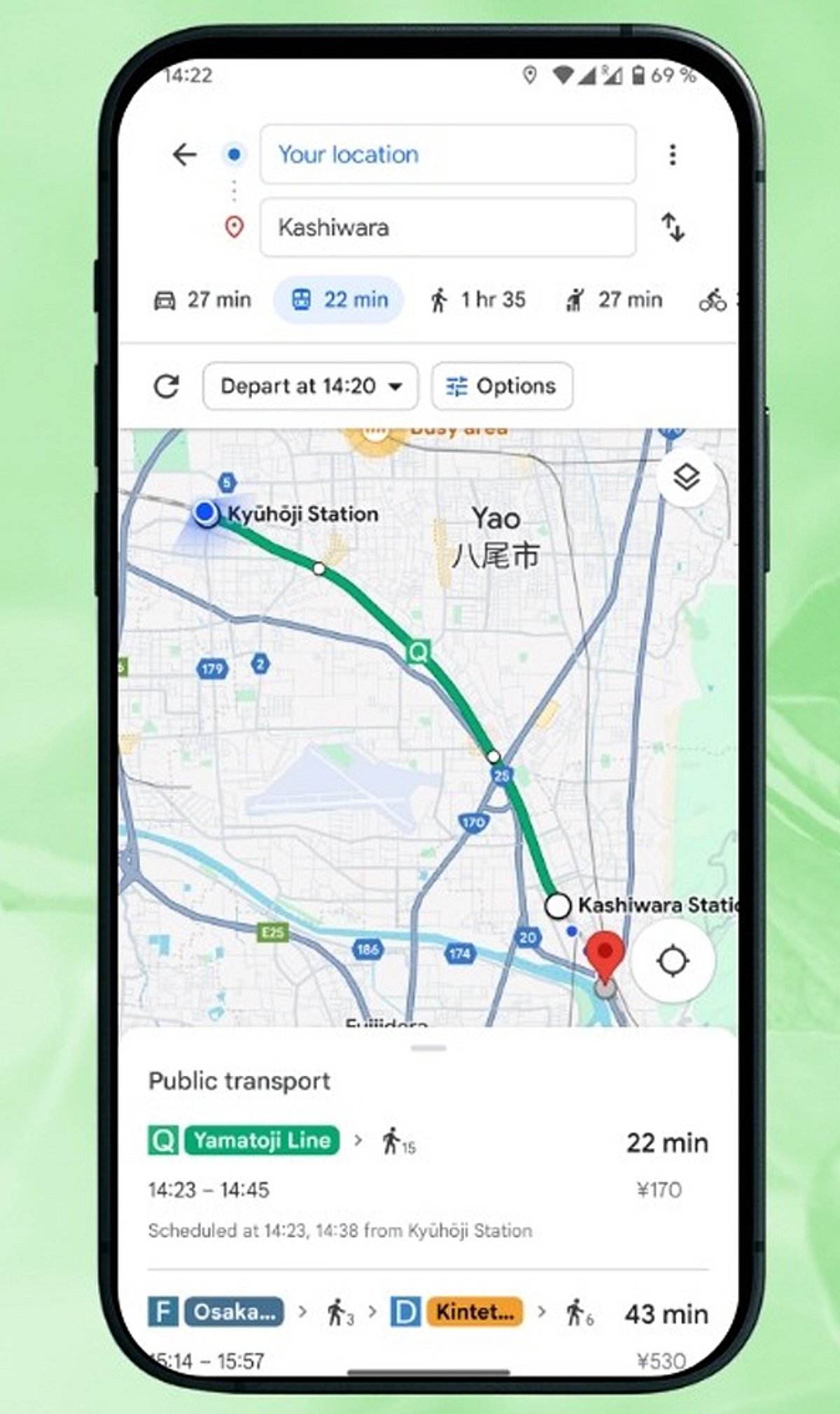
    Before the Start button appears, you must choose a valid destination and a travel mode—Driving, Walking, Cycling, or Transit. Double-check that your destination is correctly entered and that a route exists.

    Disconnect and Reconnect Android Auto or Apple CarPlay

    If you’re using Android Auto or Apple CarPlay, the Start button may be missing due to a connection hiccup. Disconnect your phone from the vehicle system, reconnect it, and then reopen Google Maps. This often refreshes the navigation interface.

    Clear Cache or Reinstall the App

    For Android users, clearing the Google Maps cache can resolve temporary data corruption. On an iPhone, reinstalling the app may be more effective. Always restart your device after these steps to ensure changes take effect.

    Disable Battery Optimization for Google Maps

    Aggressive power-saving settings can interfere with navigation features. Check your phone’s battery optimization or background restrictions and set Google Maps to ‘Unrestricted’ or ‘Not optimized.’ This allows the app to run smoothly even when in the background.

    Check Your Internet Connection

    While offline maps work for basic routing, live navigation features like real-time traffic and turn-by-turn directions require a stable internet connection. Switch to Wi-Fi or ensure your mobile data is strong.

    Report the Issue to Google

    If none of the above steps work, submit feedback through the Google Maps Help section. Temporary bugs are often addressed in future updates, and your report helps developers prioritize fixes.

    By systematically checking these common culprits, you can usually restore the Start button and get back to navigating with confidence.

  • Tech Roundup: Samsung Unpacked 2026, iPhone Price Increase in India, GTA 6 Launch, OpenAI Controversy, and Apple Lawsuit

    Tech Roundup: Samsung Unpacked 2026, iPhone Price Increase in India, GTA 6 Launch, OpenAI Controversy, and Apple Lawsuit

    Samsung is gearing up for its highly anticipated Unpacked 2026 event, while iPhone prices are expected to rise in India. Meanwhile, Grand Theft Auto 6 aims for a record-breaking launch, OpenAI faces growing backlash, and Apple has filed a lawsuit against OpenAI. Here’s a quick rundown of today’s top tech stories.

    Samsung Unpacked 2026
    Samsung is preparing to unveil new devices at its Unpacked 2026 event. The tech giant is expected to showcase the latest Galaxy smartphones, foldables, and possibly new wearables. Industry watchers anticipate significant upgrades in camera technology, battery life, and AI integration.

    iPhone Price Hike in India
    Apple may increase iPhone prices in India due to rising import duties and currency fluctuations. The potential hike could affect the entire lineup, including the latest iPhone models. This move comes as Apple continues to expand its manufacturing footprint in the country.

    GTA 6 Eyes Record Launch
    Rockstar Games’ Grand Theft Auto 6 is on track for a historic launch, with pre-order numbers and anticipation breaking records. The game is expected to set new benchmarks for the gaming industry, both in terms of sales and cultural impact.

    OpenAI Faces Backlash
    OpenAI is under fire over recent controversies, including allegations of unethical data usage and governance issues. Critics are calling for greater transparency and accountability from the AI research lab.

    Apple Sues OpenAI
    Apple has filed a lawsuit against OpenAI, accusing the company of violating intellectual property rights and misusing proprietary technology. The legal battle highlights the growing tensions between Big Tech and AI developers.

    Join our WhatsApp Channel to get the latest news, exclusives, and videos on tech.

  • WhatsApp Tests Independent Cloud Backup for iPhone Users, Reducing iCloud Reliance

    WhatsApp Tests Independent Cloud Backup for iPhone Users, Reducing iCloud Reliance

    WhatsApp is developing a new feature that would allow iPhone users to back up their chat history without relying on Apple’s iCloud. The move, discovered in the latest WhatsApp beta for iOS by WABetaInfo, points to Meta’s plan to introduce its own encrypted cloud storage service for conversation backups.

    Currently, iPhone users must use iCloud for WhatsApp backups, requiring sufficient iCloud storage space. The upcoming change would give users the option to choose between iCloud and WhatsApp’s own cloud service, potentially easing storage constraints for those who frequently run out of space or prefer not to depend on Apple’s ecosystem.

    According to leaked screenshots, the new system will offer 2GB of free cloud storage from WhatsApp, with additional paid plans likely available for users who need more capacity. Like the existing backup option, WhatsApp’s cloud backups will be end-to-end encrypted, ensuring messages remain private and secure.

    The feature is still in development and not yet accessible to beta testers. Meta has not announced a release date or availability timeline. If launched, it would give iPhone users greater flexibility in managing their chat backups and reduce dependence on iCloud for storage.

  • iOS 27 Public Beta Now Available: Siri AI Leads New Features—Check iPhone Compatibility

    iOS 27 Public Beta Now Available: Siri AI Leads New Features—Check iPhone Compatibility

    Apple has officially released the iOS 27 public beta, giving users an early look at the next-generation operating system ahead of its stable launch later this year. The headline feature is Siri AI, a redesigned, more intelligent assistant that brings deeper on-device processing, improved contextual understanding, and more natural conversations. The update also includes Apple Intelligence enhancements, performance improvements, and several interface upgrades.

    Siri AI: The Core of iOS 27

    The most exciting addition in iOS 27 is the new Siri AI. Unlike previous versions, this assistant can understand context, identify on-screen information, and perform complex multi-step tasks across Apple’s native apps. Users can ask Siri to locate a specific email, find a particular photo, create notes from messages, summarize content, or complete other multi-stage requests without switching apps. Natural language understanding has also been significantly improved. While the feature is available in the beta, compatibility with third-party apps will expand over time.

    This public beta offers the first opportunity for non-developers to experience Apple’s latest AI capabilities. Experts recommend backing up your device before installing the beta software.

    Other Features Coming in iOS 27

    Beyond Siri AI, iOS 27 introduces AI-powered photo editing, faster search in Photos, improvements to Camera and Messages, overall system performance optimizations, and security enhancements. Apple is clearly focused on delivering AI-driven experiences and refining performance.

    How to Download iOS 27 Public Beta

    To install the beta, sign in to Apple’s Beta Software Program with your Apple ID. Then go to Settings > General > Software Update > Beta Updates, select iOS 27 Public Beta, and begin the installation. Apple advises making a full device backup before upgrading, as beta versions may contain bugs and are incomplete.

    iPhone Compatibility

    iOS 27 supports many iPhone models, but Apple Intelligence and Siri AI require newer hardware. Older iPhones that support iOS 27 may not have access to all of Apple Intelligence’s capabilities. Check Apple’s official list to see if your device is eligible for the full experience.