Category: Gadgets

  • iPhone 18 Pro Launches in India: How to Snag Up to Rs. 7,000 Cashback and More

    iPhone 18 Pro Launches in India: How to Snag Up to Rs. 7,000 Cashback and More

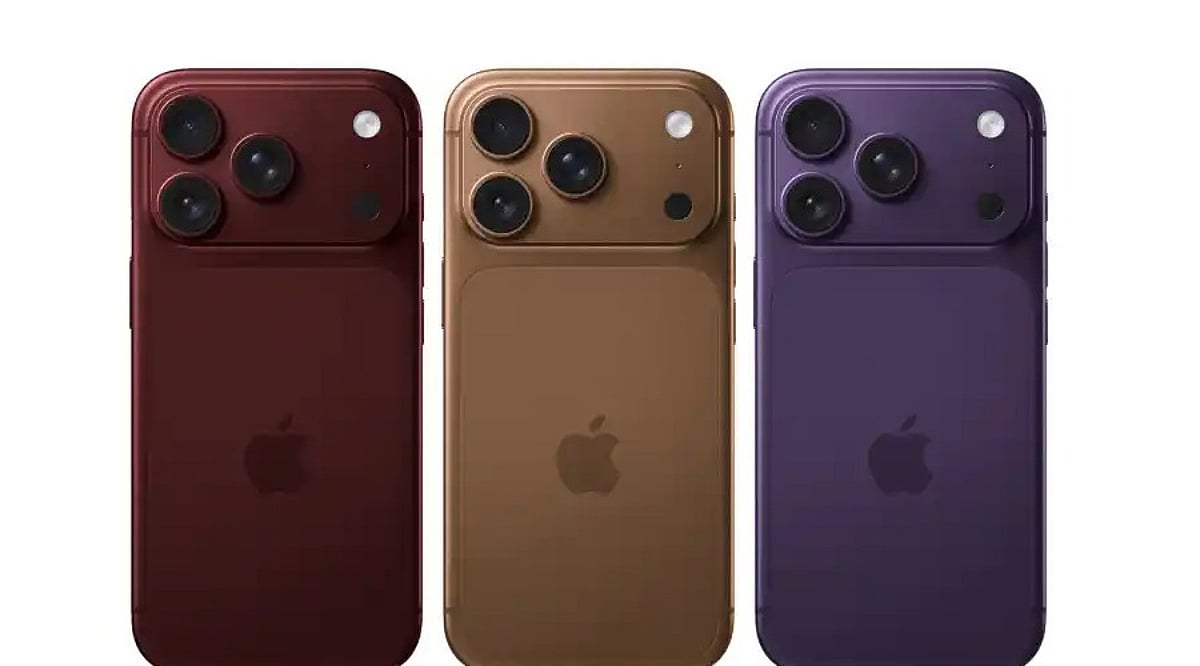
    Apple’s iPhone 18 Pro and iPhone 18 Pro Max have officially arrived in India, bringing powerful new features and a premium price tag. The standard 256GB iPhone 18 Pro starts at Rs. 1,64,900, while the top-tier 2TB model reaches Rs. 3,14,900. The Pro Max begins at Rs. 1,79,900 and scales up to Rs. 3,29,900. Buyers can purchase directly from Apple’s website, Apple Stores, or authorized sellers, and the devices are also available on Amazon, Flipkart, Croma, and Reliance Digital.

    For those who prefer not to queue, quick-commerce platforms like Swiggy Instamart, Zepto, and Blinkit now offer iPhone 18 deliveries within minutes. Apple’s authorized resellers—Imagine, iPlanet, IndiaiStore, and iNvent—also carry the new models.

    Launch Offers to Cut the Cost

    To ease the upfront expense, Apple is rolling out several deals:

    • Cashback: Up to Rs. 7,000 cashback on select American Express, Axis Bank, ICICI Bank, and SBI credit cards.
    • No-Cost EMI: Up to six months of interest-free installments.
    • Trade-In: Up to Rs. 81,500 for an eligible old device, depending on model and condition.

    These offers can be combined. For example, using an eligible card alongside a trade-in and no-cost EMI can significantly lower the total paid. However, the Rs. 7,000 cashback is subject to card and offer terms and does not alter the official retail price.

    Retailers are also adding their own incentives. Flipkart, for instance, offers up to Rs. 8,000 cashback with its Flipkart Axis Bank credit card.

    Smart Shopping Strategy

    Given the high starting price, buyers should consider the combined value of EMI, trade-in, and cashback rather than focusing on the list price alone. Apple’s Trade In program provides an instant reduction at checkout, while no-cost EMI spreads payments over several months without interest.

    The iPhone 18 Pro remains a premium investment, but these launch offers make it more accessible. For the best deal, check your credit card eligibility and trade-in value before purchasing.

  • Why France Is Investigating Camera-Equipped Smart Glasses—and What It Means for Wearable AI

    Why France Is Investigating Camera-Equipped Smart Glasses—and What It Means for Wearable AI

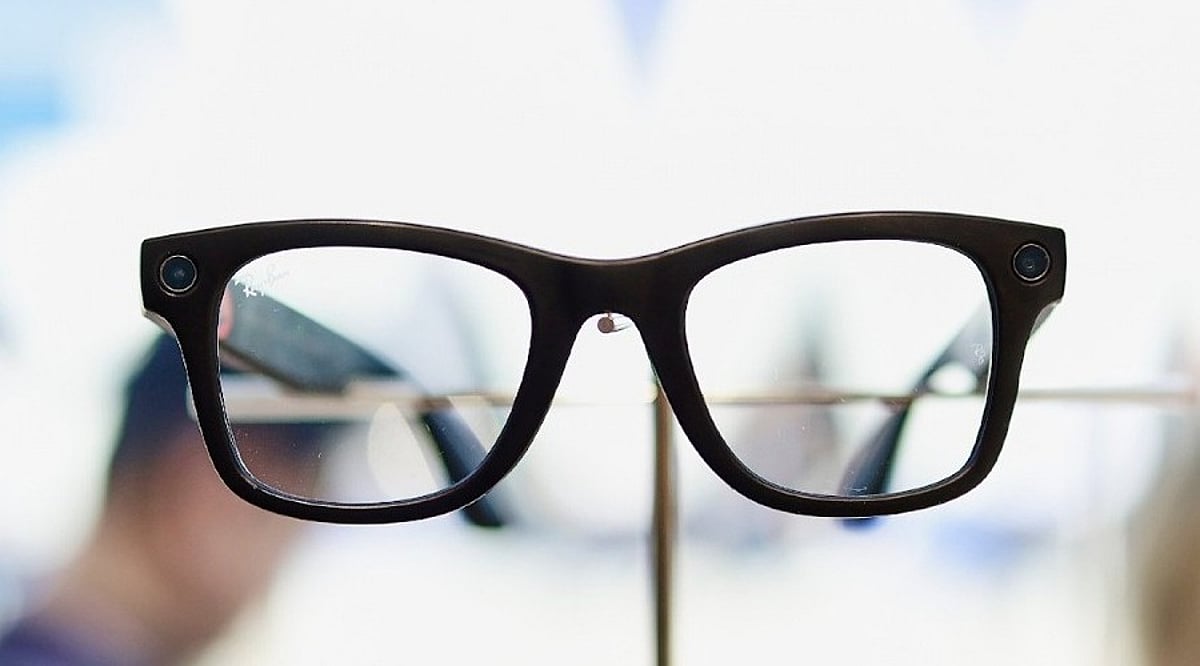
    French authorities have opened a criminal investigation into camera-enabled smart glasses after complaints that people, including women, were filmed in public without their consent. The case has placed the fast-growing wearable AI category under renewed privacy scrutiny.

    What prompted the investigation?

    Prosecutors in Paris launched the probe after receiving complaints tied to a social media trend in which women were reportedly recorded on streets without their knowledge and the footage was later shared online. French authorities have also tested the devices to understand how they might be used in such incidents.

    Meta glasses success and privacy concerns

    Meta’s camera-equipped glasses, featuring built-in recording capabilities, have sold more than 7 million units worldwide. However, the integrated camera has drawn criticism since launch. France’s data protection authority, CNIL, has received fewer than 10 complaints about smart glasses being used in workplaces. Some businesses have also asked whether they can prohibit employees from using them. Privacy groups, meanwhile, have questioned whether the indicator light is sufficient to alert people that recording is taking place.

    Beyond one brand

    The issue extends beyond any single manufacturer. Smart glasses can resemble ordinary eyewear while concealing cameras, microphones, and AI tools. Australia has already announced it will ban camera-equipped smart glasses in government workplaces, citing privacy and security concerns.

    Privacy could shape the next wave of wearables

    Wearable companies may now face tougher questions about when cameras can record and how clearly users can signal that recording is happening. The debate is not limited to France; other countries are also watching closely. As smart glasses gain new cameras and AI features, their future may depend as much on public trust as on technological capability. Clear rules could become a core part of how these devices are designed and used.

  • Moto Watch Ultra Review: A Stylish Wear OS Smartwatch with Solid Features

    Moto Watch Ultra Review: A Stylish Wear OS Smartwatch with Solid Features

    General Specifications

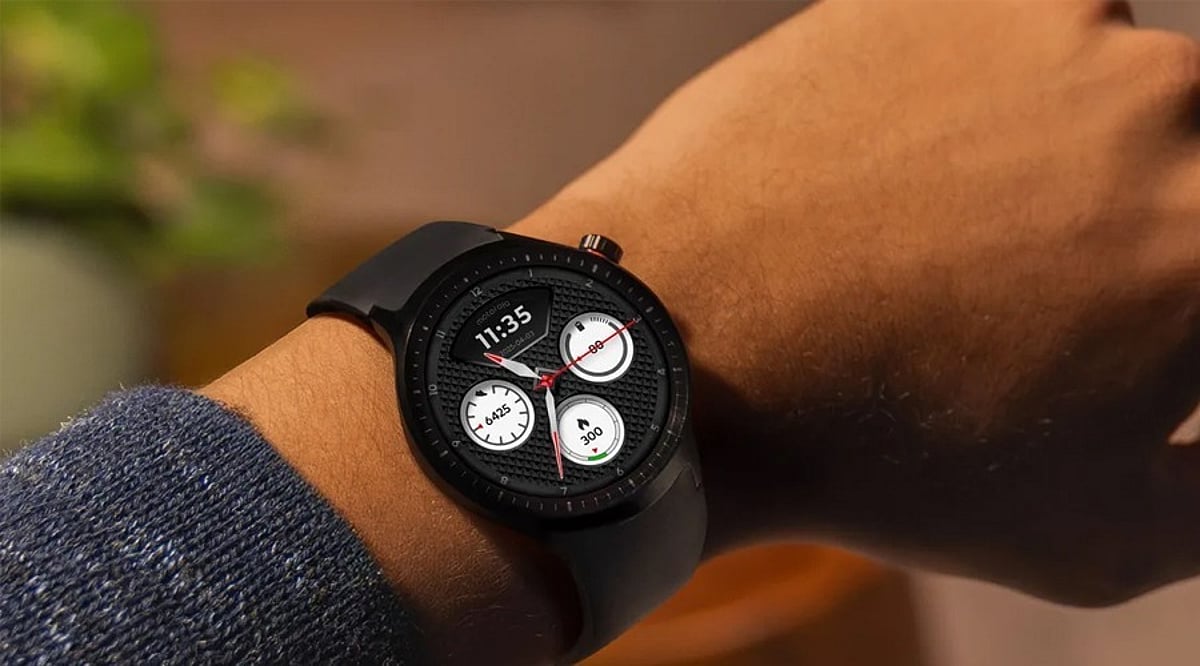
    The Moto Watch Ultra is Motorola’s latest entry into the Wear OS smartwatch space. It features a stainless steel case, a large 1.5-inch POLED display, LTE support, Wear OS 6, and Polar-based fitness tracking. The watch offers a two-day battery life and comes with both leather and silicone straps. This device delivers a strong blend of style, smart functionality, fitness capabilities, and value.

    Pros and Cons

    • Pros: Bright, large display; premium stainless steel build; LTE connectivity; comprehensive health tracking with Polar; includes two strap options; compatible with standard 22mm bands.
    • Cons: Outdated Snapdragon W5+ Gen 1 chipset; only 2GB RAM; Gorilla Glass 3 protection limits durability compared to newer options.

    Final Verdict

    The Moto Watch Ultra is one of the best choices for Android users seeking a stylish yet reasonably priced smartwatch. Its 1.5-inch bright display, stainless steel case, LTE, Wear OS 6, and Polar health monitoring pack impressive features. The inclusion of two straps and support for standard 22mm bands adds versatility. While the older Snapdragon W5+ Gen 1, 2GB RAM, and Gorilla Glass 3 keep costs down and prevent it from competing with top-tier devices, they help maintain an attractive price point. Overall, the Moto Watch Ultra earns a solid 4 out of 5 stars.

  • Tech News Roundup: iOS 27 Visual Intelligence, Redmi Note 17 Pro, Galaxy Z Fold 8 and More

    Tech News Roundup: iOS 27 Visual Intelligence, Redmi Note 17 Pro, Galaxy Z Fold 8 and More

    Today’s Tech News at a Glance

    On September 17, 2026, the tech world is buzzing with fresh updates from Apple, Xiaomi, Samsung, and Oppo. Here are the top stories leading today’s headlines.

    iOS 27 Visual Intelligence

    Apple’s iOS 27 update is making waves with a new Visual Intelligence experience, giving iPhone users smarter ways to interact with the world around them through the camera and on-device AI.

    Redmi Note 17 Pro’s Huge Batteries

    Xiaomi’s Redmi Note 17 Pro is in the spotlight for its reportedly massive battery capacity, a feature that could set a new benchmark for mainstream smartphones.

    Galaxy Z Fold 8 Sales

    Samsung’s Galaxy Z Fold 8 continues to dominate discussions as fresh sales numbers and market momentum make it one of the most talked-about foldables of the year.

    Oppo Watch S2 and iPhone 18 Pro Delays

    Oppo is also trending with the Watch S2, while Apple faces reports of delayed iPhone 18 Pro deliveries, leaving some customers waiting longer than expected.

    More in the Tech Spotlight

    Related coverage includes the Xiaomi Redmi Note 17 Pro Max, the best smartphones under Rs. 40,000 in 2026, and Xiaomi’s Diwali Sale 2026 discounts on devices like the Xiaomi 17 Ultra and Redmi Note 15 SE.

    Stay connected for more updates as these stories develop.

  • SoundPEATS POP Clip2 Review: Affordable Open-Ear Clip-On Earbuds with Impressive Sound

    SoundPEATS POP Clip2 Review: Affordable Open-Ear Clip-On Earbuds with Impressive Sound

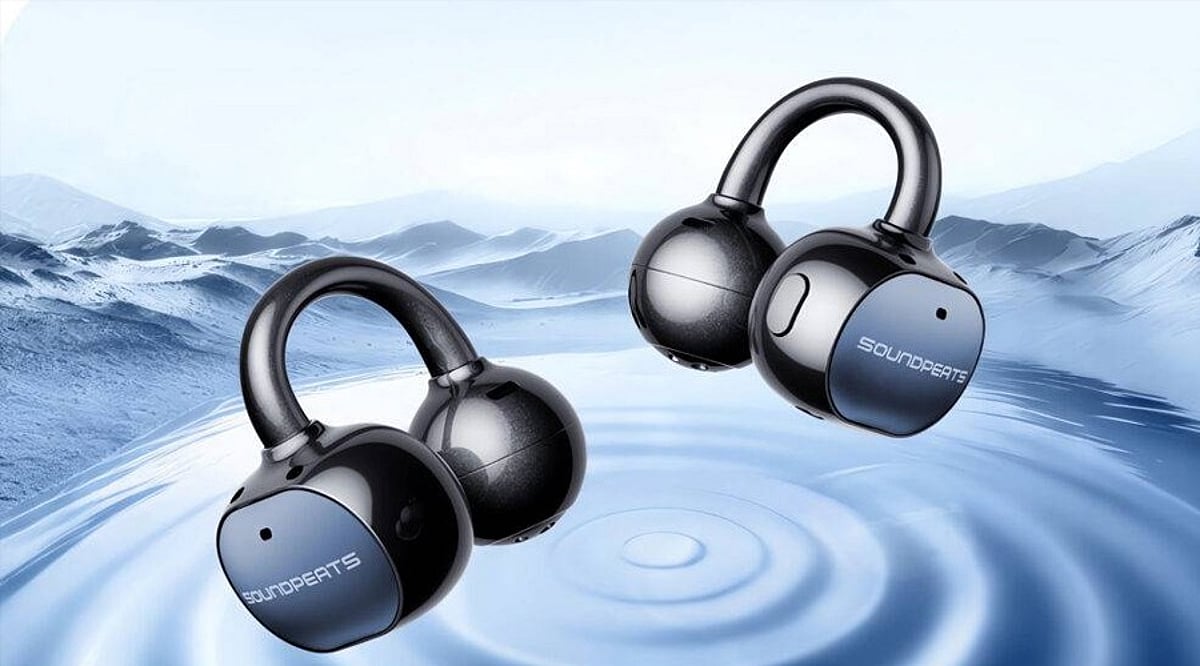
    The SoundPEATS POP Clip2 is a budget-friendly open-ear clip-on earbud designed for users who want a comfortable listening experience without traditional ear tips. Featuring 12mm drivers, LDAC support, customizable EQ, and spatial audio, these earbuds deliver surprisingly rich sound for their price point. With 10 hours of playback per charge and up to 42 hours with the charging case, they are built for all-day use.

    General Specifications

    • Drivers: 12mm dynamic
    • Audio Codec: LDAC, AAC, SBC
    • Battery Life: 10 hours (earbuds) + 32 hours (case) = 42 hours total
    • Connectivity: Bluetooth 5.3
    • Features: Spatial audio, customizable EQ, IPX5 water resistance
    • Weight: Lightweight clip-on design

    Pros and Cons

    Pros

    • Excellent sound quality with deep bass and clear highs
    • Comfortable open-ear design ideal for workouts and outdoor use
    • Long battery life (10 hours per charge, 42 total)
    • LDAC support for high-resolution audio
    • Affordable price

    Cons

    • Occasional connectivity drops
    • Charging case can be finicky
    • Not suitable for noise isolation (open-ear design)

    Final Verdict

    The SoundPEATS POP Clip2 delivers impressive sound quality, all-day comfort, and exceptional battery life at a low cost. Its open-ear clip-on form factor makes it a great choice for athletes, gym-goers, and anyone who dislikes in-ear buds. The 12mm drivers, LDAC support, and customizable EQ add significant value. However, intermittent connectivity and charging issues may frustrate some users. Overall, it’s a solid budget option for active lifestyles.

  • Best Amazon Deals Under $100: Smart Tech, Kitchen Gadgets, and Home Essentials for Savvy Shoppers

    Best Amazon Deals Under $100: Smart Tech, Kitchen Gadgets, and Home Essentials for Savvy Shoppers

    Amazon’s frequent sales events make it possible to upgrade your kitchen, home, or tech setup without breaking the bank. With prices climbing across categories, finding genuine discounts on trusted brands requires a bit of strategy. This guide highlights top picks under $100—from streaming devices to slow cookers—and shares tips to ensure you’re getting real value.

    Why Budget-Friendly Deals Matter

    Household budgets are tighter than ever, and shoppers are increasingly savvy. They compare prices, track histories, and wait for sales rather than paying full price. Amazon has responded with meaningful cuts on everyday categories like kitchen appliances, smart home gadgets, and personal electronics. The brands on sale are still the ones you recognize, so quality isn’t sacrificed.

    Smart shoppers now use price-tracking tools to verify whether a discount is genuine or just a marketing tactic. This habit has pushed retailers toward real reductions on established products, benefiting buyers who walk away with trusted items at fair prices.

    Top Tech Deals Worth Considering

    Tech deals often steal the spotlight during Amazon sales. Here are four devices from well-known brands that recently dropped in price without sacrificing features:

    • Amazon Fire TV Stick 4K Plus – Approx. $24.99. Streams in ultra-high definition; perfect for anyone new to smart TVs.
    • Amazon Smart Plug – Approx. $12.99. Turns any outlet into a voice- or app-controlled smart outlet.
    • Blink Outdoor 4 Security Camera – Approx. $23.99. Adds home monitoring without the cost of a full system.
    • Nutribullet Ultra Personal Blender – Approx. $100. Great for fitness routines and healthy habits.

    Kitchen Essentials That Save Time and Money

    Kitchen tools are frequent sale stars because home cooking is back in style. These four picks balance price, durability, and everyday usefulness:

    • Instant Pot Duo Plus (9-in-1 Pressure Cooker) – Approx. $69.99–$99.99. Handles pressure cooking, sautéing, and steaming in one appliance.
    • Crock-Pot 7-Quart Slow Cooker – Approx. $47. Ideal for larger families or meal prep.
    • Ninja Blast Portable Blender – Approx. $54. Perfect for on-the-go smoothies.
    • ESPRO Press French Press Coffee Maker – Approx. $24.49. A simple upgrade for coffee lovers.

    Comparing the Best Picks at a Glance

    Product Approx. Price Category
    Amazon Fire TV Stick 4K Plus $24.99 Tech
    Amazon Smart Plug $12.99 Tech
    Blink Outdoor 4 Security Camera $23.99 Tech
    Nutribullet Ultra Personal Blender ~$100 Kitchen/Wellness
    Instant Pot Duo Plus $69.99–$99.99 Kitchen
    Crock-Pot 7-Quart Slow Cooker $47 Kitchen
    Ninja Blast Portable Blender $54 Kitchen
    ESPRO Press French Press $24.49 Kitchen
    BLACK+DECKER Dustbuster Handheld Vacuum $43.99 Home
    TheraGun Therabody Relief Massage Device $99.99 Wellness
    Amazon Basics Kitchen Knife Set Under $15 Kitchen

    Note: Amazon prices change frequently. Always check the live listing before purchasing.

    Everyday Home and Wellness Picks

    Beyond tech and kitchen, Amazon sales cover home cleaning and wellness items that solve daily annoyances:

    • BLACK+DECKER Dustbuster Handheld Vacuum – Approx. $43.99. Great for quick cleanups in cars or tight spaces.
    • TheraGun Therabody Relief Massage Device – Approx. $99.99. Percussion therapy for sore muscles.
    • Amazon Basics Kitchen Knife Set – Under $15. A simple replacement for worn-out cutlery.

    How to Shop These Deals Wisely

    1. Compare the listed discount against the product’s price history before buying.
    2. Read verified customer reviews to see how the product holds up in daily use.
    3. Add items to a wish list early and let Amazon alerts flag price drops.
    4. Avoid adding extra items just to hit free shipping thresholds.
    5. Review the return policy—electronics and appliances often have different timelines.

    Final Thoughts

    Smart shopping isn’t about spending less—it’s about spending correctly on things that get used. Amazon’s sub-$100 deals show that quality and fair price can coexist. Shoppers who plan, compare, and buy during recognized sale windows tend to get the best value. The shift toward practical, reliable tools over flashy upgrades means a well-chosen blender, vacuum, or streaming stick can add more real value to your home than a single expensive gadget. Keep that mindset while browsing, and you’ll build a home setup that lasts well beyond the sale.

  • Clear Scan PDF Scanner Review: Features, Pricing, and How to Use It

    Clear Scan PDF Scanner Review: Features, Pricing, and How to Use It

    Clear Scan – PDF Scanner is a mobile app that turns your phone camera into a portable document scanner. Instead of carrying a separate scanner, users can capture papers, receipts, notes, bills, and other documents, then save or share them as PDF or JPEG files. The app includes edge detection, image filters, OCR, page editing, multi-page scanning, folders, and cloud sharing.

    What Is Clear Scan – PDF Scanner?

    Clear Scan – PDF Scanner is developed by Indy Mobile App. It is available for Android and iOS devices. The app uses the phone camera to photograph documents and convert them into digital files. It has been available for several years and has built a large user base. Google Play shows more than 10 million downloads and a 4.7-star rating from roughly 485,000 reviews. The Android version received an update in August 2026 with Android 16 compatibility, plus performance and stability improvements.

    Key Features

    • Automatic edge detection: The app finds document boundaries after a photo is taken, and users can adjust corners manually if needed.
    • Image filters: Filters help improve readability for color documents, black-and-white pages, photos, and clearer scans.
    • OCR support: Optical character recognition reads text from scanned images and turns it into editable text.
    • PDF and JPEG export: Scans can be saved in either format.
    • Multi-page scanning: Users can add, remove, and reorder pages before saving a single file.
    • Folders and subfolders: Scans can be organized for easier access.
    • Cloud sharing: Files can be shared through email, cloud storage, and supported apps.

    Pros and Cons

    Pros

    • Easy to use and fast scanning
    • Automatic edge detection
    • PDF and JPEG support
    • Built-in OCR
    • Multi-page documents
    • Image filters and page editing
    • Folder organization
    • Cloud sharing
    • Available on Android and iOS

    Cons

    • Android version includes ads
    • Some features require in-app purchases
    • Scan quality depends on the phone camera
    • Poor lighting can affect results
    • OCR may not read every text correctly

    How to Use Clear Scan – PDF Scanner

    1. Open Clear Scan on your phone and allow camera access.
    2. Place the document on a flat surface with enough light.
    3. Tap the camera button and take a picture.
    4. Check the detected edges and adjust the corners if needed.
    5. Crop any unwanted background space.
    6. Choose a filter that makes the document easier to read.
    7. Add more pages if you are creating a multi-page file.
    8. Change the page order if necessary.
    9. Save the document as a PDF or JPEG and give it a clear file name.
    10. Share the file through email, cloud storage, or another app.

    Where to Download It

    Clear Scan is available on the Google Play Store for Android phones and tablets, and on the Apple App Store for iPhone and iPad. Downloading from an official store is safer and ensures the app receives future updates through the normal update system. The Android version is free with advertisements and in-app purchases. The iOS version is also free with in-app purchases.

    Is Clear Scan Right for You?

    Clear Scan – PDF Scanner is a practical tool for students, office workers, and anyone who handles paperwork regularly. It is not a replacement for a professional office scanner in every situation, because the final quality depends on the phone camera, lighting, and the condition of the original paper. For everyday tasks like scanning receipts, notes, forms, and office documents, it can save time and reduce the need for a dedicated scanner.

    FAQs

    What is Clear Scan – PDF Scanner?

    Clear Scan is a mobile app that uses a phone camera to scan documents and save them as PDF or JPEG files.

    Is Clear Scan free to use?

    Yes, the app is free to download, but it includes ads and in-app purchases.

    Does Clear Scan support OCR?

    Yes, OCR reads text from scanned documents and converts it into editable digital text.

    Can I scan several pages into one PDF?

    Yes. Clear Scan supports multi-page documents, and users can add, remove, and reorder pages before saving.

    Can Clear Scan share documents?

    Yes, scanned files can be shared through email, cloud storage, and other supported apps.

  • iPhone Duo: 5 Exclusive Features That Redefine Apple’s Foldable Experience

    iPhone Duo: 5 Exclusive Features That Redefine Apple’s Foldable Experience

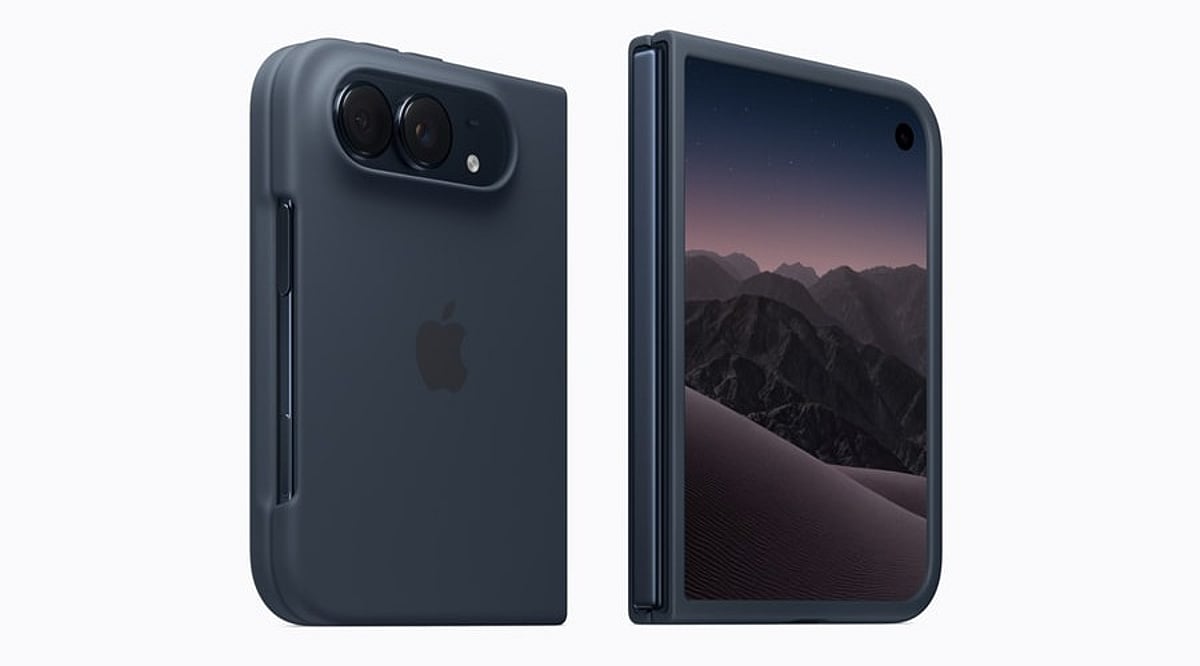
    Apple has finally entered the foldable phone market with the iPhone Duo, a book-style device featuring two screens. This launch answers questions iPhone users have been asking for years: What changes when a phone becomes a small tablet, and what stays the same? Apple has packed the iPhone Duo with exclusive features that don’t exist on any other iPhone model, from dual-screen camera tricks to a different unlocking method and even unique charging capabilities.

    1. Dual-Screen Camera Software

    The iPhone Duo sports a dual 48-megapixel camera system on the back, similar to the iPhone 18 Pro, but its software is where Apple gets creative. Features like Smart Take, Kid Cue, and Duo Preview are exclusive to this model, and they exist because the phone can display a live camera view on both screens simultaneously. A parent photographing a child can use Kid Cue to capture their attention on the outer display while framing the shot on the inner one. Duo Preview lets a photographer show the subject exactly what the shot looks like before the picture is taken—something a single-screen iPhone simply cannot do.

    2. Under-Display Camera on the Inner Screen

    For the first time on any iPhone, Apple has placed a camera underneath the display itself. The inner 7.6-inch screen carries this under-display camera, keeping the folding display free of any visible cutout or notch. The trade-off is that this camera doesn’t match the quality of the Center Stage front camera on the outer screen, so Apple recommends using the outer camera for video calls and selfies whenever the phone stays closed.

    3. Touch ID Instead of Face ID

    Every recent iPhone has relied on Face ID for unlocking, but the Duo breaks that pattern. Apple moved authentication to a side-mounted Touch ID sensor, a design choice driven by the thinner profile needed for a folding phone. This lets users unlock the device whether it sits open or closed, without needing a front-facing sensor array that would otherwise eat into the slim bezels Apple aimed for on the folding screen.

    4. Apple Pencil Support & Familiar Charging

    Apple Pencil has always been an iPad feature, but the iPhone Duo changes that boundary. The company has confirmed that Apple Pencil support will roll out for both the inner and outer displays later this year. On the charging side, the Duo sticks with what iPhone owners already know, supporting fast wired charging alongside MagSafe and Qi2 wireless charging, so an existing iPhone charger still works fine with the new model. This turns the Duo into a note-taking and sketching device in a way no earlier iPhone allowed, positioning it as a bridge between Apple’s phone and tablet lineups.

    5. Adaptive Postures

    The iPhone Duo supports several distinct postures that Apple built software around, including Landscape, Portrait, Closed, Seated, and Standing modes. In Seated mode, the phone can rest at an angle for watching a video or following a workout routine. In Standing mode, it doubles as a bedside display through StandBy, showing a clock, photos, or widgets. Split View lets two apps run side by side on the larger inner display, a functionality closer to what people expect from a small tablet than a phone.

    Why These Features Matter

    These five features show that Apple did not simply put a hinge on an existing iPhone design. Each one, from the camera software to the authentication method, reflects a rethink of what a phone can do once it has two screens working together. For anyone weighing whether the Duo justifies its higher iPhone price compared to a regular Apple iPhone, these software and hardware choices matter more than the display size alone, since they define how the phone actually gets used day to day.

    FAQs

    1. What makes the iPhone Duo different from other iPhone models?
    The iPhone Duo is Apple’s first foldable iPhone, featuring a book-style design with two screens, exclusive camera software, and an under-display camera not found on any other iPhone.

    2. Does the iPhone Duo use Face ID?
    No, the iPhone Duo replaces Face ID with a side-mounted Touch ID sensor, letting users unlock the device whether it is open or closed.

    3. Can the iPhone Duo work with Apple Pencil?
    Yes, Apple has confirmed Apple Pencil support for both the inner and outer displays, rolling out later this year.

    4. Does the iPhone Duo need a special charger?
    No, the iPhone Duo supports the same fast wired charging along with MagSafe and Qi2 wireless charging as other recent iPhone models, so an existing iPhone charger works fine.

    5. What are the exclusive camera features on the iPhone Duo?
    The iPhone Duo offers Smart Take, Kid Cue, and Duo Preview—camera features built specifically to use both the inner and outer displays at the same time.

  • The Invisible AI Revolution: 7 Smart Devices Where Artificial Intelligence Blends Seamlessly into Daily Life

    The Invisible AI Revolution: 7 Smart Devices Where Artificial Intelligence Blends Seamlessly into Daily Life

    Artificial intelligence is rapidly moving from a flashy, attention-grabbing feature to a quiet, indispensable assistant. The next wave of smart devices integrates AI so smoothly that users often forget it is there. From earbuds that translate in real time to home appliances that learn your routines, here are seven products where AI is becoming invisible.

    1. AI Earbuds

    Smart earbuds now leverage AI for real-time translation, intelligent noise management, voice assistance, and personalized audio profiles. The technology adapts to your environment without requiring any manual adjustments, making the experience effortless.

    2. AI Smart Glasses

    AI-powered glasses can recognize surroundings, answer questions, translate text, and deliver useful information without demanding constant screen interaction. They overlay digital insights onto the physical world, keeping your hands and eyes free.

    3. AI Smartwatches

    Modern smartwatches use AI to interpret health trends, summarize notifications, assist with workouts, and provide contextual suggestions directly from your wrist. The intelligence works in the background, offering proactive support when you need it.

    4. AI Smartphones

    Today’s smartphones embed AI into cameras, call quality, search, writing assistance, and personalization. These intelligent features feel like ordinary phone functions, enhancing everyday tasks without adding complexity.

    5. AI Home Appliances

    Refrigerators, washing machines, and ovens increasingly use AI to adjust settings, recognize usage patterns, and automate routine household decisions. The devices learn your habits and optimize performance automatically.

    6. AI Security Cameras

    AI cameras can identify people, vehicles, unusual activity, and important events, reducing the need for users to monitor footage constantly. Alerts are smart and contextual, so you only see what matters.

    7. AI Personal Robots

    Emerging personal robots combine cameras, microphones, sensors, and AI to understand environments, respond naturally, and handle simple household tasks. They adapt to your home without requiring complicated programming.

    Beyond these seven categories, AI is also transforming cars, health devices, and more. The common thread is that the technology fades into the background, making life simpler and more intuitive. As AI continues to evolve, the smartest devices will be the ones you barely notice.

  • HP 15 Ryzen 3 Laptop with 8GB RAM and 512GB SSD: A Balanced Choice for Daily Tasks

    HP 15 Ryzen 3 Laptop with 8GB RAM and 512GB SSD: A Balanced Choice for Daily Tasks

    HP 15 Ryzen 3 Laptop: Specs and Everyday Performance

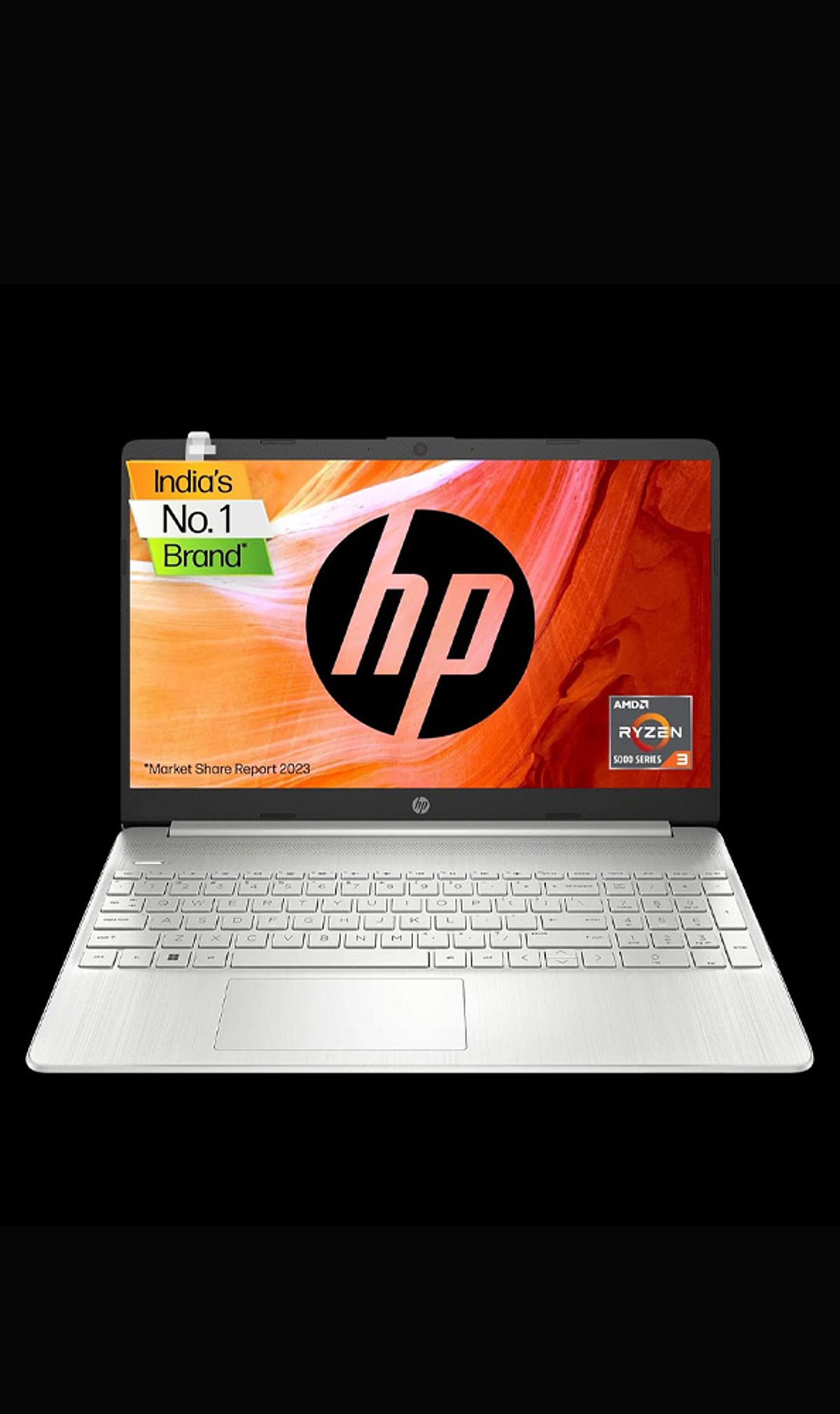
    The HP 15 with an AMD Ryzen 3 processor, 8GB of RAM, and a 512GB SSD is a practical choice for everyday computing. This configuration delivers a balanced mix of performance, storage, and speed for common tasks.

    8GB RAM for Smooth Multitasking

    With 8GB of memory, the HP 15 handles routine multitasking with ease. Whether you’re browsing the web, editing documents, joining video calls, or switching between applications, the system remains responsive throughout the day.

    512GB SSD: Fast Storage

    The 512GB solid-state drive provides generous space for files, apps, and media while delivering faster data access and quicker system responsiveness than traditional hard drives. Boot times are shorter, and applications load more quickly.

    AMD Ryzen 3 Processor

    The Ryzen 3 processor is built for everyday workloads such as web browsing, office applications, streaming, and basic productivity. It provides a reliable foundation for users who need a laptop for daily tasks without the complexity or cost of high-end hardware.

    Perfect for Study, Work, and Entertainment

    This HP 15 model is well suited to students and professionals handling routine tasks. Its combination of processing power, memory, and SSD storage covers common activities like creating documents, attending online meetings, and managing digital work. Beyond productivity, it also handles entertainment needs such as video streaming and content browsing.

    Balanced Storage and Memory Configuration

    The pairing of 8GB RAM and 512GB SSD creates a well-rounded configuration for everyday applications, files, and multitasking needs. This laptop targets users seeking a practical Windows companion for daily computing rather than demanding professional or intensive workloads.